

A business that treats a payout hold as a waiting game and a business that treats it as a fixable checklist problem end up in very different places. The first keeps refreshing the dashboard, keeps telling suppliers that payment is coming, and keeps hoping the hold lifts on its own. The second reads the exact flag Stripe raised, assembles the exact proof Stripe asked for, and sends one clean review request. Both businesses may have done nothing wrong. Only the second gives Stripe something it can approve. If you need to fix Stripe payouts on hold small business owners face, that difference is the whole job.
A payout hold does not mean your money has vanished. It means Stripe has paused the movement of funds from your available balance to your bank account while it checks something. That something is usually verification, a bank detail, a risk signal, or a dispute pattern. The money sits in your Stripe balance, often shown as pending, until the check clears. Your customers can usually still pay you while payouts are paused, but you cannot move the money out, and that gap is what strains rent, payroll, and supplier payments.
This guide walks through the real diagnostic steps Stripe itself points owners toward. It covers how to read the dashboard flag, how to tell a verification hold from a bank failure and from a risk reserve, how to build a document pack that matches your public business details, how to request a review without hurting your case, and how to bridge cash flow while you wait. It also covers what not to do, because several common reactions make a hold longer. Timelines in this guide come from Stripe documentation and reputable support guides checked at writing time, and they vary by account, industry, and country, so treat them as typical ranges rather than promises for your account.
What a Payout Hold Actually Means in Stripe
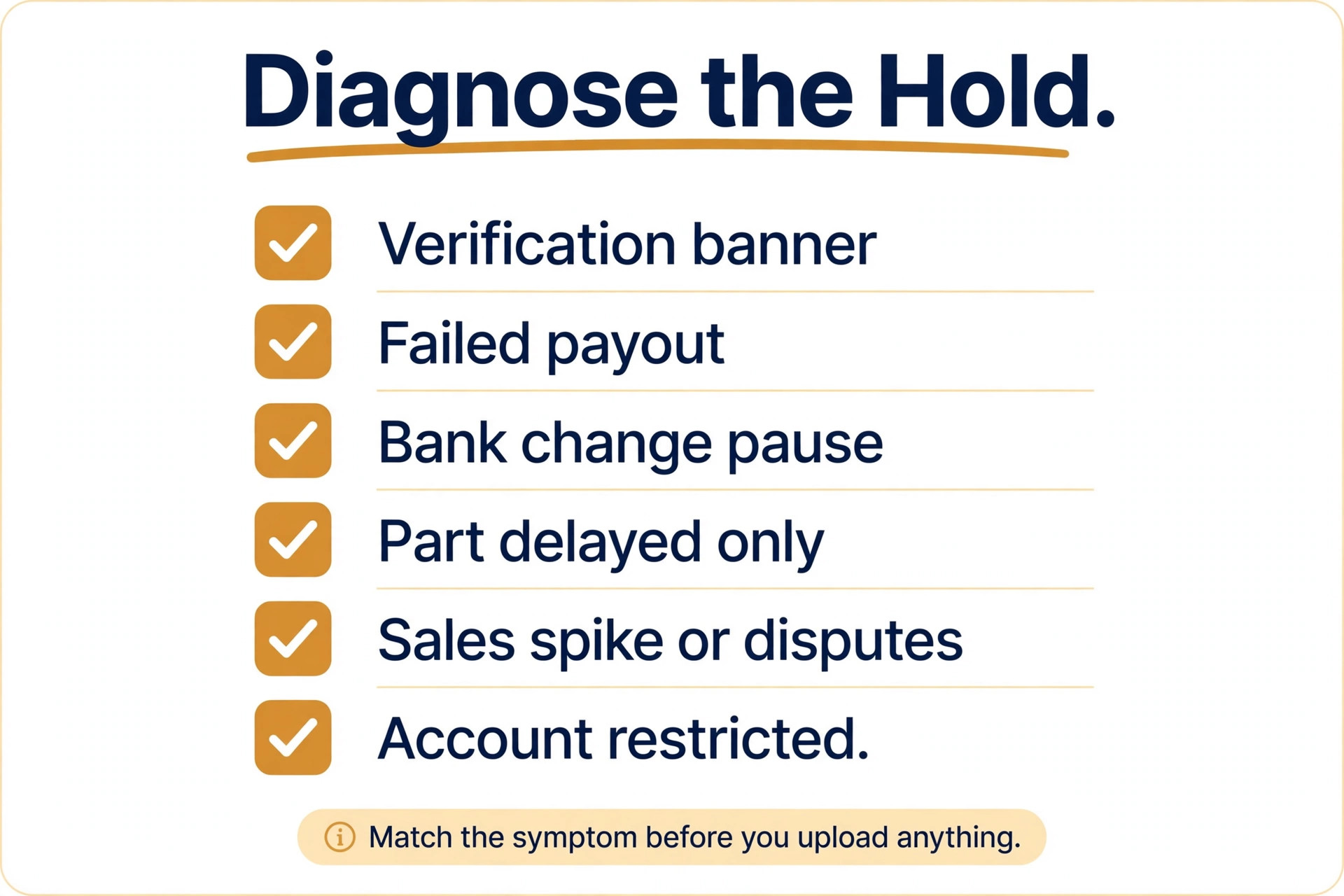
Stripe separates three ideas that owners often blur together, and the fix depends on which one you have. The first is payouts disabled. Stripe has paused payouts until you complete a requirement, such as identity verification or a bank account check. The dashboard usually shows a banner or a requirements list, and the fix is to complete the listed item. The second is a failed payout. Stripe tried to send money to your bank and the bank could not accept it, so the payout changes status after the attempt. The third is a reserve. Stripe holds back a share of each payout for a set period as protection against refunds and disputes, while the rest still pays out on schedule.
A reserve is not the same as a full hold, and confusing the two leads to the wrong appeal. With a rolling reserve, for example, a share of each payment may be released after a set number of days while the remainder pays out normally.
With a fixed reserve, a set amount stays in the account until Stripe releases it. Guides describing Stripe reserves commonly explain the rolling model as a percentage released after the hold period, with the balance paying out on the normal schedule. If most of your money still arrives and only a share is delayed, you are probably looking at a reserve, not a full payout block, and your review request should ask about the reserve terms rather than claiming that nothing is arriving.
Account status words matter too. Stripe may describe an account as restricted when verification is incomplete, and that restriction can pause payouts even though card payments still work. A closed account is a different and more serious outcome, with longer fund holding periods described in Stripe policy guides, sometimes running to several months to cover late disputes. This guide focuses on the recoverable middle ground, which is a live account with payouts paused for a fixable reason. If your closure email says the account is closed, the steps for exporting records and planning a move to another processor matter more than another document upload.
How to Fix Stripe Payouts on Hold Small Business Owners Should Follow
The workflow below is the spine of this guide. Each step has one decision attached to it, and skipping a step is how owners end up sending documents Stripe never asked for while the real flag stays open. Work through the steps in order, keep a dated note of what you did at each step, and do not start a second review request until the first one has been answered. If you need to fix Stripe payouts on hold small business cash depends on, this sequence is the fastest honest route through it.
1. Read the dashboard flag before you touch anything. Open the Stripe Dashboard, check the home banner and the payouts page, and write down the exact wording, the date it appeared, and the payout amount affected. 2. Classify the hold. Decide whether it is a verification requirement, a bank failure, a risk review, or a reserve, using the diagnosis table in the next section. 3. Fix the underlying cause first. Complete verification, correct the bank detail, align your website and business details, or address the dispute pattern that triggered the review. 4. Build one document pack. Gather only documents that match the name, address, and business details on your Stripe account and your public website. 5. Submit one complete review request through the channel Stripe names for your case, and attach the full pack in that single submission. 6. Bridge cash flow while you wait. Pause non essential spending, talk to suppliers early, and line up a short term backup for payroll and rent. 7. Log every response. Save Stripe emails, note the date of each reply, and check the dashboard status rather than relying on memory. 8. Prevent the next hold. Fix the root cause permanently, tighten dispute handling, and set a monthly account health check.
Owners who follow this order tend to resolve verification holds quickly, because Stripe can approve a complete pack in one pass. Owners who jump straight to step five, before fixing the cause, tend to get a second request for the same documents and lose another week. The order is not bureaucracy for its own sake. It mirrors how a reviewer works through a case, and it gives that reviewer no reason to send the case back.

Read the Dashboard Flag Before You Act
Start in the Stripe Dashboard on the payouts page and on the account home screen. Look for banners with wording such as action required or payouts paused, and open the individual payout record to read its status and any failure reason. Stripe support guides for failed payouts describe exactly this sequence, which is to open the payout, read the failure reason, correct the bank or verification issue, and resume payouts if Stripe asks you to. Write down the payout amount, the date, and the reason in your own words, because you will need those details if you contact Stripe support or your bank.
Check three places, not just one. The home banner tells you whether a requirement is open. The payouts page tells you whether money is scheduled, in transit, failed, or paused. The account settings area tells you whether your business details, owners, and bank account are verified. A flag in only one of those places points to a narrow fix. Flags in all three usually point to a broader verification or risk review, and that case needs a fuller document pack rather than a single corrected field.
Diagnose the Hold With This Table
Use the table below to classify your hold before you upload anything. Each row pairs a symptom you can see with the most likely cause and the first fix to try. If your case matches more than one row, fix the verification and bank rows first, because those are the ones Stripe can clear fastest, then address the risk row with a proper review request.
| Symptom you can see | Most likely cause | First fix to try |
|---|---|---|
| Banner asking for verification documents | Identity, business, or tax details incomplete | Complete every listed requirement with matching documents |
| Payout shows as failed after first showing as paid | Bank rejected the transfer or account detail is wrong | Correct the bank account in payout settings and confirm routing and account numbers |
| Payouts paused after a bank account change | Security pause while the new account is verified | Complete the new account verification and confirm the change with support if asked |
| Only a share of each payout is delayed | Rolling or fixed reserve for dispute risk | Ask support for the reserve percentage and release period in writing |
| Hold followed a sales spike or many disputes | Risk review triggered by volume or dispute pattern | Address disputes, align website details, then request a review |
| Account described as restricted with no payout movement | Verification or compliance review still open | Submit the full document pack and wait for a decision before resubmitting |
Fix the Verification Problem First
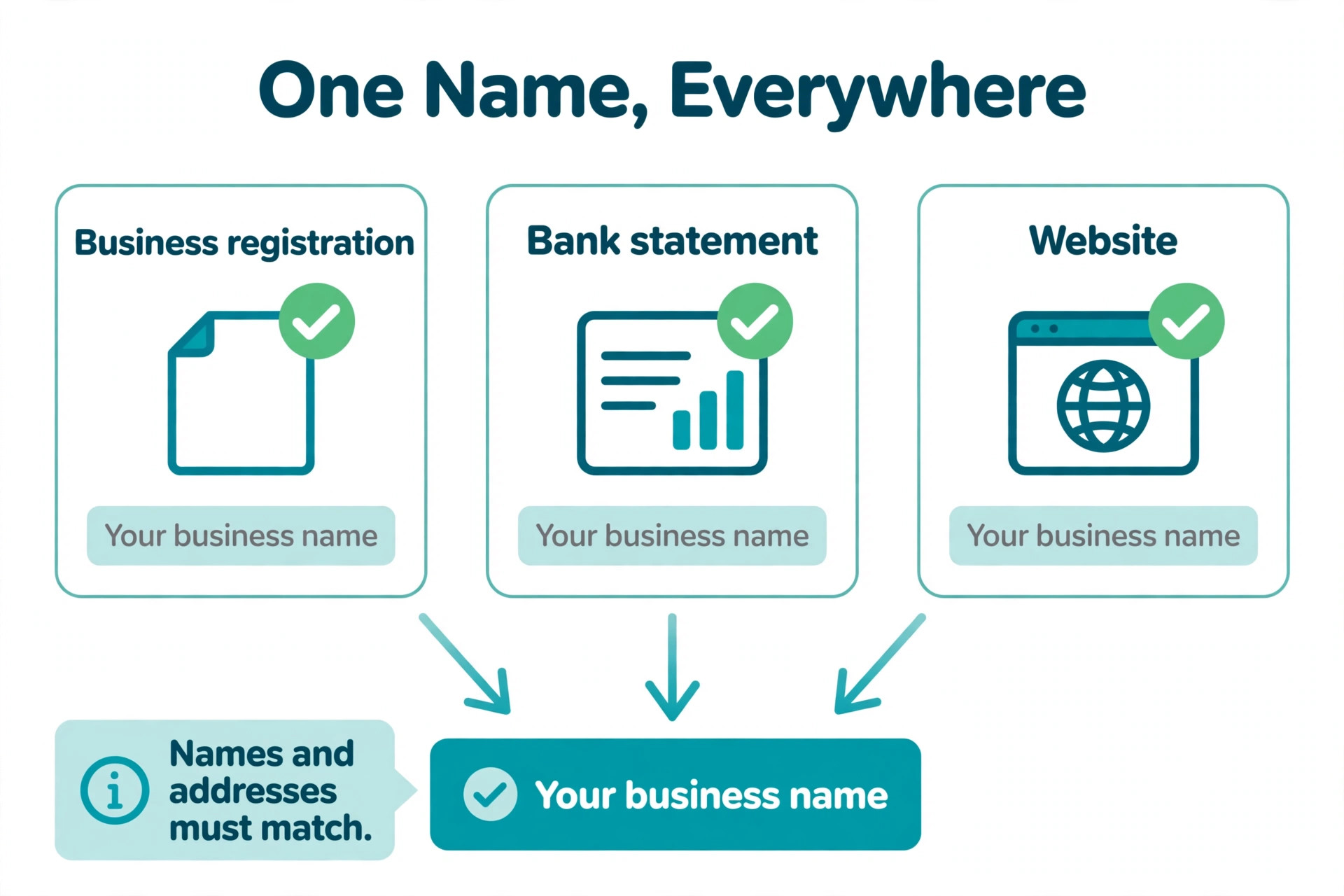
Verification holds are the most common and the most fixable kind, and they follow a simple rule. Stripe needs the details on your account to match the details the public can see about your business. That means the legal business name, the trading name, the address, the website, and the bank account holder name should all tell the same story. Support guides on Stripe holds stress this point repeatedly, because mismatches between a business licence, a bank account, and a website footer are a leading cause of extended holds.
Work through the requirements list one item at a time. If Stripe asks for a government ID, upload a clear, unexpired, fully visible copy, not a cropped photo with a corner cut off. If it asks for business registration, upload the current registration document with the exact legal name. If it asks for tax details, enter them exactly as they appear on your tax record. If it asks for proof of address, use a recent utility bill or bank statement that shows the same address as your account. Label each file clearly, check that every page is legible, and confirm that no file is password protected, because a reviewer cannot approve a document they cannot open.
Fix the Bank Account Problem
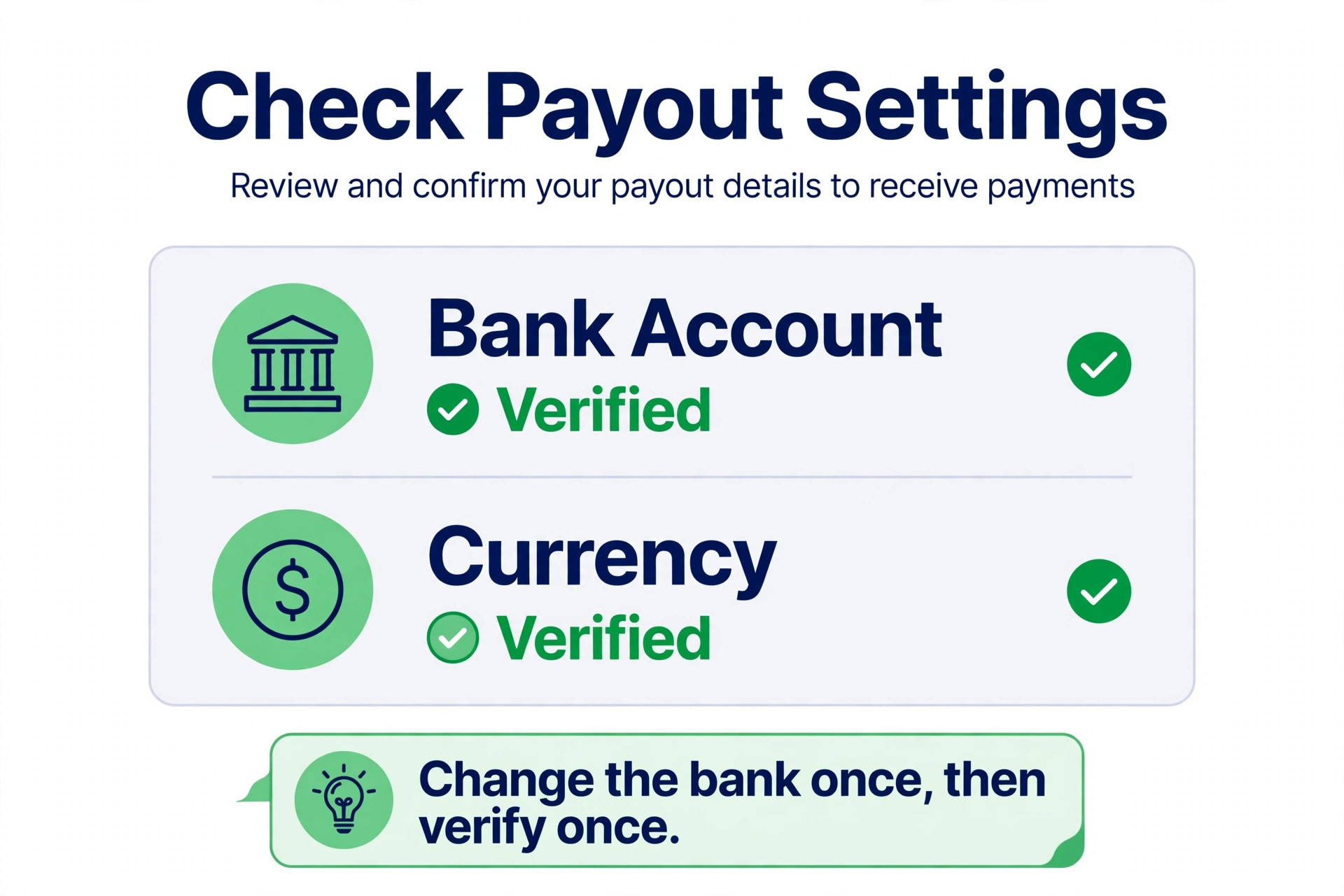
Bank failures have a narrower fix, but they punish carelessness. Open payout settings in the Stripe Dashboard, check the bank account listed for payouts, and confirm the routing number, the account number, the country, and the currency. Stripe documentation notes that the bank account currency must match the currency in your payout settings, and that non standard bank accounts can see higher payout failure rates. A checking account at an established bank is the safest choice for payouts, while a savings account, a closed account, or an account in another name invites failure.
If Stripe says the bank account caused the failure, update the account and complete any verification steps Stripe shows for the new account. Expect a short security pause after a bank account change, because payment platforms commonly pause payouts briefly while a new destination is verified. Do not change the bank account a second time while the first change is still being verified, because each change can restart that pause. Change it once, verify it once, and confirm the status before you move on.
Understand Reserves, Payout Schedules, and First Payout Delays
Not every delay is a hold, and knowing the normal schedule stops owners from appealing a delay that would have cleared on its own. Stripe documentation states that a first payout is typically scheduled to complete within 7 to 14 days after the first successful live payment, depending on industry, country, and risk level. After that, payouts follow the account payout schedule, and the bank may take additional time to make the funds available after receiving them. A new account owner who expects money in two days and sees nothing in three days may simply be inside the normal first payout window.
Payout schedules vary by currency and account history. Established accounts commonly pay out on a rolling two business day basis in the United States, while other currencies and newer accounts may sit on longer rolling schedules. Stripe can also move an account to a weekly or monthly schedule if it perceives higher risk, and that change alone can feel like a hold even though money is still moving, just more slowly. Check your payout schedule in the dashboard before you conclude that payouts have stopped, and compare the expected deposit date on the individual payout record with the date money actually reached your bank.

Build the Document Pack Stripe Can Approve
A good document pack is small, matching, and complete. It is not a large folder of everything you own. Reviewers approve packs where every document agrees with the others, and they send back packs where the name on one document differs from the name on another. Build the pack around the requirement Stripe actually listed, and add only the supporting documents that prove the business operates as described.
| Document | What it must show | Common mistake to avoid |
|---|---|---|
| Business registration | Current legal name and registration details | Uploading an old registration under a former name |
| Government ID for owners | Clear, unexpired ID matching the account owner details | Cropped or blurry photos with edges cut off |
| Tax document | Tax ID matching the business name on the account | A personal tax document for a company account |
| Bank statement or utility bill | Address matching the Stripe account address | A bill for a different address or an old address |
| Website and policy pages | Same business name, products, and refund policy as Stripe | A website that describes different products than the account |
| Proof of fulfilment | Delivery or service evidence for recent orders | Invoices with no customer, date, or product detail |
| Dispute log | Disputes answered promptly with evidence | An empty log while disputes sit unanswered |
Before you submit, run a matching check across the pack. Read the business name on each document aloud and confirm it matches the Stripe account name character for character, allowing only for legal suffix differences you can explain. Read the address on each document and confirm it matches the account address. Check that the website domain, the business name, and the payment descriptor all point to the same business. If any document disagrees, replace it or add a short factual note explaining the difference, such as a recent legal name change with the supporting filing attached. A reviewer should never have to guess which version of your business is the real one.
Request a Review Without Hurting Your Case
Once the cause is fixed and the pack is complete, request a review through the channel Stripe names for your case. For verification holds, that usually means completing the dashboard requirements and confirming completion. For risk holds and reserves, it usually means contacting Stripe support and asking for a manual review, with a short factual summary of what changed. Keep the request short. State what the flag was, what you fixed, what documents you attached, and what you are asking Stripe to do. Attach the pack in the same submission rather than promising to send it later.
Tone matters more than owners expect. A review request that argues, threatens, or repeats that the business is legitimate gives the reviewer nothing new to approve. A request that lists concrete changes gives the reviewer a checklist to verify. For example, write that you updated the business description to match the website, uploaded current registration and bank documents, and answered all open disputes, rather than writing that the hold is unfair. If your dispute rate fell after you changed a product page or a fulfilment step, say so with the before and after pattern in plain words, and let the numbers speak rather than dressing them up.
Submit once and wait. Do not file a second review request while the first is open, do not upload the same documents again in a new ticket, and do not create a second Stripe account to route around the hold. Duplicate tickets split the case across reviewers and slow the decision, while a second account can trigger a fresh risk review of its own. If Stripe replies asking for one more document, send exactly that document promptly and confirm the submission. If Stripe replies with a denial, read the reason carefully before you respond, because a denial usually names the remaining gap, and fixing that gap is the fastest route to a successful second review.
Bridge Cash Flow While Payouts Are Paused
A hold becomes a crisis when payroll, rent, and supplier payments all fall due in the same week, so build a bridge the day you start to fix Stripe payouts on hold small business payments depend on rather than the day money runs out. Start with a simple cash list. Write down the balance in your business bank account, the payments due in the next fourteen days, and the Stripe balance that is paused.
That list turns panic into a plan, and it tells you whether you need a few hundred pounds of breathing room or a larger short term facility. Small businesses often find the gap is smaller than feared once the list is written, because not every bill falls due at once.
Talk to people early. Tell key suppliers that a payment processor hold has delayed a payout, give them a realistic revised date, and ask whether a partial payment now and the balance on release would work. Tell your team before payday if payroll may be affected, and explain the backup plan rather than leaving them to discover a missing payment. Most suppliers and staff respond better to an early, honest revised date than to silence followed by a missed payment.
Keep the explanation factual and short, and do not promise a release date Stripe has not given you.
Line up a backup that does not depend on Stripe. Options include a business overdraft or credit line arranged before it is needed, a short term invoice payment from a customer by bank transfer for new work, or a temporary switch of new sales to bank transfer or another payment method while Stripe payouts are paused. Be careful with the last option, because routing new volume through a new processor during a risk review can itself look like an attempt to evade review. The safer bridge is to protect existing obligations first, keep new sales steady rather than spiking them, and use bank transfer only for customers who already pay that way.

What Not to Do During a Hold
Several reactions feel productive and make the hold worse when you try to fix Stripe payouts on hold small business owners face. The first is generating a burst of new sales to replace the paused money. A sudden volume spike during a risk review is one of the signals that triggered the review in the first place, and a spike while under review can extend it. Keep sales at a normal level, fulfil orders promptly, and let the review run its course. The second is editing your website, business name, or Stripe description repeatedly while the review is open. Each edit can restart a check or confuse the reviewer about which version of the business they are approving.
Prevent the Next Hold With a Monthly Account Check
Once payouts resume after you fix Stripe payouts on hold small business cash flow depends on, the goal is to stay out of review. Set a monthly account health check that takes under thirty minutes and covers the five items most likely to trigger the next hold.
First, confirm that your business details, website, and payment descriptor still match. Second, check that all verification requirements show as complete, with no new requirement added after a product or ownership change. Third, review open disputes and answer any that are waiting. Fourth, check your payout schedule and bank account details, especially after any bank change. Fifth, review your sales pattern for sudden spikes and make sure fulfilment and customer communication keep pace with volume.
Keep records as you go, not when a hold arrives. Save business registration renewals, tax documents, bank statements, and fulfilment evidence in one folder, with file names that include the date. When Stripe next asks for a document, you will have a current copy ready rather than scrambling for an old one. That folder is also useful for tax, for insurance, and for any future processor application, so the habit pays for itself even if you never face another hold.
When to Move On From Stripe
Most holds resolve with a complete pack and a clean review request, but some accounts do not come back, and planning for that outcome early protects the business. If Stripe closes the account, export your payment, customer, and subscription records from the dashboard before you close anything yourself, because that history is harder to recover afterwards. Policy guides on Stripe closures commonly note that funds on a closed account can be held for an extended period to cover late disputes, with periods of several months described in third party guides, so plan cash flow on the assumption that the money will not arrive quickly.
Do not frame a move as a punishment for Stripe. Payment processors manage risk across millions of accounts, and a business that understands that risk model can usually find a processor whose model fits its volume, industry, and dispute pattern. The practical test is simple. If your business has steady volume, clear fulfilment evidence, and a low dispute pattern, most mainstream processors will accept it. If your business has volatile volume, delayed fulfilment, or frequent disputes, fix those patterns first, because they will trigger a review at any processor.
Verdict for a Small Business With Payouts on Hold
The fastest way to fix Stripe payouts on hold small business owners deal with is also the least dramatic one. Read the flag, classify the hold, fix the cause, submit one matching document pack, and request one review. That sequence resolves verification and bank holds in days in many cases, and it gives a risk review the concrete evidence it needs to close. The slow route is the one owners take when they panic, which is to appeal before fixing, to file duplicate tickets, to spike sales, or to open a second account.
Cash flow discipline matters as much as the appeal itself. A fourteen day cash list, early supplier conversations, and a backup for payroll turn a hold from a crisis into a delay. A monthly account health check then keeps the business out of review, by keeping details matched, disputes answered, and records current. If the account does close, export records early, plan for a long fund release period, and choose the next processor on payout timing and risk fit rather than speed alone.
Start today with the dashboard, not with an email to support, and work the steps that fix Stripe payouts on hold small business owners face. Open the payouts page, write down the exact flag, and work the workflow in order. That single habit, reading before reacting, is what separates a hold that lasts a week from a hold that lasts a quarter, and it costs nothing but ten careful minutes.

More Reading on Stratilyze
For related payment and invoicing systems, read best invoicing software for mobile mechanics and cost of FreshBooks for small business monthly. For a different money workflow, see cost of Xero for small business monthly.
Frequently Asked Questions
Why are my Stripe payouts on hold when customers can still pay me
Payouts and payment acceptance are separate permissions in Stripe. A verification or risk flag can pause payouts while card payments continue to be accepted, because Stripe is checking the business or the bank destination before releasing funds. Check the dashboard banner and the payouts page for the exact requirement, complete it, and confirm the status before assuming the hold has cleared.
How long does a Stripe payout hold usually last
It depends on the cause. Verification and bank holds often clear once the listed requirement is completed and approved, while risk reviews and reserves take longer because Stripe assesses dispute patterns and volume over time. Stripe documentation gives a first payout window of 7 to 14 days for new accounts, but that window describes a normal first payout, not a hold, so do not use it as a promise for a review decision.
Can I speed up a Stripe payout hold by contacting support repeatedly
Repeated contacts usually slow the case rather than speeding it, because duplicate tickets split the file across reviewers. Submit one complete pack through the channel Stripe names, answer any follow up request promptly with exactly what was asked for, and check the dashboard status for updates. If support asks for one more document, that document is the fastest route forward.
What documents does Stripe usually ask for during a payout hold
Common requests include business registration, owner identification, tax details, a bank statement or utility bill showing the account address, and proof of fulfilment for recent orders. The exact list depends on the flag on your account, so work from the dashboard requirements list rather than guessing. Every document should match the business name and address on your Stripe account.
Will changing my bank account fix a Stripe payout hold
It fixes the hold only if the bank account caused it, such as a closed account, a wrong account number, or an unsupported account type. If the hold is caused by verification or risk review, a bank change will not clear it and may add a short security pause of its own. Fix the listed cause first, change the bank account once if needed, and verify the new account before requesting a review.
Should I keep selling while my Stripe payouts are on hold
Keep selling at a normal level and fulfil orders promptly, but avoid a sudden sales spike while under review, because volume spikes are a risk signal. Answer disputes quickly, keep customer communication clear, and bridge cash flow from savings, a credit line, or bank transfer payments from existing customers rather than chasing a burst of new volume to replace paused payouts.