Etsy charges a small listing fee on every item plus a percentage of each sale, and for a seller planning to switch Etsy to WooCommerce small seller fee maths is usually the trigger.
For a seller doing steady volume those percentages add up to a serious monthly bill. Published guides at the time of writing put the listing fee at twenty cents per item and the transaction fee at six point five percent of the sale, though both figures should be confirmed on the current fee pages before you rely on them. At ten thousand dollars of monthly sales, the transaction fee alone approaches six hundred and fifty dollars, before payment processing. That arithmetic is why many small sellers start looking for their own store.
Owning your store changes the deal. WooCommerce itself carries no per sale platform fee, so your main recurring costs become hosting, a domain, and payment processing. You gain control over design, customer data, discounts, and email, and you lose the built in marketplace traffic that Etsy sends you. That tradeoff is the whole decision, and this guide helps you judge it honestly before you move a single listing.
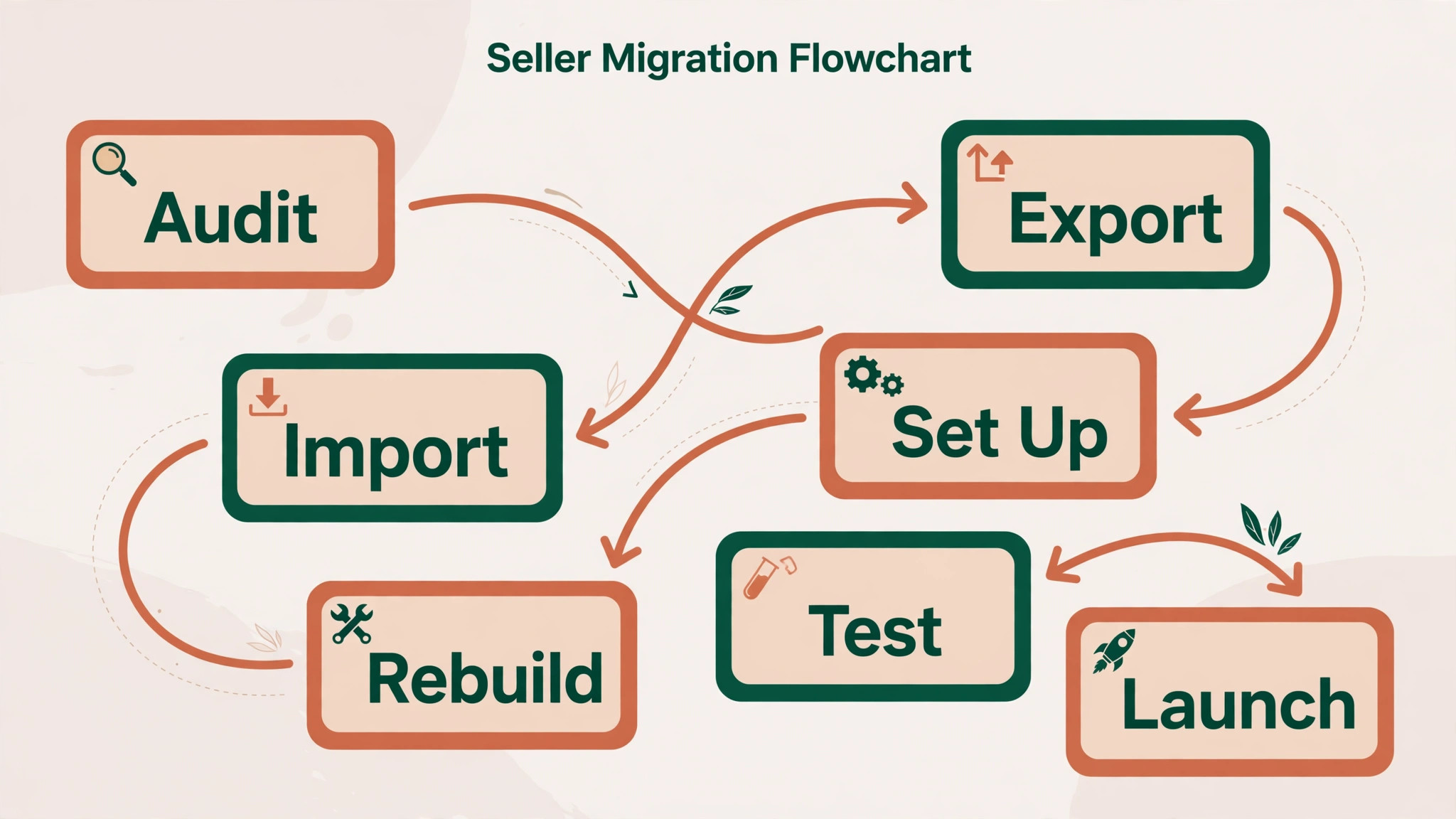
If you decide to move, the practical path is clear. Export listings from Etsy, clean the file, import into WooCommerce, fix photos and variants, rebuild shipping and tax rules, set up payments, and launch with a redirect and announcement plan. Keep the Etsy shop open during the build, because a live shop funds the transition and gives customers a fallback while the new store proves itself.
Should You Switch Etsy To WooCommerce Small Seller Budgets Depend On
A seller should move when most sales already come from repeat buyers, social followers, or an email list, rather than from marketplace search. In that case the marketplace fee buys less, because you are bringing the customers yourself. A seller should also move when branding matters, such as custom packaging, a distinct look, or products that need long descriptions and stories that marketplace templates flatten.
A seller should stay, or delay, when marketplace search still delivers most orders. A new standalone store starts with no traffic of its own, and replacing marketplace discovery takes months of content, email, and social work. Sellers with a handful of listings and thin margins should also think carefully, because hosting, maintenance, and marketing time can exceed the fees saved. Run the numbers with your last three months of sales, not with a hopeful month.
Ask three questions before exporting anything. First, where did your last fifty orders come from. Second, how many buyers would find you if the marketplace listing vanished tomorrow. Third, who will maintain a WordPress site, including updates and backups, once it is live. If the answers show dependence on marketplace traffic and nobody to maintain the site, build your audience first and migrate second. The order of those two projects decides whether the move pays.
Etsy And WooCommerce Compared For A Small Seller
Etsy is a marketplace with a storefront inside it. Buyers arrive searching for products, trust the marketplace checkout, and compare your items with similar items one click away. That traffic is valuable, and it is also the reason fees and rules feel restrictive. You rent an audience, and the rent rises with sales.
WooCommerce is a store plugin for WordPress that you own and host. You control the design, the checkout, the customer data, and the rules, and you pay hosting and payment costs instead of marketplace percentages. You also own the work of attracting visitors, keeping the site updated, and fixing problems. Freedom and responsibility arrive together, and sellers who enjoy the first must accept the second.
| Question | Etsy answer | WooCommerce answer |
|---|---|---|
| Traffic source | Marketplace search and browsing | Your own marketing and search |
| Per sale cost | Listing fee plus sales percentage | Payment processing, no platform cut |
| Design control | Template within marketplace rules | Full control over store design |
| Customer data | Limited, marketplace owns the relationship | Full access to customer records |
| Maintenance | Handled by the marketplace | Updates and backups are yours |
| Best fit | Discovery led sellers | Audience led sellers with a brand |
Use that table with your own sales data. A seller whose orders come mostly from marketplace search is paying for discovery that a new store cannot replace quickly. A seller whose orders come mostly from their own audience is paying rent on customers they found themselves, and ownership starts to look like a bargain.
What Transfers From Etsy And What Must Be Rebuilt
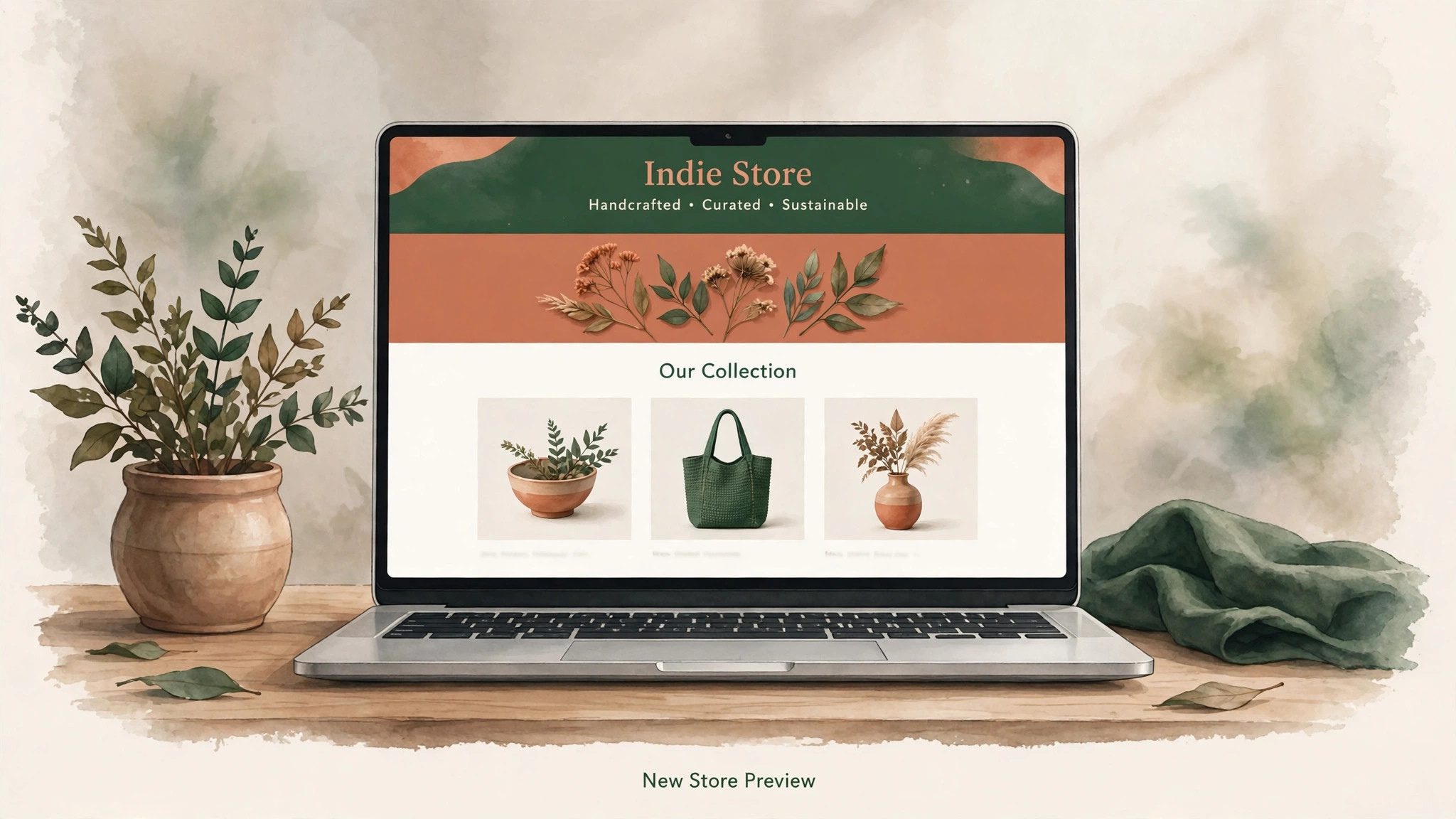
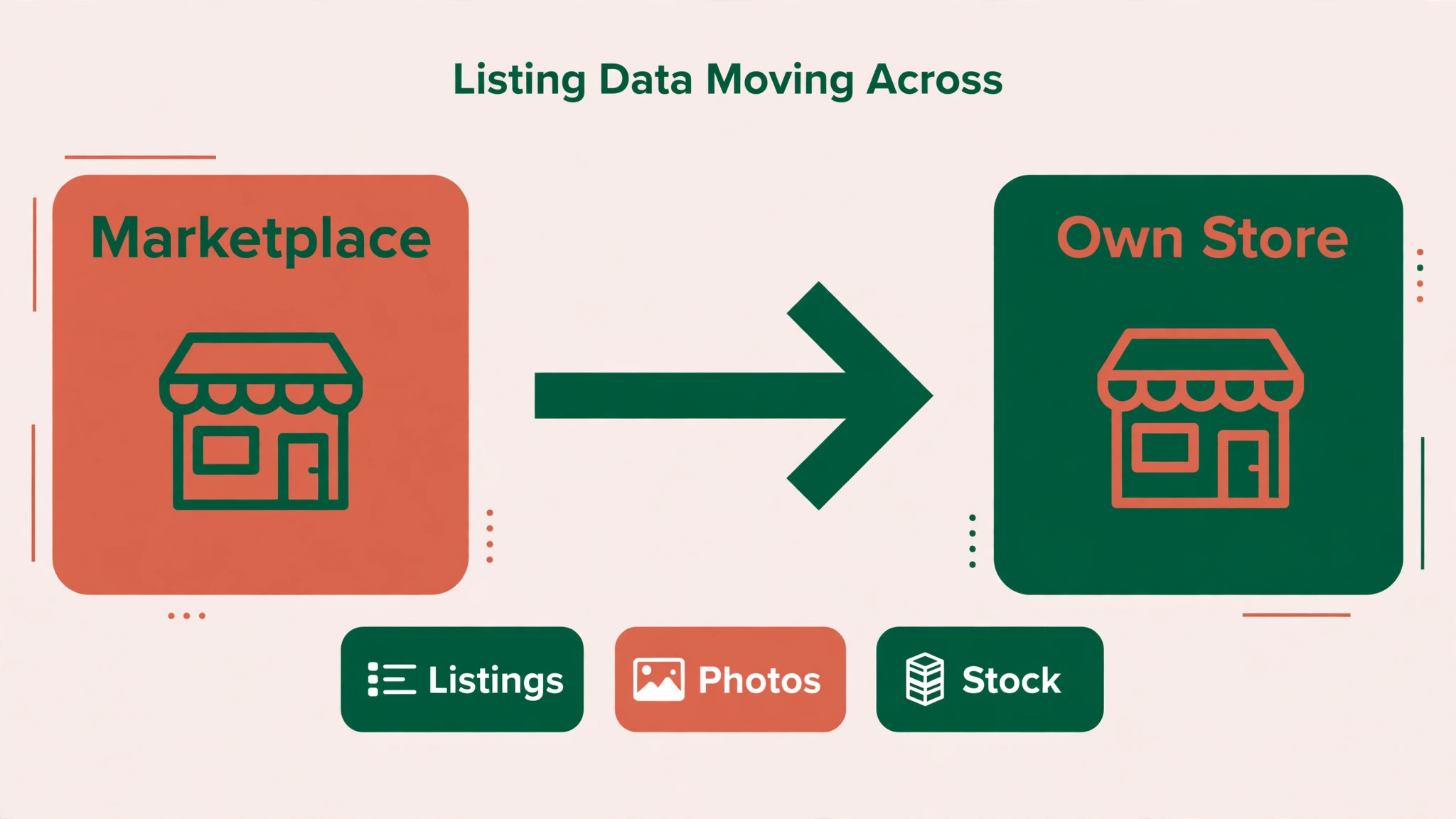
Etsy lets sellers download listing data, and WooCommerce provides a product importer that reads a prepared file. Titles, descriptions, prices, stock levels, and image links generally carry across when the file is cleaned. That covers the catalogue, which is the largest part of the work, and it is why a seller with under a hundred listings can often migrate in a few focused sessions.
Several details need manual care, and WooCommerce documentation names them plainly. Variant prices and quantities do not export cleanly, so variant quantities may arrive as zero and need resetting. Products with several images need their image columns combined into a single field before import, or only some images will arrive. Digital products import as physical products at first, and must be changed to digital products with downloadable files attached afterwards.
What never transfers is just as important. Marketplace reviews stay on the marketplace, and so do search rankings for marketplace addresses, follower counts, and favourites. Customer relationships transfer only in the limited sense that past order records can be exported, while the marketplace itself remains the channel for past buyers unless you have collected their contact details yourself. Plan to rebuild social proof on the new store from scratch, with fresh reviews, testimonials, and photos from real buyers.
| Item | What happens in the move |
|---|---|
| Listing titles and descriptions | Imported from the export file |
| Prices and stock levels | Imported, variants need checking |
| Product images | Imported when image fields are combined |
| Variant quantities | Often arrive as zero, reset by hand |
| Digital products | Arrive as physical, convert manually |
| Marketplace reviews | Stay behind, rebuild on the new store |
| Shop followers and favourites | Stay behind |
| Shipping profiles | Rebuilt as WooCommerce shipping rules |
| Shop design and policies | Rewritten for the new store |
Treat the import as a draft catalogue. Check every listing as a buyer would, with photos, options, prices, and delivery details, before the store opens. A catalogue checked listing by listing earns trust. A catalogue assumed correct produces messages about missing photos and wrong prices.
Costs Hosting And The Fee Maths
WooCommerce software itself is free to install, but a live store is not free to run. Budget for WordPress hosting suited to a store, a domain name, a security certificate, which many hosts include, and payment processing per sale. Optional paid extensions add cost only where they solve a real problem, such as advanced shipping rules or subscriptions. Keep the extension list short at launch, because every extension is future maintenance.
Fee maths should use your real numbers. Take last month’s marketplace sales, subtract listing fees, transaction fees, and payment processing, and compare that net with an estimate for hosting plus payment processing on your own store. Add a monthly allowance for your maintenance time, even if you do the work yourself, because time spent updating a site is time not spent making products. If the saving is small, the move may still be worth it for branding and customer data, but do not pretend it is purely a saving.
Confirm every fee at checkout or on the current fee pages before deciding, since marketplace and payment fees change. This guide quotes the listing and transaction figures published in recent migration guides, not a live fee page, and a decision based on stale fees is a decision based on fiction. Check the numbers on the day you decide, and write them down with the date, so future you can see what the decision rested on.
Step By Step Move For A Small Seller
Work in this order, keep the marketplace shop open, and build the new store in private until it passes testing. A seller migration is not a race. Orders continue on the old shop while the new shop is prepared, and that income funds careful work.
Step 1 Audit Listings Photos And Policies
List every active listing and mark each one as keep, improve, or retire. Gather original photos at full quality, because marketplace images may be compressed versions of your best files. Note every policy that matters, including processing times, returns, custom order rules, and shipping promises, since these must be rewritten for the new store rather than copied as marketplace text.
Step 2 Export Etsy Data And Clean The File
Download the listings file from the shop settings area, and keep an untouched copy as backup. Combine multiple image columns into a single field, check variant rows, and fix titles or descriptions that relied on marketplace context. Open the cleaned file and read it as a spreadsheet, not as a formality, because errors found here are cheap and errors found after import are public.
Step 3 Set Up WordPress WooCommerce And Payments
Install WordPress on suitable hosting, add the WooCommerce plugin, and choose a store theme that fits handmade, vintage, or supply products as appropriate. Connect a payment provider, set the store currency and location, and confirm that test payments complete. Set up tax handling for the places you sell to, and take advice if tax rules for your products are complex, since guessing at tax settings is a poor saving.
Step 4 Import Listings And Fix Variants Photos And Digital Files
Import the cleaned file with the built in product importer, mapping columns carefully. Then work through listings in batches, resetting variant quantities, combining or reattaching images, and converting digital products with their files. Check that every listing shows the right price, stock, options, and delivery information, and fix problems before moving to the next batch.
Step 5 Rebuild Shipping Rules Reviews And Store Pages
Recreate shipping as zones and rates that match what customers actually paid before, and test them with addresses in each zone you serve. Build fresh review collection into the new store, such as follow up emails asking buyers to review, and add testimonials you have permission to use. Write the homepage, about page, shipping page, and returns page in your own voice, since these pages carry the brand that marketplace templates muted.
Step 6 Test Buying Like A First Time Customer
Place test orders for a physical product, a variant product, and a digital product if you sell them. Check confirmation emails, download links, shipping calculations, and stock deductions. Test on a phone, because most marketplace buyers shop there too. Fix every failure, and keep a written test log rather than trusting memory.
Step 7 Launch The Domain And Tell Customers
Point your domain to the new store only when listings, checkout, shipping, and email are tested. Announce the move to past buyers and followers with a clear message about what stays the same and what is new. Offer a small launch incentive if that fits your margins, but do not discount so deeply that launch week teaches buyers to wait for sales. Keep the marketplace shop open as a second channel or a fallback while the new store earns its first reviews.
Migration Checklist For Listings Photos Reviews Shipping Rules And Domain
Use this checklist as the working document for the whole move, and tick items only after checking them as a buyer would.
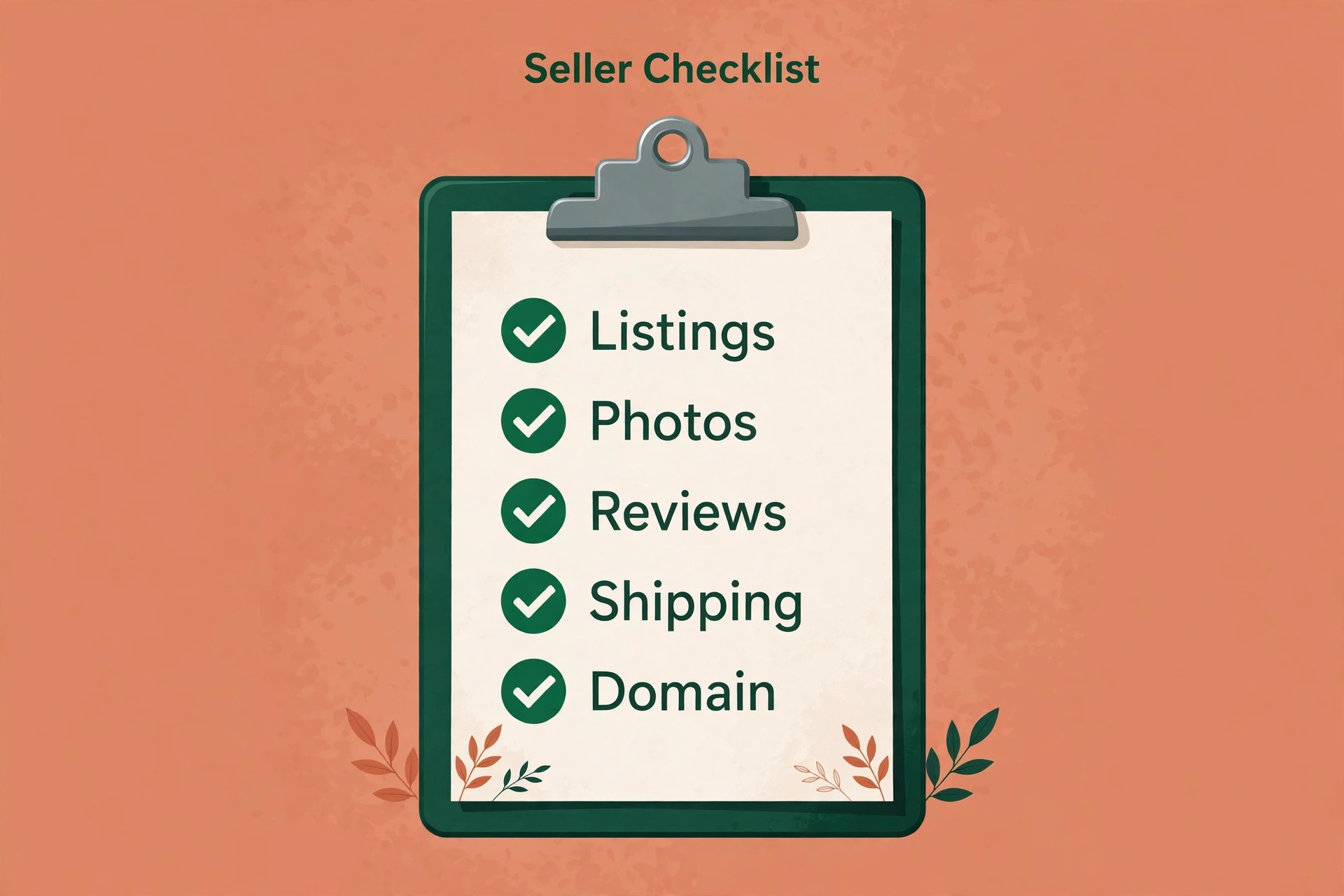
– Audit every listing and mark keep, improve, or retire – Gather original full quality photos for every kept listing – Download the listings file and store an untouched backup copy – Combine multiple image columns into a single field – Check variant rows and note quantities to reset after import – Set up WordPress hosting, domain, and security certificate – Install WooCommerce and choose a fitting store theme – Connect payment processing and complete a test payment – Set tax handling for every place you sell to – Import listings and check them in small batches – Reset variant quantities and options listing by listing – Reattach images and convert digital products with files – Rebuild shipping zones and rates for every region served – Test shipping calculations with real addresses per zone – Write homepage, about, shipping, and returns pages – Set up fresh review collection and add permitted testimonials – Place test orders for physical, variant, and digital products – Point the domain only after checkout and shipping pass – Announce the new store to past buyers and followers – Keep marketplace data and the old shop for at least a month
Photos deserve a second note, because they sell the product. Marketplace listings often rely on a first image that works inside marketplace search, while a standalone store needs a sequence that answers buyer questions. Show the product alone, in use, at scale, and in detail, and keep the sequence consistent across listings. When you switch Etsy to WooCommerce small seller photography habits matter more than before, because there is no marketplace frame to lend credibility. Your photos are the frame now.
Domain Search And The Traffic Gap
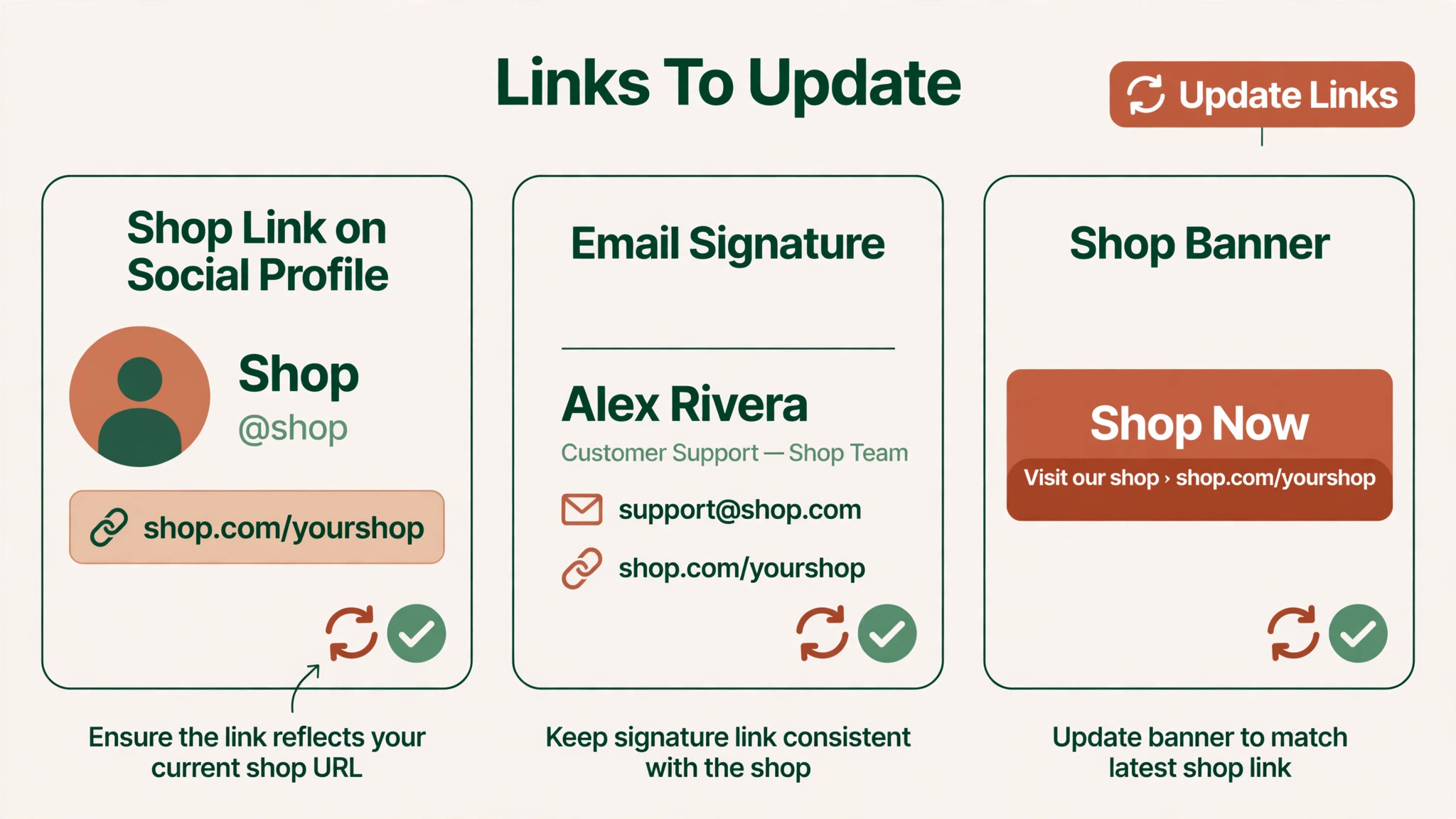
A standalone store has no marketplace address to redirect from in the usual sense, because marketplace listing addresses belong to the marketplace. You cannot redirect a marketplace address to your own domain, and you should not promise customers that old marketplace links will follow you. Instead, update every link you control, including social profiles, email signatures, packaging inserts, and business cards, to point at the new store.
Search traffic for the new store must be earned. Write product descriptions that answer real buyer questions, publish content about materials, care, sizing, and gift uses, and make sure each product page has a clear title and description for search. Keep the marketplace shop open during the early months if the rules allow, and use it as a discovery channel that points buyers toward your email list, rather than treating the two channels as enemies. Many successful sellers run both, with the marketplace for discovery and the own store for repeat buyers.
The traffic gap is the hardest part of this move, and it deserves a written plan with numbers. Set a target for email subscribers, social followers, and search visits over the first three months, and review progress weekly. If the gap is wider than expected after a month, increase content and outreach before cutting prices, because discounting a new store trains buyers to expect sales while doing nothing for discovery.
First Week Cutover Plan For A New Store
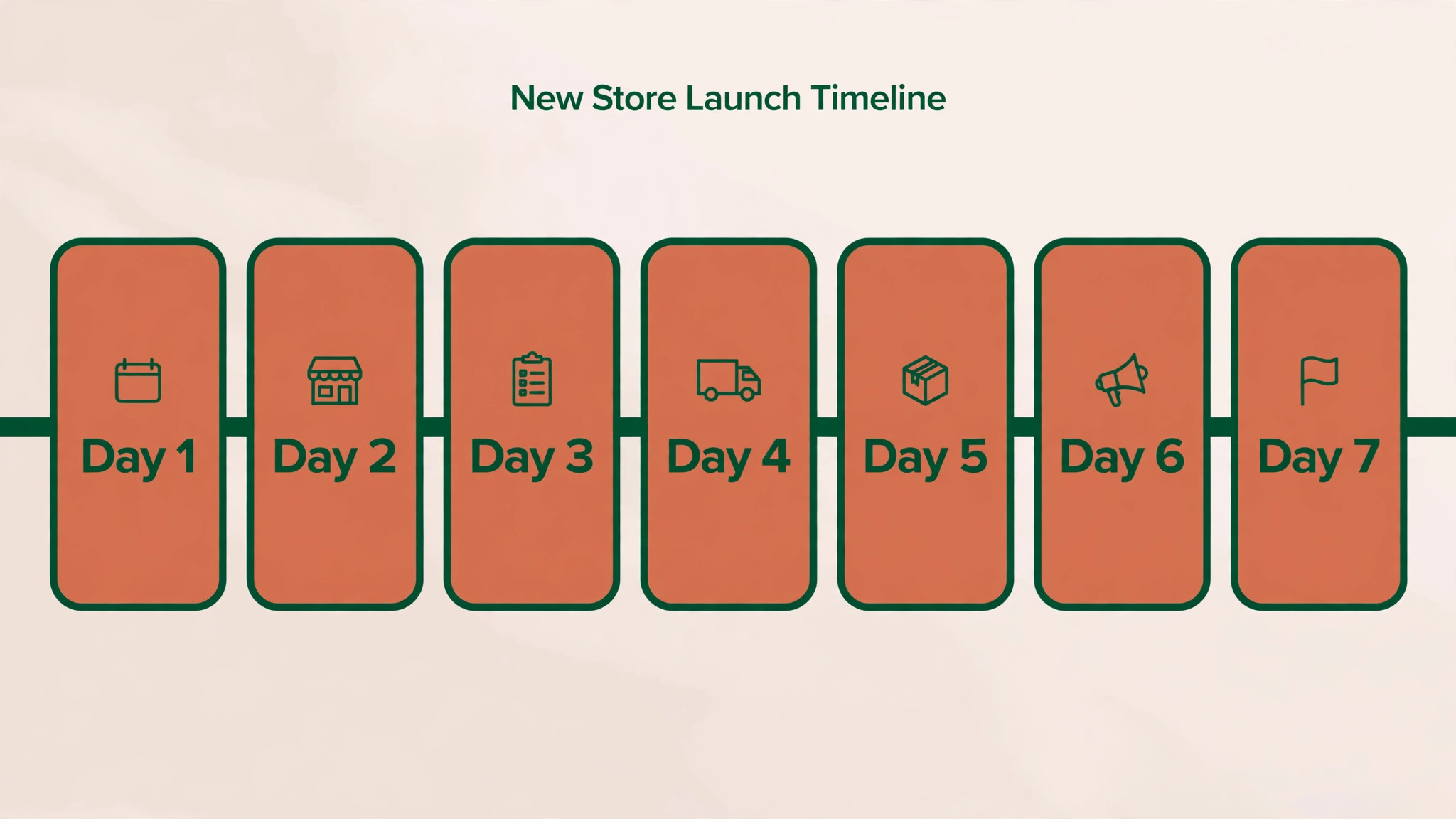
Launch week for a seller is about orders, messages, and confidence. Check the store every morning, answer messages faster than usual, and log every issue with its fix. Early buyers are also early reviewers, and their experience sets the tone for the store’s reputation.
| Day | Focus for the day |
|---|---|
| Launch day | Real test order, download links, confirmation emails |
| Day 2 | Shipping calculations, messages, stock accuracy |
| Day 3 | Review requests, social announcement, link updates |
| Day 4 | Phone checkout test, image and listing fixes |
| Day 5 | Compare orders and visits with marketplace baseline |
| Day 6 | Fix slow pages and oversized listing images |
| Day 7 | Review the issue log and close or schedule each item |
Announce the store where your buyers already are, in the channels the marketplace allows, and through your own email and social accounts. Explain what is new, what is unchanged, and how buyers can reach you. When you switch Etsy to WooCommerce small seller launch messages work best when they sound like a shop opening, not a platform argument, because buyers care about products and service, not software choices.
Rollback Advice If The New Store Struggles
Keeping the marketplace shop open is the rollback plan. If checkout breaks, if shipping calculations fail, or if orders stall, buyers still have a working place to buy while you fix the new store. That safety net is worth more than any launch announcement, and it is the reason to delay closing the old shop.
Judge problems by customer impact. A design complaint is a fix on the new store. A payment failure or a shipping error that affects real orders is a reason to pause promotion and direct buyers back to the working channel until the fix is tested. Keep the new store online for fixes rather than deleting it, so a second launch does not start from zero. Record what went wrong, fix it with a test order, and relaunch promotion only after the test passes.
Do not treat a slow first month as a failure that needs rollback. A new store needs time to earn search visits and reviews, and slow early traffic is normal. Rollback is for broken functionality, not for disappointing volume. Volume problems need marketing, content, and outreach, while functionality problems need engineering. Confusing the two leads to abandoning a sound store for the wrong reason.
Mistakes That Hurt New WooCommerce Sellers
The first mistake is importing dirty data and opening the store before checking it. Wrong variant quantities, missing images, and physical listings for digital products all reach buyers when nobody checks batches. The second mistake is copying marketplace policies word for word. Marketplace text assumes marketplace rules, and it reads oddly on an independent store. Rewrite policies for your own checkout, returns, and contact process.
The third mistake is launching without a traffic plan. A beautiful store with no visitors sells nothing, and the owner then blames the platform for a marketing gap. Build the email list, publish useful content, and keep social channels active before and after launch. The fourth mistake is neglecting maintenance. Updates, backups, and security checks are ongoing work, and a neglected store becomes a broken store at the worst moment. Schedule a weekly maintenance check, and keep backups somewhere separate from the hosting account.
Planning Maintenance And Growth After Launch
A WooCommerce store rewards a simple weekly routine. Check for updates, confirm backups ran, review new orders and messages, and look at which listings earned visits. Spend the remaining time on the work that actually sells products, such as new photos, better descriptions, and content that answers buyer questions. When you switch Etsy to WooCommerce small seller routines matter more than launch excitement, because the store earns its living in ordinary weeks, not launch week.
Growth comes from assets you own. An email list lets you announce new products without paying per sale for reach. Search content brings buyers who are already looking for what you sell. Repeat buyer offers reward loyalty without training everyone to wait for a sale. Build one asset at a time, measure it honestly, and keep the ones that earn orders. A seller with a growing list, steady content, and reliable fulfilment has a business that no marketplace fee change can take away.
Telling Buyers Where To Find You Now
Buyers follow habits, not announcements. A past buyer who searches the marketplace for your shop name will still find the marketplace shop first, so the new store needs clear signposts in every place you control. Update social profiles, email footers, packaging inserts, and any business listings to name the new store and its address. When you switch Etsy to WooCommerce small seller signposting works best as a steady drumbeat, not a single post that scrolls away in a day.
Packaging is an underused channel for this move. A thank you card in every marketplace order, where marketplace rules allow, can invite buyers to join the email list for early access to new products. That list becomes the bridge to the new store, and it belongs to you regardless of fee changes. Keep the invitation warm and useful, offering early access or a small gift with a future order, rather than a hard sell that makes buyers feel pushed.
Email deserves the same care. If you have collected buyer emails with permission, through your own site, events, or a newsletter signup, send a launch message that shows new products, explains the new store, and offers help for anyone unsure how to order. When you switch Etsy to WooCommerce small seller email lists often decide whether launch week feels busy or quiet, because email reaches people who already bought from you, while search reaches strangers who have not.
Social content should show the new store in action rather than talking about software. Film packing an order from the new store, show a new product first on your own pages, and answer questions in comments with patience. When you switch Etsy to WooCommerce small seller audiences respond to products and makers, not migration stories, so let the work speak and keep the platform details in the background where buyers expect them to be.
Frequently Asked Questions About This Switch
Do my Etsy listings import into WooCommerce?
Yes, listings generally import from a downloaded listings file using the built in product importer, after cleaning. Titles, descriptions, prices, stock, and images carry across when the file is prepared correctly. Variants and digital products need manual fixes after import, so check listings in batches.
Do my Etsy reviews move to my new store?
No, marketplace reviews stay on the marketplace. Build fresh social proof on the new store with review requests after purchase, permitted testimonials, and buyer photos. Early reviews matter, so ask politely and make reviewing easy.
Will I lose my Etsy search rankings?
Marketplace rankings belong to marketplace addresses, which you cannot redirect to your own domain. Your new store must earn its own search presence with clear product pages and useful content. Keeping the marketplace shop open for discovery while the new store grows is a common and sensible bridge.
How much does running a WooCommerce store cost?
WooCommerce software is free to install, but hosting, a domain, a security certificate, and payment processing all cost money, with exact figures depending on your host and provider. Confirm current prices at checkout, and compare the total with your real marketplace fees using last month’s sales, not a guess.
Can I keep selling on Etsy after I launch my own store?
Yes, many sellers run both channels. The marketplace brings discovery, while the own store serves repeat buyers and protects margins. Check current marketplace rules for how you may direct buyers to your own store, and use your email list as the bridge between the two.
What happens to digital products in the move?
Digital products import as physical products at first, according to WooCommerce documentation. Convert each one to a digital product and attach its downloadable files, then test the download with a test order before customers buy. A digital product that cannot be downloaded is a refund waiting to happen.
Do I need technical skills to run WooCommerce?
Basic comfort with WordPress helps, including updates, backups, and plugin settings. A careful seller can manage a small store, and help is available for setup or problems. If nobody will maintain the site, budget for help rather than hoping maintenance handles itself.
Should I close my Etsy shop on launch day?
No. Keep the shop and its data for at least a month after launch, and longer if it still brings discovery orders. Close or pause it only after the new store handles orders, shipping, reviews, and messages cleanly, and after you have a traffic plan that does not depend on marketplace search alone.
Final Word For A Small Seller
Move when you already bring most of your buyers, when branding and customer data matter, and when the fee saving is real on your own numbers. Wait when marketplace search still finds your customers and you have no audience of your own yet, because a new store cannot replace discovery overnight. Either choice can be right, and the wrong choice is the one made without numbers.
Build carefully, check every listing as a buyer, test every order type, and give launch week your full attention. When you switch Etsy to WooCommerce small seller success looks like a quieter, more profitable second channel that grows into the main one, with repeat buyers, an email list, and a store that looks like your brand. That outcome takes work, but it is work that builds an asset you own, and for many sellers that is exactly the point.