
Fifty boards and five workspaces is a real migration story shared by a team in Smartsheet‘s own community forum, and it shows the scale of the problem in one line. A small team rarely has fifty boards, but even five boards hold hundreds of items, each with owners, dates, statuses, and updates. When you switch Monday to Smartsheet small team boards, every one of those items has to land in a grid that thinks in rows and columns, not in colorful status pills. The move is doable, but only if you treat it as a rebuild rather than a copy.
The numbers behind a typical small team move explain why planning matters. A team of eight people running six Monday boards can easily hold four hundred active items. Each item carries a status, a person, a date, and often a file or an update thread. A flat file export flattens all of that into columns, and the flattening is where detail gets lost. Status colors become text values. Subitems become separate rows or vanish. Update threads stay behind. Knowing this before you start keeps expectations honest.
Smartsheet appeals to teams that think in spreadsheets. If your team already plans in Excel or Google Sheets and only adopted Monday for its visual boards, Smartsheet feels familiar from the first hour. Grid view, card view, Gantt view, and calendar view all read from the same sheet, so the team can keep its spreadsheet habits while gaining shared editing, automated alerts, and approval flows. If your team loves Monday’s visual boards and rarely opens a spreadsheet, the move will feel like a step backward in color and playfulness, even if the grid is more powerful.
This guide walks through the full move for a small team. It covers the audit, the export, the column mapping, the automation rebuild, the integration swap, and a day by day cutover plan for week one. Prices and plan limits change often, so where a figure matters, check it on the vendor page before you budget. The goal is a Smartsheet workspace the team trusts on day eight, not just a set of imported sheets on day one.
Why Monday Teams Look at Smartsheet
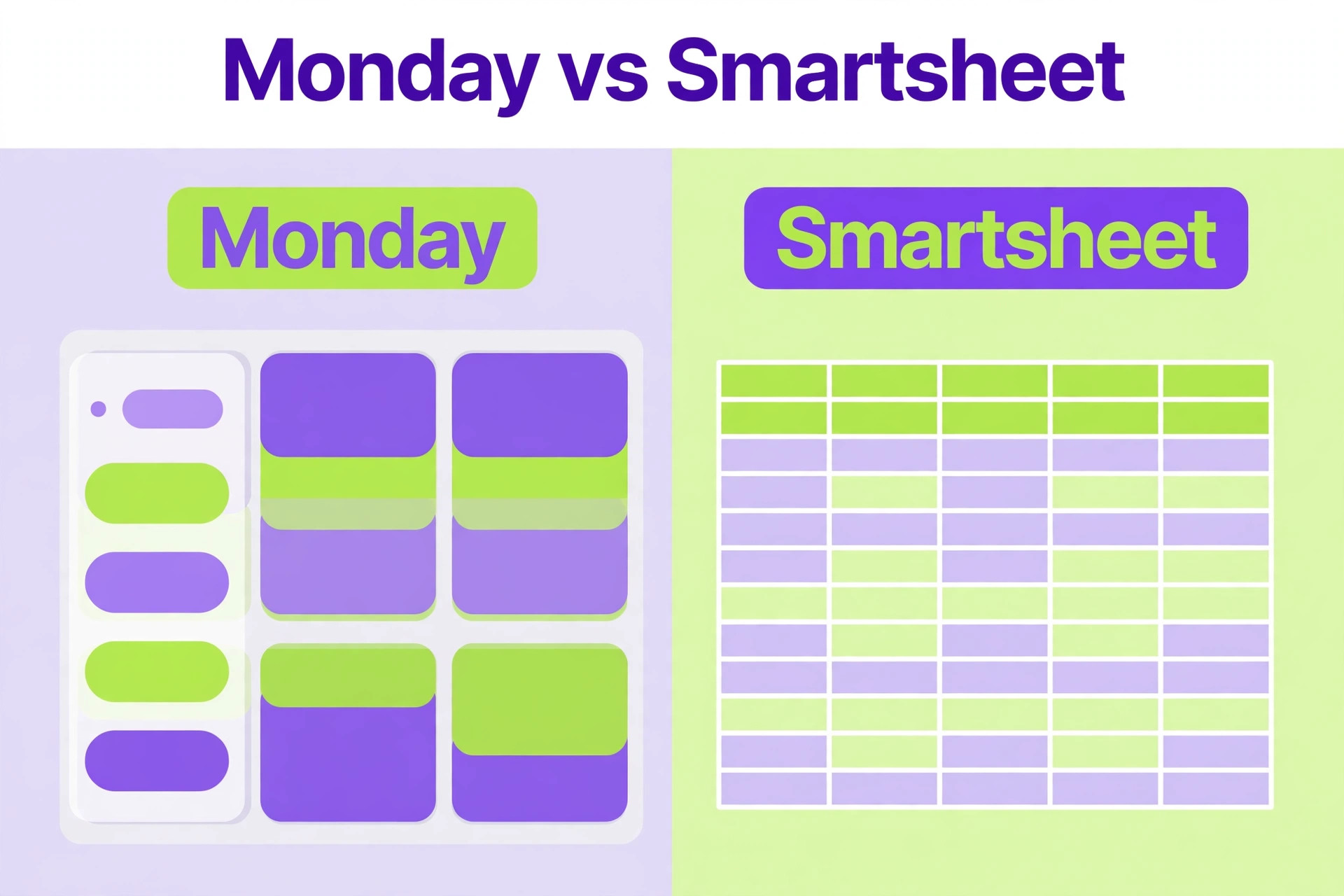
Monday wins on visual appeal. Boards are colorful, status columns read at a glance, and new users understand a board without training. Smartsheet wins on grid power. Formulas, cross sheet references, rollups, and structured reporting work the way spreadsheet users expect, and managers who build reports from many projects often prefer it. The switch usually starts when a manager asks for a report that Monday makes awkward, such as a rollup of budget, hours, or status across ten boards.
Smartsheet also wins on familiarity for operations heavy teams. Construction, events, manufacturing, and professional services teams often run their real plans in spreadsheets already, with Monday as a prettier front end. Moving the plan into Smartsheet removes the double handling, because the sheet becomes both the plan and the tracker. For those teams, the grid is not a compromise. It is the point.
Monday remains the better tool when visual project tracking is the main job. Marketing teams, creative teams, and agencies that live by status boards and visual timelines will miss Monday’s color and board feel. Smartsheet’s card view helps, but it does not fully replace the visual language of a Monday board. If your team’s daily standup runs from a Monday board and everyone reads status colors fluently, think twice before trading that fluency for grid power.
| Area | Monday strength | Smartsheet strength |
|---|---|---|
| Visual boards | Colorful status columns, easy scanning | Card view exists but feels plainer |
| Grid work | Boards can mimic grids | True grid with formulas and rollups |
| Reporting | Dashboards across boards | Cross sheet reports and rollups |
| Automations | Visual, board level rules | Sheet automations plus approvals |
| Learning curve | Fast for visual thinkers | Fast for spreadsheet thinkers |
| Best fit | Creative and marketing teams | Operations and reporting heavy teams |
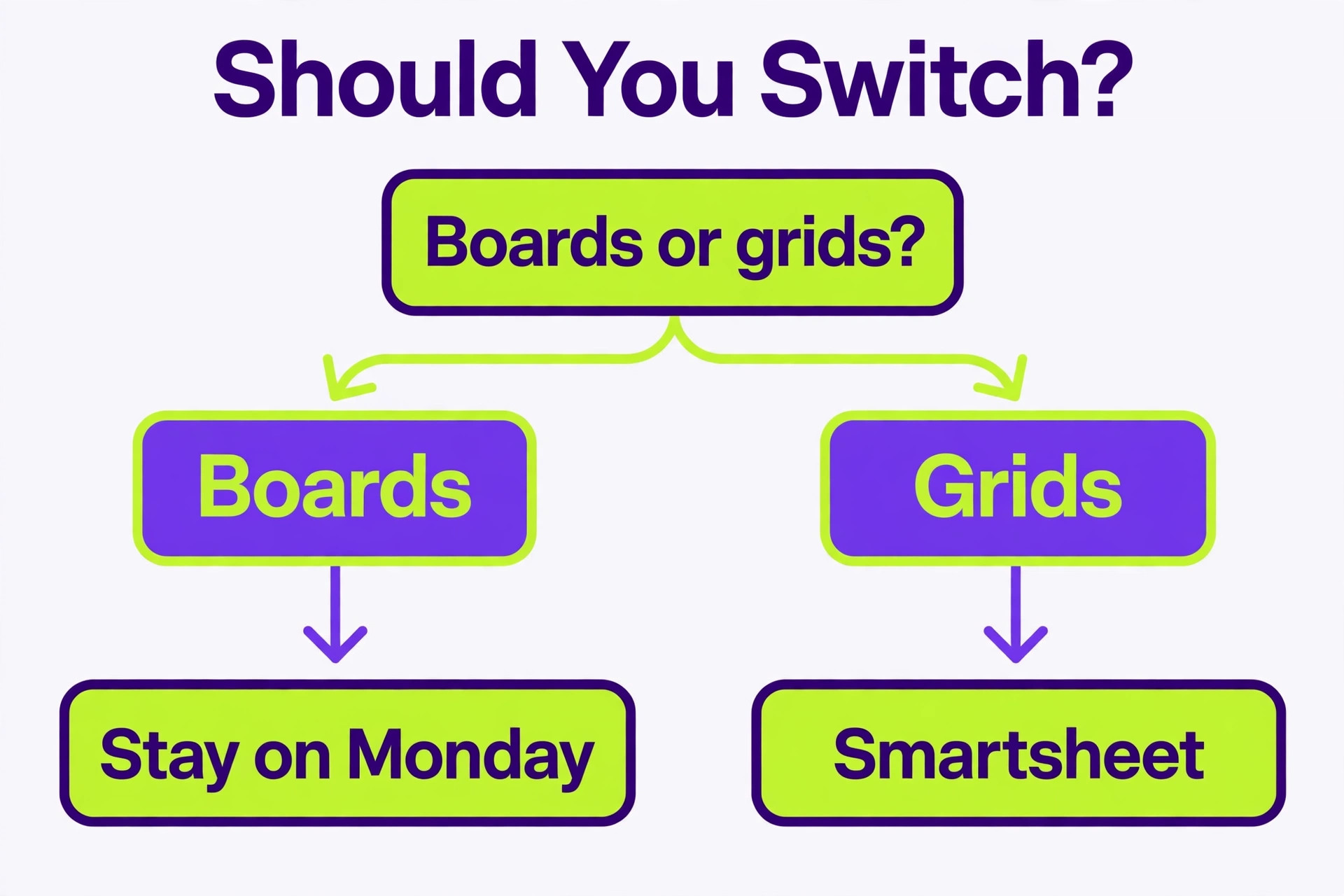
A useful test is to ask the team which view they open first. If the answer is the Monday board, the team thinks visually and the switch needs a strong reporting reason. If the answer is a spreadsheet export from Monday, the team already thinks in grids and Smartsheet will feel like home. Let that answer guide the decision more than any feature list.
Switch Monday to Smartsheet Small Team Work Without Losing Board History
A switch Monday to Smartsheet small team audit starts with a simple inventory. List every Monday workspace, every board inside it, and mark each board as live, archive, or delete. Live boards move. Archived boards stay in Monday as a read only record or export to spreadsheets for reference. Deleted boards are the test boards, duplicates, and finished projects that nobody needs. Most small teams find a quarter of their boards can be archived, which cuts the migration workload at once.
Next, open each live board and record its structure. Note the groups, the columns, the column types, and which columns the team actually uses. Monday boards accumulate columns over time, and a board with twenty columns often has six that matter. Dropping dead columns now means fewer mapping decisions later, and a cleaner sheet at the end. Write the surviving columns down per board, because that list becomes your mapping sheet.
Then check the data inside the columns. Look for status values spelled three ways, people columns with former staff still assigned, and date columns with blanks. Standardize the status values before export, reassign orphaned items, and either date or delete undated work. This cleanup is dull work, but it decides whether the imported sheet reads cleanly or looks like a dump of old data.
Finally, decide what history actually needs to move. Item names, owners, dates, statuses, and key numbers must move. Full update threads usually cannot move by file export, so copy the decisions that matter into an updates column or a notes field before export. For each live board, name one person who owns the cleanup. Shared ownership of cleanup usually means nobody does it.
Getting Your Monday Data Out in Usable Shape
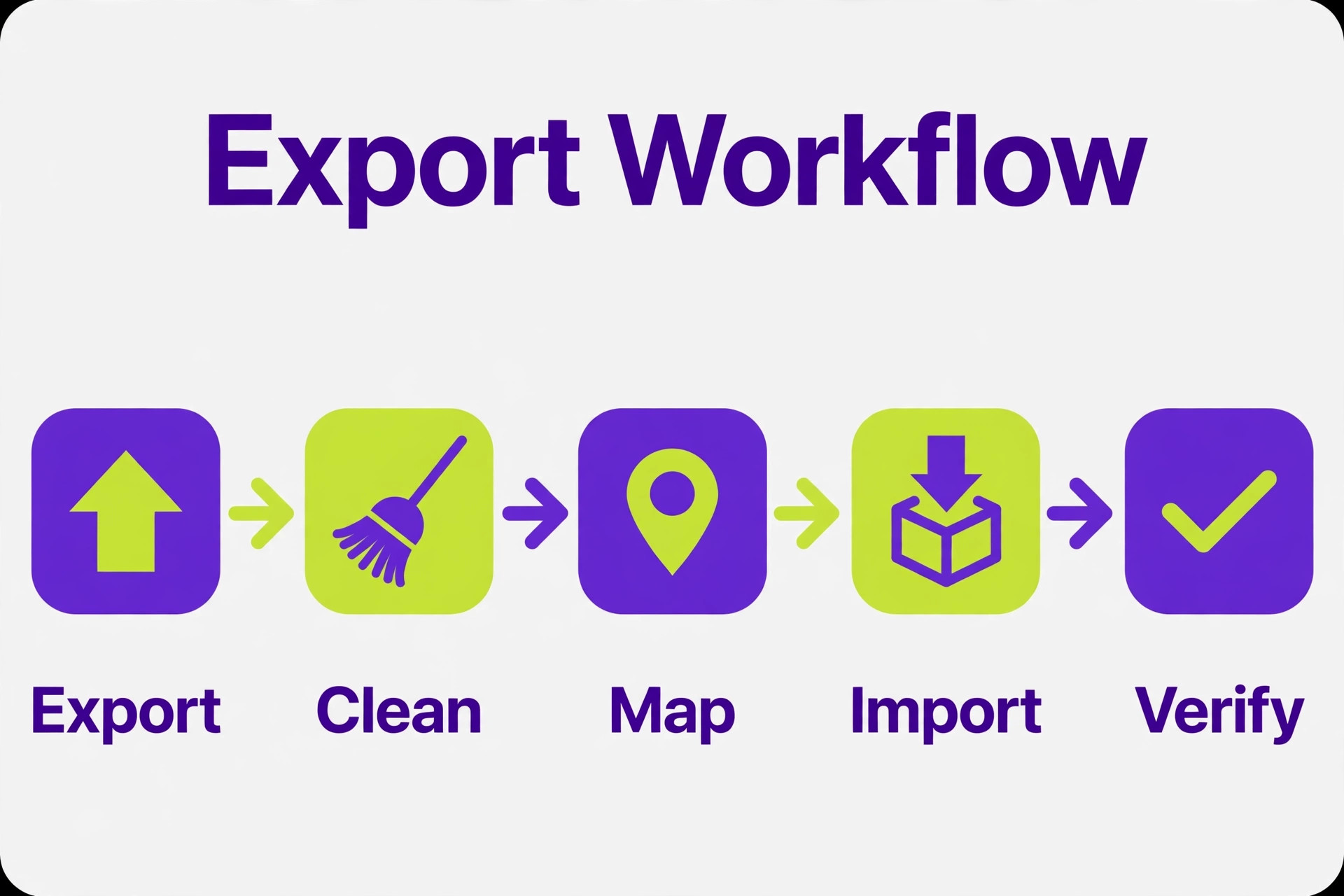
A switch Monday to Smartsheet small team export moves board data to Excel or CSV, and whole account exports arrive as a zip file of separate board files. Smartsheet imports Excel, CSV, and text files into sheets, and each imported file becomes one sheet. That one file to one sheet rule shapes the whole migration, because a Monday workspace of many boards becomes a Smartsheet workspace of many sheets, and the structure between boards must be rebuilt by hand.
- Open one Monday board and confirm the visible columns match the surviving column list from your audit, hiding or removing columns that will not move.
- Export the board to Excel and save the file with the board name and the export date, so later files never overwrite earlier ones.
- Open the exported file in a spreadsheet and scan for blank owners, inconsistent status text, and subitems that exported as separate rows.
- Clean the file, standardizing status values and filling or deleting blank rows, and save a separate copy as your migration record.
- Import the cleaned file into Smartsheet as a new sheet and check the column types, because text, date, and dropdown columns must be set correctly before the team starts editing.
- Repeat board by board, keeping one file per board, and never bulk import uncleaned files in the hope of fixing them later.
Subitems deserve a decision before export. In Monday, subitems sit under a parent item, while in Smartsheet they usually become their own rows, often with a parent identifier column to preserve the link. Decide whether subitems become rows in the same sheet or rows in a linked sheet, and apply the rule consistently. Inconsistent subitem handling is one of the most common reasons imported sheets confuse the team.
Attachments and file columns need the same care as in any file based move. File links may point back to Monday or to cloud storage, and the team must confirm each link opens after import. Download originals that matter and reattach or relink them in Smartsheet before Monday closes, because links that depend on the old workspace break when it does.
If the board count is large, a third party connector or automation tool can move data between the two platforms with less manual file handling. These tools cost money and need their own setup and testing, so they suit teams with many boards or frequent updates. For a team with fewer than ten boards, the file route is usually cheaper and gives better control, since every row passes through a human eye before it becomes a Smartsheet row.
Mapping Monday Columns to Smartsheet Columns
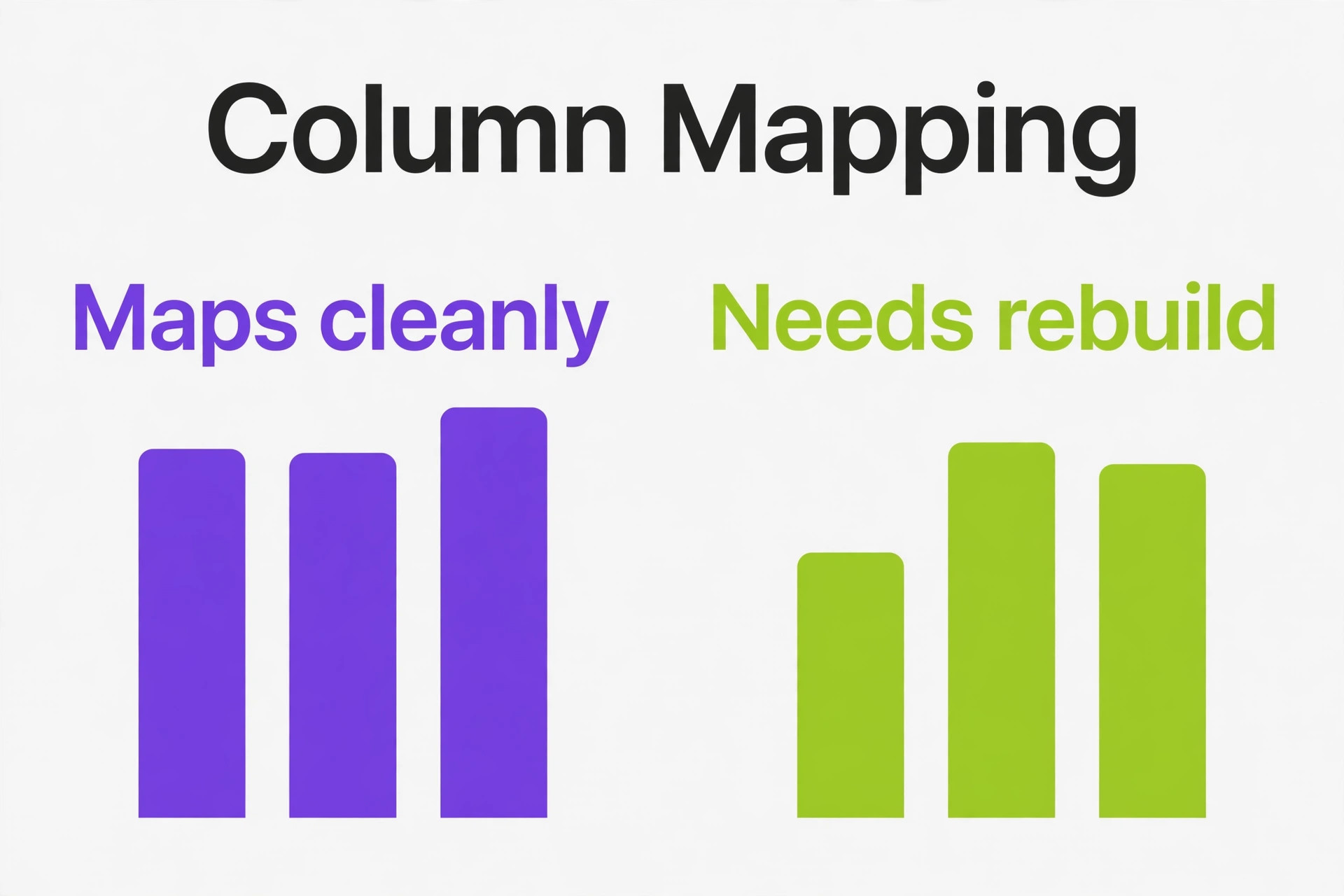
Mapping is the intellectual heart of a switch Monday to Smartsheet small team project. Monday columns and Smartsheet columns overlap but do not match one to one, and forcing a bad match creates a sheet that looks right but behaves wrong. Build a mapping table for each board before import, and have the board owner sign it off.
| Monday column | Smartsheet equivalent | Watch out for |
|---|---|---|
| Item name | Primary column | Keep names short and unique where possible |
| Person | Contact list column | Match people by email before import |
| Status | Dropdown list column | Standardize values first, then map |
| Date | Date column | Check date formats and time zones |
| Timeline | Start and end date columns | Split one column into two |
| Numbers | Text or number column | Decide whether formulas will use it |
| Dropdown | Dropdown list column | Values must match exactly or rows fail |
| Files | Attachment or link column | Confirm links open after import |
| Updates | Notes or a text column | Full threads rarely transfer, copy decisions |
| Formula | Smartsheet formula column | Rebuild formulas, do not expect them to import |
| Mirror | Cross sheet reference | Rebuild after import, it cannot be copied |
Formulas are the biggest rebuild item. Monday formulas do not transfer into Smartsheet formulas, so every calculated column needs rewriting in Smartsheet syntax. List every formula column during the audit, write down what it calculates in plain words, and rebuild it in the new sheet before the team relies on the numbers. A sheet with broken or missing formulas will lose trust faster than any other defect.
Dropdown values must match exactly. If Monday has “In progress”, “In Progress”, and “In-progress” as three values, Smartsheet will treat them as three values too, and reports will split. Standardize to one spelling during cleanup, and set the Smartsheet dropdown list before import so new values cannot creep back in.
People columns need matching by email. Invite every team member to Smartsheet with the same email they use in Monday, and confirm access before import. Rows assigned to unmatched people lose their owner or sit unassigned, and a sheet full of unassigned rows tells the team the migration was careless, even if the data itself is fine.
Rebuilding Automations, Dashboards, and Views
Monday automations do not migrate. Every rule that moves an item, notifies a person, or changes a status on a trigger must be rebuilt as a Smartsheet automation, and the logic often changes shape in the move. Smartsheet automations run on sheet changes, dates, and approvals, which covers most small team needs, but a visual rule builder habit does not transfer directly.
List every Monday automation and ask what it does in one sentence. If nobody can explain it, drop it. Rebuild the survivors in Smartsheet one at a time, testing each with a trial row before moving on. Common survivors are due date reminders, status change alerts, and approval requests. Test approval flows with a real approver, not just the builder, because approval routing is where small differences cause real delays.
Dashboards need rebuilding too. Monday dashboards pull widgets from many boards, while Smartsheet dashboards and reports pull from sheets. Decide which Monday dashboards the team actually opens each week, and rebuild only those. A dashboard nobody opens is decoration, and rebuilding decoration wastes migration week. For each surviving dashboard, note its source sheets and rebuild the report first, then the dashboard that displays it.
Views are the easiest rebuild. Smartsheet grid, card, Gantt, and calendar views all read from the same sheet, so one sheet serves the spreadsheet thinkers and the visual thinkers at once. Set the default view per sheet to match the team’s habit, and show the team how to switch views, because a team that only ever sees the grid may conclude Smartsheet has no visual side at all.
A switch Monday to Smartsheet small team automation rebuild should also cover recurring work. Monday recurring items and Smartsheet recurring rows work differently, so list every repeating task during the audit and decide how it recurs in Smartsheet, whether by automation, by a template row, or by manual creation. Recurring work that silently stops after migration is a common and embarrassing failure, so test one recurrence end to end before go live.
The One Sheet Pilot
A switch Monday to Smartsheet small team pilot uses one sheet, not one workspace. Choose a live board with ten to thirty active items, a mix of statuses, and at least one automation the team relies on. Rebuild it in Smartsheet, import the cleaned data, rebuild the automation, and run the team on that sheet for one full week while Monday stays open for everything else.
During pilot week, watch whether the team updates the sheet as often as it updated the Monday board. Watch whether anyone asks where an item went, which signals a mapping gap. Watch whether due date reminders arrive on time and whether the sheet’s reports match what the team expects. A pilot that passes these checks is ready to scale. A pilot that fails two or more needs another week of fixes, not a bigger rollout.
End the pilot with a short team review. Ask what was easier in Smartsheet, what was harder, and what is missing. Fix the missing items before the full move, and write the answers down, because the same questions will come up again at full scale and you will want the record. If the pilot fails outright, consider a hybrid setup, keeping Monday for visual project boards and using Smartsheet for reporting heavy programs. A hybrid is not a failed migration. It is a deliberate choice that matches each tool to the work it does best.
Teams weighing nearby moves often find the same pilot test useful. A team that compared the choice to switch from Asana to Smartsheet or to move from Trello to Smartsheet faced the same question, which is whether the grid habit or the board habit matches the team’s daily work.
Swapping Integrations and Notification Habits
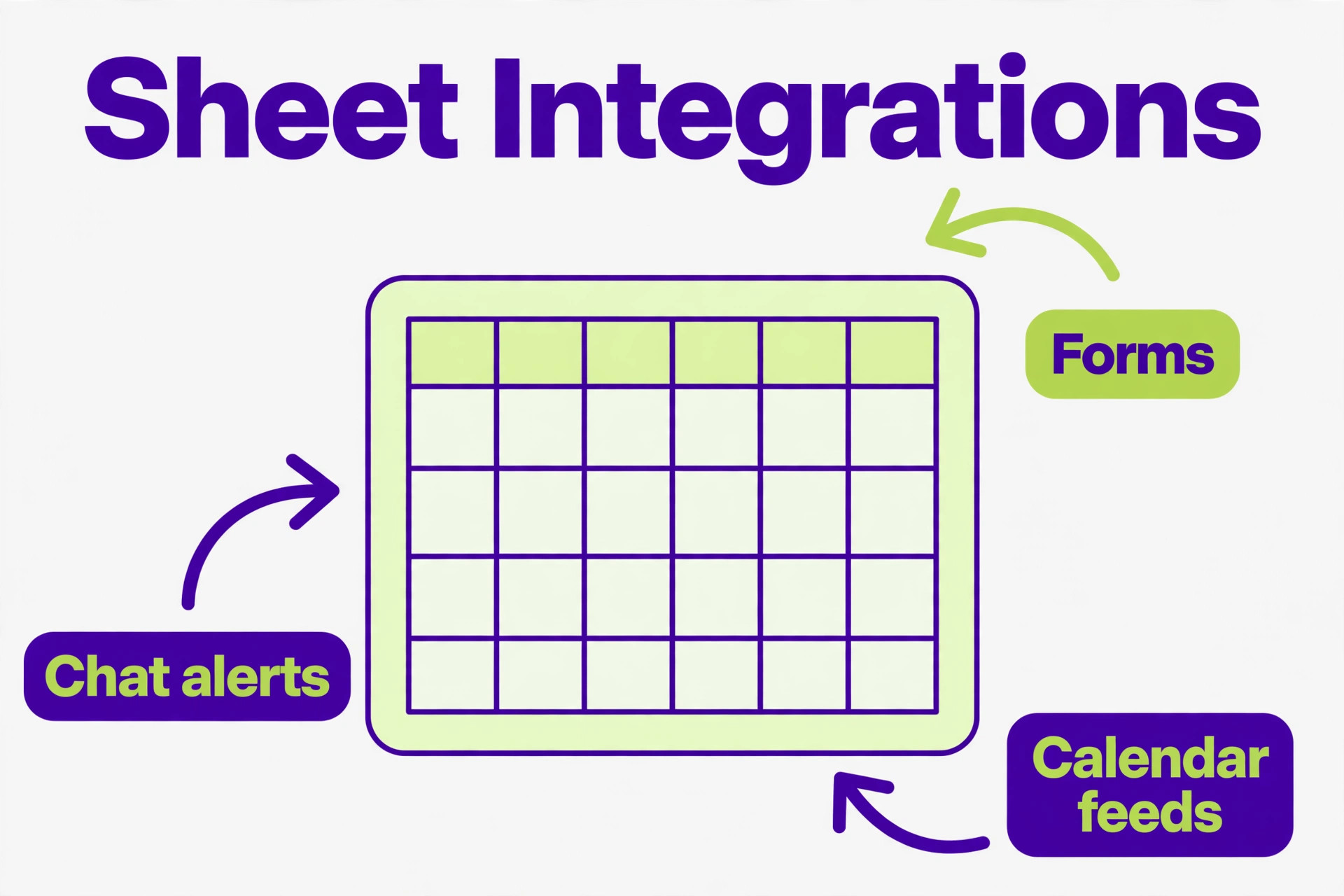
Integrations around Monday need new homes in Smartsheet, and the list is usually longer than the team expects. Chat notifications, email alerts, calendar feeds, file storage links, forms, and time tracking all connect to Monday today, and each one needs a Smartsheet equivalent or a deliberate decision to drop it.
Chat notifications are usually straightforward. Smartsheet connects to common chat tools, and most teams can recreate channel alerts for sheet changes within an hour. Point the new alerts at the new sheets, test them with a trial row change, and then switch off the Monday alerts so the team does not get double notifications during changeover week.
Forms need attention because Monday forms and Smartsheet forms collect data differently. If clients or staff submit work through a Monday form, rebuild that form in Smartsheet before go live and test a full submission end to end. A form that collects data into the wrong sheet, or drops a field, will corrupt the new workspace quietly, so test with real data, not just a preview.
Calendar feeds and time tracking deserve the same test. Confirm that Smartsheet due dates appear on the team’s calendars correctly, and that any time tracking integration records against the new sheets. If a tool has no Smartsheet integration, decide now whether to change tools or track time separately, rather than discovering the gap on the first payroll or client billing run.
Email habits change too. Monday sends item updates by email in its own style, and Smartsheet alerts look different. Tell the team what the new alerts look like before go live, so a Smartsheet notification is not mistaken for spam in week one. A short message with a screenshot style description, even in plain text, prevents a week of missed updates.
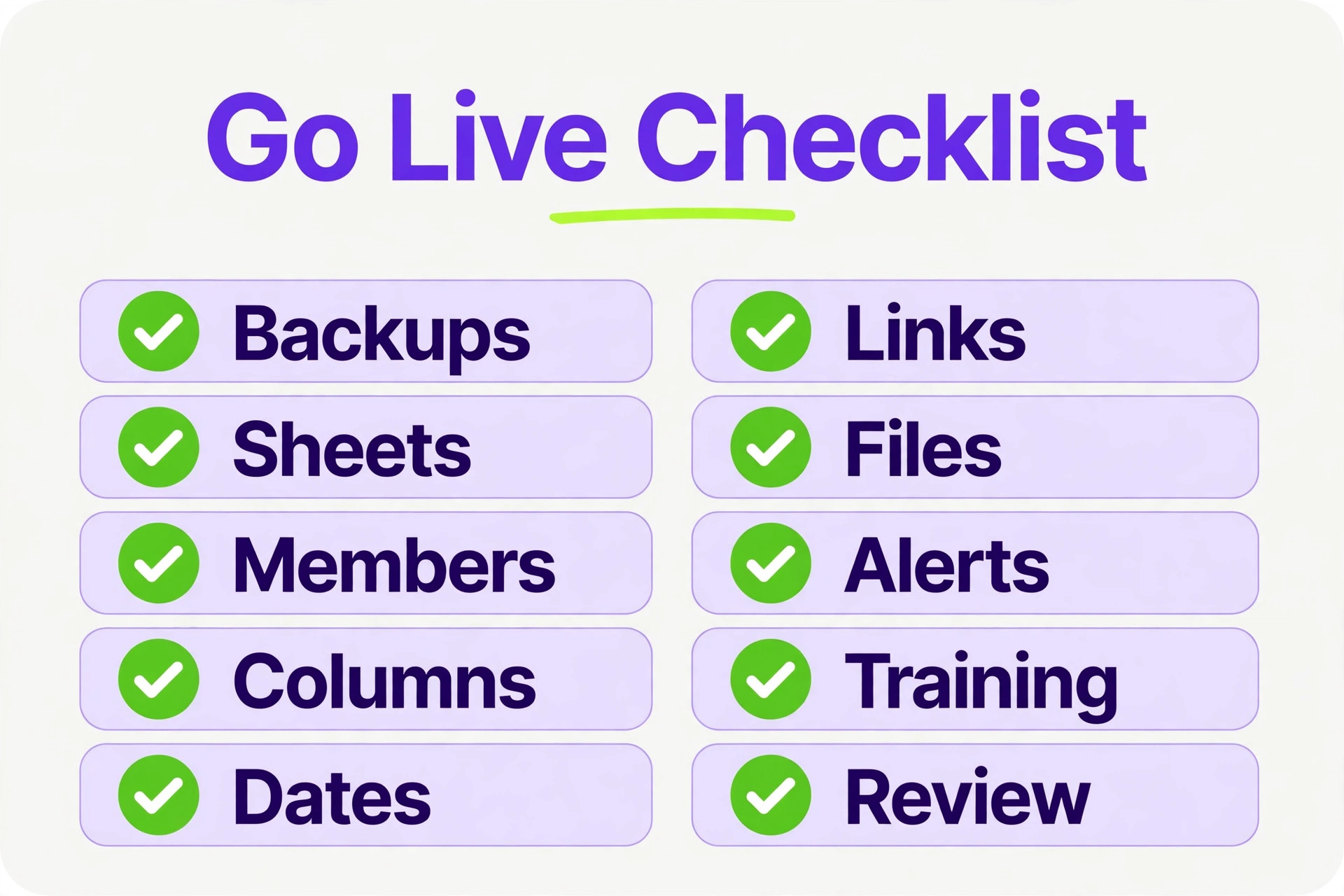
Go Live Checklist
A switch Monday to Smartsheet small team go live works through this checklist in order, and do not close Monday until every item is checked. The list looks long, but each item prevents a specific failure that small teams have hit before.
- Final Monday exports completed and saved, one file per live board, with the export date in each file name.
- All Smartsheet sheets built, with column types, dropdown lists, and members in place before import.
- Import verified row by row on a sample of at least ten rows per sheet, checking owners, dates, statuses, and file links.
- Decision notes copied from Monday updates into sheet notes for every active item that carried one.
- Formulas rebuilt and tested against known values, so calculated columns match the old board’s numbers.
- Automations rebuilt and tested with a trial row, including at least one approval flow tested by a real approver.
- Dashboards and reports rebuilt for the weekly views the team actually opens, not for every old widget.
- Integrations reconnected and tested, including chat alerts, forms, calendar feeds, and file links.
- Team trained in one short session, with the column meanings and view switching shown live on the pilot sheet.
- Old Monday boards set to read only or archived, not deleted, until the team confirms the new sheets are complete.
Keep a rollback note alongside the checklist, stating how the team returns to Monday if a serious problem appears in week one. The note removes the fear that a bad switch is permanent, and teams that know they can roll back usually commit more fully to the new tool. Most never use the rollback, but writing it down keeps week one calm.
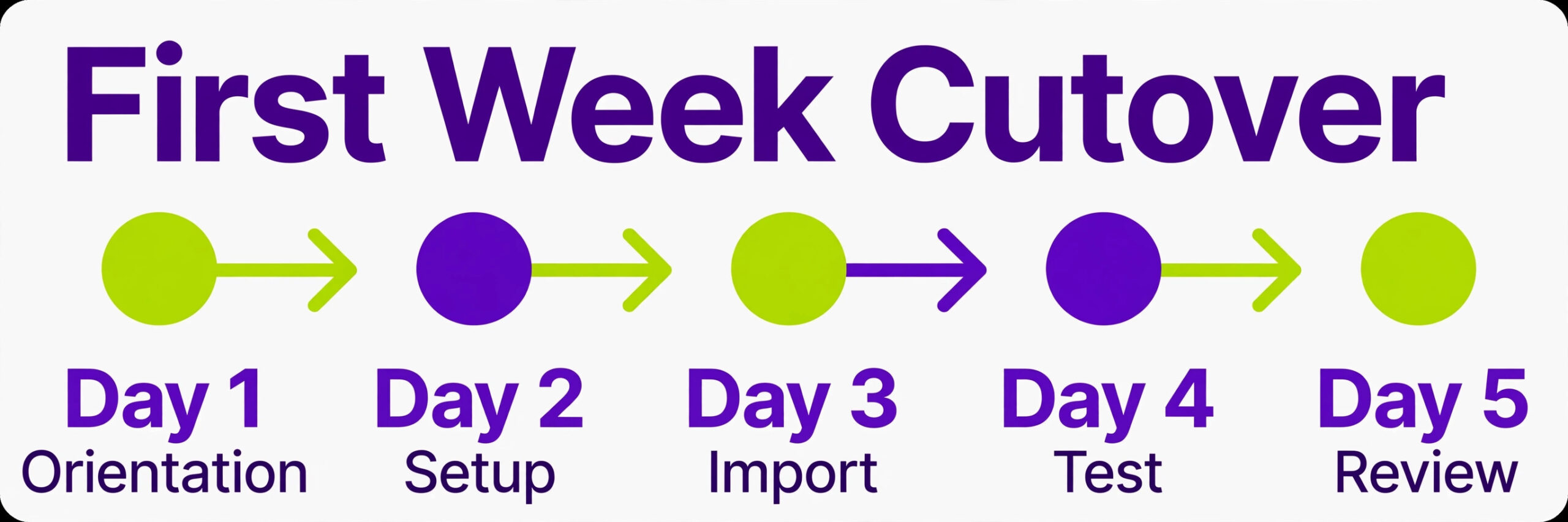
Your First Week Cutover Plan
Day one is orientation day. The team opens Smartsheet first and Monday only to check history. The migration contact watches the sheets, answers questions, and fixes mapping errors as they appear. No new Monday items are created from day one onward, so the old system stops growing while the new one takes over.
Day two is cleanup day. The team reports rows with wrong owners, missing dates, or broken file links, and the contact fixes them in one batch. This is also the day to confirm that alerts and calendar feeds are firing, since a silent integration is easy to miss on day one.
Day three is the first real test. Run the normal weekly planning meeting from the Smartsheet sheets only, with no Monday open in the room. If the meeting runs well, confidence jumps. If it stalls, note exactly where it stalled, because that gap becomes the fix list for day four.
Day four is fix day. Rebuild the missing dropdown value, automation, or report that the planning meeting exposed, and retest it with the team before the day ends. Small fixes on day four prevent the slow drift back to Monday that kills many migrations in week two.
Day five is review day. Compare the Smartsheet sheets against the final Monday exports and confirm that every live item has a home. Archive the Monday boards that are now fully mirrored, but keep Monday open for one more week as a read only safety net. At the end of day five, the team should be able to answer one question without hesitation, which is where any piece of work lives, and the answer should be Smartsheet.
A switch Monday to Smartsheet small team cutover only sticks if week two gets attention too. Review the sheets once at the end of week two, delete rows created during the move that were never picked up, and confirm the recurring work automations fired on schedule. Then, and only then, cancel the Monday subscription or downgrade it for archive access, depending on what the plan allows. Confirm billing and archive rules on the vendor page before you cancel.
What the Move Really Costs
The move costs time before it costs money. Budget one afternoon for audit and cleanup, one afternoon per three to five boards for export and mapping, and one week of pilot running alongside normal work. A team with six boards should expect two to four weeks of calendar time from decision to Monday cancellation, even though the hands on work is only a few days. Rushing that calendar is how uncleaned data ends up in the new sheets.
Money costs depend on plan fit. Smartsheet charges per member on its paid plans, and advanced features such as cross sheet formulas at scale, resource management, and some connectors sit on higher tiers. Before you switch, list the Monday features your team uses, map each one to its Smartsheet tier, and price the Smartsheet side honestly. Confirm current prices on both vendor pages, since plan names and limits change, and do not present a saving to anyone until the tier mapping is done.
The costliest mistakes follow a pattern. The first is importing everything, including dead boards, which teaches the team that Smartsheet is cluttered. The second is skipping formula rebuilds, which leaves sheets with wrong numbers. The third is deleting Monday too early, which turns a recoverable error into lost history. The fourth is rebuilding Monday’s visual complexity as dozens of Smartsheet sheets with no naming rules, which recreates the mess in a new shape. Avoid all four and the move stays boring, which is what a good migration should be.
For budgeting, the guide to the monthly cost of Smartsheet for a small business helps price the destination before you commit. Teams that also weigh a simpler destination sometimes compare the choice to switch from Monday to Trello or to switch from Monday to Asana, and the same pilot test usually decides among them.
Frequently Asked Questions
Can Monday update threads move to Smartsheet?
In a switch Monday to Smartsheet small team move, full update threads rarely transfer through file exports, so plan for partial history. Item names, owners, dates, statuses, and key values move cleanly. Copy decision notes and client promises from updates into a notes field before export, and keep Monday open as a read only archive for the full thread history until the team no longer needs it.
Do Monday formulas survive the move?
No, formulas must be rebuilt in Smartsheet syntax. List every formula column during the audit and write down what it calculates in plain words. Rebuild each formula in the new sheet and test it against known values from the old board before the team relies on the numbers. A sheet with untested formulas will lose trust quickly.
How many boards can a small team migrate at once?
Migrate one pilot board first, then move the rest in batches of three to five boards. Each batch needs its own export, cleanup, mapping, and verification pass. Teams that try to move twenty boards in one weekend usually import uncleaned data and spend the next month fixing it, so protect the batch rhythm even when the calendar feels tight.
Will Smartsheet feel slower than Monday for visual work?
For pure visual board scanning, yes, at first. Smartsheet card view helps, but Monday’s colorful boards read faster for status driven work. The trade is grid power, formulas, and cross sheet reporting. If visual scanning is the team’s main daily habit and reporting is rare, the trade may not be worth it, and the pilot week is the right place to learn that.
What happens to files linked in Monday items?
File links may point back to Monday or to cloud storage, and the team must confirm each link opens after import. Download originals that matter and relink them in Smartsheet before Monday closes, because links that depend on the old workspace break when it does. Keep the underlying cloud folders in place regardless, since files should never depend on one tracker.
Should we keep Monday after the switch?
Yes, for at least two weeks as a read only reference. Archive the boards once the team confirms the Smartsheet sheets are complete, and only then cancel or downgrade the subscription. This safety net costs little and has saved many teams from a lost decision or a missing file. Confirm archive and billing rules on the vendor page before cancelling.
A Smarter Way to Decide
The honest test is not which tool has more features. It is which view your team opens first in the morning. Spreadsheet thinkers will thrive in Smartsheet and will wonder why they tolerated a board tool for so long. Visual thinkers will miss Monday’s boards and should only move if reporting or grid work genuinely outweighs that loss. Run the one sheet pilot, rebuild the formulas properly, and let the team’s daily habit decide, because a tool the team opens willingly beats a tool with a longer feature list every time.
Start with the audit this week. List the boards, drop the dead ones, standardize the statuses, and rebuild one pilot sheet well. If the pilot sheet earns its place in the daily routine, scale in batches and keep Monday as a safety net until week two confirms the move. That discipline turns a risky platform change into a quiet upgrade, and a quiet upgrade is the best outcome a migration can have.