
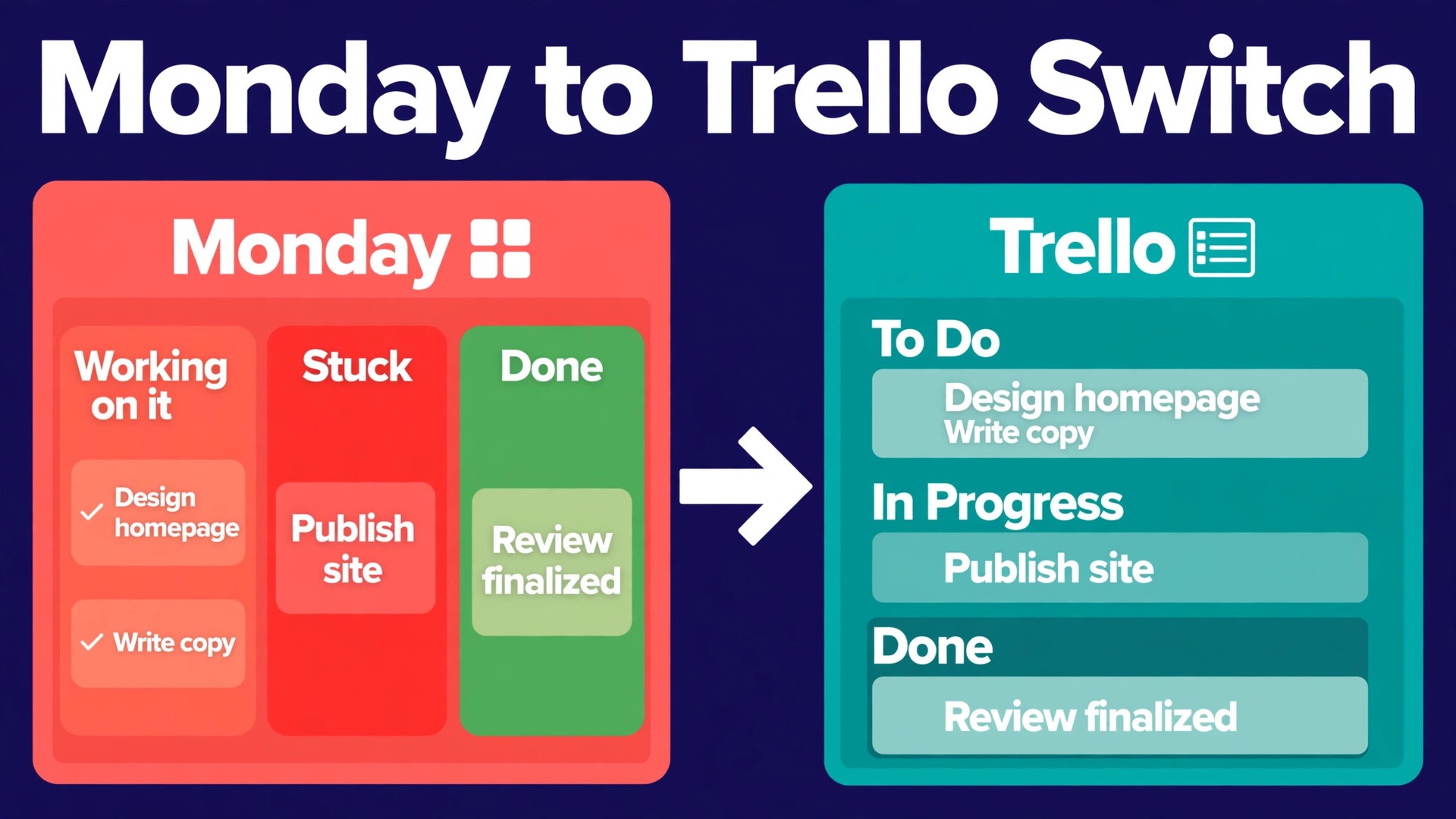
Trello‘s free plan caps a workspace at 10 boards, a limit that matters the moment a small team starts counting what it actually runs. That single number explains why a move from Monday to Trello works best as a simplification, not as a straight copy. When you switch Monday to Trello small team work, you are trading a wide, column-heavy system for a board-and-card system that stays clear only if you leave the clutter behind. Teams that try to carry every column, view and automation across in one go usually end up with Trello boards that look busy and feel confusing.
Monday earns its keep on larger operations. It gives a team many views of the same board, cross-board reporting and a column for almost every kind of data. A team of five or eight people rarely uses all of that, and the price and the setup time can feel out of proportion to the work. Trello earns its keep on visible, moving work. A card moves across a board, everyone sees where it sits, and nobody needs training to understand the picture. That is the real trade in this move, depth for clarity, and it suits teams whose projects are mostly lists of tasks with owners and dates.
This guide is written for a team that has already decided Trello is the simpler home, and now needs the move to go cleanly. It covers what actually transfers from Monday, what must be rebuilt by hand, and the order to do the work in so that no live project stalls mid-move. It also gives a full migration checklist and a first-week cutover plan, because the week after the switch decides whether the team adopts Trello or quietly drifts back to old habits and side spreadsheets.
Switch Monday to Trello Small Team in Four Stages
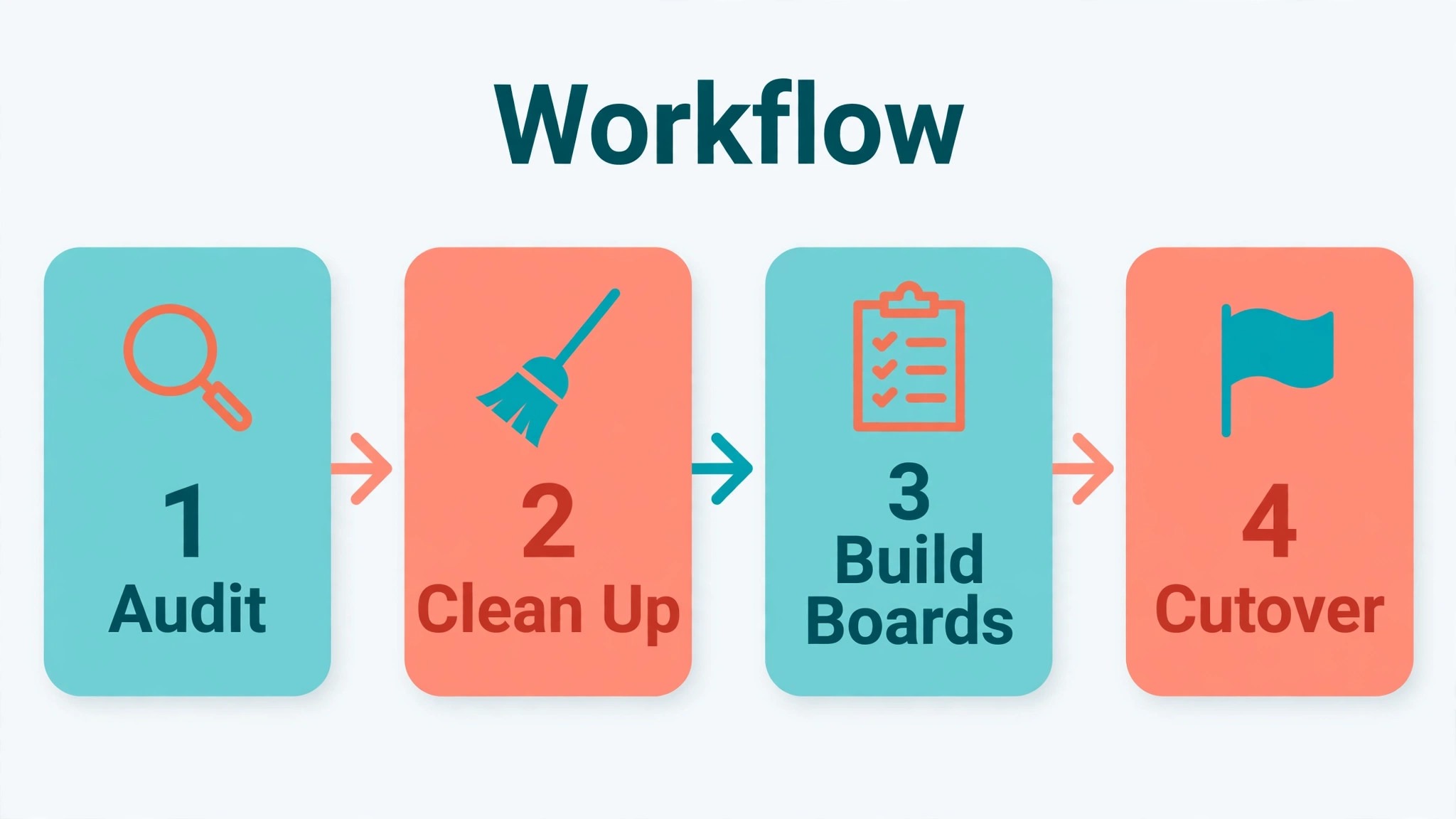
A good migration has four stages, and skipping any one of them creates the problems that show up later. First, audit and simplify in Monday. Second, move the live work into Trello boards with a clear structure. Third, rebuild the handful of automations and views that the team truly uses. Fourth, run a cutover week in which Monday becomes read-only and Trello becomes the only place work is assigned. Teams that rush straight to stage two spend stage four fixing boards that nobody trusts.
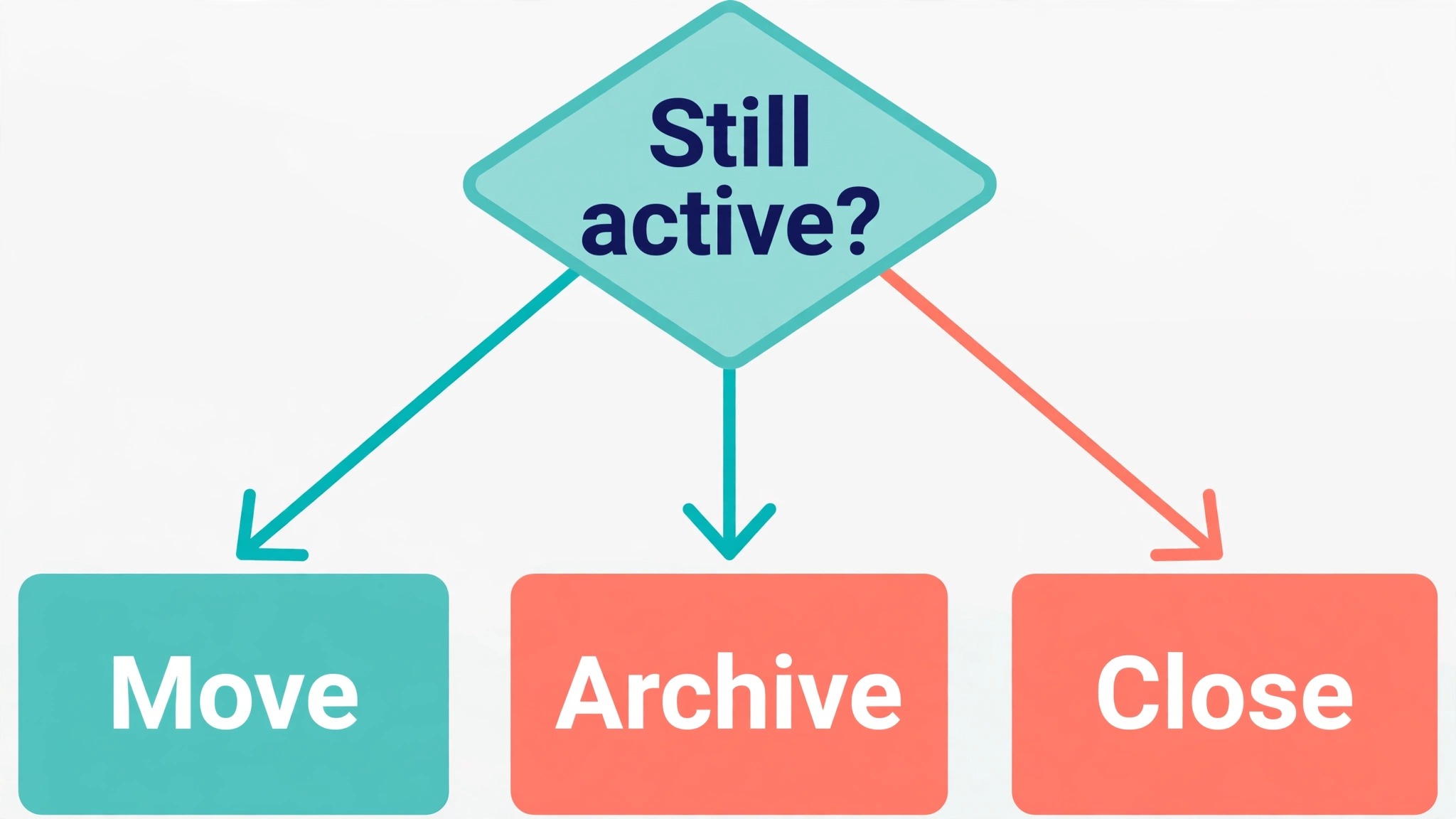
The audit matters more than the import method. Monday boards collect columns that nobody reads, groups for finished projects, and items that were never closed. Moving all of that into Trello does not preserve history. It preserves mess. Before any export, walk each board with its owner and ask three questions. Is this project still live. Does this column change a decision. Would anyone miss this item if it were archived. Anything that fails those tests stays in Monday as an archive, and only live work travels.
Structure is the second decision that shapes everything. In Monday, a board holds groups, items and subitems, with columns carrying the detail. In Trello, a board holds lists, cards and checklists, with labels, members, dates and custom fields carrying the detail. A sensible mapping is one Monday group to one Trello list, one Monday item to one Trello card, and one Monday subitem to one checklist item or, for larger subitems, to its own card linked back to the parent. Decide this mapping once, write it down, and use it on every board, because a different mapping per board makes Trello harder to read than Monday ever was.
What Transfers, What Does Not, and What Needs Rebuilding
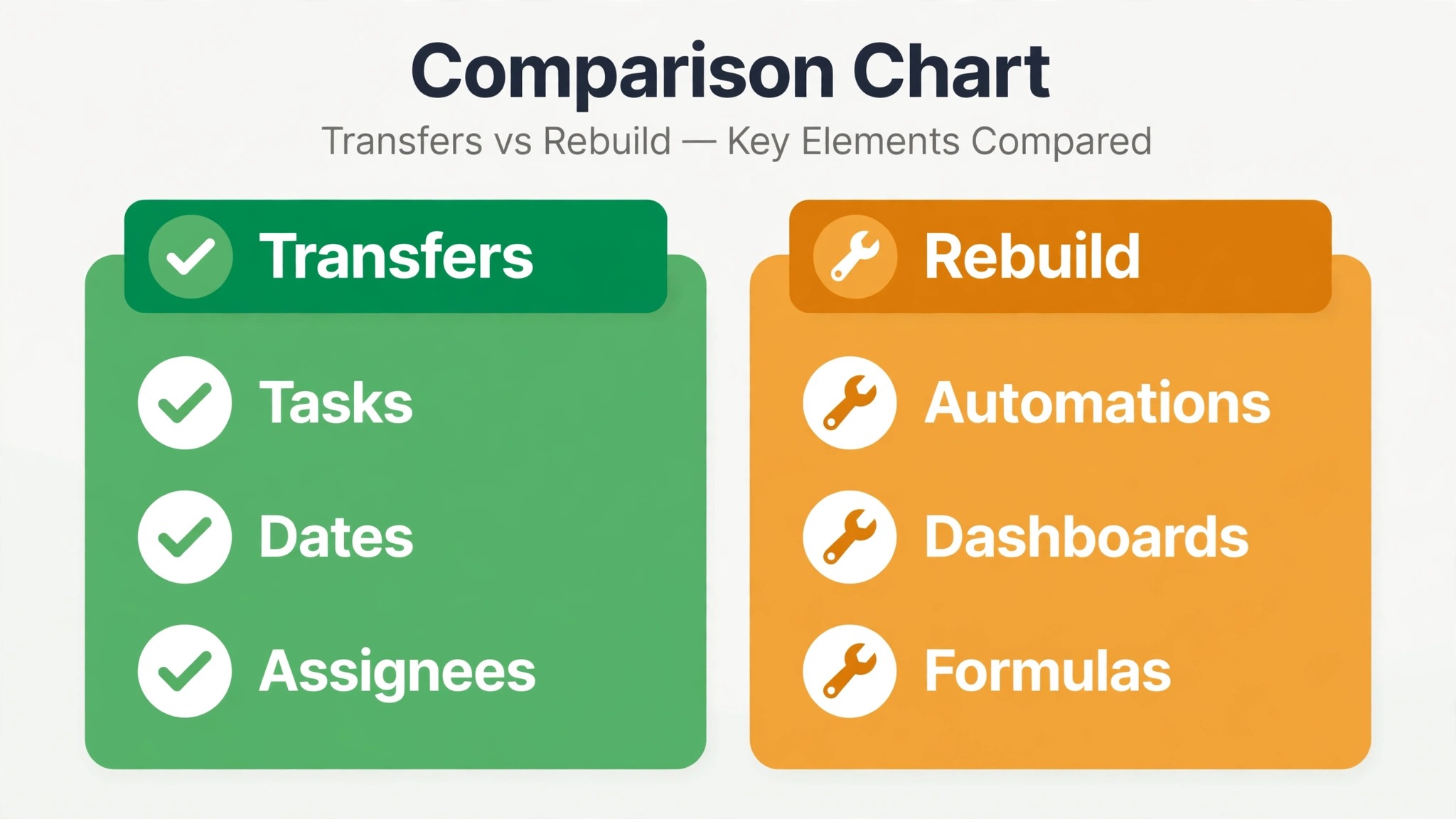
There is no one-click Monday to Trello importer that carries a whole workspace across intact, so be wary of any claim that the move is automatic. The practical routes are a Monday board export to a spreadsheet, a Trello import from that file, or a third-party sync tool that maps fields between the two systems. Each route moves the core task data well and drops the surrounding machinery. That is normal for a move between tools with different data models, and planning for it is what keeps the project honest.
The table below sets out the honest picture for a small team. Use it to set expectations with colleagues before the move starts, because most migration complaints come from a feature nobody warned the team would change.
| Monday element | What happens in Trello | Action needed |
|---|---|---|
| Boards and groups | Boards and lists, with a mapping you choose | Decide the group to list mapping before import |
| Items, owners and due dates | Cards, members and due dates | Check member matching by email after import |
| Status and priority columns | Labels or a list structure | Pick one method and use it on every board |
| Subitems | Checklist items or linked cards | Split large subitems into cards by hand |
| Updates and comments | Card comments, only with some import routes | Export key decisions to card descriptions where they matter |
| File attachments | Card attachments or links, depending on route | Reattach or relink files for active cards and test them |
| Automations | Nothing transfers directly | Rebuild the top few as Trello Butler rules |
| Dashboards and cross-board views | Nothing transfers directly | Rebuild reporting with Trello views or a separate report |
| Formulas and mirrored columns | Nothing transfers directly | Replace with a simple field, a checklist or a manual check |
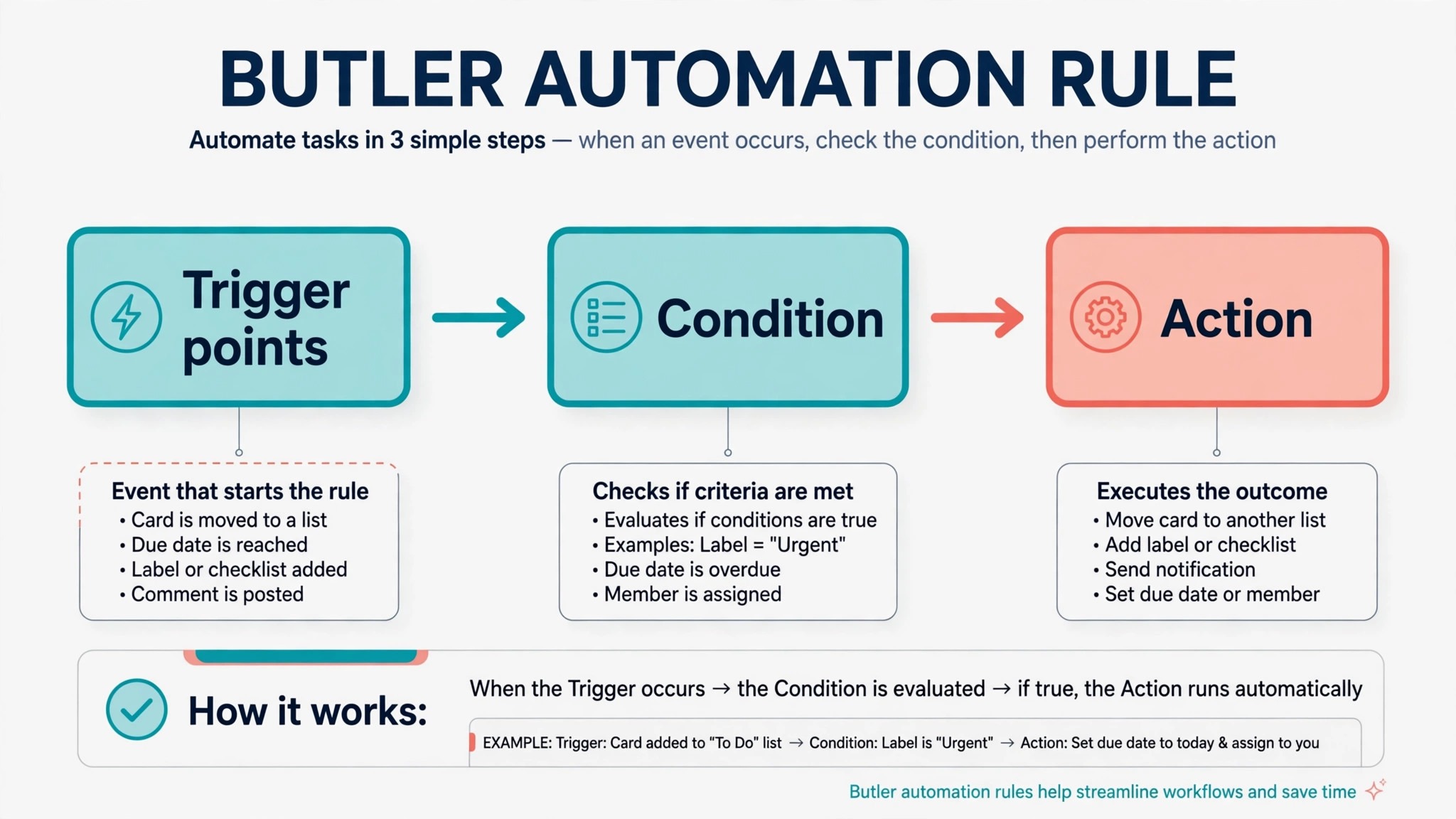
Automations deserve a closer look, because they are where Monday teams feel the loss most. A Monday automation such as moving an item to a new group when its status changes, or notifying an owner when a date arrives, has to be recreated as a Butler rule in Trello, and the trigger and action names will differ. That is not a flaw in Trello. It is a different automation language, and a small team usually needs only a short list of rules. Pick the five automations the team actually notices, rebuild those first, and leave the rest for later. A board with twenty half-tested rules is worse than a board with five rules everyone understands.
Dashboards are the other honest loss. Monday can roll many boards into one reporting view, while Trello’s reporting is board by board unless you add a dashboard view on a paid plan or use an external report. A small team should ask whether it ever acted on a cross-board dashboard, or whether it mainly looked impressive in a meeting. If the answer is the second, a weekly board review in Trello replaces it at no cost. If the answer is the first, keep a simple spreadsheet report fed from Trello card counts until the team knows exactly which numbers it needs.
For a related move in the other direction, see how a team moves from Monday to Asana, which faces the same automation and reporting questions in a different tool. The comparison helps a team confirm that Trello, rather than a heavier system, is the right destination.
Preparing Monday Boards for a Clean Export
Preparation takes a day, and it saves a week of cleanup. Start by freezing new structure in Monday. No new boards, no new columns, no renaming of status labels during the migration window. Renames during an export create mismatches that are tedious to trace, because a card that arrives in Trello with an old label looks like a different piece of work.
Next, clean each board in place. Archive finished groups and items, close items that were finished but never marked done, and merge duplicate status values. Monday teams often end up with both “In progress” and “Working on it” meaning the same thing, and both will travel into Trello as separate labels unless someone merges them first. The same applies to people columns. Remove former staff from boards, confirm that every active item has one owner, and note any item with no owner, because an unowned card in Trello is easy to ignore.
Then decide what history to keep. Trello is a working tool, not an archive, and a board stuffed with two years of finished cards loads slowly and reads poorly. A practical rule is to move live work plus work from the last 30 days, and to leave older finished work in Monday as a read-only archive. Export that archive to a spreadsheet as well, so the team is not locked into Monday forever, but do not import it into Trello. Future team members can search the archive when they need it, and daily work stays clear.
Finally, take a full export of every board before you change anything. Monday exports to spreadsheet formats, and that file is your safety net. Store it somewhere the whole team can reach, with the export date in the file name. If an import goes wrong, you can start again from that file instead of trying to reconstruct work from memory. This step costs ten minutes and has saved more migrations than any import tool.
Building the Trello Boards the Right Way
Build one pilot board first, with one real project and its real owner, and run it for two or three days before migrating the rest. The pilot board answers questions that no planning document can answer. Are the lists in the right order. Do labels make sense at a glance. Is the card detail enough for someone to pick up a task without asking a question. Fix the pilot, then copy its structure to the other boards.
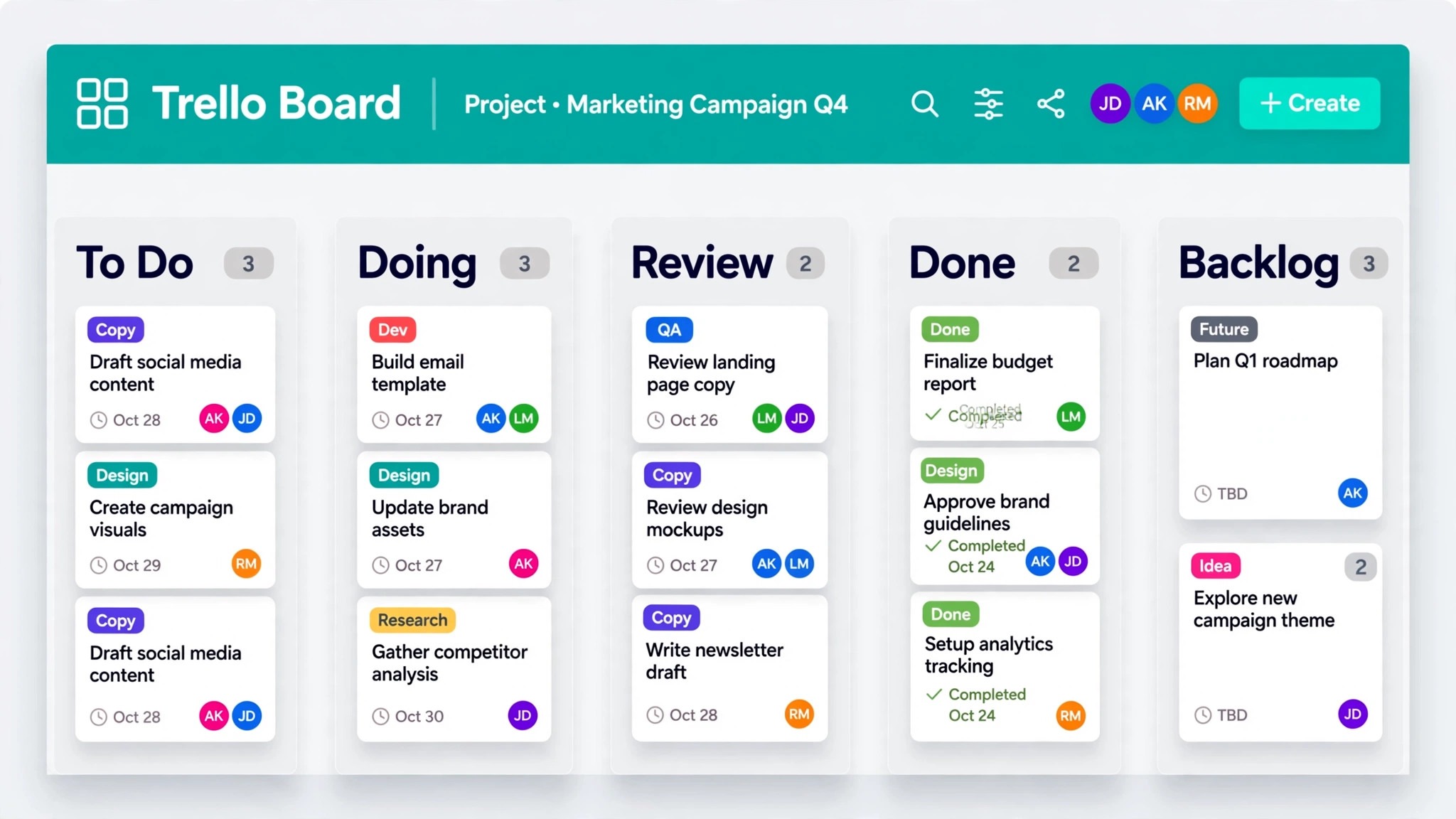
A good Trello board for a small team has five or six lists at most. Common patterns are Backlog, This week, In progress, Waiting on someone, Review and Done, or a simpler To do, Doing and Done with a separate list for blocked work. More lists than that usually means the team is tracking status in two places at once, once in the list and once in a label, and that double tracking is where cards get lost. Keep lists as the single statement of where work sits.
Labels need the same discipline. Trello labels work best for one kind of information, such as work type or priority, not for three kinds at once. A team that uses labels for type, priority, client and urgency will run out of colours and meaning within a month. Choose one job for labels, use list position for progress, and use due dates and members for ownership and timing. The board then reads in seconds, which is the whole point of Trello.
Custom fields are available on Trello paid plans and can carry the extra data that Monday columns used to hold, such as a budget figure or a client name. Use them sparingly. Every custom field is a question the team must answer on every card, and a card with ten fields is a form, not a task. Add a field only when a real decision depends on it, and test the board without it first. A team that ran Trello with a content calendar in Trello will recognise this discipline, because a calendar board stays useful only when each card carries just enough detail.
Members and guests need a decision before the import, not after it. Trello workspaces hold members, and boards can also invite guests for single-board access. Map Monday users to Trello accounts by email, invite people before the import so that cards match to real members, and decide who is a full member and who is a guest. Guests suit clients and contractors who need one board, while full members suit staff who work across boards. Getting this wrong means either paying for seats the team does not need, or locking a contractor out of a board on cutover day.
Rebuilding Automations, Views and Integrations
Butler is Trello’s built-in automation, and a small team should rebuild automations in order of pain, not in order of cleverness. The rules that save the most time are usually the dull ones. Move a card to Done when its checklist is complete, add a member when a card enters a list, set a due date when a card is created in a certain list, and post a reminder when a due date is near. Write each rule in plain language first, test it on the pilot board with a test card, and only then apply it to live boards.
Calendar and timeline views are where Trello paid plans earn their keep for a small team. The calendar view shows due dates across a board, and the timeline view shows cards across time, but both need a paid plan, so check the vendor’s current pricing page before promising either view to the team. If the team stays on the free plan, a weekly review meeting and a filtered card search do much of the same job, and the money saved can go to a tool the team uses every day. Do not buy a paid plan for one view that one person checks once a month.
Integrations also need rebuilding, because Monday integrations do not carry over. The common ones for a small team are email, calendar, file storage and chat notifications. Reconnect each one on the Trello side, test it with a real card, and delete the old Monday integration so that notifications do not arrive twice. Double notifications are a small annoyance that quickly erodes trust in the new system, because the team stops reading any notification at all.
A useful check at this stage is to compare your new setup with remote team project tools and confirm that Trello still covers the team’s real needs, such as visibility of who is doing what and a single place for due work. If a gap appears, it is better to find it during the pilot than after Monday is closed.
The Full Migration Checklist
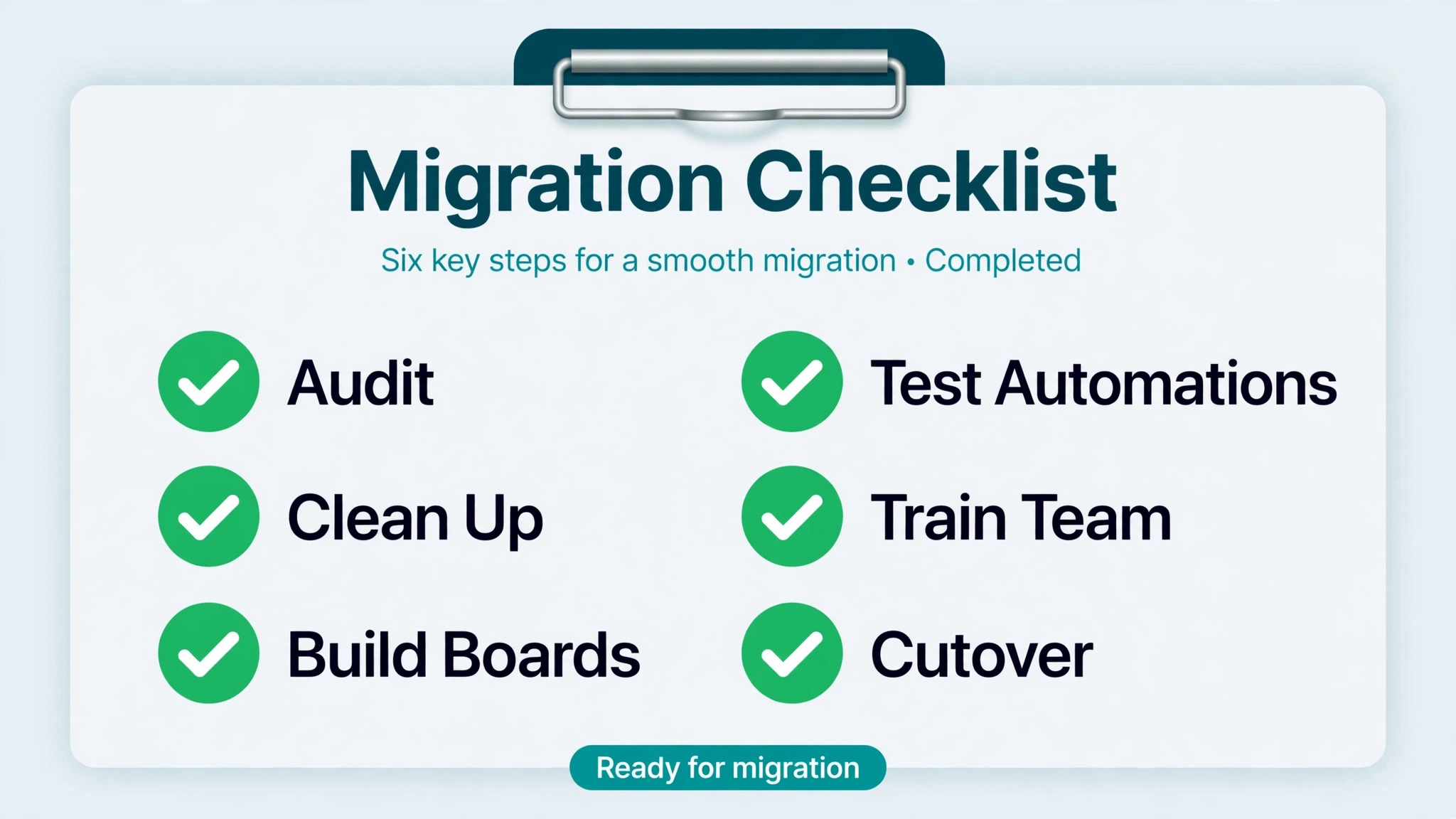
This is the checklist to work through in order, with one owner per item and a tick only when the result has been checked, not merely attempted. Print it or copy it into the pilot board as a card checklist, because a checklist that lives in a separate document is easy to forget on a busy cutover day.
– Audit every Monday board, archive finished groups and items, and merge duplicate status values – Freeze new boards, columns and status renames in Monday for the migration window – Export every Monday board to a dated spreadsheet and store it where the team can reach it – Decide the group to list, item to card and subitem to checklist mapping and write it down – Decide what history stays in Monday as an archive and what live work moves to Trello – Create the Trello workspace, invite members by email, and set guest access for clients and contractors – Build one pilot board, run it for two or three days with a real project, and fix its structure – Import live work board by board, checking owners, dates and labels on a sample of cards each time – Reattach or relink files for active cards and open a sample to confirm they work – Rebuild the top five automations as Butler rules and test each one with a test card – Reconnect email, calendar, file storage and chat integrations, and remove the Monday versions – Rebuild the calendar or timeline view the team actually uses, or agree a weekly review instead – Train the team in a short session on lists, labels, due dates and where to find archived work – Set Monday to read-only on cutover day and confirm Trello is the only place new work is assigned – Check the pilot board with its owner a week later and fix labels, lists or rules that confused anyone
The checklist looks long, but most items take minutes once the decisions are made. The slow parts are the audit and the pilot, and those are the parts that prevent rework. A team that ticks the checklist honestly will find cutover day quiet, which is exactly what a migration should feel like.
The First-Week Cutover Plan
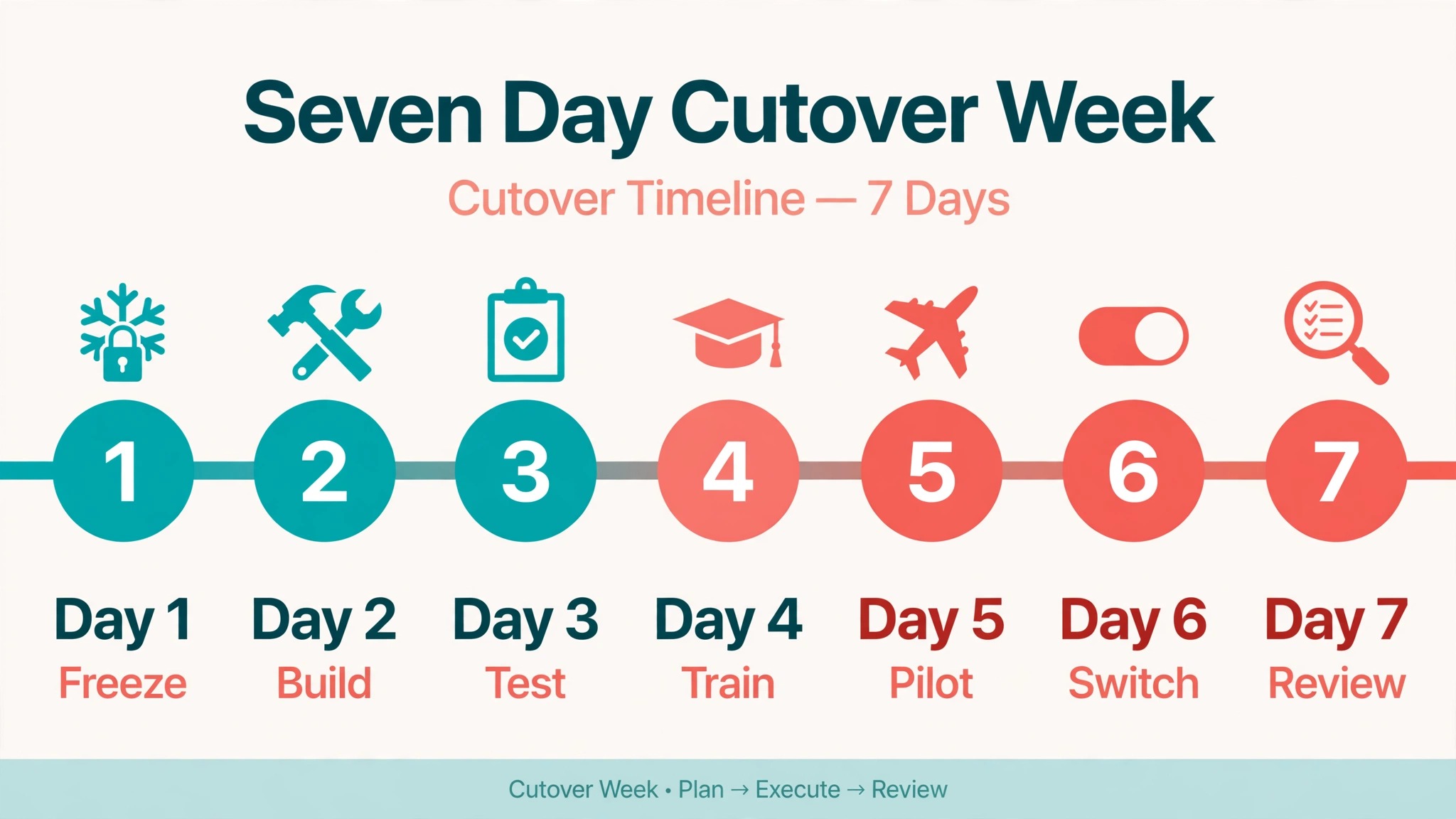
Cutover week is where migrations succeed or fail, and the plan below gives each day one job. Resist the urge to do everything on day one, because a team can absorb one change per day and still do its normal work.
| Day | Job for the day | Done looks like |
|---|---|---|
| Day 1, Monday read-only | Set Monday to read-only, announce Trello as the only assignment tool, move new work to Trello | No new items created in Monday, team knows where to look |
| Day 2, pilot review | Review the pilot board with its owner, fix lists and labels, import the next boards | Pilot board reads clearly to someone who did not build it |
| Day 3, automation check | Test every Butler rule with real cards, fix rules that fired wrongly or not at all | Each rule has a tested card as evidence |
| Day 4, guest and file check | Confirm guests can reach their boards, open a sample of attachments, fix broken links | Guests confirm access, files open first time |
| Day 5, weekly review in Trello | Run the first weekly review from Trello boards, not from Monday or a spreadsheet | Review covers every live board, actions land as Trello cards |
| Day 6, archive check | Confirm the Monday archive and dated exports are reachable, note where they live | Any team member can find the archive without asking |
| Day 7, closeout | Ask the team what still hurts, fix the top three complaints, agree the old tool stays read-only | Three fixes done, no open request to return to Monday |
Day one needs a clear announcement, not a quiet change. Tell the team in plain terms that Monday is now read-only, that Trello is where work is assigned from today, and where to find old work if they need it. People do not adopt a tool they discover by accident. They adopt a tool whose owner has made a clear decision and explained it in one message.
Day five is the most important day in the plan. A weekly review run from Trello proves the new system can carry the team’s real meeting, and it surfaces gaps while they are still small. If the review has to fall back to Monday or a spreadsheet, note exactly why, and fix that gap before the next review. Two reviews run entirely from Trello are the best evidence the migration has stuck.
Costs, Risks and the Honest Downsides
Cost is often the reason for this move, so price it honestly. Trello’s free plan covers unlimited cards and, per the pricing pages cited in recent comparisons, up to 10 boards per workspace, while paid plans add views, more automation runs and admin controls. Monday’s paid plans cost more per user in most comparisons, which is why a small team can save money by moving, but the saving shrinks if the team needs several paid Trello features at once. Check the vendor’s current pricing page for both tools before budgeting, because per-user prices and plan names change, and a quote built on last year’s prices will embarrass the person who made it.
The risks are manageable if they are named early. The first risk is lost context, because comments and updates may not travel with every import route. Mitigate it by copying the key decision on each active card into its description before export. The second risk is a half-migrated team, where some people keep working in Monday because it feels familiar. Mitigate it with read-only access on day one, not with repeated reminders. The third risk is overbuilding Trello in the first week, with too many lists, labels and rules. Mitigate it by freezing new structure for the first month, so the team learns one board design well.
Budget the switch Monday to Trello small team move on paid features the team will actually use, not on the free plan alone. The honest downside is that Trello will not replace Monday’s reporting. A team that truly needs cross-board dashboards, workload views and portfolio reporting should think twice before moving, or should pair Trello with a separate reporting tool. Another downside is scale. A team that grows past about twenty people, or that starts running many linked projects, may outgrow Trello’s simple model and need a heavier tool again. That is not a failure of the migration. It is a sign the team grew, and Trello served it well while it was small.
Making the Switch Monday to Trello Small Team Stick After Week One
The first week proves the move can work. The second month proves it will last, and that is where many teams quietly slip. The most common slip is the side spreadsheet, started for one urgent list and then kept alive because nobody moved it into Trello. When you switch Monday to Trello small team habits, agree a simple rule. If work lives anywhere except Trello, it does not exist for planning purposes, and the weekly review will not chase it. That rule sounds strict, and it is the rule that keeps one system true.
A second slip is board sprawl. A team that starts with six boards often has twelve within a month, because every new idea gets its own board instead of a card on an existing one. When you switch Monday to Trello small team boards, set a monthly board review. Ask whether each board still has live work, whether two boards could merge, and whether a board that nobody opened in two weeks should be closed. Closing a board is not losing work. It is keeping the workspace readable, and Trello lets a closed board be reopened if it is ever needed again.
Training also needs a second round. The first session teaches lists and cards. The second session, held in week three, should teach the habits that make Trello fast, such as using due dates honestly, moving a card the moment its status changes, and writing a card title that states the outcome rather than the topic. A team that compares notes in week three will find its own shortcuts, and those shortcuts matter more than any feature list. For teams weighing a different destination, the Trello to Asana migration plan and the Trello to ClickUp migration plan show how the same discipline applies wherever a team lands.
Finally, judge the move after thirty days, not after three. Ask the team three questions. Is it faster to find what to do today. Is it clearer who owns each task. Is the weekly review shorter. If the answer to all three is yes, the decision to switch Monday to Trello small team working has paid off, even if a few Monday features are missed. If the answer to any one is no, fix that one problem before adding new boards or rules, because a migration that keeps improving in small steps beats a migration that is declared finished and then ignored.
Frequently Asked Questions
Will my Monday boards import directly into Trello?
No direct importer carries a whole Monday workspace into Trello with automations and dashboards intact. The practical route is a spreadsheet export from Monday, an import into Trello, and manual rebuilding of automations and views. Third-party sync tools can map more fields, but they still cannot recreate Monday automations as Trello rules without review. Plan for a rebuild, and the move will feel straightforward rather than disappointing.
Do Monday comments and file attachments transfer?
It depends on the import route, and the safe answer is to assume partial transfer. Some routes carry comments and attachments, while a plain spreadsheet import does not carry comments at all. Before exporting, copy the key decision on each active card into its description, and reattach or relink files for active cards after import. Test a sample of cards rather than trusting the import summary.
How long does a small team migration take?
A team with five to ten boards can usually audit in a day, pilot in two or three days, and complete the cutover week as set out above. The work that stretches the timeline is usually cleaning Monday boards that were never tidied, not the import itself. If the audit finds years of unfinished items, allow an extra few days for decisions about what is truly live, rather than rushing that judgement.
Will Trello’s free plan be enough for a small team?
It depends on board count and views. The free plan covers unlimited cards but caps the workspace at 10 boards in recent pricing comparisons, and it limits some views and automation runs. A team with a handful of boards and simple rules can run well on free, which is a common reason to switch Monday to Trello small team work in the first place. A team that needs timeline views, dashboard views or heavy automation should price a paid plan and compare it with Monday’s cost before deciding.
What happens to Monday data after cutover?
Nothing has to be deleted on cutover day. Set Monday to read-only, keep the dated exports as a safety net, and leave the old boards as an archive the team can search. Deleting the old workspace too soon removes the fallback if an import error surfaces later. Review deletion after a month of clean Trello use, once the team agrees nothing in Monday is still needed.
Should we migrate all boards at once or one by one?
One by one, starting with a pilot board, is the safer pattern for a small team. A board-by-board move lets the team learn Trello’s structure on a real project, fix the mapping early, and keep other projects running in Monday until their turn comes. A big-bang move feels faster on day one and creates a week of confusion across every project at once, which is the worst time to discover a mapping mistake.
A Short Verdict Before You Start
Move to Trello when your team wants visible work, fast onboarding and a lower bill, and when it can live without cross-board dashboards. Stay on Monday when reporting, workload planning and complex columns drive real decisions every week. For most small teams, the honest test is simple. If the team opens Monday to check what to do today, Trello will do that job more clearly. If the team opens Monday to produce a report for someone else, Trello alone will not replace that job, and the move needs a reporting plan alongside it.
Start with the audit, run one pilot board properly, and let cutover week do its work. A quiet migration is a successful migration, and the team will know it worked when Monday fades from daily conversation without anyone having to announce that it is gone.