
The short answer is yes, make the move, but only after a short pilot proves Asana fits how your team actually works. A move to switch Trello to Asana small team working usually pays off when boards have grown past simple card tracking and the team now needs timelines, workload views, and reporting that Trello only reaches through add ons. If your boards are still simple lists with a handful of cards each week, the move adds process without adding value, and staying put is the better call.
This guide walks through the move in the order that causes the least disruption. It covers the readiness check, what transfers cleanly and what does not, the full step workflow, the rebuild of custom fields and automations, and the launch checklist that gets the whole team working in one place. Prices and plan limits change often, so check the vendor pricing pages before you commit. Where sources disagree about a limit, this guide says so plainly.
When the Switch Trello to Asana Small Team Move Pays Off
Small teams usually outgrow Trello in the same way. One board becomes five, cards carry long checklists, and nobody can answer a simple question without opening half a dozen boards. Who is overloaded this week. Which client project slips if one person is away. What is due across every board at once. Trello can answer each question with effort, but Asana answers them from built in views, and that difference is the real reason to switch.
Asana fits teams that plan work in phases, assign work across people, and need to see dependencies between tasks. Its timeline view shows how tasks connect, its workload view shows who carries too much, and its reporting pulls across projects without manual counting. Trello fits teams that think in columns and move cards from left to right. Neither approach is wrong. The switch makes sense only when your work has started to look like the first picture more than the second.
Stay on Trello for now if your team is under five people, if every board has fewer than fifty active cards, and if nobody has asked for reporting in the last three months. Stay too if your clients already work inside your Trello boards and would resist a new login. A migration that nobody asked for will fail even if the tool is better, because adoption is a people problem before it is a software problem.
Switch when deadlines start slipping for reasons nobody can see, when the same card information gets copied into a spreadsheet for reporting, or when managers spend Friday afternoons chasing status updates that a dashboard should provide. Those are signs that the board view has stopped scaling, and this is the point where a switch Trello to Asana small team effort starts to repay its cost.
Before You Move Anything, the Readiness Checklist
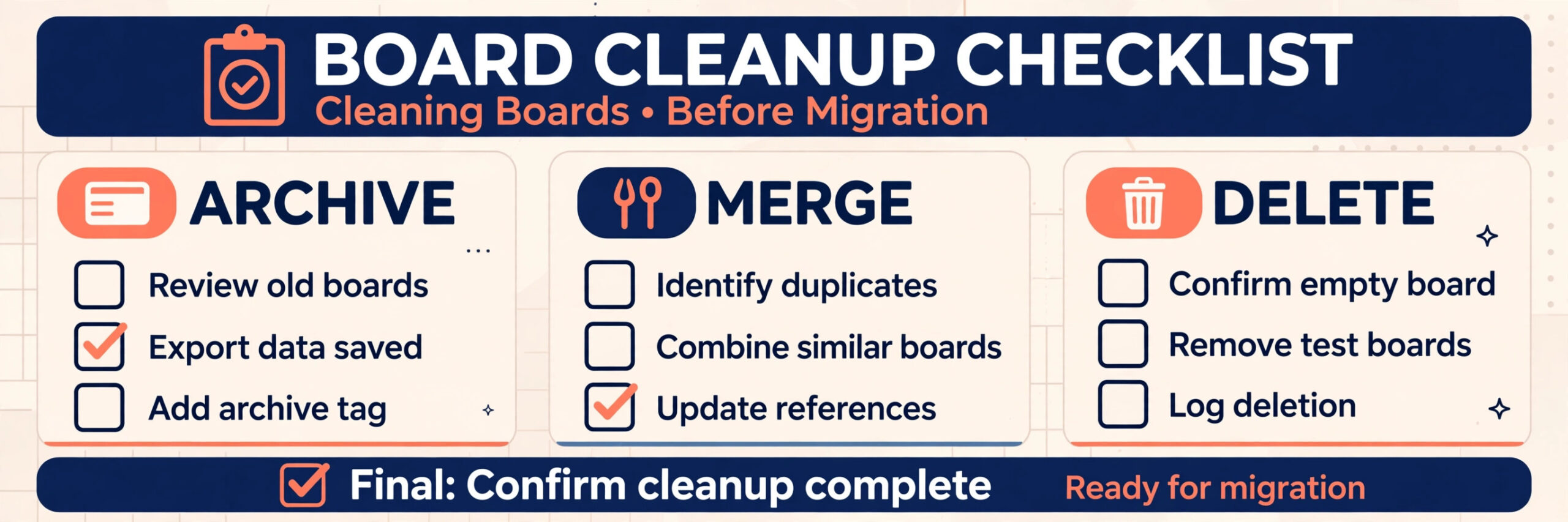
A migration fails in the planning week far more often than in the import itself. Run through this checklist with the whole team before touching an export file, and fix whatever it surfaces first. It is the cheapest insurance for a switch Trello to Asana small team project, because it surfaces problems while they are still cheap to fix.
First, name one owner for the migration. That person decides mapping questions, runs the pilot, and owns the go live date. Without a single owner, mapping decisions get revisited every week and the project drifts.
Second, list every board, including archived boards and personal boards that hold team work. Teams routinely discover boards owned by someone who left, boards duplicated for a single client, and boards nobody has opened in a year. Decide for each board whether it moves, gets archived, or gets deleted. Moving everything is the most common mistake, because it imports years of clutter into a clean workspace.
Third, list every integration and automation. Trello Power Ups, Slack notifications, calendar feeds, time tracking tools, and Butler automations all need a decision. Some have a direct Asana equivalent, some need a different tool, and some can simply be dropped. Write the list down, because the integrations people forget are the ones that break loudly on launch day.
Fourth, confirm who needs a paid seat and who can work as a guest or collaborator. Asana pricing turns on seats, so a careless invite list inflates the bill from month one. Map each person to the access they truly need, and invite guests only where the work requires it.
Fifth, agree on the cutover window. A small team can usually migrate in one to two weeks, with a pilot board in week one and the remaining boards in week two. Pick dates when no major deadline lands, and tell clients early if shared boards will change.
What Moves Cleanly From Trello to Asana and What Breaks
Honest expectations prevent most migration disappointment. The table below reflects the documented CSV route and third party migration tools, and the two routes differ in important ways.
| Trello item | CSV import route | Third party migration tool route |
|---|---|---|
| Boards | Become Asana projects | Become Asana projects |
| Lists | Become Asana sections | Become Asana sections |
| Cards | Become Asana tasks | Become Asana tasks |
| Card descriptions | Transfer | Transfer |
| Assignees | Transfer where emails match | Transfer where emails match |
| Due dates | Transfer | Transfer |
| Labels | Transfer as tags or custom fields, with manual mapping | Transfer, with wider field support |
| Checklists | Transfer as subtasks in some tools, limited in plain CSV | Transfer as subtasks |
| Attachments | Transfer as links in some routes, not as copied files | Transfer as files, subject to size limits |
| Comments | Do not transfer in Trello CSV exports | Transfer in most dedicated tools |
| Butler automations | Do not transfer | Do not transfer |
| Board activity history | Does not transfer | Does not transfer in full |
The biggest gap is comments. Trello CSV exports do not contain comments, so a CSV based migration cannot recover them no matter how careful the mapping is. If comment history matters for client work or compliance, use a dedicated migration tool or keep Trello read only for reference instead of deleting it. Asana own help pages describe CSV import for Trello boards, and they note that a paid Trello plan is the route to a native CSV export, with browser extensions as the fallback for free plans.
Attachments carry a second warning. One migration vendor documents that attachments larger than 100 MB cannot move through the Asana API, and Asana also requires a start date on tasks that carry a due date, setting one automatically where the source card has none. These are small details until they affect a client file or a project timeline, so check your largest attachments and your dateless cards before import day.
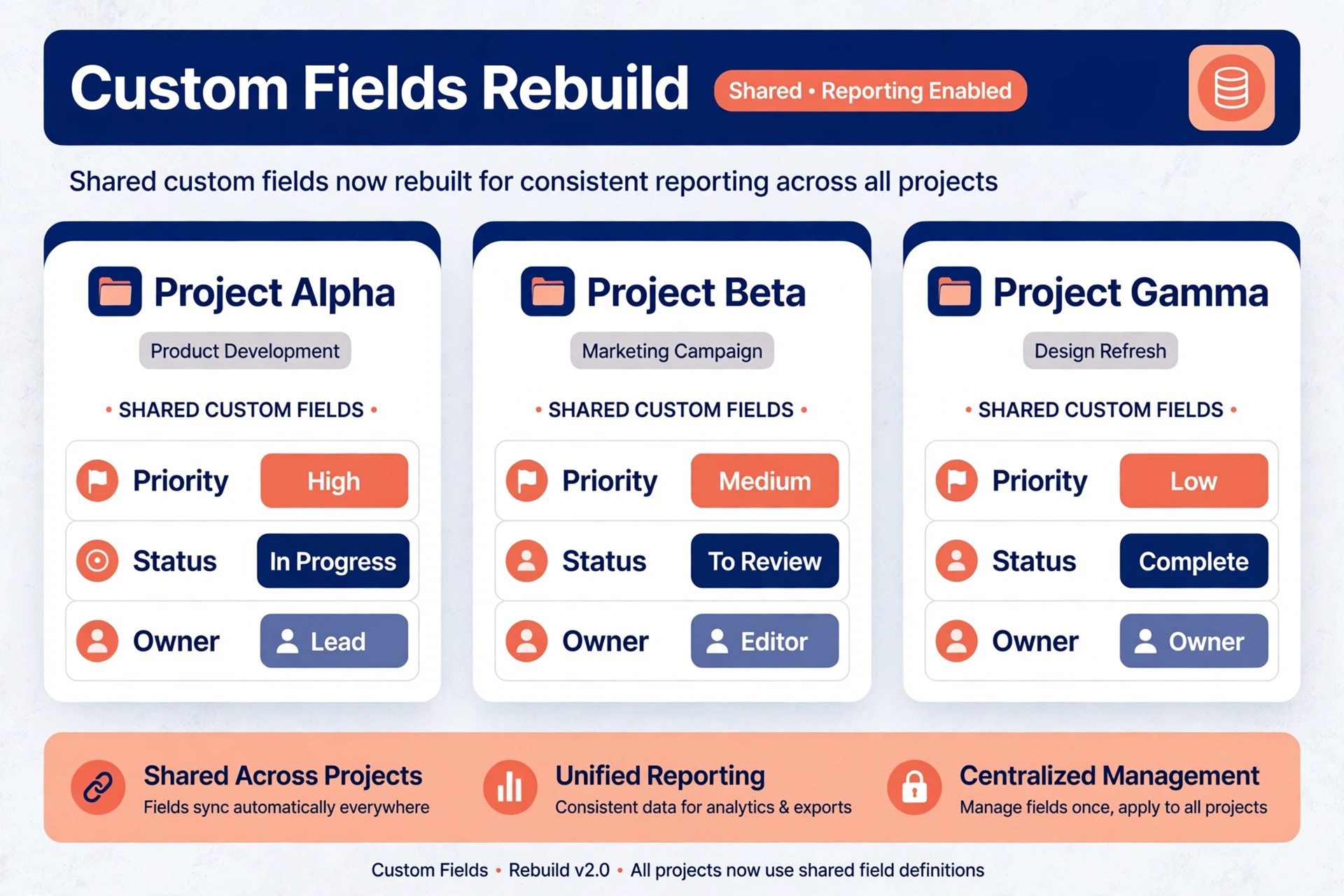
Custom fields need care on both routes. Asana CSV import creates custom fields that are local to the project, not shared across the workspace, and they must be converted to shared fields by hand if reporting needs them everywhere. Plan that conversion as a step in its own right, not as an afterthought discovered during the first report.
The Trello to Asana Move, Step by Step
Follow these steps in sequence. Skipping ahead to the import before the mapping is agreed is how teams end up with a new tool full of old mess.
Step 1. Freeze Trello and Take a Full Export
Agree a freeze date after which nobody edits the boards being moved, except for urgent client work logged separately. Export each board as JSON for a complete record and as CSV for the import itself. JSON preserves lists, cards, checklists, labels, and comments in a nested structure, which makes it the right archival format even when the import uses CSV. Store both files somewhere the whole team can reach, and keep Trello itself untouched until the new workspace is verified. Nothing gets deleted in week one.
Step 2. Clean the Data Before It Travels
Open the export and remove what should not migrate. Delete test cards, duplicate cards, and cards closed more than a year ago unless a client or contract reason requires them. Standardise assignee names to work email addresses, because Asana matches people by email during import. Fix date formats to month, day, year order, which the importer expects. Merge near duplicate labels now, because every stray label becomes a tag or field value that someone must clean later. This cleanup usually takes longer than the import, and that is normal.
Step 3. Map Every List to an Asana Section
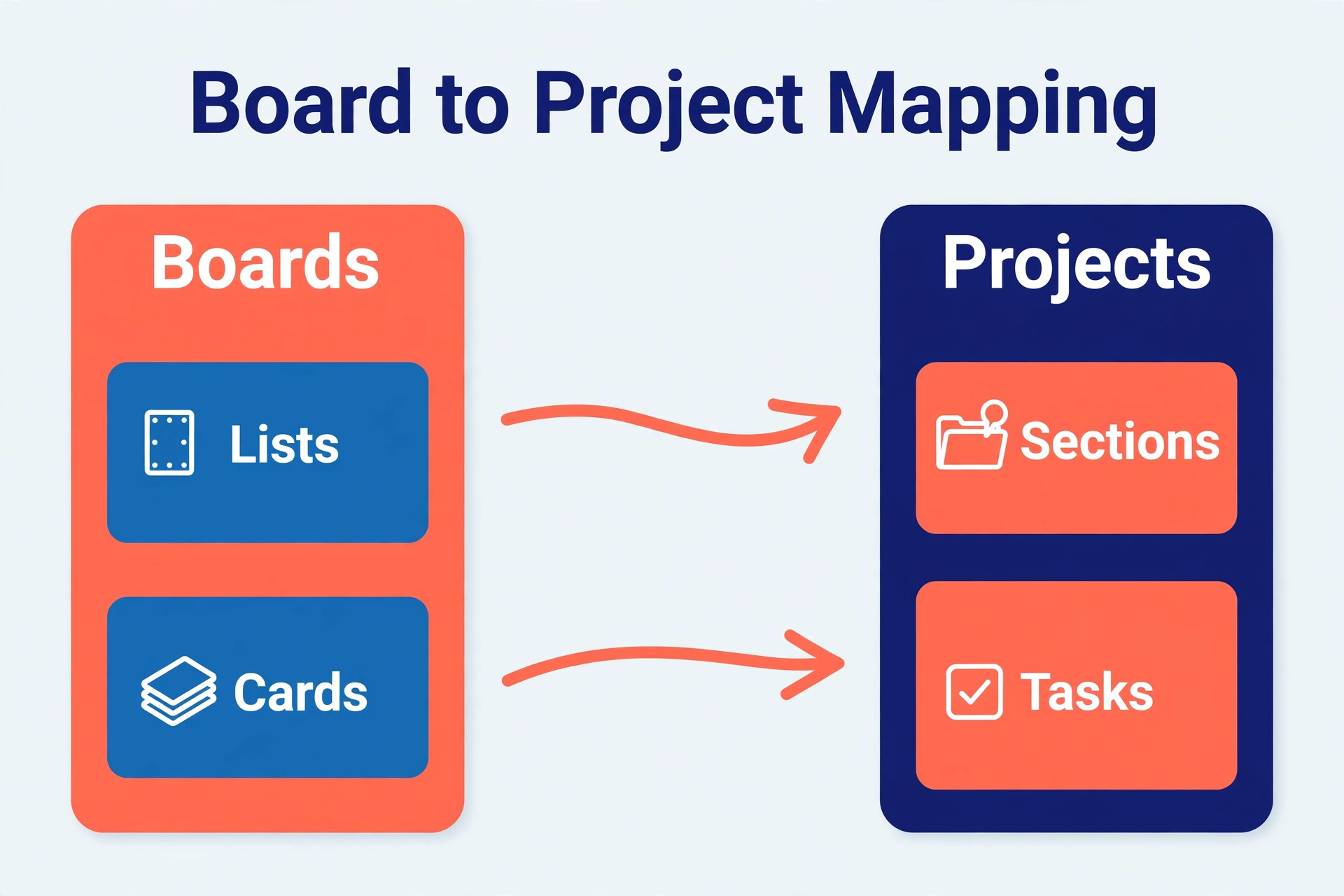
Write the mapping on one page before importing. Each Trello list becomes an Asana section, each board becomes a project, and each card becomes a task. Decide what happens to lists that no longer reflect real stages, such as a list called Misc or Later that has become a dumping ground. Either split it into real stages or archive its cards. Decide too how labels travel, as tags for quick filtering or as custom fields for reporting, because mixing the two without a rule creates confusion within a month.
Step 4. Run One Pilot Board End to End
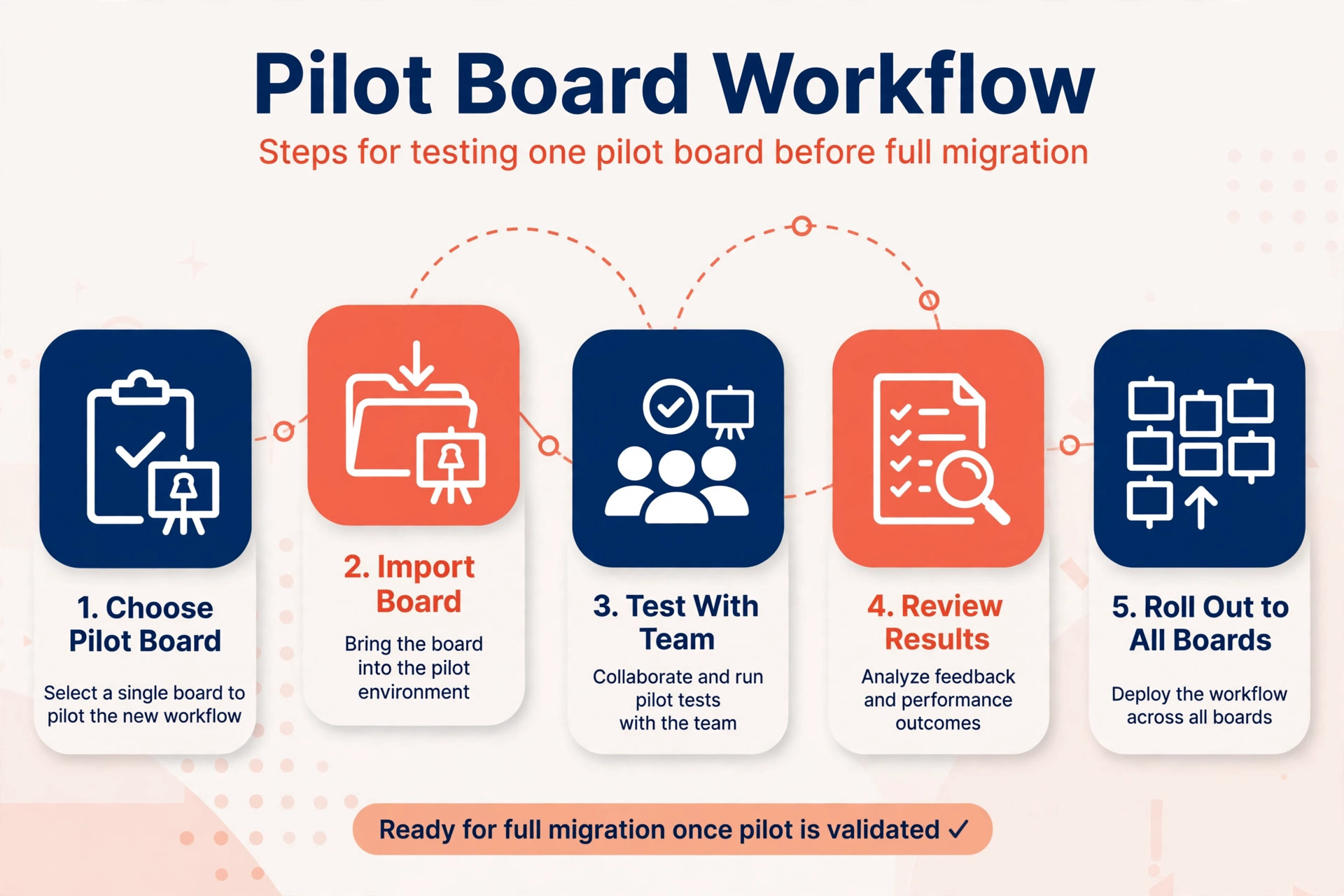
Pick a real board of medium size, not the smallest and not the largest, and import it first. Check assignees, dates, sections, and custom fields against the source board card by card for a sample of at least twenty cards. Invite the board owner to test it for two working days and report what feels wrong. Fix the mapping, then run the pilot again if the fixes were large. A pilot that reveals problems is a success, because it reveals them while the cost of fixing is still small.
Build the custom fields in Asana before the full import, using the pilot as the template. Decide which fields must be shared across projects for reporting, such as client name, priority, and work type, and create those as shared fields first. Fields created during CSV import stay local to one project until converted by hand, so creating the shared set in advance avoids a second round of edits. Keep the field list short. Ten fields that everyone uses beat thirty fields that half the team ignores.
Step 6. Import the Remaining Boards in Batches
Import boards in batches of two or three, verifying each batch before starting the next. CSV import only adds tasks, it cannot update tasks already imported, so a bad import cannot be fixed by importing again over it. If a batch goes wrong, delete the imported tasks and reimport cleanly rather than patching by hand. Keep a simple log for each board with the source card count, the imported task count, and any cards held back, and reconcile the counts before moving on.
Step 7. Rebuild Automations in Asana Rules
Trello Butler automations do not transfer, so every automation needs a fresh build as an Asana rule. Start with the automations the team actually misses, not the full historical list. Common rebuilds include moving a task to a new section when its due date arrives, assigning a task when it enters a section, and notifying a channel when a task completes. Test each rule with a dummy task before switching it on for live work, because a rule that misfires across hundreds of tasks creates more mess than the manual process it replaced.
Step 8. Reconnect Integrations and Check Permissions
Reconnect Slack, calendar, time tracking, and file storage integrations one at a time, testing each before moving to the next. Rebuild board memberships as project memberships, and check that guests see only what they should see. Pay special attention to client facing projects, where a permission set too wide can expose internal discussion. This is also the moment to remove Trello Power Ups that duplicated work, since keeping both tools connected invites the team to drift back.
Step 9. Train the Team and Go Live
Run one short training session built around real team work, not generic feature tours. Show how to create a task, move it through sections, find work assigned to them, and check the timeline for their projects. Publish a one page guide with the section meanings, the custom field definitions, and where to ask for help. Then set the go live date, switch daily work to Asana, and leave Trello read only for thirty days so nobody loses a reference mid project.
The Cost Question Nobody Asks Early Enough
Migration cost is mostly time, not software. Most of the bill in a switch Trello to Asana small team move is staff time, so a small team should budget several focused days across two weeks, including cleanup, the pilot, rebuilds, and training. The software bill itself turns on seats, so count paid seats honestly and remove people who only need occasional visibility. Check current pricing on both vendor pages before deciding, because plan names and limits change, and a quote from a blog post written last year is not a budget.
The hidden cost is the overlap month. Keep both tools running during the migration, and expect to pay for both in that month. That overlap is money well spent, because cutting Trello access before Asana is verified forces the team to work from memory. Budget for the overlap, and set a calendar reminder to close the Trello workspace once the thirty day read only period ends.
What Breaks After Launch, and How to Fix It
Three problems show up in the first month after most small team migrations, and all three have simple fixes if caught early.
The first is section sprawl. Teams import every old list, then keep adding sections until projects are hard to scan. Fix it by capping sections at the real stages of work and moving the rest into a reference project. Review sections monthly for the first quarter.
The second is orphaned tasks. Cards with no assignee and no due date import cleanly, then sit untouched because nobody owns them. Fix it with a weekly rule that flags unassigned tasks older than seven days, and assign an owner to each one in the Monday team check.
The third is the quiet return to Trello. One person keeps updating the old board because it feels faster, and within weeks the team works in two places. Fix it by making Trello read only on the go live date, not later, and by asking that person what Asana makes harder. Usually the answer is one missing view or one unbuilt rule, and fixing that one thing ends the drift.

Rollback Plan if Asana Does Not Fit
A good migration plan includes a way back, and writing it down before launch removes the fear that keeps teams from committing. Every switch Trello to Asana small team plan should name its rollback point before go live, not after problems appear. Keep Trello read only, never deleted, for at least thirty days after go live, and keep the JSON exports for at least a year. If adoption stalls or a core workflow cannot be rebuilt, the team can return to Trello with its data intact, and the pilot notes explain exactly what did not work.
Set the rollback decision point in advance, for example three weeks after go live, and judge it on evidence. How many tasks were completed in Asana. How many team members log in daily. Whether reporting time fell. If the numbers are poor and the reasons are structural rather than training gaps, roll back without blame. A reverted migration that teaches the team what it truly needs is better than a forced tool that everyone works around.
Name one rollback owner before launch, and give that person authority to call the decision at the review date without a fresh round of debate. Without a named owner, a struggling rollout drifts, because everyone waits for someone else to say the move is not working. The owner gathers the usage numbers, talks to the team, and recommends staying or returning, and the team agrees in advance to accept that call.
Adoption Checklist for the First Thirty Days
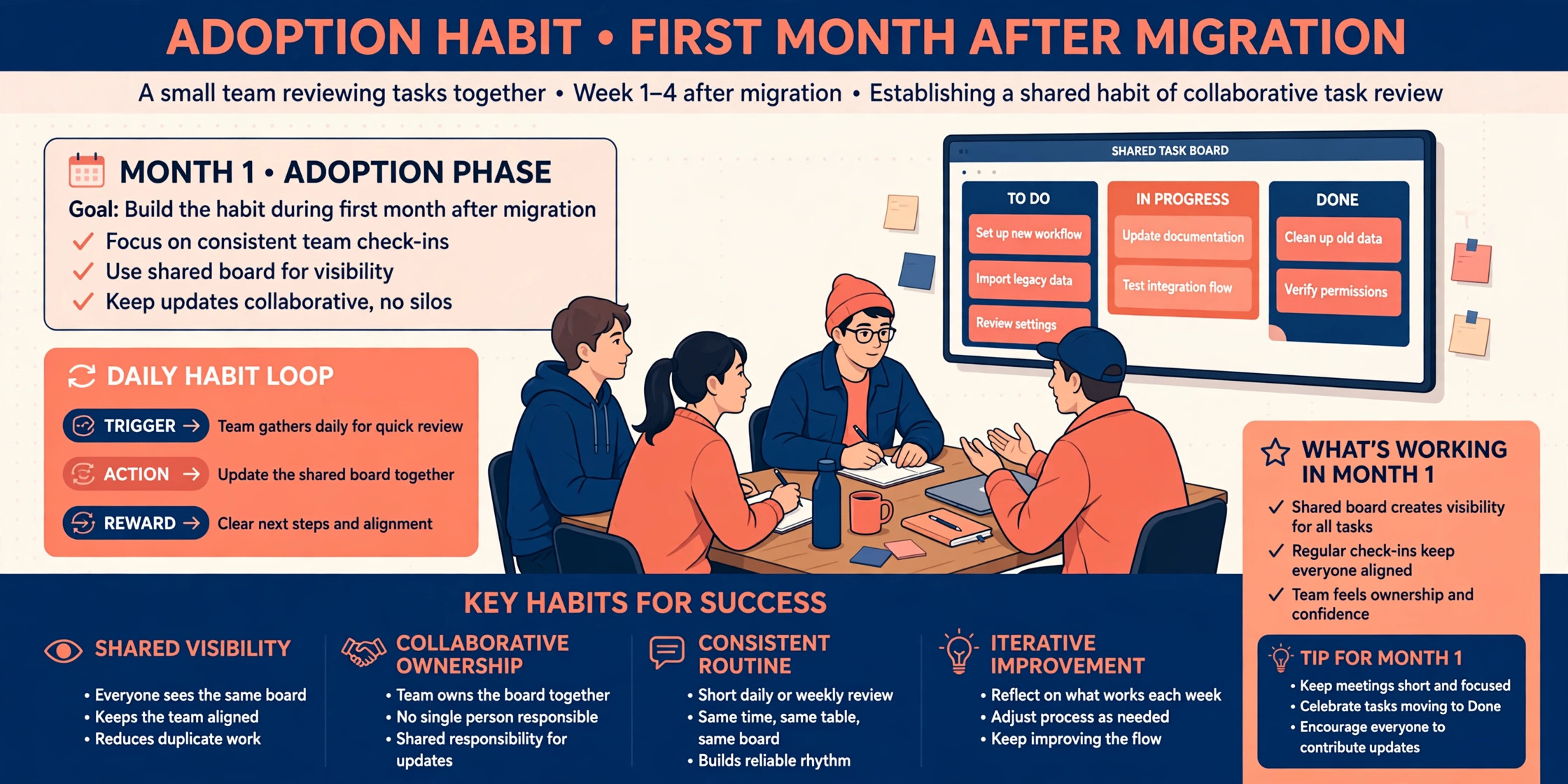
A tool switch succeeds when daily habits change, not when the import finishes. Use this checklist through the first month of your switch Trello to Asana small team rollout, and treat missed items as work to fix, not as paperwork to file.
– Every active project lives in Asana, with no live work left only in Trello. – Every team member can find their own tasks in under a minute. – Every project has an owner who reviews unassigned and overdue tasks weekly. – Custom fields are used the same way across projects, with a shared definition page. – Automations are documented in one place, with an owner for each rule. – The team holds a short weekly review in Asana, not in a separate spreadsheet. – Client facing projects have permissions checked and confirmed. – The Trello workspace close date is set, and the export archive location is recorded. – One person collects friction reports each week and fixes the top issue. – The team agrees at day thirty whether Asana stays, with evidence from real use.
Planning the Timeline Week by Week
A realistic timeline keeps the migration calm, and calm migrations get adopted. For a team of five to fifteen people with a dozen boards or fewer, plan on two working weeks from kickoff to go live, with a third week of light support after launch. Larger board collections stretch the cleanup phase, not the import phase, so count boards honestly when you set dates.
Week one belongs to inventory and cleanup. Days one and two cover the board list, the integration list, and the seat map. Days three and four cover data cleanup and the list to section mapping. Day five runs the pilot import and the first round of testing. If the pilot surfaces mapping problems, fix them in week one, while only one board is affected. A team that tries to compress this week into two days usually pays for the shortcut in week three, when bad data has spread across every project.
Week two belongs to the full import and the rebuild. Import boards in batches, verify each batch, and rebuild custom fields and the most missed automations. Midweek, run the training session with real team work, and let the team use Asana alongside Trello for two or three days so questions surface before the cutover. End the week by switching Trello to read only and confirming that every live project has an owner. That final confirmation is the real go live moment, more than any announcement.
Week three is support, not celebration. Collect friction reports daily in the first week after launch, fix the top issue each week, and hold the first monthly section review at the end of the month. This is also when a switch Trello to Asana small team plan proves itself, because the team either settles into the new views or quietly drifts back to old habits. Watch login patterns and task completion counts rather than asking people whether they like the tool, since behaviour tells the truth that politeness hides.
Budget time by role as well as by week. The migration owner should expect to spend roughly half their working time on the project across the two weeks, while other team members need a few hours each for cleanup, the pilot test, and training. If the owner cannot spare that time, delay the start rather than running the migration in spare moments. A delayed migration costs a week. A rushed one costs a quarter of messy data.
Mistakes Small Teams Make on This Move
The most expensive mistake is importing everything. Old boards carry test cards, dead projects, and duplicate work, and importing them all teaches the team that Asana is just as messy as the tool it replaced. Archive aggressively before import, and the new workspace starts clean.
The second mistake is skipping the pilot. Teams that import twenty boards at once discover mapping errors twenty times over, and fixing them by hand takes longer than the pilot would have. One pilot board, tested properly, prevents that entire class of problem.
The third mistake is rebuilding every Butler automation on day one. Many old automations served a workflow that no longer exists, and rebuilding them all preserves clutter in a new form. Rebuild only what the team asks for in the first month, and let the rest stay retired.
The fourth mistake is training by feature tour. A session that walks through every menu leaves people unsure how to do their own job. Training built around real tasks, with the team doing the work live, sticks far better and surfaces the missing rules and views before launch.
The fifth mistake is deleting Trello too soon. Teams that close the old workspace in week one lose comment history and attachments that the import could not carry, usually discovered when a client asks about an old decision. Keep it read only for thirty days at minimum.
A sixth mistake is leaving naming and ownership rules undecided. When every team names projects its own way and nobody owns archiving, the new workspace fills with near duplicate projects within weeks, and searching becomes guesswork. Agree the naming pattern, the owner of each project, and the archive rule before import, and write them on the team page where new joiners will see them. A short rule set agreed in advance saves more cleanup time than any import setting.
Frequently Asked Questions
Will my Trello comments move to Asana?
Not through the CSV route, because Trello CSV exports do not include comments. A dedicated migration tool can carry comments across in many cases, so choose that route if comment history matters. Otherwise keep Trello read only as the reference archive.
Do I need a paid Trello plan to export?
Asana help pages describe CSV export from Trello as a feature of paid Trello plans, with browser extensions as the fallback for free plans. JSON export is available more widely and makes a good archive even when CSV needs a workaround.
How long does a small team migration take?
Most small teams finish a switch Trello to Asana small team move in one to two weeks, including cleanup, a pilot, rebuilds, and training. The import itself is the shortest part. Cleanup and adoption take the rest, and rushing either one creates the problems that surface in month two.
Can I keep using Trello for some boards?
You can, but working in two tools splits attention and reporting, and the split usually grows rather than shrinks. If a board must stay, give it a clear reason and a review date, and keep all reporting in one place.
What happens to my Trello attachments?
Attachments may arrive as links rather than copied files on some routes, and very large files can fail through the Asana API. Check your largest files before import, and keep the Trello archive available until every important file is confirmed in Asana.
The Final Word for a Small Team
Switching tools is a bet that better planning views will repay two weeks of careful work, and for teams whose boards have outgrown simple card tracking, that bet usually pays. For a switch Trello to Asana small team rollout, the deciding factor is rarely the feature list. It is whether the team agrees on one way of working, cleans up before importing, pilots honestly, and commits fully on go live day. Do those four things, and Asana becomes the place work happens. Skip them, and the new tool inherits the old mess with a new login screen.
Start with the pilot board this week. If it feels better after two real working days, the rest of the migration is execution. If it feels worse, you have learned something valuable before spending anything, and Trello is still there, untouched, ready to keep serving the team.
More Reading on Stratilyze
– Cost of Asana for Small Business Monthly – Best Project Management Software – Best Project Management Tool for Remote Teams – Asana Alternatives – Best AI Tools for Project Managers