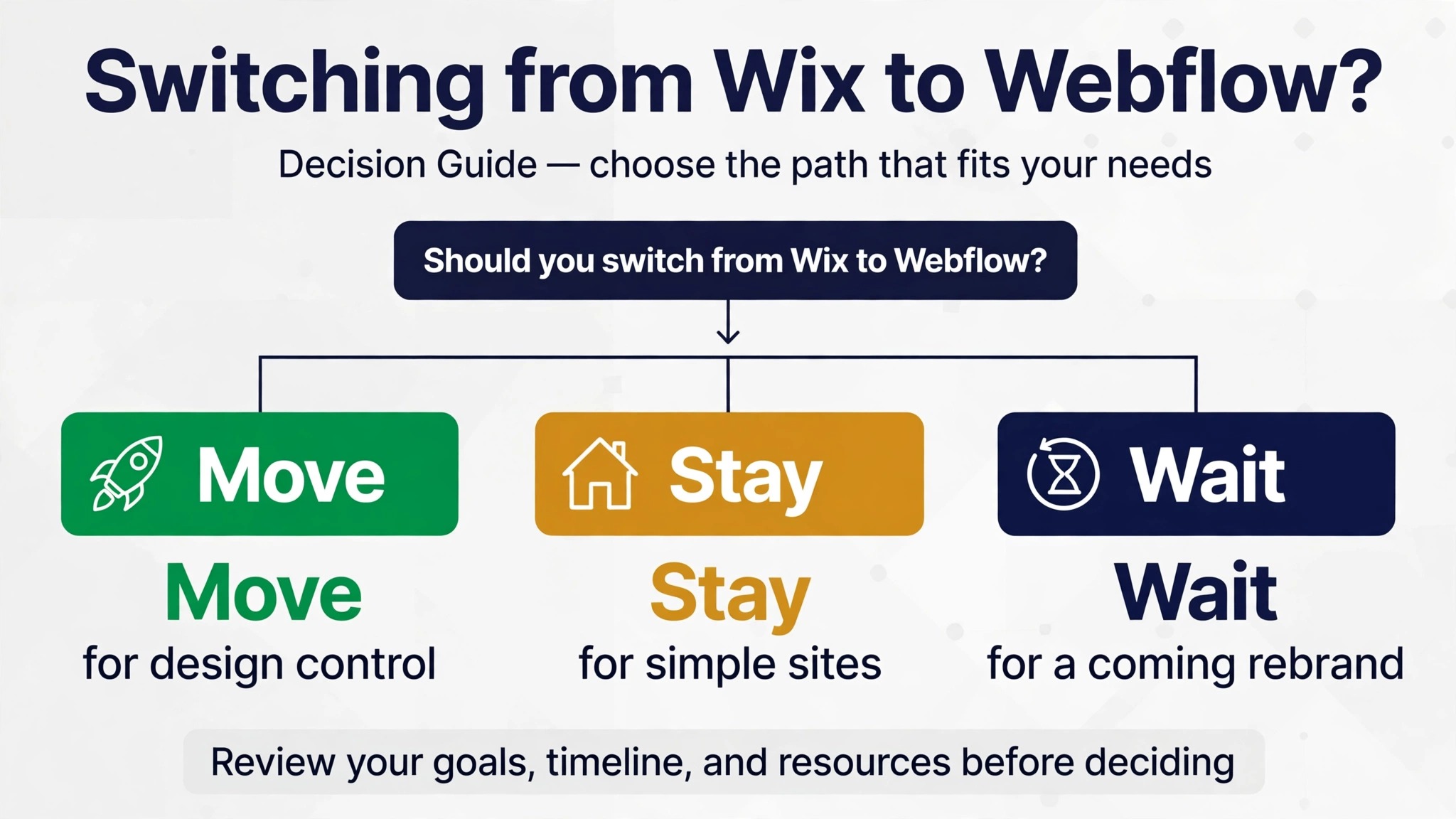
Verdict first. Switch if design control, page speed, and a professional portfolio matter more to your revenue than drag-and-drop ease. Stay on Wix if your site is simple, your team edits text once a month, and nothing about the current design limits a sale. Webflow rewards owners who want precise layouts and are willing to learn a stricter design system. This guide shows how to switch Wix to Webflow small business sites without losing content, bookings, or search visibility, and it starts with an honest fact. Wix does not hand you a full site export, so this move is a rebuild guided by your old site, not a file transfer.
Who Should Switch Wix to Webflow Small Business Sites
The switch fits a particular kind of owner. You have outgrown template sections that all look alike, and clients compare your site against competitors with sharper portfolios. You want animations, interactions, and layouts that follow your brand rather than a template grid. You also have, or are willing to hire, someone who can work inside a class-based design system. Webflow gives that person real power, and it gives a casual editor a steeper learning curve.
Staying fits a different owner. Your site is a brochure with a phone number and a contact form, your bookings come through a separate tool, and your team changes text rarely. In that case the rebuild cost buys polish you may not need, and Wix keeps doing its job quietly. A third group should pause rather than decide. If a rebrand, a new service line, or a store launch is coming in the next few months, wait and rebuild once around the new offer instead of migrating twice.
Ask one question to settle it. Does the current site lose you work you can name. A photographer losing enquiries to a sharper portfolio, a studio losing class signups to a clumsy schedule page, or a salon losing bookings to a slow mobile flow are all real reasons. Vague dissatisfaction with the look is not. Rebuild for a named loss, and measure whether the new site fixes it.
Wix and Webflow at a Glance
The two platforms aim at different users, and the table below makes the trade visible. Wix optimises for speed of first launch. Webflow optimises for control over the finished result. Neither goal is wrong, but they lead to different weekly routines once the site is live.
| Area | Wix | Webflow |
|---|---|---|
| Editing style | Drag elements anywhere on the canvas | Structure, classes, and style rules |
| Design freedom | Broad, inside template patterns | Deep, down to breakpoints and interactions |
| Content structure | Pages plus apps and databases | CMS collections with templates |
| Store and bookings | Built-in apps with set flows | Native tools plus embeds and integrations |
| Code access | Limited, through dev tools and embeds | Custom code plus full code export on paid plans |
| Hosting | Bundled with the subscription | Bundled hosting with staging and publishing |
| Learning curve | Gentle for simple sites | Steeper, rewards structured thinking |
| Team editing | Simple roles for simple sites | Editor mode for clients and staff |
The row that matters most is content structure. A Wix site often grows as a pile of individual pages. A Webflow site grows as collections, meaning one template serves many similar items such as services, classes, or properties. That shift is where the real work lives, and it is also where the long-term payoff lives. Once collections exist, adding a new service or class takes minutes instead of a fresh page build.
What Wix Lets You Take With You
Set expectations before you touch anything. Wix does not offer a one-click export of your whole site, pages, design, and apps together. What you can take falls into pieces. Blog posts can leave through an RSS feed. Products, contacts, and some store data can leave through CSV exports where Wix provides them. Text, images, and page structure mostly move by copying, with screenshots as your reference. Third-party migration tools exist, but confirm what each one actually moves and what it charges before you trust it with a live business site.
That sounds worse than it is. A rebuild forces a content audit most owners have postponed for years, and the new site usually ends up leaner and faster because dead pages never make the trip. The danger is only in pretending the move is automatic. Budget a rebuild, staff it like a rebuild, and judge progress by rebuilt pages, not by export percentages. Owners who accept this on day one finish calmer than owners who discover it in week two.
Third-party tools can help with pieces of the move, but read their claims carefully. A tool that moves blog text does not move design, apps, or booking rules, and a tool that moves products does not rebuild your pages. Try any tool on a small sample first, check the result page by page, and keep your manual inventory as the source of truth. If a tool result disagrees with your inventory, trust the inventory and fix the import by hand.
Take Stock Before You Rebuild
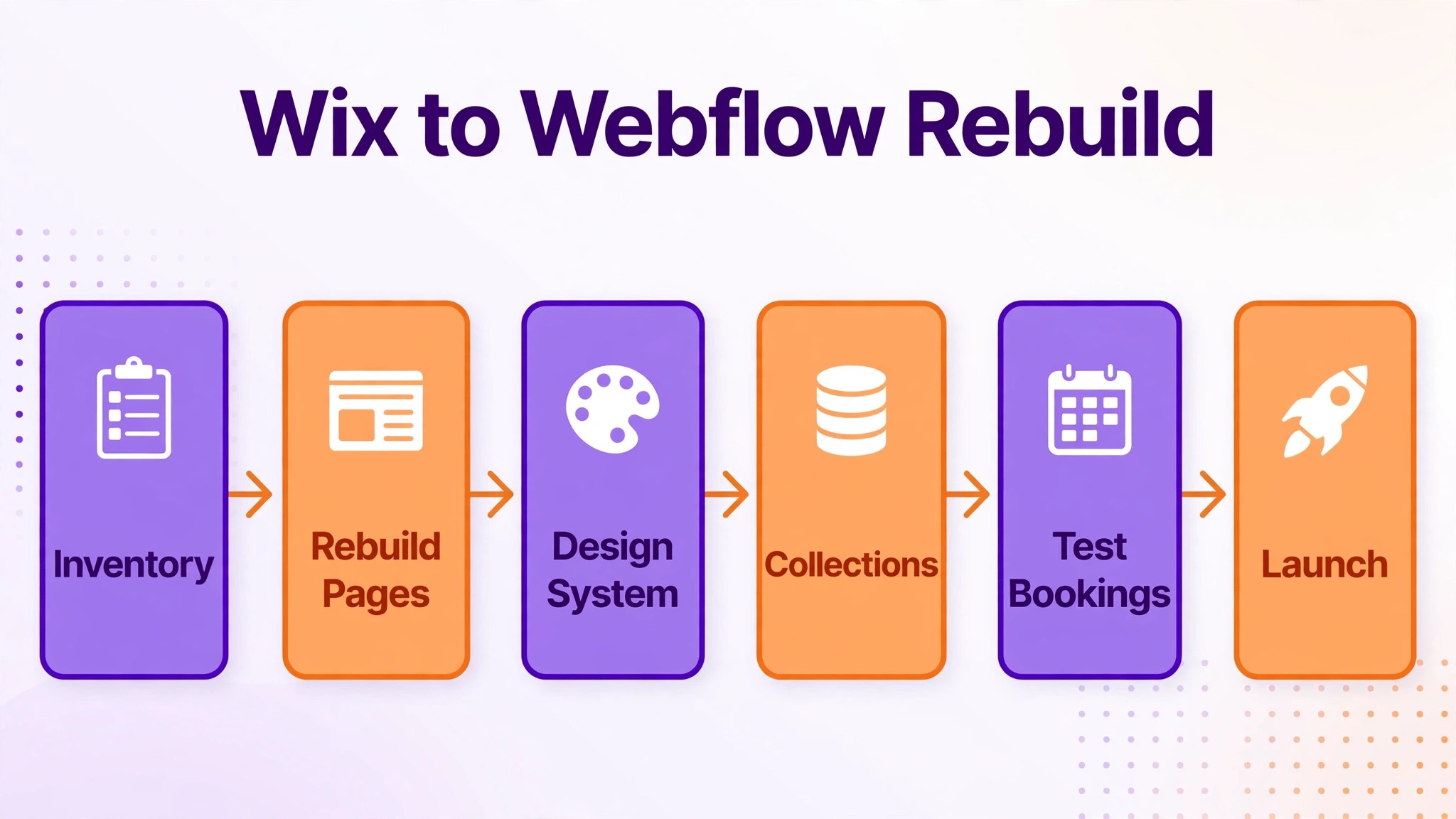
Inventory first, design second. List every page, its URL, its purpose, and the action it should drive. Mark the pages that earn money, the pages that answer the most common customer questions, and the pages that still receive search traffic. Everything else is a candidate for merging, cutting, or rebuilding later. A small business site with forty pages usually has ten that matter and thirty that accumulated, and the migration is the moment to admit it.
Gather your assets at the same time. Download original images, logos, brand colors, and font names. Copy form questions, booking rules, price lists, and service descriptions into one document. If your business runs classes or appointments, record the schedule structure, capacity rules, and cancellation wording exactly as customers see them. Studios that run on schedules can study best class management software for art studios for how class structure should read on a new site. The rebuild goes twice as fast when no one has to hunt for a logo or a price mid-week.
Rank the inventory once it exists, because rebuild order decides launch quality. Tier one is the homepage, the booking or contact path, and the top three service pages. Tier two is the remaining services, the about page, and the blog. Tier three is everything else, and tier three can wait until after launch without hurting revenue. Owners who rebuild in tier order launch with a strong core, while owners who rebuild alphabetically launch with a half-finished booking flow and a perfect archive page.
Rebuild Your Pages as a Design System
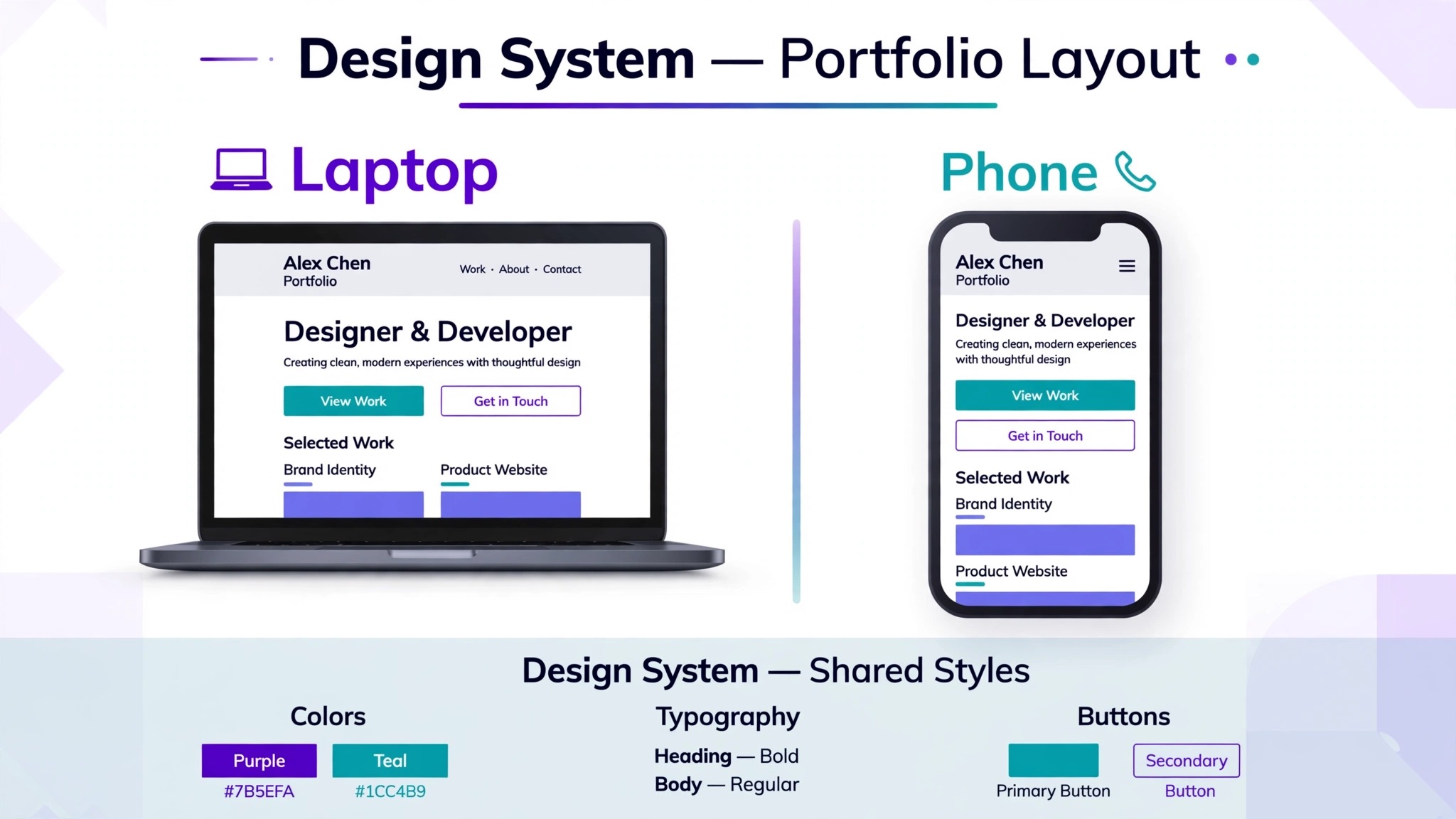
Webflow rewards structure and punishes improvisation, so set the system before you build pages. Define your type scale, your color palette, your spacing rhythm, and your button styles as classes, then build every page from those classes. A heading style used in one place and tweaked in another will drift across the site within a month. A single class reused everywhere stays consistent when you change it once, and that is the whole point of the platform.
Build the homepage and one representative inner page first, and test them on phone, tablet, and desktop before you build the rest. Check that navigation stays usable, that calls to action stay visible, and that images load at sensible sizes. Salons and appointment businesses should pay special attention to the booking path on a phone, because that is where most customers arrive. Guides such as best booking software for nail salons show how a short booking path should feel, and your rebuilt pages should match that standard. A beautiful desktop layout with a buried booking button is a failed rebuild.
Keep interactions restrained. A gentle fade or a hover state adds polish. A page full of motion distracts from the booking button and slows older phones. Use motion where it guides attention toward an action, and cut it everywhere else. The goal is a site that feels designed, not a site that performs.
Test the system at every breakpoint before you build further. A class that looks right on desktop can crowd text on a phone or stretch images on a tablet, and fixing it later means revisiting every page that uses it. Check navigation, headings, buttons, and forms at phone size first, because that is the size your customers use most. A system that survives phone testing will usually survive larger screens without drama.
Rebuild Collections Instead of Copying Pages
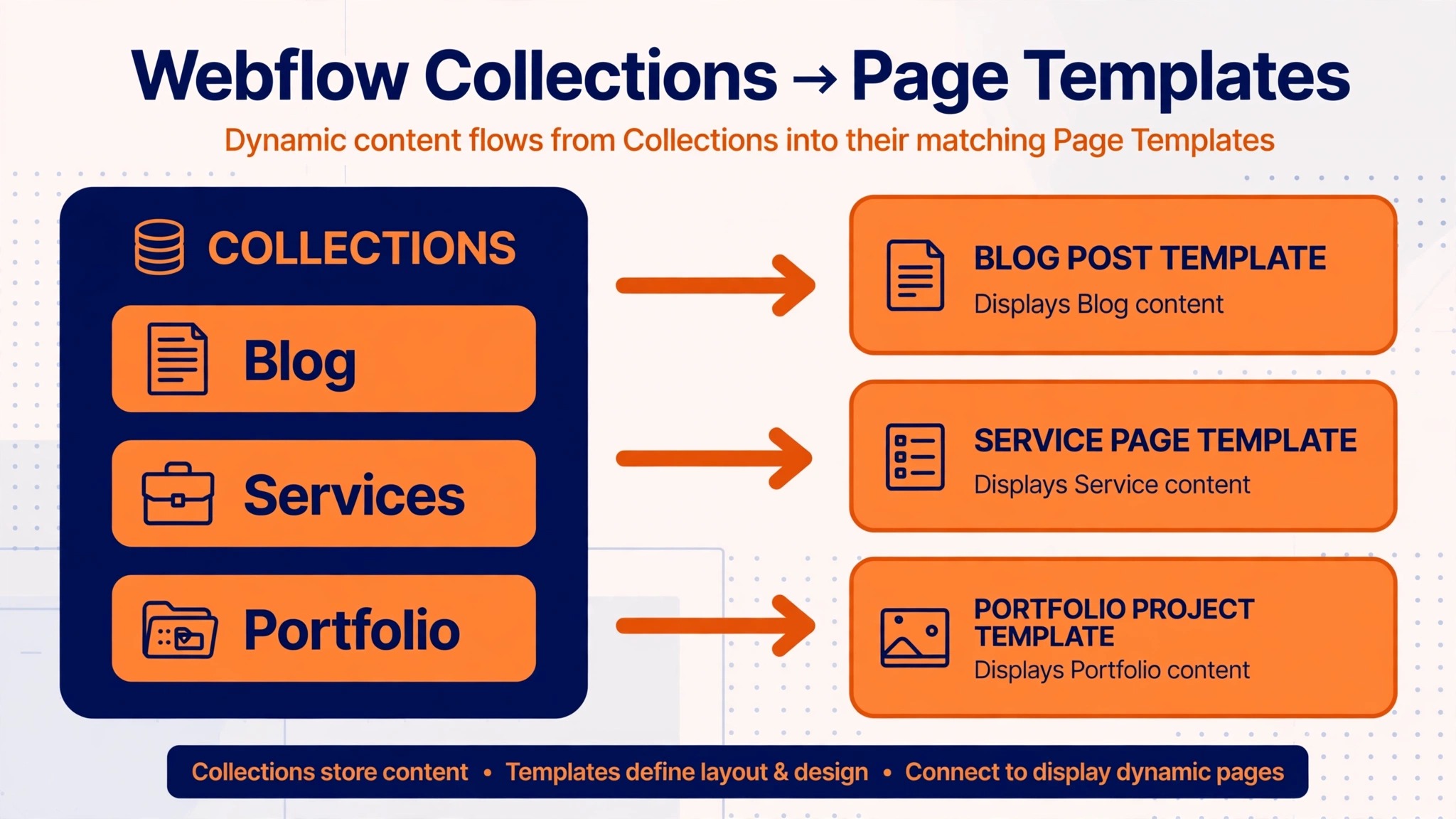
Collections are the heart of a Webflow rebuild. Instead of copying twenty similar Wix pages one by one, you define a collection with fields for title, description, image, price, duration, and any other repeating detail, then design one template that serves every item. Adding a new service, class, or property then means adding a row, not building a page. This is the step that makes Webflow feel powerful after the move, and it is worth designing carefully.
Map your Wix content to collections before you type anything into Webflow. Services become one collection, team members another, testimonials another, and blog posts another. Decide which fields each collection needs, which fields drive filters or search, and which fields appear on list pages versus detail pages. A field you forget now becomes a manual edit across dozens of items later, so spend an hour on the field list and save many hours after launch.
| Wix content | Webflow home | Design decision to make |
|---|---|---|
| Service pages | Services collection | Fields for price, duration, and outcome |
| Team pages | Team collection | Fields for role, bio, and photo |
| Blog posts | Blog collection | Categories, tags, and author fields |
| Testimonials | Testimonials collection | Where quotes appear across the site |
| Gallery pages | Gallery collection or static pages | Whether items need detail pages at all |
| Landing pages | Static pages with shared classes | Which sections become reusable symbols |
When you switch Wix to Webflow small business owners often copy pages first and discover collections later, then rebuild everything twice. Reverse that order. Collections first, templates second, individual pages last. The extra planning day pays for itself the first time you add five new items in an afternoon.
Swap Bookings, Forms, and Payments
Wix bundles many business tools inside the platform, so the swap list is longer than owners expect. Forms, bookings, stores, email capture, chat, and member areas each need a Webflow-native answer, an embed from a specialist tool, or a deliberate decision to drop the feature. List every app on the old site, note what it does, and assign each one a new home before launch week. An app with no assigned home becomes a launch-day surprise.
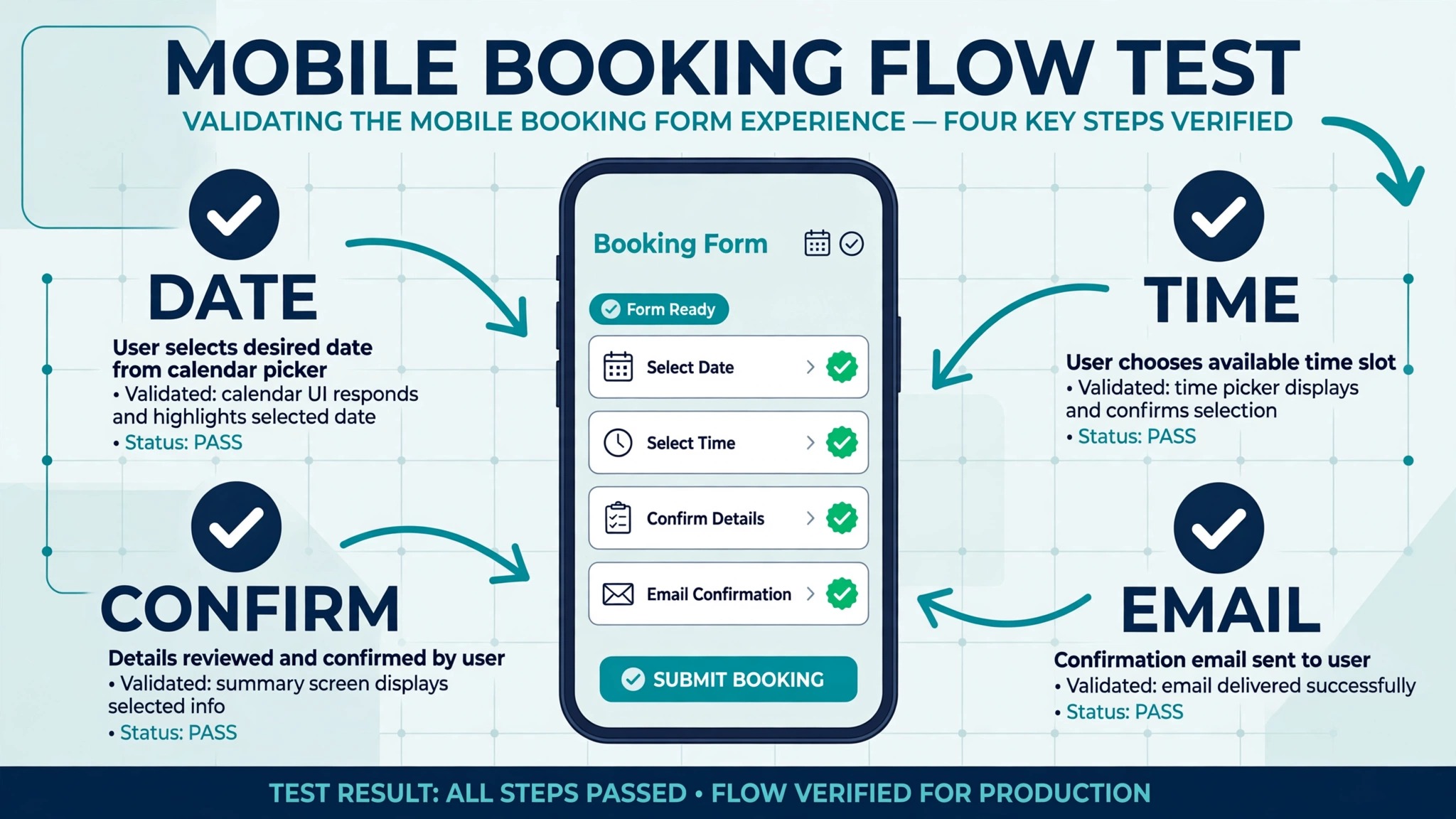
Test money paths twice. Run a booking from a phone, confirm the confirmation message, reschedule it, and cancel it. Run a store order if you sell, including payment and the confirmation email. Check that form submissions reach the right inbox with the right details, and that email signups land on the right list. Mobile-first businesses such as travelling therapists can compare booking flows in best scheduling software for mobile massage therapists to set the bar for their own rebuilt flow. A booking flow that works on desktop and breaks on mobile is broken, because mobile is where the customer stands.
Keep Google on Your Side
Search visibility survives a rebuild when URLs and content survive it. Keep slugs close to the originals where the page still exists, and set permanent redirects for every URL that changes or disappears. Redirect a retired page to the closest live page, not to the homepage, because a homepage redirect tells neither visitors nor search engines what happened to the content they wanted. Publish the new sitemap and check coverage after launch, and keep page titles and headings stable on your top pages through the move.
Do not rewrite all your copy during the rebuild. A platform move plus a redesign plus a rewrite is three risky changes at once, and a rankings fall afterwards will have no clear cause. Move the words, rebuild the design, and save the rewrite for a month later when traffic has settled. When you switch Wix to Webflow small business sites sometimes wobble for a week while search engines re-crawl. A short wobble is normal. A broad fall across many pages points to broken redirects or missing pages, so keep a list of your top twenty pages and check each one weekly.
Watch Search Console like a daily habit for the first fortnight, not as a monthly report. Look for crawl errors, pages that vanished from coverage, and mobile usability flags, and fix them the day they appear. Compare the new sitemap against the old page list, and investigate any top page that stops receiving clicks. Early fixes cost minutes, while the same fixes a month later cost rankings that take far longer to win back.
Set Up Hosting, Domains, and Email Without Breaking Mail
Webflow hosting comes bundled with the plan, which simplifies one part of the move. You connect your domain, publish, and the platform handles servers and security certificates. The part that still needs care is timing. Point the domain only after the new site passes its checks on a staging address, and expect the change to spread across the internet gradually rather than instantly. During that window some visitors see the old site and some see the new one, which is another reason the old site must stay live and accurate until the change settles.
Email deserves its own line in the plan, because it breaks silently. If your mail lives with your registrar or a separate provider, record every mail record before you touch domain settings. Changing nameservers without carrying those records across can stop mail delivery for days, and the website will look fine while inbox messages vanish. The safest sequence is to leave mail exactly where it is, move only the website records, and test sending and receiving from several accounts afterwards.
Use the staging address for every test that matters, and protect it so search engines and customers do not find it early. Publish the real site only when redirects, forms, bookings, and speed all pass on staging. Keep a written record of where the domain lives, where mail lives, and which account holds the Webflow login. A migration with scattered logins becomes a recovery project the first time someone leaves the team or loses a password.
Launch Without Drama
A calm launch is a tested launch. Build on a staging setup, run the checks below, fix what fails, and only then point the domain at Webflow. Keep the Wix site live until the new site has proven itself, because the old site is both your fallback and your reference for anything the rebuild missed. Cancelling early saves a short overlap cost and risks a much larger recovery cost.
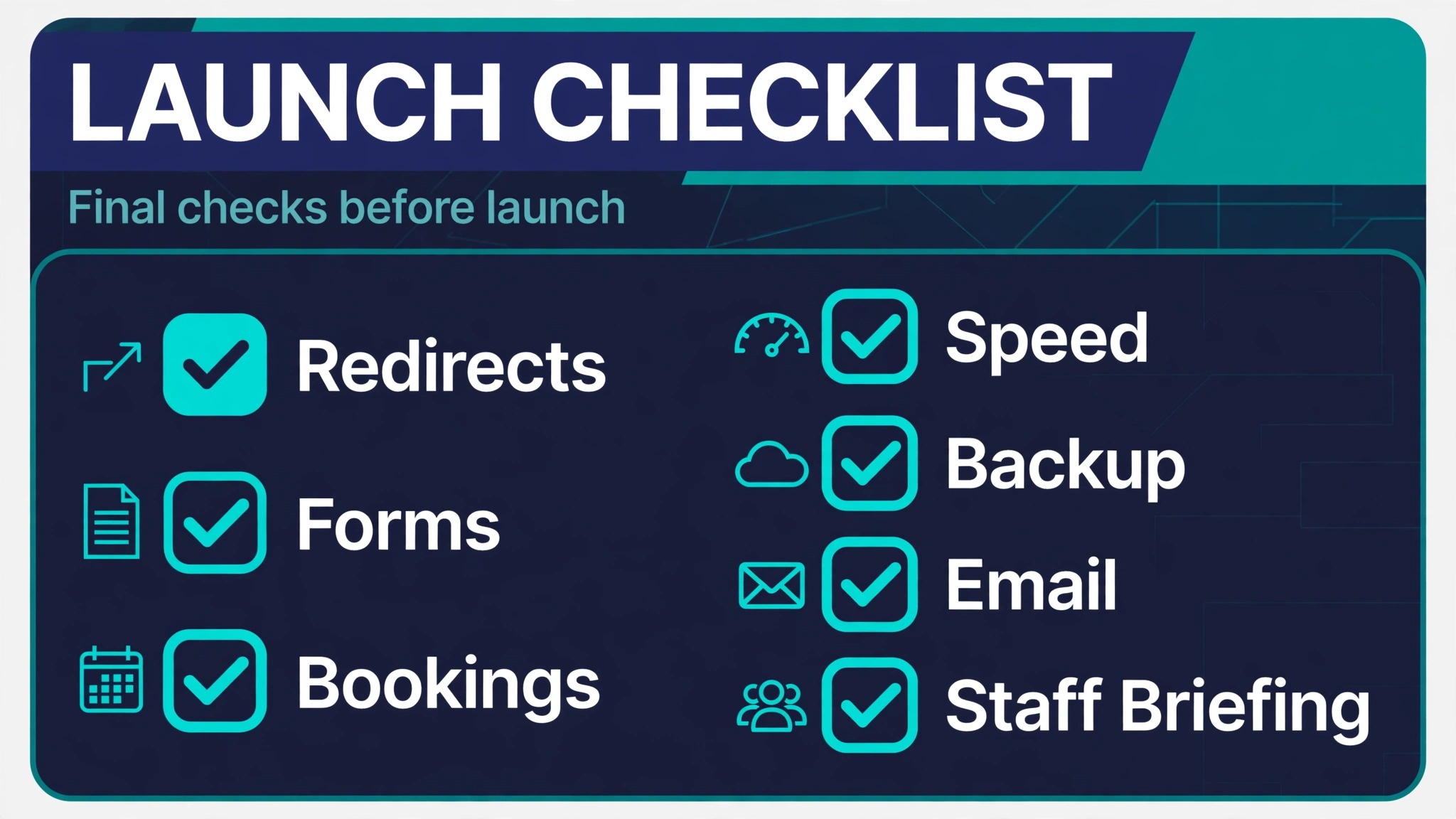
1. Confirm every redirect returns the correct new page, not the homepage by default. 2. Test forms, bookings, and checkout on phone and desktop with real submissions. 3. Check email signups, confirmation messages, and notification inboxes end to end. 4. Proofread the homepage, top service pages, and pricing page on a phone. 5. Confirm business details, hours, phone number, and service area everywhere. 6. Check page speed on the homepage and the top three landing pages. 7. Back up content and record all logins, integrations, and DNS settings. 8. Tell staff the new editing workflow and who handles updates each week.
Assign one owner for launch week. That person watches forms, bookings, and traffic daily and fixes problems the same day, rather than letting issues queue until Monday. A migration with no named owner drifts, and drift is how small breakages become lost customers.
The First Week on Webflow
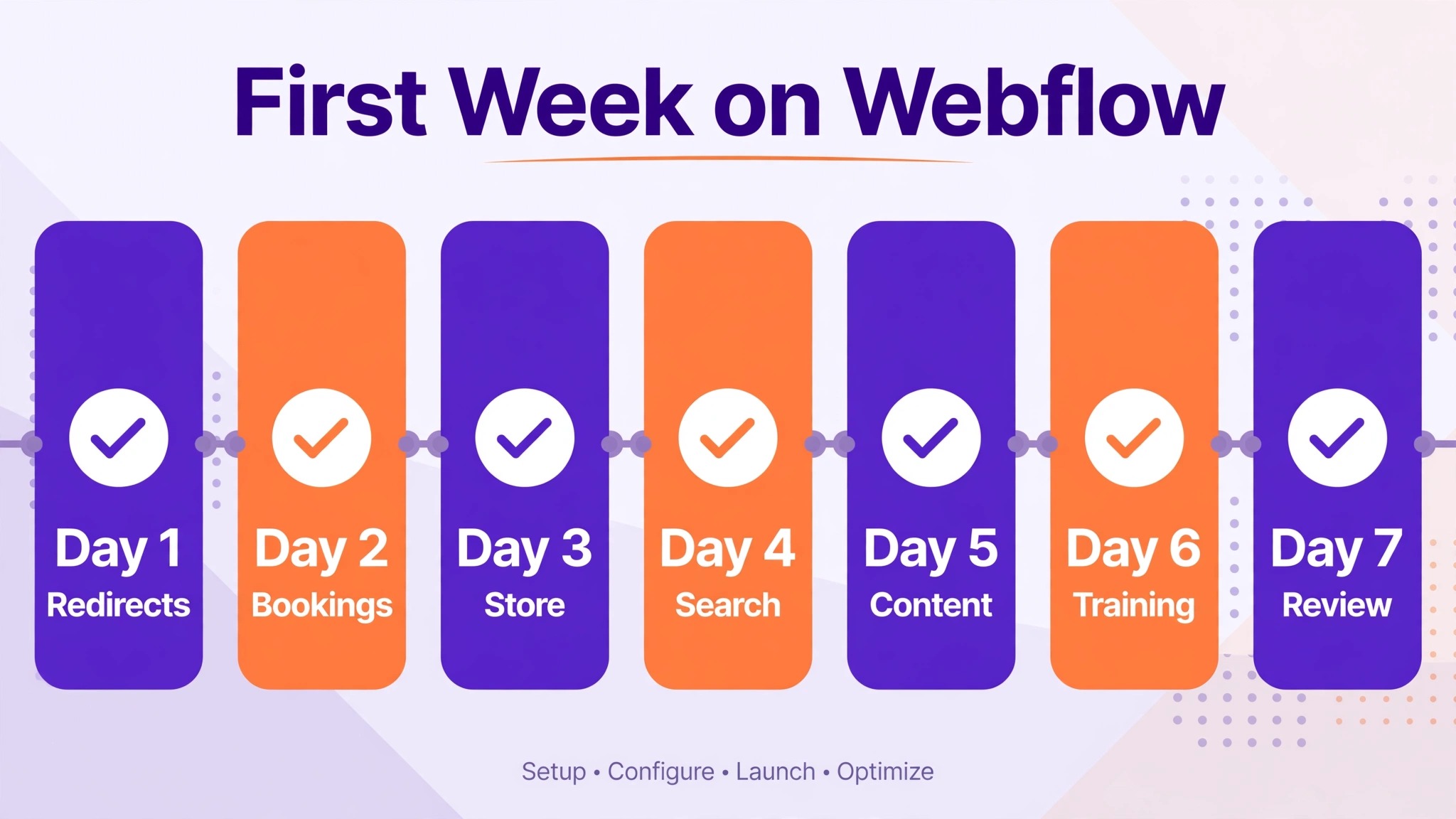
Launch week is a supervised rollout. Customers will use the site in ways your tests did not predict, and search engines will re-crawl at their own pace. Check forms, bookings, and traffic every day, fix problems the same day, and keep the Wix site available as a reference until the week ends. A calm first week is the real finish line, not the moment the domain points at the new host.
| Day | Focus | Done when |
|---|---|---|
| Day 1 | Redirects and top pages | Old URLs resolve and top pages load cleanly |
| Day 2 | Bookings and forms | Test bookings and enquiries complete on mobile |
| Day 3 | Store and payments | Orders, refunds, and confirmations all pass |
| Day 4 | Search and speed | Sitemap live, errors logged, slow pages fixed |
| Day 5 | Missing content | Gaps found against the old site and restored |
| Day 6 | Team training | Staff can edit text, images, and collection items |
| Day 7 | Review | Leads, bookings, and traffic look normal for three days |
When you switch Wix to Webflow small business client follow-up also needs a home in week one. If enquiries previously lived inside Wix tools, move them into a proper pipeline before the old site closes, so no lead is stranded mid-conversation. Travel and service firms can see a structured example in best client management software for travel advisors, which shows how enquiries, quotes, and bookings stay visible in one place. A new site that generates enquiries nobody follows up is a leak, not a launch.
Tell regular customers the site has a fresh look, in plain language, and point them to the booking page. Do not announce a platform migration. Customers care about booking easily and finding your number, not about which software renders the page.
What It Costs in Time and Money
A small site with ten to twenty pages usually takes one to three weeks of focused rebuild work, depending on how many collections you build and how much content you cut. A store or booking-heavy site takes longer, because each money path needs its own test pass. Hiring a Webflow designer shortens the calendar but not the decisions. You still approve the design system, the collections, and the booking flow, and those approvals cannot be delegated away.
Costs split into the Webflow plan, any specialist tools you embed for bookings or email, and design help if you hire it. Confirm current plan prices and limits on the Webflow pricing page before you budget, because plans and feature limits change.
When you switch Wix to Webflow small business owners should also price the learning curve. Someone on the team needs to learn the Editor and the collection workflow, and that training time belongs in the budget next to the subscription. Measure the return after a month by comparing enquiries, bookings, and time spent editing against the old site, using the same discipline as how to track marketing ROI small business. A prettier site that books less is not an upgrade, however good it looks.
Traps That Stall Wix Exits
The first trap is rebuilding pages before designing collections, which forces a second rebuild once the collection structure becomes obvious. The second trap is copying every old page, including dead landing pages and outdated offers, which bloats the new site and confuses visitors. Cut ruthlessly and redirect retired pages to their closest live match. The third trap is skipping mobile testing until launch day, when a broken booking flow is already costing real customers.
The fourth trap is interaction overload. Motion that impresses in a demo distracts on a service page, and heavy animations slow older phones. The fifth trap is DNS carelessness. Record mail and domain settings before any change, because a wrong record can break email delivery for days. Test mail sending and receiving after every DNS change, not just the website itself.
When you switch Wix to Webflow small business teams also forget image quality. Rebuilt pages with stretched, low-resolution, or missing images look unfinished even when the copy is strong. Use original files, size them for their actual display, and check galleries on a phone before launch. Clean images and plain copy will outperform fancy sections with broken photos every time.
Train the Team That Will Run the Site
A rebuilt site fails quietly when only one person knows how to edit it. Before the old site closes, train at least two people on routine Webflow editing, meaning text changes, image swaps, and adding collection items. Record short written steps for each task, with screenshots, and store them where the team actually looks. A five-minute video or a one-page note prevents most of the urgent calls that follow a launch.
When you switch Wix to Webflow small business teams should also agree on who approves changes. One editor can publish a price change in minutes, which is a strength until two people publish conflicting edits on the same day. A simple rule works, meaning one owner approves pricing and offer changes, while routine text fixes go live without approval. Write the rule down, share it with the team, and revisit it after the first month when real editing patterns are visible.
Frequently Asked Questions
Can I export my whole Wix site in one file?
No. Wix does not provide a full-site export that carries pages, design, and apps together. Blog posts can leave through RSS, some data can leave through CSV exports, and most pages move by manual copying with screenshots as reference. Plan the move as a rebuild, not a transfer, and budget time for design, collections, and testing.
Will my Wix apps move to Webflow?
No, apps do not transfer. Each app needs a Webflow-native replacement, an embed from a specialist tool, or a decision to drop the feature. List every app on the old site, assign each one a new home, and test money paths such as bookings and checkout before launch. An app with no assigned home becomes a launch-day gap.
How long does a Wix to Webflow rebuild take?
A small site usually takes one to three weeks of focused work, while a store or booking-heavy site takes longer because collections and money paths need more testing. The design system and collection planning take the first days, page building follows, and testing takes the final stretch. Rushing testing to hit a date is the most common cause of launch failures.
Will I lose search rankings?
Rankings can wobble briefly while search engines re-crawl, but stable titles, matching slugs, permanent redirects, and a submitted sitemap protect most visibility. Rankings fall hardest when old URLs break or top pages vanish. Keep your top twenty pages listed and check each one weekly until traffic settles after the move.
Do I need to know code to run Webflow?
No code is required for everyday editing through the Editor, where staff can change text, images, and collection items. Building the design system and templates needs more skill, which is why many owners hire that stage and keep routine editing in-house. Train at least one team member on the Editor before the old site closes.
When should I cancel Wix?
When you switch Wix to Webflow small business owners should keep Wix live until the new site has run clean for at least a full week, with bookings, forms, payments, and email all proven on real traffic. Cancelling early removes your fallback and your reference for anything the rebuild missed. Cancel only after the first-week review shows normal leads and bookings.
If This, Then That
If your site loses work to sharper competitors and you have someone to run a design system, move, and move in collection order. If your site is simple and already books well, stay, and spend the rebuild budget on offers or ads instead. If a rebrand or a new service line is coming soon, wait and rebuild once around the new offer. The right answer is the one tied to a named loss, a named owner, and a tested launch week, not the one that sounds most modern in a demo.
Whichever path you choose, decide it this week and write it down with the reason. A migration that stays undecided costs attention every month, while a clear stay decision frees the same budget for work that pays. The platform is a tool, and the tool should serve the business, not the other way around.