

A customer can ask the same question three times in one week and get three different answers, and the business never notices until the complaint arrives. The answer existed somewhere, buried in a shared drive, a chat thread and a senior agent’s memory, but none of those places is where the customer looked. The top 10 ai knowledge base tools exist because a company that cannot answer its own questions consistently will pay for the failure in tickets, churn and refunds.
The cost is easy to miss because it arrives as small delays rather than one disaster. An agent spends ten minutes hunting for a policy, a customer waits a day for a reply the help centre should have given instantly, and a new hire guesses at a procedure because the written version is two years out of date. The fix is not hiring more agents, because more agents hunting for the same missing answer only multiplies the cost. Each delay is small, and together they add up to a support operation that costs more and satisfies less than it should.
This guide compares ten knowledge base platforms with real AI inside, judged on search quality, authoring, AI answers and price. Each entry names what the tool does well, where it falls short and who should buy it, so a team can shortlist two or three and trial them on real support content before committing.
Why a Knowledge Base Fails the Moment Nobody Trusts It
A knowledge base lives or dies on trust, because the moment an agent finds a wrong answer in it, the agent stops checking it and starts asking a colleague instead. The colleague’s answer may be right or wrong, but it feels safer than the document that failed once, and the habit spreads. Within months the knowledge base is a museum of good intentions that nobody opens, while the real knowledge lives in people’s heads.
AI makes the trust problem sharper, because an AI answer that sounds confident and is wrong does more damage than a missing article. A customer who follows bad instructions blames the company, not the model, and the support team spends the next call undoing the damage. The top 10 ai knowledge base tools handle this risk with verification, sourcing and human approval, and the ones that skip those controls should be treated with suspicion no matter how smooth their demos look.
The fix is unglamorous and it works. One owner per article, a review date on every page, and a rule that no AI answer ships without a source the team can check. A knowledge base built that way becomes the first place people look, and the ticket volume falls because customers find the answer themselves before they ever write in.
The 10 Tools at a Glance
| Tool | Main job | Best for | Starting price |
|---|---|---|---|
| Zendesk | Help centre tied to tickets | Support teams on Zendesk | 55 dollars an agent a month |
| Intercom | AI answers inside chat | Chat-first support | 19 dollars a seat a month |
| Freshdesk | Help centre with Freddy AI | Small teams on Freshworks | 15 dollars an agent a month |
| Document360 | Standalone docs with versioning | Polished public help centres | Custom quote |
| Helpjuice | Customisable help centre | Deep customisation | 249 dollars a month |
| Confluence | Team wiki with AI search | Internal team knowledge | 6.05 dollars a user a month |
| Guru | Verified answers in Slack | Answers inside daily tools | 15 dollars a user a month |
| Notion | Docs and wiki with AI | Small teams on Notion | 10 dollars a member a month |
| Slab | Internal wiki with AI search | Fast internal answers | 12.50 dollars a user a month |
| Zoho Desk | Help centre inside Zoho | Zoho customers | 14 dollars an agent a month |
Best Pick by Job
| Job type | First pick | Second tool | Why this pair works |
|---|---|---|---|
| Support team with tickets | Zendesk | Intercom | Zendesk ties answers to tickets, Intercom answers in chat |
| Public help centre | Document360 | Helpjuice | Document360 versions the docs, Helpjuice customises the look |
| Internal team wiki | Confluence | Guru | Confluence holds the wiki, Guru verifies answers in Slack |
| Small team on a budget | Notion | Zoho Desk | Notion holds the docs cheaply, Zoho Desk adds the tickets |
Pick by audience first, because a customer-facing help centre and an internal wiki are different products with different owners. Trial the first pick among the top 10 ai knowledge base tools on twenty real articles, add the second when the first leaves a gap, and let the agents who will write and read the content judge the result. A tool the agents avoid helps no customer.
How to Judge the Top 10 AI Knowledge Base Tools
Judge the AI by whether its answers carry a source, because an answer without a source is a guess wearing a confident tone. Ask the tool a question your customers actually ask, read the answer, and check whether it names the article it came from. The top 10 ai knowledge base tools show that source every time, and the ones that hide it are asking you to trust a model you cannot audit.
Search quality matters as much as AI answers, since most customers still type keywords before they ask a question. Test search with a vague query, a misspelled product name and a question phrased the way a frustrated customer would phrase it, and count how many tries it takes to reach the right article. A knowledge base whose search fails pushes every visitor toward a ticket, which defeats the purpose entirely.
Authoring decides whether the content stays current, because a tool that is painful to write in produces stale articles. Check the editor, the review workflow and the analytics that show which articles get read and which get ignored. Price needs the same care among the top 10 ai knowledge base tools, since per-agent pricing multiplies fast, and the AI add-on often costs extra on top of the seat.
The 10 Tools in Detail
Ten platforms made this list because each one is live, carries AI that works on real support content, and fits a distinct team shape. What follows keeps the table order, covering the price, the strength and the catch per tool.

1. Zendesk
Zendesk Guide builds the help centre inside the Zendesk Suite, so articles, tickets and AI answers share one system. The AI drafts articles from resolved tickets, powers generative search for customers and suggests answers to agents as they work. Suite Team lists at 55 dollars an agent a month billed yearly, with Professional at 115 dollars.
The ticket connection is the reason teams buy, because an article can be drafted from a real resolved ticket in minutes, and the AI learns from the cases agents actually close. Deflection is measurable, since the help centre sits where customers already land, and the AI resolutions are tracked per agent. For a team already on Zendesk, the knowledge base is the natural next step.
The AI add-on costs extra, with Copilot near 50 dollars an agent a month on top of the Suite price, and AI resolutions beyond the included allowance cost 1.50 dollars each. Suite Team includes only one help centre and one language, so a multilingual team needs Professional. The total bill climbs fast once AI is switched on.
Choose Zendesk when the support team already runs on it and wants knowledge tied directly to tickets. It fits established support operations that will pay for the integration.
2. Intercom
Intercom pairs its help centre with Fin, an AI agent that answers customers inside chat using the knowledge base as its source. Articles feed the chat, the chat resolves the question, and unresolved chats pass to a human with the full context. Essential lists at 19 dollars a seat a month billed yearly, with AI resolutions charged separately.
The chat-first design is the strength, because customers get answers inside the conversation instead of being sent to a separate help centre. Fin resolves a large share of routine questions, and the handoff to a human is smooth when the AI reaches its limit. For a product team that lives in chat, the experience feels modern and fast.
AI resolutions are metered, and the cost per resolution adds up as volume grows, so a busy team needs to model the bill carefully. The help centre itself is thinner than Document360, and the platform pushes teams toward the chat workflow. A team that wants a standalone public library may find it limiting.
Pick Intercom when support happens in chat and the team wants AI answers inside the conversation. It fits product-led companies whose customers expect instant replies.
3. Freshdesk
Freshdesk, part of Freshworks, combines a help centre with Freddy AI, which drafts articles, suggests answers to agents and powers self-service search. The platform covers tickets, chat and knowledge in one subscription, with a clean interface that small teams learn quickly. Growth lists at 15 dollars an agent a month billed yearly, with Pro at 49 dollars.
The bundle is the draw, because a small team gets tickets, knowledge and AI for one per-agent price. Freddy drafts articles from tickets, which keeps the library growing without a dedicated writer, and the self-service portal is easy to brand. For a team moving off email and spreadsheets, the step up is painless.
Freddy’s deeper AI features sit on the higher tiers, and the knowledge base is less customisable than Helpjuice or Document360. The per-agent price is friendly, but the Pro tier is where the serious automation lives. A team that outgrows the basics will face a jump in cost.
Choose Freshdesk when a small team wants tickets, knowledge and AI in one affordable package. It fits startups and small businesses formalising support for the first time.
4. Document360
Document360 is a standalone knowledge base built around process, with draft, review, approve and publish workflows, version control and multilingual support for public, private or mixed audiences. Its Eddy AI assistant drafts articles, improves search and suggests content from tickets. Pricing is by quote, based on editors, workspaces and languages.
Editorial control is the reason teams buy, because the review workflow keeps wrong answers out of the public library. Versioning means an article can be rolled back when a product change breaks it, and the portals separate public help from internal docs cleanly. For a SaaS company that treats documentation as a product, the discipline pays off.
Quote-only pricing slows evaluation, and the platform is more than a small team needs for a simple help centre. The setup takes longer than Notion or Freshdesk, and the per-project billing needs a sales conversation to understand. Document360 suits teams that publish seriously, not teams that want a quick wiki.
Pick Document360 when the public help centre is a core product surface and versioning matters. It fits SaaS teams that treat docs with the same rigour as code.
5. Helpjuice
Helpjuice is a premium standalone knowledge base with heavy customisation, strong search across PDFs and images, and analytics that show exactly which articles deflect tickets. The team helps with setup, and the themes can match a brand precisely. Knowledge Base lists at 249 dollars a month for 30 users, with AI plans above it.
Search is the standout, because it finds answers inside PDFs and images as well as articles, and returns them fast even in a deep library. The analytics show the deflection value of each article, which helps a manager prove the investment. For a mid-size team that wants a help centre shaped to its brand, the customisation is unmatched.
The price is high for a standalone help centre, and the AI features sit on the 449-dollar and 799-dollar tiers. The platform does no ticketing, so a team still needs a separate helpdesk. Helpjuice is a specialist, and the bill reflects that focus.
Choose Helpjuice when search quality and brand control matter more than an all-in-one suite. It fits mid-size teams whose help centre is a major customer touchpoint.
6. Confluence
Confluence, part of Atlassian, is the team wiki for internal knowledge, with Atlassian Intelligence adding AI search, drafting and summarising across pages. Teams write procedures, decisions and runbooks in one place, and the AI answers questions from the wiki in plain language. Standard lists at 6.05 dollars a user a month billed yearly.
The Atlassian fit is the draw, because a team on Jira gets its wiki, its tracker and its AI in one ecosystem. The price is the lowest path to a real internal knowledge base, and the page structure suits procedures and decisions. For an engineering or product team, Confluence is the default internal library.
Confluence is an internal wiki, not a customer help centre, and the public-facing features are thin. The AI is useful but narrower than Guru or Document360, and the interface feels formal beside Notion or Slab. A team that needs public docs will need a second tool.
Pick Confluence when the audience is internal and the team already runs on Jira. It fits engineering and product organisations that document decisions as they go.
7. Guru
Guru surfaces verified answers inside Slack, the browser and the tools people already use, with AI search across the whole stack. Knowledge cards carry verification dates and trust scores, and Guru Assist drafts and suggests cards where the team works. All-in-One lists at 15 dollars a user a month, with Enterprise at 18 dollars.
Verification is the idea, because a card with an expiry date and a named owner is an answer the team can trust. The browser extension and Slack integration mean the answer arrives where the question was asked, without opening a wiki. For sales and support teams that answer the same questions daily, the time saved is real.
Seat-based pricing adds up fast, and a 200-agent organisation can pass 50,000 dollars a year before AI usage. Guru runs alongside the knowledge base rather than replacing it, so a team still needs a home for long-form docs. The AI-generated content needs human verification before publishing.
Choose Guru when the team answers questions inside Slack and needs verified, trusted answers fast. It fits support and sales teams whose knowledge must be current to the day.
8. Notion
Notion holds docs, wikis and project notes in one calm workspace, with AI that drafts pages, summarises long documents and answers questions from the wiki. A small team can run its whole internal knowledge base here without buying a dedicated tool. Plus lists at 10 dollars a member a month billed yearly, with Business at 20 dollars.
The all-in-one shape is the draw, because the knowledge base lives beside the projects, the meeting notes and the plans. The AI search across pages is fast, and the editor is the friendliest on this list. For a small team that already writes in Notion, the knowledge base costs nothing extra to start.
Notion is a general workspace, not a support platform, with no ticket deflection, no public help-centre polish and no verification workflow. The AI credits model adds cost for custom agents, and the free plan only includes a one-time trial of 20 AI responses. A team that needs customer-facing docs will outgrow it.
Pick Notion when the audience is internal, the team is small and the docs already live there. It fits startups and content teams that plan and write in one place.
9. Slab
Slab is a modern internal wiki built for fast answers, with AI search that finds the right page from a plain-language question. The interface is clean, the editor is quick, and integrations pull content from the tools the team already uses. Business lists at 12.50 dollars a user a month, with a free Starter plan for small teams.
Speed is the strength, because Slab is designed around finding the answer in seconds rather than browsing a folder tree. The search understands intent, the pages load fast, and the integrations keep the wiki fresh without manual copying. For a team that asks the wiki questions all day, the experience is the best here.
Slab is internal-only, with no public help centre and no ticket system, so customer-facing teams need a second tool. The feature set is narrower than Confluence, and the AI is focused on search rather than drafting. It is a wiki that does one job very well.
Choose Slab when the team needs fast internal answers and values speed over breadth. It fits product and operations teams that live in their wiki daily.
10. Zoho Desk
Zoho Desk adds a help centre with Zia, the Zoho AI, which drafts answers, suggests articles and powers self-service search for customers. The platform ties knowledge to tickets inside the wider Zoho suite, so a team on Zoho gets the whole stack in one subscription. Standard lists at 14 dollars an agent a month billed yearly.
The Zoho fit is the reason to buy, because a team already on Zoho CRM and Zoho apps gets knowledge, tickets and AI without a second vendor. The price is friendly, the setup is quick, and Zia handles the routine drafting and suggesting well. For a Zoho shop, the value is clear.
Outside Zoho, the platform is less compelling, with a help centre that is solid rather than leading. The AI is narrower than Zendesk or Intercom, and the customisation is thinner than Helpjuice. A team that does not use Zoho will find stronger options elsewhere on this list.
Pick Zoho Desk when the business already runs on Zoho and wants knowledge inside that suite. It fits small and mid-size teams standardising on Zoho.
Moving From Scattered Docs to One Trusted Library in a Month
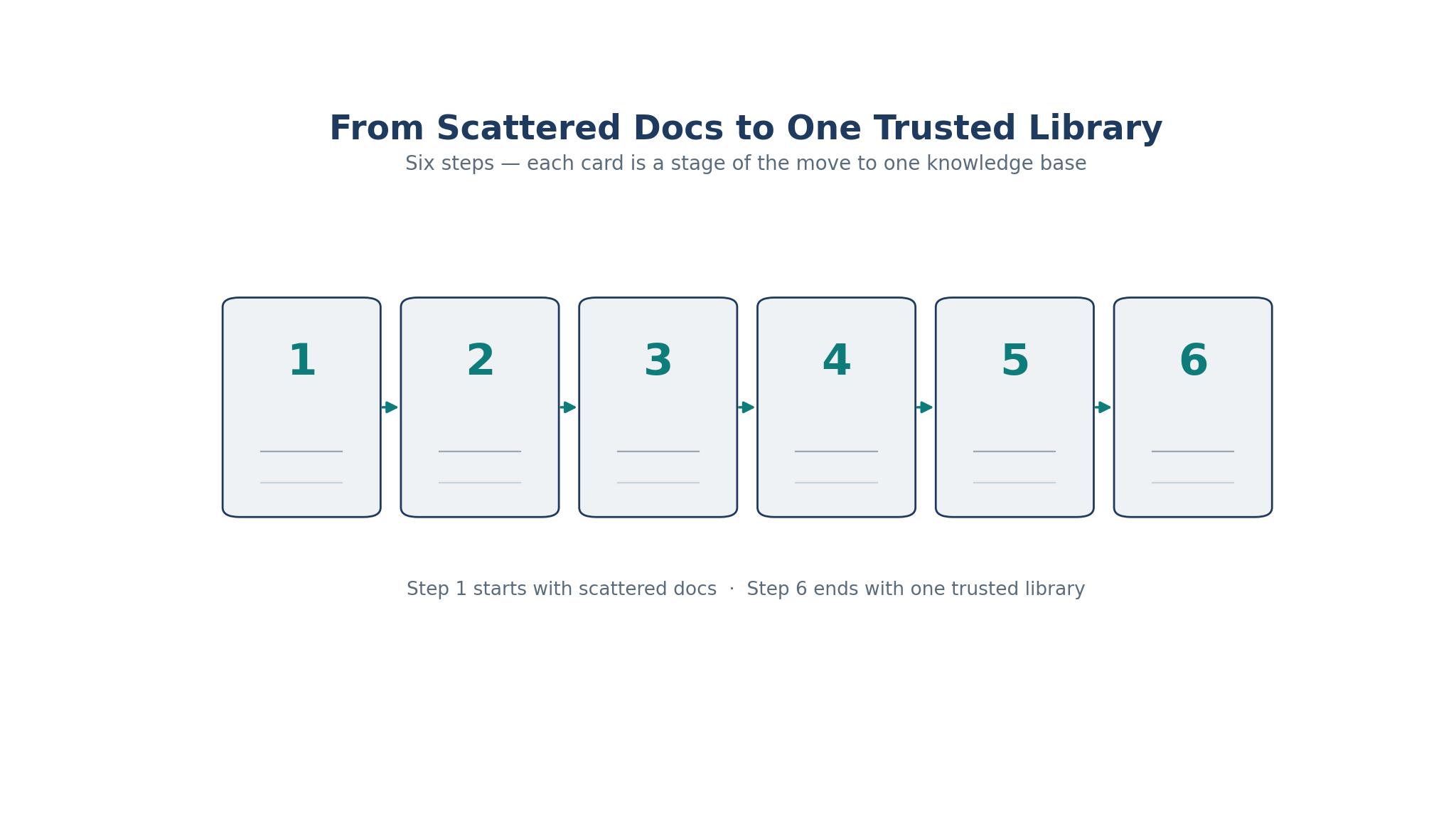
A knowledge base migration fails when it tries to move every document at once, because the team spends a month copying and never writes a single new answer. Give the project thirty days, twenty articles and one owner, and the top 10 ai knowledge base tools prove their value on the questions customers actually ask.
1. List the twenty questions customers and staff ask most, ranked by how often they arrive. 2. Pick one tool, import nothing, and write the twenty answers fresh in its editor. 3. Add a named owner and a review date to every article on the day it is written. 4. Connect the AI answers to those twenty articles and test them with real questions. 5. Point the team and the customers at the new library, and retire the old shared drive. 6. Review the search analytics weekly, fix the articles people cannot find, and add the next ten.
The fresh writing in step two matters more than any import, because old documents carry old answers, and an imported error is an error with a publication date. Writing twenty answers fresh takes a week, and the result is a library the team can trust from day one. A library built this way grows on evidence, and the evidence arrives every week in the search logs.
Six Habits That Turn a Help Centre Into a Graveyard
The first habit is publishing without an owner, so nobody feels responsible when an article goes stale. Every page needs a named person and a review date, and the owner needs a monthly reminder to check it. An article without an owner is an article that will be wrong within a year, and one wrong article poisons trust in the whole library.
The second habit is writing for the company instead of the customer, filling articles with internal jargon and background the reader does not need. A customer wants the answer in the first two sentences, and the rest is there only if they ask for it. Write the answer first, then the explanation, and cut everything else.
The third habit is letting the AI publish without a human reading it, which guarantees a confident wrong answer will eventually reach a customer. AI drafts are a starting point, and a human who knows the product must approve every article before it goes live. The approval step takes minutes, and skipping it costs the trust the library needs.
The fourth habit is ignoring the search analytics, which show exactly which questions fail and which articles nobody reads. A weekly look at failed searches tells the team what to write next, and a quarterly cull of unread articles keeps the library honest. The analytics are the roadmap, and teams that ignore them write in the dark.
The fifth habit is building the help centre for the support team instead of the customer, organising articles by internal department rather than by the problem the customer has. A customer does not know or care which team owns the answer, and a library organised by org chart is a library nobody can navigate. Organise by the customer’s problem, and the clicks will follow.
The sixth habit is launching quietly and expecting people to find the library on their own. Announce it to the team, link it from the product, and put it in the email signature, because a library nobody knows about helps nobody. The best ai knowledge base tools include analytics that show whether the launch landed, and a quiet launch shows up as a flat line.
Frequently Asked Questions
How many articles does a knowledge base need to be useful?
Twenty good articles covering the most-asked questions beat two hundred thin ones, because the top questions drive most of the ticket volume. Start with the twenty questions your team hears most, write them well, and add the next ten each month based on the search analytics. A library grows by evidence, not by bulk.
Can AI answers replace human support agents?
No, AI handles the routine questions that have a documented answer, while humans handle the cases that need judgment, empathy or an exception. The goal is to remove the repetitive work so agents spend their time on the problems that actually need a person. A team that tries to automate everything will automate the complaints too.
What is the difference between a wiki and a knowledge base?
A wiki holds internal knowledge for the team, while a knowledge base usually serves customers as well, with a public help centre and self-service search. Confluence and Slab are wikis, while Zendesk, Document360 and Helpjuice are knowledge bases with public faces. Many teams need both, and the tools on this list split along that line.
How do I keep knowledge base articles up to date?
Give every article a named owner and a review date, and let the tool remind the owner when the date arrives. Check the analytics monthly for articles with falling views or rising failed searches, since those are the pages that went stale. A review habit beats a rewrite project, because small updates prevent the big rot.
Is a free knowledge base tool enough for a small team?
Yes, for an internal wiki, since Notion and Slab both offer free plans that cover a small team’s needs. A customer-facing help centre with AI answers usually needs a paid plan, because the AI, the branding and the analytics sit behind the paywall. Start free with one of the top 10 ai knowledge base tools, prove the habit, and pay when the customer traffic justifies it.
Write the Answer Once, Let It Serve a Thousand Times
A knowledge base pays for itself the first time a customer finds the answer at midnight without writing a ticket, and it keeps paying every time an agent copies a trusted link instead of typing the answer from memory. Trial Document360 for public docs, Guru for verified internal answers or Notion for a small team’s wiki, write the twenty answers that matter most, and let the analytics guide the next twenty. The top 10 ai knowledge base tools do the heavy lifting of search and AI, but the library itself is built one honest answer at a time.
Start with the twenty questions your customers ask most, pick the tool that fits your audience, and publish the first articles this week. A month from now the ticket queue will be shorter, the answers will be consistent, and the team will wonder why the knowledge lived in people’s heads for so long. The work is small, the payoff compounds, and the first twenty articles are the hardest part.