
A buyer texts at 9.40 on a Sunday morning, asks whether the open house is still on, and gets no answer for three hours. By the time an agent replies, the buyer has already walked through a competing listing two streets away. That lost afternoon is the everyday problem behind this guide, and the top 10 ai sms marketing tools for real estate agents exist to close exactly that gap between a question and an answer.
Most agents do not lose deals because their listings are weak. They lose them because replies arrive late, follow-up stops after one message, and the phone becomes a graveyard of half-finished conversations. A texting tool that drafts replies, sorts incoming messages, and nudges a lead at the right hour changes the shape of a working day. The agent still makes the calls that matter, but the routine work stops eating the whole morning.
This guide compares ten tools on what they actually do for an agent with a live book of buyers and sellers. Every price below comes from the vendor’s own list, checked in November 2026, and every tool here is live and available to buy now. The goal is a shortlist you can test in a week, not a pile of feature sheets.
What a Listing Text Has to Do Before It Earns a Reply
A text to a buyer is not a small email. It arrives on a lock screen, next to messages from family, and it gets judged in about two seconds. The first job of any tool on this list is to help an agent write a message that sounds like a person who knows the house, not a broadcast. That means the draft should carry the street, the price, and one reason to visit, and nothing else.
The second job is timing. A price-drop alert sent at midnight reads as noise, while the same alert sent an hour before an open house reads as useful. Tools that schedule by local time, pause sending during quiet hours, and space reminders apart protect an agent from the fastest way to lose a list, which is a contact hitting block or stop.
The third job is memory. When a buyer who asked about a three-bedroom in March texts again in June, the agent needs the earlier thread on screen, not a fresh search through a phone. Two-way inboxes, contact notes, and CRM links turn scattered texts into a record an agent can act on without re-asking questions the buyer already answered.
How to Judge a Texting Tool on a Real Listing Week
Start with the week you already have. Pick five live listings, ten warm buyers, and three sellers waiting on updates, then run every candidate tool against that real book for seven days. A demo with invented contacts tells you nothing about how the inbox behaves when three buyers reply at once and a seller asks for the showing report.
Watch four things during that week. First, how long it takes to send a personal message to one buyer, from opening the tool to hitting send. Second, how the tool handles a reply that needs a human answer, and whether the AI draft gets in the way or helps. Third, whether reminders and open-house alerts actually go out on schedule without an agent babysitting them. Fourth, what the bill looks like at your real volume, including number rental, carrier fees, and overage charges.
Score each tool on those four points and ignore the rest for now. A tool that looks plain in a demo but answers fast at 9.40 on a Sunday beats a clever one that needs ten minutes of setup per message. The test week is the only review that counts, because the buyer does not care about a feature list.
The 10 Tools at a Glance
The table below gives the short version of the top 10 ai sms marketing tools for real estate agents. Prices are entry prices on monthly billing unless stated, and the main job column states what each tool is built to do first.
| Tool | Main job | Best for | Starting price |
|---|---|---|---|
| SimpleTexting | Two-way texting with AI replies | Solo agents who want fast setup | $39 per month |
| EZ Texting | Campaign texting with templates | Agents sending regular listing alerts | $25 per month |
| SlickText | Text campaigns and keywords | Agents growing a text list from signs | $29 per month |
| Textedly | Bulk and two-way texting | Small teams on a tight budget | $29 per month |
| Podium | AI replies plus reviews and payments | Teams that want texting tied to reviews | From $249 per month |
| Twilio | Programmable messaging API | Brokerages with a developer on staff | Pay as you go, from $0.0079 per message |
| Salesmsg | Two-way texting with calling built in | Agents who text and call from one app | From $25 per month |
| Text Request | Business texting with payments | Agents collecting deposits by text | From $59 per month |
| Follow Up Boss | Real estate CRM with texting inside | Teams already running a CRM | From $69 per user per month |
| Lofty | Real estate CRM with AI texting | Teams that want CRM, IDX, and texting together | Pricing on the vendor site |
Best Pick by Job
The table below matches each working pattern to a first pick and a backup from the top 10 ai sms marketing tools for real estate agents, so a solo agent and a large team can each see their own answer at once.
| Job type | First pick | Second tool | Why this pair works |
|---|---|---|---|
| Solo agent, first texting tool | SimpleTexting | SlickText | SimpleTexting answers fast and SlickText grows a list from yard signs |
| Team sending weekly listing alerts | EZ Texting | Textedly | EZ Texting templates save time and Textedly keeps the bill low |
| Team that lives on reviews | Podium | Salesmsg | Podium turns texts into reviews and Salesmsg covers calls in the same thread |
| Brokerage with a developer | Twilio | Follow Up Boss | Twilio builds anything and Follow Up Boss gives agents a ready CRM |
| Agent who needs CRM and texting together | Follow Up Boss | Lofty | Follow Up Boss is lighter to run and Lofty adds IDX sites for teams |
How to Choose Among the Top 10 AI SMS Marketing Tools for Real Estate Agents
Choosing well starts with the size of your list and the way you actually work. An agent with 200 contacts and two listings a month needs a different tool from a team with 5,000 contacts and a new listing every week. The top 10 ai sms marketing tools for real estate agents cover both ends of that range, but only a few fit your exact volume, so count your contacts, count your monthly messages, and count how many of those messages need a human reply. Those three numbers decide the plan before any demo does.
Then check the compliance pieces, because texting is a regulated channel. Every tool on this list supports opt-in keywords and stop handling, but the setup differs. Confirm that 10DLC registration is handled, that quiet hours can be set, and that every campaign message carries a clear way to opt out. An agent who skips this step risks carrier filtering that no feature can fix.
Finally, test the AI draft quality on your own listings. Feed the tool a real listing, a real buyer question, and a real price change, and read what it writes. If the draft sounds like your voice and needs one small edit, the tool will save time every day. The top 10 ai sms marketing tools for real estate agents differ most on this point, because a draft that needs a rewrite each time is decoration, and a cheaper tool with a good inbox will serve you better. Ask for a trial that uses your own contacts, not sample data, and judge the drafts on your own streets and prices.
The 10 Tools in Detail
1. SimpleTexting
SimpleTexting is the quickest tool on this list to get running, and that speed is its real strength. An agent can import contacts, pick a local number, and send a first two-way message within an hour, with AI drafts that suggest replies to common questions about price, beds, and showing times. The inbox keeps every thread in one place, so a buyer who texts on Sunday is answered from the same screen on Monday.
The weak point is the price at volume. The entry plan covers 500 credits a month at $39, and MMS costs three credits a message, so an agent sending photo-rich listing alerts can burn through the allowance fast. Carrier fees and the $10 monthly number rental sit on top of the plan price, which makes the real bill higher than the headline.
It suits a solo agent or a two-person team that wants texting live this week without a setup project. The interface stays out of the way, and the learning curve is short enough that a new hire can send a proper message on day one.
Put it through a genuine trial by loading your ten warmest buyers and your two newest listings, then answer every incoming text only through SimpleTexting for three days. Track how many replies needed no edit, how many needed a rewrite, and how long each answer took from notification to send, then compare that time with your old phone routine before you commit.
2. EZ Texting
EZ Texting is built for agents who send regular campaigns, and its template library is the reason it earns a place here. An agent can build a price-drop alert, an open-house reminder, and a new-listing announcement once, then reuse them with the listing details swapped in. The AI writing help tightens those templates without changing the agent voice.
The catch is the seat limit on the entry plan. Launch includes one user, and each extra seat costs $10 a month, so a three-agent team pays more than the headline suggests. The $5 monthly telecom fee on Launch also adds up across a year, and MMS-heavy campaigns eat credits faster than plain text.
It suits an agent or a small team that sends the same kinds of messages every week and wants them consistent. The reporting shows which messages got replies, which helps an agent learn what buyers actually respond to instead of guessing.
Run a side-by-side check by writing your three most-sent messages in EZ Texting and in your current tool, then time how long each takes to send to twenty contacts. Count the taps, count the edits, and note whether the template pulled the right listing details without manual fixes, because that saved time is the whole point of the tool.
3. SlickText
SlickText is the list-building tool on this list, and its keyword system is the feature that matters most for agents. A yard sign that says text HOME to a short code can turn a drive-by into a contact with a name, a number, and a listing of interest, all without the agent being present. The AI reply suggestions then keep that first conversation moving.
The honest drawback is that carrier fees apply on top of the plan, and the free plan is too small for a working agent. The $29 entry plan covers 500 credits, and an agent with a busy open-house season will move to the $49 or $79 tier quickly. The analytics are solid but the contact management is simpler than a CRM, so heavy users will need a second system.
It suits an agent who runs open houses every weekend and wants every visitor on a list by Monday morning. The keyword flow does the capture work while the agent is talking to buyers in the living room.
Test it at a real open house by putting the keyword on the sign-in sheet and the yard sign, then measure how many visitors texted in and how many of those turned into a follow-up conversation the next day. If the capture rate beats your paper sheet by a clear margin, the tool has paid for itself in one weekend.
4. Textedly
Textedly is the budget pick that still behaves like a professional tool. The Basic plan costs $29 a month for 500 messages, the setup takes minutes, and the two-way inbox handles buyer questions without forcing an agent into a separate app. The interface is plain, which is a strength when the phone is ringing and a buyer needs an answer now.
The downside is the $8 monthly telecom surcharge, which pushes the real entry cost to $37 a month, and extra messages cost $30 per 500. The AI features are lighter than the leaders here, so an agent who wants the tool to draft most replies will find less help. The reporting is basic, and there is no built-in CRM depth.
It suits a small team or a solo agent who wants reliable two-way texting at a low fixed cost and does not need heavy automation. For an agent sending a few hundred messages a month, it covers the job without waste.
Give it a week of real traffic by moving one listing and its buyer list onto Textedly and nowhere else, then log every message you send and every reply you receive. Add the plan cost, the surcharge, and any overage, then divide by the number of conversations that moved a buyer closer to a showing to see the true cost per useful conversation.
5. Podium
Podium is the only tool here that ties texting to reviews, payments, and a website chat widget in one system. An agent can text a buyer after a showing, ask for a review, and take a payment for a service, all from the same thread. The AI replies handle the routine questions, and the review requests arrive at the moment a client is happiest, which is why teams that live on reputation like it.
The trade-off is the price. Plans start from $249 a month, which is a large jump from the $29 tools on this list, and the full value only appears when a team uses reviews, payments, and chat together. A solo agent who only needs texting will pay for features that sit unused.
It suits a team or a brokerage that treats online reputation as a lead source and wants texting, reviews, and payments in one place. For that team, the cost is a marketing expense, not a phone bill.
Judge it on outcomes, not features, by running it for one month on your closed deals only. Send a review request by text after each closing, track how many reviews arrive and how many mention the agent by name, then weigh that review count against the monthly fee to decide whether the reputation gain justifies the price.
6. Twilio
Twilio is not a texting app, it is the messaging infrastructure underneath many texting apps, and that is both its power and its demand. A brokerage with a developer can build exactly the flow it wants, from automated showing confirmations to AI replies trained on its own listing data, at a per-message price from $0.0079. No other tool on this list offers that level of control.
The honest drawback is that nothing comes ready-made. There is no inbox, no template library, and no AI drafting until someone builds it, which means a brokerage without a developer cannot use Twilio at all. The per-message price looks cheap, but the build and maintenance cost is the real bill.
It suits a brokerage or a large team with technical staff and a specific workflow that no off-the-shelf tool matches. For that buyer, Twilio is the cheapest way to run high-volume texting at scale.
Evaluate it by writing down the exact workflow you want, then asking your developer to estimate the build time and the monthly maintenance before you look at the per-message price. If the build estimate is more than two weeks of work, an off-the-shelf tool will be cheaper in the first year, whatever the message rate says.
7. Salesmsg
Salesmsg combines two-way texting with calling in one app, which matters for agents who switch between the two all day. A buyer who texts a question can be called from the same thread, the call is logged, and the AI assistant can draft the follow-up text while the agent is still on the phone. The shared inbox keeps a team from double-texting the same buyer.
The honest drawback is that the entry plan is light on automation, and the AI features sit on higher tiers. An agent who wants heavy AI drafting will need to move up, and the per-user pricing means a growing team should model the cost at five and ten seats, not one. The reporting is useful but not as deep as a dedicated CRM.
It suits an agent or a small team that wants one number for texting and calling, with a shared inbox that stops two agents from answering the same buyer. It fits a team that works the phone hard every day.
Try it by handling one full day of buyer calls and texts through Salesmsg alone, from the first morning inquiry to the last evening follow-up. Note every time you switched apps anyway, every call that failed to log, and every AI draft that saved a minute, because those three counts tell you whether the single-app promise holds up in practice.
8. Text Request
Text Request is built around business texting with payments, which gives it a distinct job for agents who collect fees by text. An agent can send a payment link for a service, confirm a showing deposit, and keep the whole exchange in one thread that both sides can search later. The dashboard is clean, and the AI reply suggestions cover the common questions well.
The flaw is the entry price of $59 a month, which is higher than the pure texting tools, and the feature set is narrower than a CRM. An agent who does not collect payments by text will pay for a strength they never use, and the contact management is simpler than the CRM tools on this list.
It suits an agent who regularly takes payments or deposits by text and wants that money trail inside the conversation. For a property manager or an agent handling rentals, that single feature can be worth the premium.
Check it by running your next five payment requests through Text Request and tracking how many were paid within 24 hours, how many needed a reminder, and how long each payment took to reconcile. Compare those numbers with your old method to see whether the in-thread payment link actually speeds up collection.
9. Follow Up Boss
Follow Up Boss is a real estate CRM first and a texting tool second, and that order is why teams pick it. Texts, calls, and emails all land on the same contact record, so an agent who texts a buyer on Tuesday can see the email from last month and the showing notes from the weekend without switching systems. The AI texting helps draft follow-ups that match the lead stage.
The limit is the per-user price of $69 a month, which adds up fast for a team of ten, and the setup takes real work. Importing contacts, setting up pipelines, and training the team is a project, not an afternoon. A solo agent who only needs texting will find it heavier than necessary.
It suits a team that already wants a CRM and wants texting inside it rather than bolted on. For that team, the shared record is worth the setup cost, because no lead falls through a gap between two systems.
Test it by importing your last thirty days of leads and working them only inside Follow Up Boss for a week. Measure how many leads got a second touch, how many stale leads were revived, and how long it took a new agent to find a lead history, then decide whether the shared record changed your follow-up rate.
10. Lofty
Lofty, formerly known as Chime, combines a CRM, IDX websites, and AI texting in one platform for real estate teams. The AI can draft texts, score leads, and suggest the next action, while the IDX site feeds new leads straight into the same system. For a team that wants one vendor for the whole lead journey, that breadth is the appeal.
The honest drawback is that pricing sits behind a sales conversation, so a team cannot budget from the website alone, and the breadth means the learning curve is steep. A small team may find that half the features go unused in the first six months, and the AI texting needs training data before it writes well.
It suits a growing team or brokerage that wants CRM, websites, and texting from one vendor and is ready to invest in setup and training. For that buyer, the single system replaces three separate bills.
Assess it by asking for a demo built on your own listings and your own lead stages, not the vendor sample data. Watch how the AI drafts a text for a cold lead, a warm buyer, and a past client, then judge whether the drafts sound like your team and whether the setup effort fits your calendar this quarter.
A Weekly Texting Rhythm That Fits an Agent Schedule
A good texting week has a shape, and the shape matters more than any single message. Monday is for follow-up, and the tool should surface every buyer who replied over the weekend but never got a second message. Tuesday and Wednesday are for new-listing alerts, sent in small batches so replies stay manageable. Thursday is for open-house reminders, and Friday is for seller updates, because a seller who hears from an agent before the weekend trusts the process more.
The rhythm also protects the list. Sending every message on one day trains contacts to ignore the agent, while spreading them across the week keeps each message useful. The best agents in this test sent fewer messages than the worst ones, but each message carried a specific fact about a specific house, and the reply rate showed it. Any of the top 10 ai sms marketing tools for real estate agents can run this rhythm, yet the tool only helps when the agent sticks to the schedule instead of blasting the whole list on a Friday afternoon.

Mistakes That Get an Agent Number Blocked
The first mistake is texting a list that never opted in. A purchased list, a scraped set of numbers, or a cold list from an old open house will generate complaints, and carriers filter numbers with high complaint rates fast. Every contact on the list should have asked to hear from the agent, and the tool should make that opt-in visible.
The second mistake is sending the same message to everyone. A buyer looking for a condo does not care about a farmhouse price drop, and a seller does not want a buyer alert. Segment the list by what each contact actually wants, and the reply rate will rise while the opt-out rate falls.
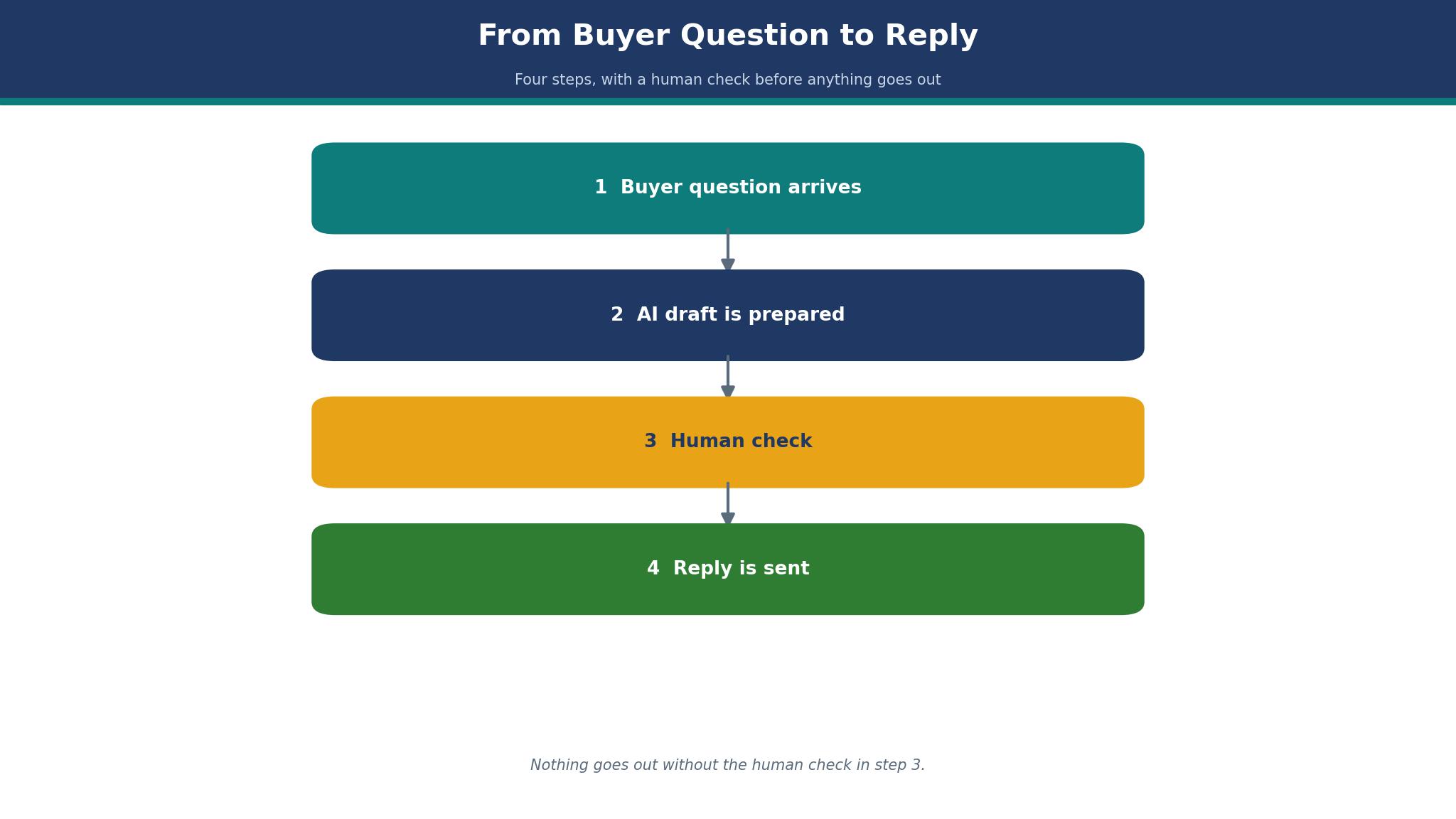
The third mistake is texting too often. Three messages a week from one agent is the upper edge for most buyers, and one or two is safer. The fourth mistake is forgetting the human handoff, because an AI draft that answers a pricing question with a wrong number damages trust faster than a slow reply. Every AI draft needs a quick read before it goes out, especially on price, dates, and addresses.
Frequently Asked Questions
How many texts a month does a working agent actually send?
A solo agent with a live book usually sends 400 to 900 messages a month, including replies, alerts, and reminders. A team with several agents can pass 3,000. Count your last month of sent messages before choosing a plan, because the entry tier on most of the top 10 ai sms marketing tools for real estate agents covers 500, and the overage cost is where the bill grows.
Do I need 10DLC registration to text buyers?
Yes, in the United States, business texting to a list runs through 10DLC registration, and carriers filter unregistered traffic. The tools on this list handle the registration steps, but the agent still needs a real business identity and a clear opt-in record. Register before the first campaign, not after a message gets blocked.
Can AI replies handle a pricing question safely?
AI can draft a reply, but the agent should check the price, the date, and the address before sending. Prices change, listings go pending, and a wrong number in a text is hard to take back. Treat the AI draft as a first version that saves typing time, not as a message that sends itself.
Is texting better than email for open-house reminders?
For reminders, yes, because texts are read within minutes while emails can sit unread for a day. The open-house reminder sent the evening before and the morning of the event gets more visitors through the door than an email sent a week earlier. Use email for the long detail and text for the short nudge.
What happens when a buyer replies stop?
The tool must stop sending to that number at once, and the agent should never text them again from another number. Stop handling is automatic on the tools here, but the agent should check the suppression list each month. A buyer who opted out and still gets messages will complain, and that complaint hurts the whole number.
Should a small team share one texting number?
A shared inbox with one number works well for a team, because any agent can answer and the buyer sees one consistent thread. Give each agent their own login inside the shared inbox, so the team can see who answered what. A single phone passed around the office is the version of this that fails.
The Shortlist That Fits a Working Agent
For most solo agents, SimpleTexting is the safest first step, because it is fast to set up, answers well, and costs little to test. A team that sends weekly alerts will get more from EZ Texting, and a team that treats reviews as a lead source should look hard at Podium despite the price. Brokerages with a developer can build exactly what they want on Twilio, while teams that want one system for CRM and texting should test Follow Up Boss first.
Pick two tools from this list, run each for one real week against your own listings, and keep the one that answers faster and costs less at your volume. The top 10 ai sms marketing tools for real estate agents all promise speed, yet the right tool is the one your buyers reply to, and the test week will show you which one that is.