
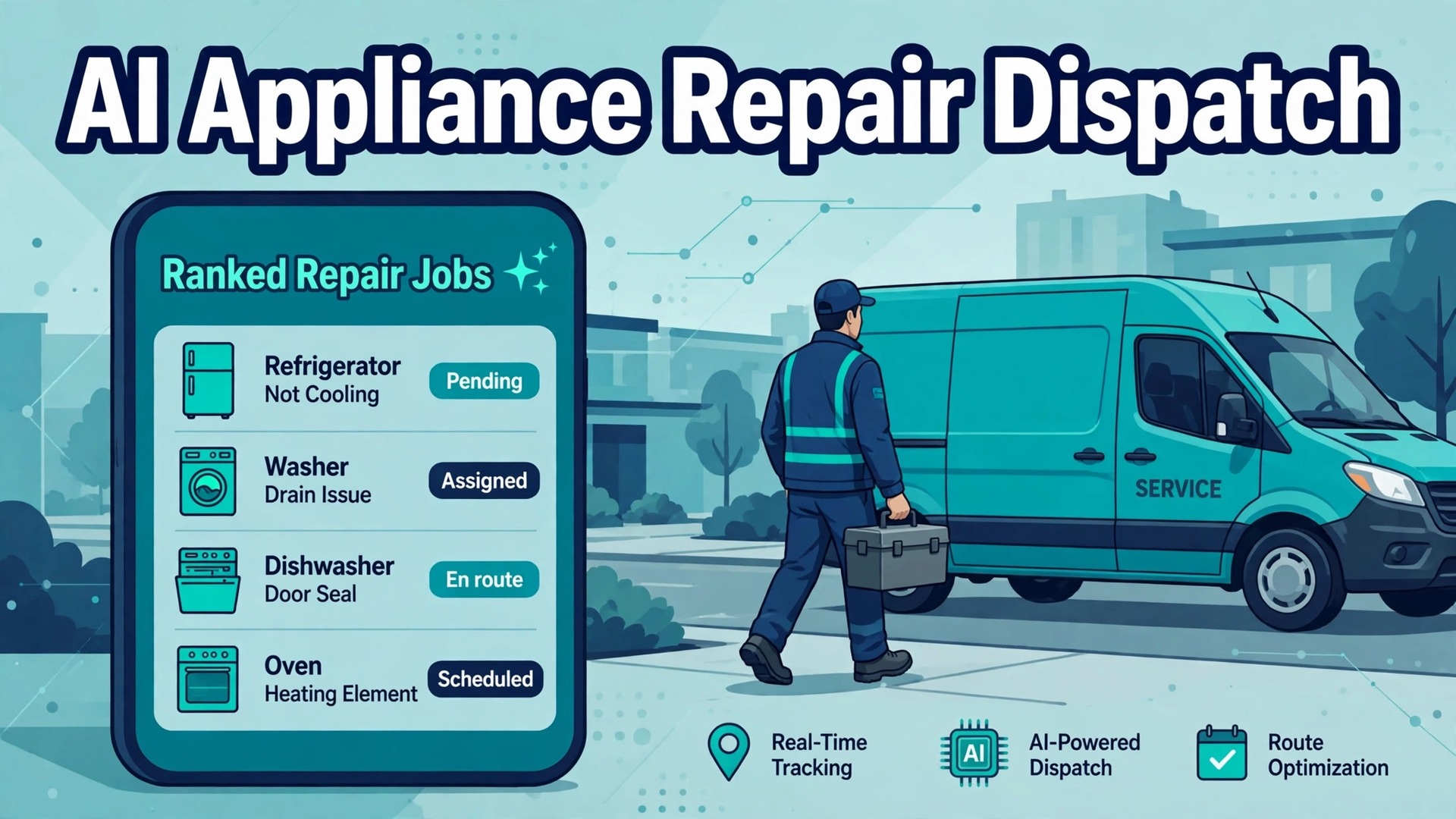
One appliance workflow vendor puts parts prediction accuracy at 87 percent for oven jobs in its own product description, and puts technician matching inside 90 seconds for emergency work. Those numbers come from a vendor page, not from an independent test, so treat them as a claim about what the software aims to do rather than a promise about your shop. Still, they point at the real prize when you use AI for appliance repair dispatch. A fridge, a washer or a cooker fails, the customer wants a fix on the first visit, and the dispatcher has to turn a worried phone call into the right technician, the right parts and a realistic arrival time.
The reason appliance dispatch is harder than it looks is that every job carries three unknowns at once. The symptom the customer describes may not match the fault the technician finds. The part that fixes it may not be on the van. And the technician who knows that brand may already be across town on a job that is running long. Software helps when it shrinks those unknowns before the van moves, not when it simply moves jobs around on a prettier board. This guide works through the full workflow in order, from the first symptom question to the completion photo that closes the job.
How to Use AI for Appliance Repair Dispatch in a Real Week
A working dispatch week answers six questions for every job, in the same order, without exception. What appliance is it and what is it doing wrong. How urgent is the failure. Which parts are most likely needed. Which technician has the skill, the certification and the stock to fix it. What route puts that technician at the door with the least driving. And what proof closes the job so the office never has to chase the detail later. When you use AI for appliance repair dispatch, the software should help with each question in turn, and the dispatcher should stay in charge of the answers that carry risk.
Most appliance repair shops start from one of three positions. Some still run on a paper diary, a mobile phone and a dispatcher who knows every technician by heart. Some use a general booking tool plus text messages and a spreadsheet for parts. Some already run field service software such as Jobber, Housecall Pro, ServiceTitan or FieldEdge and want newer AI features on top of it. The workflow in this guide fits all three, because the steps stay the same even when the tool changes. What changes is how much retyping a human has to do between steps, and how often a detail gets lost in the handover.
Think of the AI help as four separate helpers rather than one smart system. The first helper listens and writes things down, which covers phone answering, web forms and call summaries. The second helper predicts and suggests, which covers likely parts, likely faults and a suggested technician. The third helper orders and messages, which covers route order, confirmations and arrival texts. The fourth helper records, which covers photos, parts used and invoice detail. When you demo a tool, ask which helper it actually delivers well, because a sales demo that shows all four may only do one of them reliably in daily use.
Symptom Triage That Gets the Model Number Right
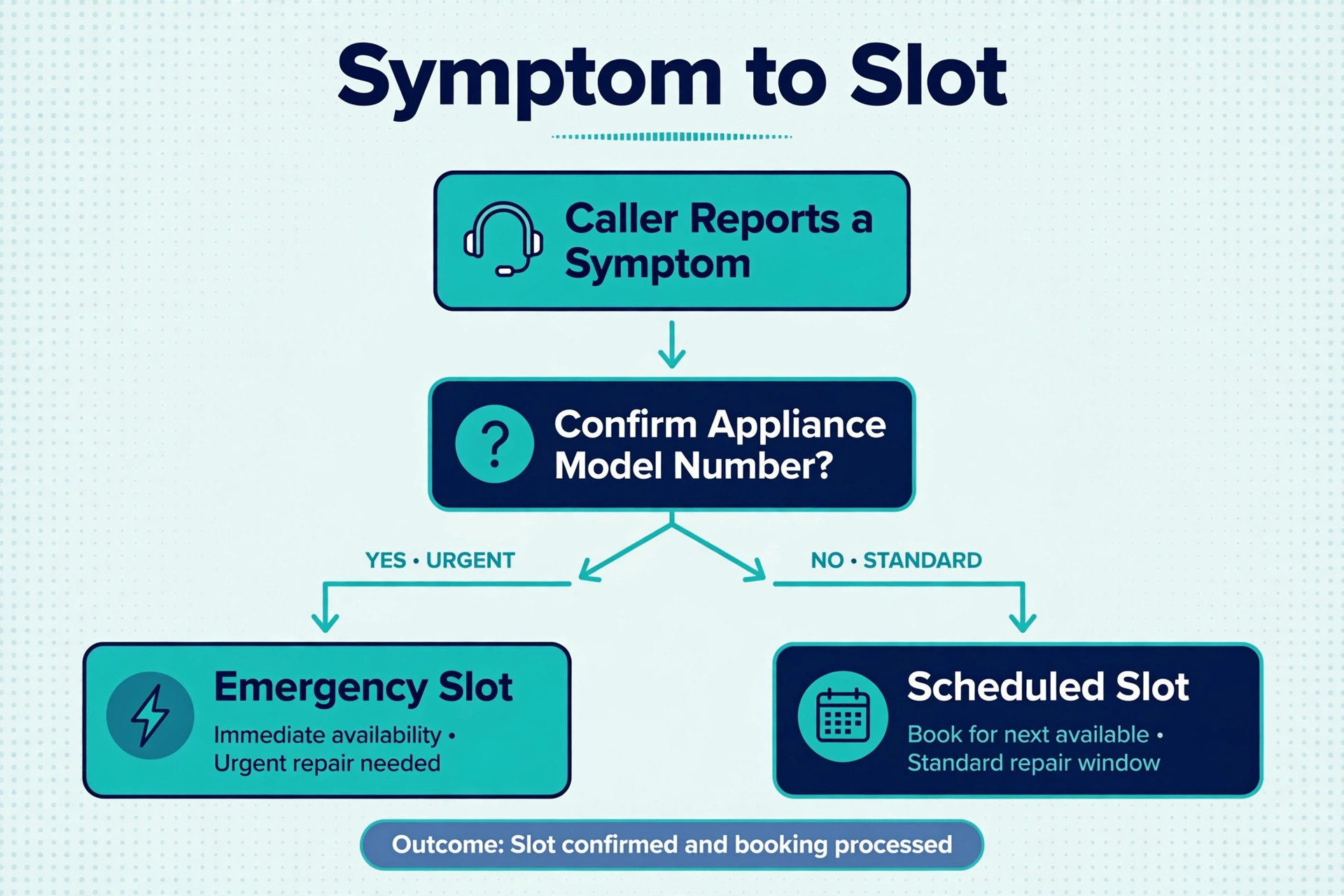
Triage is the step that decides everything downstream, and it fails most often on one small detail. The customer says the fridge is warm, the washer is noisy or the oven will not heat, and the office books a generic repair visit. The technician arrives, finds a model that needs a part nobody carries, and the job becomes two visits instead of one. Good triage therefore asks for the appliance type, the brand, the model number, the symptom in plain words, any error code on the display, and whether water, gas or food safety is involved.
AI phone answering and smart web forms now handle this first pass for many repair shops, especially outside office hours. Published vendor workflow descriptions show the system prompting for specific symptoms, such as a fridge that will not cool, a washer that will not spin or an oven that heats unevenly, then capturing the make, model and serial number by photo or by manual entry. The result lands in the dispatch system as a job with a written note and a suggested urgency level. That matters because a missed after hours call is often a lost job by morning, while a call that becomes a booked job is already on the board.
The owner still has to write the urgency rules, because software cannot invent them. A fridge full of food that has stopped cooling, a washer leaking across a floor and any smell of gas all need a fast response, with gas smells routed to the gas utility and emergency services first rather than held in a repair queue. A noisy dryer, a dishwasher that leaves dishes damp or an oven with one dead burner can usually wait for a scheduled slot. Write those rules down, test them against real calls for two weeks, and only then let the system apply them without a human check on routine jobs.
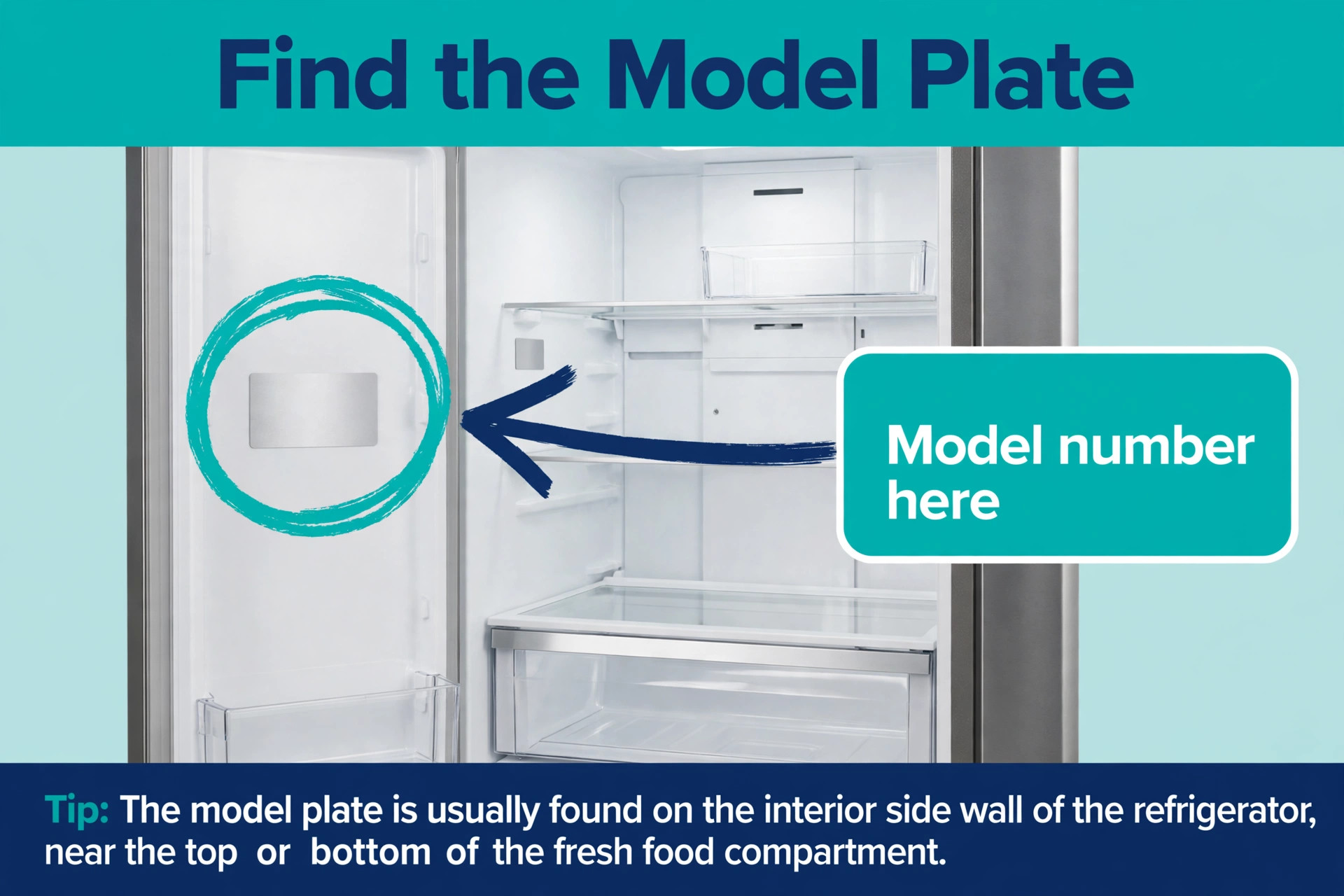
Photos change triage quality more than any other single habit. Ask the customer to photograph the model plate inside the door or on the back panel, the error code on the display and the visible symptom. A model plate photo removes the most common source of parts errors, which is a model number copied down wrong over the phone. It also lets the technician check the parts list before leaving, and it gives the office a record if a warranty question comes up later. Make the photo request part of the booking message, not an afterthought at the door. That photo habit is one of the simplest wins when you use AI for appliance repair dispatch.
A short triage form beats a long one every time. Ask for the address and a callback number first, then the appliance and the symptom, then the model plate photo, then whether anyone will be home and what access the technician will need. Everything else, such as the age of the appliance, the purchase history or the service contract detail, can be added later from the customer record. A form that asks twelve questions on a stressful call will be abandoned, and an abandoned call costs more than an incomplete note that a dispatcher can complete with one callback.
Parts Lookup That Stops the Second Visit
A second visit is the most expensive failure in appliance repair, because it burns fuel, technician time and customer patience in a single trip. Parts lookup exists to stop it. The workflow sounds simple. The triage note names the symptom and the model, the system suggests likely parts from past jobs on the same model, the dispatcher checks what the assigned van already carries, and anything missing is picked up, ordered or moved to a technician whose van stocks it.
Vendor workflow pages describe this step as a prediction engine that cross checks symptom patterns against model history and then checks van stock and warehouse stock in real time. Treat the prediction as a shortlist, not a verdict. When you use AI for appliance repair dispatch, that shortlist is only useful if the dispatcher verifies it against real van stock. A washer that will not spin might need a drive belt, a door latch or a drain pump, and the customer description alone rarely settles which one. The value of the shortlist is that it forces the question before the van leaves, rather than after the technician has opened the machine and found the wrong part in the bag.
Van stock discipline matters as much as software here. Each van should carry a standard kit for the appliances it handles most, and that kit should be checked at the start of the week rather than discovered empty at a customer door. The dispatch system can track what was used on each job and prompt a restock, but only if technicians log usage at job close on a single screen. A separate end of day form that nobody completes will leave the stock record fiction by Friday, and the parts lookup will then suggest parts the van does not actually carry.
For larger parts, such as control boards, compressors or sealed system components, the parts check should happen before the job is promised, not after. A customer given a morning window for a repair that needs a part arriving in the afternoon will be disappointed twice, once by the delay and once by the reschedule. It is better to book the job for the day the part is confirmed available and say so plainly than to book optimistically and move the customer later. The same rule applies to warranty parts, where the approval step can add days and should be started at triage, not at the door.
Technician Matching That Respects Skill and Stock
Technician matching is where a generic dispatch board most often fails an appliance shop. Two technicians may both be free, but only one may hold the gas certification for a cooker, the brand training for a specific washer or the sealed system qualification for a fridge repair. Sending the free technician instead of the qualified one creates a wasted trip and, on gas or refrigeration work, a safety problem. Matching must therefore check skill and certification first, and availability second.
Vendor descriptions of this step list the factors the system weighs, including current location, brand expertise, certification, schedule availability and van stock. That list is a useful buying checklist, but the owner must decide the order of those factors. Certification and safety should act as hard filters that remove unqualified technicians from the list entirely, not as soft preferences the system can override for a closer van. Brand expertise should rank next, because a technician who has fixed that model ten times will diagnose faster and carry the right parts. Distance should rank last among the serious factors, because a short drive to the wrong technician is still a wasted trip.
History improves matching over time, but only if the record is honest. Track first visit completion by technician and by appliance type, and track return visits with a reason code that names the cause, such as wrong part, wrong diagnosis or access failure. A system that learns from clean history will start to pair tricky models with the technicians who fix them first time.
A system fed with vague job titles and missing outcome notes will learn nothing, and matching will stay guesswork dressed up as software. Clean records are what make it possible to use AI for appliance repair dispatch with matching you can trust. Clean job categories and outcome codes are therefore a setup task, not an admin chore.
Route Building That Groups Jobs by Area
Route building earns its keep in appliance repair through one simple measure, which is how many jobs a technician completes in a day without long empty drives between them. The old method was to assign jobs by area from memory, then watch the plan fall apart as new calls arrived and jobs ran long. A route tool instead orders the day by drive time, promised windows, job length, skill match and parts availability, and rebuilds the order when a job overruns or an emergency inserts itself.
Start with the constraints before trusting any suggested route. Each technician has a start point, a skill set, a van stock profile and a finish time. Each job has a window, an expected duration and a parts need. Each area has traffic patterns that change by hour and parking or building access rules that a map alone will miss. Feed the tool those facts, and check its first week of routes against what your best dispatcher would have built. The comparison teaches you where the tool is strong, usually on dense residential days, and where it is weak, usually on days with long rural drives or jobs whose duration is hard to predict.
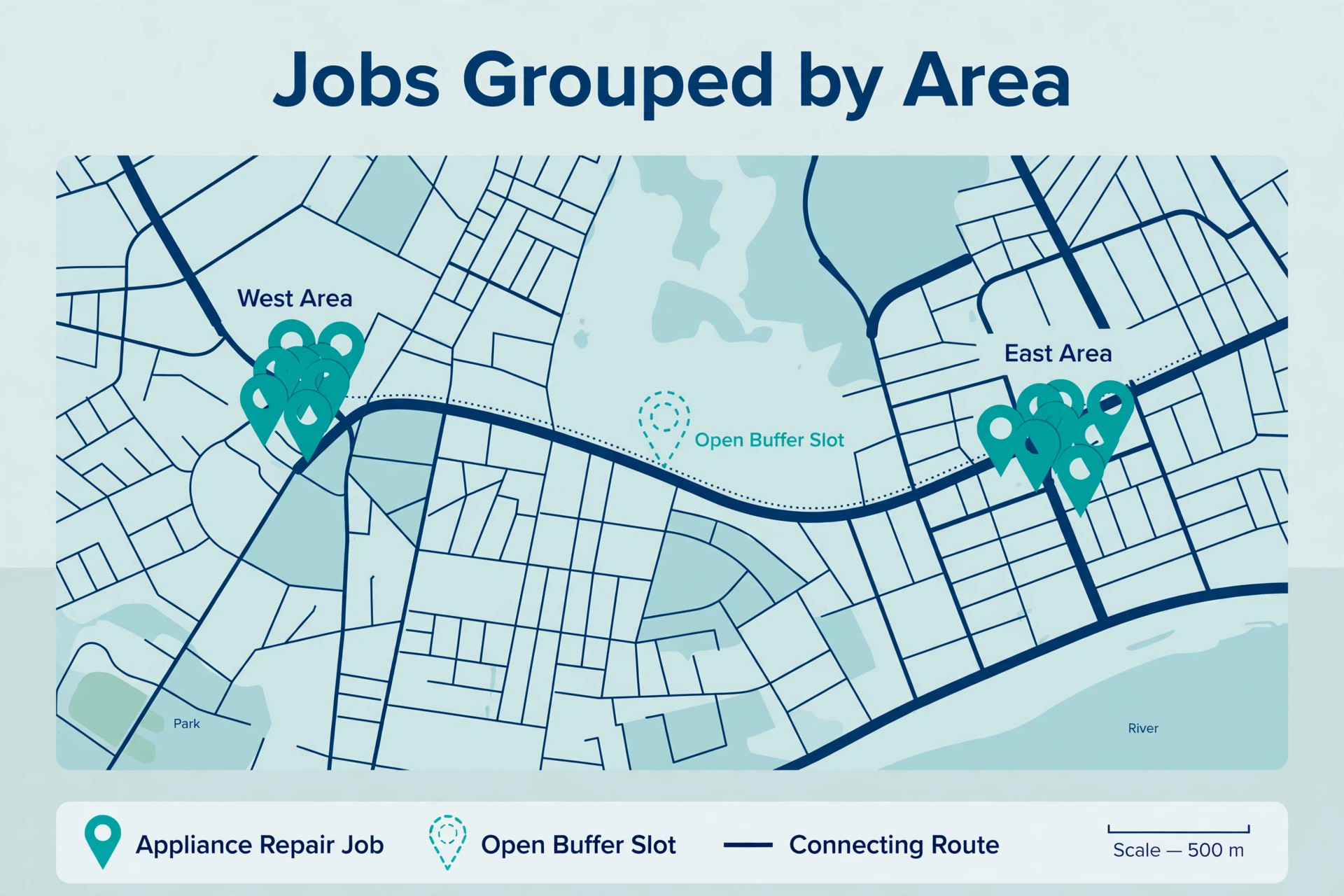
Route density is the number to watch. A day with eight jobs in two neighbourhoods beats a day with eight jobs spread across a county, even though the job count looks identical on a report. Grouping by area also protects parts logistics, because a technician working one area can collect a missing part from one supplier stop rather than crossing town twice. When a new job arrives, the question should be which existing route it fits, not simply which technician is free. That fit test is central when you use AI for appliance repair dispatch, because a job that fits a route is cheaper to serve and easier to complete on time.
Live changes are the real test of any route tool. When a job overruns, the system should propose the knock on effect, which jobs move, which customers get a new arrival time and which technician can absorb the displaced job. A dispatcher then approves the new plan and the customer messages go out. Without that rebuild step, the morning route is fiction by lunch, and technicians spend the afternoon apologising for a schedule nobody updated. Ask any vendor to demo a midday change, not just a clean morning plan, because the messy day is the day you are buying the tool for.
Completion Photos That Close the Job Properly
Completion photos do three jobs at once, and a shop that treats them as optional loses all three. First, they prove the work was done, which protects the business when a customer later says a fault was never fixed or a panel was left damaged. Second, they record the parts used and the final state of the machine, which makes warranty claims and return visits far easier to handle. Third, they give the office a quality check without a second visit, because a supervisor can spot a loose fitting or an unfinished test from a clear photo set.
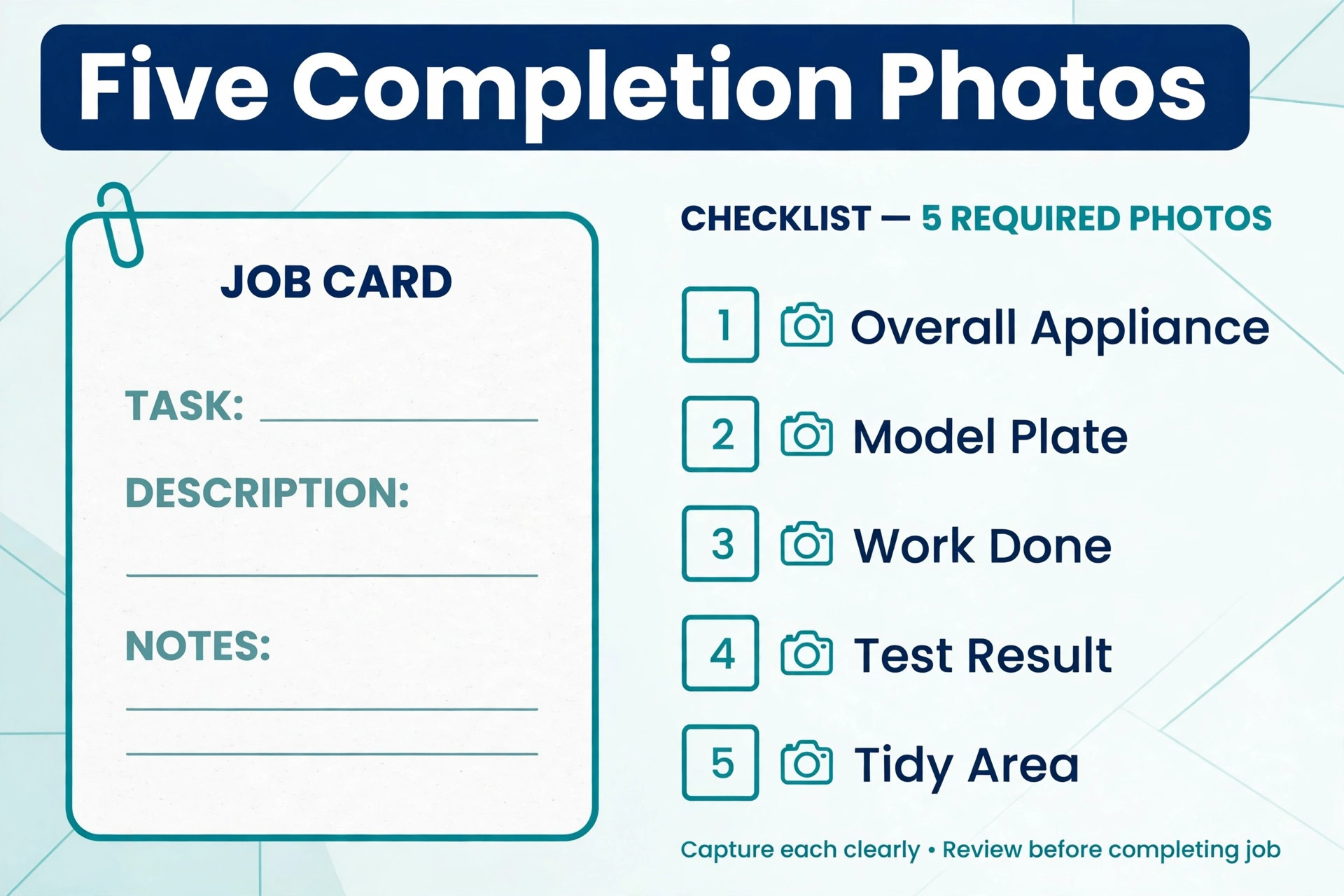
A useful photo set is short and consistent, so technicians actually take it. Ask for the model plate, the fault area before work where it is safe to photograph, the replaced part beside the old part, the machine running or showing a normal display after the fix, and the work area left tidy. Five photos, taken in the same order every time, beat twenty random photos that nobody reviews. Build that order into the mobile job close screen, so the technician moves through it as part of finishing the job rather than as extra paperwork afterwards.
The system should attach those photos to the job record automatically, with a time stamp and the job address, and make them visible to the office and, where appropriate, to the customer. A customer who receives a completion message with a photo of the running machine and a short note about what was replaced feels the job is finished, and is less likely to call back with doubt. A customer who receives only an invoice may still wonder whether the fault was really fixed, especially on intermittent faults that are hard to demonstrate.
Best Pick by Job for Appliance Repair Dispatch Tools
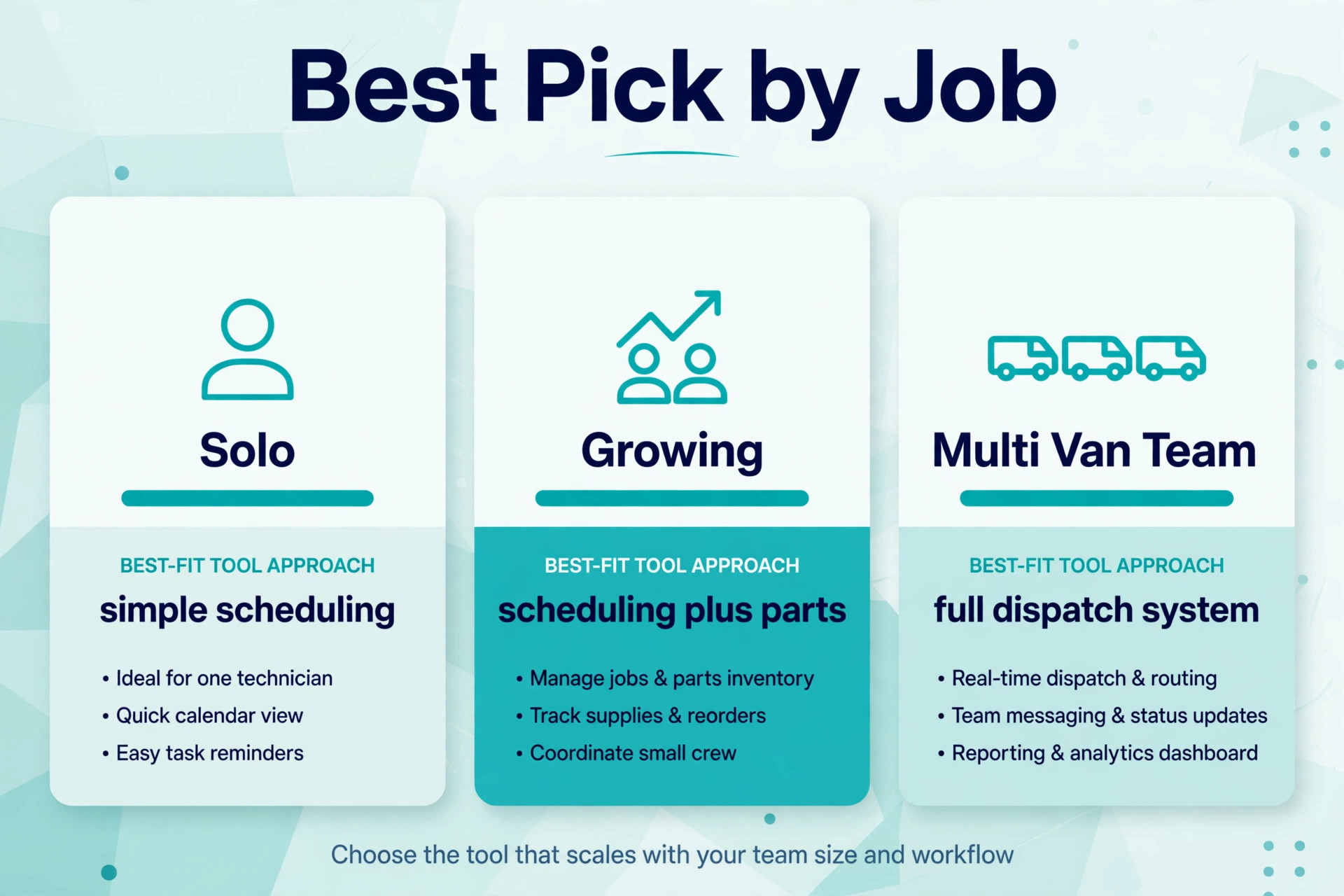
No single tool fits every appliance repair shop, because a solo technician and a twenty van fleet buy different things even when the feature list looks similar. The table below sorts the main options by the job they do best, based on how vendors position them and how reviewers describe their fit. Treat it as a starting point for demos, not as a verdict, and judge each option on your own messy jobs.
| Company shape | Best fit approach | Why it fits |
|---|---|---|
| Solo technician or two van team | Jobber or Housecall Pro | Simple scheduling, quoting and invoicing in one place, with mobile apps technicians learn fast |
| Growing team adding after hours cover | Housecall Pro with AI phone answering | Strong customer messaging plus after hours call capture without a full call centre |
| Multi van operation with a dispatcher | ServiceTitan or FieldEdge | Deep dispatch board, pricebook and reporting built for a team with defined roles |
| Shop needing appliance specific workflows | FieldProxy style workflow tools | Symptom triage, parts prediction and brand specific job steps described in vendor workflow pages |
Costs and Trade Offs Worth Pricing Honestly
The cost of this workflow is not one subscription. It is the field service platform, any AI phone or messaging add on, the time to set up job categories, urgency rules and van kits, and the dispatcher hours spent checking the system in the early weeks. Shops already paying for a platform may add AI features for a smaller increment. Shops moving from paper pay for the whole platform at once, plus training, and should budget for a slower first month while the team learns the new routine.
The trade offs are real and worth naming plainly. A platform built for scale brings reporting and control, but it also brings a longer setup and a steeper learning curve, which reviewers consistently note for larger systems. A simpler platform gets a small team running in days, but it may need manual workarounds as the team grows, such as tracking specialist parts outside the system.
An AI phone service captures after hours calls, but it can also book a job with incomplete detail if the caller is vague, which creates dispatcher cleanup the next morning. None of these trade offs is a reason to avoid the tools. Each is a reason to match the tool to the team size you have now, with a clear path to the size you plan to reach.
Parts prediction carries its own trade off. A shortlist that is right most of the time still leaves a minority of jobs where the technician arrives with the wrong part, and the business needs a supplier pickup plan for those jobs. If the team starts to trust the shortlist blindly and stops checking van stock, first visit completion can fall even as the software looks busy. Keep the human check at job close and at route start, and treat prediction as a prompt to verify, not as permission to stop thinking.
Mistakes That Undo a Good Dispatch System
The most common mistake is automating a broken process. If triage notes are vague today, AI triage will produce vague jobs faster. If priority is decided by who shouts loudest today, AI ranking built on that history will repeat the same bias. Fix the process on paper first, with written rules for urgency, windows and parts, then let software apply those rules. Software scales whatever you feed it, good or bad.
The second mistake is giving customers windows the business cannot keep. A two hour window that slips to five hours because the route was overfilled destroys more trust than an honest four hour window kept on time. Set windows from real job durations, including travel, diagnosis and parts collection, not from optimistic averages. Then protect a buffer in each area for emergencies, and do not let sales pressure fill it with routine work that could wait a day.
The third mistake is letting the system message customers without dispatcher oversight in the early weeks. A wrong arrival text sent automatically at scale reaches every customer on the route before anyone notices. For the first month, review outgoing messages in batches, check the arrival logic against actual arrival times, and fix the timing rules before removing the check. Speed without accuracy is worse than a slower manual message that arrives on time.
Results to Measure in the First Ninety Days
Measurement should start before the new workflow, so the improvement is visible rather than claimed. Record four numbers for four weeks on the old method. First, the share of jobs completed on the first visit. Second, the share of jobs where the technician arrived inside the promised window. Third, the no access rate, meaning jobs where nobody was home or access was blocked. Fourth, the average jobs completed per technician per day, with driving time noted separately if the system tracks it.
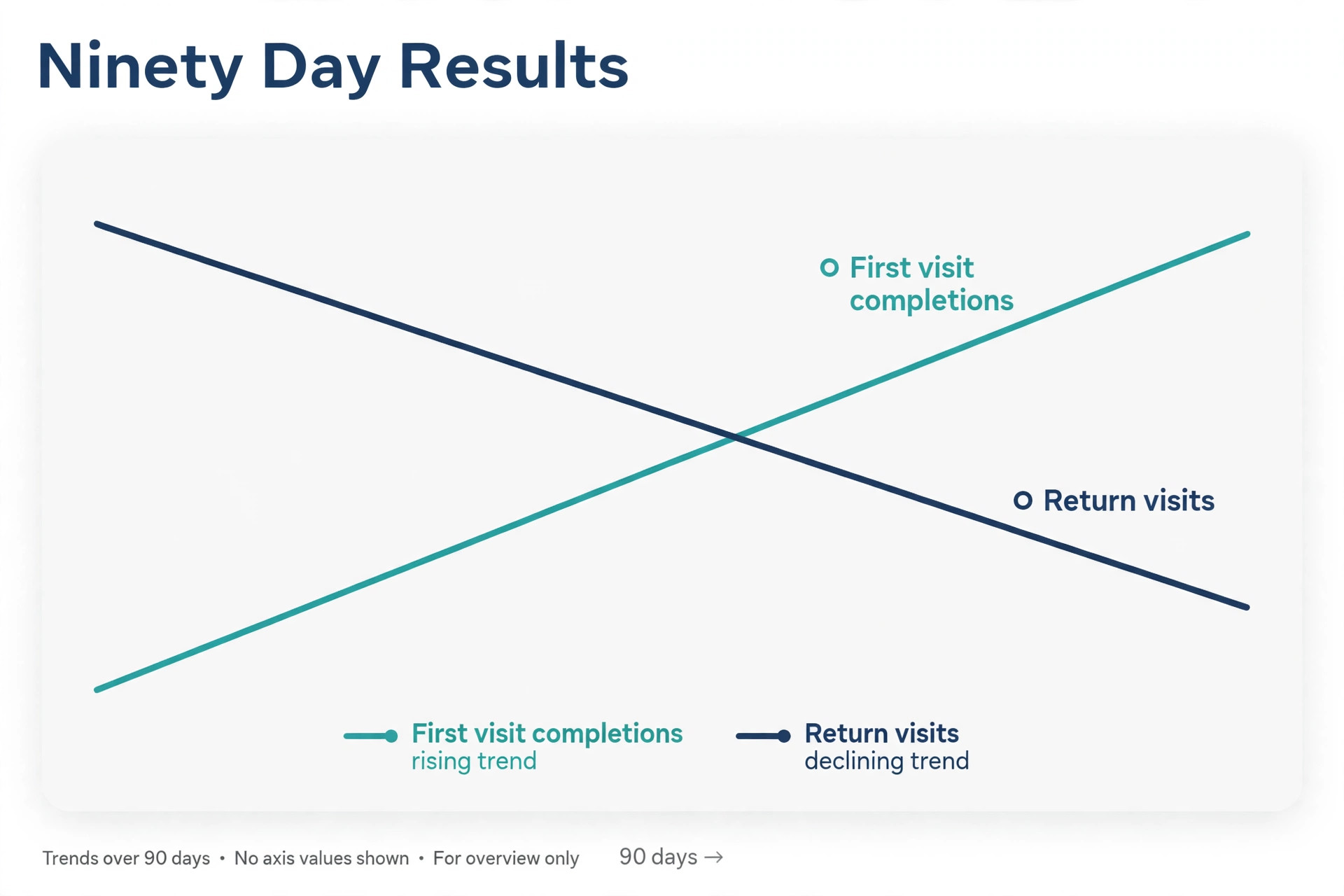
After rollout, track the same four numbers weekly, plus two more. Track dispatcher overrides, meaning how often a human changed the suggested technician or route, because a falling override rate shows growing trust in sound rules, while a rising rate shows rules that need fixing. Track return visits by reason code, because a fall in wrong part returns shows parts lookup is working, while a fall in wrong diagnosis returns shows triage and matching are working. A business that only tracks job count will miss the quality change, since more jobs done badly is not progress.
Set targets that fit the starting point. A shop with a high return visit rate should aim to cut wrong part returns first, because every avoided second visit frees a slot for a paying job. A shop with good completion but long driving days should focus on route density and area grouping. A shop with strong completion but frequent no access jobs should focus on confirmation messages and arrival texts. One priority at a time beats five targets chased at once, because the team can see which change caused which result.
A Thirty Day Rollout Checklist
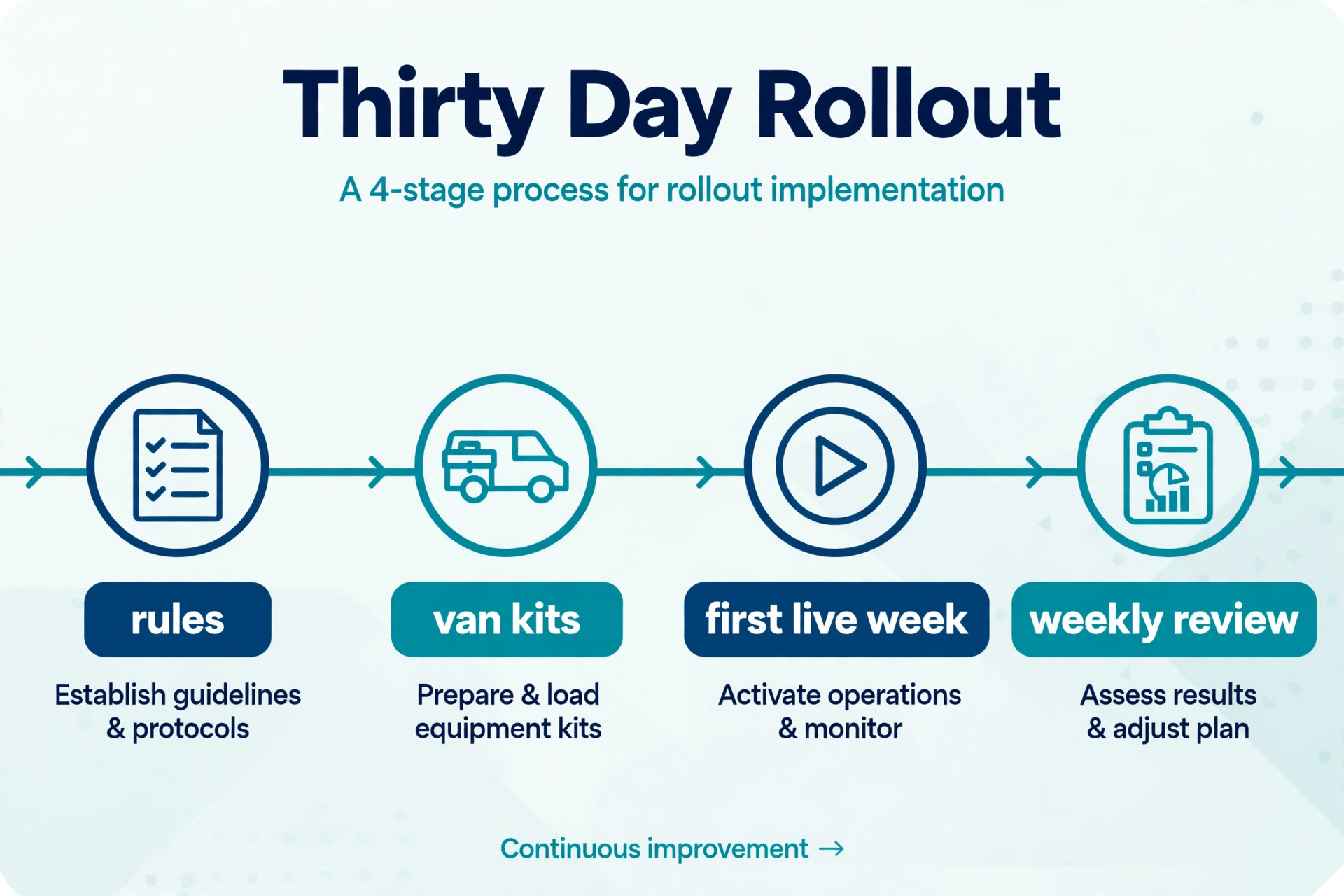
Use this checklist to roll out the workflow without breaking the week.
1. Write urgency rules for emergency, same day, next day and scheduled work, and test them on real calls for two weeks. 2. Clean job categories and model records so the system learns from clear history, not vague labels. 3. Set standard van kits for the most common appliance types and a restock prompt at job close. 4. Build the triage photo request into the booking message and test it on your own phone. 5. Run suggested technicians and routes as recommendations for one week, with a dispatcher confirming every change. 6. Protect one buffer slot per area per day for emergencies, and track how often it gets used. 7. Set the five photo completion standard and review photo sets in the weekly team meeting. 8. Review first visit completion, no access jobs and dispatcher overrides every week, and fix the top recurring cause.
That checklist is deliberately short. A longer rollout plan looks impressive and gets ignored. Eight steps, done properly, change dispatch more than a fifty page manual that nobody reads.
The Verdict for Owners Who Want Fewer Return Visits
The best version of this workflow treats software as a disciplined assistant, not as a replacement dispatcher. Let it answer after hours calls, write clean job notes, suggest likely parts and a qualified technician, order the route and keep customers informed with timely texts. Keep people on gas jobs, refrigerant leaks, flooding, disputes and every decision where the note is thin or the stakes are high. That split gives a small team the coverage of a larger office without losing the judgment customers pay for. Owners who use AI for appliance repair dispatch well keep that split deliberate, not accidental.
Start small, with triage and parts lookup, then add matching and routing once the data is clean. Choose the platform that fits the team you have, with room to grow, and judge it on messy days rather than demo days. Measure first visit completion, on time arrival, no access and jobs per day, and fix the worst number first. Done that way, the workflow pays for itself in fewer return visits, fewer missed calls and calmer days for everyone, from the office phone to the kitchen floor.
Frequently Asked Questions
Do I need new software to start with better appliance dispatch?
No. Start by adding one helper, such as AI phone answering or a structured triage form, to the system you already use, and keep the rest of the workflow unchanged. Most field service tools already include some AI features, and a paper diary can still gain from photo based triage and automated messages. Replace the whole system only when a clear gap remains after the first helper proves itself.
Will parts prediction send a technician with the wrong parts?
It can, because a customer description alone rarely settles the fault, which is why the prediction should be treated as a shortlist to verify against van stock. Ask for a model plate photo at booking, check the van kit before the route leaves, and keep a supplier pickup plan for the jobs where the shortlist is wrong. Track wrong part returns by reason code so you can see whether prediction is improving or not.
How do I handle gas appliance calls safely?
Route any smell of gas to the gas utility and emergency services first, before any repair booking, and make that rule visible to everyone who answers the phone. For other gas appliance work, use certification as a hard filter in technician matching, so only qualified technicians can be assigned. Keep a human check on every gas job, even after the system looks reliable, because the stakes leave no room for a confident guess.
What should I measure in the first month?
Track first visit completion rate, return visits by reason, average drive time between jobs, and no access jobs, and compare them with the month before the new workflow began. Also track how often dispatchers change the suggested technician, since frequent changes mean the matching rules need work. Small steady gains across all four measures beat one dramatic number that later fades.
Can a solo technician benefit from this workflow?
Yes, because even one van wastes hours on crossed routes, wrong parts and missed access when the day is planned from memory. Route ordering, parts shortlists, model plate photos and arrival texts pay off at any size, and the cost is usually one tool subscription rather than new staff. Start with triage and messaging, which show results within weeks, and add matching help next.
How long does a full rollout take?
A basic rollout fits inside thirty days if the urgency rules, van kits and photo standard are written first and the team reviews results weekly. Data cleanup can extend that timetable, especially for shops with years of vague job titles, so do not promise a finish date before the records have been checked. A slower rollout that the team actually follows beats a fast rollout that gets abandoned in week three.
More Reading on Stratilyze
– Use AI for Plumbing Company Dispatch – Use AI for Pest Control Route Scheduling – Best Quote Software for Trades Businesses – Best Field Service Management Software for Electricians – Automate Small Business with AI