
Here is a number worth pausing on for any owner who wants to use AI for barbershop waitlist management. One walk-in queue vendor reports that only about 2 percent of walk-ins no-showed across 879 walk-in visits at eighteen barbershops in May 2026, a figure that would sound like fantasy to any shop still running a paper sign in sheet on a Saturday. The same vendor case pages describe shops handling thousands of walk-ins across a few months with only a handful of no-shows, which suggests the gap is not about luck or loyalty.
It is about a queue customers can see, a wait time they can trust, and a message that tells them when to come back. That is the whole case for software in a barbershop, and it is why owners use AI for barbershop waitlist management instead of shouting names across a crowded room.
The problem it solves is familiar to every shop. A Saturday morning line forms before opening, the front chair finishes a cut early, a regular walks in asking for one barber while three others wait for anyone, and a customer who left for coffee misses a turn nobody recorded. Chairs sit empty for ten minutes at a time, not because demand is low, but because the queue lives in someone’s head and nobody can see it clearly. A digital waitlist fixes that by making the line visible to customers, barbers, and the owner at the same time, on phones and on a shop screen.
The honest limit comes first, because it shapes every later choice. Software cannot cut hair faster, calm a customer who waited too long, or make a barber popular who is not. What it can do is stop a chair sitting empty while a willing customer waits nearby, stop a customer being quoted a wait that ignores a barber finishing at five, and stop a cancellation turning into a dead hour. A shop that buys it to protect chair time will see the difference within weeks.
How to Use AI for Barbershop Waitlist Management Day to Day
Waitlist management in a barbershop answers six questions in order. Who is waiting, and for what service. Which barber should take them, and in what order. How long will they really wait, based on real cut times rather than guesses. How will they know when to come back, without hovering by the door. What happens when someone does not show, cancels, or runs late. And which chairs earned their hours today, and which did not. Tools that help you use AI for barbershop waitlist management slot into each question, but they work best as one connected queue rather than a separate app for bookings, walk-ins, and messages.
Most shops start from one of three places. Some still run a paper sheet or a whiteboard, which works until Saturday proves otherwise. Some use a booking app such as Booksy or Squire for appointments, while walk-ins still join a separate paper line, which creates two queues that nobody can reconcile. Some already run a queue tool such as ScanQueue, FirstInQ, or WaitLessQ, and want the newer automated features layered on top. The workflow in this guide fits all three, because the steps stay the same even when the software changes. What changes is how much shouting, guessing, and retyping a human has to do.
Think of the system as three helpers, not one brain. The first helper orders, which covers check-in, barber matching, and wait estimates. The second helper talks, which covers welcome texts, almost your turn alerts, and spot released messages. The third helper fills, which covers no-show timers, backfill offers, and review requests after the cut. When you evaluate a tool, ask which helper it actually delivers well, because a vendor demo may show all three while the shop only ever uses one of them properly.
The Saturday test matters more than any feature list. Can a walk-in join by scanning a code at the door in under a minute, without downloading an app or creating an account. Can each barber see only their own line, with the next customer clear. Can the owner pause the line during a break, move a regular to the front for a good reason, and restore a customer removed by mistake. If those tasks are easy, the tool will survive the busiest day of the week. If they are clumsy, the paper sheet will come back within a month.
The Walk-In Queue Customers Can See and Trust
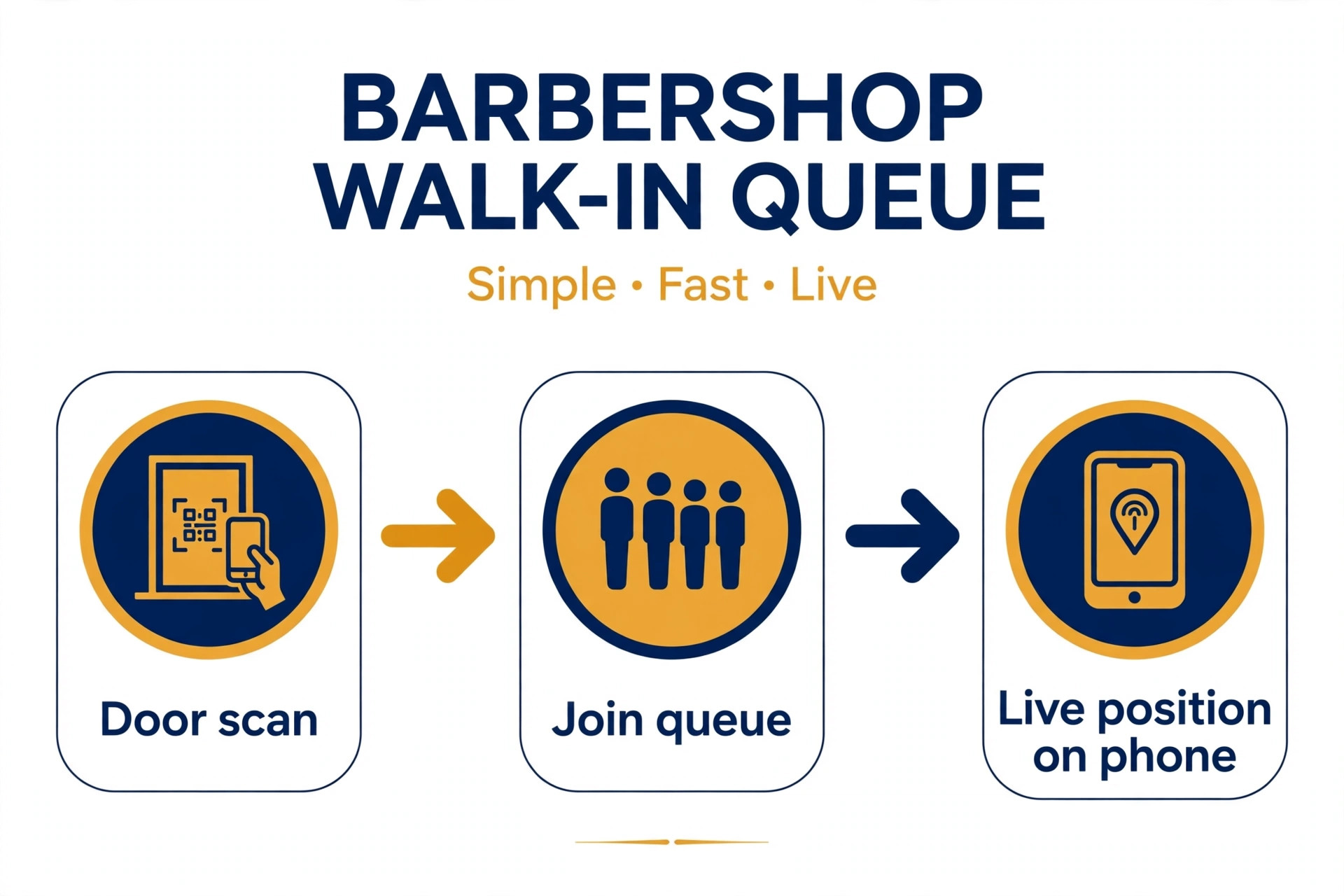
A walk-in queue only works if customers believe it. A paper sheet fails that test because a customer cannot see their position once they leave the shop, cannot tell whether the wait is twenty minutes or ninety, and cannot prove they were ever in line. When you use AI for barbershop waitlist management, a digital queue fixes all three at once. Customers join by scanning a code or through a kiosk tablet, pick a service and a preferred barber or next available, and see their live position and estimated wait on their own phone. Published descriptions of queue tools describe exactly this flow, with no app download needed, and a join that takes about fifteen seconds.
Check-in design deserves care, because it sets the tone for the whole visit. Put the code or tablet where customers naturally stop, at the door rather than behind the counter, and keep the form short, with name, service, barber choice, and phone number for messages. Families need special handling, since a parent arriving with three children is not one customer, and treating them as one is how a queue quietly lies to everyone behind them. Good tools let one join hold several linked places, so the family stays together in the running order while the wait times stay honest.
Separate queues by service where it helps, because a beard trim and a full cut do not take the same time, and a kids cut has its own rhythm. A shop that runs one blended line will quote waits that are wrong for half the customers in it. Keep the lines visible on one shop screen, so customers in the room can see progress without asking, and let barbers see their own line separately, so each barber works their own next customer without confusion.
Queue rules need writing down before Saturday, not during it. Decide who can join remotely and from how far away, since a customer joining from across town and vanishing is a known problem. Decide how long a called customer has to return before the spot is released. Decide whether regulars can be moved to the front, and by whom, because an unwritten favour system breeds resentment among waiting customers. Write the rules where staff can see them, apply them the same way for everyone, and let the system enforce the timers.
Barber Matching That Respects Skill, Speed, and Preference
Barber matching is the step where a queue becomes a service, because customers do not just want any chair. They want their barber, or a barber good at their cut, or simply the next chair free. A good system holds all three options at once. A customer picks a named barber and joins that barber’s line. A customer picks next available and joins the shortest sensible line. A customer picks a service, and the system shows only barbers who do that service, with realistic waits for each.
When you use AI for barbershop waitlist management, wait estimates must come from real service times, not from a flat guess. Published queue tool descriptions stress estimates built from the shop’s real cut times, and warn against quoting a wait that assumes a barber finishing at five is still cutting at six. Each barber should have service durations set from actual history, with room for the fact that a skin fade takes longer than a tidy up. When a barber runs long, the estimate for everyone behind them should move, and the system should say so, because a wait that updates honestly keeps more customers than a wait that stays falsely short.
Skill and preference data should be handled with care. A barber who specialises in fades, a barber who is best with kids, a barber who takes longer but keeps regulars loyal, all of that belongs in the record, but it should be used to guide matching, not to rank barbers publicly. Customers see wait times and availability, not internal performance scores. Review matching weekly with the team, looking at which barbers carry long lines while others sit empty, since a persistent imbalance usually means a service duration, a price, or a booking setting is wrong, not that one barber is lazy.

Wait Time Texts That Let Customers Wait Anywhere
Wait time texts are the feature customers remember, because they change what waiting feels like. A customer who can wait in a nearby cafe, run an errand, or sit in the car, and still know when to return, experiences a thirty minute wait as freedom. A customer trapped in a crowded shop watching the door experiences the same thirty minutes as a complaint. The message sequence should therefore be short, timed to reality, and useful at each step.
When you use AI for barbershop waitlist management, a sequence that works for most shops has four messages. A welcome message on joining, with the ticket link and the estimated wait. An almost your turn alert, sent a set number of minutes before the chair frees up, so the customer can walk back in time. A you are up message when the barber calls them, naming the chair. And a cancelled or spot released message if they are removed or marked as a no-show, so nobody returns to a surprise. Published queue tool descriptions list exactly these message types, sent by SMS, WhatsApp, or push, with wording the shop can set itself.
Timing the almost your turn alert is the detail that decides whether the system works. Too early, and customers return to a shop with nowhere to sit. Too late, and the chair sits empty while the customer hurries back. Base the alert on the barber’s real pace and the distance customers usually wait away, then adjust it after two Saturdays of watching what actually happens. A shop near cafes can alert earlier than a shop where customers wait in cars in a large car park.
Message wording should stay plain and shop branded. Customers do not need clever language. They need their position, the wait, the chair, and what to do if they are running late. Give customers running late, I am here, and on my way buttons where the tool supports them, because those small signals let barbers hold a spot for a customer who is genuinely close, while releasing a spot for a customer who has vanished. The difference between those two cases is the difference between a full chair and an empty one.

No-Show Backfill That Fills Chairs in Minutes
No-show backfill is where a queue system pays for itself, because an empty chair during a busy shift is lost revenue that cannot be recovered later. The pattern is familiar. A booked customer cancels at short notice, or a walk-in joins and vanishes, and the chair sits empty while the barber waits and the owner discovers the gap too late. A backfill system fixes that by acting the moment the gap appears, not at the end of the day when the loss is already certain.
The mechanics are simple and worth setting carefully. When a slot opens, the system texts the waitlist or a short list of customers who asked for an earlier cut, and the first customer to reply claims it. Published descriptions of free waitlist tools describe exactly this flow, with the first client to reply locking in the slot and no phone tag. Set a reply window that fits the gap, such as fifteen minutes for a chair opening now and longer for a slot tomorrow, and let the offer move to the next customer automatically when the window passes.
No-show timers keep the walk-in line honest too. Set a timer for how long a called customer has to return, and let the system mark them as a no-show automatically when it runs out, calling the next customer at the same time so the chair never sits empty waiting for a decision. Keep no-shows on a holding list rather than deleting them, so a customer who wanders back ten minutes later can be put straight back in without retyping anything. That grace matters, because a customer treated fairly after a genuine delay comes back, while a customer deleted without trace does not.
Repeat no-shows need a rule, not a grudge. Some tools let a shop require prepayment only for customers with a no-show history, or block repeat no-shows from booking, while keeping normal booking open for everyone else. Write that rule down, apply it consistently, and tell affected customers plainly what changed and why. A rule applied to everyone feels fair. A rule applied to one customer after a bad day feels personal, and personal rules damage a shop reputation fast.

Best Pick by Job for Barbershop Waitlist Tools
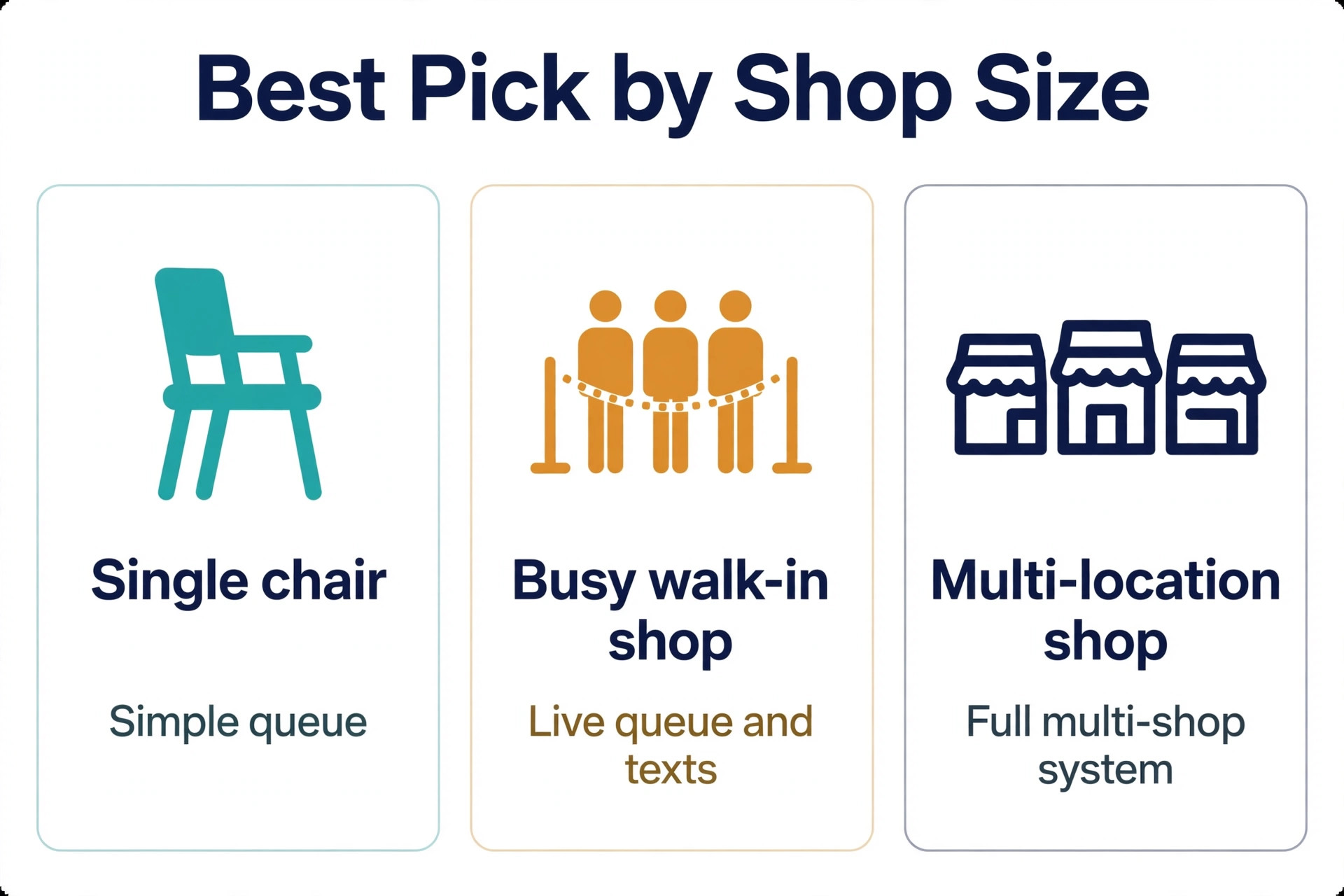
No single tool fits every barbershop, because a single chair shop and a twelve chair shop buy different things even when the feature lists look similar. The table below sorts the main approaches by the job they do best, based on how vendors position them and how reviewers describe their fit.
| Shop shape | Best fit approach | Why it fits |
|---|---|---|
| Single chair or two chair shop | Free or low cost queue app | QR check-in, texts, and a live queue without a heavy system |
| Busy walk-in shop with Saturdays that surge | Dedicated queue platform with TV board and kiosk | Separate barber lines, honest waits, and a visible shop screen |
| Shop mixing bookings and walk-ins | Booking plus queue in one timeline | Appointments and walk-ins share one line, so no double booking |
| Multi location shop or growing chain | Platform with multi location dashboards | One account across shops, with per shop settings and owner oversight |
Read that table as a starting point, not a verdict. A single chair shop that plans to grow to six chairs may be better starting on the dedicated queue platform, even if it feels heavy at first, because migrating queue history and customer records mid growth is painful. A large shop that values speed over depth may prefer the simpler tool and accept manual workarounds for reporting. Demo each option with your own messy cases, including a family of three joining at once, a barber finishing early, and a no-show at peak time, and judge the tool on those days.
Pricing also separates these tools in ways a feature list hides. One queue vendor prices by the chair, at fifteen dollars a chair a month for the first five chairs, ten dollars for the next five, and five dollars beyond that, with a monthly text allowance per chair.
Another lists a free starter plan for a small number of monthly joins, with paid plans around forty nine and ninety nine dollars a month for larger volumes and booking features. Treat any third party price as a starting point and check the vendor page before signing, because text allowances, join limits, and per chair pricing change, and the price for one chair and the price for twelve are different products in practice.
Costs and Trade Offs Worth Pricing Before You Commit
The cost of barbershop queue software is not one subscription. It is the platform fee, any text messaging cost beyond the included allowance, the time to set barber service durations and queue rules, and the staff hours spent checking the queue in the early weeks. Shops already paying for a booking app may add queue features for a smaller increment. Shops moving from paper pay for the whole platform at once, plus setup, and should budget for a slower first Saturday while customers learn the code at the door.
The trade offs are real and worth naming plainly. A dedicated queue platform brings honest waits and backfill, but it also brings a monthly cost that rises with chairs or joins, and a setup that needs real service durations to work. A free queue app gets a small shop running in days, but it may limit monthly joins or texts, which matters exactly when Saturdays surge.
A booking plus queue tool removes the two queue problem, but it may be weaker on pure walk-in features than a dedicated queue tool. None of these trade offs is a reason to avoid the tools. Each is a reason to match the tool to the shop size you have now, with a clear path to the size you plan to reach.
Text costs deserve a separate line in the budget, because they are easy to miss. A shop that sends four messages per customer across hundreds of visits can burn through a monthly allowance fast, especially if customers join by SMS rather than free push alerts. Check how many texts are included per chair or per plan, what extra texts cost, and whether push alerts or WhatsApp messages can carry part of the load. Model the cost on a busy Saturday month, not an average month, since that is when the system earns its keep and when the bill peaks.
Mistakes That Undo a Good Queue
The most common mistake is automating guessed wait times. If service durations are guessed today, an automated estimate will quote guessed waits faster and with more confidence. If barber lines are not separated today, a digital queue that blends everyone will confuse customers in a new way. Fix the data first, with real service durations per barber, separate lines where services differ, and queue rules written down, then let software apply those rules. Software scales whatever you feed it, good or bad.
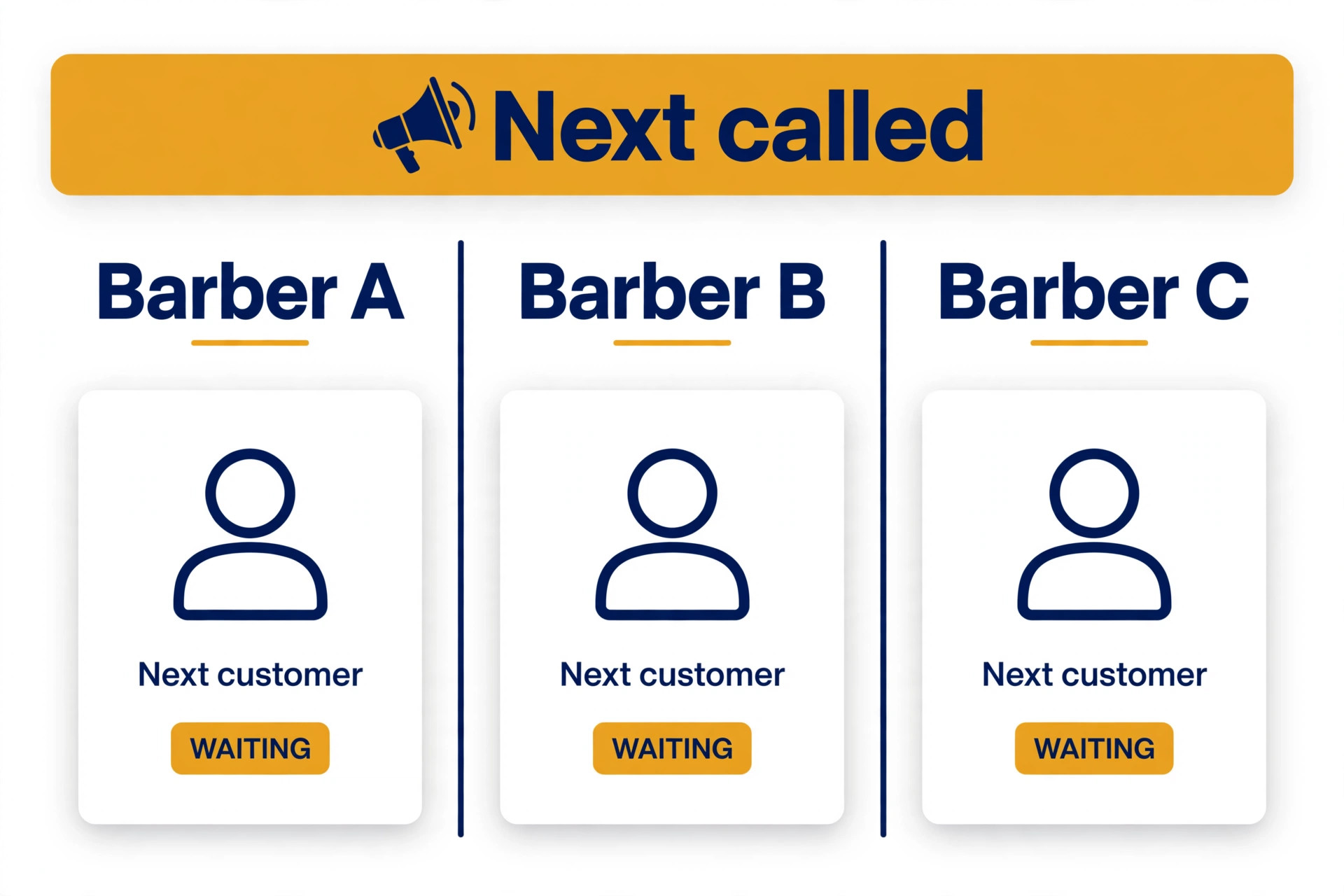
The second mistake is hiding the queue from customers who are already in the shop. A system that only lives on phones leaves waiting customers in the room with no sense of progress, and they ask barbers, which slows cutting. Put the queue on a TV or a laptop screen in the shop, with a column per barber where the tool supports it, and announce the next customer out loud where that fits the shop style. A visible queue calms a room in a way no app alone can.
The third mistake is letting the system message customers without oversight in the early weeks. A wrong wait estimate sent automatically at scale reaches every waiting customer before anyone notices. For the first month, watch the queue on Saturdays yourself, check estimates against actual chair times, and fix the durations before removing the check. Speed without accuracy is worse than a slower manual estimate that turns out right.
The fourth mistake is ignoring barber feedback. Barbers know which service durations are wrong, which customers always run long, and which queue settings create awkward gaps. If they stop reporting those problems because nobody acts on them, the system keeps making the same errors with confidence. Hold a short review after the first two Saturdays, fix the top three recurring complaints, and tell the team what changed. That loop is what turns a generic tool into a queue shaped for one shop.
Barbershop Waitlist Checklist for the First Thirty Days
Use this checklist to roll out a plan to use AI for barbershop waitlist management without breaking a Saturday.
1. Set real service durations per barber from actual cut history, not from guesses. 2. Put the join code or kiosk tablet at the door, and test joining on a phone in under a minute. 3. Write queue rules for remote joins, return timers, regular moves, and repeat no-shows. 4. Set the message sequence, with welcome, almost your turn, you are up, and spot released texts. 5. Put the queue on a shop screen, with a column per barber where the tool supports it. 6. Set the backfill offer and reply window, and test it with a cancelled slot before going live. 7. Run estimates as a guide for two Saturdays, with the owner checking them against real chair times. 8. Review no-shows, backfill success, and chair idle time weekly, and fix the top recurring cause first.
That checklist is deliberately short. A longer rollout plan looks impressive and gets ignored. Eight steps, done properly, change queueing more than a fifty page manual that nobody reads.
Chair Utilisation and How to Measure It
Chair utilisation is the number that ties the whole queue together, because it shows whether chairs earned their hours or sat empty. Measure it as cutting time divided by open hours per chair, tracked weekly, alongside the no-show rate, the backfill success rate, and the average quoted wait against the actual wait. A shop with high utilisation but long quoted waits needs more chairs or longer hours. A shop with low utilisation but a busy looking room has a queue problem, not a demand problem, and the fix is usually estimates, backfill, or barber matching.
After rollout, track the same numbers weekly, plus two more. Track walk-in to regular conversion, meaning first time walk-ins who return within two months, because a fair queue turns visitors into regulars. Track review requests sent and reviews received after cuts, since a smooth queue visit is the moment customers are most willing to leave a review. A shop that only tracks cuts per day will miss the quality change, since more cuts done with angry waits is not progress.

Set targets that fit the starting point. A shop with a high no-show rate should aim to cut it first, because every avoided empty chair is a paying cut. A shop with good attendance but long idle gaps should focus on backfill speed and return timers. A shop with strong utilisation but weak conversion should focus on the post cut follow up and the memory of which barber a customer chose. One priority at a time beats five targets chased at once, because the team can see which change caused which result.
Review the numbers with barbers, not just in the office. A queue that looks efficient on a screen may ignore the fact that one barber needs longer for certain cuts, or that a shop layout makes a TV screen hard to see from the waiting area. When a number improves, say which workflow change likely caused it, so the team keeps doing that thing. When a number worsens, treat it as a rule to fix, not a person to blame, because queue improvement is a system problem before it is a people problem.
The Barbershop Queue Verdict for Owners Ready to Change
The best way to use AI for barbershop waitlist management is to treat software as a disciplined front of house, not a replacement for cutting skill or shop character. Let it take check-ins, match barbers, quote honest waits, text customers at the right moments, and fill chairs the minute they open. Keep people on the cut itself, the difficult customer, the regular who needs a favour, and every decision where the record is thin or the stakes are high. That split gives a small shop the calm of a larger operation without losing the room feel customers came for.
Start small, with check-in and wait texts, then add backfill and reporting once service durations are real. Choose the platform that fits the shop you have, with room to grow, and judge it on a surge Saturday rather than a demo day. Measure utilisation, no-shows, backfill success, and quoted against actual waits, and fix the worst number first. Done that way, chairs stop sitting empty while willing customers wait nearby, which is the simplest profit a barbershop can win.
Frequently Asked Questions
Do walk-in customers need to download an app to join the queue?
No, in most queue tools they do not. Customers scan a code at the door with their phone camera, enter a name, pick a service and a barber or next available, and join, with no app download and no account. A kiosk tablet by the door covers customers without a phone or with a low battery. Keep the join form short, since a join that takes a minute works on a busy Saturday and a join that takes five minutes does not.
What happens when a customer does not return when called?
A no-show timer should mark them automatically once the return window passes, and call the next customer at the same time so the chair never sits empty waiting for a decision. Keep the no-show on a holding list rather than deleting them, so a customer who returns ten minutes later can be put straight back in without retyping anything. Tell customers the return window when they join, so the rule feels fair when it applies.
Yes, where the tool supports it, because two separate queues create double bookings and arguments about who was first. Appointments and walk-ins should appear on one timeline per barber, with booked customers holding their slot and walk-ins filling the gaps around them. If the current booking app cannot do this, that gap alone is a good reason to change tools.
How do I set a fair wait estimate?
Base it on real service durations per barber, not a flat guess, and update it as barbers run long or finish early. Separate queues by service where durations differ, and stop quoting a wait that assumes a barber finishing at five is still cutting at six. Watch quoted waits against actual waits for two Saturdays, fix the durations that are wrong, and only then trust the estimate without checking.
Can a queue system fill a chair when someone cancels at short notice?
Yes, if backfill is set up before it is needed. When a slot opens, the system texts a waitlist or a short list of customers who asked for an earlier cut, and the first to reply claims it, with the offer moving on automatically when the reply window passes. Set a short window for a chair opening now and a longer window for a slot tomorrow, and test the flow with a cancelled slot before relying on it live.
What should I measure in the first month?
Track chair utilisation, no-show rate, backfill success rate, and quoted wait against actual wait, and compare them with the month before the queue system began. Also track walk-in to regular conversion, since a fair queue turns visitors into regulars. Small steady gains across all four measures beat one dramatic number that later fades.
More Reading on Stratilyze
– Use AI for Plumbing Company Dispatch – Use AI for Roofing Company Estimates – Use AI for Pest Control Route Scheduling – Best Booking Software for Fitness Studios – Automate Small Business with AI