
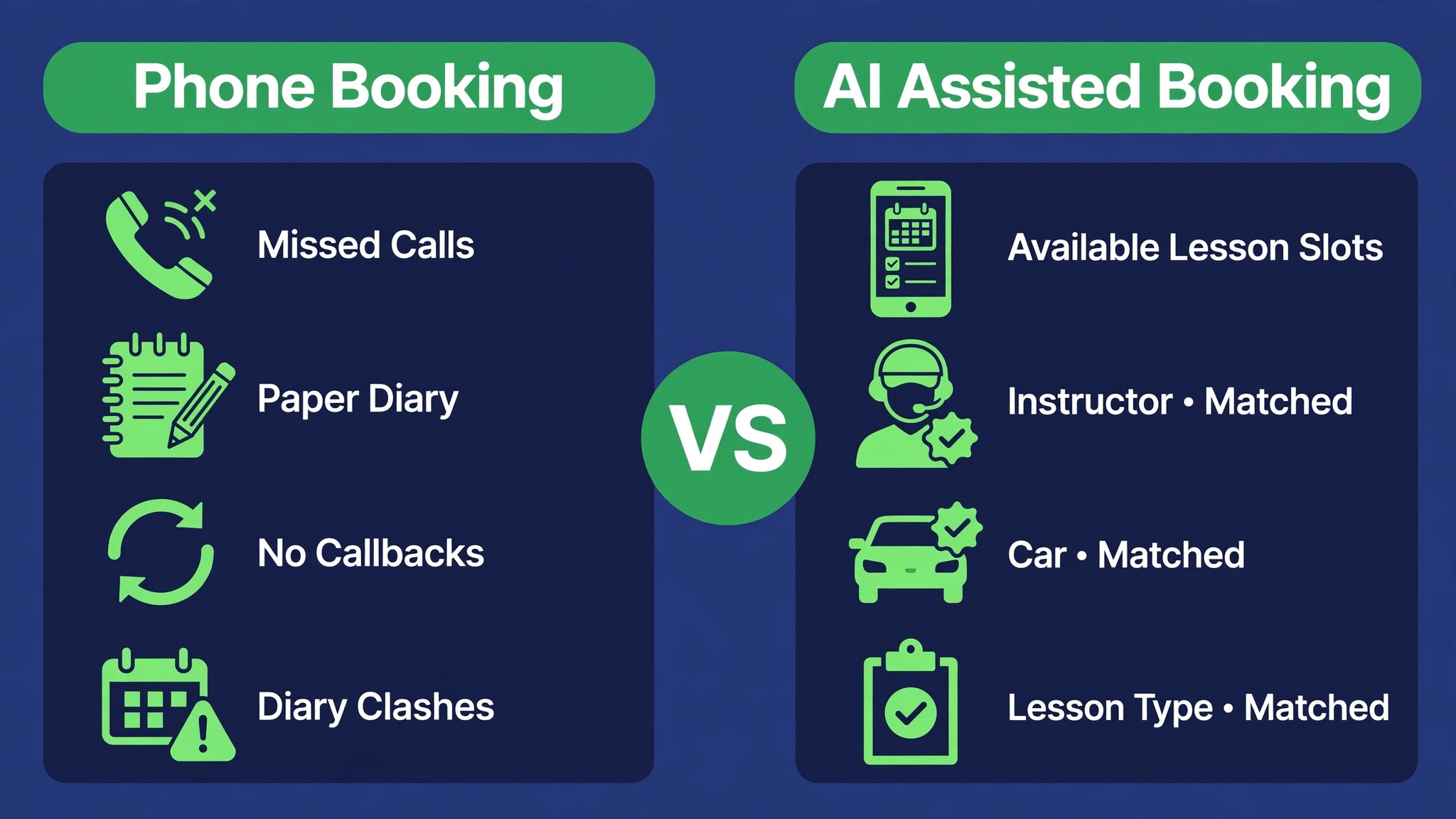
A driving school that takes bookings by phone and a driving school that lets students book online are not running the same business, even when they teach the same lessons. The phone based school loses evenings to call backs, loses mornings to no shows, and loses weekends to diary clashes that only surface when an instructor arrives at the wrong address. The online school still has those problems, but they arrive as data the owner can see and fix. The choice to use AI for driving school lesson scheduling is really a choice about which set of problems a school wants to manage, and the online set is far easier to fix.
The comparison matters because driving lessons are unusually hard to schedule by hand. Every booking ties together four moving parts at once. A student must be free, an instructor must be free, a car must be free, and the lesson type must match the student’s licence stage. A single phone call can check all four, but only for one student at a time, and only while someone is available to answer. An AI assisted booking flow checks all four in seconds, at any hour, and only shows slots that genuinely work. That difference is why small schools that switch often report fuller diaries within a month, even before they change prices or hire anyone new.
This guide explains the full workflow in plain terms. It covers the steps from first enquiry to test day, a booking checklist that stops the most common diary errors, a comparison of real booking tools, and the guardrails that keep AI from making promises a human instructor cannot keep. Prices quoted here come from vendor and comparison pages checked at writing time, and several figures are reported rather than published on the vendor’s own pricing page, so confirm the current price on the vendor page before buying.
Why Lesson Scheduling Still Runs on Phone Calls
Many driving schools still run on phone calls because the business started that way and the diary worked when the school had two instructors and twenty students. Phone booking feels personal, and for a nervous first time learner, a friendly voice on the phone can be the reason they book at all. Owners also worry that an online system will feel cold, or that older students and parents will refuse to use it. Those worries are understandable, but they confuse the first conversation with the whole booking process. A school can keep a warm human welcome and still let software handle the repeatable parts, such as checking availability, sending reminders, and taking payments.
The cost of staying phone only grows quietly. Every missed call is a potential student who books with a rival that answers online at midnight. Every diary clash costs instructor time, fuel, and goodwill, and every no show leaves a car and an instructor idle for an hour that cannot be resold. Schools rarely measure these losses because they never appear as a single bill. They appear as a diary that looks busy but produces fewer paid lessons than the hours suggest, and as instructors who spend their gaps chasing students instead of teaching. Once an owner adds up the lost hours over a month, the case to use AI for driving school lesson scheduling usually makes itself.
There is also a fairness point that owners miss. Phone booking rewards the students who call loudest and most often, while quieter students wait for a call back that never comes. An online diary with clear rules treats every student the same way. First come, first served, within the rules the school sets for licence stage, lesson type, and instructor matching. That consistency builds trust, and trust is what turns a block booking into a student who stays through to test day instead of drifting to another school after three lessons.
How to Use AI for Driving School Lesson Scheduling Without Losing the Personal Touch
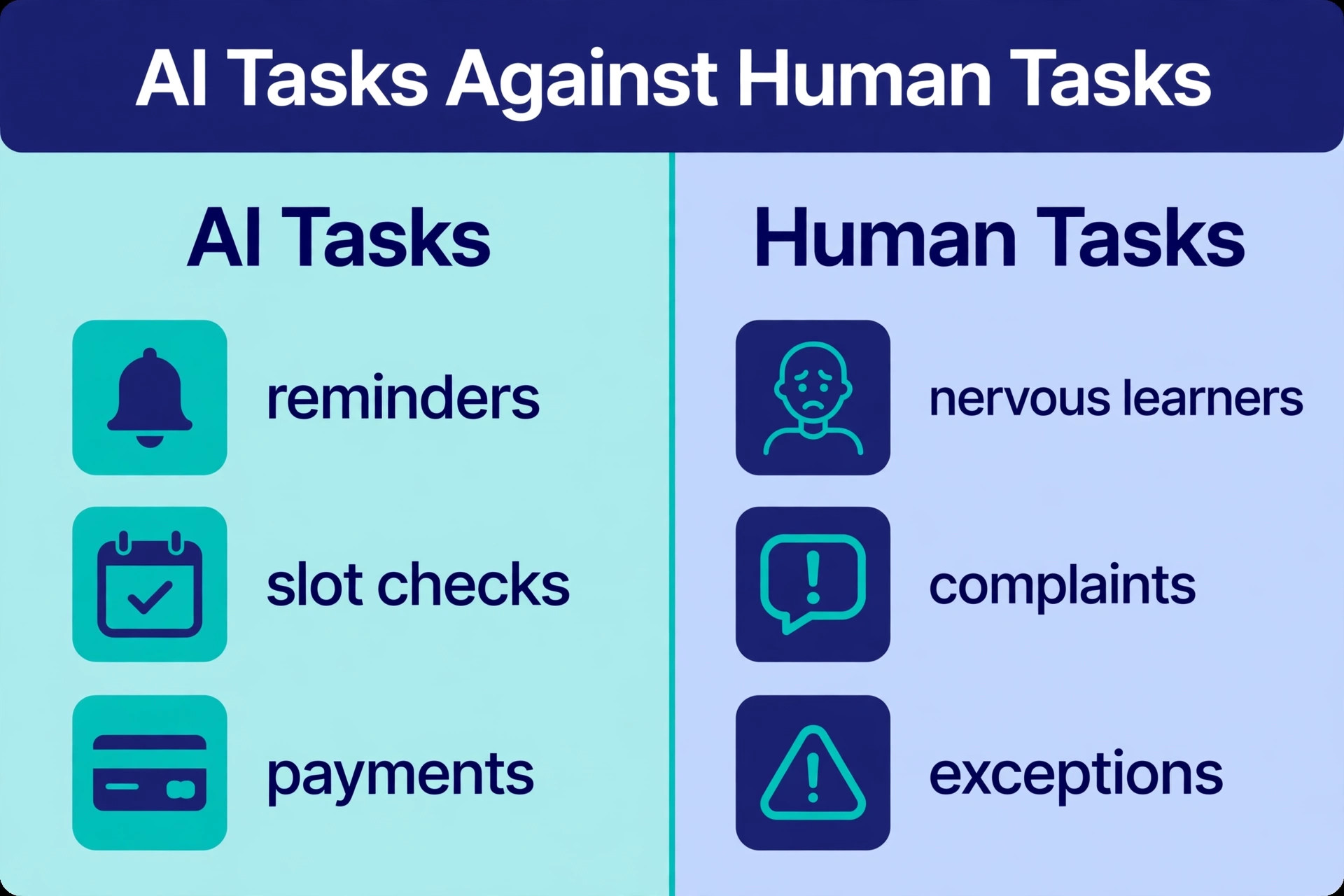
To use AI for driving school lesson scheduling well, start by deciding what the AI is allowed to decide and what stays with a human. The AI can check instructor availability, car availability, lesson duration, pickup location, and package balance, and it can offer only the slots that pass every check. It can send reminders, collect deposits, and answer common questions about lesson types and test preparation. A human should still decide instructor matching for nervous learners, handle complaints, approve exceptions such as shorter notice bookings, and review any booking that looks unusual. That split keeps the personal touch where it matters and removes it from the repetitive checks where it only adds delay.
The second decision is where students actually book. A booking page linked from the school website, social profiles, and search listing will catch students at the moment they decide. If booking requires a phone call the next morning, a share of those students will have cooled off or booked elsewhere by then. The booking page should show real availability, not a request form that promises a call back, because a request form is just a phone queue with a web address. Real availability means the student picks a slot, pays a deposit where the school requires one, and receives a confirmation at once, with the instructor and car already reserved.
The third decision is data hygiene. AI can only schedule well if the underlying data is correct, which means instructor working hours, car maintenance days, lesson durations, and pickup zones must be entered once and kept current. A school that lets instructors update availability from their phones will have a diary the AI can trust. A school that keeps instructor hours in a separate spreadsheet will get double bookings no matter how good the software is. Spend the first week getting this data right, and the system will repay that effort every week after.
From First Enquiry to Test Day in Seven Steps
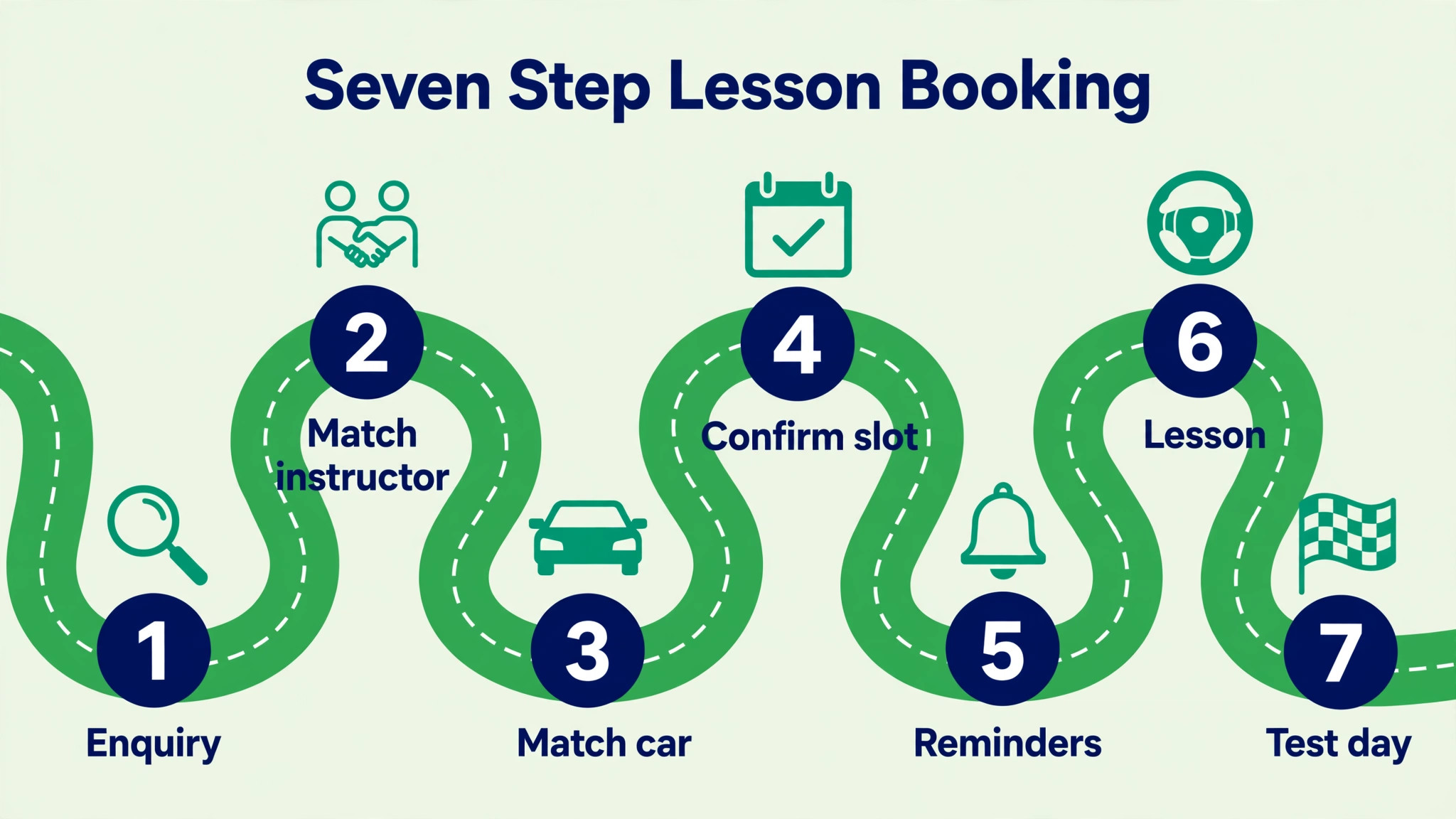
The workflow below follows one student from first contact to test day. Schools that use AI for driving school lesson scheduling follow the same seven steps, and the steps stay the same whether the school has one instructor or ten. Read it as a checklist for setting up the system, not as a rigid script, and adapt the wording to the licence rules in your region.
- Capture the enquiry in one place. Whether the student arrives by phone, web form, social message, or walk in, the details go into the same booking system at once. Name, contact details, licence stage, preferred instructor or car type, and preferred pickup area are recorded before any slot is offered. This single record stops the classic failure where a phone enquiry lives only in one person’s notebook and nobody follows it up.
- Qualify the student before offering slots. The system or the office checks licence stage, theory test status, previous lesson history, and any need for an automatic car or a particular instructor. A beginner needs a different lesson plan from a student preparing for a retest, and offering the wrong lesson type wastes both the student’s money and the instructor’s hour. Qualification also flags students who need a longer first lesson or an assessment lesson before a package is sold.
- Offer only slots that pass every constraint. The AI checks instructor availability, car availability, lesson duration, travel time between pickups, and any buffer the school sets between lessons. It then shows the student the open slots that satisfy all of them, ranked by the student’s stated preference for mornings, evenings, or weekends. No slot that fails a check is ever shown, which removes the awkward call back that starts with an apology.
- Confirm with payment and paperwork in the same step. The student picks a slot, pays the deposit or lesson fee where required, and receives a confirmation with instructor name, car type, pickup point, and lesson focus. The confirmation also carries the cancellation rule in plain language, so there is no argument later about what was agreed. Package students see their remaining lesson balance update at once, which reduces balance queries to the office.
- Remind, and let the student reschedule inside the rules. Automated reminders go out a day before and again on the morning of the lesson, by text or message, with a link to reschedule. Rescheduling inside the school’s notice window is free and automatic, and the freed slot returns to the diary for another student or for the waitlist. Rescheduling inside the notice window triggers a clear fee or loss of lesson credit, applied the same way every time.
- Run the lesson and record progress at once. The instructor marks attendance, notes the skills covered, and records the next recommended focus from the car or from a phone, before the next lesson starts. That note becomes the basis for the next booking suggestion, so the student is offered the right lesson type next time instead of a generic slot. Progress notes also let another instructor cover a lesson without starting from zero.
- Move the student toward the test with a planned sequence. When the student reaches test readiness, the system offers mock test slots, then test day car hire and instructor accompaniment where the school provides it, in the right order and with the right notice. The test date anchors the final lessons, so the diary works backward from the test instead of drifting forward lesson by lesson. After the test, the student receives a pass or fail follow up with the next step already suggested.
The Lesson Booking Checklist
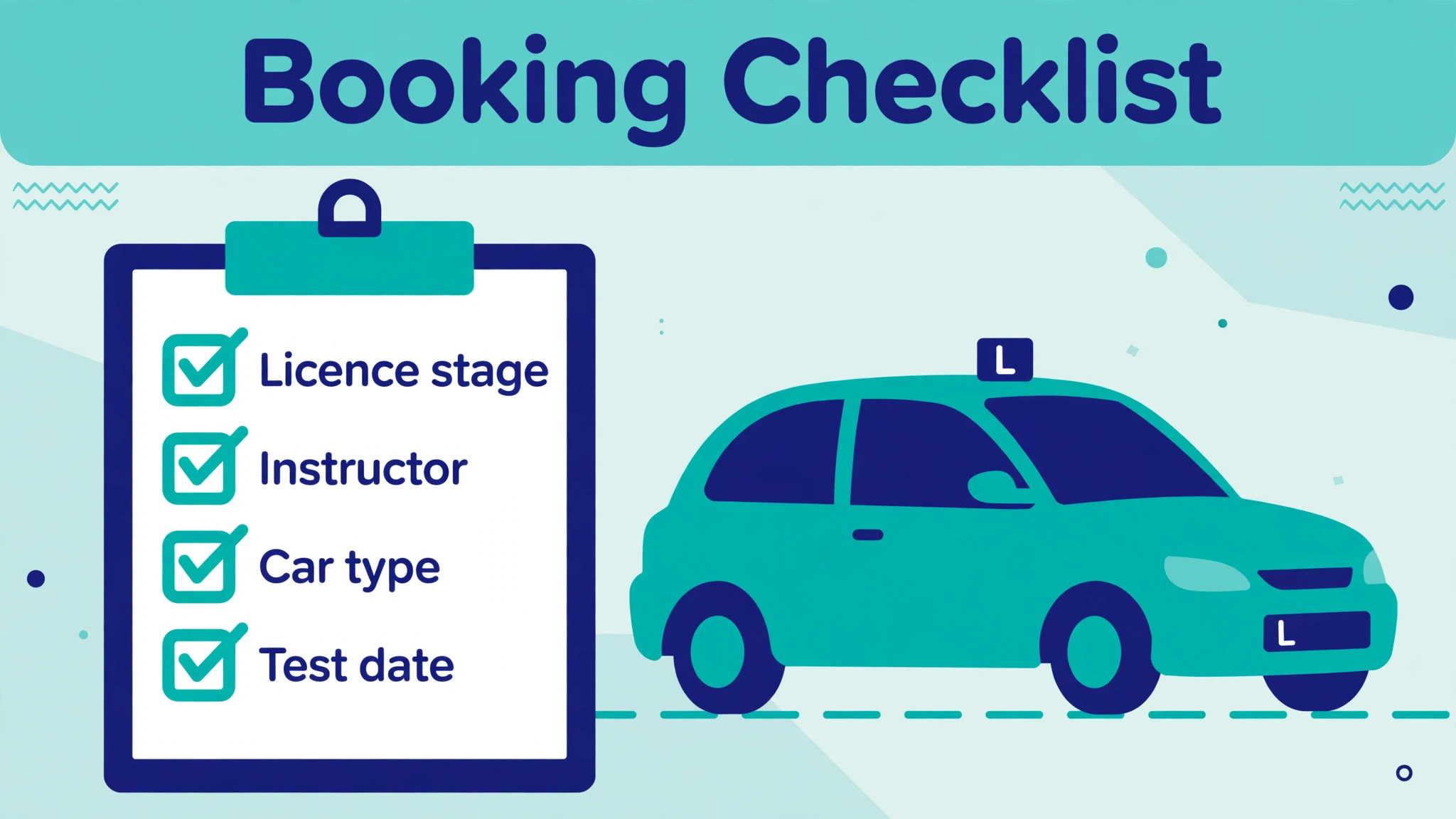
Use this checklist for every new student, and again whenever a booking changes type, instructor, or car. It catches the errors that cause most diary disputes, and it takes less than two minutes once the fields live in the booking system.
- Licence stage recorded. Learner permit, provisional licence, or full licence holder taking refresher lessons, plus any restriction that affects car type or lesson content.
- Theory test status confirmed. Passed, booked with a date, or not yet booked, because theory status changes which lessons make sense and how close test preparation should sit.
- Instructor matched and recorded. Named instructor, or a stated preference for instructor gender, language, or teaching style where the school can honour it, plus any instructor the student does not want to repeat.
- Car type confirmed. Manual or automatic, plus any need for a dual controlled car, and a note where the student will use their own car for the test.
- Lesson type and duration set. Standard lesson, assessment lesson, mock test, motorway lesson, night lesson, or refresher, with the duration in minutes that the school actually sells.
- Pickup point and drop off point agreed. Home, school, workplace, or a fixed meeting point, with any parking or access note the instructor needs.
- Test date entered where one exists. The date anchors the lesson plan, and a missing test date is the most common reason a student runs out of lessons a week before the test.
- Package balance checked before booking. Lessons remaining, expiry date, and any package rule about which lesson types the package covers.
- Cancellation rule shown to the student. Notice period in hours, the fee or credit loss for late cancellation, and the reschedule link the student should use.
- Reminder preference set. Text, email, or app message, plus a parent or guardian contact where the student is under age and the school needs one.
Run the checklist at enquiry, not at the lesson. A school that decides to use AI for driving school lesson scheduling should run this checklist before any slot is offered, because a missing pickup point discovered at enquiry costs a message to fix. The same gap discovered when the instructor is already driving costs a lesson. The checklist also protects the school, because a student who has seen the cancellation rule and the package balance has far less room to dispute a charge later.
Booking Tools Compared
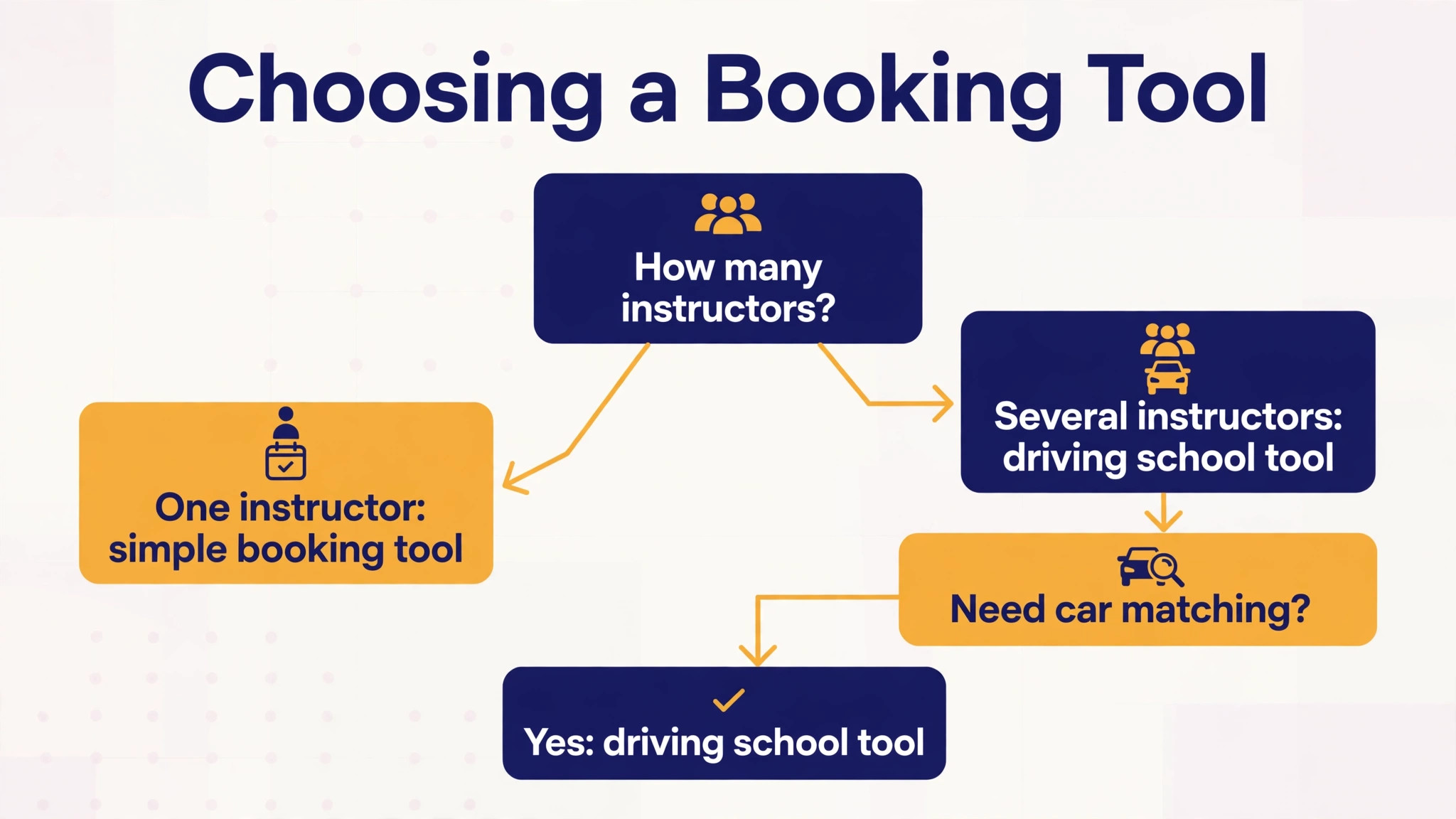
Real driving school tools differ in how much of the four way matching problem they solve. Any school planning to use AI for driving school lesson scheduling should compare tools on matching first and on price second, because a cheap tool that double books costs more than a dearer tool that does not. Some are general booking tools that handle time slots well but know nothing about cars or instructors, while others are built for driving schools and check instructor, vehicle, student, and lesson duration together.
| Tool | Built for driving schools | Four way matching | Reported starting price | Best fit |
|---|---|---|---|---|
| Bookeo | Yes | Yes | From 39.95 dollars a month | Schools selling lesson packages |
| Bizstim | Yes | Yes | 39.99 dollars a month for unlimited instructors | Schools that track mileage and wages |
| EZnet Scheduler | Yes | Yes | Confirm on the vendor page | Schools with complex multi resource diaries |
| Goldie | No, general scheduling | Partial | Confirm on the vendor page | Solo instructors who need payments |
| Reservio | No, general booking | Partial | Confirm on the vendor page | Small schools that want a booking page fast |
Bookeo suits schools that sell prepaid lesson packages, because it treats a package like a digital punch card and redeems a credit each time a lesson is booked or attended. That single feature removes a whole class of balance arguments, and its gift voucher handling helps schools sell lessons as presents. Its weakness is that it is a general class booking tool adapted to driving schools, so schools with complex pickup routing may need extra process around it. The reported starting price of 39.95 dollars a month comes from comparison listings, so confirm it on the vendor page before budgeting.
Bizstim is built specifically for driving schools, with a conflict warning that fires before an instructor or a car is double booked, plus mileage tracking and instructor wage calculations. That makes it strong for schools where instructors use their own cars and need mileage payouts, a case general tools handle badly. Its reported price of 39.99 dollars a month for unlimited instructors comes from comparison listings, so treat it as reported and confirm it on the vendor page. A free plan for a single instructor is also reported, which makes it worth a look for a solo instructor testing online booking.
EZnet Scheduler is built around what it calls four way scheduling, meaning it coordinates instructor availability, vehicle availability, student preference, and lesson duration on every booking. That is exactly the driving school problem, and it is the strongest fit for a school with several instructors and cars where clashes are frequent. The trade off is setup effort, because four way rules need clean data on hours, cars, and pickup zones before the system can be trusted. Pricing is not stated in the material reviewed here, so confirm it on the vendor page.
Goldie and Reservio are general scheduling tools that many solo instructors use because they are simple to set up and they handle payments and reminders well. Their weakness for driving schools is the missing car and instructor matching layer, so a school that grows past one instructor will eventually outgrow them or work around them with manual checks. Use them as a starting point, not as a long term diary for a multi instructor school, and move to a driving school tool when double bookings start appearing.
Where AI Helps and Where a Human Must Step In
AI is excellent at the parts of scheduling that are rules based and repeatable. It never forgets a reminder, never offers a slot that clashes, and never gets tired at midnight when a student finally decides to book. It can also spot patterns a busy owner misses, such as a particular weekday that always fills late, a student who cancels every Friday, or an instructor whose diary has a recurring gap that a package student could fill. Those insights only help if someone reads them and acts, so build a weekly ten minute diary review into the routine and treat it as part of the job, not as optional admin.
AI is poor at the parts of scheduling that need judgment, empathy, or local knowledge. It cannot tell that a nervous student needs a patient instructor rather than the next free one, that a particular pickup point is unsafe after dark, or that a student who just failed a test needs a supportive call before another booking. It also cannot handle a genuinely unusual request, such as a lesson timed around a hospital appointment, without a human shaping the answer. Schools that let AI answer every message eventually sound cold, and cold is fatal in a business where students choose their instructor on trust.
The practical rule is simple. Let AI propose, and let humans dispose. The AI proposes slots, sends reminders, and drafts replies, and a human approves exceptions, handles complaints, and makes the matching decisions that affect confidence. Write that rule down, share it with instructors, and review any case where the AI decision was overturned, because overturns reveal either a bad rule or a gap in the data. Over time the rules get better, the overturns get rarer, and the school keeps the human feel that brought students in the first place.
Packages, Payments and Cancellations
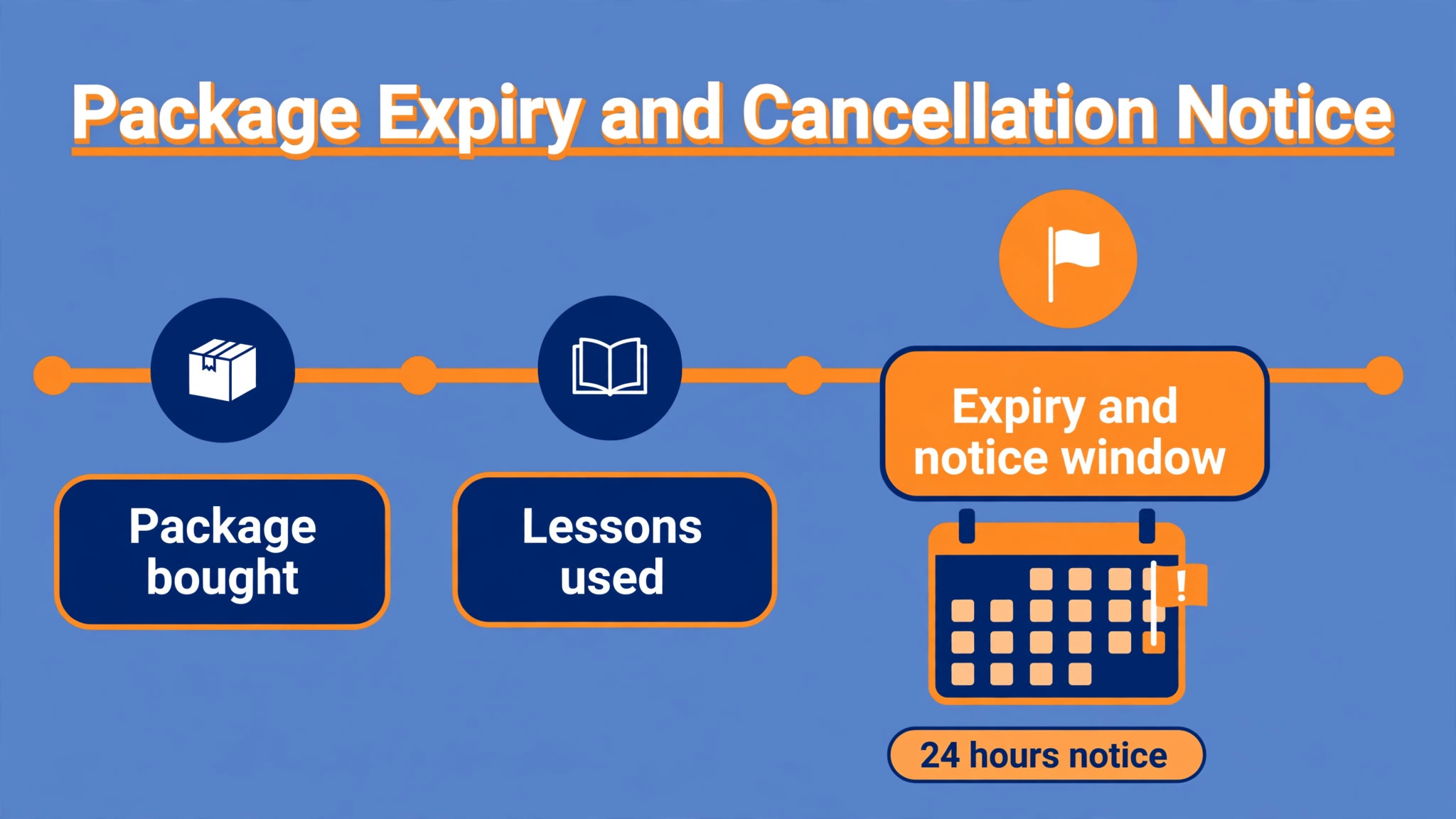
Packages are where driving school scheduling either makes money or leaks it. A package sold without an expiry date, without a lesson type rule, and without a cancellation rule will be used in the way that suits the student and costs the school the most. A package with a clear expiry, a clear statement of which lesson types it covers, and a clear cancellation rule is easier to sell, because the student knows exactly what they are buying. AI helps here by tracking balances automatically and by refusing a booking that would break a package rule, instead of leaving the argument for the office to have later.
Payments should be taken at booking wherever the school can manage it, even if only as a deposit. Schools that use AI for driving school lesson scheduling usually collect the deposit inside the booking step, and a deposit changes student behaviour more than any reminder.
A student who has paid is far more likely to attend or to reschedule inside the window. The booking system should handle card payments, show receipts, and update the package balance in the same step, so the office never has to reconcile a payment against a diary entry by hand. Schools that still take cash on the day should at least record the payment in the system at once, or the diary and the accounts will drift apart within a week.
Cancellations need one written rule, applied the same way to every student, with the AI enforcing it. A common pattern is free rescheduling with at least 24 hours notice, a lost lesson credit or a fee for shorter notice, and a no show treated the same as a late cancellation. The exact notice period matters less than consistency, because students accept a rule they can see in advance and resent a rule that appears only when they break it. Publish the rule on the booking page, repeat it in the confirmation, and let the system apply it, so no instructor has to negotiate it at the roadside.
Four Numbers That Show Whether Scheduling Improved
A school does not need a dashboard full of charts to know whether the new system works. Four numbers, checked weekly, tell the story, and they can be tracked in a simple table or in the booking tool’s own reports.
| Measure | What good looks like | Where it comes from |
|---|---|---|
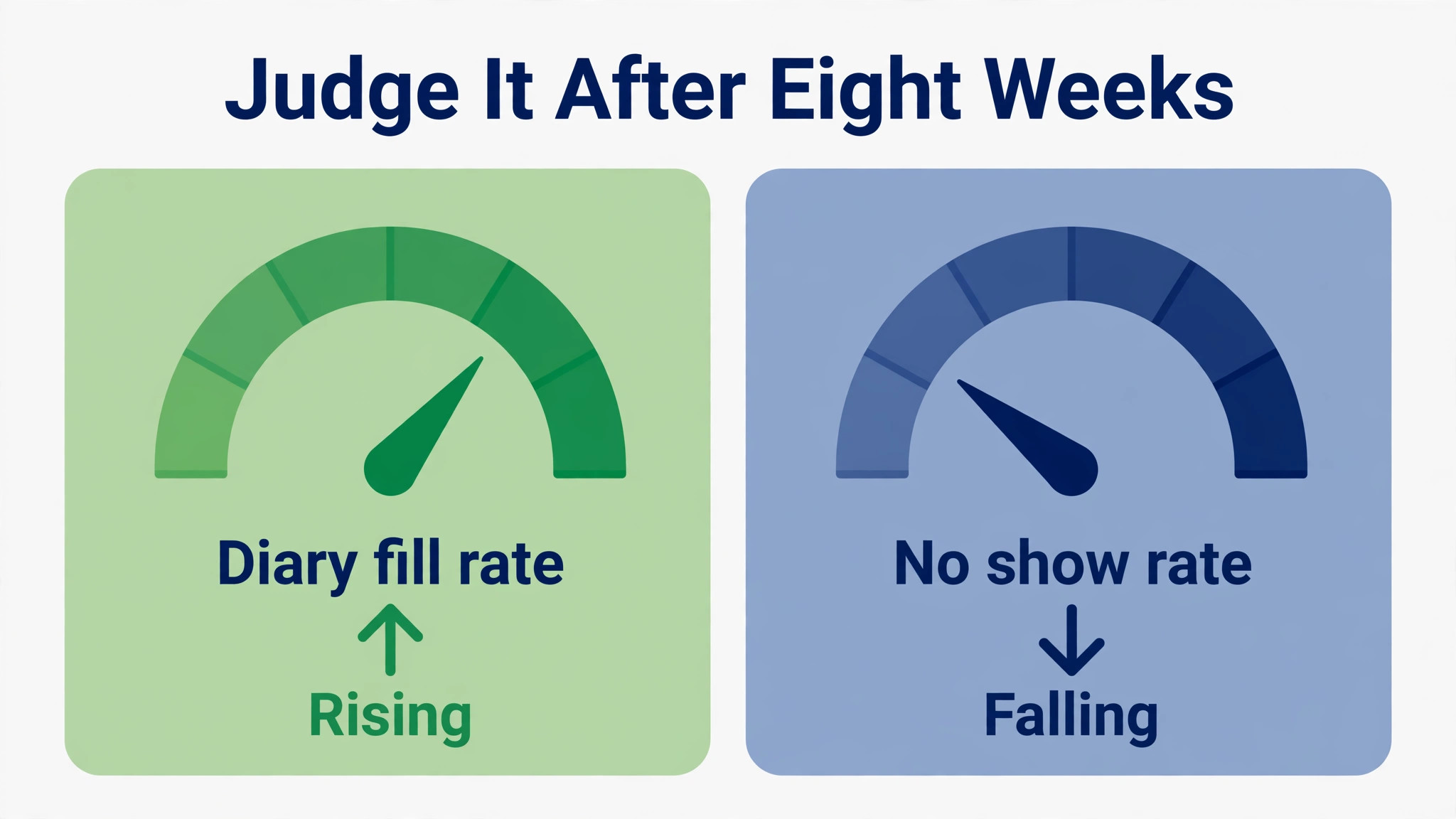
| Diary fill rate | Paid lessons as a share of available instructor hours rising over eight weeks | Booking system diary |
| No show rate | Late cancellations and no shows falling after reminders start | Attendance marking |
| Booking lead time | Students booking earlier as online booking removes the phone delay | Booking timestamps |
| Admin hours per week | Hours spent on diary work falling while lesson numbers hold steady | Owner time log |
Diary fill rate is the headline number, because an empty instructor hour is revenue that cannot be recovered. No show rate is the early warning, because a rising no show rate usually means reminders are failing or the cancellation rule is too soft. Booking lead time shows whether students trust the system enough to plan ahead, and admin hours show whether the owner actually got their evenings back. If lesson numbers rise but admin hours do not fall, the system has been added on top of the old process instead of replacing it, and the old process should be retired properly.
Verdict. Start With Self Booking, Then Add AI Replies
The strongest starting point for most driving schools is online self booking with four way checks, automated reminders, and deposit payment, before any AI chat or voice agent is added. That trio solves the expensive problems, which are diary clashes, no shows, and unpaid bookings, and it can be running within a week once instructor hours and car data are clean. AI replies to common questions and AI voice handling of calls can come second, once the diary itself is trustworthy, because an AI agent that books into a messy diary will create confident mistakes at scale.
Schools with one instructor should start with a simple tool and a clear cancellation rule, and move to a driving school specific tool when a second instructor or a second car joins.
Whatever the size, the decision to use AI for driving school lesson scheduling should be judged on diary fill rate and no show rate after eight weeks, not on how impressive the demo looked. Schools with several instructors should start with a driving school tool that checks instructor, car, student, and duration together, because general booking tools will not carry that load for long. Either way, keep a human in charge of matching nervous learners, handling complaints, and approving exceptions, and review the diary numbers weekly. That combination, self booking plus human judgment, is what turns a busy diary into a profitable one.
More Reading on Stratilyze
For a related scheduling comparison, read best scheduling software for home care agencies and best dispatch software for locksmiths. For a different booking business, see best class management software for swim schools.
Frequently Asked Questions
Can a small driving school use AI for lesson scheduling without losing students who prefer to phone
Yes, and the best setup keeps both routes open while steering repeat bookings online. When a school starts to use AI for driving school lesson scheduling, it should keep the phone number visible and answer it warmly, but let the phone conversation end with a booking link or a booking made in the system during the call. Students who prefer to phone still get a human, and the diary still gets one clean record instead of a notebook entry that nobody else can see.
What data must be correct before AI scheduling can be trusted
Instructor working hours, car availability and maintenance days, lesson durations, pickup zones, and package rules must all be current. If any of those are wrong, the AI will offer slots that look valid and fail in real life, and instructors will stop trusting the system. Spend the first week cleaning this data, give instructors a simple way to update their own hours, and review the data whenever a clash slips through.
How does AI scheduling handle a student who needs a specific instructor or an automatic car
The booking flow asks for instructor preference and car type before showing slots, and then filters availability to only the instructors and cars that match. A student who needs an automatic car never sees manual car slots, and a student who wants a particular instructor only sees that instructor’s diary. Where no matching slot exists, the system should offer a waitlist or a message to the office, not a slot with the wrong instructor or car.
What cancellation rule works best for driving lessons
Free rescheduling with at least 24 hours notice, plus a lost credit or a fee for shorter notice, is the pattern most schools find fair and easy to enforce. Publish the rule on the booking page and in every confirmation, and let the system apply it the same way for every student. Consistency matters more than the exact number of hours, because students accept a visible rule and resent a surprise charge.
Should a driving school let AI answer booking calls
AI call handling can work for straightforward bookings, rescheduling, and common questions, provided it checks the same live diary and hands tricky cases to a human at once. It should never be left to handle complaints, nervous first time learners, or exception requests alone. Start with online self booking first, add AI call handling second, and review its bookings weekly until the error rate is clearly lower than the phone error rate it replaced.
How long does it take to switch a driving school to AI assisted scheduling
A solo instructor can usually switch within a week, and a school with several instructors should allow two to three weeks including data cleanup and instructor training. The slowest part is rarely the software, and it is almost always getting instructor hours, car availability, and package rules entered correctly. Run the old diary alongside the new one for one week, then retire the old diary fully, or staff will keep using whichever diary they trust more.