

A course community fails when it becomes either a noisy chat nobody reads or a silent room nobody visits. When you use Telegram for course community management, the community becomes a place where students ask questions, share work, and stay motivated between lessons, without drowning the course itself in off topic chat. That balance comes from structure, not from hoping that a large group will organise itself.
This guide builds that structure from scratch. You will set up a channel for announcements and a group for discussion, write rules that members actually read, choose moderation tools, plan a content rhythm, and support members who get stuck. Telegram groups support up to 200,000 members, while channels support unlimited subscribers, so the same setup scales from a small cohort to a large course, provided moderation and structure scale with it.
Why This Approach Works
Communities help students finish courses, because learning alone is hard and motivation fades between lessons. A student who can ask a question and receive an answer from a peer or a tutor within hours is far more likely to continue than a student who waits days for email support. Telegram suits course communities because it is fast, works on phone and desktop, supports large groups, topics, polls, and pinned messages, and allows a channel plus group pair that separates announcements from discussion. That separation is the key design choice, because announcements need clarity while discussion needs freedom, and one room cannot serve both well.
A community also creates value beyond support, by surfacing common questions that should become lessons, examples, or FAQs. When the same question appears three times, that is not a nuisance, it is a signal that course material needs clarification. A well run community captures those signals, turns them into improved content, and reduces future support load. Treat the community as a feedback system for the course, not only as a chat room, and both the course and the community will improve together over successive cohorts.

How to use Telegram for course community management Step by Step
Set up the community in the order below, starting with purpose and structure, not with invites. When you use Telegram for course community management, a clear purpose and a channel plus group pair prevent the most common failure, which is a single group where announcements disappear under chat within hours.
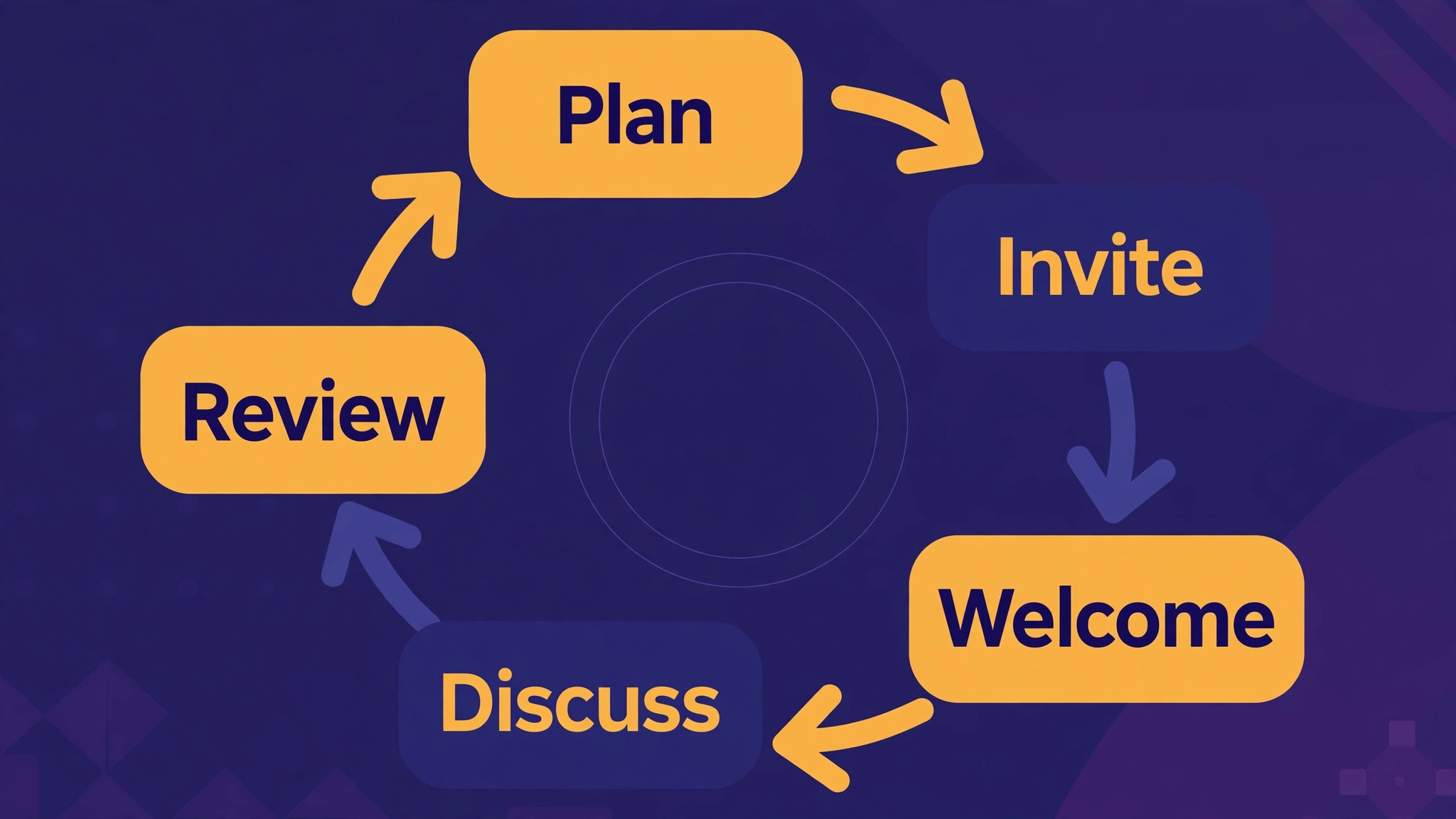
- **Define purpose and audience first.** Write one sentence stating who the community serves, what members should gain, and what behaviour is expected. Name the course, the cohort if relevant, and the support hours, so members know when to expect tutor replies. A purpose sentence that fits on a welcome message will guide every later decision about rules, topics, and moderation.
- **Create a channel for announcements.** Create a public or private channel, depending on whether the course is open or paid, for announcements only, with posting restricted to admins. Use the channel for lesson releases, deadlines, live session links, and important updates, and keep each post short with one action. A channel that only carries important news will be read, while a channel that carries chat will be muted.
- **Create a group for discussion, linked to the channel.** Create a group for discussion, link it to the channel for comments where appropriate, and enable topics if the course has distinct modules or themes. Topics split a large group into readable sub chats, such as introductions, lesson questions, assignments, and general chat, which prevents one busy thread from burying everything else. Set group history visible to new members where appropriate, so newcomers can learn from past answers.
- **Write short rules and pin them.** Write rules in plain language, covering respect, no spam, no sharing of paid course material outside the group, and how to ask a good question. Pin the rules, the course links, and the support hours in the group, and keep pinned messages to three or fewer, because a wall of pins is never read. Rules that are short, fair, and enforced consistently will be respected, while long rule lists will be ignored.
- **Set up moderation tools and a rota.** Appoint moderators with clear roles, enable slow mode or new member restrictions where needed, and use moderation bots for spam filtering, welcome messages, and warnings where the group is large. Create a rota so moderation cover exists during announced hours, and keep an admin log of actions taken, so moderation decisions can be explained. Moderation is a service to members, not a punishment system, and it should be explained that way.
- **Plan a content rhythm for the first month.** Plan weekly posts, such as a lesson prompt, a question of the week, a student showcase with permission, and a live session reminder, so the group has a reason to return between lessons. A rhythm prevents both silence and overload, because members learn when to expect activity and when the group is quiet. Start with a modest rhythm and increase only if engagement supports it.
- **Welcome new members personally.** Use a welcome message that states purpose, rules, pinned links, and how to ask a first question, and invite new members to introduce themselves in a dedicated topic. A personal welcome, even a templated one with the member’s name, increases the chance that a newcomer will post rather than lurk silently. Track new member questions for the first week, because early confusion predicts later dropout.
- **Review engagement and support quality monthly.** Review member count, active posters, unanswered questions, and moderation actions each month, and ask members for feedback on what helps and what annoys them. Answer unanswered questions promptly, turn repeated questions into course FAQs, and adjust topics or rhythm based on evidence. A community that is reviewed monthly will stay useful, while a community that is left alone will drift into noise or silence.
After the first cohort, archive the lessons learned in a short community playbook, including the channel and group settings, the rules, the moderation rota, and the content rhythm that worked. The next cohort can then start from a proven setup instead of from scratch, and new moderators can learn the system quickly. A playbook turns a one off community effort into a repeatable course asset.
Options Compared
Telegram offers several structures for course communities, and the right mix depends on course size, openness, and support needs. When you use Telegram for course community management, the table below compares the main structures, so a small cohort does not adopt a large course system, and a large course does not rely on a single chat that cannot scale.
| Structure | Best for | Watch out for |
|---|---|---|
| Channel only | Announcements, no discussion | No peer support or questions |
| Group only | Small cohort discussion | Announcements get buried in chat |
| Channel plus group | Most courses, any size | Needs clear posting rules |
| Group with topics | Large courses, many modules | Topics need active moderation |
| Private paid group | Paid courses, controlled access | Invite management needs care |
For most courses, a channel plus group pair, with topics enabled for larger cohorts, is the best starting structure, because it separates announcements from discussion while keeping both in one ecosystem. Add a private paid group only when access control matters, and manage invites through the course platform where possible, so that membership follows enrolment automatically rather than by manual invites that quickly fall out of date.

Costs and Tools to Budget For
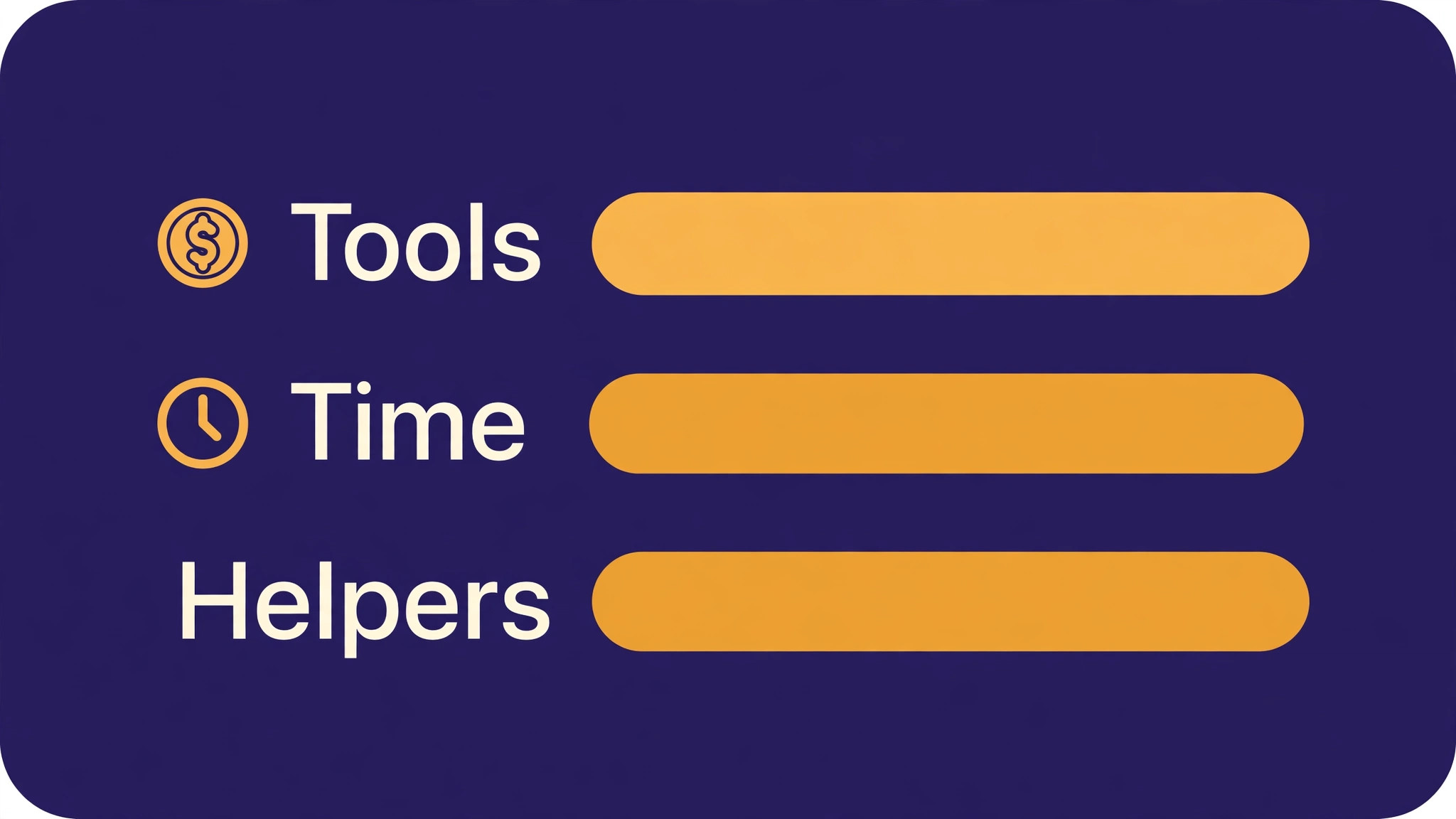
Budget for a course community in time rather than tool cost, because Telegram itself is free for channel and group use. The real costs are moderator time, content planning time, and tutor support time, which should be budgeted explicitly, such as a few hours per week for a small cohort and more for a large course. If moderation bots or paid tools are used, check their pricing separately, but do not buy tools before the basic structure is proven, because tools cannot fix unclear purpose or missing rules.
Time budgeting should include a clear support promise, such as tutor replies within one working day, and cover for holidays or busy periods. A community that promises fast support and then goes silent during a launch week will disappoint more than a community that promises a slower, honest response time and keeps it. Set the promise to a level the team can sustain for the whole course, not for the first week alone.
Template and Checklist
Run this checklist before inviting the first members, and again before each new cohort. When you use Telegram for course community management, the checklist is the gate that stops a community launching with unclear rules, no moderation cover, or announcements that will be lost in chat.
- Purpose, audience, and support hours are written in one clear sentence.
- A channel exists for announcements only, with admin only posting.
- A group exists for discussion, linked to the channel where appropriate.
- Topics are enabled for larger courses, with clear topic names.
- Rules are short, pinned, and cover respect, spam, and material sharing.
- Pinned messages are three or fewer, including rules and course links.
- Moderators are appointed, with roles, a rota, and an action log.
- A content rhythm is planned for the first month, with weekly posts.
- A welcome message is ready, with purpose, rules, and how to ask questions.
- Invite and access management matches enrolment for paid courses.
- A monthly review of engagement, unanswered questions, and moderation is scheduled.
- A playbook note is started, to record what works for the next cohort.
Keep the completed checklist with the community playbook, including channel and group settings and moderator contacts. When a moderator leaves or a new cohort starts, the checklist and playbook let the community continue without a long handover. Documentation written at setup is what turns a community from a personal effort into a course asset that survives staff changes.

Mistakes to Avoid
Course community mistakes usually come from underestimating structure or moderation. When you use Telegram for course community management, watch for these five mistakes, because each one turns a helpful community into a noisy, silent, or unsafe room.
- **Using one group for everything.** Announcements, questions, assignments, and chat in one group bury important posts within hours, so members miss deadlines and tutors repeat answers. Use a channel for announcements and a group with topics for discussion, so each type of message has a home. Separation is the single most effective community design choice.
- **Writing rules nobody reads.** Long, legalistic rules are ignored, while short, fair rules that are enforced consistently are respected. Write rules in plain language, pin them, and enforce them kindly and consistently, with warnings before bans except for serious violations. Rules should protect members, not impress them with length.
- **Leaving moderation to chance.** A group without moderation cover fills with spam, off topic arguments, and unanswered questions, which drives good members away. Appoint moderators, set a rota, and use bots for spam filtering in larger groups. Moderation is not censorship, it is the service that keeps a community usable.
- **Posting too much or too little.** Daily announcements exhaust members, while weeks of silence make them forget the group exists. Plan a modest weekly rhythm, with lesson prompts, questions, and showcases, and increase only if engagement supports it. A predictable rhythm builds a habit of returning, while erratic posting builds a habit of muting.
- **Ignoring unanswered questions.** A question that sits unanswered for days signals that the community does not help, and the asker is unlikely to ask again. Track unanswered questions daily during a cohort, answer them promptly, and turn repeated questions into course FAQs. Answering questions visibly also helps lurkers, who learn from answers even if they never post.
If a community is already noisy or silent, do not abandon it and start a new one, because members will be confused about which room is current. Instead, fix the structure in place, by adding a channel, enabling topics, reposting pinned rules, and restarting a modest content rhythm. Announce the fix clearly, explain why it helps members, and give the revised structure a month to take effect before judging it.

A Worked Example
A course tutor launching a first cohort decided to open the community a week before the first lesson, so early confusion could be fixed while the group was still small. She created a channel for announcements only, with posting restricted to admins, and a group for discussion linked to that channel, with topics for introductions, lesson questions, assignments, and general chat. Rules were written in plain language, covering respect, no spam, no sharing of paid course material outside the group, and how to ask a good question, and only three messages were pinned, covering rules, course links, and support hours.
New members received a welcome message stating purpose, rules, pinned links, and how to ask a first question, and they were invited to introduce themselves in the introductions topic.
In the first week, the tutor posted a lesson prompt on the morning the first lesson released, and she watched the lesson questions topic rather than the whole group, because questions gathered in one place were easier to answer and easier for other students to find. One question about an assignment instruction appeared three times in two days, and instead of answering it three times privately, she answered it once in the topic and then turned it into a course FAQ, which cut repeat questions for the rest of the month.
A student showcase followed in the second week, shared only with that student permission, and a live session reminder went out through the channel, not the group, so the link did not disappear under chat before the session began.
Moderation proved its value in the third week, when a spam message appeared overnight and a moderator removed it before most members woke, logging the action so the decision could be explained if challenged. Slow mode was switched on briefly during a busy debate in general chat, which kept the conversation readable without shutting it down. At the end of the month, the tutor reviewed member count, active posters, unanswered questions, and moderation actions, and she asked members what had helped and what had annoyed them. The answers shaped the next cohort playbook, which recorded the channel and group settings, the rules, the rota, and the rhythm that had actually worked, rather than the plan she had imagined before launch.

Advanced Tips Worth Trying
Once the channel plus group pair runs steadily, the most useful refinement is to split discussion by module using topics, rather than letting every lesson question land in one stream. Create a topic per module, plus standing topics for introductions, assignments, and general chat, and keep the topic names short enough to read on a phone screen without opening them. When a question arrives in the wrong topic, move it kindly and say where it went, because members learn the structure from those small corrections far faster than from a pinned rules message.
Topics only help if moderators actively tend them, so assign each topic a named moderator for the cohort, even if that moderator only checks it once a day.
A second refinement is to build a question habit that reduces tutor load without leaving students waiting. Teach members to state the lesson, the step they reached, and the exact point where they got stuck, and pin one excellent example of such a question as a model, replacing it when a better example appears. Peer answers should be welcomed and thanked publicly, with a tutor confirming the correct answer afterwards, because a community where only tutors answer will never scale, while a community where peer answers go unconfirmed will spread mistakes.
Track unanswered questions daily during a cohort, not monthly, because a question left for three days signals to the asker, and to every lurker reading it, that the community does not help.
Finally, use polls sparingly and with a purpose tied to the course, such as choosing a live session time, checking which lesson needs a recap, or gathering feedback on a new assignment format. A poll with no follow up teaches members to ignore future polls, while a poll whose result visibly changes the next lesson teaches members that their input matters. Announce the result in the channel, explain what will change because of it, and keep the poll itself in the group, so announcements stay clean while discussion stays lively.
How to Measure Success
Start with active participation, not total member count, because a group of 200,000 members means nothing if only a handful ever post. Each month, divide the number of members who posted, reacted, or answered a poll by the total member count, and record that share beside the same figure for the previous month. Break the share down by topic, since a busy lesson questions topic tells a different story from a group where only general chat moves. A community whose active share falls while membership grows is becoming a broadcast list with comments, not a learning community, and that pattern should trigger a change in rhythm or topics before it hardens.
Next, measure support quality through unanswered questions, which is the figure students feel most directly. Count questions that received no answer within the promised support hours, divide by total questions asked in the month, and list the unanswered ones by topic to find the module where material or moderation needs attention. A cluster of unanswered questions in one module usually means the lesson itself needs clarification. Compare the unanswered share with the moderation log, because a month with many moderation actions and many unanswered questions points to moderators spending time on spam or disputes instead of on student help.
Finally, track member feedback and course improvement together, using a short monthly question about what helped and what annoyed members, plus a count of repeated questions turned into FAQs or lesson updates. Review the active share, the unanswered share, and the feedback together once a month, and change only one element before the next review, such as rhythm, topics, or support hours. A community that improves its course material from its own questions will retain members far better than a community that only chats, and that improvement is the clearest proof the community earns its moderation time.
Review and Next Steps
Review the community monthly with four measures open together, covering active members, unanswered questions, moderation actions, and member feedback, and break each measure down by topic before deciding anything. A module topic that generates many questions may signal course material that needs clarification, while a general chat topic that generates many moderation actions may signal rules that need restating or a slow mode setting that needs adjusting. Turn repeated questions into FAQs or lesson updates promptly, and share those updates in the channel, so members see that their questions improve the course itself.
A community that visibly improves the course will retain members far better than a community that only provides chat, because students stay where their effort produces a visible result.
Tutors who keep the same structure after they use Telegram for course community management for a full cohort often find that the second cohort runs with far less effort than the first. Keep a monthly community note with the four measures, one change made, and feedback received, and share it with course creators as well as moderators, because community feedback is course feedback and both roles benefit from seeing it together. That note becomes the history of the community, and it helps new moderators understand what has already been tried, what failed, and what worked, without repeating experiments that the first cohort already settled.
A note kept only by one tutor will leave with that tutor, while a note shared with the course team becomes a lasting asset.
Once a quarter, read the rules, the pinned messages, the topic list, and the last three monthly notes together, and prune anything that no longer earns its place. Pinned messages tend to multiply past the limit of three, topics tend to accumulate for modules that have finished, and a content rhythm that once energised members can become noise if it never changes. Remove stale pins, archive finished topics with a clear note, and adjust the weekly rhythm to match actual engagement, increasing only where members respond and cutting back where posts receive no replies.
Keep pruned items in a note, so a removed topic or rhythm can be restored if a new cohort needs it, but do not keep it live out of habit.
Fixing a struggling community in place works better than abandoning it and starting a new room, because members will be confused about which room is current and many will simply not move. Instead, announce a clear fix, add a channel if announcements are buried, enable topics if one stream is unreadable, repost the short rules, and restart a modest weekly rhythm with a lesson prompt, a question of the week, and a live session reminder. Give the revised structure a full month before judging it, and judge it with the four monthly measures rather than with impressions from a single busy week.
A community judged too quickly will be changed too often, while a community given a month to settle will show whether the structure or the content needs further work.
Handover should be prepared while the community runs well, in a playbook that a new moderator could follow without a long explanation. That playbook should record the channel and group settings, the rules, the moderator rota and action log, the content rhythm, the welcome message, and the monthly review steps, together with the goal of each element, so a successor can judge what to do when a new cohort, a larger group, or a difficult moderation case appears. Test the playbook by asking a new moderator to handle a week of moderation under supervision, and fill every gap their questions reveal.
Looking ahead, the next step is not a larger group but a steadier one, with the same monthly review, the same prompt answering of questions, and the same turning of repeated questions into better course material, repeated until members return because the community helps them finish, not merely because they were invited.
For related reading on Stratilyze, the guide to community announcements on Telegram covers broadcast basics, and the guide to study group notes on Telegram shows smaller group habits that scale to courses. Read the announcements guide first if your channel is new, because announcement discipline is the foundation, and the method here for use Telegram for course community management builds directly on that foundation.
Frequently Asked Questions
Should a course community use a channel, a group, or both?
Use both for most courses, with a channel for announcements only and a group for discussion. A channel alone gives no peer support, while a group alone buries announcements under chat. The pair separates clarity from conversation, which is the balance most courses need.
How large can a Telegram course group be?
Telegram groups support up to 200,000 members, while channels support unlimited subscribers, so size is rarely the limit. The real limit is moderation and structure, because a large group without topics, rules, and moderators becomes unreadable. Scale structure and moderation with member count, not just the group itself.
How do I moderate a course community fairly?
Write short, plain rules, pin them, enforce them consistently, and keep an admin log of actions. Warn before banning except for serious violations, explain decisions briefly, and apply rules to all members equally. Fair, transparent moderation builds trust, while arbitrary moderation drives good members away.
What content rhythm works for a course community?
A modest weekly rhythm works well, such as a lesson prompt, a question of the week, a student showcase with permission, and a live session reminder. Start small, watch engagement, and increase only if members respond. A predictable rhythm builds a habit of returning, while erratic posting leads to muting.
How do I handle students sharing paid course material?
State clearly in the rules that paid material must not be shared outside the group, and enforce the rule consistently with warnings and removal where needed. Explain why the rule protects all students, because shared material undermines the course that members paid for. Keep the rule visible in pinned messages, not hidden in a long document.
How do I use Telegram for course community management for a course with several cohorts?
Use one channel for course wide announcements and separate groups per cohort, or one group with topics per cohort, depending on size. Keep rules, templates, and moderation consistent across cohorts, and archive completed cohort groups with a clear note. Consistent structure across cohorts makes each new cohort easier to run than the last.
Build a Community People Return To
A course community that members return to has a clear purpose, a channel for announcements, a group with topics for discussion, short pinned rules, and moderators who answer questions promptly. Plan a modest weekly rhythm, review engagement monthly, and turn repeated questions into better course material. When you use Telegram for course community management in that structured way, the community becomes a learning asset that helps students finish, improves the course itself, and grows stronger with each cohort.