
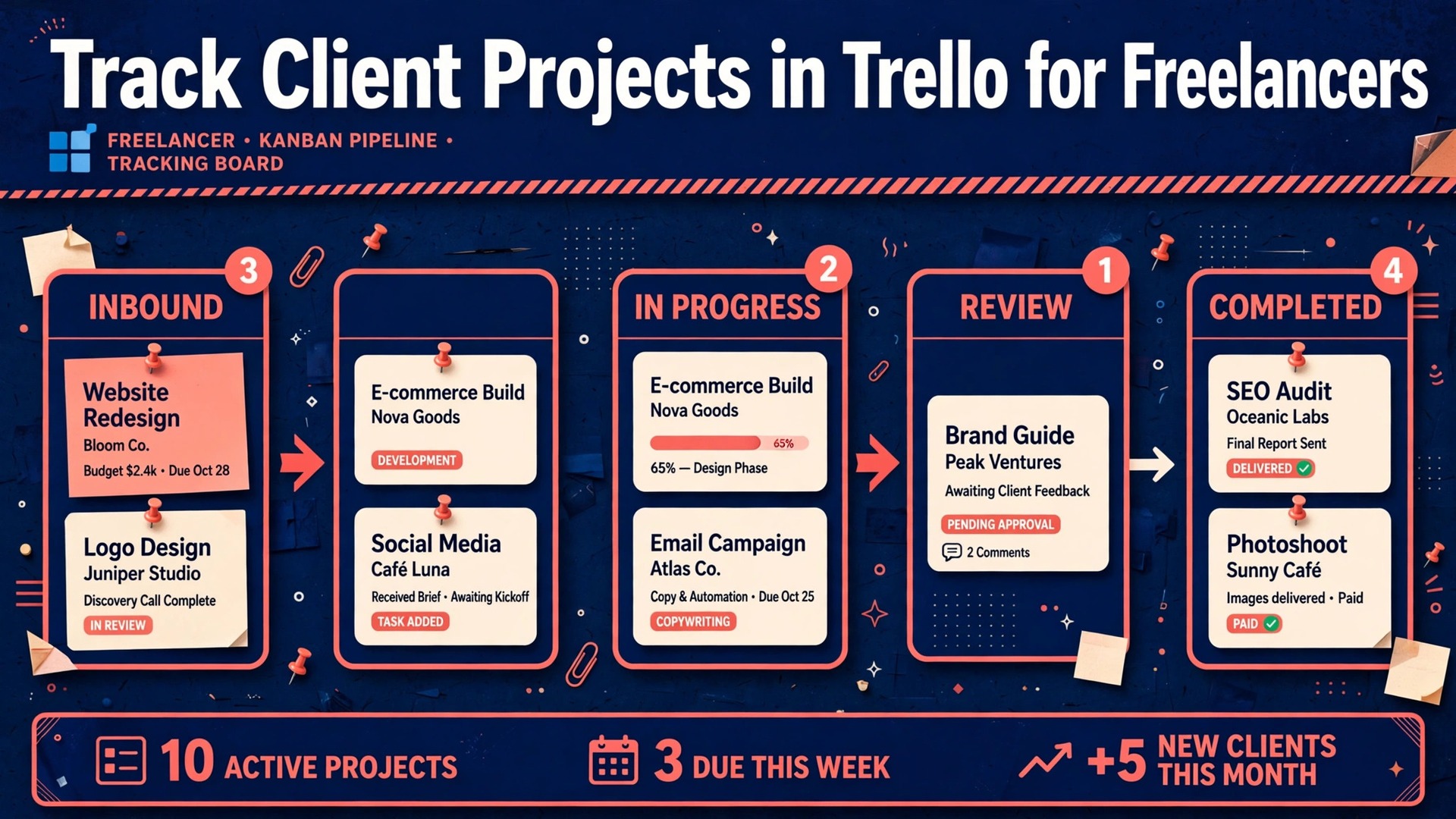
A freelancer with three clients can remember everything in their head. A freelancer with eight clients, twelve open deliverables, and four invoices waiting cannot, and that is exactly when work starts slipping. Compared with a spreadsheet that hides deadlines in rows, or an inbox where approvals disappear under new messages, a visual board shows the whole workload in one glance. That visibility is the reason to use Trello for client project tracking freelancers, because it turns a scattered set of promises into a pipeline you can see, move, and report on without a second system.
This guide builds that pipeline from scratch, covers the board layout, the card rules, the client sharing rules, and the weekly routine that keeps it honest.
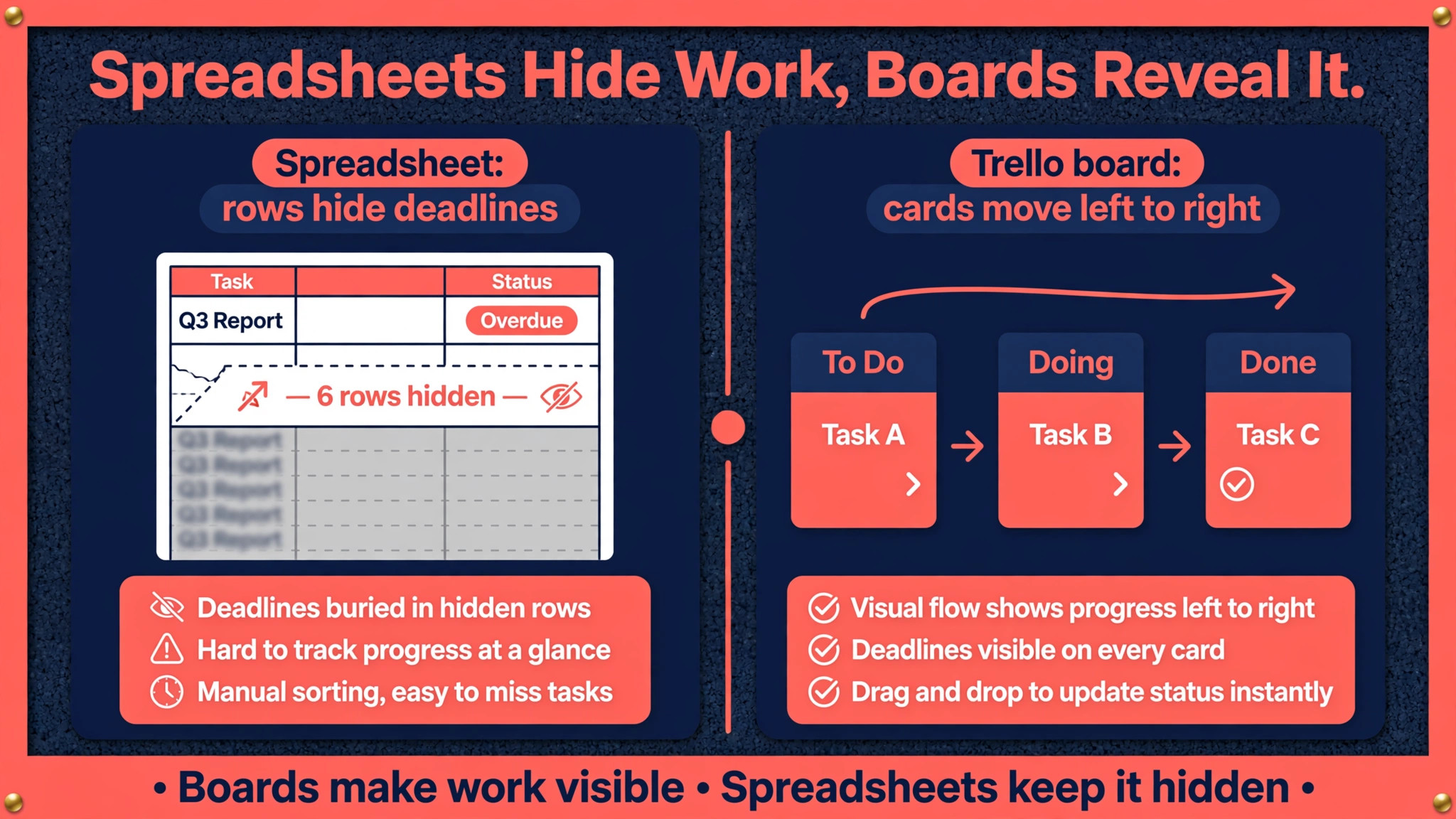
Spreadsheets Hide Work, Boards Reveal It
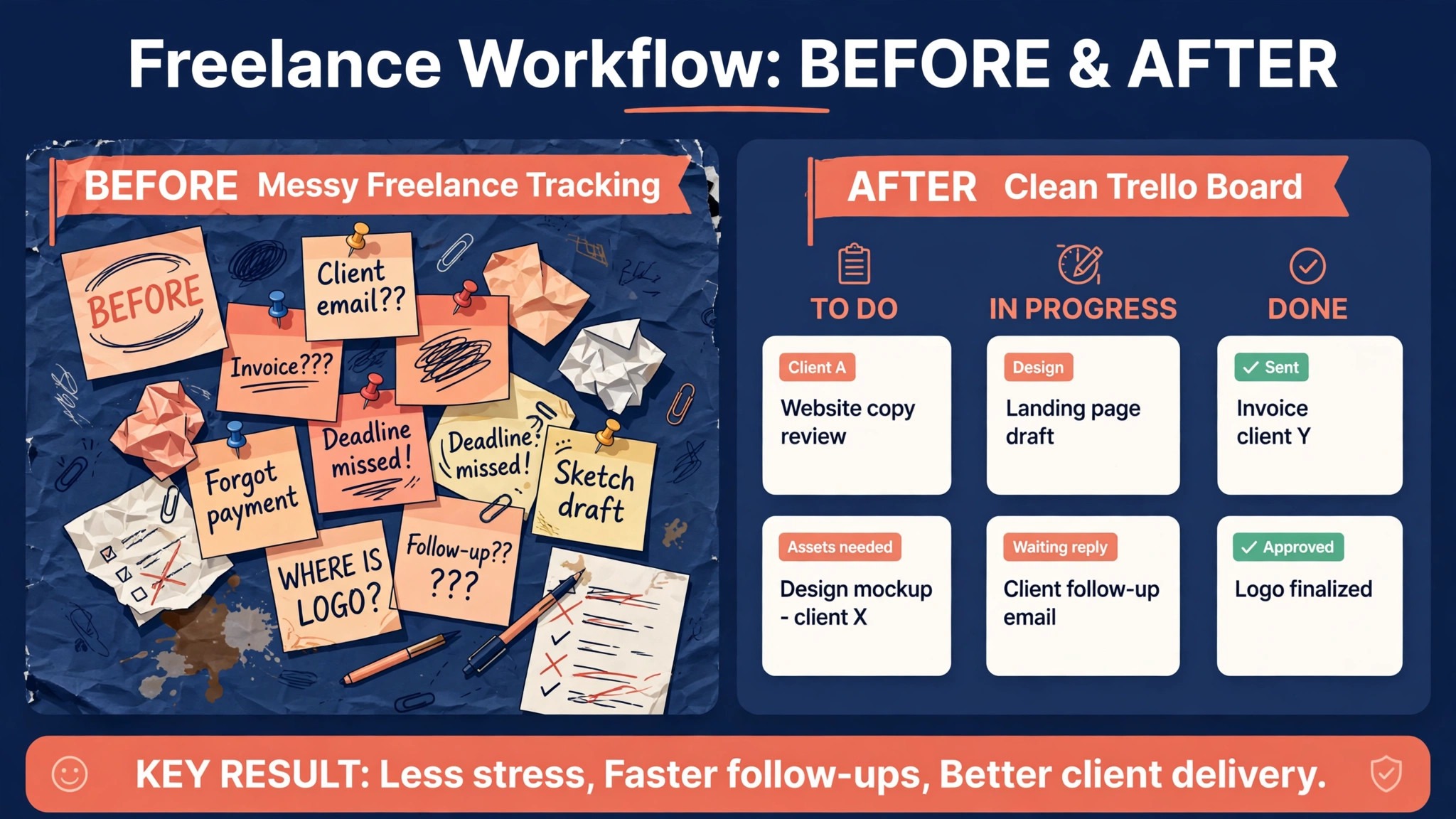
A spreadsheet is good at storing information and poor at showing flow. You can sort it, filter it, and colour it, but you still have to open it, read it, and interpret it before you know what to do next. A board works differently. Work on the left is not started. Work in the middle is in progress or waiting. Work on the right is done or paid. Your eyes learn the shape of a healthy week, which is a few cards moving right, no column overflowing, and nothing stuck in review for long. When that shape breaks, you see it immediately, before a client has to chase you.
Trello fits freelance work because freelance work is naturally a series of stages. A project is pitched, agreed, briefed, drafted, reviewed, revised, approved, invoiced, and paid. Those stages map cleanly onto lists. Each deliverable becomes a card that travels through those lists. The card holds the brief, the files, the due date, the checklist, and the conversation, so nothing lives only in email. When a client asks where something stands, you do not search five places. You open the board, find the card, and read the last comment.
The comparison that matters is not Trello against every project tool on the market. It is Trello against the system most freelancers actually use, which is memory plus email plus a notes app. That informal system works until volume rises, and then it fails in specific ways. Deadlines get remembered a day late. Revisions get counted differently by freelancer and client. Invoices get sent after the work is forgotten. A board does not make you more talented, but it removes those specific failure modes, and for a solo business, removing failure modes is often worth more than adding features.
How to Use Trello for Client Project Tracking Freelancers Without Overcomplicating It
The core decision is how many boards to use. Beginners usually choose one of two structures, and both work if applied consistently. The first is one board per client, with lists for that client workflow. This suits freelancers whose clients have different processes, such as a writer with one retainer client and one project client, or a designer whose brand clients need approval stages that a web client does not. The second is one master board for all clients, with lists for stages and labels or custom fields for client names. This suits freelancers with many small, similar jobs, such as social posts or short articles, where switching boards would cost more time than it saves.
A practical middle path works for most freelancers. Keep one master pipeline board for all active work, so you can see capacity at a glance, and keep one board per larger client for detailed delivery, linked from the master card. The master board answers the question of what to do today. The client board answers the question of where a specific project stands in detail. If you only have three clients, skip the master board and use one board per client. If you have ten small clients, skip per client boards and use the master board alone. The structure should match the volume, not the other way round.
Whichever structure you choose, apply three rules from day one. First, every piece of paid work gets a card before work starts, even if the brief is still thin. A card without a brief is a visible placeholder that forces a follow up. Work without a card is invisible and therefore easy to forget. Second, every card gets a due date and a single owner, which for a solo freelancer is you, plus a client contact in the description. Third, no card stays in a waiting list for more than a week without a comment explaining why.
A comment such as waiting for logo files from client, sent reminder on Tuesday, turns a stuck card from a mystery into a next action.
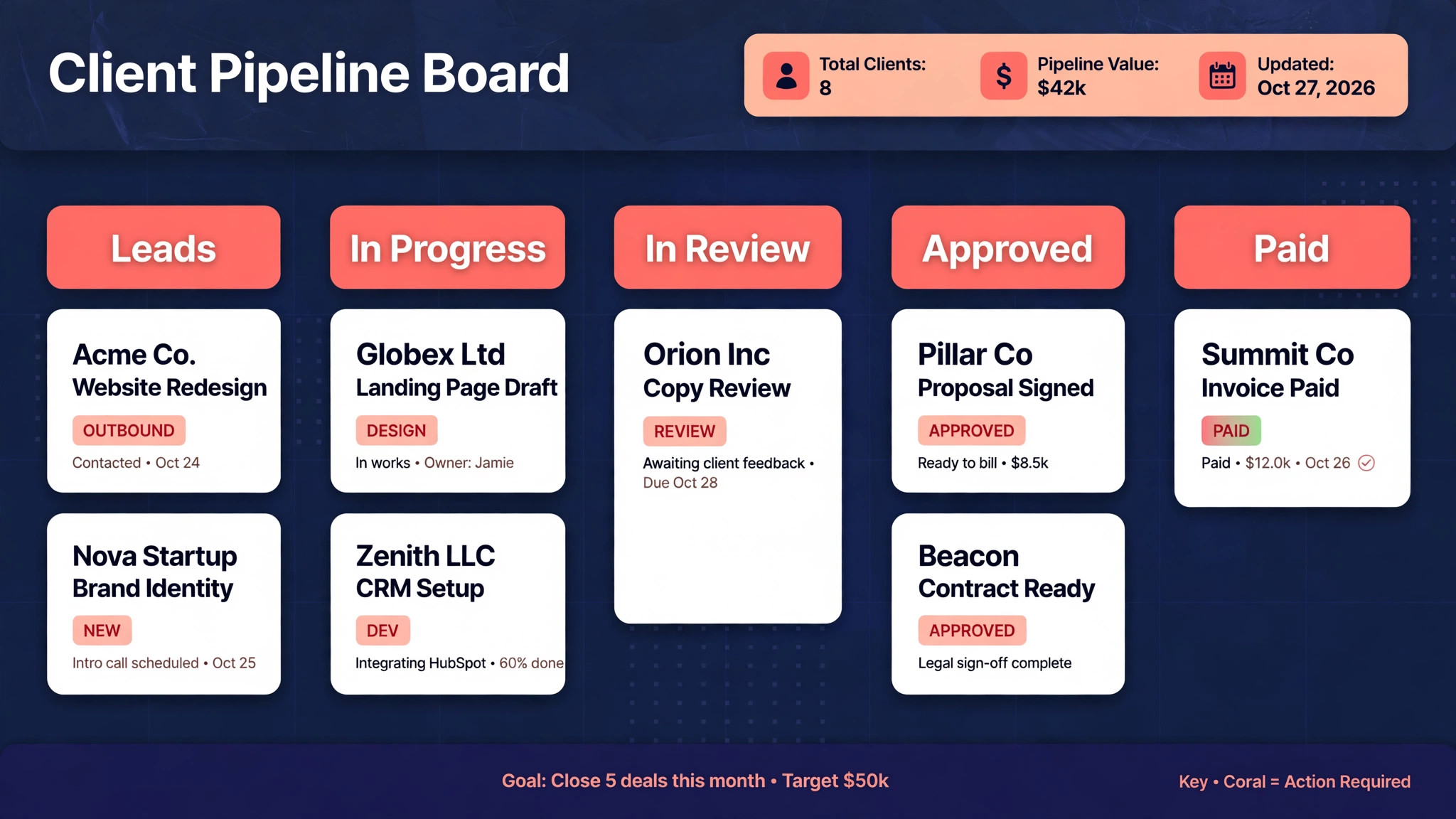
The Client Pipeline Board Template
The template below, for anyone who wants to use Trello for client project tracking freelancers, is a board layout you can build in about twenty minutes. It uses nine lists, which sounds like a lot, but each list answers a different question a freelancer asks every day. Leads are not yet work. Briefing means the job is agreed but the details are incomplete. In progress means you are actively working. In review means the client has it. Revisions means feedback is back and changes are due. Approved means the work is accepted. Invoiced means the bill is sent. Paid means money arrived.
A separate reference list at the far left holds standing information, such as brand guidelines, rates, and contact details, so it does not clutter the flow.
| List | What belongs here | Exit rule |
|---|---|---|
| Reference | Brand assets, rates, contacts | Never moves, only consulted |
| Leads | Enquiries not yet agreed | Moves when scope and price are agreed |
| Briefing | Agreed work missing details | Moves when brief is complete |
| In progress | Work you are doing now | Moves when a draft is sent |
| In review | Draft with the client | Moves when feedback arrives |
| Revisions | Feedback being actioned | Moves when revised draft is sent |
| Approved | Accepted work awaiting invoice | Moves when invoice is sent |
| Invoiced | Bill sent, payment pending | Moves when payment clears |
| Paid | Finished and paid work | Archived at month end |
Card titles should follow a pattern you can scan, such as client name, deliverable, and month, for example a card titled for a bakery client and a homepage rewrite. Put the scope, price, and deadline in the description at the top, not buried in comments. Use checklists inside the card for the steps of that deliverable, such as research, draft, self edit, send, revise, and invoice. Use labels sparingly, for example one label for urgent, one for waiting on client, and one for retainer work. Labels are useful when there are few of them. When every card has four labels, labels stop meaning anything.
Due dates deserve a weekly habit, not just a setting. Set the due date to the day the client expects the draft, not the day you hope to finish it, and set a reminder a day earlier if the tool allows it. When a date slips, move the date and add a comment explaining the new date and whether the client was told. A moved date with a comment is professional. A silently overdue card is how trust erodes. At month end, archive paid cards rather than deleting them, so you keep a record of completed work, income timing, and turnaround time without cluttering the active board.
Setting Up Cards So Clients Can Follow Them
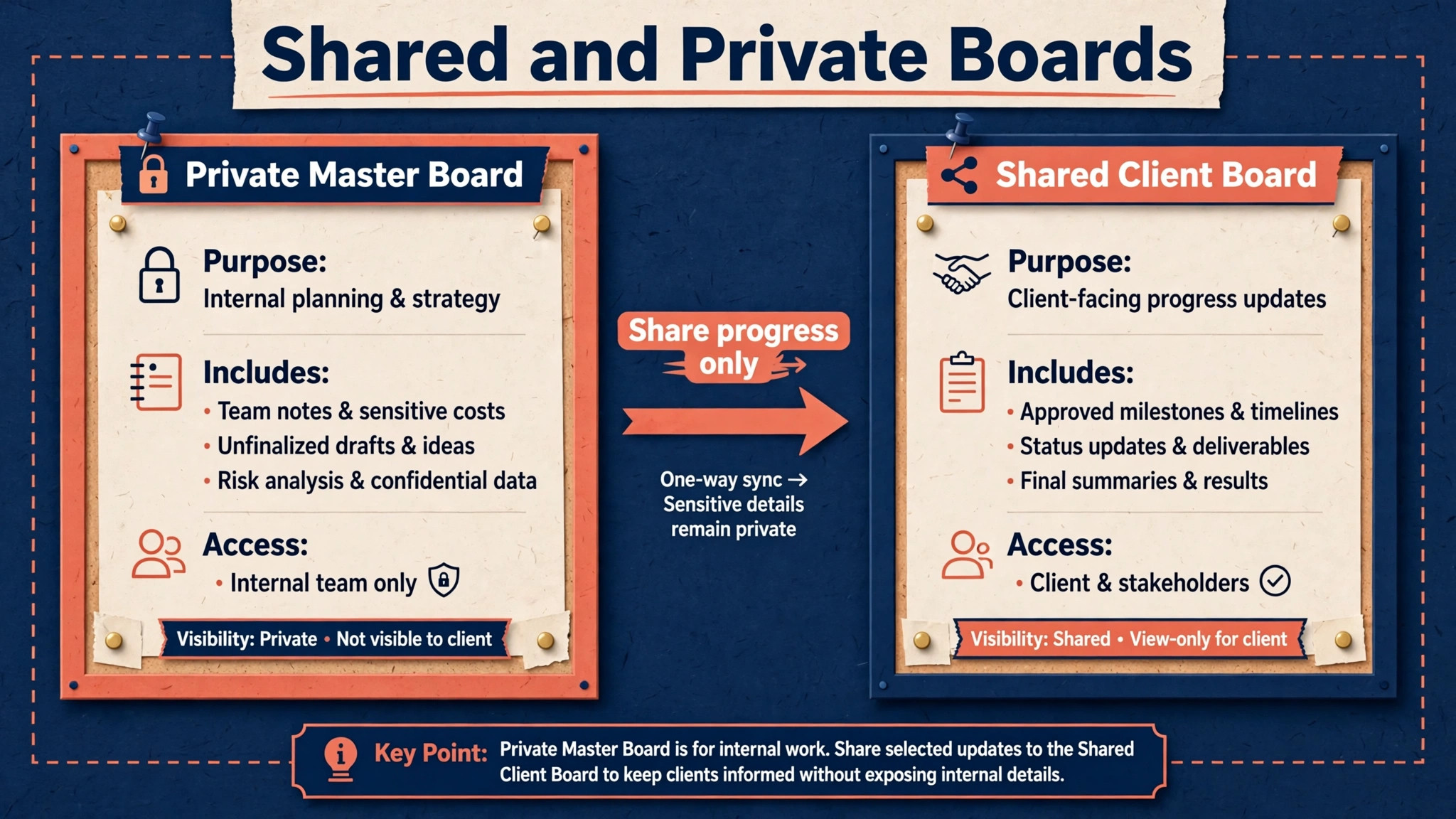
Sharing a board with a client, when you use Trello for client project tracking freelancers, is a decision, not a default. Some clients love seeing progress. Others will move cards, add comments in the wrong place, or feel anxious seeing work in progress. A safe starting rule is to share a client specific board, not your master board, and to share it as a view of progress rather than a workspace for the client to edit freely. Tell the client which lists they should watch, such as in review and approved, and which lists are your internal working area. That short conversation prevents most sharing problems.
Inside a shared card, write for the client as well as for yourself. The description should state what was agreed, what is included, and what happens next, in plain language. Comments should record decisions, such as approved version two with the new headline, rather than internal thoughts. Attach final files to the card or link to the shared folder, and name files clearly, so the client does not have to guess which version is current. When feedback arrives by email instead of on the card, copy the key points into a card comment, so the card remains the single record. Future you will thank present you when a dispute about scope arises three months later.
For clients you do not share a board with, the same card discipline still applies, but the reporting happens in your weekly message. Summarise from the board, using the card positions as the outline. Work in review, work in revisions, work approved and invoiced. That structure makes a status update take five minutes and sound precise, because it is drawn from a real pipeline rather than from memory. Clients notice the difference between a vague update and one that names each deliverable and its stage, and that precision is part of why they renew.
Privacy matters here. Never put another client name, rate, or private note on a shared board. Use the master board for private information and the client board for that client work only. If a card contains internal notes about pricing or difficulty, keep those notes on the master card and keep the client card factual. A single leaked rate or frustrated comment can damage a relationship that took years to build, and it is entirely preventable with a separation rule.
The Weekly Status Checklist for Freelancers
A board that is not reviewed weekly will drift, which is why people who use Trello for client project tracking freelancers need a fixed review day. Cards stay in review long after feedback arrived. Due dates pass without comment. The board starts to describe last week rather than this week, and then you stop trusting it. The weekly review fixes that drift in about twenty minutes, and it doubles as the basis for client updates and invoicing.
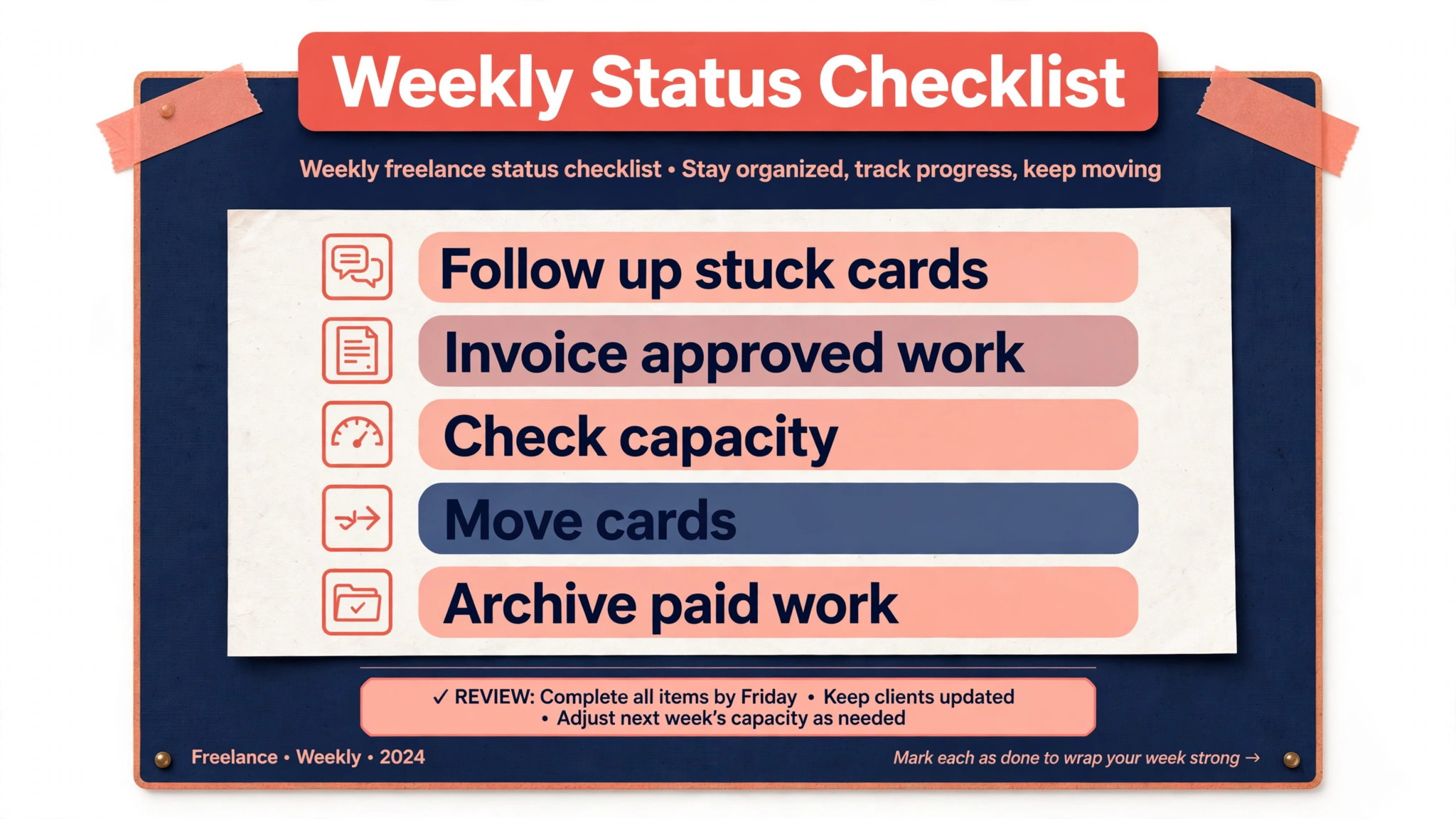
Start by scanning each list from left to right. For every card in review for more than five working days, send a polite follow up or record why you are waiting. For every card in revisions, check that feedback is clear enough to act on, and ask a clarifying question if it is not. For every approved card, check whether an invoice has been sent, and send it now if not. For every invoiced card past its payment terms, send a reminder. This scan turns the board from a record into a to do list, which is its real value.
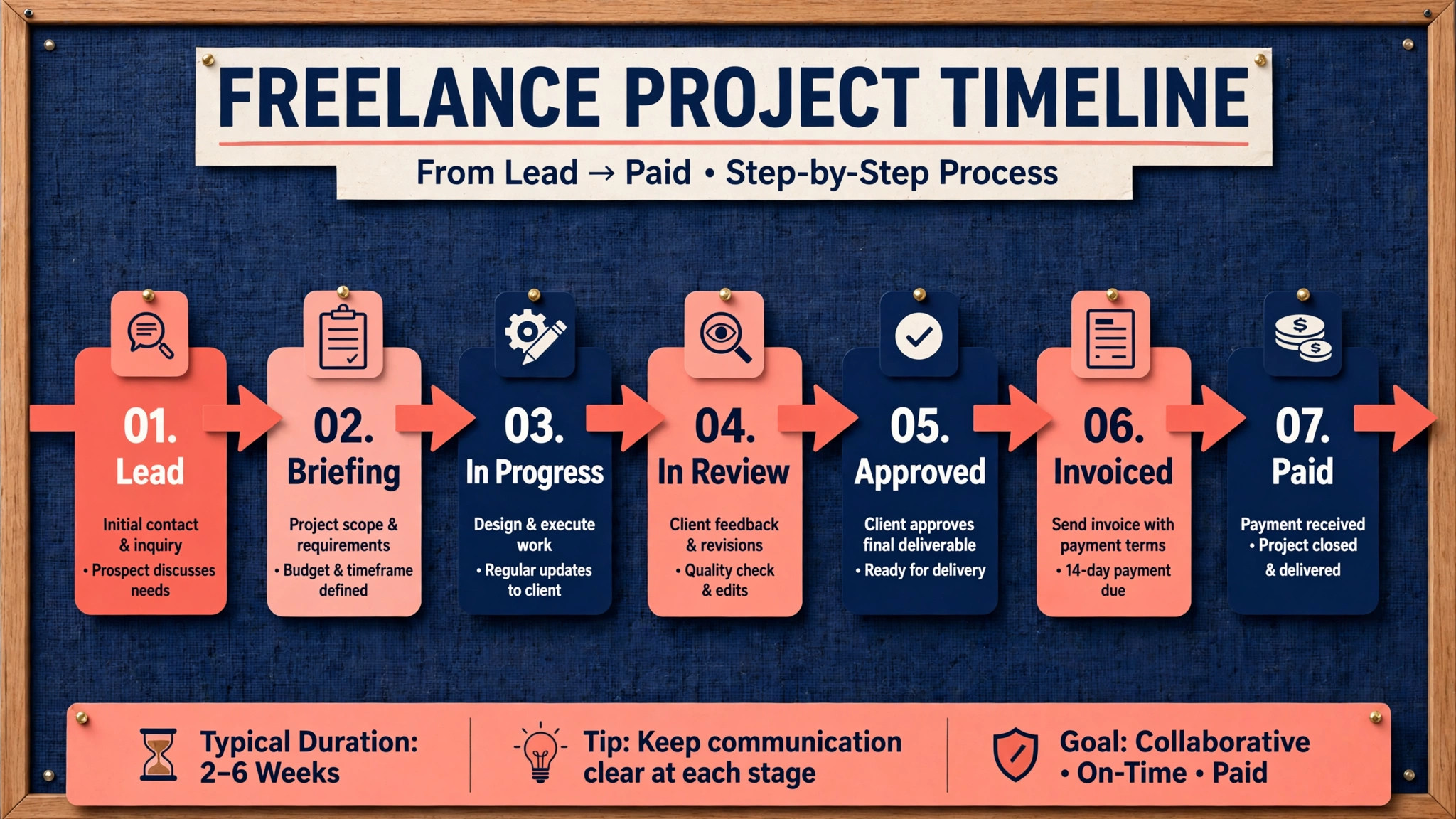
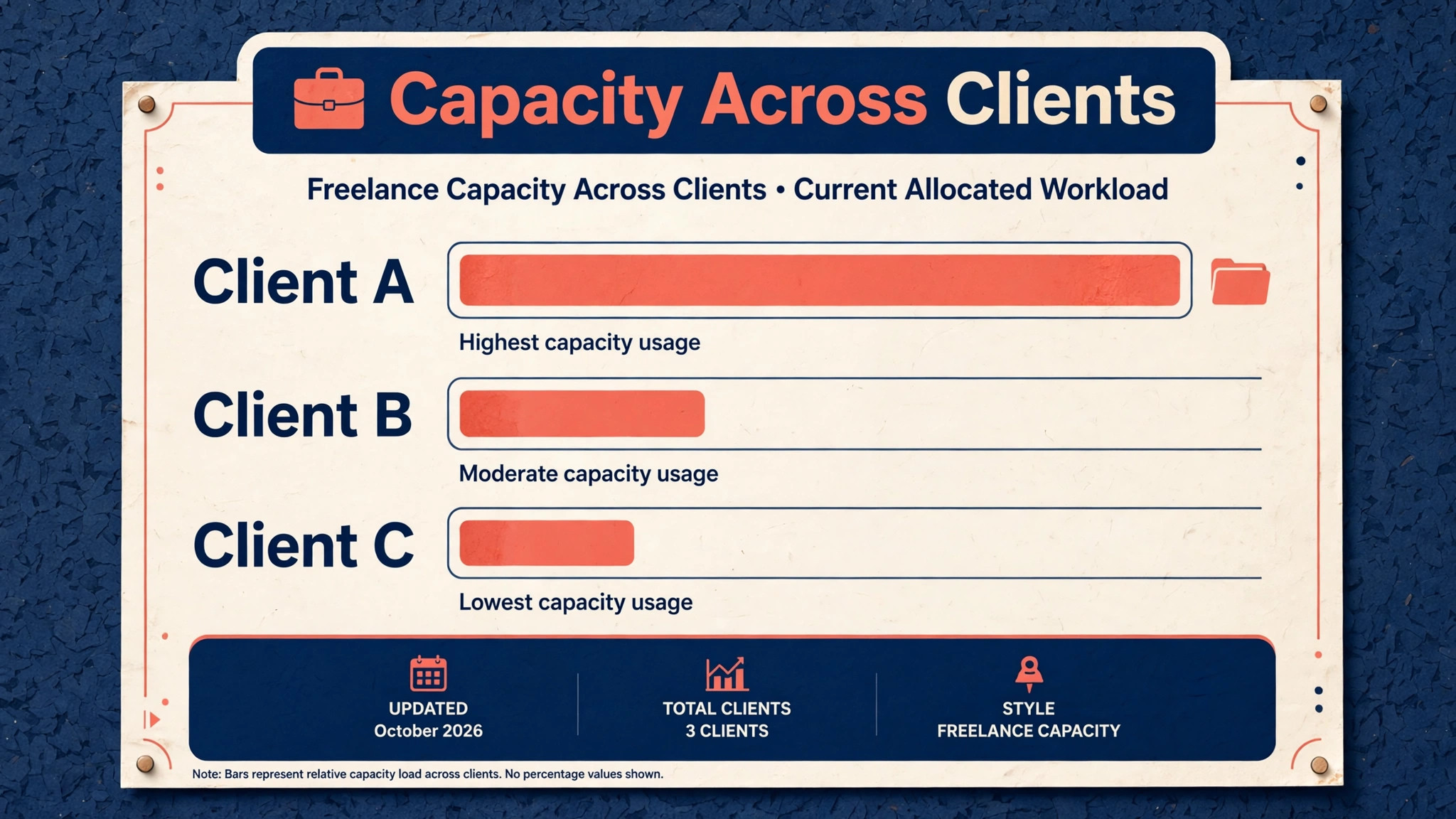
Next, look at capacity for the coming week. Count cards in progress and briefing. If that number is higher than you can realistically finish, you have a decision to make, which is to move a deadline, decline new work, or bring in help. Freelancers often discover overload only when everything becomes urgent at once. A board makes overload visible a week early, when there is still time to renegotiate. That early warning is one of the strongest arguments for a visual pipeline, because it protects both quality and reputation.
Finally, update the board to match reality. Move cards that have actually moved, close checklists that are done, and archive paid work from the previous month. A board that matches reality is trusted. A board that is two weeks out of date is ignored, and an ignored board is worse than no board, because it creates a false sense of organisation. The checklist below keeps the review short and repeatable.
| Review step | Action | When it is done |
|---|---|---|
| Stuck cards | Follow up every review card older than five days | No unexplained stuck card remains |
| Money cards | Invoice approved work and chase overdue bills | Every approved card is invoiced |
| Capacity | Count in progress work for next week | Overload is flagged before it hits |
| Accuracy | Move cards and close checklists | Board matches real work |
| Archive | Archive last month paid cards | Active board stays clean |
Pricing, Scope, and Revision Rules on the Card
Many freelance disputes are not about quality. They are about scope, revisions, and timing, and a card is a good place to prevent them. When a job is agreed, write the scope on the card in one paragraph. What is included, how many revision rounds are included, what counts as a revision versus new work, and when payment is due. That paragraph does not need legal language. It needs clarity. A client who can read the scope on the card is less likely to request a third full rewrite as if it were included.
Revision tracking also belongs on the card. Use the checklist for revision rounds, with one item per round, and record the date each round was sent and returned. When a client asks for a fourth round, you can point to the checklist and discuss it as additional work, calmly and with evidence, rather than from memory and frustration. That evidence protects the relationship, because the conversation becomes about the agreed process, not about personalities.
Timing rules help too. Note the client response time you expect, such as feedback within three working days, and note your own turnaround for revisions. If feedback arrives late, the delivery date moves by the same amount, and that rule should be on the card from the start. Freelancers who absorb every client delay silently end up working weekends to meet original dates, and resentment builds. A board with dates and comments makes delays visible and negotiable, which is fairer to both sides.
Mistakes That Break a Freelance Board
The first mistake when you use Trello for client project tracking freelancers is too many boards. A freelancer with six clients does not need twelve boards, a template board, an ideas board, and a personal board all competing for attention. Start with one master board or one board per client, and add boards only when a clear problem appears. Board sprawl is the Trello version of app sprawl, and it ends the same way, with work hidden in a place you forgot to check.
The second mistake is vague card titles. Cards titled website, blog, or design tell you nothing when you scan the board a month later. Titles should name the client, the deliverable, and the month or version, so the board reads like a work log. Vague titles also make reporting harder, because you have to open each card to remember what it is. A good title saves that opening, and over a year of freelancing, those saved minutes add up to hours.
The third mistake is treating the board as a to do list for today only. A board that only holds today work cannot show pipeline, capacity, or income timing. Keep leads, briefing, invoiced, and paid stages on the board, even when they are not today tasks, because they are tomorrow decisions. A pipeline view lets you see a quiet month coming and start outreach early, rather than discovering an empty calendar when the current work ends.
The fourth mistake is never archiving. A board with two hundred old cards loads slowly in your mind, even if the tool handles it fine. Archive paid cards monthly, archive dead leads after a polite follow up, and keep the active board to work that is live or imminent. Archiving is not deleting. The record remains searchable, but the daily view stays clean enough to trust at a glance.
Growing From Solo Board to Small Team
When a freelancer starts subcontracting, the same board structure scales with small changes. Add members to cards rather than to the whole board where possible, so subcontractors see only their work. Use due dates and checklists more strictly, because you can no longer rely on memory to know who is doing what. Add a list for quality check between revisions and approved, so nothing goes to a client without a second pair of eyes. That single list prevents many errors, because it creates a pause between finishing and sending.
Communication rules become more important with a team. Comments on the card should replace side messages for project decisions, so anyone joining later can follow the history. A subcontractor who only receives instructions by chat will produce work that the next person cannot trace. A card with a brief, a checklist, and decision comments is a handover document as well as a task. That matters when someone is ill or leaves, because work does not stall while you reconstruct context from messages.
Do not add automation on day one of team work. Automation that moves cards, sends messages, or changes dates can hide problems if the rules are wrong. Run the manual board for a month with the team, notice which moves are repetitive, and then automate only those moves. Automation should remove proven drudgery, not guess at a workflow you have not yet stabilised. When automation is added, test it on one board before applying it everywhere, and keep a manual fallback for the week it inevitably misfires.
When Every Client Needs Something at Once
Every freelancer hits a week when three deadlines collide, a client returns feedback late, and a new enquiry arrives at the worst moment. A board does not prevent that week, but it changes how you respond to it. Instead of answering messages in the order they arrived, you can look at the board, see which cards are truly due, which are waiting on someone else, and which can move by a day with a short message. That triage takes ten minutes and prevents the common error of working hardest on the loudest client while the most urgent deadline quietly slips.
Start triage by separating work you control from work you are waiting on. Cards in progress are yours to move. Cards in review are not, and chasing them harder will not speed up a client who is busy. For cards in progress, rank them by due date and by consequence, not by how interesting they are. A small deliverable due tomorrow outranks a large project due next week, even if the large project is more enjoyable. Write the ranking as a comment on each card or as a short note at the top of the board, so you do not have to re-decide it every time you sit down.
Next, communicate early and specifically. A message that says a draft will arrive on Thursday instead of Tuesday, with a reason and a new date, is usually accepted without drama. A message sent on Tuesday evening, after the deadline has passed, damages trust even if the work is excellent. The board helps here because it shows you on Monday that Thursday is the realistic date, while there is still time to tell the client. Freelancers who use Trello for client project tracking freelancers in this proactive way often find that clients become more flexible, because they are given information early enough to plan around it.
Finally, protect the following week. A collision week usually creates a backlog, and the temptation is to promise the next week will absorb it all. It will not. When the collision week ends, review the board, move any dates that are no longer realistic, and tell affected clients before they ask. That honesty feels uncomfortable in the moment, but it prevents a second collision week caused by pretending the first one never happened. Over a year, the freelancers who recover fastest are not the ones who work the longest hours in a crisis. They are the ones who reset the board honestly and start the next week with a plan they can actually keep.
Retainers, One Off Projects, and Mixed Workloads
Retainer work and one off projects need different handling on the same board, because they behave differently. Retainer work repeats monthly, has a predictable scope, and should never surprise you. One off projects have a beginning and an end, and their risk is that they expand or stall. Mixing them without labels or lists makes capacity hard to judge, because a board full of retainer cards looks busy even when the actual new work is light.
A simple solution is to use labels for retainer work and to keep retainer cards in a repeating pattern. Create a retainer card for each month, with a checklist for the agreed deliverables, and archive it when the month is invoiced. That pattern gives you a monthly record of what was delivered for each retainer, which is useful at renewal time. One off projects get their own cards through the full pipeline, from leads to paid, so their progress and payment status are visible separately. When you count capacity, count one off cards in progress plus retainer deliverables due that week, not total cards on the board.
Mixed workloads also need a rule for new enquiries. When a new lead arrives, add it to the leads list immediately, even if you cannot respond fully that day, and set a follow up date. Leads that live only in email are easily lost during busy weeks, and a lost lead is lost income. A board that captures every enquiry, even briefly, turns outreach into a pipeline rather than a memory test. At the end of each month, review dead leads, send a polite closing message to any that went quiet, and archive them. That closing habit keeps the leads list honest and sometimes revives a project that simply got delayed.
More Reading on Stratilyze
Readers building a freelance system often continue with planning a content calendar in Google Sheets for bloggers, tracking habits in Notion for beginners, and writing better emails in Grammarly for professionals, because together they cover planning, delivery, and client communication as one routine rather than three separate habits.
Frequently Asked Questions
Should freelancers use one Trello board or one board per client
It depends on volume and variety. One board per client works well when clients have different workflows or when you share boards with clients, because each client sees only their own work. One master board works well when you have many small similar jobs and need a single view of capacity. Many freelancers start with one board per client for their first three clients, then add a master pipeline board when the total workload becomes hard to see at a glance.
How do I use Trello for client project tracking freelancers when a client will not use Trello
You still use the board for yourself, and you report from it by email or message. The client does not need to log in for the system to work. Summarise card positions in a short weekly update, naming each deliverable and its stage. That gives the client the benefit of tracking without forcing a new tool on them, and it keeps your internal record complete even when communication happens elsewhere.
What should go on a card and what should stay in email
The card should hold scope, price, deadline, files, checklists, and decisions. Email can hold introductions, negotiation, and casual conversation, but any decision that affects scope, timing, or payment should be copied to the card as a comment. That rule keeps the card as the single source of truth, which matters when a project runs for months and early emails are hard to find.
How often should I update the board
Update cards as work moves, which takes seconds when you finish a draft or receive feedback, and run a full review once a week. Daily updating without a weekly review leaves stuck cards unnoticed. Weekly reviewing without daily moves leaves the board out of date. The combination is what keeps the board trustworthy, and trust is what makes you actually open it each morning.
Can Trello replace invoicing and accounting tools
No, and it should not try. Trello tracks that an invoice was sent and paid, but it does not create tax records, manage expenses, or reconcile bank payments. Use Trello for pipeline and status, and use a proper invoicing or accounting tool for money records. Linking the two, by putting the invoice number on the card, gives you the best of both without forcing either tool to do a job it was not built for.
What if a project has many deliverables and subtasks
Break the project into one card per deliverable, and use checklists inside each card for subtasks. A single card holding an entire website project becomes unreadable, while ten cards for ten pages can be tracked, dated, and reported separately. If the project is very large, use a board per project and a master card that links to it, so the master pipeline stays readable while detail lives where it belongs.
The Board That Pays for Itself
A freelance board pays for itself the first time it prevents a missed deadline, a forgotten invoice, or a scope argument. Those saves are quiet. No client praises your board. They simply renew, pay on time, and refer others, because working with you feels organised. That feeling is the product of a system, not a personality trait, and a system can be built in an afternoon and improved weekly.
Start with one board, nine lists, and your current active work. Add cards for every live job, set due dates, and run the weekly review for a month. At the end of that month, you will know your real capacity, your real turnaround time, and your real income pipeline, not guesses. That knowledge changes how you price, how you schedule, and which clients you take on next. It turns freelancing from reacting to work into running a business, one card at a time.