
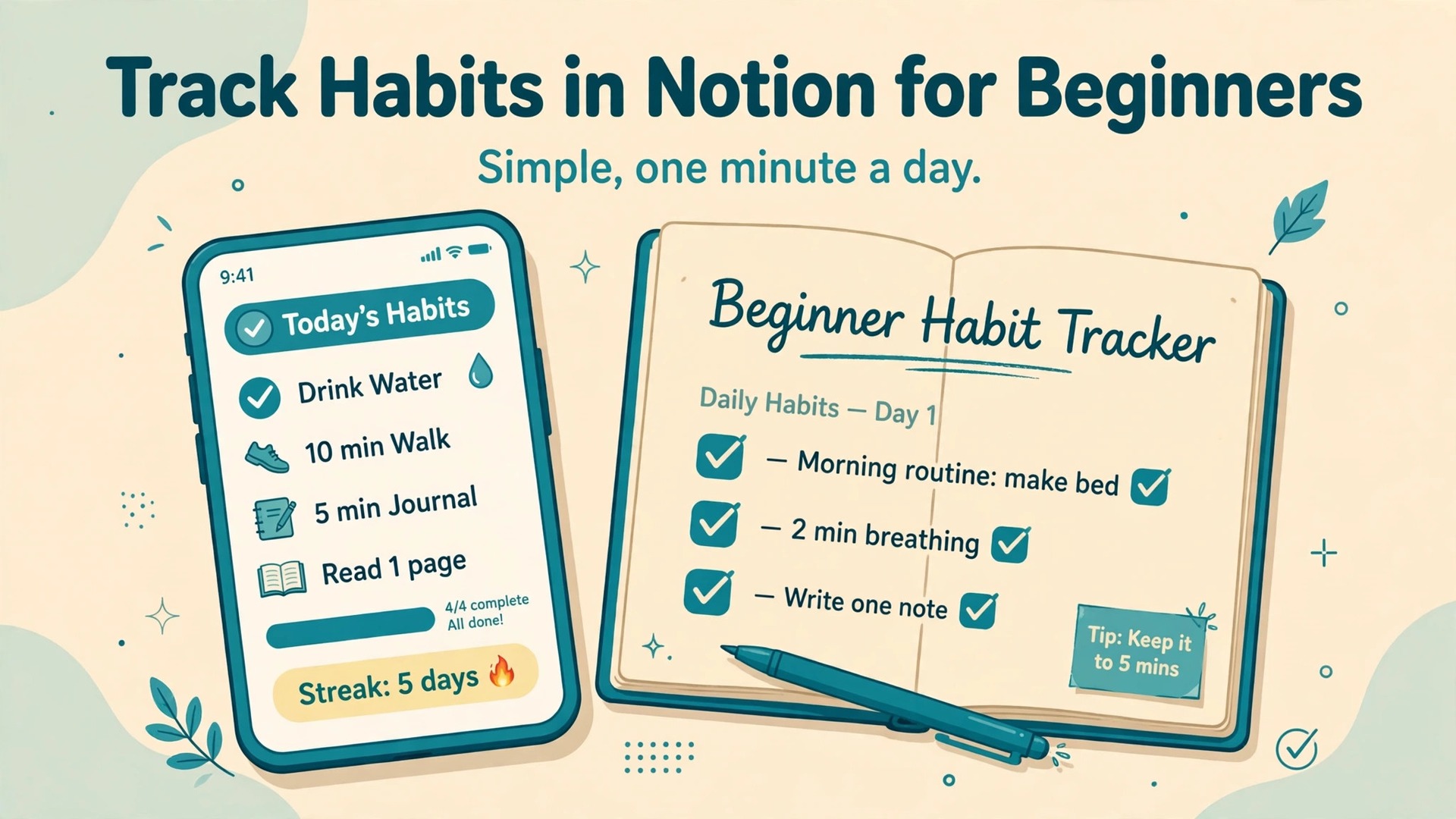
A paper habit tracker and a Notion habit tracker both record the same checkmarks, but they fail in different ways, and the difference decides which one survives the second week. Paper never crashes and never distracts, yet it cannot show a streak, remind you at the right hour, or reveal which habit keeps breaking. Notion can do all three, but only if you use Notion for habit tracking beginners with a tracker simple enough to open every day, because a dashboard with ten empty fields and a formula to remember will be abandoned at the exact moment motivation dips.
This guide shows how to use Notion for habit tracking beginners can actually keep, building a tracker you can finish in under an hour and use in under a minute a day.
Why Simple Trackers Outlast Clever Ones
A habit tracker has one job, which is to make yesterday visible and today easy. Everything else is decoration. When beginners copy elaborate templates with linked databases, progress rings, point systems, and reward shops, they inherit maintenance work they did not sign up for. Each extra property is a small decision at check in time. Each extra view is a place to get lost. Research on habit formation consistently points the same way. The behaviour must be easy to repeat, the cue must be obvious, and the record must be satisfying to complete. A single checkbox, ticked at the same time each day, satisfies all three. A dashboard that needs twenty minutes of upkeep satisfies none of them.
That does not mean Notion is the wrong tool. Notion is a good choice precisely because it can start simple and grow later. A page with checkboxes costs nothing to maintain. A database with a date property and a checkbox per habit costs only slightly more, and it gives you filtering, a calendar view, and a weekly summary without extra apps. The mistake is starting at the complicated end. Start with the version you would still use on a tired evening, on a phone, with one hand, while dinner is cooking. If the tracker passes that test, it will survive. If it only works when you are motivated and at a desk, it will not.
Beginners also benefit from separating two different questions. The first question is whether you did the habit. The second is why you missed it. The tracker answers the first question every day. The weekly review answers the second question once a week. Mixing them up, by writing long journal entries at check in time, makes the daily task heavy and the weekly insight shallow. Keep the daily entry to ticks and, at most, a few words. Save the thinking for Sunday.
How to Use Notion for Habit Tracking Beginners in Seven Days
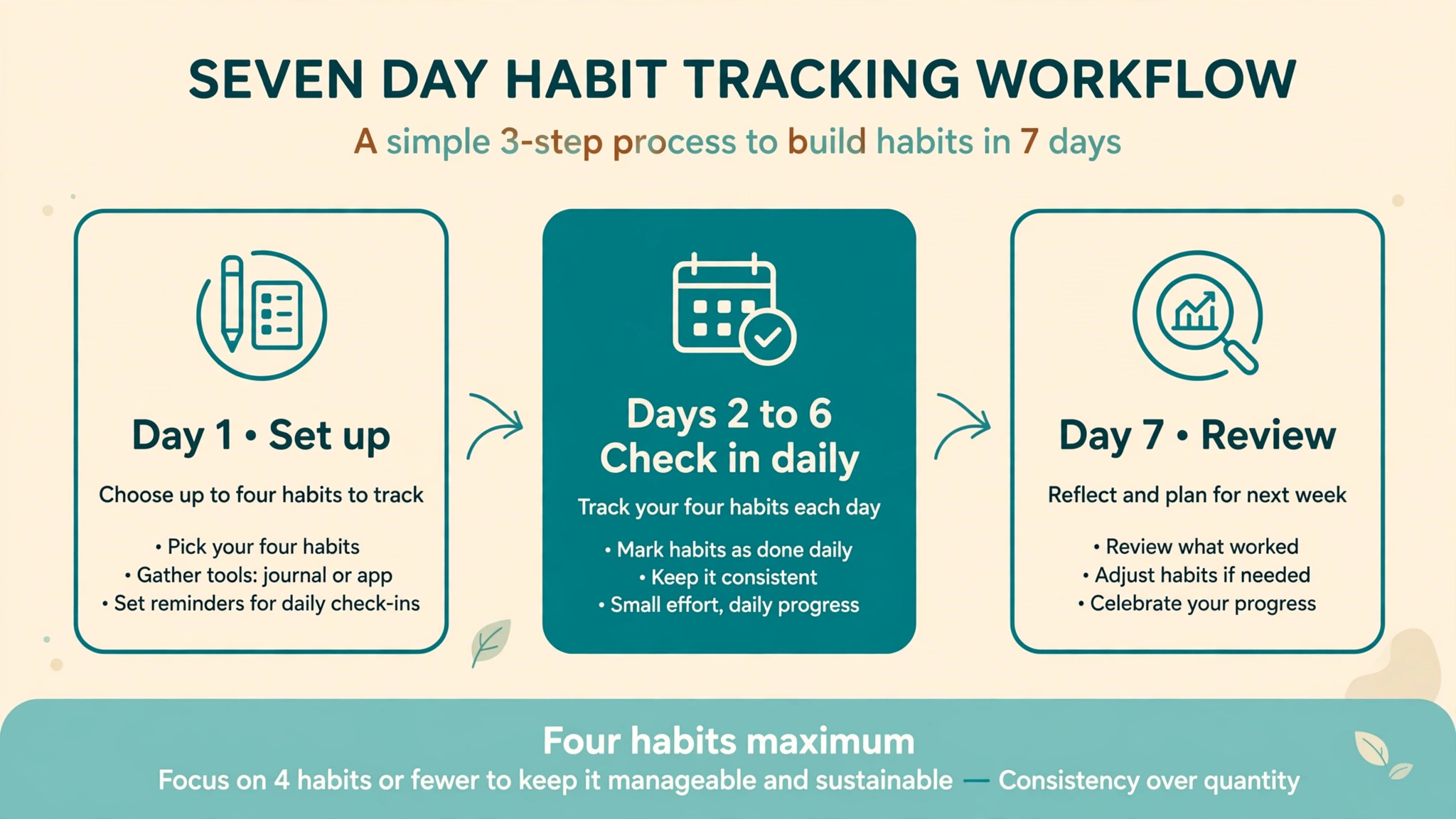
The seven day plan below is deliberately boring. Day one is setup. Days two to six are repetition. Day seven is review. Nothing in it requires a formula, a template download, or a second app. If you follow it, you will end the week with real data about your own behaviour, which is far more useful than a perfect looking empty tracker.
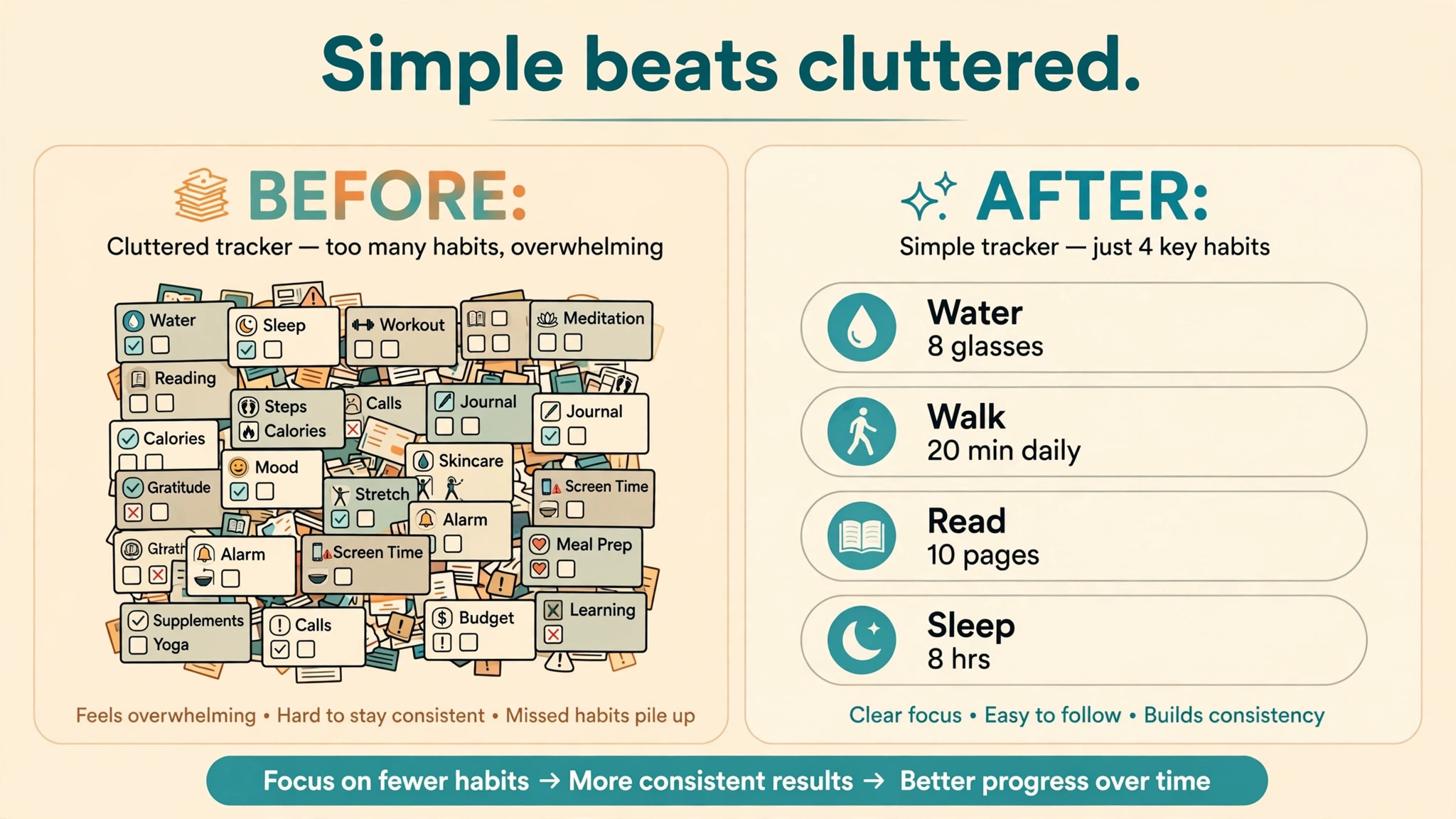
On day one, choose no more than four habits. Two is fine. Four is the ceiling. Write each habit as a specific action with a clear finish line, such as walk for twenty minutes, read ten pages, or drink water with lunch. Vague habits such as be healthier or read more cannot be ticked honestly, because there is no clear point at which they are done. Specific habits can be ticked without debate, and that honesty is what makes the data trustworthy later.
On days two to six, check in once a day at a fixed time. Attach the check in to something you already do, such as after breakfast or before bed. Open the tracker, tick what you did, leave what you did not do unticked, and close it. Do not backfill missed days from memory unless you are certain, and do not edit old ticks to make a week look better. A tracker that flatters you teaches you nothing. A tracker that shows the truth, including a blank Wednesday, tells you exactly where the system broke.
On day seven, run the weekly review described later in this guide. Look for patterns rather than judging yourself. A habit missed every weekday but kept at weekends points to a scheduling problem, not a willpower problem. A habit missed after a late night points to a sleep problem. The review turns those patterns into one small change for the next week, such as moving the habit earlier, shrinking it, or pairing it with a different cue. One change per week is enough. Changing everything at once resets the learning.
What a Beginner Tracker Actually Needs
When you use Notion for habit tracking beginners, the tracker needs five things and no more. It needs a list of habits, a place to tick each day, a way to see the week at a glance, a way to see the month, and a short note space for the weekly review. Anything beyond that is optional, and optional features should wait until the core routine has lasted three weeks.
The habit list should live in one place. If you track exercise in one app, reading in another, and water intake on paper, you will never see the whole picture, and you will check in three times instead of once. One page, one check in, one minute. That single habit also protects you on busy days. When time is short, you can still open one page and tick two boxes. When tracking is scattered, a busy day means skipping the whole system.
The weekly view matters more than the daily view for beginners. A single day tells you almost nothing. A week shows whether a habit is real or aspirational. Notion gives you this in two ways. A table with habits as rows and days as columns shows the shape of the week at a glance. A calendar view shows the same information spread across the month. Use the table for the weekly review and the calendar for a monthly sense of momentum. Neither view needs formulas to be useful. Your eyes can spot a gap faster than a percentage can explain it.
The note space deserves a rule. Keep it short during the week and longer during the review. A daily note such as late shift or felt ill is useful context. A daily essay is a chore that will kill the habit of tracking. If you find yourself writing more than a sentence a day, move that writing to a journal page and keep the tracker clean. The tracker is a record, not a diary, and confusing the two is one of the most common beginner errors.
Building Your First Tracker Step by Step
Start with a new page in Notion and give it a plain name you will recognise in the sidebar, such as Habit Tracker. Pin it or favourite it so it is one tap away. A tracker buried three levels deep in a workspace will not be opened, no matter how beautiful it is. Visibility is a feature, not a cosmetic choice, and beginners should treat sidebar placement as part of the setup.
Next, decide between the two beginner friendly structures. The first is a simple page with a checkbox list for today, duplicated each morning. This is the fastest to build and the easiest to understand, and it suits people who want almost no learning curve. Its weakness is that history is scattered across many pages, so weekly patterns are harder to see. The second structure is a database with one row per day, a date property, and a checkbox property for each habit.
This takes a little longer to build, but it gives you sorting, filtering, and a calendar view from the same data, and it is the structure recommended in this guide for anyone who plans to track for more than a month.
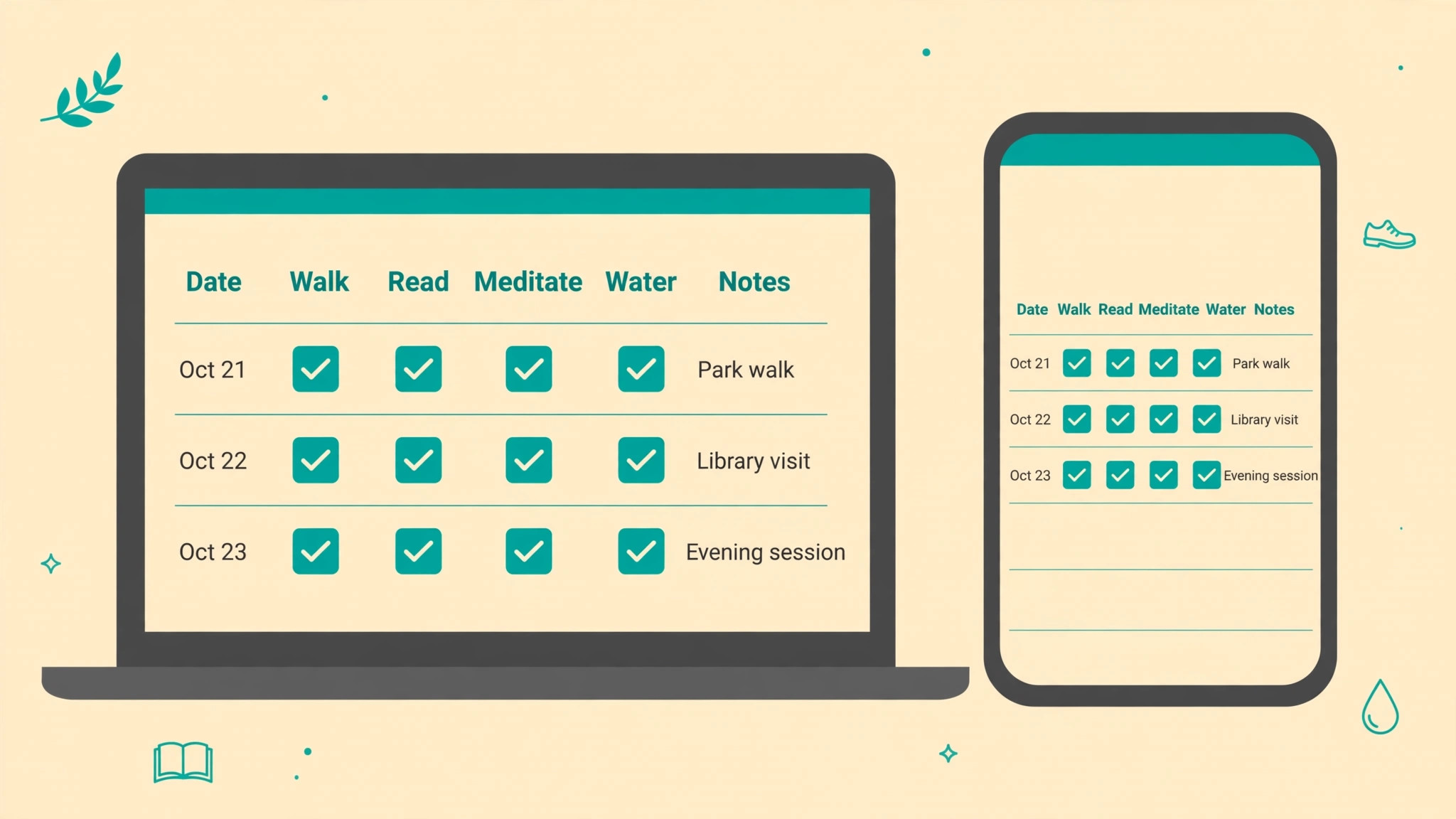
To build the database version when you use Notion for habit tracking beginners, create a full page database, add a date property, and add one checkbox property per habit. Name the checkboxes with the habit itself, such as Walk, Read, and Meditate, rather than generic labels such as Habit 1. Add a text property called Notes for short context. That is the whole database. Resist the urge to add priority, time of day, mood, energy, and weather properties on day one. Each one sounds useful in theory and costs attention in practice.
Experienced trackers in community guides report the same lesson, which is that they started with many properties and stripped them back to the few they actually used every day.
Create two views from the same database. The first is a table view filtered to the past week, which becomes your review view. The second is a calendar view by date, which becomes your month view. Add a database template that pre fills the date with today, so a new day takes one click rather than manual date entry. Test the whole flow on your phone before you commit to it. Create a row, tick two boxes, and check that the calendar view updates. If any step feels awkward on mobile, simplify it now, because most daily check ins will happen on a phone, not a computer.
The Starter Template You Can Copy in Notion
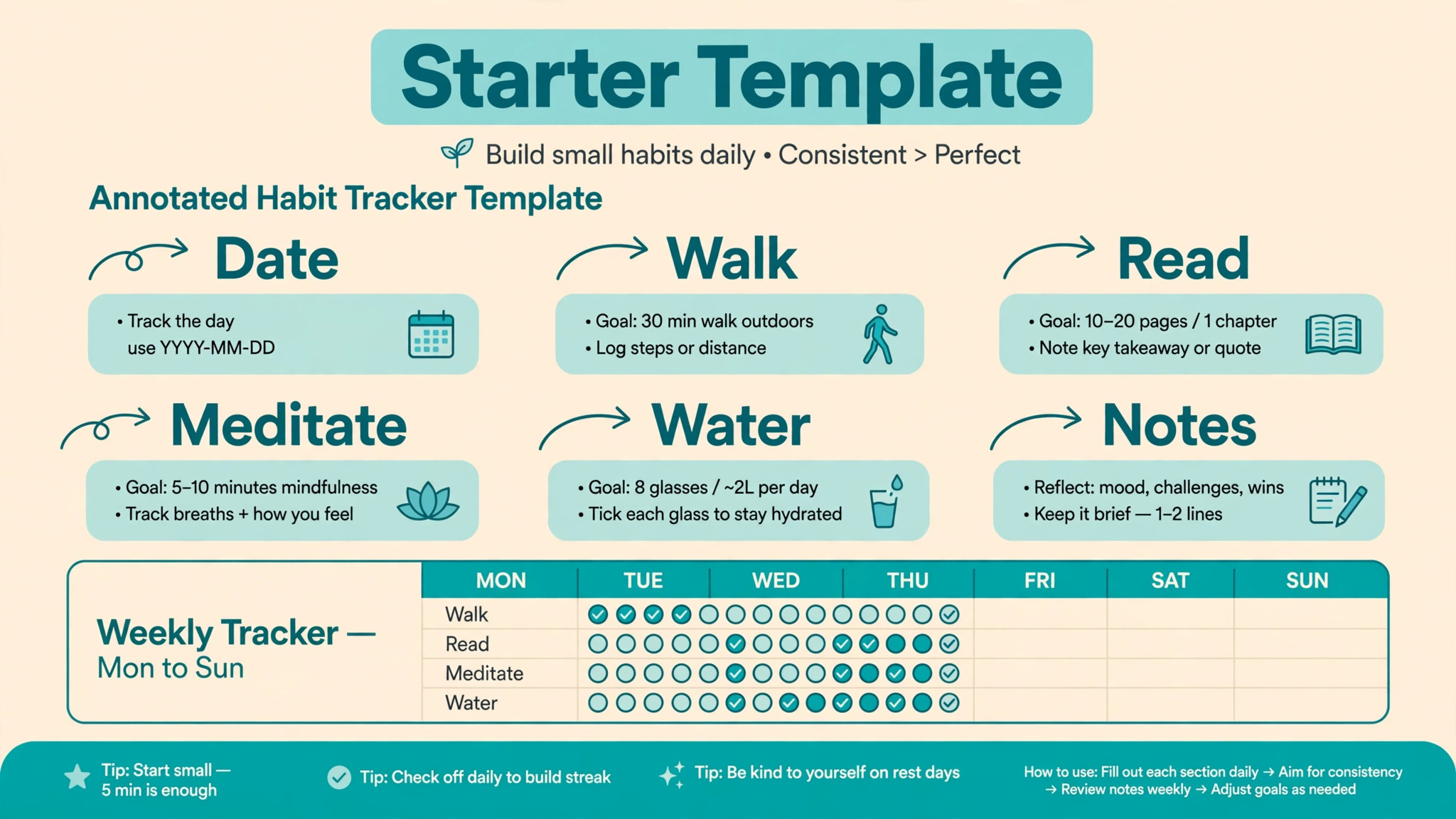
The template in this section, for anyone who wants to use Notion for habit tracking beginners, is a description you can build in minutes, not a file you must download. It has one database, four habits as an example, and three views. Replace the example habits with your own, keep the structure, and you have a working system. The point of a template is to remove setup decisions, not to add features you will never use.
| Property | Type | What it does |
|---|---|---|
| Date | Date | The day the row covers |
| Walk | Checkbox | Ticked when the walk is done |
| Read | Checkbox | Ticked when reading is done |
| Meditate | Checkbox | Ticked when meditation is done |
| Water | Checkbox | Ticked when the water goal is met |
| Notes | Text | One short sentence of context only |
Use the table view for daily entry and the weekly review. Use the calendar view to see streaks and gaps across the month. Use a board view grouped by nothing in particular only if you enjoy it, because it adds little for habit data. A filtered view called This Week, showing only rows dated within the past week, keeps the review focused and stops old data from distracting you. A second filtered view called Missed Days, showing rows where at least one habit is unticked, is optional and should be used kindly, as a diagnostic tool rather than a guilt list.
When you add a new habit, add it as a new checkbox property and accept that old rows will show it as unticked before it existed. That is fine. Do not go back and fill old rows, because that rewrites history and hides the date you actually started. When you retire a habit, do not delete the property immediately. Rename it with a retired marker or hide it from the main view, so your history stays intact. Deleting a property deletes its history, and history is the most valuable thing a tracker accumulates.
The Weekly Review Checklist That Makes Data Useful
Data without review is decoration, which is why people who use Notion for habit tracking beginners need a fixed review day. The weekly review is where a tracker earns its keep, because it converts a grid of ticks into a decision about next week. Set aside fifteen minutes at the same time each week, ideally Sunday evening or Monday morning, and work through the checklist below in order. Do not skip to the planning step, because planning without looking at the data just repeats last week intentions with fresh enthusiasm.
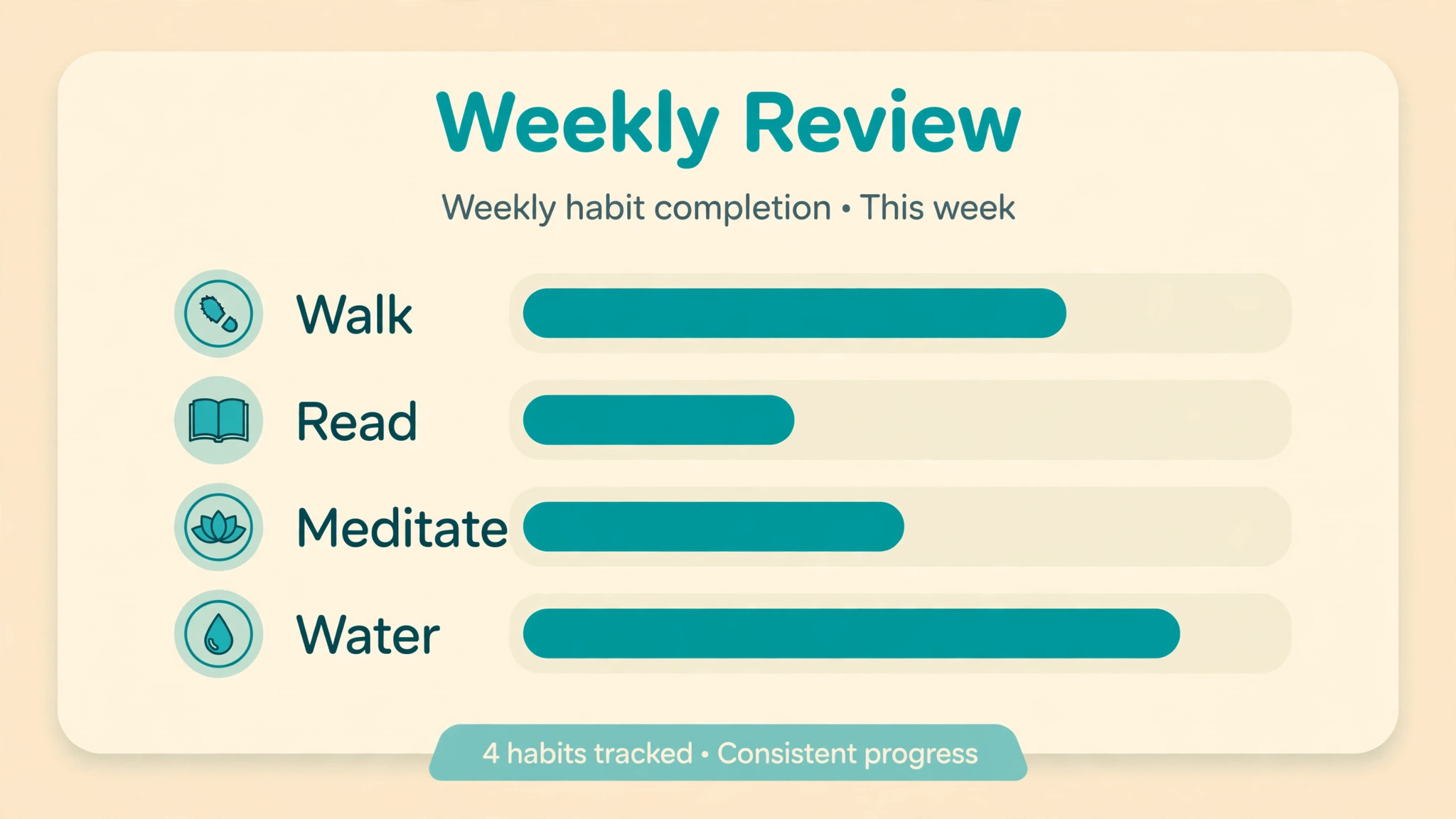
First, count completions per habit for the week. You do not need a formula for this with four habits and seven days, because counting by eye takes under a minute and forces you to actually look at the pattern. Note which habit scored highest and which scored lowest, and write both numbers down. Second, find the worst day. Was there a day when everything failed, or did one habit fail on scattered days? A single bad day usually means the day itself was disrupted. Scattered failures usually mean the habit is too big, badly timed, or competing with something else. Third, read the notes.
Short notes such as late shift, travelling, or sick explain more than any chart, and they stop you from blaming yourself for circumstances.
Fourth, choose one change only. The change can be shrinking a habit, moving it to a different time, pairing it with a stronger cue, or dropping a habit that no longer matters. Write the change as a sentence, such as walk right after lunch instead of after work, and apply it to the tracker if it changes the habit definition. Fifth, set the coming week intention in plain language, such as four walks out of seven, rather than a perfect week. A target you can hit builds momentum. A target that demands perfection builds a reason to quit after the first miss.
| Review step | Question to answer | Time needed |
|---|---|---|
| Count | How many days did each habit succeed | 2 minutes |
| Pattern | Which day or habit failed most | 3 minutes |
| Context | What do the notes explain | 3 minutes |
| Change | What one change will help most | 4 minutes |
| Intention | What is a realistic target next week | 3 minutes |
If you miss a weekly review, review the most recent week only and move on.
Streaks, Misses, and the Psychology of Not Quitting
Streaks are motivating until they break, and then they become a reason to quit. This is the most predictable failure mode in habit tracking, and beginners should design against it before it happens. A streak counts consecutive days, so one missed day resets it to zero even if the previous twenty nine days were perfect. That arithmetic feels punishing out of proportion to the miss, and many people respond by abandoning the tracker entirely rather than starting again at zero. A healthier measure is the weekly completion rate, which treats a six out of seven week as a success and a missed day as data.
If you love streaks, keep them as a secondary number, not the main score. Let the main score be the number of successful days in the past four weeks, or the number of weeks in a row in which you hit your realistic target. Both measures survive a single miss. Both reward consistency over perfection. If Notion formulas appeal to you later, a streak formula is a reasonable second month project, but it should never be the first thing you build, because it optimises for the number most likely to demotivate you.
Missing a day also deserves a rule decided in advance. The rule used by many successful trackers is simple. Never miss twice in a row if you can help it, and never let a miss change the habit definition. A missed walk does not mean the walk should become shorter, easier, or optional. It means the next day walk happens as planned. Shrinking a habit after a miss feels kind in the moment, but it teaches the system that missing leads to easier terms, and the habit quietly fades. Keep the habit the same, keep the tracker the same, and let the next tick restore the rhythm.
Common Beginner Mistakes and How to Fix Them
The first mistake when you use Notion for habit tracking beginners is tracking too many habits at once. Ten habits feel ambitious on day one and impossible on day ten, because each habit needs its own cue, time, and energy. The fix is a hard cap of four habits for the first month, with a waiting list for everything else. When a habit has lasted three weeks, you may swap one out or add one in, but never add two at once. Growth by replacement keeps the daily load stable while the system matures.
The second mistake is choosing habits that are too large. Read for an hour, exercise daily, and meditate for thirty minutes are all fine goals, but they are poor starting habits, because they demand a large block of time on the worst day as well as the best day. The fix is to set the minimum version as the habit, such as read ten pages, walk twenty minutes, or meditate for five minutes. You may always do more, and you should tick the box when the minimum is met. The minimum is what keeps the habit alive on busy days, and busy days decide whether a habit survives.
The third mistake is hiding the tracker. A page that lives in a nested folder, a database that requires three clicks, or a phone widget that was never set up all produce the same result, which is forgetting. The fix is placement before polish. Favourite the page, put it at the top of the sidebar, and link it from your daily planning page if you have one. Some beginners also set a daily reminder in Notion for the check in time. A reminder is helpful for the first two weeks and can be removed once the cue is established.
The fourth mistake is over interpreting a single week. One good week does not prove a habit is permanent, and one bad week does not prove you cannot do it. Habits need about a month of data before patterns are reliable, and seasonal changes such as holidays, work deadlines, and illness will distort any single week. The fix is to compare four week blocks rather than single weeks, and to judge a habit by its trend, not its latest result. A habit moving from two days a week to four days a week is succeeding, even if this week was three.
Growing the Tracker After the First Month
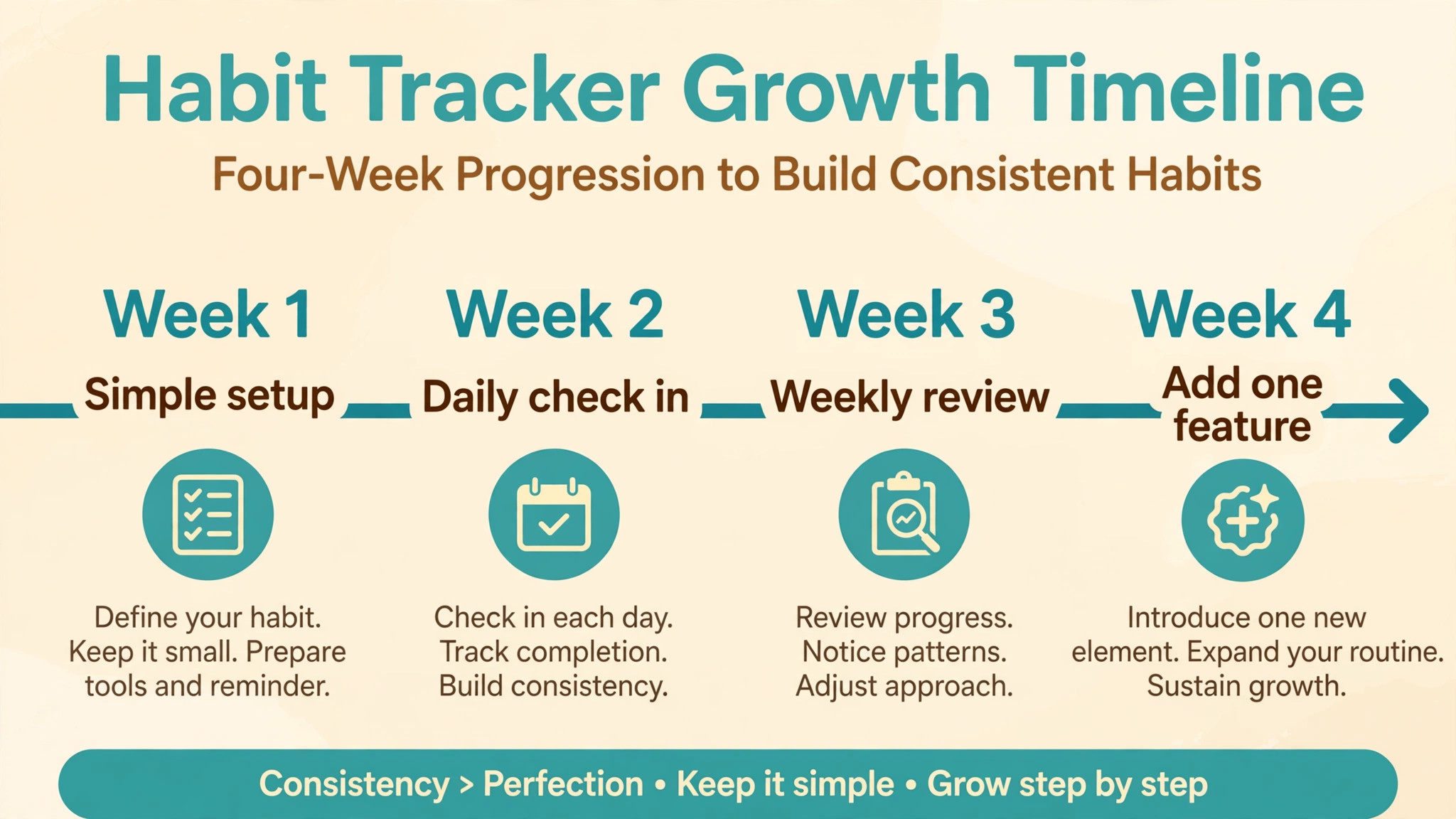
After a month of consistent use, when you use Notion for habit tracking beginners over a longer period, you have earned the right to add complexity, and you should add it slowly, one feature at a time, with a test week for each addition. The most useful first addition is usually a simple progress view, such as a filtered table showing only the current month, or a formula that calculates the weekly completion percentage for each habit. Community guides describe a common progress formula that counts ticked checkboxes and divides by the number of habits, displayed as a percentage or a bar.
That formula is genuinely useful once the habit routine is stable, because it summarises a week in one number without changing the daily task.
The second useful addition is habit categories, using a select property to group habits into areas such as health, learning, and work. Categories help during the monthly review, when you can see whether one area is thriving while another is neglected. They do not help during daily entry, so they should be set once per habit and then ignored. If you find yourself recategorising habits weekly, remove the property, because it has become busywork.
The third addition is a monthly review page, separate from the weekly checklist, where you record which habits to keep, change, or retire, and which new habit to try next. Monthly reviews are where long term direction happens. Weekly reviews fix execution. Monthly reviews fix selection. Keeping them separate stops weekly reviews from turning into existential debates about your whole life, which is another way trackers die.
Comparing Notion With Simpler and Heavier Options
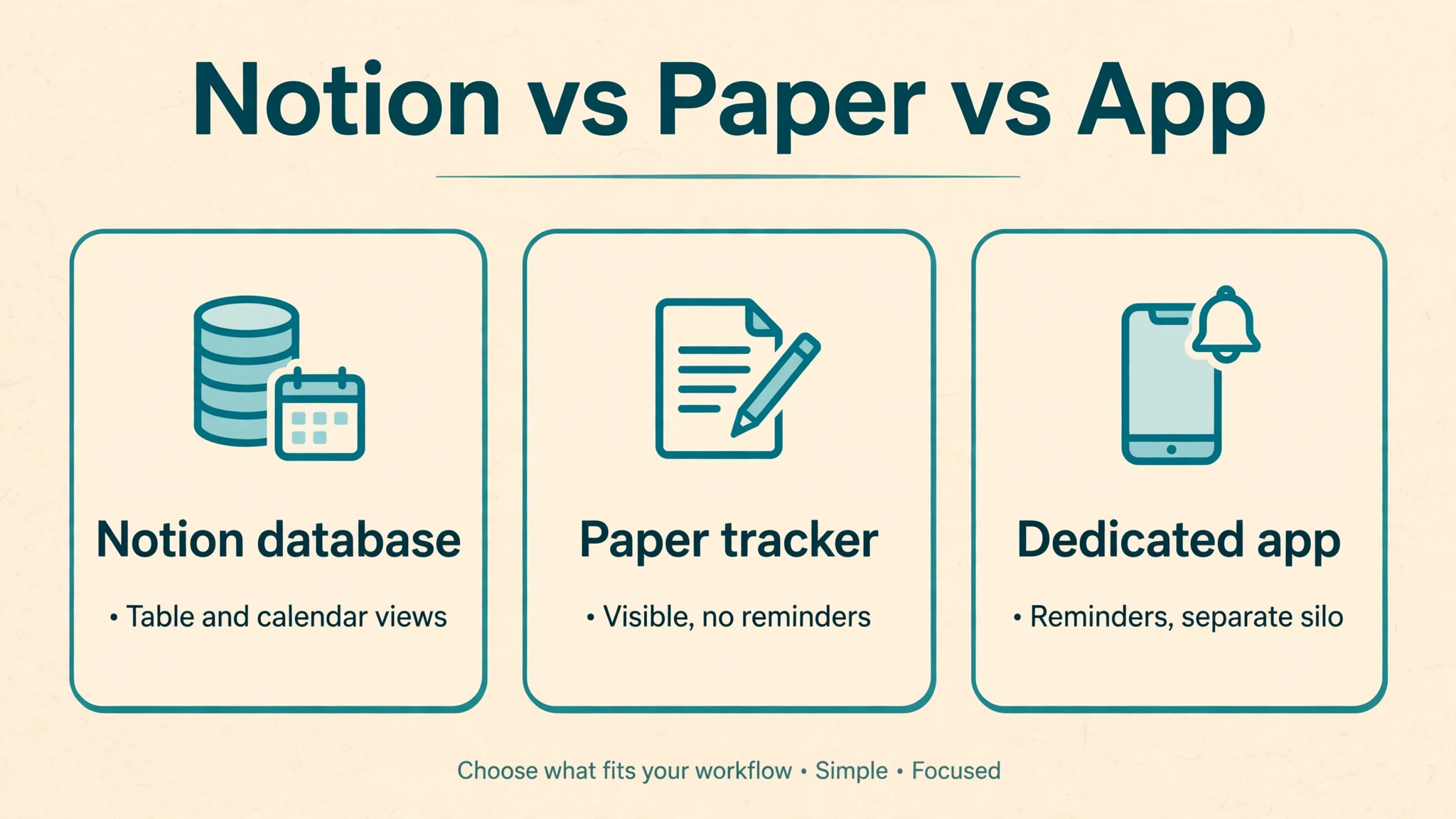
Beginners who use Notion for habit tracking beginners often ask whether Notion is the best choice, or whether a dedicated habit app or a paper tracker would be better. The honest answer is that the best tracker is the one you will open, and that depends on where your planning already lives. If you already plan your week in Notion, tracking there removes a second app and a second check in. If you never open Notion except to track habits, a dedicated app with reminders and a home screen widget may serve you better, because it meets you where you already are.
Paper trackers have real advantages. They are always visible if pinned to a wall, they require no charging or syncing, and ticking a box by hand feels satisfying in a way a tap sometimes does not. Their weakness is history. Finding a pattern across three months of paper requires flipping pages and counting by hand, while Notion filters the same period in seconds. Paper also cannot remind you, back up automatically, or travel with you easily. For a beginner who wants to learn from patterns, the digital advantage grows over time.
Dedicated habit apps usually offer streaks, reminders, charts, and widgets out of the box, with less setup than Notion. Their weakness is lock in and limits. You may not be able to combine habit data with project notes, reading lists, or weekly planning in the same place, and exporting history can be awkward. Notion trades instant polish for flexibility. You build exactly the tracker you need, and it sits beside the rest of your life rather than in a separate silo. That trade is worth it if you already use Notion, and questionable if you do not.
| Approach | Best for | Main weakness |
|---|---|---|
| Notion database | People who already plan in Notion | Needs initial setup |
| Dedicated habit app | People who want reminders and charts fast | Data lives in a separate silo |
| Paper tracker | People who want a visible physical cue | History is hard to analyse |
| Simple checklist page | Absolute beginners | No easy monthly view |
Choose the approach that matches your existing routine, not the approach with the most features. You can always move later, and a month of honest paper data transfers to Notion in an afternoon. What cannot be recovered is a month spent setting up a perfect system you never used.
More Reading on Stratilyze
Readers who liked this guide often continue with planning a content calendar in Google Sheets for bloggers, tracking client projects in Trello for freelancers, and designing infographics in Figma for marketers, because each one applies the same principle of a simple system reviewed weekly rather than a complicated system abandoned quickly.
Frequently Asked Questions
How long does it take to set up a beginner habit tracker in Notion
A simple version takes about fifteen to thirty minutes, including creating the database, adding four checkbox properties, and making a table view and a calendar view. The simple checklist page version takes under five minutes. If setup is taking over an hour, you are adding features you do not need yet. Stop, use the simple version for two weeks, and add features only when a real problem appears.
Can I use Notion for habit tracking beginners if I only have a phone
Yes, and most daily check ins will happen on a phone. Build the tracker on a computer if you can, because adding properties is easier with a keyboard, but test the daily flow on your phone before you rely on it. Make sure the page is favourited, the table view is readable on a small screen, and ticking a box takes one tap. If the phone experience is awkward, reduce the number of visible properties until it is smooth.
How many habits should a beginner track at once
Four is the ceiling for the first month, and two or three is often better. Each habit needs a cue, a time, and energy, and total load matters more than any single habit. When one habit has lasted three weeks without strain, you can consider adding another or swapping one out. Adding five habits at once is the fastest route to abandoning all of them, because a bad day then feels like total failure rather than one miss.
What should I do when I miss a day
Tick nothing for that day, write a short note if there is a real reason, and do the habit the next day as planned. Do not backfill from memory, do not shrink the habit to make up for it, and do not restart your whole system. A single miss is data, not a verdict. The pattern to watch is misses twice in a row, or the same habit missing on the same weekday repeatedly, because those patterns point to a scheduling or sizing problem worth fixing in the weekly review.
Do I need formulas or paid features to track habits in Notion
No. Checkboxes, a date property, and table and calendar views are enough for the first month, and they are available without paying. Formulas become useful later for weekly percentages and progress bars, but they are an enhancement, not a requirement. A tracker that depends on a formula you do not understand is fragile, because you cannot fix it when it breaks. Learn the routine first, then learn one formula at a time.
Should I track habits I want to stop, such as late night snacking
You can, but the design changes. For a habit you want to reduce, ticking a box for each day you avoided it works better than counting each lapse, because it keeps the focus on success days. Alternatively, use a simple number property to record occurrences, and review the weekly total during the review. Whichever method you choose, keep it separate from your positive habits in the review, so a difficult reduction goal does not make a good week of positive habits look like failure.
A Tracker You Will Still Use Next Month
The test of this system is not how it looks on day one. It is whether you still open it on day thirty, after a busy week, a missed day, and a holiday. That test is passed by small design choices. Four habits or fewer. One page. One minute a day. One honest weekly review. One change per week. Those choices are less impressive than a dashboard full of charts, but they are the choices that survive contact with real life, and survival is the whole point of tracking.
Start today, not next Monday. Create the page, add your habits, tick today boxes, and set a reminder for the weekly review. In a month you will have something no template can give you, which is a record of your own behaviour, with patterns you can see and changes you can trust. That record is the foundation for every larger system you build later, in Notion or anywhere else.