

The verdict is simple. For most repair shops, the answer is yes, provided the booking system captures the device, the fault, and the data question before the customer leaves the counter. Shops that decide to use AI for computer repair shop booking usually do so because the old pattern has stopped working. A customer drops off a laptop with a vague note, the technician cannot reproduce the fault, the part is out of stock, and the customer calls every day for an update that nobody can give with confidence. The repair itself is rarely the problem. The booking is.
Computer repair booking is harder than ordinary appointment booking, because the customer is not booking a time, they are handing over a machine that holds their work, their photos, and their passwords. A booking must record the device model, the symptoms, the passwords or access the technician will need, whether a backup exists, and whether the customer agrees to a data wipe if the repair requires it. A system that books a flat thirty minute slot and asks nothing else will create a queue of half diagnosed machines, a shelf of waiting parts, and a phone that never stops ringing with the same question, which is when will it be ready.
This guide builds a booking workflow that takes a proper intake in minutes, gives a realistic time estimate, tracks parts and status without constant phone calls, and returns the machine with a clear record of what was done. It covers the intake questions that prevent disputes, the tools that handle repair tickets well, the pricing and data rules that protect both sides, and the measures that show whether the system is earning its keep. Prices quoted here come from vendor pages and comparison guides checked at writing time, so confirm the current price on the vendor page before buying.
Why Computer Repair Bookings Go Wrong
Most repair shops lose money in three quiet places, and none of them appears as one large bill. The first is the vague intake. A ticket that says “laptop slow” tells the technician almost nothing, because a slow laptop can mean a full drive, a failing drive, malware, too many startup programs, or a battery that forces the processor to throttle. The technician spends the first hour just finding the fault, the estimate slips, and the customer feels the price was invented after the fact, even when the work was honest.
The second leak is the silent queue. Once a machine is booked in, many shops have no automatic way to tell the customer that diagnosis is done, that a part has been ordered, or that the machine is ready. The customer calls, the counter staff interrupt the technician to ask, and the technician stops work to answer. That interruption costs more than the call itself, because a repair in progress loses its place, its test results, and its train of thought. A shop with ten machines in progress can lose hours a week to status calls alone.
The third leak is the data dispute. A customer who was never asked about backups, and never signed a consent for data handling, will blame the shop if files are lost during a drive replacement or a system reinstall, even when the drive was already failing. A booking system that asks the backup question, records the answer, and explains the risk before work starts prevents most of these disputes, and it also protects the shop legally and reputationally. Data handling is not paperwork for its own sake. It is the core trust issue in computer repair.
How to use AI for computer repair shop booking without losing the human touch
The best way to use AI for computer repair shop booking is to let software handle the routine parts and keep people in charge of the judgment calls. Software should answer enquiries, collect the intake details, check the diary, send status updates, and remind the customer to collect the machine. A person should diagnose the fault, decide whether a repair is worth the cost, approve a part order above an agreed limit, and explain a data loss risk face to face. When that split is clear, customers get fast answers and the business keeps its reputation for honest work.
Start by defining what the system may book and quote on its own. Standard jobs with known prices and times, such as a screen replacement for a common model, a battery replacement, a virus cleanup, or a memory upgrade, are safe to automate, because the part and the time are predictable. Anything outside that list, such as liquid damage, a failing drive with irreplaceable data, a motherboard fault, or a machine under warranty with another company, should go to a technician for a diagnosis call within a stated time. Customers accept a diagnosis step when the system tells them exactly what it costs, how long it takes, and when they will hear back.
Tone matters as much as speed, because the customer is worried about their data and their work. Booking messages should sound like the business, with the business name, the shop address, and real turnaround times, and they should never promise a repair outcome before diagnosis. Test the system with awkward questions, including forgotten passwords, encrypted drives, school or work machines, and customers who need the machine back for an exam or a deadline, and listen to how it answers before it goes live. A fast answer that sounds careless will cost more trust than a slow answer ever could.
The Repair Booking Workflow, Step by Step
A strong booking workflow moves a customer from first contact to a repaired, tested machine in nine steps. Each step has one job, and skipping a step is what creates the disputes and delays that damage a shop’s name. The steps below work for a solo technician and for a small team, and they work whether the first contact is a phone call, a website form, or a walk in at the counter.
1. Capture the enquiry the moment it arrives. An AI phone answer service or a website booking form takes the name, phone number, device type, and preferred drop off or collection dates before anything else, so no enquiry is lost to a missed call or an unanswered message. 2. Collect the device and fault details. Ask for device make and model, operating system, fault symptoms, when the fault started, and what the customer has already tried, using tap choices where possible so customers can answer quickly on a phone. 3. Ask the data question properly. Ask whether a backup exists, whether the customer wants a backup service, and whether they consent to data handling or a reinstall if the repair requires it, and record the answer on the ticket before any work starts. 4. Give a diagnosis step and a price range, not a guess dressed as a quote. State the diagnosis fee if any, the likely price range for the common causes, and the rule that no part above an agreed limit is ordered without customer approval. 5. Offer real diary slots that fit the job type. A virus cleanup and a motherboard diagnosis need different bench time, so the system must block time by job type rather than by a fixed slot for every booking. 6. Confirm with a diagnosis fee or deposit where the business uses one. A small fee for diagnosis cuts no show drop offs and pays for the technician time even when the customer decides not to proceed. 7. Send preparation instructions and reminders. Tell the customer what to bring, including charger and passwords where needed, what to back up, and when to expect the diagnosis update, then remind them the day before drop off. 8. Diagnose, approve, repair, and test. Diagnose the fault, contact the customer with the firm price and time, get approval, order or fit the part, and test the machine with the original fault reproduced and cleared. 9. Close the loop after collection. Send a record of the work, the part warranty, the data note, and a request for a review, so one repair becomes a repeat customer rather than a one off visit.

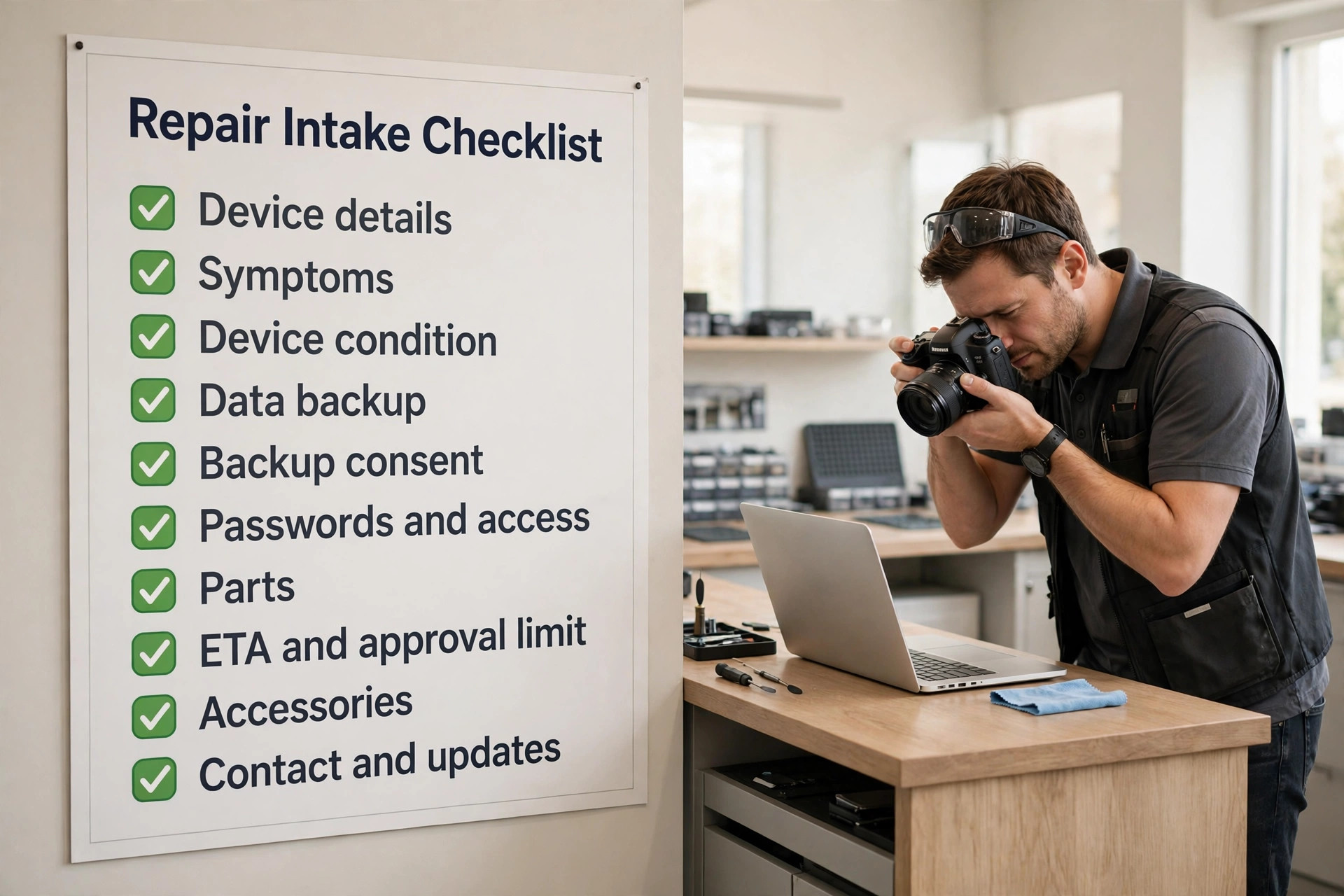
The Repair Intake Checklist
The repair intake checklist below is the heart of the system, because every question on it prevents a dispute or a delay. Use it as a booking form, as a counter script, and as a ticket template the technician checks before starting work. If an answer is missing, the ticket is not ready to diagnose, and the system should chase it rather than leave it blank.
| Intake item | What to ask | Why it changes the job |
|---|---|---|
| Device details | Make, model, serial number, operating system | Decides part fit and driver needs |
| Symptoms | Fault description, when it started, triggers, error messages | Decides diagnosis path and time |
| Device condition | Scratches, dents, liquid damage, previous repairs | Prevents damage disputes at collection |
| Data backup | Backup exists, backup service wanted, backup location | Decides risk and consent needed |
| Data backup consent | Consent to handle data, reinstall, or wipe if required | Protects customer and shop |
| Passwords and access | Login details, encryption, work or school account limits | Decides whether testing is possible |
| Parts | Part likely needed, part in stock, part lead time | Decides honest ETA |
| ETA and approval limit | Target date, approval limit for parts, contact method | Prevents price surprises |
| Accessories | Charger, bag, mouse, cables left with the machine | Prevents lost property disputes |
| Contact and updates | Best number, text or email preference, urgency deadline | Decides how status updates arrive |
Keep the form short enough to finish on a phone in under four minutes, using tap choices for device type and fault category, with only one open text box for anything unusual. Photograph the device at intake, including existing damage and the serial number, and attach the photos to the ticket, because a photo taken at intake ends most damage arguments before they start. Review completed tickets weekly for the first month, and remove any question that customers keep skipping or answering wrongly, because a question that produces bad data is worse than no question at all.
Device Types, Faults and Parts That Change the Estimate
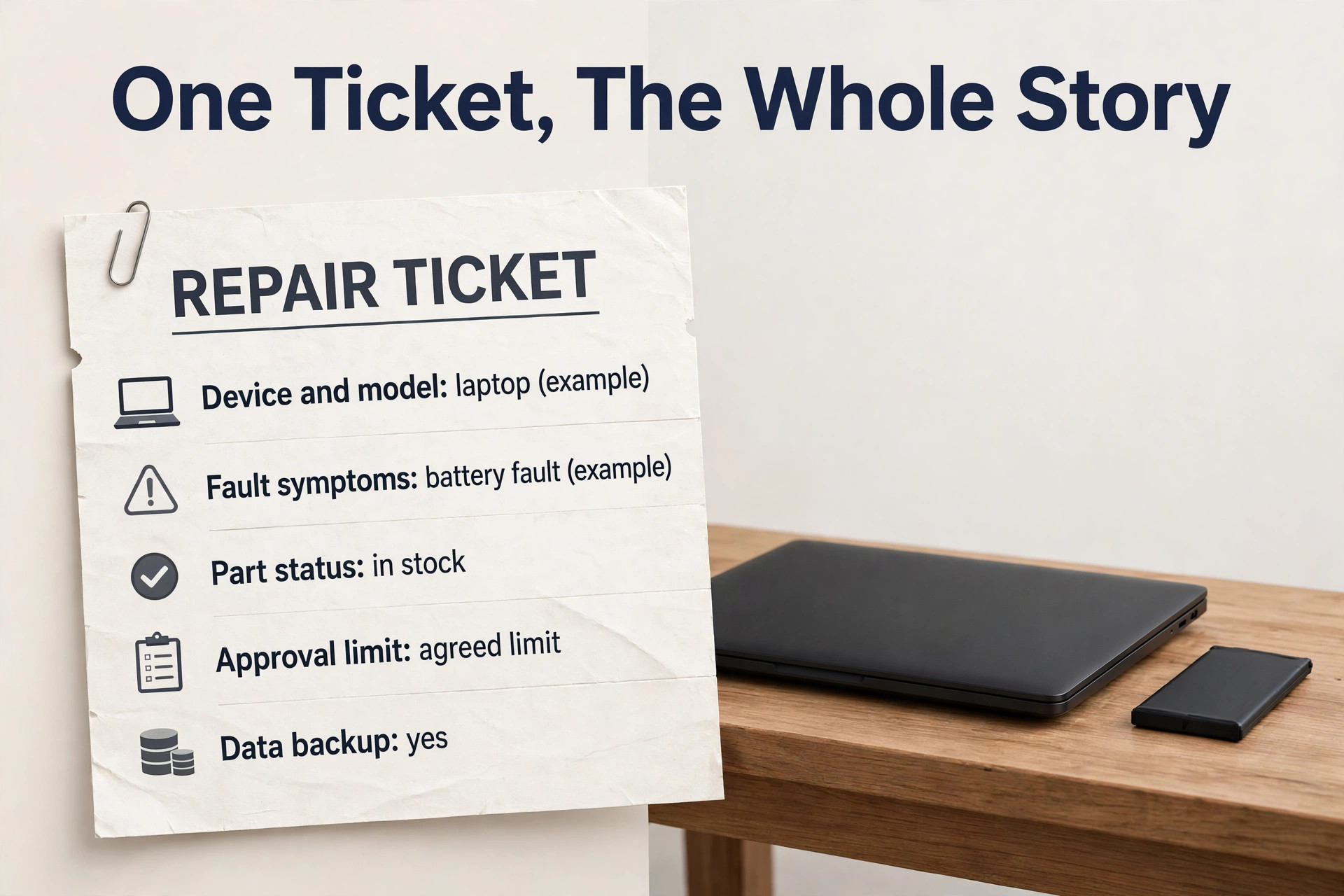
Not all repairs cost the same, and a booking system that charges one flat repair price will either overcharge simple jobs or lose money on complex ones. A virus cleanup on a desktop, a screen replacement on a common laptop, a battery replacement on a sealed ultrabook, and a liquid damaged motherboard are different jobs in diagnosis time, part cost, and risk. Build the price list around device types and job categories, with clear diagnosis fees and part ranges, so the customer sees a fair price and the technician sees a realistic time allowance.
Fault type changes the diagnosis path, and the diagnosis path changes the honest ETA. A machine that will not power on needs a different first hour than a machine that is slow, and a machine with a clicking drive needs urgent data advice before any other work, because every hour of testing on a failing drive can make recovery harder. A booking system should flag data risk cases for immediate technician review, rather than letting software promise a standard turnaround for a machine that needs urgent, careful handling. That single rule protects the customer’s data and the shop’s reputation at the same time.
Parts availability is the third factor that must shape the ETA from the start. A common screen or battery may be in stock, while a specific motherboard, keyboard, or hinge may take days to arrive, and a part ordered from overseas may take longer still. The booking confirmation should state whether the likely part is in stock, ordered, or subject to a lead time, and it should update the customer automatically when the part arrives. Customers who hear a realistic ETA at booking are far more patient than customers who hear a short ETA that then slips twice without explanation.
Tools Compared for Computer Repair Shop Booking
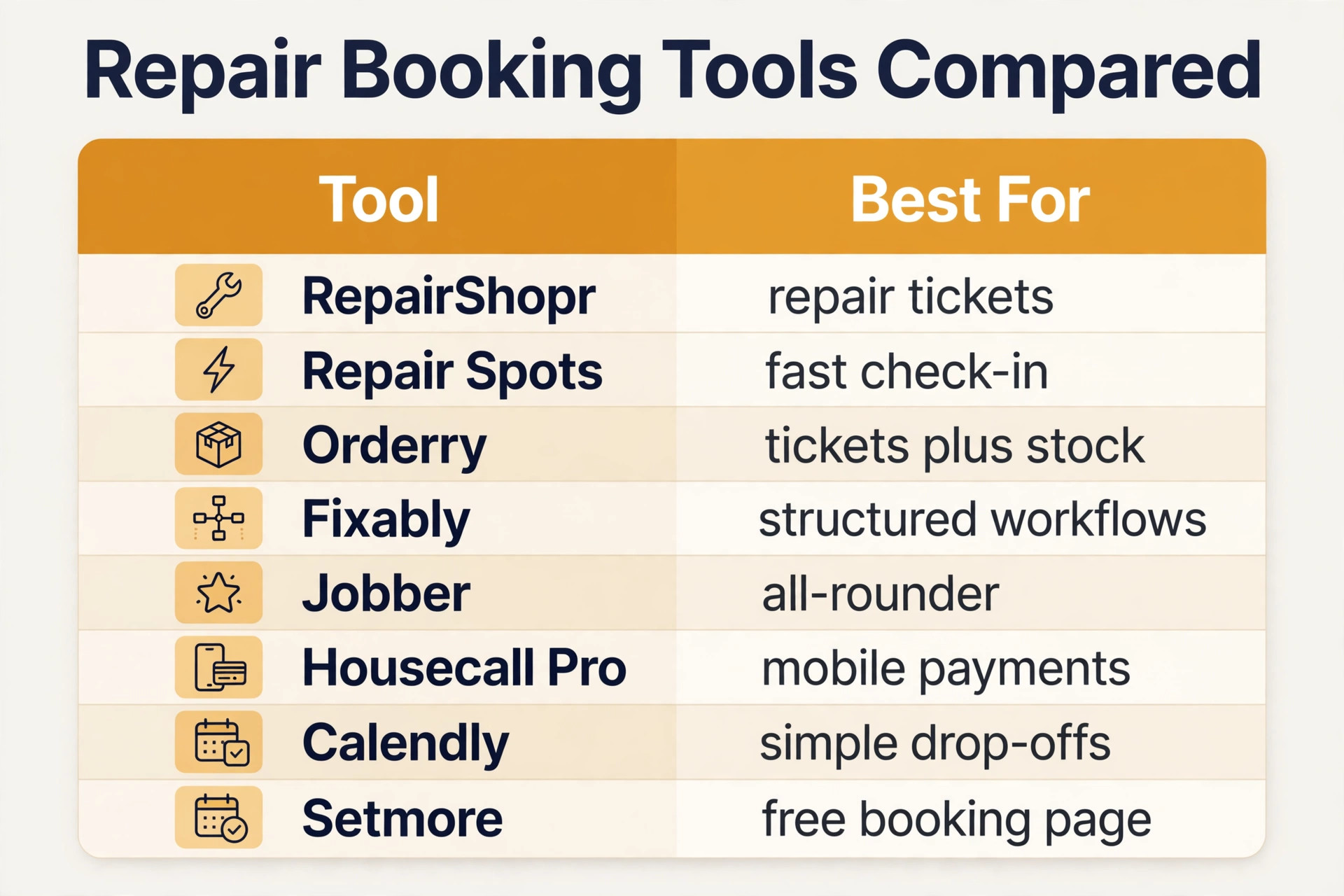
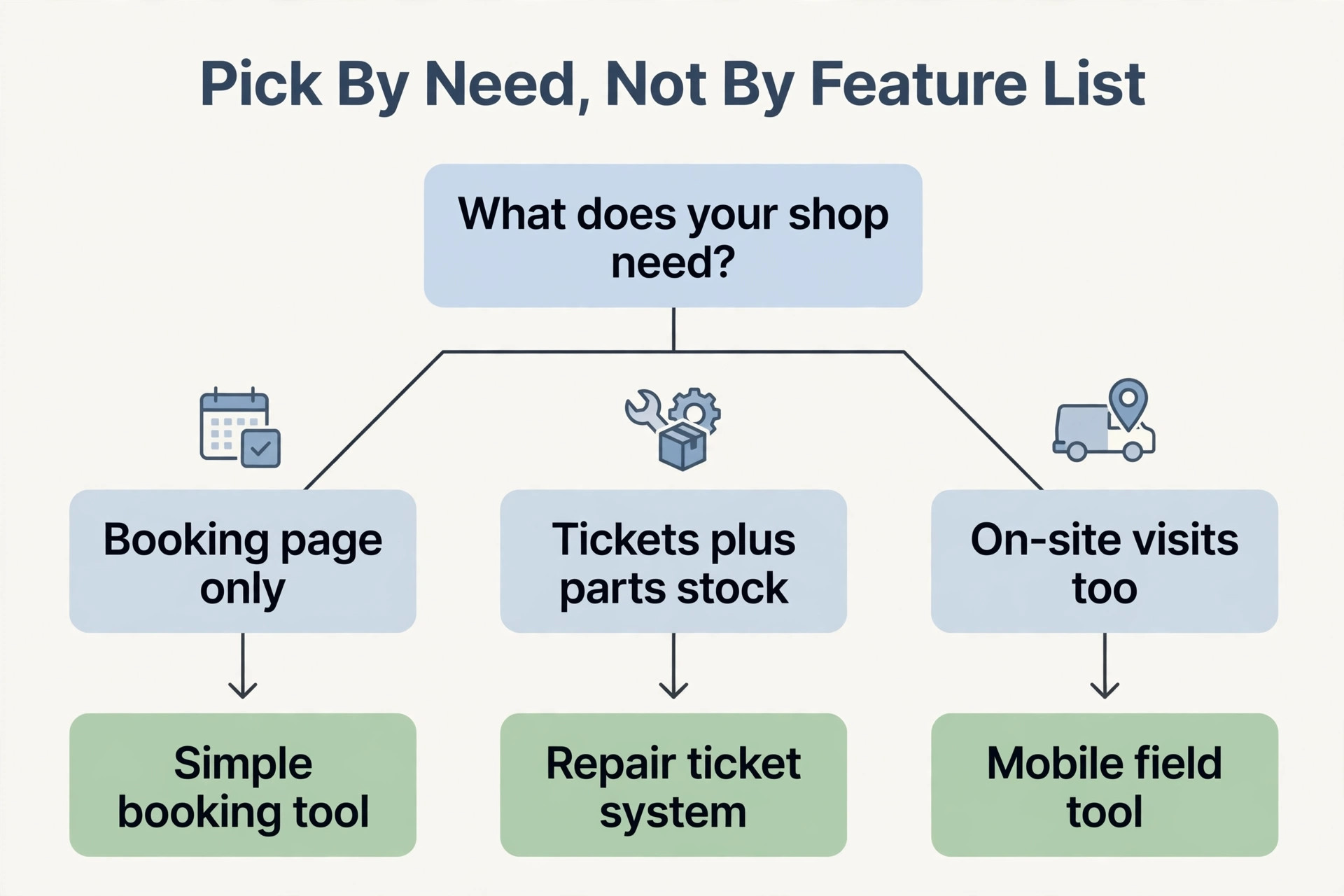
The tools below cover the main ways a repair shop can run bookings, from repair specific ticket systems to general booking pages. Prices are reported from vendor pages and comparison guides, and they change, so confirm the current price on the vendor page before choosing. The right choice depends less on the feature list and more on whether the business needs tickets, parts stock, invoicing, and point of sale in the same tool or only needs a booking page.
| Tool | Best for | Reported starting price | Trade off |
|---|---|---|---|
| RepairShopr | Small shops needing tickets, invoicing and customer updates together | Quoted per business in recent guides | Strong repair focus, but pricing needs a sales check |
| Repair Spots | Shops wanting fast check in, status texts and parts stock | From about $45 a month in recent guides | Fast intake, but less deep on accounts |
| Orderry | Repair shops wanting check in, ticketing, CRM and stock together | Quoted per business in recent guides | Broad feature set, but setup takes care |
| Fixably | Repair and refurbishment businesses needing structured workflows | Quoted per business in recent guides | Good workflow depth, but heavier for a solo shop |
| Jobber | Small teams needing booking, quotes, invoicing and dispatch together | About $29 to $49 a month for one user on annual billing in recent guides | Strong all rounder, but repair tickets need setup |
| Housecall Pro | Mobile teams wanting booking plus payments | About $59 a month for one user on annual billing in recent guides | Easy field use, but less repair ticket depth |
| Calendly | Solo technicians booking drop offs and consultations | Free for one event type, paid from about $10 a seat a month in recent guides | Simple and familiar, but no ticket or stock depth |
| Setmore | Solo shops wanting a free or cheap booking page | Free for up to four users, Pro about $5 a user a month in recent guides | Great booking page, but no repair workflow |
RepairShopr
RepairShopr suits a shop that wants tickets, invoicing, and customer communication in one repair focused system, with a customer portal where clients can check status without calling. Its strength is that it thinks in tickets rather than appointments, which matches how a repair shop actually works, though the business should confirm current pricing before committing.
Repair Spots
Repair Spots suits a shop that wants fast check in on a phone or tablet, with device, serial, passcode, photos, and fault on one ticket, plus status texts that keep customers informed without counter calls. Its reported starting price makes it accessible for a small shop, though a business with complex accounts may still need a separate accounting tool.
Orderry
Orderry suits a repair shop that wants check in, ticketing, CRM, stock, and reporting in one system, with barcode labelling for devices and parts. The breadth is the attraction, and also the work, because a broad system still needs someone to design the intake form, the ticket stages, and the status messages properly.
Fixably
Fixably suits repair and refurbishment businesses that need structured workflows across intake, repair, quality checks, and resale, rather than a simple ticket list. For a small walk in shop it may be more system than the business needs, and the shop should only choose it when volume and refurbishment work justify the depth.
Jobber
Jobber suits a business that also does on site work and wants one system for booking, quotes, invoicing, and dispatch, with repair tickets built as jobs. It is a strong all rounder, but a pure counter based repair shop will need to adapt its job templates to ticket stages, diagnosis, parts approval, and testing.
Housecall Pro
Housecall Pro suits a mobile repair team that visits homes and offices and wants booking, payments, and customer messages in one mobile first flow. Its field experience is a real advantage for on site work, though a counter shop that lives by ticket stages and parts stock may find its repair depth thinner than a dedicated ticket system.
Calendly
Calendly suits a solo technician who mainly needs to book drop offs, consultations, and collections without a full ticket system. It is simple and familiar, but it cannot track parts, hold a machine’s status, or send repair stage updates, so it works best as a front door that feeds into a proper ticket system behind it.
Setmore
Setmore suits a solo shop that wants a free or cheap booking page with staff calendars and reminders, and is willing to run tickets separately. The low cost is attractive at the start, but the shop should plan the moment when ticket volume makes a dedicated repair system worth paying for, rather than letting spreadsheets take over.
Pricing, Deposits and Data Rules
A business that decides to use AI for computer repair shop booking still needs pricing rules that customers can understand in one reading. Publish a diagnosis fee, a short list of standard job prices, and a note that unusual faults, liquid damage, and motherboard work are quoted after diagnosis. Customers who can see the diagnosis fee and the approval rule before booking are more likely to complete the booking, and less likely to argue about the final bill, because the price logic was visible from the start.
Deposits and diagnosis fees are the most effective no show control for a repair shop. A diagnosis fee taken at drop off, or a deposit for an ordered part, makes the job real for the customer and pays for technician time even when the customer decides not to proceed. State the fee, the cancellation rule, and the rule for uncollected machines on the booking page itself, not buried in terms that nobody reads. A clear uncollected machine rule, with a storage period and a contact attempt record, protects the shop from a shelf full of abandoned machines.
Data rules must appear on the booking form in plain words, not only in small print. State that the shop will not access personal files beyond what the repair requires, that a backup is the customer’s responsibility unless a backup service is booked, and that a reinstall or drive replacement may mean data loss. Ask for explicit consent, record it on the ticket, and repeat the warning when the diagnosis shows a failing drive. Customers who hear the risk before work starts are far more reasonable than customers who hear it after files are gone, and the record protects the shop when memories differ.
Handling Urgent Jobs, Passwords and Difficult Machines
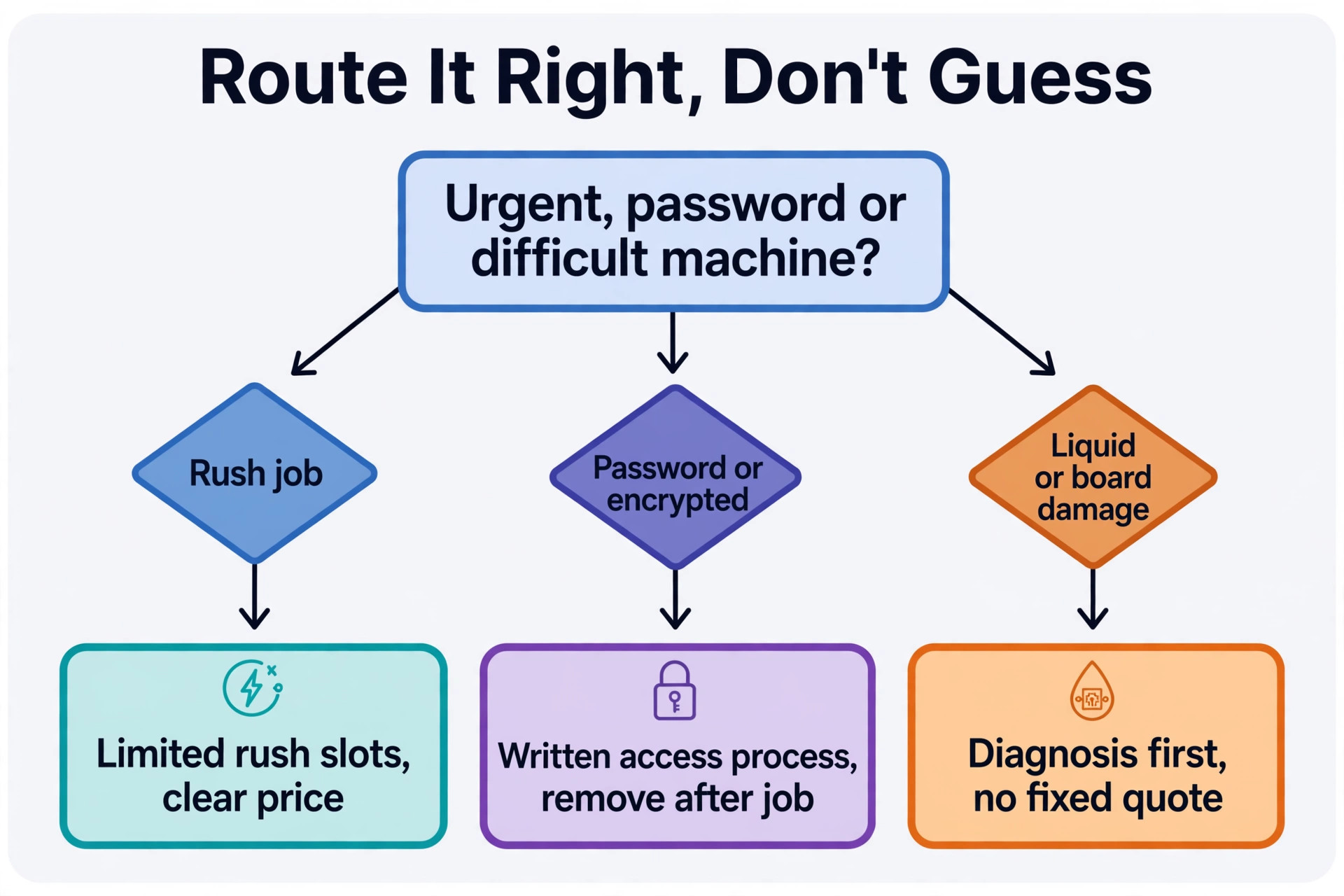
Urgent jobs need a separate booking path, because a standard queue cannot serve a customer with an exam tomorrow or a business machine that holds the day’s trading. Offer a rush option with a clear price and a realistic promise, such as diagnosis within a set number of hours, rather than a vague promise of priority. Limit rush slots per day, so a rush job does not push every standard job late, and state the rush rule on the booking page, so standard customers understand why one machine moved ahead of theirs.
Passwords and encrypted machines need a careful, written process. The intake form should ask whether the technician will need a login, whether the drive is encrypted, and whether the machine belongs to a school or employer with its own rules. Where a password is given, record who holds it, limit access to the assigned technician, and remove it from the ticket record when the job closes, following the shop’s own data handling policy. Never ask a customer to share a password by unsecured message, and never keep passwords in plain text on a shared ticket note that every staff member can see.
Measuring What Repair Booking Earns
A system for shops that use AI for computer repair shop booking should pay for itself in recovered enquiries and fewer status calls, and the only way to know is to measure a small set of numbers every month. Start with the answer rate, meaning the share of enquiries that receive a reply within five minutes, because that number decides how many enquiries become drop offs. Then measure the diagnosis turnaround, meaning the time from drop off to a firm price and ETA, and the repair completion rate, meaning the share of jobs finished by the promised date.
Add two money numbers to those three service numbers. The first is revenue per bench day, which shows whether the bench is filling with real repair work or with diagnosis jobs that never proceed. The second is repeat booking rate, meaning the share of customers who return within twelve months, because repeat customers cost far less to win than new ones. If the answer rate rises but drop offs do not, the problem is price or intake friction, not the phone. If drop offs rise but completion by promised date falls, the problem is parts or bench capacity, not demand.

Mistakes That Undo a Good Repair Shop Setup
The most common mistake is launching the booking page before the intake form and price list are finished. Customers book at the wrong scope, the technician starts work without a backup answer, and the office spends the week handling disputes that a proper form would have prevented. Finish the device questions, the data consent, and the standard prices first, test them with five real past jobs, and only then open the page to customers. A week spent on intake saves a month of arguments.
The second mistake is letting the system promise a repair outcome before diagnosis. A business that allows online booking to quote a motherboard repair at a fixed price will receive bookings it cannot fulfil at that price, and the revised quotes that follow damage trust. Limit automated quotes to standard jobs, and route everything else to diagnosis with a clear fee and time promise. When owners choose to use AI for computer repair shop booking in this limited way, the system feels helpful rather than reckless, because it knows its own limits.
Verdict, Is It Worth It for a Small Repair Shop
For a solo technician or a small shop, the case is strong, provided the setup is done in the right order. Fix the intake checklist, build the data consent and price rules, set the diagnosis fee, and only then add automated answering and online booking. Done in that order, the system recovers missed enquiries, cuts status calls, and sends technicians to the bench with the device details, the part position, and the customer approval they need to finish the job properly the first time. The monthly software cost is usually smaller than the value of one recovered repair a week, and most shops lose more than one enquiry a week to missed calls alone.
The case weakens when the business wants software to replace judgment entirely. No automated system can diagnose a liquid damaged board from a form, judge whether a repair is worth the cost for an old machine, or explain a data loss risk as well as a person can. The businesses that get the best return from this approach are the ones that use AI for computer repair shop booking for speed and coverage, while keeping people in charge of diagnosis, unusual machines, and final prices. That split is not a compromise. It is the whole point, because speed wins the booking and judgment keeps the customer.
More Reading on Stratilyze
For a related repair business system, read best invoicing software for mobile mechanics and best dispatch software for locksmiths. For a different appointment workflow, see use AI for physical therapy clinic scheduling.
Frequently Asked Questions
How much does booking software cost for a computer repair shop
A solo technician can start free or at a low monthly cost with a simple booking page, while a repair ticket system is reported from about $45 a month in recent guides, before add ons, and broader platforms are quoted per business. An AI answering add on can add further monthly cost depending on the vendor and plan.
Do customers accept booking a repair with an automated system
Most customers accept it readily when the system answers fast, asks sensible device questions, and confirms the booking clearly, especially when a diagnosis step is explained honestly. Problems arise when the system asks too many questions, gives a price that later changes sharply, or leaves the customer unsure whether a technician will ever call back.
What happens when a customer books a job the system should not have accepted
The office should call promptly, explain the issue honestly, and offer the right next step, such as a diagnosis review, a data recovery referral, or a revised price. Do not simply cancel without contact, because that feels like rejection and often produces a bad review.
Should a repair shop take a diagnosis fee at booking
A modest diagnosis fee is usually worth it, because it pays for technician time, cuts no show drop offs, and confirms that the customer is serious. The fee, what it covers, and whether it is deducted from the repair price should all appear on the booking page before payment, so there is no surprise later.
How do I handle data backup consent in the booking process
Ask about backups in the intake form, record whether a backup exists and whether the customer wants a backup service, and ask for explicit consent to handle data or reinstall if required. When owners choose to use AI for computer repair shop booking, the intake form should also ask about encryption and passwords, so the technician knows whether testing is possible.
Can automated booking work for a one person repair shop
Yes, and it often helps a solo technician more than a larger team, because a solo technician misses the most calls while repairing. A booking page plus status messages can recover those calls without hiring office staff, and the intake checklist means the solo technician starts diagnosis with real information instead of guessing.