

Hiring a contractor and hiring an employee look similar on the day work starts. Both people show up, both need instructions, and both get paid. The difference appears in the paperwork, the tax accounts, the wage rules, and the records you must keep from the first paycheck onward. A contractor arrangement ends with an invoice. An employee arrangement starts a payroll system, and that system is what this guide builds. If you are learning how to onboard first employee small business hires properly, the comparison matters, because treating an employee like a contractor is the mistake that creates the largest correction later.
Your first hire changes the business in ways that go beyond one more pair of hands. You gain an employer identification number obligation if you do not already have one, state payroll accounts, a pay schedule, wage records, and a set of forms that must be completed on a strict timetable. You also gain a responsibility for a workplace that is safe, for policies the new hire can actually follow, and for training that turns a good hire into a productive team member. None of that requires a human resources department. It requires a checklist, a calendar, and a few hours of preparation before day one.
The payoff for doing onboarding well is retention. Third party onboarding guides report that only 12 percent of employees say their employer does a great job onboarding, and that about 20 percent of new hires quit within the first 45 days if onboarding is weak. Treat those figures as guides reported by a third party, not as guarantees for your business, and confirm any benchmark you rely on against a current source before quoting it. Even discounted, the message is clear. A new hire who arrives to chaos, missing logins, and no plan will judge the business by that first week, and many will leave before the business ever sees their best work.
This guide gives you a complete onboarding system for a first hire. It covers classification, employer accounts, the offer and the paperwork, payroll setup, pre boarding, the first day, the first week, and a 30 day plan, plus the tools that automate the repetitive parts and the mistakes that trip up first time employers. Where a rule comes from a federal agency, the guide names it. Where a practice comes from a third party guide, the guide says so, so you can confirm the detail for your state and situation before you rely on it.
How to Onboard First Employee Small Business Owners Hire With Confidence
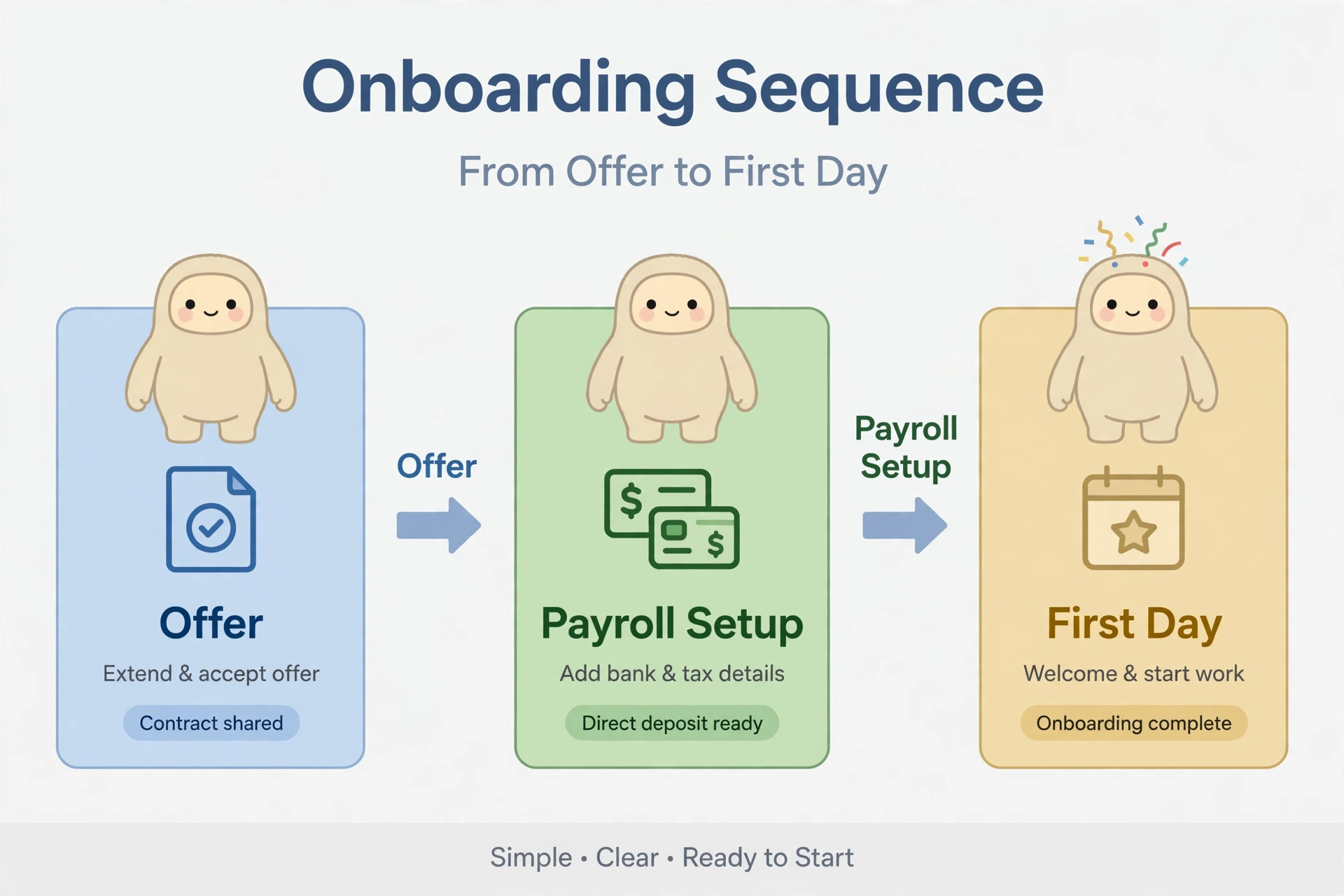
The first lesson in how to onboard first employee small business staff is that onboarding starts before the offer is signed, not on the first morning. Before you hire, confirm the role, the pay, the schedule, the work location, and the employment status. Write those facts into the offer letter, because the offer letter becomes the reference for every later form, from the withholding form to the payroll setup. A hire whose pay, hours, and start date are vague on day one will generate questions on every payday after that.
Build a single onboarding file for the hire, physical or digital, with restricted access, because it will hold sensitive information such as a Social Security number, bank details, and identity documents. Decide who can access that file, how long you keep each document, and where the file lives, before the first document arrives. A file created after documents start arriving by email and chat will contain copies in several places, and sensitive data scattered across inboxes is a security problem as well as an organisation problem.
Set the start date with preparation time built in. A start date two days after the offer leaves no time for payroll setup, equipment, accounts, or state registrations, and the new hire will spend the first week waiting. A start date ten to fourteen days after the offer gives you time to complete employer setup, to prepare equipment and accounts, and to plan the first week properly. If the hire is urgent, shorten the gap only for steps that can genuinely be done faster, and keep the paperwork timetable intact, because federal form deadlines do not move for urgency.
Confirm Classification and Employer Accounts First
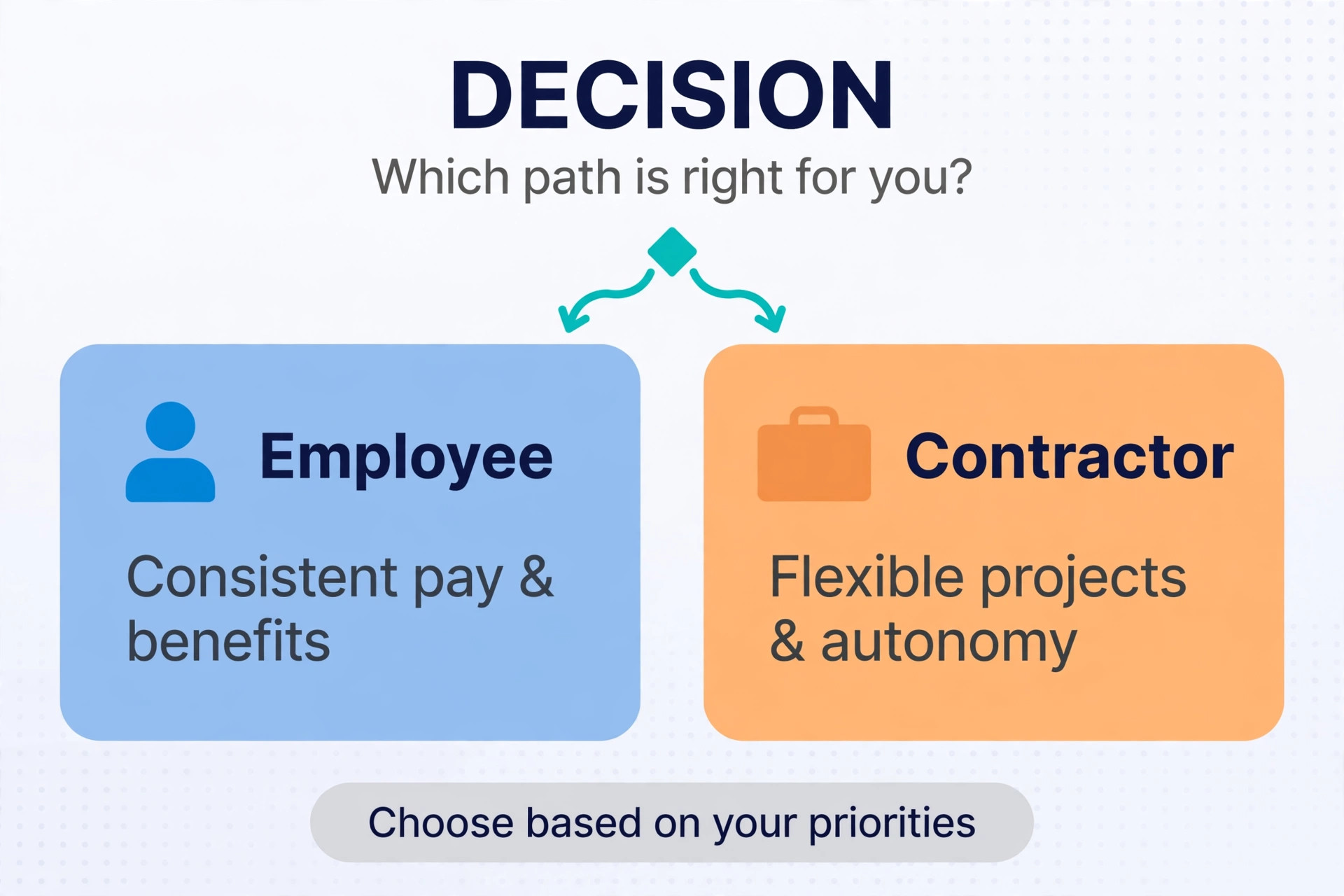
Classification is the decision that shapes everything else in how to onboard first employee small business hires. An employee works under your schedule, follows your process, works under your supervision, and performs ongoing work inside the business. An independent contractor is an independent business hired for a defined result, with control over how the work is done. The label in an agreement is not the whole test, and guides for first time employers stress that using contractor treatment only because payroll feels difficult is a reason to slow down and get advice, not a reason to proceed.
If the facts point to employee status, set up the employer side before the first paycheck. The Internal Revenue Service states that a business with employees must have an employer identification number, so apply for one if you do not already hold one. Register for state withholding, state unemployment insurance, and state new hire reporting, because most employers deal with all three, and the registration steps and deadlines vary by state. Confirm the exact accounts your state requires through your state tax agency and your state labor agency, because a federal checklist cannot substitute for state rules.
Set up payroll tax deposits and returns at the same time. Employment taxes include federal income tax withholding, Social Security and Medicare taxes, and federal unemployment tax, and each has its own deposit schedule and return. A payroll provider can calculate and file these, but the legal responsibility remains with the employer, so understand the schedule even if you outsource the filing. Note the deposit dates in your calendar from the first pay run, because a missed deposit creates penalties that grow with delay.
Check workers compensation and required insurance before day one. Workers compensation rules are state specific, and many states require coverage once you have employees, with the details varying by state and by type of work. Confirm your requirement through your state agency or your insurance broker, and do not let the first day arrive without coverage in place. Also check whether your state or locality requires specific workplace posters, specific new hire notices, or specific training, such as harassment prevention training required in some states, and prepare those items during pre boarding rather than discovering them after the hire starts.
The Offer, the Forms and the Payroll Setup
A signed offer letter documents the agreed title, pay, start date, schedule, and employment terms in how to onboard first employee small business paperwork, and it protects both sides if a later dispute arises about what was agreed. Keep the offer factual and consistent with every later form, because a pay rate in the offer that differs from the rate in payroll will generate a correction on the first paycheck. Include the work location, the reporting line, the pay schedule, and any benefits or probationary terms that apply, and have the hire sign and return it before you start the rest of onboarding.
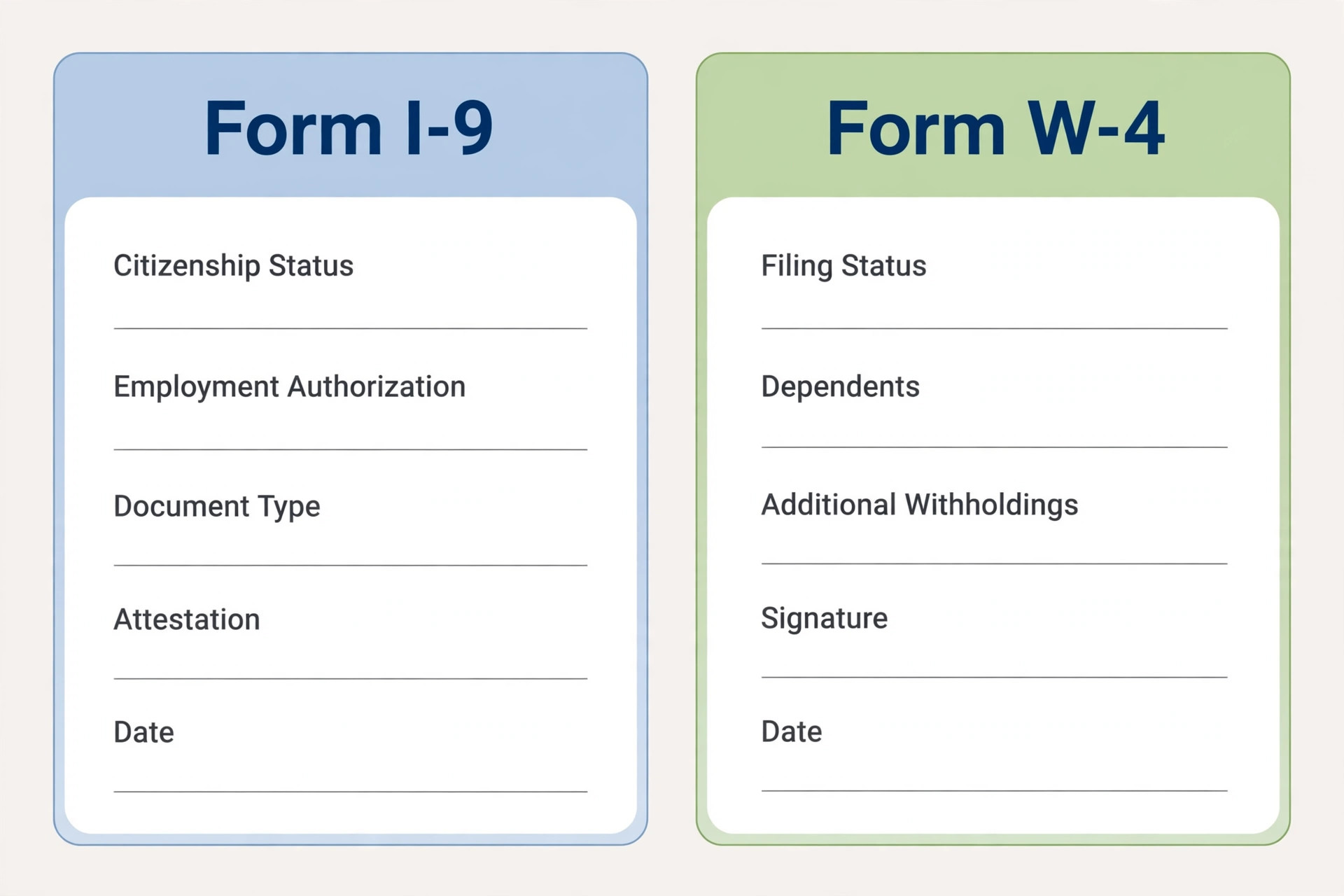
Collect the federal forms before or on day one, following the official timetables. Form W-4 tells you how much federal income tax to withhold from wages, and the Internal Revenue Service guidance says to ask all new employees to give you a signed Form W-4 when they start work. Form I-9 verifies identity and employment authorization, and the employee must complete Section 1 no later than the first day of employment, with the employer completing its section within the official window that follows. Tell the hire in advance which documents are acceptable for Form I-9, so they arrive with the right document instead of discovering the requirement on day one.
Add the state withholding form if your state collects income tax separately from the federal form, plus a direct deposit authorisation and an emergency contact form. Direct deposit authorisation is useful rather than legally mandatory in most cases, but it prevents the first paycheck delay that comes from a missing bank detail. Collect bank details through a secure route, such as the payroll provider employee portal, rather than by ordinary email or chat, because bank details sent by email live in inboxes indefinitely and create a security risk for the hire and for you.
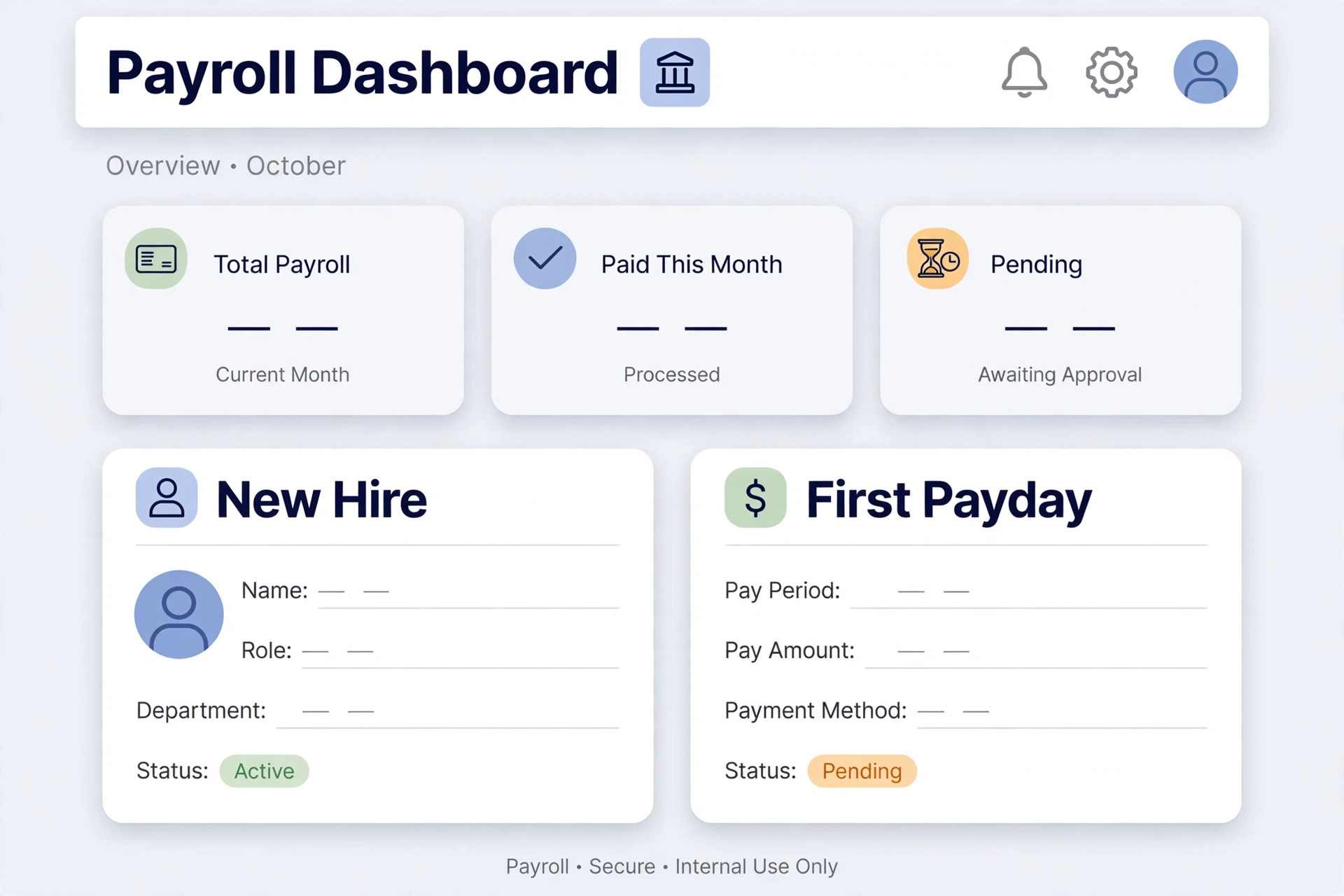
Set the hire up in payroll before the first pay period ends, not on payday. Enter the legal name, address, Social Security number, pay rate, pay schedule, work location for tax withholding, and direct deposit details, and run a preview pay calculation to check that withholding, employer taxes, and net pay look right. Confirm the first payday with the hire in writing, and explain the pay schedule, the timekeeping method, the overtime rule that applies, and who to contact about a pay question. A first paycheck that arrives on time and matches the offer builds trust faster than any welcome speech.
Pre Boarding, the Week Before Day One
Pre boarding is everything you do between the signed offer and the first morning in how to onboard first employee small business staff, and it decides whether day one feels organised or chaotic. Send the hire a welcome message with the first day details, including arrival time and place, what to wear, where to park or how to join remotely, who to ask for, and what to bring for Form I-9. A hire who arrives knowing where to go and who to meet starts the day calm, while a hire who arrives guessing starts the day anxious, and that anxiety colours the whole first week.
Prepare equipment and accounts before day one, and test every login yourself. A laptop without a login, a software account that was never created, or an email address that does not work will waste the first day while someone from support is chased. Create the accounts, check that each one works, and prepare a one page login sheet or a secure password handover for the hire. For remote hires, ship equipment early enough to arrive before day one, and test remote access in advance, because a remote hire without working tools on day one cannot be trained, however good the training plan is.
Plan the first week in writing, with a schedule, training sessions, and a named person covering each session. Tell the team who is starting, when, and in what role, and ask a colleague to act as a buddy or go to person for questions during the first weeks. A buddy gives the new hire a safe person to ask the small questions that feel too small for the boss, such as where supplies live or how time off is requested, and those small questions unanswered become small frustrations that accumulate.
Prepare the workplace or the virtual workspace. For an on site hire, that means a desk, a chair, supplies, safety information, emergency exits, and the location of required workplace posters. For a remote hire, that means a virtual tour, a team introduction schedule, communication guidelines, and a clear channel for questions. Both kinds of preparation send the same message, which is that the business expected this person and prepared for them, and that message is the foundation of retention.
The First Day and the First Week
The first day in how to onboard first employee small business hires has three jobs, and only three. Welcome the hire, complete the paperwork that must be done on day one, and make sure every tool works. Start with a welcome and a tour, including introductions, emergency exits, first aid information, and the location of required posters for an on site hire. Then complete Section 1 of Form I-9 if it is not already done, collect the signed Form W-4, and check that equipment and logins work. Then walk through the schedule, timekeeping, breaks, paydays, and who to call when sick or late. A first day that tries to teach the whole job will teach none of it well.
Give the hire a written first week plan on day one, and review it together. The plan should name the tasks to learn, the people to meet, the training sessions to attend, and the first piece of real work to complete, with a check in at the end of each day. Daily check ins in the first week catch problems while they are small, such as a login that fails under real use, a process step that was explained too quickly, or a task that needs a tool nobody provisioned. A manager who checks in daily in week one can fix in minutes what becomes a week of lost work if discovered later.
Train by mixing reading, self learning, and hands on work, rather than by handing over a manual and disappearing. Show the hire how a task is done, watch them do it once with support, then let them do it alone with a review step. That sequence builds competence and confidence together, while a manual alone builds neither. Include a product or service overview early in the week, so the hire understands what the business sells and who it serves before learning the internal systems that support that work.
Review role responsibilities and expectations explicitly during the first week, in writing. State what success looks like in the first thirty days, what the hire owns, what needs approval, and how performance will be discussed. A hire who knows the standard can aim for it. A hire who guesses the standard will aim at the wrong target and be judged against a target they never saw. End the week with a conversation about what went well, what was confusing, and what the hire needs next, and record the answers for the thirty day review.
The 30 Day Plan Checklist
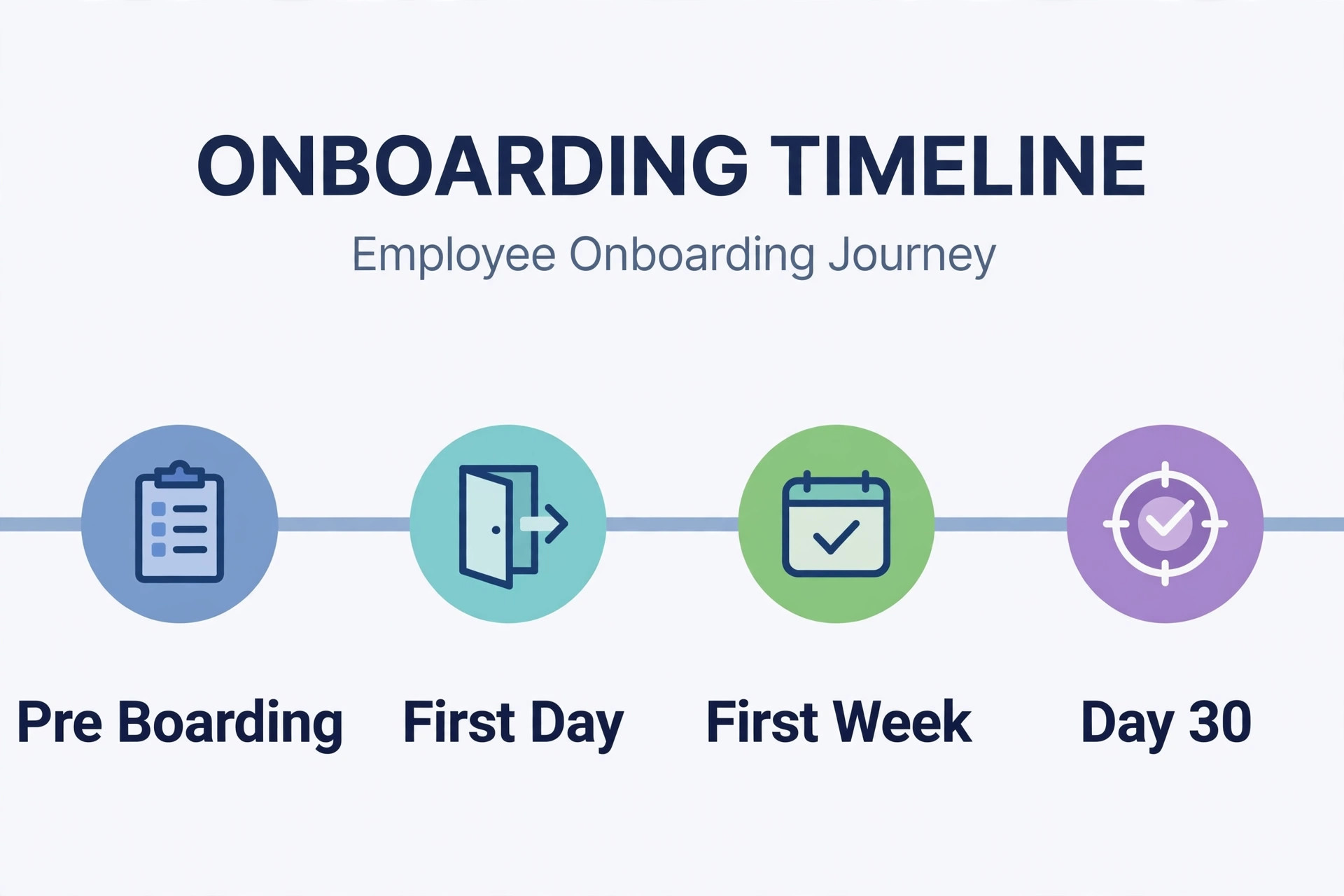
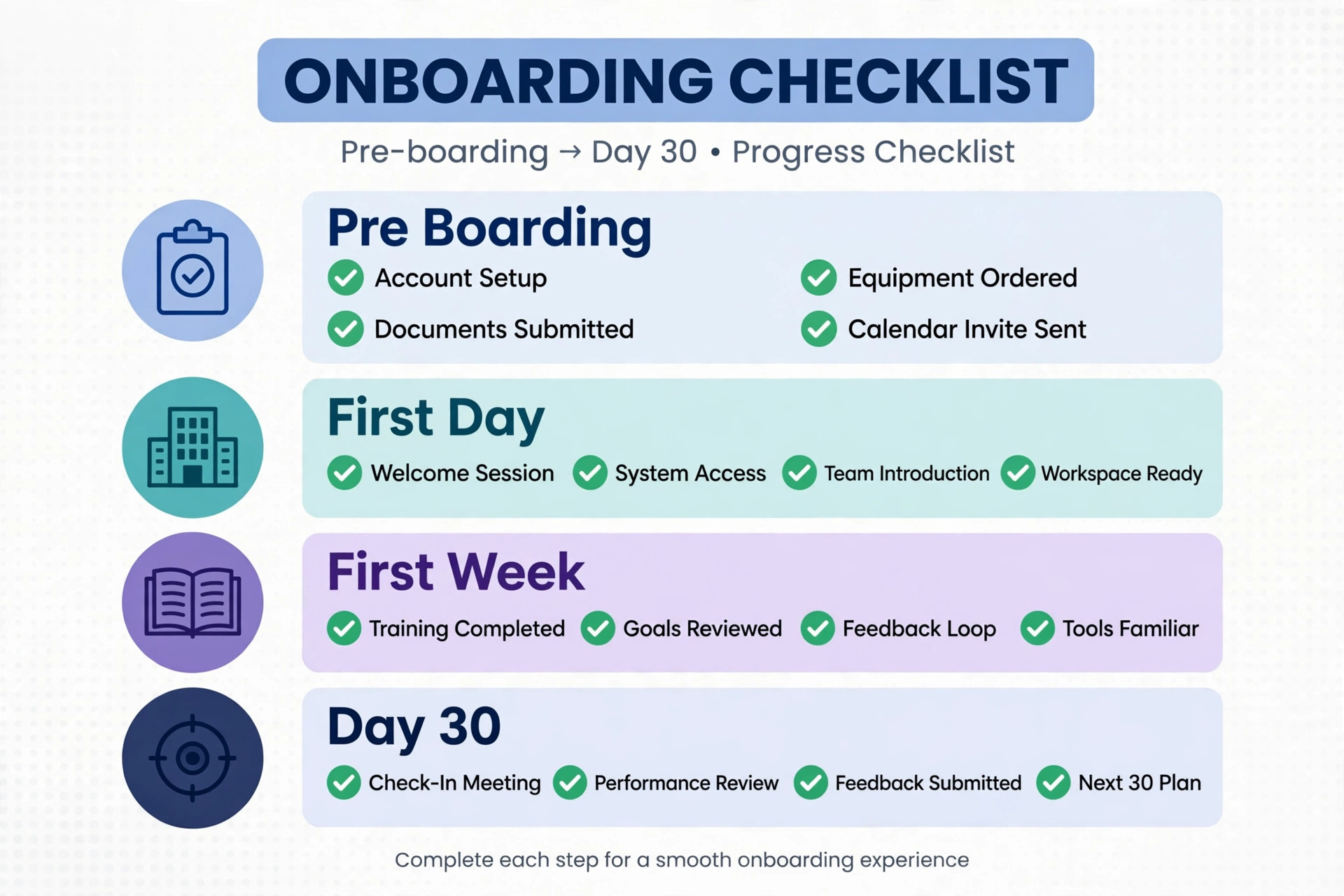
The checklist below is the overview proof element for this guide. It runs from pre boarding through day thirty, and it is the document to keep in the onboarding file with each item ticked and dated. A checklist that lives in the file proves what was done, while a checklist kept in memory proves nothing when a form deadline is questioned later.
- Pre boarding, receive the signed offer letter and confirm the start date, pay, and schedule.
- Pre boarding, send first day details and the list of acceptable Form I-9 documents.
- Pre boarding, add the hire to payroll and confirm the first payday in writing.
- Pre boarding, prepare equipment and test every account and login.
- Pre boarding, plan the first week schedule and name a buddy for questions.
- First day, complete Form I-9 Section 1 and collect the signed Form W-4.
- First day, hand over equipment, check logins, and walk through timekeeping and paydays.
- First day, give the written first week plan and review role expectations.
- First week, train by demonstration, supported practice, and independent work with review.
- First week, hold a daily check in and record what the hire needs next.
- First week, review company policies, safety information, and required posters.
- Days eight to thirty, assign real work with increasing independence and weekly feedback.
- Days eight to thirty, complete any state required training and benefits enrolment.
- Day thirty, hold a review covering progress, expectations, feedback, and next goals.
- Day thirty, file all forms, update the payroll record, and close the onboarding checklist.
The thirty day review deserves its own meeting, not a passing comment. Cover what the hire learned, what they delivered, where they struggled, and what support they need next, and ask for their feedback on the onboarding experience itself. A new hire can tell you which parts of your process confused them, which instructions were missing, and which tools failed, and that feedback is the raw material for onboarding the second hire better. Record the agreed next goals in writing, with dates, so the end of onboarding becomes the start of normal management rather than a cliff edge.
Between day eight and day thirty, shift from training to real work gradually. Start with tasks that are real but reversible, with a review step, then move to tasks the hire owns outright, with a weekly feedback conversation. Feedback in this period should be specific and prompt, naming what was done well and what to change, rather than general praise or general criticism. Specific feedback builds skill. General feedback builds anxiety, because the hire cannot tell what to repeat and what to fix.
Benefits enrolment and state required training often fall in this window, and they should be diarised rather than left to chance. If benefits apply, give the hire the enrolment forms, the deadlines, and a contact for questions, and confirm enrolment is complete before any deadline passes. If your state requires specific training, schedule it in this window and record completion in the file. A benefit deadline missed in the first month is hard to repair, and a training record missing from the file is a compliance gap that only appears when someone asks for it.
Tools That Automate Onboarding and Payroll
Gusto is frequently recommended in third party guides on how to onboard first employee small business hires because it combines onboarding and payroll tasks in one system, reducing double entry between hiring forms and pay setup, though plan features and pricing differ, so confirm the current offering on the vendor page before choosing it. The practical value is that the hire enters their own details through a portal, the forms flow into payroll, and the employer reviews rather than retypes. That flow reduces typos in bank details and tax forms, which are exactly the errors that delay a first paycheck.
Rippling and BambooHR cover a wider human resources range, including employee records, time off, and benefits administration alongside payroll, and they suit firms that expect to hire several people in the next year rather than just one. Homebase covers scheduling, time tracking, and team communication for hourly teams, and it suits shops, clinics, and hospitality firms where the first hire works shifts rather than a salaried week. Compare tools on whether they handle your state forms, your pay schedule, and your timekeeping method, because a tool that misses one of those three will leave a manual gap at the worst moment.
Choose the tool by the manual work it removes, not by the feature list length. For a first hire, the work to remove is form collection, payroll entry, deposit calculation, and record filing. A tool that removes those four is worth paying for, even if it lacks a feature you might use with ten employees. A tool that adds a complex performance system you will not use in year one is a distraction, and a distraction during a first hire is costly, because attention is already split between training and running the business.
Keep the onboarding file as the system of record, even when a tool holds copies. Export or save the completed forms, the signed offer, the payroll preview, and the thirty day review into the file, so the record survives a tool change. Tools change, plans change, and vendors are acquired, but the file remains the proof that forms were completed on time and that training was given. A file that depends entirely on one vendor account is a record that can disappear with that account.
Mistakes First Time Employers Make
The first mistake in how to onboard first employee small business staff is misclassifying the hire to avoid payroll. Contractor treatment for a worker who follows your schedule, uses your process, and works under your supervision creates a correction that touches withholding, payroll taxes, wage records, and year end reporting. If the classification is unclear, get advice before the first paycheck, because a correction after months of contractor payments is far more expensive than a payroll setup before day one. Classification is a facts test, not a preference, and the facts should be checked honestly.
The second mistake is starting payroll on payday. A payroll setup done in a rush on payday produces wrong withholding, a missed deposit, or a paycheck that does not match the offer, and each of those errors damages trust with a new hire who is judging the business. Set payroll up during pre boarding, run a preview calculation, and confirm the first payday in writing. A preview that catches a wrong rate or a missing bank detail before payday is a ten minute fix. The same error on payday is a crisis.
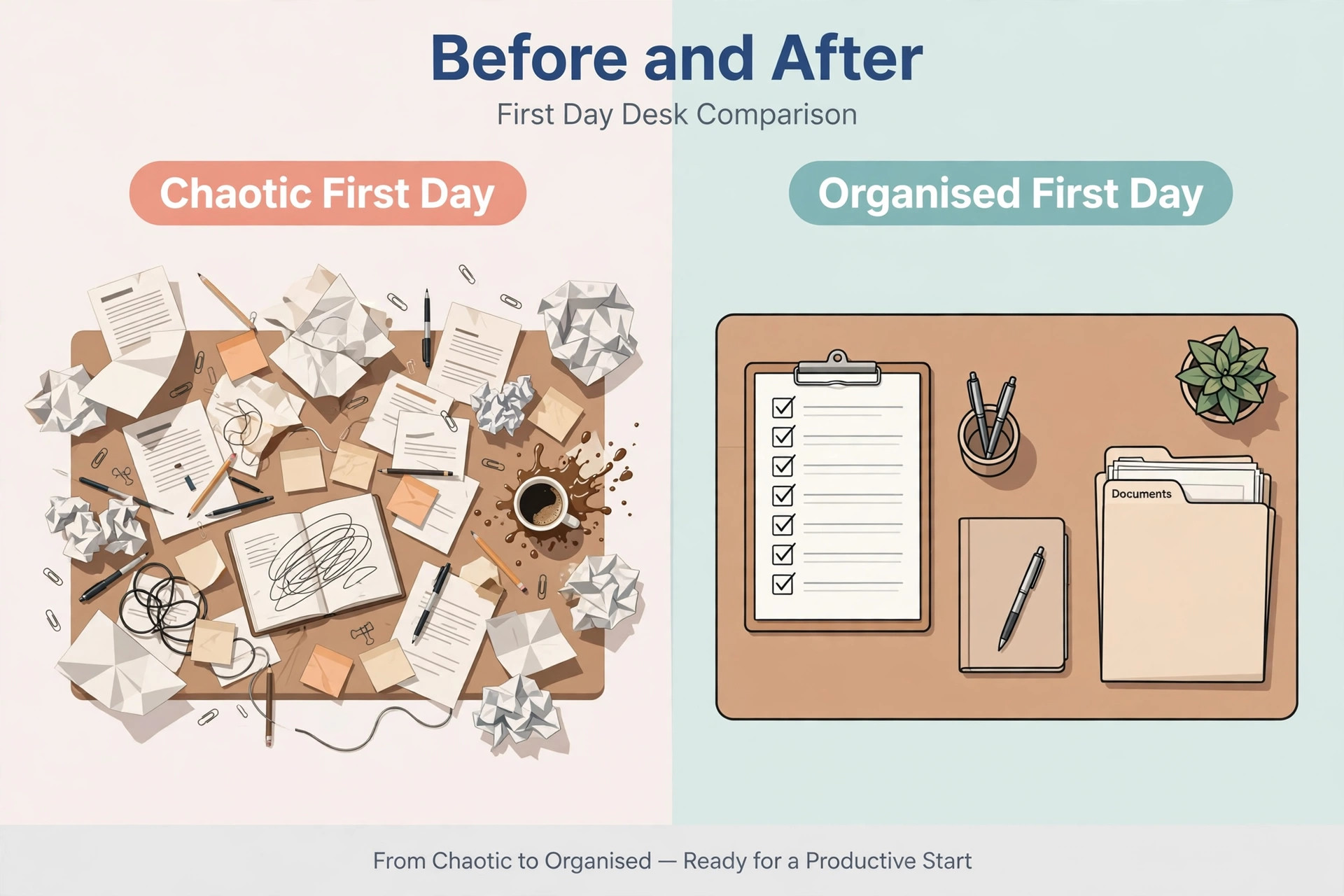
The third mistake is onboarding by improvisation. A first day without a plan, a first week without a schedule, and a first month without feedback will waste the hire enthusiasm that is highest in week one. Improvisation also misses form deadlines, because nobody owns the Form I-9 window or the state registration when everything is improvised. A written checklist with a named owner for each item removes improvisation without adding bureaucracy, because the checklist is one page, not a policy manual.
The fourth mistake is overloading the first week with information. A hire who receives the whole manual, every policy, and every system on day one will retain little of it, and will hesitate to ask questions because the volume implies they should already know. Spread information across the first month, teach each task at the point of use, and repeat the important items, such as timekeeping, safety, and pay questions, in week one and again in week three. Repetition at the point of use beats a single flood of information on day one.
The fifth mistake is skipping feedback until a problem becomes serious. A hire who hears nothing for thirty days assumes silence means approval, and a correction on day thirty feels like a surprise rather than coaching. Give specific feedback weekly in the first month, and ask for the hire feedback in return, so problems surface while they are small. Early feedback is cheaper, kinder, and more effective than a formal conversation about a problem that grew unchecked for a month.
Frequently Asked Questions
What forms does a first employee need before the first paycheck
At minimum, the hire needs a signed offer letter, a completed Form W-4 for federal withholding, and a completed Form I-9 for employment eligibility verification, plus a state withholding form if your state collects income tax separately. Add a direct deposit authorisation and an emergency contact form as good practice. Form I-9 Section 1 must be completed no later than the first day of employment, and the employer section follows within the official window, so send the document list during pre boarding.
Does a small business need an employer identification number to hire
Yes, if you do not already hold one. The Internal Revenue Service states that a business with employees must have an employer identification number, and you will need it for payroll tax deposits, returns, and year end reporting. Apply before the first pay period, and register for the state withholding, unemployment, and new hire reporting accounts your state requires, because those registrations have their own timelines that run alongside the federal setup.
How long should onboarding take for a first employee
Paperwork and payroll setup should be complete before or on day one for the federal forms, with the full onboarding arc running through the first thirty days. Pre boarding takes the week or two before day one, the first week covers welcome, paperwork, tools, and initial training, and days eight to thirty move the hire from supported practice to independent work with weekly feedback. A thirty day review closes the arc and sets the next goals, so onboarding ends with a plan rather than a fade out.
Should a first time employer use payroll software or handle payroll manually
Payroll software or a payroll provider is the safer choice for most first time employers, because withholding, employer taxes, deposit schedules, and year end forms involve deadlines and calculations that are easy to get wrong by hand. Manual payroll is possible for a single simple pay run, but the risk grows with every pay period, and a missed deposit or a wrong withholding creates penalties and a correction. Choose a provider that handles your state forms and your pay schedule, and still understand the deposit calendar yourself.
What is the difference between an employee and a contractor for a first hire
An employee works under your schedule and supervision, follows your process, and performs ongoing work inside the business, while an independent contractor is an independent business hired for a defined result with control over how the work is done. The label in an agreement is not the whole test, and the facts of the working relationship decide the classification. Employee status triggers withholding, payroll deposits, wage rules, and state accounts, while contractor treatment does not, which is why the classification decision must come before the first paycheck.
What should happen at the thirty day review
The thirty day review should cover what the hire learned, what they delivered, where they struggled, and what support they need next, plus the hire feedback on the onboarding experience itself. Record agreed next goals in writing with dates, confirm that benefits enrolment and any state required training are complete, and file all forms in the onboarding file. The review turns the end of onboarding into the start of normal management, with clear expectations for the next period.
More Reading on Stratilyze
For related people and money workflows, read fix payroll direct deposit failed small business and how to ask customers Google reviews small business. For a cost guide that often sits beside a first hire decision, see cost of FreshBooks for small business monthly.