
Ninety days is all the history a free Slack workspace keeps. After that, old decisions, old files and old answers fade from search, and a team that has grown past the free plan faces a paid bill for every member. That number frames the choice many small teams now face. Pay Slack per user forever, or move chat into Microsoft Teams, which most teams already pay for through Microsoft 365. If you want to switch Slack to Microsoft Teams small team owners usually start from that maths, then discover that the real work is not the bill. It is channels, permissions, apps and habits, moved without losing the knowledge the team relies on daily.
The good news is that Microsoft now provides a native migration tool for Slack channels, which changes this move from a manual rebuild into a managed migration for the core content. The honest news is that the tool covers channels only. Direct messages, group chats, workflows and custom apps do not travel with it, and a team that plans as if everything moves will lose exactly the content it assumed was safe. This guide separates what the tool moves from what you must move by hand, in order.
Pricing figures below are starting points from reputable third party guides reporting 2026 list prices, because Microsoft’s own pricing page could not be read directly from our research setup. Check the vendor page before budgeting. Where guides disagree on a price, this guide says so, and the disagreement on Slack’s Business tier is flagged where it matters.
Why Teams Tempts Slack Teams, and Where Slack Still Wins
The cost case is straightforward when the team already holds Microsoft 365. Teams arrives inside that licence, so Slack becomes a second chat bill for a job Teams already covers. A team paying Slack Pro for every member while also paying for Microsoft 365 is paying twice for chat, files and meetings, and that duplication is hard to defend once the team notices it. Removing it is the most common reason small teams switch.
The workflow case matters just as much. Teams puts chat beside meetings, shared files and Office documents in one tenant, so a discussion, a document and a call no longer live in three separate places. A team that already plans in Outlook, stores files in OneDrive or SharePoint, and meets in Teams gains a single home for work. Slack integrates with those tools too, but it remains a separate home, and the team pays for the bridge between homes in time and in licences.
Slack still wins on feel and on focus. Many teams describe Slack as faster, lighter and easier to love for pure chat, with a larger range of playful integrations and a channel culture that Teams has never quite copied. Slack also wins when the team’s clients, contractors or partners already live in Slack, because moving internal chat to Teams while external chat stays in Slack creates two chat homes instead of one. A team whose clients drive the tool choice should weigh that friction heavily.
The decision test is therefore two questions, not one. Does the team already pay for Microsoft 365, and does the team’s daily work live mostly inside or outside Microsoft tools. Two yes answers make a strong case for Teams. One yes and one no make a hybrid worth considering, with internal chat on Teams and a small Slack presence kept for client work. Two no answers mean staying on Slack is probably the right call, at least until the Microsoft footprint changes.
Mapping the Slack Workspace Before Anything Moves
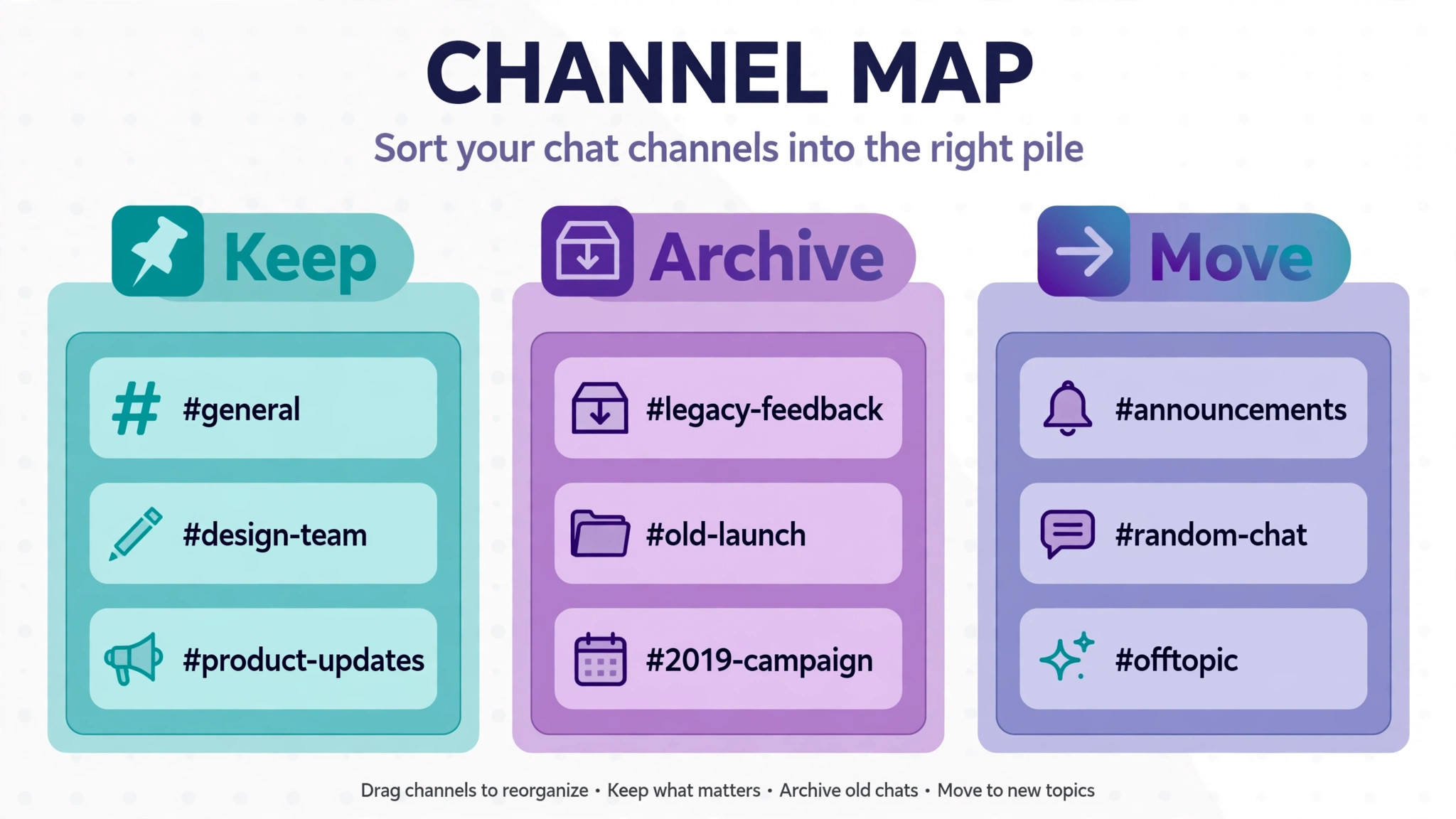
For a switch Slack to Microsoft Teams small team project, start with a channel map. List every public channel, every private channel, every archived channel and every Slack Connect channel, with its purpose, its members and its activity level. Archived channels cannot be migrated by the native tool unless they are unarchived first, and Slack Connect channels are not supported at all, so both need a decision. Archive truly dead channels for good, unarchive the ones worth keeping, and plan a separate home for Connect conversations that the tool cannot carry.
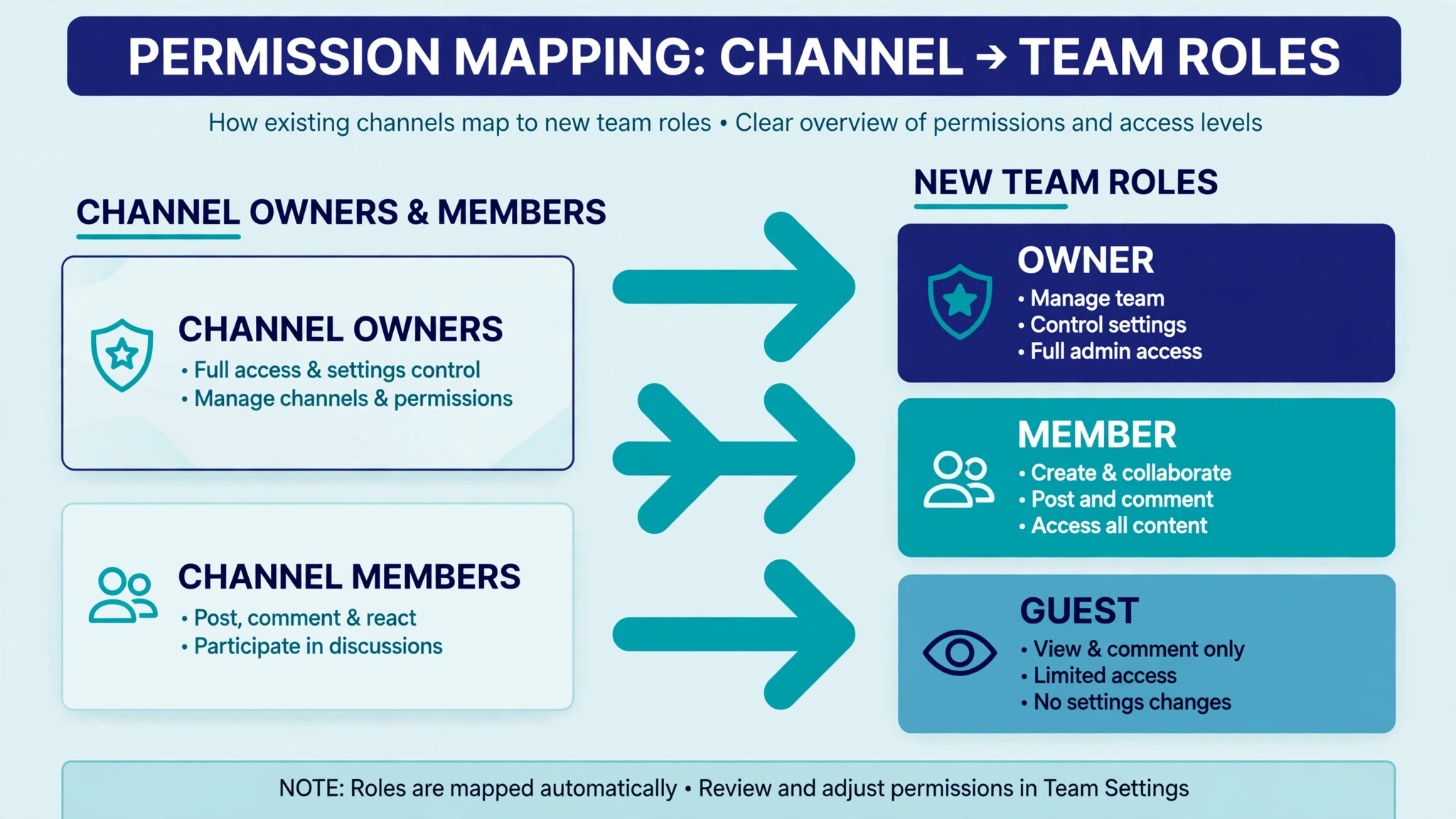
Next, map people and permissions. Slack workspaces and Teams tenants organise access differently. Slack has workspace owners, admins and members, plus multi channel guests, while Teams has owners and members inside teams, with channels inside each team. Compare email addresses from the Slack member list against the Microsoft tenant, because identity mismatches are the most common source of migrated messages attributed to the wrong person or left ownerless. Resolve duplicates, leavers and contractors before migration, not after.
Then map apps, workflows and integrations. List every Slack app, bot and workflow, what it does, who uses it, and whether a Teams equivalent exists. Microsoft’s own documentation states that workflows and custom app integrations are not migrated by the native tool, so each one needs a rebuild plan or a retirement decision. A workflow nobody maps is a workflow that silently stops on migration day, and the team discovers it when a process that used to run itself suddenly needs doing by hand.
Finally, map files and knowledge. Note which channels hold the files, pinned messages and canvases the team actually returns to, because those are the assets worth verifying after migration. Slack canvas pages migrate as HTML attachments and lists as JSON attachments in the native tool, which preserves the content but changes how it is read. Knowing which canvases matter lets you check them first, rather than discovering months later that a key playbook is now an attachment nobody opens.
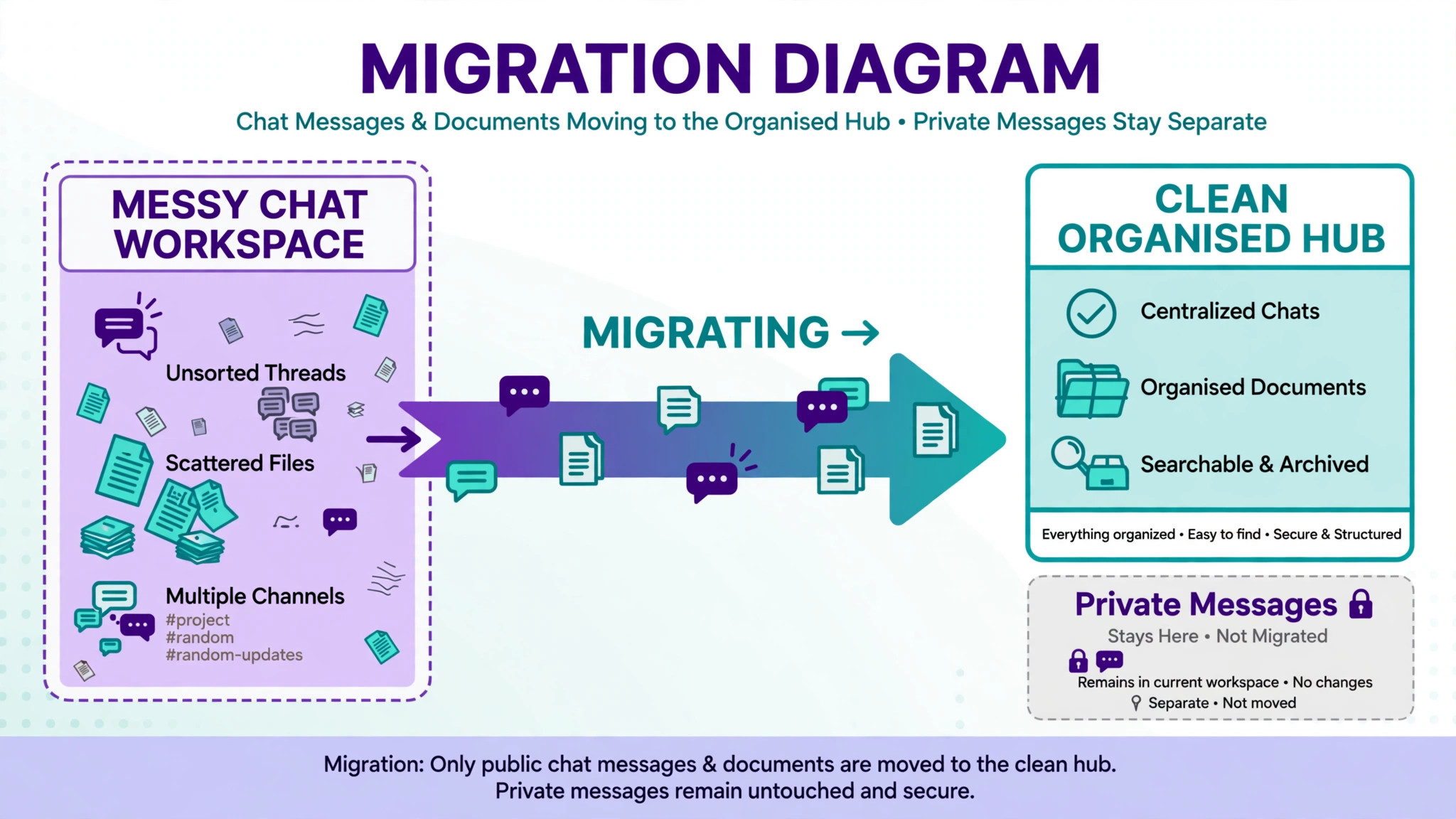
What the native tool moves, and what it leaves behind
Microsoft’s native Slack to Teams migration tool, run from the Microsoft 365 admin centre, migrates public and private channel content, including messages, formatting, threading, reactions with standard emoji, images, links, mentions and file attachments, plus channel membership. That coverage handles the core of most small team workspaces, and it is available without a separate licence cost beyond minor staging charges reported by third party guides. For a team whose value lives in channels, that is a genuine migration rather than a rebuild.
What it leaves behind matters just as much. Direct messages and group chats do not migrate, workflows and custom apps do not migrate, Slack Connect channels do not migrate, and archived channels must be unarchived first. Channel links and custom emoji reactions are not supported, and only one Slack workspace can be connected at a time. A team that needs direct message history preserved must use a third party tool or a manual export, and that decision should be made during planning, because it changes the budget and the timeline.
Switch Slack to Microsoft Teams Small Team, Step by Step
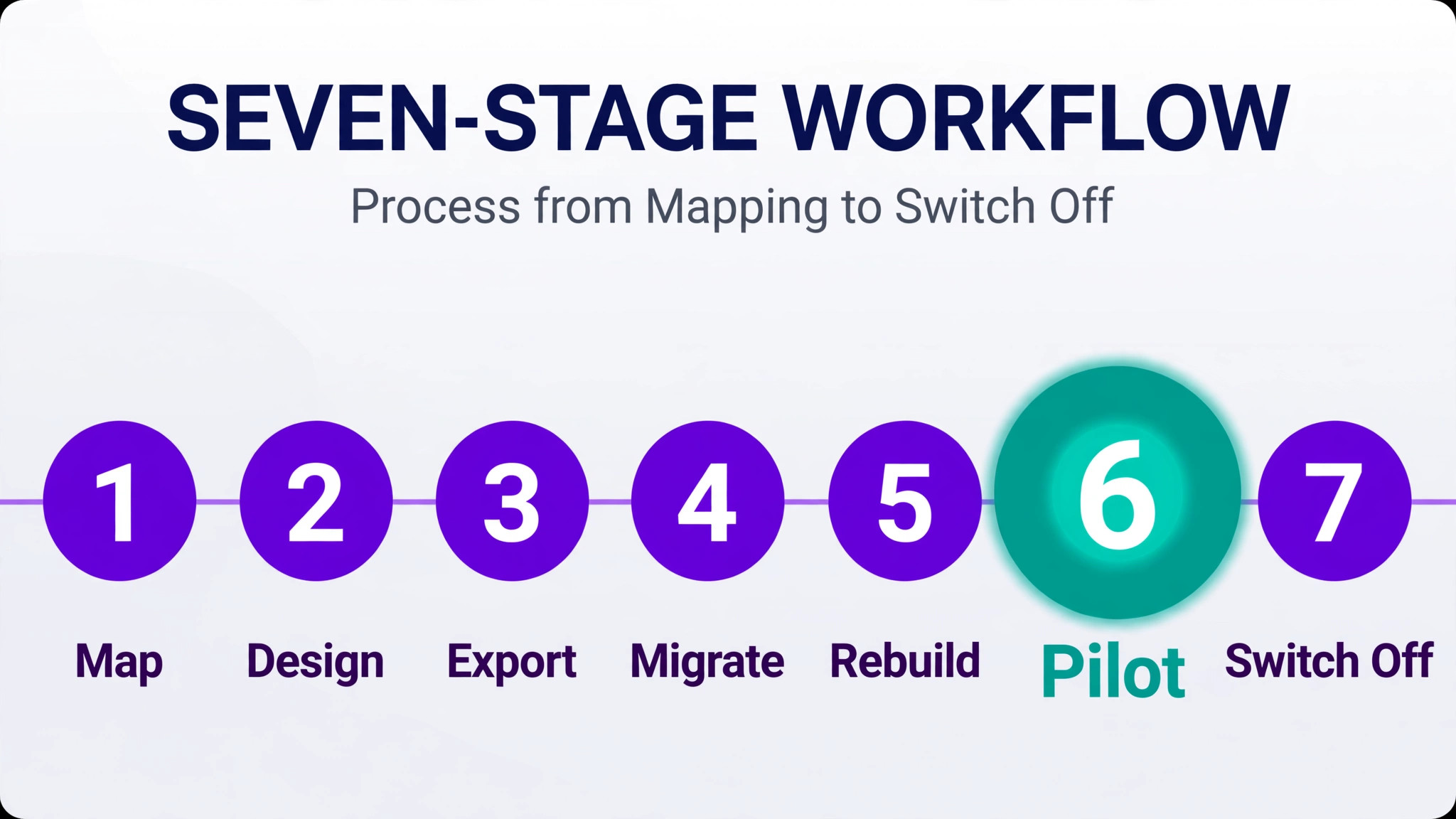
The workflow below runs in seven stages, and the native tool sits in the middle rather than at the start. Stage one is the mapping above, plus a decision on direct messages. Stage two is Teams design, meaning teams, channels and permission mapping. Stage three is app and workflow rebuild planning, so replacements are ready before channels move. Stage four is a pilot migration of one or two channels. Stage five is the full channel migration with the native tool. Stage six is notification reset, training and adoption. Stage seven is the Slack switch off, with a grace period for anything missed.
Pilot first, always. Migrate a low risk channel with real history, files and threads, then check it in Teams with the people who use it daily. Check message order, thread replies, file attachments, mentions and images. Check that membership matches and that owners can manage the channel. The pilot reveals mapping problems while they affect one channel, and its fixes become the checklist for the full migration. A pilot that finds problems is doing its job.
Set a Slack switch off date once the pilot passes, and announce it to the team and to regular external participants. A switch without a date produces two chat homes, with half the team in each and nobody sure where a decision was made. The date should allow time for the full migration, for app rebuilds, and for a grace period in which Slack stays read only while the team settles into Teams. Read only is the right grace state, because it preserves reference access without inviting new conversations in the old home.
Designing Teams, Channels and Permissions
Teams organises chat as teams containing channels, which is one level deeper than Slack’s workspace containing channels. That difference shapes the design. A small team usually needs a small number of teams, such as one team for the whole company plus one team per major project or client area, with channels inside each. Too many teams fragment conversation. One giant team with fifty channels buries it. Aim for a structure a new hire can understand in a minute.
In a switch Slack to Microsoft Teams small team move, map each Slack channel to exactly one Teams channel, because the native tool does not combine multiple Slack channels into a single Teams channel. Where Slack has overlapping channels, decide before migration which ones merge by hand, which ones archive, and which ones migrate as they are. Merging after migration means moving messages by hand or losing the thread structure, so the merge decision belongs in planning, not in cleanup.
Permission mapping needs a written table, not a guess. For each Slack channel, note its owners and members, then note the matching Teams team owners, channel owners and members. Pay attention to private channels, because a private Slack channel migrated to a public Teams channel would expose conversations to people who never saw them. Check privacy settings on every migrated channel before announcing the move, and check them again after the full migration, because a privacy error is a trust error, not a cosmetic one.
Guest and external access also need a decision. Teams handles guests through the Microsoft tenant, with controls that differ from Slack’s guest model. Contractors and clients who had Slack access need new Teams access or a different way to collaborate, and that access should be set up before their channels migrate. A contractor who loses access on migration day loses a day of work, and blames the platform rather than the plan.
Exporting Channels and Running the Native Migration
The native migration in a switch Slack to Microsoft Teams small team project starts with a Slack export, produced by a workspace owner, admin or member with export rights, and ends with an import into Teams by a Microsoft 365 migration administrator or equivalent admin. Only one Slack workspace can be connected at a time, so a team with two workspaces migrates them one after the other, disconnecting the first before connecting the second. Plan that sequence explicitly if it applies, because it doubles the admin time.
Before running the full migration, confirm the export covers what you expect. Check channel counts, message counts and file counts against the channel map, and confirm that archived channels you intended to keep were unarchived before export. Run the pilot migration first, as described earlier, and read the migration summary report, which lists each channel, its status, migrated message counts and any error codes. A channel that reports errors needs investigation before the team relies on it, not a note to check later.
During the full migration, keep Slack live and unchanged. Do not rename channels, archive channels or edit messages mid migration, because incremental migration has limits. Microsoft’s documentation notes that incremental passes migrate new root messages and their replies, but do not sync edits or deletions of earlier messages, and do not migrate replies added to a root message that already migrated. Freeze the workspace during migration, or accept that late edits will not carry over.
After migration, verify before announcing. Check the highest value channels first, meaning the channels with the decisions, files and pins the team returns to daily. Check message counts against the report, open attachments, follow threads, and confirm membership. Verification is a task with an owner and a checklist, not a hope that someone will notice problems. Announce the move only when verification passes for the channels the team needs on day one.
Rebuilding Apps, Workflows and Bots by Hand
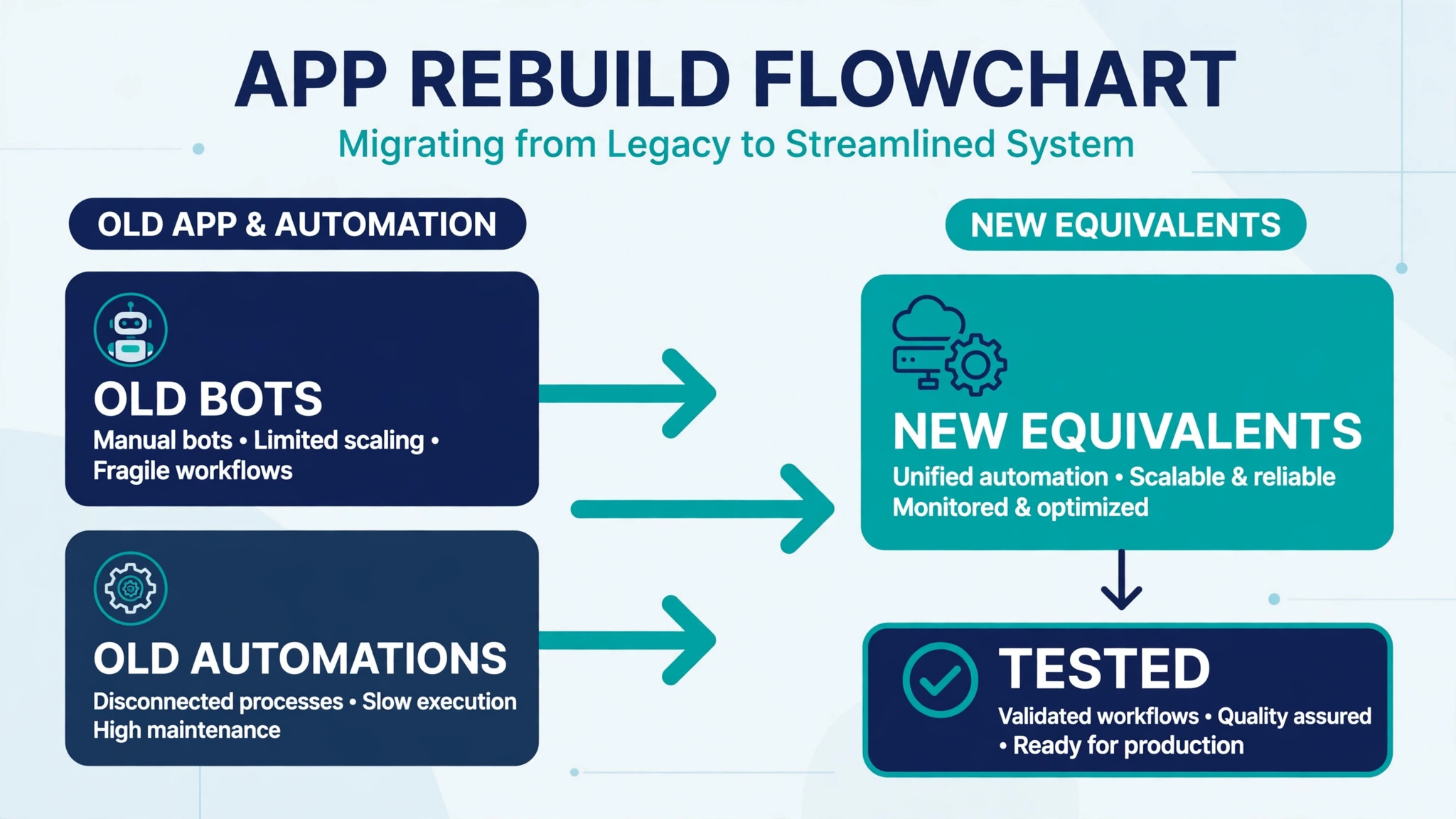
Apps are the longest tail of a switch Slack to Microsoft Teams small team migration, because neither the native tool nor most third party tools migrate custom apps, bots and workflow automations. For each Slack app on the map, decide whether Teams has a native equivalent, a Teams store app, or a Power Automate flow that replaces it. Common cases, such as polls, standups, approvals and notifications from other tools, usually have a Teams route. Custom bots and niche integrations usually need rebuilding, and that rebuild should be scoped before migration day.
Workflows deserve the same treatment, one by one. A Slack workflow that collects leave requests, triages support messages or posts a daily digest needs a Teams or Power Automate replacement with the same trigger, the same steps and the same output channel. Rebuild the most used workflows first, and retire workflows nobody can explain, because a workflow nobody understands is a workflow nobody will miss. Test each rebuilt workflow with a real trigger before announcing it, since a workflow that fires twice or fires to the wrong channel creates visible confusion.
Notification and integration settings from other tools also need moving. If project tools, code tools, monitoring tools or CRMs posted into Slack channels, those integrations must be repointed to Teams channels or rebuilt with Teams connectors. List every external poster during mapping, and test one post from each system after migration. A monitoring alert that posts to a dead Slack channel is a system outage nobody sees, which is the worst kind of silent failure.
Keep a short list of apps that cannot be replaced, and decide what the team does instead. Sometimes the answer is a manual habit, such as a weekly post instead of an automated digest. Sometimes the answer is keeping Slack for one specific integration while everything else moves. An honest short list beats a promise that everything will work on Teams, because the team will discover the gaps anyway, and discovering them from a plan feels very different from discovering them by accident.
Keeping Client and Contractor Chat Working After the Move
External chat is where a Slack to Teams move either feels smooth or feels like a break with clients. Before migration, list every client, contractor and partner who currently reaches the team through Slack, whether through a shared channel, a guest account or a direct message. For each one, decide whether they move to Teams guest access, move to email, or stay on a small Slack presence for that relationship alone. Do not leave this decision until after migration, because an external contact who loses access without warning will assume the relationship changed, not just the tool.
Teams guest access works differently from Slack guest access, and the difference should be explained in plain language before the first Teams conversation. Send each regular external contact a short note with where to find the new channel, how to join as a guest, and who to contact if joining fails. Offer a brief test message exchange before the first real project discussion on Teams, especially for contacts who are less confident with new tools. That test takes five minutes and prevents a missed message on a live project.
Contractors who work inside team channels need the same care as staff, with access set up before their channels migrate rather than after. Check that a contractor can see the channels they need and cannot see private channels they should not, because guest permissions in a new tenant are easy to get wrong on the first attempt. A quick access check with each contractor during the pilot week catches errors while they are still easy to fix.
Finally, agree on response expectations for the new home. Teams channels, email and chat all compete for attention, and a client who messages on Teams while the team still watches Slack will wait longer than either side expects. Tell clients plainly that Teams is now the place for project chat, and tell the team that Slack is read only, so messages are answered in one place. A single home for client chat, stated clearly, is what makes the new setup feel like an upgrade rather than a disruption.
Notification Reset, Channels and the First Two Weeks
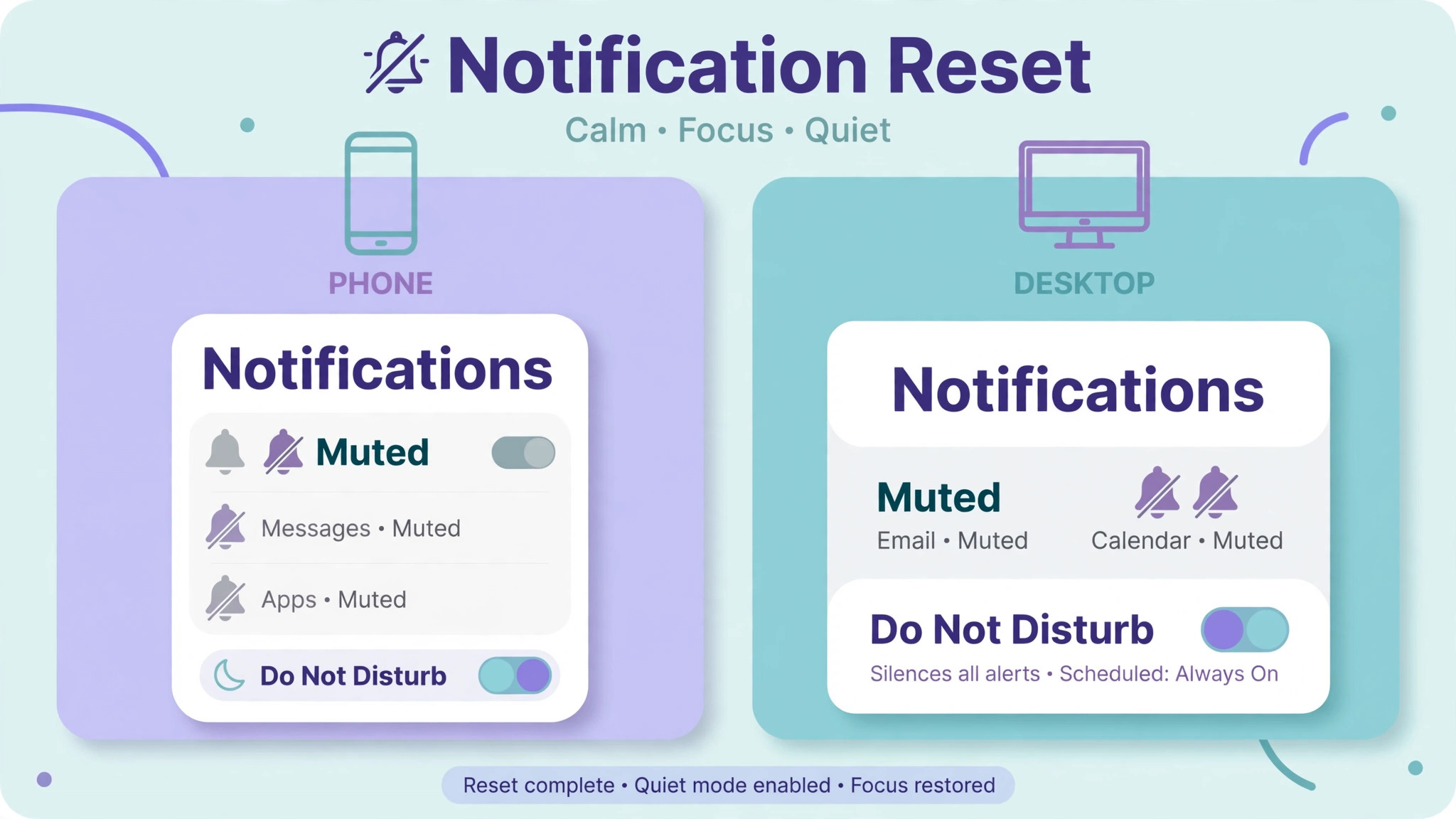
Notifications are the number one complaint after a switch Slack to Microsoft Teams small team move, and Teams notifications differ from Slack in defaults, sounds, banners and mobile behaviour. Reset them deliberately rather than leaving defaults in place. Each team member should set notification preferences for mentions, replies, channel activity and meetings, on desktop and on mobile, during the first week. A team that skips this step drowns in banners for a month and blames Teams for a settings problem.
Channel habits need resetting too. Teams channels support tabs, files and threaded conversations in ways that differ from Slack, and the team should agree on simple norms. Use threads for side discussions, pin key messages and files, and keep channel topics clear. Write those norms on one page and link it from the main channel. Norms that live only in someone’s head do not survive a platform change, and the first month sets habits that last for years.
The first two weeks should include daily check ins on adoption problems, not just a launch announcement. Ask each team member what they cannot find, which notification annoys them, and which workflow is missing. Fix patterns fast, and log every fix in the shared guide, so later waves and new hires benefit. A migration that listens for two weeks earns trust. A migration that launches and disappears earns resentment, even when the technology works.
External participants need guidance too. Clients and contractors moving from Slack guest access to Teams guest access should receive joining instructions and a test message before their first real conversation on Teams. A short message explaining where to find the channel, how notifications work, and who to contact for help prevents the slow drift back to email that happens when guests feel lost on a new platform.
What the Move Costs, and Where the Saving Really Sits
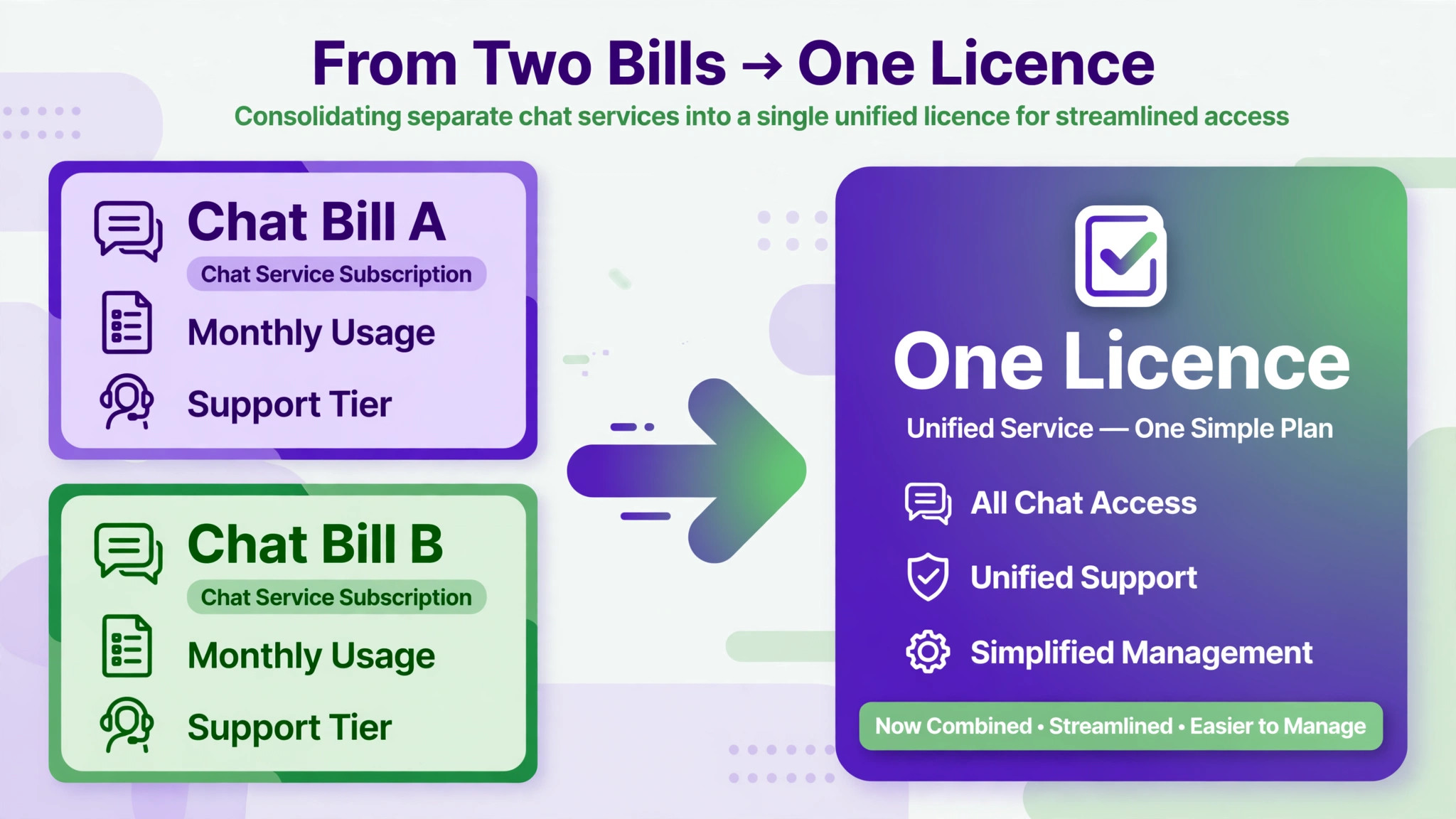
Slack’s widely reported Pro price is $7.25 per user per month on annual billing, with monthly billing higher. Business pricing is where guides disagree. Older guides list Business at $12.50 per user per month on annual billing, while newer guides list $15, following a reported price rise that also added AI features. Use the newer figure for budgeting unless your own Slack renewal shows otherwise, and check the vendor page before committing, because the older figure still circulates and will understate the bill.
Teams pricing follows the Microsoft licence, reported in updated 2026 guides at $7 for Business Basic, $14 for Business Standard and $22 for Business Premium per user per month on annual billing, with standalone Teams Essentials reported at $4. Older guides show Basic at $6 and Standard at $12.50, so the same July 2026 rise affects both sides of this comparison. The key point remains unchanged. If the team already pays for a Business plan, Teams adds no new licence cost, and the Slack bill is the saving. If the team buys Microsoft 365 only for chat, the saving shrinks or disappears.
Add the project costs honestly. Migration admin time, app rebuilds, training and the pilot all cost staff hours, even when the native tool itself carries no separate licence fee. A small team may spend twenty to forty hours on a careful move, including mapping, pilot, verification and training. Third party help for direct messages, where needed, adds a fee on top. Judge the move at six months on total cost and daily friction, not on launch week, because a cheaper tool that the team hates is not a saving.
Mistakes That Lose History, Access or Trust
The most damaging mistake in a switch Slack to Microsoft Teams small team move is assuming direct messages migrate. They do not, under the native tool, and a team that discovers that after Slack access ends has lost private history it cannot recover. Decide the direct message plan during mapping, whether that means a third party tool, a manual export of what matters, or an explicit decision that direct history is not kept. Any of those is better than discovering the gap too late.
The second mistake is migrating private channels into public ones, or losing owners in the permission map. Privacy errors damage trust faster than any missing feature, and they are entirely avoidable with the written permission table and the post migration privacy check. Check privacy before announcing, and check it again after the full migration, because a check that happens once can miss a channel added late.
The third mistake is leaving Slack writable after the move. Two writable chat homes split decisions, duplicate conversations and confuse new hires about where work happens. Make Slack read only on the switch off date, keep it for reference during the grace period, and cancel it only when the team has worked cleanly in Teams for several weeks. A grace period is prudent. An indefinite overlap is a failure to switch.
A final mistake is skipping the notification reset and the app rebuild list. A team that lands in Teams with noisy notifications and missing workflows will ask to go back to Slack within a month, and that request will feel reasonable, because their daily experience really is worse. Fix notifications in week one and rebuild the top workflows before launch, and the team judges Teams on its merits rather than on its missing pieces.
Frequently Asked Questions
Does Microsoft’s tool move Slack direct messages?
No, the native tool migrates channel content only. Direct messages, group chats, workflows and custom app integrations are not migrated, and a third party tool or manual export is needed if direct history must be preserved. Decide that plan during mapping, before Slack access ends, because direct history cannot be recovered afterwards.
Can private Slack channels move to Teams?
Yes, the native tool supports public and private channels, including messages, files and membership. Private channels must map to private Teams channels, and privacy settings should be checked before and after migration. Archived channels must be unarchived before export, and Slack Connect channels are not supported.
What happens to Slack apps and bots?
They do not migrate. Each app, bot and workflow needs a Teams equivalent, a Teams store app, a Power Automate flow, or a retirement decision. Rebuild the most used workflows first, test each one with a real trigger, and keep an honest list of anything that cannot be replaced, with the manual habit that replaces it.
How long does the switch take?
Mapping and pilot take the longest, and a small team should plan two to four weeks from mapping to switch off, longer if direct messages need a third party tool or many workflows need rebuilding. The native channel migration itself is the faster part. The work around it, meaning mapping, verification, app rebuilds and training, is what sets the timeline.
Should Slack be cancelled on launch day?
No, keep Slack read only for a grace period after the move, so the team can check anything missed and recover reference material. Cancel only after the team has worked cleanly in Teams for several weeks, verification has passed, and no critical workflow still depends on Slack. The cost of a short overlap is small beside the cost of losing access to history that was never migrated.
Files attached to migrated channels travel with the native tool, subject to the checks described earlier. Files shared only in direct messages do not travel, and canvas pages become attachments rather than live pages. Verify high value files after migration, move direct message files that matter by hand, and organise the new Teams file structure before announcing the move.
Final Word, Keep Slack’s Best Parts and Drop the Rest
A good switch does not copy Slack into Teams. It keeps what made Slack work, meaning clear channels, fast answers and a culture of writing things down, and drops what Teams does better, meaning meetings, files and Office work in one place. Judge the move on that standard. If decisions are easier to find, meetings connect to files without friction, and the Slack bill is gone, the switch has worked.
For teams that move, the discipline is the same as for any migration. Map first, pilot second, verify third, and switch off last, with direct messages and apps planned explicitly rather than assumed. A switch Slack to Microsoft Teams small team leaders run in that order, with Slack kept read only until Teams has proven itself, becomes a calmer, cheaper chat setup rather than a month of lost history and noisy notifications.
More Reading on Stratilyze
– Cost of Slack for Small Business Monthly – Cost of Webex for Small Business Monthly – Slack vs Microsoft Teams – Switch Slack to Microsoft Teams Small Business – Best HR Software for Small Teams