
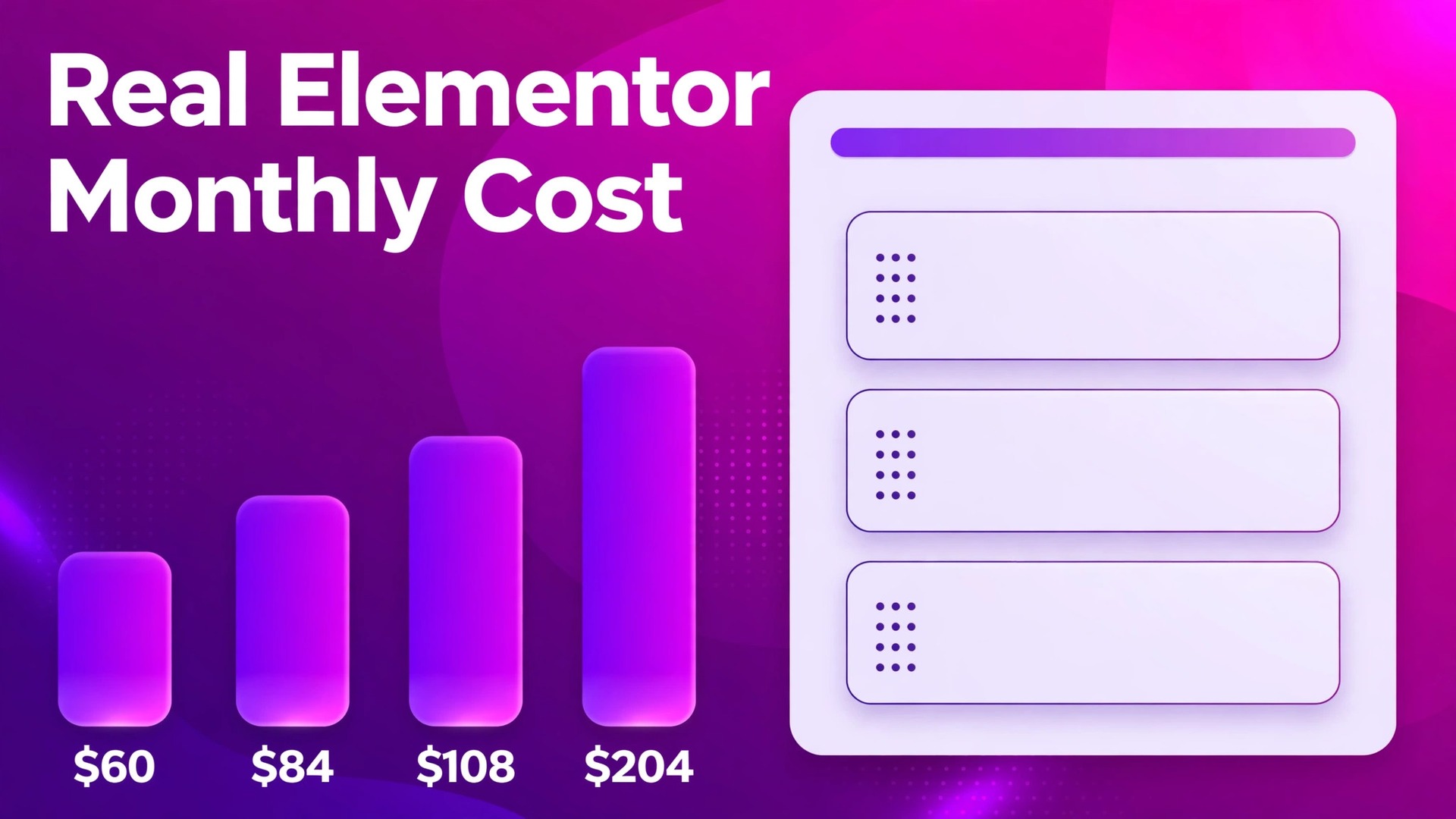
Elementor Essential costs $60 a year for one site, which works out at $5 a month, while Expert costs $204 a year for 25 sites, which works out at $17 a month. Those two figures frame the whole decision, because the cheapest plan buys 57 Pro widgets and no popup builder, while the higher plans buy 85 widgets plus popups, custom code and shop features. This guide breaks down the cost of Elementor for small business monthly tier by tier, so a small business can see whether the cheapest plan is enough or whether the missing features force an upgrade.
Elementor is a visual page builder for WordPress. The free plugin covers basic pages, while the paid Pro plans add the theme builder, advanced widgets, forms, popups and shop features that a business site usually needs. Because Elementor sells annual licences rather than monthly subscriptions, the monthly figure in this guide is always a yearly total divided by twelve, and that distinction should stay visible in any budget.
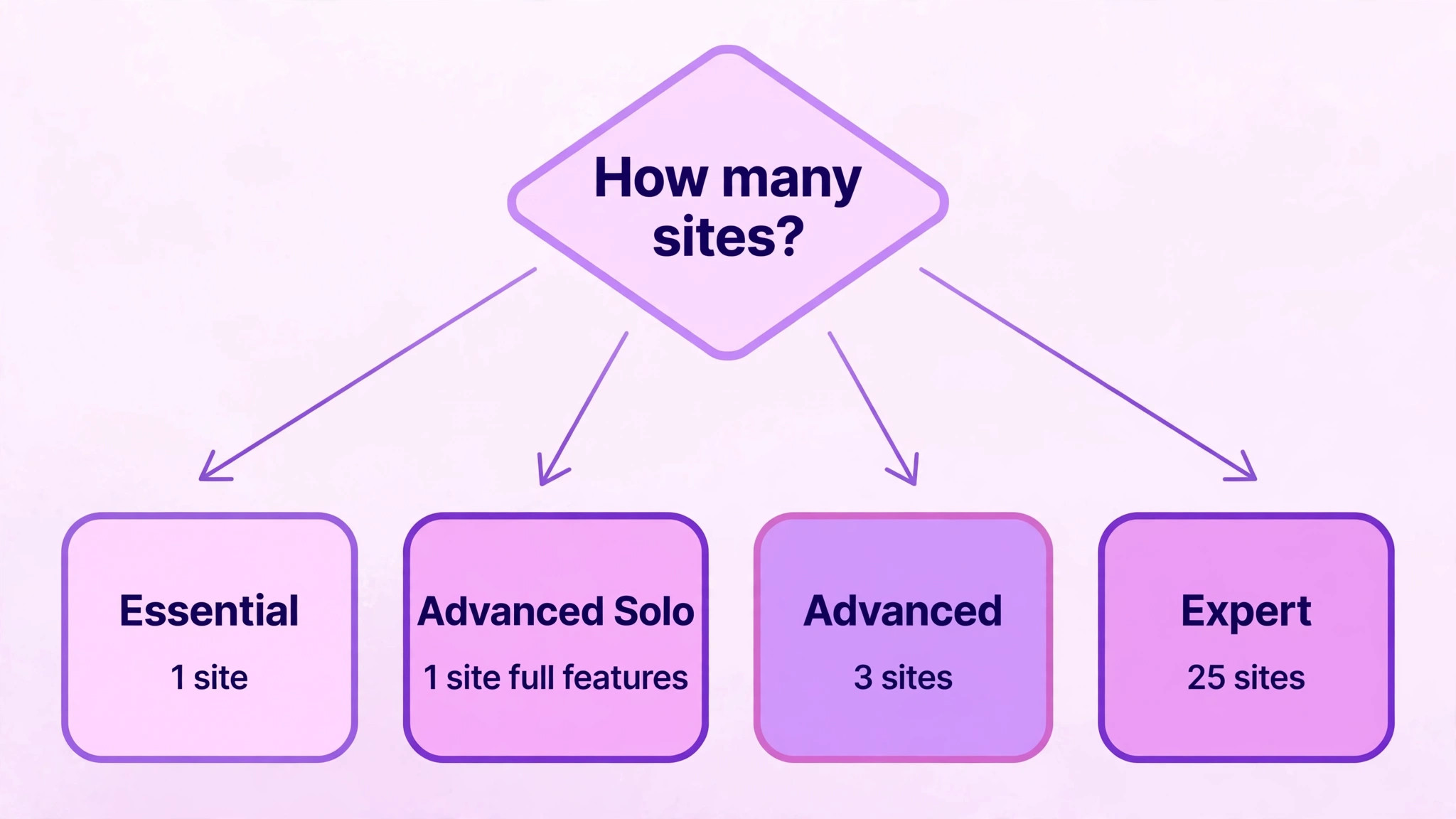
Site count is the second price lever. Each plan allows a set number of websites, and a licence used on more sites than allowed will not activate on the extra site. A firm with one site and a staging copy, or a firm that also runs a second brand site, needs to count both before choosing. Site limits, not staff seats, decide the Elementor bill for most small businesses.
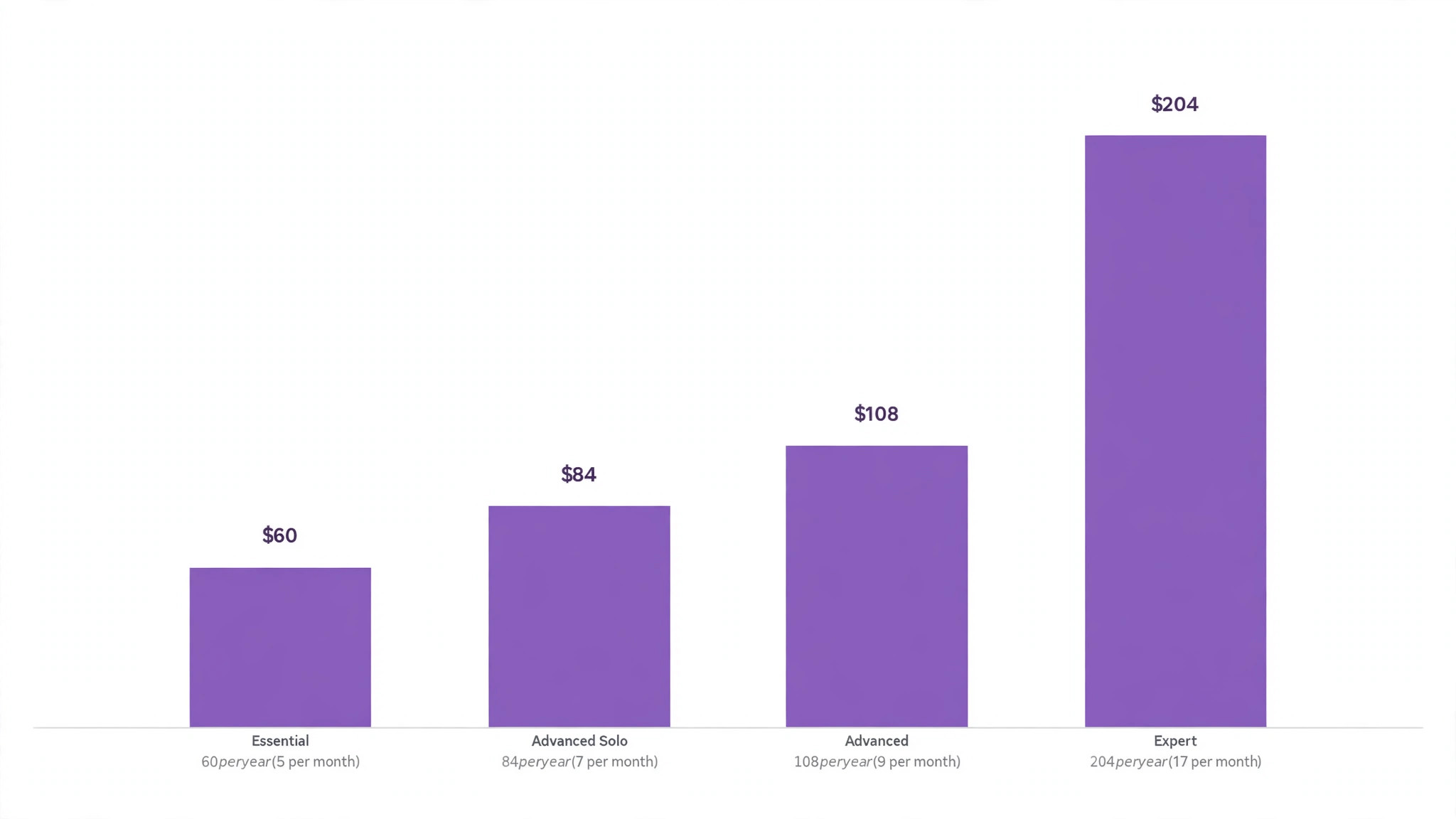
The plan names changed during 2026, and older guides still quote the old ladder. Prices of $59, $99 and $199 for Essential, Advanced and Expert belong to the previous structure. The current public ladder, checked in October 2026, is $60 for Essential, $84 for Advanced Solo, $108 for Advanced and $204 for Expert, all billed annually. This guide uses the current figures and flags the old ones so readers are not misled by stale articles.
How to budget cost of Elementor for small business monthly
The table below shows the three tiers named in the shortlist, with yearly totals and their monthly equivalents. All plans are billed annually, renew at the same yearly price for the Pro plans, and include a 30 day money back guarantee on the public pricing page. The cost of Elementor for small business monthly is therefore a yearly commitment divided into a monthly figure for comparison, not a monthly bill.
| Tier | Monthly price | What it includes | Best for |
|---|---|---|---|
| Essential | $60 per year, which is $5 per month when spread across the year, billed annually | 1 website, 57 Editor Pro widgets, Theme Builder, limited dynamic content and forms, 10 cloud templates. No popup builder, no custom code, no shop features | A simple single site with standard pages |
| Advanced | $108 per year, which is $9 per month when spread across the year, billed annually | 3 websites, 85 Editor Pro widgets, popup builder, custom CSS and code, shop features, collaborative notes, 30 cloud templates | A business site or a small set of client sites that need popups and shop tools |
| Expert | $204 per year, which is $17 per month when spread across the year, billed annually | 25 websites, 85 Editor Pro widgets, popup builder, custom CSS and code, shop features, 5,000 cloud templates | A freelancer or small agency managing many sites |
Advanced Solo deserves a note, because it changes the entry price for a single site that needs the full feature set. Advanced Solo costs $84 a year, which is $7 a month spread across the year, for one website with the same 85 widgets, popup builder and shop features as Advanced. A firm with one site that needs popups or shop features should compare Advanced Solo at $84 against Essential at $60, because the $24 yearly gap buys the missing features.
Essential is a capable plan for a brochure site, but its limits are sharp. No popup builder means no built in lead capture popups, no custom code means no custom CSS or HTML widgets beyond the standard set, and no shop features means a WooCommerce site will miss the Elementor shop widgets. A firm that discovers those limits after building the site faces a rebuild or an upgrade, so the feature check should happen before design starts.
Expert is the best value per site in the range, at $8.16 per site per year when all 25 sites are used, but that value only exists if the sites exist. A firm with one site gains nothing from 25 licences, and the extra cloud templates do not compensate for paying $204 instead of $60 or $84. Buy Expert for a portfolio, not for a single site that might one day grow.
Elementor One bundles sit above the Pro plans and are not part of the shortlist tiers, but they affect the budget for firms that want AI tools. Elementor One costs $180 in the first year and renews at $228, while One Agency costs $432 in the first year and renews at $540, and both add monthly credits for AI, image optimisation and other tools. A firm that wants AI credits should compare One against buying Pro plus a separate AI tool, rather than assuming the bundle is cheaper.
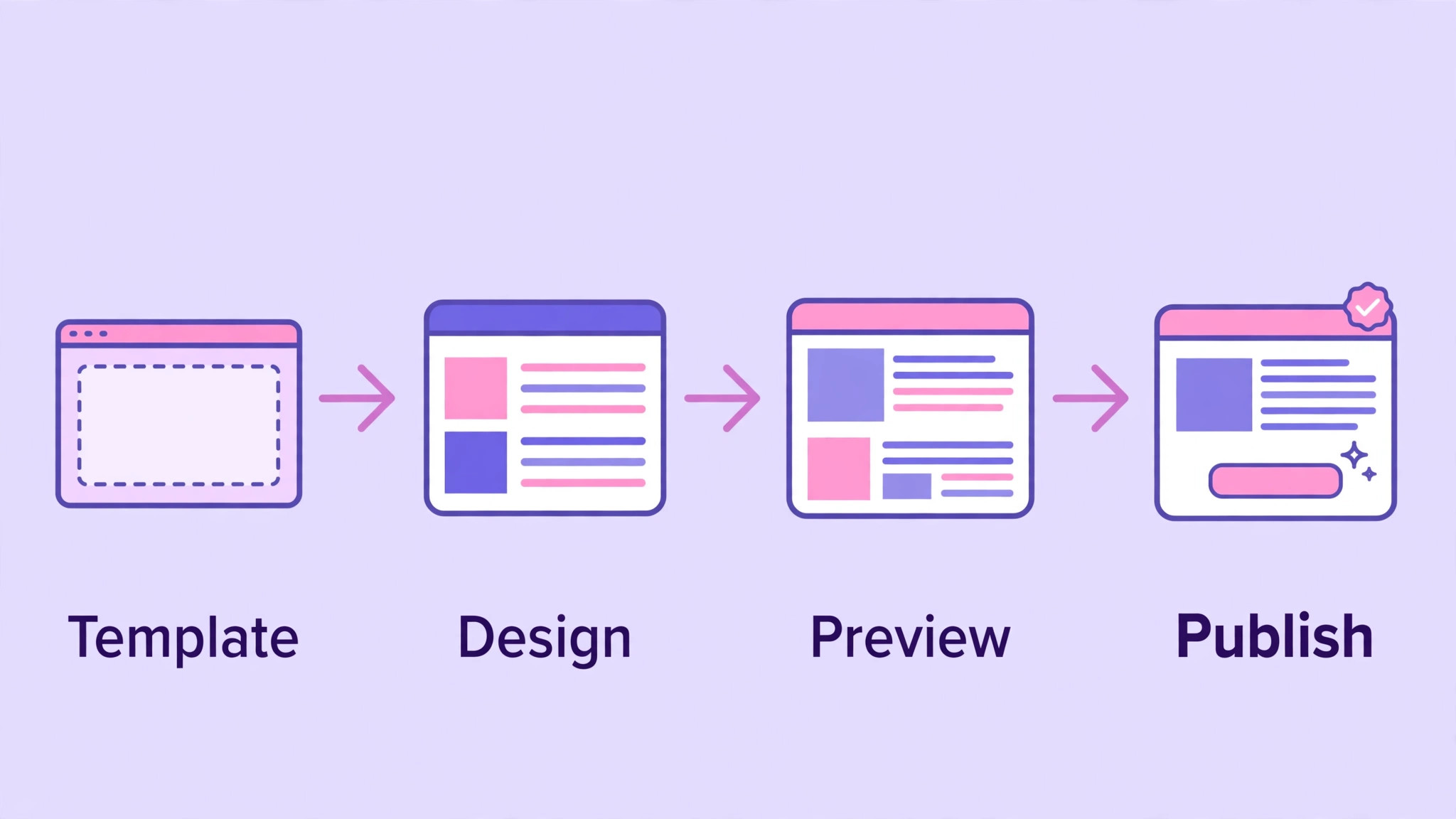
The licence fee is only part of running a WordPress site, and the rest of the bill is where small firms get caught out. Work through this checklist before budgeting, because the cost of Elementor for small business monthly looks small beside hosting, a theme, and the add-ons that a real site accumulates.
– Site limits. A second site, a staging site that needs activation, or a client site built as a favour can push a firm past its licence count. Count every live and staging site that needs Pro features before choosing a tier. – Hosting. Elementor is a plugin, not hosting. The firm still pays for WordPress hosting, a domain and SSL, and a slow host will make even a well built Elementor site feel slow. – AI credits. The Pro plans include no monthly One credits, so AI text, image and code features need a One bundle or a separate tool. Check credit limits before promising AI built content to a client. – Third party add-ons. Extra widget packs, form tools and template libraries carry their own yearly fees, and those fees renew alongside Elementor rather than inside it. – Theme and template costs. A premium theme or a template kit bought for the project is a separate purchase, and its renewal may fall in a different month from Elementor. – Renewal timing. Pro plans renew at the same yearly price on the current public page, but One bundles renew higher, at $228 against $180 and $540 against $432. Diary both figures if a bundle is chosen. – Redesign and maintenance time. A site built with many widgets and custom code needs someone to update it, test it after WordPress updates, and fix what breaks. That time is a real cost even when no licence fee is involved.
Hosting is the largest hidden cost for most small firms, and it is also the one most often blamed on Elementor. A cheap shared host with limited memory will struggle with a page builder, a shop and several plugins, and the result looks like an Elementor problem when it is really a hosting problem. Budget for hosting that matches the site, not for the cheapest host that will accept WordPress.
AI credits need a clear explanation, because they are easy to misunderstand. Elementor Pro on its own does not include the monthly One credit allowance, so a firm that buys Pro expecting AI generation included will find the feature limited or absent. The One bundles add credits, but they also renew at a higher price, so the AI decision and the licence decision should be made together rather than separately.
What the Elementor price buys
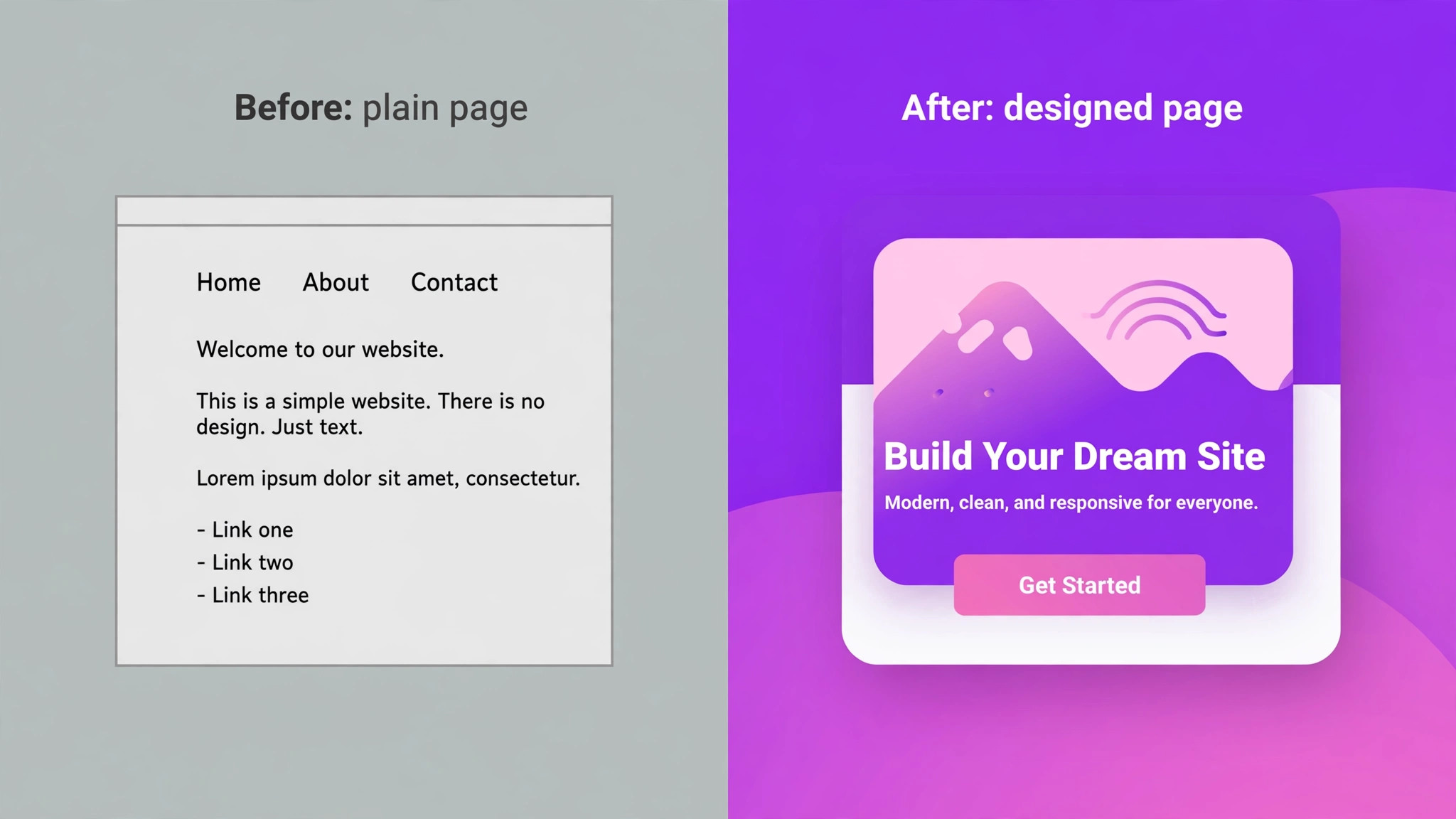
What the price buys is control over design without code for most pages. A small business can build landing pages, service pages and sales pages with drag and drop layouts, see the result as visitors will see it, and change a headline or an image without waiting for a developer. That speed matters for seasonal offers, new services and local campaigns that cannot wait for a development slot.
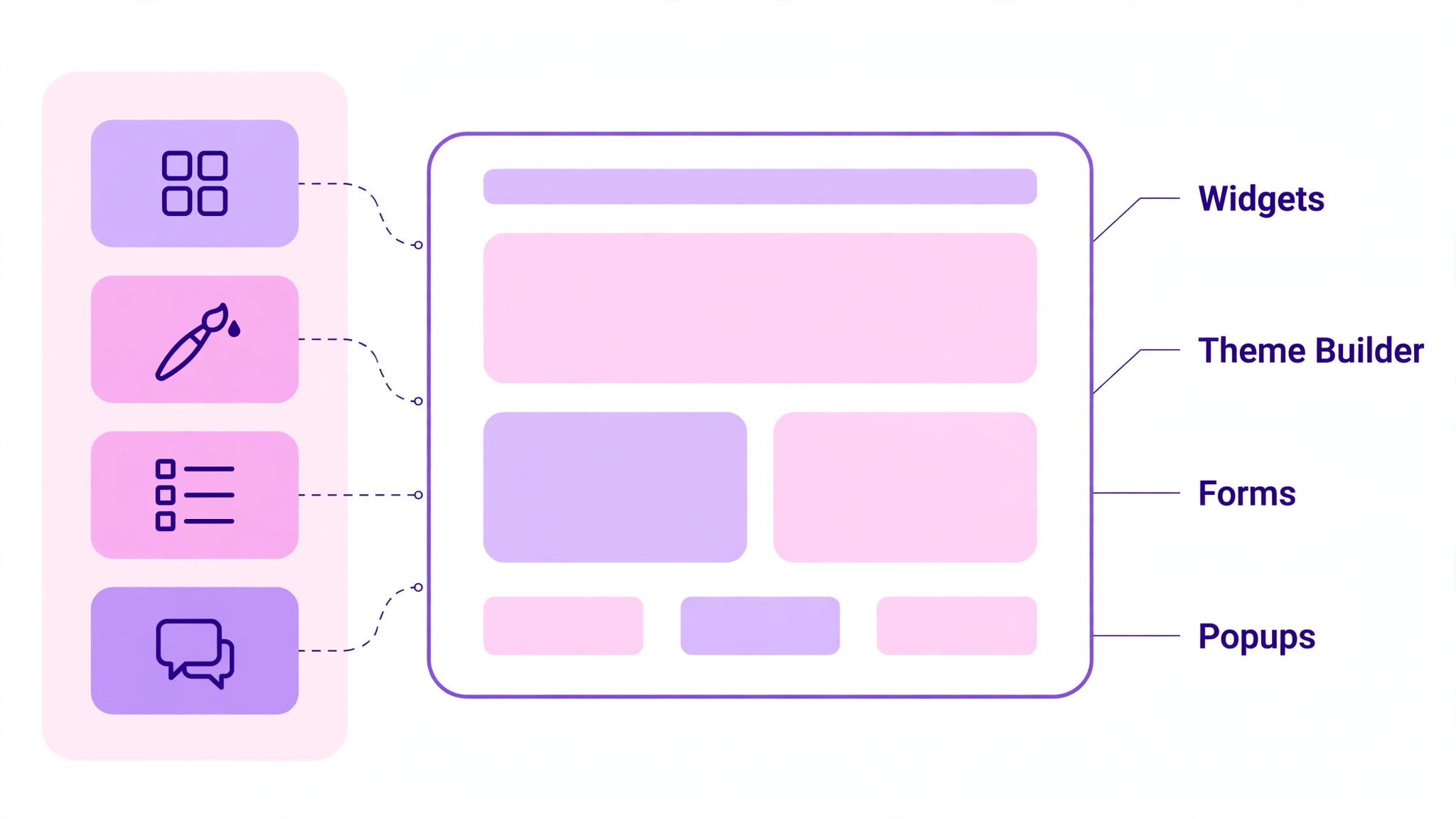
The theme builder is the feature that separates Pro from the free plugin for a business site. Headers, footers, archive pages and single post templates can be designed once and applied across the site, which keeps branding consistent and avoids the patchwork look of a site built page by page. A firm that values a consistent brand will use the theme builder on almost every project.
Consistency also reduces maintenance. When a header or footer changes, one template update reaches every page, rather than requiring edits page by page. That single point of change is what keeps a growing site tidy, and it is a benefit that only appears after the site has grown beyond a handful of pages. Forms and dynamic content extend the builder beyond static pages. A contact form, a quote request form or a service booking form can be built inside Elementor, and dynamic content can pull titles, images and custom fields into templates automatically. Those features reduce the need for extra form plugins, although a complex form may still need a dedicated tool.
Popup builder and shop features, available from Advanced Solo upward, change what the site can do for sales. Popups can capture leads, announce offers and recover abandoning visitors, while shop widgets give a WooCommerce store product grids, carts and checkout layouts that match the rest of the site. A firm that sells online or relies on lead capture should treat those features as core, not as extras.
Cloud templates and the template library save design time, especially on Expert with 5,000 templates. A firm that starts from a template and adapts it will launch faster than a firm that designs every section from blank, and the template count matters most for agencies that build many sites. A single site firm will use a handful of templates well and ignore the rest, which is fine.
A worked yearly total for a small business site
Take a firm with one business site that needs popups and shop features. Advanced Solo at $84 a year is the cheapest plan that includes them, which is $7 a month spread across the year. The same firm on Essential would pay $60 a year, or $5 a month, but would lack popups, custom code and shop widgets, so the $24 yearly saving would cost the features the site was built for.
Take a freelancer with ten small business sites. Expert at $204 a year covers all ten with room to grow, which is $20.40 per site per year, or $1.70 per site per month spread across the year. The same ten sites on Advanced at $108 for three sites would need four licences, costing $432 a year, so Expert saves $228 a year for that portfolio and simplifies licence management into one renewal.
Add hosting to either example and the picture changes. A modest WordPress host at a typical small business rate can cost several times the Elementor licence, so the licence is rarely the largest line in the website budget. That context helps a firm avoid over optimising the $24 gap between Essential and Advanced Solo while ignoring a hosting bill that dwarfs both.
When Elementor is worth it and when it is not
Elementor is worth it when the firm wants design control and builds or updates pages often. A business that launches offers, adds services or runs local campaigns will use the builder weekly, and the cost of Elementor for small business monthly pays for itself in saved developer time and faster launches. In that pattern, even Expert for a small portfolio is easy to justify.
It is also worth it when the site must look distinctive rather than template plain. A firm in a competitive local market, such as a restaurant, a clinic or a trades business, benefits from a site that looks designed rather than assembled, and Elementor gives a small firm that control without a full agency budget. The visual difference shows up in enquiries, not just in pride.
Distinctive design also helps a firm stand out in local search results and social shares, where a visitor judges a business in seconds from a screenshot or a preview. A site that looks cared for suggests a business that cares for its customers, and that first impression is hard to win back with text alone. Elementor is not worth it when the site rarely changes and a simple theme already does the job.
A firm with five static pages that change once a year gains little from a page builder, and the yearly licence becomes a fee for a tool that sits unused. In that case the free plugin or a good theme may be enough, and the money is better spent on hosting or content.
It is also a poor fit when the site is a complex shop or a custom application. Heavy WooCommerce customisation, membership systems and custom booking flows may need code and dedicated plugins that sit outside Elementor, and forcing them into a page builder can create a fragile site. In those cases a developer led build, with Elementor used only for marketing pages, is often the wiser shape.
How to cut the Elementor bill
Cutting the bill starts with site count. Audit every site on the licence, deactivate Pro on staging copies and retired sites, and check whether a client site still needs the builder. A freelancer who frees up five Expert slots does not save cash directly, but avoids buying a second licence when the next client arrives. The cost of Elementor for small business monthly is controlled by counting sites, not by negotiating the licence price.
Choose the lowest tier that includes the features the site actually uses. A brochure site on Advanced Solo that never uses a popup or a shop widget is paying $24 a year more than Essential for nothing, while a shop site on Essential that buys a separate popup plugin may pay more than the upgrade to Advanced Solo. Match the tier to the feature list, and recheck that list at renewal.
A tier review takes ten minutes and should happen before renewal, not after. Open the site, list the Pro features in use, and compare that list against the tier. If a popup, a shop widget or custom code appears nowhere on the live site, the higher tier is paying for potential rather than for work. Avoid duplicate widget packs and template libraries. Many firms buy an add-on pack for one widget and then pay its yearly renewal for years after the widget fell out of use. List every add-on, note what it is used for, and cancel the ones that serve no live page. The saving is small per add-on, but several add-ons together can exceed the Elementor licence itself.
Build from templates where they fit, rather than designing every section from blank. Template use cuts build time, which is the largest cost in most website projects, and it reduces the temptation to buy extra widgets for a single effect. A disciplined template habit keeps both the licence tier and the build hours in check.
Finally, renew deliberately rather than automatically. Check the site count, the features used and whether a One bundle is still needed before the renewal date. A firm that reviews once a year will catch a tier that no longer fits, while a firm that lets renewal roll on will pay for last year site portfolio rather than this year one.

What to check on the pricing page before you pay
Confirm the current ladder before buying, because Elementor changed its plans during 2026 and older articles still circulate. Check that Essential is $60, Advanced Solo is $84, Advanced is $108 and Expert is $204, all billed annually, and confirm the site counts beside each figure. If a page you read quotes $59, $99 and $199, it is describing the old ladder and should not be used for a budget. That check alone prevents the cost of Elementor for small business monthly from being built on stale numbers.
Confirm the renewal price for the plan you choose, and note the difference for One bundles. Pro plans on the current public page renew at the same yearly price, but One renews at $228 against $180 and One Agency at $540 against $432. A firm that budgets only the first year figure for a bundle will understate year two by a quarter or more, so record both figures at purchase time.
Check the widget and feature list for the tier, not just the price. Essential has 57 widgets and lacks the popup builder, custom code and shop features, while Advanced Solo and above have 85 widgets and include them. Open the feature comparison on the pricing page and tick the features the project needs, because a missing feature discovered after design is far more expensive than a tier upgrade before design.
Check the money back terms and the licence activation rules. The public page advertises a 30 day money back guarantee, which gives a short window to test the builder on a real project. Use that window for a real page, not a demo, and confirm how licences are activated and moved between sites, so a rebuild does not waste a slot.
Check tax at checkout, because published yearly totals exclude tax in many regions. The checkout total is the budget figure, not the pricing page figure, and the difference can be material for a small firm. Record the checkout total, including tax, and use it for the yearly website budget rather than the headline licence price.
Building habits that keep costs down
Keep the page count lean. Every extra page built with heavy widgets adds load time and maintenance, even if it adds no licence cost. A site with twenty focused pages will outperform a site with eighty thin pages, and it will be cheaper to maintain after every WordPress update.
Reuse sections and templates across the site instead of designing each page from scratch. A saved header, a saved testimonial block and a saved call to action block keep the site consistent and cut build time on every new page. Consistency also helps visitors, who learn where to find the contact details and the offer on any page.
Test after every major update, and keep a backup before updating. A page builder site depends on WordPress, the theme and several plugins working together, and an update can break a layout that worked yesterday. A quick visual check after updates, plus a restore point, prevents a small break from becoming a lost weekend.
Templates, add-ons and the real build cost
Templates save time, but they also create a habit worth watching. A firm that starts every page from a different template ends up with a site that looks assembled from parts, with mismatched spacing, fonts and button styles. Choose a small set of templates that share a design language, adapt them consistently, and the site will look designed rather than collected.
Add-on packs follow the same logic. One pack may add fifty widgets, of which the firm uses three, and the yearly renewal then pays for forty seven unused widgets. Before buying a pack, list the widgets it adds that the project actually needs, and check whether Elementor Pro already covers them. The answer is often yes, and the pack can be skipped.
Build cost dwarfs licence cost for most firms, whether the build is done in house or by a freelancer. A site that takes twenty hours to build costs far more in time than a year of Essential or Advanced Solo, so the licence tier should never drive the design. Choose the design that serves visitors, then pick the tier that supports it, not the other way round.
Maintenance is the ongoing build cost, and it deserves a line in the yearly budget. WordPress core, the theme, Elementor and every plugin update on their own schedules, and each update needs a visual check. A firm that budgets an hour a month for checks and fixes will rarely face a broken site, while a firm that updates blindly will eventually pay for an emergency repair.
Frequently Asked Questions

Is Elementor billed monthly or yearly?
Elementor Pro plans are billed annually. Essential costs $60 a year, Advanced Solo $84, Advanced $108 and Expert $204. The monthly figures in this guide are those yearly totals divided by twelve, for comparison only. There is no monthly billing option for the Pro plans on the public pricing page.
Which plan do I need for a WooCommerce shop?
A shop needs the shop features that start at Advanced Solo, which costs $84 a year for one site. Essential lacks shop widgets, so a shop built on Essential will miss product grids and checkout layouts. For three shop sites, Advanced at $108 a year is the next step, and Expert covers 25 sites.
Does Essential include a popup builder?
No. Essential does not include the popup builder, custom code and CSS, or shop features. Those features start at Advanced Solo. A firm that needs lead capture popups should start at Advanced Solo rather than buying Essential and then adding a separate popup plugin.
How many sites can I use on each plan?
Essential and Advanced Solo cover one website each, Advanced covers three websites, and Expert covers 25 websites. Count every live site that needs Pro features, and remember that a staging site may need a slot if it uses Pro features. Deactivate Pro on retired sites to free slots.
What are Elementor One bundles?
Elementor One bundles combine Pro with AI credits and extra tools such as image optimisation and accessibility checks. One costs $180 in the first year and renews at $228, while One Agency costs $432 in the first year and renews at $540. Pro plans alone include no monthly One credits.
Do Pro plans renew at the same price?
On the current public pricing page, the Pro plans renew at the same yearly price as the first year, at $60, $84, $108 and $204. The One bundles are the exception, renewing higher than their first year price. Always confirm the renewal figure at checkout, because pricing pages can change.
Can I use Elementor on a staging site?
A staging site that uses Pro features needs a licence slot, so it counts toward the site limit. Many firms keep staging on the same licence by deactivating Pro on retired sites or by using a higher tier. Check the activation rules before building a staging workflow that assumes unlimited slots.
Is the free plugin enough for a small business?
The free plugin covers basic pages and layouts, but it lacks the theme builder, Pro widgets, forms, popups and shop features that most business sites need. A simple brochure site may manage on free, while a site that needs consistent headers, lead capture or a shop will need a paid plan.
Verdict
For a single business site that needs popups or shop features, Advanced Solo at $84 a year is the honest starting point, and for a simple brochure site Essential at $60 a year is enough. The cost of Elementor for small business monthly in either shape is a small part of the website budget beside hosting, and the expensive mistake is choosing a tier without checking the feature list first. Expert earns its $204 a year only when a portfolio of sites actually uses its 25 slots.
Check the current ladder, tick the features the project needs, count the sites, and add hosting and add-ons to the budget. Do that, and Elementor becomes a predictable yearly cost that buys real design control. Skip it, and the firm will pay twice, once for the wrong tier and again for the workaround that replaces a missing feature.
More Reading on Stratilyze
– Switch WordPress to Squarespace for Small Business – Fix WordPress Plugin Conflict for Small Business – Switch Shopify to Squarespace for Small Store – Switch WordPress to Squarespace for a Small Business – How to Set Up a Client Feedback Loop for Small Business