
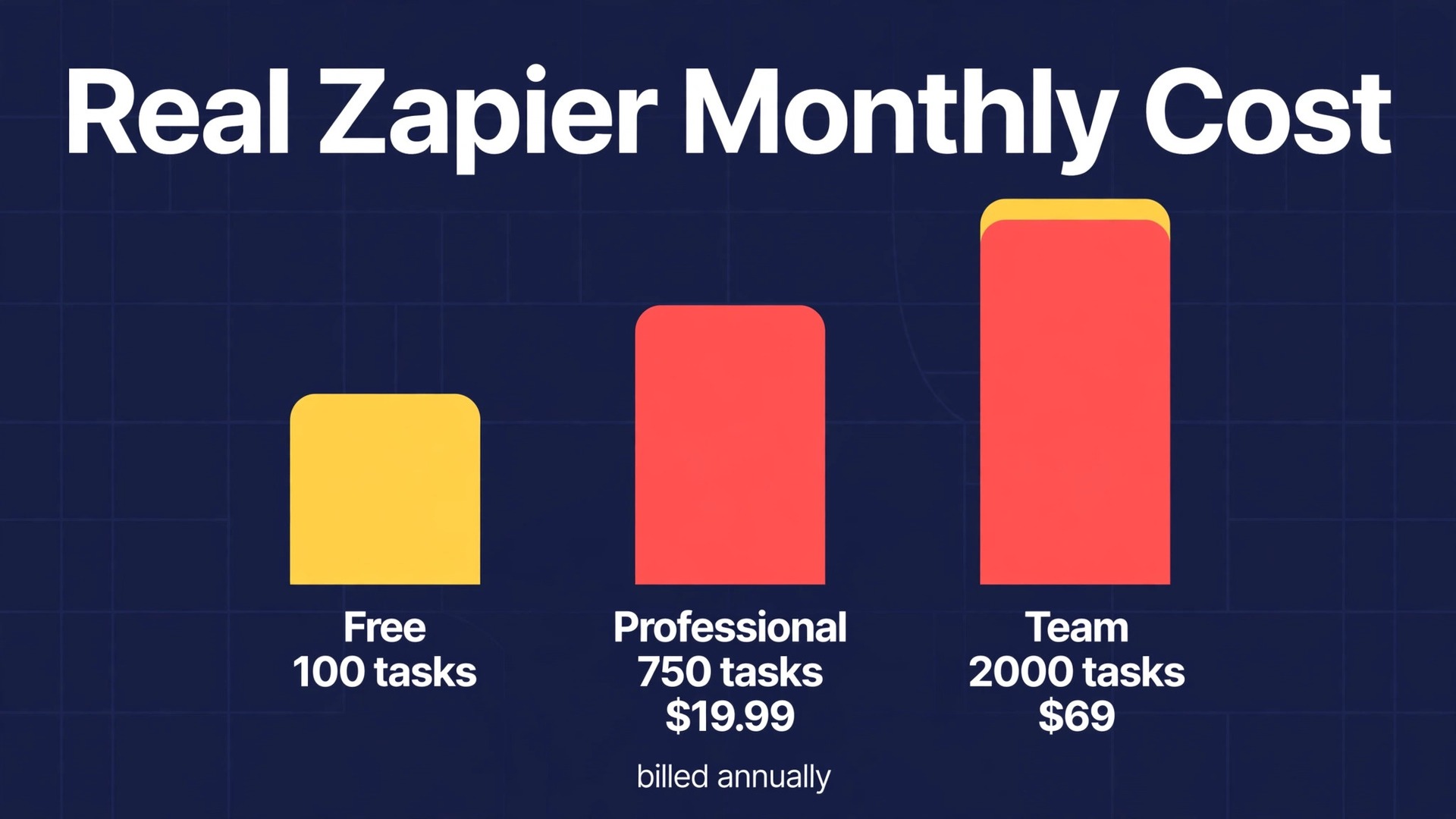
Verdict first on the cost of Zapier for small business monthly. Most small businesses should start on Professional, move to Team only when more than one person needs to build and edit automations, and treat Enterprise as a sales conversation for a larger operation, not as a natural next step for a small team. That verdict comes from the way Zapier charges. You pay for tasks, not for the number of automations you dream up, and the cheapest paid tier already covers multi-step workflows and premium apps.
The expensive mistake is buying Team for a solo operator, or buying Professional and then discovering that a handful of busy workflows eats the task allowance in the first two weeks of the month.
This guide prices the cost of Zapier for small business monthly use in full, with the current tier prices, the task math that decides whether a tier fits, and the charges that sit outside the headline price. It is written for an owner who already uses a handful of software tools and wants routine work to move between them without hiring another person to copy data by hand. The numbers below were checked against pricing guides that cite the vendor pricing page in October 2026, and you should still confirm the live pricing page before you pay, because Zapier changes task tiers and plan names from time to time.
Automation only saves money when it replaces work that a person would otherwise do slowly and with errors. A form that creates a customer record, a new order that notifies a fulfilment channel, and a paid invoice that updates a spreadsheet are the kinds of jobs where Zapier earns its fee quickly. A workflow that merely moves a note from one app to another, where nobody reads the result, costs tasks and attention for no return. The test in this guide is therefore practical. Count the jobs that matter, count the steps inside each job, and then match that total to a tier, rather than starting from the tier and hoping the work fits inside it.
How to Budget Cost of Zapier for Small Business Monthly
Zapier sells four levels, and a small business will normally choose between the first two paid levels. The free level gives 100 tasks per month and a small number of simple automations, which is enough to test one idea but not enough to run a business on. Professional is the lowest paid level, Team adds shared building and stronger controls, and Enterprise is priced by quote with an annual task pool. The table below gives the starting prices for each paid tier, with the billing basis stated for every figure, because the annual and monthly prices differ by a wide margin.
| Tier | Monthly price | What it includes | Best for |
|---|---|---|---|
| Professional | 19.99 dollars per month billed annually, or 29.99 dollars billed monthly | 750 tasks per month at the entry tier, multi-step workflows, premium apps, webhooks, one seat | A solo owner or a single operator |
| Team | 69 dollars per month billed annually, or 103.50 dollars billed monthly | 2,000 tasks per month at the entry tier, shared workflows, up to 25 users on the plan card, SAML single sign-on | A small team that builds together |
| Enterprise | Priced by quote | Annual task pool, unlimited users, advanced admin controls and governance | A larger organisation with compliance needs |
Annual billing saves about one third compared with paying month to month on both paid tiers. Professional costs 239.88 dollars for a year on annual billing, against 359.88 dollars if the same twelve months are paid monthly, a difference of 120 dollars. Team costs 828 dollars for a year on annual billing, against 1,242 dollars paid monthly, a difference of 414 dollars. Those savings are real, but they are only worth taking after a month or two on monthly billing has proved that the task allowance fits, because an annual plan locks in a tier that may turn out to be too small or too large.
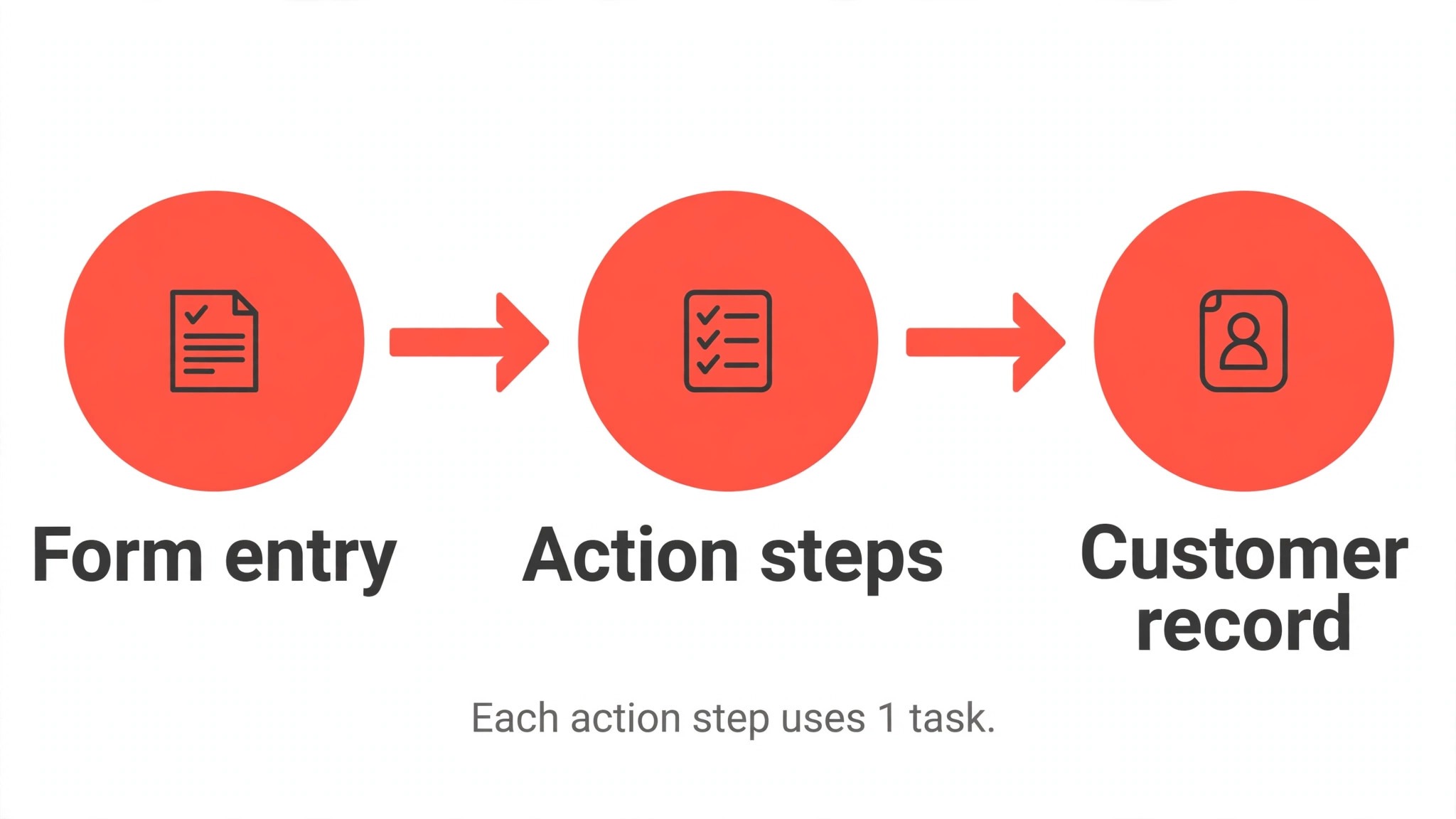
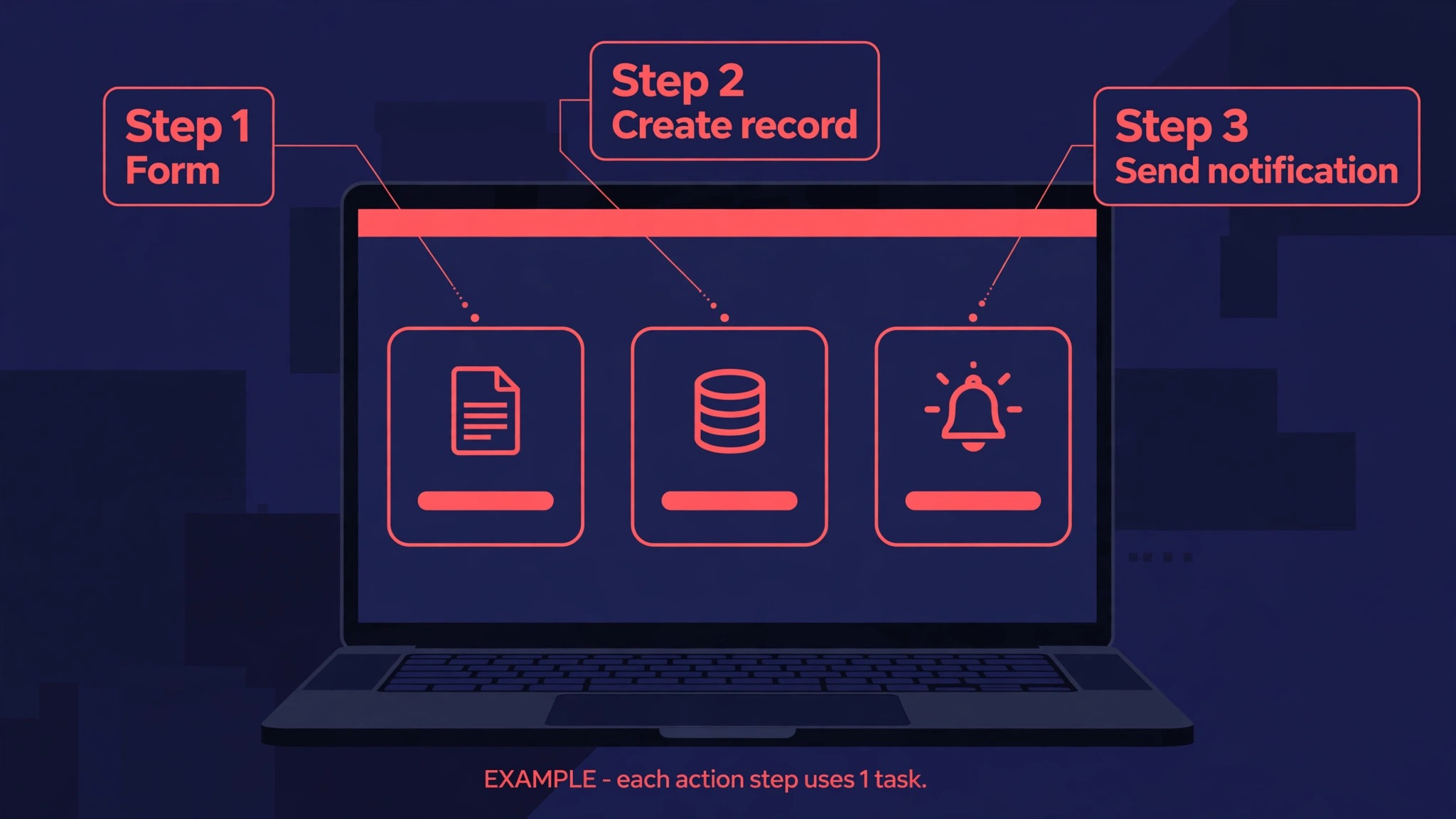
The task allowance is where most buyers misjudge the price. Zapier counts tasks by action steps, not by whole workflows. A workflow that takes a form entry, creates a customer record, and sends a notification uses two action steps, so 375 runs of that workflow use the full 750 task allowance on Professional. A workflow with five action steps uses five tasks per run, so only 150 runs fit in the same allowance. Before you choose a tier, list your five busiest workflows, count the action steps in each one, and multiply by the number of times each workflow runs in a typical month. That single exercise prevents most surprise upgrades.
Task tiers also scale upward inside each plan, so the entry price is a floor rather than a fixed total. Professional rises in price as the task allowance rises, and pricing guides checked in October 2026 put Professional at about 129 dollars per month on annual billing for 10,000 tasks, against 19.99 dollars for 750 tasks. Team starts higher but follows the same pattern, with larger task pools costing more. A business that grows from 750 tasks to 10,000 tasks will therefore pay several times the entry price even without changing tier, which is why task discipline matters as much as tier choice.

Task counts are the first hidden cost, because a workflow that looks cheap on paper can turn expensive in a busy month. Polling triggers, which check an app for new data at set intervals, can create runs that do nothing useful, and a workflow that fires on every small change in a busy app can burn tasks on events nobody needed to act on. Filters help, because a filter that stops a workflow early still uses tasks for the steps before the filter, but it prevents the later steps from running.
The practical habit is to review task use weekly in the first month, identify the three workflows that use the most tasks, and ask whether each run produced a result that a person would have paid to obtain. That review is the most honest way to judge the cost of Zapier for small business monthly use, because it separates tasks that earn money from tasks that merely move data.
Premium apps are the second hidden cost, and they work in the opposite direction to what many buyers expect. Premium apps are not charged separately on paid plans, since Professional and Team both include unlimited premium apps, but they are unavailable on the free plan. A business that tests Zapier on the free plan, builds a workflow around a premium app, and then discovers that the workflow cannot run without paying, has not found a hidden fee so much as a tier gate.
The cost is still real, because the free plan cannot be used as a permanent home for any workflow that touches a premium app, and the cheapest way to run that workflow is Professional at the entry price.
Multi-step workflows are the third hidden cost, and they are easy to underestimate because each extra step feels free when you build it. Adding a lookup step, a formatting step, and a notification step to a simple two-step workflow more than doubles the task cost of every run. A team that builds workflows by adding steps until the result looks polished will pay for polish on every single run, month after month. The discipline that controls this cost is to build the smallest workflow that produces a correct result, test it for a week, and add steps only when a real error or a real gap in the result justifies the extra task cost.
A fourth cost sits outside Zapier itself, in the time needed to build, test, and maintain workflows. A workflow that breaks when an app changes a field name, or when a form adds a new required field, needs a person to notice the failure and fix it. That maintenance time is small for a handful of simple workflows and grows steadily as the workflow count rises. Businesses that budget only the subscription price, and never budget an hour or two per month for checking failed runs and updating workflows, tend to discover broken automations at the worst moment, when a customer order or a lead has already gone missing.
What the Price Buys Beyond the Task Allowance
Professional buys more than a task count. It buys multi-step workflows, which are the difference between a simple notification and a real business process, and it buys premium apps, webhooks, and faster polling than the free plan. Polling matters for time-sensitive work. The free plan checks triggers every fifteen minutes, Professional checks every two minutes, and Team checks every minute, according to pricing guides checked in October 2026. For a business that promises a fast response to a new enquiry, the difference between a fifteen minute delay and a two minute delay can matter more than the price difference between the free plan and Professional.
Polling speed is therefore part of the cost of Zapier for small business monthly value, even though it never appears as a separate line on the bill.
Team buys shared ownership of automations, which is a different kind of value from a larger task allowance. On Professional, one seat builds and owns the workflows, so the business depends on one person knowing how everything works. On Team, shared workflows and shared connections let several people build, edit, and fix automations, and single sign-on adds a control that matters once a team grows beyond a handful of people. A business with two or three people who all need to change workflows should price Team for that shared access, not only for its 2,000 task entry tier, because the task allowance alone rarely justifies the jump from 19.99 dollars to 69 dollars on annual billing.
Enterprise buys governance, an annual task pool, and unlimited users, which are features that a small business rarely needs but a larger organisation may require. An annual task pool removes the monthly expiry of unused tasks, so a business with seasonal peaks can use tasks from quiet months in busy months, within the terms of its contract. Advanced admin controls, audit features, and dedicated support sit in the same tier. For a small business, the useful lesson from Enterprise is not its price, which is quoted rather than published, but its existence.
If a vendor will not publish a price, the product is aimed at buyers who negotiate, and a small business should not stretch its budget to reach that tier.
The price also buys access to a very large app catalogue, which is easy to undervalue until you need an unusual connection. Zapier connects thousands of apps, so a small business that uses a niche booking tool, a niche accounting tool, and a mainstream email tool can often connect all three without custom code. That breadth is worth more to a business with an unusual tool stack than to a business that uses only the most popular tools, where a cheaper automation tool may cover the same connections.
Before paying, check that every app in your stack is actually supported, and check whether the connection you need is a premium app, because a single unsupported app can force a workaround that costs more than the subscription.
A Small Team Worked Out in Tasks and Dollars
A solo consultant offers a clear example of Professional at the entry tier. Suppose the consultant receives about 150 form enquiries per month, and each enquiry runs a workflow with two action steps, one to create a customer record and one to send a notification. That workflow uses 300 tasks per month, well inside the 750 task allowance. Add a second workflow that turns paid invoices into spreadsheet rows, running 100 times per month with one action step, and total use reaches 400 tasks. The consultant pays 19.99 dollars per month on annual billing, or 29.99 dollars billed monthly, and has room to add a third workflow before an upgrade becomes necessary.
This is the pattern that keeps the cost of Zapier for small business monthly low, namely a small number of busy workflows with a clear result for each run.
A five person service business shows where Professional starts to strain and Team starts to make sense. Suppose the business runs 400 orders per month through a workflow with three action steps, which uses 1,200 tasks, plus 200 enquiries through a workflow with two action steps, which uses 400 tasks, plus 100 internal notifications with one action step, which uses 100 tasks. Total use reaches 1,700 tasks per month, which exceeds the Professional entry tier and fits inside the Team entry tier of 2,000 tasks.
The monthly price on annual billing would be 69 dollars for Team, against a higher task tier on Professional that pricing guides place well above the entry price, so the business should compare the cost of a larger Professional task tier against Team, rather than assuming that Team is automatically the expensive option.
A ten person business with seasonal peaks shows why the monthly pattern matters as much as the monthly average. Suppose the business averages 1,500 tasks per month but peaks at 4,000 tasks in its busiest month, because a seasonal campaign drives a surge of orders and enquiries. A tier sized for the average will run out of tasks in the peak month, and the business will face a choice between paying for a larger tier all year, buying extra tasks, or letting workflows pause during the busiest period.
The cheapest answer is often a tier sized for a typical busy month rather than the average, with workflows trimmed so that low value runs do not consume tasks during a peak. That decision is easier to make before signing an annual plan than after it.
When It Is Worth It and When It Is Not
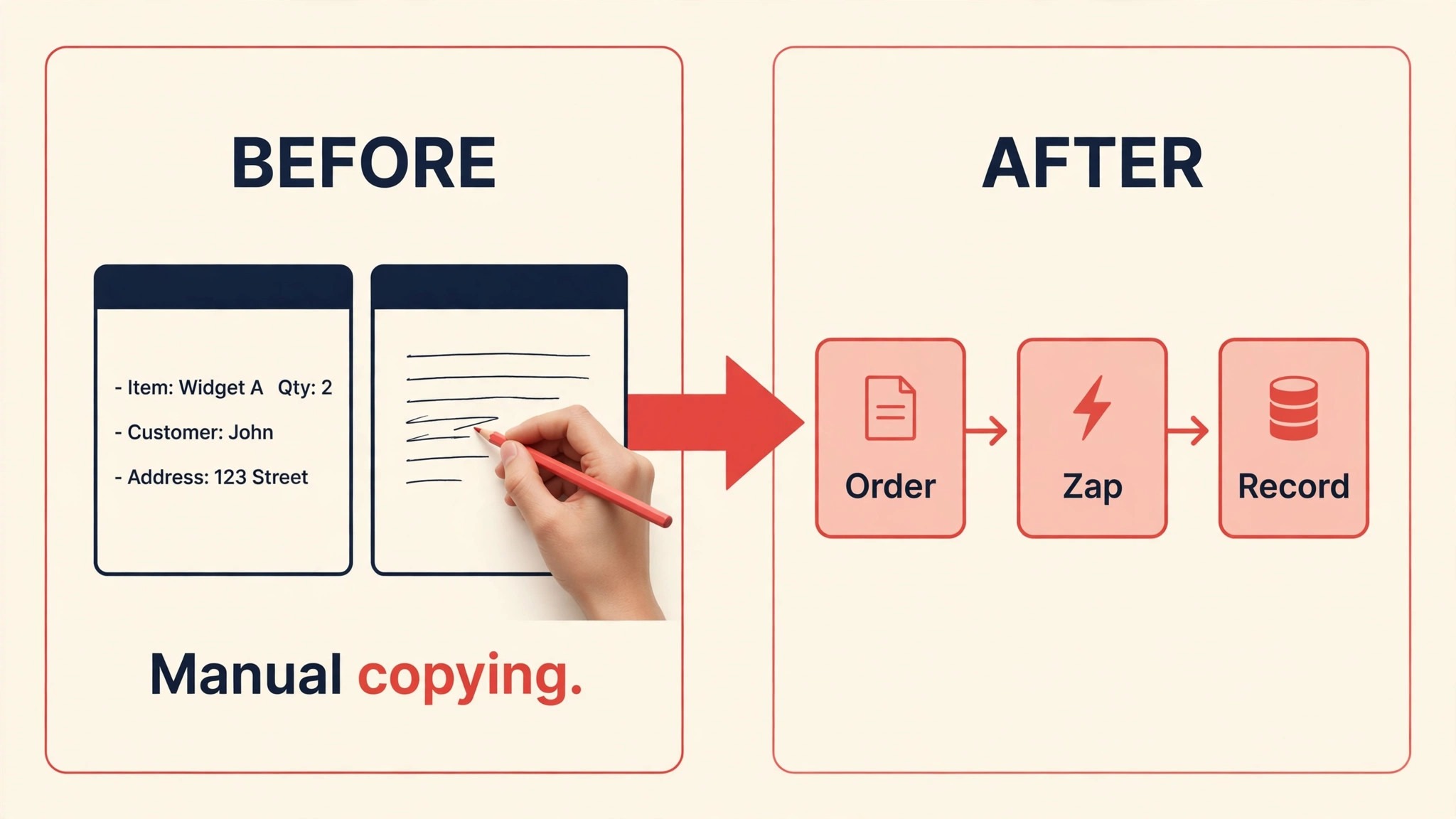
Zapier is worth the price when it removes repeated manual work that is both frequent and error prone. Copying order details from a store into an accounting tool, moving form entries into a customer record, and notifying the right person when a booking changes are all jobs where a missed step costs money or reputation. If a workflow runs hundreds of times per month and each run saves even two minutes of careful copying, the time saved quickly exceeds the subscription price, even before counting the errors that automation prevents. The strongest sign that Zapier is worth it is a workflow that the team already does by hand every day and dislikes doing.
When that test is passed, the cost of Zapier for small business monthly use is usually recovered in saved hours within the first month.
Zapier is not worth the price when the work is rare, when the workflow is fragile, or when a native integration already does the same job for free. Many popular tools now connect directly to each other, so a business that pays Zapier to move data between two tools that already sync natively is paying for a bridge it does not need. A workflow that runs ten times per month, however clever, rarely justifies even the entry price, because the time spent building and maintaining it exceeds the time it saves. The same logic applies to workflows that depend on data that changes format often, since each change forces a repair and the repair time erodes the saving.
A useful middle test is to run the workflow by hand for two weeks and record the time and the errors. If the manual version takes less than an hour per month in total, and errors are rare and easy to fix, Zapier is a convenience rather than a saving, and the free plan or a native integration may be enough. If the manual version takes several hours per month, or if a single missed entry has already cost a sale or a missed appointment, the paid price is easy to justify.
That test also produces the task count you need, because the number of manual jobs in two weeks, multiplied and converted into action steps, is a realistic forecast of monthly task use.

How to Cut the Bill Without Breaking the Workflows
Start by cutting task waste before cutting tiers, because task waste is the cost that a tier change alone cannot fix. Add filters early in workflows so that low value events stop before they consume later steps, and replace polling triggers with instant triggers where the app supports them, because instant triggers fire only when something actually happens. Review the task history each month and retire workflows that no longer produce a result anyone uses. A workflow that once saved time but now feeds a spreadsheet nobody opens is a monthly charge with no return, and deleting it is the fastest saving available.
A monthly task audit is the simplest control on the cost of Zapier for small business monthly spending, because it catches waste before it becomes a permanent tier upgrade.
Combine steps where the result stays correct, because every step removed saves one task on every run. A workflow that formats data, looks up a record, and then creates a new record may be able to use a single step that does two of those jobs, depending on the apps involved. The same saving comes from batching work where possible, so that one workflow run handles several records instead of one run per record. These changes require care, because a combined workflow that produces a wrong result is worse than a longer workflow that produces a right one, so test any shortened workflow on a small batch before letting it run on live data.
Choose the billing cycle after the task count is known, not before, because annual billing saves about one third but locks in the tier. A business that is still learning its task pattern should pay monthly for two or three months, measure real use, and then switch to annual billing on the tier that fits. The same caution applies to task tier upgrades inside a plan. Moving to a larger task tier for one busy month, and then dropping back when use falls, is cheaper over a year than paying for the larger tier for twelve months because of a single peak, provided the vendor allows tier changes without penalty, which you should confirm before you rely on it.
Finally, check native integrations before building a Zapier workflow, because a free native connection is cheaper than any Zapier tier. Many booking tools, email tools, and accounting tools now offer direct connections to the most popular apps, and those connections often run without task limits. Zapier earns its price on the connections that no native integration covers, on multi-step processes that no single native connection can express, and on workflows that span three or more tools. Using Zapier only for those jobs, and native integrations for everything else, keeps the task count low and the subscription on the smallest tier that fits.
A further point that buyers often miss is the difference between a workflow that is used and a workflow that is merely switched on. A workflow can run hundreds of times in a month and still be worthless if nobody acts on its output, and a workflow that runs twenty times can be worth far more than its task cost if each run prevents a lost sale. The monthly review should therefore look at outcomes, not only at task totals, and should ask the person who receives each result whether it changed a decision or saved a phone call.
Seasonal businesses need a second kind of review, because a tier that fits in a quiet month may fail in a peak month. A business that sells heavily at one time of year should set its tier for a typical busy month and keep a record of peak task use, so that the next peak does not arrive as a surprise. If peaks are short and predictable, paying monthly during the peak season and dropping back afterwards can be cheaper than carrying a large tier all year, provided tier changes are allowed without a penalty.
Support and documentation also form part of the real price, even though they are not billed separately. A workflow that a team member can understand and fix in ten minutes costs far less over a year than a workflow that only one person understands and that sits broken for a week when that person is away. Writing a short note for each workflow, naming its purpose, its trigger, and its action steps, turns automation from a personal project into a business asset that survives staff changes.
Frequently Asked Questions

How much does Zapier cost per month for a small business?
A solo operator on Professional pays 19.99 dollars per month billed annually, or 29.99 dollars billed monthly, for 750 tasks at the entry tier. A small team on Team pays 69 dollars per month billed annually, or 103.50 dollars billed monthly, for 2,000 tasks at the entry tier. Enterprise is priced by quote, so no published monthly figure applies to that tier. Those three figures, plus the task allowances beside them, are the whole starting point for the cost of Zapier for small business monthly planning.
What is a Zapier task in plain terms?
A task is one action step inside a workflow, not one whole workflow run. A workflow with two action steps uses two tasks every time it runs, and a workflow with five action steps uses five tasks per run. Counting action steps, and multiplying by the number of runs per month, is the only reliable way to forecast whether a tier fits.
How many tasks does a typical small business use?
Use varies too widely for a single typical figure to be honest, because it depends on how many workflows run and how many steps each one contains. A solo consultant with two simple workflows may use 300 to 500 tasks per month, while a five person service business with order, enquiry, and notification workflows may use 1,500 to 2,000 tasks. Measure your own runs for a month before choosing a tier.
Is the free plan enough to run a small business on Zapier?
The free plan gives 100 tasks per month and a small number of simple workflows, without premium apps or multi-step workflows. That is enough to test one idea, but it is not enough to run daily business processes, because a single busy workflow can use the whole allowance in a few days. Treat the free plan as a trial, not as a permanent tier.
When should a small business move from Professional to Team?
Move to Team when more than one person needs to build or edit workflows, when shared connections and single sign-on matter, or when task use regularly exceeds the Professional tier that fits your budget. Do not move to Team only for a larger task allowance without comparing the price of a larger Professional task tier, because the larger Professional tier may be cheaper for a solo operator.
Paid plans include premium apps without a separate per-app charge, according to pricing guides checked in October 2026, but premium apps are not available on the free plan. The practical cost is therefore the jump from free to Professional if a workflow depends on a premium app. Confirm the status of each app you need before building workflows around it.
What happens when the task allowance runs out mid-month?
Workflows that need tasks beyond the allowance will not run until more tasks are available, unless the plan is upgraded or extra tasks are bought under the terms that apply at the time. That is why a tier sized for a typical busy month, rather than the average month, is safer for a business where a missed order or a missed enquiry has a direct cost.
Can a small business pay monthly instead of annually?
Yes. Professional costs 29.99 dollars per month on monthly billing, and Team costs 103.50 dollars per month on monthly billing, against 19.99 dollars and 69 dollars respectively on annual billing. Monthly billing costs more over a year, but it is the safer choice while task use is still being measured, and it avoids locking in a tier that may prove too small or too large.
Verdict
Professional is the right starting tier for most small businesses, because it covers multi-step workflows and premium apps at 19.99 dollars per month on annual billing, and its 750 task entry tier fits a solo operator or a small team with a handful of disciplined workflows. Team becomes the right tier when shared building matters or when task use passes the point where a larger Professional tier costs more than Team, and Enterprise remains a quoted tier for larger organisations rather than a goal for a small team.
Measure tasks for a month, cut waste before upgrading, and confirm the live pricing page before you commit, and the cost of Zapier for small business monthly spending will stay close to the figures in this guide.
More Reading on Stratilyze
– Use Zapier for Form to CRM Automation – Use Zapier for Etsy Order Automation – Switch Mailchimp to ConvertKit – Cost of Dubsado for Small Business Monthly – Use Airtable for Small Business Inventory Tracking