

A first time renter who spends 45 to 60 minutes on a full pickup walkthrough is not wasting an hour. That renter is buying protection against the most common RV rental dispute, which is a charge for damage that was already there when the vehicle left the lot. Outdoorsy notes that renters who photograph the rig before departure are the ones who avoid post trip arguments, and that simple habit explains why check in deserves a proper system rather than a clipboard and a rushed wave goodbye. This guide shows how to use AI for RV rental check in management so that pre-arrival checks, handover video, damage photos and signatures all line up before the keys change hands.
The numbers behind the problem are worth facing plainly. A missed scratch at pickup becomes a claim at return, a missed systems demo becomes a roadside call on day one, and a missed generator reading becomes an argument about hours that nobody can settle. Platforms have moved toward photo verified records for exactly that reason. RVezy describes its digital check in as a time stamped, photo verified record agreed by both parties before the trip starts, covering exterior, interior, fuel, generator levels and mileage. Camplify makes the point even sharper for owners, warning that no pre-hire checklist means no damage protection under its standards. Check in is therefore not paperwork. It is the evidence that protects the next booking.
Small fleets feel this pressure most. A single disputed return can cancel the next rental while a repair is arranged, and a single bad review about a surprise charge can sit at the top of a listing for months. Larger fleets feel it differently, through staff time. Every pickup that runs long because forms are missing or photos are unsorted eats into the next handover, and the whole day slips. A managed check in process fixes both problems at once, by making the record complete before departure and comparable at return.
What Sloppy Check In Really Costs
The visible cost is a damage claim that cannot be proved, but the hidden costs are often larger. Staff spend return day hunting for pickup photos in camera rolls and message threads, trying to remember whether a dent was noted or merely noticed. Renters spend the first day of a holiday worrying that they will be blamed for something they did not do, which colours every later message about the trip. Owners spend the gap between bookings on repairs that might have been charged correctly if the record had been clear, or on refunds given to end an argument that a photo would have settled in a minute.
There is also a safety cost that gets less attention than money. An RV has systems that a first time renter has never used, from slide outs and awnings to propane, water tanks and electrical hookups. A handover that skips the systems demo because the paperwork ran long leaves a renter to learn by trial on a campsite at night. That is how awnings get damaged in wind, tanks get misused, and batteries get drained. A good check in protects the vehicle and the renter at the same time, and any system that only captures damage photos without teaching the systems has done half the job.
The fix is to treat check in as a sequence with a deadline, not as a single meeting at the lot. Work starts days before arrival, continues with a video the renter can watch at home, and finishes with a short in person confirmation rather than a long first explanation. That sequence is where AI help fits naturally, because it can prepare the record, prompt the missing photos, summarise the renter questions, and flag the items that still need a human eye before departure.
The Check In Sequence at a Glance
The table below gives the whole sequence in one view. Later sections explain each stage, and the checklist near the end turns it into a form that staff can follow without improvising.
| Stage | When it happens | What is captured | Who signs off |
|---|---|---|---|
| Booking confirmation | At booking | Driver details, trip dates, add ons | Renter online |
| Pre-arrival prep | Seven days to one day before | Vehicle clean, systems test, photo set | Staff member |
| Renter briefing | Three days to one day before | Handover video watched, questions logged | Renter online |
| Lot handover | Pickup day | Walkthrough, damage photos, readings | Both parties |
| Departure check | Before keys are handed over | Final photos, fuel, mileage, signatures | Both parties |
| Return mirror | Return day | Same photos and readings repeated | Both parties |
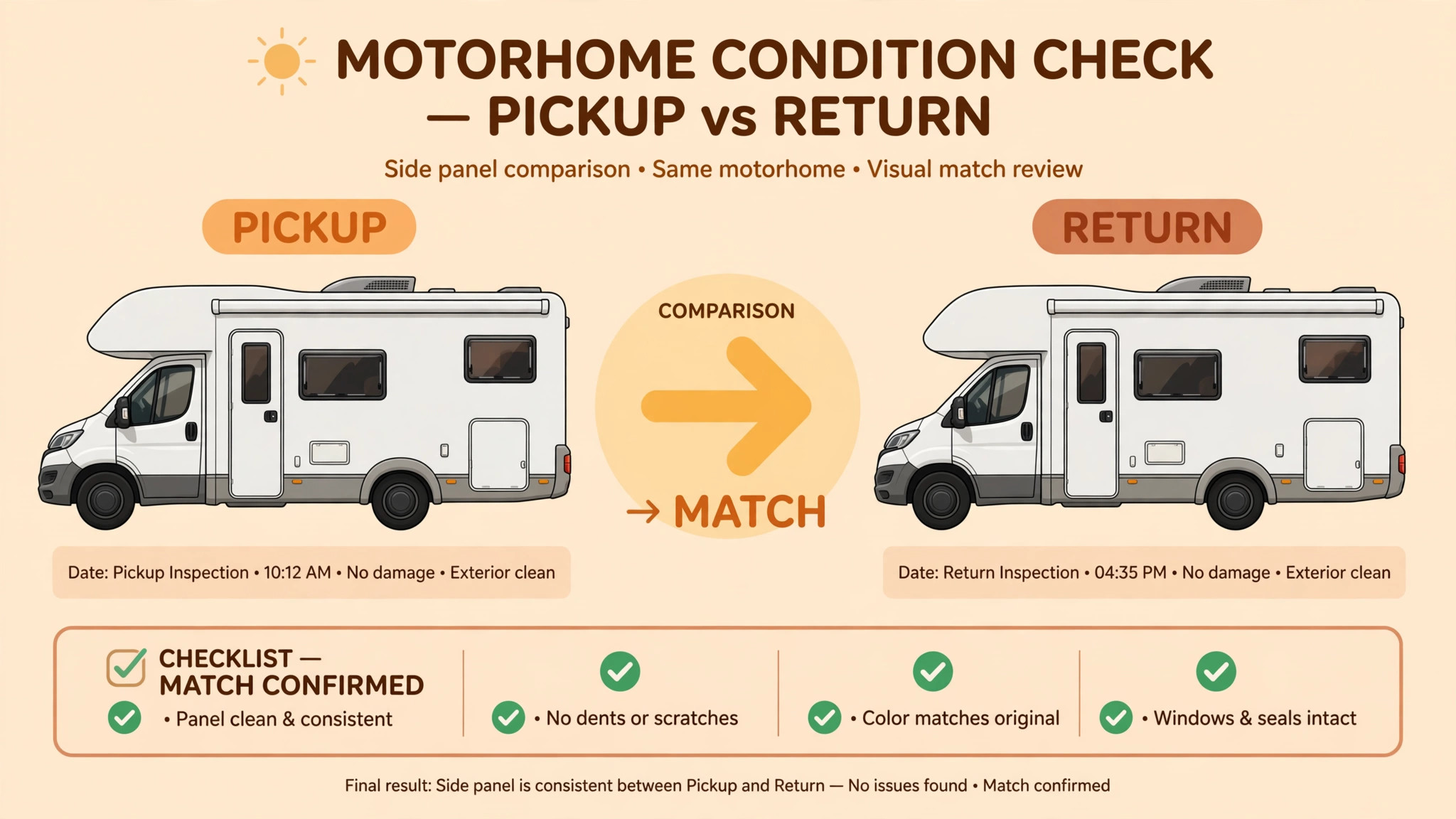
A fleet that follows that order rarely needs to argue at return, because both records use the same angles, the same readings and the same condition language. The most useful habit is to photograph the same set of views every time, so a return photo can be compared side by side with its pickup twin without hunting. Consistency beats camera quality, and a phone photo taken from the same spot every time is worth more than a professional shot taken once.

Use AI for RV Rental Check in Management Before Arrival
Pre-arrival work decides whether pickup day feels calm or chaotic. Seven days before arrival, the system should confirm the booking, restate pickup time and location, and ask the renter to complete identity and driver checks. Three days before, it should send the handover video and a short briefing note, and ask the renter to confirm they watched it. One day before, staff should complete the vehicle prep, run the systems test, and upload the owner side photo set so the renter can review it before travelling to the lot.
AI help in this stage is mostly about preparation and prompting, and a fleet that chooses to use AI for RV rental check in management should judge that help on whether pickup day feels calmer. It can draft pre-arrival messages from booking details, check the photo set for missing angles such as a roof view, and summarise renter questions into a short briefing list. The lot handover then covers what that renter actually worries about rather than a generic script. Staff still inspect the vehicle and approve every message, because a system cannot see a soft tyre or a sticky slide from a booking record.
Renter screening belongs in this stage too, and it should be handled with care. Platforms typically verify identity and each driver licence, check protection or insurance eligibility, and review trip fit before handover. A small fleet that rents directly should apply the same discipline, with clear rules about additional drivers, age conditions and towing experience where relevant. The aim is not to make booking harder for good renters. It is to catch the mismatch, such as a first time driver planning a long mountain trip in a large rig, while there is still time to offer a smaller vehicle or extra coaching.
Handover Video That Renters Actually Watch
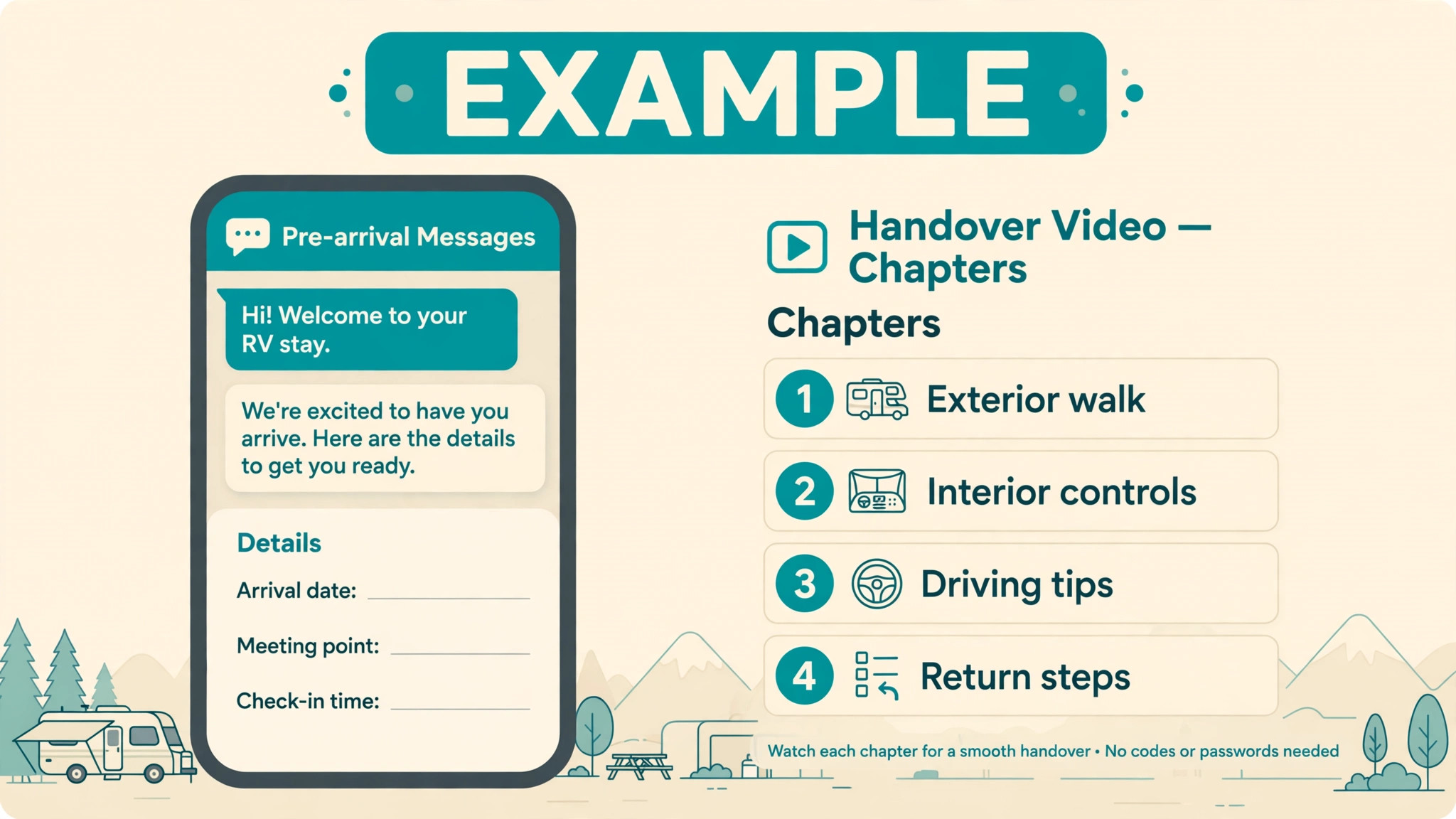
A handover video works only if it is short, specific and tied to the exact vehicle. A generic video about RV life will not teach a renter where the water pump switch sits in their rig, and a forty minute film will not be watched at all. The best structure is a set of short chapters, each under three minutes, covering slide outs, awning, levelling, hookups, tanks, heating and cooling, and the items most often damaged. Renters can watch the chapters that matter for their trip, and staff can see which chapters were skipped and cover those first at the lot.
AI can help by turning a filmed walkthrough into chapters, captions and a short summary, and by drafting answers to common renter questions. It can also flag a mismatch, such as a video showing a different awning model from the rented rig, which staff should fix before sending. The video should end with a simple test, not a quiz that feels like an exam, but a confirmation that the renter knows the three actions that cause most damage, such as retracting the awning in wind, keeping slides in while moving, and turning propane off while driving. Those three points, repeated in the video and again at the lot, prevent more claims than any photo set.
At the lot, the video changes the handover from a lecture into a confirmation. Staff can ask what the renter found unclear, demonstrate only the systems the renter has not used before, and spend the saved time on the damage walkthrough. That shift matters on busy changeover days, when three pickups may be stacked in one morning, and it is one of the clearest gains when a fleet starts to use AI for RV rental check in management. A renter who arrives already briefed needs a focused twenty minute confirmation, while a renter who arrives cold needs a full hour, and the fleet cannot afford to give every renter the full hour without delaying the next pickup.
Damage Photos That Settle Arguments
Damage photos need a fixed routine, or they become a random camera roll that proves nothing. The routine below is used by experienced operators, and it works because it is repeatable. Walk the rig once before the orientation and once with the renter, photograph every side, the roof from a safe step, tyres for tread and sidewall cracks, slides extending and retracting, and the awning rolling in and out. Inside, photograph existing wear, upholstery marks, appliance fronts and any item the owner wants noted. Record odometer, generator hours, fuel gauge, propane level and tank levels in the same record, with the photos time stamped and attached to the booking.
AI can sort and label that photo set, match return photos to pickup angles, and highlight differences for a human to judge. That matching step saves hours at return, because staff no longer hunt for the matching side view. It does not decide a claim on its own, because lighting, dirt and angle can make a mark look worse than it is. Staff compare the flagged pair, check condition notes, and talk to the renter before any charge is raised. A system that auto charges from a photo difference will damage trust faster than any dent, which is why a careful plan to use AI for RV rental check in management keeps charging decisions with staff.
Renters should be invited to add their own photos to the same record before signing, especially for any mark they spot that staff missed. That invitation changes the dynamic completely. Instead of feeling inspected, the renter feels protected, because their own evidence sits beside the owner record. Staff should thank renters who add photos and note them in the record, rather than treating extra photos as a challenge. The record that both sides built is the record that both sides accept at return.

The Lot Handover, Step by Step
The lot handover has a natural order, and following it prevents the classic error of signing first and discovering a problem after the renter has left. Start with identity and licence matching the booking, then confirm the trip details and any additional drivers. Move to the exterior walkthrough with photos, then the interior walkthrough with the same care. Run the systems demo for the items the renter has not confirmed from video, including slide operation, awning, levelling, hookups and tank handling. Record all readings, confirm fuel and propane expectations for return, and only then ask for signatures.
That order also protects staff on a busy day, because it creates a clear stopping point. If the exterior walkthrough finds a new mark, it is noted before signatures, not argued about later. If a system fails its test, the vehicle can be swapped or repaired before the renter departs, rather than discovered at the first campsite. If the renter has questions, they are answered while the vehicle is still at the lot, where the answer can be shown rather than described by phone. Skipping steps to save ten minutes at pickup often costs hours later, and fleets that track handover time against return disputes soon see that trade clearly.
Communication tone at handover matters as much as the form. Staff should explain fragile parts honestly, including the fact that RV parts are costly and repairs can affect the next booking, without sounding like a warning. A plain statement that careful handling protects both the renter deposit and the next guest trip lands better than a list of penalties. Renters who understand why care matters treat the vehicle better, and that education is part of the service, not an extra.
The Return Mirror and How Disputes Are Handled
Return day should mirror pickup day exactly, using the same photo angles and the same readings. The renter refills fuel and propane as the contract requires, dumps tanks where required, and re shoots the pickup photos so staff can compare like with like. Staff complete the post hire check promptly, because operators such as Camplify require the post hire checklist within 48 hours, and a late check weakens any claim. Appliances, awning extension, undercarriage and roof should all be checked before a clean return is confirmed, since problems found days later are far harder to attribute fairly.
When a difference is found, the process should be calm, written and evidence based. Staff compare the pickup and return photos, check the condition notes, and share the comparison with the renter before discussing any charge. The renter gets a chance to explain, and the explanation may settle it, such as a mark caused by a campsite branch that the renter already reported mid trip. If a charge stands, it should be itemised with the repair basis, not presented as a single unexplained total. That transparency is what keeps a dispute from becoming a public review, and it is also what a platform or insurer will ask for if the claim is escalated.
Mid trip reporting deserves its own rule. Renters should be told at handover to report any incident or fault at once, with photos, rather than waiting until return. Early reporting lets the fleet advise on a safe fix, arrange a repair that does not ruin the trip, and record the event while evidence is fresh. A renter who reports honestly should be treated fairly, because honest reporting is exactly the behaviour a fleet wants to encourage. Penalising early honesty teaches the next renter to stay quiet, which helps nobody.
RV Rental Check In Checklist
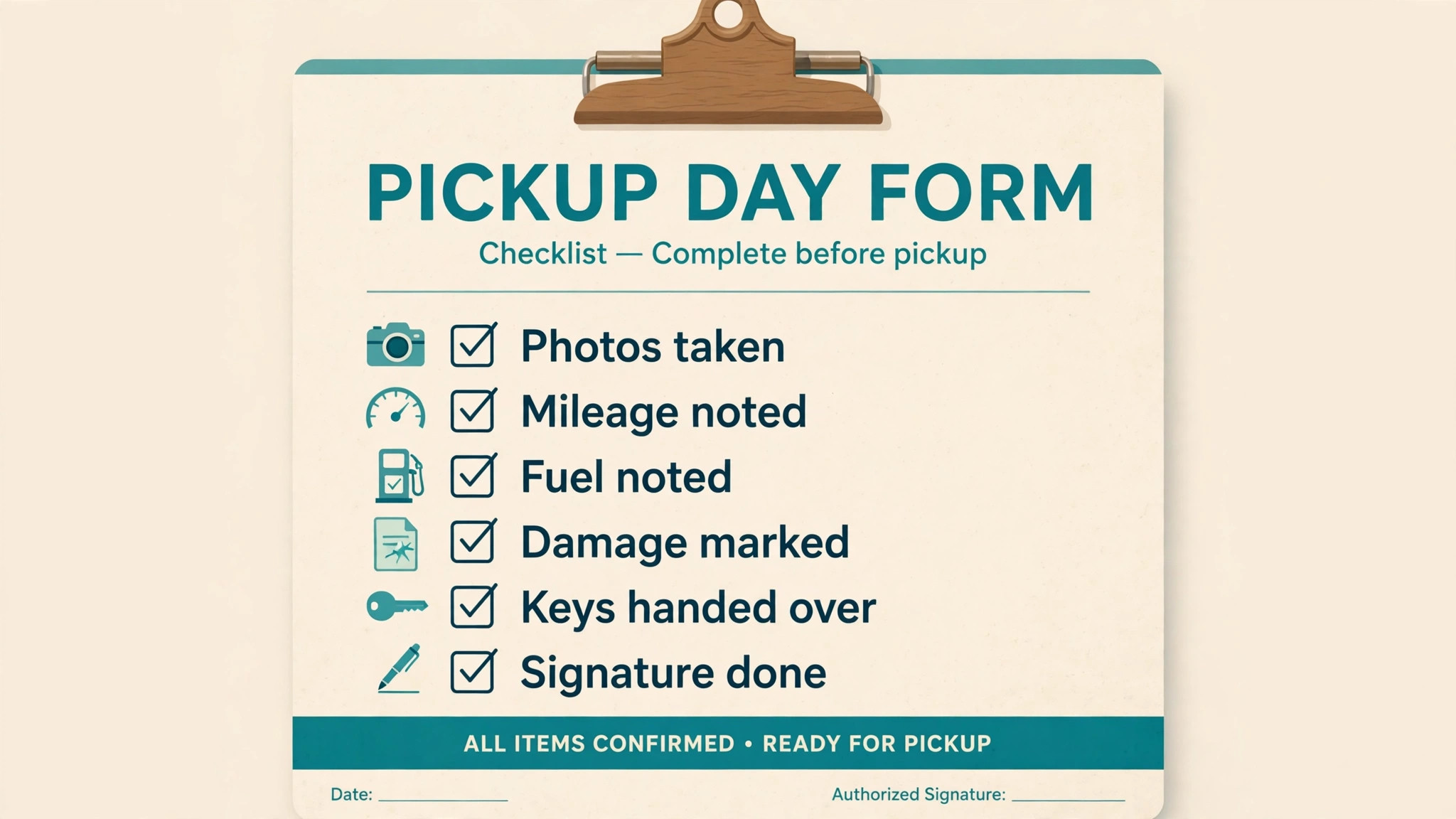
The checklist below is the working form for pickup day. Staff can copy it into their own system, and each item should be marked complete with a photo or a reading where stated. Nothing on this list should be skipped to save time, because skipped items are the ones that return as disputes.
– Booking and identity confirmed, all drivers matched to the booking record – Trip dates, pickup and return times, and additional driver details confirmed – Owner side photo set uploaded and reviewed by the renter before arrival – Exterior walkthrough completed, every side photographed, roof and seals checked – Tyres checked for tread depth and sidewall cracks, pressures noted – Slides extended and retracted, awning rolled out and back in, both photographed – Interior walkthrough completed, existing wear photographed and noted – Appliances tested, water pump, heating, cooling and lighting confirmed working – Odometer, generator hours, fuel gauge, propane level and tank levels recorded – Handover video chapters confirmed watched, unclear systems demonstrated at the lot – Fragile parts and costly repair points explained in plain language – Return expectations confirmed, fuel, propane, dumping and cleaning duties stated – Renter added photos accepted and attached to the same booking record – Final departure photos taken, both parties signed, keys handed over
A checklist only works if someone owns it. For each pickup, name the staff member responsible for the record, and do not let the vehicle leave until that person confirms the record is complete. That single rule, applied without exception, is what turns a checklist from a poster on the wall into a protection for the fleet.
What to Automate, What to Keep in Person
Automation should handle reminders, photo sorting, message drafting, reading prompts and return comparisons, because those tasks are repetitive and benefit from consistency, and that is the sensible scope when a team decides to use AI for RV rental check in management. It should not handle the final condition judgment, the safety demo, or the dispute conversation, because those need eyes on the vehicle and a person talking to the renter. A fleet that lets a system auto approve a return from photos alone will miss the soft tyre or the awning fault that a short physical check would catch. A fleet that lets a system auto charge will lose renters faster than it recovers repair costs.
Consent and data handling need attention too. Damage photos, licence details and trip records should be kept only for the booking and any claim window, with access limited to staff who need them. Renters should know what is photographed and why, and the explanation should be given at booking, not sprung on them at the lot. Clear data practice builds the same trust as a clear damage record, and both are part of a professional rental operation.
Staff training should focus on the handover conversation, not just the app. New staff should shadow three pickups and three returns before handling one alone, with a senior member checking their first photo sets for missing angles. That investment pays back quickly, because a well trained handover team produces records that need no rescue work at return. The app can prompt, but only trained eyes catch the mark that matters.

Measuring a Better Check In
Four measures show whether check in is improving. Average pickup duration shows whether pre-arrival work is saving lot time. Return dispute rate shows whether photo records are settling questions before they become claims. Mid trip support calls show whether the video and demo are teaching systems well enough. Repeat booking rate shows whether renters trust the process enough to return. A fleet that tracks those four monthly can see the effect of a new video chapter or a changed photo routine within a few weeks, rather than guessing at season end.
It also helps to review a sample of returns each month, including clean returns, not only disputed ones. Clean returns show what good records look like, and they give staff examples to copy. Disputed returns show where the routine broke, whether a missing angle, a skipped reading or a late post hire check. That review should be short and practical, with one change adopted each month, so the process improves steadily instead of being rewritten in a panic after a bad claim.

Costs, Tools and Staffing for a Managed Check In
A managed check in does not need an expensive platform on day one, but it does need a clear owner and a consistent record. Small fleets often start with a shared photo folder, a booking form and a printed checklist, then add software once the routine is stable. The mistake is buying software before the routine exists, because the tool then automates an inconsistent process and produces inconsistent records. When a fleet decides to use AI for RV rental check in management, the first purchase should be staff time for training, not a longer feature list.
Tool choice should follow the record, not the marketing page. A useful tool keeps pickup and return photos in the same booking, time stamps every entry, works offline at a rural lot, and lets renters add photos without creating a new account. Photo matching and drafted messages are valuable second stage features, but they matter little if the basic record is hard to find at return. Fleets that use AI for RV rental check in management should trial a tool on real pickups for two weeks, including one disputed return if possible, and judge it on how fast staff can find the matching pickup photo.
Staffing is the other cost that owners underestimate. A pickup needs a named person, not whoever is free, and that person needs time protected from phone calls and cleaning duties during the handover. On changeover days, stagger pickup times by at least thirty minutes so one handover never rushes the next, and keep a second staff member available for returns that arrive while a pickup is running. A plan to use AI for RV rental check in management still needs that human cover, because no system can walk a rig, test a slide and talk a nervous first timer through levelling at the same time.
Seasonal planning ties the pieces together. Before peak season, refresh the handover video for any vehicle that changed, check that photo angles still match the current fleet, and retrain seasonal staff on the full checklist. During peak season, review dispute and pickup duration numbers weekly and fix one weak step at a time. After peak season, archive records cleanly and note which vehicles produced repeat questions, since those questions point to a video chapter or a demo step that needs improving before the next season.
| Fleet size | Sensible starting point | When to upgrade |
|---|---|---|
| One to three rigs | Shared photo record, video chapters, printed checklist | When returns take more than an hour to compare |
| Four to ten rigs | Booking linked photo records and drafted messages | When pickups stack on changeover days |
| More than ten rigs | Full photo matching, staffing rota and weekly review | When dispute handling needs a dedicated owner |
Frequently Asked Questions
How long should an RV pickup walkthrough take
Outdoorsy suggests planning 45 to 60 minutes for a full pickup walkthrough on a first time rental, covering orientation, inspection, photo loop and paperwork. A returning renter who watched the video and knows the rig can be faster, but the photo and readings steps should not be cut to save time. Pre-arrival video work is what makes a shorter lot visit safe.
What photos matter most at RV check in
Every side, the roof, tyres, slides, awning and interior wear matter, because a claim can concern any of them. The most important habit is taking the same angles every time, with time stamps attached to the booking, so return photos can be compared directly. A single missing angle, such as the rear or the roof, is often the angle a dispute concerns.
Should renters take their own photos at pickup
Yes, and they should add them to the same booking record before signing. Renter photos protect the renter and the fleet, because both sides then hold the same evidence. Staff should welcome extra photos and note them in the record, rather than treating them as a sign of distrust.
What happens if damage is found at return
Staff compare return photos and readings with the pickup record, share the comparison with the renter, and itemise any charge with its repair basis. The post hire check should be completed promptly, and within 48 hours where the platform requires it, so the claim rests on fresh evidence. Calm, written, evidence based handling keeps most cases from escalating.
Can AI decide whether a renter caused damage
No, and it should not be asked to. AI can sort photos, match angles and highlight differences for staff to judge, but lighting, dirt and camera angle can all mislead an automated comparison. The final judgment needs a person who has seen the vehicle, read the condition notes and spoken to the renter.
Does a digital check in replace the in person handover
No. Digital prep makes the in person handover shorter and more focused, but the walkthrough, systems demo and signatures still need to happen at the lot. A renter who has watched the video still needs to see the actual rig, test the systems that matter, and agree the condition record before departure.
Closing Notes for Fleet Owners
A fleet that treats check in as evidence, education and service at the same time will spend less time on disputes and more time on bookings. Start with the fixed photo routine and the pre-arrival video, because those two changes improve almost every pickup. Add photo matching and drafted messages next, once the basic record is reliable. Keep the human handover at the centre throughout, because renters remember how they were treated at the lot long after they forget the app they used.
For owners building the wider rental operation, the booking patterns in boat rental booking management show how a similar handover discipline works on the water. A clear cancellation policy also protects check in, because renters who know the terms arrive with fewer surprises. Waitlist handling matters on busy weekends too, and waitlist setup for service businesses covers that pattern. For the booking side of the business, escape room booking management offers a useful parallel on timed arrivals, and client update communication for home builders shows how pre-arrival updates keep customers informed.