Published clinic studies do not agree on a single dental no-show rate, and that disagreement is useful. A university dental clinic study reported 6.6 percent of visits missed with no notice over five years, while five clinics serving Medicaid patients in a separate study started with rates from 14 to 38 percent. Vendor and practice guides often cite a broader 10 to 30 percent range for dental practices. The honest reading is that your own rate is the only benchmark that matters, and that a clinic which does not measure it is guessing about its biggest scheduling leak. The work to use AI for dental clinic appointment reminders starts with that measurement, not with buying software.
An empty chair costs more than the fee for that visit. It wastes a hygienist’s hour, breaks a day built around back-to-back appointments, and pushes a patient who needed care further down a waiting list. It also creates a second, easily missed cost. Front desk staff spend hours calling patients who do not answer, leaving voicemails, and trying to fill gaps at short notice. A good reminder system does not send more messages. It sends the right message, at the right time, through the channel each patient actually reads, and it gives the patient a one-tap way to confirm, reschedule or cancel, so the clinic learns about a gap early enough to fill it.
Artificial intelligence fits this job in a narrow, practical way. It can draft personalised reminder wording, sort patients by no-show risk, suggest the best send time, triage replies, and keep recall lists moving without a staff member remembering every follow-up. It cannot replace consent, clinical judgement or a human call for a worried patient. This guide keeps that boundary clear. It gives you a step workflow for reminder timing, no-show triage and recall lists, plus a reminder script template you can adapt. It also flags where figures are contested, where automation needs a human check, and where a clinic should stay manual.
Start With Your Own Numbers, Not an Industry Average
Before you automate anything, measure four numbers for the last 90 days. Your no-show rate, calculated as no-shows divided by visits booked, multiplied by 100. Your late cancellation rate, using the same method for cancellations inside your notice window. Your confirmation rate, meaning the share of patients who confirmed before the appointment. And your fill rate for cancelled slots, meaning how often a cancelled slot was filled by another patient. Those four numbers tell you whether your problem is forgetfulness, late cancellations, unconfirmed bookings, or an empty waitlist. Each problem needs a different fix, and a generic reminder blast will not fix all four.
Break the numbers down by appointment type, provider, day of the week and lead time. A clinic may find that hygiene recalls booked six months ahead no-show far more than fillings booked this week, or that Monday mornings are worse than Wednesdays. That pattern is gold, because it tells you where to spend automation effort first. If long-lead hygiene appointments are the problem, your recall sequence matters most. If new patients booked online no-show most, your booking confirmation and first reminder matter most. Do not buy a system to solve an average problem. Buy or build a system to solve your worst pattern first.
Consent and channel preference belong in this baseline step too. Record how each patient prefers to be contacted, and whether they have consented to text or voice messages for reminders. A patient who never reads email should not get email as their only reminder. A patient who hates texts should not be texted three times. AI can help you respect those preferences at scale, but only if the preference is recorded in the first place. A reminder system built on missing consent data is a compliance risk.
The Reminder Timing That Actually Gives You Time to React
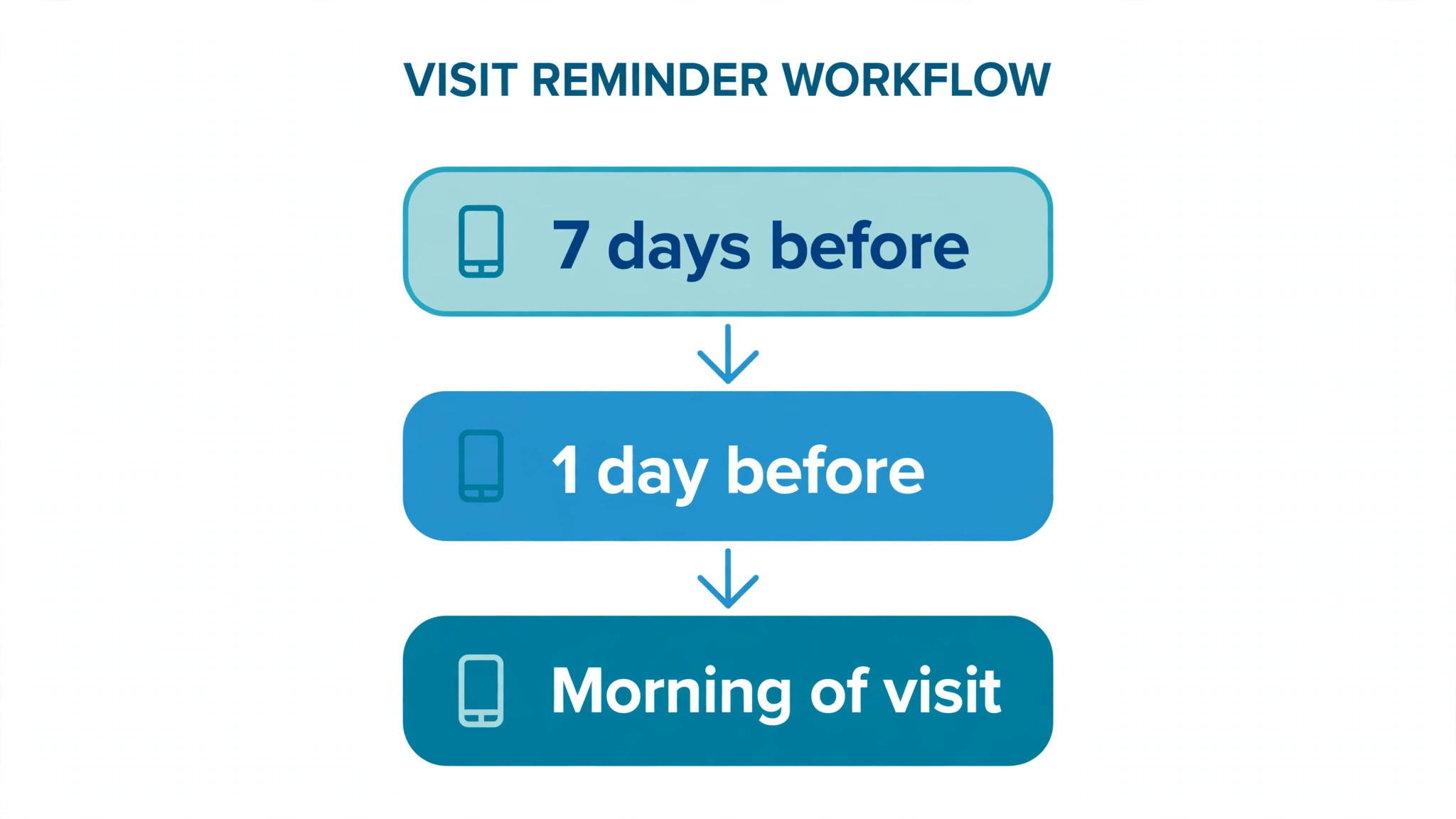
Timing is the most misunderstood part of reminders. A reminder sent the night before helps a patient remember, but it is often too late to fill the slot if they cancel. A reminder sent a month before helps a patient plan, but it is too early to rely on memory alone. The best systems layer reminders, with each message asking for a different action. The widely cited 7-3-1 sequence, an initial reminder seven days before, a confirmation request three days before, and a final reminder one day before, is a useful starting point, but it should be adapted to lead time and appointment type, not copied blindly.
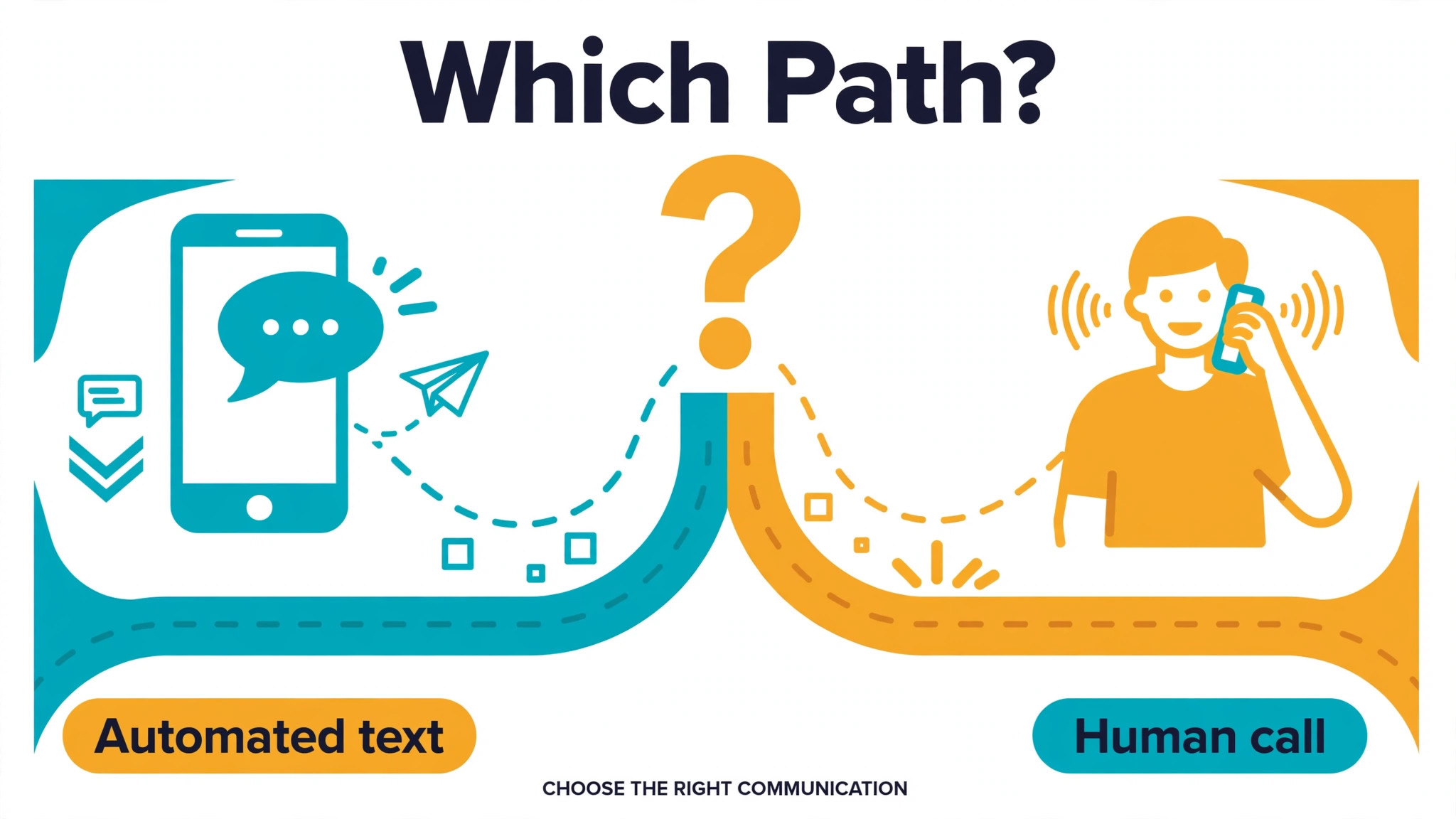
For appointments booked months ahead, add an early heads-up two weeks before, so a patient who moved, changed jobs or lost dental cover can reschedule early. For appointments booked within a week, compress the sequence to booking confirmation, a confirmation request two to three days out, and a short reminder the day before or the morning of the visit. For high value or long appointments, such as crown work or implant consultations, add a human call for unconfirmed patients, because the cost of an empty long slot justifies the call. The rule is simple. The longer the slot, and the later the notice, the more personal the follow-up should be.
Channel choice matters as much as timing. Practice guides often cite SMS open rates near 98 percent, compared with around 21 percent for email, though those figures vary by population, so treat them as directional, not precise. The practical point stands. Text is usually the best primary channel for a short reminder, email is better for detailed pre-visit instructions, and a phone call is best for unconfirmed high-risk patients. Ask patients at booking which channel they prefer, record it, and let AI draft the message for that channel, rather than sending the same long email as a text.
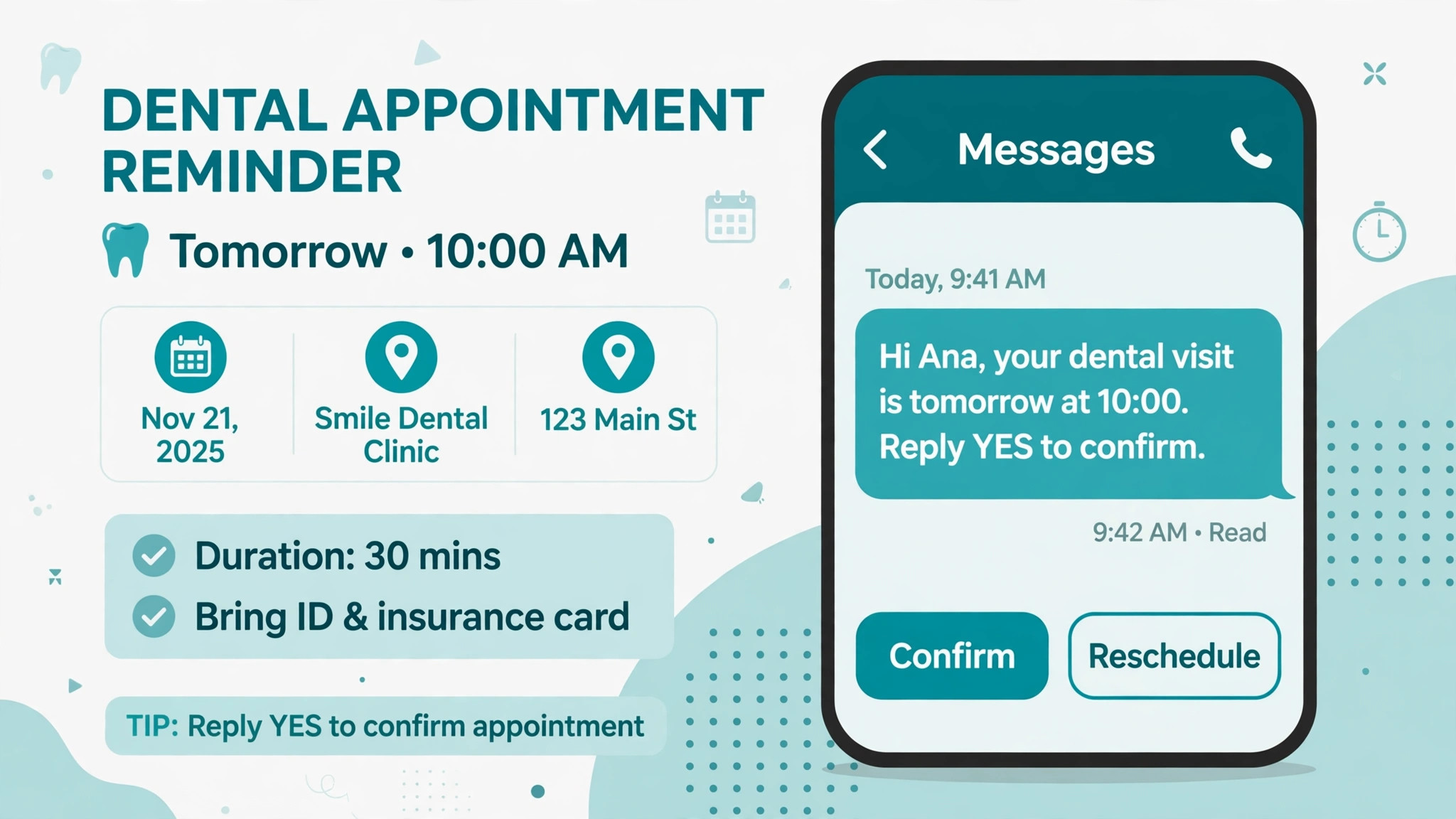
Every reminder should carry one clear action. Confirm, reschedule or cancel, with a link or a reply word that works. A reminder that only says “remember your appointment” gives a patient who cannot attend no easy way to tell you, so they simply do not show up. A reminder that says “reply YES to confirm, or tap here to reschedule” turns a potential no-show into a known cancellation, and a known cancellation can be filled. That difference is where most of the financial gain lives.
| Stage | When | Channel | Action asked |
|---|---|---|---|
| At booking | Immediately | Text plus email | Confirm details and save the date |
| Early heads-up | 14 days before, long-lead only | Text or email, per preference | Check the date still works |
| Confirmation request | 3 days before, or 2 to 3 days for short-lead | Text first | Reply to confirm or reschedule |
| Final reminder | Day before or morning of visit | Text | Confirm time, address and what to bring |
| Unconfirmed follow-up | Morning of visit, high value only | Phone call | Confirm, reschedule or fill from waitlist |
| After a missed visit | Same day | Text, then call if needed | Rebook promptly and kindly |
A Step Workflow You Can Run Every Week
A workflow is only useful if a busy front desk can run it without thinking about the system. The steps below assume a small dental practice with one or two front desk staff, a practice management system, and an AI-assisted messaging tool that can draft, sort and triage, with human approval for anything sensitive. Adapt the tools, keep the order.
Step 1, clean the list before you message anyone
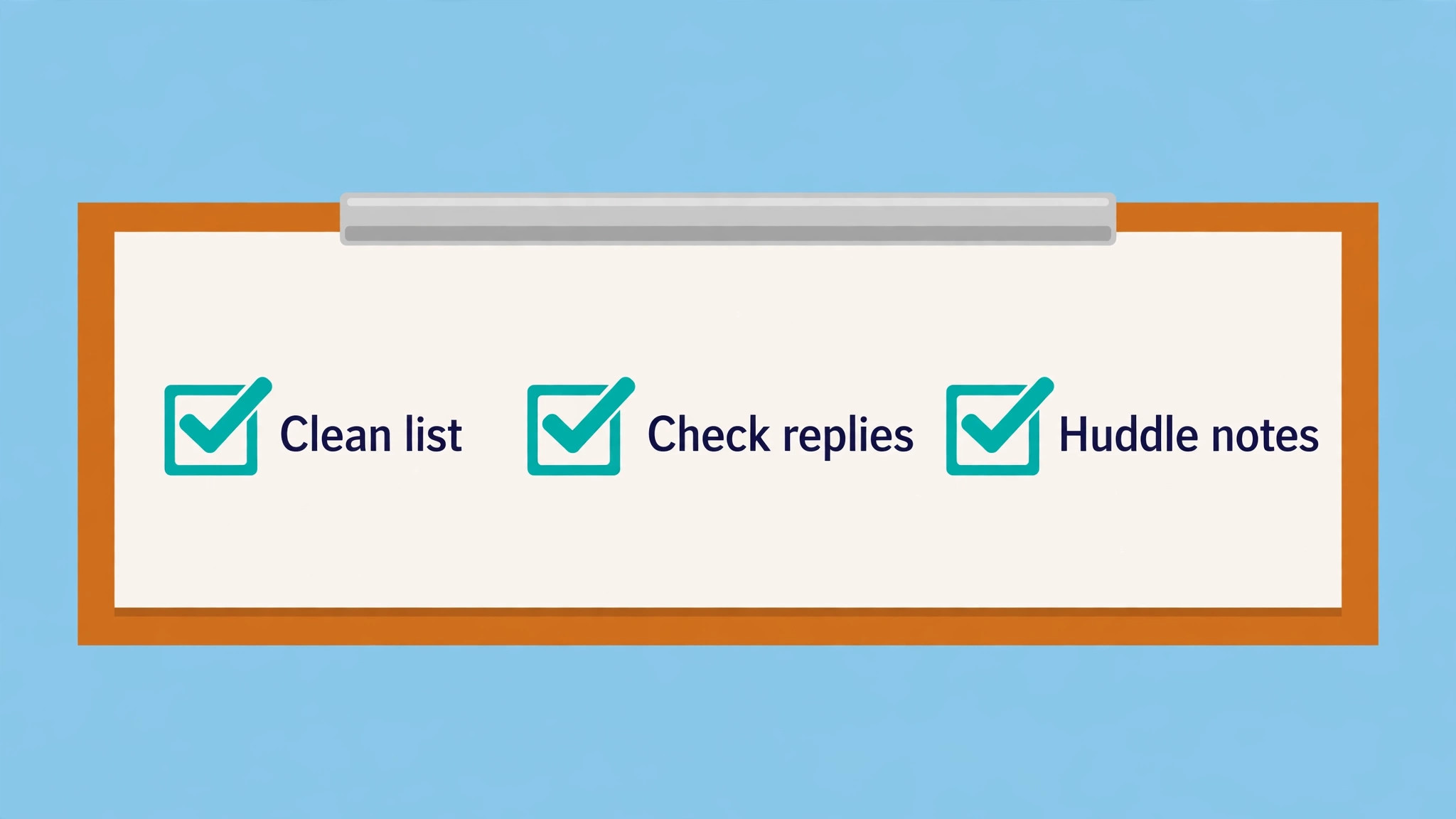
Each morning, review tomorrow’s and the next three days’ appointments. Check for duplicate bookings, missing phone numbers, wrong appointment types and patients flagged as needing an interpreter or extra time. AI can flag anomalies, such as a patient booked for a 15 minute check who previously needed 45 minutes, but a human should confirm the fix. Messaging a wrong list at scale multiplies errors, so this ten minute check is the most valuable step in the whole workflow.
Step 2, send layered reminders with AI-drafted wording
Use AI to draft reminder text that includes the patient’s name, the appointment type, the date and time, the provider, and the one action you want. Review the drafts for tone and accuracy before sending, especially for patients with anxiety, complex treatment or a recent complaint. Keep messages short on text, and put detailed instructions, such as fasting, medication or what to bring, in email or a linked page. Do not let AI invent clinical instructions. Use approved wording for anything clinical, and let AI vary only the greeting, the reminder timing language and the rescheduling offer.
Step 3, triage replies the same day
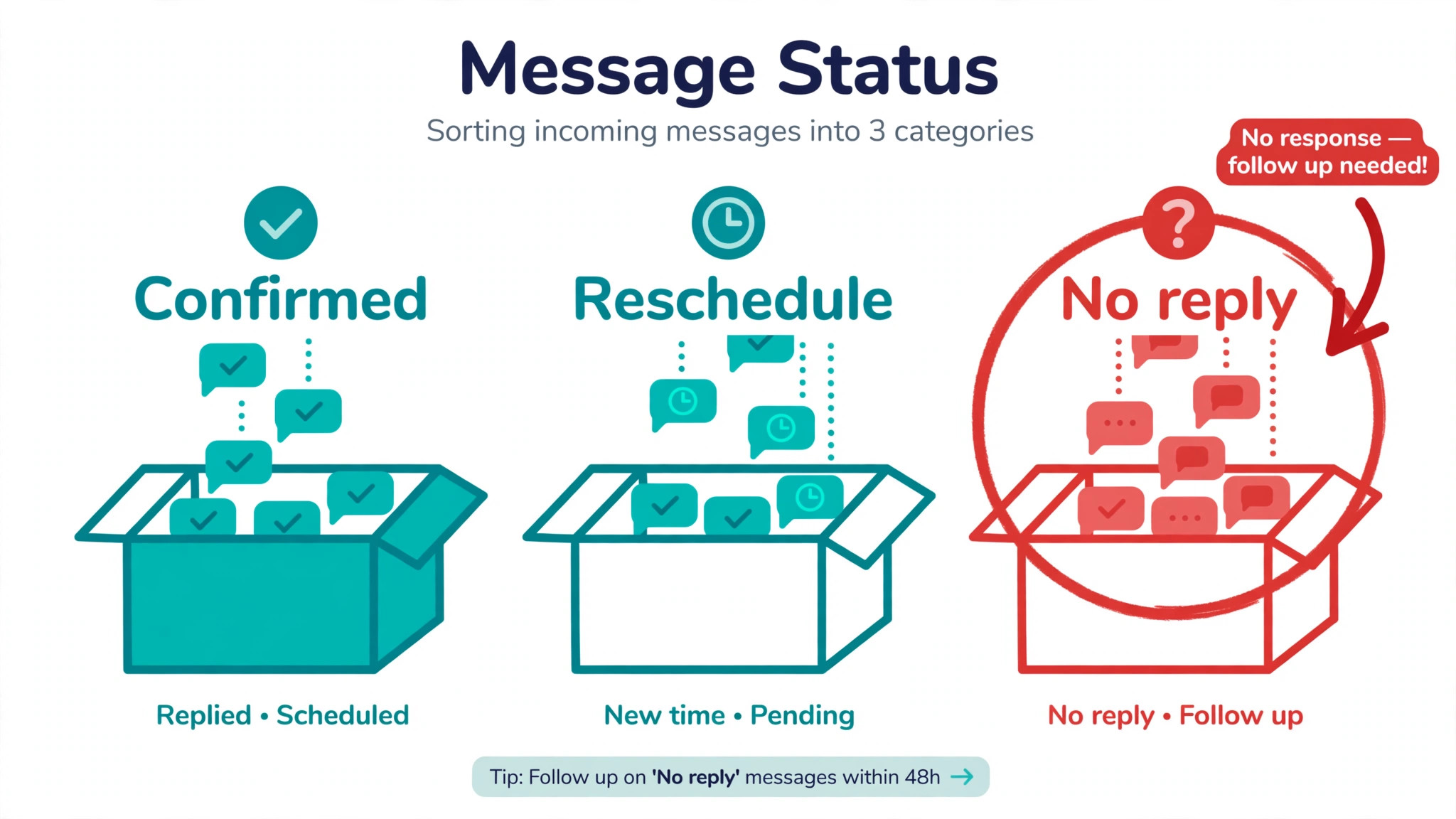
Replies fall into four buckets. Confirmed, reschedule requested, cancel requested, and question or concern. AI can sort those buckets reliably when replies are simple, and it should flag anything ambiguous for a human. A reply that says “I am not sure I can make it, my tooth hurts more” is not a simple reschedule. It is a clinical question, and it needs a human call, not an automated link. Set a rule that any reply mentioning pain, swelling, bleeding, anxiety or a complaint goes straight to a staff member, with no automated reply beyond a brief acknowledgement that someone will call.
Step 4, fill gaps from the waitlist before they become empty chairs
When a cancellation arrives, work the waitlist immediately, in order of fit, not just in order of joining. A 30 minute hygiene gap should go to a patient waiting for hygiene, not to the first person on a general list who needs an hour. AI can rank waitlist patients by appointment type, availability and how long they have waited, and draft the offer message. A human should send or approve the offer, because a waitlist message that feels pushy will annoy loyal patients. Text the waitlist first, then call, and give each patient a short window to reply before moving to the next name.
Step 5, run the morning huddle on unconfirmed patients
Each morning, the team should review unconfirmed patients for that day, and agree who will call whom, and by when. Flag patients with a history of no-shows, long appointments and new patients separately, because they need earlier calls. This huddle takes five minutes and prevents the familiar afternoon surprise of an empty chair that everyone knew was at risk in the morning. Record the outcome of each call, so the next reminder cycle learns from it. A patient who confirmed by phone last time may prefer a call, and that preference should be recorded.
Step 6, close the loop after a missed visit
Contact a patient who missed a visit the same day, kindly and without blame. Offer a rebooking link and a short window, and ask whether anything made attendance difficult, such as transport, cost, anxiety or work hours. That question often reveals a fixable barrier, such as an earlier appointment time or a payment plan discussion, that a reminder alone would never solve. Record the reason in broad categories, not in free text gossip, so you can spot patterns. If transport is a recurring reason for a group of patients, the fix may be appointment timing, not more reminders.
No-Show Triage, or How to Spend Human Time Where It Helps
Not every patient needs the same effort, and pretending otherwise burns out front desk staff. Triage means sorting patients by risk and value, then matching effort to that sorting. Risk factors include a history of no-shows, a long lead time, a new patient with no prior visits, a long appointment, and a booking made through a channel with low confirmation rates. Value factors include appointment length, treatment urgency, and whether the slot is hard to fill at short notice. A high-risk, high-value appointment deserves a human call. A low-risk, short appointment deserves an automated text and no more.
AI can build this triage list, but it should be transparent. Staff should be able to see why a patient was flagged, such as two prior no-shows, or a booking made six months ago with no confirmation. A black box score that nobody understands will be ignored, and rightly so. Review the triage rules monthly, and check whether flagged patients actually no-show more often than unflagged patients. If the flag does not predict anything, change the rule. Triage is a hypothesis, not a judgement about a patient, and it should be tested like one.
Be careful with fairness. A triage system that over-flags patients based on language, age, disability or payment type is not just unfair, it is a clinical and reputational risk. Use only factors that are directly related to attendance and scheduling, such as prior attendance, lead time and confirmation behaviour, and review flagged groups for unintended patterns. If a group is flagged far more often than its actual no-show rate justifies, the rule is wrong. Human oversight is not a nice extra here. It is the control that keeps automation ethical.
Recall Lists, the Quiet Revenue and Care Problem
Recall lists are where dental practices lose steady work without noticing. A patient who finished treatment six months ago and was told to return for a check is not a no-show. They are a patient who was never booked, or who was booked and then drifted. AI can keep recall lists moving by identifying patients due for hygiene, check-ups or treatment reviews, drafting personalised recall messages, and sorting by overdue time and treatment need. The human job is to approve the message, check clinical notes for anything that changes the recall interval, and handle replies that need clinical input.
Segment recall lists by overdue time, because a patient one month overdue needs a different message from a patient eighteen months overdue. The first needs a gentle nudge and a booking link. The second may need a message that acknowledges the gap, explains why a check matters now, and offers a convenient time, without guilt or pressure. AI can draft both tones, but staff should review the longer-overdue messages, because those patients are more likely to have changed circumstances, such as a move, a change in cover, or anxiety about returning after a gap.
Recall work also needs a stop rule. A patient who has asked not to be contacted, who has moved away, or who has transferred to another practice should be removed from active recall, not messaged forever. AI can flag repeated non-responses, but a human should make the removal decision and record the reason. A recall list that grows forever is not a list. It is a graveyard of old contacts, and messaging it repeatedly damages the clinic’s reputation and wastes staff time on dead numbers.
Measure recall performance separately from appointment reminders. Track how many due patients booked within 30 days of a recall message, how many booked after a second message, and how many needed a call. That breakdown tells you whether your recall problem is timing, wording, channel or a deeper access issue. If recall messages work well for hygiene but poorly for treatment reviews, the wording or the offer for treatment reviews needs work, not the whole system.

The Reminder Script Template
Copy this template, adapt the placeholders, and have a clinician approve any clinical wording before use. Keep texts short, keep emails complete, and keep the tone warm and practical. Do not add emojis, jokes or sales language to a clinical reminder, and do not include detailed clinical advice in a text message.
Text, booking confirmation. “Hi [first name], this confirms your [appointment type] with [provider] on [day, date] at [time] at [clinic name]. Please reply YES to confirm, or tap [reschedule link] if you need a new time. Questions. Call [phone].”
Text, confirmation request three days before. “Hi [first name], a quick check. Your [appointment type] is on [day, date] at [time]. Please reply YES to confirm, or tap [reschedule link] to choose another time. If you need to cancel, please let us know as soon as you can, so we can offer the time to another patient.”
Text, final reminder day before. “Hi [first name], see you tomorrow, [day, date] at [time], for your [appointment type] with [provider]. Please arrive [minutes] early and bring [item, if needed]. Need to change it. Tap [reschedule link] or call [phone].”
Text, missed visit same day. “Hi [first name], we missed you today for your [appointment type]. No worries, things come up. Would you like to rebook. Tap [booking link] or call [phone], and we will find a time that works for you.”
Text, recall nudge. “Hi [first name], it has been [months] since your last check at [clinic name], and you are due for a [check or hygiene visit]. Tap [booking link] to choose a time, or call [phone] if you would prefer to book by phone.”
Phone script, unconfirmed high-value appointment. “Hello, this is [name] from [clinic name], calling about your [appointment type] on [day, date] at [time]. We wanted to check that time still works for you. If it does, I can confirm it now. If not, I can offer [alternative times]. Is there anything about the visit you would like to ask about before then.”
Email, pre-visit instructions. Use email for anything longer than a reminder, such as what to bring, payment or insurance information, arrival instructions, and preparation steps. Keep the subject line clear, put the date, time and provider at the top, and put the reschedule link near the top as well, not buried at the bottom. Patients who need to reschedule should not have to read a long email to find how.
Review every template quarterly. Check for outdated provider names, changed phone numbers, old links and wording that no longer matches clinic policy. A template that was perfect a year ago can quietly become wrong, and AI will happily send the wrong version at scale if nobody checks it. Assign template ownership to one staff member, and log each change with a date, so the team knows which version is live.
How to Use AI for Dental Clinic Appointment Reminders Without Annoying Patients
The difference between helpful and annoying is usually frequency, relevance and control. A patient who gets three texts, plus an email, plus a call for one appointment will feel harassed, even if each message was well meant. A patient who gets one clear text, at a sensible time, with a simple reply option, will feel looked after. The rule for a clinic that wants to use AI for dental clinic appointment reminders well is to set a message cap per appointment, respect channel preference, and give patients a simple way to change frequency. If a patient replies STOP or asks for fewer messages, honour that immediately, because messaging after an opt-out loses trust fast.
Tone matters too. AI drafts can sound warm and personal, or they can sound like a marketing blast, depending on the examples you give it. Train the system on your approved templates, not on generic marketing copy, and review drafts for patients with recent bereavement, serious illness or a complaint history. Those patients need a human message, or at least a human-reviewed one. A generic cheerful reminder sent to a patient who recently lost a family member, or who had a difficult treatment, will feel careless, and no efficiency gain is worth that damage.
Timing of day matters as well. Sending reminders late at night or very early in the morning will annoy patients and may breach local messaging rules, depending on your jurisdiction. Set send windows that match your patient population, such as late morning to early evening, and avoid Sundays unless your clinic is open and patients expect it. AI can suggest send times based on past reply patterns, but a send window set by the clinic should override any suggestion. Patients should never be woken by a reminder system.
Mistakes That Undo a Good Reminder System
The first mistake when you use AI for dental clinic appointment reminders is automating a dirty list. If phone numbers are wrong, appointment types are wrong, or duplicate bookings exist, AI will message the wrong people, at the wrong times, about the wrong visits, and staff will spend more time fixing errors than they saved. Clean the list first, and keep cleaning it weekly. The second mistake is letting AI write clinical advice. Reminders can say what to bring and when to arrive, but they should not explain treatment, medication changes or post-operative care unless a clinician approved the exact wording. Keep clinical content in approved templates, and keep AI to scheduling language.
The third mistake is measuring only no-show rate, and ignoring patient experience. A system that cuts no-shows but generates complaints about message frequency, or that pressures anxious patients, is not a success. Track complaints, opt-outs and replies that express frustration, alongside no-show and fill rates. If opt-outs rise, reduce frequency or improve targeting, even if no-show rate looks good for a month. The fourth mistake is forgetting the human safety net. AI triage should flag pain, swelling, bleeding, anxiety and complaints for a human, and that flag should be tested regularly with sample messages. A safety net that has never been tested is not a safety net.
For related reading, see nutritionist meal plan follow-up, therapist session note summaries, yoga studio waitlist management, setting up a waitlist and setting up a client feedback loop. Those posts cover adjacent follow-up and scheduling problems, and the same lesson applies when you use AI for dental clinic appointment reminders. Automate the routine, keep a human for the sensitive case, and measure both efficiency and experience.
Measuring Whether It Is Working
After one month using AI for dental clinic appointment reminders, compare your four baseline numbers with the new month, using the same definitions. No-show rate, late cancellation rate, confirmation rate and fill rate for cancelled slots. Look at the breakdown by appointment type and lead time as well, because an overall improvement can hide a worsening pattern in one area. If hygiene recalls improved but new patient no-shows worsened, your booking confirmation for new patients needs work, not your recall sequence. Report the numbers to the team in plain language, with one action for the next month, not a dashboard full of metrics nobody acts on.
After three months, add patient experience measures. How many patients opted out of texts. How many complained about reminder frequency. How many recall patients booked after one message versus after a call. How many staff hours were saved on reminder calls, and where that time went. If staff time was saved but not redeployed to patient care or waitlist filling, the gain is theoretical. Use saved time deliberately, for morning huddles, waitlist calls and recall reviews, so the team feels the benefit, not just the system vendor.
Keep a simple log of template changes and triage rule changes, with dates. When a number moves suddenly, that log helps you tell whether the cause was a template change, a seasonal pattern, a staffing change or a system error. Without a log, every change in the numbers becomes a debate about memory. With a log, it becomes a testable question. That discipline is what turns a reminder tool into a reminder system, and it is the difference between a clinic that buys software and a clinic that improves scheduling.

Frequently Asked Questions
How many reminders should a dental patient receive?
Most practices that use AI for dental clinic appointment reminders do well with three touchpoints. A confirmation at booking, a confirmation request two to three days before, and a short reminder the day before or morning of the visit. Add an early heads-up for appointments booked months ahead, and a human call for unconfirmed high-value appointments. More messages than that usually annoy patients without adding much benefit, especially if the messages repeat the same wording.
Can AI replace front desk reminder calls entirely?
No, and it should not try. AI is good at drafting, sorting and sending routine reminders, and at flagging replies that need a human. It is not good at handling pain, anxiety, complaints or complex rescheduling, and patients in those situations need a person. The best model is AI for routine volume, plus human calls for high-risk, high-value and sensitive cases, with a clear rule for when a reply goes to a person.
Is texting patients about appointments compliant?
That depends on consent, jurisdiction and your messaging provider’s rules, so check local requirements and your practice policy before you start. As a general practice, record consent and channel preference, include an opt-out route, respect send windows, and keep clinical detail out of texts. When you use AI for dental clinic appointment reminders, keep a human approval step for any message that goes beyond scheduling, and log consent changes promptly.
What should we do when a patient repeatedly no-shows?
Contact them kindly after each missed visit, offer rebooking, and ask whether a barrier such as transport, cost, anxiety or work hours made attendance difficult. Record the reason in broad categories, and look for patterns before judging the patient. Some clinics use a deposit or a shorter booking window for repeat no-shows, but that policy should be applied consistently, explained in advance, and reviewed for fairness, not introduced as a surprise after one missed visit.
How do recall reminders differ from appointment reminders?
Appointment reminders are about a booked visit that already exists. Recall reminders are about a visit that is due but not yet booked, often months after the last visit. Recall messages need different timing, different wording and a different success measure, namely how many due patients book within 30 days. Segment recall by overdue time, review longer-overdue messages by a human, and remove patients who asked not to be contacted or who transferred elsewhere.
Should AI draft messages for anxious patients?
AI can draft a first version, but a human should review it for anxious patients, patients with a recent complaint, and patients with complex treatment. Use approved, calm wording, avoid cheerful marketing language, and make it easy for the patient to call rather than reply by text. If a patient replies with anxiety or a clinical concern, that reply should go straight to a staff member, with no automated clinical reply beyond a brief acknowledgement that someone will call.
A Measured Verdict
A reminder system earns its place when it gives earlier notice of cancellations, fills gaps faster, and frees front desk time for patients who need a human voice. It does not earn its place by sending more messages, or by claiming a precise rate that no single study supports. Start with your own numbers, layer reminders so each message asks for one action, triage effort toward high-risk appointments, and keep recall lists clean. Clinics that do that work, and that choose to use AI for dental clinic appointment reminders as a helper rather than a replacement, will usually see fewer empty chairs and calmer front desks. That is a modest claim, and it is the honest one.