
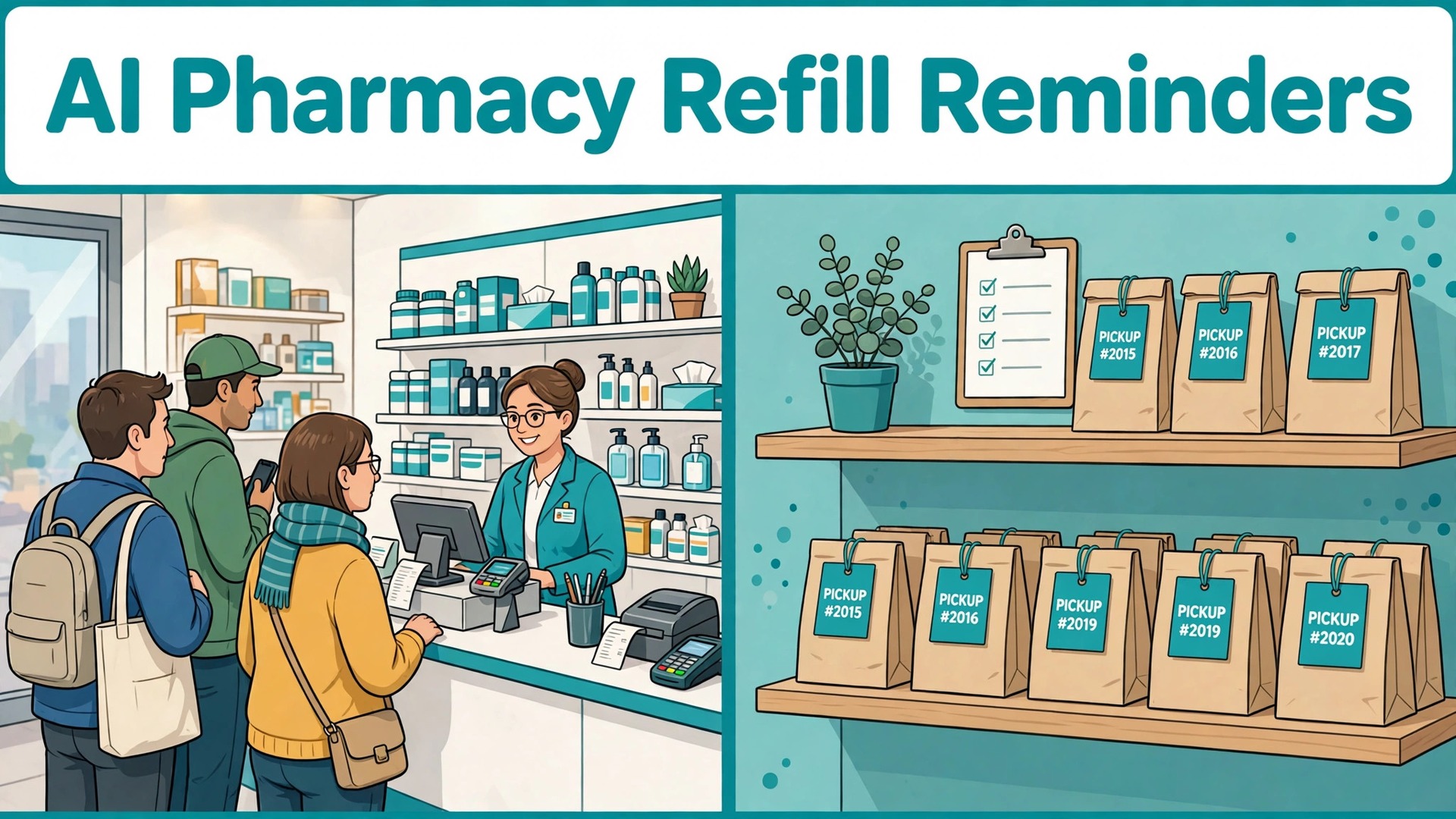
Compare two pharmacies on the same street. In the first, staff spend Monday morning calling patients from a printed list, leaving voicemails that half the patients never hear, while a queue builds at the counter from people collecting orders they did not know were ready. In the second, patients receive a short message a few days before they run out, reply with one word to confirm, and collect a prepared order at a time they chose. The difference is not friendliness. Both teams care. The difference is a system, and it is why pharmacies that use AI for pharmacy refill reminders well spend less time chasing phones and more time counselling the patients who actually need a pharmacist.
This guide is about operations, not medicine. It covers refill windows, reminder timing, pickup and delivery scheduling, and the follow up for patients who do not respond. It does not give medical advice, and it does not suggest any change to a prescription, a dose, or a treatment plan. Any question about whether a patient should continue, change, or stop a medicine belongs to the pharmacist and the prescriber, and every workflow in this guide routes clinical questions to a pharmacist, not to an automated reply. Keep that boundary in every message, every template, and every tool setting, and the system stays both useful and safe.
A refill reminder is easy to describe and easy to get wrong. At its simplest, it is a message sent before a patient’s supply runs out, asking them to confirm a refill, choose pickup or delivery, and collect at a stated time. The hard parts sit around that simple idea. Consent and channel preference, so messages go to people who asked for them, in the way they read. Timing, so the message arrives early enough to prepare the order, but not so early that the patient forgets it. Accuracy, so the message never promises an order that is not ready, or a medicine that needs prescriber approval as if it were routine.
Pharmacies already know the cost of a missed refill, in operational terms. An uncollected order ties up shelf space and staff time. A patient who runs out and then arrives urgently creates a rush job that disrupts the day. Reported research gives a sense of scale without promising a result for any single pharmacy. One study of automated call reminders for cardiovascular medicines, summarised in a pharmacy automation guide, found patients who received reminders refilled more often than controls, at 30.3 percent compared with 24.9 percent, and refilled sooner, at 29 days compared with 36 days. Treat that as evidence that reminders can help, not as a guarantee, and measure your own results before claiming any improvement.
Refill Windows, the Timing That Makes Reminders Work
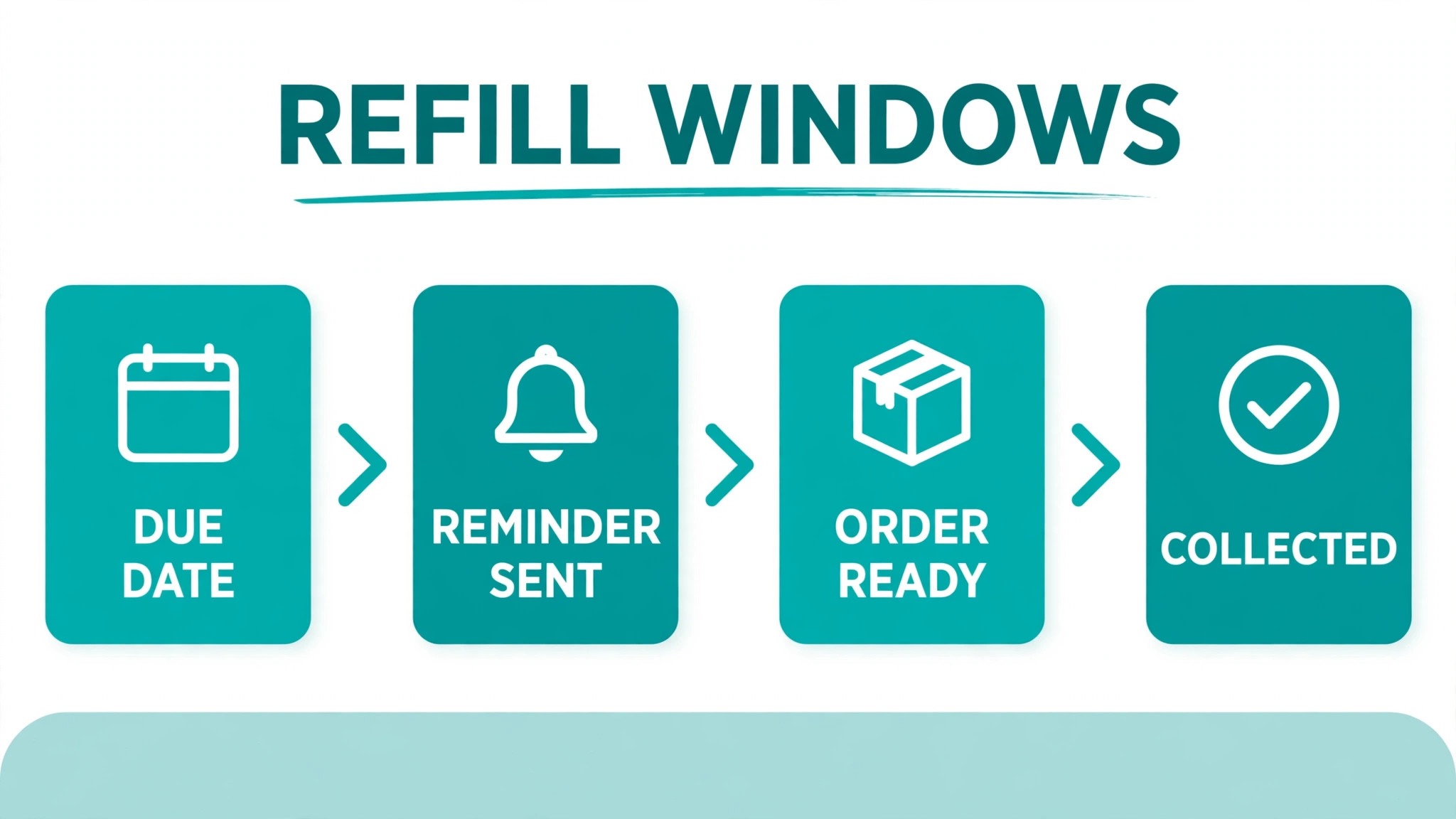
A refill window is the period in which a refill can be prepared and collected without a gap in supply, and getting it right is the foundation of the whole system. A patient with a 30 day supply who is reminded on day 28 has little room for a delay, while a patient reminded on day 23 has time to confirm, time for the pharmacy to prepare, and time to collect. Most guides suggest a first message three to five days before the refill date, with a follow up on the due day.
Days supply is the number every other calculation depends on, and it must come from your dispensing records, not from a guess. If the record says 30 days, but the patient takes the medicine differently, for reasons only the pharmacist and prescriber can assess, the reminder timing will be wrong, and no tool can fix a wrong input. That is why the workflow in this guide starts with a data check, not with message writing. Clean the days supply, the last dispense date, and the prescriber approval status before you automate, because automation multiplies whatever the data says, accurate or not.
Segmenting patients by refill type prevents the most common timing error, which is treating every refill the same. A routine repeat refill with prescriber approval already in place can be prepared as soon as the patient confirms. A refill that needs prescriber approval needs a longer window, because the approval request must go out before the reminder promises a collection time. A controlled or restricted medicine, where local rules limit early refills or require extra checks, needs its own handling, set by the pharmacist, not by a generic workflow. AI can sort patients into those segments from your records, but the segment rules must be written by the pharmacy team, with pharmacist review, before the first message goes out.
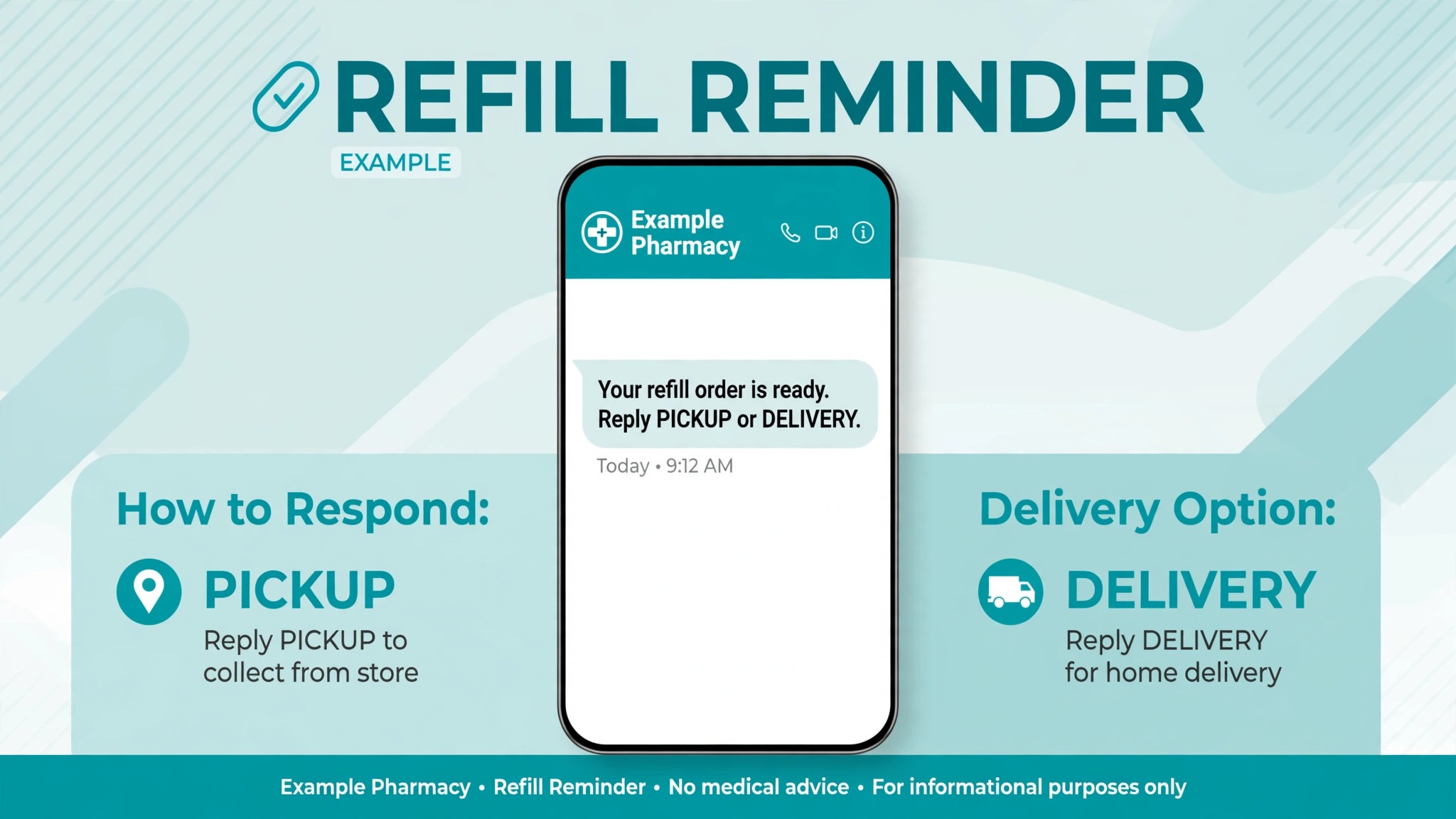
Delivery and pickup scheduling belong in the same window calculation. A patient who collects in store can often collect the same day, while a patient who needs delivery may need an extra day or two, depending on your delivery run. A patient in a rural area, or a patient who relies on a carer to collect, may need longer still. The reminder should therefore ask about collection method at confirmation time, not after the order is prepared, so the pharmacy can plan the run and the patient is not promised a time the delivery schedule cannot meet. That single question, pickup or delivery, asked early, prevents a large share of reminder failures.
How to Use AI for Pharmacy Refill Reminders Without Crossing Into Advice
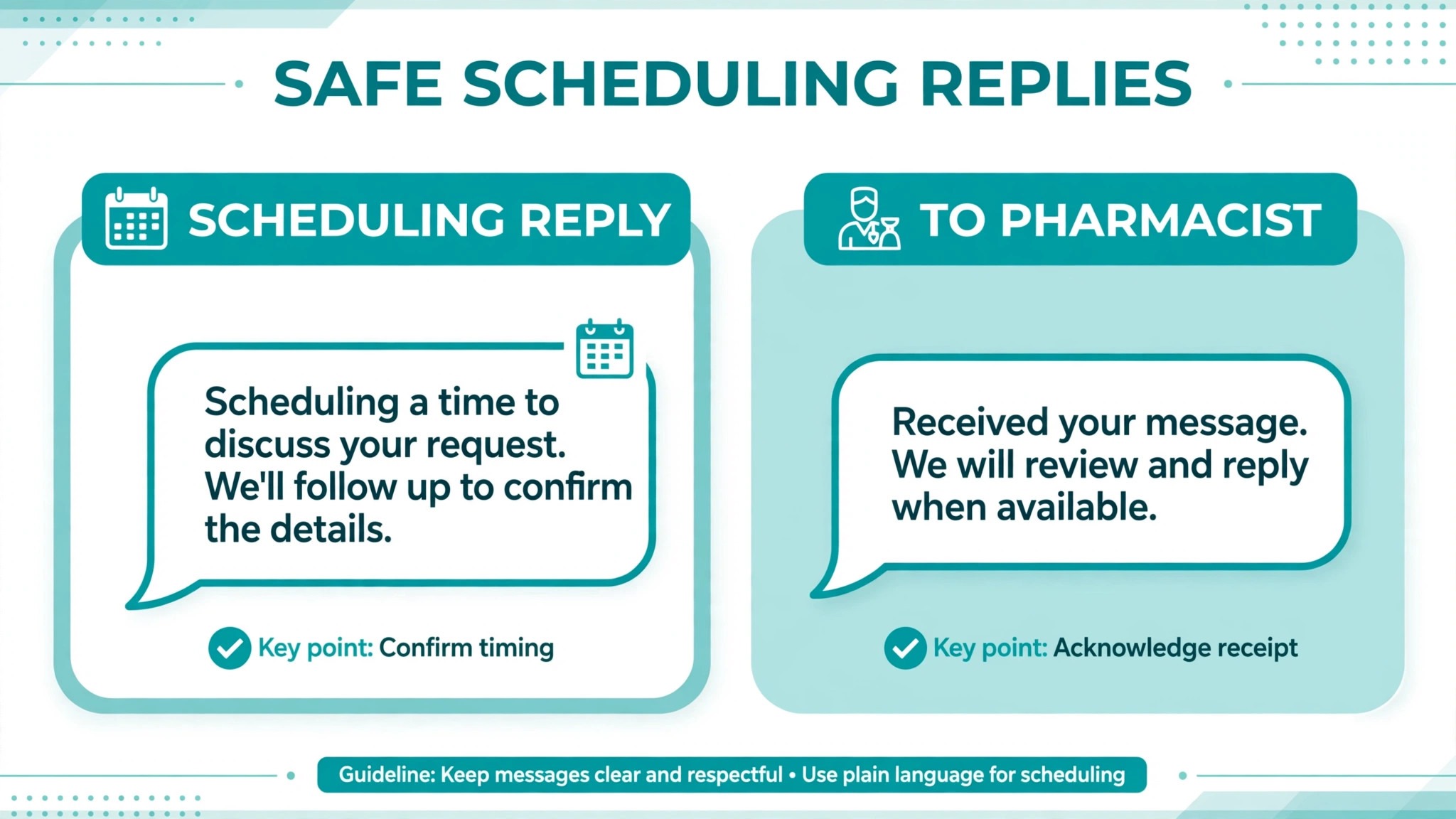
AI fits refill work in a narrow, practical role. It can draft reminder wording, sort patients by refill date, triage replies into simple buckets, and summarise which patients have not responded, so staff can focus on them. It cannot assess a patient’s condition, recommend a medicine, or answer a question about side effects, interactions, or whether to continue treatment. Every template and every automated reply in this guide keeps to scheduling language, such as confirming a refill, choosing pickup or delivery, and stating a collection time. Anything beyond scheduling goes to a pharmacist, with no automated clinical reply beyond a brief acknowledgement that a pharmacist will call.
That boundary needs to be built into reply handling, not just stated in a policy document. Replies fall into buckets, and only some buckets are safe to automate. A reply that says yes, refill, or pickup, can be handled automatically. A reply that mentions a symptom, a side effect, a worry about a medicine, a missed dose, or a request to change treatment must go straight to a pharmacist, with no automated advice and no delay. AI must flag anything ambiguous for a human. A reply that says the medicine makes the patient feel unwell is not a refill request. It is a clinical contact, and treating it as a scheduling message would be a serious error.
Message content needs the same discipline. A refill reminder should name the pharmacy, state that a refill is due, and offer a clear action, such as replying to confirm or choosing pickup or delivery. It should not name a specific medicine in an unsecured message unless your pharmacy’s privacy policy and local rules allow it, and many pharmacies prefer a general wording, such as your prescription refill is due, with details confirmed in store or through a secure channel. Check your own privacy requirements and messaging provider rules before you include medicine names, doses, or health details in a text, and keep the safest wording as your default. A reminder that protects privacy is a reminder patients will keep accepting.
Consent and opt out handling are part of safety, not just compliance paperwork. Record consent for text or voice reminders, record channel preference, and honour an opt out immediately, across all message types, not just the campaign that triggered it. A patient who opts out of texts and then receives another text has lost trust, and may complain, even if the second message came from a different system. AI can track consent across campaigns, but the pharmacy must own the consent record, review it regularly, and make opting out as easy as replying with one word. That ease is what keeps the rest of the program welcome.
A Step Workflow From Due List to Collected Order
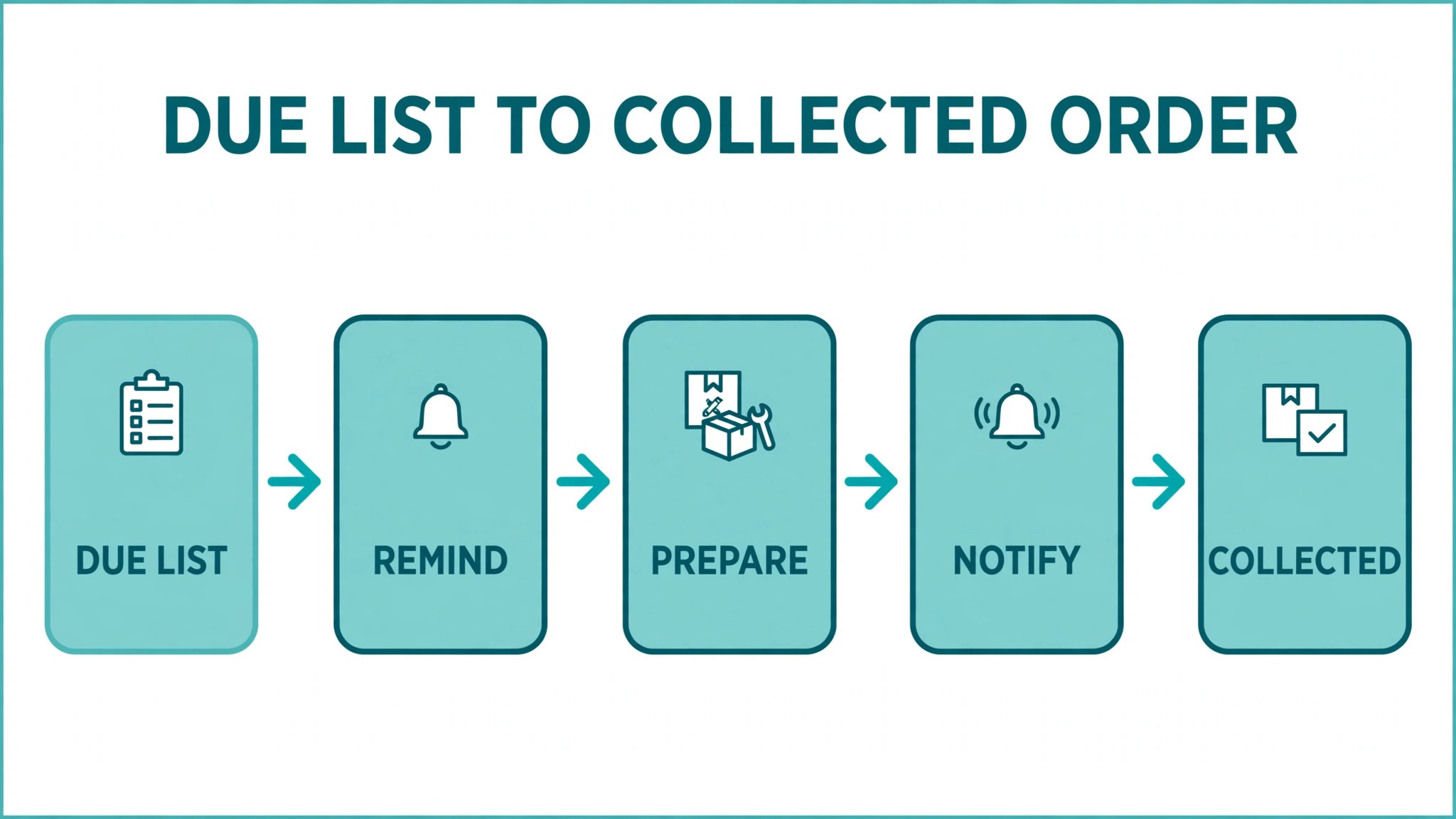
The workflow below assumes a community pharmacy with a dispensing system, a messaging tool, and AI used for drafting, sorting and triage, with pharmacist review for anything clinical. Keep the order, and keep the human checkpoints, because the checkpoints are what keep an operational system from drifting into clinical territory.
Step 1, clean the due list before any message goes out
Each day, review the list of patients due for a refill in the next seven days. Check days supply, last dispense date, prescriber approval status, and consent and channel preference. Remove patients who opted out, patients whose approval is missing, and patients whose records are incomplete, and route those cases to staff for manual handling. AI can flag anomalies, such as a days supply that does not match the dispensing pattern, but a pharmacist or trained staff member should confirm the fix. Messaging a wrong list at scale multiplies errors, so this check is the most valuable step in the workflow.
Step 2, segment by refill type and collection method
Sort the clean list into routine refills, refills needing prescriber approval, and refills needing pharmacist review for any other reason. Within each group, note the patient’s usual collection method, pickup or delivery, and any carer collection arrangement. Send prescriber approval requests first, before any patient reminder for that group, so no reminder promises a collection time that approval may delay. That ordering, approval before promise, prevents the most frustrating patient experience in refill work.
Step 3, send the first reminder with one clear action
Send the first reminder three to five days before the refill date, or earlier for approval dependent refills, with one action. Reply to confirm, and choose pickup or delivery. Keep the message short, name the pharmacy, and state the collection or delivery window in general terms, not as a promise for a specific order that is not yet prepared. AI can draft the message for each channel, short for text, fuller for email, but staff should review the first batch of each new template before it goes to the full list.
Step 4, triage replies the same day
Sort replies into confirmed, delivery or pickup choice, question for pharmacist, and no action needed. Confirm routine refills and prepare them for the chosen collection method. Route any reply mentioning symptoms, side effects, worries, missed doses, or treatment changes straight to a pharmacist, with no automated clinical reply. Log the triage decision, so the pharmacy can show that clinical replies were handled by a pharmacist, not by a tool. Test the triage rule regularly with sample messages, because a safety rule that has never been tested is not a safety rule.
Step 5, prepare, schedule and confirm collection
Prepare confirmed orders, schedule delivery runs, and send a short ready message when the order is actually ready, stating the pickup window or delivery day. Do not send a ready message before preparation is complete, because a patient who arrives for an order that is not ready will lose faith in every later message. If preparation is delayed, send a short delay message with a new time, rather than leaving the patient to discover the delay at the counter. Honesty about a delay protects trust better than silence.
Step 6, follow up with non responders, then stop gracefully
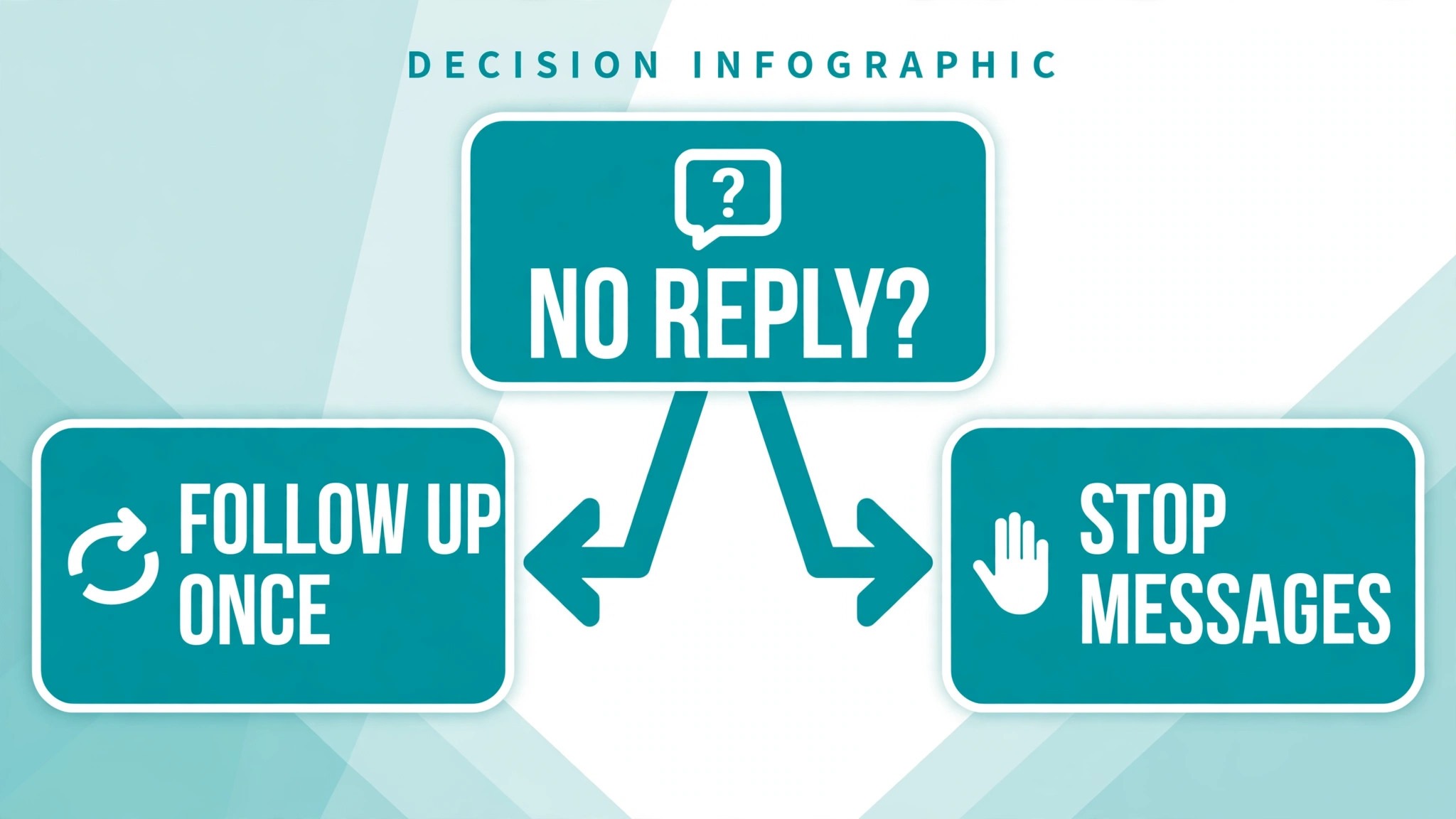
For patients who did not reply to the first reminder, send one follow up on or near the due day, through a different channel if possible, such as a call for patients who do not read texts. If there is still no response, log the non response, note it for the next refill cycle, and do not keep messaging. Repeated messages to a patient who is not responding usually cause opt outs, not refills, and the pharmacy’s time is better spent on a pharmacist review of whether that patient needs a different kind of contact, such as a carer conversation, where appropriate and consented. The workflow ends with a record, not with harassment.
Adherence Nudges That Stay Operational
When you use AI for pharmacy refill reminders, adherence nudges are often confused with clinical advice, and the distinction matters. An operational nudge reminds a patient that a refill is due, that an order is ready, or that a collection time is approaching. It does not tell a patient how to take a medicine, what to do about a missed dose, or whether their treatment is working. Those questions belong to the pharmacist, and any nudge that drifts into them should be rewritten before it is sent. AI can help you keep nudges operational by drafting from approved scheduling templates, rather than from open ended prompts that invite clinical language.
Tone is part of adherence work. A nudge that sounds like a demand, or that uses guilt about missed refills, will cause opt outs and complaints, and it will not help the patients who most need support. A nudge that is short, factual, and offers a simple action, such as confirming a refill or choosing a collection time, respects the patient’s autonomy and keeps the door open for a pharmacist conversation. For patients who repeatedly do not respond, the right response is not a stronger nudge. It is a pharmacist review, a check of contact details and collection arrangements, and, where appropriate, a conversation with the patient or a consented carer about barriers such as transport, cost, or collection difficulty.
Frequency needs a cap, just as in any reminder program. Most pharmacies work well with two messages per refill cycle, the first reminder and either a ready message or a single follow up, plus a call for non responders where that fits the pharmacy’s practice. More messages than that usually annoy patients without adding collections, and they increase the risk that a patient opts out entirely, losing even the useful reminders. Set the cap in the system, not just in a policy document, so a new campaign cannot accidentally exceed it. A cap that lives only on paper will be broken by the first busy week.
Timing of day matters as well. Messages sent very early or late at night will annoy patients and may breach messaging rules, depending on your jurisdiction and provider terms. Set send windows that match your patient population, such as late morning to early evening, and avoid Sundays unless your pharmacy is open and patients expect contact then. AI can suggest send times based on past reply patterns, but a send window set by the pharmacy should override any suggestion. Patients should never be woken by a refill system, and a system that respects sleep is a system patients keep using.
Pickup Scheduling, Delivery Runs and the Counter Queue
Pickup scheduling is where you use AI for pharmacy refill reminders to save staff time, because a prepared order collected at a known time is far cheaper to handle than an unprepared order requested at a busy counter. Offer patients a choice of collection windows where your staffing allows it, and let the confirmation message record that choice, so counter staff can prepare in batches rather than reacting to arrivals. AI can draft the window options and summarise expected collections by hour, which helps the pharmacy staff the busy periods and avoid preparing every order at once.
Delivery runs need a similar discipline. Group deliveries by area and by day, confirm the delivery day at confirmation time, and send a short delivery day message stating the expected window in general terms. Do not promise an exact delivery time that a run cannot guarantee, because a missed exact promise damages trust more than a general window honestly stated. For patients who need a carer to receive a delivery, record that arrangement on the patient record, so the delivery team knows who to expect, and the reminder can be sent to the right contact where consent allows. That record is operational, and it prevents failed deliveries that waste a run.
Counter queue handling is the visible test of the whole system. When a patient arrives, staff should be able to find the prepared order quickly, confirm identity through the pharmacy’s usual checks, and hand over the order without a long search. If orders are prepared but hard to find, the reminder system will be blamed for a storage problem. Label prepared orders consistently, store them in a single known place, and review the handover process monthly. AI cannot fix a shelf, but it can produce a daily list of prepared orders awaiting collection, so staff can spot orders that have waited too long and follow up before they become shelf clutter.
Uncollected orders need a clear policy, agreed by the pharmacy team and stated to patients in general terms. After a stated period, staff should contact the patient once, check whether collection is still wanted, and then return the order to stock or dispose of it according to pharmacy policy and local rules, with the action recorded. AI can list uncollected orders by age, so none sit forgotten, but the decision about each order belongs to staff, because it may involve clinical or safety considerations that a tool cannot assess. A tidy uncollected shelf is a sign of a reminder system that follows through, not just one that sends messages.
The Reminder Compliance Checklist
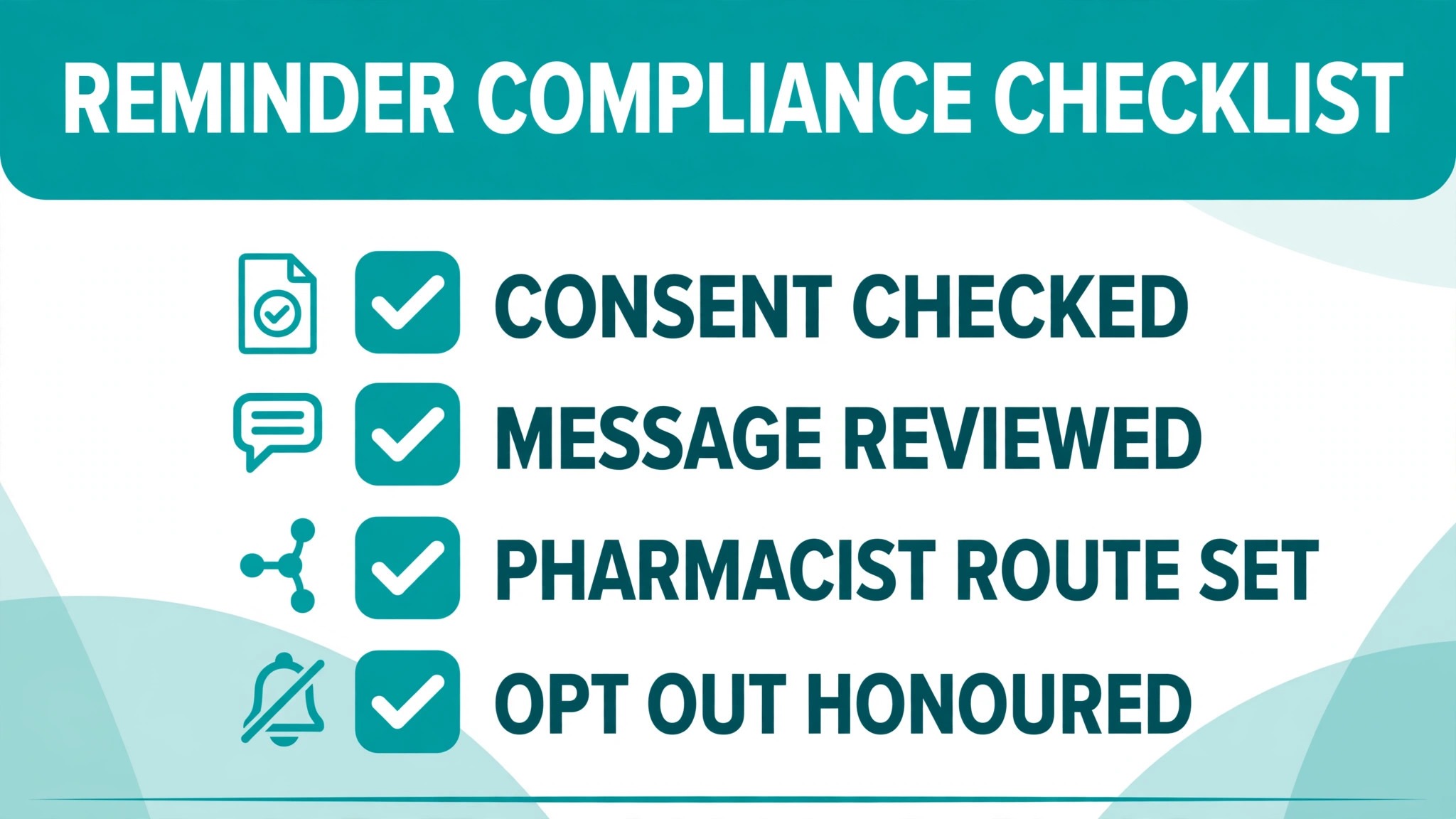
Copy this checklist, adapt it to your pharmacy’s policies and local rules, and review it with the pharmacist in charge before the first campaign. Keep it with your reminder templates, and check it whenever a template or a tool setting changes. Do not let AI rewrite the checklist without pharmacist approval, because the checklist is a safety document, not a draft.
Checklist – consent recorded – Consent for text or voice reminders and channel preference recorded for each patient before messaging
Checklist – privacy wording – Reminder wording checked for medicine names, doses and health details, with the safest wording as default
Checklist – approval before promise – Prescriber approval requested before any reminder promises a collection time for approval dependent refills
Checklist – one clear action – Each message asks for one action, confirm, choose pickup or delivery, or collect at a stated time
Checklist – clinical triage – Any reply mentioning symptoms, side effects, worries, missed doses or treatment changes goes straight to a pharmacist
Checklist – opt out honoured – Opt outs applied immediately across all campaigns, with the record updated the same day
Checklist – ready means ready – Ready messages sent only after preparation is complete, with delay messages sent promptly when preparation slips
Checklist – non responder limit – One follow up per cycle, then a record and a pharmacist review, not repeated messaging
Checklist – records kept – Consent, messages, triage decisions and follow up actions logged for review
Review the checklist quarterly, and after any incident, such as a wrong message, a missed clinical reply, or a privacy complaint. Each review should ask whether a template, a triage rule, or a send window contributed, and whether the checklist needs a new line. A checklist that never changes is either perfect or unreviewed, and in pharmacy operations, unreviewed is the likelier explanation. Log each change with a date and the pharmacist who approved it, so the team knows which version is live.
Mistakes That Undermine a Refill Program
The first mistake is messaging a dirty list. If days supply, approval status, consent or contact details are wrong, AI will send confident wrong messages at scale, and staff will spend more time fixing errors than the system saved. Clean the list first, and keep cleaning it daily, because dispensing records change every day. The second mistake is letting automated replies drift into clinical language. A tool asked to be helpful will happily draft advice about missed doses or side effects, and a pharmacy that sends that draft has crossed a boundary it cannot uncross with an apology. Keep clinical content out of templates, and keep pharmacist review on any reply that is not purely scheduling.
The third mistake is measuring only refill counts, and ignoring patient experience. A program that raises refill confirmations but also raises opt outs, complaints about message frequency, or privacy concerns is not a success, even if the numbers look good for a month. Track opt outs, complaints, and replies that express frustration, alongside confirmation and collection rates. The fourth mistake is forgetting the human safety net. Triage rules should be tested with sample messages, including ambiguous ones, and staff should know exactly what to do when a clinical reply arrives. A safety net that has never been tested is not a safety net, and in pharmacy work, that gap matters more than in most reminder programs.
For related reading, see yoga studio waitlist management, therapist session note summaries, local SEO strategy, setting up a client feedback loop and cancellation policy. Those posts cover adjacent reminder, follow-up and feedback problems, and the same lesson applies when you use AI for pharmacy refill reminders. Automate the routine, keep a pharmacist for anything clinical, and measure both collections and patient experience.
Measuring Whether Reminders Are Working
After one month, compare four numbers with the previous month, using the same definitions. Confirmation rate, meaning the share of reminded patients who confirmed. Collection rate, meaning the share of confirmed orders actually collected on time. Non responder rate, meaning the share who did not reply at all. And opt out rate, meaning the share who opted out during the month. Look at the breakdown by refill type and by channel as well, because an overall improvement can hide a worsening pattern in one group. If text reminders work well but email reminders do not, the problem may be channel choice, not reminder wording, and the fix is to ask patients which channel they read.
After three months, add operational measures. How many staff hours were saved on reminder calls, and where that time went. How many uncollected orders aged past your policy period, and whether that number fell. How many clinical replies were routed to a pharmacist, and how quickly they were handled. If staff time was saved but not redeployed to counselling, delivery planning, or follow up with non responders, the gain is theoretical. Use saved time deliberately, for the patients who need a human voice, so the team feels the benefit, not just the system vendor.
Keep a simple log of template changes, triage rule changes, and send window changes, with dates and the pharmacist who approved each change. When a number moves suddenly, that log helps you tell whether the cause was a template change, a seasonal pattern, a staffing change, or a system error. That discipline is what turns a reminder tool into a reminder system, and it is the difference between a pharmacy that buys software and a pharmacy that improves its service.
Frequently Asked Questions
How do you use AI for pharmacy refill reminders safely?
Keep AI to operational work, drafting scheduling messages, sorting due lists, and triaging replies into simple buckets, and route anything clinical straight to a pharmacist. Use approved scheduling templates, keep medicine names and health details out of unsecured messages unless your privacy policy allows them, record consent and channel preference, and honour opt outs immediately. Review templates and triage rules with the pharmacist in charge, and test triage with sample messages before the first campaign.
How early should a refill reminder be sent?
Most reminder guides suggest a first message three to five days before the refill date, with a follow up on or near the due day, but the right window depends on days supply, prescriber approval needs, preparation time, and delivery schedule. Refills needing prescriber approval need a longer window, because approval must be requested before a collection time is promised. Measure confirmation and collection rates, and adjust the window for each refill segment based on your own results.
What should happen when a patient replies about a symptom or side effect?
Route that reply straight to a pharmacist, with no automated clinical reply beyond a brief acknowledgement that a pharmacist will call. Do not let AI draft advice about symptoms, side effects, missed doses, or treatment changes, and do not treat such a reply as a simple refill confirmation. Log the triage decision, so the pharmacy can show the reply was handled by a pharmacist. This guide gives operational advice only, and any clinical question belongs to the pharmacist and prescriber.
Should refill reminders name the medicine?
That depends on your privacy policy, local rules, and messaging provider terms, so check them before you include medicine names, doses, or health details in a text. Many pharmacies prefer general wording, such as your prescription refill is due, with details confirmed in store or through a secure channel, because that wording protects privacy if a message is seen by someone else. Keep the safest wording as your default, and only add detail where your policy clearly allows it and the patient has consented.
How many reminders should a patient receive per refill cycle?
Most pharmacies work well with two messages per cycle, the first reminder and either a ready message or a single follow up, plus a call for non responders where that fits the pharmacy’s practice. More messages usually cause opt outs without adding collections, and they increase the risk that a patient opts out entirely. Set the cap in the system, track opt out rates alongside confirmation rates, and reduce frequency if opt outs rise, even if confirmation rates look strong for a month.
What should a pharmacy do about uncollected orders?
Follow a clear policy, agreed by the pharmacy team, that states how long an order is held, when staff contact the patient, and what happens after that period, with the action recorded. AI can list uncollected orders by age, so none sit forgotten, but the decision about each order belongs to staff, because it may involve considerations a tool cannot assess. Contact the patient once after the stated period, check whether collection is still wanted, and then follow pharmacy policy and local rules for returning the order to stock or disposing of it.
A Measured Verdict for Pharmacies
A refill reminder system earns its place when it gives patients earlier notice, gives staff earlier confirmation, and frees pharmacist time for the conversations that actually need a pharmacist. Start with a clean due list, segment by refill type, promise only what approval and preparation allow, and route every clinical reply to a pharmacist. Pharmacies that do that work, and that use AI for pharmacy refill reminders as an operational helper rather than a clinical voice, will usually see calmer counters, fewer uncollected orders, and more time for patient care. That is a modest claim, and it is the honest one for a service built on trust and safety.