
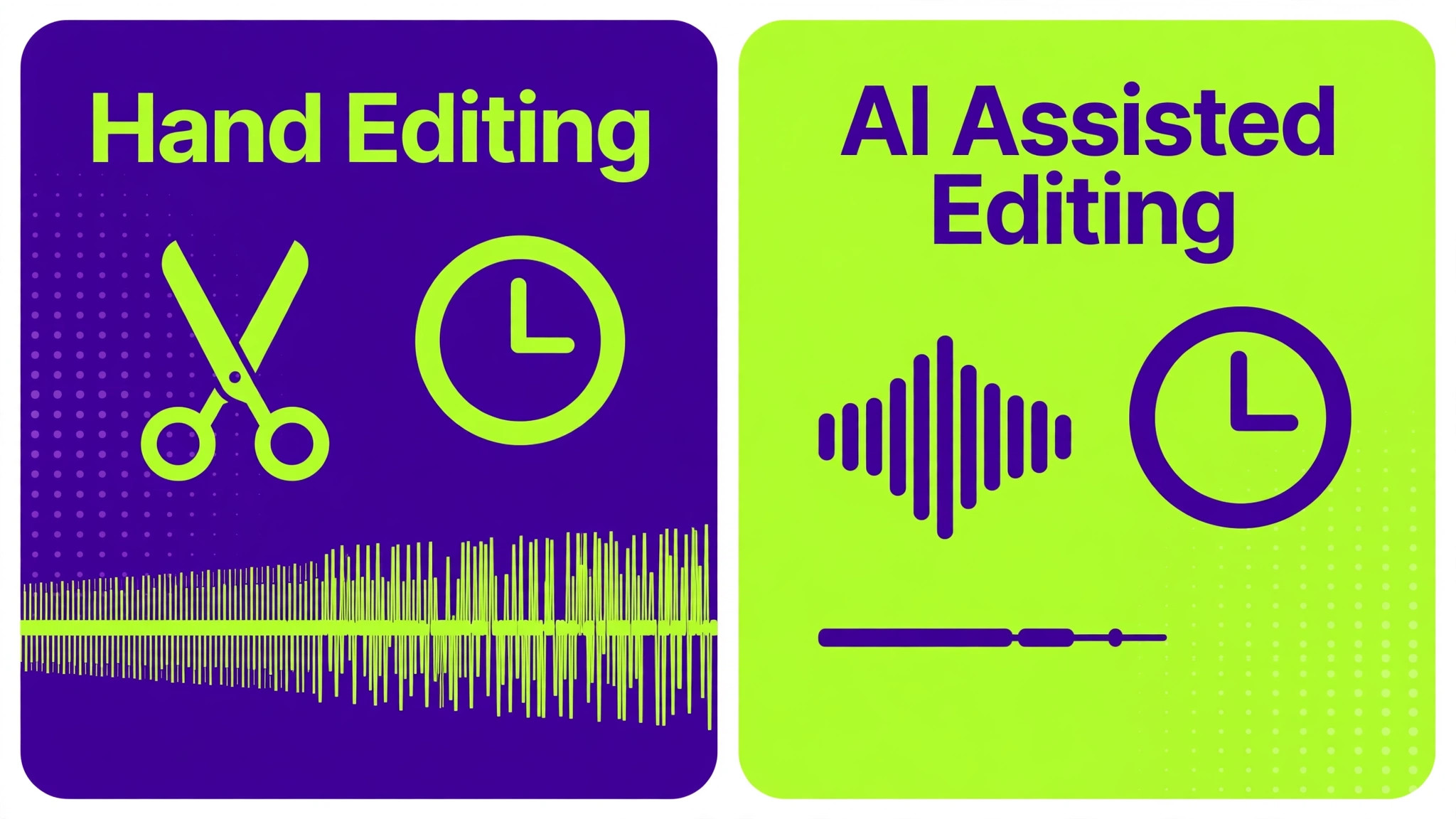
One podcast editor delivers a clean 45 minute interview, show notes, timestamps, and five social clips by the next morning, while another editor with the same raw audio is still cutting silences and writing notes two days later. The difference is not talent or effort. It is workflow, and it is why AI tools for podcast editors small business owners choose carefully matter more than any single editing trick. The first editor uses AI for the repetitive work and spends human time on judgement. The second editor does everything by hand and runs out of hours.
That comparison is the right way to judge this category. AI podcast tools do not replace an editor ear for story, pacing, and tone. They remove filler words, silence, noise, and first draft notes at speed, so the editor can focus on which stories to keep, where to tighten a conversation, and how to make a guest sound at their best. A small editing business that builds that division of labour can take more shows, meet tighter deadlines, and protect margins without hiring a large team.
This guide compares thirteen tools across recording, editing, cleanup, transcription, show notes, mastering, and repurposing. Prices are cited per guides where available and should be checked on the vendor current page, because free tiers and plan limits change often. Test each tool on your own hardest audio, such as a noisy guest, a soft spoken host, and a panel with crosstalk, because demo audio rarely shows the failures that matter in client work.
The Podcast Editing Workflow, in Stages
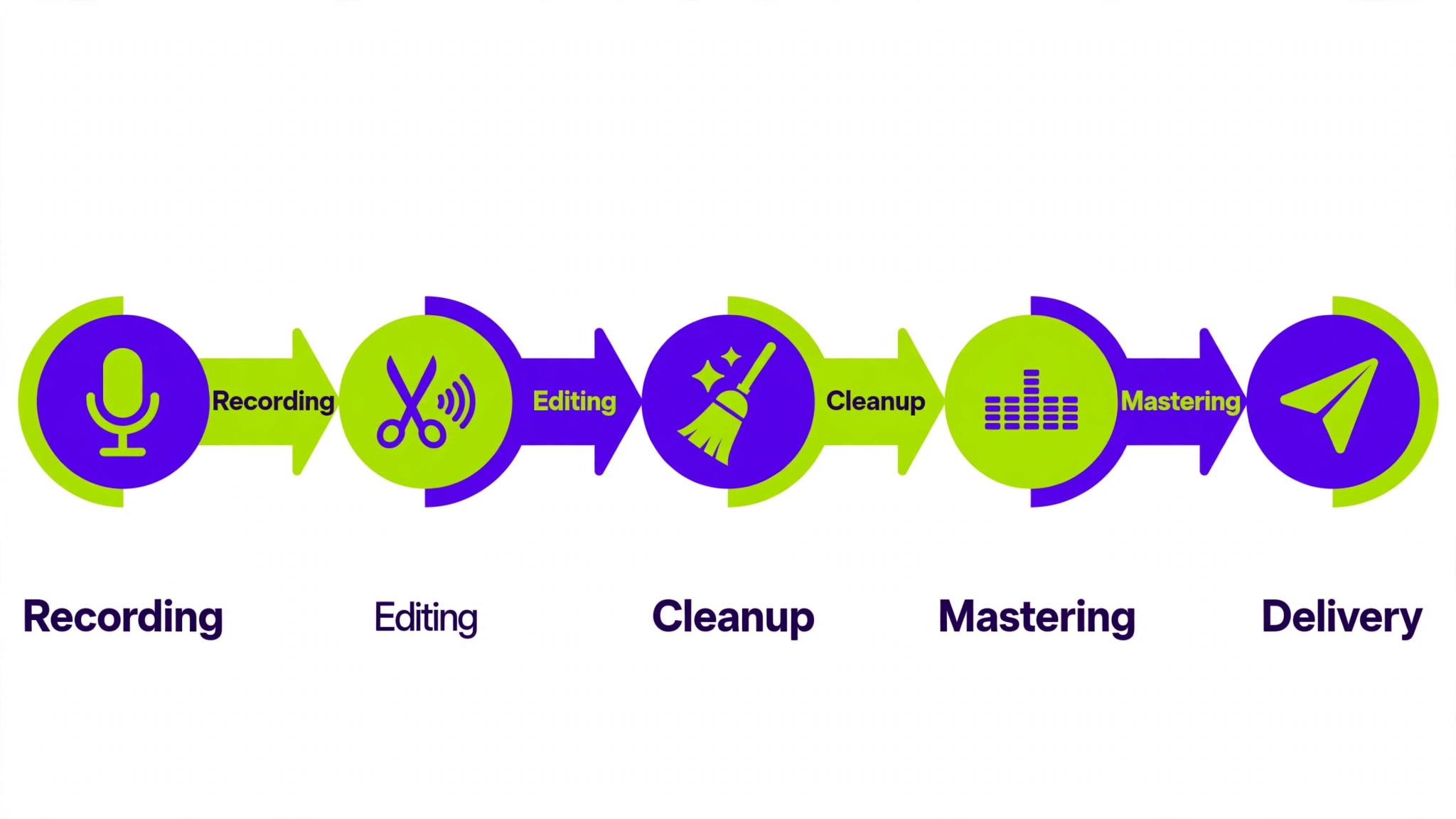
Podcast production in an AI tools for podcast editors small business workflow splits into five stages, and each stage has a different best tool. Recording captures clean tracks from hosts and guests, wherever they are. Editing cuts the conversation into a tight episode, removing filler, silence, and mistakes. Cleanup removes noise, echo, and level differences between speakers. Transcription and notes turn audio into text, timestamps, and show notes. Mastering and delivery set loudness, file formats, and publishing details for each platform.
A small business choosing AI tools for podcast editors small business work should map tools to stages, not buy one tool and expect it to do all five well. Descript excels at text based editing, Riverside excels at remote recording, Adobe Podcast excels at free cleanup, and Auphonic excels at mastering. A stack that assigns each stage to its strongest tool will beat a single tool used for everything, even if that single tool looks cheaper on a subscription page. The cost of a weak stage is rework, missed deadlines, and client complaints.
The 13 Tools at a Glance
| Tool | Main job | Best for | Watch out for |
|---|---|---|---|
| Descript | Text based editing and Studio Sound | Solo editors and studios | Overdub needs care and consent |
| Riverside | Remote recording and Magic Clips | Interview shows and video | Editing is strong but not a full suite |
| Adobe Podcast | Free Enhance Speech cleanup | Bad audio rescue | Web based, check plan limits |
| Auphonic | Mastering and loudness | Final delivery | Interface is plain, no clip tools |
| Podcastle | All in one beginner production | Simple solo shows | Check current name and plan terms |
| Castmagic | Show notes and repurposing | Notes, timestamps, newsletters | Review AI notes before publishing |
| Otter.ai | Live transcription and summaries | Panels and searchable transcripts | Best for transcripts, not final editing |
| Whisper | Free local transcription | Private and budget transcription | Needs setup, no built in editor |
| Alitu | Guided podcast production | Beginners and solo creators | Per guides, from 32 per month |
| Hindenburg | Audio editing for spoken word | Editors who prefer a timeline | Per guides, subscription from 12 per month |
| ElevenLabs | AI voices for intros and corrections | Voice work and pickups | Use only with clear client permission |
| Cleanvoice AI | Filler, silence, and noise removal | Fast cleanup pass | Check accuracy on accents and crosstalk |
| Opus Clip | Short social clips from episodes | Social repurposing | Review clip selection for context |
Per guides, Descript starts at 16 per month billed annually, Riverside paid entry starts at 24 per month billed annually, and Adobe Podcast is described as a strong free option for cleanup. Those figures are starting points from guides, not a quote, so check the vendor current page for the plan that matches your episode count, transcription hours, and export needs. A plan that looks cheap for one show per month can become expensive for a studio with ten shows.
Best Pick by Job
| Job type | First pick | Second tool | Why this pair works |
|---|---|---|---|
| Solo editor | Descript | Auphonic | Text editing plus reliable mastering |
| Small studio | Descript | Riverside | Shared editing plus clean remote recording |
| Agency overflow | Riverside | Castmagic | Fast recording and notes plus rapid repurposing |
| Bad audio rescue | Adobe Podcast | Auphonic | Free cleanup plus loudness and levelling |
| Social heavy show | Riverside | Opus Clip | Video recording plus fast clip creation |
A solo editor using AI tools for podcast editors small business work should optimise for one editing core plus one mastering tool, because that pair covers most episodes without subscription sprawl. A small studio should optimise for recording quality first, because a clean recording saves more editing time than any cleanup tool can recover later. An agency handling overflow should optimise for notes and clips, because overflow clients often judge speed and deliverables, not only audio quality, and a fast notes plus clips package wins repeat overflow work.
The 13 Tools in Detail
1. Descript
Descript is the tool most podcast editors mean when they talk about AI editing. You upload audio, it transcribes it, and you edit the transcript like a document. Delete a sentence of text, and the matching audio disappears. That method cuts a long interview far faster than waveform scrubbing, and it makes it easy to see the story structure, spot repetition, and tighten a rambling answer without losing the thread.
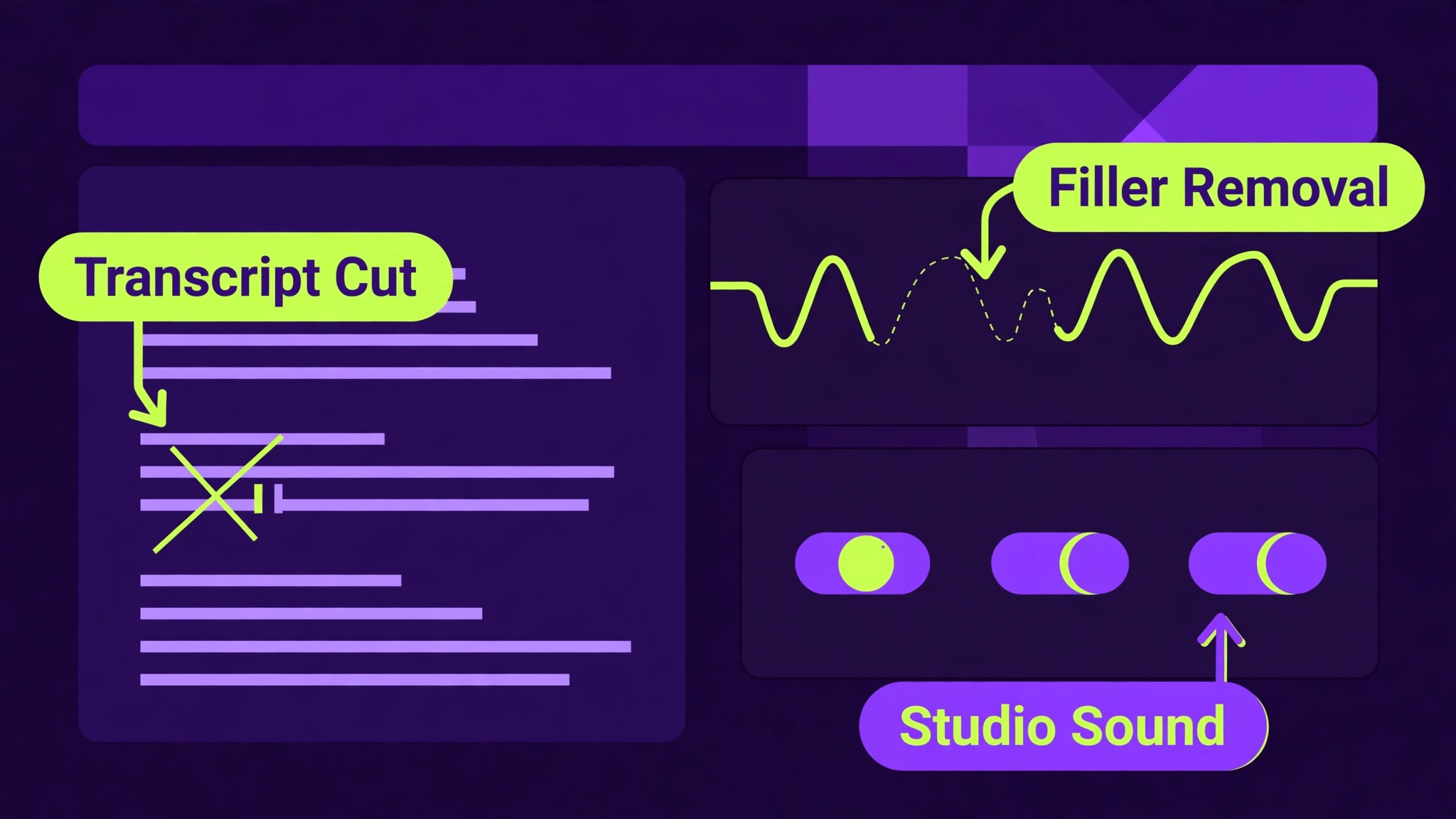
Descript also adds Studio Sound for noise and echo cleanup, filler word removal in one pass, Overdub for small voice corrections in a cloned voice, and Underlord for show notes, chapters, and rough cuts. Per guides, Studio Sound can rescue a noisy room recording to usable quality, though not to perfect studio quality. Use Overdub only for small corrections with client and speaker permission, and review every AI generated correction by ear, because a wrong word in a cloned voice is a credibility problem, not a time saver.
2. Riverside
Riverside records remote guests locally at high quality, regardless of internet quality during the call, which solves the most common podcast problem, which is a guest track ruined by a compressed call. Per guides, it records at studio quality, offers Magic Audio for noise removal and levelling, transcription in many languages, AI show notes, and Magic Clips for social repurposing. That combination makes Riverside a recording engine first and an editing tool second.

Riverside suits interview shows, panel shows, and video podcasts, where guest quality and clip output matter. Its text based editing handles basic cuts well, per guides, but it is not a full production suite, so pair it with Descript for detailed editing or Auphonic for mastering. Test Riverside with a guest on a weak connection and a noisy room, because those are the recordings that reveal whether local recording actually protected the episode.
3. Adobe Podcast
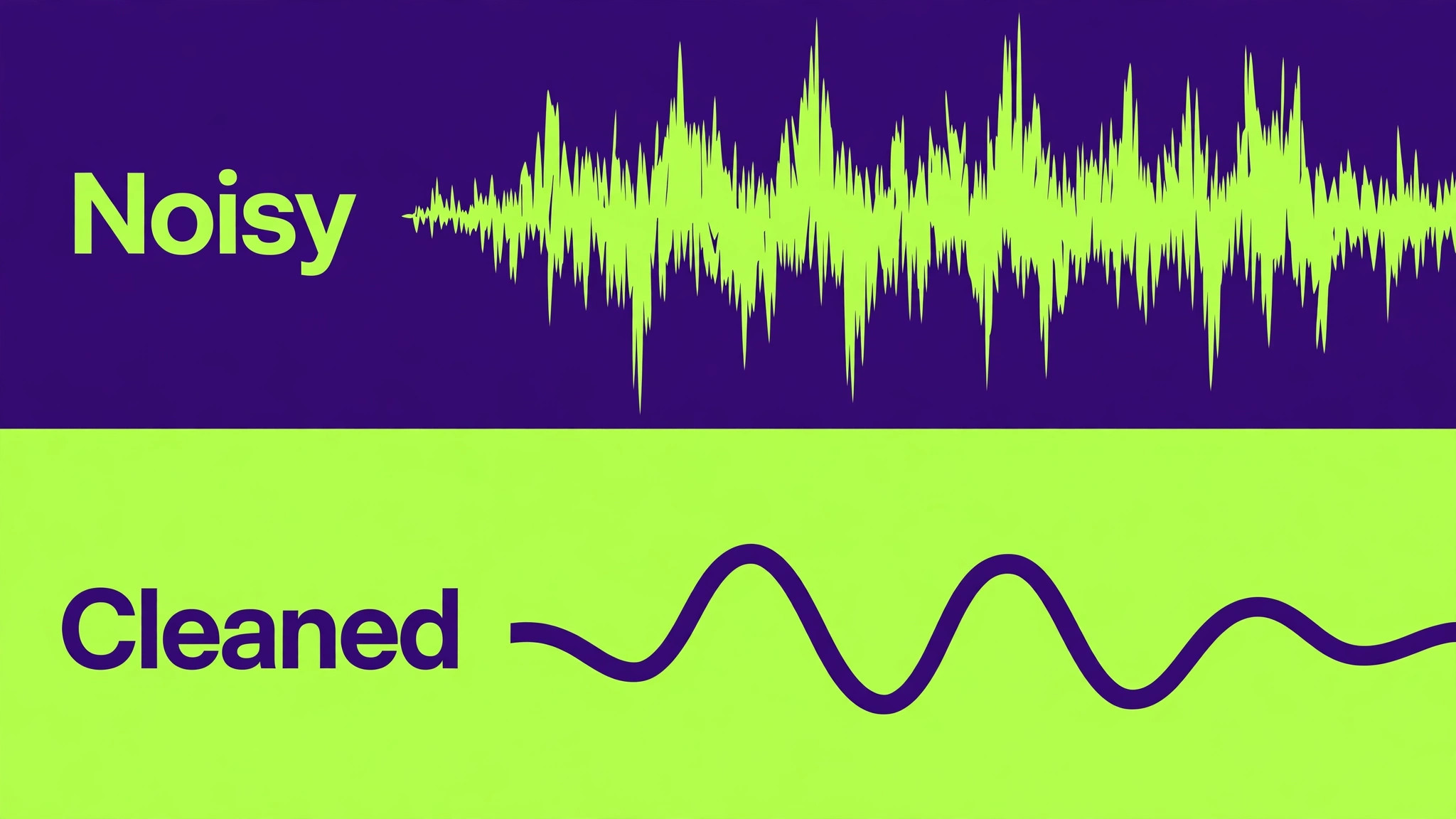
Adobe Podcast offers Enhance Speech, a web based cleanup tool that removes background noise, echo, and room reverb in one pass, and per guides it is the strongest free option for fixing bad audio. For a small editing business, that free cleanup is a useful rescue tool, especially for a guest track recorded on a phone or in a noisy space. It does not replace a full editor, but it can turn an unusable track into a usable one without a new recording session.
Adobe Podcast is best used as a cleanup stage before detailed editing, not as the final mastering step. Run the noisy track through Enhance Speech, check for over processing or an artificial voice quality, and then edit and master in your main tools. Keep the original file untouched, so you can compare the cleaned version with the original and revert if the cleanup removes too much natural tone. Check the vendor current page for free tier limits before promising a rescue turnaround.
4. Auphonic
Auphonic is a quiet, reliable mastering tool that editors return to for loudness, levelling, and format compliance. Its Adaptive Leveler evens out volume differences between a loud host and a soft guest without manual threshold setting, per guides, and loudness normalisation hits platform targets automatically. Multitrack processing cleans each speaker channel individually before mixing down, which helps panel episodes where one voice dominates.
Auphonic does not create social clips or write show notes, and its interface is plain compared with newer tools. Judge it on delivery reliability, not on glamour. A studio that masters every episode through the same Auphonic preset will deliver consistent loudness across shows, which clients and listeners notice even if they cannot name the tool. Use Auphonic as the last step before delivery, after editing and cleanup are complete.
5. Podcastle
Podcastle, now known in some listings as Async, is an all in one beginner friendly production tool for recording, editing, cleanup, and publishing support. For a solo editor serving solo creators, that simplicity matters, because the client may record in Podcastle, the editor can clean and cut in the same system, and the episode can move to delivery without file transfers between three apps. Per guides, it is a strong choice for the simplest all in one setup.
6. Castmagic
Castmagic turns a finished episode into show notes, timestamps, chapter markers, newsletter drafts, and social copy, saving hours per episode for editors who otherwise write notes by hand. Per guides, it is a dedicated repurposing tool that earns its place when the editor already has a recording and editing stack, but needs fast, consistent written deliverables. That division is efficient, because writing notes requires a different skill from cutting audio, and AI can draft the structure quickly.
Castmagic output must be reviewed before publishing, because AI notes can invent quotes, misattribute a point, or get a name wrong, per guides. Build a review step into your delivery checklist, where a human checks names, quotes, timestamps, and links against the transcript. A show note with a wrong quote damages a show more than a late show note, so speed without review is a false saving for a client facing deliverable.
7. Otter.ai
Otter.ai provides live transcription with speaker identification, summaries, and searchable transcripts, which suits panel shows, live recordings, and collaborative review. Per guides, it shines for live recording and collaborative note taking rather than pure podcast production, and its summary and chapter features speed up show note drafting. A studio can share a searchable transcript with a client, who can then mark sections to keep or cut without listening to the full episode.
Otter.ai is not a final audio editor, so pair it with Descript or Hindenburg for cutting and mastering. Its value is in review and search, especially for long panel episodes where finding a quote by listening alone takes hours. Check accuracy on accents, crosstalk, and technical terms, and correct the transcript before it becomes the source for show notes, because errors in the transcript become errors in every deliverable derived from it.
8. Whisper
Whisper is a free, local transcription model that editors can run without a subscription, which suits private shows, budget conscious editors, and work where audio should not be uploaded to a third party service. Per guides, it powers transcription in other tools and can be used directly for accurate transcripts, with support for many languages. For a small business, Whisper removes a recurring transcription cost, at the price of setup and processing time.
Whisper needs technical setup and a computer capable of processing audio in reasonable time, and it does not include an editor, show note generator, or mastering tool. Pair it with Descript for editing, Auphonic for mastering, and a manual notes template for show notes, so the free transcription does not create a fragmented workflow. Test Whisper on your own accents and panel audio before promising a client a transcript turnaround based on a demo.
9. Alitu
Alitu is a guided podcast production tool that walks a creator or editor through recording, editing, cleanup, and publishing in a structured workflow. Per guides, it costs from 32 per month, which places it above some free and low cost tools, but its guided structure suits beginners and solo creators who want a clear process rather than a blank timeline. For an editor serving new podcasters, Alitu can standardise the client side of production.
Alitu suits simple, consistent shows where the same workflow repeats every episode. It is less suited to complex editing, sound design, or agency work with many custom deliverables, where a timeline editor gives more control. Judge Alitu on whether its guidance reduces client questions and revision rounds, because that saving is its real value for an editing business, not only its audio features.
10. Hindenburg
Hindenburg is an audio editor designed for spoken word, with a timeline interface that editors who prefer manual control will recognise. Per guides, its subscription starts at 12 per month, which makes it a low cost timeline option for editors who want precise cuts, fades, and level control without a full music production system. It suits editors who learned on timelines and want AI assistance as a helper, not as the main editing method.
Hindenburg pairs well with Auphonic for mastering and with Whisper or Otter.ai for transcription, because it focuses on editing rather than on notes or clips. Test it on a long interview with crosstalk and a soft guest, to confirm that manual level and cut tools handle the hard moments cleanly. A timeline editor rewards skill and patience, so it suits an editor who already works that way, rather than a beginner who needs text based speed.
11. ElevenLabs
ElevenLabs provides realistic AI voices for intros, advertisements, and small corrections, which can save a re recording session when a host needs a pickup line or a sponsor read changes. Per guides, it is recommended only when realistic AI voices are actually needed, such as for intros, ads, or corrections, not as a replacement for a host voice across an episode. That restraint matters, because listeners trust a show voice, and overuse of AI voices breaks that trust.
Use ElevenLabs only with clear client and speaker permission, and disclose AI voice use where the show or platform requires it. Check pronunciation, tone, and pacing against the host real voice, and keep AI voice segments short and clearly bounded, such as an intro or a correction, rather than a full segment. A small, well used AI voice pickup is a time saver. A full AI narrated episode presented as a human host is a credibility risk.
12. Cleanvoice AI
Cleanvoice AI focuses on removing filler words, mouth sounds, long silences, and background noise from podcast audio, which makes it a useful fast cleanup pass before detailed editing. For an editor with a large backlog, a cleanup pass that tightens an episode before story editing can save significant time, because the editor hears a cleaner conversation and makes fewer false cuts based on noise. Test it on accents, laughter, and crosstalk, because those are the sounds that cleanup tools most often misjudge.
Cleanvoice AI is a stage tool, not a full editor, so pair it with Descript for story editing and Auphonic for mastering. Review the cleaned audio against the original on a sample section, checking that laughter, emphasis, and natural pauses survive. A cleanup tool that removes every pause makes a conversation sound rushed and unnatural, so keep a human ear on pacing even when the cleanup pass is automated.
13. Opus Clip
Opus Clip turns long episodes into short social clips, ranked and captioned for platforms, which helps a show reach new listeners without a separate video editing day. Per guides, Riverside Magic Clips also leads in this area, but Opus Clip as a dedicated clip tool suits an editor who already has a recording and editing stack and needs a fast repurposing layer. Clips should be chosen for a complete idea, not only for a loud moment, because a clip that misrepresents the episode will attract the wrong audience.
Review every clip for context, captions, and speaker attribution before publishing, because AI clip selection can cut a nuanced point into a misleading soundbite. Add a link to the full episode, a clear show name, and accurate captions, and keep clip length matched to the platform. A set of five accurate clips per episode, delivered with show notes, is a strong upsell for an editing business, and it turns one episode into a week of social content.
Quality Control Before Delivery
AI errors in AI tools for podcast editors small business work are predictable, so quality control should be a checklist, not a hope. Check names and quotes in show notes against the transcript, check timestamps by playing the start of each chapter, check loudness with a meter rather than by ear alone, and listen to the first and last minute of the episode at full attention. Those four checks catch most client facing errors, and they take less than ten minutes on a standard episode.
Check file details before upload. Confirm the file name, episode number, title, description, and artwork match the show standard, confirm the loudness target for the platform, and confirm that the audio file plays from start to finish without a truncated ending. A truncated ending is a common delivery failure that a full playback check would catch, yet many editors skip it under deadline pressure. Build that playback check into the delivery price, so it is never skipped to save time.
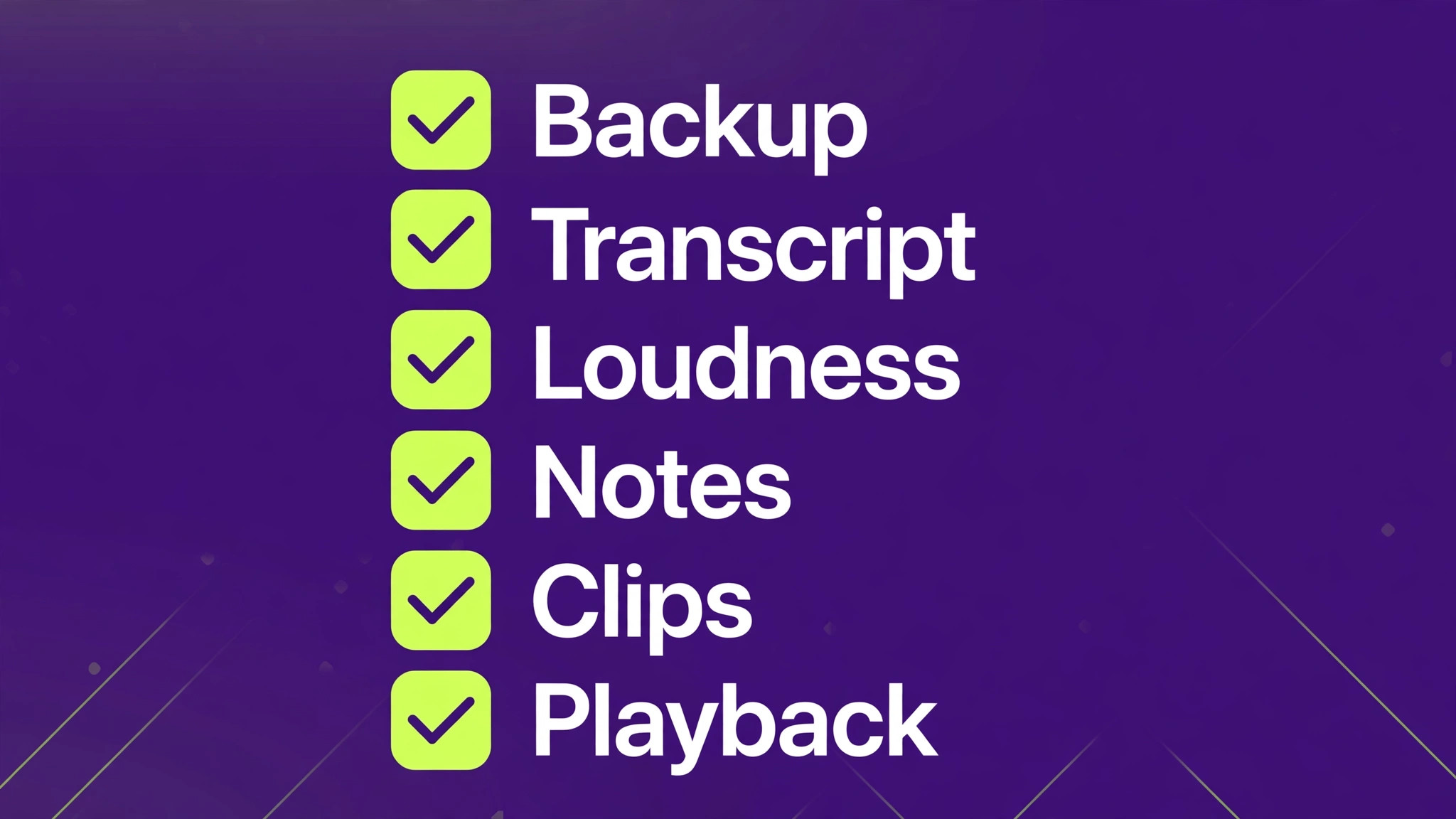
Episode Delivery Checklist
Use this checklist for every episode, and keep a copy with the episode folder. It is the overview proof that turns AI speed into client trust.
- Raw files backed up. Original recordings are saved before any AI cleanup or editing begins.
- Transcript checked. Names, quotes, and speaker labels are corrected against the audio.
- Story edit complete. Filler, silence, and repetition are removed, and the story order is clear.
- Cleanup reviewed. Noise and echo work is checked for over processing on host and guest voices.
- Loudness mastered. Levels meet the platform target, with no clipping and no sudden volume jumps.
- Show notes reviewed. Notes, timestamps, chapters, and links are checked against the transcript.
- Clips reviewed. Social clips are checked for context, captions, and speaker attribution.
- File details correct. File name, episode number, title, description, and artwork match the show standard.
- Full playback done. The final file is played from start to finish, including the ending and any sponsor read.
- Client delivery logged. Delivery date, files sent, and revision notes are recorded for the next episode.
Pricing a Small Editing Business With AI Tools
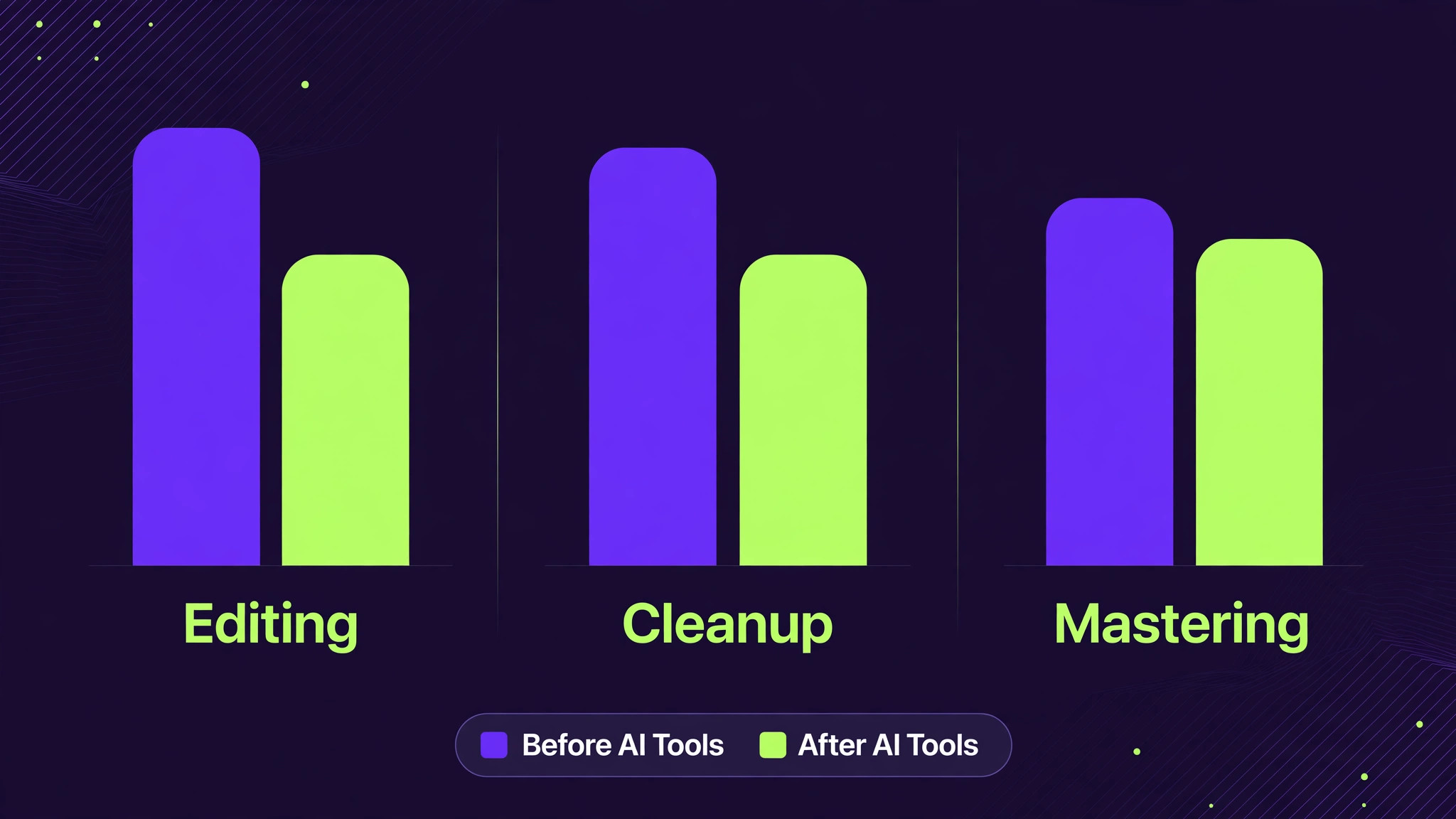
AI tools for podcast editors small business pricing changes in two ways. They reduce hours per episode, which can increase margin if price stays the same, or increase volume if price falls. Do not give away the full time saving as a price cut in the first month, because AI tools also add subscription costs, review time, and revision risk. Price on deliverables and turnaround, not on hours saved, so a faster delivery is sold as a premium, not as a discount.
Mistakes That Cost Podcast Editors Clients
The first mistake with AI tools for podcast editors small business teams is publishing AI show notes without review, because a wrong quote or name is a public error that the client will notice before you do. The second mistake is over cleaning audio until voices sound artificial, because listeners will comment on that quality drop even if they cannot name the tool. The third mistake is promising a turnaround that depends on AI working perfectly on bad guest audio, with no buffer for a rescue pass or a re recording request.
The fourth mistake is buying overlapping subscriptions for editing, notes, clips, and transcription, when two or three tools already cover those stages. Map each subscription to a stage, cancel the duplicate, and spend the saving on a better microphone for remote guests or a faster computer for editing. The fifth mistake is delivering files without a full playback check, because a truncated ending or a wrong episode file is a delivery failure that no AI feature can excuse. A short checklist, used every time, prevents all five mistakes.
How to Choose AI Tools for Podcast Editors Small Business Teams Keep
Choose an editing core first for AI tools for podcast editors small business work, then a recording tool, then a mastering tool, and only then add notes and clips. That order reflects where time and quality are actually won or lost. Test the core on a hard episode with a noisy guest, a soft host, and crosstalk, and test the recording tool with a guest on a weak connection. The tools that pass those hard tests, not the tools with the prettiest demos, should form the stack.
Document the stack in one page, including the preset names, loudness target, file naming, show note template, and delivery checklist. That page lets a second editor cover your shows, lets a client understand what they are buying, and lets you review the stack every six months without starting from scratch. Replace a tool only when a new tool beats it on a hard test set, not when a new tool launches with a marketing claim. Stability in the stack is a selling point for clients who need reliable delivery every week.
A Two Week Trial Plan
Week one is hard test and setup. Choose two editing cores and one mastering tool, run the same hard episode through each, and score story editing speed, cleanup quality, transcript accuracy, and loudness consistency. Set up presets, templates, and the delivery checklist in the winner, and deliver one real episode with the new stack, asking the client for specific feedback on pacing, voice quality, and notes accuracy.
Week two is volume and pricing. Deliver three episodes through the new stack, track hours by stage, revisions per episode, and turnaround time, and compare those numbers with your old workflow. Adjust tier prices based on real hours and subscription costs, not on vendor claims. If the new stack saves three hours per episode but adds one hour of review, the net saving is still real, and it should be priced as faster delivery or higher margin, with review time protected in the schedule.
Frequently Asked Questions
Can AI edit a podcast episode completely on its own?
Partly. AI can remove filler words, silence, and noise, draft transcripts and show notes, and create clips, but it cannot judge which stories to keep, where to tighten a conversation, or how to protect a guest tone. A human pass over story, pacing, and notes remains essential for a good episode, and AI should be treated as a fast assistant, not as a replacement editor.
What is the best AI tool for a solo podcast editor?
Descript plus Auphonic is a strong solo pair, because Descript handles text based story editing and cleanup, while Auphonic handles loudness and mastering reliably. Add Riverside if you record remote guests often, and add Castmagic if show notes and repurposing take significant time. Start with the core pair, then add only the stage tool that saves real hours.
How do I fix a guest track recorded in a noisy room?
Run the track through a cleanup tool such as Adobe Podcast Enhance Speech or Descript Studio Sound, compare the cleaned version with the original for over processing, then edit and master in your main tools. Keep the original file, and if cleanup makes the voice sound artificial, choose a lighter cleanup and accept some room tone. A re recording is better than a heavily processed track that sounds synthetic.
Are AI generated show notes reliable enough to publish?
No, not without review. AI notes can invent quotes, misattribute points, and get names or timestamps wrong, so a human must check names, quotes, timestamps, and links against the transcript before publishing. With that review step, AI notes save hours and improve consistency. Without it, they create public errors that damage the show.
Should I use an AI voice for intros or corrections?
Only with clear client and speaker permission, and only for short, bounded uses such as an intro, a sponsor read, or a small correction. Check pronunciation and tone against the real host voice, and disclose AI voice use where required. Overuse of AI voices breaks listener trust, while a small, well used pickup saves a re recording session.
How many tools does a small podcast editing business need?
Most small businesses need three to five tools, mapped to stages, not one tool for every feature. A typical stack is an editing core, a recording tool, a mastering tool, plus a notes tool and a clip tool where those deliverables are sold. Map each subscription to a stage, cancel duplicates, and review the stack every six months against real hours and revision rates.
Final Stack Recommendation
For most small podcast editing businesses, the stack that balances speed, quality, and cost is Descript for editing, Riverside for remote recording, Auphonic for mastering, Castmagic for notes, and Opus Clip for social clips, with Adobe Podcast as a rescue tool for bad audio. That stack covers all five stages, keeps a human in charge of story and review, and avoids paying for five overlapping editors. A solo editor can start with Descript plus Auphonic and add the other layers as client demand grows.
Your clients do not buy AI tools. They buy episodes that sound clean, arrive on time, and come with notes and clips they can publish without extra work. Build the stack around that promise, protect it with the delivery checklist, and price it on deliverables and turnaround. Do that, and AI becomes a quiet advantage that lets a small editing business serve more shows, meet tighter deadlines, and keep the human judgement that makes a podcast worth listening to.
More Reading on Stratilyze
– Best Route Software for Dog Walking Businesses – Best Order Management Software for Florists – Best Class Management Software for Gymnastics Studios – Best Dispatch Software for Tow Truck Companies – Fix Calendly Double Booking Small Business