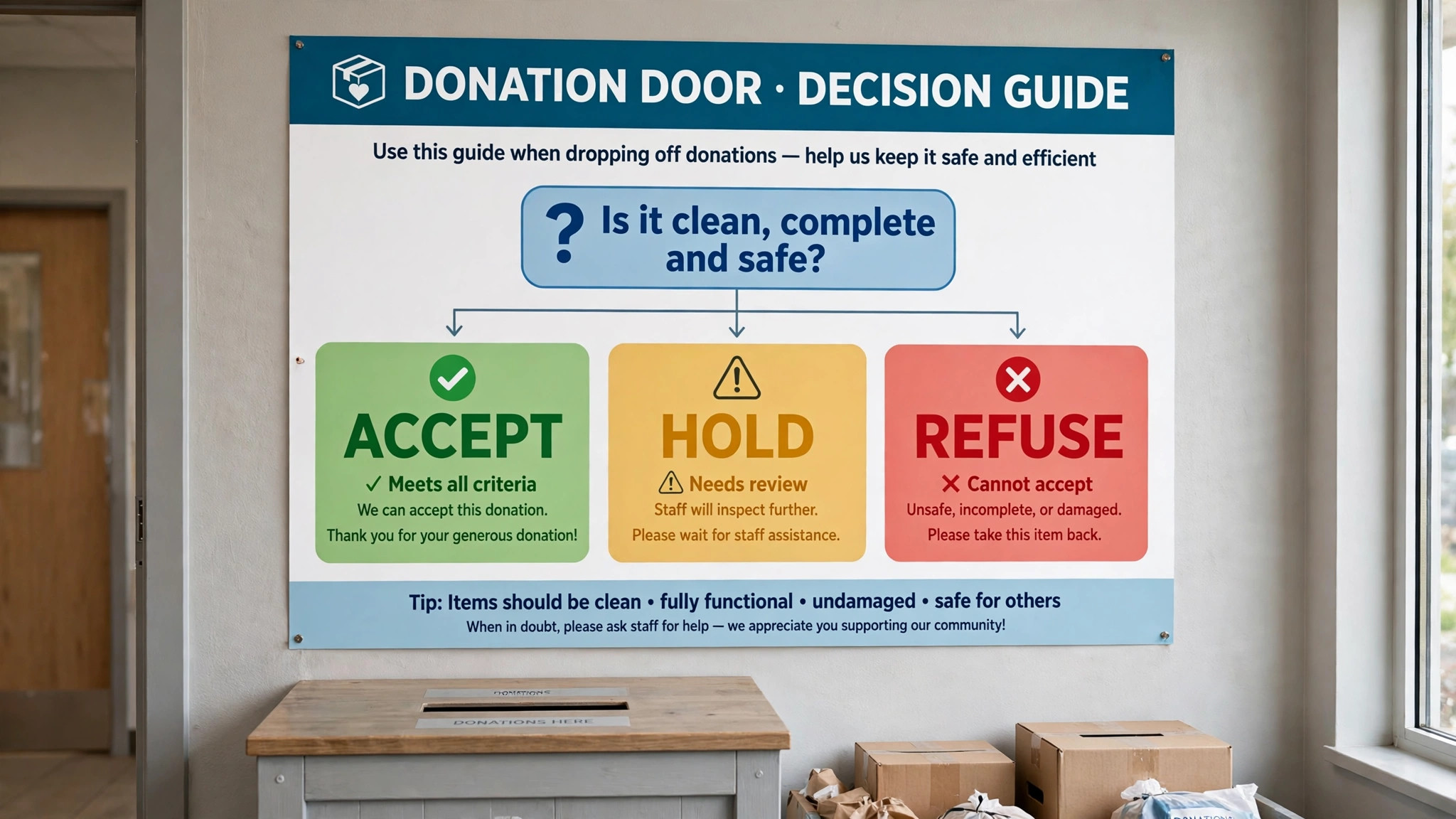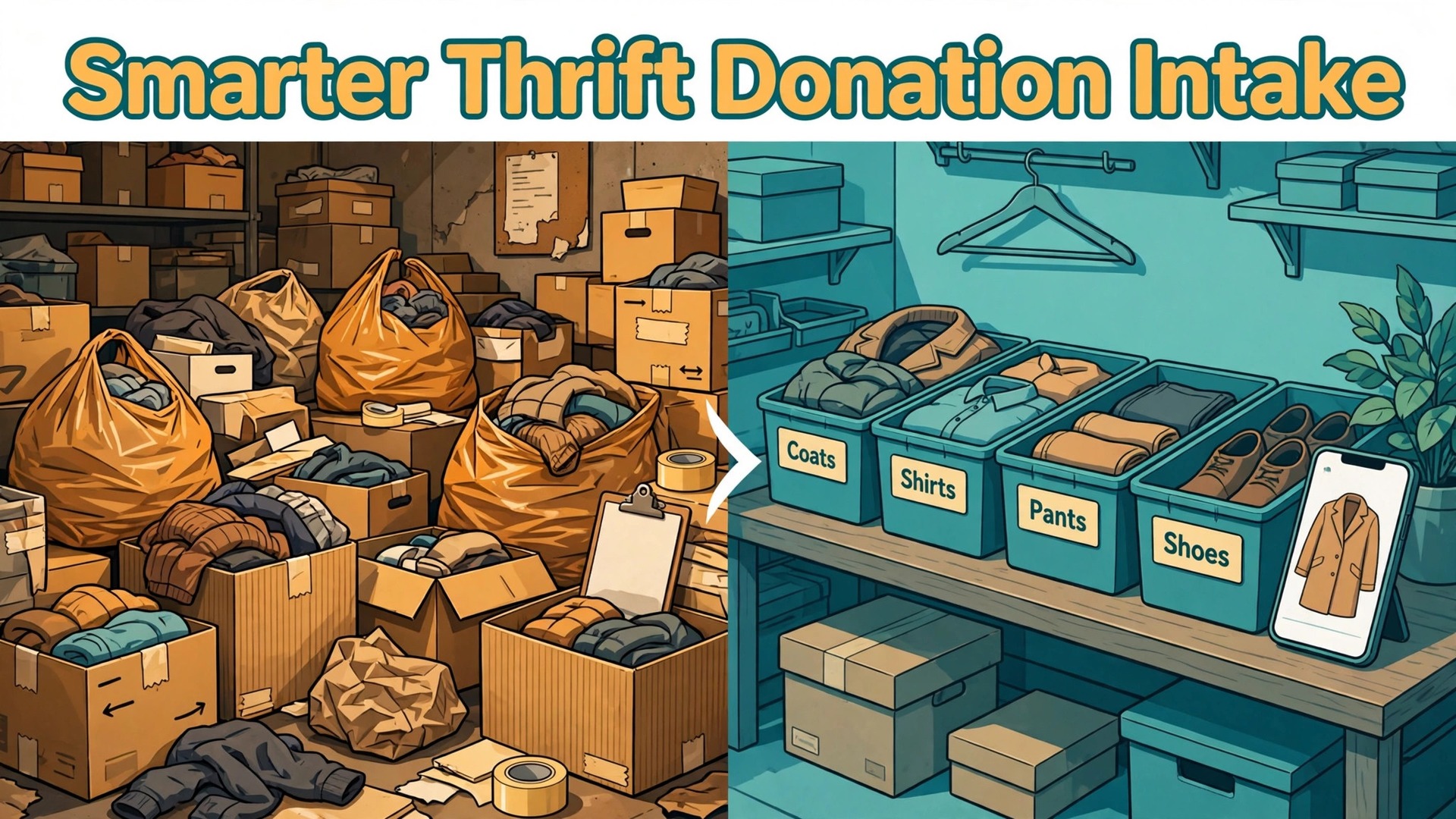
Saturday morning at the donation door tells the whole story. Cars queue down the block, volunteers carry bags into a back room that is already full, and a manager has to decide in seconds whether a stained sofa, a box of tangled cables, or a bag of winter coats is worth floor space. By noon the room is a maze, the good items are buried under the unsellable ones, and nobody can say how many donations arrived, how many were accepted, or how many donors left without a receipt. That gap is exactly why a store would use AI for thrift store donation intake.
When you use AI for thrift store donation intake, you are not buying a robot to run the door. You are giving that overwhelmed team a faster way to sort, record, and thank, so the store keeps what sells and politely turns away what does not.
The problem is volume plus judgement. Donations arrive in mixed bags and carloads, not in neat shipments with barcodes and invoices. Each item needs a condition call, a category, a price range, and a destination, and those calls have to happen while the donor is standing there expecting a receipt and a thank you. Most small thrift stores handle this with memory, clipboards, and goodwill. That works until a busy weekend, a volunteer shortage, or a large estate donation breaks the system. Then intake slows, the back room fills, disposal costs rise, and donors who had a bad experience do not come back with their next load.
When you use AI for thrift store donation intake, artificial intelligence fits intake in a narrow and practical way. A phone camera plus a trained model can suggest a category for a photographed item, flag obvious damage, and draft a first price range from comparable items.
A simple form can capture donor details once and reuse them for receipts and thank-you notes. A set of sorting rules can route high value items to a specialist, everyday items to the floor queue, and unsellable items to recycling or disposal, without a volunteer having to reinvent the decision every time. People still make the final call on anything valuable, fragile, or unclear. The machine speeds up the routine so people have time for the judgement calls.
What Donation Intake Really Costs When It Is Slow
Slow intake is not just an inconvenience in the back room. It shows up in disposal bills, because unsellable items that were accepted in a rush have to be hauled away. It shows up in lost sales, because sellable items sit in unsorted piles for days instead of reaching the floor. It shows up in donor goodwill, because a donor who waits forty minutes for a receipt, or who watches a volunteer shrug at a broken television, is less likely to return. And it shows up in volunteer burnout, because sorting a mountain of mixed donations with no system is tiring, dusty work that feels endless.
If you plan to use AI for thrift store donation intake, measure the cost before you change anything. For two weeks, count donations received each day, items accepted, items rejected at the door, items sent to disposal, and hours spent sorting. Note the time from a donor arriving to a receipt being issued. Note how many days pass between intake and an item reaching the floor. Those numbers give you a baseline, and they tell you where AI will help most. If disposal is the biggest cost, photo triage before acceptance matters most. If floor delay is the problem, sorting and queueing matter most. If receipts are the bottleneck, donor capture and automated receipts matter most.
Space is part of the cost too. A back room has a fixed number of bins, racks, and carts. When intake outpaces sorting, the room fills and the team starts stacking items in corridors, which creates a safety problem as well as a workflow problem. A good intake system controls flow at the door, not after the room is full. That means knowing your daily sorting capacity and being honest about it. If the team can sort two hundred items a day, accepting five hundred items a day for a week is not generosity. It is a backlog that will still be there next Monday, only dustier.
The Intake Workflow From Car Door to Sales Floor
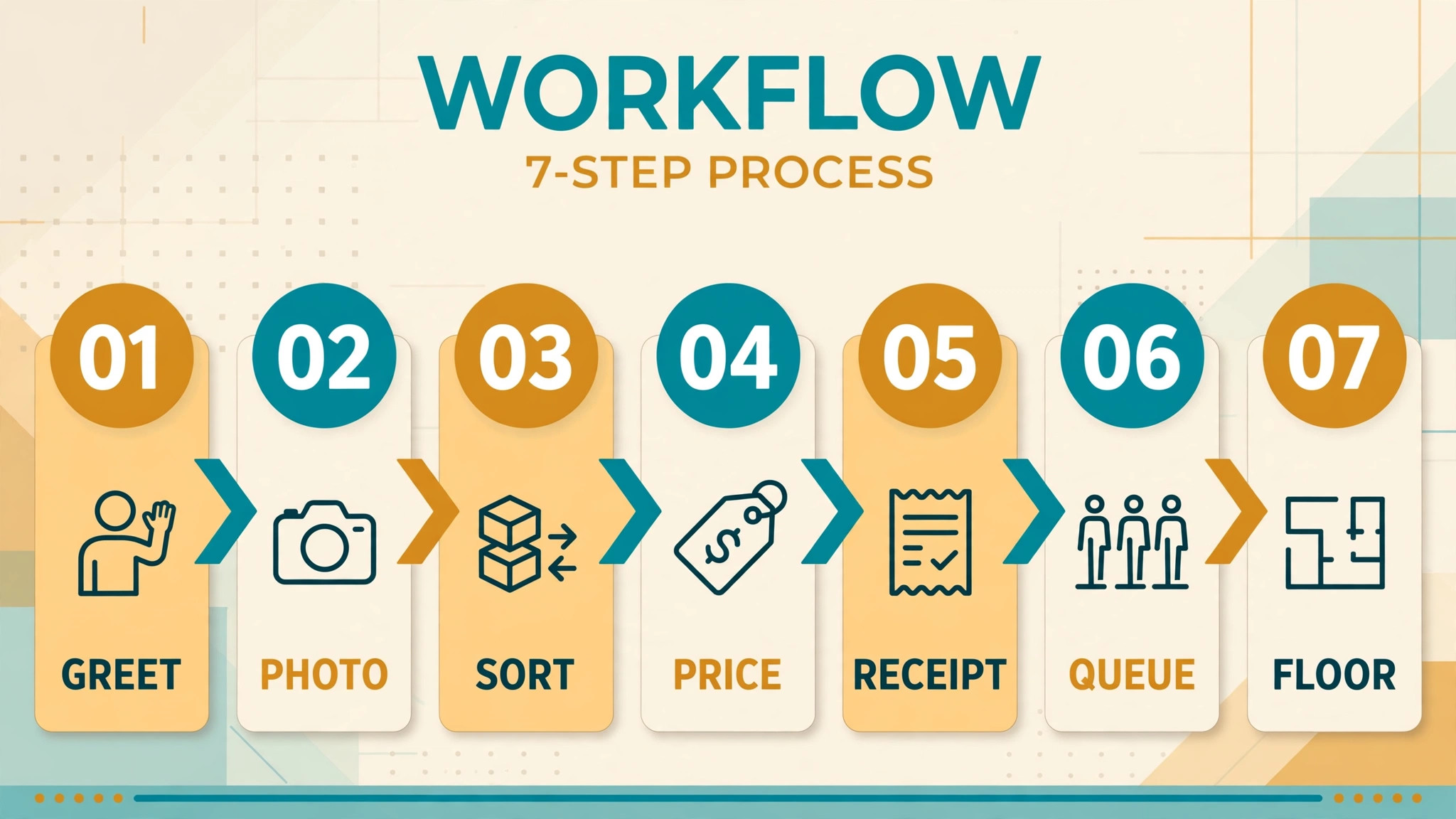
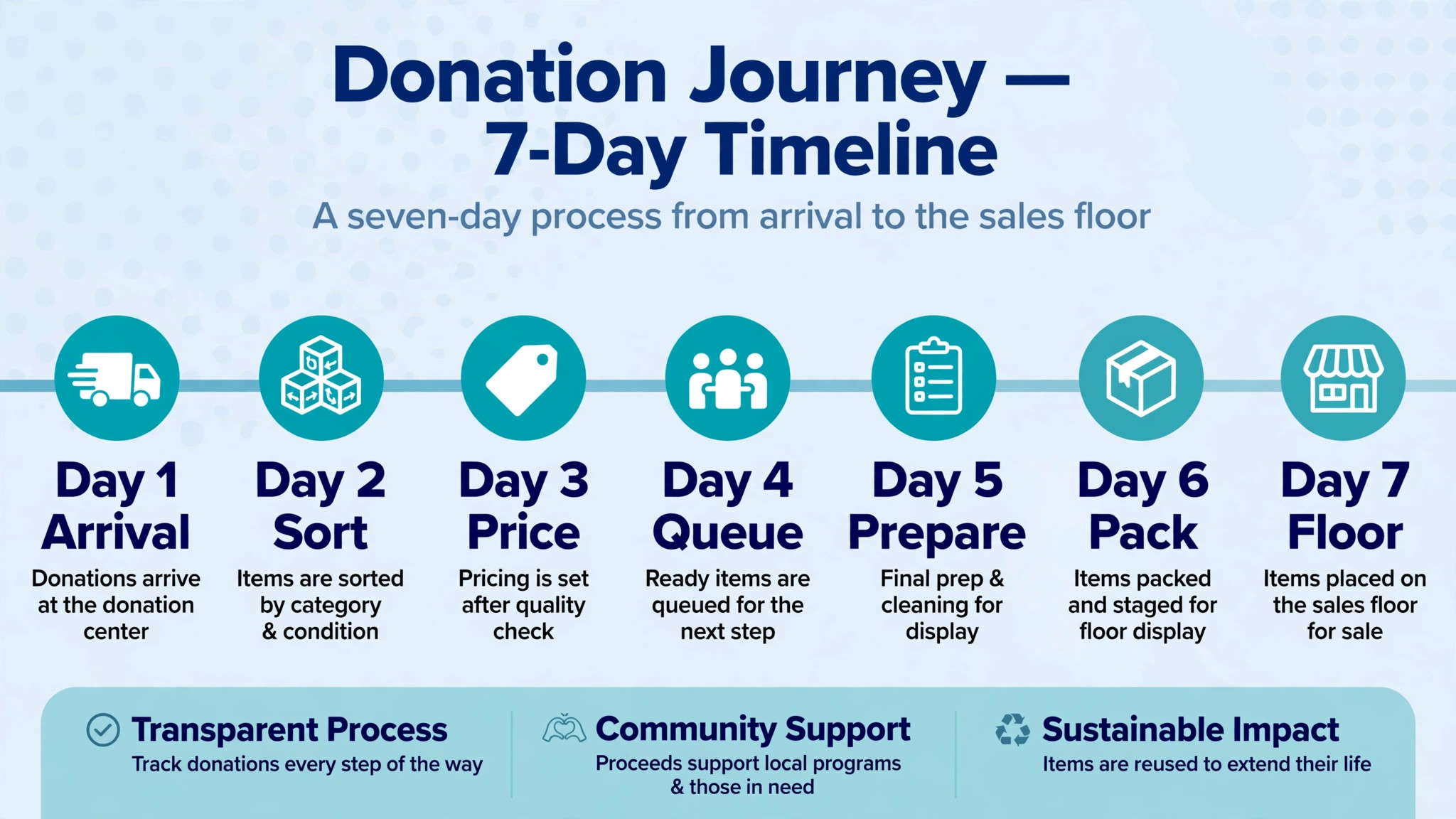
A workable intake workflow has seven stages, and when you use AI for thrift store donation intake, AI touches most of them without owning any of them outright. The stages are greeting and capture, photo triage, condition and category, pricing guidance, receipt and thanks, queueing, and floor readiness. Keep the order, because each stage feeds the next. Skipping photo triage to save time at the door usually costs more time later, when a sorter has to open every bag again to find out what is inside.
Step 1, greet the donor and capture the record once
Start with the donor, not the bags. Ask for a name, an email address or phone number for the receipt, and whether the donor wants a receipt at all. Some donors do not, and forcing a long form on them wastes everyone’s time. Capture the record on a tablet or phone, not on paper that must be retyped later. If the donor has given before, pull up the existing record so you are not asking for the same details again. A returning donor who is greeted by name and processed in two minutes is a donor who will return.
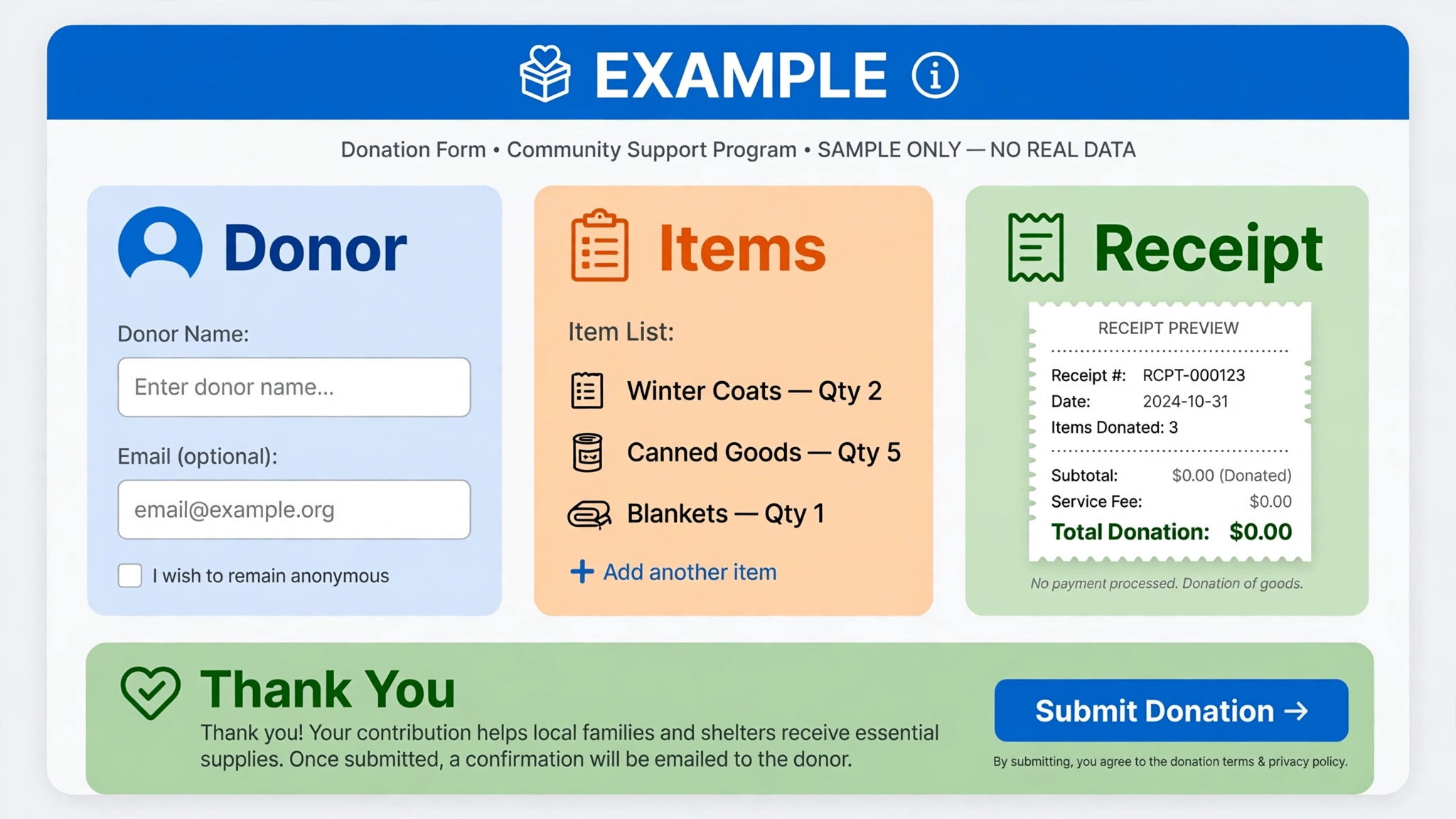
AI helps here by reading a handwritten form or a photo of a donation list, and by drafting the thank-you message that goes out later. It should never invent donor details or guess an email address. If a field is unclear, ask the donor while they are present. A receipt sent to the wrong address is worse than a receipt sent a day late, because the donor may never tell you it went missing.
Step 2, photograph before you sort
Photograph items in groups at the door, or photograph large and unusual items individually. A photo does three jobs at once. It gives the AI model something to classify, it gives the sorter a preview of what is in each bag without opening it again, and it gives the store a record if a donor later asks what happened to a particular item. For furniture and electronics, photograph the label, the overall condition, and any visible damage. For clothing, photograph the bag contents spread out, not a sealed bag.
Photo triage is where many stores see the fastest gain. A donor who sends photos in advance, through a booking form for a pickup or a large drop-off, can get a yes, a maybe, or a polite no before loading the car. That single change reduces the hardest moment in thrift work, which is refusing an unsellable item face to face. Pre-screening does not mean rejecting generously meant donations without care. It means giving the donor honest guidance early, and suggesting an alternative such as a recycling centre or a specialist charity for items the store cannot sell.
Step 3, sort by category and condition with written rules
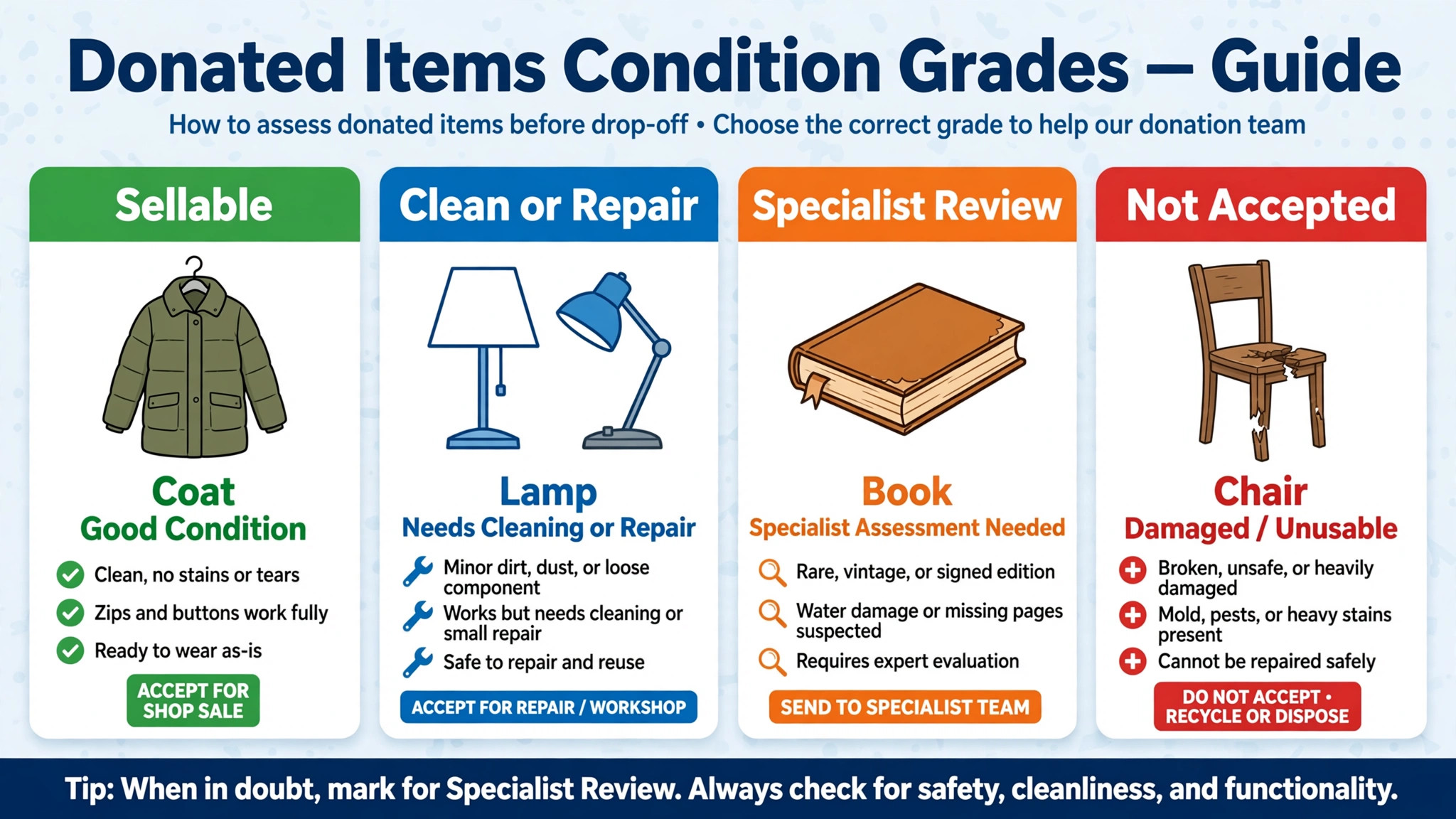
Sorting rules must be written down, visible, and the same for every volunteer. Category comes first, and condition comes second. Common categories include clothing, shoes, books and media, home goods, kitchenware, furniture, electronics, toys, and seasonal items. Within each category, condition grades can be simple. Sellable as found, sellable after cleaning or minor repair, specialist review, and not accepted. Four grades are enough. A ten point scale will not be used consistently by a rotating volunteer team.
AI suggests a category and a condition grade from the photo, and the volunteer confirms or corrects it. Those corrections matter, because they are the training data that makes the model better for your store. If the model keeps calling a damaged lamp sellable, and volunteers keep correcting it, the rule behind that correction should be written into the sorting guide. Over time the guide and the model improve together. Neither should be trusted blindly on day one, and both should be reviewed monthly against what actually sold.
Step 4, price with a range, not a guess
Pricing is where AI guidance helps and where human judgement must stay in charge. A model can suggest a price range by looking at comparable items in your own sales history and at typical thrift pricing for that category, but it cannot see a scratch on the underside of a table or know that a particular brand sells well in your town. Set a rule that AI prices are starting points, and that anything above a threshold you set, for example a high value item or a branded piece, goes to a named person for a final price. Record the threshold in writing so volunteers do not have to guess when to escalate.
Keep pricing consistent across the floor. A customer who sees the same type of mug at three different prices in three aisles will assume the store is careless, and may haggle over every tag. Price bands by category help here. A shirt in good condition falls in one band, a shirt with a designer label and specialist approval falls in another. AI can apply the band, but a person should approve any item that breaks the band. That approval step is also where you catch items that should be sold online rather than on the floor, which is a revenue decision worth making deliberately.
Step 5, issue the receipt and say thank you properly
Donor receipts have a legal and a relationship job, and AI must respect both. In the United States, a nonprofit generally does not assign a dollar value to a noncash donation on the receipt. The donor estimates the value for their own tax records, and the store describes the items received. Rules vary by country and by donation size, so check your current local guidance and your own finance policy before changing receipt wording, and do not let an automated template invent a value. The receipt should list the date, the store name, a general description of items, and a statement that no goods or services were provided in return, where that is accurate.
The thank-you message is separate from the receipt and just as important. A short thank you on the day, plus a later note about what donor goods made possible, turns a one-time drop-off into a repeat donor. AI can draft both messages and personalise them with the donor’s name and the category donated, but a staff member should review messages that go to large donors or to donors who gave something unusual. A generic thank you that mentions the wrong item, because a model misread a photo, is worse than a short, accurate thank you with no detail at all.
Step 6, queue items so the floor never starves and never floods
Queueing is the step most stores skip, and it is the step that keeps the floor stocked evenly. Each sorted item gets a destination queue, which is floor now, floor when space opens, online listing, specialist sale, or hold for a seasonal event. A rack of winter coats in July is not floor stock, it is storage, and AI can flag seasonal mismatches from the category and the date. A queue with a date attached lets a manager see at a glance what is waiting, how long it has waited, and what is blocking it. Without dates, the back room fills with items nobody remembers approving.
Balance the queues by category. If the floor already has plenty of glassware but no children’s books, the next intake batch should prioritise books, even if glassware arrived first. AI can show that imbalance as a simple dashboard, comparing intake categories with floor stock and recent sales. The manager still decides, but the decision is based on numbers rather than on whichever pile is nearest the door. Set a weekly rule to clear the oldest queue items first, and to review anything waiting more than two weeks. A long wait usually means the item was mispriced, miscategorised, or should have been routed elsewhere.
Step 7, check floor readiness before an item leaves the back room
Floor readiness is a short checklist, not a second sorting round. Is the item clean. Is it tagged with a price and a category. Is it complete, with all parts present. Is it safe, with no sharp edges, recalled parts, or electrical faults. Electrical items deserve a specific check, because a donated appliance that has not been tested can be a safety risk as well as a returns problem. Your policy for testing electronics should be written down, and any item that cannot be tested should be labelled honestly or not sold. AI cannot test a kettle or a lamp. It can remind the team that the test is due and record that it was done.
Recalls and restricted items need a hard rule, not a judgement call at the bench. Items such as recalled children’s products, damaged safety equipment, and certain medical devices should be refused or disposed of according to your local rules, and volunteers should have a list they can check quickly. If a volunteer is unsure, the item goes to a hold bin for a manager, not to the floor. That hold bin should be emptied daily, because an unemptied hold bin becomes a second unsorted pile. The goal of the whole workflow is to keep items moving in one direction, from door to floor or to a proper exit, with no item sitting in limbo.
Sorting Rules That Volunteers Can Actually Follow
When you use AI for thrift store donation intake, written sorting rules protect volunteers from awkward decisions and protect donors from inconsistent treatment. Start with an accepted list and a not accepted list, published on the website and posted at the door. The accepted list should name categories and condition standards in plain language, such as clean clothing with no stains or tears, working electronics with all parts, and furniture that is structurally sound. The not accepted list should name the items that cost the store money or create risk, such as broken televisions, stained mattresses, and items with missing safety parts. Update both lists when disposal costs or local rules change, and date each version.
Seasonal rules belong in the same document. A store in a cold climate may accept winter coats all year but hold them for autumn, while a store with limited space may accept them only in season. Either policy is defensible, but only if donors know it before they load the car. AI can help enforce the rule by flagging out-of-season items at photo triage, and by drafting the polite message that explains the rule and suggests a holding option. What AI should never do is override the rule silently. If the rule says no large furniture this week because the truck is booked, the system should say so, not quietly accept a sofa the team cannot move.
Condition language matters when a donor disagrees with a rejection. Train volunteers to describe what they see, not to judge the donor. Saying that a jacket has a torn lining and a broken zip is factual and easy to accept. Saying that an item is junk is not. AI draft messages should use the same factual language, and volunteers should be free to soften a message in person. A donor who is refused kindly, with a suggestion for where the item can go, is far more likely to return with a sellable load than a donor who feels judged at the door.
| Stage | What happens | Who decides | AI role |
|---|---|---|---|
| Greeting and capture | Donor record created or reused | Staff or volunteer | Form reading and draft thanks |
| Photo triage | Items photographed, pre-screened | Staff or volunteer | Category and damage flags |
| Sorting | Category and condition grade set | Volunteer, manager for holds | Suggested grade, rule reminders |
| Pricing | Price band applied, threshold items escalated | Manager for high value items | Comparable price range |
| Receipt and thanks | Receipt issued, thank you sent | Staff | Draft wording, delivery |
| Queueing | Destination queue and date assigned | Manager | Imbalance alerts, seasonal flags |
| Floor readiness | Clean, tagged, complete, safe | Volunteer, manager for electricals | Test reminders, checklist record |
What to Use AI for Thrift Store Donation Intake Without Deciding Alone
There are decisions that belong to people, and building them into the workflow protects the store.
High value items need a human price and a human decision about floor versus online sale. Items with personal data, such as phones, laptops, and cameras with memory cards, need a human data check and a clear policy. Some stores wipe devices, some refuse them, and some route them to a specialist, but no store should let an automated system price and floor a phone that still holds someone’s photos. Donor privacy matters too. Donor names, addresses, and donation histories should be visible only to staff who need them, and AI tools used for intake should not be trained on donor personal data without a clear policy.
Safety decisions also stay human. A model that has never seen a particular recalled toy cannot be trusted to catch it, and a model that misreads a crack in a chair leg as a shadow cannot be trusted to clear furniture. Keep the recall list, the electrical test, and the final safety check as human steps, with AI as a reminder and a record keeper. The same caution applies to receipts. An automated receipt that invents a value, or that describes items the donor did not give, creates a tax and trust problem that no efficiency gain justifies. Review receipt templates with your finance lead before automation goes live, and test them with real donations before a busy weekend.
The Intake Checklist
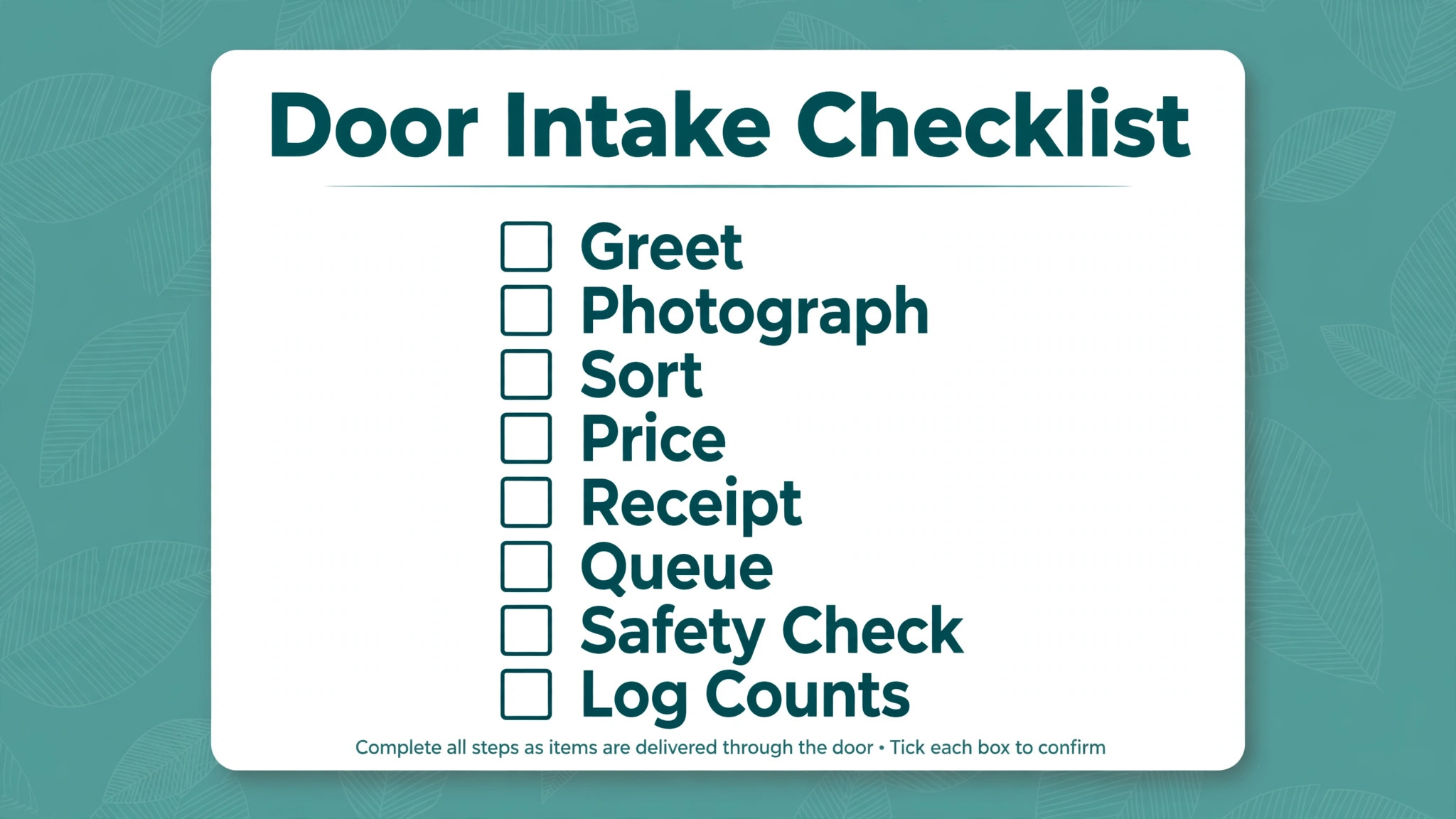
Use this checklist at the door for every donation, and review it weekly with the intake team. It is the overview-proof heart of this guide, because it turns general advice into a routine a new volunteer can follow on day one.
– Greet the donor, confirm whether a receipt is wanted, and capture or reuse the donor record. – Photograph large, unusual, and high value items, and photograph bag contents spread out. – Apply the accepted and not accepted lists before items leave the door area. – Assign a category and a condition grade, and send unclear or high value items to a named reviewer. – Apply a price band, escalate anything above the threshold, and flag items better sold online. – Issue a receipt that describes items without inventing a value, and send a thank you the same day. – Assign a destination queue with a date, and move seasonal items to a dated hold, not to the floor. – Run the floor readiness check, including cleaning, tagging, completeness, and safety. – Clear the hold bin daily, review queues weekly, and log corrections to AI suggestions. – Record intake counts, disposal counts, and receipt times, and review them against the baseline.
Mistakes That Undo a Good Intake System
The first mistake when you use AI for thrift store donation intake is automating a messy process instead of fixing it. If sorting rules are unwritten, AI suggestions will be inconsistent, because there is no standard for the model or the volunteer to follow. Write the rules first, train the team on them, and only then add AI suggestions. The second mistake is photographing everything and reviewing nothing. Photos that nobody checks create a false sense of control, while the back room still fills. Assign a person to review photo triage daily, and measure how many pre-screened donations were actually accepted.
The third mistake is letting AI pricing drift. If volunteers accept every suggested price without question, prices will drift toward whatever the model has seen most often, which may not match your town or your customers. Audit a sample of AI prices each week against actual sales, and adjust the bands when items sit unsold. The fourth mistake is forgetting the donor experience. A fast intake that feels cold, rushed, or judgemental will lose donors, even if the back room is tidy. Keep the greeting human, keep the thank you personal, and keep a manager visible at the door during busy periods, so donors have someone to talk to when a decision is difficult.
Measuring Whether Intake Is Improving
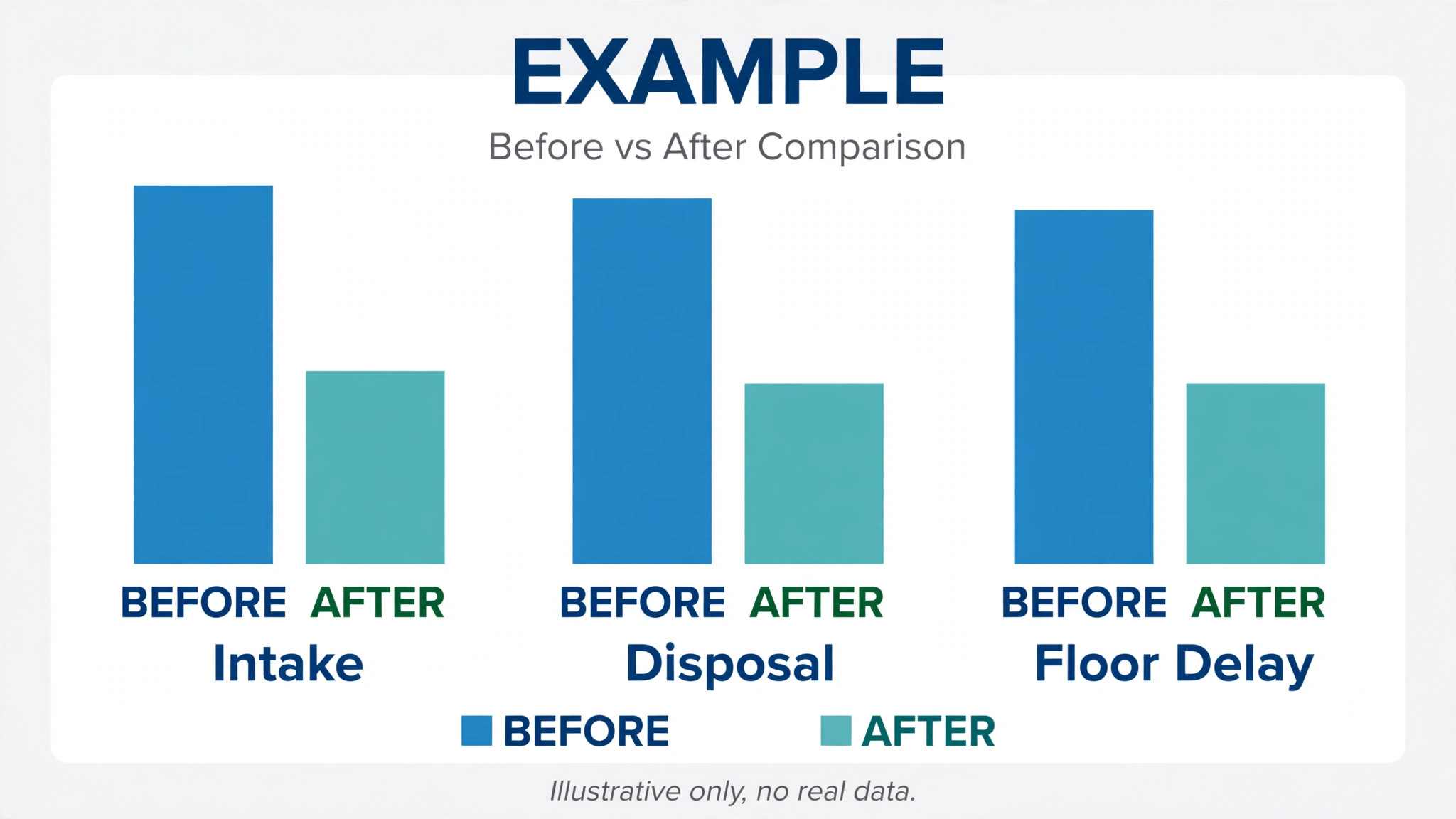
After one month of work to use AI for thrift store donation intake, compare the new numbers with the baseline using the same definitions. Donations received, acceptance rate, disposal rate, average time from arrival to receipt, average days from intake to floor, and volunteer hours spent sorting. A good system should cut receipt time and floor delay first, and disposal rate second, as pre-screening improves. If disposal has not fallen, check whether photo triage is actually being used, or whether donors are still arriving unannounced with unsellable loads. If floor delay has not fallen, check whether queueing or floor readiness is the bottleneck, rather than adding more AI features.
After three months, add donor and sales measures. Repeat donor rate, donor complaints about intake, sales per floor item by category, and the share of high value items sold online versus on the floor. If repeat donations rise but sales per item fall, pricing bands may need tightening. If sales rise but donor complaints rise too, the intake experience may have become too transactional, and the greeting and thank-you steps need attention. Report the numbers to the team in plain language, with one action for the next month, not a dashboard that nobody opens.
For related reading, see local SEO strategy for a small service business, how to set up a waitlist for a small service business, how to set up a client feedback loop for a small business, how to plan a service business holiday schedule and how to write a cancellation policy for a small business. Those posts cover nearby planning, queueing, and feedback problems, and the same lesson applies when you use AI for thrift store donation intake. Automate the routine, keep a human for the judgement call, and measure both speed and donor trust.
Frequently Asked Questions
How does AI triage a thrift donation?
AI triage usually starts with a photo, plus any notes the donor provides. A model suggests a category, flags visible damage, and drafts a price range, and a volunteer confirms or corrects the suggestion. The correction is important, because it teaches the system what your store actually accepts and sells. AI triage does not replace the condition check, the safety check, or the final price decision for high value items, and it should not be used to refuse a donation without a human review.
Can a thrift store put a dollar value on a donor receipt?
As a general practice in the United States, the store describes the items received and does not assign a dollar value, leaving the donor to estimate value for their own tax records. Rules vary by country and by donation size, and larger noncash donations may carry extra reporting requirements, so check your current local guidance and your finance policy before changing receipt wording. Do not let an automated template invent a value, and review receipt language with your finance lead when you first automate receipts.
What donations should a small thrift store refuse?
Refuse items that are broken beyond repair, unsafe, recalled, incomplete in a way that makes them unsellable, or soiled in a way cleaning cannot fix. Publish the list, post it at the door, and train volunteers to describe the condition factually when they refuse an item. A polite refusal with a suggestion for recycling or a specialist charity keeps the donor relationship intact, while accepting unsellable items quietly costs disposal fees and back room space.
Should donors send photos before they arrive?
For large items, furniture, and electronics, yes, because a photo lets staff give honest guidance before the donor loads a car. For a bag of everyday clothing, a photo is less useful, and a quick door check is faster. Use pre-screening where it prevents the hardest refusals, and keep walk-in intake simple for routine loads. The goal is fewer wasted trips, not a booking system that discourages small donations.
How do you keep AI pricing from drifting?
Set price bands by category, set a threshold above which a manager approves the price, and audit a sample of AI suggested prices each week against what actually sold. If items in a band sit unsold, lower the band. If they sell on day one, the band may be too low. Record corrections, because a model that keeps suggesting the same wrong price needs a rule change, not just another correction.
What if volunteers do not trust the AI suggestions?
Start with suggestions only, not automatic decisions, and let volunteers override freely while logging the override reason. Review overrides weekly and fix the rules behind repeated overrides, so the team sees the system learning from their judgement. Trust grows when volunteers see their corrections change future suggestions, and it falls when a system keeps making the same mistake after being corrected.
A Practical Verdict
A thrift store that wants to use AI for thrift store donation intake does not need a futuristic intake system. It needs a door routine that is fast, fair, and honest, and AI is useful when it makes that routine easier to run on a busy Saturday. Photograph early, sort by written rules, price in bands, receipt accurately, queue with dates, and check floor readiness before anything reaches a customer.
Stores that do that work, and that keep people in charge of value, safety, and donor relationships, will find the back room calmer, the floor better stocked, and donors more willing to return. That is the standard to judge any intake tool by, and it is the standard this workflow is built to meet.