
The verdict is clear. A small business that learns how to create a client offboarding checklist small business owners can actually reuse will keep more referrals, fewer disputes, and cleaner records than a business that simply lets a project fade out. Offboarding is not paperwork for its own sake. It is the last service you deliver, and clients remember it when they decide whether to return, recommend you, or warn others away.
Most endings are messy for ordinary reasons, and that is why learning how to create a client offboarding checklist small business teams can repeat matters more than writing a longer contract. Nobody owns the close, so delivery, billing, and access each wait for someone else. Files sit in three tools, the final invoice arrives late, and a login stays active for months because nobody wrote down that it needed to be removed. None of that requires a large team to fix. It requires a short, written sequence that is followed every time, with one owner and one record of what was done.
This guide builds that sequence from practice described in published offboarding guides and forum threads, where the same failure points appear again and again. Money, files, and access fail first. Feedback and referrals fail second, because they are asked for too late or not at all. The template near the end turns the whole process into a copy-ready checklist you can run in under a week for most small engagements.
Why a Weak Ending Costs More Than a Weak Start
A weak start can be recovered with a good first delivery. A weak ending is harder to repair, because the client has already formed a final impression and has little reason to give you a second chance to fix it. When the last invoice is confusing, when a file cannot be opened, or when a client discovers that a former supplier still has access to a system, trust drops fast. That trust is the asset a small business sells next.
The cost is rarely a single complaint. It shows up as a referral that never arrives, a testimonial that stays unwritten, and a return engagement that goes to a competitor who seemed more organised. It also shows up internally. Staff waste hours hunting for the final version of a deliverable, answering the same post-project question three times, or rebuilding work that was handed over badly. A checklist removes that waste by making the ending a defined job, not a favour squeezed between new projects.
Small businesses feel this more than large ones, because one lost client is a larger share of revenue and one bad ending travels further in a small market. The fix is proportionate. You do not need enterprise software or a legal department. You need a named owner, a clear end date, a single final package, a dated access plan, and a short feedback step, all recorded in one place.
The Six Questions Every Offboarding Must Answer
Published guides converge on a useful test for anyone learning how to create a client offboarding checklist small business clients will trust. Before you call an engagement closed, you should be able to answer six questions without hunting through messages. What is finished. What is still owed. What transfers to the client. Who keeps access, and until when. What remains available after the end date. Who confirms closure. If any answer is vague, the offboarding is not finished, even if the work itself is done.
Those questions also make a good structure for your internal file. Put them at the top of the client record, with a short answer for each, and link to the evidence behind it. The final invoice covers what is owed. The final package covers what transfers. The access log covers who keeps access. The closing message covers what remains available. When a question comes up six months later, that record answers it in minutes.
Use the six questions in the closing call as well. Clients appreciate a supplier who states plainly what is done, what is open, and what happens next, instead of leaving them to guess. It also protects you, because a client who has confirmed the answers in writing is far less likely to dispute scope or payment later. Keep the language plain and factual. This is a record, not a sales message.

Set the End Date and Name One Owner
Every offboarding needs an agreed final working date and one person who owns the checklist from that date to closure. The owner does not have to do every task. Delivery staff, finance, and anyone who manages systems may all contribute. But one person tracks the list, chases open items, and signs it off. Without that owner, each team assumes another team closed its part.
Start, when you learn how to create a client offboarding checklist small business owners can run without a large team, by pulling the agreement, the scope, and the task list into one view. List the deliverables included in the final period, the items already approved, the items still awaiting client review, and any transition or training promised in the agreement. Compare that list with your task board, your email thread, and your files, because the three rarely agree perfectly. The differences are your open items, and they should be resolved before you touch access or billing.
Then confirm the end date with the client in writing, along with the date when access will change and the date when the final package will be delivered. Give the client enough time to download and check the package before access changes. A surprise cutoff is one of the fastest ways to turn a good engagement into a complaint. A dated plan, shared early, turns the same cutoff into a normal step.
Reconcile Scope and Money Before Anything Else
Reconcile scope before you close files or remove access, because scope disputes are much harder to settle after the client has lost access to the evidence. Sort the work into three groups. Complete and approved. Complete and awaiting review. Not included or deferred. For each item, note its location and its status in plain words, so the client can check it without asking you what a status label means.
Billing follows the same discipline in any plan for how to create a client offboarding checklist small business owners can defend in a dispute. List every invoice issued, every payment received, every unbilled item, and every expense that the agreement allows you to pass on. Check for recurring charges that should stop, deposits that should be applied, and credits that were promised but never issued. Send the final invoice with a short summary of what it covers, not just a total. Clients pay faster when they can see what they are paying for, and they dispute less when the summary matches the scope list they just approved.
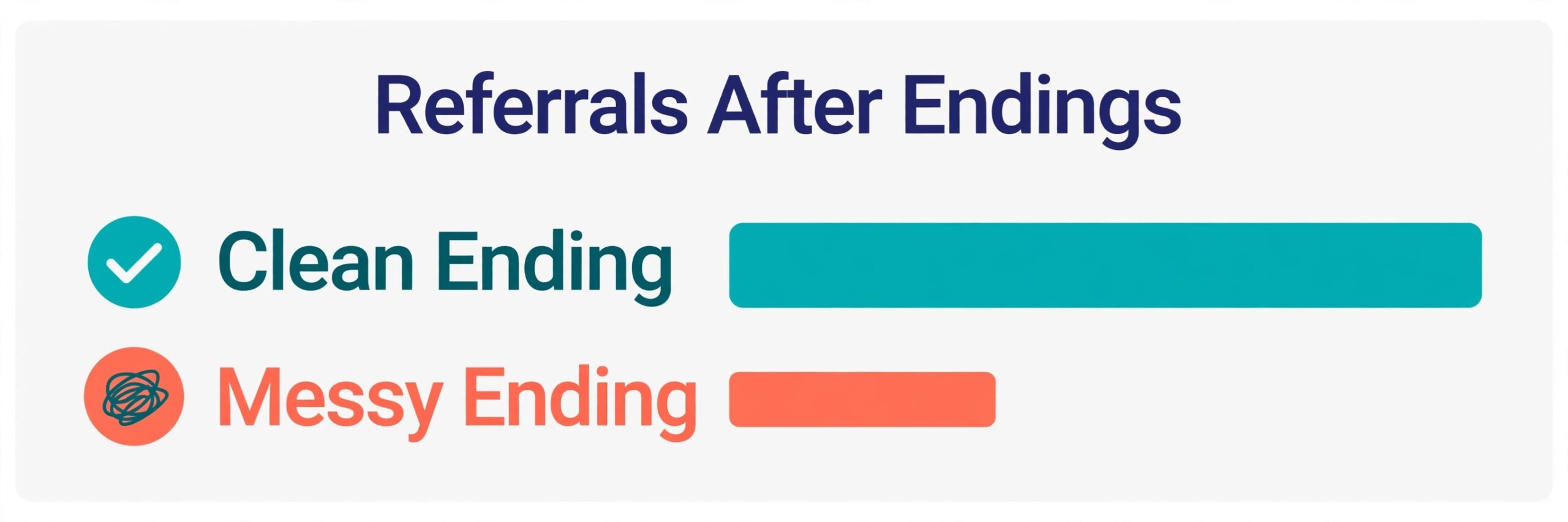
Do not use the final invoice as a surprise. If an amount will differ from what the client expects, explain it before the invoice arrives, with reference to the agreement or the approved change. If a payment is overdue, agree a payment date during offboarding rather than letting it drift into a debt chase after the relationship has cooled. A clean money close is the foundation for a referral, because nobody recommends a supplier they are still arguing with about money.
Build One Final Package, Not a Pile of Links
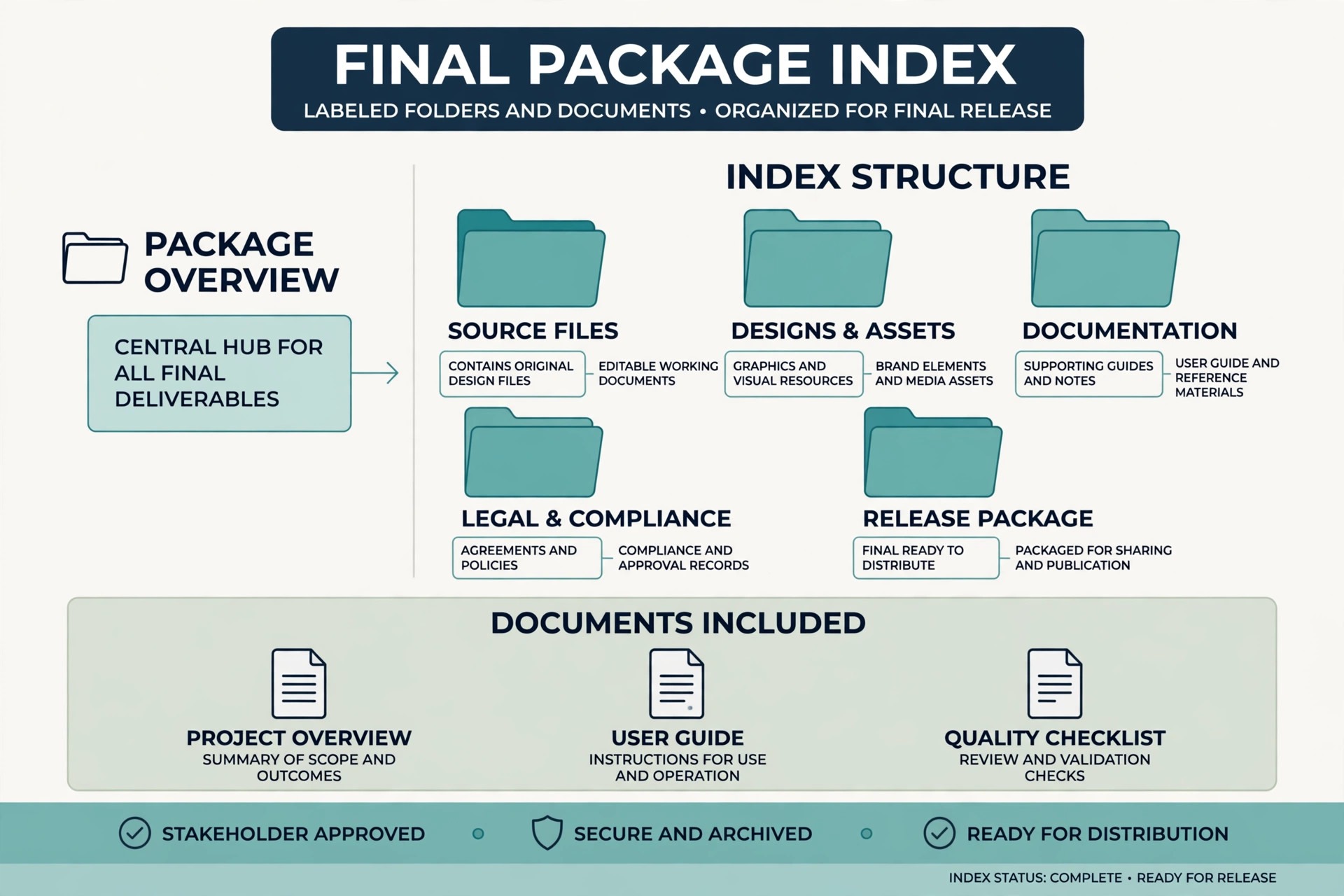
The final package should be one recognisable delivery, not a trail of old links, chat attachments, and half finished drafts. Create a single folder with a clear name, a short index of what it contains, and final versions only. Label each file so the client can tell it is final, and remove draft versions from the package, even if they live elsewhere in your system. If a file has several versions, the package should contain the approved one and say so.
Check every link and every file while you still have the right access. Open each document, confirm that images and fonts render, and confirm that the client can open it without special software or a login they will lose. Avoid scattering files with names like final version three across folders. One package, one index, and one delivery message make the handover easy to find later, which is exactly what a client needs when a new supplier asks for the old work.
Include process notes where they help the client use the work. A short note on how a file was built, where source files live, and what the client needs to maintain it is worth more than another polished summary. Also record ownership clearly. State which files, templates, and accounts belong to the client, which belong to you, and which are licensed from a third party and cannot be transferred. That clarity, drawn from published offboarding practice, prevents the most common post-project argument about who owns what.
Transfer Access With a Dated Plan
Access cleanup is where small businesses most often leave risk behind, so a guide to how to create a client offboarding checklist small business owners can audit must treat access as a dated job, not a hope. Make a list of every system used during the engagement, then decide the action for each one. Remove your user account where you were a guest. Transfer ownership where the client should own the system. Remove shared links you created. Stop recurring calendar events, task automations, and scheduled posts that should not run after the end date. Return or securely delete client files according to the agreement, and confirm who owns templates and working documents.
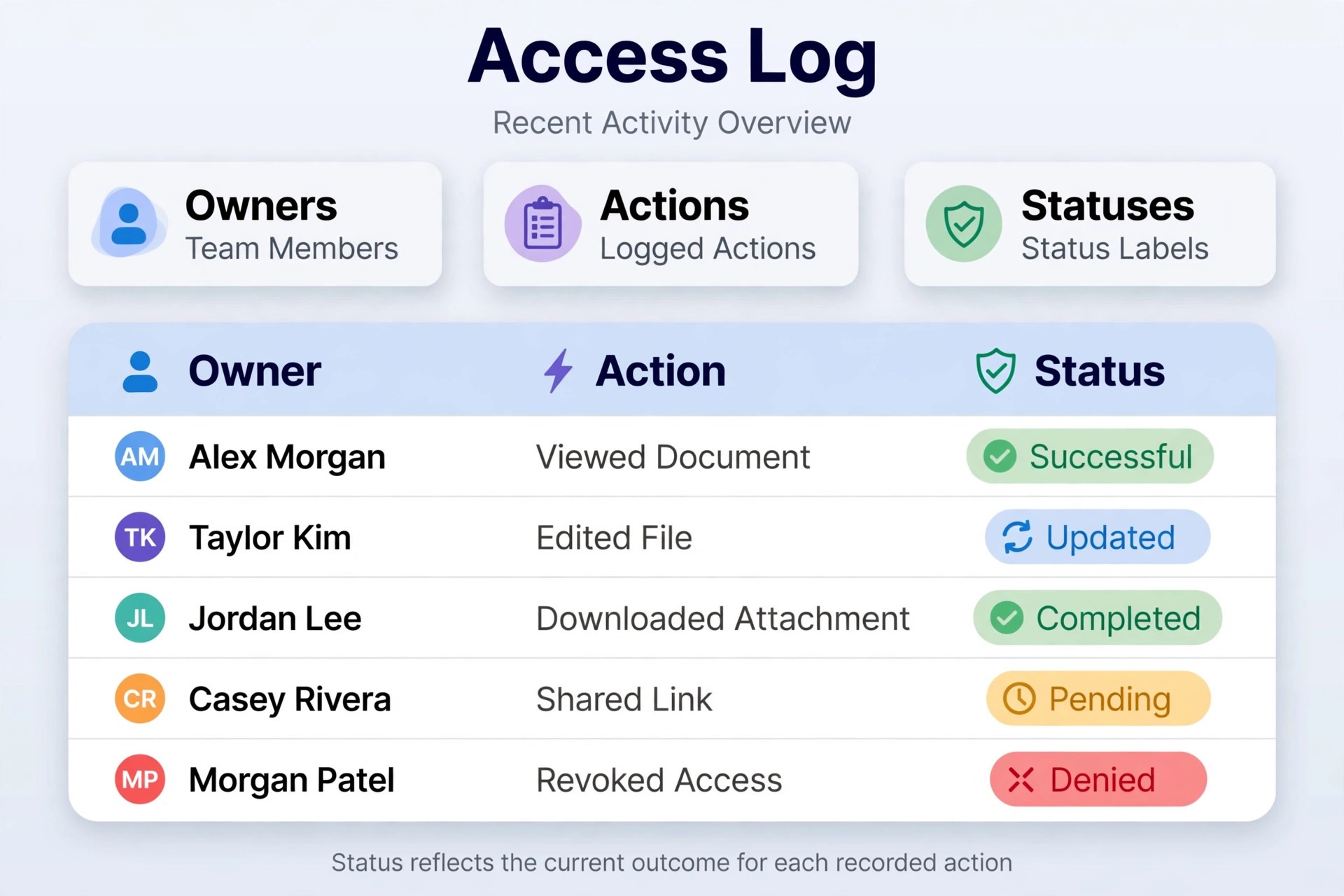
Never send passwords or private keys through ordinary messages. Use each system own ownership transfer mechanism, and record the current owner, the receiving owner, the action taken, and the confirmation for each system. That record matters if a transfer fails or if a later user claims access was never handed over. For systems you own, such as a reporting dashboard or a project board, tell the client the date access will end, and give them a download window first.
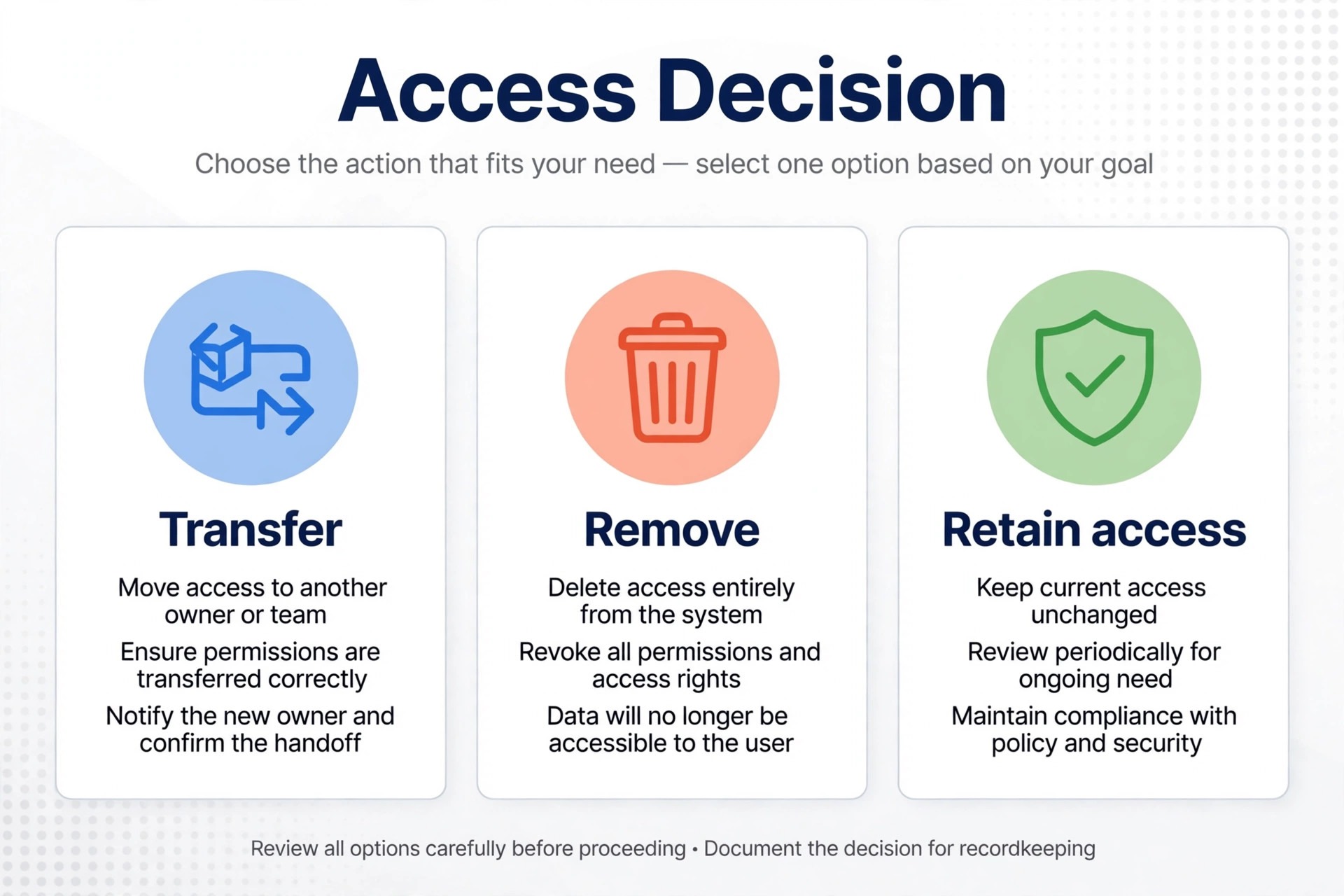
Timing matters as much as the action itself. Cutting access on the last working day, before the client has checked the final package, creates panic and extra work. Leaving access open indefinitely creates security risk and confusion about who is responsible for the system. The timing guide later in this guide sets a practical default, with a short retrieval window, a dated cutoff, and a named contact for problems after cutoff. Agree those dates in writing, and keep them in the client record.
Close Subscriptions, Automations, and Loose Ends
Subscriptions and automations are easy to forget because they run quietly. List every recurring charge, tool, and automation tied to the engagement, and decide for each whether it stops, transfers, or continues under a new arrangement. That includes ad accounts, email tools, scheduling tools, hosting, domains, and any reporting tool that pulls client data. Check the billing owner for each one, because a tool paid from your card but used for a client will keep charging you after the work ends unless you cancel or transfer it.
Automations deserve the same care. A scheduled email, a social post, a report, or a task reminder that fires after the engagement ends looks careless at best and misleading at worst. Walk through scheduled items in each tool and cancel or reassign them, then confirm with the client that nothing else should run. Also review your own calendar and task system. Remove recurring reminders that would cause you to keep doing work after the end date, and reassign any open tasks to the right person or close them with a note.
Archive the engagement for yourself once the client side is closed. Record the actual dates, scope changes, final status, reusable process notes, and any warning signs or good fit signals for future work. Do not retain confidential material beyond what you are allowed to keep, and remove unnecessary personal data according to your agreement and your retention policy. A clean archive turns offboarding into learning, because the next similar engagement starts from a record, not from memory.
Ask for Feedback While the Work Is Still Fresh
Feedback should be asked for during offboarding, not months later when details have faded, and that timing rule belongs in any method for how to create a client offboarding checklist small business owners will actually finish. Send a short survey or a short set of questions soon after the final package is delivered, while the client can still judge the work accurately. Keep it brief, because a long survey from a supplier whose engagement just ended rarely gets finished. Three to five questions, with room for one open comment, will tell you more than a long form that nobody completes.
Ask about the result, the communication, and the handover itself. Did the work meet the agreed scope. Was communication clear and timely. Was the final package easy to use. What would the client change next time. Those questions give you usable answers and they also show the client that you care about the ending, not just the invoice. Record the answers in the client file, and act on patterns. If several clients mention the same handover problem, fix the template, not just the apology.
Handle negative feedback calmly and quickly. Thank the client, acknowledge the specific point, state what you will change, and follow up when you have changed it. A client who feels heard at offboarding is more likely to return than a client whose complaint was ignored. Do not argue about feedback in the closing message. The goal is a record you can learn from and a relationship that can survive an honest criticism.
Invite Referrals and Future Work Without Pressure
Referrals are earned by a clean ending, and they should be invited simply, once, and without pressure. After the final package is confirmed and the money is settled, a short message can thank the client, restate what was delivered, and ask whether they know anyone with a similar need. Make it easy to say yes by offering a short description they can forward, rather than asking them to write a recommendation from scratch. One clear ask beats three vague ones.
Testimonials work the same way. Ask for a short, specific testimonial tied to a result or to the way the work was delivered, and offer to draft a version the client can edit. Most clients are willing to approve a draft, but few will write one unprompted. Always get permission before publishing a name, a company, or a result, and keep that permission in the client record. A testimonial without permission is a liability, not an asset.
Also leave the door open on purpose. State what you can help with next, what support remains available, and how the client should contact you if a question arises. Some clients return after a pause, and a clear, friendly closing message makes that return easy. Do not promise free ongoing support you cannot deliver. State the boundary plainly, such as a short question window after delivery, and then honour it. That honesty is what turns a closed engagement into a future one.
The Client Offboarding Checklist Template
Copy the template below for every engagement, and keep one completed copy per client. Tick each item only when the evidence exists, not when you intend to do it. That discipline is what makes the checklist useful.
- Confirm the final working date with the client in writing.
- Name one owner for the whole offboarding checklist.
- List deliverables as complete and approved, complete and awaiting review, or not included.
- Check every final file opens and is labelled as the final version.
- Build one final package with an index of contents.
- Deliver the final package and get client confirmation of receipt.
- Reconcile all invoices, payments, unbilled work, and expenses.
- Send the final invoice with a summary of what it covers.
- List every system used and decide the action for each one.
- Transfer ownership through each system own transfer mechanism.
- Remove your user accounts and shared links on the agreed date.
- Stop scheduled posts, reports, automations, and recurring calendar events.
- Cancel or transfer subscriptions tied to the engagement.
- Return or securely delete client files as the agreement requires.
- Record who owns files, templates, and accounts after handover.
- Send a short feedback survey soon after delivery.
- Record feedback and any action taken in the client file.
- Ask once for a referral and for a testimonial, with permission to publish.
- Send a closing message stating what remains available and how to contact you.
- Archive the engagement with dates, scope changes, and lessons learned.
Run the template in order, but adapt the timing to the engagement, because a method for how to create a client offboarding checklist small business teams keep using must fit short projects and long retainers alike. A short project may complete it in a few days. A retainer with many systems may need two weeks. The order matters more than the speed. Scope and money first, final package second, access third, feedback and referrals last. That order prevents the common error of cutting access before the client has checked what they received.

Handover Timing Guide
Timing is the part of offboarding that most often causes friction, because each side assumes a different cutoff. The table below sets a practical default for a typical small business engagement. Adjust the days to your agreement, but keep the sequence and put the agreed dates in writing.
| Stage | Typical timing | What happens |
|---|---|---|
| Final package delivered | At least five working days before cutoff | Client receives one indexed package and checks it |
| Feedback requested | Within three working days of delivery | Short survey sent while the work is fresh |
| Access warning sent | At least three working days before cutoff | Client reminded of the cutoff date and download window |
| Access changed | On the agreed cutoff date | Accounts removed or transferred, links disabled |
| Question window closes | Seven to fourteen days after cutoff | Short questions answered, then support ends or is rebooked |
| Archive completed | Within five working days of closure | Record finished, lessons noted, file closed |
The retrieval window is the key compromise. It gives the client a fair chance to download everything, while giving you a firm date after which you are no longer responsible for a system you do not own. If a client needs longer, agree an extension in writing before the cutoff, not after access has already changed. Extensions agreed early are easy. Restoring access after a cutoff is slow and often impossible without the client help.
For engagements that end early or badly, shorten the communication but keep the same sequence. Even a difficult ending needs a final package, a money reconciliation, and a dated access plan. Skipping those steps to avoid an awkward conversation usually creates a longer dispute later. Keep messages factual, short, and focused on the record, and let the checklist carry the conversation when feelings run high.

Mistakes That Undo a Good Offboarding
The first mistake is deleting client data because the engagement ended. Follow the contract, the client instructions, and any retention obligations instead. Deletion feels tidy, but it destroys evidence and goodwill if the client later needs a file. The second mistake is keeping access out of politeness. An open login is not a favour. It is a risk for both sides, and it blurs responsibility for what happens in the system next.
The third mistake is sending the final package as a set of unlabelled links with no index. Clients cannot use what they cannot find, and they will ask you to resend it, which defeats the purpose of a handover. The fourth mistake is asking for feedback and referrals in the same breath as a disputed invoice. Settle money first, confirm the package second, and only then ask for a referral. The fifth mistake is letting the checklist live in one person head. If the owner is away, the checklist should still be findable, readable, and completable by someone else.
A related mistake is overpromising ongoing support in the closing message. A vague promise of help any time creates an open ended obligation that will be remembered differently by each side. State a clear question window, state what it covers, and state what happens after it. Clients respect a clear boundary more than a vague promise that is not kept. That clarity is part of professional service, not a lack of generosity.
How to Create a Client Offboarding Checklist Small Business Teams Will Keep Using
A checklist that nobody uses is worse than no checklist, because it creates a false sense of closure. Keep yours short enough to complete, specific enough to check, and stored where the team actually works. One page, or one task list in your project tool, beats a long document that sits unread in a shared drive. Review it after every third offboarding and remove steps that never apply, while adding steps that keep being missed.
Assign the checklist at the start of an engagement, not at the end. When the team knows from day one that a final package, a scope reconciliation, and an access log will be required, they keep better records throughout the work. Files are named more clearly, scope changes are logged, and system access is recorded as it is granted. Offboarding then becomes a summary of good habits, not a rescue operation at the end.
Measure whether the checklist is working. Track how many offboardings finish with a confirmed final package, a settled invoice, and a dated access change, and how many produce feedback or a referral. If a step is consistently skipped, ask why. It may be unclear, it may belong to someone else, or it may not matter for your type of work. A checklist that improves with use will be kept. A checklist that never changes will be ignored, and the messy endings will return.
Closing Verdict
A clean offboarding is a competitive advantage for a small business, because so few suppliers do it well. It costs little, it takes a few days, and it leaves the client with a final package they can use, money they understand, access they trust, and a reason to recommend you. That is a strong return for a process that is mostly about writing things down in the right order.
For related reading, see client feedback loop, invoicing software, CRM software, payment processor and proposal software. Those posts cover adjacent client, billing, and delivery problems, and the same lesson applies when you learn how to create a client offboarding checklist small business clients will thank you for. Close the scope, close the money, hand over one clean package, change access on a date everyone knows, and then ask for feedback and referrals. Do that every time, and your endings will start working as hard as your beginnings.
Frequently Asked Questions
How long should client offboarding take for a small business
Most small engagements close in five to ten working days from the final delivery to the access cutoff, with a short question window after that. Larger retainers with many systems may need two weeks. The key is a dated plan shared early, not a fixed number of days that ignores the complexity of the engagement.
What should be in the final package
One indexed folder with final versions only, a short note on how to use the work, and a clear statement of ownership for files, templates, and accounts. Check that every file opens without a login the client will lose, and remove draft versions from the package so the client can find the approved work quickly.
How long should a client keep access after a project ends
Long enough to download and check the final package, with the date communicated in advance and tied to your agreement and retention policy. A typical pattern is a download window of at least five working days, a warning three days before cutoff, and a short question window after cutoff. The specific period is a business decision, but telling the client the date before access changes is not optional.
Should you delete client files when offboarding ends
No, not simply because the engagement ended. Follow the agreement, the client instructions, and any retention obligations that apply. Return files the client owns, archive what you are allowed to keep for your own record, and securely delete only what the agreement or the client requires you to delete, with that action recorded.
When should you ask for a referral
After the final package is confirmed and the money is settled, not before. Ask once, simply, and make it easy by offering a short description the client can forward. A referral asked for after a clean ending feels natural. The same ask made during a billing dispute feels like pressure and rarely works.
What if a client ends the engagement early or unhappy
Keep the same sequence, even if the communication is shorter. Reconcile scope and money, deliver a final package for work completed, set a dated access plan, and keep messages factual and focused on the record. A clean close in a difficult ending prevents a short disagreement from becoming a long dispute, and it leaves a record you can rely on later.