
The problem is simple and expensive. A mobile barber drives across town for a cut, the next client cancels by text while he is on the road, and the gap that follows cannot be sold to anyone else. Meanwhile a client who wanted to book at midnight could not, because booking meant calling during working hours. That lost hour, that missed booking, and that empty slot are the real cost of running a mobile barber business without a software stack for mobile barbers small business owners can rely on from the road.
A mobile barber does not need shop software copied onto a phone. He needs booking that works while he is cutting, payments that work in a driveway, a route that groups nearby clients, reminders that reduce no shows, and client notes that remember a fade, a beard shape, and a product allergy. When those pieces live in separate apps, messages, and notebooks, the business leaks time every day. When they live in one stack, with one calendar as the source of truth, the day runs tighter and the income becomes more predictable.
This guide compares eight tools that mobile barbers actually use, from marketplace booking apps to barber specific suites and payment led platforms. It explains the stack in layers, so you can see which tool is your booking core, which tool handles payments, and which tool covers route and marketing, rather than buying overlapping apps. Prices cited here are per comparison guides and should be checked on the vendor current page, because marketplace commissions and processing fees change the true cost more than the subscription alone.
The Mobile Problem Is Not a Shop Problem
A shop barber in a software stack for mobile barbers small business comparison has walk ins to fill a cancellation, a front desk to answer the phone, and a fixed location that clients travel to. A mobile barber has none of those buffers. Travel time is unpaid unless it is built into pricing and scheduling, a cancellation leaves a hole surrounded by driving time, and a client who cannot book online may simply choose a shop with instant booking. The software must therefore protect travel time, fill gaps early, and make booking effortless at any hour.
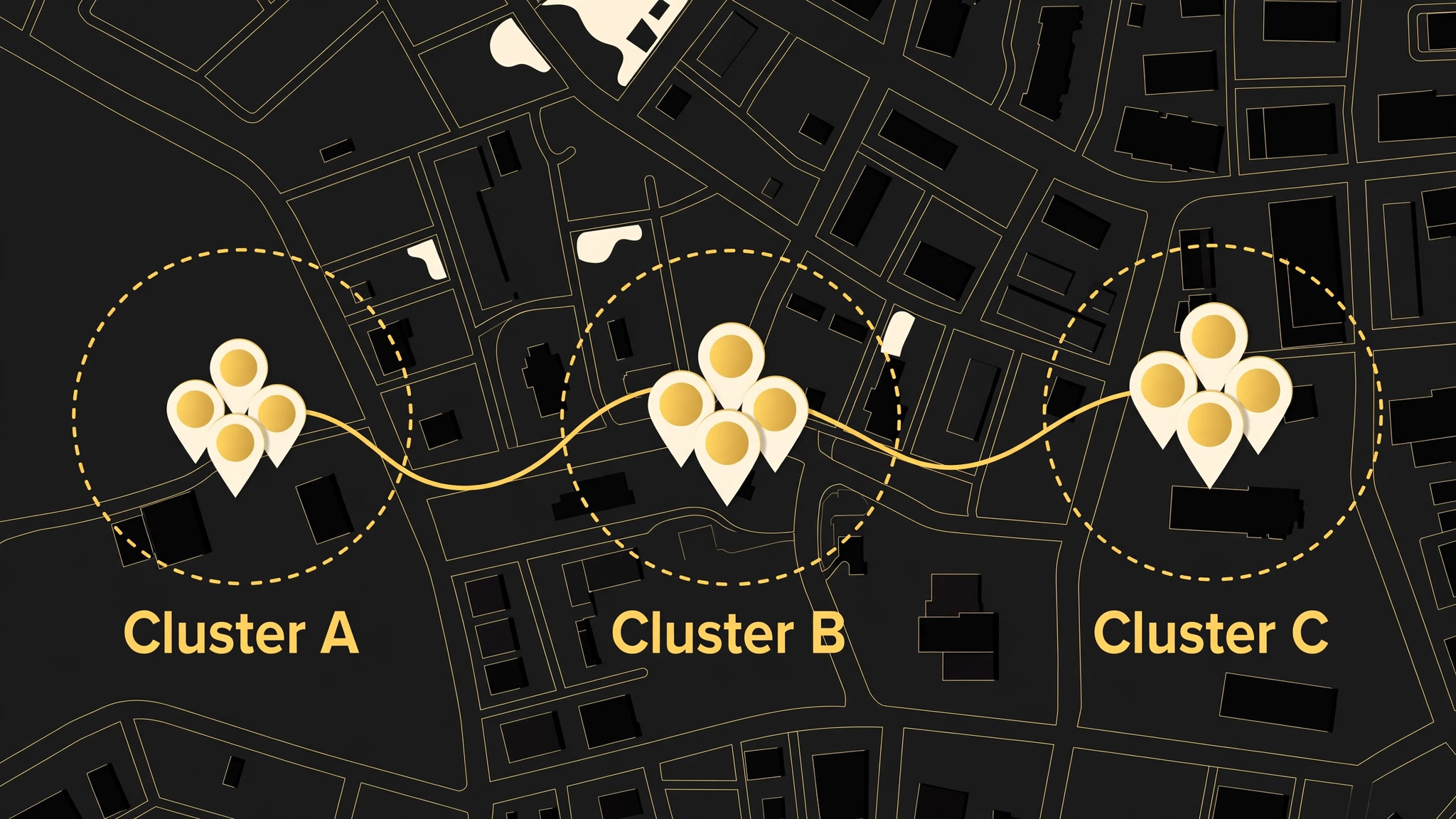
Route density is the metric that matters most. Two clients in the same neighbourhood, booked back to back with a short drive between them, earn far more per hour than two clients at opposite ends of town with an hour of driving between them. Software helps by showing travel gaps, by allowing buffer time between bookings, and by letting clients see only slots that fit a sensible route. A booking tool that ignores travel will happily book a scattered day that looks full on a calendar and pays poorly in reality.
Client memory is the second mobile problem. In a shop, a team can share notes and a client history at the chair. On the road, the barber is the whole team, and memory must travel in the phone. Cut history, product preferences, skin sensitivity, and home access notes all need to live in the client record, not in a notebook left at home. A tool with strong client profiles therefore saves more than admin time. It protects the quality of the cut on the second, third, and tenth visit.
Stack Layers, Not a Pile of Apps
Think of a software stack for mobile barbers small business plan in four layers. Booking is the core layer, and it should be one calendar that every other tool respects. Payments is the second layer, and it should settle at the chair, with tips, deposits, and cards on file where the tool supports them. Route and reminders is the third layer, and it should protect travel time and reduce no shows. Marketing and reviews is the fourth layer, and it should turn a good cut into a repeat booking and a referral without daily manual work.
One tool can cover several layers, and that is usually better for a solo barber than four separate apps. A barber suite with booking, payments, reminders, and client profiles in one place reduces double entry and missed updates. A small crew may need a stronger team layer, with staff calendars, commission or booth rent tracking, and a shared client record. A shop plus mobile operation needs a tool that can handle both a fixed chair and a mobile route without creating two separate calendars that can double book.
Avoid the trap of adding an app for every small job. Each extra app adds a login, a sync risk, and a place where a booking can be missed. Before you add a tool, ask which layer it improves, which tool it replaces, and what happens if it fails on a busy day. The stack in this guide is judged on that discipline, not on feature count alone.

The 8 Tools at a Glance
| Tool | Main strength | Mobile fit | Cost note |
|---|---|---|---|
| Booksy | Marketplace booking plus full management | Strong for client discovery | Per a comparison guide, from 29.99 per month, plus marketplace terms |
| Fresha | Low subscription booking and payments | Strong for budget starts | Per a comparison guide, from 19.95 per month, plus marketplace commission |
| Squire | Barber specific suite with commission tools | Strong for crews and premium shops | Per a comparison guide, tiers from 30 to 250 per month |
| Square Appointments | Booking plus payments in one system | Strong for payment led solo barbers | Free plan available, per vendor and guide listings |
| Vagaro | All in one booking, payments, and marketing | Strong for growing teams | Check vendor current page for tier pricing |
| GlossGenius | Booking, payments, and client management | Strong for brand led solo barbers | Per a comparison guide, from 24 per month, with low processing rate |
| Barberly | Barber specific booking and walk in tools | Strong for barber workflows | Per a comparison guide, from 25 per month |
| Acuity Scheduling | Flexible booking pages and intake forms | Strong as a booking layer only | Per a comparison guide, from 20 per month |
Marketplace commission in a software stack for mobile barbers small business plan is the cost that surprises most barbers. Per a comparison guide, Fresha charges commission on new clients found through its marketplace, and Booksy Boost charges a share of a first visit, both on top of payment processing. That does not make marketplaces bad. It means you should measure how many marketplace clients become direct repeat bookers, because a repeat client booked directly costs far less than a first marketplace booking. Convert marketplace clients to direct booking quickly, with a booking link and a reminder to book direct next time.

Best Pick by Job
| Job type | First pick | Second tool | Why this pair works |
|---|---|---|---|
| Solo barber | Square Appointments | Booksy | Payments and booking in one place, plus discovery |
| Small crew | Squire | Vagaro | Barber specific team tools plus all in one management |
| Shop plus mobile | Vagaro | Square Appointments | Team calendars plus a payment led mobile layer |
| Budget start | Fresha | Acuity Scheduling | Low subscription plus flexible booking pages |
| Brand led mobile | GlossGenius | Barberly | Strong client experience plus barber workflows |
A solo barber should optimise for the fewest apps and the fastest checkout, because every minute of admin is a minute not cutting or driving. A small crew should optimise for team calendars and pay tracking, because disputes over commission and bookings damage a crew faster than a missing feature. A shop plus mobile operation should optimise for one calendar that covers both settings, because two calendars will eventually double book the same barber.
The 8 Tools in Detail
1. Booksy
Booksy combines a consumer booking marketplace with full shop management, which gives a mobile barber discovery that a standalone booking page cannot. Clients already use the Booksy app to find barbers, book at midnight, and manage their appointments, per guides on barber software. That discovery is valuable for a new mobile barber who has no shop front to attract walk ins, and it can fill early gaps while a direct client base grows.
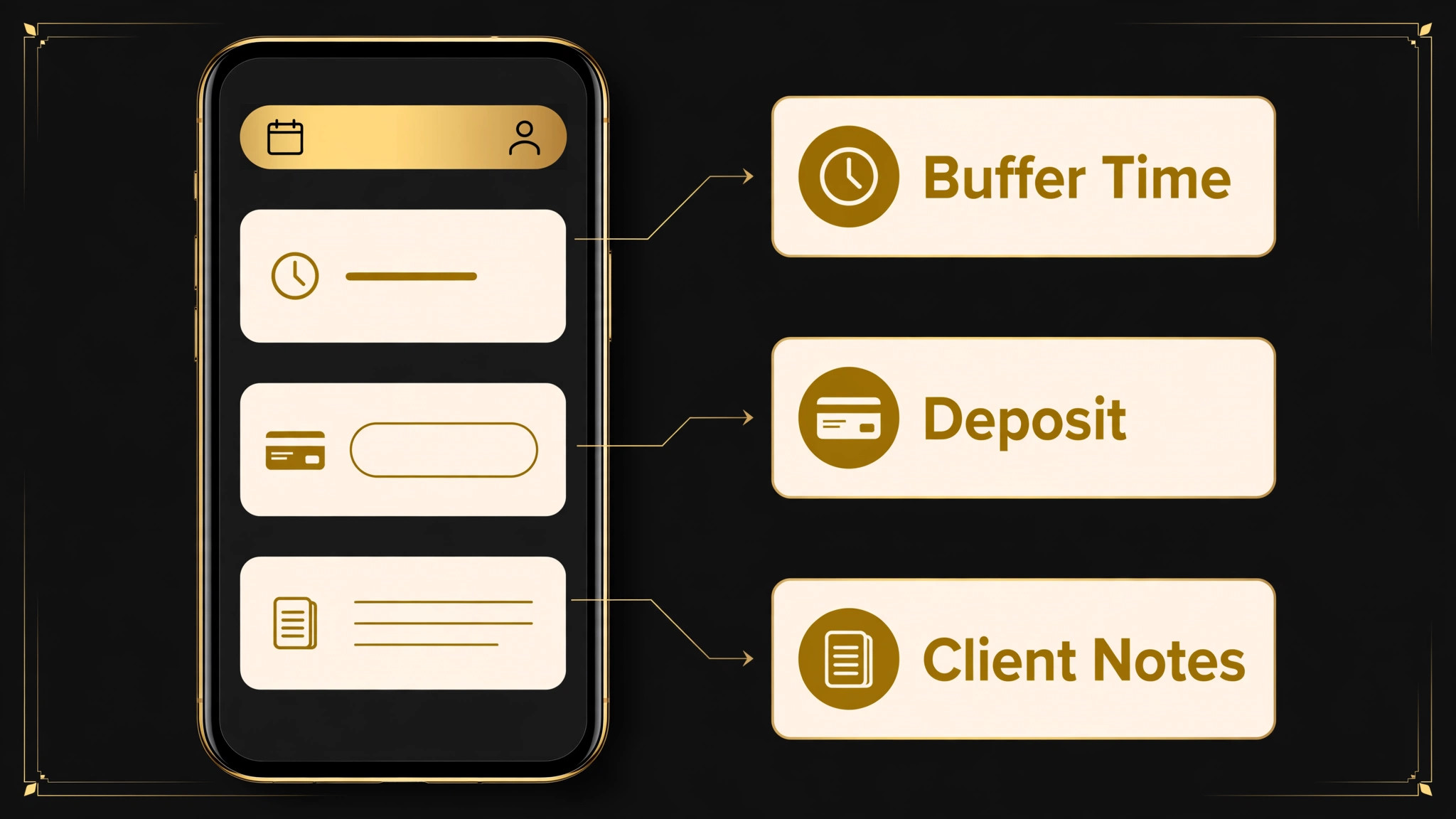
The trade off is marketplace cost and dependence. Per a comparison guide, Booksy starts at 29.99 per month, with an additional per staff cost, and Boost bookings carry a share of the first visit. Use Booksy to win new clients, then move repeat clients to direct booking with your own link, so the marketplace fee is paid once per client, not on every cut. Keep client notes and history in Booksy, and export them regularly, so your client base remains portable.

2. Fresha
Fresha is a budget friendly marketplace and management platform with booking, reminders, payments, and client records, and a low subscription entry point per comparison guides. For a mobile barber starting out, that low entry cost matters, because early months have uneven income and every fixed cost must earn its place. Fresha also gives clients a familiar booking app, which reduces the friction of booking a mobile service from a stranger.
The cost to watch is marketplace commission on new clients, per guides, with a minimum per booking, on top of payment processing. That commission is acceptable when it wins a client who then books directly, and expensive when the same client keeps booking through the marketplace. Set up a direct booking link, mention it at the chair, and add it to reminders, so repeat clients have an easy direct path after the first visit.
3. Squire
Squire is built only for barbershops, with barber first workflows such as commission tracking, booth rent management, walk in management, and split payments, per guides. For a small mobile crew, those team features matter more than generic salon features, because pay, chair sharing, and route allocation are daily decisions. Squire also supports branded apps and shop management, which suits a crew that wants a premium, consistent client experience.
Squire tiers run from 30 to 250 per month per a comparison guide, so a solo barber should check whether the team features justify the cost against a simpler tool. For a crew of three or more, the commission and scheduling clarity can pay for itself in fewer disputes and cleaner pay runs. Test Squire with a real crew week, including a cancellation, a route change, and a split payment, before committing a whole team to it.
4. Square Appointments
Square Appointments combines online booking, a free booking site, automated reminders, and payment processing in one system, with a free plan available per vendor and guide listings. For a mobile barber, that combination is powerful, because booking, checkout, and tips happen in the same app, on the same phone, at the client home. Cards on file, deposits, and cancellation fees, where supported at your tier, protect the barber against no shows that waste driving time.
Square also connects to a wider point of sale and online system, which helps a barber who later adds product sales or a shop location. The limit is barber specific depth. Square is a general service platform adapted for barbers, not a barber only suite, so commission tracking and barber specific workflows may need manual work. For a solo barber, that trade off is usually worth it for payment simplicity. For a crew, pair Square with a clear pay spreadsheet or a team tool.
5. Vagaro
Vagaro is an all in one platform for bookings, payments, inventory, client notes, and marketing, trusted by a large number of beauty and barber professionals per guides. For a growing mobile team, that breadth helps, because one system can handle booking, product sales, reminders, and campaigns without adding a separate marketing app. Automated reminders and deposits reduce no shows, which is critical when a no show also wastes a drive.
Vagaro suits a shop plus mobile operation particularly well, because team calendars, services, and client records can cover both settings in one place. Check the vendor current page for tier pricing and for which features, such as marketing and advanced reporting, are included at your tier, because add ons can change the total. Test Vagaro on a mixed week, with shop cuts and mobile cuts on the same calendar, to confirm that route buffers and travel gaps are visible.
6. GlossGenius
GlossGenius combines scheduling, payments, and client management with a strong focus on a polished client booking experience, including login free booking per guides. For a mobile barber building a personal brand, that experience matters, because clients judge a mobile service on how easy it is to book, pay, and rebook. Per a comparison guide, plans start at 24 per month, with a low in person processing rate, which helps a barber who takes most payments at the chair.
GlossGenius offers many features, so a solo barber should turn on only the layers needed, such as booking, reminders, payments, and client notes, and ignore the rest until the business grows. Over configuring a large platform in week one wastes setup time that could be spent cutting and building reviews. Start with the core stack, add marketing features once repeat bookings are steady, and review the subscription against actual bookings each quarter.
7. Barberly
Barberly is a barber focused platform with booking, walk in mode, a custom mobile app option, client records, and point of sale, per guides. Walk in mode matters for a mobile barber who also works events, pop ups, or a partner location, because it lets clients join a queue and see their turn without a front desk. The custom app option suits a barber who wants clients to book through a branded experience rather than a general marketplace.
Per a comparison guide, Barberly starts at 25 per month, which places it in the mid range for a solo barber. Judge it on whether barber specific workflows, such as walk in handling and client history, save real time each week compared with a general tool. If your work is purely mobile, one to one appointments, a simpler booking and payment tool may be cheaper. If you mix mobile, events, and a partner chair, Barberly workflow depth earns its place.
8. Acuity Scheduling
Acuity Scheduling is a flexible booking tool with branded booking pages, intake forms, and calendar sync, per guides. It is not a barber suite, and it does not include payments or client management at the same depth as the tools above. Its strength is as a booking layer, where a mobile barber needs precise control over services, durations, buffers, locations, and intake questions, such as hair type, service history, or home access notes.
Acuity suits a barber who already has a payment tool and wants booking control without a full suite. Pair it with a payment app and a simple client record system, and keep the booking page as the single source of truth for availability. The risk is fragmentation, because bookings, payments, and notes live in separate places. If you choose Acuity, write a short weekly routine for reconciling payments and notes, so no client detail is lost between apps.
Route and Booking Checklist
Use this software stack for mobile barbers small business checklist every Sunday for the week ahead, and again each morning before the first drive. It turns a scattered calendar into a route that pays.
- Group by area. Cluster bookings by neighbourhood, with the shortest drive between consecutive clients.
- Build travel buffers. Add drive time plus setup time between bookings, and never book back to back across town.
- Confirm the day before. Send a reminder with time, address, service, price, and a reply option for changes.
- Collect a deposit. Take a deposit or card on file for new clients, especially for long drives or large services.
- Record access notes. Note parking, entry, pets, and any client preference in the client record before you leave.
- Keep a standby list. Hold two nearby clients who can take a gap at short notice if a cancellation opens a slot.
- Reconcile at day end. Log payments, tips, product use, and client notes on the same day, while details are fresh.
- Review the route weekly. Note which areas paid best per hour, and steer future availability toward those areas.
A standby list is the most underused mobile barber tool. When a client cancels, a nearby client who wanted an earlier slot can often take the gap, turning a lost hour into a paid cut. Keep that list in your booking tool or a simple note, with area, service, and phone number, and message standby clients as soon as a gap opens. Speed matters here, because the first barber to offer the gap usually wins it.
Payments, Deposits, and No Show Protection
Mobile no shows in a software stack for mobile barbers small business plan cost more than shop no shows, because they also waste fuel and driving time. Deposits, cards on file, and cancellation fees, where your tool and local rules support them, are therefore not optional extras. They are the protection that makes a mobile diary viable. State the deposit and cancellation policy on the booking page, in the confirmation, and in the reminder, so no client is surprised by a charge.
Checkout at the chair should be fast and complete. Accept contactless, chip, and mobile wallet payments, add tips in one step, and send a receipt automatically. If you sell products, such as pomade, beard oil, or shampoo, add them to the same checkout, so product revenue is recorded against the client and can be reordered before the next visit. A checkout that takes two minutes and records everything beats a checkout that takes ten minutes and leaves notes for later.
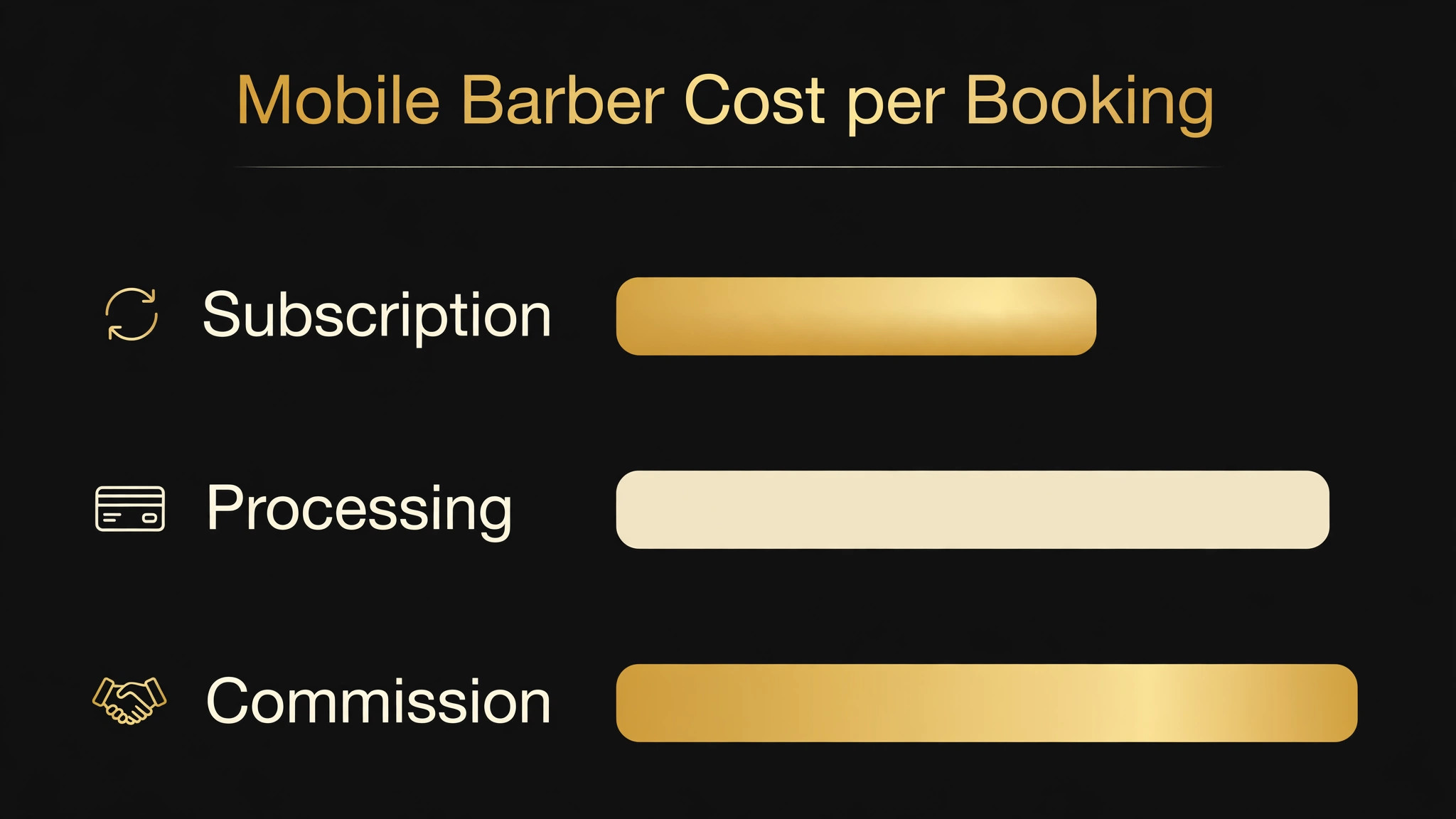
Review payment costs quarterly, because subscription, processing, and marketplace commission together determine true cost. A tool with a low subscription but a high marketplace commission can cost more than a tool with a higher subscription and no commission, once repeat bookings are counted. Calculate total cost per booking, including all three cost types, for your real mix of new and repeat clients, and choose on that number.
Marketing That Fits a Mobile Diary
Marketing in a software stack for mobile barbers small business plan should fill gaps and build repeat bookings, not chase viral attention. Reviews are the highest value marketing asset, because a mobile service is chosen on trust. Ask for a review at the chair, immediately after a good cut, with a direct link sent by text. A review that mentions the area, the service, and the punctuality helps the next local client choose you faster than a generic five star rating.
Referral offers work well when they are simple and tracked. Offer a small discount or a free product to both the referrer and the new client, with a code that ties the new booking to the referrer. Keep the offer modest and sustainable, because a large referral discount that fills the diary with low margin work is worse than a smaller offer that fills it with full price repeat clients. Track referrals in your client record, so you can thank referrers personally.
Social content for a mobile barber should show real work, real areas, and real availability, not only finished cuts. A short post showing a route day, a before and after cut with permission, or a new slot opening in a specific neighbourhood gives local clients a reason to book now. Post consistently, but keep the time spent on content under one hour per week, because cutting and driving pay the business, while content only supports it.
How to Choose a Software Stack for Mobile Barbers Small Business Teams Keep
Choose the booking core first in a software stack for mobile barbers small business plan, because every other layer depends on it. Test two finalists with a real week, including a new client booking at midnight, a cancellation, a route change, and a payment at the chair. The tool that handles those four moments cleanly, without manual fixes, should win, even if the other tool has a longer feature list. Feature lists do not answer midnight bookings or handle a cancelled drive.
Then add only the layers you actually need. A solo barber may need only booking, payments, reminders, and client notes in one tool. A small crew needs team calendars and pay tracking added. A shop plus mobile operation needs a shared calendar added. Each added layer should replace manual work or a separate app, not add a new login for its own sake. Review the stack every quarter, cancel duplicates, and keep the total subscription cost visible against bookings per month.
Check data portability before you commit. You should be able to export client names, contact details, booking history, and notes, because that client base is your business asset. A tool that locks client data behind an export fee or a complex process creates a future switching cost that will trap you in a poor tool. Ask about export before you enter 500 clients, not after.
A Two Week Switch Plan
Week one is setup and parallel running. Enter services, durations, buffers, prices, and deposit policy in the new tool, import or enter your top 50 clients, and test booking, reminders, and payments with two friendly clients. Keep the old system running, so no booking is lost during setup. Train any crew members on the new calendar, the cancellation routine, and the checkout process, using a real booking as the training example.
Week two is full cutover and review. Move all new bookings to the new tool, send clients a short message with the new booking link, and log every fix, missed reminder, or payment issue in one list. At the end of the week, review that list, fix the top three issues, and decide whether the stack stays. A switch that is judged on a real week, with real cancellations and real drives, gives a reliable decision. A switch judged on a demo alone does not.

Frequently Asked Questions
What is the best software for a solo mobile barber?
A payment led booking tool such as Square Appointments, paired with a discovery tool such as Booksy for new clients, is a strong solo stack. The solo barber needs booking, reminders, payments, and client notes in as few apps as possible, with deposits and cards on file to protect driving time. Test the stack on a real week, including a midnight booking and a cancellation, before committing.
How do I reduce no shows as a mobile barber?
Use deposits or cards on file for new clients, send a confirmation at booking and a reminder the day before with time, address, and price, and state the cancellation policy clearly on the booking page. Keep a standby list of nearby clients who can take a gap at short notice, so a cancellation becomes a filled slot rather than a lost hour plus a wasted drive.
Should I use a marketplace app or my own booking link?
Use both, with a clear purpose for each. A marketplace app wins new clients who are already searching for barbers, while your own booking link keeps repeat clients booking directly without marketplace commission. Mention the direct link at the chair and in reminders, so repeat clients move to direct booking after the first marketplace visit.
How should I price travel time for mobile cuts?
Build travel into service pricing or into a travel fee by area, and protect it with buffers in the booking calendar. Group bookings by neighbourhood to reduce unpaid driving, and review which areas pay best per hour each month. A mobile price that matches a shop price without accounting for travel will look competitive and pay poorly once fuel and driving time are counted.
Do I need separate software for shop work and mobile work?
No, if your tool can handle both settings on one calendar with buffers for travel. A shared calendar prevents double booking the same barber for a shop cut and a mobile cut at overlapping times. If your tool cannot show travel gaps clearly, use a separate mobile calendar and a daily reconciliation routine, but treat that as a temporary fix, not a long term stack.
How do I handle client notes on the road?
Keep cut history, preferences, product use, and access notes in the client record in your booking tool, and update them at the chair on the same day. That habit protects quality on repeat visits, helps a crew member cover your route, and builds a client base you can export if you switch tools. Notes in a notebook or a messaging app are lost, unsearchable, and unusable for the next booking.
Closing Call for Mobile Barbers
A mobile barber business lives or dies on the diary, the route, and the checkout. Choose one booking calendar as the source of truth, protect it with deposits and reminders, group it by area, and settle every cut at the chair with notes recorded the same day. That stack, run consistently for a month, will show up as fewer empty gaps, fewer wasted drives, and more repeat bookings, which is the real measure of software for a mobile trade.
Start with the best pick pair for your job type, test it on a real week with a cancellation and a route change, and keep only the layers that save time or win bookings. The right stack does not feel like software. It feels like a quieter phone, a tighter route, and a diary that fills itself while you are cutting, which is exactly what a mobile barber needs.
More Reading on Stratilyze
– Best Estimate Software for Fence Installers – Best Field Service Software for Septic Companies – Best Booking Software for Veterinary Clinics – Best Scheduling Software for Home Inspection Companies – Best POS System for Brewery Taprooms