
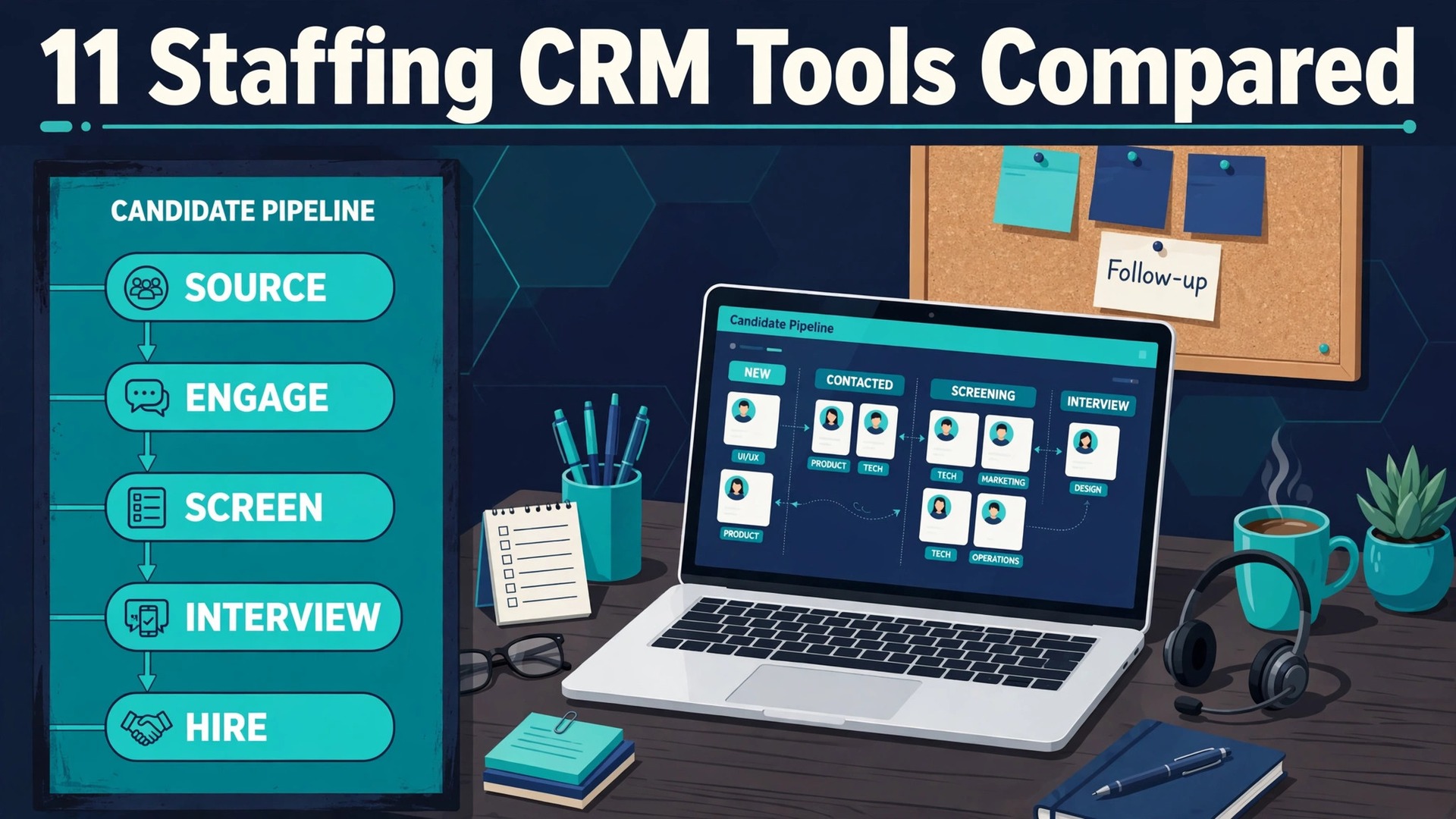
A recruiter working thirty open roles, two hundred active candidates, and a dozen hiring managers will either run on a system or run on memory, spreadsheets, and inbox search. The system recruiter submits the right candidate within the hour, sees the full history with that client, and never loses a placement to a forgotten follow-up. The memory recruiter finds the candidate, loses the thread, and watches a competitor fill the role first. For a small agency, that difference is the whole margin, which is why the best CRM for staffing agencies small business owners choose should be treated as a revenue tool, not an admin purchase.
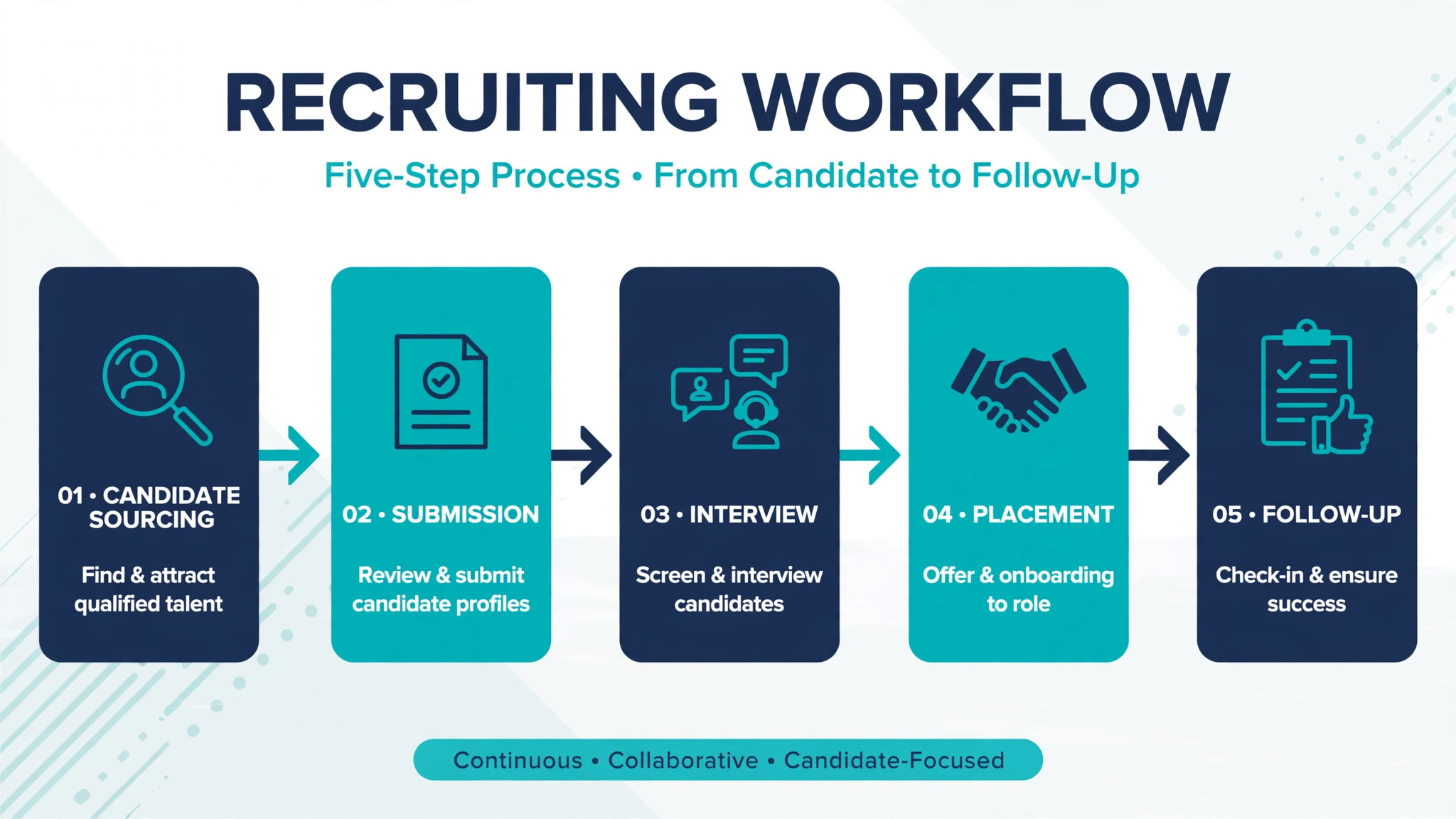
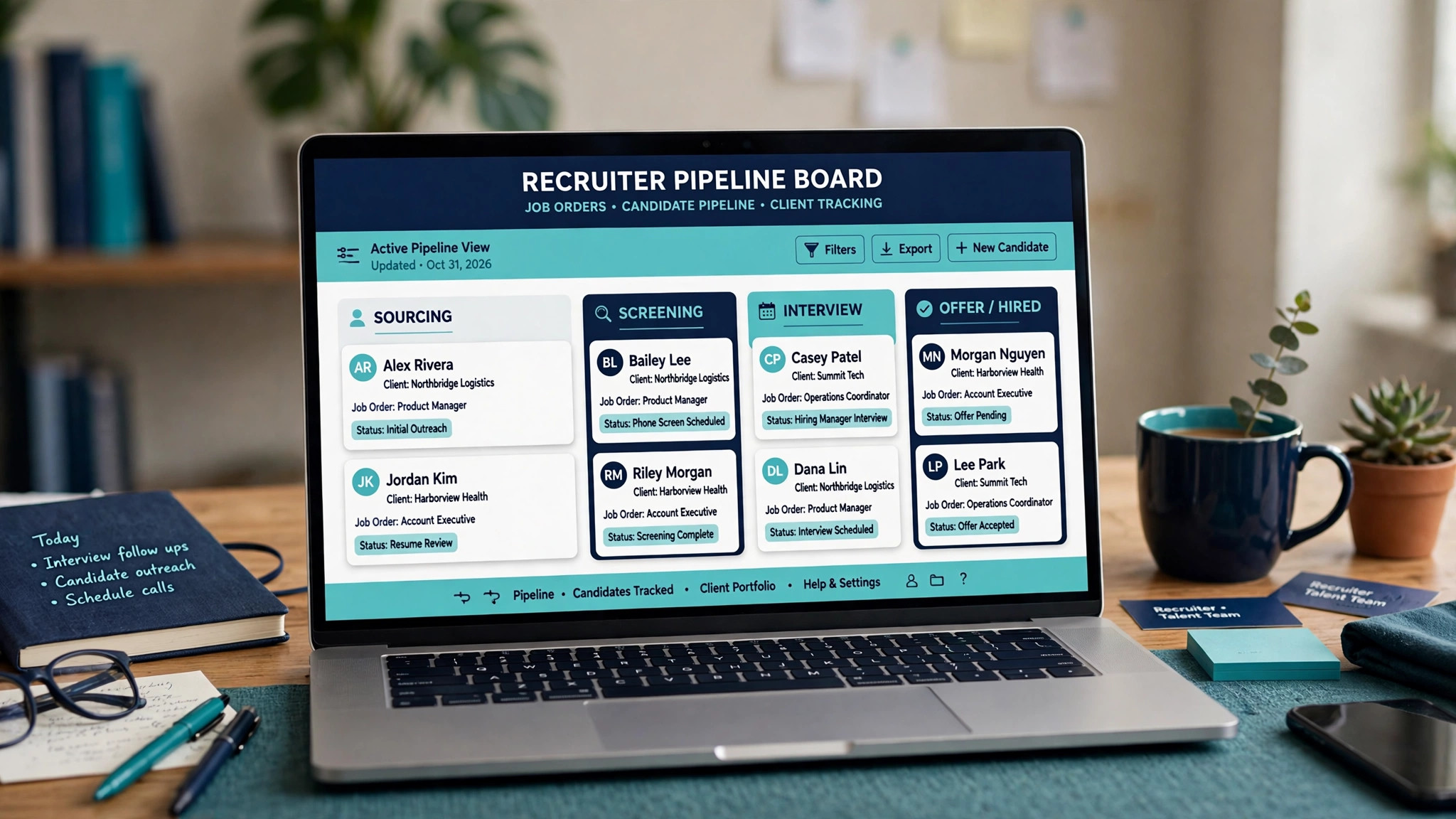
A staffing CRM has to handle more than a contact list. It must track candidates through sourcing, screening, submission, interview, and placement, track clients and hiring managers separately from candidates, manage job orders with rates and terms, and keep every email, call, and note attached to the right record. A generic sales CRM can store a company and a contact. It cannot easily show that a candidate was submitted to three clients, rejected by one for rate, interviewed by another, and placed by a third, all in one timeline.
This guide compares eleven tools, from staffing specialists built for recruiters to general recruiting platforms that small agencies adapt. Prices vary by recruiter seat, candidate volume, and feature tier, so treat any starting price as a prompt to get a quote. Check the vendor pricing page before you budget, since per recruiter, per placement, and per database record pricing models behave very differently as placement volume grows.
Why Staffing Work Breaks a Normal Sales CRM
A staffing deal has three sides, not two. The agency serves a client, places a candidate, and manages a job order that ties them together with a rate, a start date, and terms. A normal sales CRM tracks a deal between a seller and a buyer. It cannot easily show that one candidate relates to four job orders, or that one client has six hiring managers with different preferences, without awkward workarounds.
Speed adds a second constraint. In temp staffing, the first agency to submit a credible candidate often wins the shift. In direct hire, the first agency to present a shortlist often sets the conversation. A system that makes recruiters click through five screens to submit a candidate will lose to a system that submits in two. Submission speed is not a nice extra for a staffing agency. It is the product.
Compliance and history add a third constraint, and they explain why the best CRM for staffing agencies small business teams pick must track credentials and history, not just contacts. Healthcare staffing needs credential tracking, temp staffing needs availability and shift history, and every agency needs a clear record of who said what to whom. A generic tool that stores contacts but not placements, credentials, and shift history will force recruiters to keep the real record elsewhere, which defeats the point of buying a CRM at all.
The 11 Tools at a Glance
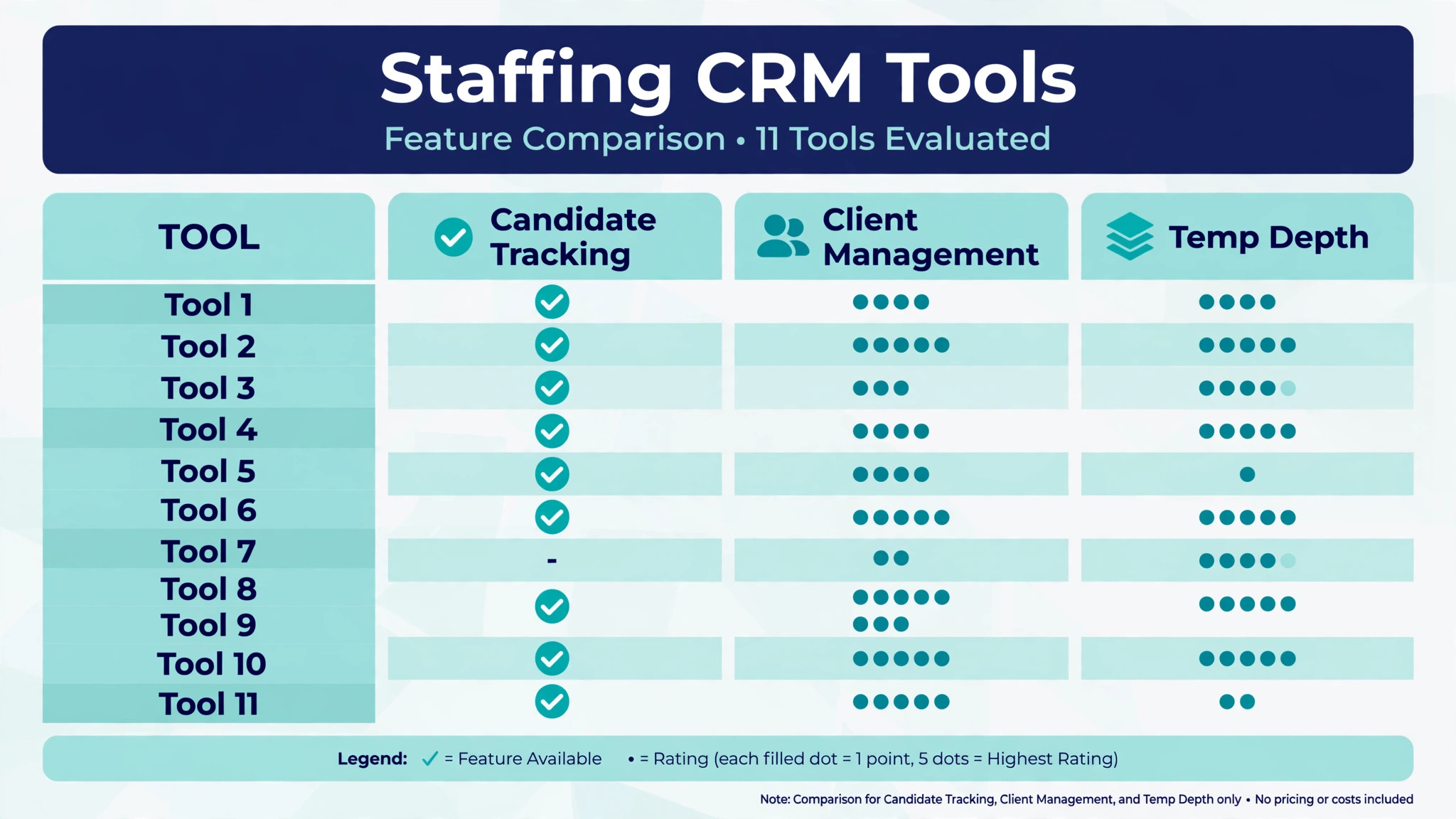
| Tool | Starting price | Best for | Staffing depth |
|---|---|---|---|
| Bullhorn | Check the vendor pricing page | Established agencies wanting depth | Strong |
| Vincere | Check the vendor pricing page | Small agencies wanting an all in one system | Strong |
| JobAdder | Check the vendor pricing page | Agencies wanting simple cloud recruiting | Good |
| Recruiterflow | Check the vendor pricing page | Boutique agencies wanting modern workflows | Good |
| Zoho Recruit | Check the vendor pricing page | Budget agencies wanting broad features | Good |
| Ceipal | Check the vendor pricing page | Agencies wanting automation and analytics | Good |
| Loxo | Check the vendor pricing page | Agencies wanting sourcing plus CRM | Good |
| Manatal | Check the vendor pricing page | Small teams wanting simple hiring | Good |
| Tracker | Check the vendor pricing page | Agencies wanting recruitment plus sales | Good |
| Avionté | Check the vendor pricing page | Temp staffing with back office needs | Strong |
| TempWorks | Check the vendor pricing page | Temp staffing with payroll integration | Strong |
Pricing transparency is uneven in this market, and several tools quote by recruiter seat or placement volume. That is why a comparison of the best CRM for staffing agencies small business buyers should start with a written quote for your real recruiter count and placement volume, not with a directory starting price alone. Get a written quote for your recruiter count and candidate volume before comparing totals, and confirm whether job board posting, email integration, and back office features are included or charged separately.
Best Pick by Job
| Job type | First pick | Why it fits | Watch out for |
|---|---|---|---|
| Temp staffing | Avionté | Temp workflows with back office and payroll links | Confirm implementation scope for a small team |
| Direct-hire boutique | Recruiterflow | Modern workflows and fast shortlists | Check temp features if you later add contract work |
| Healthcare staffing | TempWorks | Temp staffing depth with payroll integration | Confirm credential tracking in a trial |
| Small general agency | Vincere | All in one recruiting, CRM, and reporting | Confirm pricing for your seat count |
| Budget start | Manatal | Simple hiring at a modest cost | Less depth on temp and back office work |
The job type that matches most of your placements should decide the shortlist for the best CRM for staffing agencies small business buyers. A temp agency that buys a direct hire tool will struggle with shift scheduling, availability, and payroll links. A direct hire boutique that buys a temp platform will pay for back office depth it never uses.
Placement Follow-Up Checklist
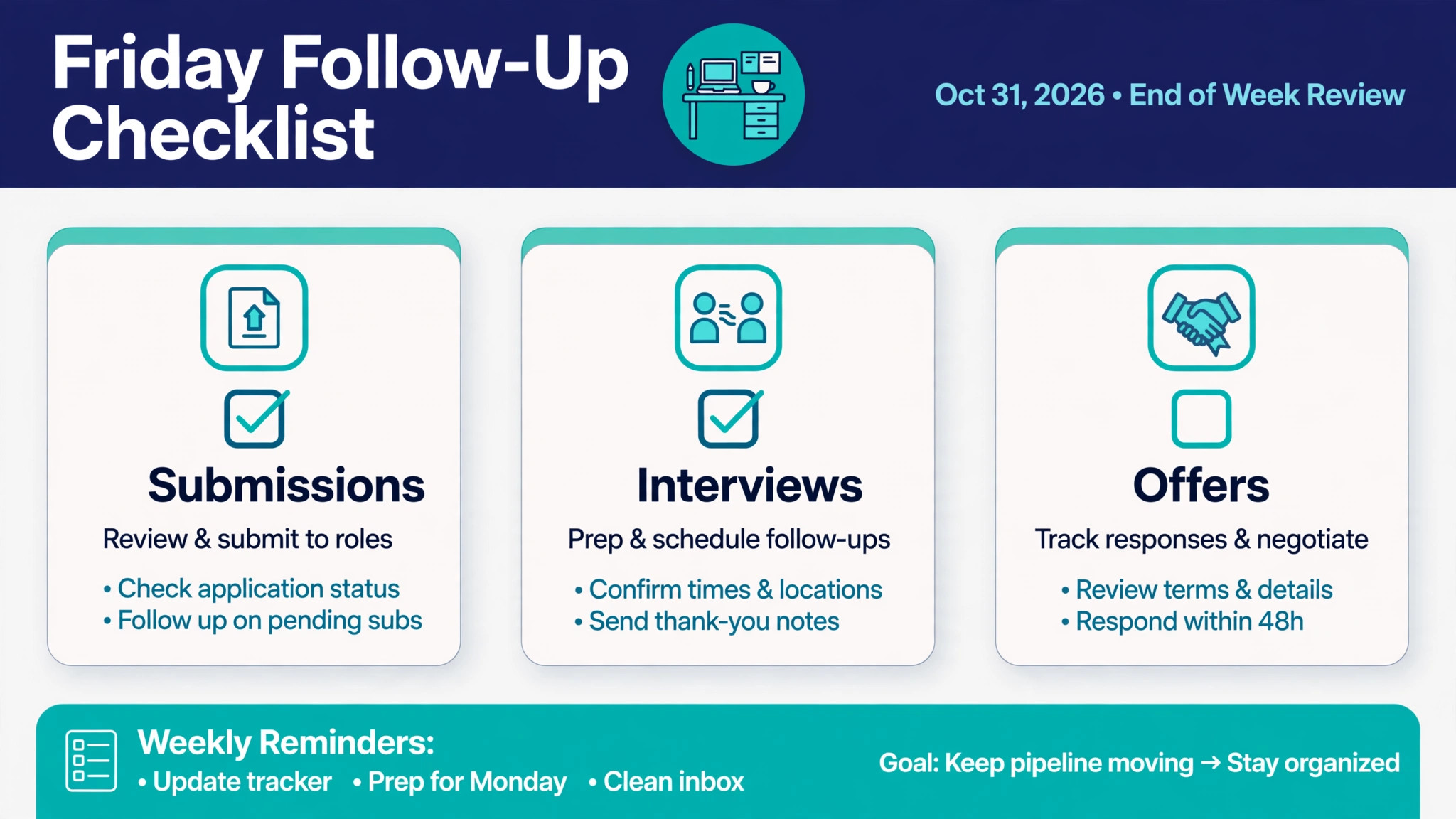
Use this checklist every Friday to protect placements that are already in motion. It turns CRM data into follow-ups, rather than leaving follow-ups to memory.
– List every candidate submitted this week who has not yet had an interview scheduled, with the client, role, and submission date. – Check every interview held this week for a recorded outcome, and chase any hiring manager who has not yet given feedback. – Confirm start dates, rates, and terms for every offer out, and flag any offer that has been open for more than five working days. – Review every placed candidate in the first two weeks of a role, and record a check-in with both the candidate and the hiring manager. – Check credential or compliance items due before each upcoming start date, especially for healthcare roles, and chase missing items early. – Record every client conversation, rate discussion, and candidate update in the CRM on the same day, so the next recruiter can pick up the thread. – Flag any client with no activity for fourteen days, and assign a re-engagement task with a named owner and a date. – Report submissions, interviews, offers, and placements for the week, so the owner can see where the pipeline is thinning before it becomes a revenue gap.
Software helps this checklist only if candidates, clients, job orders, submissions, and notes live in one timeline, which is a core test for the best CRM for staffing agencies small business buyers. If those details live in separate spreadsheets and inboxes, the checklist becomes a manual hunt every Friday afternoon.
The 11 Tools in Detail
1. Bullhorn
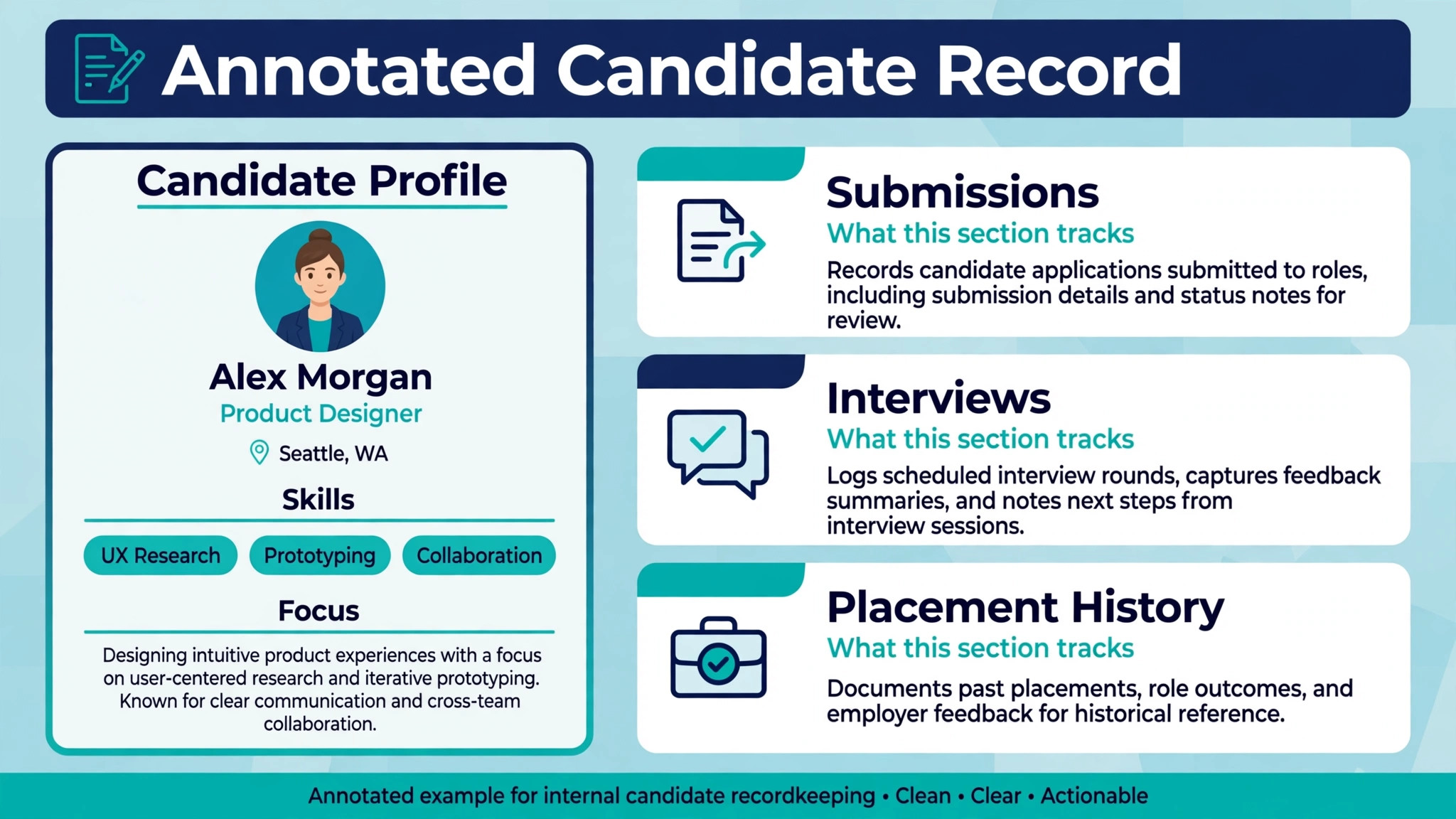
Bullhorn is the most widely known staffing CRM, built for recruitment agencies with candidate tracking, client management, job orders, submissions, and reporting in one system. It handles the full placement workflow, from sourcing and screening through submission, interview, offer, and placement, with a record structure designed around candidates, clients, and jobs rather than generic contacts.
The strength is depth and ecosystem. A small agency that plans to grow gets a system that already handles complex workflows, integrations, and reporting, without needing to migrate later. The limit is cost and implementation. Bullhorn is typically quoted rather than bought off a simple pricing page, and a very small team should confirm the total cost, training, and contract terms before assuming it fits a boutique budget. Check the vendor pricing page and request a quote for your recruiter count.
Best for an established small agency that wants staffing depth, plans to grow, and will invest in proper setup.
2. Vincere
Vincere is an all in one recruitment platform for staffing agencies, combining CRM, applicant tracking, sales, and reporting. It gives recruiters a single workspace for candidates, clients, jobs, and placements, with dashboards that show pipeline, activity, and revenue without separate reporting tools.
The strength is the single system approach. A small agency avoids stitching a CRM, an applicant tracker, and a reporting tool together, which saves both money and admin time. The limit is fit for heavy temp operations. An agency with large temp payroll and shift scheduling needs should test those workflows explicitly, since Vincere is strongest as a recruiting and CRM platform rather than a back office payroll system. Check the vendor pricing page for seat pricing and included features.
Best for a small general agency that wants one system for recruiting, clients, and reporting.
3. JobAdder
JobAdder is a cloud recruitment platform for agencies and in-house teams, with candidate management, job posting, client records, and workflow tracking. It presents a straightforward interface that recruiters learn quickly, which matters for a small team without a dedicated systems administrator.
The strength is simplicity. Recruiters can post jobs, manage candidates, and track submissions without a long implementation project. The limit is depth for complex staffing models. A temp agency with shift and payroll needs, or a healthcare agency with detailed credential tracking, should test those requirements carefully before choosing. Check the vendor pricing page for the tier that includes the integrations you need.
Best for a small agency that wants simple cloud recruiting with a fast start.
4. Recruiterflow
Recruiterflow is a modern recruiting CRM built for boutique and mid sized agencies, with candidate pipelines, client management, email integration, and reporting. It emphasises speed of use, with workflows designed so recruiters spend time talking to candidates and clients rather than updating records.
The strength is recruiter experience. A boutique agency that lives on shortlists and client relationships benefits from a system that makes submission and follow-up fast. The limit is back office depth. An agency that later adds large temp volumes may need separate payroll or scheduling tools, so growth plans should be part of the decision. Check the vendor pricing page for seat pricing and email integration terms.
Best for a direct hire boutique that wants modern workflows and fast shortlists.
5. Zoho Recruit
Zoho Recruit is a recruiting platform from the Zoho group, with applicant tracking, candidate management, job posting, client records, and automation. It suits a budget conscious agency that already uses other Zoho tools, since records and billing can sit in a familiar ecosystem.
The strength is value and breadth. A small agency gets a wide feature set at a modest subscription cost, with automation for routine tasks such as emails and status updates. The limit is staffing specificity. Zoho Recruit is a general recruiting platform, so temp workflows, placement terms, and staffing reporting need configuration and testing. Check the vendor pricing page for the edition that includes the automation and integration features you need.
Best for a budget conscious small agency that wants broad recruiting features at a modest cost.
6. Ceipal
Ceipal is a staffing platform with applicant tracking, CRM, automation, and analytics, built for agencies that want to automate routine recruiting work. It includes tools for sourcing, candidate engagement, and pipeline reporting, with automation that moves candidates through stages and triggers follow-ups.
The strength is automation. A small team can handle a larger candidate volume when routine emails, reminders, and status changes run automatically. The limit is setup effort. Automation only helps when workflows are designed properly, and a team that switches automation on without mapping its real process will automate its own confusion. Check the vendor pricing page and test automation on a real job order before signing.
Best for a small agency that wants automation and analytics to stretch a small recruiter team further.
7. Loxo
Loxo is a recruiting platform that combines a talent CRM with sourcing tools, giving agencies a single place to find, engage, and track candidates. It includes candidate search, outreach, pipeline management, and client records, with an emphasis on keeping sourcing and relationship work in one system.
The strength is the sourcing plus CRM combination. An agency that spends heavily on candidate search benefits from not switching between a sourcing tool and a separate CRM. The limit is back office scope. Temp payroll, shift scheduling, and complex placement terms sit outside its core strength, so temp heavy agencies should test those needs separately. Check the vendor pricing page for seat and sourcing terms.
Best for a small agency that wants sourcing and CRM in one place, especially for hard to fill direct hire roles.
8. Manatal
Manatal is a recruiting platform designed for small teams, with candidate pipelines, client management, job posting, and collaboration features in a simple interface. It suits a small agency or a boutique team that wants to start quickly without a long implementation.
The strength is ease of use and price. A small team can set up pipelines, post jobs, and track candidates within days, not weeks. The limit is depth. A growing agency with temp operations, complex client structures, or heavy reporting needs may outgrow Manatal, and should confirm data export and migration options before committing. Check the vendor pricing page for the features included on the chosen tier.
Best for a small team or new agency that wants simple hiring software at a modest cost.
9. Tracker
Tracker, also known as TrackerRMS, is a recruitment and sales platform for staffing agencies, combining candidate tracking, client management, sales pipelines, and reporting. It is built for agencies that treat business development and recruiting as one pipeline, not two separate jobs.
The strength is the sales plus recruiting view. An agency owner can see which business development activity leads to job orders, and which job orders lead to placements, in one system. The limit is market familiarity in some regions. A small agency should confirm local support, integrations with its job boards, and training availability before choosing. Check the vendor pricing page and request a demo on a real job order.
Best for a small agency that wants recruitment and sales in one pipeline.
10. Avionté
Avionté is a staffing platform built for temp and contract staffing, with front office recruiting, client management, and back office functions including payroll and billing links. It handles the temp workflow from job order and candidate matching through assignment, timesheets, and pay and bill processing.
The strength is temp depth. An agency that places large numbers of temporary workers gets a system designed for availability, assignments, timesheets, and payroll, rather than a direct hire tool with temp features added on. The limit is implementation scope. A small team should confirm what onboarding, training, and back office setup are included, and how long the switch will take. Check the vendor pricing page and request a quote for your worker volume.
Best for a temp staffing agency that needs front office and back office in one system.
11. TempWorks
TempWorks is a staffing software platform focused on temporary staffing, with recruiting, assignment management, payroll, and billing. It is built for agencies that run high volume temp operations and need payroll integration as a core feature, not an afterthought.
The strength is payroll integration. Temp agencies live or die on accurate, on time pay and billing, and a system that connects assignments to payroll reduces errors and admin time. The limit is fit for direct hire boutiques. An agency that mainly places permanent roles will pay for temp and payroll depth it rarely uses. Check the vendor pricing page and confirm payroll and compliance features for your market.
Best for a temp or healthcare staffing agency that needs payroll integration at the centre of its system.
How a Staffing CRM Changes Daily Recruiter Work
A staffing CRM changes recruiter work before it changes reporting. When a recruiter opens a candidate record and sees every submission, interview, and note in one timeline, the first call of the day is better informed. That matters for a small agency, because a recruiter who sounds informed wins trust faster than a recruiter who asks the candidate to repeat their history. A system that gives that history in one screen is worth more than a system with a longer feature list that hides it.
The second change is submission speed. A recruiter who can shortlist, attach a CV, and submit to a hiring manager in minutes will submit more candidates, and will submit them earlier. That speed advantage compounds across a week, since earlier submissions get earlier interviews. A system that slows submission down, even slightly, costs placements in a way that only shows up in monthly revenue, not in a demo.
The third change is pipeline honesty. An owner who can see submissions, interviews, offers, and placements by recruiter, client, and job type can see where the pipeline is thinning before it becomes a revenue gap. That visibility lets the owner coach, reassign, or chase business development early. A pipeline that lives in spreadsheets and memory cannot give that warning, which is why the best CRM for staffing agencies small business owners buy should be judged on pipeline truth, not on dashboard beauty.
There is also a client trust effect. A hiring manager who receives a clean shortlist, a clear candidate summary, and prompt feedback handling will send the next job order to the same agency. A hiring manager who receives duplicate candidates, stale CVs, and slow feedback will send it elsewhere. Judged on submissions, interviews, and repeat job orders, the right system is the tool that turns more candidates into placements, not the tool with the most integrations.
How to Choose the Best CRM for Staffing Agencies Small Business
Start with the submission test. Take a real job order, a real candidate, and a real hiring manager, and run the full path from shortlist to submission in the trial. Count the clicks, check what the hiring manager actually receives, and see whether the candidate timeline updates automatically. If that test feels slow or messy, the tool will feel slow or messy every day.
Next, test the candidate journey from first contact to placement. Can a recruiter source, screen, submit, schedule an interview, record an offer, and place a candidate without leaving the system or retyping data. Count the retyping. A CRM that still needs a spreadsheet for placements has not solved the record problem, even if the candidate screen looks good.
Then test client and compliance together. Take a healthcare or temp client, record credentials or availability, check expiry dates, and book an assignment. The system should show credential status, assignment history, and billing terms in one client and candidate view. If those details live in separate screens with no clear link, recruiters will still reconcile by hand.
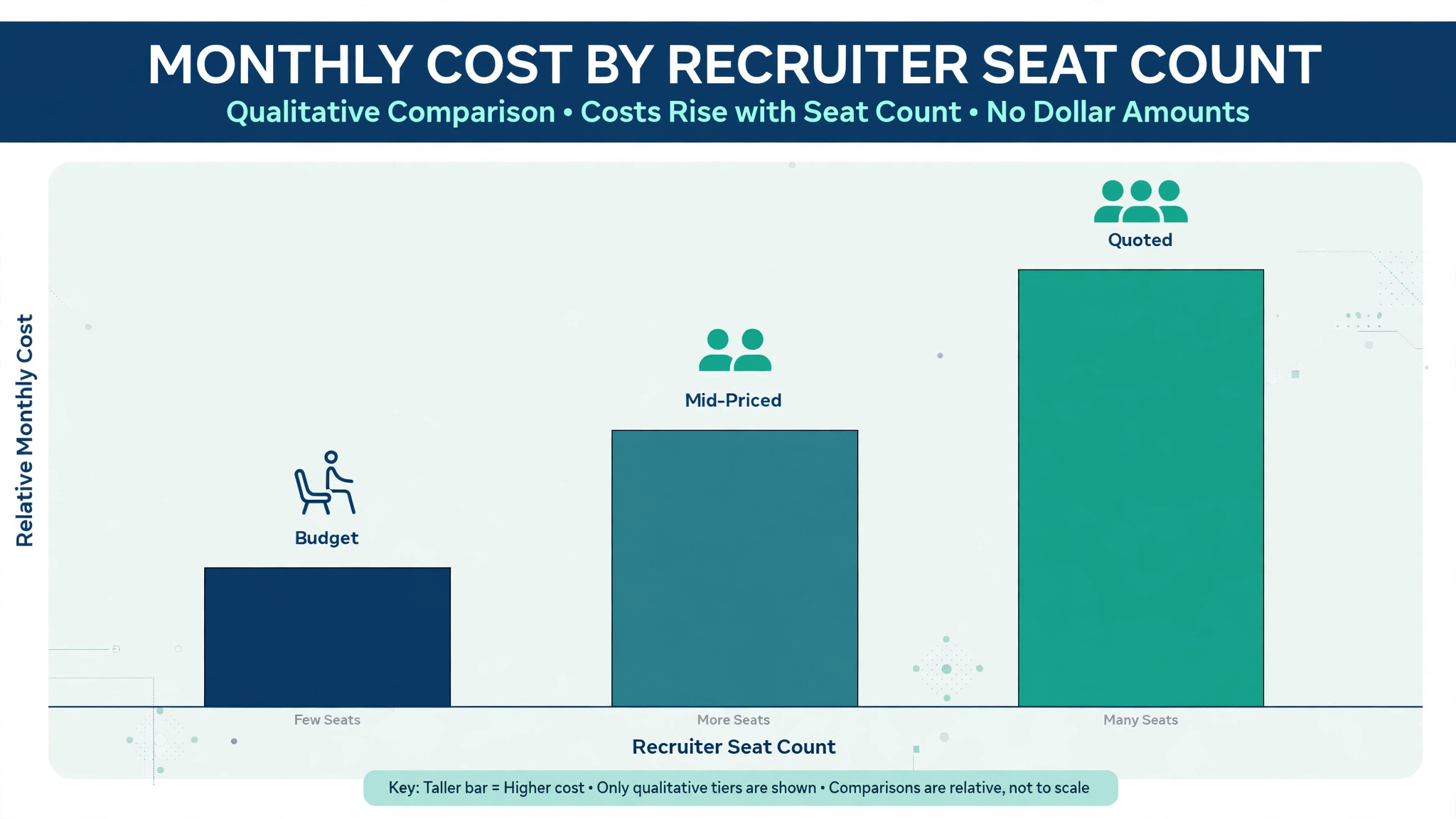
Finally, price the full staffing stack. Add job board posting, email integration, back office or payroll links, and any per placement or per record charges to the subscription. A cheap seat price with expensive job board or payroll terms can cost more than a mid priced platform once placement volume grows. Get the monthly total for your real recruiter count and placement volume in writing before comparing tools.
Common Mistakes When Buying a Staffing CRM
The first mistake is buying a contact list and calling it a staffing CRM. A contact list stores names. A staffing CRM tracks candidates, clients, job orders, submissions, interviews, offers, and placements as connected records. Test the placement timeline, not only the contact screen.
The second mistake is ignoring submission speed. Many CRM problems are speed problems, not feature problems. A system that takes ten minutes to submit a candidate will lose temp shifts and direct hire shortlists to faster competitors. Submission speed should be a scored test in the trial, not an afterthought.
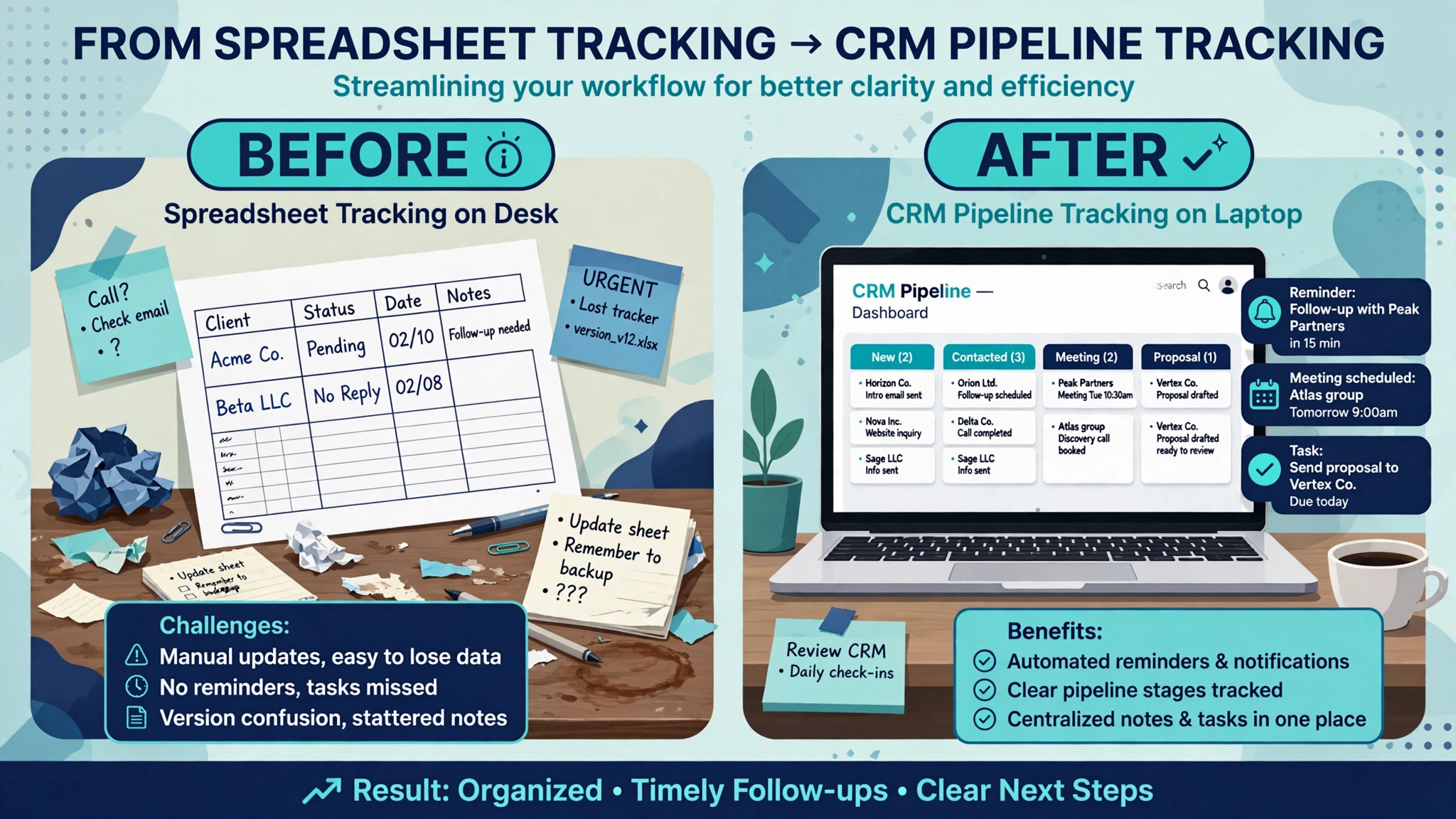
The third mistake is forgetting follow-up. A CRM without reminders, pipeline stages, and Friday pipeline reviews will not increase placements, even if it stores records well. Test the reminder workflow, the pipeline view, and the reporting, and confirm whether email integration is included in the price.
The fourth mistake is buying for the agency you hope to become, not the agency you run. A full enterprise platform with deep back office features is valuable for a large agency, but it adds setup and training burden for a boutique team. Start with the tool that fits current recruiter count and placement volume, and check that it can grow when both rise.
The fifth mistake is neglecting data export. Candidate records, client histories, and placement histories are the agency’s business history. Before signing, confirm that those records can be exported in a usable format, and that the agency is not locked into a platform by its own data.
Frequently Asked Questions
How much does a staffing CRM cost for a small agency?
Costs range from modest subscriptions on simple recruiting platforms to quoted pricing on staffing specialists and temp platforms. The final cost depends on recruiter seat count, candidate volume, placement volume, job board posting, and back office or payroll features. A small agency should model job board and payroll costs at its real volume, since those charges grow with every placement. Get a written quote for your real recruiter count, including integration and back office terms, before comparing headline prices.
What is the best CRM for a small staffing agency?
For many small agencies, Vincere is a strong starting point among the best CRM for staffing agencies small business options, because it combines recruiting, CRM, and reporting in one system. Recruiterflow suits a direct hire boutique that values speed, while Manatal suits a new team that wants simplicity. The right choice depends on whether temp work, direct hire, or general recruiting dominates your placements.
Can a small agency use a general CRM for staffing?
A general CRM can store clients and contacts, but it struggles with candidates, job orders, submissions, and placements as connected records. A staffing CRM is built around that three sided record, which is why most agencies outgrow a general CRM quickly. Test the placement timeline on a real job order before deciding.
Does staffing software handle temp payroll?
Temp focused platforms such as Avionté and TempWorks include back office and payroll links as core features, while general recruiting platforms usually need separate payroll tools. Test the assignment to payroll path on a real temp worker record, including timesheets and billing, before choosing.
How does a staffing CRM help with healthcare staffing?
Healthcare staffing needs credential tracking, expiry alerts, and compliance records alongside candidate and client management. A system that tracks credentials in the candidate record, with alerts before expiry, reduces the risk of placing a worker whose credentials have lapsed. Confirm credential tracking in a trial with real credential types and expiry rules.
What is the difference between a staffing CRM and an applicant tracking system?
An applicant tracking system focuses on candidates moving through hiring stages for one employer. A staffing CRM also tracks clients, job orders, submissions across many clients, placements, and ongoing client relationships. Many staffing tools combine both, but the CRM side is what makes repeat placements and client development manageable.
How long does it take to switch staffing CRM software?
A boutique team can switch in two to three weeks if candidate records, client records, and job orders are prepared in advance. A small agency with temp operations should allow four to six weeks, including back office setup and parallel running on live placements. A larger agency should allow eight weeks or more, including data migration and payroll checks.
Should a small staffing agency keep spreadsheets alongside a CRM?
No, for live placement work. Spreadsheets alongside a CRM create two versions of the truth, and recruiters will trust whichever version they updated last. Use the CRM as the single record for candidates, clients, job orders, and placements, and export reports from it rather than maintaining a parallel tracker.
A Two Week Trial Plan
Do not choose from a feature list. Run a two week trial plan on your two finalists. In week one, enter real job orders, real candidates, and real clients, and run submissions, interviews, and offers through the system. In week two, run the Friday follow-up checklist, check pipeline reporting, and test credential or payroll needs for your niche. Ask recruiters whether submission, follow-up, and client history actually helped them place candidates, or only helped the owner report.
The tool that passes those two weeks with the fewest workarounds, the fastest submissions, and the least recruiter resistance is the best CRM for staffing agencies small business owners in your position should keep, and the tool to buy. Price matters, but a cheap tool that slows submissions will cost more in lost placements than a mid priced tool that runs cleanly. Choose the system that makes recruiters faster, pipelines truer, and clients more likely to send the next job order.
More Reading on Stratilyze
– Best CRM for Real Estate Agents – Best Booking Software for Music Schools – Best Booking Software for Fitness Studios – Best Website Builder for Photographers – Best Booking Software for Escape Rooms