

A travel advisor loses a client in the weeks between the first enquiry and the final payment, not on the day of travel. The enquiry arrives by email, the quote lives in a spreadsheet, the passport details sit in a message thread, and the payment reminder is a note nobody sent. By the time the client is ready to book, a rival advisor with a single client record has already sent a polished itinerary and a payment link. That scattered workflow is the problem the best client management software for travel advisors exists to solve.
The best client management software for travel advisors keeps one record per client, from first enquiry to post-trip follow-up. That record should hold traveller details, preferences, quotes, itineraries, documents, payments, and supplier notes in one place, so any team member can answer a client question without hunting through email. A generic CRM can hold contacts and deals. It cannot easily build a day-by-day itinerary, track a payment schedule across several suppliers, or send a travel document pack at the right moment.
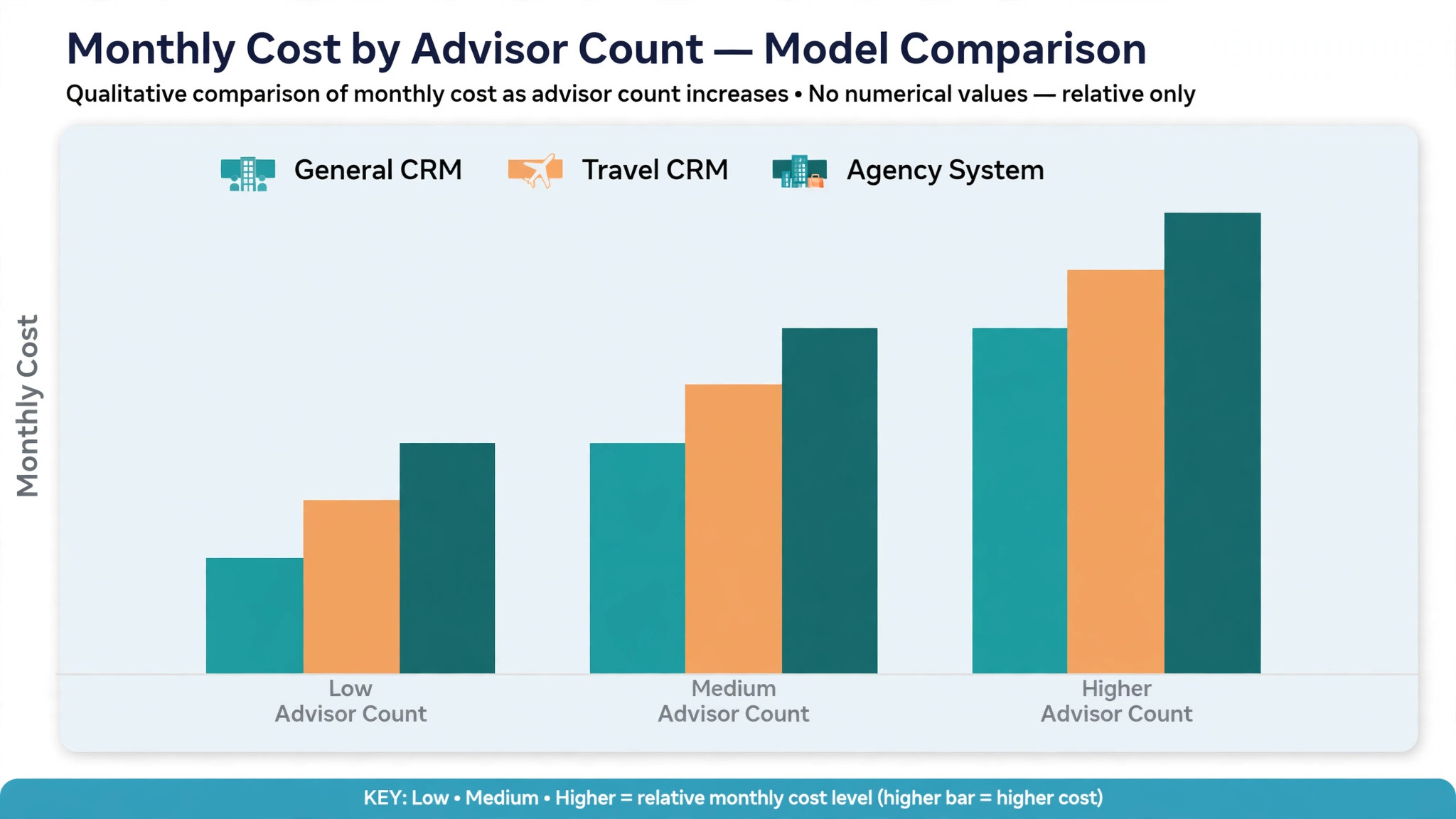
This guide compares 10 tools, from travel specific CRMs built around itineraries and quotes to general CRMs that travel advisors adapt. Prices are starting prices where published, and several tools quote by user count or feature tier. Check the vendor pricing page before you budget, since per user charges, payment processing, and itinerary add-ons change the monthly total fast.
Where Travel Client Work Falls Apart
Enquiry handling falls apart first. A travel enquiry is rarely a single question. It carries dates, destinations, budgets, traveller ages, room preferences, and a dozen follow-up questions, spread across email, social messages, and phone calls. A CRM that captures the enquiry in one form, assigns it to an advisor, and starts a follow-up sequence will convert more enquiries than a shared inbox where the newest message buries the oldest lead.
Quoting falls apart second. A quote for a multi-stop trip touches flights, hotels, transfers, tours, and insurance, often from different suppliers with different payment terms. A spreadsheet quote is easy to start and hard to keep accurate, especially when a supplier price changes or a client asks for one change that affects five lines. A travel CRM that builds quotes from supplier data, versions each revision, and tracks acceptance will save hours and prevent the wrong price reaching the client.
Payment tracking falls apart third. A trip may need a deposit now, a balance later, and supplier payments on yet another schedule. An advisor who tracks those dates by memory will miss one, and a missed supplier payment can cancel a booking. A system that shows deposit due, balance due, and supplier due dates on one client timeline turns payment chasing from a memory test into a daily list.

The 10 Tools at a Glance
| Tool | Starting price | Best for | Travel depth |
|---|---|---|---|
| TravelJoy | Check the vendor pricing page | Itineraries plus payments for advisors | Strong |
| ClientBase | Check the vendor pricing page | Host-agency teams and supplier records | Strong |
| Travefy | Check the vendor pricing page | Polished itineraries and quotes | Strong |
| Tern | Check the vendor pricing page | Modern CRM plus itinerary builder | Strong |
| Lemax | Check the vendor pricing page | Tour operators and travel agencies | Good |
| Dolphin Dynamics | Check the vendor pricing page | Agencies needing back office depth | Good |
| HubSpot CRM | Check the vendor pricing page | Advisors wanting marketing plus CRM | Fair |
| Zoho CRM | Check the vendor pricing page | Low cost CRM with workflow automation | Fair |
| Capsule CRM | Check the vendor pricing page | Simple client records for solo advisors | Fair |
| Pipedrive | Check the vendor pricing page | Pipeline focused sales tracking | Fair |
Pricing in this market is rarely a single number, since several tools charge by user count, contact count, or add-on bundle. That is why a comparison of the best client management software for travel advisors should start with a written quote for real advisor count and monthly enquiry volume, not with a directory starting price alone. Confirm whether itinerary builders, payment links, and email tools sit inside the subscription or on top of it.

Best Pick by Job
| Job type | First pick | Why it fits | Watch out for |
|---|---|---|---|
| Solo advisor | TravelJoy | Itineraries, forms, and payments in one place | Fewer back office controls |
| Small host-agency team | ClientBase | Shared client and supplier records | Learning curve for new advisors |
| Luxury advisor | Tern | Polished itineraries with strong client detail | Confirm pricing at team size |
The job type that matches most of your trips should decide the shortlist for the best client management software for travel advisors. A solo advisor who buys an agency back office system will pay for controls a simple itinerary CRM already covers. A host-agency team that buys a solo tool will struggle with shared records, supplier tracking, and a single view of every advisor pipeline.
Itinerary and Payment Checklist
Use this checklist for every booking to keep itineraries accurate and payments on time. It turns client management from a memory exercise into a repeatable routine.
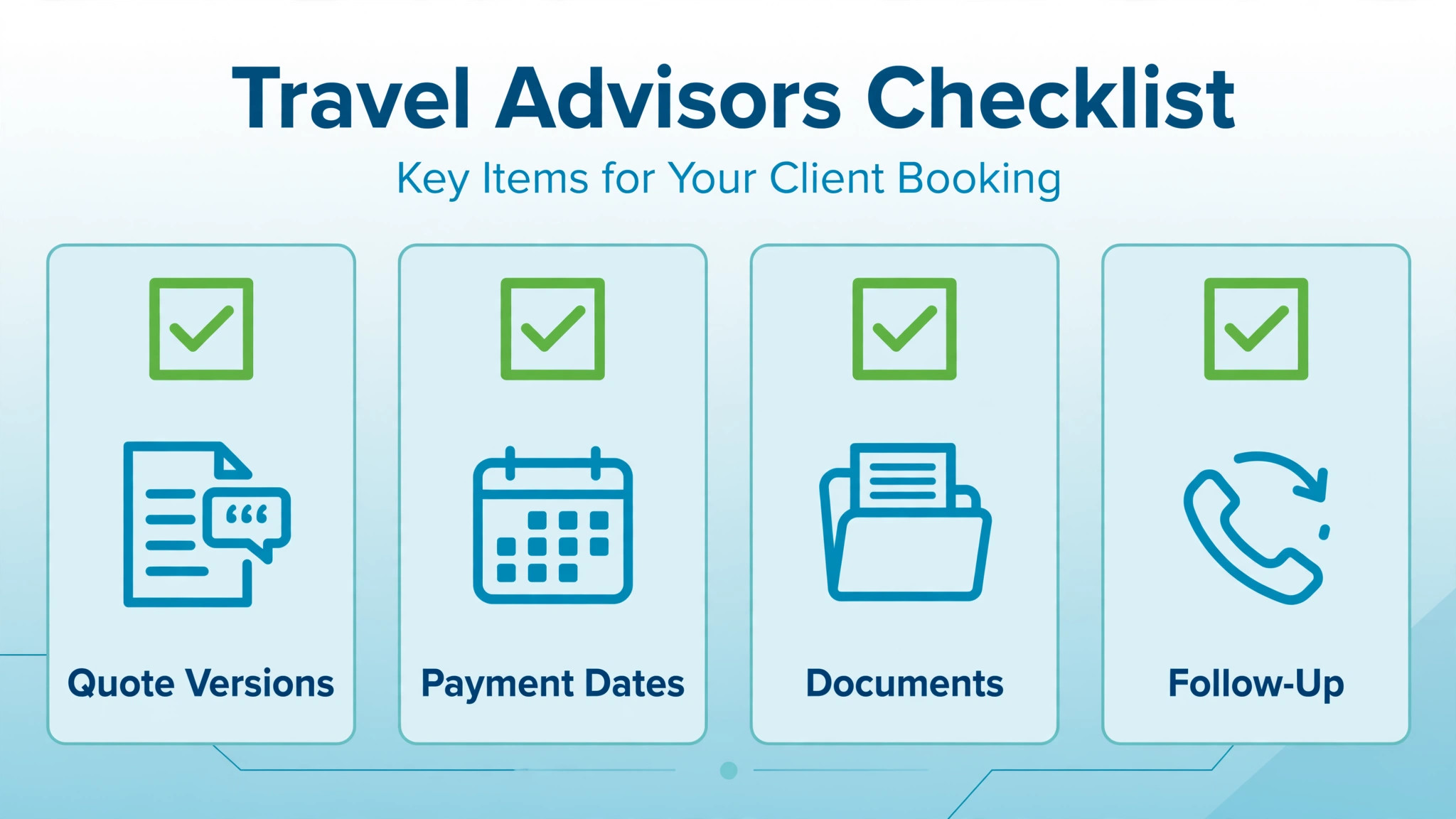
– Capture traveller details, passport expiry, and preferences in the client record at enquiry, not at booking. – Send a quote with a clear validity date, inclusions, exclusions, and a payment schedule. – Version every quote change, so the client and the advisor always see the same latest price. – Build the itinerary day by day, with supplier confirmations attached to each day. – Set deposit, balance, and supplier payment reminders the day the booking is confirmed. – Send travel documents in one pack, with a checklist the client can tick off. – Record supplier contacts, booking references, and cancellation terms beside each itinerary day. – Follow up after the trip, record feedback and preferences, and set the next trip reminder.
Software helps this checklist only if enquiries, quotes, itineraries, documents, and payments live in one client record. If those details live in five separate places, the checklist becomes a manual reconciliation exercise on the busiest booking week of the year.
The 10 Tools in Detail
1. TravelJoy
TravelJoy is a CRM and itinerary platform built for travel advisors, with client records, enquiry forms, quotes, itineraries, payment collection, and authorisations in one system. An advisor can take an enquiry through a form, build a quote, send a polished itinerary, and collect payments without switching between a CRM, a document tool, and a payment link.

The strength is the advisor workflow from enquiry to payment. Forms capture traveller details cleanly, itineraries look professional on a phone, and payment schedules sit beside the booking rather than in a separate spreadsheet. The limit is back office depth. An agency that needs complex accounting, supplier reconciliation, and multi-branch reporting may need a second system or a different platform. Test the itinerary builder with a real multi-stop trip before choosing.

Best for a solo advisor or small team that wants itineraries, forms, and payments in one travel focused system. Check the vendor pricing page for per user terms and payment processing details.

2. ClientBase
ClientBase is a travel CRM used by many host agencies and independent advisors, with client profiles, supplier records, booking tracking, marketing tools, and reporting. An advisor can record traveller preferences, track bookings by supplier, and run client marketing from the same database the host agency uses.
The strength is shared agency data. A host agency can see advisor pipelines, supplier volumes, and client histories in one system, which helps with supplier negotiations and team support. The limit is modern polish. The interface feels more functional than beautiful, and new advisors may need training before the system feels fast. Test the daily workflow, not only the demo, before committing a team.
Best for a small host-agency team that needs shared client and supplier records. Check the vendor pricing page for host-agency terms and per user pricing.
3. Travefy
Travefy is an itinerary and quote builder for travel advisors, with day-by-day itineraries, quotes, proposals, and client collaboration tools. An advisor can build a trip with flights, hotels, activities, and notes, then share a polished itinerary the client can view, comment on, and approve from a phone.
The strength is itinerary presentation. Clients receive a trip document that looks like a finished product, not a spreadsheet, which helps an advisor win a booking against a rival quote. The limit is CRM depth. Travefy covers itineraries and quotes strongly, but an advisor who needs full pipeline management, marketing automation, and payment tracking may pair it with a CRM or choose a broader platform.
Best for an advisor whose quotes win on itinerary quality and presentation. Check the vendor pricing page for the plan that includes proposals, collaboration, and branding.
4. Tern
Tern is a modern travel advisor platform with CRM, itinerary building, quotes, payments, and client communication in one system. It is built for advisors who want a current interface, a clean client record, and an itinerary builder that works well on mobile, without the older agency system feel.
The strength is the combination of modern design and travel depth. Client records, trip pipelines, and itineraries sit together, and the system feels built for advisors rather than adapted from a generic CRM. The limit is maturity and pricing transparency for larger teams. A host agency should confirm team pricing, data export, and supplier workflow depth before moving a whole team.
Best for a luxury advisor or modern solo practice that wants polished itineraries plus CRM in one place. Check the vendor pricing page for team pricing and payment terms.
5. Lemax
Lemax is a travel management system for tour operators and travel agencies, with booking management, product catalogues, supplier contracts, and back office tools. An agency selling packaged tours, group trips, or multi-day itineraries can manage products, prices, and reservations from one system.
The strength is product and booking depth for operators. A tour operator can define departures, capacities, and supplier terms, then sell against real availability rather than rebuilding each trip by hand. The limit is fit for a solo advisor. A single advisor selling bespoke trips will find Lemax heavier than needed, and should confirm implementation scope before choosing it over a lighter CRM.
Best for a tour operator or agency with packaged products and group departures. Check the vendor pricing page and confirm implementation and training scope in writing.
6. Dolphin Dynamics
Dolphin Dynamics is a travel technology system with CRM, booking management, and back office tools for travel agencies. Agencies use it to manage client records, bookings, supplier data, and financial reporting in one agency system, with workflows shaped for travel selling.
The strength is back office depth. An agency that needs booking reconciliation, supplier payments, and financial reports will find more structure here than on an itinerary-only tool. The limit is setup effort and interface age compared with newer advisor platforms. A small team should test the daily booking workflow and confirm training time before switching.
Best for an agency that needs CRM plus back office depth in one system. Check the vendor pricing page and ask for a quote at real advisor count.
7. HubSpot CRM
HubSpot CRM is a general CRM with contact management, pipelines, email tools, marketing automation, and reporting. A travel advisor can track enquiries as deals, automate follow-up emails, and see a pipeline from first enquiry to booked trip, with marketing tools beside the CRM.
The strength is marketing and pipeline automation. An advisor who generates enquiries through content, ads, or email will find strong tools for capture, nurture, and follow-up. The limit is travel specificity. Itineraries, supplier tracking, and payment schedules need custom setup or add-ons, so an advisor should test whether a generic deal record can carry a real multi-stop trip cleanly.
Best for an advisor whose main gap is enquiry capture and follow-up marketing. Check the vendor pricing page for the tier that includes automation and reporting.
8. Zoho CRM
Zoho CRM is a general CRM with contact management, pipelines, workflow automation, and reporting at a lower price point than many rivals. A travel advisor can build custom modules for trips, suppliers, and payments, automate reminders, and track enquiries through a pipeline.
The strength is configurability at modest cost. Custom fields, workflows, and reports can be shaped to travel work without an enterprise budget. The limit is the setup burden. A travel advisor must build the itinerary, supplier, and payment structure, since Zoho CRM does not ship with a travel itinerary builder. That build time should be counted in the real cost.
Best for a cost conscious advisor willing to configure a CRM to travel work. Check the vendor pricing page for per user terms and automation limits.
9. Capsule CRM
Capsule CRM is a simple CRM with contact management, pipelines, tasks, and email integration. A solo travel advisor can track clients, enquiries, and follow-up tasks in a clean system without a long setup or a large monthly fee.
The strength is simplicity for a solo practice that mainly needs client records and follow-up discipline. The limit is travel depth. Itineraries, quotes, supplier records, and payment schedules are lighter than on travel specific platforms, so an advisor with complex trips may outgrow it and need to migrate later.
Best for a solo advisor who wants simple client records with tasks and pipelines. Check the vendor pricing page for contact and user limits.
10. Pipedrive
Pipedrive is a sales CRM built around visual pipelines, deal tracking, activities, and reporting. A travel advisor can move enquiries through stages, from first contact to quote sent to deposit paid, and see at a glance which deals need attention today.
The strength is pipeline clarity. An advisor juggling many enquiries will see stuck deals fast, and activity reminders keep follow-ups from slipping. The limit is travel specificity, as with HubSpot and Zoho. Itineraries, documents, and supplier payments need separate tools or custom fields, so Pipedrive suits sales tracking more than full trip management.
Best for an advisor whose main gap is pipeline discipline across many enquiries. Check the vendor pricing page for per user terms and automation limits.
How One Client Record Changes Selling
One client record changes selling before it changes reporting. When an advisor opens a client and sees preferences, past trips, open quotes, payment dates, and supplier notes together, the next conversation starts from knowledge rather than from a search. That knowledge shows in the quote, in the itinerary details, and in the follow-up message after the trip. Clients notice when an advisor remembers, and they notice faster when an advisor forgets.
The second change is team cover. A solo advisor may hold every trip in memory, but a team cannot. A shared client record lets another advisor answer a client question, handle a supplier change, or chase a payment without asking the lead advisor for the backstory. That cover matters most during holidays, illness, and peak booking weeks, when the advisor with the knowledge is the advisor who is away.
The third change is repeat business. A record that captures feedback, preferences, and trip anniversaries gives the advisor a natural reason to follow up. A generic contact list gives only a name and an email, which is why so many advisors rely on luck for repeat bookings. Judged on repeat bookings alone, the best client management software for travel advisors is the tool whose record an advisor actually updates after every trip, not the tool with the longest feature list.
Handling Supplier Changes Mid-Trip
Supplier changes test a travel CRM harder than a smooth booking does. A hotel closes a room type, an airline retimes a flight, or a tour operator cancels a departure, and the advisor must update the itinerary, requote the affected days, notify the client, and track any refund or extra payment. A system that holds supplier references beside each itinerary day makes that update fast. A system that holds supplier details in email makes it slow and error prone.
The second test is client communication during the change. The client needs one clear message, with the old plan, the new plan, and any price difference, not a chain of forwarded supplier emails. A CRM that generates an updated itinerary from the same record keeps the message consistent. A CRM that forces the advisor to rebuild the itinerary by hand invites a version mismatch, where the client travels on an old document.
The third test is money. A supplier change often creates a partial refund, an extra charge, or a voucher, and each one needs a record against the booking. An advisor who tracks those amounts in a message thread will struggle at reconciliation. A system that logs adjustments on the payment timeline gives the advisor, the client, and the agency one agreed figure. That record is what turns a stressful change into a professional recovery.
How to Choose the Best Client Management Software for Travel Advisors
Start with the real trip test. Take a real multi-stop trip, including a flight change, a hotel swap, and a split payment schedule. Enter that trip in the trial and see whether the system holds the quote versions, itinerary days, supplier references, and payment dates cleanly. If that test fails, the tool will fail on a real booking.
Next, test the enquiry journey from first message to quote sent. Can a client enquire through a form, receive a follow-up, get a quote, approve it, and pay a deposit without the advisor copying details between systems. Count the manual touches required. A tool that still needs a spreadsheet for quotes has not solved the advisor problem, even if the contact list looks good.
Then test team cover and documents together. Hand a live client record to a colleague, and ask that colleague to answer a supplier question and send the document pack. The system should make that possible without a handover call. If documents live in a separate drive the team rarely checks, the client record is incomplete.
Finally, price the full client stack. Add per user charges, itinerary add-ons, payment processing fees, and any marketing tools to the subscription. A low subscription with expensive per user charges can cost more than a mid priced platform once the team grows. Get the monthly total for real advisor count in writing before comparing tools.
Common Mistakes When Buying Travel Advisor Software
The first mistake is buying a contact list and calling it a travel CRM. A contact list holds names. A travel CRM holds trips, quotes, itineraries, suppliers, documents, and payments. Test the trip, not only the contact view.
The second mistake is ignoring quote versioning. Many advisor disputes are quote disputes, where the client remembers one price and the advisor sent another. A system that versions quotes, shows validity dates, and tracks acceptance prevents most of those disputes before they start.
The third mistake is forgetting payment dates. A booking system without deposit, balance, and supplier reminders will miss a date sooner or later, and a missed supplier payment can cancel a trip. Test reminder timing and the payment timeline, and confirm whether payment links are included in the price.
The fourth mistake is buying for the agency you hope to become, not the agency you run. A back office platform with agency reporting is valuable for a host agency, but it adds setup and training burden for a solo advisor. Start with the tool that fits current enquiry volume, and check that it can grow when advisor count and trip complexity rise.
The fifth mistake is neglecting data export. Client records, trip histories, and supplier data are the agency business history. Before signing, confirm that those records can be exported in a usable format, and that the agency is not locked into a platform by its own data.
Frequently Asked Questions
How much does travel advisor client management software cost?
Costs for the best client management software for travel advisors range from low cost general CRMs to tiered travel platforms and quoted agency systems. The final cost depends on advisor count, enquiry volume, itinerary tools, payment processing, and marketing add-ons. An advisor with a growing team should model per user costs at real team size, since those charges grow with every advisor. Get a written quote for real advisor count, including itinerary and payment terms, before comparing headline prices.
What is the best client management software for a solo travel advisor?
For many solo advisors, TravelJoy is a strong starting point, because it combines client records, enquiry forms, itineraries, and payments in one travel focused setup. Tern is the alternative for an advisor who wants a modern interface with polished itineraries, and Capsule suits an advisor who mainly needs simple client records. The right choice depends on whether itineraries, payments, or simple record keeping matter most.
Can travel advisor software build day-by-day itineraries?
Yes, on travel specific tools in this guide, including TravelJoy, Travefy, and Tern. Advisors can build day-by-day trips with flights, hotels, activities, and notes, then share a polished itinerary the client can view and approve from a phone. General CRMs can store trip notes, but they do not build itineraries without custom setup or add-ons, so an advisor should test itinerary building with a real trip before choosing a general CRM.
Do travel advisor tools handle deposits and balance payments?
Most travel platforms support deposits, payment schedules, and payment links, but the terms differ by tool and payment provider. An advisor should test the payment flow for a real trip before switching, including what the client sees at payment, how a supplier payment date is tracked, and whether the payment schedule is shown clearly. A payment flow that surprises the client will cause abandoned bookings.
How do reminders reduce missed payments for travel bookings?
Automated reminders confirm the deposit date, balance date, and document deadlines before each one falls due, and give the client a clear payment link. That reduces forgotten payments and last minute supplier problems, and protects bookings that cannot easily be remade. Confirm whether reminders and payment links are included in the subscription or charged separately, since that cost grows with booking volume.
Should a travel advisor use one system or several specialist tools?
One system suits most advisors, because enquiries, quotes, itineraries, documents, and payments stay in one client record. Several specialist tools can work when each one is best in its area, but the advisor must then keep records in sync across systems, which adds manual work and error risk. A single travel CRM with strong itineraries and payments is usually the safer starting point, with specialist tools added only where the gap is clear.
How long does it take to switch travel advisor software?
A solo advisor can switch in two to three weeks if client records, trip templates, and supplier lists are prepared in advance. A small team should allow four to six weeks, including staff training and parallel running on live bookings. A host agency should allow six to eight weeks, including supplier record migration, template setup, and client record checks.
A Two Week Trial Plan
Do not choose from a feature list. Run a two week trial plan on your two finalists. In week one, enter a real multi-stop trip, send a quote, collect a test payment, and build the itinerary. In week two, hand the record to a colleague, test a supplier change, send the document pack, and chase a balance payment. Check how many steps needed manual workarounds, how many details lived outside the system, and whether the itinerary looked professional on a phone.
The tool that passes that trial with the fewest workarounds, the fewest missing details, and the least colleague confusion is the best client management software for travel advisors for your practice, and the tool to keep. Price matters, but a cheap CRM that leaves quotes in spreadsheets will cost more in lost bookings and missed payments than a mid priced travel platform that runs cleanly. Choose the system that keeps every trip, payment, and preference in one record the whole team can use.
More Reading on Stratilyze
– Best CRM for Independent Car Dealers – Best Booking Software for Nail Salons – Best Scheduling Software for Mobile Pet Groomers – Best POS System for Vintage and Antique Shops – Best Management Software for Funeral Homes