
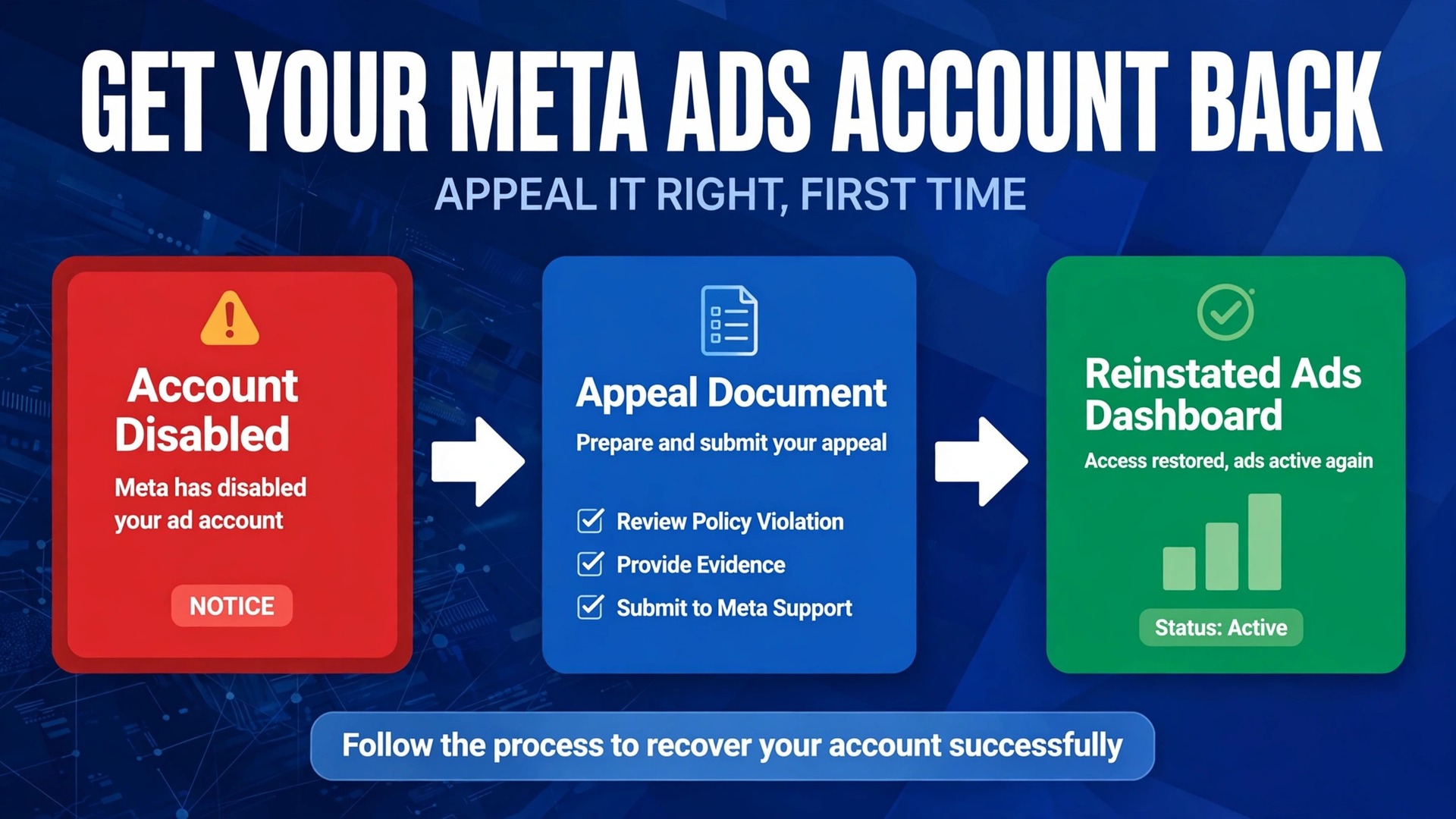
The verdict first is this. Most disabled Meta ad accounts can be recovered, but only if the owner diagnoses the real reason, fixes it before appealing, and appeals through the correct review path instead of opening a new account. Rushing an appeal with nothing fixed, or quietly starting a second account to keep ads running, are the two moves most likely to turn a temporary disable into a permanent one. If you need to fix Meta ads account disabled small business owners dread, slow down for one careful day, follow the diagnosis order below, and then appeal once, properly.
A disabled ad account means Meta has suspended the ability to advertise on Facebook and Instagram for that account. It does not always mean the business did something obviously wrong. Automated systems review millions of ads, and they sometimes disable accounts for suspicious payment activity, a hacked profile, missing verification, or a pattern of rejected ads that resembles a policy breach. The owner rarely gets a precise explanation in the first notice, which is why diagnosis matters more than speed.
This guide works through the problem in order. First, identify exactly which asset is restricted, because an ad account, a Page, a business portfolio, and a personal profile each follow a different path. Then fix the cause, then appeal, then rebuild safely. Each step explains where to look in Meta’s tools, what the fix looks like, and which mistakes to avoid.
Step 1. Identify Exactly Which Asset Meta Restricted
Meta restricts at several levels, and treating the wrong level wastes the appeal. Open Business Support Home and look at the account status overview, which lists each asset and its restriction state. An ad account disable, a Page restriction, a business portfolio restriction, and a personal profile restriction are different problems with different fixes, even though they all stop ads from running. A single rejected ad is a fifth, smaller problem, and it does not mean the account is disabled at all.
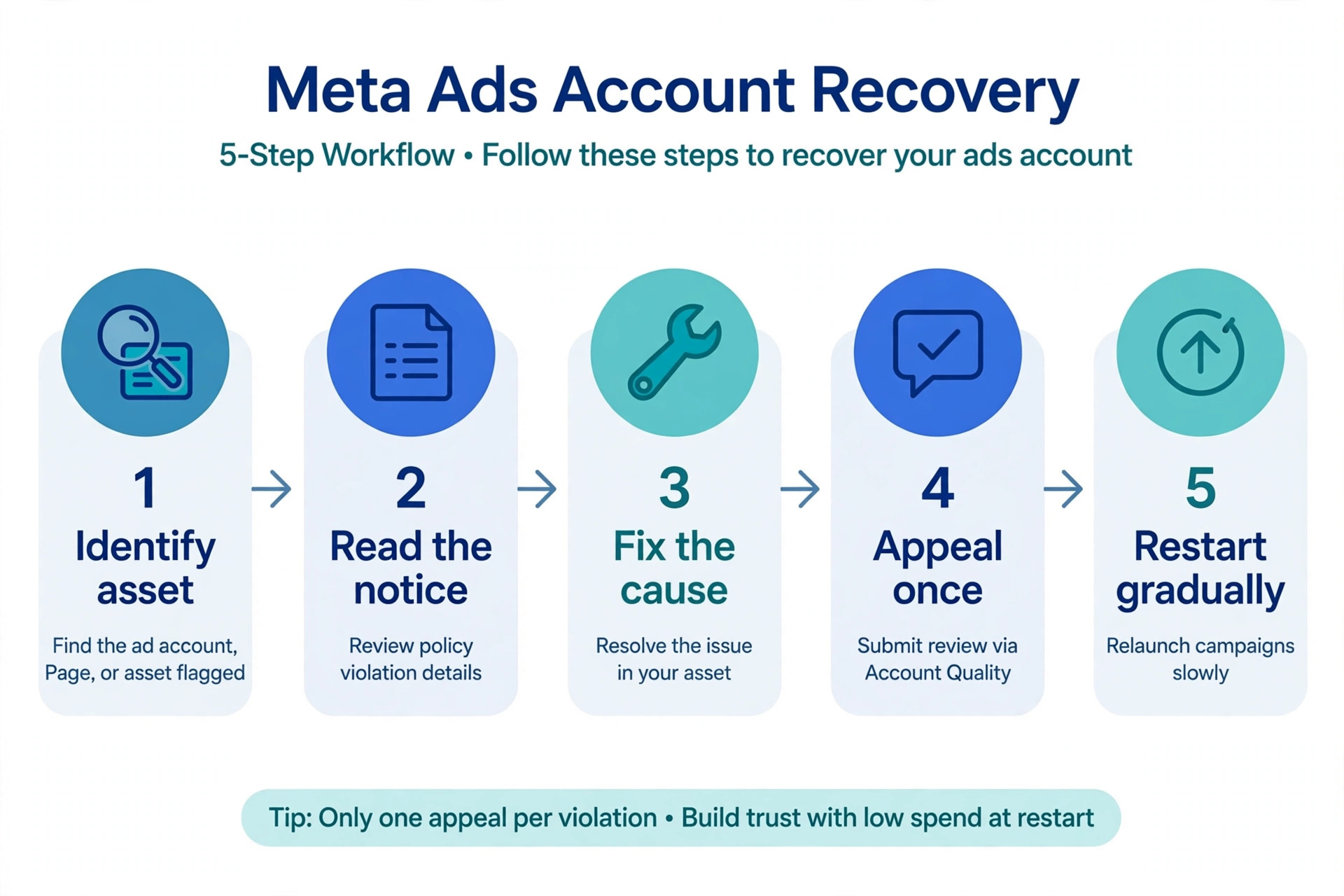
Read the disable notice email carefully as well, because it often names a policy or links to the policy text, and it may contain a direct appeal link that pre-fills the account details. Save that email, take screenshots of the restriction screens, and note the date, because an appeal may ask what changed and when. Owners who appeal from memory, without the notice in front of them, often describe the wrong policy and confuse the review.
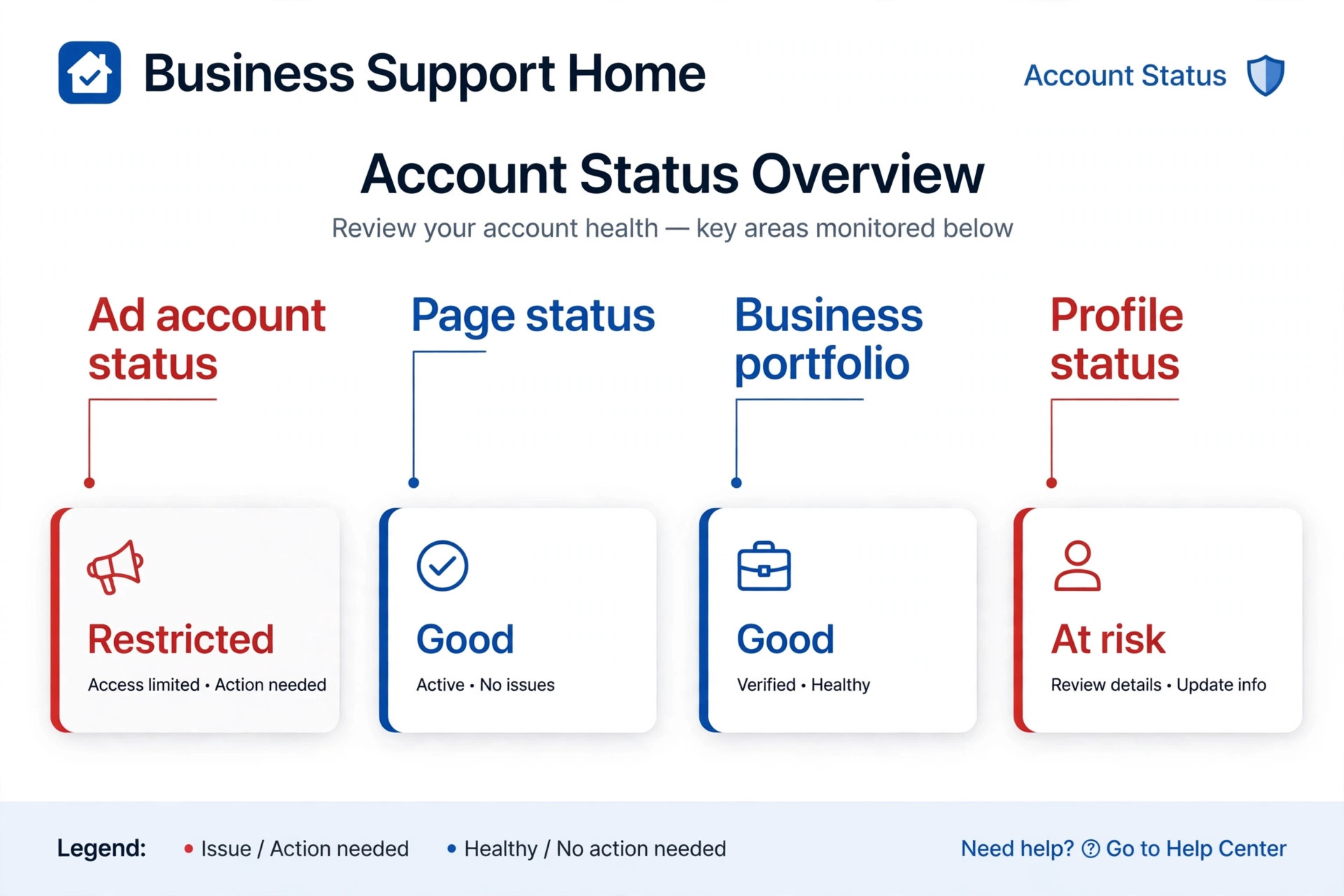
Check the linked Page and the personal profiles of admins too. A Page restricted for Community Standards issues can affect advertising even when the ad account itself looks clean, and an admin profile that lost two factor authentication or looks compromised can trigger a wider restriction. Fixing only the ad account while a Page restriction remains will produce a rejected appeal, so map every restricted asset before doing anything else.
Business Support Home Checks to Run First
In Business Support Home, open the account status overview and work through each listed asset one by one. For each asset, note whether Meta offers a review option, a verification step, or a fix such as updating a payment method. If no review option appears, Meta will usually state whether another review can be requested later, so do not assume a missing button means the case is closed forever. Record what each asset shows, because that record becomes the checklist for the fix stage.
Step 2. Diagnose the Cause From the Most Likely Reasons
Meta lists several recurring causes, and the owner should test them in order of likelihood for a small business. Policy violations are the most common, followed by payment problems, suspected hacking or unusual activity, and verification failures. Work through each cause honestly, even the uncomfortable ones, because an appeal that ignores the real cause will fail and may use up one of a limited number of review requests.
Policy violations often start as a run of rejected ads. Common triggers for small businesses include personal attributes copy that implies knowledge about the viewer, before and after imagery that implies a physical transformation, health claims such as treating or curing a condition, sensational or fear led creative, misleading claims such as invented original prices or fake countdowns, and landing pages that promise something the ad does not deliver. A business that ran several ads in one of these patterns may have been disabled for the pattern rather than a single ad.
Payment problems are the most straightforward cause and the easiest to miss. A failed payment, an expired card, a bank that declined a charge, or a high rate of disputed payments can disable an account until the balance is paid. Meta states that when a payment method fails, ads pause and the ad account stays disabled until the amount due is paid. Check the billing section before assuming a policy breach, because a payment fix needs no appeal at all in many cases.
Suspected hacking and unusual activity form the third cause. Logins from new devices or locations, sudden large spend increases, new admins added quickly, or campaigns launched at unusual hours can all look like a compromise to an automated system. In that case the fix is security work, meaning password changes, two factor authentication for every admin, removal of unknown admins or apps, and a review of recent activity, before any appeal is submitted.
Verification failures are the fourth cause. Meta may require business verification or identity verification at certain spending levels or for certain account types, and an incomplete or failed verification can restrict advertising. Check the verification status in the business settings, complete any outstanding step with accurate documents that match the business name and address, and allow time for verification to process before appealing on other grounds.
A useful discipline at the diagnosis stage is to write a one page cause summary before touching any setting, because an owner who wants to fix Meta ads account disabled small business cases properly should be able to state the suspected cause, the evidence for it, and the fix planned, all in plain language. That summary prevents the common drift where an owner fixes a payment issue, then a landing page, then a security setting, without ever confirming which one actually caused the disable. A written summary also becomes the backbone of the appeal, since reviewers respond to specific evidence far better than to general assurances.
Step 3. Fix the Cause Completely Before Appealing
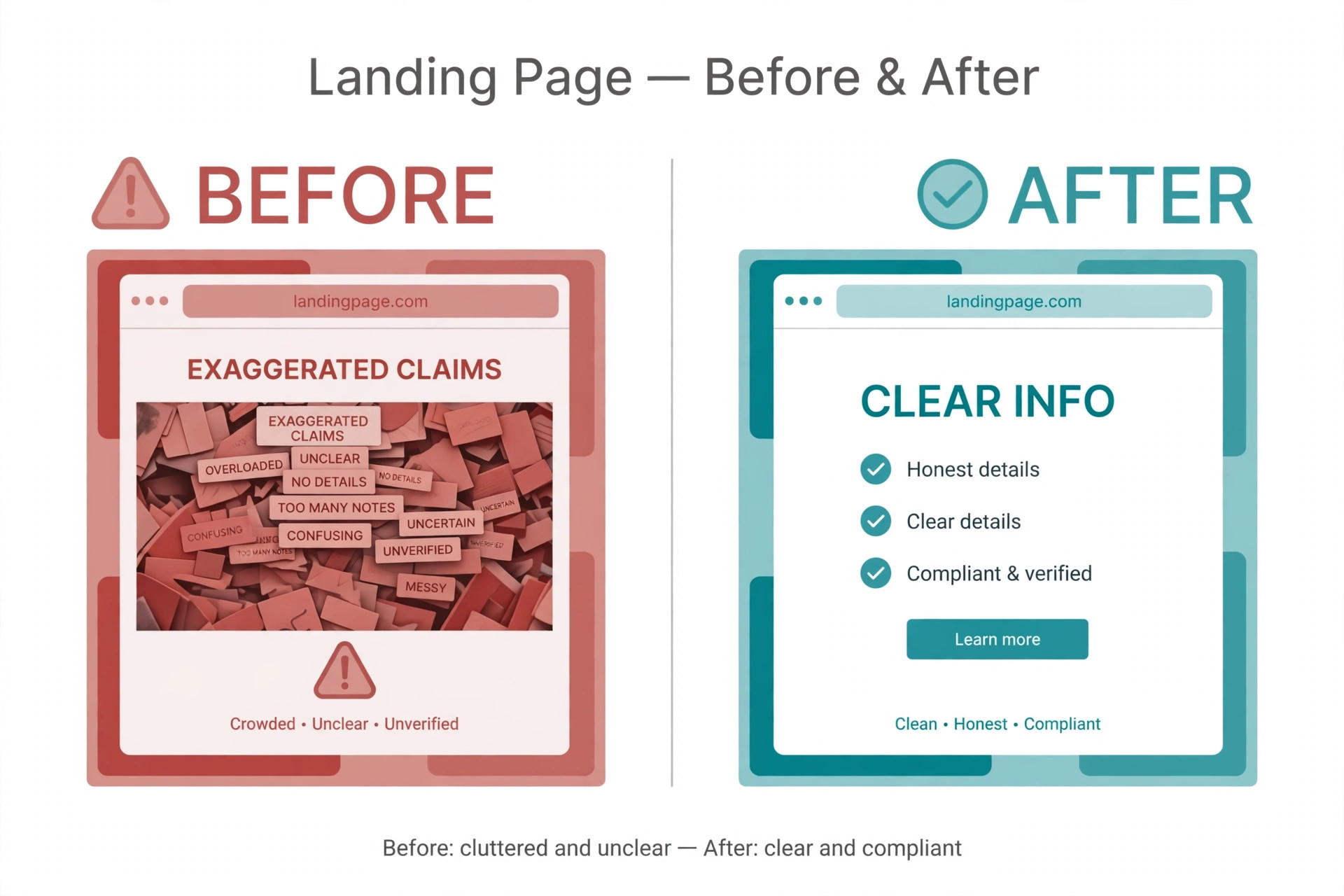
This step decides most appeals. Meta reviewers check the current state of the account, the ads, and the landing pages during review, so fixes must be real and visible before the appeal goes in. Pause or delete non compliant ads rather than leaving them running in the hope that the reviewer will ignore them. Edit the landing page so prices, claims, privacy policy, terms, and contact details are accurate and easy to find, and remove any countdown, testimonial, or claim that cannot be substantiated.
For payment causes, pay the outstanding balance with a valid payment method registered to the business, and confirm the billing status shows settled before doing anything else. Do not add a second payment method and appeal on policy grounds while a balance remains, because the billing issue will still block reinstatement. For security causes, complete the full security cleanup, enable two factor authentication for every admin, and remove any admin or app the business does not recognise, then document each change for the appeal message.
For verification causes, submit the requested documents and wait for the verification result where possible. An appeal that says verification is in progress is weaker than an appeal that says verification is complete, because the reviewer can confirm completion directly. If verification is genuinely blocked by a document mismatch, fix the mismatch at its source, such as a business name that differs between documents, rather than submitting the same mismatched document again and hoping for a different result.
Keep a short written record of every fix, with dates and before and after descriptions. That record becomes the evidence section of the appeal, and it also protects the business if a second review is needed later. An owner who can list exactly what changed, in plain language, looks credible to a reviewer, while an owner who writes only that the account should be restored gives the reviewer nothing to verify.
Timing matters for the appeal as well as its content, and an owner working to fix Meta ads account disabled small business problems should submit the appeal only after every listed fix can be verified by an outsider. A reviewer who opens the landing page should see the corrected claims, a reviewer who checks billing should see a settled balance, and a reviewer who checks security should see two factor authentication in place. If any fix is still in progress, finish it first, because an appeal decided on a half fixed account wastes a limited review opportunity.
Step 4. Submit the Appeal Through the Correct Review Path
Only an admin can request a review of an account restriction, so confirm admin access before starting. In Business Support Home, select the restricted account, open the what you can do section, and choose the request review option. Meta may ask for identity documents or additional information during the process, so have those ready and respond promptly to any follow up request, because a stalled appeal can time out or be decided on incomplete information.
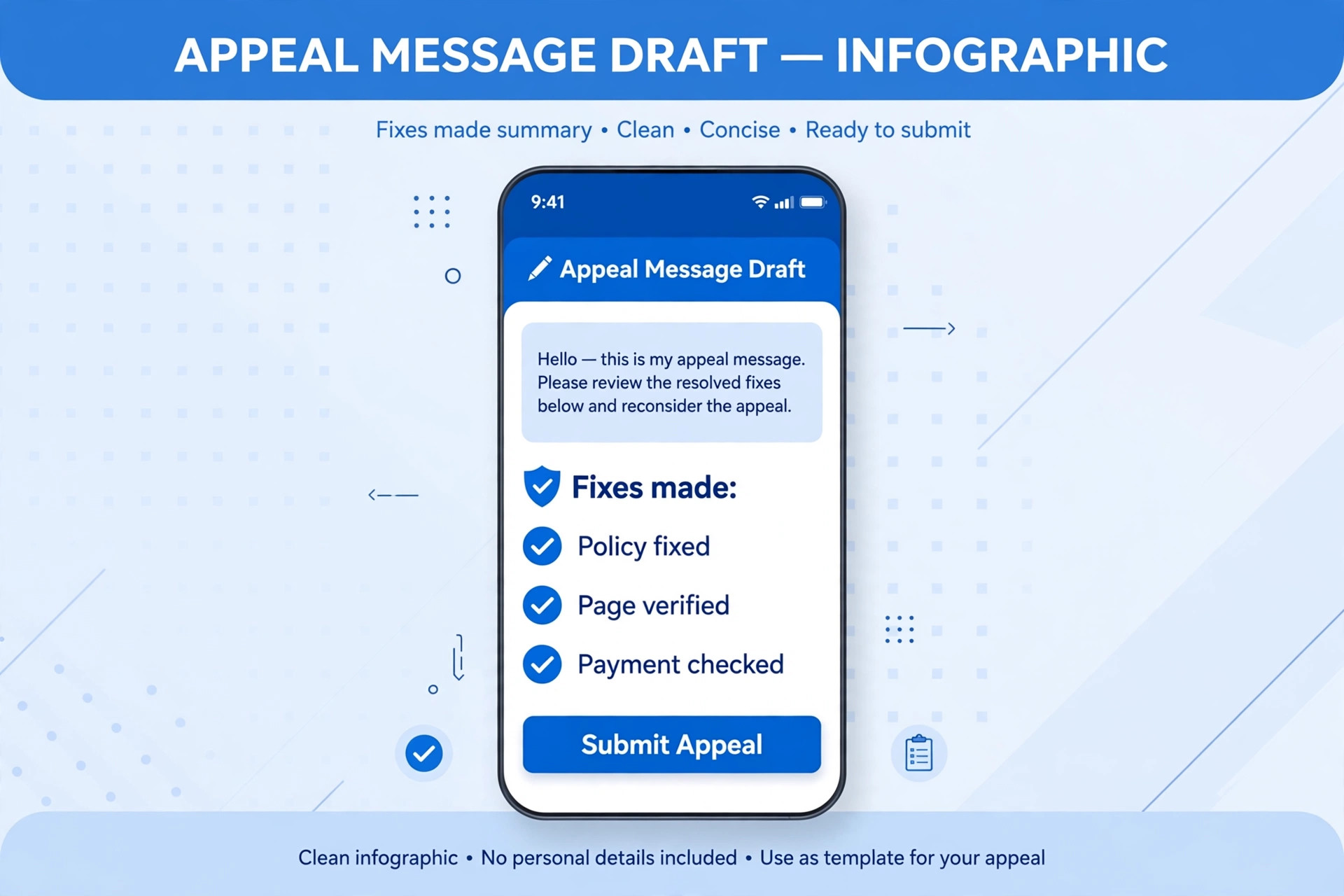
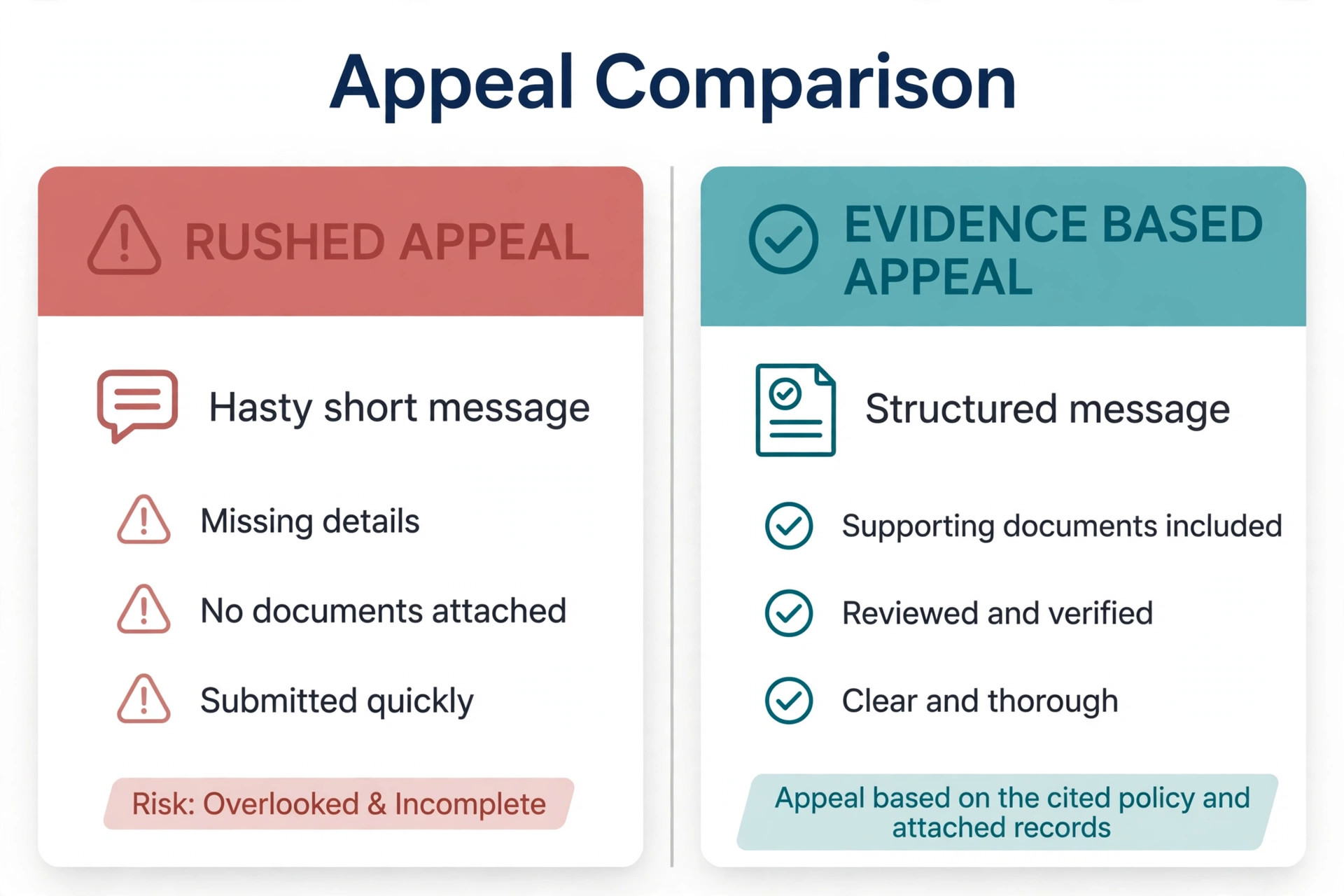
Write the appeal in a concise, factual, non confrontational style. State the account, the policy or reason named in the notice, the specific fixes made, the evidence for those fixes, and a commitment to follow the policies going forward. Avoid long explanations, blame, or repeated submissions of the same text, because reviewers handle many cases and a clear short appeal is easier to decide. If the business believes the disable was an error, say so plainly and cite the specific policy language that supports compliance, rather than claiming unfairness in general terms.
Meta states that requesting another review will not hurt the business standing, but it also limits how many times a restriction review can be requested, and a completed review decision is final for that request. That combination means each appeal should be as strong as possible before submission, not a first draft sent in haste. After submission, track the case in the support cases section of Business Support Home, and do not submit duplicate appeals for the same restriction while one is pending, since duplicates can confuse the case record.
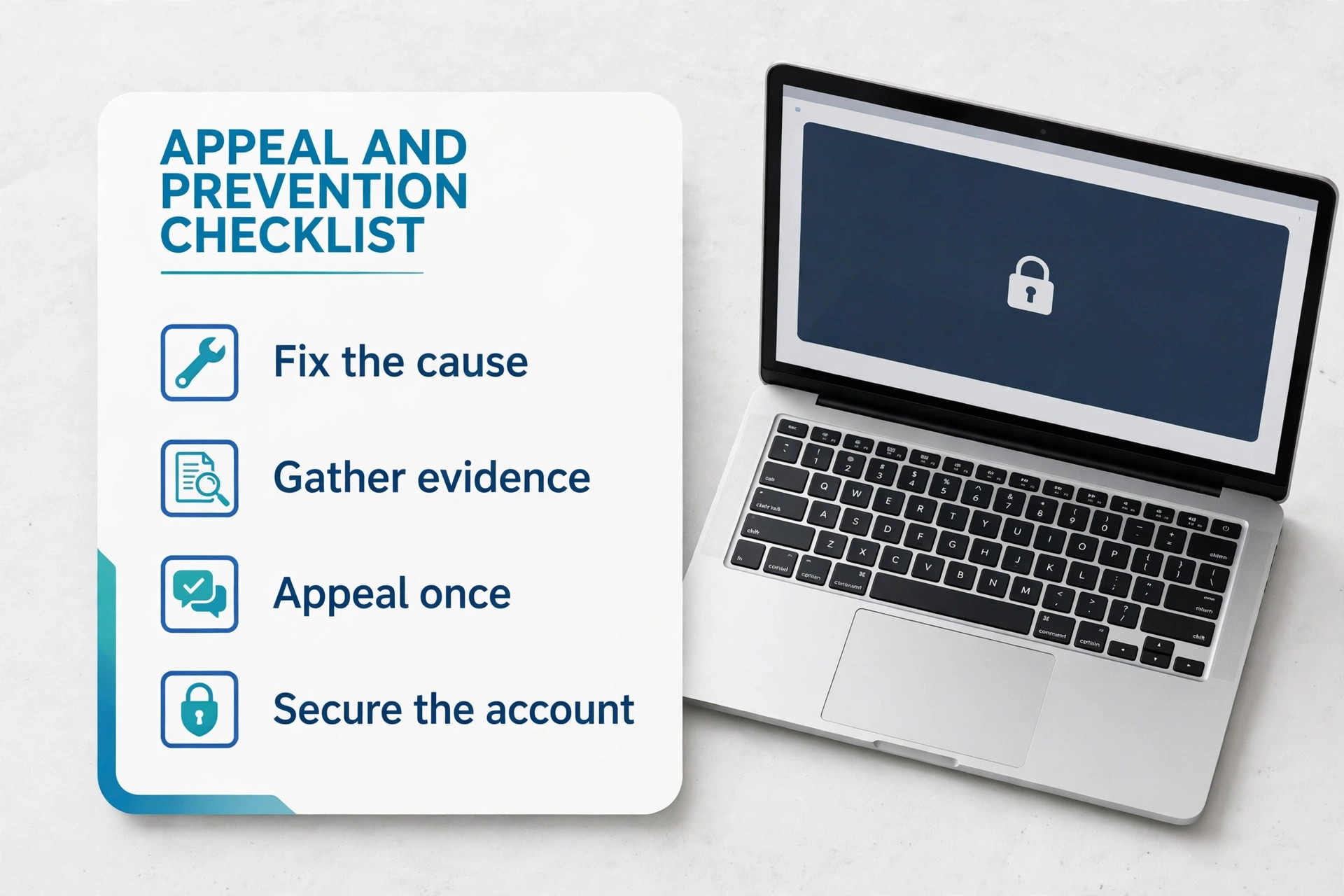
Response times vary. Straightforward cases are often decided within a day or two, while complex cases involving verification or repeat violations can take weeks, with some guides noting up to thirty days for complex reviews. During the wait, do not run similar ads from another account, do not create a new business portfolio to work around the restriction, and do not edit the fixed landing pages back to their old state. Patience during review is part of the fix, not wasted time.
The rebuild stage also needs a spending plan, because an owner who manages to fix Meta ads account disabled small business restrictions and then immediately restores full spend risks a second flag for unusual activity. Start with the single best performing compliant campaign at a modest budget, monitor delivery and feedback for several days, and only then restore additional campaigns one by one. That gradual pattern looks like a careful business returning to normal, which is exactly what it is, and it gives the owner time to catch any compliance issue before it scales.
Step 5. Rebuild Safely After Reinstatement
Reinstatement is not the end of the process. Ads that were running before the restriction will not restart automatically, so the owner must review each campaign, confirm the creative and landing page still comply, and restart campaigns one at a time rather than all at once. A sudden burst of spend across many campaigns immediately after reinstatement can look like unusual activity, so restart gradually and monitor delivery for the first few days.
Rebuild the account’s compliance habits at the same time. Create a short pre launch checklist for every new ad, covering claims, imagery, landing page match, and policy category, and require a second person or a fresh eyes review for any ad in a sensitive category such as health, finance, or employment. Keep a log of rejected ads and the reason for each, because a pattern of rejections is the early warning sign that a disable may be coming, and catching it early is far cheaper than appealing later.
Separate business assets sensibly without creating circumvention risk. A business with multiple brands or locations may legitimately hold separate ad accounts, but those accounts must each comply on their own and must not be used to run ads for a restricted account. If in doubt about structure, keep it simple, with one clean account per genuine business need, and document why the structure exists. Legitimate structure is defensible, while structure built to evade a restriction is itself a policy breach.
Prevention deserves its own routine after recovery, and a business that has learned how to fix Meta ads account disabled small business cases the hard way should turn that lesson into a monthly habit. Once a month, review rejected ads, check billing health, confirm every admin still needs access and still uses two factor authentication, and read the landing pages for claims that have drifted out of date. A monthly review takes under an hour and catches most problems while they are still small enough to fix without an appeal.
Appeal and Prevention Checklist for a Disabled Account
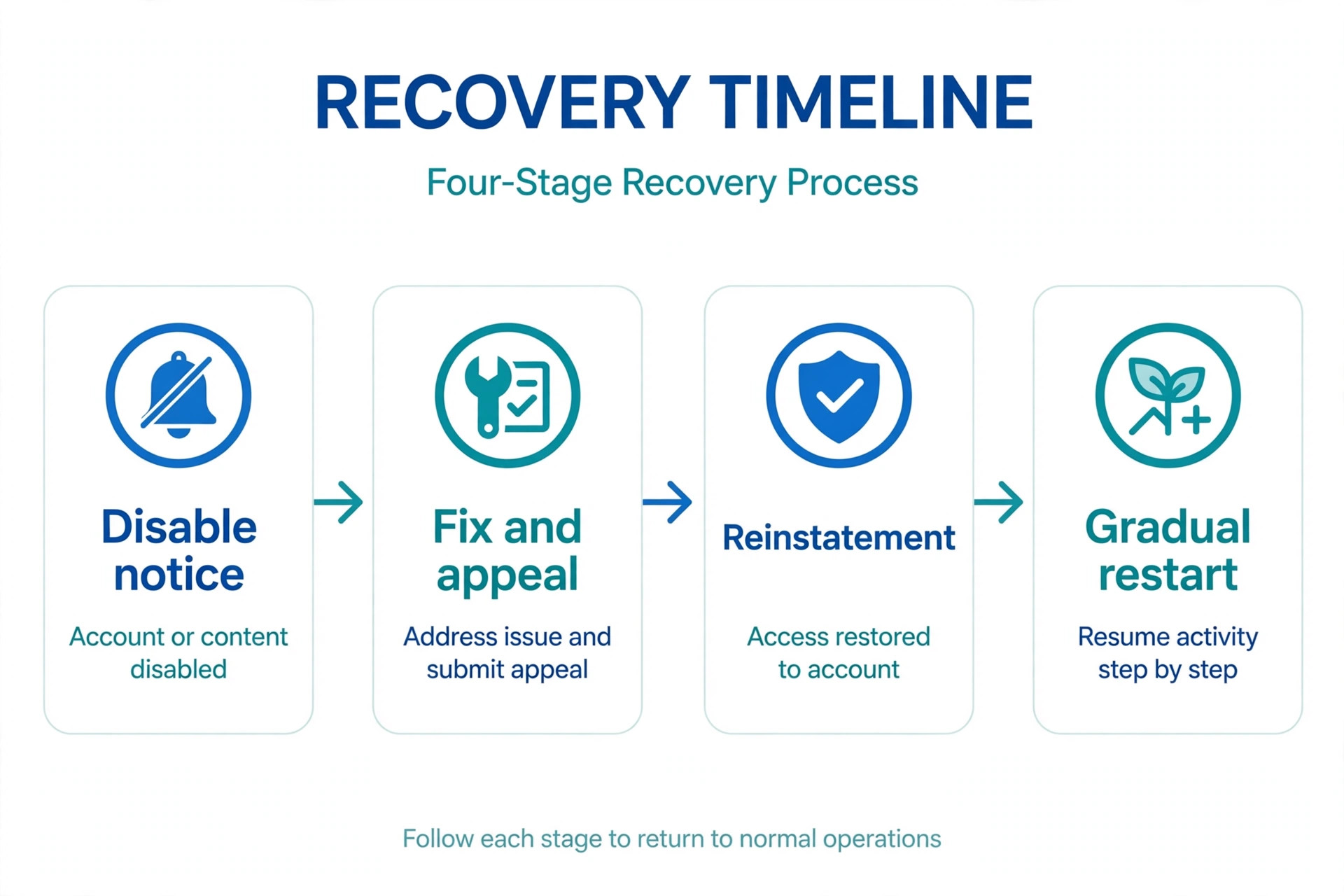
This checklist is the copyable core of the recovery plan. Work through it in order, and do not submit the appeal until the fix items are complete. Keep the completed checklist with the case record, so a second review, if ever needed, starts from evidence rather than memory.
Open Business Support Home and list every restricted asset.
Read the disable email and save the policy it names.
Check billing and pay any outstanding balance first.
Pause or delete non compliant ads and fix landing pages.
Complete security cleanup and enable two factor authentication for all admins.
Finish business or identity verification with matching documents.
Write down every fix with dates and before and after details.
Confirm admin access and submit one clear request for review.
Track the case in support cases and answer follow ups promptly.
Restart campaigns gradually after reinstatement, one at a time.
Add a pre launch compliance check to every future ad.
Log rejected ads and review the pattern monthly.
A checklist followed in order prevents the two most common failures, which are appealing before fixing and fixing only one asset while another stays restricted. Both failures waste a limited review opportunity, and both are avoidable with a single careful day of work. The business that treats the checklist as a working document, rather than a formality, gives its appeal the best chance available.
One more mistake is blaming the platform in the appeal itself, because an owner trying to fix Meta ads account disabled small business trouble often writes from frustration and lets that tone into the message. Reviewers decide on evidence, not on sympathy, so a calm factual appeal that lists fixes and evidence will always outperform an angry appeal that argues about fairness. Write the appeal, leave it for an hour, read it again for tone, and remove any sentence that does not help the reviewer verify a fix.
Mistakes That Turn a Temporary Disable Into a Permanent Ban
The most dangerous mistake is circumvention. Creating a new ad account, a new business portfolio, or a new Page to run the same ads while the original account is disabled is treated by Meta as circumventing systems, and it can lead to an immediate ban on the new account and a wider restriction on the business. Meta links accounts through payment methods, devices, and other signals, so a workaround account is usually detected quickly. The short term ads it runs are not worth the long term loss of the whole business presence.
The second mistake is appealing before fixing. An appeal that says the business will comply in future, while non compliant ads and landing pages remain live, asks the reviewer to trust a promise over evidence. Reviewers check the live state, so the promise fails. Fix first, document the fix, and then appeal with evidence, even if that means waiting an extra day. One strong appeal beats three weak ones, especially when review requests are limited.
The third mistake is submitting many appeals at once or through every channel available. Duplicate cases, chat messages, and repeated forms for the same restriction create a messy record and can slow the real review. Submit one appeal through the correct path, track it, and respond to follow ups. If that review is completed and the decision stands, use the next allowed review only after making a further genuine fix, not by resending the same text.
The fourth mistake is ignoring the wider business presence during the outage. While ads are paused, the business should keep posting organically, answer customer messages, and protect its reputation, because customers do not know about the restriction and will judge the business on what they see.
A quiet Page during an ad outage looks like a closed business, while an active Page keeps trust warm for the day ads return. Related platform problems need their own guides too, such as a guide to fixing a suspended TikTok account for video accounts, a guide to fixing Shopify checkout problems for store owners, and a guide to fixing Calendly double booking for service diaries. Cost planning during the outage also matters, and a guide to the cost of Shopify for small business plus a guide to switching from Etsy to Shopify help owners plan spend while ads are paused.
How to fix Meta ads account disabled small business Owners Should Document for Reviewers
Documentation is the difference between an appeal that asks for trust and an appeal that proves a fix. Start a simple case file on the day of the disable, with the notice email, screenshots of every restricted asset, the billing status, and a dated list of changes. Each entry should state what was wrong, what was changed, and where the reviewer can verify it, such as a landing page address or a settings screen. A case file built this way also helps if the business later needs a second review, because the owner does not have to reconstruct the history from memory.
An owner who wants to fix Meta ads account disabled small business cases with strong evidence should also keep copies of the corrected ad creative and the old creative side by side, with a short note explaining the change for each. For example, note that a before and after image was replaced with a single product image, or that a health claim was replaced with a factual description of the service. Those paired examples let a reviewer see the fix in seconds, rather than hunting through an account to find it, and they demonstrate that the business understands the rule rather than merely deleting the offending ad.
Finally, keep the case file after reinstatement, because it becomes the training material for anyone who runs ads for the business in future. New staff, agencies, and freelancers can read the file and learn which claims, images, and landing page practices caused trouble, which prevents the same mistake from returning with a new campaign. A business that treats a disable as a lesson documented once will rarely repeat it, while a business that treats it as bad luck to forget will often repeat it within a year.
Frequently Asked Questions
How long does a Meta ad account appeal take?
Straightforward appeals are often decided within one to two days, while complex cases involving verification or repeat violations can take several weeks. Track the case in Business Support Home rather than guessing, and avoid duplicate appeals while a case is pending, since duplicates can slow the record.
Can a disabled ad account be recovered after months?
Meta generally allows documents and reviews to be submitted within one hundred and eighty days of the restriction, after which an unrecovered account may become permanently disabled. Do not wait months to start, because the fix and appeal work is the same whether it starts on day one or day one hundred, but the options narrow with time.
Does requesting a review hurt the business standing?
Meta states that requesting another review will not hurt standing. The practical limit is the number of review requests available and the fact that a completed decision is final for that request, so each appeal should be prepared properly rather than sent repeatedly without new fixes.
If Business Support Home shows no review option, read the asset status carefully, because Meta states whether another review can be requested for that asset. Complete any verification or fix step Meta lists first, then check again, since some review options appear only after the listed fix is done.
Should a business create a new account while waiting?
No. Creating a new account to run similar ads while another account is disabled risks a circumventing systems finding, which can ban the new account and restrict the wider business. Wait for the review, fix the cause, and rebuild on the reinstated account or through a legitimate structure that does not evade the restriction.
What happens to campaigns after reinstatement?
Ads do not restart automatically. The owner must review each campaign for compliance, confirm landing pages are still accurate, and restart campaigns gradually. Restarting everything at full spend immediately after reinstatement can look like unusual activity, so a gradual restart with monitoring is the safer path.
It also helps to keep the wider business running on channels the owner controls while ads are paused, such as email to past customers, organic social posts, and the business website. A customer list built before a crisis is an asset that no platform restriction can switch off, and businesses that can still reach past buyers during an ad outage lose far less revenue than businesses that depend entirely on paid traffic. Use the outage as a prompt to start or refresh that list, with a simple signup offer on the website and a short message to past customers explaining current offers, so the business returns to advertising from a stronger position rather than from a standstill.
Finally, set a calendar reminder for a compliance review thirty days after reinstatement, covering rejected ads, billing health, admin access, and landing page accuracy. A review one month on catches any habit that slipped back during the busy restart period, and it gives the owner a clean record to show that the business took the disable seriously. Thirty minutes of review at that point is a small price for an advertising account that stays healthy, and it closes the recovery properly instead of leaving it half finished.
A Steady Account Is Built Before the Next Disable
The businesses that survive a disable with least damage are the ones that treat compliance as a routine, not a rescue. A pre launch checklist, a log of rejected ads, clean billing, two factor authentication for every admin, and landing pages that match their ads will prevent most disables before they happen. Those habits cost minutes per ad, while an appeal costs days of lost sales and weeks of uncertainty.
If an account is disabled today, the path is clear. Map every restricted asset, fix every cause with evidence, appeal once through the correct path, and rebuild gradually. That sequence gives the business the best chance of recovery and the best foundation for advertising that lasts. A disabled account feels like a crisis, but handled in order, it often becomes the moment a small business finally builds the compliance habits that protect its advertising for years.