
A standard equipment checkout form lists 21 checks, from frame damage to tire inflation, and every one of them exists because a rental yard once lost money by skipping it. That is the reality of construction equipment rental. The machine is expensive, the site is unforgiving, and the argument after return is almost always about condition, hours, or dates. If you want to use AI for construction equipment rental bookings well, build a system that gets three things right every time. The right machine, reserved for the right dates, with its condition photographed before it leaves the yard. Everything else in this guide supports those three facts.
How to use AI for construction equipment rental bookings without double booking a machine
A rental yard does not need a large office team to run bookings well. It needs one live availability record, one reservation flow that every staff member follows, and one inspection routine that nobody skips. AI helps with matching, drafting, and reminders, while yard staff handle the machine, photos, and customer conversation. The system in this guide works for a yard with twenty machines and for a larger yard with several locations. The difference is only scale. A small yard checks one availability board. A larger yard checks one board per location, with transfers between them. The rule stays the same. If a machine is not on the board, it is not promised to anyone.
The booking problem in one picture
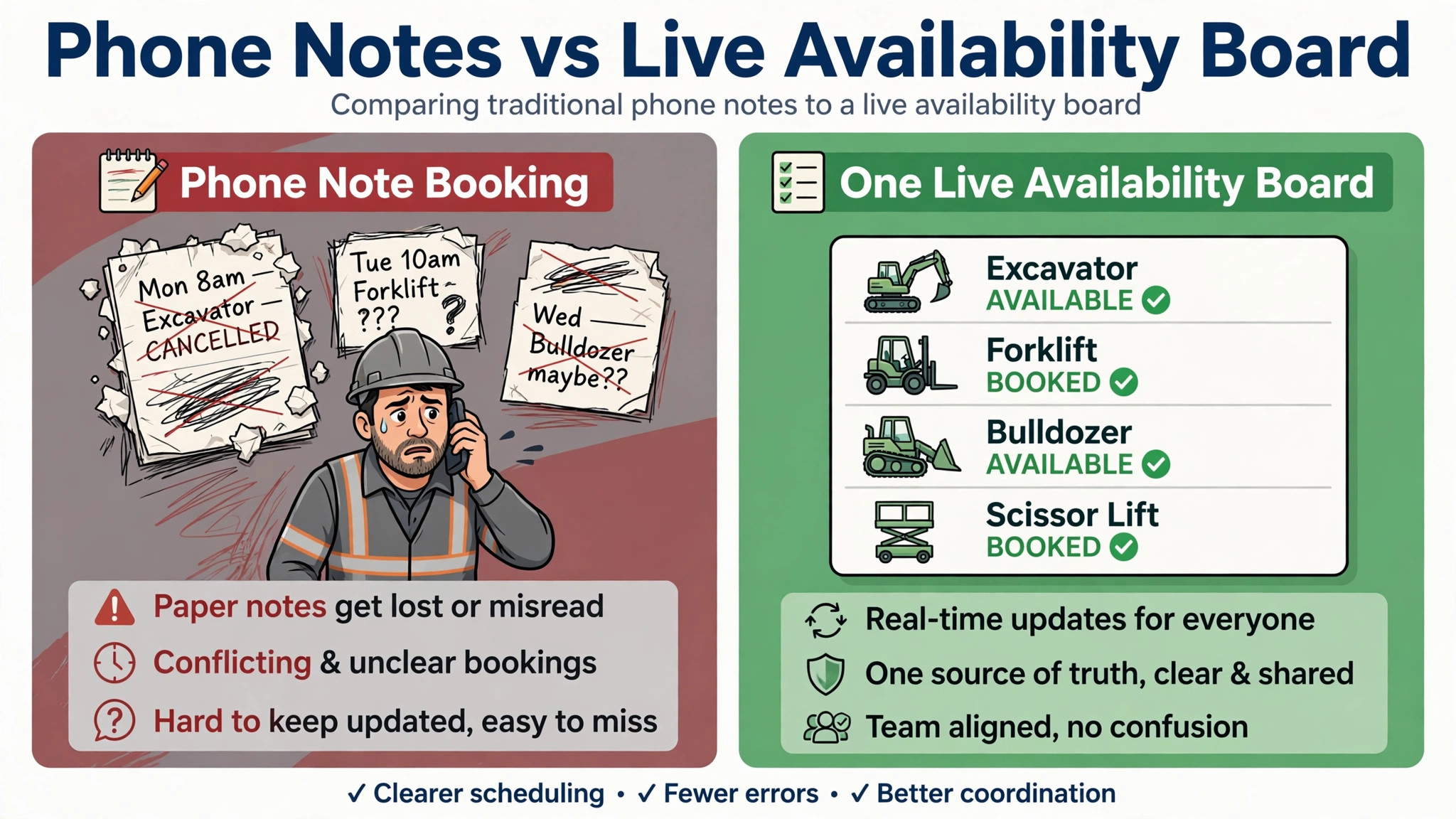
Most booking problems in a rental yard are not caused by demand. They are caused by two records that disagree. The phone book says the excavator is free. The yard board says it is out on repair. The website says it is available next Tuesday. The driver knows it is booked for a long term hire. When records disagree, staff promise what the yard cannot deliver, and the customer finds out on delivery morning, with their site crew already waiting. AI fixes this only when there is one record to fix. A yard with four separate lists, paper, spreadsheet, website, and memory, will keep double booking however clever the tool is. The first job is therefore consolidation, not automation.
| Booking method | What goes wrong | What the customer experiences |
|---|---|---|
| Phone note only | No one else sees the promise | Delivery morning surprise |
| Spreadsheet plus memory | Two versions disagree | Wrong machine or wrong date |
| Website form with no live stock | Form promises what the yard lacks | Cancellation after confirmation |
| One live availability board | One record, checked before promising | Right machine, right date, confirmed |
The table above is the decision shortcut for the whole workflow. Every step that follows supports the bottom row. Keep the board visible in the yard office and on every phone that takes bookings. A board that only the manager can see is not a board. It is a secret, and secrets double book machines. Staff should be able to answer one question for any machine in under a minute. Is it available, reserved, out, or in repair, and for which dates. If the answer takes longer, the record is the problem, not the staff.
The rental booking workflow, step by step
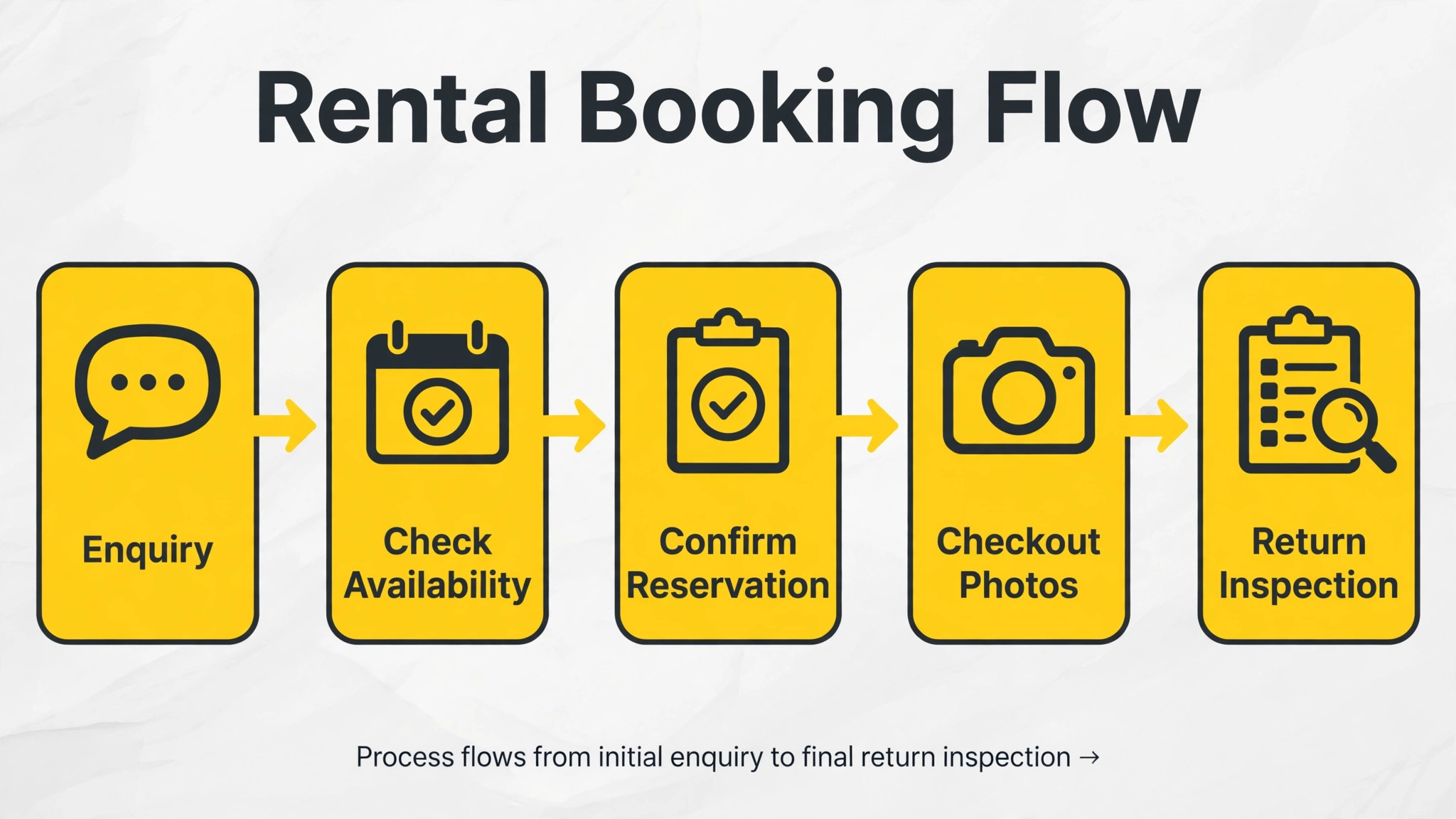
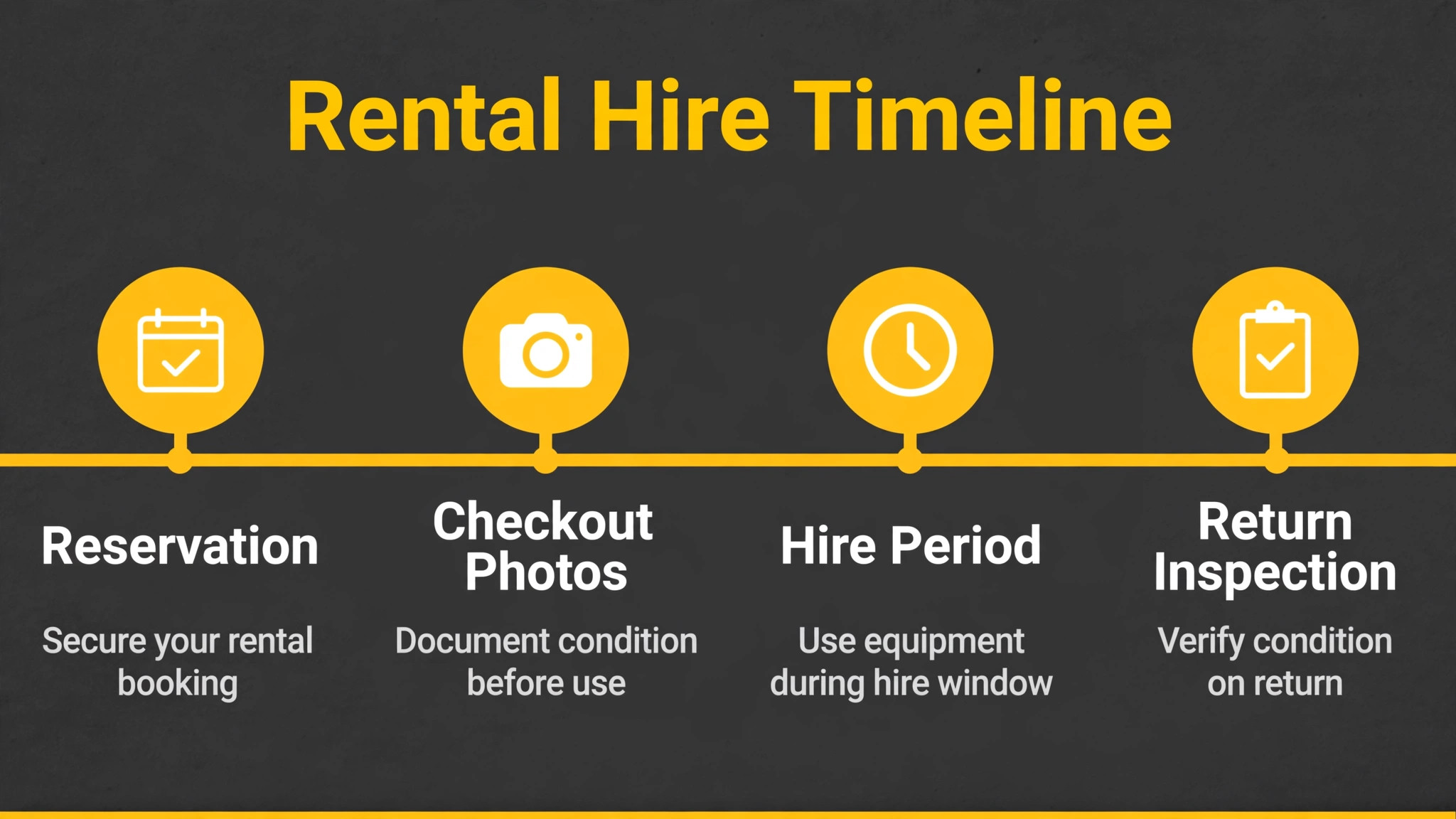
This workflow runs from first enquiry to return inspection, in eight steps. AI handles the matching, the message drafting, and the reminders. Yard staff handle the machine checks, the photos, and the customer signatures. Nothing in this section requires new software to start. A shared availability sheet, a phone camera, and a messaging tool your team already uses will run the first month. The discipline matters more than the tool, because a disciplined yard with a spreadsheet beats a careless yard with expensive software every time.
Step 1. Capture the job before you promise a machine
When an enquiry arrives, record five facts before discussing availability. What work is the machine doing, what size and capacity does the job need, what are the site access limits, what dates are firm, and who is the on-site contact. AI can turn a free text enquiry into these five fields and flag missing facts, such as no site address or no delivery date. Do not promise a machine until the five facts are complete. A machine promised for the wrong job, such as an excavator too large for site access, will be returned unused, and the yard loses the hire and the next booking. Matching the machine to the job is the highest value step in this workflow.
Step 2. Check live availability and confirm in writing
Check the live board for the exact machine class and dates, including maintenance windows and existing reservations. If the exact machine is free, reserve it at once and send a written confirmation with machine class, dates, delivery address, and rate basis. If it is not free, offer the nearest alternative with a clear explanation of the difference, and never promise the first choice while hoping a return comes early. Use AI for construction equipment rental bookings to check availability across locations and draft the confirmation message, but staff must verify the reservation before it is sent. A confirmation sent from a stale board is worse than no confirmation, because the customer plans a site crew around it.
Step 3. Collect the paperwork before delivery day
Before delivery, collect the signed rental agreement, the certificate of insurance where required for high value machines, the security deposit terms in writing, and the named on-site contact with a phone number. AI can draft the agreement summary and the delivery checklist from the reservation, and can remind staff when paperwork is missing. Do not load a machine for delivery with paperwork outstanding, except under a clear manager exception recorded in writing. Paperwork chased after delivery is paperwork negotiated from weakness, because the customer already has the machine. When you use AI for construction equipment rental bookings, the paperwork reminder is the feature that prevents the most arguments, because most arguments start with a term nobody read.
Step 4. Inspect, photograph, and record the hour meter
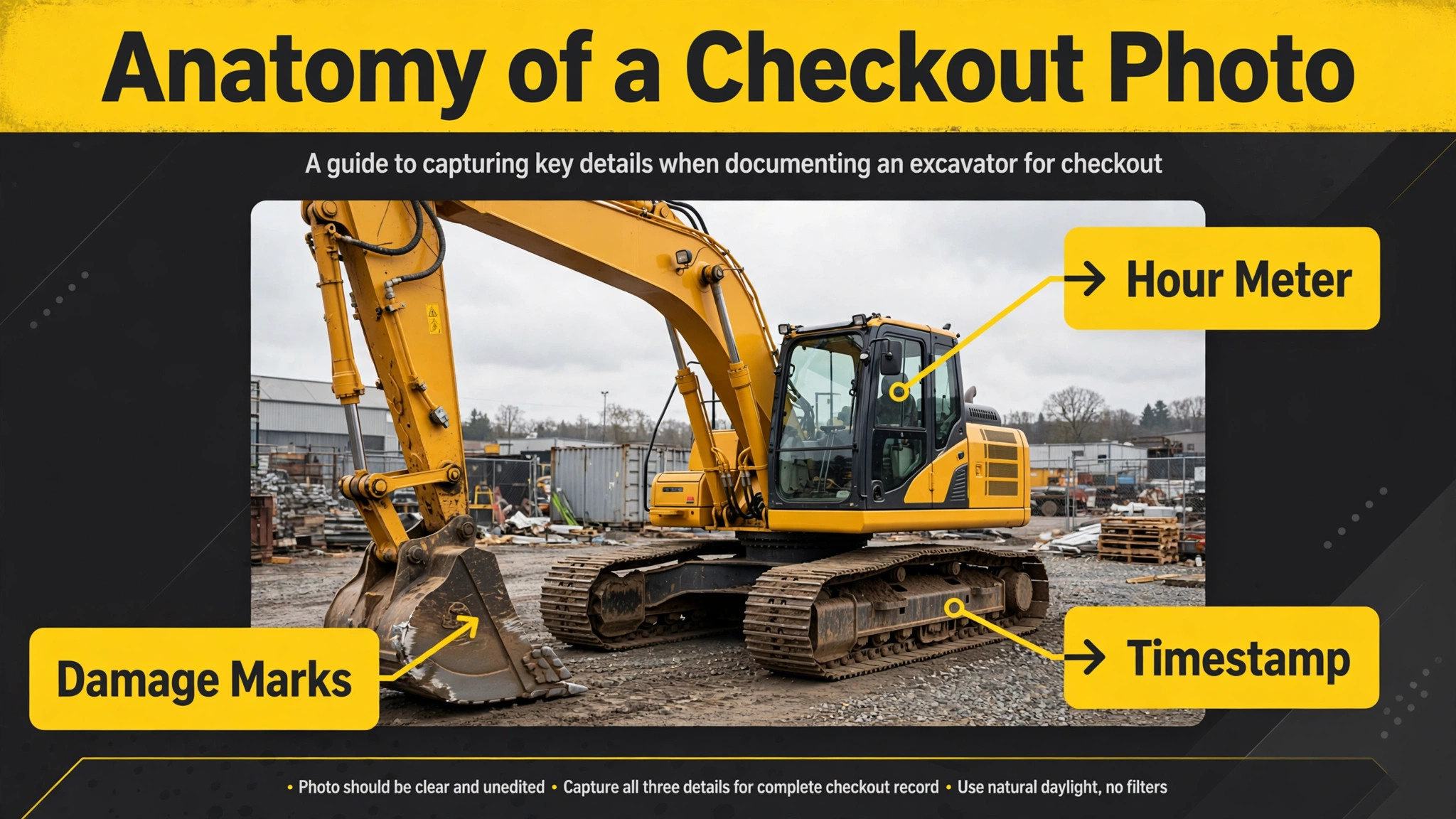
On checkout, the yard team inspects the machine with a fixed checklist, photographs it from several angles with timestamps, and records the hour meter reading in frame. Note every existing mark, leak, worn track, or damaged tyre in writing, and attach the photos to the reservation record. AI can turn the inspection notes into a clean checkout report and can flag items that differ from the last return inspection. The customer signs the report, or receives it digitally before delivery, so both sides agree on condition before the machine works a single hour. A checkout without photos is a damage claim without evidence, and damage claims without evidence are usually lost.
Step 5. Deliver, confirm site readiness, and brief the operator
On delivery, confirm the site address, the secure overnight storage spot, and the named contact who accepts the machine. Brief the operator on permitted use, daily checks, and the same day reporting rule for damage, theft, or breakdown. AI can draft the delivery message and the operator brief from the reservation, but the driver must confirm the handover in person or by signed digital receipt. A machine dropped at an empty site, with no named contact and no storage plan, is a machine at risk from its first night. Delivery is not complete when the truck leaves. It is complete when a named person has accepted the machine and knows the reporting rule.
Step 6. Track hours, report problems, and manage extensions
During the hire, track hours used, log any incident or damage report the same day in writing, and handle extensions as written changes to the reservation, not as verbal understandings. AI can monitor the hire calendar, send a reminder before the return date, and draft the extension confirmation when the customer asks for more days. When you use AI for construction equipment rental bookings during the hire, the reminder is the value, because most late returns are not deliberate. They are forgotten returns, where the site crew finished late and nobody told the yard. A reminder two days before return, plus one on return day, prevents most of those cases.
Step 7. Inspect on return against the checkout photos
On return, unload the machine in a set yard area and inspect it immediately against the checkout photos, before washing or preparing it for the next hire. Compare the closing hour meter photo with the delivery reading, reconcile overage hours against the agreement, and separate normal wear from damage the renter must pay for. AI can compare the photo sets and flag differences for the inspector, but the inspector makes the call on wear versus damage. If damage is present, send the inspection summary to the customer the same day, with photos, and prepare a repair estimate promptly. A damage claim sent three weeks later reads as an afterthought. A claim sent the same day reads as a record.
Step 8. Close the contract, invoice, and record the lesson
Close the contract only when hours, damage, and invoices reconcile. Return the deposit within the agreed window, or settle damage in writing first, and keep a signed copy with the payment record. Record the outcome for the machine, the customer, and the job type, so the next booking benefits. AI can group closed hires into themes, such as one machine type with repeated damage or one customer with repeated late returns, and surface those themes monthly. Those themes decide real actions, such as extra briefing for one machine type or deposit terms for one customer pattern. A hire closed without a record is a lesson lost, and the same problem will return with the next customer.
The reservation and damage checklist
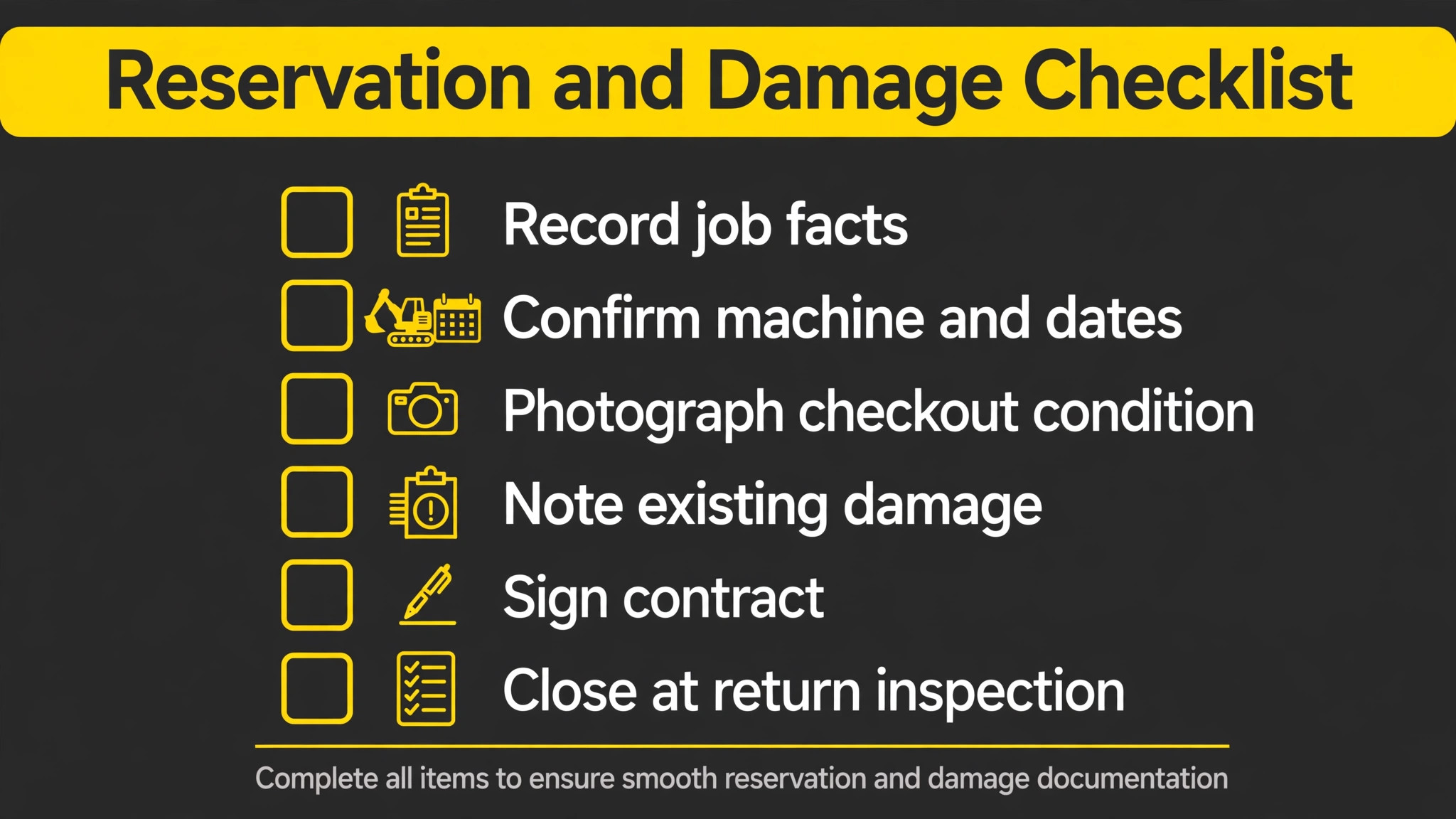
Use this checklist for every hire, and run it in full for high value machines. It is the copyable core of this guide. Yards that use AI for construction equipment rental bookings well treat this checklist as the system, not as paperwork. Print it, keep it at the yard office and on the delivery truck, and initial each line as it is done. A checklist that lives only in a manager’s head will be skipped on a busy delivery morning. A checklist on paper gets done even when the manager is away, and delivery morning is exactly when condition evidence matters most.
Record the job, machine class, site access limits, and firm dates.
Check live availability including maintenance and existing reservations.
Send written confirmation with machine, dates, address, and rate basis.
Collect the signed agreement, insurance certificate, and deposit terms.
Name one on-site contact with a phone number for delivery.
Inspect the machine with the fixed checklist before checkout.
Photograph the machine from several angles, timestamped, with damage noted.
Record the hour meter reading in frame on the checkout photo.
Send or hand the signed checkout report to the customer before work starts.
Confirm site address, storage spot, and accepting contact on delivery.
Brief the operator on permitted use, daily checks, and same day reporting.
Log hours, incidents, and damage reports the same day in writing.
Put every extension or date change in writing before it takes effect.
Inspect on return immediately against the checkout photos.
Compare closing hour meter with delivery reading and reconcile overage.
Separate normal wear from renter damage and send the summary same day.
Close the contract, settle the deposit, and file the signed record.
The checklist works because it forces the unglamorous steps, paperwork and photo evidence, to happen alongside the visible steps, delivery and collection. Most rental disputes fail on the unglamorous steps. Paperwork was never signed, photos were never taken, or hours were never recorded, so the yard cannot prove what it knows. A completed checklist is proof the system ran. An incomplete one tells you exactly where it broke, which is the information you need to fix it before the next hire.
Tools that run this workflow
The best tool is the one that already holds your fleet, reservation, and inspection records, because bookings, condition evidence, and invoices must live in one place. A familiar system with clean data beats a new system with messy records. Review your options in a dedicated guide to rental software for construction equipment rentals before you change systems, because switching in the middle of a busy season creates exactly the double bookings this workflow is designed to prevent. Yards that also run field crews should read a guide to project management software for construction teams to see how bookings connect to site schedules.
Record360 inspection photos and reports
Record360 is an inspection platform built for equipment rental operators, with a fixed inspection checklist, photos and video at checkout and return, and alerts to the rental coordinator when damage is found. Its strength for this workflow is the photo record. When checkout and return inspections follow the same checklist and the same photo routine, damage claims become comparisons of two dated records, not arguments about memory. Use AI to draft the inspection summary from the checklist notes, but keep the wear versus damage call with the inspector. The platform provides the evidence. Only a person who saw the machine can judge what counts as damage.
Cheqroom reservations and check-outs
Cheqroom is an equipment management platform with reservations, check-outs, and maintenance bookings, and it suits yards that need to see which items are reserved, out, or in repair at a glance. Its strength is the reservation view. A machine booked for maintenance appears as unavailable, so staff cannot promise it by mistake, and damage photos can be stored as attachments on the reservation. Use AI to draft booking confirmations and return reminders from that record, and to group maintenance needs across the fleet. Keep the yard team responsible for the physical inspection. A reservation system tracks the promise. Only the yard team can verify the machine.
Booqable online bookings for rental yards
Booqable is a rental booking platform with online availability, reservations, and payments, and it suits smaller yards that want customers to check availability and book without a phone call. Its strength is the live storefront. When the website shows real availability from the same board the yard uses, the form cannot promise a machine that is already out. Use AI to draft the booking confirmation and the pre-delivery reminders, and to answer common enquiry questions from the reservation facts. Keep a human check on large or unusual bookings, such as long term hires or machines needing special transport. A storefront takes the routine booking. Staff still own the complex one.
Point of Rental fleet and contract records
Point of Rental is a rental management platform used by equipment rental businesses, with fleet, contract, and invoicing records in one system. Its strength for this workflow is the single contract. When the reservation, the inspection photos, the hours, and the invoice live against one contract, closing a hire becomes reconciliation, not reconstruction. Use AI to draft the contract summary and the closing message, and to flag contracts with missing photos or unsigned reports before they become disputes. Keep the yard process unchanged when adopting any platform. Software should record the checklist the yard already follows, not replace it with a workflow nobody in the yard trusts.
Pricing, deposits, and damage terms
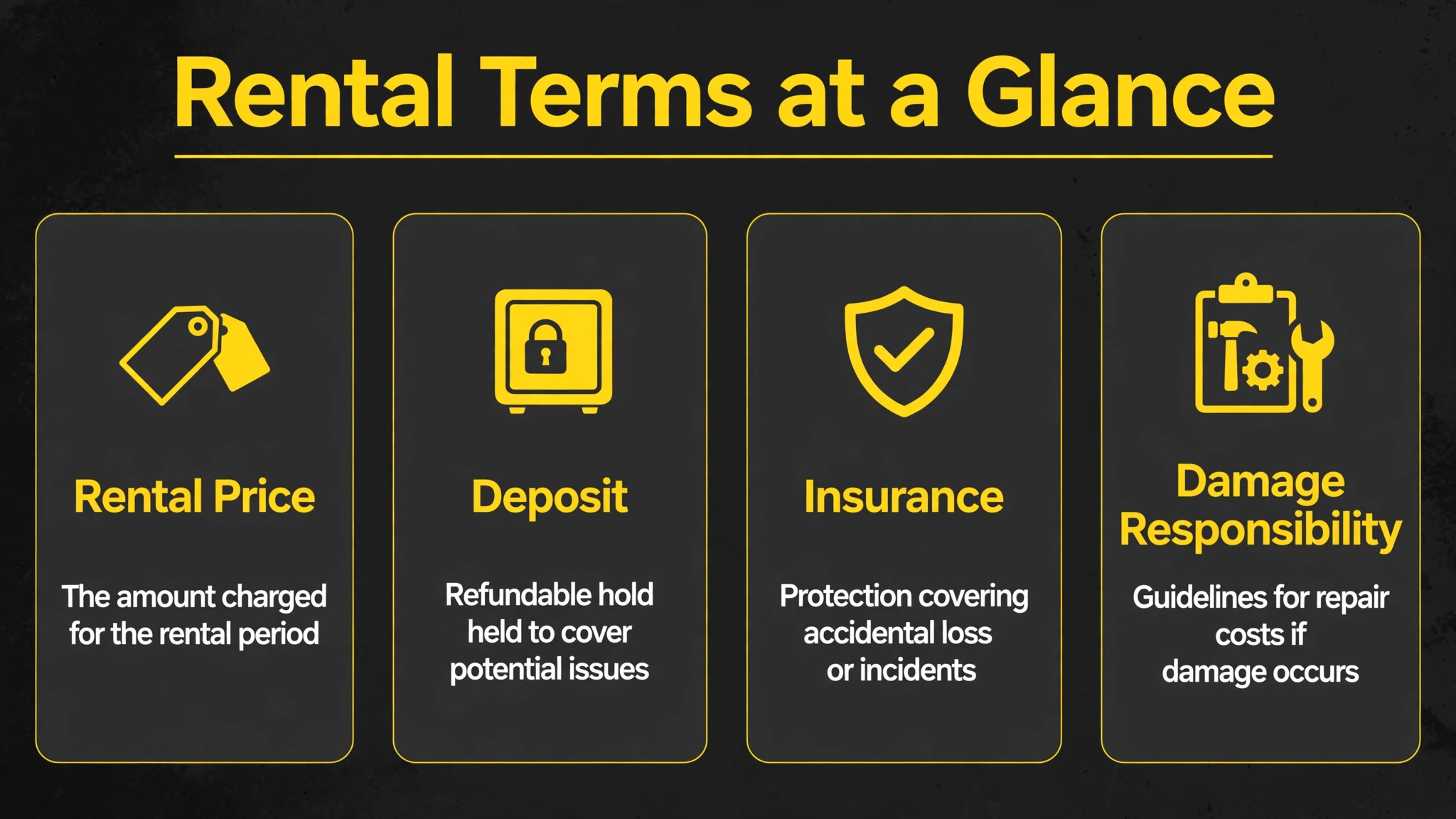
Price, deposit, and damage terms must be clear before delivery, because booking clarity prevents return arguments. State the rate basis in the confirmation, such as daily, weekly, or monthly, plus overage hour charges and what counts as a late return. State the deposit amount and the return window in writing.
State who is responsible for the machine during transport, operation, storage, and return, and what counts as normal wear versus damage. These terms are not fine print. They are the agreement, and both sides should be able to state them without looking up. When you use AI for construction equipment rental bookings, let AI draft a plain language summary of these terms, but have a manager verify it against the agreement before it is sent.
Damage terms deserve special care. Normal wear includes minor scuffs and wear consistent with the job the machine was hired for. Renter damage includes impacts, broken components, and misuse outside permitted use. The checkout photos are what separate the two, which is why step four cannot be skipped. Also confirm insurance before delivery for high value machines. A certificate of insurance received before the machine arrives is a booking requirement, not a courtesy. A yard that delivers first and asks later has no bargaining power when damage occurs. Put the insurance, deposit, and damage terms on one page of the confirmation, in plain words, so the customer signs understanding, not guessing.
How to measure yard performance
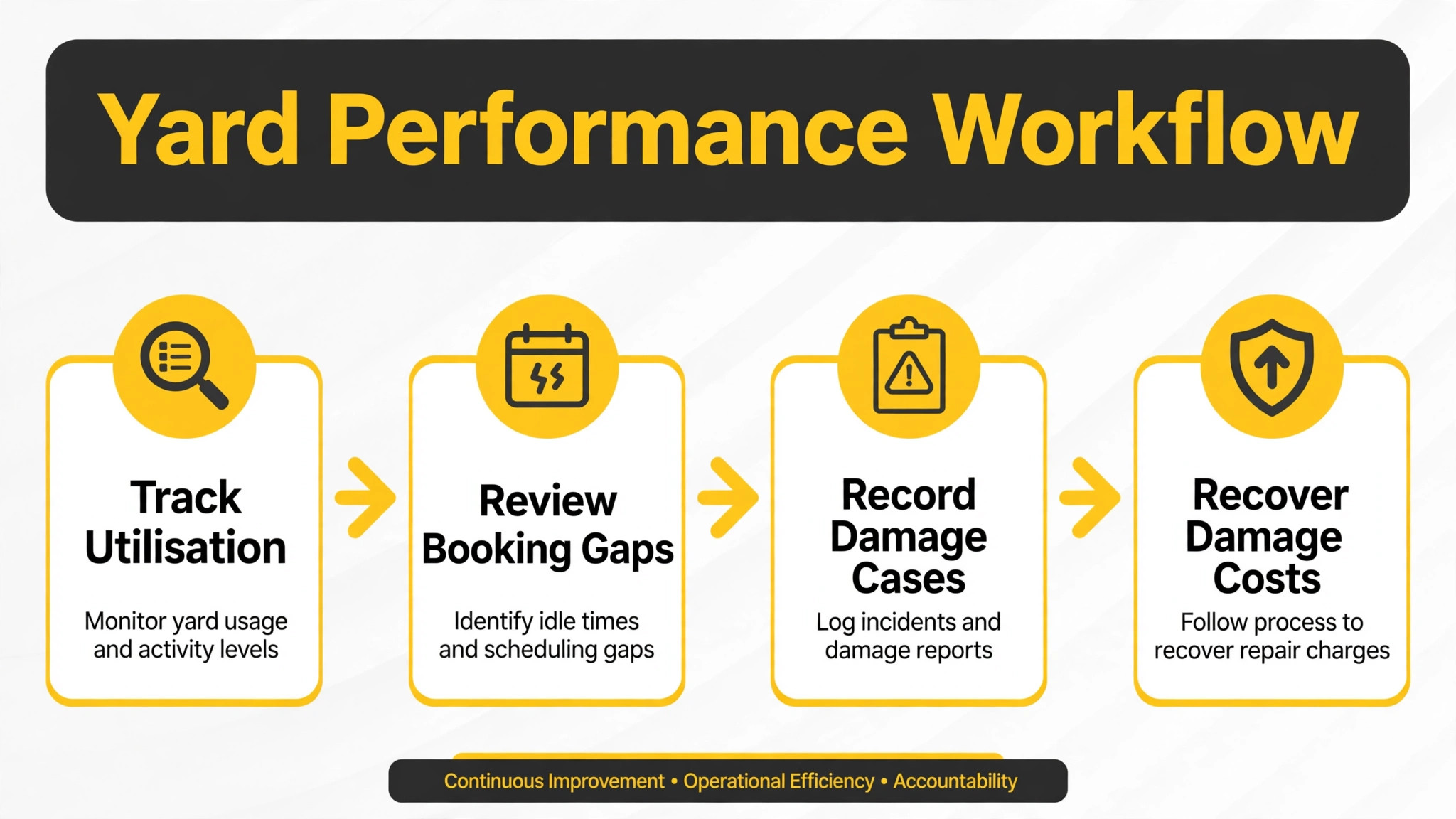
Measure four numbers monthly and judge the system on all four together. Utilisation is the share of available machine days hired. Double booking rate is promised machines the yard could not deliver, which should be zero. Damage recovery rate is valid damage costs actually collected. Late return rate is hires returned after the agreed date without a written extension. A yard that lifts utilisation but also double bookings is not improving. It is overpromising. A yard that holds double bookings at zero, lifts damage recovery, and cuts late returns is improving, because it delivers what it promises and collects what it is owed. Report these numbers on one monthly page, not in a dashboard nobody reads.
Compare each month with the same month last year, not only with last month, because construction demand is seasonal and weather driven. Also track the photo completion rate separately, meaning the share of hires with a full checkout photo set and a signed report. If photo completion falls, damage recovery will fall a month later, because claims without photos fail. Photo completion is a leading number. Damage recovery is a lagging one, and leading numbers are what let you act before money is lost. Use AI for construction equipment rental bookings to group these measures by machine type and by customer, and to show which machine type needs better briefing or which customer pattern needs firmer terms.
Mistakes that cost rental yards money
The most common mistake is promising from memory. A yard that promises a machine without checking the live board will double book, and a double booking on delivery morning costs more than the hire was worth, because the customer loses a site day and tells other contractors. Check the board, every time, even for regular customers, even for small machines. The second mistake is skipping the checkout photo set. A yard that skips photos to save ten minutes will spend ten hours arguing about damage later, and will usually lose. Photograph every machine, every time, including machines returning to regular customers. Regular customers cause damage too, and regular relationships deserve records, not assumptions.
The third mistake is letting AI send without a yard check. AI drafts can misstate a machine class, a date, or a rate, and a wrong confirmation creates a site plan built on an error. Every confirmation needs a staff eye before it goes out, especially in the first month.
The fourth mistake is handling extensions verbally. A verbal extension is a dispute waiting for return day, because the customer remembers one date and the yard remembers another. Put every change in writing before it takes effect, even a one day extension confirmed by text. The fifth mistake is sending damage claims late. A claim sent the same day, with photos, is a record. A claim sent three weeks later is an accusation, and customers respond to accusations by disputing, not by paying.
Frequently Asked Questions
What should a rental yard check before confirming a booking?
Check the job requirements, site access limits, firm dates, live availability including maintenance windows, and the named on-site contact. Confirm the machine class matches the job, not only the machine name, because a larger or smaller machine than the job needs will be returned unused or will fail on site. Confirm the delivery address and the secure storage spot before promising a date. Collect the signed agreement, insurance certificate where required, and deposit terms before delivery day. A booking confirmed without these checks is a promise the yard may not be able to keep, and a promise broken on delivery morning costs a customer. Check first, confirm second, and keep the confirmation in writing.
How do rental yards prove damage versus normal wear?
Prove it with dated photos and a signed checkout report from before the hire, compared with dated return photos and an immediate return inspection. Normal wear is wear consistent with the job the machine was hired for, such as minor scuffs from ordinary use. Renter damage is impacts, broken components, or misuse outside permitted use, shown by comparing the two photo sets. Send the return inspection summary to the customer the same day, with photos, and prepare a repair estimate promptly. A claim without checkout photos will usually fail, because there is no baseline to compare against. Photograph every machine, every time, and keep the photos attached to the contract record.
Should small rental yards use booking software or a spreadsheet?
Start with one live record, whatever tool holds it reliably, and move to booking software when the spreadsheet starts causing double bookings or lost paperwork. A spreadsheet works when one person controls it and every booking passes through that person. It fails when several staff take bookings, when the website takes enquiries, or when maintenance windows are not visible to everyone. Booking software earns its place when it shows live availability, maintenance, reservations, and inspection records in one view that all staff can see. For broader context, compare rental options in a guide to rental software for construction equipment rentals.
How do yards handle late returns without losing customers?
Send a reminder two days before return and one on return day, then treat a late return as a written extension with agreed charges, not a penalty surprise. Most late returns are forgotten returns, where site work ran late and nobody told the yard. A reminder prevents most of them. When a return is late, call the customer, agree the new date and the overage charge in writing, and update the reservation before the machine is promised to anyone else. That written update protects the next customer from a double booking caused by the first customer’s delay. Firm, polite, and written is the right combination. Angry, vague, or verbal is how late returns become lost customers.
What insurance should a yard require before delivery?
Require a certificate of insurance before delivery for high value machines, confirming cover for the machine during transport, operation, storage, and return, plus liability for third party claims. State the requirement in the booking confirmation, not on delivery morning, so the customer has time to arrange it. For lower value items, a signed agreement with clear responsibility terms and a deposit may be enough, depending on the yard’s policy and local rules. This guide is general information, not legal advice, and yards should confirm insurance and deposit rules with a qualified adviser for their area. A yard that delivers first and asks about insurance later has no bargaining power when damage or theft occurs.
Which tools work best for construction equipment rental bookings?
The best tool is the one that already holds your fleet, reservation, and inspection records, because bookings, condition evidence, and invoices must live in one place. Record360 suits yards that need strong inspection photo records. Cheqroom suits yards that need clear reservation and check-out views. Booqable suits smaller yards that want live online bookings. Point of Rental suits yards that need fleet, contract, and invoicing together. For broader context, compare estimating tools that feed rental demand in a guide to estimating software for roofing contractors, and read how another rental niche handles bookings in a guide to dumpster rental booking. Choose the tool your yard team will actually use daily, because a system nobody opens cannot prevent a double booking.
Final verdict
Use this table to decide how to run your next booking. It summarises the whole guide in one place, and it is the page to keep at the yard office phone.
| Situation | Run it this way | Never do this |
|---|---|---|
| New enquiry | Record five job facts, then check the board | Promise a machine from memory |
| Machine reserved | Written confirmation, paperwork before delivery | Load the truck with paperwork missing |
| Checkout day | Fixed checklist, timestamped photos, hour meter | Skip photos to save ten minutes |
| During the hire | Reminders, same day incident logs, written extensions | Verbal extensions and silent delays |
| Return day | Immediate inspection against checkout photos | Damage claim sent weeks later |
The verdict from the opening still stands, with one addition. A yard that records five job facts, checks one live board, photographs every machine, and inspects every return beats a larger yard with better machines and worse records. Use AI for construction equipment rental bookings to make that discipline affordable, handling matching, drafting, and reminders. Yard staff make it real, by handling the machine, the photos, and the signature. Start with your next ten hires, run the checklist as written, and compare double booking rate and damage recovery with your last ten hires. If both improve, keep the system. If they do not, check photo completion first, because a system that skipped the photos was never this system at all.