
Spellbook is the best pick for most teams, because it reviews contracts inside Microsoft Word, starts from a reported 89 dollars per user a month, and needs no platform migration to begin, which is exactly what a small legal team wants. The best ai contract review tools are not the ones built for a global law firm. They are the ones a team can pilot on ten real agreements, trust with a redline, and afford without an annual contract the size of a salary.
Contract review is the work of reading an agreement, finding the clauses that create risk, and marking the changes that protect the business. This guide compares fifteen tools on playbooks, redlines, accuracy, and price, and it states plainly where a price is a reported figure rather than a vendor-published one.
Prices were checked against live pricing pages and reported figures in November 2026. Most tools in this category price by custom quote, and this guide says so for each one, with the reported range where one exists.
Playbooks, Redlines and What Review Actually Means
A playbook is the rulebook a tool reviews against. It states the positions the business will accept, the fallback language for each clause, and the issues that must go to a lawyer. LawGeex, Kira, Luminance and Spellbook all let a team build playbooks. The best ai contract review tools are the ones whose playbook a non-lawyer can edit, because the lawyer who writes the rules is rarely the person who runs the review. Among the best ai contract review tools, the playbook is the feature that decides whether the team can trust the review.
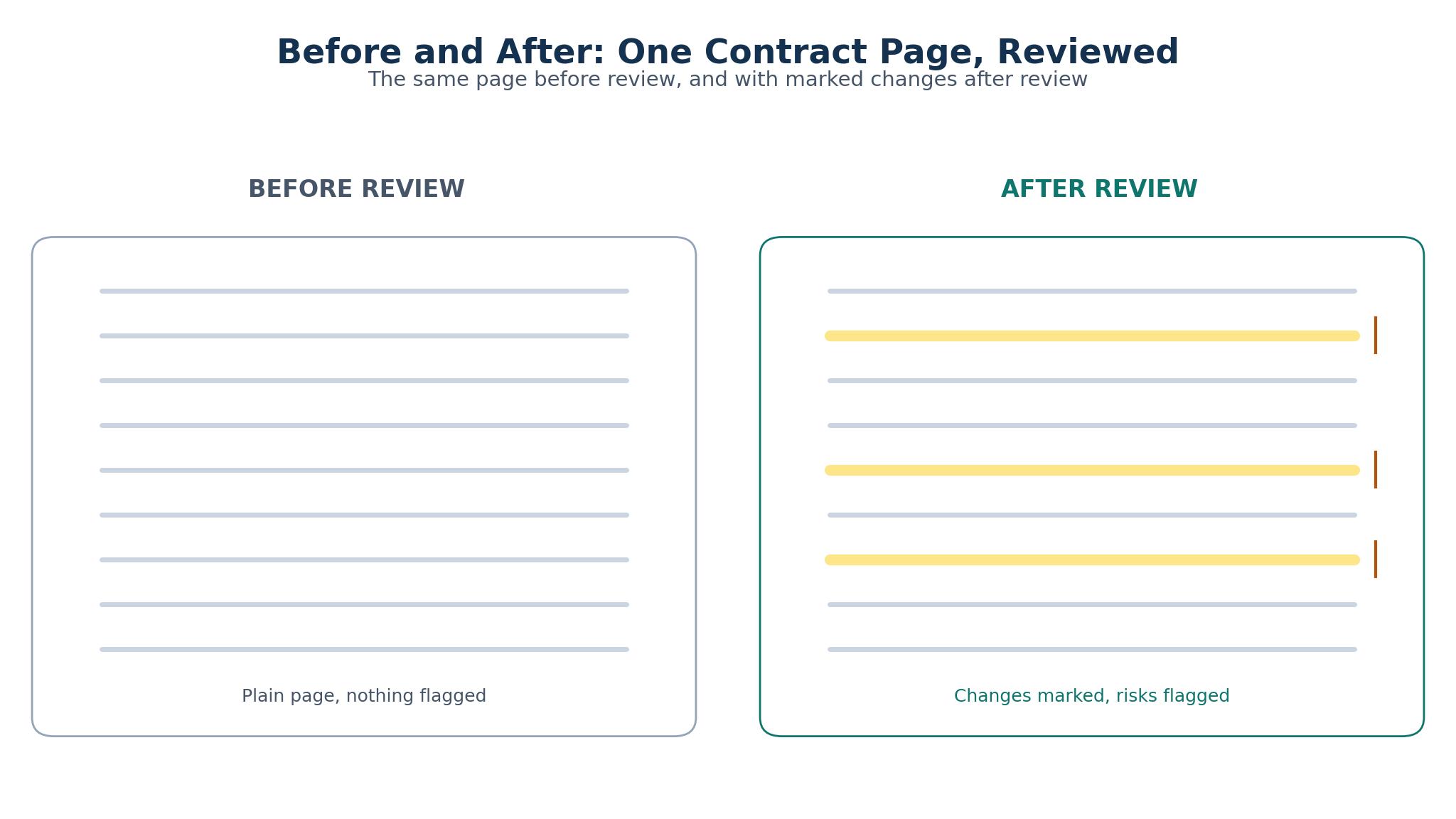
A redline is the output that matters. A tool that flags a problem without showing the replacement language has only done half the job, and a reviewer who must draft every fix by hand saves no time. Spellbook, LawGeex and Luminance all suggest replacement language inside the document, while Kira and LinkSquares focus on extraction and analysis, which suits a team that reviews with a lawyer in the loop.
Review speed is the third test. A tool that reviews a ten-page agreement in a minute changes the workflow, while a tool that takes an hour is only a faster reader. A team should time the review on its own longest agreement, not on the vendor demo.
Accuracy Claims and the Need for a Human Sign-Off
Accuracy claims in this category are hard to compare, because every vendor tests on its own documents. Luminance and Kira publish accuracy figures above 90 percent on clause extraction, but those figures come from their own benchmarks, and a team should test the tool on its own agreements before trusting any claim. The honest measure is the error count on ten real contracts, counted by the reviewer who signs them.
A human sign-off is not optional. No tool in this list is designed to approve a contract on its own, and a review that enters the business without a lawyer reading it is a risk, not a saving. The tools that work best are the ones that make the sign-off fast, by showing the reviewer the changed clauses, the flagged risks, and the suggested language in one view.
The second accuracy test is the missed clause. A tool that finds the risky clause is useful, and a tool that misses the risky clause is dangerous, because the reviewer trusts the tool and stops looking. A pilot that compares the tool output with a manual review of the same ten agreements will show the miss rate.
Pricing Models, From Per-User Seats to Annual Contracts
Per-user seats are the simplest model, and Spellbook is the clearest example, with reported pricing from 89 dollars per user a month, though some reports put it at 99 to 149 dollars. LegalOn starts from 5 dollars a month for its entry plan, which makes it the cheapest published price in this list, while DocJuris and Clearlaw price by quote with no published starting point.
Annual contracts are the norm for the larger tools. Kira by Litera is reported around 18,000 dollars a year, Luminance around 30,000 dollars a year, LawGeex around 10,000 dollars a year, Ironclad around 15,000 dollars a year, and LinkSquares from 10,000 dollars a year. ContractPodAi is reported between 30,000 and 100,000 dollars a year, which puts it at the top of this list. Lexion, SpotDraft, Juro, Della and ThoughtRiver price by custom quote, with no published figure.
The model matters more than the number. A per-user seat lets a small team buy three licences and start this week, while an annual contract needs a budget approval, a procurement process, and a commitment that lasts a year.
The 15 Tools at a Glance
| Tool | Main job | Best for | Starting price |
|---|---|---|---|
| Spellbook | Review and redlines in Word | Small teams that live in Word | ~$89/user/mo |
| LegalOn | Review with a low entry price | Teams that want a cheap start | $5/mo |
| LawGeex | Review against playbooks | Teams that want automated review | Custom quote |
| Kira by Litera | Extraction and analysis | Firms that analyse large volumes | Custom quote |
| Luminance | Review and analysis with AI | Teams that need deep analysis | Custom quote |
| Ironclad | Full contract lifecycle | Teams that want review plus workflow | Custom quote |
| Lexion | Repository and review | Teams that need a contract home | Custom quote |
| ContractPodAi | Full lifecycle for large teams | Large legal departments | Custom quote |
| SpotDraft | Review and workflow for growing teams | Startups that review often | Custom quote |
| LinkSquares | Repository and analytics | Teams that need post-signature insight | Custom quote |
| Juro | Contracts and collaboration | Teams that draft and negotiate | Custom quote |
| DocJuris | Review with playbooks | Teams that want structured review | Custom quote |
| Clearlaw | Review for the buy side | Procurement and legal teams | Custom quote |
| Della | Review and Q&A on contracts | Teams that ask questions of contracts | Custom quote |
| ThoughtRiver | Review with risk scoring | Teams that want a risk view | Custom quote |
Best Pick by Job
| Job type | First pick | Second tool | Why this pair works |
|---|---|---|---|
| Small team, Word-based review | Spellbook | LegalOn | Spellbook works in Word; LegalOn is the cheap backup |
| High-volume review | LawGeex | Luminance | LawGeex automates the playbook; Luminance analyses deeper |
| Full lifecycle management | Ironclad | ContractPodAi | Ironclad covers the workflow; ContractPodAi scales larger |
| Contract repository first | Lexion | LinkSquares | Lexion organises the home; LinkSquares adds analytics |
| Startup with growing volume | SpotDraft | Juro | SpotDraft grows with the team; Juro adds collaboration |
| Risk scoring on every deal | ThoughtRiver | Della | ThoughtRiver scores risk; Della answers questions |
How to Evaluate the Best AI Contract Review Tools on Your Own Agreements
Start with ten real agreements, not with the vendor demo. Pick ten contracts the team reviewed in the last month, with a mix of short and long, simple and complex, and run them through two tools. Spellbook and one other is the right pair, because Spellbook is the cheapest reported price and the easiest to start, and the comparison will show whether the second tool earns its cost.
Then count the errors. For each agreement, note the clauses the tool found, the clauses it missed, and the suggested changes that were wrong. The error count is the honest accuracy measure, and it is the only number that matters in the pilot.
Then time the review. Start the clock when the agreement opens and stop it when the reviewer signs off, and compare the time with the manual review the team did before. If the tool cuts the review from an hour to fifteen minutes, the saving is real. If the review still takes forty minutes, the tool is only a faster reader, and the price must reflect that.
Finish by checking the playbook. Build one rule, such as a liability cap or a termination right, and test whether the tool applies it correctly on five agreements. A tool whose playbook works is a tool the team can trust, while a tool whose playbook needs a developer to edit is a tool the team will stop using. That trust is what the best ai contract review tools are judged on in the pilot.
The 15 Tools in Detail
1. Spellbook
Spellbook reviews contracts inside Microsoft Word, which means the reviewer never leaves the document. It flags risky clauses, suggests replacement language from the team playbook, and drafts new clauses on request. Pricing is reported from 89 dollars per user a month, with some reports putting it at 99 to 149 dollars.
Price opacity is the problem. Without a published price, a small team cannot budget for Spellbook without contacting the vendor, and the reported range is wide enough to change the decision.
It suits small legal teams that live in Word and want a review tool this week. If your team drafts and reviews in Word, and you want playbooks and redlines without a platform migration, Spellbook is the fastest route to a working review.
Test it by running ten real agreements through Spellbook and counting the missed clauses, then comparing the count with a manual review. If the miss rate is under one clause per agreement, the tool is doing the job.
2. LegalOn
LegalOn reviews contracts against playbooks, flags risks, and suggests redlines, with an entry plan that starts from 5 dollars a month, which makes it the cheapest published price in this list.
Depth is thinner than the leaders. LegalOn is built for a low entry price, which means its playbook and analysis features are lighter than LawGeex or Luminance, and a team with complex agreements will outgrow it.
It suits teams that want a cheap start and a simple review. If your agreements are standard, your volume is low, and your budget is tight, LegalOn lets you start for the price of a coffee. For a team with complex deals, the depth will not be enough.
Test it by running five standard agreements through LegalOn and five complex ones, then comparing the miss rates. If the standard agreements review cleanly and the complex ones need heavy edits, the tool fits the simple work.
3. LawGeex
LawGeex automates contract review against a playbook, approving agreements that match the rules and flagging the ones that do not, which makes it the most automated tool in this list. Pricing is by custom quote, with reported figures around 10,000 dollars a year.
Price and setup both weigh on it. At a reported 10,000 dollars a year, LawGeex needs a budget approval and a playbook build that takes weeks, which is a heavier lift than a per-user seat.
It suits teams that review a high volume of standard agreements. If your team reviews a hundred NDAs or supplier agreements a month, and the rules are clear, LawGeex will clear most of them without a lawyer.
Test it by building a playbook for one agreement type, then running twenty of those agreements through it and counting the ones it clears correctly. If it clears eighteen out of twenty, the automation is real. If it clears ten, the playbook needs more work than the tool saves.
4. Kira by Litera
Kira extracts clauses and data from contracts, which makes it a tool for analysis rather than for redlining. Pricing is by custom quote, with reported figures around 18,000 dollars a year.
Focus is on extraction, not redlines. Kira is strong on extraction and weak on redlines, which means a team that needs suggested replacement language will still draft it by hand.
It suits firms that analyse large volumes of contracts. If your work is due diligence, a portfolio review, or a search across a thousand agreements, Kira is the strongest extraction tool here.
Test it by running Kira on a set of fifty agreements, then searching for a clause across the whole set. If the search finds every instance in seconds, the extraction is doing real work. If the search misses instances, the tool is not earning its price.
5. Luminance
Luminance reviews and analyses contracts with an AI that learns from the team documents, offering redlines, risk flags, and a comparison view that shows how an agreement differs from the standard. Pricing is by custom quote, with reported figures around 30,000 dollars a year.
The price is the barrier. At a reported 30,000 dollars a year, Luminance is one of the most expensive tools here, and a small team will need a clear return to justify it.
It suits teams that need deep analysis on complex agreements. If your agreements are long, your risks are subtle, and your reviewers need to see the whole picture, Luminance is the deepest tool here.
Test it by running Luminance on five complex agreements and comparing the risk flags with a manual review. If Luminance finds risks the manual review missed, the depth is real. If the flags match the manual review, a cheaper tool will do.
6. Ironclad
Ironclad is a full contract lifecycle platform that covers drafting, review, approval, signature and storage in one place, with AI review built into the workflow. Pricing is by custom quote, with reported figures around 15,000 dollars a year.
Scope is wider than a review-only team needs. Ironclad is a platform, not just a review tool, which means a team that only needs review will pay for drafting, signature and storage features it may not use.
It suits teams that want the whole contract workflow in one place. If your team drafts, reviews, signs and stores contracts, and the handoffs between tools are costing time, Ironclad removes them.
Test it by mapping your current contract workflow, then running one agreement through Ironclad from draft to signature and timing each step. If the handoffs disappear and the time drops by a third, the platform is earning its price.
7. Lexion
Lexion is a contract repository with AI review, which means it organises the agreements first and reviews them second. Lexion prices by custom quote, and the vendor publishes no starting figure.
Review depth is lighter than the specialists. Lexion review is solid but lighter than Spellbook or LawGeex, and a team that needs deep redlines will find it thinner.
It suits teams that need a contract home first and review second. If your agreements are scattered across email and shared drives, and the team cannot find the latest version, Lexion fixes that problem and adds review on top. For a team with a repository already, the review alone is not enough.
Test it by importing fifty agreements and searching for a renewal date, then reviewing one agreement and counting the missed clauses. If the search is instant and the review catches the risks, the platform is doing both jobs.
8. ContractPodAi
ContractPodAi is a full lifecycle platform for large legal departments, covering drafting, review, approval, signature and analytics, with AI assistance at each step. Pricing is by custom quote, with reported figures between 30,000 and 100,000 dollars a year.
Price and scale put it out of small-team reach. At a reported 30,000 dollars a year at the low end, ContractPodAi is built for large departments, not for a small team, and the implementation will take months.
It suits large legal departments with high volume and complex workflows. If your team manages thousands of agreements and needs deep analytics, ContractPodAi is built for that scale.
Test it by asking the vendor for a price and a setup timeline for your team size, then comparing both with Ironclad. If the price is within reach and the setup is under a month, the enterprise depth may be worth it.
9. SpotDraft
SpotDraft is a contract platform for growing teams, covering review, workflow and storage, with AI that flags risks and suggests redlines. SpotDraft does not publish a price, so a growing team must request a quote.
No published price makes budgeting guesswork. Without a published price, a growing team cannot budget for SpotDraft without a sales call, and the review depth is lighter than LawGeex for high-volume standard agreements.
It suits startups and growing teams that review often. If your team reviews twenty agreements a month and needs a workflow that grows with it, SpotDraft is built for that stage.
Test it by running ten agreements through SpotDraft and counting the missed clauses, then comparing the count with Spellbook on the same ten. If the miss rates match, the workflow features decide the choice.
10. LinkSquares
LinkSquares is a contract repository with analytics, which means it shines after signature, when the team needs to know what the agreements actually say. Pricing is by custom quote, with reported figures from 10,000 dollars a year.
Pre-signature review is the thinner half. LinkSquares is built for post-signature insight, so its pre-signature review is lighter than Spellbook or LawGeex, and a team that needs deep redlines will find it thin.
It suits teams that need to understand their signed agreements. If your team has hundreds of signed contracts and no one knows what the renewal dates are, LinkSquares answers that question and adds review on top.
Test it by importing your signed agreements and asking for the renewal dates, then reviewing a new agreement and counting the missed clauses. If the renewal report is instant and the review is sound, the platform earns its price.
11. Juro
Juro is a contract platform built for collaboration, letting legal, sales and procurement draft, negotiate and sign in one place, with AI review that flags risks and suggests language. Juro prices by custom quote, with no public starting point.
Review depth lags the specialists. Juro is built for collaboration, so its review is lighter than LawGeex or Luminance, and a team that needs deep analysis will find it thin.
It suits teams where sales and legal negotiate together. If your contracts pass between sales, legal and procurement, and the handoffs are slow, Juro removes them.
Test it by running a contract through Juro with a sales colleague, then timing the negotiation from draft to signature. If the time drops by a third, the collaboration is real.
12. DocJuris
DocJuris reviews contracts against playbooks, with a structured workflow that suits teams who want a clear review process. DocJuris does not list a price, so a team learns the cost only from the vendor.
Pricing stays behind a sales call. Without a published price, a team cannot budget for DocJuris without a sales call, and its brand is less known than LawGeex or Spellbook, which means fewer peer reviews to check.
It suits teams that want a structured playbook review. If your team has clear rules and wants a tool that applies them consistently, DocJuris does that well.
Test it by building a playbook for one agreement type, then running ten of those agreements through it and counting the correct calls. If it applies the rules correctly nine times out of ten, the structure is sound.
13. Clearlaw
Clearlaw reviews contracts for the buy side, which means it serves procurement and legal teams that review supplier and vendor agreements. Clearlaw prices by custom quote and publishes no entry price.
The buy-side focus narrows who it serves. Clearlaw is built for the buy side, so a team that reviews its own outbound paper will find less value, and the price opacity means a team cannot budget without a sales call.
It suits procurement and legal teams that review supplier agreements. If your team reviews inbound vendor paper every week, and the positions are consistent, Clearlaw is tuned for that work.
Test it by running ten supplier agreements through Clearlaw and counting the missed clauses, then comparing the count with Spellbook on the same ten. If Clearlaw catches buyer risks that Spellbook misses, the focus is real.
14. Della
Della answers questions about contracts, letting a reviewer ask in plain language what an agreement says, with AI that finds the answer and cites the clause. Della gives no published price, so a team must ask the vendor for a quote.
Redlines and playbooks are lighter here. Della is built for questions and answers, so its redline and playbook features are lighter than Spellbook or LawGeex, and a team that needs a full review will find it thin.
It suits teams that need to understand agreements quickly. If your team receives a contract and needs to know the termination right, the liability cap, or the renewal date in a minute, Della answers that.
Test it by asking Della ten questions about a complex agreement, then checking each answer against the clause. If nine out of ten answers are right and cited, the Q&A is doing real work.
15. ThoughtRiver
ThoughtRiver reviews contracts with a risk score, giving each agreement a rating that shows how far it sits from the team standard. ThoughtRiver prices by custom quote, with no published starting figure.
Opacity and a scoring-first design both limit it. Without a published price, a team cannot budget without a sales call, and a risk score is only useful if the underlying review is accurate.
It suits teams that triage a large volume of agreements. If your inbox holds fifty contracts and the team must decide which ones need a lawyer first, ThoughtRiver ranking is the right tool.
Test it by running ten agreements through ThoughtRiver and comparing the risk ranking with the team own ranking. If the rankings match, the score is honest.
A Pilot That Proves Value on Ten Real Contracts
Week one is the setup. Pick two tools, build one playbook rule in each, and run the same ten agreements through both. Choose agreements the team already reviewed, so the manual review exists as a baseline, and keep the ten agreements the same for both tools. A pilot that uses different agreements for each tool proves nothing.
Week two is the count. For each agreement, note the clauses found, the clauses missed, and the suggested changes that were wrong. Count the time from opening the agreement to sign-off, and compare it with the manual review time.
Week three is the playbook test. Add five more rules to the playbook, run five new agreements through each tool, and check whether the rules apply correctly. A playbook that works on the first rule but fails on the fifth is not ready, and the team should fix the rules before the purchase, not after.
Week four is the decision. Add the subscription cost, divide by the hours saved, and check whether the tool pays for itself. If the accuracy is high, the time saved is real, and the price fits the budget, the tool stays. If any of those three fails, the pilot has done its job by stopping a bad purchase.

Point Tool or Full CLM: Matching the Tool to the Workload
A point tool does one job well. Spellbook, LegalOn, LawGeex, Della and ThoughtRiver review contracts, and they do it inside Word or in a focused interface, with a price that fits a small team. A team that reviews twenty agreements a month and needs nothing else should pick a point tool.
A full CLM does the whole workflow. Ironclad, ContractPodAi, Lexion and LinkSquares cover drafting, review, approval, signature and storage, with a repository that tracks every agreement after signature. A team that manages hundreds of agreements and loses time to handoffs should pick a CLM, because the platform removes the gaps between tools.
The middle route is a point tool with a repository. Lexion and LinkSquares both store the agreements and review them, which gives a team the home and the review in one place. The best ai contract review tools are the ones that match the workload, not the ones with the longest feature list, and the pilot on ten real contracts will show which shape fits. A team that buys a CLM for twenty agreements a month has bought a platform for a problem it does not have.
Frequently Asked Questions
How much does an AI contract review tool cost?
Prices vary widely. Spellbook is reported from 89 dollars per user a month, LegalOn starts from 5 dollars a month, and the larger tools are reported between 10,000 and 100,000 dollars a year. A small team should start with a per-user seat, while a large team should price an annual contract against the hours it saves.
Can an AI tool approve a contract on its own?
No tool in this list is designed to approve a contract without a human sign-off, and a review that enters the business without a lawyer reading it is a risk. The tools make the sign-off faster by showing the changed clauses and the flagged risks in one view, but the lawyer remains responsible for the agreement.
How accurate are AI contract review tools?
Accuracy varies by tool and by agreement, with vendors claiming above 90 percent on clause extraction, but those figures come from their own tests. A team should run ten real agreements through two tools and count the missed clauses, because the miss rate is the honest accuracy measure for the best ai contract review tools.
Will the tool work with my playbook?
Most tools in this list let a team build playbooks, including Spellbook, LawGeex, Kira, Luminance, Juro and DocJuris. A team should build one rule and test it on five agreements before buying, because a playbook that needs a developer to edit is a tool the team will stop using.
Do I need a full CLM or just a review tool?
A team that reviews twenty agreements a month and needs nothing else should pick a review tool such as Spellbook or LegalOn. A team that manages hundreds of agreements, needs a repository, and loses time to handoffs should pick a CLM such as Ironclad or Lexion.
Is my contract data safe in a review tool?
Contract data is sensitive, and a team should check the vendor security, the data residency, and whether the vendor uses contract data to train models. Most vendors in this list state that customer data is not used for training, but a team should get that commitment in writing before uploading real agreements.
The Verdict for Legal Teams
Spellbook is the pick for most teams, because it works inside Word, starts from a reported 89 dollars per user a month, and needs no platform migration to begin. A small legal team that drafts and reviews in Word will be running reviews in a week, and the pilot on ten real agreements will show whether the playbook holds up.
LegalOn is the pick when the budget is tight and the agreements are standard, because the 5 dollar a month entry price is the cheapest way to start.
Start with ten real agreements, run them through two tools, and pick the one whose miss rate is lowest and whose review is fastest. The best ai contract review tools are the ones that make the sign-off faster without adding a risk the team cannot see, and the pilot will show which tool that is.