
An HR team that screens 200 candidates by hand spends roughly 25 hours reading CVs and running first-round calls, and the best ai quiz makers for hr teams cut that screening time to under five hours by generating skill questions, grading answers and ranking candidates automatically. The gap between the cheapest and the most expensive tool in this guide is more than 60 dollars a month, yet the right choice is rarely the cheapest one, because an HR team pays for hiring decisions it can defend, not for software features it never opens.
Wayground leads this guide because it pairs AI question generation with a library of more than 20 million activities, so an HR team can build a screening quiz in minutes rather than writing questions from scratch.
Every tool below was live in November 2026, and the prices quoted are drawn from vendor pricing pages and recent price checks, so confirm the current number before paying. HR teams differ in hiring volume, training load and compliance needs, and this guide weights those differences heavily. A team that hires 50 people a quarter needs different assessment than a team that trains 500 staff a year, and the recommendations below reflect that split.
Why HR Quizzes Fail Before Anyone Answers
HR quizzes fail in a specific way. The first failure is a question bank that tests trivia instead of the job, because a quiz that asks a developer to name a protocol version tells the hiring manager nothing about whether that developer can fix a bug. Good quiz makers generate questions from a job description or a training document, and they let the HR team check every question before it goes live. A tool that cannot ground its questions in real work will produce a quiz that feels like a school exam.
The second failure is a quiz that takes too long. A candidate who faces 60 questions for a first-round screen will abandon it, and the best candidates leave first because they have other offers. The right length for a screening quiz is 10 to 15 questions, and the right length for a training check is 5 to 8. Tools that show completion rates by question help the HR team find the question where candidates drop off, and that number is worth more than any feature list.
The third failure is grading that nobody trusts. An auto-graded quiz that marks a correct answer wrong will cost the team a good hire, and a quiz with no audit trail will not survive a challenge from a rejected candidate.
What an HR Quiz Stack Really Costs
The sticker price of a quiz maker rarely matches what an HR team pays in year one. A 20 dollar plan looks cheap until the team adds a second admin, a proctoring add-on and a per-candidate fee on a high-volume campaign, and the monthly bill doubles without any new feature being used. HR teams should price a tool by the full stack, not by the headline plan, and the detail sections below call out the add-ons that matter.
Per-candidate pricing punishes teams that hire at volume. A tool that charges per candidate looks fair for a team hiring ten people a quarter and expensive for one hiring a hundred, especially when half the candidates drop out before finishing. Flat-rate tools remove that penalty, which is why Wayground and ProProfs score well for high-volume hiring. Before choosing, count the candidates who will take the quiz, not just the hires the team expects.
Free plans deserve a hard look too. Wayground, Kahoot! and ProProfs all offer free tiers that cover basic quiz building, and for a small team running one hiring round a quarter they can be enough.
The 10 Tools at a Glance
| Tool | Main job | Best for | Starting price |
|---|---|---|---|
| Wayground | AI quiz generation with a huge library | Fast screening quizzes | Free, paid from 6 dollars a month |
| Kahoot! | Live gamified quizzes | Live sessions and onboarding | From 10 dollars a month |
| TestGorilla | Pre-employment skills screening | Hiring decisions | From 75 dollars a month |
| iSpring QuizMaker | SCORM exams for corporate training | Certification-ready tests | 370 dollars a year |
| Typeform | Conversational quiz-style forms | Branded candidate experience | 25 dollars a month |
| ProProfs Quiz Maker | Graded assessments with proctoring | Secure testing at scale | 20 dollars a month |
| Testportal | AI assessments for business | Compliance and certification | 20 dollars a month |
| FlexiQuiz | Flexible online testing | Small teams and trainers | From 17 dollars a month |
| Qzzr | Quiz building with lead capture | Engagement and screening | 9 dollars a month |
| Mentimeter | Live polls and quizzes | Presentations and workshops | 14 dollars a month |
Best Pick by Job
| Job type | First pick | Second tool | Why this pair works |
|---|---|---|---|
| Candidate screening | Wayground | TestGorilla | Wayground builds quizzes fast and TestGorilla adds validated skills tests |
| Live training sessions | Kahoot! | Mentimeter | Kahoot! gamifies the session and Mentimeter adds live polls |
| Secure assessments | ProProfs Quiz Maker | Testportal | ProProfs Quiz Maker adds proctoring and Testportal adds AI generation |
| Branded experience | Typeform | Qzzr | Typeform looks premium and Qzzr adds lead capture |
| Tight budget | Wayground | FlexiQuiz | Wayground is free to start and FlexiQuiz adds depth at a low price |
The job decides the winner because a team screening 200 candidates needs auto-grading and a candidate ranking, while a team running a live onboarding session needs a game format and a leaderboard. A tool that does both passably can still be the wrong buy if it does the team’s main job badly. Match the first pick to the hiring or training job, then use the second tool as the fallback when the first one hits a limit.
Budget follows the same logic. A team hiring 50 people a quarter can justify 75 dollars a month for TestGorilla, because the cost is a small share of the hiring budget and one bad hire costs far more. A team hiring five people a year cannot, and should start free on Wayground, then upgrade when the volume forces the issue. The best ai quiz makers for hr teams are the ones that fit the team’s current volume without blocking the next hiring round.
How to Judge the best ai quiz makers for hr teams
Start with the question-generation test, because that is where an AI quiz maker either saves time or creates it. Upload a real job description or a training document, ask the tool to generate ten questions, and read every one. Count how many are usable without editing, how many test the actual job, and how many are trivia. A tool that produces eight usable questions out of ten will save hours every hiring round, while one that produces three will feel like a second job.
Next, test the grading on a real candidate set. Run ten sample answers through the tool, including two that are partly right and one that is wrong in an interesting way, and check whether the grading matches a human review. Look for an audit trail that shows why each answer scored the way it did, because a hiring decision without a reason will not survive a challenge. The best ai quiz makers for hr teams let a human override any score with one click.
Then check the candidate experience end to end. Take the quiz yourself on a phone, on a slow connection, and with the screen reader on if the team hires inclusively. A quiz that breaks on mobile will lose candidates, and a quiz that cannot be completed by a candidate using assistive technology will create a legal risk. The best ai quiz makers for hr teams treat the candidate’s experience as part of the product, not as an afterthought.
The 10 Tools in Detail
Question generation sets the order below, so the tool that builds a usable quiz fastest leads the list.
1. Wayground
Wayground, formerly Quizizz before its June 2025 rebrand, is the flexible quiz platform most HR teams should try first. Students answer at their own pace on their own devices, and the same self-paced model works for candidate screening, since a candidate can take the quiz at home without a live session. The AI generates quizzes from a topic or a text, and the library of more than 20 million activities means the team rarely starts from a blank page.
The drawback is the depth of the paid plans. The free tier is generous, with 20 activities and 100 students, and the individual plan starts from about 6 dollars a month, but the reporting and admin controls that an HR team needs sit on higher tiers. The platform was built for classrooms, so some features use teacher language, and the team will need to map classroom terms to hiring terms.
Wayground suits HR teams that need screening quizzes fast and cheap. It fits a team hiring at volume, a recruiter who builds a new quiz for every role, and a trainer who runs homework-style checks after a course. The self-paced format is the quiet strength, because candidates can complete it on their own time and the team gets results without scheduling anything.
Build one screening quiz from a real job description and send it to five colleagues. If the build is fast and the reports are clear, Wayground will carry the screening load.
2. Kahoot!
Kahoot! is the classic live quiz platform, and its game format is the reason it survives in HR. A trainer runs a quiz in a live session, candidates answer on their phones with a PIN, and a live leaderboard keeps the energy high. Plans start at 10 dollars a month for Starter, with Presenter at 25 dollars a month and Pro at 49 dollars a month, and the free tier covers up to ten players.
The drawback is the live format itself. Kahoot! is built for a room full of people answering together, so it is weaker for asynchronous screening, where candidates take a quiz alone at different times. The question types are mostly multiple choice, polls and puzzles, which suit knowledge checks but not deep skill assessment. An HR team that needs written answers or file uploads will need a second tool.
Kahoot! suits HR teams that run live onboarding, training and team sessions. It fits an induction day, a compliance refresher, and a workshop where the trainer wants to check understanding in real time. The leaderboard is the feature that matters, because it turns a dull compliance quiz into a competition people remember.
Run one live session with a real team and watch the room. If the room stays engaged and the report shows where the training failed, Kahoot! earns its place in the onboarding stack.
3. TestGorilla
TestGorilla is the most serious hiring assessment tool in this guide. It offers a curated library of tests covering more than 350 skills, and the team can combine skills tests, personality assessments and custom questions into one screening flow. The free plan covers five candidates, and paid plans start from 75 dollars a month, with a candidate sourcing pool of more than 2 million people as an add-on.
The drawback is the price and the scope. At 75 dollars a month, TestGorilla costs more than every other tool in this guide, and it focuses on hiring, not on training, so a team that needs both will pay for two tools. The anti-cheat features are basic compared with dedicated proctoring tools, and the test library, while broad, cannot cover every niche skill a team might need.
TestGorilla suits HR teams that hire at volume and need defensible decisions. It fits a team screening hundreds of applicants for one role, a company that wants to reduce bias in first-round screening, and a hiring manager who needs a ranked shortlist rather than a pile of CVs. The skills library is the reason to pay, because building 350 validated tests in-house would take years.
Run one real hiring round through TestGorilla and compare the shortlist with the one your current process produces. If the overlap is strong and the time saved is real, the price is justified.
4. iSpring QuizMaker
iSpring QuizMaker is the tool for HR teams that need certification-ready exams. It offers 14 question types including matching, drag-and-drop and hotspot, and it exports to SCORM and xAPI, so results flow into the learning management system the team already uses. The standalone tool starts at 370 dollars a year, and the full iSpring Suite starts at about 970 dollars a year per author.
The drawback is the AI depth. The AI assistant generates questions from highlighted course text, which is useful, but it is partial rather than full generation, and the tool is built for training teams rather than recruiters. There is no free plan, only a 14-day trial, and the desktop-first workflow feels heavier than the browser-based tools in this guide.
iSpring QuizMaker suits corporate training teams that need SCORM exams. It fits a compliance team that must prove every employee passed, a trainer building certification tests, and a company whose LMS requires SCORM output. The branching scenarios are the feature that sets it apart, letting a quiz change path based on the answers.
Build one certification exam from your training material and export it to your LMS. If the export is clean and the exam runs without a support call, iSpring QuizMaker is the right tool for the compliance load.
5. Typeform
Typeform is the quiz maker for HR teams that care about the candidate experience. Its conversational format asks one question at a time, with logic jumps that change the path based on the answer, and the result looks more like a conversation than a test. The free tier covers ten responses a month, and paid plans start at 25 dollars a month for Basic, with Plus at 59 dollars a month.
The drawback is the assessment depth. Typeform is a form builder with quiz features, not a testing platform, so it has no proctoring, no question bank and no native LMS export. The Basic plan covers 100 responses a month, which a high-volume hiring team will pass quickly, and the price climbs steeply for the features an HR team needs at scale.
Typeform suits HR teams that want a branded, candidate-friendly screening form. It fits an employer-brand-conscious company, a team that screens with a short conversational quiz, and a recruiter who wants the application itself to feel good. The design is the selling point, because a candidate who enjoys the quiz is more likely to finish it and to remember the company fondly.
Build a ten-question screening form and send it to five people who have never seen it. If the completion rate is high and the answers are useful, Typeform earns its place as the front door to the hiring process.
6. ProProfs Quiz Maker
ProProfs Quiz Maker targets training and certification, with large question banks, randomized questions, time limits, certificates and detailed reporting. It generates full quizzes from a prompt or a PDF, DOCX or TXT upload, plus auto-scoring, and it supports webcam proctoring, lockdown and IP tracking. The free tier is limited, and paid plans start from 19.99 dollars a month.
The drawback is the free-tier ceiling. The free plan shows only ten results, which makes it useless for a real hiring round, and the team will need the Essentials plan at 19.99 dollars a month or Business at 39.99 dollars a month for serious volume. The interface carries a lot of options, and a new user needs an hour to find the settings that matter for an HR use case.
ProProfs Quiz Maker suits HR teams that need graded assessments with cheating controls. It fits a compliance team running certification exams, a trainer who needs certificates, and a company that must prove who took the test and when. The proctoring is the feature that matters, because a secure test is the only kind a regulator will accept.
Run one certification exam with proctoring on and check the audit trail. If the trail shows who took it, when, and whether anything looked wrong, ProProfs Quiz Maker handles the secure testing load.
7. Testportal
Testportal is an AI-powered assessment platform for business and compliance. It generates multiple-choice questions from uploaded documents, and it serves teams that need graded assessments with a professional feel. The free tier is available, and paid plans start from 19.95 dollars a month, which puts it at the cheap end of the secure-assessment tools.
The drawback is the smaller footprint. Testportal is less widely used than ProProfs or iSpring, so the integration list is shorter and the community is smaller. The AI generation is strong on multiple choice but thinner on other question types, and a team that needs drag-and-drop or hotspot questions will find the options limited.
Testportal suits HR teams that need AI-generated compliance assessments without a big bill. It fits a small training team, a company that tests new hires on policy documents, and a team that wants document-to-quiz generation at a low price. The document upload is the feature that saves the most time, because the quiz starts from the policy itself.
Upload one policy document and generate a ten-question quiz from it. If the questions are fair and the reports show who passed, Testportal will carry the compliance testing load.
8. FlexiQuiz
FlexiQuiz is a flexible online testing tool for small teams and trainers. It covers the basics well, with timed quizzes, question banks, certificates and reporting, and it starts at 17 dollars a month, which makes it one of the cheapest paid tools in this guide. The interface is simple, and a new user can build a first quiz in under an hour.
The drawback is the AI depth. FlexiQuiz is a testing tool with limited AI generation, so the team will write most questions by hand or import them. The branding and customisation options are thinner than Typeform, and the tool is best suited to teams that already have their questions ready and need a reliable place to run them.
FlexiQuiz suits small HR teams that need a dependable testing tool at a low price. It fits a trainer with a ready question bank, a team that runs the same quiz every quarter, and a company that wants certificates without paying for a full assessment platform. The simplicity is the selling point, because a tool the team actually uses beats a powerful one it avoids.
Import your existing question bank and run one real quiz through it. If the import is smooth and the reports read clearly, FlexiQuiz is the right tool for the steady testing load.
9. Qzzr
Qzzr is a quiz builder with lead capture built in, and it is the only tool in this guide that gives unlimited quizzes and every feature on the free plan, with 300 completions a month and no credit card required. The paid plan costs 9 dollars a month and raises the limit to 1,000 completions a month. The focus is engagement, with quizzes designed to be shared and completed rather than endured.
The drawback is the HR fit. Qzzr was built for marketers and coaches, so its assessment features are lighter than ProProfs or TestGorilla, with no proctoring and no skills library. An HR team that needs secure, graded assessments will find it thin, and the lead-capture features, while useful for talent pools, are not a substitute for a real applicant tracking system.
Qzzr suits HR teams that want engaging screening quizzes and talent-pool capture. It fits a team building a talent community, a recruiter who wants a quiz that candidates share, and a company that screens with personality-style quizzes rather than skills tests. The free plan is the most generous in this guide, which makes it a good place to start.
Build one engaging quiz and share it with your talent pool. If the completion rate beats your current screening form, Qzzr earns its place as the engagement layer.
10. Mentimeter
Mentimeter is built for live presentations, not for screening, and that focus is its strength in the right room. A trainer runs a live quiz or poll, the audience answers on their phones, and the results appear on screen in real time. The free plan covers 50 participants a month, and paid plans start at 14 dollars a month per presenter on annual billing.
The drawback is the assessment depth. Mentimeter is a presentation tool, so it has no question bank, no proctoring and no candidate ranking. An HR team that needs to grade candidates or certify training will need a second tool, and the per-presenter pricing means the cost grows with every trainer who runs sessions.
Mentimeter suits HR teams that run live workshops and want the room involved. It fits a training day, an all-hands meeting, and a workshop where the trainer wants to check understanding without stopping the session. The live results are the feature that matters, because a trainer who can see the room’s answers can change the session on the spot.
Run one workshop with Mentimeter and watch the room. If the room stays involved and the results guide the session, Mentimeter earns its place in the training stack.
Quiz Mistakes That Waste HR Time
The most expensive mistake is building a quiz that tests the wrong thing. A screening quiz that asks trivia will filter out good candidates and pass bad ones, and the team will blame the tool when the questions are the problem. Write the questions from the job description, test them on people who already do the job, and drop any question that a good employee gets wrong. A quiz is only as good as its questions.
A second mistake is making the quiz too long. A candidate who faces 60 questions for a first-round screen will abandon it, and the best candidates leave first because they have other offers. Keep a screening quiz to 10 to 15 questions, keep a training check to 5 to 8, and watch the completion rate by question.
How to Make the Final Call on a Quiz Maker
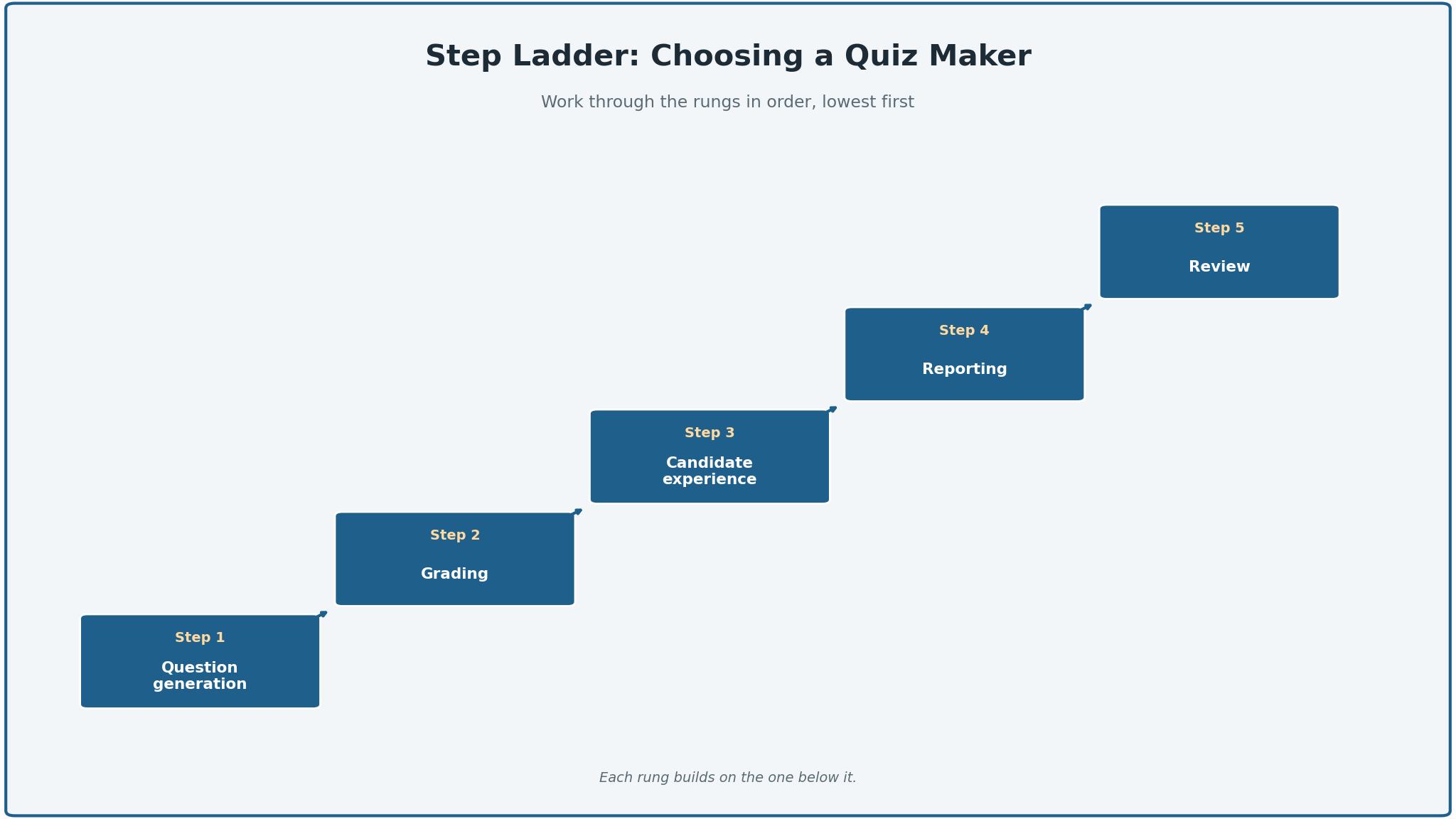
Start by listing the team’s non-negotiables, because the list is shorter than most teams expect. Question generation, auto-grading, candidate experience and reporting are the four that eliminate most tools quickly. Put them on paper, rate each tool against them, and remove any tool that fails a non-negotiable, however attractive its other features look. A tool that fails a core requirement will be replaced within a year, and the migration cost will exceed any saving.
Next, run a trial on the top two choices with a real hiring round. A trial with demo data proves nothing, while one real round with real candidates shows the truth. Measure three things, build time for a ten-question quiz, completion rate, and time to produce a ranked shortlist. The tool that wins on those three measures is usually the right one, even when it is not the cheapest.
Then check the human factor. Take the quiz yourself on a phone, ask a colleague to take it, and judge the experience. An HR team that cannot see the candidate’s side of the quiz will buy a tool that loses good people, usually at the first question. The best ai quiz makers for hr teams pair strong generation with a candidate experience that respects the applicant’s time, and the trial is the time to test that claim.

Frequently Asked Questions
Which quiz maker is best for screening job candidates?
Wayground is the best starting point for screening among the best ai quiz makers for hr teams, because it generates quizzes fast, costs little, and handles self-paced candidates well. TestGorilla is the better pick when the team needs validated skills tests and a defensible ranking, since its library covers more than 350 skills. A team hiring at low volume can start on Wayground’s free tier and move to TestGorilla when the hiring round grows.
How much does an AI quiz maker cost per month?
An HR team should expect to pay between 6 and 25 dollars a month for a basic quiz maker, or between 75 and 100 dollars a month for a serious hiring assessment tool like TestGorilla. Per-candidate fees and proctoring add-ons can raise the total, so budget the full stack rather than the headline plan. A team that hires at volume should prefer flat-rate pricing over per-candidate billing.
Can AI generate good quiz questions?
AI can generate good first-draft questions from a job description or a training document, but every question needs a human review before it goes live. The best tools produce eight usable questions out of ten, and the team should expect to edit the rest. A question that tests trivia instead of the job will filter out good candidates, so the review step is not optional.
Is Kahoot! suitable for HR training?
Kahoot! suits live HR training well, because its game format keeps a room engaged and its leaderboard turns a compliance quiz into a competition. It is weaker for asynchronous screening, where candidates take a quiz alone, and it cannot handle written answers or file uploads. A team that needs both live sessions and screening should pair Kahoot! with Wayground or ProProfs.
What is the difference between TestGorilla and ProProfs?
TestGorilla is built for hiring, with a curated library of more than 350 skills tests and a ranked shortlist as the output. ProProfs is built for training and certification, with proctoring, certificates and detailed reporting as the output. A team that hires should test TestGorilla first, while a team that certifies training should test ProProfs first.
Do quiz makers integrate with applicant tracking systems?
Most quiz makers in this guide export results as a spreadsheet or through an integration, and the stronger ones connect directly to common HR systems. Wayground and ProProfs both offer exports and integrations, while TestGorilla connects to applicant tracking systems as part of its hiring flow. Before buying, check whether the tool connects to the system the team already uses, since a manual export step will slow every hiring round.
The Verdict on AI Quiz Makers for HR
Wayground takes the top spot because it is the tool an HR team is least likely to regret. The question generation is fast, the library is enormous, the self-paced format suits screening, and the free tier is generous enough to prove the value before paying.
Kahoot! is the pick for live sessions, TestGorilla is the pick for serious hiring, and ProProfs is the pick for secure certification. The best ai quiz makers for hr teams are not the ones with the longest feature list, they are the ones that generate usable questions, grade them transparently, and treat the candidate’s time with respect.
Choose by the hiring or training job first, the volume second and the price third. Put one through a real hiring round, record the three measures that count, and fix a review date.