
One mistake with the best domain name generators for small businesses can cost a business 5,000 flyers, a van sign, and a month of embarrassment. A bakery printed its new name on everything, then found the domain belonged to someone else, and the flyers pointed customers to a stranger’s site. Namecheap wins for most small businesses, because it pairs a strong name generator with honest renewal prices and free privacy protection.
The Domain That Sounded Right in the Meeting
A name can sound perfect in a meeting and fail everywhere else. The team loved it, the owner loved it, and nobody said it aloud to a stranger until the first customer tried to spell it over the phone. The customer heard a different word, typed a different spelling, and landed on a different site. The meeting had judged the name by how it looked on a slide. The customer judged it by how it sounded on a call, and the call is where a domain lives or dies.
Homophones are the first trap. A name that sounds like another word will send customers to the other word’s site, and the business will pay for that confusion in lost calls for years. Hyphens are the second trap. A domain with a hyphen is hard to say, hard to remember, and easy to mistype, and every time the owner says the name they must explain the hyphen. A name that needs explaining is a name that costs money every time it is spoken.
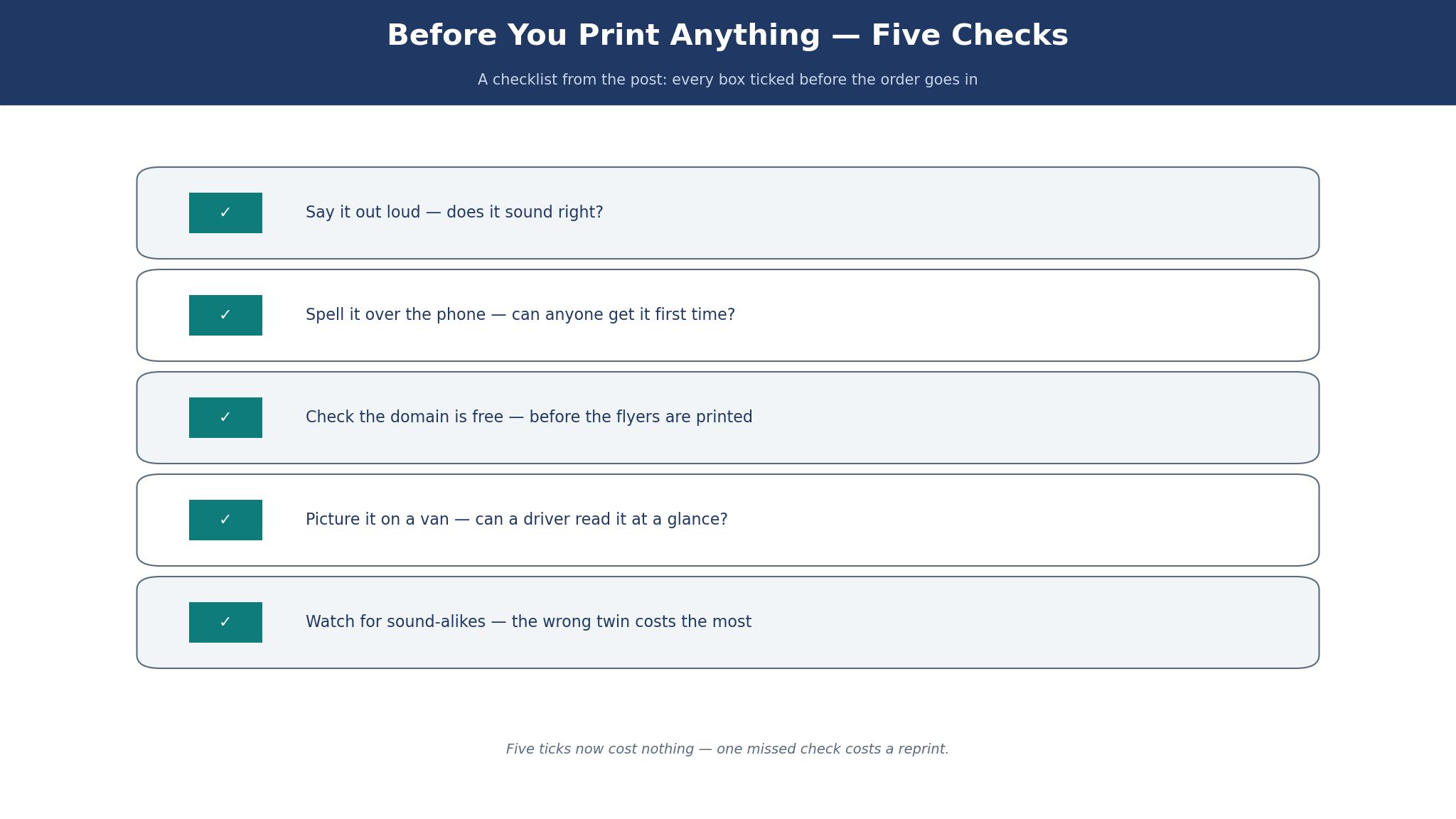
The van test catches both traps. Write the domain on a piece of paper, stick it on a wall, and walk past it at normal speed. If you cannot read it and remember it after one glance, a driver passing your van will not remember it either. Say the name once to a friend, ask them to spell it back, and watch what they write. If they spell it differently, the name has failed the only test that matters. A domain that passes the van test and the phone test will survive the meeting, the flyer, and the first year of trading.
The 10 Tools at a Glance
This table compares the best domain name generators for small businesses on the generator itself, the price of a .com, and the job each tool does best. Domain prices change with promotions, so the figures below are the standard renewal prices reported in November 2026, not first-year offers that rise sharply in year two.
| Tool | .com renewal | Free privacy | Best for |
|---|---|---|---|
| Namecheap | About $14 a year | Yes | Most small businesses |
| GoDaddy | About $20 a year | Paid extra | Fast registration |
| Porkbun | About $11 a year | Yes | Lowest renewal price |
| Design.com | Free to start | Varies | Name and logo together |
| Nameboy | Free to search | Varies | Keyword combinations |
| DomainWheel | Free to search | Varies | Brandable ideas |
| Lean Domain Search | Free to search | Varies | Available .com names |
| Namelix | Free to search | Varies | Short brandable names |
| Shopify | Free to search | Varies | Store names |
| Panabee | Free to search | Varies | Names with domains checked |
How to Choose the Best Domain Name Generators for Small Businesses
Start with availability, not creativity. A beautiful name that is taken is not a name at all, and a generator that shows unavailable names first wastes your time. The best generators in this list check availability as they suggest, so every idea on screen can be bought. Lean Domain Search does this well for .com names, and Namecheap does it well across endings. If a generator shows a name without checking it, treat the suggestion as a starting point, not as a result.
Keep the name short, plain, and easy to spell. Two words are better than three, one word is better than two, and a name under fifteen characters is easier to type on a phone. Avoid numbers, avoid hyphens, and avoid clever spellings that a customer must guess. A bakery called “Flour and Fire” is easier to find than a bakery called “Flour4Fire”, because the customer does not have to decide whether the 4 is a word or a number. Plain spelling is not boring. It is the difference between being found and being missed.
Check the renewal price, not the first-year price. A .com that costs $1 in year one and $20 in year two is not a $1 domain. It is a $21 domain over two years, and the business will pay $20 every year after that. Namecheap and Porkbun keep renewals close to the first-year price, while GoDaddy’s renewal is higher, which is why the total over three years matters more than the offer on the homepage. Add the renewal to the budget before you fall in love with a name.
Check the other endings and the social handles before you buy. A business that owns the .com but not the matching Instagram name will confuse customers who search for it there. A business that owns the .com and the .co.uk, where it trades, will not lose customers to a lookalike. The generator will not check social handles for you, so open the social apps and search the name by hand. A short round of checks now spares you a year of telling people you are the other bakery with the near-identical name.
Namecheap vs GoDaddy: Which One Should Register Your Name?
Namecheap wins on price and honesty, and GoDaddy wins on speed and scale. Namecheap charges about $14 a year to renew a .com, includes privacy protection free, and shows the renewal price plainly before you buy. GoDaddy charges about $20 a year to renew a .com, charges extra for privacy protection, and promotes first-year offers that rise sharply in year two. A business that registers five domains will save about $30 a year on renewals with Namecheap, and the saving grows with every domain it holds.
GoDaddy is faster to use, with a larger support team and a checkout that a beginner can finish in minutes. Its generator suggests names quickly, and its upsells, while frequent, include useful extras like email and a website builder. The trade-off is the upsell itself: a beginner can leave the checkout having bought three things they did not need, and the renewal bill in year two can surprise them. Namecheap’s checkout is quieter, and its support is smaller, but the bill is easier to predict.
A worked example settles the choice for most businesses. A bakery registers one .com, keeps it for three years, and adds privacy protection. On Namecheap the total is about $42 over three years, with privacy included. On GoDaddy the total is about $60 for the domain plus privacy at a reported $10 a year, or $90 over three years. The gap is $48, which buys a print run of flyers. The bakery that values predictability should choose Namecheap. The bakery that values a phone call at midnight should choose GoDaddy, and should set a reminder to check the renewal before it bills.
Best Pick by Job
The table below matches each job to one of the best domain name generators for small businesses, so you can decide by the name you need rather than by the price list alone.
| Job | Pick | Why it wins here |
|---|---|---|
| Most small businesses | Namecheap | Fair renewals, free privacy |
| Lowest renewal price | Porkbun | About $11 a year for a .com |
| Fastest registration | GoDaddy | Large support, quick checkout |
| Short brandable names | Namelix | AI ideas that sound like brands |
| Keyword combinations | Nameboy | Combines words you already like |
| Name and logo together | Design.com | Matched brand in one place |
The 10 Tools in Detail
This section tests the best domain name generators for small businesses one at a time, on the names they suggest, the prices they charge, and the traps they help you avoid. A tool earns its place by suggesting names you can actually buy, at a price you can actually carry. Prices are renewal prices for a .com unless the text says otherwise, reported in November 2026.
1. Namecheap
Namecheap is the strongest all-round pick in this list, and it earns the top spot by pairing a good generator with a fair price. The generator suggests names from keywords, checks availability across endings, and shows the renewal price beside every suggestion. A .com renews at about $14 a year, privacy protection is free, and the checkout does not hide the renewal behind a first-year offer. A small business that registers one domain and keeps it for years will pay less here than on GoDaddy, and will know the price in advance.
The generator itself is practical rather than clever. It combines your keywords with common words, suggests alternative endings when the .com is taken, and lets you filter by length and price. It will not invent a brand name from nothing, and it does not need to, because most small businesses start with a word they already like. A plumber who types “plumbing” gets sensible combinations, and a bakery who types “flour” gets names that sound like bakeries, not like software companies.
A worked example shows the three-year cost. A business registers a .com at about $14 a year, with privacy included, and keeps it for three years. The total is $42, with no surprise in year two. A business that registers three domains, for the main site, a campaign, and a common misspelling, pays $126 over three years. The same three domains on GoDaddy would cost about $180 plus privacy, so the saving is real and it repeats every year the domains are held.
Namecheap’s weakness is support depth. The help is good, but the phone support is thinner than GoDaddy’s, and a beginner who needs a human at midnight may wait longer. The trade-off is price against hand-holding: Namecheap charges less and expects you to read the guides, while GoDaddy charges more and answers the phone. For a business that registers a domain once and renews it once a year, the cheaper price wins.
The domain management tools are clear, with auto-renewal, DNS settings, and email forwarding in one place. A business that buys a domain and a website builder separately will find the DNS settings easy to follow, and the guides explain each step without jargon. Namecheap rewards an owner who reads before clicking, and it punishes nobody for doing so.
2. GoDaddy
GoDaddy is the biggest registrar in this list, and it wins on speed and support. Its generator suggests names quickly, its checkout finishes in minutes, and its phone support answers at hours when other registrars are closed. A beginner who wants a domain today, with a human to call if something goes wrong, will finish faster on GoDaddy than anywhere else here. The .com renewal at about $20 a year is higher than Namecheap, and privacy protection costs extra, at a reported $10 a year, so the total over three years is higher.
The generator is good at combining keywords with popular words, and it shows alternative endings when the .com is taken. It also shows premium domains, which are names resold at high prices, and a beginner can mistake a premium price for a normal price. Read the price beside every suggestion, and skip any name priced in the hundreds or thousands unless you have a budget for it. A premium domain is not a better domain. It is a domain someone else is selling, and most small businesses should not buy one.
A worked example makes the cost clear. A business registers one .com, adds privacy at $10 a year, and keeps it for three years. The domain costs about $60, privacy costs $30, and the total is $90. The same business on Namecheap pays $42. The gap is $48, which is the price of the phone support and the faster checkout. If you will call support twice a year, the gap is worth it. If you will never call, it is not.
GoDaddy’s upsells are the real cost. The checkout offers email, a website builder, security, and marketing tools, each one small on its own. Together they can double the first bill, and each one renews. Decline everything you do not need, buy the domain alone, and add services later when the business needs them. A domain bought alone is a domain bought well.
3. Porkbun
Among the best domain name generators for small businesses, Porkbun is the cheapest credible registrar in this list, with a .com renewal at about $11 a year and free privacy protection. The generator is simple, the checkout is clean, and the renewal price stays close to the first-year price, which is the honesty that matters most. A business that registers several domains, for misspellings, campaigns, and local endings, will save the most here, because the saving repeats on every domain every year.
The trade-off is scale. Porkbun is smaller than GoDaddy and Namecheap, its support is thinner, and its extra services are fewer. A business that only needs domains will never notice those limits. A business that wants a website builder, email, and a domain from one company should look at GoDaddy or Namecheap instead. Porkbun does one job, and it does that job at the lowest price in this list.
A worked example helps. A business with five domains pays about $55 a year on Porkbun, $70 on Namecheap, and $100 on GoDaddy before privacy. The saving over three years against GoDaddy is $135, which is a meaningful sum for a small business. The saving is real only if the business never needs the support and services the bigger registrars offer, so weigh the saving against the help you might need once a year.
4. Design.com
Design.com earns a place here because a new business often wants its name, its logo, and its domain settled together, in one afternoon. Its name generator throws up ideas, verifies the domain on the spot, and lets you build a logo around the winner without leaving the tool. A business still hunting for a name will move quicker through that combined route than by picking a name somewhere and a logo somewhere else.
The honest limit is registrar depth. Design.com is not a dedicated registrar, and its domain prices, renewal terms, and management tools are thinner than Namecheap or Porkbun. An owner who registers a domain here should check the renewal price before buying, and should be ready to transfer the domain to a dedicated registrar later if the price rises. Think of Design.com as a quick, tidy launchpad for a fresh brand, not the registrar you stay with for life.
You can start free, and domain registration is paid and domain registration, and the exact total should be checked at checkout because the plans change. The value is in the bundle rather than any single feature, and a new business that needs a name, a logo, and a domain in one afternoon will save time.
5. Nameboy
Nameboy is the oldest tool in this list, and it does one thing well: it combines the words you give it into hundreds of available combinations. Type two keywords, and Nameboy returns a long list of names with the domain checked, sorted by how natural they sound. A business that already likes two words, such as “flour” and “fire”, will find a usable name here in minutes. The tool is free to search, and it earns money when you register through its links.
The limit is creativity. Nameboy combines words you provide, and it will not invent a brand name from nothing. A business with no starting words will get little from it, and should try Namelix first. A business with a clear idea will get a long, useful list. Use Nameboy when you know the words and need the combinations, not when you need inspiration from a blank page.
6. DomainWheel
DomainWheel suggests brandable names by combining your keyword with related words, rhymes, and variations, and it checks availability as it goes. The ideas are more inventive than Nameboy, and the list includes names a business would not have thought of alone. A bakery that types “bread” might get a name that sounds like a brand rather than a description, and that brand-like quality is what makes a domain memorable.
The tool is free to search, and the results link to registrars where you can buy the name. The suggestions vary in quality, and the first page will include names that sound odd, so read the whole list before you decide. DomainWheel is a brainstorming tool, not a registrar, and its value is in the ideas it adds to your shortlist.
7. Lean Domain Search
Among the best domain name generators for small businesses, Lean Domain Search does one job with unusual discipline: it shows only .com names that are available, and it shows them in pairs with your keyword. Type “garden”, and you get a long list of two-word .com names that you can buy today, with no unavailable names wasting your time. That discipline saves an evening of checking names one by one, and it is why the tool has lasted so long.
The limit is the .com focus. A business that wants a local ending, such as .co.uk, will need another tool, and a business that wants a one-word brand name will not find it here. Use Lean Domain Search when you want a .com, you want it available, and you want the list today. It is the fastest route from a keyword to a buyable .com in this guide.
8. Namelix
Among the best domain name generators for small businesses, Namelix uses AI to invent short, brandable names from a few keywords, and it is the best tool here for a business that wants a name that sounds like a brand rather than a description. The suggestions are short, memorable, and often available as a .com, and the tool shows a logo mockup beside each name so you can see how it will look. A startup that wants a name like a modern brand, rather than a name like a trade, should start here.
The price is free to search, with premium names sold at higher prices. Read the price beside every suggestion, and skip the premium names unless you have a budget for them. The free suggestions are good enough for most small businesses, and the logo mockups help you judge a name by its look as well as its sound. Namelix is an invention tool, not a registrar, so register the winning name with Namecheap or Porkbun.
9. Shopify
Shopify’s domain name generator is free, simple, and built for store owners. Enter a keyword and you get back names that are free to take and fit a shop, plus a link to claim the domain and open a store. A business planning to trade online will find those names usable, and the built-in path to a storefront cuts out a chore. The generator is lighter than Namelix, and it will not invent a brand name from nothing, but it will give a store owner a usable name in minutes.
The trade-off is scope. Shopify’s generator serves store names, and a service business will find its suggestions less useful. Use it when the business is a shop, and use Namelix when the business needs a brand name that works beyond the shop.
10. Panabee
Panabee suggests names by combining your keywords with related words, and it checks the domain and the social handles at the same time. The social check is where it earns its keep: a name free as a domain yet already claimed on Instagram will send customers to the wrong account, and Panabee spots that before any money moves. Its ideas are playful, full of wordplay and twists the other tools never offer, and searching costs nothing.
The limit is that Panabee’s suggestions can feel clever rather than clear, and a name that relies on a pun will fail the phone test. Say each suggestion aloud before you shortlist it, and keep only the names a stranger can spell after hearing them once. Panabee is a good second tool, used after Namelix or Nameboy, to check the social handles on your shortlist.
What Would I Do Before Printing Anything?
If I were choosing a domain today, I would spend an evening on the shortlist and nothing else. I would write five names, say each one aloud to a friend, and keep only the names the friend spells correctly. I would check the .com, the social handles, and the renewal price for each survivor, and I would buy the winner on Namecheap with auto-renewal switched on. Then I would wait a week before printing anything, because a name that still sounds right after a week is a name that will last. Printing can wait. A wrong domain cannot be unprinted.

How Much Does a Good Domain Really Cost?
A good domain costs about $11 to $20 a year to renew, depending on the registrar, and the first year is often cheaper. A business with one domain pays $42 to $60 over three years, and a business with five domains pays $165 to $300 over the same period. The domain is the cheapest part of a business, and the most permanent, because changing it later costs far more than the renewal. Budget for the renewal, switch on auto-renewal, and keep the registrar login somewhere safe. A domain lost to an expired card is a business that disappears from the internet overnight.
Privacy protection is the second cost, and it should be free. Namecheap and Porkbun include it, GoDaddy charges a reported $10 a year, and the difference over three years is $30 per domain. Privacy protection hides your home address and phone number from the public register, and a home-based business should never trade without it. Choose a registrar that includes it, and the decision is already made.
Frequently Asked Questions
What goes wrong when a business picks the wrong domain name?
A wrong domain sends customers to the wrong site, makes the business hard to find on the phone, and costs money every time it is printed. The bakery in the opening printed 5,000 flyers with a domain someone else owned, and every flyer pointed customers to a stranger. The fix is to check availability, say the name aloud, and test it on a stranger before you print anything. A domain chosen in an evening can be fixed in an evening. A domain printed on a van takes a year to fix.
Should I buy the .com or a cheaper ending?
Buy the .com if you can, because customers type .com by habit, and a cheaper ending will lose visitors who guess wrong. A local ending, such as .co.uk, works when the business only trades locally and the .com is taken or expensive. A new ending, such as .shop or .online, works only when the business is willing to explain it every time. The .com is the safest choice, and the extra few dollars a year are worth it.
How long should a domain name be?
Keep it under fifteen characters if you can, and under twenty if you must. Two words are easier to remember than three, and one word is easier than two. A short name is easier to type on a phone, easier to say on a call, and easier to fit on a van. A long name is not a disaster, but every extra character is another chance for a customer to mistype it.
Can I change my domain name later?
Yes, but the change costs time and ranking. You must redirect the old domain to the new one, update every link, every flyer, and every listing, and wait for search engines to learn the new name. A business that changes its domain loses some search traffic for months, and some customers never find the new name. Pick with care at the start, because a domain should stay with the business for its whole life.
Do I need to buy similar domains to protect my brand?
Buy the common misspelling if it is cheap, and buy the local ending if you trade locally. You do not need to buy every ending, every misspelling, and every variation, because the cost grows faster than the protection. A business with one domain and one misspelling is protected enough. A business with twenty domains is paying for worry, not for protection.
Is a free domain from a website builder good enough?
A free domain from a builder is good enough to test, and not good enough to trade on, because it sits on the builder’s address and tells visitors the business is not yet serious. Buy your own .com, connect it to the builder, and keep the domain in your own registrar account. The domain is yours, the builder is rented, and the two should stay separate so you can leave the builder without losing the address.
The Verdict: Namecheap Takes It for Most Small Businesses
Namecheap wins this list of the best domain name generators for small businesses because it pairs a practical generator with the fairest renewal price and free privacy protection. Porkbun is the better pick when the renewal price is the only question, GoDaddy is the better pick when a human on the phone matters most, and Namelix is the better pick when the business needs a brand name invented from nothing. Say the name aloud, test it on a stranger, check the renewal, and buy the winner before you print anything. A domain that passes the phone test will serve the business for years, and the generator that helps you find it is the one to trust.