
Here is the scorecard for the best qr code generators for small businesses, marked on five criteria that decide whether a code gets scanned. QR Code Generator wins for most small businesses, because its paid plans cover tracking, bulk codes, and editing after printing without the enterprise prices further down this list. The scorecard below shows why, and the detail section proves it tool by tool.
The Scorecard: Five Criteria, Twelve Tools
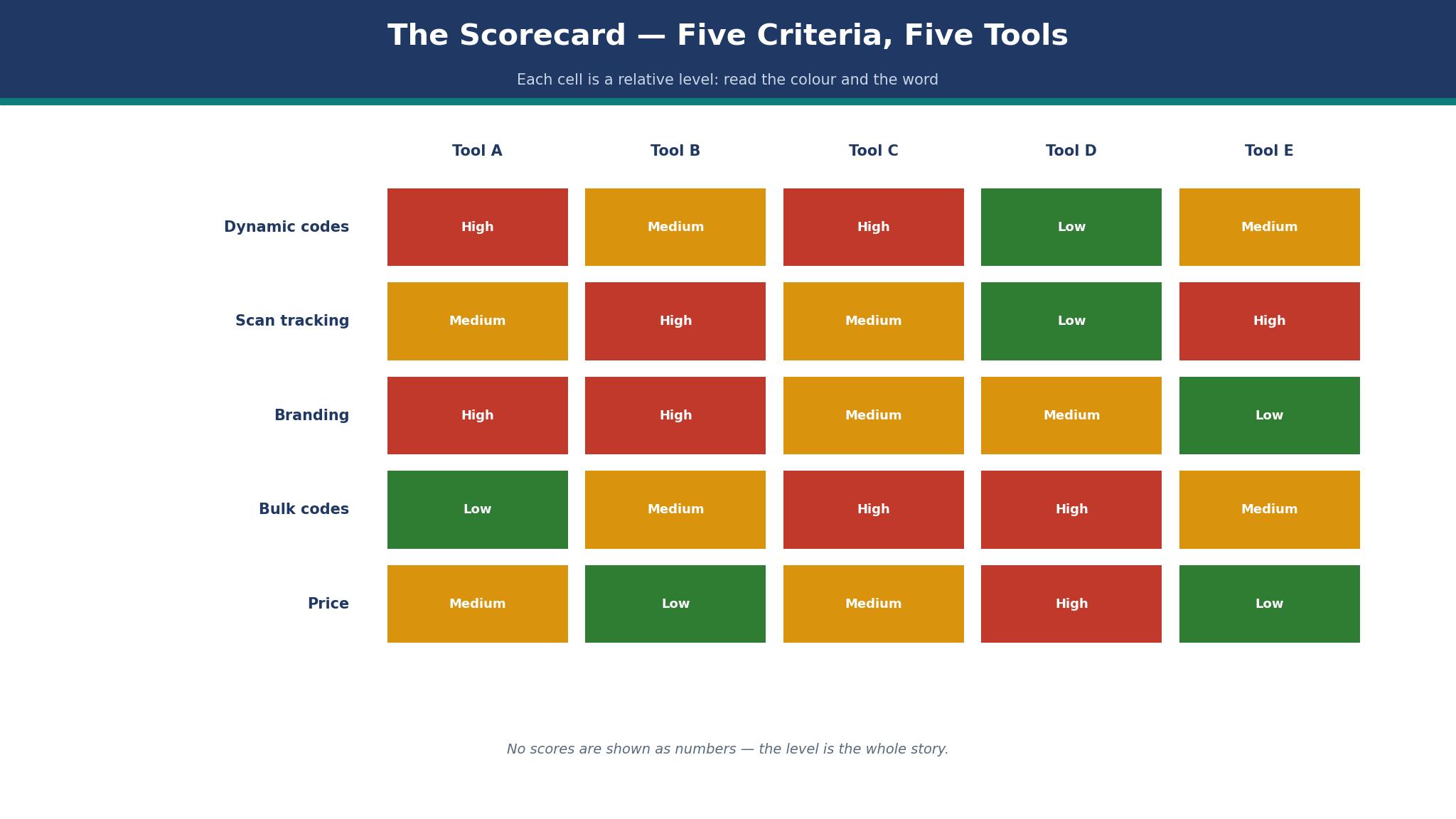
This scorecard marks the best qr code generators for small businesses on dynamic codes, scan tracking, branding, bulk codes, and price, each scored from 1 to 5. A dynamic code is one whose destination can change after printing, and whose scans are counted. A static code never changes and is usually free. That difference decides most purchases, so the scorecard weights it heavily.
| Tool | Dynamic codes | Tracking | Branding | Bulk codes | Price | Total |
|---|---|---|---|---|---|---|
| QR Code Generator | 5 | 5 | 4 | 5 | 3 | 22 |
| Flowcode | 4 | 5 | 5 | 4 | 2 | 20 |
| QR TIGER | 5 | 4 | 4 | 5 | 5 | 23 |
| Uniqode | 5 | 5 | 4 | 5 | 4 | 23 |
| Design.com | 3 | 2 | 4 | 2 | 5 | 16 |
| QRCode Monkey | 2 | 1 | 4 | 1 | 5 | 13 |
| QRCodeChimp | 5 | 4 | 4 | 4 | 5 | 22 |
| Scanova | 4 | 4 | 3 | 4 | 5 | 20 |
| Bitly | 4 | 4 | 3 | 3 | 3 | 17 |
| Canva | 2 | 1 | 4 | 1 | 5 | 13 |
| GoQR.me | 2 | 1 | 2 | 1 | 5 | 11 |
| ME-QR | 3 | 3 | 2 | 3 | 4 | 15 |
QR TIGER and Uniqode tie QR Code Generator on the raw total, and the tie is broken by fit rather than arithmetic. QR TIGER wins on price, at $7 a month for 12 dynamic codes with unlimited scans. Uniqode wins on compliance, with the governance a regulated business needs. QR Code Generator wins for a typical small business because it balances all five criteria without a weakness that forces a switch later. A scorecard can rank tools, but only the job can pick one, and the sections below test each tool against the jobs a small business actually has.
How to Choose the Best QR Code Generators for Small Businesses
Decide first whether you need dynamic codes at all. A code on a business card that points to a homepage never needs to change, and a free static code does that job forever. A code on a menu, a poster, or a product label needs to change when the price, the dish, or the link changes, and only a dynamic code can do that without reprinting. Pay for dynamic codes only when the destination will change, because a paid plan for a code that never changes is money spent on nothing.
Count the codes before you count the price. A café needs three codes: one for the menu, one for reviews, and one for the loyalty page. A market stall needs one code per product, which can mean twenty codes by Christmas. A plan that allows two dynamic codes is useless to the stall and generous to the café. QR Code Generator Starter allows two codes at $9.99 a month, while QR TIGER Regular allows twelve at $7 a month. The cheaper headline is not the cheaper plan when the code count differs by six times.
Check what happens when the plan ends. Most dynamic codes stop working when the subscription lapses, because the redirect server stops answering. That means a printed menu, a van, or a thousand product labels can go dead in a day. Flowcode states its codes keep scanning on the free tier, which is a genuine advantage, while other makers deactivate codes when the trial ends. Read that clause before you print anything in bulk, and never print a thousand labels on a trial plan.
The 12 Tools in Detail
This section tests the best qr code generators for small businesses one at a time, against the same five criteria from the scorecard. A tool earns its place by making a code that scans, tracks, and survives a reprint, at a price a small business can carry. The prices quoted are entry paid plans on annual billing unless the text says otherwise, and the figures were verified across October and November 2026.
1. QR Code Generator
QR Code Generator, now part of Bitly, is the most established name in this list, and it earns the top spot by doing the core job without a gap. Static codes are free forever with no account needed, while the paid plans add dynamic codes with editable destinations, scan tracking by location and device, bulk creation, and API access. Starter runs $9.99 a month on annual billing, or $19.99 monthly, for two dynamic codes and 10,000 scans. Advanced runs $18.99 a month on annual billing for 50 codes, unlimited scans, and bulk creation of 100. Professional runs $49.99 a month for 250 codes and bulk creation of 500.
The tracking is the reason to pay. A small business can see which poster, which stall, and which product label brought the scans, and can move the budget to the code that works. A café that learns its window poster brings ten times the scans of its flyer stops printing flyers, and that decision alone can pay for the plan. The tracking is not decoration. It is the difference between guessing and knowing, and a business that knows where its customers come from spends less to reach them.
Here is what the bill looks like for a shop of that size. A shop with ten products needs ten dynamic codes, which Starter cannot cover. Advanced at $18.99 a month, or $228 a year, covers fifty codes, so the shop pays $1.90 per code per month at its size. A shop with two codes pays $5 per code per month on Starter, which is dearer per code but cheaper in total. Count your codes before you choose the plan, because the right plan is the smallest one that covers your code count with room to grow.
2. Flowcode
Flowcode is the design-led pick, and it treats a QR code as the start of a marketing funnel rather than a shortcut. The platform adds landing pages, smart routing by day, device, or location, conversion analytics, and CRM integrations on top of the code itself. The free plan is honest: two codes, analytics for up to 500 scans, no ads, forever. Pro Plus is listed at $25 a month on annual billing, or $60 monthly, for 50 codes, analytics for 6,000 scans, and bulk creation of up to 50 codes. Growth is listed at $250 a month, which is enterprise money and not small business money.
The design tools are the best in this list. A Flowcode can carry a brand colour, a logo, and a shape that looks like part of the packaging rather than a sticker added at the end. That matters on a product label, where a code that looks cheap makes the product look cheap. A jam maker who sells at a farmers’ market will sell more jars with a code that looks designed than with a code that looks printed from a free site, because the customer judges the jar by the label.
A worked example makes the price clear. A market stall with fifty products pays $25 a month on Pro Plus, or $300 a year, which is fifty cents per code per month. A café with three codes pays the same $25, or $8.33 per code per month, which is poor value. Flowcode suits a business with many codes and a brand to protect, and it does not suit a business with three codes and a tight budget. Count the codes first, then look at the price.
Flowcode’s codes keep scanning when the plan changes, which is a genuine advantage over makers that deactivate codes when a subscription lapses. The trade-off is the jump from free to Pro Plus, with no middle plan for a business with ten codes. If your code count sits between two and fifty, price the jump honestly before you commit.
3. QR TIGER
QR TIGER is the value pick, and it wins on price without giving up the features that matter. The Regular plan at $7 a month on annual billing includes 12 dynamic codes with unlimited scans and advanced analytics, which undercuts most rivals by a third or more. Advanced at $16 a month covers 200 codes with bulk creation up to 3,000, and Premium at $37 a month covers 600 codes. The free tier is useful for testing, with unlimited static codes plus three dynamic codes, each capped at 500 scans with a QR TIGER popup.
That popup tells a customer the business did not pay for its own code, so pay the $7 and remove it on a premium product.
The maths favours a small business with a handful of codes. Twelve codes at $7 a month is fifty-eight cents per code per month, and a business with six codes pays the same $7, or $1.17 per code. A business with one code pays $7 for that code, which is dearer than a free static code, so a single-code business should not pay at all. The value appears at three codes and grows with every code after that, which is the opposite of most plans in this list.
A worked example helps. A restaurant with a menu code, a review code, a booking code, and a loyalty code needs four dynamic codes. QR TIGER Regular covers all four for $84 a year. QR Code Generator Starter covers only two, so the restaurant would need Advanced at $228 a year. The saving is $144 a year, which buys a new menu print run. The tracking is good, the branding is clean, and the bulk tools handle a product range without fuss. For a business that needs dynamic codes and watches every dollar, QR TIGER is the pick, and it is only the scorecard tie-break on depth that keeps it in third place here.
4. Uniqode
Among the best qr code generators for small businesses, Uniqode, formerly Beaconstac, is the pick for a business that needs compliance and governance. It starts at $9 a month, carries SOC 2, HIPAA, and GDPR compliance, and adds bulk creation, team permissions, and analytics depth that the cheaper tools do not offer. A clinic, a law firm, or a business that handles customer data should look at Uniqode before any other tool here, because a code that collects scans is a code that collects data, and data has rules.
The analytics go deeper than most small businesses need, with scan reports by campaign, location, and device, and the ability to manage codes across a team without sharing one login. A business with two branches and a marketing assistant will use those tools every week. A business with one stall and one owner will not, and should save the money. The price is fair for what it does, and the free trial lasts 14 days with no card required, which is enough to test the tracking properly.
5. Design.com
Design.com belongs on this list because a shop often wants its code to wear the same logo and colours as everything else, and making both in one account keeps the brand in step. You can generate a code, add a logo in the centre, and match the colours to the packaging without opening a second tool. The code itself is simple, with basic tracking and no bulk creation to match the dedicated generators. An owner who needs one or two codes for a business card or a flyer will find Design.com enough, and the match to the brand is a genuine advantage.
The honest limit is depth. Design.com does not offer the bulk tools, the scan analytics, or the dynamic editing that QR Code Generator and QR TIGER provide. A business with twenty products should use a dedicated generator, and a business with one code on a card should use Design.com and be done. You can begin without paying, the premium extras carry a charge, and the final amount is worth confirming before you check out. Treat it as a brand-matched start, not as a tracking platform.
6. QRCode Monkey
QRCode Monkey is the best free option for static codes, and it asks nothing in return. Unlimited static codes with logos, high-resolution print files, and no account needed make it the pick for a code that will never change. A business card, a shop window, or a poster with a fixed link needs nothing more, and paying for a dynamic plan for that code is money wasted. The print quality is excellent, and the logo placement is clean.
The limit is that QRCode Monkey offers no dynamic codes, no tracking, and no bulk creation. A code printed from here cannot be edited, and its scans cannot be counted. That is fine when the destination is permanent, and it is a problem when the destination changes. Use QRCode Monkey for permanent codes, and use a paid tool for anything that might move. The two tools are not rivals. They do different jobs, and a smart business uses both.
7. QRCodeChimp
Among the best qr code generators for small businesses, QRCodeChimp offers the most generous free tier among the dynamic platforms, with ten free dynamic codes sharing 1,000 scans a month. Starter at $6.99 a month on annual billing, or $9.99 monthly, adds more codes and scans, with Pro at $13.99 and Ultima at $34.99 on annual billing. A business that wants to test dynamic codes properly, with real customers and real scans, can do so here without paying, and that test is worth more than any review.
The design tools are good, with shapes, colours, and logos, and the analytics cover the basics without overwhelming a beginner. For a small business with ten codes and a modest budget, QRCodeChimp is a strong pick, and its free tier makes it the best place to learn what dynamic codes can do.
8. Scanova
Scanova starts at $5 a month on its Basic plan, which makes it one of the cheapest paid options here, and it covers the core dynamic features without fuss. The code design is clean, the analytics are clear, and the bulk tools handle a small product range. A business that needs dynamic codes on a tight budget should compare Scanova against QR TIGER, because the two are close on price and the right choice depends on the code count.
9. Bitly
Bitly is best known for short links, and its QR codes are a natural extension of that. A business that already shortens links with Bitly can generate codes from those links, track the clicks and the scans in one place, and keep its marketing data together. The QR features are solid rather than leading, with good tracking and clean design, but the bulk tools and the code design are lighter than the dedicated generators.
The price depends on the Bitly plan, and the QR features sit inside plans that also cover link management, so a business that only needs codes may pay for links it does not use. Use Bitly when the links and the codes belong together. Use a dedicated generator when the codes are the whole job.
10. Canva
Canva makes a QR code in seconds, and for a flyer or a poster that is often enough. The code is static, the design matches the rest of the flyer, and the whole job stays in one tool. A business that designs its own marketing in Canva should generate the code there, because the time saved is worth more than the tracking lost. The code will not track scans, it cannot be edited after printing, and it cannot be made in bulk, so a business that needs those features should use a dedicated tool.
The trade-off is convenience against control. Canva wins on convenience, and loses on everything else in this category. That is a fair trade for a one-off flyer, and a poor trade for a product label that will be printed a thousand times.
11. GoQR.me
GoQR.me gives unlimited static codes with no signup, and it does that one job well. The codes are clean, the site is fast, and there is nothing to learn. A business that needs a single static code for a window or a card can use GoQR.me and be done in a minute. There are no dynamic codes, no tracking, and no branding tools beyond the basics, so a business that needs more should look higher in this list.
12. ME-QR
ME-QR offers 10,000 codes on its free tier, which sounds generous until you read the condition: every free code carries advertising. A customer who scans a free ME-QR code sees an ad before reaching the business, and that ad tells the customer the business did not pay for its own code. The paid plans remove the ads and add dynamic features, but the free tier is a trap for a business that cares about its image. Use ME-QR only on a paid plan, and compare that price against QR TIGER before you commit.
QR Code Generator vs Flowcode: Which One Earns the Monthly Fee?
QR Code Generator wins on tracking depth, and Flowcode wins on design, and the monthly fee decides which one a small business should pay. QR Code Generator Starter at $9.99 a month gives two dynamic codes with tracking by location and device, while Flowcode Pro Plus at $25 a month gives fifty codes with landing pages and smart routing. A business with two codes pays less on QR Code Generator and gets better tracking. A business with fifty codes pays less per code on Flowcode and gets better design. The fee is not the question. The code count is.
The test is simple. Count the codes you will print in the next year, then divide the monthly fee by that count. QR Code Generator Advanced at $18.99 for fifty codes is thirty-eight cents per code per month. Flowcode Pro Plus at $25 for fifty codes is fifty cents per code per month. QR TIGER Regular at $7 for twelve codes is fifty-eight cents per code per month. The cheapest per code is not always the cheapest total, and the cheapest total is not always the best value, because a code that nobody scans is worth nothing whatever it cost.
Choose QR Code Generator when tracking decides the budget, when the business needs to know which poster works, and when the code count sits between two and fifty. Choose Flowcode when the code sits on packaging, when the brand must look designed, and when the business has fifty codes to manage. Choose QR TIGER when the budget is tight and the code count sits under twelve. All three are good tools, and the wrong choice is usually a good tool bought for the wrong job.
The Code Nobody Scanned
A perfect code can fail, and the failure is rarely the code itself. The code on a market stall table failed because it sat flat on the table, and customers standing up could not see it. The code on a café window failed because the sun hit the glass at noon and the glare washed out the contrast. The code on a jam jar failed because it was printed too small, and a phone held at arm’s length could not focus on it. Each code was generated correctly, printed correctly, and placed badly, and the placement is what the customer experiences.
Size, contrast, and height decide whether a code gets scanned. A code on a poster seen from two metres away needs to be at least 5 centimetres across, and a code on a product label seen from thirty centimetres can be smaller. A code in dark ink on a light background scans reliably, while a code in a brand colour on a similar background fails in poor light. A code at eye level gets scanned, while a code on the floor gets stepped over. These are not technical rules. They are human rules, and they matter more than the generator you choose.
The fix is a field test, not a new tool. Print the code at its real size, put it where it will live, and ask five strangers to scan it. Watch where they stand, how long they take, and whether they give up.
Move the code higher, make it bigger, or change the contrast, and test again. A code that five strangers scan in five seconds is a code that works. A code that two strangers fail is a code that needs moving, not a code that needs a more expensive generator. Among the best qr code generators for small businesses, the winner is the one whose code gets scanned in the real place, not the one with the longest feature list.

Best Pick by Job
The table below matches each job to one of the best qr code generators for small businesses, so you can decide by the place the code will live rather than by the price list alone.
| Job | Pick | Why it wins here |
|---|---|---|
| Tracking that decides budget | QR Code Generator | Deepest scan reporting |
| Packaging that must look designed | Flowcode | Best branding and landing pages |
| Tightest budget, dynamic codes | QR TIGER | $7 a month for 12 codes |
| Compliance and team use | Uniqode | Governance and permissions |
| One permanent code | QRCode Monkey | Free static codes, print quality |
| Testing dynamic codes free | QRCodeChimp | 10 free dynamic codes |
What Would I Do for a Market Stall With $10 a Month?
If I ran a market stall with $10 a month, I would spend $7 on QR TIGER Regular and keep $3 for printing. I would make twelve dynamic codes, one per product, and I would point each one at the product page so I could change the price without reprinting the label. I would print one code at a time, test it at the stall, and only then print the rest. I would watch the scan counts for a month, and I would drop the product whose code nobody scans, because the code is telling me what the customers are telling me with their feet.
How Many Codes Does a Small Business Really Need?
Most small businesses need between three and twelve codes, and the number grows with the product range rather than the ambition. A café needs three: menu, reviews, and loyalty. A shop needs one per product line, not one per product, until the range grows past twenty. A service business needs one per channel: one for the van, one for the flyer, and one for the business card. Count the places a customer meets you, and that is your code count. Buy the smallest plan that covers that count with room for two more, and upgrade when the count grows rather than before.
Frequently Asked Questions
Can I put a QR code on my packaging without a designer?
Yes, and most small businesses do. Generate the code in a tool that lets you add your logo and brand colours, download the print file at high resolution, and give it to your printer with the size stated in centimetres. Test the printed code with two phones before you approve the full run, because a code that looks right on screen can fail on a curved jar or a glossy label. A designer helps when the code must sit inside a complex label, but a simple code on a simple label needs no designer at all.
Do QR codes expire?
Static codes never expire, because they contain the destination itself and need no server. Dynamic codes last as long as the subscription that powers them, and most stop working when the plan lapses. That difference matters before you print a thousand labels. Use static codes for anything permanent, and use dynamic codes only when you are sure the subscription will stay active for the life of the print run.
Can I change where a QR code points after printing?
Yes, if the code is dynamic. Log in to the generator, change the destination, and the printed code will point to the new page within minutes. Static codes cannot be changed, because the destination is printed into the code itself. That is why a menu, a price list, or a product page should use a dynamic code, while a homepage or a contact page can use a static one.
How big should a QR code be on a poster?
A code seen from two metres away should be at least 5 centimetres across, and a code seen from five metres away should be at least 12 centimetres across. The rule is roughly one centimetre of code for every ten centimetres of viewing distance, with a margin of quiet space around the code. Print one at the real size, stand where the customer will stand, and scan it before you print the batch.
Will a QR code work if I print it in my brand colour?
It will work if the contrast is strong enough, and it will fail if the colour is too close to the background. Dark ink on a light background is the safest choice, and a brand colour works when it is dark and the background is light. Test the printed code in the light where customers will stand, because a code that scans under a lamp can fail in sunlight. When in doubt, use black, and let the brand live in the logo beside the code.
Is it safe to put a QR code on a business card?
Yes, if the code points to a page you control, and you test it before printing. A code that opens a booking page or a contact page saves the reader typing, and that is a genuine help. A code that opens a homepage adds nothing, because the web address is already on the card. Print the code big enough to scan first time, add a few words beside it explaining where it leads, and try it on two different handsets before the batch goes to print.
The Verdict: QR Code Generator Takes It for Most Small Businesses
QR Code Generator wins this list of the best qr code generators for small businesses because its tracking tells a small business which code earns its keep, and that knowledge pays for the plan. QR TIGER is the better pick when the budget is tight, Flowcode is the better pick when the code sits on packaging, and QRCode Monkey is the better pick for a code that will never change. Count your codes, test the scan where customers stand, and buy the smallest plan that covers the count. A code that gets scanned is a code that works, and the generator that helps you prove it is the one to pay for.