

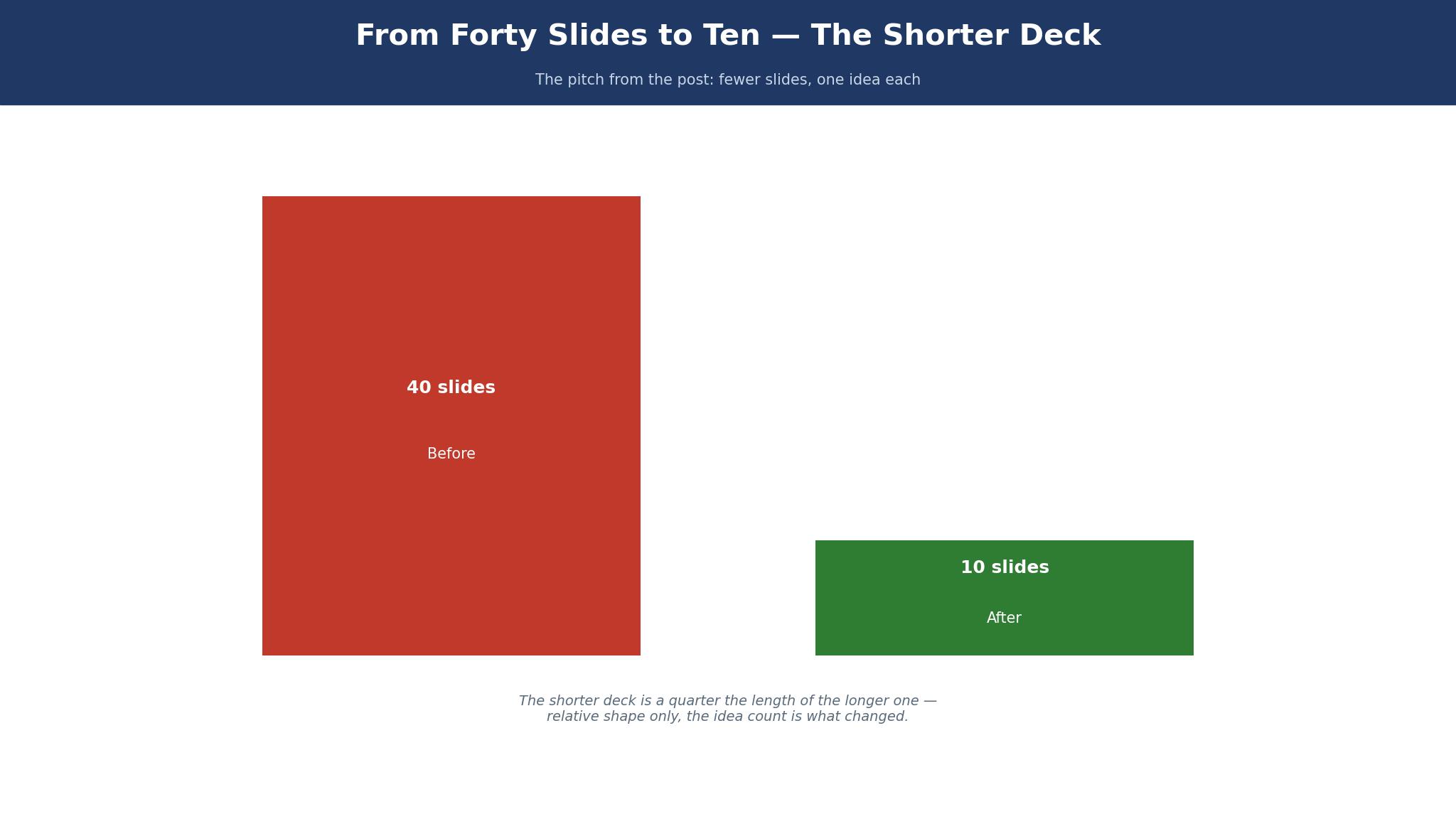
The pitch changed when the deck stopped being forty slides and became ten slides with one idea each. The best presentation makers for small businesses made that change possible, and this guide tests eight of them to find which one helps a founder say less and win more. Canva wins for most small businesses, because its free plan covers a good deck, its templates are plentiful, and a ten-slide pitch takes an evening instead of a week.
The 8 Tools at a Glance
This table compares the best presentation makers for small businesses on price, templates, and the job each one does best. What follows uses the entry paid plans on record in November 2026, and every maker here opens its doors free or on trial, so a first deck asks for an evening, not money.
| Tool | Entry paid plan | Free plan | Best for |
|---|---|---|---|
| Canva | $120 a year | Yes | Most small businesses |
| Beautiful.ai | $12 a month | Trial | AI-designed decks |
| Google Slides | Free | Yes | Teams that collaborate |
| Design.com | Free to start | Yes | Logo and deck together |
| PowerPoint | $6 a month | Trial | Office users |
| Prezi | $7 a month | Trial | Non-linear pitches |
| Visme | $12.25 a month | Yes | Data-led decks |
| Pitch | $20 a month | Free | Fast team decks |
How the Pitch Changed
A founder once carried forty slides into a meeting, and the investors remembered none of them. The deck explained the product, the market, the team, the technology, and the financials, all in small type, and the meeting ended with polite nods and no questions. The next pitch carried ten slides, each with one idea, and the investors asked questions for an hour. The product had not changed. The deck had, and the change was not about design. It was about respect for the listener’s time, and the tools in this guide are the ones that make that respect easy to show.
The old deck was a document that happened to be projected. It carried every fact the founder knew, because the founder was afraid to leave anything out. The new deck is a conversation, with one idea per slide, and the facts live in the founder’s head, ready to answer the questions the slides provoke. A tool that makes a forty-slide deck easy is a tool that helps a founder hide. A tool that makes a ten-slide deck easy is a tool that helps a founder speak. The difference matters more than any feature list, because the pitch is won in the conversation, not in the slides.
The change also moved the work. A deck used to be made the night before a pitch, in a rush, with borrowed templates and tired eyes. Now a deck is made over a week, one slide at a time, with each slide tested on a colleague who has never seen it. A tool that saves the deck online, lets a colleague comment, and exports a clean PDF for the meeting fits that slower, better way of working. A tool that only works on one computer, and only exports a file that must be emailed, belongs to the old way, and it should be left there.
Canva vs Beautiful.ai: Which One Makes the Ten-Slide Deck?
Canva wins on control, and Beautiful.ai wins on speed, and the ten-slide test decides which one matters. Canva lets a founder move anything, anywhere, and the deck looks exactly as the founder imagined it. Beautiful.ai arranges the slide for the founder, and the deck looks good without the founder moving anything. A founder who knows what they want should use Canva, because the tool will not fight them. A founder who does not know what they want should use Beautiful.ai, because the tool will decide for them.
The price is close. Canva Pro costs $120 a year, and Beautiful.ai costs $12 a month, or $144 a year. The difference is $24 a year, which is less than one hour of a founder’s time. The decision should be made on the deck, not the price. Make the same ten slides on both tools, present each to a colleague, and ask which one they remember the next morning. The answer is the right tool, and it will not be the same for every founder. Among the best presentation makers for small businesses, the winner is the one whose deck is remembered, not the one with the most templates.
The collaboration test also matters. Canva lets a colleague comment on a slide, and the founder can accept the comment without emailing a file. Beautiful.ai lets a colleague view the deck, and the editing is lighter. A team that pitches together should use Canva. A founder who pitches alone should use the tool that makes the best deck fastest, and that is often Beautiful.ai, because the design decisions are made for them.
The 8 Tools in Detail
This section tests the best presentation makers for small businesses one at a time, on templates, ease of use, and the deck each one produces. A tool earns its place by making a deck a listener will remember, at a price a small business can carry. Prices in this section are the entry paid plans as reported in November 2026.
1. Canva
For a ten-slide pitch, Canva is the easiest route from a blank page to a deck that holds a room. The free tier stretches to a solid ten-slide deck, with hundreds of presentation layouts, a million free photos, and an editor a newcomer masters in a single sitting. Pro at $120 a year adds brand colours, fonts, a background remover, and a larger photo library, which is the plan a business that pitches regularly should buy. A founder can make a ten-slide deck in an evening, present it from a laptop or a phone, and export a clean PDF for the meeting.
The template range is the real strength. Canva has decks for pitches, sales, training, and reports, and each template is a starting point rather than a finished design. A first-timer can rewrite the lines, change the image, and leave the structure untouched, which is the surest way to a deck that looks like a professional built it. The risk is sameness: a template used by a thousand founders will look familiar, so change the colours, the photo, and the headline before you present. A deck that looks like every other deck gets remembered like every other deck, which is to say it gets forgotten.
A worked example shows the cost. A business pitches four times a year on Pro, at $120 a year, and each deck takes an evening to make. The cost per pitch is $30, which is less than the cost of the train to the meeting. A business that hires a designer for each pitch pays $500 or more per deck, or $2,000 a year, and the designer cannot update the deck the night before the meeting. Canva saves $1,880 a year and keeps the deck in the founder’s hands, where it belongs.
Canva’s weakness is that it does everything, and a deck made here can look like a social post rather than a presentation. The fix is to design for the room: use large type, leave white space, and present from the tool rather than from a PDF, so the slides stay sharp on a large screen. A deck that looks good on a laptop and bad on a projector is a common failure, and a test run in the meeting room catches it for free.
The collaboration tools are the reason to pay for Pro. A colleague can comment on a slide, suggest a change, and the founder can accept it without emailing a file. A deck that lives online, with comments in place, is a deck that improves every time someone reads it. A deck that lives as a file on one computer improves only when the founder remembers to ask, and the founder rarely remembers.
2. Beautiful.ai
Beautiful.ai is the pick for a founder who wants the design done for them, and it earns that place on AI layout. Type the words for a slide, and Beautiful.ai arranges them into a clean layout, with spacing, colours, and images chosen by the tool. The entry plan is $12 a month, with a trial to test it, and the result is a deck that looks designed without a designer. A founder who dreads design will make a better deck here than on Canva, because the tool makes the decisions the founder would rather not make.
The trade-off is control. Beautiful.ai’s layouts are good, and they are also fixed, so a founder who wants a particular look will fight the tool. The templates are fewer than Canva, and the brand controls are lighter. A business that pitches the same deck to different audiences, with different branding, will find Canva easier. A business that pitches one deck, and wants it to look good without effort, will find Beautiful.ai easier.
A worked example makes the cost clear. A founder makes a ten-slide deck on Beautiful.ai in two hours, against four hours on Canva, and the saving is two hours. At $20 an hour, the saving is $40 per deck, or $160 a year for four pitches. The plan costs $144 a year, so the saving pays for the plan, with $16 to spare. The maths is close, and the decision should be made on the deck itself, not the price. Make the same deck on both tools, present each to a colleague, and ask which one they remember the next morning.
3. Google Slides
Google Slides is free, and it earns its place by making collaboration easy. A team can edit the same deck at the same time, comment on a slide, and see the changes live, without emailing a file. A small business that pitches as a team, with a founder, a designer, and a sales lead all touching the deck, will find Google Slides the easiest tool to work in. The templates are plainer than Canva, and the design tools are lighter, but the collaboration is the best in this list.
The price is nothing, which matters for a business that pitches rarely. A deck made on Google Slides costs no money, and the only cost is the time to make it. The trade-off is looks: a Google Slides deck will not win a design prize, and a founder who pitches to investors who judge on appearance should use Canva or Beautiful.ai for the final version. Use Google Slides for the draft, where the team argues about the words, and Canva for the final, where the words must look good.
A worked example helps. A team of three makes a deck on Google Slides in a week, with each person editing a different section, and the deck is ready without a single emailed file. The same team on PowerPoint would email the file six times, lose track of the latest version, and present an old slide by mistake. The saving is not money. It is the mistake that does not happen, and a wrong slide in a pitch costs more than any tool in this list.
4. Design.com
Design.com makes the cut because a founder often wants the deck to carry the same logo and colours as the rest of the brand, and keeping both jobs in one account holds the look together. A logo can be drafted here, a presentation layout chosen to match it, and the pair sent out as one coherent set. The deck maker is the plainest tool in this list next to Canva, and that plainness suits a founder after a tidy deck before lunch rather than a full design exercise.
The honest limit is template depth. Design.com has fewer presentation templates than Canva or Beautiful.ai, and the design tools are lighter. An owner who pitches every week will outgrow it, and should move to Canva. An owner who pitches once a quarter will find it enough, and the match to the logo is a genuine advantage. You can start without paying, and premium features are billed, and the exact total should be checked at checkout.
5. PowerPoint
PowerPoint is the tool most businesses already have, and it earns its place on familiarity. The entry plan through Microsoft 365 is $6 a month, and the tool is installed on millions of computers, which means a founder can present from almost any laptop without a login. The templates are plentiful, the design tools are strong, and the offline working suits a founder who pitches in rooms without reliable internet. A business that already pays for Microsoft 365 gets PowerPoint free in effect, and should use it before buying another tool.
The trade-off is collaboration. PowerPoint’s online collaboration is good, and it is not as smooth as Google Slides, and the file-based habit is hard to break. A team that emails PowerPoint files will lose track of versions, and a founder who presents an old version will lose the pitch. Use PowerPoint when the business already pays for it, and use Google Slides when the team must edit together. The tool you already own is often the right tool, and PowerPoint is owned by more businesses than any other tool here.
6. Prezi
Prezi is the pick for a pitch that must move, with a non-linear path that zooms from the big idea to the detail and back again. The entry plan is $7 a month, with a trial to test it, and the result is a presentation that feels like a conversation rather than a slideshow. A founder who pitches a complex idea, with parts that connect in more than one order, will find Prezi’s canvas easier than a linear deck. A founder who pitches a simple idea should use Canva, because Prezi’s movement can distract from the words.
The risk is motion sickness, both literal and figurative. A Prezi that zooms too much makes the audience seasick, and a Prezi that moves for the sake of moving makes the founder look like they are hiding a weak idea behind a trick. Use Prezi sparingly, for the pitch where the structure matters, and use a linear deck for the pitch where the words matter. The tool is a spice, not a meal.
7. Visme
Among the best presentation makers for small businesses, Visme is the pick for a deck that must carry data, such as a sales report, a market analysis, or a set of figures. Its charts, tables, and infographics are stronger than any other tool here, and a deck that explains numbers will look clearer on Visme. The entry plan is $12.25 a month, and the free plan covers a basic deck with a watermark. The trade-off is that Visme is built for reports first, and pitches second, so a simple ten-slide pitch will take longer here than on Canva. Use Visme for the deck that must prove, and Canva for the deck that must persuade.
8. Pitch
Among the best presentation makers for small businesses, Pitch is built for fast team decks, with collaboration, brand controls, and analytics in one place. The free plan covers a good deck, and the paid plan at $20 a month adds more brand controls and analytics. A small team that pitches regularly, with a designer and a sales lead sharing the work, will find Pitch’s workflow smooth, and the analytics show which slides get read when the deck is shared. The trade-off is price: $20 a month is dearer than Canva Pro, and a business that pitches alone should not pay it. Use Pitch when the team is the point, and Canva when the founder is the point.
How to Choose the Best Presentation Makers for Small Businesses
Start with the audience, not the template. An investor wants the problem, the solution, the market, and the ask, in that order, and a deck that hides those four things behind design will lose the pitch. A customer wants the benefit, the price, and the next step, in that order, and a deck that hides those three things will lose the sale. Write the three things the audience must learn, in order, before you open the tool, and choose the template that shows those three things first.
Count the slides before you count the features. A deck with ten slides needs a tool that makes ten good slides, not a tool that makes forty mediocre ones. A deck with forty slides needs a tool that manages them, with sections, links, and a table of contents. Most small business decks should have ten slides, and the tool that makes ten slides well is the right tool. A tool that encourages more slides is a tool that encourages a worse pitch.
Check the room before you choose. A deck presented on a large screen needs large type, while a deck shared as a PDF needs type that reads on a phone. A deck presented offline needs a tool that works without internet, while a deck shared online needs a tool that tracks who reads it. The room decides the tool, and a founder who presents in different rooms should use a tool that works in all of them. Canva works in most rooms, which is why it wins this list.
The Slide Nobody Remembers
Investors were asked what they remembered the morning after a pitch, and their answers were honest. They remembered the problem, the founder, and the one number that surprised them. They did not remember the market size slide, the team slide, or the technology slide, and they did not remember the deck at all. The slides that nobody remembers are the slides that carry facts without a story, and the facts are forgotten because they were never attached to a feeling.
The slide that gets remembered is the slide with one idea, one image, and one number. A slide that says “Our customers save 3 hours a week” with a photo of a customer is remembered. A slide that says “The market is $4 billion, growing at 12%, with 3 segments” is forgotten, because the listener cannot hold three numbers and a story at the same time. A deck with ten slides, each with one idea, will be remembered. A deck with forty slides, each with five facts, will be forgotten, whatever the tool that made it.
The fix is not a new tool. It is a new test, done the night before the pitch. Show the deck to a colleague who has never seen it, ask them the next morning what they remember, and remove every slide they forgot. The deck that survives that test is the deck to pitch, and the tool that makes it easy to remove a slide is the tool to use. A slide that nobody remembers is a slide that wastes the listener’s time, and the listener’s time is the most expensive thing in the room.
What Would I Do Before a Pitch on Monday?
If I had a pitch on Monday, I would spend Sunday on ten slides, and I would test them on a colleague on Sunday evening. I would write one idea per slide, use a photo on the slides that need feeling, and a number on the slides that need proof.
I would present the deck in the room where the pitch will happen, or in a room like it, and I would time myself. If the pitch runs longer than twenty minutes, I would remove a slide. If the colleague remembers three ideas the next morning, I would keep the deck. If they remember none, I would rewrite it, because a deck that is not remembered is a deck that did not work.
Best Pick by Job
The table below matches each job to one of the best presentation makers for small businesses, so you can decide by the pitch you need rather than by the price list alone.
| Job | Pick | Why it wins here |
|---|---|---|
| Most small businesses | Canva | Fastest templates, easy sharing |
| Deck that designs itself | Beautiful.ai | AI layout that looks professional |
| Team that edits together | Google Slides | Free, live collaboration |
| Logo and deck together | Design.com | Matched brand in one place |
| Deck that must prove | Visme | Best charts and tables |
| Office users | PowerPoint | Already owned, works offline |
How Long Should a Pitch Deck Be?
A pitch deck should be ten slides, and the pitch should take twenty minutes. Ten slides is enough for the problem, the solution, the market, the product, the team, the numbers, and the ask, with room for a title and a closing slide.
Twenty minutes is enough to present ten slides well, with time for questions, and short enough that the listener stays awake. A deck with forty slides takes an hour, and the listener stops listening after twenty minutes, whatever the slides say. A deck with five slides is too short, because it leaves the listener with questions the deck should have answered. Ten slides and twenty minutes is the shape that works, and the tool that helps you keep to it is the tool to use.
Frequently Asked Questions
Can I make a professional pitch deck without a designer?
Yes, and most founders do. The tools in this guide are made for owners, and a careful founder can make a professional deck in an evening. A designer earns their fee when the deck must look distinctive, when the business competes on appearance, or when the founder has no time. Hire a designer for a launch, after the ten-slide deck has proved which message works, rather than before the first pitch. A deck made by the founder, with one idea per slide, will beat a deck made by a designer who does not know the business.
How many slides should a pitch deck have?
A pitch deck should have ten slides, with one idea per slide, and the pitch should take twenty minutes. Ten slides cover the problem, the solution, the market, the product, the team, the numbers, and the ask, with room for a title and a closing slide. A deck with more slides takes longer to present, and the listener stops listening after twenty minutes. A deck with fewer slides leaves questions unanswered, and the listener asks them in the meeting instead of after it.
Should I use AI to write my pitch deck?
AI can write a first draft, and it should not write the final deck. A deck written by AI will sound like every other deck, because the AI has read every other deck, and the listener will hear the sameness. Use AI to draft the slides, then rewrite every line in your own words, with your own numbers, and your own story. A deck that sounds like you will be remembered. A deck that sounds like a machine will be forgotten, and the investor will remember the machine, not the founder.
Can I present from my phone?
Yes, and most tools in this guide allow it, with a presenter view that shows the notes on the phone and the slide on the screen. Presenting from a phone is useful when the meeting room has no laptop, or when the founder wants to walk around the room. Test the phone presentation in the room before the meeting, because the connection to the screen can fail, and a founder who cannot connect in front of investors loses the pitch before it starts.
What should the first slide say?
The first slide should say the problem, in one line, with one image. A listener decides in ten seconds whether to keep listening, and the first slide makes that decision. A slide that says the company name and a tagline wastes those ten seconds, because the listener learns nothing. A slide that says “Small cafés lose $2,000 a month on empty tables” tells the listener what the business does, and why it matters, in one line. Start with the problem, and the listener will stay for the solution.
Do I need to print my pitch deck?
No, not for the pitch itself, because the deck is presented on a screen. Print a one-page summary for the meeting, with the problem, the numbers, and the ask, so the listener has something to take away. A printed deck is a document, and a document gets filed. A one-page summary gets read, because it fits on a desk and says one thing well. Print the summary, present the deck, and leave the deck online for the listener to revisit.
The Verdict: Canva Wins the Ten-Slide Deck
Canva wins this list of the best presentation makers for small businesses because it makes a good ten-slide deck fastest, shares it easily, and costs nothing to start. Beautiful.ai is the better pick when the deck must design itself, Google Slides is the better pick when a team must edit together, and PowerPoint is the better pick when the business already pays for it. Write ten slides, one idea each, test them on a colleague, and remove every slide they forget. A deck that is remembered is a deck that works, and the tool that helps you make it is the one to trust.