
$312. That is what one small business paid in year one for a logo across five tools, before it owned a single file it could print. The best ai logo makers for small businesses charge in different ways, and this guide adds up the bills line by line to find which one gives a business a logo it truly owns. Looka wins for most small businesses, because its $72 Premium package includes vector files, full ownership, and unlimited changes, with no subscription to keep paying.
How to Choose the Best AI Logo Makers for Small Businesses
Start with the files, not the logo. A logo you cannot print is not a logo, and a logo you cannot put on a van is not a brand. Vector files, in SVG or EPS format, can be scaled to any size without losing sharpness, and a business needs them for print, for signs, and for merchandise. A PNG file, however pretty on screen, will look blurry on a shop sign, and a business that buys only a PNG will pay again for the vector version. Check that the package includes vector files before you pay, because the cheapest package often does not, and the upgrade costs more than the difference between the packages.
Check what “yours” actually means. Some tools sell full ownership, which means the business owns the logo and can use it anywhere, forever. Some tools sell a licence, which means the business can use the logo under conditions, and the conditions may limit where it can appear. Brandmark and Looka Premium include full ownership, and Tailor Brands and LogoAI sell a licence on their lower tiers. Read the ownership line before you buy, because a logo you do not own is a logo you rent, and rent is paid every year.
Check the subscription before you fall in love with the logo. A tool that charges $29 a month for the files will cost $348 a year, and $1,740 over five years, for a logo that a one-time package sells for $72. A subscription can be worth it when it includes a brand kit, with templates for social posts, business cards, and email signatures that the business uses every week. A subscription is not worth it when the business only needs the logo, and the templates sit unused. Count the templates you will actually use, and the subscription will justify itself or it will not.
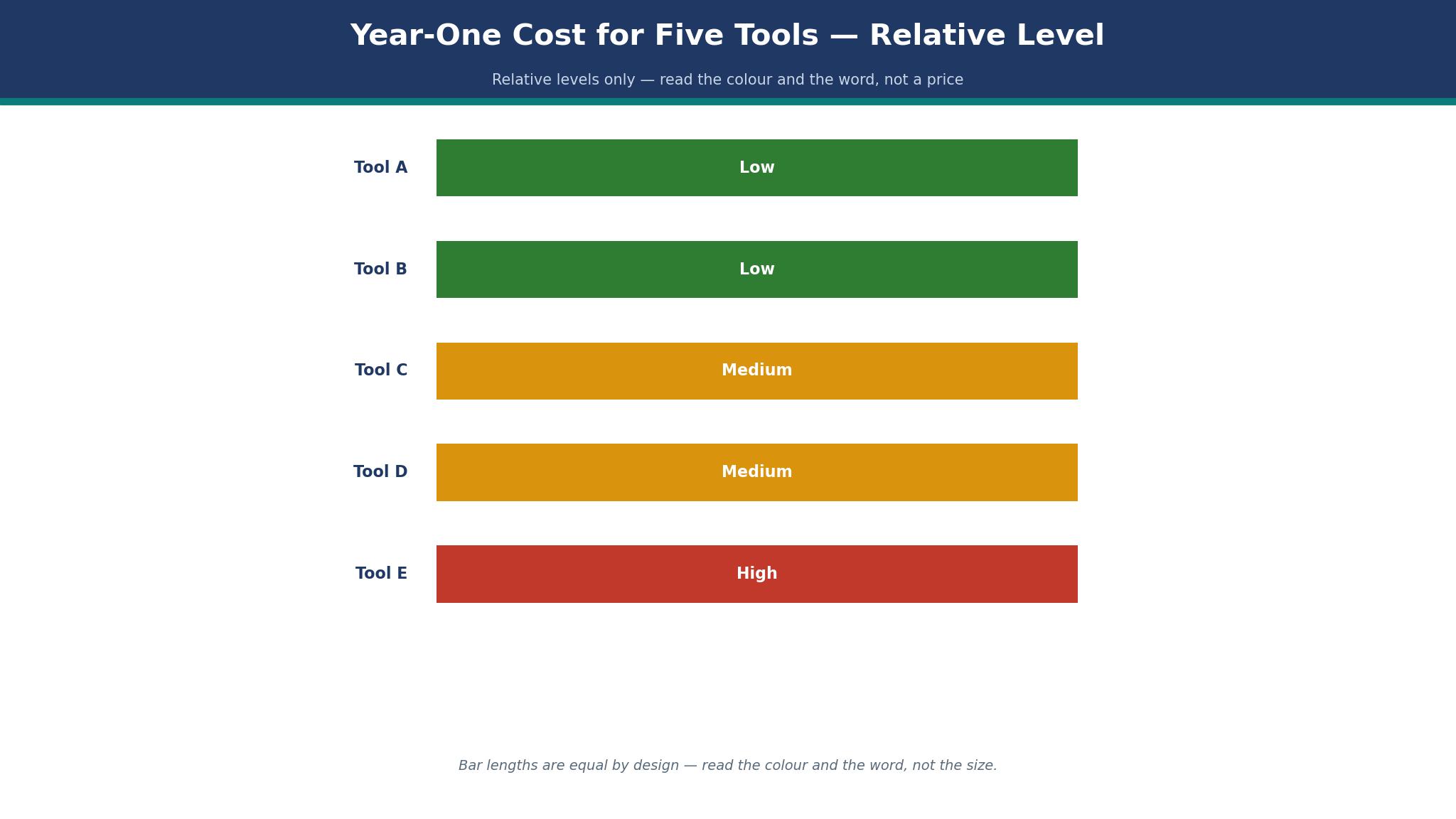
The Year-One Bill: Five Tools, Line by Line
This table adds up the best ai logo makers for small businesses at a real size: one logo, bought once, with the files a business needs to print it, put it on a website, and use it on a van. A one-time package is paid once, and a subscription is paid every year, so the year-one total and the year-two total tell different stories.
| Tool | Year-one cost | What you own | Vector files | Subscription |
|---|---|---|---|---|
| Looka Premium | $72 one time | Full ownership | Yes | No, $96 a year for Brand Kit |
| Brandmark Basic | $35 one time | Full ownership | Yes | No |
| Tailor Brands | About $48 a year | Licence | Yes, higher tier | Yes |
| Design.com | Free to start | Varies | Varies | Varies |
| LogoAI | About $29 a month | Licence | Yes, paid plan | Yes |
The bill shows the trap clearly. A business that buys a $35 logo and then pays $29 a month for the files has spent $383 in year one, which is five times the price of the logo itself. A business that buys Looka Premium for $72 owns the files, and the bill stops. A business that buys Brandmark Basic for $35 owns the files, and the bill stops sooner. The cheapest logo is not the one with the lowest headline price. It is the one whose bill stops when the logo is bought, and the table above shows which tools stop the bill and which ones keep it running.
The 10 Tools in Detail
This section tests the best ai logo makers for small businesses one at a time, on price, files, ownership, and the logo each one produces. A tool earns its place by giving a business a logo it owns, in files it can print, at a price it can carry. Prices are reported in November 2026, and where sources disagree, the draft says so plainly.
1. Looka
Looka is the strongest all-round pick in this list, and it earns the top spot by giving a business a complete brand kit for a one-time price. Designing is free, and you pay only when you want the files. The Basic Logo Package is $35 one time for one low-resolution PNG, which is enough for a social profile and not enough for print. The Premium Logo Package is $72 one time, with PNG, EPS, SVG, and PDF files, multiple colour variations, transparent backgrounds, unlimited post-purchase changes, and full ownership. The Brand Kit subscription is $96 a year, with 300 or more branded templates, and Brand Kit Web is $129 a year with an AI website added.
Some sources list Looka Basic at $20 and Premium at $65, and those figures are reported rather than confirmed on the vendor page checked for this guide, which lists $35 and $72. The difference is $15 on the Premium package, and a business should check the checkout price before buying, because the price has moved during 2026. Premium at either price is the cheapest route to a vector logo with full ownership in this list.
A worked example shows the year-one cost. A business buys Premium for $72, and the bill stops. A business that adds the Brand Kit pays $72 plus $96, or $168 in year one, and $96 a year after that for the templates. A business that buys Basic for $35, then discovers it needs vector files, pays $35 plus $72 for Premium, or $107, which is $35 more than buying Premium first. Buy Premium first, because the upgrade costs more than the difference, and the vector files are the point of the purchase.
Looka’s weakness is that the logo is made by AI from your choices, and the result can look like other Looka logos. The fix is to edit the logo after generation, changing the icon, the font, and the colours until it looks like your business rather than a template. A logo that is generated and bought without editing is a logo that looks generated, and a customer can tell. Spend an hour editing, and the logo will look like a decision rather than a default.
2. Brandmark
Brandmark is the pick for a business that wants a distinctive mark at a one-time cost, and it earns that place on design quality. The logos are built on hand-crafted fonts and icons, with a cleaner look than most AI generators, and the output feels less like a template. Basic is $35 one time, with logo files in PNG and vector format, and full ownership included in the cheapest package. Designer is $95 one time, with logo source files, unlimited design revisions, brand guidelines, business cards, social media designs, and presentation designs. Enterprise is $195 one time, with up to ten original hand-crafted concepts from Brandmark’s designers plus a font download.
The value is in the Basic package. For $35, a business owns a logo in vector format, with full copyright, and the bill stops. That is $37 less than Looka Premium, and the saving buys a print run of business cards. The trade-off is the brand kit: Brandmark’s Designer tier at $95 includes fewer templates than Looka’s Brand Kit, and the subscription does not exist, which is a strength for a business that hates subscriptions and a weakness for a business that wants new templates every month.
A worked example makes the cost clear. A business buys Brandmark Basic for $35, and the bill stops. A business buys Designer for $95, and the bill stops, with brand guidelines and social designs included. A business that buys Looka Premium and the Brand Kit pays $168 in year one, and $96 a year after that. The Brandmark buyer saves $133 in year one, and $96 every year after, and the saving is real only if the business does not need the templates Looka’s kit provides. Count the templates you will use, and the cheaper tool will reveal itself.
3. Tailor Brands
Tailor Brands is less a logo maker than a business-launch platform with a logo maker inside it, and that shape decides who should use it. Alongside AI logo design, it bundles business formation, a website builder, domain registration, and basic marketing tools, and the logo is one part of a larger package. A new business in the United States that needs to form an LLC, register a domain, build a website, and design a logo in one place will find Tailor Brands convenient, and the logo alone is not the reason to buy it.
The pricing is subscription-based, and the logo price is harder to find than on Looka or Brandmark. Reports list the logo from about $9.99 a month month-to-month, or about $48 a year on an annual plan, with higher tiers adding vector EPS files and more branding tools. The formation plans are listed separately, with Essential at $199 a year and Elite at $249 a year plus state fees, and a $0 plan that includes free logos. A business should check the checkout price before buying, because the logo price is not published as plainly as the formation price.
Three years of maths for one logo tells the story. A business pays $48 a year for the logo, and $48 again in year two, and $48 again in year three, for a three-year total of $144, with no ownership of the files on the lowest tier. The same business on Brandmark Basic pays $35 once, and owns the files forever. The difference is $109 over three years, which is the price of the bundle Tailor Brands provides. If the business uses the formation, the website, and the domain, the bundle is worth it. If the business only needs a logo, it is not.
4. Design.com
Design.com fits this list because a small business often needs a logo and a brand from the same place, and starting both together keeps the colours and fonts matched. You can design a logo, pick a brand kit, and build a website around the same colours without hiring a designer or learning a design tool. The logo maker is simple, the templates are plentiful, and the brand kit covers business cards, social posts, and email signatures. A new business that needs a logo, a site, and a set of cards from one account will save time.
The honest limit is distinctiveness. Design.com’s logos are made from templates, and the result can look like other Design.com logos, especially on the free tier. An owner who wants a unique mark should edit the logo carefully, changing the icon, the font, and the colours until it looks like their business. You can start free, and file downloads are paid and file downloads, and the exact total should be checked at checkout because the plans change. Treat Design.com as a fast, coherent start for a new brand, not as a forever logo, and the match between logo, site, and cards is a genuine advantage.
5. LogoAI
LogoAI is a subscription logo maker, and its pricing has changed during 2026. The tool generates logos from your business name and style choices, with a clean editor and a brand kit, and the output is good. The one-time packages that LogoAI once sold have been scrapped, according to recent reports, and the tool now charges a subscription for downloads. A business should check the current price at checkout, because the subscription rate is reported at about $29 a month on some sources, and the rate matters more than the logo, since it repeats every month.
6. Wix Logo Maker
Among the best ai logo makers for small businesses, Wix Logo Maker, now called Wixel, is the pick for a business that already uses Wix, and it earns that place on convenience. Design a logo, download a free vector file, and use it on a Wix site without a second login. The free vector download is unique in this list, and it makes Wixel the cheapest route to a usable logo for a Wix user. The logos are simpler than Looka or Brandmark, and the editor is lighter, but a business that needs a logo today, for free, will find Wixel enough.
The limit is depth. Wixel does not offer a brand kit to match Looka, and its logos will not win a design prize. A business that builds its site on Wix and needs a logo to match should use Wixel and be done. A business that needs a distinctive brand should use Looka or Brandmark, and bring the logo to Wix. The free vector file is a genuine gift, and it is the reason Wixel earns its place.
7. Hatchful
Among the best ai logo makers for small businesses, Hatchful, by Shopify, is free, and it earns its place by making a usable logo for a shop owner in minutes. Type the business name, choose a style, and Hatchful returns a set of logos with a download link, all for free. A new online shop that needs a logo for its store, its social posts, and its packaging will find Hatchful enough, and the price is nothing. The logos are simple, the editor is light, and the brand kit is thinner than Looka, but a free logo that looks professional is a good start for a business with no budget.
The trade-off is distinctiveness and files. Hatchful’s logos are made from templates, and the files are PNG rather than vector on the free tier, which limits print use. A business that needs a vector logo for a sign should buy Looka Premium or Brandmark Basic. A business that needs a logo for a shop and social media should use Hatchful and spend the saving on products.
8. LogoMakr
LogoMakr is a simple, cheap logo maker, with a free design tool and a low-cost download. A business can design a logo in minutes, pay a small fee for the high-resolution file, and use it the same day. The price is reported at about $19 for a high-resolution download, which is the cheapest paid logo in this list. The logos are simple, the editor is basic, and the brand kit is minimal, but a business that needs a logo quickly and cheaply will find LogoMakr enough.
The limit is quality. LogoMakr’s logos look simpler than Looka or Brandmark, and a business that competes on appearance should look elsewhere. A business that needs a logo for a form, a receipt, or a simple sign will find LogoMakr’s price hard to beat, and the $19 download is a fair price for a simple mark.
9. Canva
Canva is the best place to design a logo, and a reasonable place to download one. The design tool costs nothing, the layouts are excellent, and a newcomer can make a logo that reads as designed, not assembled. Pro at $120 a year adds brand colours, fonts, and a background remover that helps a logo sit cleanly on any background. A shop that leans on Canva for its social posts and flyers will feel at home in the logo maker, and that head start is worth an evening.
The trade-off is ownership and files. Canva’s logos are made from templates and stock elements, and the ownership terms are lighter than Looka or Brandmark. A business that needs a logo it fully owns, in vector format, should buy from a dedicated logo maker. A business that needs a logo for social media, and already pays for Canva Pro, will find the logo tool convenient, and the cost is nothing extra.
10. Turbologo
Turbologo is a budget logo maker, with a free design tool and paid downloads at a low price. A business can generate a logo in minutes, choose from a range of styles, and download the files for a small fee. The logos are simple, the editor is basic, and the brand kit is minimal, but the price is low and the process is fast. A business that needs a logo today, for a small fee, will find Turbologo enough, and the saving against Looka Premium is real.
The limit is distinctiveness. Turbologo’s logos are made from templates, and the result can look like other Turbologo logos. A business that wants a unique mark should edit the logo carefully, or use a dedicated maker. Turbologo earns its place for speed and price, and it earns a warning for businesses that compete on appearance: a cheap logo that looks cheap will cost more in lost customers than the saving is worth.
Looka vs Brandmark: Which One Owns the Logo?
Looka wins on the brand kit, and Brandmark wins on the cheapest vector logo, and the ownership test decides which one matters. Looka Premium at $72 includes vector files, full ownership, and unlimited changes, with a Brand Kit at $96 a year that adds 300 templates. Brandmark Basic at $35 includes vector files and full ownership, with no subscription to pay, and Designer at $95 adds brand guidelines and social designs. A business that needs templates every week should use Looka, because the kit pays for itself in time. A business that needs a logo and nothing else should use Brandmark, because $35 is $37 less than $72, and the bill stops sooner.
The design test also matters. Brandmark’s logos are built on hand-crafted fonts and icons, and they look cleaner than Looka’s AI-generated marks. Looka’s logos are built from your choices, and they look like the business that made them, with more editing control. Make the same logo on both tools, print each one, and ask five strangers which one looks like a real business. The answer is the right tool, and it will not be the same for every business. Among the best ai logo makers for small businesses, the winner is the one whose logo a customer remembers, not the one with the lowest price.
The Logo That Looked Like Someone Else’s
A small business launched with a logo it loved, and a month later a customer pointed out that the logo looked like another business’s logo, in the same town, in the same trade. The two logos shared an icon, a colour, and a font, because both businesses had used the same AI generator, with the same template, and neither had edited the result. The business changed its logo, reprinted its cards, and repainted its sign, and the cost was $500 and a month of confusion. The generator had not done anything wrong. The business had bought a template and called it a brand.
Similarity is the risk of every AI logo maker, and the fix is editing, not a new tool. Change the icon, change the font, change the colours, and test the result against the logos of businesses in your trade. Search for the icon online, and check whether it appears on other logos. A logo that shares an icon with ten other businesses is not a logo. It is a clip-art image, and a customer will notice. The test takes an hour, and it is the most useful hour in this whole guide, because a logo that looks like someone else’s is a logo that costs money every time it is seen.
Trademark basics, in plain words, are simple. A logo does not protect itself. Only a registered trademark protects a logo, and an AI-generated logo is harder to register than a logo made by a human designer, because the AI may have used elements that already exist. A business that plans to trademark its logo should talk to a trademark adviser before buying an AI logo, and should keep the receipt, the file, and the licence. A logo that cannot be trademarked is still a logo, but it is a logo that another business can copy, and the copy will cost more than the trademark ever did.
Best Pick by Job
The table below matches each job to one of the best ai logo makers for small businesses, so you can decide by the logo you need rather than by the price list alone.
| Job | Pick | Why it wins here |
|---|---|---|
| Most small businesses | Looka | $72 Premium, vector files, full ownership |
| Cheapest vector logo | Brandmark | $35 Basic, vector files, full ownership |
| Logo plus business launch | Tailor Brands | LLC, website and logo together |
| Logo and brand together | Design.com | Matched brand in one place |
| Free logo for a shop | Hatchful | Free, made for store owners |
| Free vector logo on Wix | Wixel | Free vector download |
What Would I Do With $100 and a New Business?
If I had $100 and a new business, I would spend $72 on Looka Premium, keep $28 for a print run of business cards, and spend an evening editing the logo until it looked like my business rather than a template.
I would download the vector files, save them in three places, and print a test copy at the size of a shop sign to check that the logo stays sharp. I would not buy a subscription, I would not hire a designer yet, and I would not spend a week choosing a logo. A logo bought once, owned fully, and edited well is a logo that will last, and the $100 is the cheapest brand a business will ever buy.
How Much Should a Logo Cost in Year One?
A logo should cost $35 to $72 in year one, if it is bought once, and $96 to $348 a year if it is rented on a subscription. A business that buys Looka Premium for $72 pays $72 in year one and nothing in year two.
A business that buys Brandmark Basic for $35 pays $35 in year one and nothing in year two. A business that pays $29 a month for LogoAI pays $348 in year one and $348 again in year two, for a three-year total of $1,044. The difference between $72 once and $1,044 over three years is $972, which buys a website, a print run, and a month of advertising. Buy the logo once, own the files, and spend the saving on customers.
Time is the second cost. A logo takes an evening to make on Looka or Brandmark, with an hour of editing to make it distinctive. A logo made in ten minutes, without editing, will look like a template, and a customer can tell. Spend the evening, because a logo that looks like a decision is worth more than a logo that looks like a default, and the evening is the cheapest design a business will ever buy.
Frequently Asked Questions
What should I avoid when I pick an AI logo maker?
Avoid a tool that does not include vector files, a tool that sells a licence instead of ownership without saying so, and a tool that charges a subscription for files you will only use once. Avoid buying the cheapest package, because it usually lacks the vector files, and avoid buying a logo without editing it, because an unedited AI logo looks like a template. Check the files, the ownership, and the subscription before you pay, and the logo you buy will be one you own.
Can I trademark an AI-generated logo?
You can apply for a trademark, and the application is harder for an AI-generated logo than for a human-designed one, because the AI may have used elements that already exist. A trademark adviser can check whether your logo is distinctive enough to register, and the check is worth the fee before you spend money on signs and packaging. A logo that cannot be trademarked is still a logo, but it is a logo that another business can copy, so check before you invest in the brand.
Do I own the logo I make with an AI tool?
It depends on the tool and the package. Looka Premium and Brandmark Basic include full ownership, which means the business owns the logo and can use it anywhere, forever. Tailor Brands and LogoAI sell a licence on their lower tiers, which means the business can use the logo under conditions. Read the ownership line before you buy, because a logo you rent is a logo you pay for every year, and a logo you own is a logo you pay for once.
How long does it take to make a logo with AI?
A logo takes ten minutes to generate and an evening to make well, with an hour of editing to change the icon, the font, and the colours until it looks like your business. A logo generated in ten minutes and bought without editing will look like a template, and a customer can tell. Spend the evening, because the editing is what turns a generated image into a brand, and the evening is the cheapest design a business will ever buy.
Should I use the same logo everywhere?
Yes, and the brand kit is the tool that makes it easy. Use the same logo, the same colours, and the same fonts on the website, the business cards, the social posts, and the shop sign, so a customer recognises the business in every place they meet it. A logo that changes on every platform tells the customer the business does not know itself. A logo that stays the same tells the customer the business is serious, and the consistency is worth more than any single design.
Is a free logo maker good enough for a business?
A free logo maker is good enough to start, and not good enough to trade on, because the free files are usually PNG rather than vector, and the logo will look blurry on a sign. Use a free maker to test ideas, then buy the vector files from a dedicated maker for $35 or $72. The cost is less than one lost customer, and the logo you own is the logo that will last.
The Verdict: Looka Takes It for Most Small Businesses
Looka wins this list of the best ai logo makers for small businesses because its $72 Premium package gives a business vector files, full ownership, and unlimited changes, with no subscription to keep paying.
Brandmark is the better pick when the cheapest vector logo is the question, Tailor Brands is the better pick when the logo must come with a business launch, and Design.com is the better pick when the logo and the brand must match on day one. Buy the logo once, edit it until it looks like your business, and save the vector files in three places. A logo you own is a logo that works, and the tool that sells it to you once is the one to trust.