
Verdict first: Kajabi wins if you want one platform for courses, email, funnels, websites and payments, and you are willing to pay for that consolidation. Teachable wins if you want a lower cost, course first platform and you are happy to add separate tools for email and marketing as your business grows. The Kajabi vs Teachable choice is therefore less about which platform has better video lessons, because both handle lessons well, and more about how much of your business you want in one place.
That distinction matters because course businesses fail for business reasons more often than for content reasons. A great course with weak email follow up, confusing checkout or no clear funnel sells poorly. A good course with strong marketing, reliable payments and a clear student path sells well. Kajabi is built around that second reality. Teachable is built around getting a course live quickly and affordably, then letting you build the rest of your stack around it.
This guide compares both platforms on the full job: building a course, selling it, delivering it, supporting students, handling payments and growing beyond the first launch. Pricing is described by tier and role, not by a fixed price list, because plans and transaction terms change. Check the checkout page for the current price and fee terms before you buy, and confirm whether a transaction fee applies on your chosen plan.
Kajabi vs Teachable at a Glance
| Area | Kajabi | Teachable |
|---|---|---|
| Core idea | All in one business platform | Course first platform |
| Course building | Strong, with website and community | Strong, focused and simpler |
| Email and funnels | Built in, a major strength | Limited, often needs an outside tool |
| Website and landing pages | Built in | Basic, often paired with a separate site |
| Payments | Built in payments and checkout | Built in payments, plan dependent terms |
| Best for | Creators selling multiple offers | Creators launching a first or single course |
| Cost profile | Higher monthly cost, fewer extra tools | Lower monthly cost, more add on tools |
| Learning curve | Steeper, because it does more | Gentler for course setup alone |
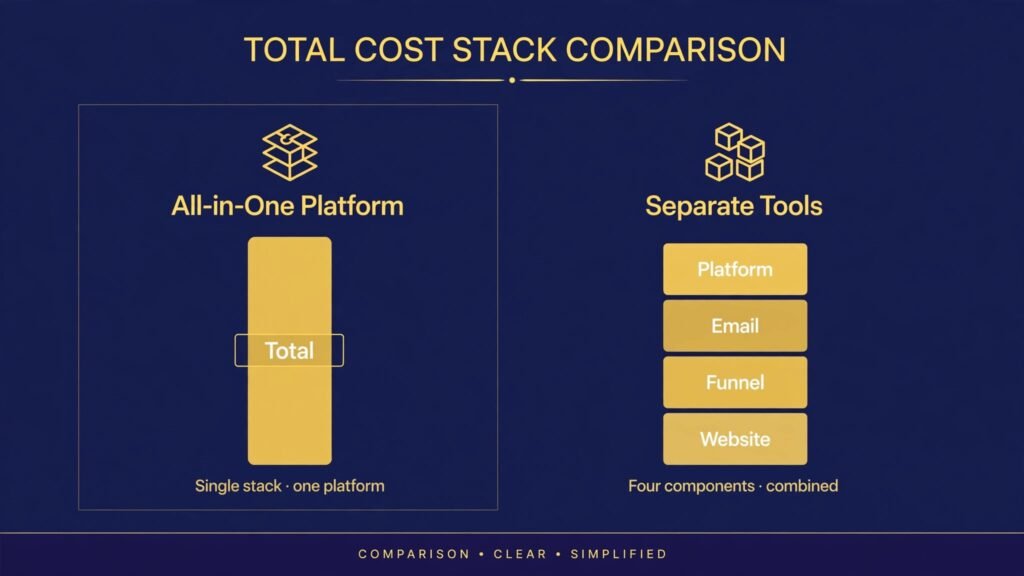
If you read only one paragraph of this guide, read this: count your total monthly stack cost, not just the platform price. A lower Teachable plan plus an email tool, a funnel tool, a website tool and a community tool can cost as much as Kajabi, while adding integration work. A Kajabi plan that you only use for one course can cost more than you need. The right choice is the cheaper total system for the business you actually run.
What Course Creators Actually Need From a Platform
Course platforms are often reviewed as if the lesson player is the product. Students care about the player, but creators live with the whole system. A complete platform job list includes course creation, student management, checkout, payments, refunds, email, landing pages, upsells, coupons, affiliates, analytics, community and support. Weakness in any one area creates manual work or lost sales.
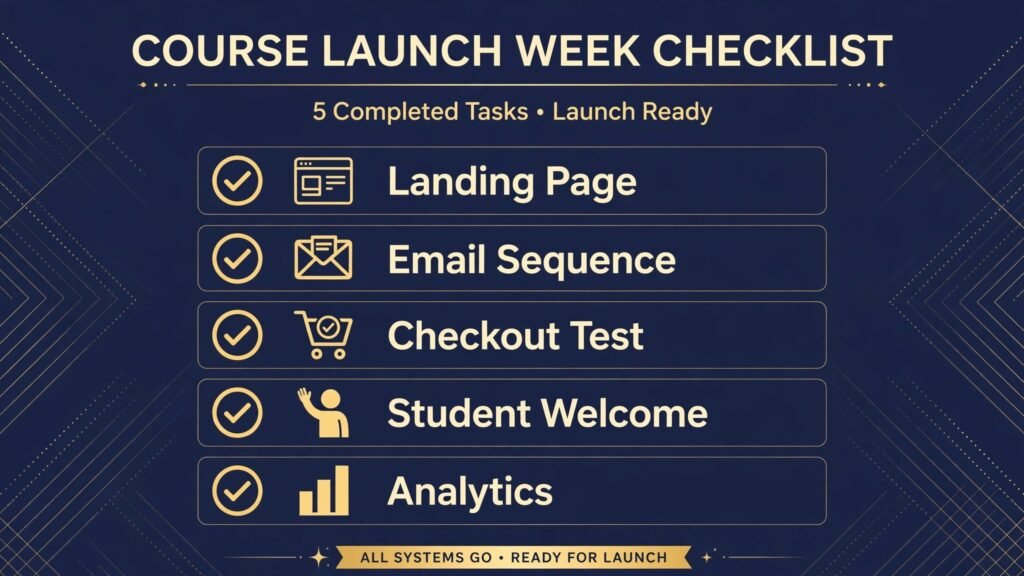
Consider a typical launch week. You need a landing page that loads fast and explains the offer clearly. You need email sequences for the waitlist, the launch and the cart close. You need a checkout that handles coupons and payment plans. You need instant access after payment, with login help for students who forget passwords. You need a way to answer questions without losing track of them. You need analytics that show where buyers dropped off. A platform that handles most of that in one dashboard saves hours during the most stressful week of a launch.
Consider also the quiet weeks between launches. Students need progress tracking, certificates or completion markers, downloadable resources and a clear path to the next offer. Creators need to update a lesson without breaking enrolments, send a broadcast to past students, and review which lessons cause confusion. Both Kajabi and Teachable handle these basics, but they differ in how much surrounding marketing you can do without leaving the platform.
A third need is growth beyond one course. Many creators start with a single course, then add a membership, a coaching offer, a workshop and an email newsletter. A platform that supports multiple offer types without a rebuild saves a painful migration later. Migration is not just moving videos. It is moving students, payment plans, coupons, email lists and login credentials, and every migration loses some students along the way. Choosing with the second and third offer in mind prevents that cost.
Kajabi in Depth: The All in One Business Platform
Kajabi positions itself as a complete business platform for knowledge creators, and in practice that claim is close to true for its target user. Courses, memberships, coaching, podcasts, newsletters, email marketing, funnels, landing pages, websites and payments all live in one system. For a creator who sells several offers, that consolidation is the main selling point.
Course building in Kajabi is flexible. You can structure modules and lessons, add video, audio, text, quizzes and downloads, drip content over time, and control access by product. The lesson player is clean and mobile friendly, and students can track progress. Community features let students discuss lessons and connect with each other, which helps completion, because students who feel part of a group finish more often than isolated students.
Marketing is where Kajabi separates itself. Built in email lets you segment students, send broadcasts and build automated sequences tied to purchases, lesson completion or funnel steps. Pipelines, which is Kajabi language for funnels, connect landing pages, opt ins, email sequences and checkout offers into one flow. You can build a lead magnet funnel, a webinar funnel or a sales page funnel without wiring three separate tools together. For a solo creator without a technical team, that integration is valuable.
Website building is another practical advantage. Kajabi can host your main site, sales pages and blog, so a new creator does not need a separate website platform at launch. The designs are polished and conversion focused, though they look recognisably Kajabi unless you customise them. Customisation is good but not unlimited, and creators who want a fully bespoke design may still prefer a separate site.
Kajabi costs more per month than Teachable on comparable headline plans, and that price is the main objection. The fair way to judge it is total cost. If Kajabi replaces your email tool, funnel tool, website host and community tool, the monthly total may be similar or lower. If you already own those tools and like them, or if you only sell one course, Kajabi can feel expensive for features you do not use. Kajabi also has a learning curve. Because it does so much, new users can feel lost in settings, automations and funnel options. Plan for a week of setup and testing, not an afternoon.
Support and onboarding are generally strong, with guides, templates and live help options that vary by plan. For a first time creator, templates for funnels and course structures shorten the path to launch. Use them as starting points, then adapt the copy and structure to your own audience. A template launch page with generic copy converts poorly, even on a good platform.

Teachable in Depth: Course First and Faster to Launch
Teachable focuses on the core job: create a course, sell it and deliver it to students. That focus makes it faster to learn and cheaper to start, which is why it remains popular with first time course creators, tutors, and experts testing a course idea before investing heavily.
Course creation in Teachable is straightforward. Upload videos, organise them into sections, add text, quizzes, files and completion certificates, and set pricing with one time payments, subscriptions or payment plans. The student experience is clean, progress is clear, and mobile access works well. For a single course or a small catalogue, Teachable covers the delivery job completely.
Teachable also offers coaching products, memberships and community features on higher tiers, so it is not limited to single courses forever. The difference is emphasis. Teachable adds business features around a course core. Kajabi builds the business system first and places courses inside it. That emphasis shows in daily use: Teachable dashboards feel simpler, with fewer marketing settings competing for attention.
Payments and checkout are central to Teachable, and terms vary by plan. Some plans include transaction fees, others reduce or remove them, and payment processing terms can differ by region. Read the fee terms for your exact plan before launch, and model a realistic sale: course price minus platform transaction fee minus payment processing cost equals what you actually keep. Many creators skip this calculation and are surprised by the first payout. Do the calculation before you set your price, not after.
Where Teachable is weaker is integrated marketing. Email tools exist, but serious creators usually pair Teachable with a dedicated email platform for advanced sequences, segmentation and deliverability controls. Landing pages are functional, but many creators build their main site elsewhere and link to Teachable for checkout and delivery. That stack approach works well and gives you best of breed tools, but it adds cost, logins and integration points that can break.
Teachable is also a good choice for testing an idea. If you are unsure whether your course will sell, a lower cost Teachable launch lets you validate demand without committing to an all in one monthly price. You can migrate later if the course grows into a full business, accepting migration work as the price of validated demand. That is a rational trade, especially for a first course.
For creators comparing other course options, our guide to best AI tools for course creators covers adjacent tools for content, video and marketing that pair with either platform.

Kajabi vs Teachable: Course Building Head to Head
Both platforms let you build a professional course, but the building experience differs in scope. Teachable feels like a course builder with business features attached. Kajabi feels like a business builder with courses inside. Neither is wrong, but the feel matters when you work in the tool daily.
Video handling is comparable for standard courses: upload, organise, add resources, set drip schedules and track completion. Kajabi offers more surrounding structure, including website pages, blog posts and community spaces tied to the same student account. Teachable offers a cleaner, narrower course workspace, which some creators prefer because there are fewer distractions while building lessons.
Quizzes, certificates and student progress work on both platforms, with plan dependent depth. If certificates matter for professional students, check the exact certificate options on your plan, including customisation and automatic issue on completion. If quizzes matter for learning, test the quiz types yourself before launch, because a quiz that only supports simple multiple choice may not fit a skills based course.
Student management also differs in scale. Teachable student management is clear for course cohorts: enrolments, progress, payments and messages. Kajabi student management connects to email segments, offer history and funnel activity, so you can see a fuller customer picture. For a creator with one course, that fuller picture is nice but not essential. For a creator with five offers, it becomes the difference between targeted follow up and generic broadcasts.
Content protection is a practical concern on both platforms. No platform prevents determined piracy completely, but both offer standard protections such as login based access, video hosting controls and limited sharing. Do not promise students absolute protection, and do not rely on platform settings alone for sensitive material. Use clear terms, watermarking where appropriate, and a straightforward refund policy instead of overpromising security.
Marketing, Funnels and Email Compared
Marketing is the deciding area for most creators choosing between these platforms, so it deserves a detailed look.
Kajabi marketing strengths are integration and automation. You can capture a lead on a landing page, send a welcome sequence, invite the lead to a webinar, follow up after the webinar, present an offer, handle checkout, and enrol the buyer, all without exporting a list between tools. Segmentation updates automatically as students buy, complete lessons or click emails. That automation saves time and reduces errors, especially during launches when timing matters.
Teachable marketing strengths are simplicity and flexibility. You can create coupons, run promotions, use affiliate tools on eligible plans, and connect to outside email and funnel tools through integrations. Many successful Teachable creators run excellent marketing stacks with a dedicated email platform and a separate landing page tool. The marketing can be just as strong as Kajabi marketing, but you build and maintain it yourself across several dashboards.
Deliverability is a hidden factor. Email sent from an all in one platform shares infrastructure with many other senders, and deliverability depends on your list quality, sending practices and domain setup. The same is true for a dedicated email tool. Whichever route you choose, set up a custom sending domain, clean your list regularly, avoid purchased lists, and watch open and spam complaint rates after every launch. A beautiful funnel that lands in spam sells nothing.
Affiliates deserve a specific check. If affiliates will drive a large share of sales, compare affiliate tracking, payout handling, commission settings and reporting on your exact plan. An affiliate program that is hard to manage will discourage partners, while a clear program with reliable tracking attracts them. Test the affiliate signup and purchase flow yourself before recruiting partners.
Analytics complete the marketing picture. Kajabi analytics connect funnel steps, email performance, sales and student progress in one view, which helps you find the leak in a funnel. Teachable analytics cover course sales and student activity well, with marketing analytics spread across your other tools. If you like one dashboard for decisions, Kajabi fits better. If you like specialised reports from each tool, Teachable plus a stack fits better.

Pricing and Total Cost: The Calculation That Decides It
Headline monthly prices mislead because they hide transaction fees, add on tools and time costs. Run this calculation for both options before you choose.
First, list every tool your business needs: course platform, email, landing pages, website hosting, community, checkout and analytics. Second, price the Kajabi route as one monthly platform cost, plus any outside tools you still need. Third, price the Teachable route as the platform cost plus every add on tool. Fourth, add transaction fees on a realistic monthly sales volume, not on a single sale. Fifth, add a rough value for your setup and maintenance time, because a stack that needs weekly fixing costs more than its subscription price suggests.
Worked example in words, without inventing plan prices: a creator selling one course to a small list may find Teachable plus a basic email tool cheaper in total than Kajabi, because Kajabi marketing power goes unused. A creator selling three courses, a membership and a coaching offer may find Kajabi cheaper in total, because it replaces three or four separate subscriptions and removes integration work. The break even point moves with your catalogue size and your marketing activity, so revisit the calculation when you add a second offer.
Payment plans and subscriptions change the calculation too. If you sell payment plans, check how each platform handles failed payments, dunning, student access during a failed payment, and plan completion. A platform that cancels access too aggressively creates support tickets. A platform that leaves access open too long creates revenue leakage. Test the failed payment flow with a test purchase before launch, on both platforms if you are still deciding.
Free trials and guarantees also matter. Use a trial to build a real mini course, not just to browse settings. Upload a real lesson, set a price, test checkout, test student login, send a test email and check the mobile student view. A trial spent clicking settings tells you little. A trial spent running a complete sale tells you almost everything.
Payments, Checkout and Student Experience
Checkout is where revenue is won or lost. Both platforms offer hosted checkout, coupons, payment plans and order bumps or upsells with plan dependent depth. Test checkout on mobile, because most students discover courses on phones even if they watch lessons on laptops. A checkout that works beautifully on desktop but feels cramped on mobile loses sales silently.
Payment methods vary by region and plan. Confirm which methods your students actually use: cards are standard, but wallets, local payment methods and instalment options matter in some markets. If a large share of your audience pays by a method your platform does not support well, that gap matters more than a small difference in course player design.
Student experience after purchase shapes refunds and completion. Students should receive clear login instructions, a welcome email, a visible progress path and an easy way to ask for help. Both platforms support that flow, but Kajabi connects it more tightly to email and community, while Teachable keeps it focused on the course itself. Ask a friend to complete a test purchase and report every confusing step. Fix those steps before launch, because confused students become refund requests.
Refunds and support load are part of platform choice too. A clear refund policy, a visible help contact and a short FAQ inside the course reduce tickets. Neither platform removes the need for you to answer students. If you sell a technical or professional course, budget support time in your launch plan. Platforms deliver content. Creators deliver trust.

Kajabi vs Teachable: Best For, Watch Out For, and Migration Risk
Best for Kajabi: creators with multiple offers, creators who want email and funnels in one place, creators who dislike managing integrations, and businesses planning a membership plus courses plus coaching. Best for Teachable: first time creators, single course sellers, tutors and experts validating an idea, and creators who already love a separate email and website stack.
Watch out for Kajabi: paying for an all in one platform while only using the course part, underestimating setup time, and letting template copy stay generic. Watch out for Teachable: underestimating total stack cost, discovering a needed marketing feature lives in an outside tool, and ignoring transaction fee terms on your plan.
Migration risk deserves honest attention. Moving from Teachable to Kajabi later is possible, but it involves moving content, students, payment plans and email history, and some data never transfers cleanly. Moving from Kajabi to a stack later is also work, because funnels and automations must be rebuilt. Choose the platform that fits your next 12 months, not just your next launch, and document your setup as you build it so a future migration is less painful.
Mistakes Course Creators Make on Either Platform
The first mistake is choosing on price alone. The cheapest headline plan with expensive transaction fees and missing marketing tools can cost more than a higher plan that includes them. Calculate total cost and total revenue kept per sale.
The second mistake is building the whole course before validating demand. Record a pilot module, sell it to a small group, gather feedback, then build the rest. Both platforms support pilot launches, and a pilot prevents months of work on a course nobody wanted.
The third mistake is neglecting email. Courses do not sell themselves. Build a list before launch, send useful content during the prelaunch period, and follow up after cart close with answers to common objections. Email is the sales engine on either platform.
The fourth mistake is overcomplicating the first launch. Too many upsells, too many modules, too many tools and too many bonuses confuse buyers. Launch one clear offer with a clear outcome, then expand based on student feedback.
The fifth mistake is ignoring student completion. Add progress markers, short lessons, practical exercises and community touchpoints. Completion drives testimonials, referrals and repeat purchases, which matter more than a slightly better lesson player.
Frequently Asked Questions
Which is better for a first course, Kajabi or Teachable?
Teachable is usually easier and cheaper for a first course, especially if you want to validate an idea. Kajabi is better if you already know you will sell multiple offers and you want marketing built in from the start. Validate first if you are unsure, and choose the fuller system if your business plan is already clear.
Does Kajabi really replace email and funnel tools?
For most solo creators, yes. Built in email, landing pages and funnels cover standard launch and evergreen flows. Creators with advanced email needs, complex segmentation or a large existing email stack may still keep a dedicated email tool alongside Kajabi.
Does Teachable charge transaction fees?
Terms vary by plan, so check your exact plan before launch. Some plans include transaction fees in addition to payment processing costs, while higher plans reduce or remove them. Model your net revenue per sale on your chosen plan, not on a general claim.
Can I sell memberships and coaching on both platforms?
Yes, with plan dependent features. Kajabi treats memberships and coaching as core offers inside one system. Teachable supports memberships and coaching on eligible plans, often alongside courses. Compare the exact offer types and limits on your plan before committing.
How hard is it to migrate from Teachable to Kajabi later?
Content and student lists migrate more easily than payment plans, funnel automations and email history. Expect manual work, testing and some student disruption. Migrate between launches, not during one, and communicate clearly with students about login changes.
Which platform gives students a better experience?
Both give students a clean lesson player, progress tracking and mobile access. Kajabi offers a more connected experience across courses, community and email. Teachable offers a more focused course experience with fewer distractions. Student experience depends as much on your lesson structure and support as on the platform.
Should I use Kajabi or Teachable if I already have a website?
If your website already works and you love your email tool, Teachable fits more naturally as a course delivery layer. If you want to consolidate your website, email and courses into one system, Kajabi fits better. Do not rebuild a working website just to switch platforms unless consolidation saves clear time or money.
Real Launch Timelines: What Setup Actually Takes
Marketing pages often imply a course can be live in a weekend. A polished, tested launch takes longer, and the timeline differs by platform. On Teachable, a single course with recorded lessons, a sales page, a price and a checkout can realistically be live in one to two weeks of focused work, assuming lessons are already recorded. Most of that time goes to lesson organisation, pricing, checkout testing and student onboarding, not to learning the platform.
On Kajabi, the same single course can also be live in two weeks, but a full Kajabi setup with a website, email sequences, a funnel and a community usually takes three to four weeks. That extra time is not wasted. It builds the marketing system that sells the second and third course. Creators who rush Kajabi setup and skip email sequences often conclude Kajabi is overpriced, when the real problem is that they bought a marketing system and only used the course player.
Plan backwards from launch date in both cases. Reserve the final week for testing, not building. Test purchase on desktop and mobile, test student login, test password reset, test email delivery, test coupon codes, test payment plans and test lesson access after purchase. Ask two people outside your team to complete the test purchase and report confusion. Fix their confusion before real buyers encounter it. A launch week spent fixing checkout bugs is a launch week lost to support tickets.
Content production deserves its own timeline note. Recording, editing and uploading lessons usually takes longer than platform setup, especially for creators recording for the first time. Record in batches, edit in batches, and upload in batches. A course built one lesson at a time, with platform decisions revisited each week, drags on for months. A course built to a clear outline, with a fixed lesson length and a consistent format, ships on time.
Support planning is the final timeline item. After launch, students will ask about login, payment, lesson access and course content. Prepare a short FAQ, a help contact and a response time promise before launch. On Kajabi, help content can live alongside community and email. On Teachable, help content can live inside the course and on your linked site. Either way, prepared help answers sell the next cohort through testimonials, while unanswered questions become refunds.
Verdict: One System or Best of Breed
Kajabi vs Teachable ends where it started: one system versus best of breed. Kajabi wins for creators who want courses, email, funnels, websites and payments in one place and who will use that breadth. Teachable wins for creators who want a focused, affordable course platform and who are happy to build marketing around it.
Pick Kajabi if your business already has, or will soon have, multiple offers and you want one dashboard for growth. Pick Teachable if your priority is a fast, affordable first launch and a clean course experience. Either choice can support a successful course business, provided you build an audience, price for net revenue, and support students well after checkout. The platform helps you sell. Your offer, your email and your teaching decide whether students stay and buy again.