A yoga class can be full on Saturday and half empty on Tuesday, and the difference is rarely the teaching. It is the booking page that takes too long, the class pass that expired without a reminder, the new student who never got a welcome message, and the regular who quietly stopped coming because nobody noticed. The best AI tools for yoga instructors fix that gap between good teaching and a steady, well filled schedule, without turning a calm practice into a hard sell.
Most yoga instructors work as solo teachers, studio owners or freelancers across several studios, and the admin load is the same in each case: class schedules, passes and memberships, waitlists, cancellations, payments, and a steady need for class descriptions, social posts and workshop announcements. The tools in this guide are grouped by the job they do: class booking and memberships, live and recorded online teaching, and content and student communication. They include large platforms and smaller, yoga specific systems, because the right fit depends on whether you run a studio, teach in rented rooms, or teach mostly online.
Pricing changes often, and many platforms charge by location, by teacher, or by booking volume, plus payment fees. This guide flags where to check the vendor checkout page rather than quoting a price that may be out of date by the time you read it. Trial any booking system with a real class week, including a cancellation, a waitlist and a late booking, before you move your whole schedule onto it.
The Shortlist at a Glance
| Tool | Main job | Best for |
|---|---|---|
| Momoyoga | Yoga specific booking and memberships | Yoga studios that want a system built for classes |
| Mindbody | Booking, memberships and marketplace discovery | Larger studios that want broad reach |
| Vagaro | Booking, payments and marketing | Solo teachers and small studios on a budget |
| WellnessLiving | Booking, memberships and retention tools | Studios that want marketing and booking together |
| Fitogram | Booking and memberships in Europe | Studios in European cities with local payment needs |
| BookSteam | Simple class booking and passes | Small studios that want a clean, low cost setup |
| Acuity Scheduling | Booking for private sessions and workshops | Solo teachers selling privates and events |
| Zoom | Live online classes and workshops | Teachers running live online classes |
| Canva | Class graphics, schedules and social posts | Teachers who make their own marketing |
| ChatGPT | Class plans, descriptions and email drafts | Teachers who need fast first drafts, edited by hand |
If you run a studio with a regular class timetable, start with the booking section. If you teach privates and workshops, start with Acuity and Zoom. If your classes are full but your marketing is inconsistent, start with Canva and a simple content routine, not with a bigger platform.
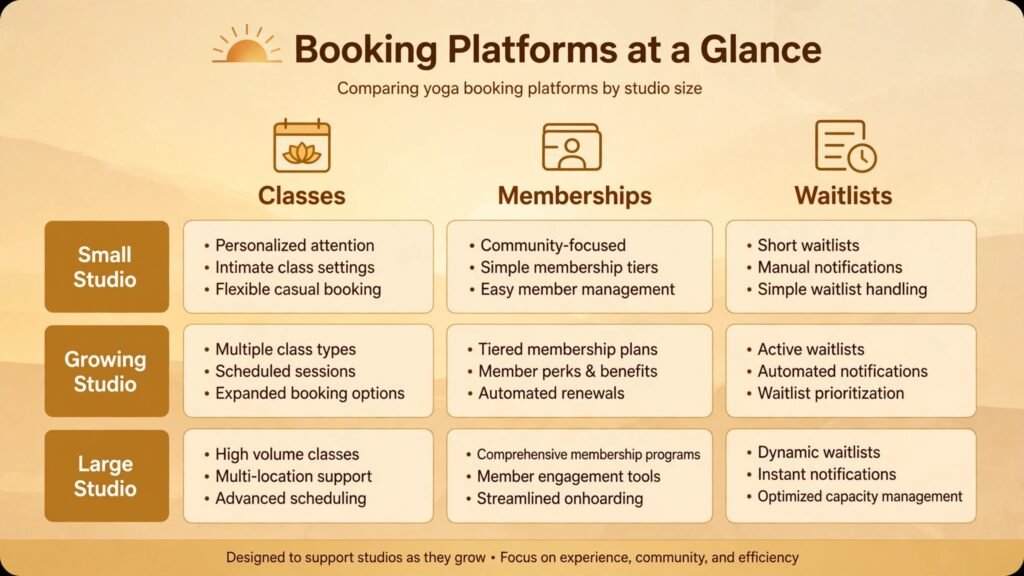
Class Booking and Memberships

1. Momoyoga
Momoyoga is built specifically for yoga studios, and that focus shows in the details: class schedules, subscriptions, class cards, workshops and teacher schedules in one system, with a booking app students actually use. Because it is yoga specific, the language, the pass types and the class settings match how yoga studios sell, rather than forcing yoga into a generic appointment system. Studios can manage multiple teachers, rooms and locations, and students can book, cancel and check their remaining credits without calling the studio.
It suits dedicated yoga studios, especially those with a regular weekly timetable and a mix of drop ins, class cards and memberships. It suits owners who want students to manage their own bookings. Watch out for: regional fit and payment setup. Confirm that payment options, tax settings and language options match your country and your students, and test the student app yourself before launch, because a booking system is only good if students find it easy on a phone.
Pricing note: subscription pricing listed on the vendor site, by features and studio size. Check the checkout page for payment processing fees and any per booking costs.
2. Mindbody
Mindbody is the largest booking and business platform for fitness and wellness, covering class schedules, memberships, payments, a consumer app and a marketplace where new students can discover your classes. For a yoga studio in a competitive city, that discovery matters: a new student searching for a class near them may find you through Mindbody before they find your website. The platform also handles staff schedules, payroll basics, reporting and marketing tools in one place.
It suits larger studios, studios with several locations, and studios that want maximum discovery and a full business system. Watch out for: cost and complexity. Mindbody is a powerful system with many settings, and smaller studios sometimes pay for features they never use. Use the trial to set up your real timetable, and ask for a clear quote that separates subscription, payment fees and marketing add ons.
Pricing note: tiered subscription pricing on the vendor site. Check the checkout page for marketplace, payment and add on fees, which can change the total materially.
3. Vagaro
Vagaro offers booking, payments, a business website, marketing and a consumer marketplace at a price that suits smaller studios and solo teachers. Students can book classes and privates, buy packages, and receive reminders, while the teacher manages the calendar, client notes and payments from a phone app. Its breadth is the appeal: one system covers the website, the booking page and the payment link, without a separate tool for each job.
It suits solo yoga teachers, small studios and teachers who also offer massage or other wellness services alongside yoga. Watch out for: yoga specific pass logic. Test class cards, membership pauses, workshop bookings and waitlists carefully, because a general wellness system may handle a single appointment better than a complex class pass. If your pass rules are simple, Vagaro is often enough. If they are complex, a yoga specific system may fit better.
Pricing note: monthly subscription pricing on the vendor site, with payment processing fees separate. Check the checkout page for marketplace and marketing feature limits.
4. WellnessLiving
WellnessLiving combines booking, memberships, payments, marketing automation and retention tools for fitness and wellness businesses. Its strength for yoga studios is the link between booking and retention: automated reminders, win back campaigns for lapsed students, birthday messages and review requests run from the same student record as the class schedule. That connection helps a studio notice a regular who has not booked in three weeks and reach out before the habit is lost.
It suits studios that want booking and marketing in one system, and owners who will actually use automation rather than set it and forget it. Watch out for: setup effort. Automation only helps if messages are well written, well timed and respectful. Write your own messages, test them on yourself first, and cap frequency so students feel cared for, not chased.
Pricing note: subscription pricing listed by the vendor, with tiers by features. Check the checkout page for marketing automation limits and payment fees.
5. Fitogram
Fitogram is a booking and membership platform popular with fitness and yoga studios in Europe, with local payment options, class schedules, memberships and a booking app. For a studio in Berlin, Amsterdam, Vienna or a similar city, local payment methods, language support and local support hours can matter more than a larger global feature list. Fitogram also offers a marketplace and widget options so students can book from the studio website.
It suits European yoga studios, especially those with international students who expect local payment options. Watch out for: fit outside Europe. If your studio is elsewhere, check payment, tax and support coverage before committing, because a platform built for one region may not serve another as well.
Pricing note: subscription pricing on the vendor site. Check the checkout page for payment fees and marketplace terms in your country.
6. BookSteam
BookSteam is a straightforward class booking system: schedules, class passes, memberships, waitlists, payments and reminders, without a large extra feature set. Its appeal is clarity. A small studio can set it up in a day, students can book in a few taps, and the owner can see who is coming, who cancelled and who is on the waitlist at a glance. For studios that do not need a marketplace or advanced marketing automation, that simplicity is a feature, not a limit.
It suits small studios, community classes and teachers starting their first regular timetable. Watch out for: growth limits. If you later need multi location reporting, advanced marketing or complex membership rules, you may outgrow a simple system. That is acceptable if the price and setup saved you a year of admin pain first. Plan for a possible move, and keep your student list exportable.
Pricing note: subscription pricing listed on the vendor site. Check the checkout page for booking limits and payment processing fees.
Private Sessions, Workshops and Online Teaching

7. Acuity Scheduling
Acuity Scheduling, part of Squarespace, handles booking for private yoga sessions, workshops, teacher training interviews and consultations with intake forms, payments, reminders and calendar sync. It suits the parts of a yoga business that are not a regular class timetable: a private client books a 60 minute session, pays in advance, fills in a health form, and gets a reminder, all without email back and forth. Teachers can offer different session lengths, package bookings and group workshop slots from one booking page.
It suits solo teachers, teachers who sell privates alongside studio classes, and teachers running workshops and retreats. Watch out for: class timetable limits. Acuity is excellent for appointments and events, but it is not a full class pass and membership system for a busy studio timetable. Use it alongside a class booking tool, not as a replacement for one, if you run daily classes.
Pricing note: subscription pricing on the vendor site, with tiers by features. Check the checkout page for payment processing and intake form limits.
8. Zoom
Zoom remains the practical default for live online yoga classes, workshops and teacher training sessions, because students already know how to join, and it works on phones, tablets and computers. Teachers can run a live class, record it for students who missed it, use breakout rooms for teacher training discussion, and share music and slides. For hybrid teaching, where some students are in the room and some join online, Zoom handles the online side reliably if the teacher sets up camera and audio well.
It suits teachers with an online class, a hybrid timetable, or a workshop audience beyond their city. Watch out for: the in person experience. An online class needs clear verbal cues, because students cannot always see a demonstration well on a small screen. Test camera angle, lighting and audio before your first paid online class, and offer a recording so students can repeat a sequence.
Pricing note: free and paid plans listed on the vendor site, with meeting length and participant limits by tier. Check the checkout page for webinar versus meeting features, which suit different class formats.
Content and Student Communication

9. Canva
Canva lets a yoga teacher create class schedules, workshop flyers, social posts, retreat brochures and email headers without a designer, using templates that can be adapted to a studio brand. Consistent, calm, readable graphics matter for yoga marketing, because students judge a class by its presentation before they ever attend. A clear weekly schedule graphic, posted every Sunday, does more for bookings than an occasional long post.
It suits solo teachers and small studios that make their own marketing, and teachers who want a consistent look across Instagram, email and print. Watch out for: template sameness. If every post uses the same template with only the date changed, the feed starts to look automatic. Change layouts, use your own class photos where possible, and write captions in your own voice rather than copying template text.
Pricing note: free tier plus a paid Pro plan on the vendor site. Check the checkout page for brand kit and scheduling features, which sit in the paid tier.
10. ChatGPT
ChatGPT helps a yoga teacher draft class descriptions, workshop outlines, newsletter text, social captions and email replies faster, then the teacher edits for accuracy, tone and safety. It is useful for first drafts and for turning a rough idea, such as a theme for a slow flow class, into a structured plan with timing and cue suggestions. It is not a yoga teacher, and it should never be the source for medical, pregnancy or injury advice in class material.
It suits teachers who write a lot of content alone, teachers launching a workshop or retreat, and studios that need consistent descriptions across many classes. Watch out for: accuracy and voice. Always check any anatomical, safety or health claim before publishing, keep the teacher voice in the final text, and never send an unedited AI draft to students. Students book a teacher they trust, and generic text erodes that trust quickly.
Pricing note: free tier plus paid plans listed on the vendor site. Check the checkout page for team and business terms if you share an account across a studio team.
Best Pick by Job
| Job | Best pick | Why it wins for that job |
|---|---|---|
| Run a dedicated yoga studio | Momoyoga | Yoga specific passes, timetables and student app |
| Get discovered in a big city | Mindbody | Marketplace reach plus a full business system |
| Start on a smaller budget | Vagaro | Booking, website and payments in one lower cost system |
| Win back lapsed students | WellnessLiving | Booking linked to retention automation |
| Teach in Europe | Fitogram | Local payments and support for European studios |
| Keep booking simple | BookSteam | Clean setup, clear passes and waitlists |
| Sell privates and workshops | Acuity Scheduling | Intake forms, payments and reminders for appointments |
| Teach live online | Zoom | Students already know it, reliable for classes |
| Make calm, consistent marketing | Canva | Fast graphics for schedules, workshops and social |
| Draft class content faster | ChatGPT | First drafts for descriptions, plans and emails, edited by hand |
How to Choose the Right System for Your Teaching
Start with how you actually teach. List your weekly pattern: how many regular classes, how many privates, how many workshops a year, and whether any teaching is online. A teacher with 12 studio classes a week needs a class booking system first. A teacher with mostly privates needs Acuity and a payment link first. A teacher with an online audience needs Zoom and a simple booking page first. Buying a large studio platform for a private practice wastes money and adds settings you will never open.
Next, test the student journey, not just the owner dashboard. Book a class as a new student on your phone, cancel it, join the waitlist, buy a class card, and check what emails and messages arrive. If any step is confusing, students will message you instead, and the system will have added work rather than removed it. Also test a late cancellation and a full class, because those are the moments when a booking system either protects your income or creates an argument.
Check total cost and exit terms. Add subscription, payment processing, marketplace fees and any per booking charges. A platform that takes a percentage of every booking can cost far more than a flat subscription as you grow. Also confirm you can export your student list, class history and payment records. A system that holds your students hostage is a risk, whatever its features.
Finally, think about retention, not just bookings. A full class is good, but a class that refills itself each month is better. Look for waitlist handling, lapsed student alerts, easy rebooking and a welcome message for new students. Those small features, used consistently, fill Tuesday classes over time. Technology should support the community feeling of a yoga class, with personal messages and remembered names, not replace it with automatic messages that nobody reads.
For comparison, the Stratilyze guide to the best AI tools for fitness coaches covers a similar booking, membership and retention decision for one to one and group fitness teaching.
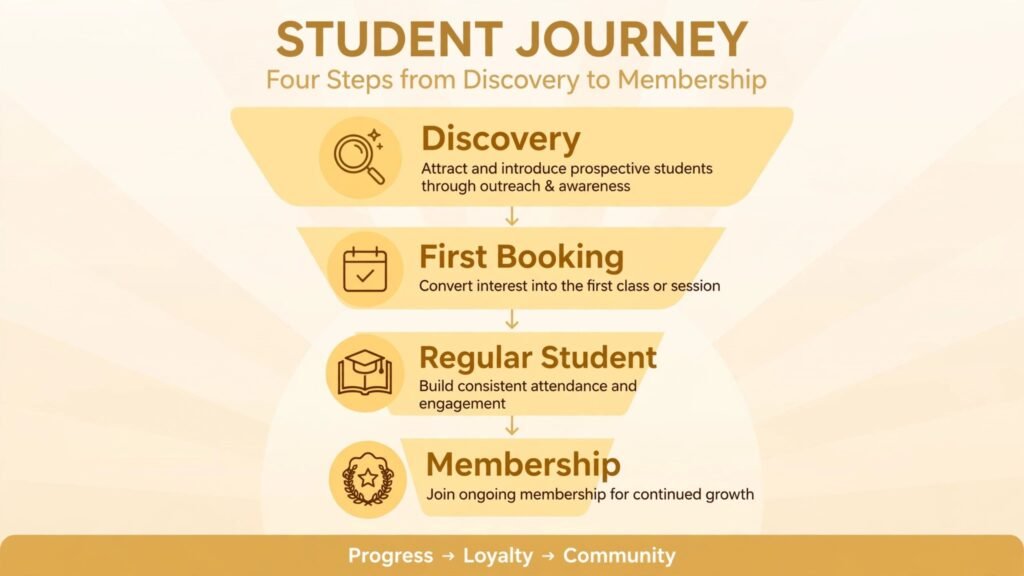
A Six Week Launch Plan for a Yoga Timetable
Weeks one and two are for foundation work. List every class, pass type, membership rule, cancellation policy and workshop format you actually offer, and remove any option that nobody has bought in the last six months. A booking system with ten pass types that confuse students is worse than a system with three clear options. Write your cancellation and waitlist policy in plain language, agree it with your teachers, and put it on the booking page before launch, not after the first dispute.
Weeks three and four are for a soft launch. Move one regular class and one workshop onto the new system first, with a small group of regular students who are willing to give feedback. Ask them to book, cancel, join a waitlist and buy a pass on their phones, and watch where they hesitate. Fix those steps before you move the full timetable. During this period, keep the old booking method open as a safety net and tell students clearly which method to use for which class, so nobody books in two places at once.
Weeks five and six are for full rollout and retention. Move the whole timetable, send a welcome message that explains booking, cancellation and pass expiry in three short paragraphs, and set up two automations only: a reminder before class and a gentle follow up for a student who has not booked in three weeks. Resist adding more automations until those two work well. At the end of week six, measure class fill rates, no shows, waitlist conversions and lapsed student returns, and compare them with the same measures from before the launch.
A launch plan like this protects the calm feeling of a yoga studio during a change that can easily feel chaotic. Students who can book easily, understand the rules and feel noticed when they return will keep coming, and that steady return is what turns a new booking system into a fuller timetable rather than just a new piece of software.
Class Formats That Fill Better
Not every class needs the same booking logic. A regular weekly class benefits from memberships and recurring bookings, because regulars want a guaranteed spot without booking every week. A workshop benefits from early bird pricing, a clear capacity limit and a waitlist, because scarcity and planning help a one off event fill. A beginner course benefits from a fixed start date and a series pass, because beginners commit better to a course than to a drop in class they can postpone forever.
Private sessions benefit from a different approach again: a consultation first, then a small package of sessions with clear goals, rather than an open ended single session booking that never builds momentum. When you match the booking format to the class format, students understand what they are buying and why, and you spend less time explaining passes and more time teaching. Review your class formats each season and retire formats that consistently run half empty, even if you enjoy teaching them, because a half empty class costs room hire, energy and marketing time that a fuller format could use better.
Mistakes to Avoid
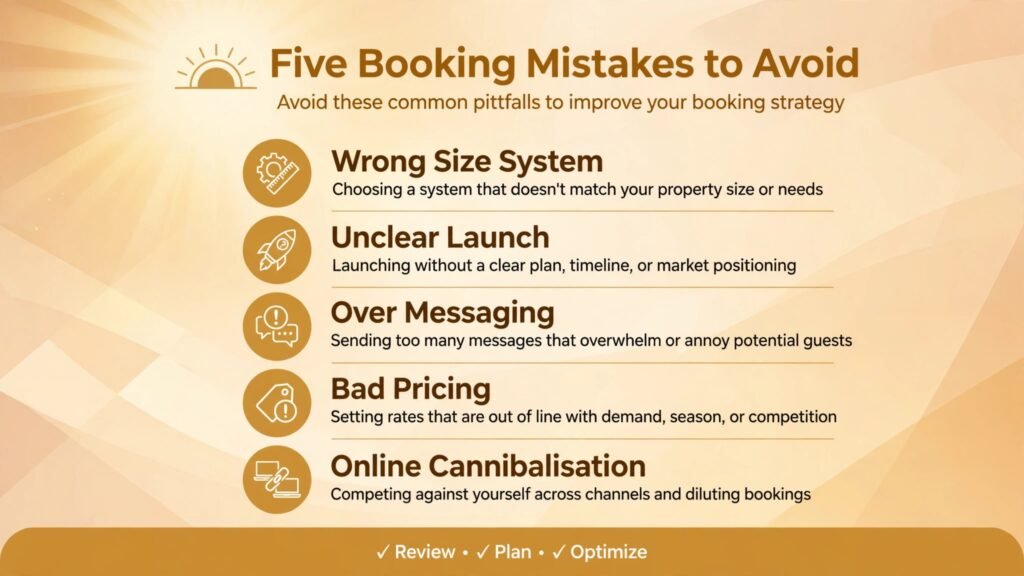
The first mistake is choosing a booking system because a famous studio uses it. A large studio system may be too complex and too costly for a solo teacher, while a simple system may break under a large studio timetable. Choose for your current size plus one step of growth, not for someone else’s business.
The second mistake is launching a new system without telling students clearly. Students need a simple message: where to book, how to cancel, what happens to old class cards, and who to contact if booking fails. Send that message twice, once by email and once in class, and keep the old booking method open for two weeks as a safety net.
The third mistake is over automating communication. A birthday message is kind. Five marketing messages a week is noise, and students will unsubscribe or mute the studio. Set a weekly message limit, write messages as if to one student, and always give a clear way to book or to opt out.
The fourth mistake is pricing passes and memberships without doing the maths. A cheap unlimited membership that fills classes with the same students can lose money, while a class card that expires too fast annoys students. Work out your break even class size, your average attendance per pass, and your cancellation rate before setting prices, and review them every quarter.
The fifth mistake is letting online classes cannibalise in person classes without a plan. If online is cheaper and easier, regular students may switch and the studio room feels empty, which hurts the community that brought students in the first place. Price online and in person deliberately, offer online as a complement for travel and illness, and protect the in person experience that makes a studio special.
Frequently Asked Questions
Do I need a yoga specific booking system, or will a general booking tool work?
A general tool works well for privates and workshops, but a yoga specific system handles class passes, memberships, waitlists and recurring timetables more naturally. If most of your income comes from regular classes, choose a class system first. If most comes from privates, a general appointment tool is often enough.
How do I handle no shows and late cancellations fairly?
Set a clear policy before you need it: a cancellation window, a late fee or lost credit rule, and a waitlist that fills gaps automatically. Tell students the policy at booking and in class, apply it consistently, and allow exceptions for genuine emergencies. A fair policy that is enforced beats a strict policy that is ignored.
Can I teach yoga online and in person with the same system?
Yes, if your booking system supports both class types and your online tool handles live video well. List online and in person as separate class types with separate prices and capacities, so students book the format they want and the room count stays accurate. Test the hybrid setup with a friend before a paid class.
What is the best way to win back students who stopped coming?
Reach out personally first, not with a mass discount. A short message that says you noticed their absence and asks how they are works better than a generic offer. Then offer an easy return, such as a single class or a short course, rather than a long membership commitment. Track who returns and why, so you can spot patterns early next time.
Should a yoga teacher use AI to write class plans?
AI can draft a plan, a theme and cue ideas, but the teacher must check safety, sequencing and suitability for the class level. Never copy a plan blindly, especially for prenatal, injury aware or beginner classes. Use AI for structure and inspiration, and keep your training and judgment as the final check.
How many tools does a solo yoga teacher actually need?
Most solo teachers need three: a booking and payment tool, a live video tool if they teach online, and a simple content tool for graphics and descriptions. Add a class booking system when the timetable grows, and add marketing automation only when you have a student list large enough to benefit from it.
Conclusion: Best AI Tools for Yoga Instructors in 2026
The best AI tools for yoga instructors in 2026 are the ones that keep classes full, payments simple and students feeling looked after. Momoyoga, Mindbody, Vagaro, WellnessLiving, Fitogram and BookSteam cover the booking and membership decision at different sizes and budgets. Acuity and Zoom handle privates, workshops and online teaching. Canva and ChatGPT help a teacher communicate clearly without spending every evening on marketing.
Start with your teaching pattern, test the student booking journey on a phone, and choose the system that makes it easiest for a new student to book and for a regular student to return. A calm, well run studio grows by recommendation and retention, and good tools support that growth quietly, in the background, while the teaching stays at the centre.