
A handwritten listing and an AI assisted listing start from the same walkthrough notes, yet they reach buyers in very different ways. The handwritten version often takes an hour, leans on the same three adjectives for every home, and still misses a selling feature the agent noticed on the walkthrough. The AI assisted version can be drafted in minutes, but only when the agent feeds it exact facts, sets a clear tone, and edits the result with local knowledge. That difference is the whole point of learning to use AI for real estate listing descriptions. The tool does not replace the agent.
It removes the blank page, so the agent can spend the saved time on facts, accuracy, and the details that make one home stand out from the next ten on the same search results page.
This guide gives you a workflow you can repeat for every listing. You will gather facts before you open any tool, run a prompt that produces a usable first draft, check the draft for fair housing risk and invented details, edit it in about 15 minutes, and reuse the same description across the MLS, your website, and social posts. Prices quoted here reflect publicly listed October 2026 figures, and you should check the vendor pricing page and checkout before you pay, because plans and limits change often.
The Comparison That Matters. Handwritten Versus AI Assisted Listings
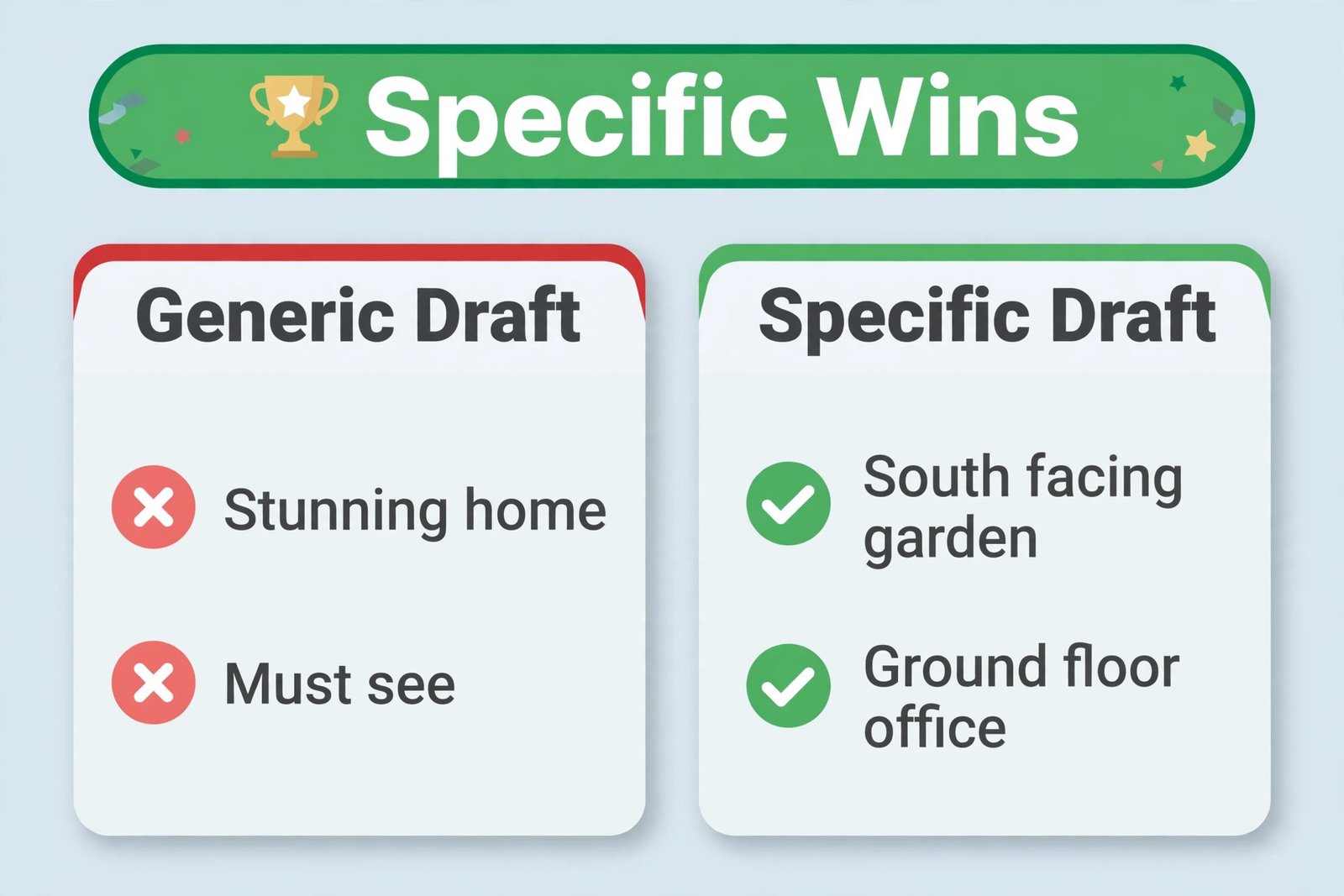
Handwritten listings have one clear strength. They sound like the agent who walked the home. A good handwritten description knows that the morning light hits the kitchen at breakfast time, that the back garden stays dry after rain, and that the second bedroom works better as an office. Those details come from being in the property, and no tool can invent them. The weakness is consistency. When an agent lists four homes in one week, the fourth description often reads like the first three, because tired writers fall back on familiar phrases. Words like stunning, charming, and must see tell a buyer almost nothing about the home itself.
AI assisted listings flip the strengths and weaknesses. The tool never gets tired, it can produce three tone variations in a minute, and it can reshape the same facts for a short portal version and a longer brochure version without starting over. The weakness is invention. An AI tool given thin facts will fill gaps with confident guesses about schools, distances, renovations, and room sizes. It will also repeat the same polished phrases across every listing unless the agent gives it something specific to work with. The comparison, then, is not about which method writes better English. It is about which method, with proper checks, produces a more accurate and more useful description in less time.
What a Good Listing Description Has to Do
A listing description has four jobs. First, it must help the right buyer recognise the home quickly. The opening lines should carry the property type, the location in general terms, the bedroom and bathroom counts, and the one feature that sets the home apart. A buyer scrolling on a phone should know within three seconds whether the home is worth a closer look. Second, it must answer the questions buyers ask before they book a viewing. Those questions cover layout, light, storage, outdoor space, parking, heating, renovation history, and monthly costs where the listing sheet provides them.
Third, the description must stay inside the rules of the MLS and the portal where it appears. Most MLS systems set character limits, ban certain phrases, and require the agent to verify facts before publication. Portals often trim long descriptions on mobile, so the most important facts belong in the first 150 words. Fourth, the description must sound like a person who has actually been inside the home. That requires one or two observed details, such as the quiet street at school run time, the storage wall in the hallway, or the way the living room connects to the garden. Observed details are what separate a credible listing from a generic one.
The Repeatable Listing Workflow
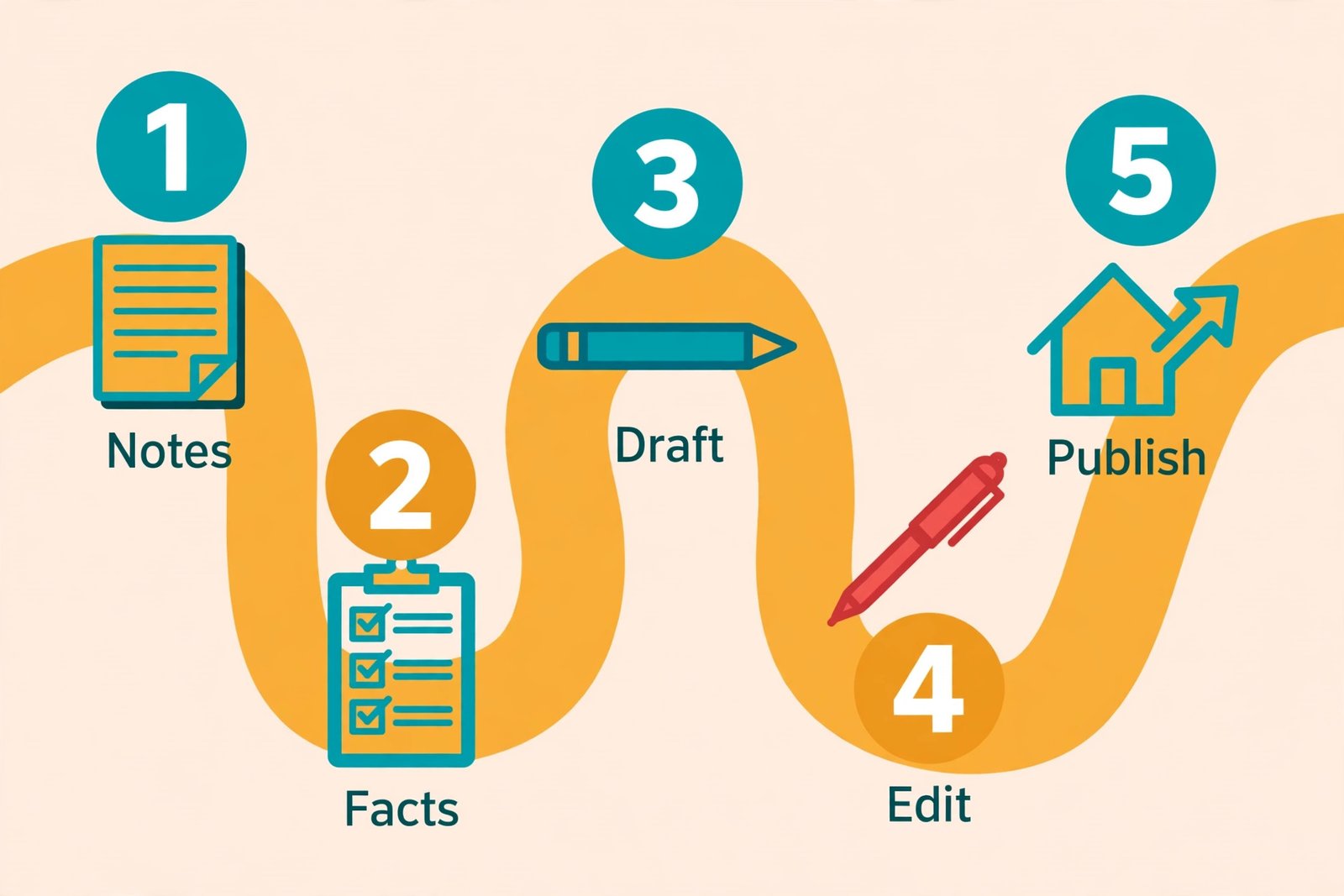
A repeatable workflow beats a clever prompt, because a workflow catches errors a prompt cannot. The steps below take a listing from walkthrough to publication in order. Follow the same order every time, and the quality of your listings will stop depending on how busy your week is.
Step 1. Gather facts on the walkthrough. Carry a one page fact sheet and fill it in during the visit. Record bedroom and bathroom counts, square footage from the listing sheet, heating type, parking, garden size and orientation, storage, renovation dates, appliances included, and any defects the seller has disclosed. Photograph the features you plan to mention. Do not rely on memory for numbers. Memory is where invented facts begin.
Step 2. Confirm the facts before drafting. Check your notes against the MLS sheet, the floor plan, the energy certificate, and the seller disclosure. Where two sources disagree, use the more conservative figure and flag the question for the seller. A description that says 1,800 square feet when the plan says 1,650 will cause problems at viewing stage. This check takes five minutes and prevents most serious errors in AI assisted copy.
Step 3. Choose the angle and the tone. Decide the single strongest selling point in one sentence on your fact sheet. A home near a station serves commuters. A home with a large garden serves buyers who want outdoor space. That sentence becomes the anchor of the prompt, and it stops the tool from choosing a generic angle for you. This is the point where agents who use AI for real estate listing descriptions save the most time later, because a clear angle means fewer rewrites.
Step 4. Generate two drafts, not one. Ask the tool for a factual draft and a warmer draft from the same fact sheet, each within your target word count. Two drafts give you a choice, and they reveal which phrases the tool repeats. If both drafts invent the same detail, that detail probably came from a gap in your facts, and you should fill the gap before you publish. Keep both drafts in the listing file, so a colleague can see what changed in the edit.
Step 5. Edit for facts, then for voice. First pass, check every number and claim against your fact sheet, and delete anything you cannot verify. Second pass, replace generic adjectives with observed details, cut repeated phrases, and read the draft aloud. If a sentence could describe any home on the street, rewrite it or cut it. Third pass, check length for the MLS and the portal, and write the short version from the full version.
Step 6. Run the compliance pass. This step gets its own section below, because it is the one agents most often skip under time pressure. Check for fair housing risk, for claims about schools and neighbourhoods you cannot support, and for words your MLS bans. If your tool offers a compliance check, use it as a second pair of eyes, not as a verdict. The agent remains responsible for the published text.
Step 7. Publish and reuse. Publish the MLS version first, then adapt the same approved text for your website, social posts, and a printed brochure. Do not generate a fresh description for each channel. Fresh generations introduce fresh errors, and they break the consistency buyers notice when they see the same home in three places. One approved text, cut to length per channel, is faster and safer.
How to Use AI for Real Estate Listing Descriptions Without Losing Your Voice
Voice is the main fear agents raise about AI copy, and it is a fair fear. A listing written entirely by a tool, with no edit, tends to sound like every other listing written by the same tool. The fix is to give the tool your voice to work from, and to protect the parts of the draft that only you can write. Start by collecting three of your best past descriptions, the ones that drew strong viewings and sounded like you. Feed the tool one of them as a style example, with the property facts changed, and ask for a match in sentence length and tone, not in wording.
Style examples teach the tool your rhythm far better than adjectives like professional or warm ever will.
When you use AI for real estate listing descriptions, treat the tool as a drafting partner with no local knowledge, not as an author. You supply the facts, the angle, the observed details, and the local context. The tool supplies structure, sentence variety, and a first draft you can react to. That division of labour matters, because the moment the tool starts supplying facts, you have a problem. If a draft mentions a renovated kitchen and your fact sheet says nothing about a renovation, delete the claim and ask the seller. If a draft mentions a short walk to a station, measure that walk or check a map before you keep the line.
Build a small voice file for your office, and reuse it for every listing. The file can be a single page with your preferred opening style, your banned phrases, your standard terms for rooms and features, and two or three sentences you actually use with buyers. For example, your file might say you always write primary bedroom, never master bedroom. It might say you describe gardens by size and orientation, not by adjectives. It might say you never write must see or will not last, because those phrases pressure buyers without adding information. Paste the relevant lines from that file into each prompt.
Prompts That Produce Usable First Drafts
A good prompt has five parts, and leaving any one out is the usual reason a draft feels generic. The five parts are the role, the facts, the angle, the constraints, and the output format. Role tells the tool what job it is doing. Facts tell it what is true. Angle tells it what to emphasise. Constraints tell it what to avoid. Output format tells it how long the draft should be and how it should be structured. A prompt that says only to write a nice description for a three bedroom house gives the tool almost nothing, and the draft will show it.
Here is a prompt template you can copy and fill in for each listing. Write a 180 word listing description for a property for sale. Use only the facts below. Do not add features, distances, schools, or renovation claims that are not listed. Lead with the property type, location in general terms, and the strongest feature. Use short paragraphs. Keep the tone factual and calm. Avoid superlatives and pressure phrases. End with a plain viewing instruction. Then paste your fact sheet below the instruction. That template works because it bans invention in plain language, and it forces the draft to lead with facts rather than adjectives.
Tools and Prices Worth Comparing
You do not need the most expensive tool to write good listings. You need a tool that fits your volume, your team size, and your tolerance for editing. The table below compares the main options agents actually use, with publicly listed October 2026 prices. Check the vendor pricing page and checkout before you buy, because free tiers, seat minimums, and annual billing terms change often.
| Tool | Best for | Starting price in October 2026 | Watch out for |
|---|---|---|---|
| ChatGPT Plus from OpenAI | Solo agents who want one flexible writer for listings, emails, and social posts | Free tier available, Plus listed at 20 dollars a month billed monthly | No built in MLS formatting or fair housing check, so your edit must catch those issues |
| Jasper Pro | Teams that need a consistent brand voice across many writers and channels | Pro listed at 69 dollars per seat a month billed monthly, or 59 dollars per seat a month billed annually | Per seat pricing adds up fast for a team, and Business features sit behind a custom quote |
| ListingAI | Agents who want MLS ready descriptions with a built in fair housing check | Essential listed from 19 dollars a month, Professional from 36 dollars a month | Higher tiers bundle video and staging features you may not need for copy alone |
| Grammarly Pro | Editing and tone checks on any draft, in any app | Free tier available, Pro listed at 12 dollars a month billed annually or 30 dollars a month billed monthly | An editor, not a drafter, so pair it with a writing tool rather than replacing one |
| Copy.ai Chat | Teams that need short marketing copy and social versions fast | Free plan available, paid Chat plans listed from about 29 dollars a month billed monthly | Short copy strength, so long brochure versions still need a careful edit |
ChatGPT is the sensible starting point for most solo agents. The free tier handles occasional listings, and Plus at 20 dollars a month removes the usage limits that interrupt a busy listing week. The OpenAI help page confirms Plus at 20 dollars a month billed monthly, and you can read the current plan details on the OpenAI help page for ChatGPT Plus. ChatGPT will not format for your MLS, and it will not flag fair housing language on its own, so budget editing time accordingly. Its strength is flexibility. The same subscription that drafts a listing can draft a follow up email, a social caption, and a viewing script.
Jasper suits a brokerage or a team that publishes a lot of content and needs every writer to sound like the same brand. Pro at 59 dollars per seat a month on annual billing, or 69 dollars on monthly billing, buys brand voice controls and a shared workspace, but a five person team on monthly billing would pay about 345 dollars a month before any add ons. That is justifiable if the team publishes daily across channels, and hard to justify if the team publishes four listings a month. Jasper offers a 7 day trial on Pro, so test it with real listings, not sample data, before committing to an annual plan with a 12 month term.
ListingAI is the most listing specific option in this table, and that focus is its main selling point. Its pricing page lists Essential from 19 dollars a month and Professional from 36 dollars a month, with listing descriptions included alongside video, staging, and social features on higher tiers. You can review the current packages on the ListingAI pricing page. The fair housing check and MLS aware formatting are genuinely useful, because they catch the two error types that cost agents the most time in revisions. The trade off is breadth. ListingAI will not replace a general writer for emails, blogs, and scripts, so agents who need one tool for everything may still need a general assistant alongside it.
Agents who use AI for real estate listing descriptions at volume should price the stack, not the single tool. A solo agent might spend 20 dollars a month on ChatGPT Plus and nothing else, and that is enough. A small team might spend 19 dollars a month on ListingAI plus a Grammarly Pro seat, and cover drafting, compliance checks, and editing for under 35 dollars a month per agent. Do the maths for your own volume before you buy, and cancel any tool that does not save you at least its monthly cost in time within the first month.
How to Choose the Right Tool for Your Volume
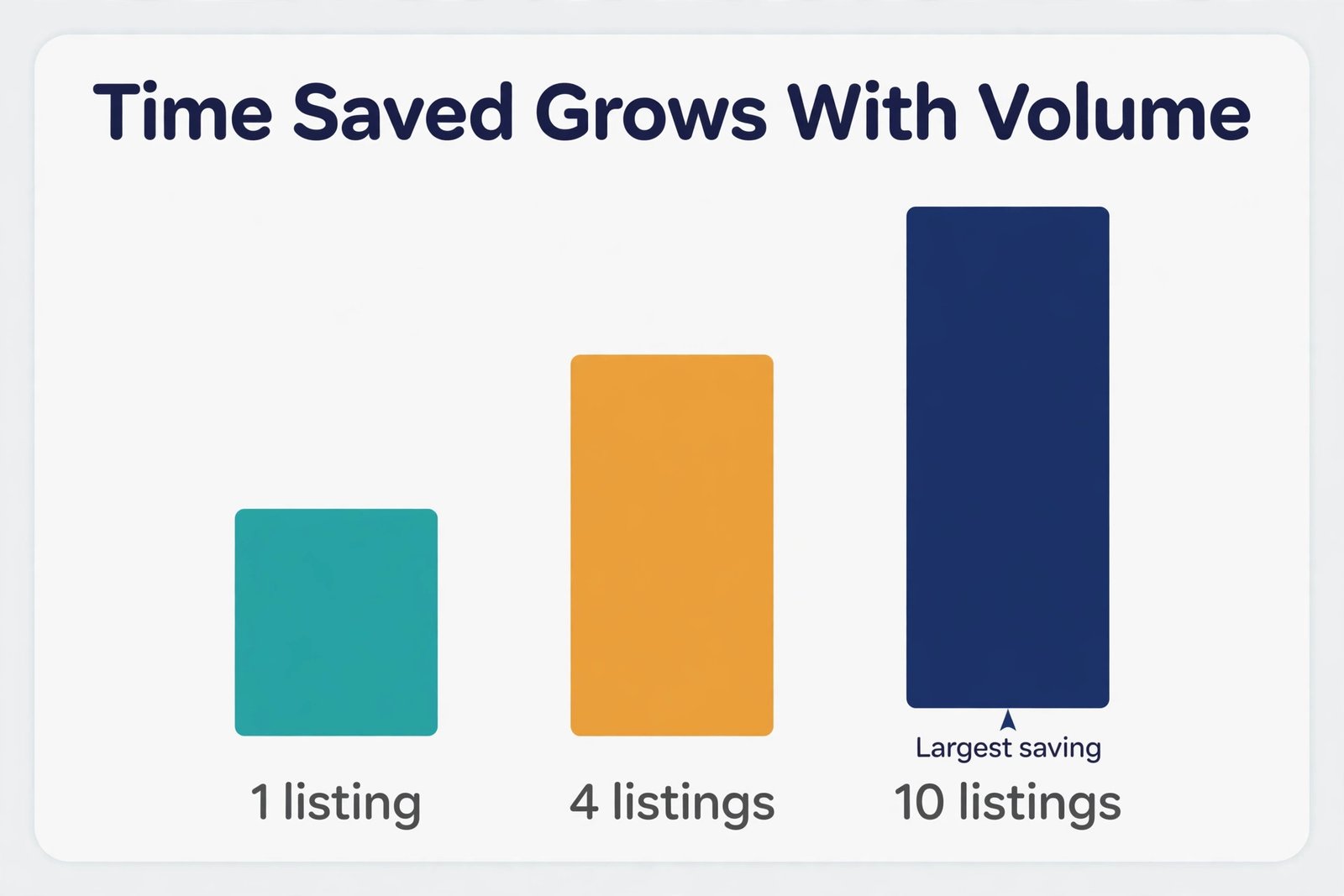
Volume is the simplest way to choose, because it turns a vague preference into a number. Start by counting your listings for the last three months, and divide by three to get a monthly average. That average, not your best month, is the number to plan around. A solo agent averaging one to three listings a month needs flexibility more than automation. A general assistant with a free tier or a low monthly fee will cover that volume. An agent averaging four to eight listings a month benefits from a specialist tool, because the time saving repeats often enough to matter, and the compliance check catches errors before they reach a portal.
The Compliance Pass Every Draft Needs
Compliance is not the exciting part of listing writing, and it is the part that protects your licence and your reputation. The core rule is simple, and it comes from fair housing law. Describe the property, never the ideal buyer. A sentence that says a home is perfect for a young family describes a buyer, and it can be read as a preference that excludes other buyers. A sentence that says a home has four bedrooms and a fenced garden describes the property, and it gives every buyer the same facts to judge for themselves.
One risk when you use AI for real estate listing descriptions is that the tool will reproduce risky phrases because they appear in thousands of older listings it was trained on. That is not malice. It is pattern matching. Your compliance pass exists to break that pattern. Read the draft once specifically for buyer language, and once specifically for area claims. Buyer language hides in adjectives about who would enjoy the home. Area claims hide in sentences about schools, safety, demographics, and future development. Both need a fact check, and area claims about schools deserve extra care, because school catchment boundaries and ratings change.
Editing the Draft in 15 Minutes
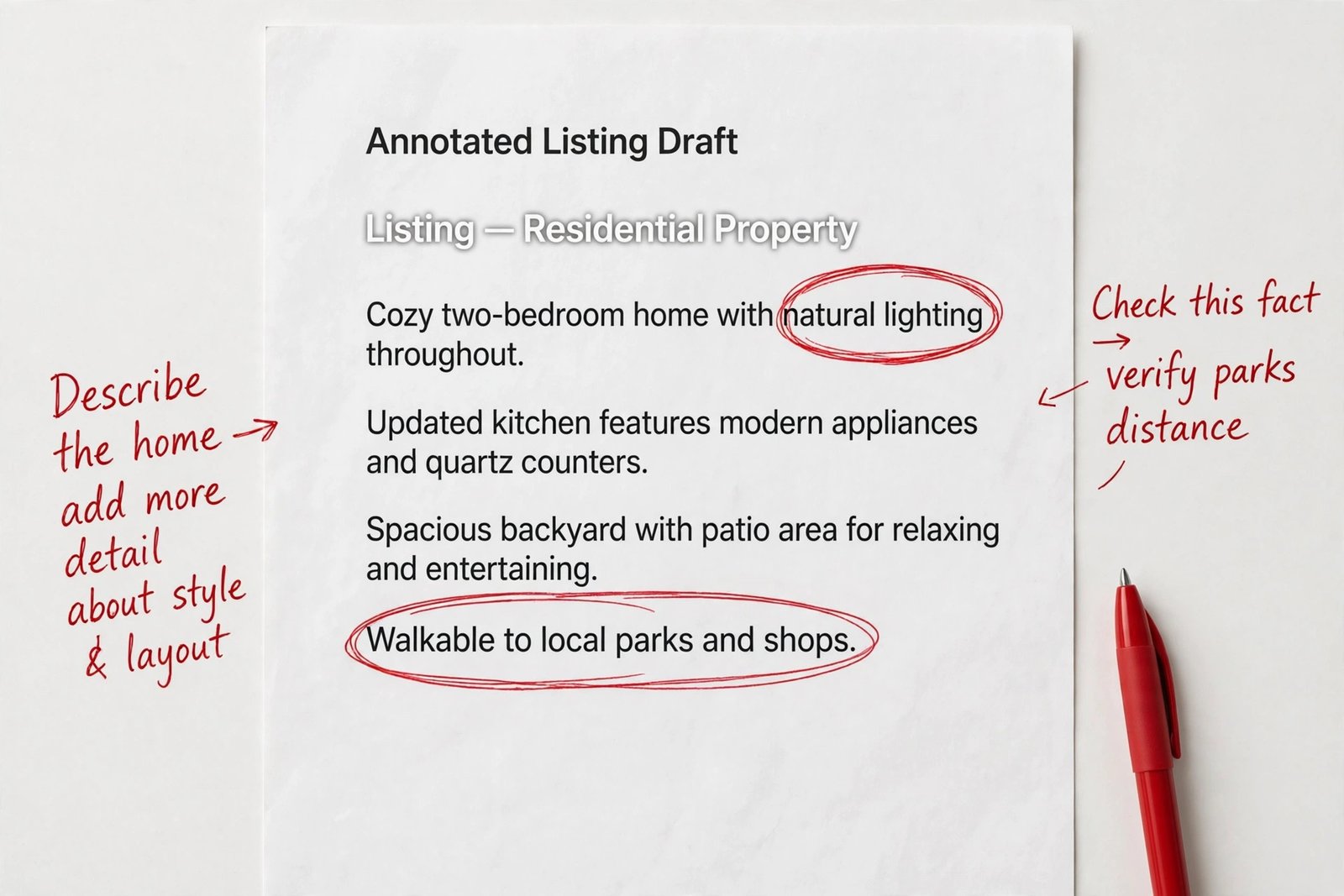
A 15 minute edit works when it has an order, because an edit without an order becomes a rewrite, and a rewrite eats the time you saved. Use three passes, five minutes each, and stop when the time is up. Pass one is facts. Read the draft against your fact sheet, and delete or correct every number, claim, and feature you cannot verify. Do not fix style in this pass. A beautiful sentence with a wrong number is still a wrong sentence. If a fact is missing, add it from the sheet. If a fact is disputed, remove it and ask the seller.
Pass two is voice and cut. Read the draft aloud, slowly, and mark every sentence that could describe any home on the street. Rewrite those sentences with an observed detail, or cut them. Cut repeated adjectives, and cut any sentence that repeats a fact already stated in the first paragraph. Then check the opening and the closing. The opening should carry the property type, the general location, and the strongest feature. The closing should give a clear, simple viewing instruction, with no pressure language. If the draft is over your target length, cut from the middle, not from the opening.
Pass three is the portal check. Paste the draft into the MLS and into the portal preview, and read it on a phone screen. Check that the first 150 words make sense on their own, because many buyers will not scroll further on a first pass. Check spelling of street names, suburb names, and feature terms, because a misspelled street name undermines trust instantly. Then publish, and save the final version in the listing file with the date. That saved version is the source for social posts and brochures.
The Description Checklist
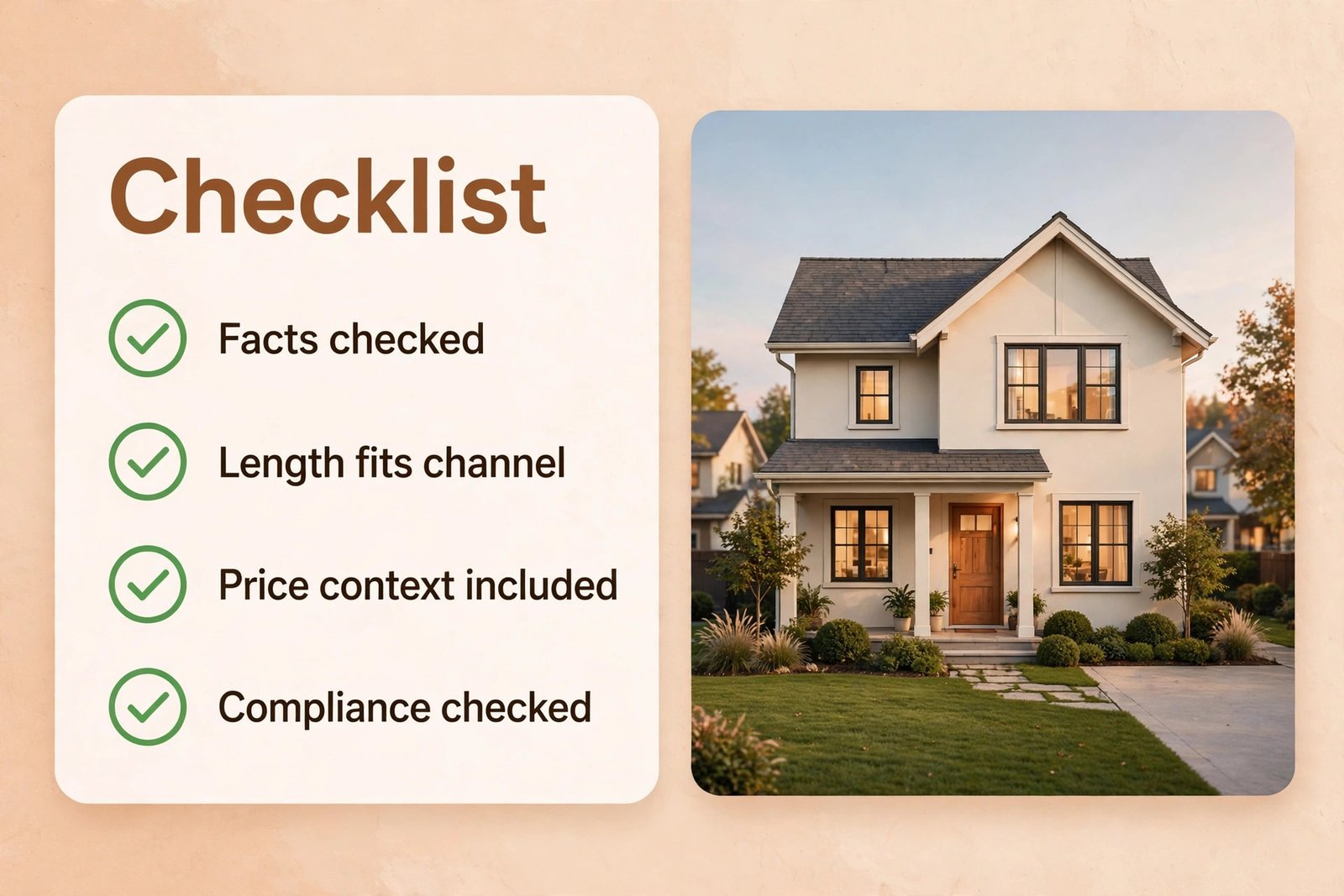
Use this checklist as a publish gate for every listing, no matter how experienced the agent is. If any box cannot be ticked honestly, fix the issue before publication, not after. The checklist covers facts, length, tone, compliance, and reuse, and it takes about two minutes once the habit is set.
- Facts verified. Every number, room count, feature, and renovation claim matches the listing sheet, the floor plan, or the seller disclosure.
- Strongest feature first. The opening lines carry the property type, the general location, and the single feature that sets the home apart.
- Length fits the channel. The full version is within your target word count, and a short portal version is cut from the full version, not written separately.
- No invented details. No school, distance, renovation, or area claim appears unless it is on the fact sheet and has been checked.
- Buyer language removed. The draft describes the property only, with no phrases that suggest a preferred buyer or exclude a group.
- Area claims checked. Any claim about transport, shops, parks, or schools is factual, current, and supported by a source you can name.
- Voice present. At least one observed detail from the walkthrough appears, and no sentence could describe any home on the street without change.
- Spelling and names correct. Street names, suburb names, and feature terms are spelled correctly, and the draft reads cleanly on a phone screen.
- MLS rules met. Character limits, banned phrases, and required fields for your MLS have been checked against the current rules.
- Final version saved. The published text, with the date, is saved in the listing file as the source for website, social, and brochure versions.
That checklist, together with the seven step workflow above, is the overview proof element of this guide. It is the part a busy agent can print, pin beside a desk, and use without rereading the whole article. It also protects a team, because a new agent can follow the same gate as a senior agent, and a broker can audit a listing by checking the same ten boxes. If your office adopts only one thing from this guide, adopt the checklist, and make it non negotiable.
Mistakes That Make AI Listings Sound Generic
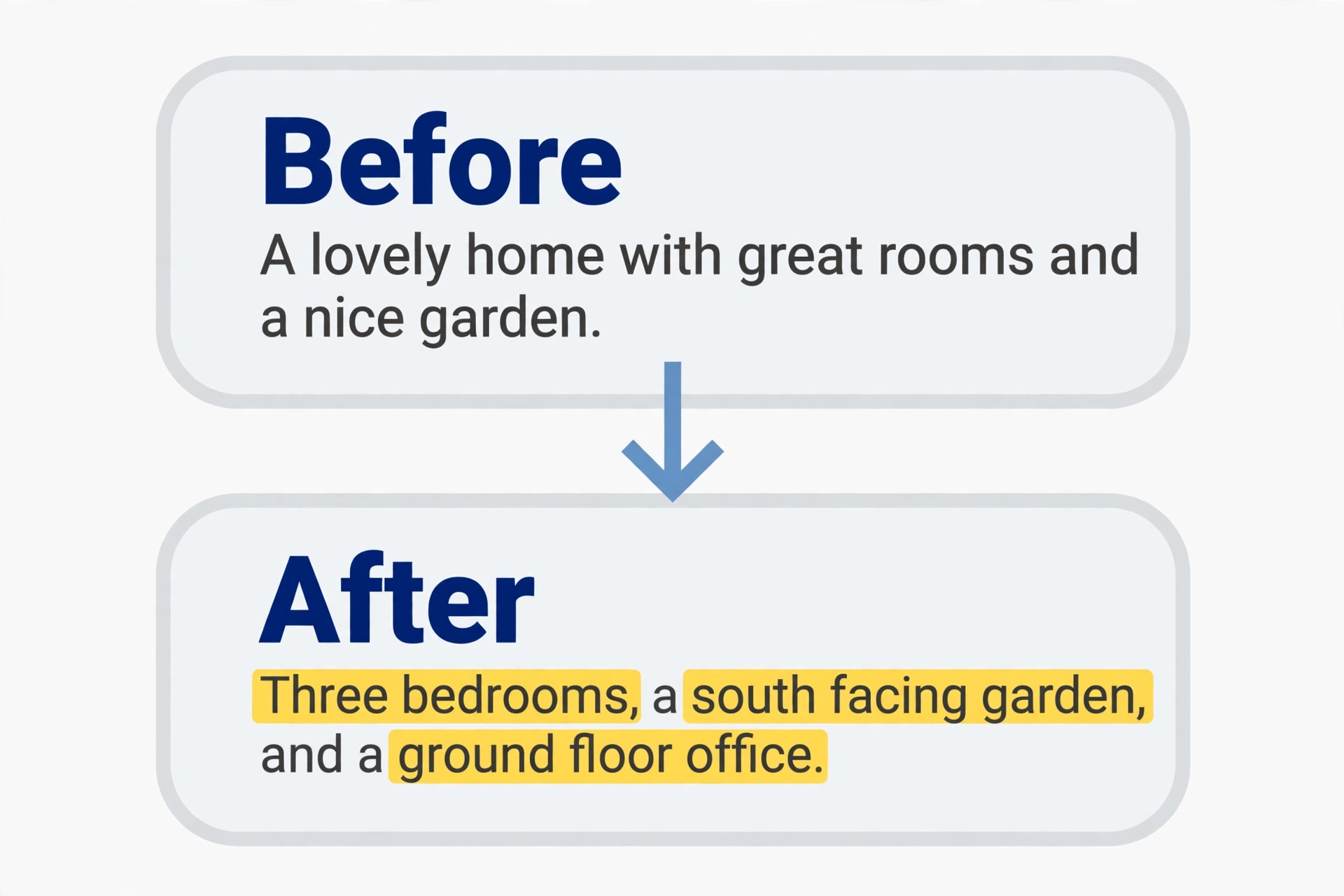
The first mistake is prompting with thin facts. A prompt that says three bedrooms, two bathrooms, and a garden will produce a description that could fit a thousand homes, because the tool has nothing specific to say. The fix is a fuller fact sheet, with at least five specific details, such as a renovated kitchen in 2023, a south facing garden of about 40 feet, off street parking for two cars, a ground floor office, and a recently replaced boiler. Specific facts produce specific copy. Thin facts produce adjectives, and adjectives are what make listings sound generic.
The second mistake is publishing the first draft. First drafts are useful because they show you what the tool understood, and they are rarely publishable, because they contain at least one guess, one repeated phrase, and one tone error. The agents who complain that AI copy all sounds the same are often the agents who publish first drafts. The agents who get good results treat the first draft as raw material, and they expect to change 30 to 50 percent of it in the edit. That percentage is not a failure of the tool. It is the normal cost of turning a generic draft into a specific listing.
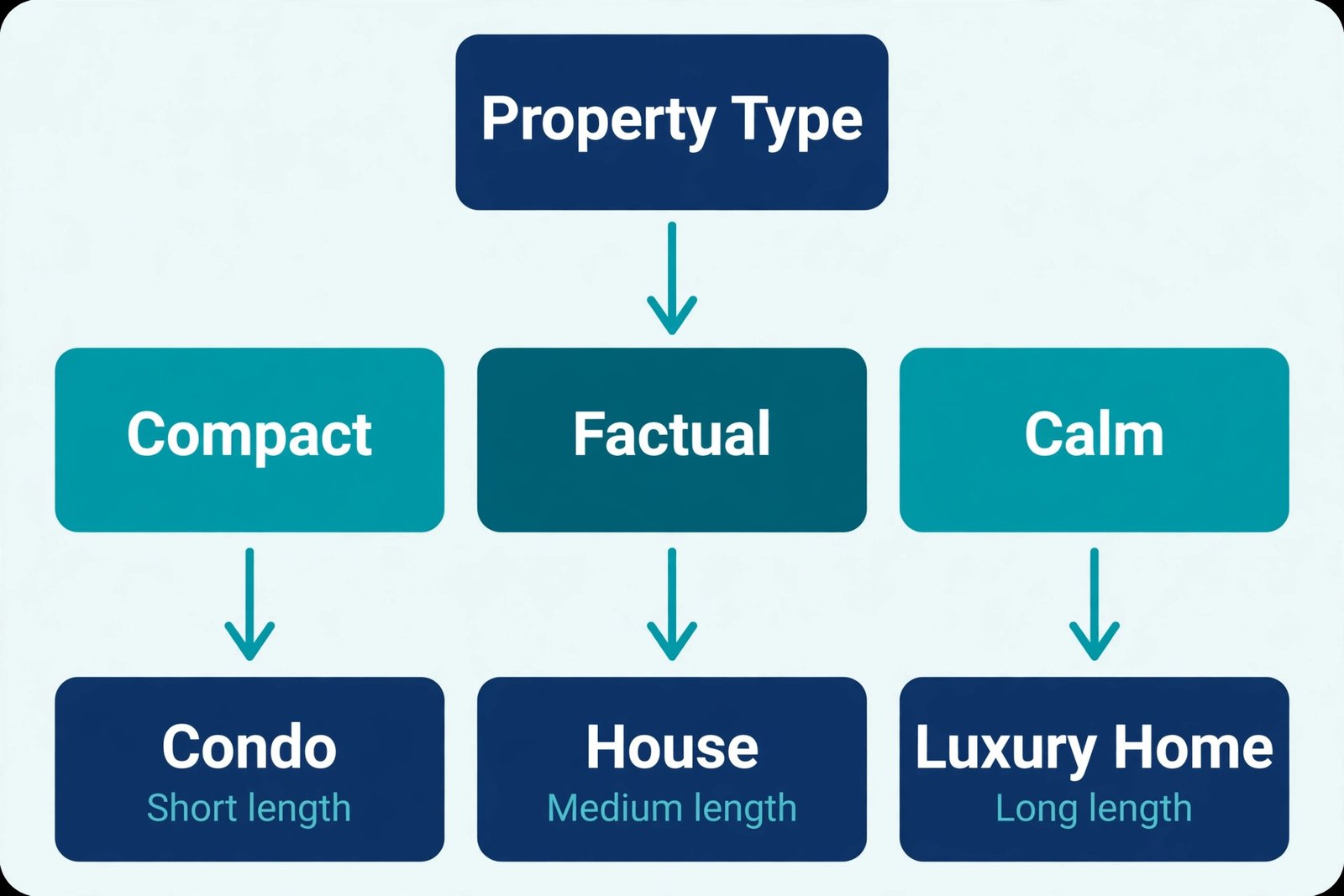
A common error when agents use AI for real estate listing descriptions is copying the same prompt for every property type. A condo prompt should ask for compact, fact led copy. A luxury prompt should ask for calm, material specific copy. A land prompt should ask for honest, access and services led copy, including water, power, road access, and planning status where known. A rental prompt should ask for clear terms, including deposit, lease length, and included utilities where the listing sheet provides them. One prompt for all types is a template, and templates are exactly what buyers learn to ignore.
For agents who want to widen their marketing skills beyond listings, related reading on this site includes best AI tools for real estate agents for the wider tool field, best AI product description generators for copy techniques that transfer to property copy, best AI tools for property managers for rental and portfolio work, and automate small business with AI for the systems that sit around a listing workflow.
Frequently Asked Questions
How long should an AI assisted listing description be?
Aim for 120 to 180 words for a condo or a small flat, and 250 to 350 words for a detached house with land or a complex renovation story. Write the full version first, then cut a short portal version from it, and keep the most important facts in the first 150 words so mobile readers see them without scrolling.
Can AI write a listing description that is safe to publish without editing?
No, not safely. A first draft is a starting point, not a publishable text. It needs a fact check against your listing sheet, a compliance check for buyer language and area claims, and a voice edit with at least one observed detail. Agents who publish first drafts risk invented facts and risky phrases.
Which tool is best for a solo agent who lists a few homes a month?
Start with a general assistant on a free tier or a low monthly plan, such as ChatGPT, and add a specialist listing tool only when volume justifies it. At one to three listings a month, flexibility matters more than automation, and a 20 dollar monthly plan that also handles emails and social posts is usually better value.
How do I stop AI listings from sounding the same every time?
Feed the tool a fuller fact sheet with at least five specific details, state one clear angle per listing, use a past description as a style example, and edit for observed details. Vary the opening sentence structure, vary the tone by property type, and ban your most repeated adjectives in the prompt. Sameness comes from thin facts, not from the tool itself.
What should I never put in an AI listing prompt?
Never put seller personal details, financial information, or anything you would not publish in a public listing. Put property facts in the prompt, and keep personal data out of it. Also avoid asking the tool to invent distances, school information, or renovation history. If a fact is not on your sheet, leave it out.
Does AI help a listing rank better in portal search?
AI helps indirectly, not by magic. A clear, fact rich description with accurate room counts, features, and location terms matches more buyer searches, and a well structured description keeps buyers on the page longer. Portals rank listings on many factors, including price, photos, and engagement, so copy alone will not fix a weak price or poor photos.
A Listing System Buyers Can Trust
A good listing system is not about writing faster for its own sake. It is about writing more accurately, more consistently, and with fewer errors, so buyers trust what they read and sellers trust how their home is presented. The workflow in this guide does that by putting facts first, by generating two drafts instead of one, by editing in three short passes, by checking compliance before publication, and by reusing one approved text across channels. Agents who use AI for real estate listing descriptions well do not sound like a tool. They sound like themselves, on a good day, for every listing, even in a busy week.