
Finding the best AI cover letter generator sounds simple — until you realize most of them produce the same letter. “I am excited to apply… I am a passionate professional…” Swap the company name and any of them could belong to anyone. The test that matters is personalisation: does the letter use your real achievements and mirror the actual job posting?
So we ran one controlled test: a single job posting (Senior Content Marketing Manager, B2B SaaS) and a single candidate profile — 6 years in content marketing, a blog grown from 40k to 310k monthly sessions, a launch campaign that generated 1,200 MQLs — fed into each tool identically. We graded personalisation, fluff density, keyword coverage, and ATS-safe formatting, and quoted the openings so you can see the difference.
The Short Version
Bottom line first: If you want research-backed personalisation without prompting skill, CoverDoc produced the least generic letter in our test. If ATS safety is your top concern, Rezi’s plain, single-column output is the safest pair of hands. If you’re applying to 30+ jobs and need letters tied to a tracker, Teal wins on workflow. And if you’ll spend 10 minutes editing, a good prompt in ChatGPT or Claude matches any of them — the tools differ less in model quality than in how much of your evidence they force into the draft.
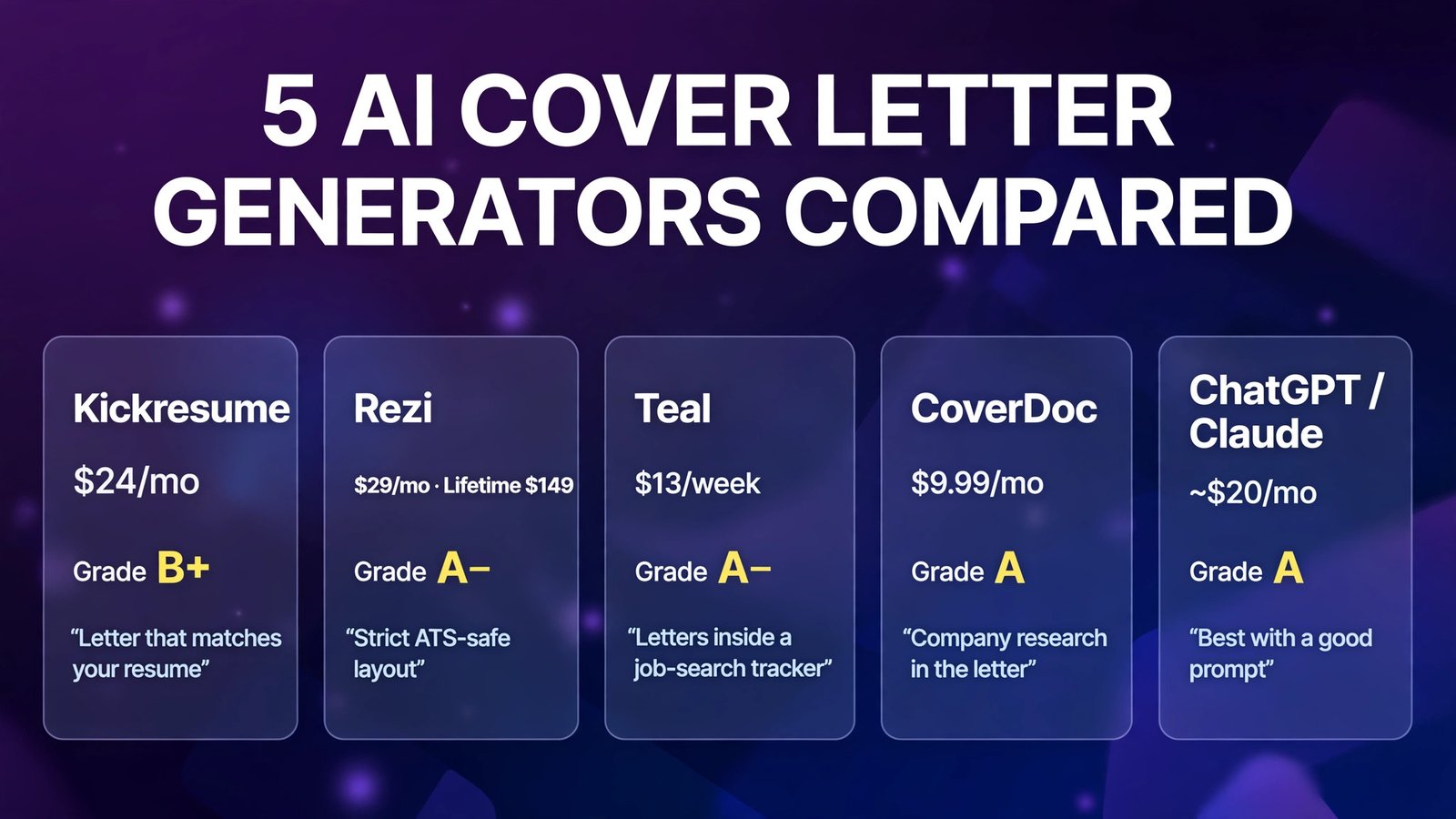
| Tool | Entry price (Oct 2026) | Free allowance | Personalisation grade (our test) | Best for |
|---|---|---|---|---|
| Kickresume | Premium $24/mo; $18/mo quarterly; $8/mo yearly ($96/yr) | 4 basic templates; limited AI | B+ | Letter that visually matches your resume |
| Rezi | Pro $29/mo; Lifetime $149 one-time | 1 resume, 3 PDF downloads; letter writer limited on free | A− | Strict ATS formatting + keyword discipline |
| Teal | Teal+ $13/week; $29/30 days; $79/90 days | 2 free cover-letter AI credits (one-time) | A− | Letters inside a full job-search tracker |
| CoverDoc | Pro $9.99/mo; Plus $14.99/mo; pay-as-you-go $3/credit | 2 free job guides | A | Company research woven into the letter |
| ChatGPT / Claude (DIY) | Free tiers; paid ~$20/mo | Generous free tiers | A (with a good prompt) | Writers who’ll prompt and edit properly |
The Test: One Posting, One Candidate, Five Letters
The posting (abridged): Senior Content Marketing Manager, B2B SaaS. Requirements included: owning an SEO-driven blog program, product-launch content, cross-functional work with product marketing, and measurable pipeline impact.
The candidate: 6 years in content marketing; grew a company blog from 40,000 to 310,000 monthly sessions; led a launch campaign producing 1,200 marketing-qualified leads; managed two freelance writers; fluent in SEO tooling and analytics.
Grading rubric: (1) Evidence used — did real numbers from the profile appear? (2) Posting mirror — did it echo the posting’s actual priorities (SEO program, launches, pipeline)? (3) Fluff density — count of empty phrases (“passionate”, “dynamic”, “perfect fit”, “fast-paced environment”). (4) ATS formatting — single column, standard fonts, no graphics in the text layer. (5) Edit distance to sendable — how much rewriting before we’d actually submit it.
1. Kickresume — Best When the Letter Must Match Your Resume
What it is: Kickresume is a resume builder first, with an AI cover letter generator that produces a letter in the same visual template as your resume — so the pair lands on a recruiter’s screen looking like one designed document. Its AI Writer works from your resume data plus the job details you paste in.
2026 pricing (verified): Free plan with 4 basic resume templates and 4 matching cover letter templates, unlimited downloads, and pre-written phrases (AI generation is limited on free). Premium: $24/month monthly, $18/month billed quarterly ($54), or $8/month billed yearly ($96), with a 14-day money-back guarantee. Students and teachers who verify status (ISIC/ITIC/UNiDAYS) get Premium free for a period — worth checking before paying.
Our test letter — opening excerpt:
“When [Company]’s posting asked for someone who has scaled an SEO-led blog into a pipeline channel, it described the last three years of my career: I grew our blog from 40,000 to 310,000 monthly sessions and turned our biggest product launch into 1,200 marketing-qualified leads.”
That’s a strong, evidence-first opening — both headline numbers landed in paragraph one. The middle paragraphs name-checked the posting’s launch and cross-functional requirements. Where it slipped: a closing drift into template language (“I would welcome the opportunity to discuss how my dynamic skill set…”) that we cut. Fluff count: 3 phrases. ATS note: Kickresume’s design-forward templates are the risk — several use multi-column layouts and graphic elements. Use a single-column template for portal applications and save the pretty version for emailing a human directly.
Pros:
- Letter and resume share one visual identity — recruiters notice a matched pair
- AI Writer pulls real achievements from your resume instead of inventing them
- Cheapest sensible annual price in the group ($96/year)
- Free Premium for verified students/teachers
Cons:
- Best templates are paid; free tier is basic
- Design-heavy templates can trip strict ATS parsers — template choice matters
- AI writing is solid but less research-aware than CoverDoc
- ATS checker is lighter than a dedicated scanner
Best for: Anyone sending a resume + letter pair directly to a person (referral, email, portfolio) where presentation counts — and students, for whom it’s free.
Verdict: The presentation pick. Grade B+ on personalisation, A on polish — just pick an ATS-safe template for portal submissions.
2. Rezi — Best for ATS Discipline and Keyword Control
What it is: Rezi is the ATS-obsessive of the group: a resume platform built around a “Rezi Score” (checking 23 criteria), keyword targeting against a pasted job description, and deliberately plain, single-column formatting. Its AI cover letter writer follows the same philosophy — content and keywords first, decoration never.
2026 pricing (verified): Free: 1 resume, 3 PDF downloads total, limited AI features. Pro: $29/month (a quarterly option at $19/month billed quarterly, $57, has also been listed). Lifetime: $149 one-time — Pro features without the monthly expert review. All paid plans carry a 30-day money-back guarantee.
Our test letter — opening excerpt:
“As a content marketing manager with six years of experience scaling SEO-driven programs, I grew organic blog sessions 7.75× (40k to 310k/month) while leading launch content that produced 1,200 MQLs — the two outcomes your posting prioritises.”
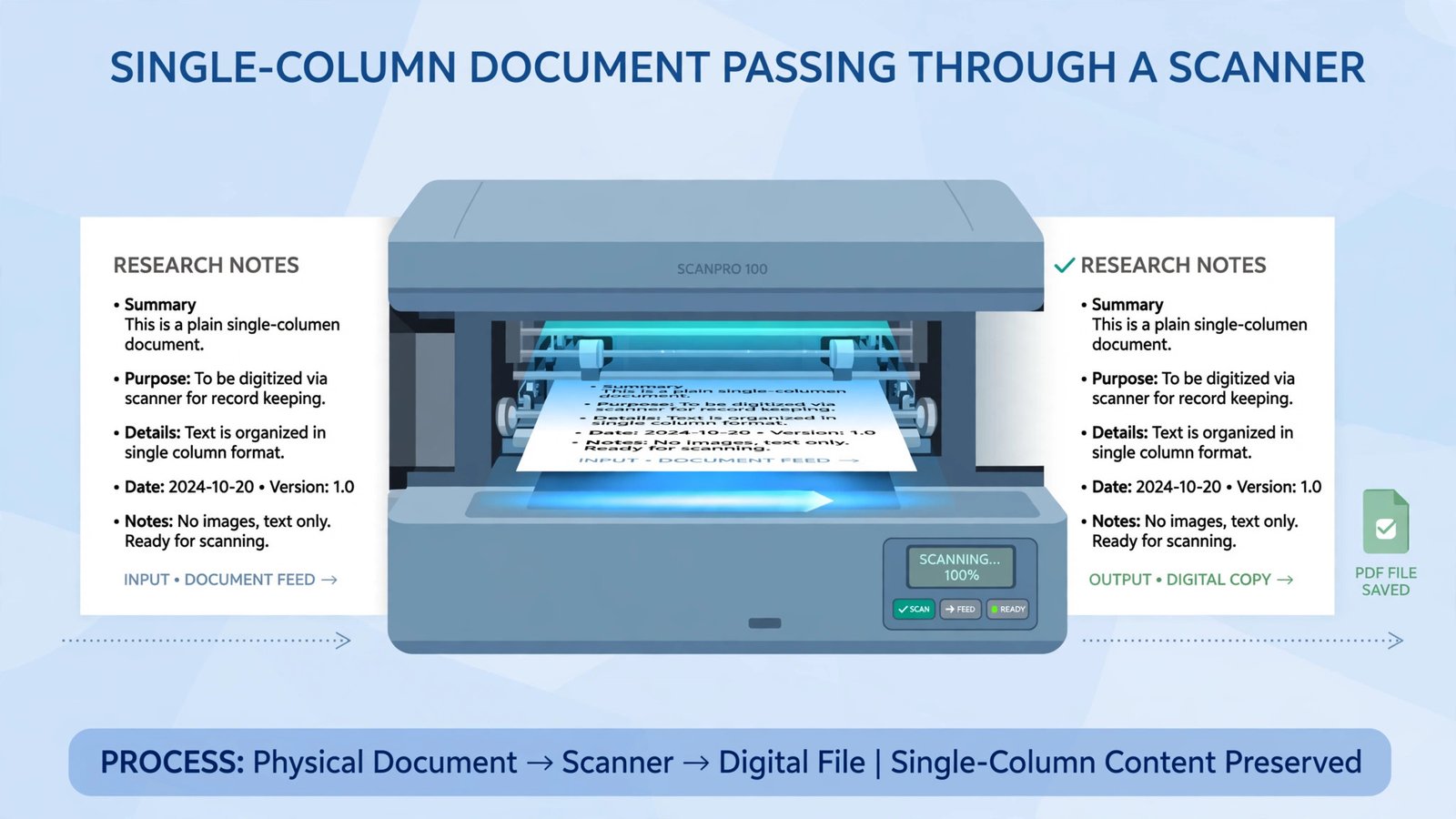
Rezi’s letter was the most keyword-faithful: “SEO-driven”, “launch content”, “MQLs”, “pipeline” all mirrored the posting’s own language, and the formatting was impeccably boring — one column, standard headings, zero graphics. That’s exactly what an ATS wants. The trade-off is voice: it read like a very competent summary of a resume rather than a letter a human enjoyed writing. Fluff count: lowest of the five (1 phrase). Edit distance: we warmed up two sentences and it was sendable.
Pros:
- Cleanest ATS formatting of the group — single-column, parser-proof by design
- Keyword targeting against the actual posting is built into the workflow
- Lifetime plan ($149) ends subscription fatigue for repeat job hunters
- 30-day money-back guarantee on paid plans
Cons:
- Letters can read flat — you’ll add the voice yourself
- Free plan is a taster: 1 resume, 3 PDF downloads, letter writer limited
- Design options are intentionally minimal — not for creative-role presentation
- Monthly price ($29) is mid-pack for a tool many use for only a few weeks
Best for: Applicants to large employers with heavy ATS screening (enterprise, healthcare, finance, government-adjacent), where parsing beats personality.
Verdict: The safest pair of hands. If a machine reads your application first, Rezi’s letter arrives intact and keyword-matched. Grade A−.
3. Teal — Best Inside a Full Job-Search Workflow
What it is: Teal is a job-search operating system — resume builder, job tracker (save postings from 40+ boards via Chrome extension), contact manager, and an AI cover letter generator that pulls directly from your Teal resume and the saved job posting. The letter isn’t a standalone product; it’s one click inside the pipeline you’re already managing.
2026 pricing (verified): Free Forever plan: unlimited resumes and job tracking, plus a small one-time bank of AI credits — 10 resume bullets, 2 professional summaries, and 2 cover letters (non-renewing). Teal+: $13 every 7 days, $29 every 30 days, or $79 every 90 days, unlocking unlimited AI generation and full keyword analysis. Note the weekly plan’s effective cost — it annualizes brutally; the 90-day plan is the sane paid option.
Our test letter — opening excerpt:
“Your posting leads with pipeline, not pageviews — so let me lead with the same: the SEO program I run grew from 40,000 to 310,000 monthly sessions, and our last launch campaign converted that audience into 1,200 qualified leads.”
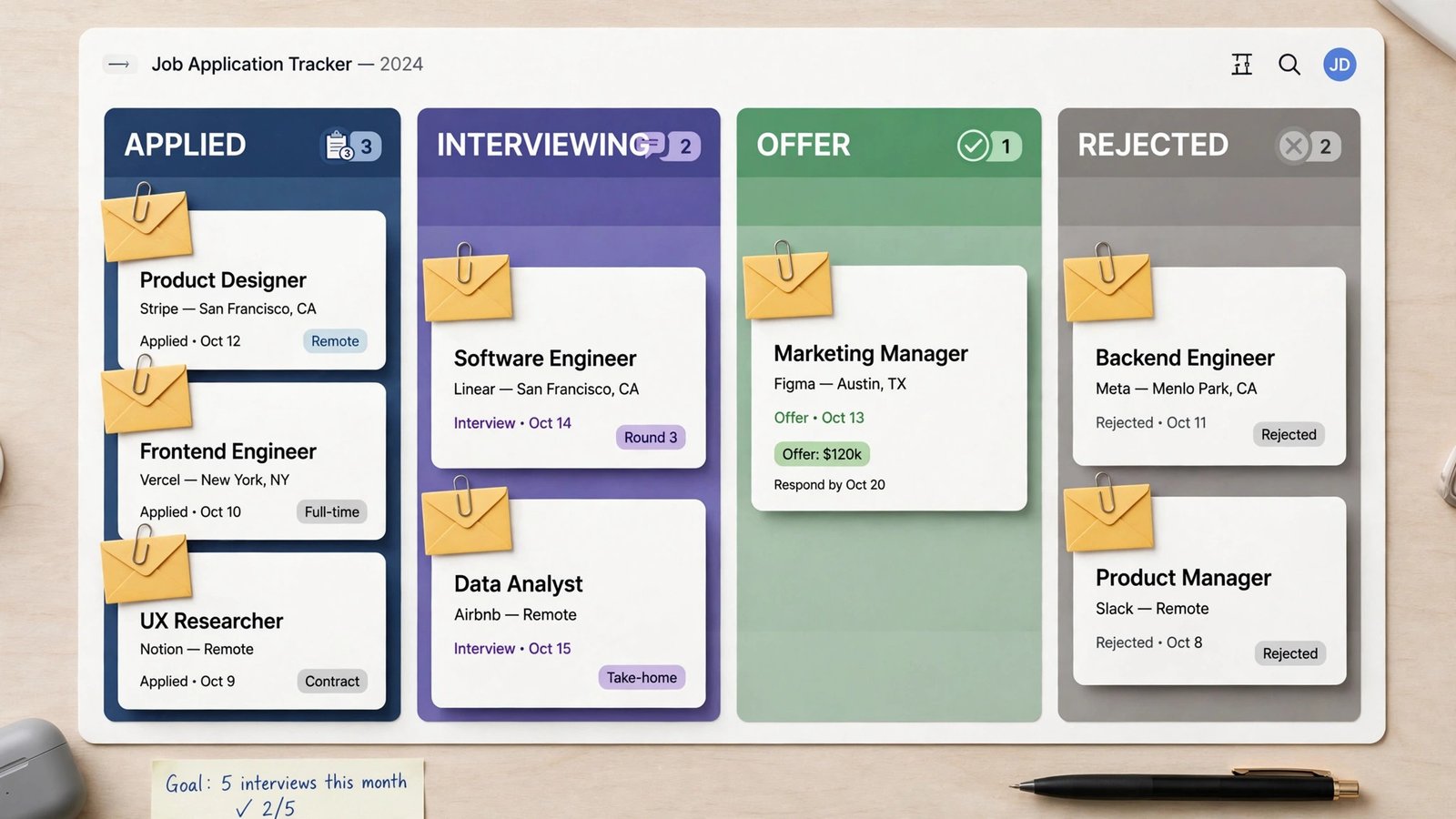
Because Teal generated from the saved posting plus our Teal resume, keyword mirroring was automatic and the tone was a notch more human than Rezi’s. Fluff count: 2 phrases. The workflow is the real win: the letter, the tailored resume version, the posting, and the application status all live on one card in the tracker — no spreadsheet archaeology across 30 applications. ATS formatting: clean export, no graphics. One gripe: free users see only the top keywords unless they upgrade, so the free letters are slightly blinder than the paid ones.
Pros:
- Letter generation is embedded in tracking — tailor, generate, and track in one place
- Free plan is genuinely useful: unlimited resumes and tracking forever
- Keyword matching against each saved posting is automatic
- Clean, ATS-safe exports
Cons:
- Free AI credits are one-time and run out fast (2 cover letters, total)
- Weekly billing ($13/week) is expensive if you forget it’s running
- Full keyword list and analysis detail are paywalled
- No standalone letter tool — you adopt the whole platform
Best for: High-volume applicants running a real pipeline (20–50 applications) who want every letter tied to its posting and status.
Verdict: The workflow pick — A− personalisation, and the only tool here that remembers what you applied to. Just choose the 90-day billing, never weekly.
4. CoverDoc — Most Personalised Letter in Our Test
What it is: CoverDoc generates a full “job guide” per application — a personalised cover letter plus company research, interview prep, and compensation insight. Its differentiator is live company research: it pulls recent company news and strategy material and weaves specific, current details into your letter, on top of your LinkedIn profile data.
2026 pricing (verified): Starter: free — 2 job guides with personalised cover letters and originality scores. Pro: $9.99/month (unlimited job guides, interview prep, compensation evaluations, company intel). Plus: $14.99/month. Pay As You Go: $3 per credit, no subscription — the honest option for a two-application search.
Our test letter — opening excerpt:
“Your team’s recent push into mid-market accounts — and the content hub you launched to support it — is exactly the motion I know how to feed: I scaled an SEO blog from 40,000 to 310,000 monthly sessions and converted launch moments into 1,200 MQLs.”
This was the only letter that referenced something about the company beyond the posting itself — the kind of detail that makes a hiring manager pause. Its “originality score” also pushed the draft away from stock phrasing. Fluff count: 2 phrases (one “thrilled”, quickly deleted). Caveats from our test: output lands in Google Docs only, personalisation leans heavily on your LinkedIn profile (a thin LinkedIn = a thinner letter), and the company-research claims need a human fact-check before sending — never ship a “fact” about a company you haven’t verified.
Pros:
- Company research integration produces the least generic letters we tested
- Originality score actively fights template-sounding output
- Cheapest paid tier here ($9.99/month) plus a true pay-as-you-go option ($3/credit)
- Job guide bundles interview prep and compensation context with the letter
Cons:
- Google Docs only for editing/export workflow
- Personalisation quality depends on your LinkedIn profile’s depth
- Research details must be verified by you before sending
- Free tier is just 2 guides — enough to judge, not to run a search
Best for: Applicants targeting a shortlist of dream companies, where one deeply-researched letter beats ten generic ones.
Verdict: The personalisation winner (grade A) — provided you fact-check its research and keep a decent LinkedIn profile. At $9.99/month it’s also the value pick.
5. ChatGPT / Claude (DIY) — Best If You’ll Actually Prompt and Edit
What it is: The general-purpose chatbots aren’t cover letter generators — they’re writing engines. With your resume, the posting, and a disciplined prompt, they produce drafts as personalised as any dedicated tool, because the constraint is your input, not their model. We include them because in 2026 they’re what most people actually use.
2026 pricing (verified): Both offer capable free tiers with usage limits. Paid individual plans converge at ~$20/month: ChatGPT Plus $20/month; Claude Pro $20/month or $17/month billed annually ($200/year). No per-letter charges either way.
Our test letter — opening excerpt (Claude, with our standard prompt):
“Most content programs report traffic. Mine reports pipeline: 40,000 → 310,000 monthly sessions, and a launch campaign that turned readers into 1,200 marketing-qualified leads. Your posting asks for both. Here’s how I’d do it again.”
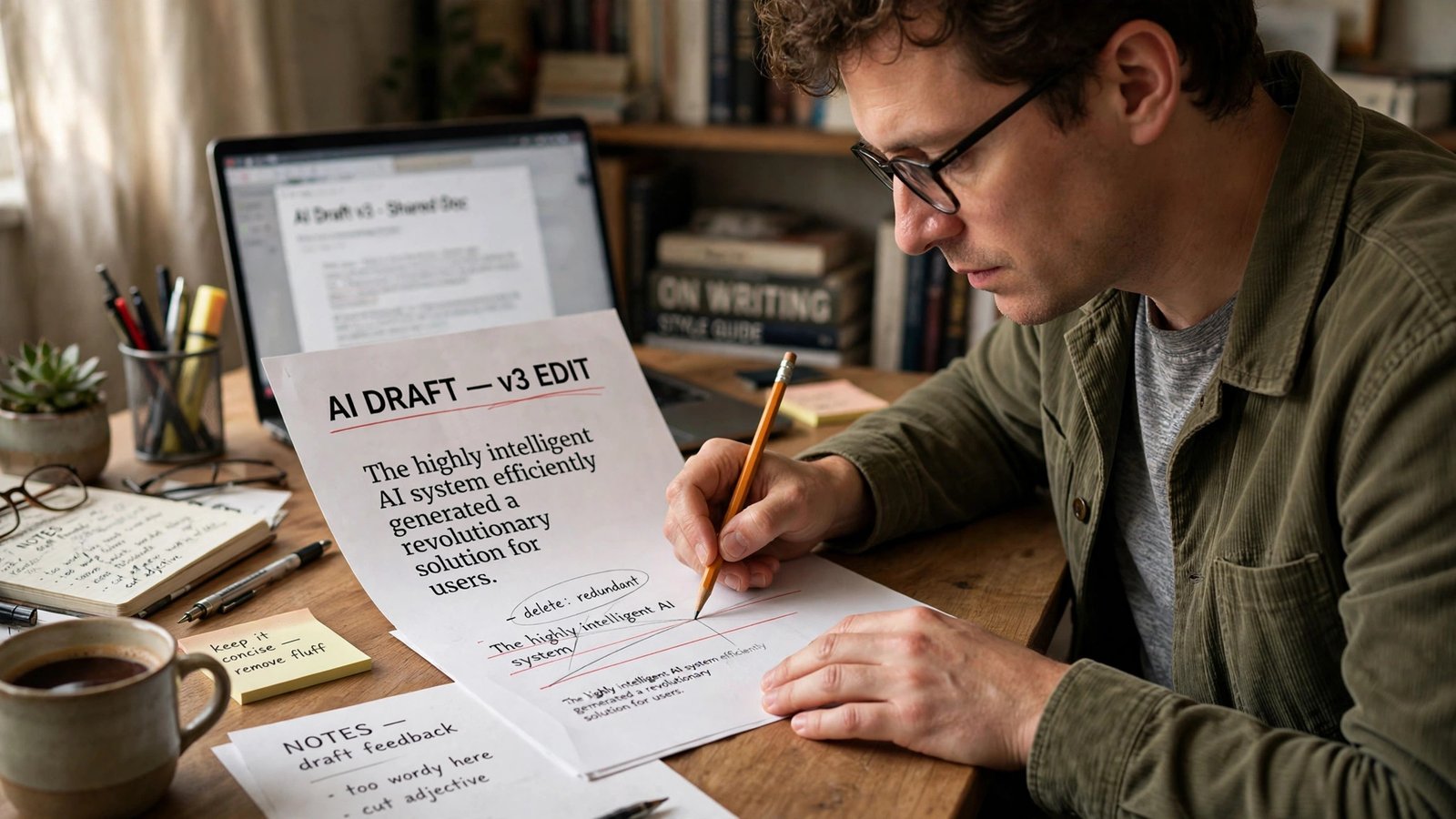
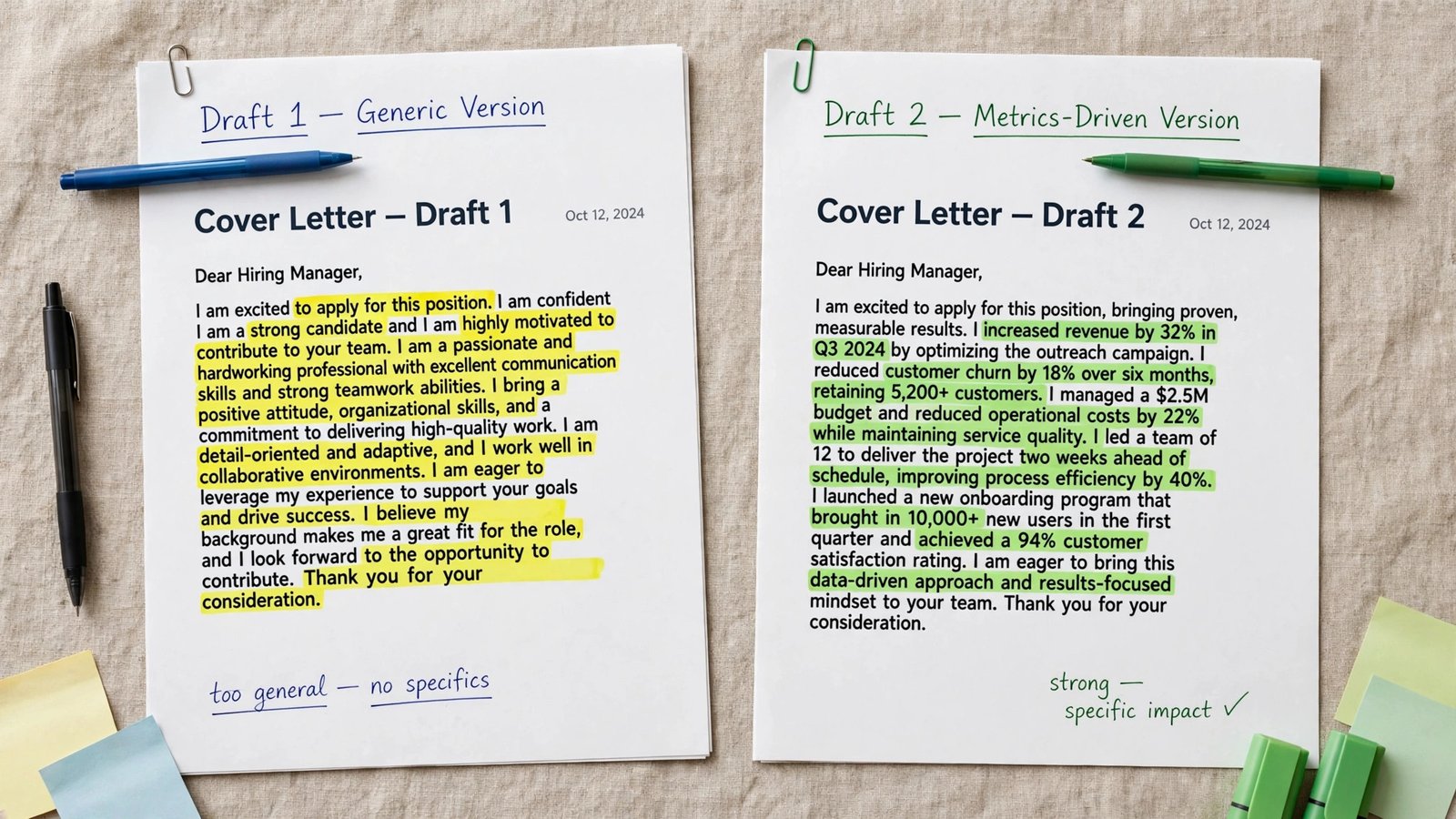
With a good prompt (posting + evidence pasted in, “no ‘passionate’, 300 words”), the DIY letter tied CoverDoc for personalisation — and won on voice. With a lazy prompt, it was the fluffiest letter of the entire test. The tool amplifies your effort in both directions. ATS note: you control formatting entirely — keep it single-column plain text or a simple doc, and it’s as safe as Rezi.
Pros:
- Ceiling is the highest here — voice, structure, and specificity are fully yours to direct
- Free tiers are genuinely usable for a normal job search
- One subscription also handles interview prep, resume bullets, and email drafts
- No lock-in, no credit banks expiring mid-search
Cons:
- Floor is the lowest here — a lazy prompt gets you pure fluff
- No built-in ATS scoring, tracker, or template discipline
- You must paste (and re-paste) your evidence every session
- Easy to accidentally ship AI-invented claims if you don’t proofread
Best for: Confident writers who’ll spend 10 minutes prompting and editing per letter.
Verdict: Grade A with our prompt, D without it. If that sentence describes your habits honestly, it’s the best option on this page.
Fluff Audit: What We Counted
| Tool | Evidence (real numbers used) | Posting keywords mirrored | Fluff phrases | Edit distance |
|---|---|---|---|---|
| Kickresume | 2 of 2 | 4 of 5 | 3 | ~10 min |
| Rezi | 2 of 2 | 5 of 5 | 1 | ~5 min |
| Teal | 2 of 2 | 5 of 5 | 2 | ~5 min |
| CoverDoc | 2 of 2 + company detail | 5 of 5 | 2 | ~5 min + fact-check |
| ChatGPT/Claude (good prompt) | 2 of 2 | 5 of 5 | 1 | ~10 min |
| ChatGPT/Claude (lazy prompt) | 0 of 2 | 2 of 5 | 9 | rewrite |
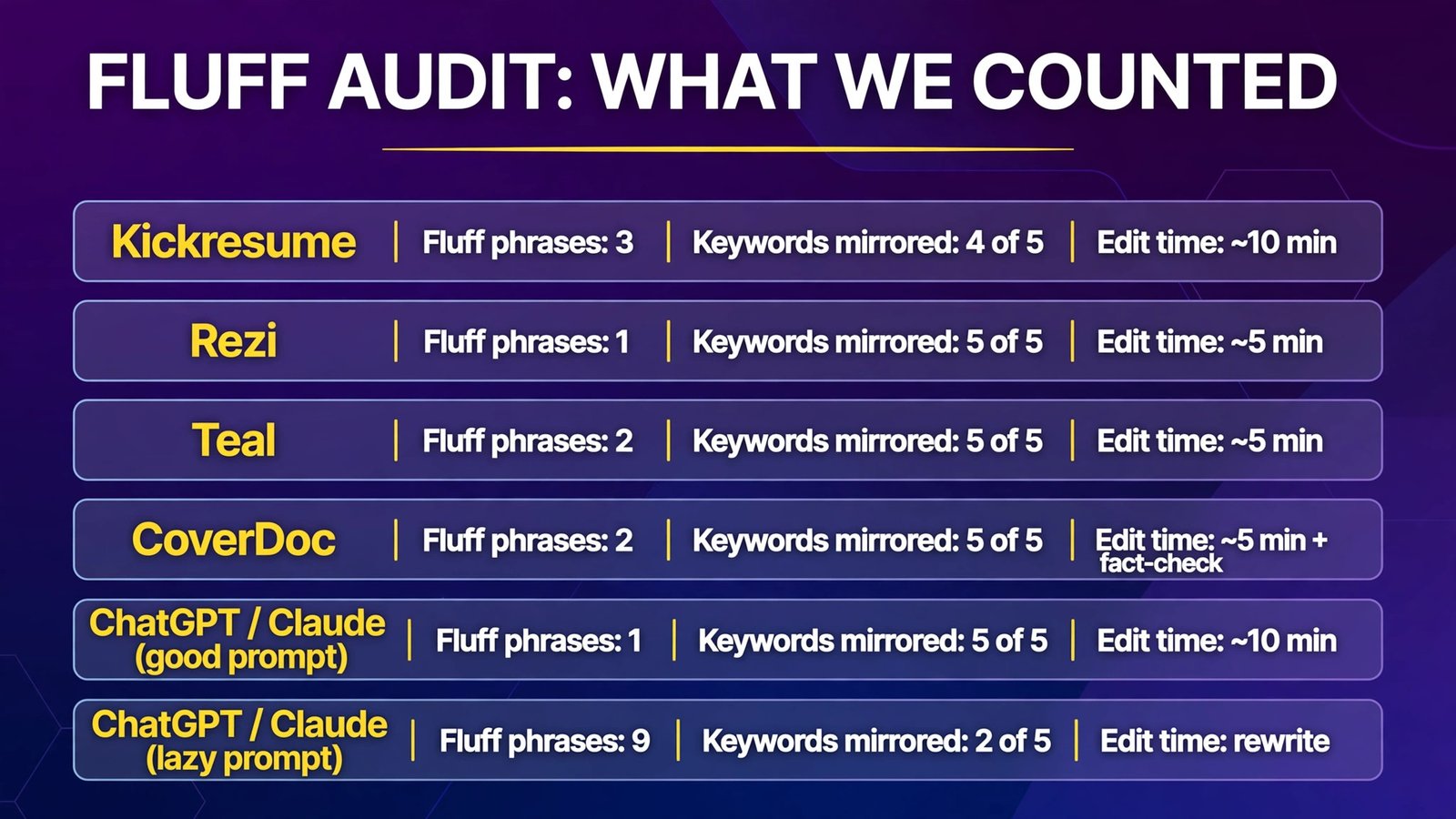
The pattern is unmistakable: tools that force your evidence and the posting into the draft (Rezi, Teal, CoverDoc) grade consistently. Tools that merely allow it depend on you.
Full Comparison Table
| Kickresume | Rezi | Teal | CoverDoc | ChatGPT/Claude | |
|---|---|---|---|---|---|
| Entry price | $24/mo | $29/mo | $13/wk (Teal+) | $9.99/mo | Free / ~$20/mo |
| Best paid value | $96/yr yearly | $149 lifetime | $79/90 days | $3/credit PAYG | $17–20/mo |
| Free allowance | Basic templates | 1 resume, 3 downloads | 2 letter credits | 2 job guides | Free tier |
| Personalisation | B+ | A− | A− | A | A or D (prompt) |
| ATS formatting | Template-dependent | Excellent | Clean | Docs-based | You control it |
| Job tracker | No | No | Yes (core feature) | Partial (guides) | No |
| Refund policy | 14-day | 30-day | Request-based | Check terms | Cancel anytime |
How to Choose
- Decide your application volume first. 1–5 dream applications → CoverDoc (deep research per letter, or $3/credit pay-as-you-go). 20–50 applications → Teal (tracker + letters in one workflow). A long, recurring search → Rezi Lifetime ends the subscription drip.
- Know who reads first. Machine-screened (big-company portals) → Rezi’s plain formatting or a single-column Kickresume template. Human-read (referrals, direct email) → Kickresume’s matched design or CoverDoc’s researched letter.
- Audit your own editing habits honestly. Will you spend 10 minutes per letter? Then ChatGPT/Claude at ~$20/month (or free) matches everything here. Won’t you? Pay for a tool that forces evidence into the draft for you.
- Never send the first draft. Every tool in this test — including the A grades — needed at least one human pass: delete one fluff phrase, verify one fact, add one sentence only you could write. Budget those 5 minutes; they’re the highest-ROI minutes in your job search.
- Watch the billing cadence, not the headline price. Weekly plans (Teal+ at $13/week) and monthly plans left running after you land the job are how a “$10 tool” becomes a $150 mistake. Set a cancellation reminder the day you subscribe.
Frequently Asked Questions
What is the best AI cover letter generator overall?
In our same-posting test, CoverDoc produced the most personalised letter — it wove in current company detail the others missed — at the joint-cheapest price ($9.99/month). Rezi is the better pick when ATS parsing is the risk, and Teal when you’re managing many applications at once. There is no universal winner; there’s a winner per workflow.
Are free AI cover letter generators any good?
Yes, within limits. Teal’s free plan includes 2 cover-letter AI credits, CoverDoc’s free Starter includes 2 full job guides, and ChatGPT/Claude free tiers can draft unlimited letters with usage caps. Free is enough to write your first two or three real letters — which, for a focused search, may be all you need.
Will an AI-written cover letter hurt my chances?
Only if it reads like one. Recruiters reject generic letters, not AI-assisted ones. The tells are empty adjectives (“passionate”, “dynamic”), zero specific evidence, and claims you can’t back up in an interview. Use the generator for structure and first-draft speed, then inject your real numbers and one company-specific detail — that’s the difference our fluff audit measured.
How do I make an AI cover letter ATS-friendly?
Keep it single-column with standard fonts and no headers, footers, tables, or graphics in the text layer; mirror the posting’s exact job title and top skill keywords (where true); save as PDF unless the portal asks for DOCX; and avoid Kickresume-style multi-column templates for portal submissions. Rezi enforces most of this automatically.
Kickresume vs Rezi for cover letters: which is better?
Kickresume if presentation matters — the letter matches your resume’s design, and at $96/year it’s cheaper. Rezi if parsing matters — its plain, keyword-disciplined output is the ATS-safest, and the $149 Lifetime plan suits repeat job hunters. Many applicants use Rezi’s version for portals and Kickresume’s for direct emails.
Should I just use ChatGPT instead of a dedicated tool?
If you’ll prompt properly — paste the posting, paste your evidence, ban fluff words, demand a word limit — yes: our DIY letters tied the best dedicated tool. If you’ll type “write me a cover letter” and send what comes back, no: a dedicated tool’s guardrails (forced evidence fields, keyword checks, originality scoring) exist precisely to save you from that draft.
Conclusion
The best AI cover letter generator in 2026 isn’t the one with the smartest model — they all write fluently. It’s the one that forces your evidence and the posting’s language into the draft before you ever see it. By that measure: CoverDoc for researched, dream-company letters; Rezi for ATS-safe volume into big-company portals; Teal for a tracked, high-volume search; Kickresume for a matched resume-and-letter pair a human will read; and ChatGPT/Claude for writers who bring their own discipline.
Whichever you choose, run our fluff test on the output before sending: count the empty adjectives, check that your two best numbers appear in paragraph one, and verify every claim about the company. A letter that passes those three checks will beat 90% of what recruiters read this week — AI-written or not.
Next step: take the next posting you’re genuinely excited about, generate the letter in CoverDoc’s free Starter plan and in ChatGPT with the prompt discipline from section 5, and compare the openings side by side. Ten minutes, $0 — and you’ll know exactly which workflow fits how you actually work.