
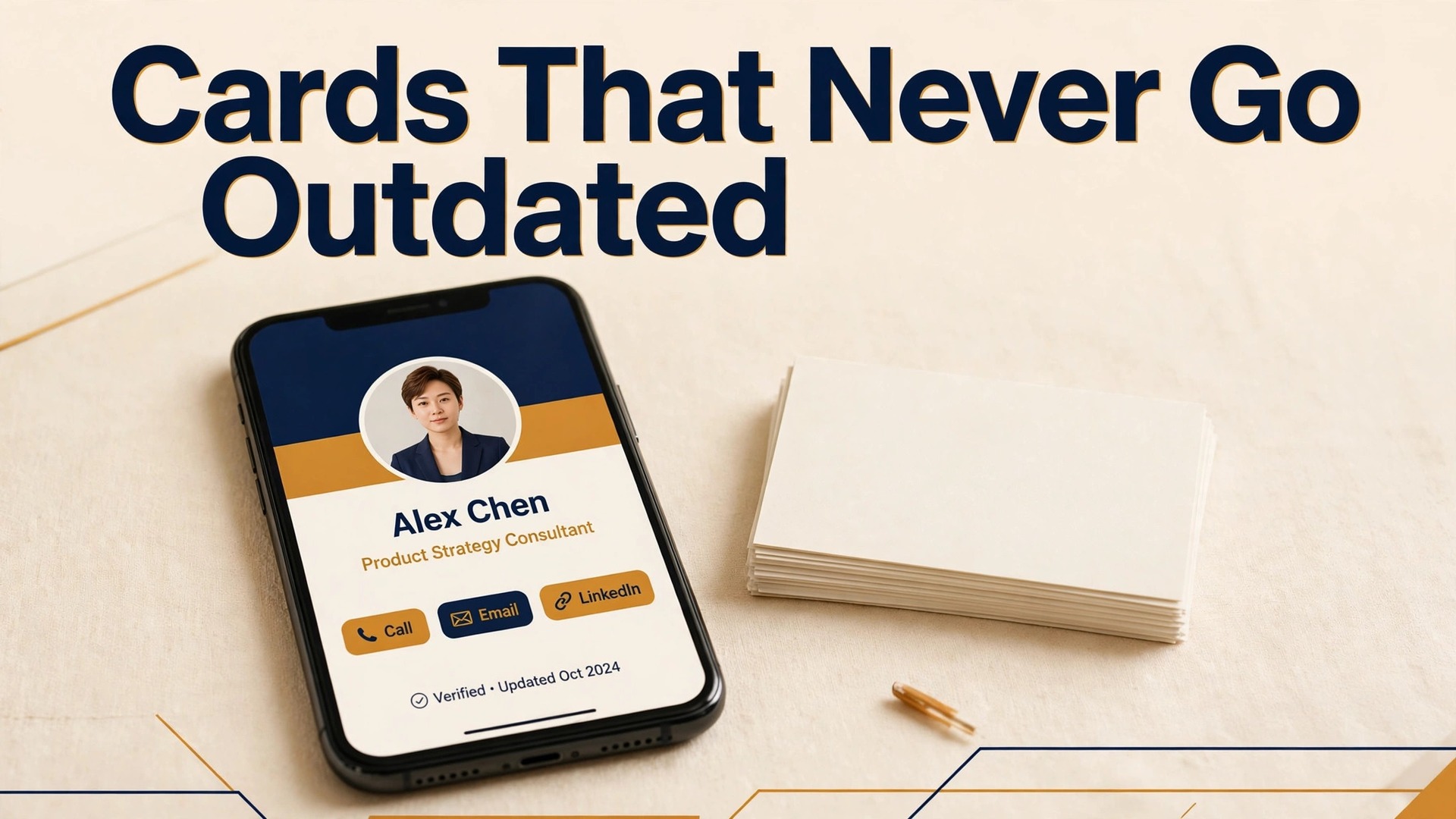
A paper card gives one person one phone number and one job title, and it goes out of date the moment any of those details change. A digital card gives that same person a live page with your current number, booking link, portfolio, and social profiles, and you can fix a typo once and have every future scan show the corrected version. That difference is why so many sales teams, freelancers, and founders have moved away from printed boxes of cards, and why the best digital business card makers now compete on sharing methods, contact capture, and team controls rather than on pretty templates alone.
This guide compares ten real options for individuals and teams, from free QR code cards to NFC hardware for event staff. You will find what each tool does well, where it falls short, what the free tier actually includes, and who should skip it. Prices change often, so treat the figures here as the published starting points found during research and confirm the current plan page before you pay.
How We Compared Them
We judged each maker on five tests that matter in daily use, and those same tests separate the best digital business card makers from tools that only look good in a demo. First, sharing had to work for the recipient with no app download, because a card that forces an install loses contacts at conferences. Second, updating had to be instant across every past share, since a card that freezes old details is barely better than paper. Third, capture had to turn a scanned paper card or a badge into a usable contact, not just a photo in a gallery. Fourth, team features had to include shared branding, admin control, and a sensible per person price.
Fifth, the free tier had to be genuinely usable for a solo professional, not a demo that locks the basics behind a paywall.
A card that scores well on design but fails on sharing is a poor buy. A card that shares well but cannot be updated is a worse one. Keep both tests in mind as you read the reviews, and shortlist two tools to try with your own phone before you commit a whole team.
The Shortlist at a Glance
Use this table to narrow the field fast, then read the full reviews for the two or three tools that fit your sharing style. The best digital business card makers differ most on sharing methods and team controls, so a quick scan of those two columns will rule out half the list for most buyers.
| Tool | Best for | Free tier | Sharing |
|---|---|---|---|
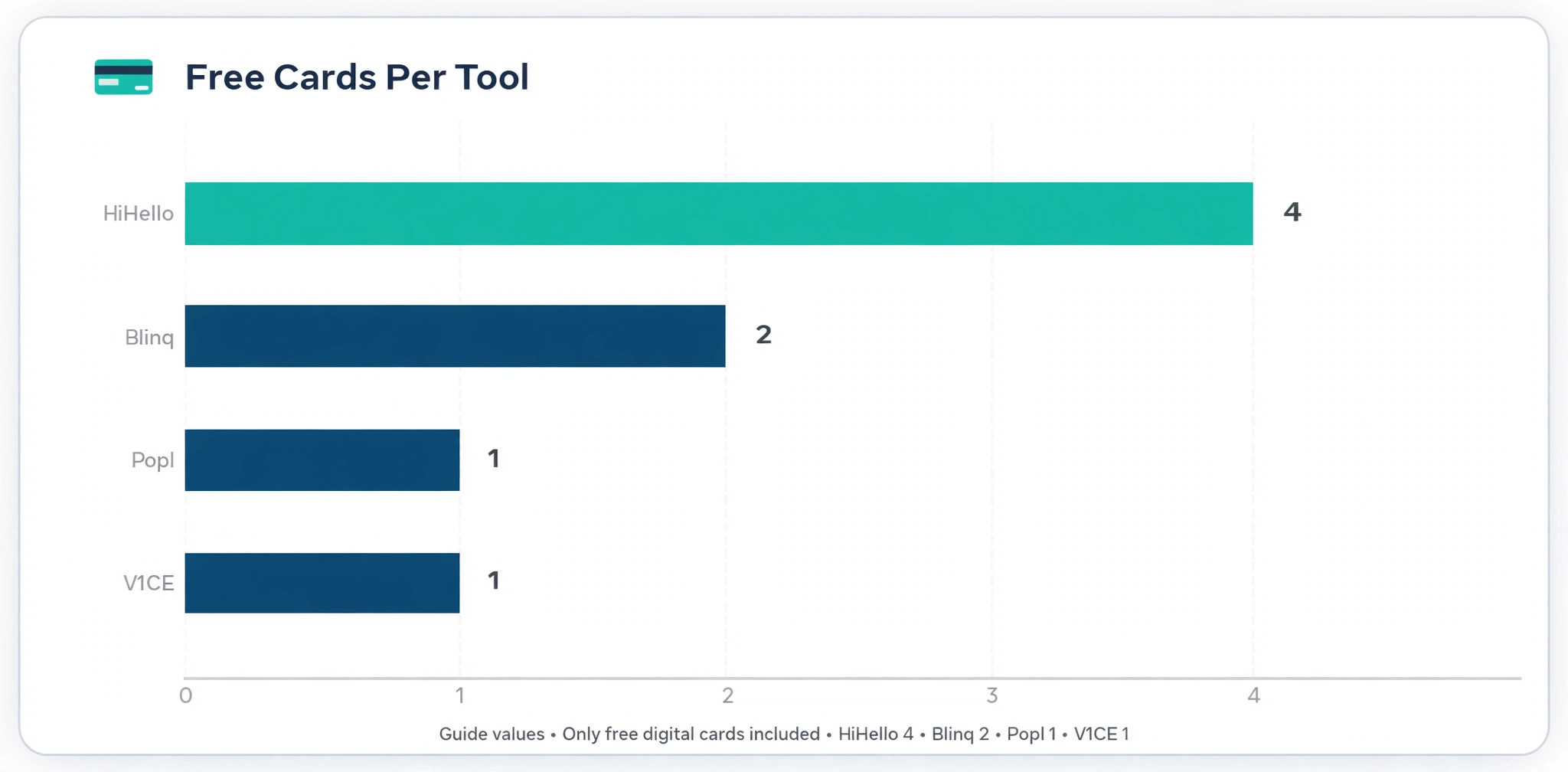
| Blinq | Most people and most teams | Yes, two cards | QR code, link, wallet, widget |
| HiHello | Multiple personal cards | Yes, four cards | QR code, link, wallet, SMS |
| Popl | Event lead capture | Yes, one card | QR code, NFC, wallet, badge scan |
| Wave Connect | Simple team rollout | Yes, with limits | QR code, link, CRM sync |
| Mobilo | NFC first sales teams | Free digital card | NFC tap, QR code, wallet |
| Uniqode | Regulated and large teams | Yes, one user | QR code first, link |
| V1CE | Premium physical cards | Yes, one digital card | Wallet, link, QR code, NFC |
| Linq | Low cost NFC hardware | Limited | NFC tap, QR code, link |
| Haystack | Small teams on a budget | Trial based | QR code, link, team pages |
| Design.com | Design first brand matching | Browse and edit free | Link, download, QR code |
The 10 Tools Reviewed
1. Blinq
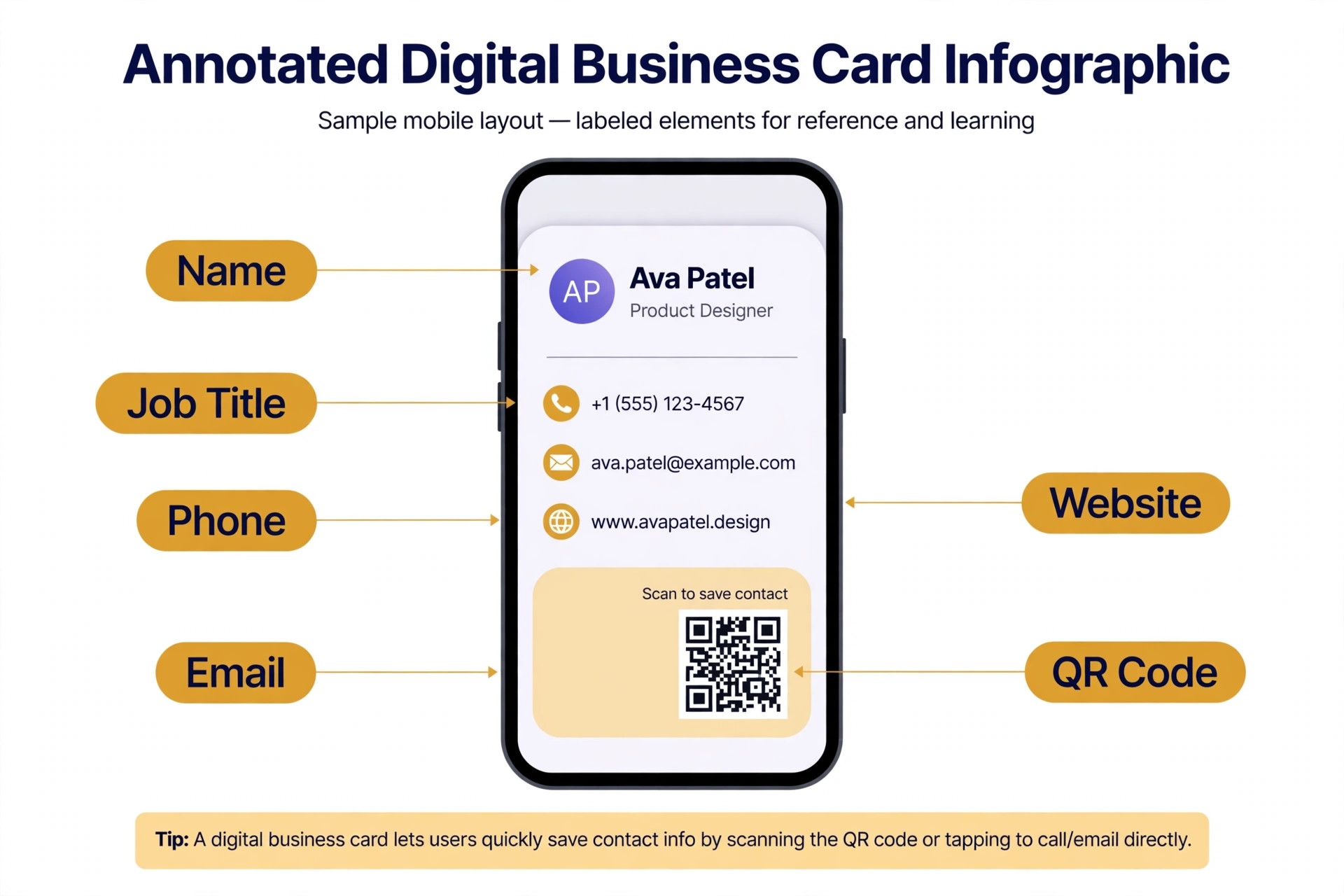
Blinq is the strongest all round choice for most buyers, and it earns that spot through sharing breadth rather than one headline feature. You can share by QR code, link, text message, email signature, home screen widget, and Apple Wallet or Google Wallet, so the recipient can save your details in whatever way feels natural. The free tier includes two digital cards, which is enough to keep a work card and a side project card separate, plus a paper card scanner with a small monthly allowance and AI contact enrichment on paid plans.
Pricing is where Blinq rewards larger teams and tests solo buyers. Premium for individuals sits around 7 dollars per month on annual billing, while team pricing drops to about 5 dollars per user per month on annual billing with a five card minimum. That gap means a solo user pays more per card than a team member, which is worth knowing before you compare headline prices. Team plans add admin controls, analytics, lead capture, and integrations with HubSpot and Salesforce, and the platform holds SOC 2 Type II and GDPR compliance.
The limits are real but manageable. Some advanced features, such as unlimited scanning and full analytics, sit behind paid tiers, and the app packs in enough extras that new users can take a day to find the settings they need. If you want one card, one share method, and nothing else, Blinq is more tool than you need. For anyone who networks weekly, manages follow ups, or runs a small team, it is the safest first pick in this guide.
2. HiHello
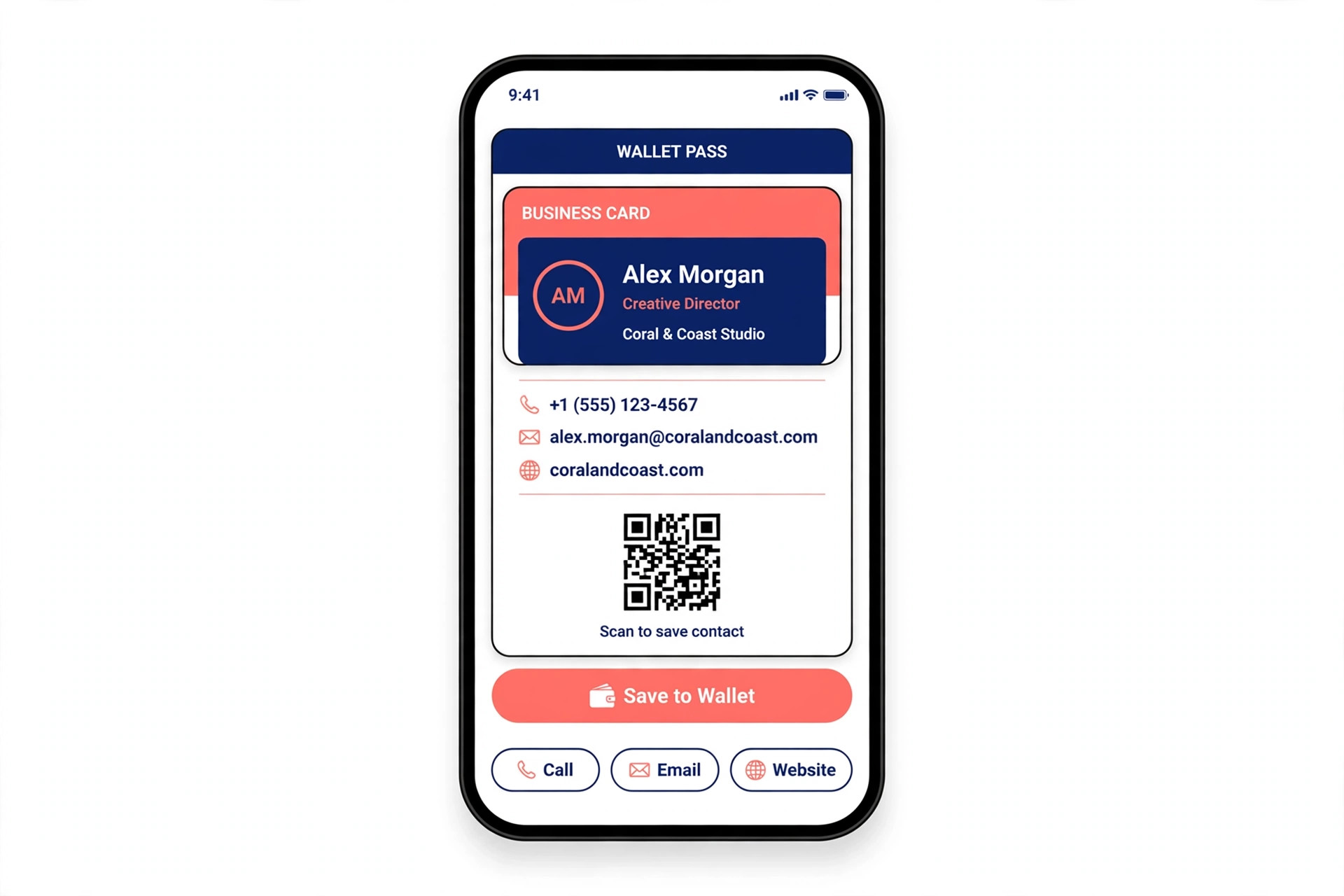
HiHello stands out for people who need several cards for different roles. The free tier allows four digital cards, which covers a main job, a freelance identity, a board role, and a personal card without paying anything. Design control is strong, with custom colors and fonts on paid plans, video on cards, and virtual backgrounds for video calls, and sharing covers QR code, link, widget, email, SMS, WhatsApp, and wallet passes.
Paid pricing is straightforward. Professional costs about 6 dollars per month on annual billing, and Business starts at about 5 dollars per user per month on annual billing for small to mid sized teams. Business adds company branding control, analytics, and admin tools, and the platform reports SOC 2 Type II and GDPR compliance with single sign on on higher tiers. For a consultant who presents a different face to different clients, that combination of four free cards and clean design is hard to beat.
The main gap is NFC. HiHello does not offer a first party NFC card in the way Popl or Mobilo do, so tap to share depends on programming a third party tag or on QR code and link sharing instead. Some users also find the free tier design options limited compared with the paid templates. If tap sharing at a trade show booth is your top requirement, look at Popl or Mobilo first. If you mostly share by phone screen, message, or email, HiHello gives you more free cards than any rival here.
3. Popl
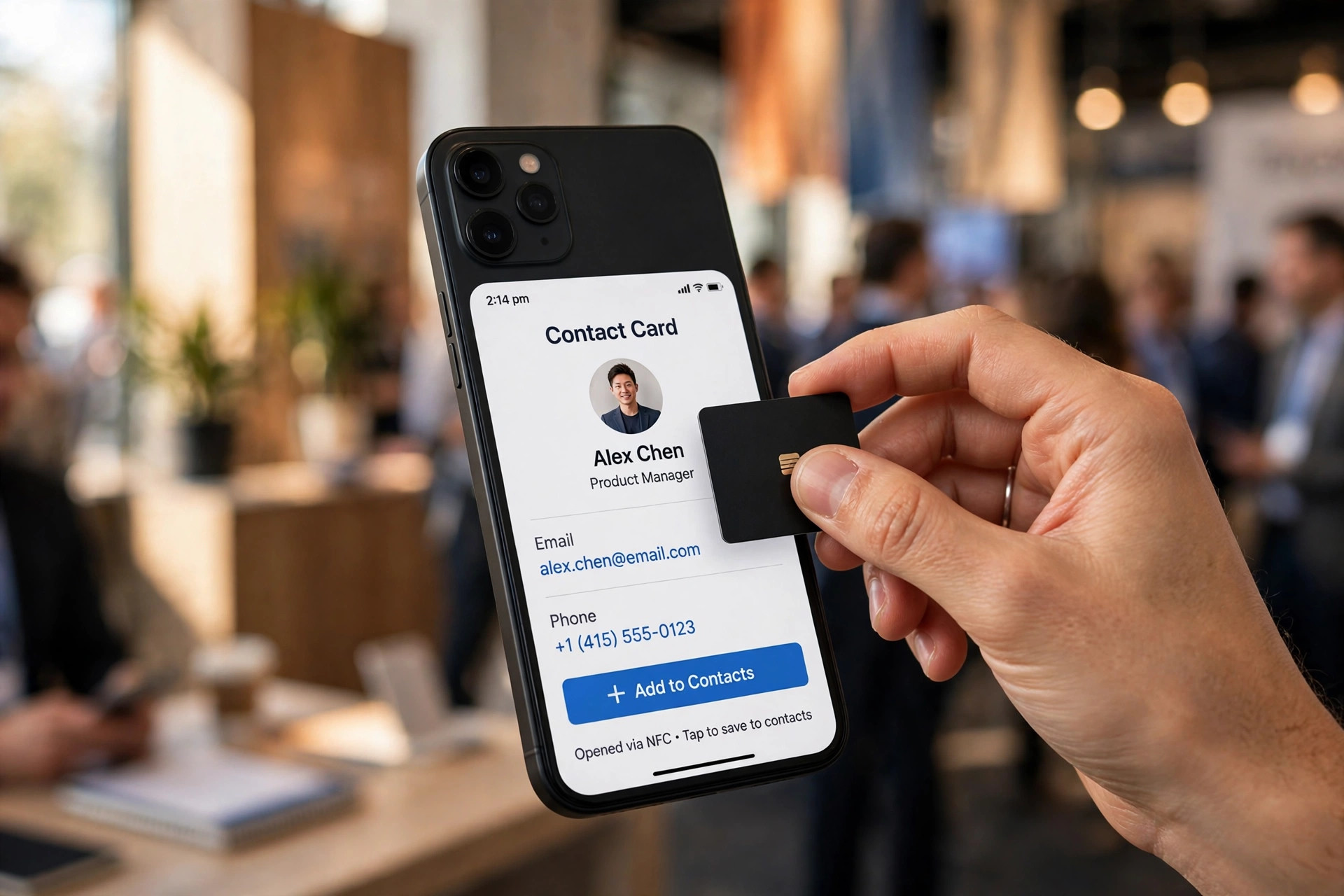
Popl is built for sales teams and event staff who need to capture leads fast, and its badge scanning and lead forms show that focus. The app supports QR code sharing, wallet passes, text and email sharing, virtual backgrounds, and physical NFC products that let a prospect tap a card or tag and land on your profile. Paid plans add business card scanning, CRM integrations, and custom lead capture forms, which turn a hallway conversation into a contact record with notes and a source tag.
Individual pricing sits higher than Blinq or HiHello, at roughly 12 dollars per month on annual billing for Pro, with team pricing quoted rather than published as a flat rate. That quote based team pricing makes budgeting harder, and it is a genuine drawback for a small business that wants a firm number before a trial. The free individual plan covers one card, which is enough to test the sharing flow but not enough to run separate work and personal identities.
Popl is also a busier app than its rivals, with lead tools, team features, and hardware options crowding the interface. Solo networkers who only need a simple card may find it heavy. Event teams will see the trade differently, because badge scanning and CRM sync save hours of manual typing after a show. Choose Popl when lead capture volume matters more than the lowest monthly price.
4. Wave Connect
Wave Connect is the value pick for teams that want a fast rollout without a long setup project. The platform covers QR code and link sharing, team card management, and CRM sync on paid plans, and it keeps the interface simple enough that a manager can issue cards to a new hire in minutes. That simplicity is a feature, not a missing piece, for companies that have watched fancier tools stall during onboarding.
Pricing is competitive, at about 7 dollars per month on annual billing for individuals and about 5 dollars per user per month for teams with a three seat minimum. The free tier is more limited than Blinq or HiHello, and some comparisons note that full free access pairs with an NFC card purchase, so test the free experience before you promise it to a team. Paid plans add scanning, CRM integrations, and lead capture forms, with SOC 2 Type II and GDPR compliance and single sign on on enterprise tiers.
The limits show up in design depth and advanced analytics. Wave Connect does not match HiHello for visual customization or Popl for event specific lead tools, and large enterprises may want deeper admin controls than the standard team plan offers. For a small or mid sized team that values speed, clear pricing, and simple management, it is an easy recommendation.
5. Mobilo
Mobilo suits teams that want a physical card to do the sharing work. Its Classic Smart Business Card pairs an NFC tap with QR code, wallet passes, SMS, email, and AirDrop style sharing, so a prospect can receive your details even if they have never heard of the platform. The software side adds CRM and HR directory workflows, lead enrichment on higher tiers, and team management for companies that issue cards across offices.
Pricing needs care because it has two parts, the card and the licence. The Classic card is listed from about 29 dollars, and team licences run roughly 4 to 5 dollars per user per month, with CRM integration and enrichment as paid add ons in some bundles. Year one cost for a team can therefore run higher than a software only rival once cards, licences, and add ons are added together. Check the full bundle price, not just the per user licence, before you compare Mobilo with Blinq or Wave Connect.
The trade is worth it when in person meetings drive your pipeline. A tap feels faster than opening a QR code camera, and it works well at expos, retail counters, and site visits. It is less compelling for remote workers who share links in email all day, since they pay for hardware they rarely use. Buy Mobilo for field teams, and pick a software only card for desk based staff.
6. Uniqode
Uniqode is the compliance first option, and it fits regulated industries and large companies better than it fits solo users. The platform is QR code first, with link sharing, team management, and analytics, and it publishes SOC 2, HIPAA, ISO, and GDPR compliance, which matters for health care, finance, and enterprise procurement. Single sign on and SCIM support help IT teams manage access when staff join or leave.
Pricing starts at about 6 dollars per user per month on annual billing, with a free tier for one user and business plans quoted for larger deployments. That structure means a solo professional can test the product, but the real value appears at team scale, where admin controls, template locking, and audit friendly reporting justify the price. Small teams may find the minimums and quote based upper tiers harder to plan around than Blinq or Wave Connect.
Design is clean rather than flashy, and Uniqode does not try to win on NFC hardware or event gimmicks. If your buyer is an IT or compliance lead, that restraint is a strength. If your buyer is a creator who wants a bold personal card, it will feel plain. Choose Uniqode when security review, not visual flair, decides the purchase.
7. V1CE
V1CE is the premium hardware choice, and it is honest about that positioning. The free digital card needs no app and no payment card to start, and sharing covers link, QR code, and wallet passes, with an optional NFC tap through its physical cards. The physical range runs from standard cards to metal and custom engraved options, with published physical prices starting near 60 pounds for some models and higher for premium finishes.
Paid digital tiers add unlimited cards, CRM integration, and removal of V1CE branding, with individual pricing reported around 13 dollars per month in some comparisons and team pricing on a single subscription model that includes a card. Prices vary by region and bundle, so confirm the current store page for your country before you budget. The premium feel is the point here, and buyers who hand a card to a client at a high value meeting will notice the difference.
The drawback is cost. You pay a premium for materials and finish, and the software alone does not beat cheaper rivals on features. A team that issues cards to fifty staff will spend far more on V1CE hardware than on a software only rollout. Pick V1CE for founders, partners, and client facing senior staff, and use a cheaper card for the rest of the team.
8. Linq
Linq appeals to buyers who want NFC hardware at a low entry price. The physical card starts near 15 dollars, or about 35 dollars with a custom design, and the app supports tap sharing, QR code, and link sharing with analytics and landing page style cards. For a solo user who attends local meetups and wants a tap card without a large subscription, that entry price is attractive.
The catch is the subscription link. An active subscription is required to keep the card linked to your account in some plans, with Pro reported near 5 dollars per month and team pricing quoted. That means the cheap card is not a one time purchase in the way some buyers expect, and total cost over two years can pass a software only rival. Parent company changes in 2026 also mean team buyers should confirm current support and roadmap before a large order.
Linq still makes sense for individuals who value a low cost tap card and accept the subscription. It makes less sense for enterprises that need guaranteed long term support, deep CRM workflows, or published team pricing. Test one card yourself, check that the tap flow works on both major phone platforms, and only then order for a team.
9. Design.com
Design.com enters this list from a different angle, as a design platform first and a card sharing tool second. Its digital business card maker offers a large template library, brand matching from a logo, and full control over colors, fonts, layout, icons, and backgrounds, and you can download the design and share it by link or QR code. For a small business that already uses Design.com for its logo and brand assets, keeping the card in the same visual system saves time and keeps every asset consistent.
Pricing follows the platform subscription model rather than a per card model, with plans reported from about 5 dollars per month on annual billing for Starter and higher tiers adding a website and extra features. That can be good value if you use the wider platform, and poor value if you only want a card, since dedicated rivals offer free tiers with more sharing features. Design.com also lacks the NFC hardware, CRM sync depth, and lead capture analytics that define the top tools in this guide.
Rank it ninth for that reason. It is a genuine contender for design first buyers who care most about matching brand assets, and it is not a contender for sales teams that need tap sharing, badge scanning, or CRM automation. Use it when visual consistency matters most, and pick Blinq, Popl, or Wave Connect when contact capture matters most.
10. Haystack
Haystack rounds out the list as a simple, team friendly option with a sustainability angle. The platform covers QR code and link sharing, team card management, and basic analytics, and it positions paper free cards as a greener replacement for printed boxes. Pricing is reported near 2 dollars and 50 cents per user per month for teams of ten or more on annual billing, which undercuts most rivals for small teams.
That low price comes with a narrower feature set. Haystack does not match Blinq for sharing methods, Popl for event lead capture, or Uniqode for compliance depth, and its review footprint is smaller, which makes long term support harder to judge. The interface is simple, which helps adoption, but power users may miss advanced integrations and detailed analytics.
Choose Haystack when budget and simplicity outrank advanced features, especially for a small team that wants branded cards without a complex rollout. Larger teams with CRM or compliance needs should shortlist Blinq, Wave Connect, or Uniqode instead, and compare total cost after add ons.
How to Choose Among the Best Digital Business Card Makers
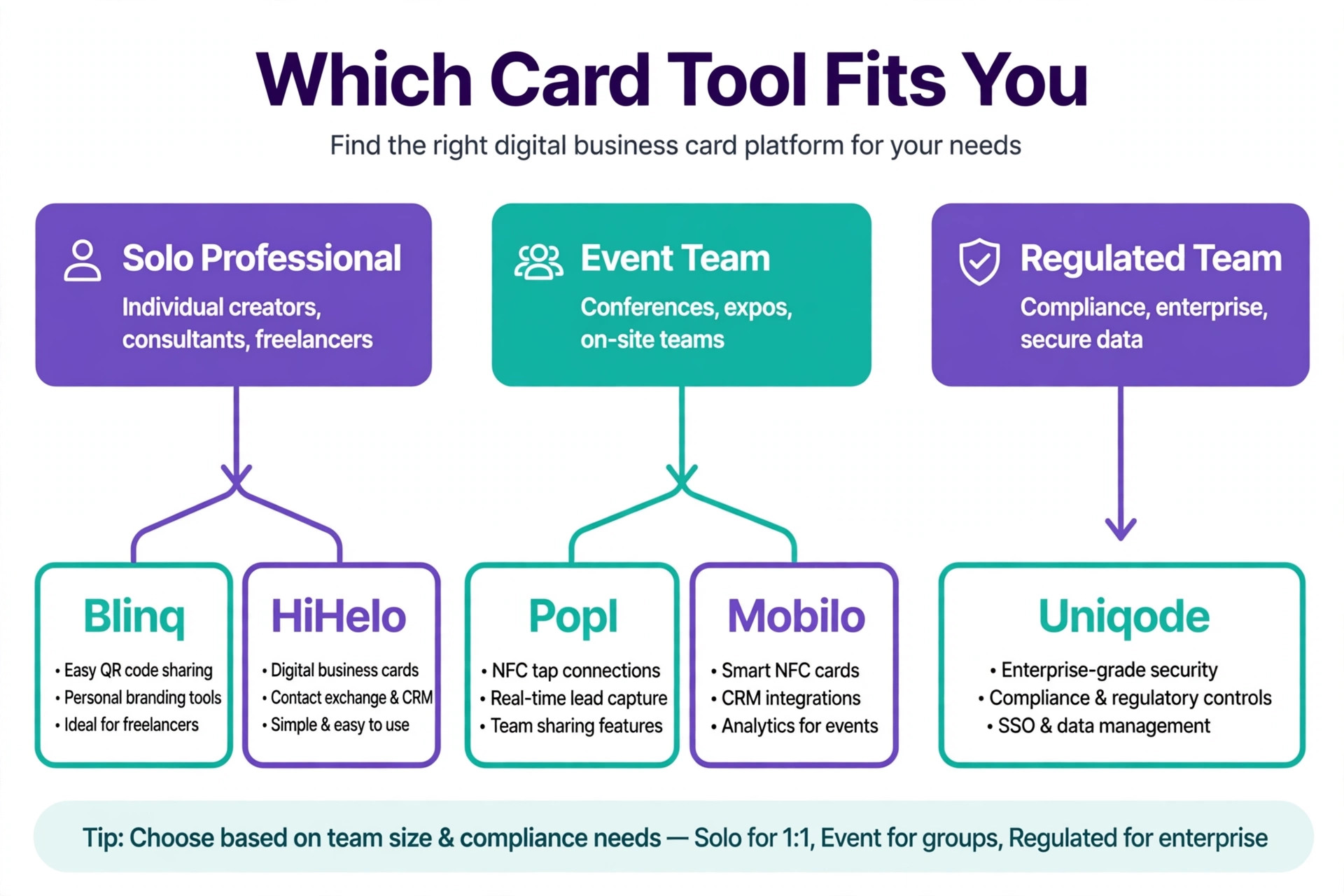
Start with how you meet people. If most meetings happen in person at events, rank NFC tap, badge scanning, and offline sharing first, and shortlist Popl and Mobilo. If most introductions happen by email, message, or video call, rank link sharing, wallet passes, and multiple cards first, and shortlist Blinq and HiHello. If an IT team must approve the tool, rank compliance, single sign on, and admin control first, and shortlist Uniqode.
Next, count the real cost for your team size. A free tier that covers one card is not the same as a team plan with a five seat minimum, and a hardware card plus a licence is not the same as a software only price. Write down the card count, the seat count, and any add ons for CRM sync or enrichment, then compare year one totals. Finally, test the recipient experience on a phone you do not own, because your card only works if a stranger can save your details in under ten seconds.
Mistakes That Waste Money
Even the best digital business card makers waste money when they are bought for the wrong job, so check these traps before you pay.
The most common mistake is buying hardware for people who work remotely. An NFC card looks impressive in a demo and then sits in a drawer while the owner shares links all day. The second mistake is choosing a tool for its templates and ignoring its update flow. If a job change forces you to reissue every card, the pretty design has cost you more than it saved. The third mistake is skipping the CRM test. Scan a paper card, tap an NFC card, and check that the contact lands in your CRM with the right fields, before you roll the tool out to twenty people.
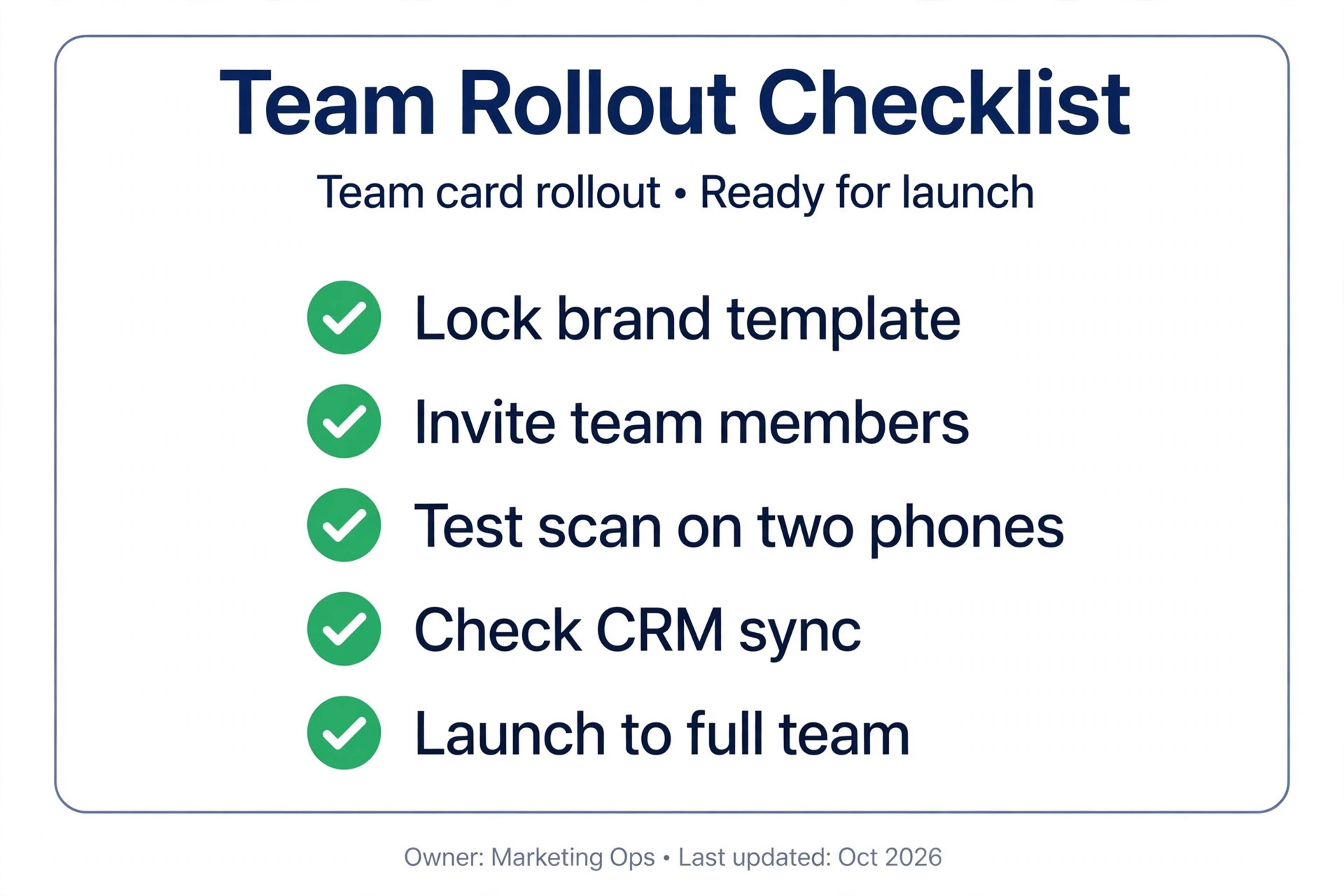
A smaller mistake is letting every employee design a different card. Brand control matters, because a prospect who meets three people from one company should see one visual identity, not three experiments. Lock the logo, colors, and layout at team level, and let individuals edit only their own contact details and links. That balance keeps cards personal without breaking the brand.
What to Test Before You Pay
A free trial tells you more in thirty minutes than a week of reading feature lists, and the best digital business card makers all make that trial easy. Start by creating a card with your real details, then share it with a colleague who has a different phone from yours. Ask them to save the contact without any help from you, and time how long it takes. If they hesitate, tap the wrong button, or end up with a blank contact, your prospects will do the same at a busy event.
Next, test the update loop that every buyer depends on. Change your job title or phone number in the dashboard, then rescan the same QR code or tap the same NFC card and confirm the new details appear. The best digital business card makers update instantly across every past share, while weaker tools cache old data or force you to reissue links. Also scan a paper card from a real contact and check where the result lands. A photo in an app gallery is not capture, while a contact record with name, company, email, and a source note is ready for follow up.
Finally, test the team view if you plan a rollout. Invite two colleagues, lock the brand template, and confirm they can edit only their own details. Check the analytics page for views and saves, and export a contact to your CRM to confirm field mapping. If any step needs a support ticket or a workaround, factor that friction into the price, because it will repeat for every new hire. A tool that passes all three tests is worth paying for, even if a cheaper rival looks similar on paper.
Frequently Asked Questions
Do recipients need an app to receive my digital card?
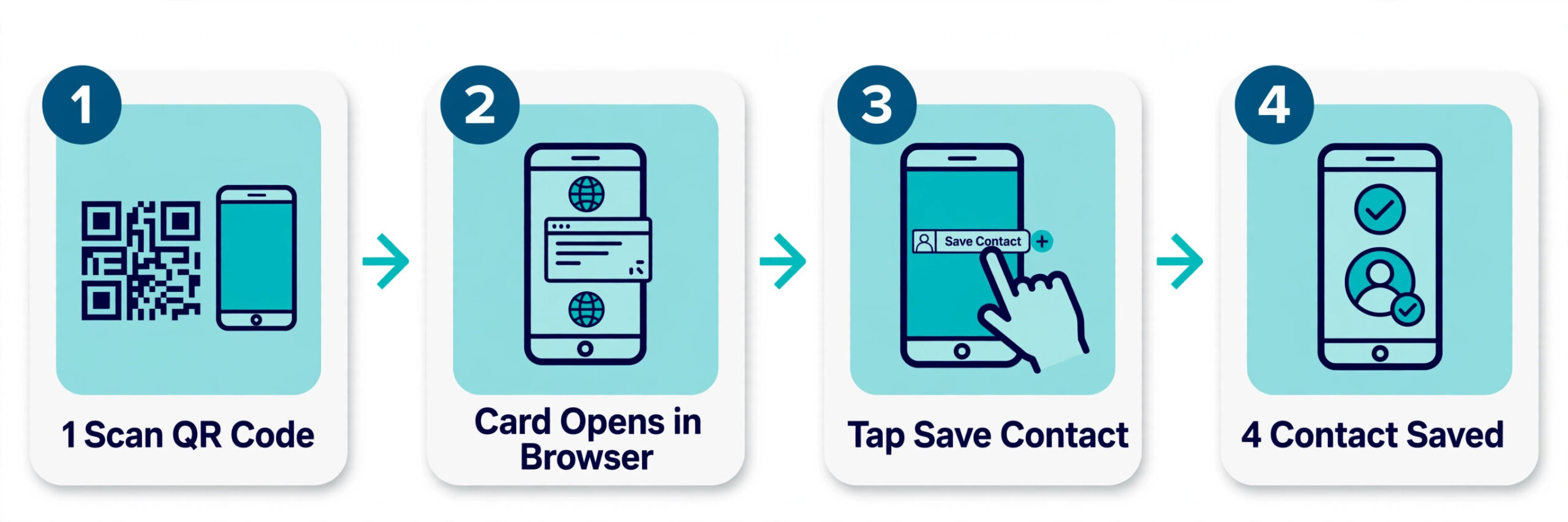
No. Every tool in this guide lets a recipient view your card in a mobile browser by scanning a QR code, tapping an NFC card, or opening a link. The recipient does not need to install anything, and most tools also offer a wallet pass or a save to contacts button so the details stay on their phone after the meeting ends.
Is a free digital business card good enough for a professional?
Yes, for many solo users. Blinq offers two free cards, HiHello offers four, and V1CE offers one free digital card, which is enough to test sharing and design. Paid plans become worth it when you need unlimited scanning, CRM sync, team branding control, or detailed analytics, or when you want to remove platform branding from your card.
Are digital business cards better than paper cards?
They solve different problems. Paper still works when a phone battery dies or a venue has no signal, but digital wins on updates, tracking, and follow up. A digital card lets you fix a changed number once, see who viewed your card, and push the contact into a CRM. Many professionals now carry a small NFC card for in person meetings and share a link everywhere else.
What happens to my card if I change jobs?
You update the details once in your account, and every future scan or tap shows the new information. Past recipients who saved your old details will still hold the old version unless they rescan, so send a short update message to key contacts after a major change. Team plans let an admin transfer or deactivate cards when staff leave, which protects company data.
Do NFC cards work on both iPhone and Android?
Most modern NFC cards work on both platforms for tap to open a link, but the exact behavior depends on the phone model and the card type. iPhones support background NFC reading for web links on recent models, while Android behavior varies by maker and settings. Test your chosen card on both platforms before a large order, and keep QR code sharing as a fallback for older phones.
Which tool is best for a team of ten?
Blinq and Wave Connect are the safest starting shortlist for a team of ten, because both publish clear per user team pricing, offer admin controls, and support CRM sync on paid plans. Uniqode fits better when compliance review is strict, and Popl fits better when event lead capture drives the purchase. Compare year one totals for your seat count, then trial two tools with a small group before a full rollout.
Our Verdict for Different Buyers
Solo professionals should start with Blinq or HiHello and pay only when scanning or CRM sync becomes a weekly need. That shortlist holds because the best digital business card makers earn their price through daily sharing and follow up, not through a one time design win. Event and sales teams should trial Popl and Mobilo side by side, with one eye on total hardware cost and one eye on how cleanly captured leads land in the CRM. Regulated teams should put Uniqode through procurement first, and design led small businesses should check whether Design.com already covers their brand needs before adding another subscription.
The right card is the one your recipients can save in seconds, your team will actually use, and your budget can sustain for a full year.
Further Reading
More Reading on Stratilyze. If you are building a full brand kit around your new card, start with Best AI Logo Makers and Best AI Business Name Generators for the name and mark that the card will carry. Sales teams can pair this guide with AI Tools for Sales Teams and Best AI Tools for Real Estate Agents, while freelancers may also like Best AI Tools for Graphic Designers and Best Software for Small Business.