

Verdict first. When choosing AI tools for voice coaches small business owners should start with EchoVQ for practice tracking if students need to practise between lessons, add SingSharp for pitch accuracy work, and keep lesson delivery and student messages in a separate studio system rather than forcing one app to do everything. That combination covers the three jobs in this guide, lesson delivery, practice tracking and student communication, without asking students to learn five tools at once. The other six tools below earn their place for specific students, from classical practice to accent work to spoken delivery, and the shortlist checklist at the end helps you pick only the ones your students will actually open.
That verdict matters because voice coaching has a practice gap problem. A student can sound excellent in a lesson and then practise badly for six days, or not practise at all, and the next lesson starts by repairing the same habits. AI tools do not replace a coach ear, and they should never be presented as doing so. What they do well is give objective feedback between lessons, show pitch and timing visually, track whether practice happened, and keep communication in one place. A coach who uses those strengths, and keeps artistic judgement for the lesson itself, gets more progress from the same lesson time.
Why AI Tools for Voice Coaches Small Business Owners Choose Must Fit Three Jobs
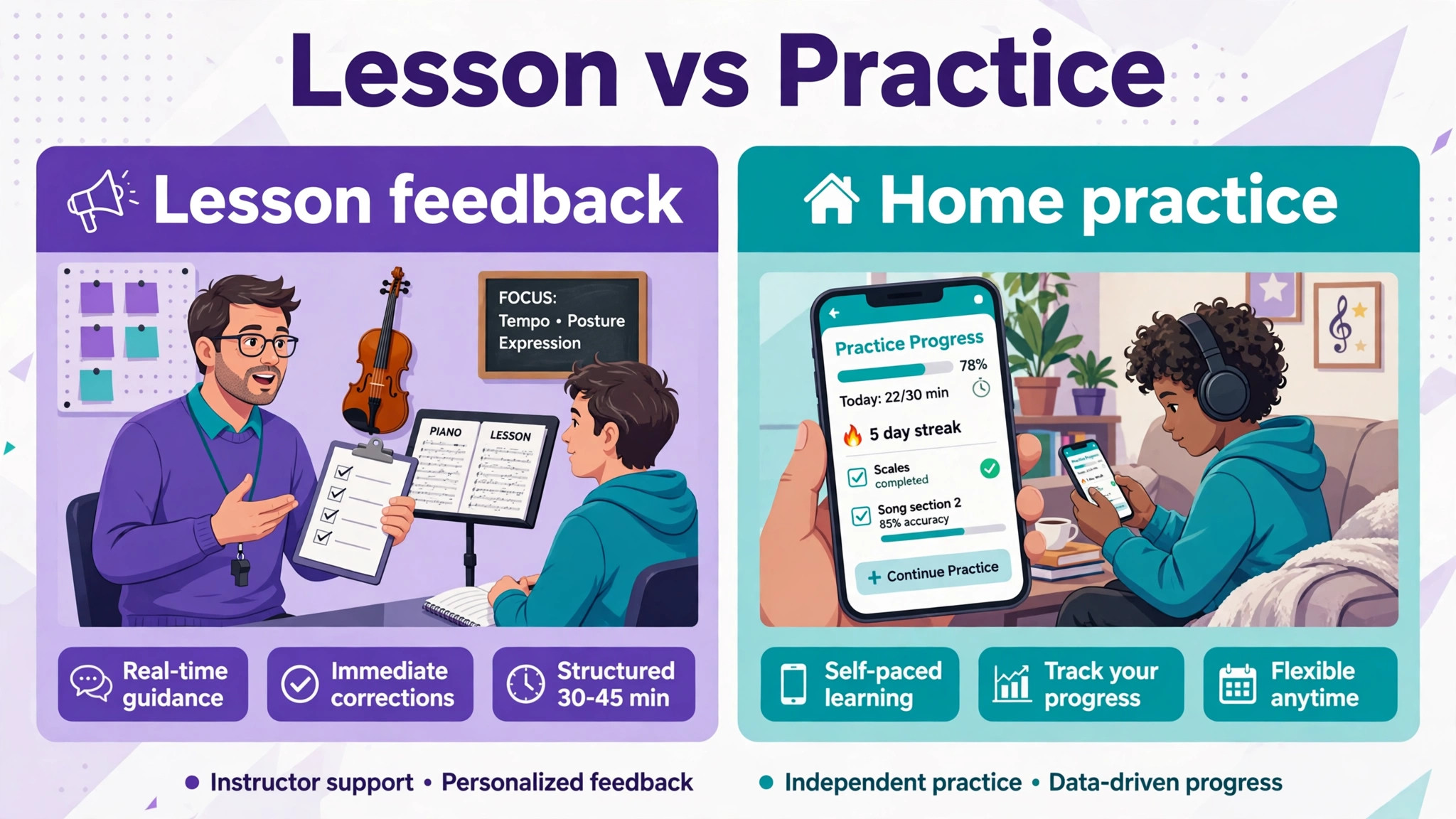
Voice coaching work splits into three jobs that need different tools. Lesson delivery is what happens in the lesson, live or recorded, where the coach hears, demonstrates and corrects. Practice tracking is what happens between lessons, where the student repeats exercises, sings repertoire and builds habits. Student communication is the scheduling, reminders, progress notes and parent or adult student messages that keep the studio running. One tool rarely does all three well, and a tool bought for one job will disappoint if judged on another.
Start by naming the weakest job in your studio. If students cancel, forget, or arrive unprepared, communication and practice tracking matter more than a new lesson app. If students practise regularly but repeat the same pitch errors, a pitch feedback tool matters more than another messaging system. If lessons feel disorganised, with notes scattered across email and paper, a studio system matters most. The best pick table later in this guide maps each job to its strongest tools, so you can buy for the gap, not for the feature list.
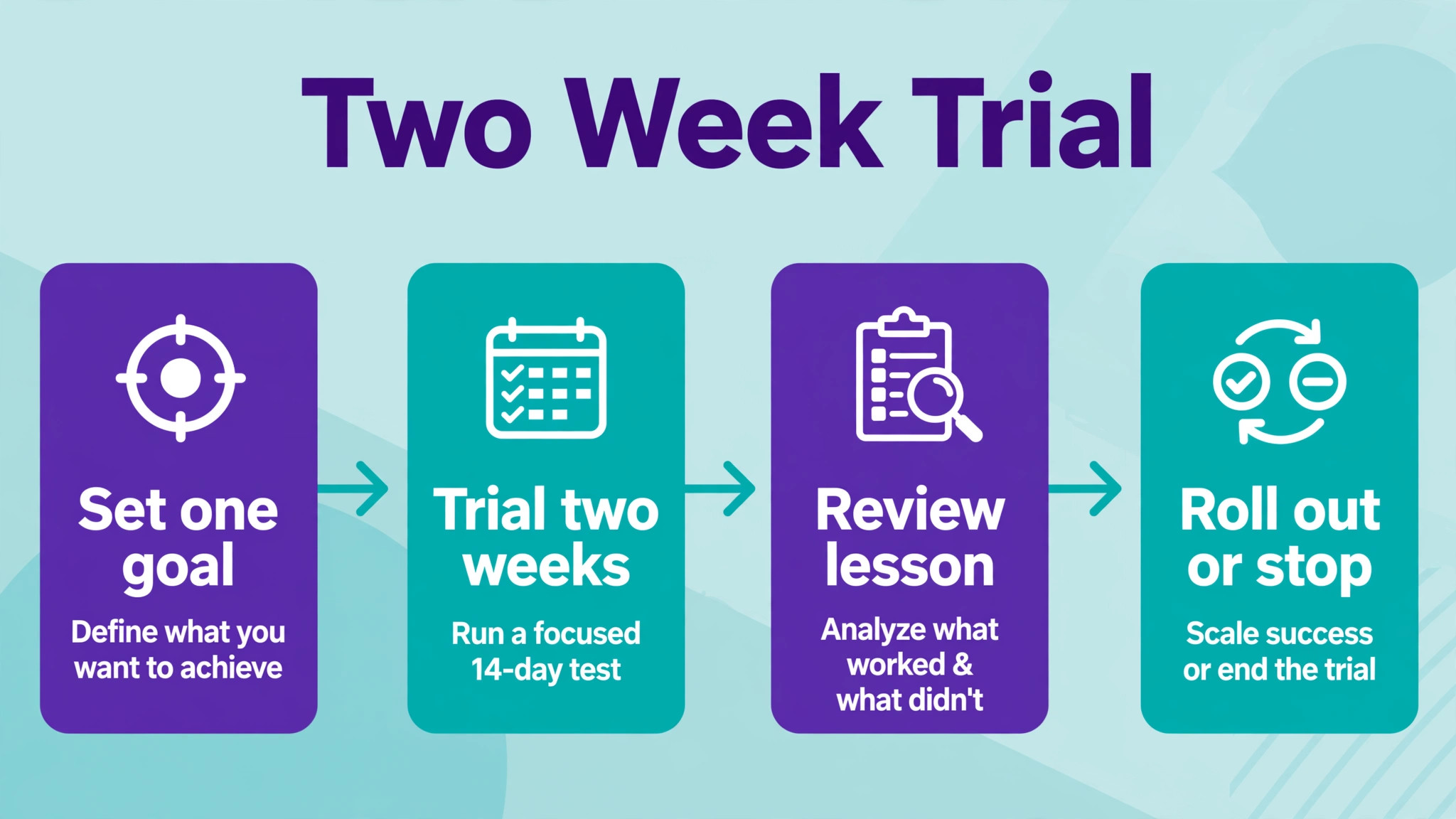
Also consider the student side. A tool that needs a powerful device, a paid subscription per student, or a complicated login will lose younger students and busy adult students alike. Trial any tool with two real students for two weeks before rolling it out to the whole studio, and watch whether they open it without prompting. A tool students open on their own is worth more than a tool with a longer feature list that students avoid.
Best Pick by Job
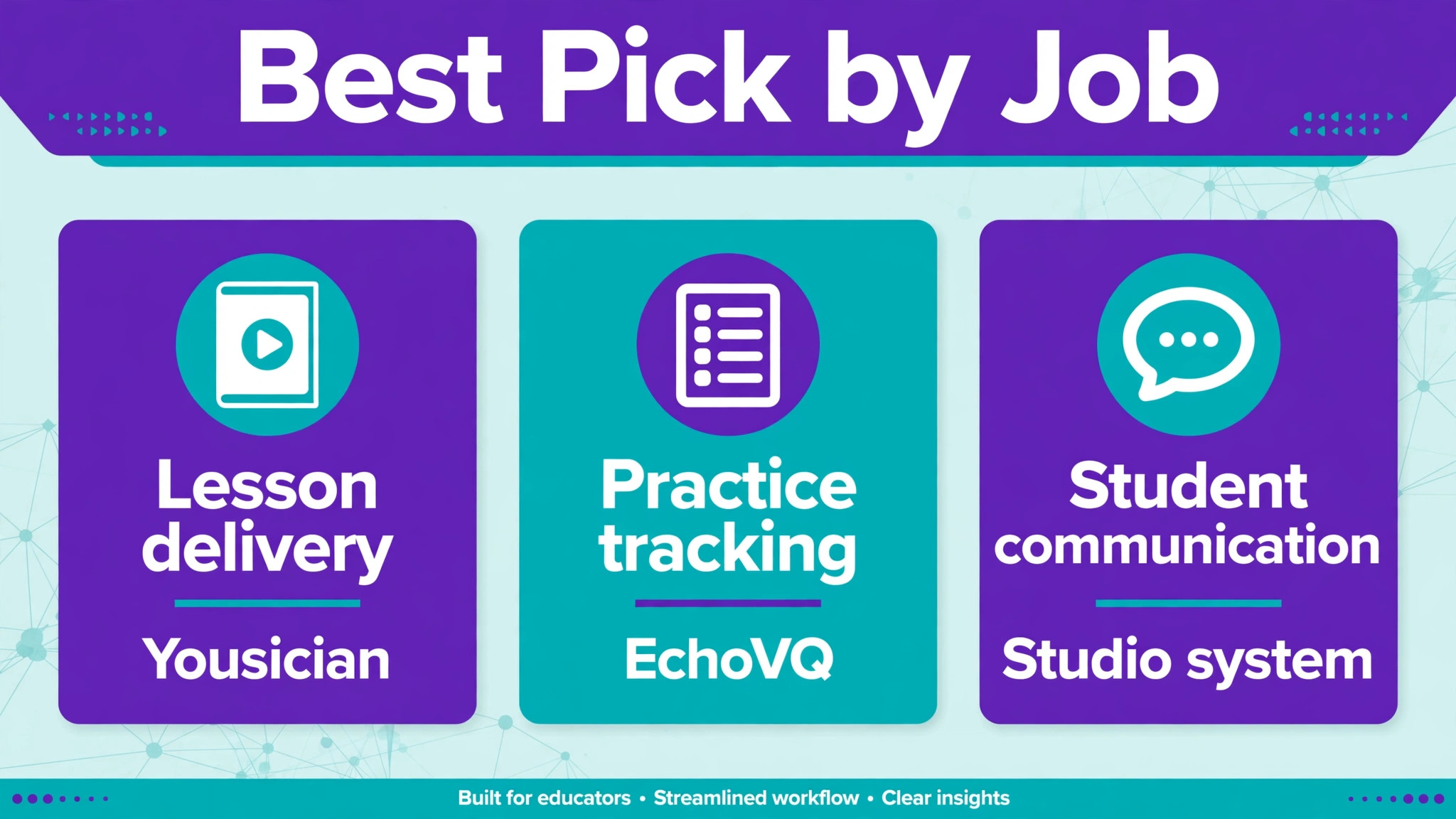
Use this table to shortlist, then read only the tool sections that match your weakest job. That job first approach is how AI tools for voice coaches small business studios buy well, instead of collecting subscriptions that students never open. A tool can appear in more than one row, because some tools genuinely cover two jobs, but no tool in this guide is recommended for all three at once.
| Job | Best first pick | Also consider | Avoid if |
|---|---|---|---|
| Lesson delivery | Yousician for structured singing lessons | SingTrue for pitch and ear work | Students need live coach feedback, not only app feedback |
| Practice tracking | EchoVQ for assigned practice and progress | SingSharp for pitch accuracy drills | Students have no phone or device for home practice |
| Student communication | A studio system plus short message reminders | Yoodli or Speeko notes for speaking students | Communication is scattered across five apps already |
| Speaking and delivery | Speeko for daily voice exercises | Wellspoken for scored delivery practice | The student is a singer, not a speaker |
| Pronunciation and accent | ELSA Speak for phoneme level work | BoldVoice style accent work, check current availability | The student needs singing technique, not accent work |
Note on availability. App listings change, and one well known daily practice app, Vanido, could not be found running in an August 2026 check by an independent guide, even though older lists still recommend it. That is why this guide sticks to tools with current, checkable listings, and why you should check the vendor current pricing and availability page before buying or recommending any tool to students. Do not build a student routine around an app you have not opened yourself in the last month.
The Nine Tools, Judged for a Small Studio
EchoVQ
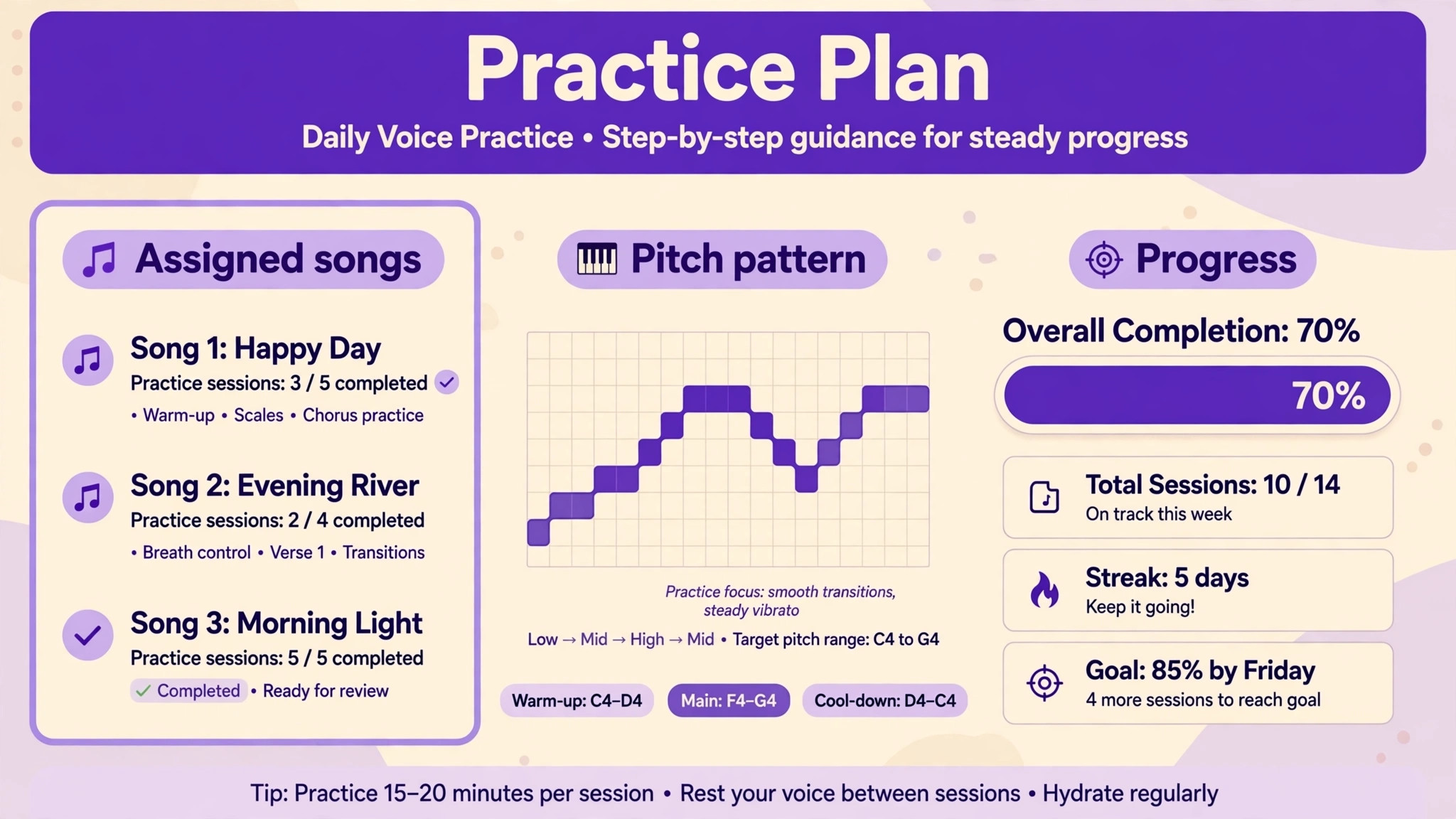
EchoVQ is the practice tracking pick for singing teachers, because it was built by a voice teacher around assigned practice rather than generic singing games. Teachers can split songs into stems, build structured practice sessions, assign playlists and exercises, and see which students are following the plan and who needs a nudge. Students get pitch, timing, dynamics and vibrato shown on a piano roll, so a claim like being flat becomes a visible pattern they can work on, with bars and notes named.
For a small studio, the value is the loop between lesson and home practice. The coach sets a plan in the lesson, the student follows it at home, and the coach sees time practised, streaks and progress before the next lesson. That visibility changes the next lesson, because the coach can praise real practice, correct a specific pattern, and set the next goal from evidence rather than memory. Check the vendor current pricing page for school and studio licensing, because institutional pricing differs from individual pricing, and confirm what student data the teacher can see.
Choose EchoVQ if practice between lessons is your biggest leak, because that is the gap AI tools for voice coaches small business studios most often need to close first. Skip it if your students mainly need live coaching and will not practise on a device, because a tracking tool cannot create a practice habit on its own. It can only make an existing habit visible and rewarding.
SingSharp
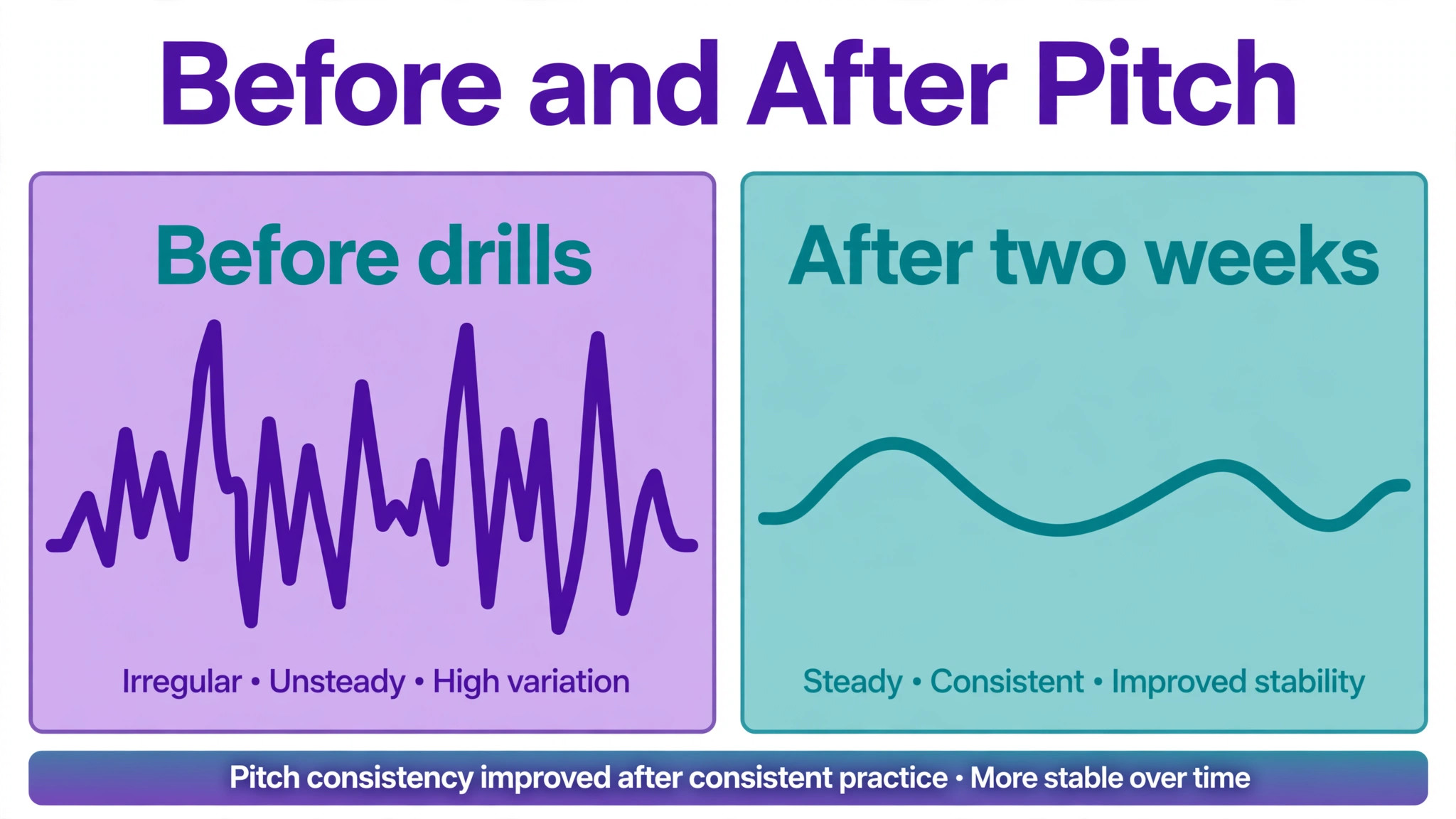
SingSharp is the pitch accuracy specialist. It focuses on pitch matching, range detection and ear training through short sessions and pitch training games, and it shows whether a note was hit correctly in real time. For students who are often slightly flat or sharp, that instant visual feedback is faster than verbal correction alone, because the student can see the miss while the note is still fresh.
In a studio, SingSharp works best as assigned homework, not as the lesson itself. Set a five to ten minute daily drill, review the range and accuracy pattern at the next lesson, and use the results to choose the next exercise. That keeps the lesson for repertoire, interpretation and technique that needs a human ear, while the app handles repetition. Check the vendor current pricing page, because premium terms vary by region, and test the microphone behaviour on the devices your students actually use, since pitch detection depends on microphone quality.
Choose SingSharp for beginners and intermediate singers who need pitch confidence. Skip it for advanced students whose main work is style, stamina or performance, where a pitch drill adds little.
Yousician
Yousician is the structured lesson pick for singers who need a course, not just drills. It listens while the student sings, gives real time feedback with moving pitch lines, and walks through lessons in order, which suits students who like a clear path and gamified progress. That structure helps adult beginners who practise alone and need to know what to do next without waiting for the next lesson.
The trade off is depth. Yousician is excellent for structured learning and motivation, but it cannot hear artistic choices the way a coach can, and it cannot judge whether a sound is healthy for a particular voice over time. Use it as a supplement, with the coach reviewing progress and setting repertoire, rather than as a replacement for lessons. Check the vendor current pricing page before recommending a subscription, because premium pricing and trial terms change, and confirm the singing content fits the student age and repertoire.
Choose Yousician for motivated beginners who want daily structure. Skip it if the student already has a full repertoire programme and only needs targeted correction, where a drill tool will waste less time.
SingTrue
SingTrue is the ear training pick, built around interactive pitch accuracy exercises designed by vocal experts. It suits students whose problem is hearing the note correctly before singing it, not just producing it. Ear training is often the missing step for students who sing confidently but in the wrong key, because the ear, not the voice, is making the first error.
Use SingTrue in short, frequent sessions, and pair it with singing the same patterns in the lesson, so the ear work transfers to repertoire. The app is best for focused exercises, not for song practice, so do not expect it to carry a whole practice routine on its own. Check the vendor current pricing page and the free versus paid exercise split before assigning it, because students should know what is free and what they will be asked to pay for.
Choose SingTrue for students with pitch and ear gaps. Skip it for students who already hear accurately and need breath, support or style work instead.
Riyaz
Riyaz is the classical and repertoire practice pick, with a large pool of lessons across Indian, Western and Bollywood styles. For a coach whose students work in classical traditions, that repertoire breadth matters, because generic singing apps often ignore the scales, patterns and song forms those students actually practise. Riyaz also suits students who need a daily practice structure built around tradition, not just pop songs.
The free tier is limited to a short daily amount in published comparisons, so check the vendor current pricing page and the daily limit before assigning it as core homework. A student who hits a daily limit mid practice will stop, however good the content is. Pair Riyaz with a coach set goal, such as a specific scale pattern or song section, so practice stays focused rather than drifting through the library.
Choose Riyaz for classical and Bollywood repertoire students. Skip it for students whose repertoire is mainly Western pop or musical theatre, where Yousician or EchoVQ will fit better.
ELSA Speak
ELSA Speak is the pronunciation pick, and it belongs in a voice coach toolkit for students who also need clear spoken English, such as singers working in a second language, actors, or speakers. It gives phoneme level pronunciation scoring, fluency exercises and vocabulary building, which is a different job from singing pitch, and it should be judged on that job. A singer who cannot pronounce a lyric clearly will not fix that problem with pitch drills alone.
Use ELSA Speak for targeted lyric and speech work, with the coach choosing the sounds and words that matter for the student repertoire or speaking goals. Do not assign it generally to every singing student, because pronunciation work that is not tied to repertoire feels like extra homework and will be dropped. Check the vendor current pricing page, because plans for individuals and schools differ, and confirm the language and accent coverage matches the student need.
Choose ELSA Speak for non native English pronunciation and fluency work. Skip it for native speakers whose diction problem is breath or placement, not phoneme accuracy.
Speeko
Speeko is the daily speaking voice pick, with voice exercises and content developed with professional voice coaches. It suits speaking voice students, presenters, teachers and professionals who need a stronger, clearer speaking voice, rather than singers working on repertoire. Daily exercises fit a busy adult schedule, because they are short, repeatable and easy to track.
For a small studio that coaches both singers and speakers, Speeko gives the speaking side its own practice tool, instead of forcing speaking students into a singing app. Assign a daily exercise, review progress in the lesson, and use the app for maintenance between lessons, not for diagnosis. Check the vendor current pricing page and platform availability, because speaking apps change their exercise libraries and subscription terms regularly.
Choose Speeko for speaking voice and presentation students. Skip it for singers, where pitch and repertoire tools will serve better.
Yoodli
Yoodli is the role play and speaking practice pick for individuals and teams, with practice for interviews, presentations and conversations. For a voice coach working with professionals, Yoodli lets a student rehearse a real speaking task, get feedback on delivery, and repeat it until it feels natural, without needing an audience for every rehearsal. That rehearsal loop is valuable for students whose main barrier is nerves or structure, not vocal technique alone.
Published pricing comparisons have listed Yoodli Pro at a low monthly figure when billed annually, but check the vendor current pricing page before quoting any figure to a student, because team and individual pricing differ and terms change. Trial it with one speaking student first, and judge it by whether the student rehearses more, not by the score alone, because a score that does not change behaviour is decoration.
Choose Yoodli for professional speaking rehearsal. Skip it for singing students, where pitch and repertoire practice matter more than speech role play.
Wellspoken
Wellspoken is the scored delivery pick for work communication, scoring how a speaker actually performs across six dimensions on a thousand point index, with drills to improve each dimension. That scoring depth suits coaches who work with executives, presenters or professionals who want a measurable baseline and a clear drill for each weakness, such as organisation, conciseness or confidence. It also records real meetings, where permitted, so coaching can start from actual performance rather than a rehearsed sample.
The strength is also the caution. A score should guide coaching, not replace it, and recording meetings raises consent and privacy questions that must be handled explicitly with every student and employer. Check the vendor current pricing page and the recording and consent features before using it in a studio, and agree with the student what will be recorded, who will see it, and how long it will be kept. That agreement protects the student and the coach.
Choose Wellspoken for professional delivery coaching with measurable goals. Skip it for young singing students, where a score on work delivery adds pressure without relevance.
How to Trial Tools Without Losing Student Trust
A trial should be small, short and honest. Pick two students who represent different levels, give them one tool each for two weeks, and set a single goal, such as practising four days a week or improving pitch accuracy on one song section. Tell students the trial is a test, that their feedback matters, and that the tool will only continue if it helps. That honesty builds trust, because students can tell when a coach is selling an app versus testing one.
Measure three things in the trial. Did the student open the tool without prompting. Did the next lesson show a specific improvement you can name. Did the student enjoy the process enough to continue. If all three are yes, roll the tool out to similar students. If only one is yes, adjust the assignment before expanding, because a tool that is opened but does not improve the lesson is entertainment, and a tool that improves the lesson but is never opened is a plan, not a practice.
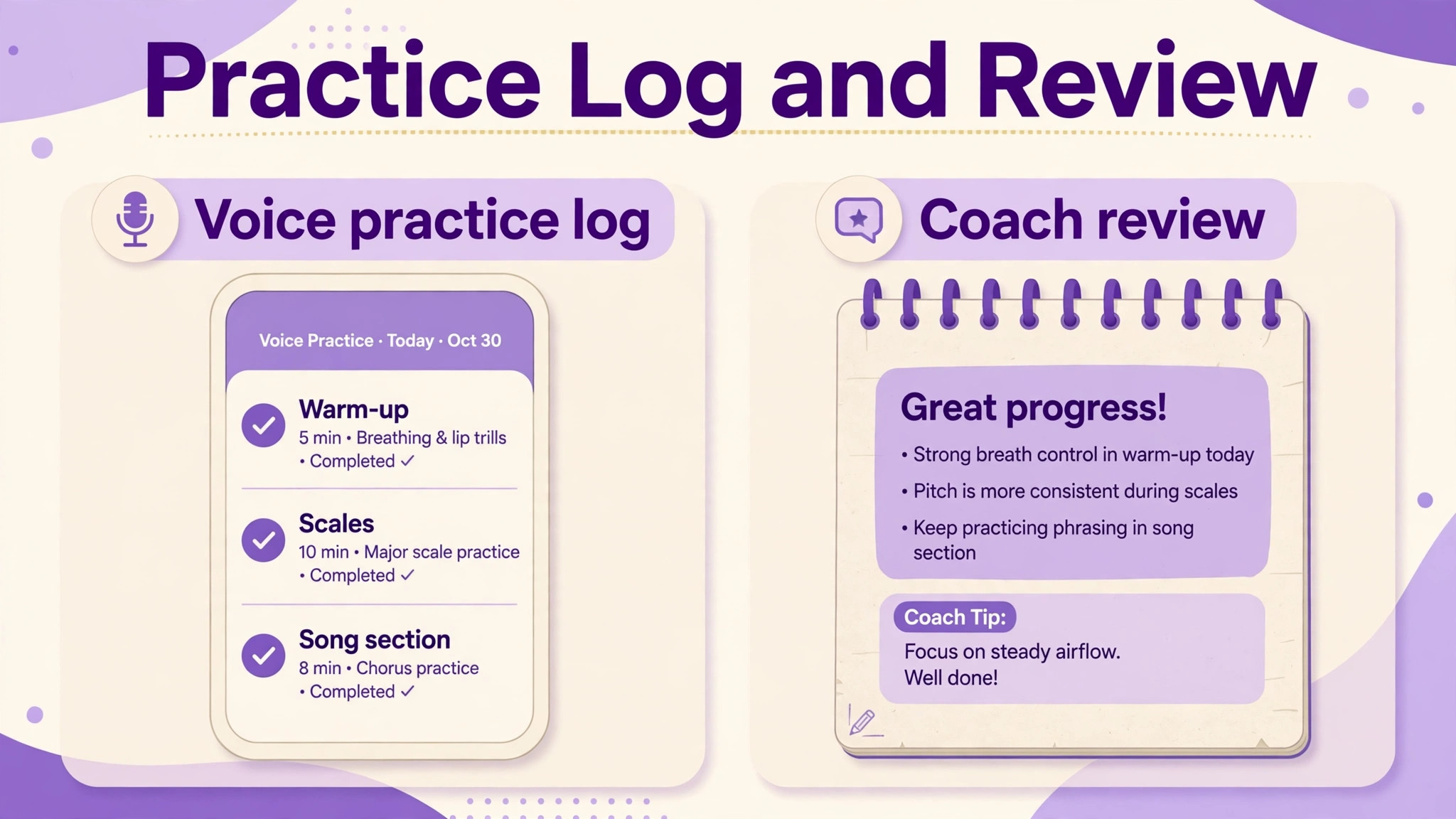
Also set the coach review habit before the trial ends. That habit is what separates AI tools for voice coaches small business owners actually use from tools that sit unused after an enthusiastic demo week. A tool that generates data nobody reads will quickly feel pointless to students. Spend five minutes before each lesson reviewing the practice log, pitch pattern or exercise completion for that student, and name one observation in the lesson. That five minutes is what turns app data into coaching, and it is the difference between a studio that uses AI tools for voice coaches small business owners trust and a studio that merely subscribes to them.
Tool Shortlist Checklist Before You Buy
Use this checklist for every tool, and do not skip a step because a demo looked impressive. A careful checklist is part of choosing AI tools for voice coaches small business students can afford, access and actually enjoy using. Demos show the best case, while student life shows the real case, with noisy rooms, old phones and busy weeks.
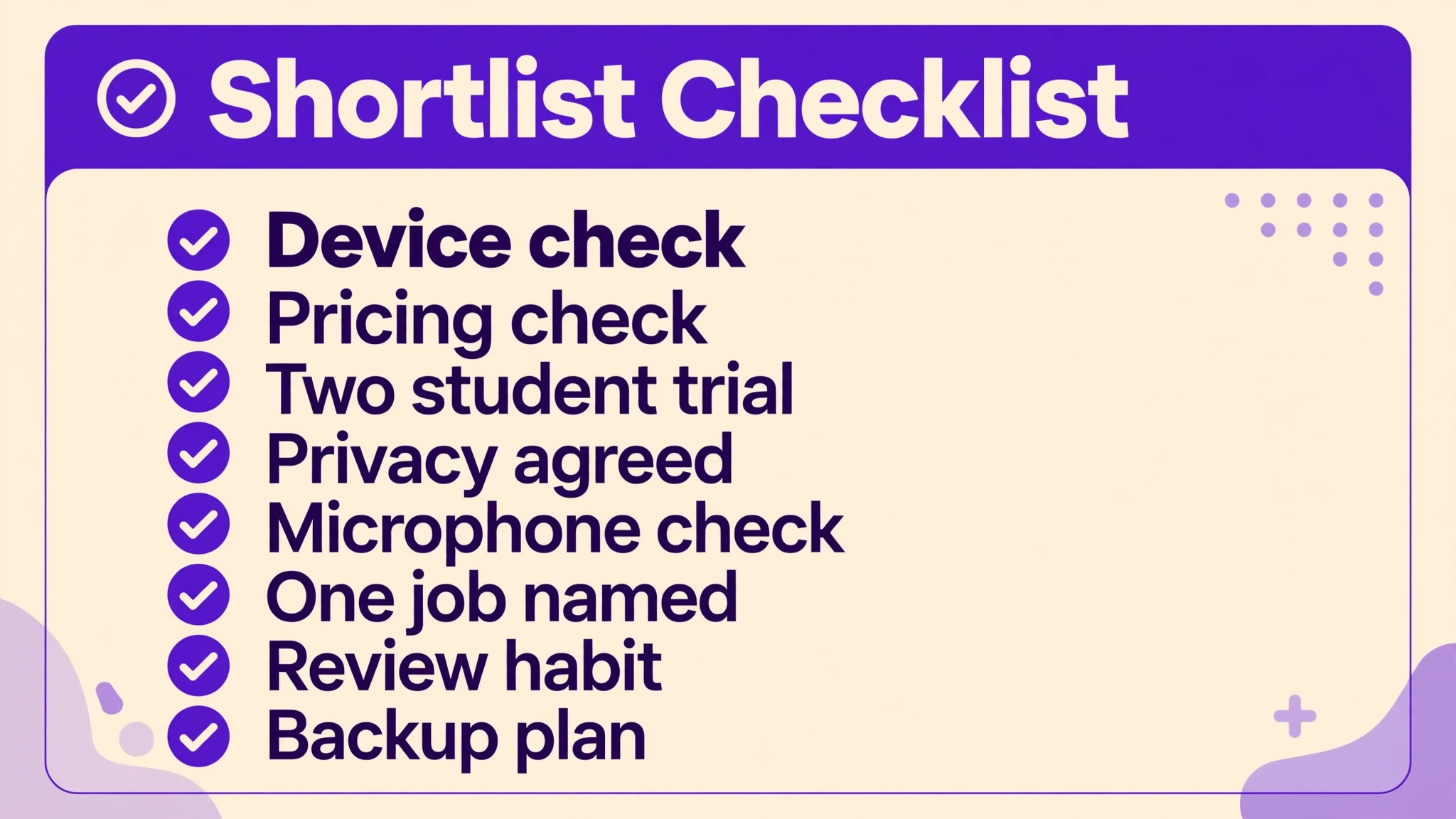
– Confirm the tool is currently available on the devices your students use, and open it yourself in the last month. – Check the vendor current pricing page for individual, studio and school terms, and for what students must pay themselves. – Trial the tool with two real students for two weeks, with one named goal per student. – Confirm what student data the coach can see, and agree privacy and recording rules with students and parents where needed. – Check microphone and device requirements, because pitch feedback depends on them. – Confirm the tool fits one of the three jobs, lesson delivery, practice tracking or student communication, and name that job in writing. – Plan the coach review habit, five minutes before each lesson, so app data is actually used. – Decide what happens if a student cannot afford or access the tool, so no student is left behind by a subscription.
Mistakes That Make AI Feedback Harmful
The first mistake is letting a score override a coach ear. An app can measure pitch and timing accurately, but it cannot judge whether a sound is healthy, stylish or appropriate for a voice at a particular stage. If an app score and a coach judgement disagree, investigate, do not automatically follow the app. That investigation often reveals a microphone issue, a repertoire mismatch, or a student pushing too hard to chase a score.
The second mistake is assigning too many tools at once. A student given three apps, three logins and three practice routines will practise none of them well. One tool per job, and one job per practice session, is a better rule. A student who practises pitch for ten minutes in one app will progress faster than a student who opens three apps for three minutes each.
The third mistake is ignoring vocal health. Apps encourage repetition and streaks, which can push a student to practise through fatigue or strain. Set practice limits, teach warm up and cool down, and tell students to stop and contact the coach if practice causes pain or persistent hoarseness. A streak is never worth a vocal injury, and a coach who says that plainly will be trusted more, not less.
Pricing, Access and Fairness for Students
Pricing decisions affect who can learn, so handle them before recommending any tool. Some tools charge the coach, some charge each student, and some offer school licensing that changes the cost completely. Check the vendor current pricing page for each model, and write down who pays, what happens when a student leaves, and whether practice data can be exported. A tool that locks a student progress history behind a lapsed subscription creates a problem the coach will inherit later.
Access matters just as much as price. A student without a recent phone, a quiet room, or reliable internet will struggle with an app based routine, however good the app is. Offer a paper practice log and a phone based alternative where possible, and never make a grade, a place in a recital, or a lesson slot depend on owning a particular app. When choosing AI tools for voice coaches small business studios run, fairness is not an extra. It is part of the teaching, because a studio that only works for well equipped students will lose the students who need coaching most.
Finally, review subscriptions each term. Cancel tools that only one student uses, renegotiate school pricing when the studio grows, and ask students which tool they would keep if they could keep only one. Their answer is the most honest value measure a coach can get, and it usually points to the tool that changed practice, not the tool with the longest feature list.
Frequently Asked Questions
Can AI tools replace a voice coach?
No. AI tools give objective feedback on pitch, timing and delivery, and they track practice between lessons, but they cannot judge vocal health, artistic choice or a student emotional state. The working model in this guide is AI tools for voice coaches small business owners use to support lessons, with the coach deciding repertoire, technique and when to push or rest a voice.
Which tool should a singing teacher buy first?
Start with the job that leaks most. For most singing studios, that is practice tracking, so EchoVQ is the sensible first trial, with SingSharp added for pitch accuracy if that is the specific gap. A teacher whose students already practise well should start with lesson structure or communication instead, because buying a tracking tool for a studio that already tracks well adds cost without benefit.
How much practice should an app assign each day?
Short and frequent beats long and rare. Ten to fifteen minutes of focused daily practice, with a specific goal, usually beats an hour once a week, especially for pitch and ear work. Set a daily goal the student can actually meet on a busy day, and let longer practice happen on days with more time, rather than setting a daily target that fails every week.
Do students need expensive microphones for pitch apps?
No, for most beginners, a phone microphone is enough to start, provided the room is reasonably quiet. Better microphones help accuracy, especially for advanced students, but they should not delay starting. Test the app on the student actual device in the first lesson, and note any device that gives unreliable results, so the coach does not misread a microphone problem as a student problem.
How do I handle a student who will not practise on an app?
Ask why, before adding another tool. Some students lack a device, some find the app confusing, some feel judged by scores, and some simply need a practice routine that fits their life. Fix the actual barrier, offer a non app alternative such as a paper practice log, and do not punish a student for not using a tool. Practice matters, the app is only one way to support it.
Are AI voice tools safe for young singers?
They can be, with coach supervision, practice limits, and attention to vocal health. Young voices need careful repertoire, rest, and a coach who can hear strain that an app cannot. Choose age appropriate content, set short practice sessions, involve parents in the plan, and stop any exercise that causes discomfort. If in doubt, keep the app as a supplement and the lesson as the main guide.
Should parents see practice data for child students?
Yes, with agreement. Parents who can see practice time and progress are more likely to support practice at home, and they need to know what the tool records. Agree in advance what parents will see, how often, and how progress will be discussed, so practice data supports encouragement rather than pressure. A child who feels watched every day may practise less, not more.
What if a recommended app disappears or changes pricing?
That risk is real, as the Vanido example shows, and it is why this guide stresses checking current availability and pricing before building a routine around any tool. Keep practice plans in a form that survives an app change, such as a written exercise list and a practice log, so a student can switch tools without losing their routine. Review tool availability each term, not once a year.
The Shortlist, in One Paragraph
For most small voice studios, the shortlist is EchoVQ for practice tracking, SingSharp for pitch drills, Yousician for structured singing lessons, and a simple studio message system for communication. ELSA Speak, Speeko, Yoodli and Wellspoken are added only for the speaking, pronunciation or professional students who need them, and SingTrue and Riyaz are added for ear training and classical repertoire respectively.
That is nine tools in total, but no student needs all nine, and no coach should buy all nine at once. Buy for the gap, trial with two students, review the data before the next lesson, and keep the coach ear as the final judge. A studio run that way gets the benefit of AI feedback without handing the voice over to a score.
For a related studio workflow, see Use AI for Coach Program Delivery Automation and Best Coaching Platform Software for Life Coaches, which cover delivery and platform choices that pair with the tools above.
More Reading on Stratilyze
– Use AI for Coach Program Delivery Automation – Best Coaching Platform Software for Life Coaches – Best Membership Software for Dance Studios – Best Online Booking Software for a Service Business