

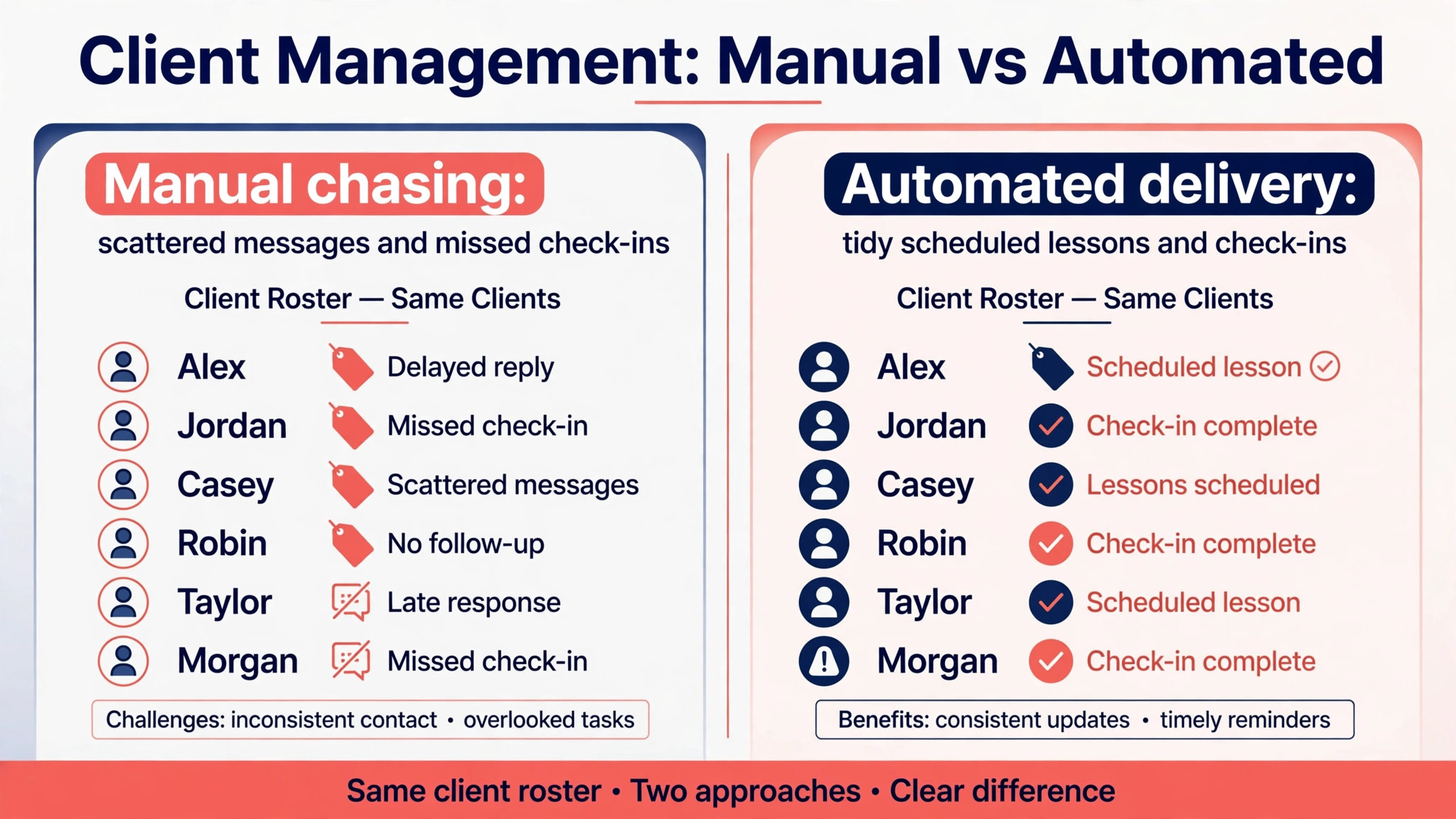
Two coaches can sell the same program and end up with very different renewal rates. One delivers by hand through spreadsheets and direct messages, chasing homework and answering the same questions twice, while the other runs automated delivery that drips lessons, nudges homework, and summarises progress without extra hours. Learning how to use AI for coach program delivery automation is what moves a coach from the first group to the second, and the choice of platform, Trainerize first among them for many fitness coaches, decides whether that automation survives contact with real clients.
Delivery automation is the unglamorous half of coaching. The coaching itself is the session, the advice, the program design. Delivery is everything that has to happen between sessions for the client to make progress. Lessons must arrive on time, homework must be chased, check-ins must be read, progress must be summarised, and renewals must be offered before the program ends. A coach with ten clients can do all of that by hand. A coach with thirty cannot, and the clients who get forgotten are usually the quiet ones who needed the nudge most.
What Breaks First When a Coaching Business Grows
The first thing to break is follow-up. A coach who takes on five new clients in a month gains five lesson schedules, five homework routines, five check-in rhythms and five renewal dates. Spreadsheets and memory hold that together for a while, then a client finishes week three without receiving week four, or a check-in sits unread for ten days, or a renewal conversation happens two weeks after the program already ended. None of those failures feel dramatic on their own. Together they are the reason clients quietly leave and tell friends the program felt disorganised.
The second thing to break is consistency. When delivery depends on the coach remembering, every client gets a slightly different experience. One client gets detailed feedback within hours, another waits four days. One client gets a polished progress summary, another gets nothing. Clients compare notes in group programs, and inconsistency reads as favouritism even when it is only overload. Automation fixes this by giving every client the same scaffolding, while the coach adds the personal judgement on top.
The third break is the coach own time. Hours spent chasing homework, formatting summaries and sending reminders are hours not spent coaching, selling or resting. Coaches who burn out rarely burn out on coaching. They burn out on administration disguised as coaching, and that administration is exactly what coaches hand over when they use AI for coach program delivery automation.
How to Use AI for Coach Program Delivery Automation
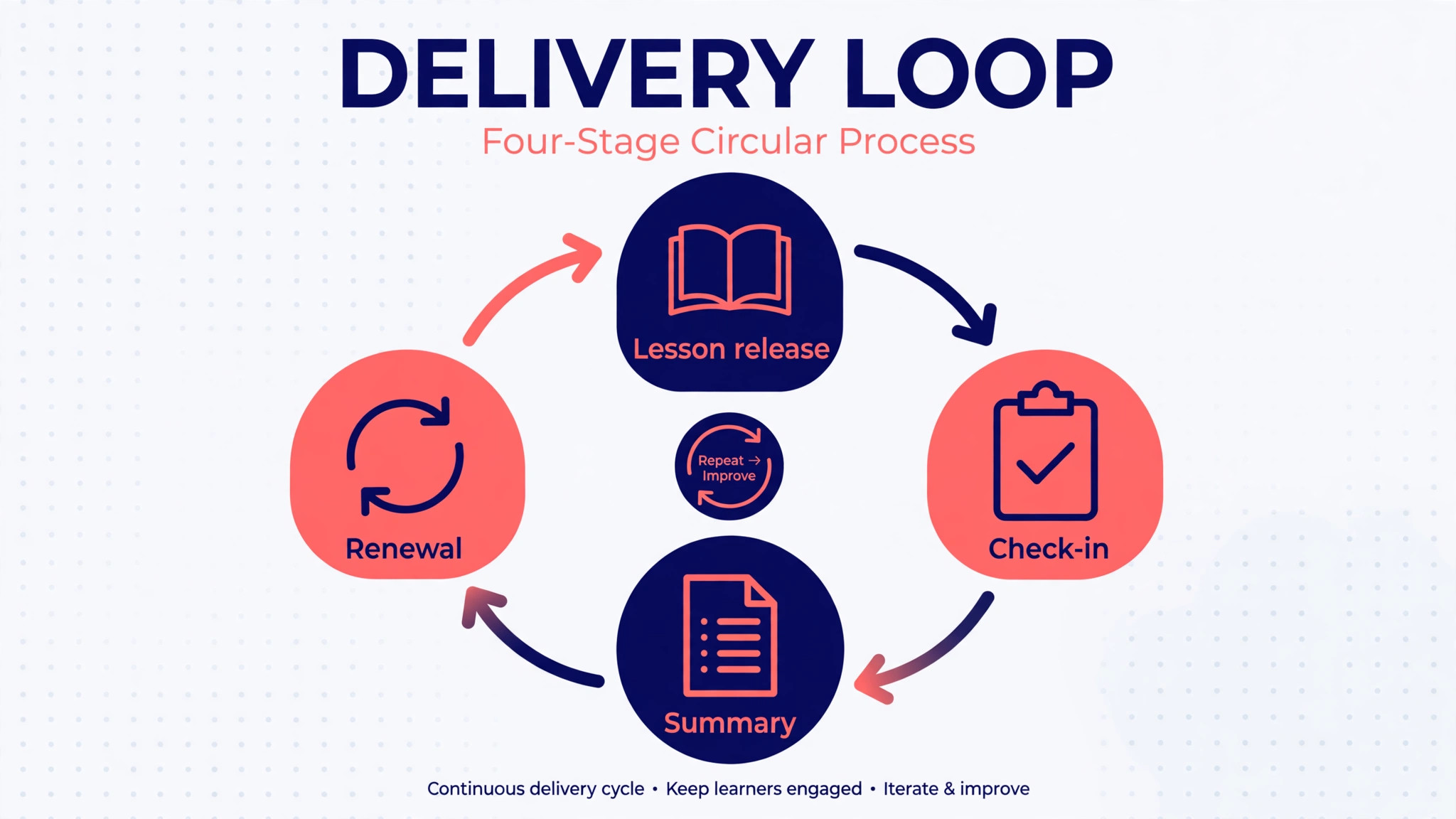
Start by mapping the delivery loop before buying any tool. A coaching program is a loop with four repeating parts, and each part can be automated separately. First, content goes out on a schedule, whether that is a lesson, a workout, a worksheet or a video. Second, the client does the work and reports back through a check-in, a form or a message. Third, the coach reviews the report and responds with feedback or an adjustment. Fourth, the system summarises progress and flags what needs attention next. Write that loop down for one real program, then judge every tool by how well it runs that loop without manual steps.
Next, decide what the AI should draft and what it should never send alone. AI is good at drafting progress summaries from check-in data, suggesting the next lesson based on completion, and writing first drafts of reminder messages. It is not good at judging whether a client is struggling emotionally, whether a goal needs changing, or whether a renewal conversation is appropriate. The rule that works is simple. AI drafts, the coach approves, and nothing sensitive goes out without a human reading it first. That rule protects clients and it protects the coach reputation.
Then set the automation triggers. A lesson drip should release when the previous lesson is marked complete, not merely when a calendar date arrives, because clients move at different speeds. A homework reminder should fire when homework is overdue, not on a fixed day that may nag clients who already finished. A renewal prompt should fire two weeks before the program ends, while the client still has momentum, not on the final day when the decision already feels like a goodbye. Triggers based on behaviour beat triggers based on dates, and the best platforms let the coach build both.
The Delivery Workflow in Seven Steps
This workflow is the overview-proof core of the system. It turns a coaching program from a collection of messages into a repeatable operation, and it works for fitness coaches, business coaches and life coaches alike, with the content changed and the structure kept.
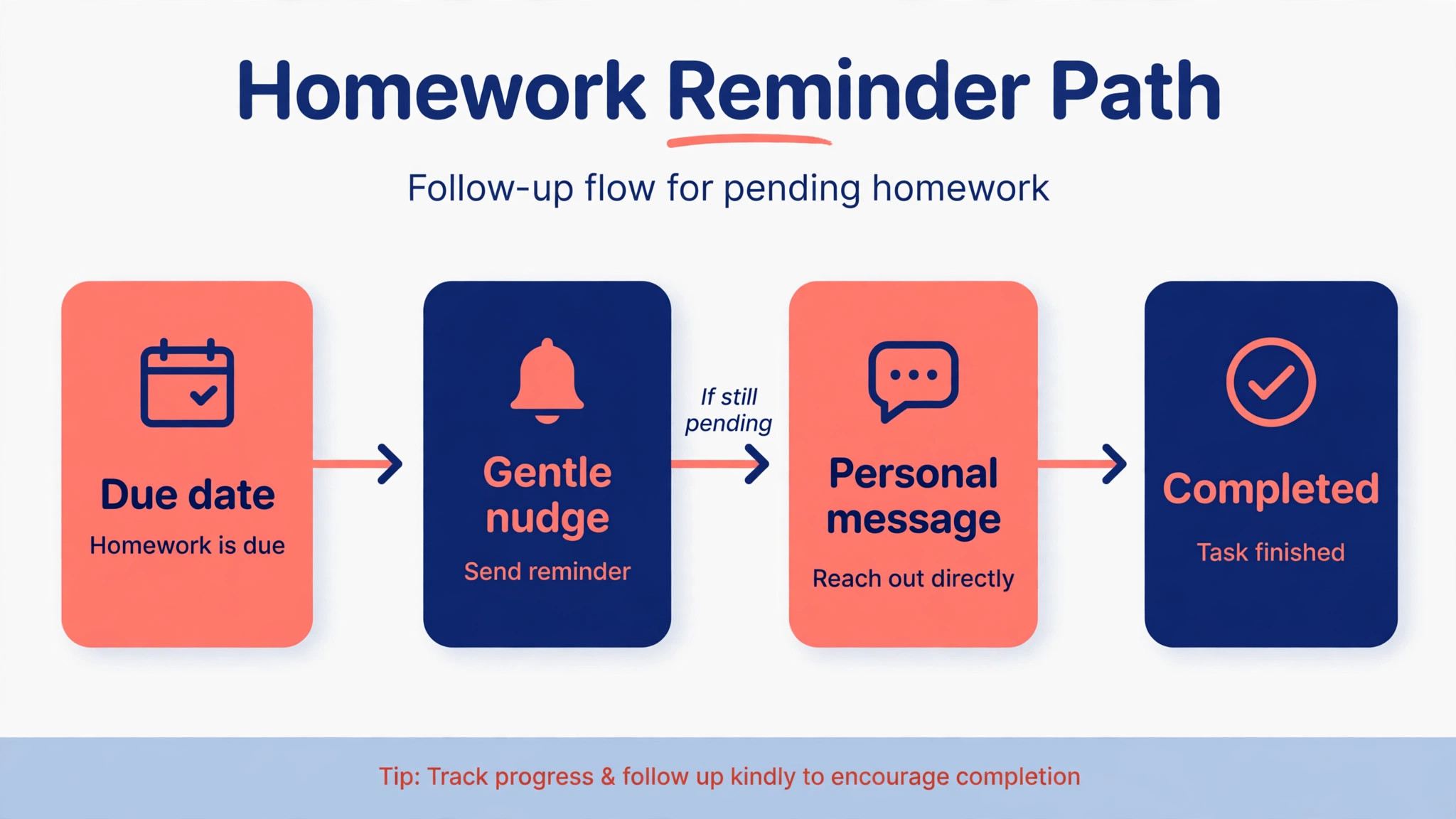
1. Onboard once, with a single intake that captures goals, starting point, schedule, communication preference and payment in one pass. A client who fills five separate forms before the first lesson starts the program annoyed, and a coach who retypes intake answers into three tools starts it behind. One intake, stored once, feeding every later step. 2. Build the program as a template with lessons, homework, check-ins and milestones in order, then personalise the template per client instead of rebuilding from scratch each time. Templates are what make automation possible at all, because a system cannot drip a program that only exists in the coach head. Spend the time once, and every later client benefits. 3. Set the lesson drip rules, so each lesson releases when the previous one is complete or when its scheduled date arrives, whichever the coach chose for that program. Clients who race ahead should not hit a wall, and clients who fall behind should not be buried under six unopened lessons. A drip that adapts to pace keeps both kinds of client moving. 4. Automate homework reminders with an escalating rhythm. A gentle nudge the day homework is due, a firmer reminder two days later, and a personal message from the coach after a week of silence. The first two steps can be fully automatic, and the third step is where the coach earns their fee, because a personal message after automated nudges feels like attention rather than nagging. 5. Collect check-ins on a fixed rhythm, weekly for most programs, and let the AI draft a summary of each check-in against the client goals. The draft should pull numbers, completion and the client own words into one short brief, so the coach can review ten check-ins in the time it used to take to review three. The coach edits, approves and sends, and the client gets a summary that proves their work was actually read. 6. Generate a progress summary at each milestone, not just at the end of the program. A four-week summary that shows what changed, what stalled and what comes next gives the client a reason to continue and gives the coach a natural moment to adjust the plan. Milestone summaries are also the best renewal tool a coach owns, because they make progress visible at exactly the moment the client decides whether to continue. 7. Trigger renewal prompts before the program ends, with the prompt timed to momentum rather than to expiry. Two weeks before the final lesson, the system should surface the client progress summary, the next-step options and a booking link for a renewal conversation. A client who sees their own progress and a clear next step renews far more often than a client who gets a generic invoice on the last day.
Platforms That Deliver Programs and Automate the Chasing
Prices below come from recent third-party comparisons of coaching platforms, so check the vendor current pricing page before buying, because coaching software prices move and client limits change the real cost fast.
| Platform | Reported starting price | Delivery automation strength |
|---|---|---|
| Trainerize | From 10 dollars a month for 2 clients, free for 1 client | Drip campaigns, auto-posts, habit streaks and a branded app |
| TrueCoach | From 26.34 dollars a month for 5 clients | Strong programming and messaging, weaker on drip sequences |
| PT Distinction | From 19.90 dollars a month for 3 clients | Programmes, nutrition, habits, groups and a branded app |
| Everfit | Free for up to 5 clients | Low-cost start for coaches testing automation |
| Coach Catalyst | From 5 dollars a month for 3 clients | Group accountability and habit coaching |
| Trainera | Free plan for 3 clients | AI assistant that builds plans and reviews check-ins, with coach approval |
Trainerize
Trainerize is the automation-first choice, and the reason it leads this guide. It automates client check-ins and progress tracking through native drip campaigns, auto-posts, push notifications and habit streaks with built-in gamification, so clients get nudged, reminded and rewarded without the coach watching a dashboard all day. It also covers workouts, nutrition, habits, messaging, payments and a branded app in one platform, which suits coaches who want one system rather than four subscriptions.
At a reported starting price of 10 dollars a month for 2 clients, with a free plan for 1 client, the entry cost is low, but coaches should price it at their real client count, because the same comparison puts 50-client costs far higher. Choose Trainerize if automation and engagement matter most. Skip it if the coach wants the simplest possible programming screen, because its breadth takes longer to learn than a narrow tool.
TrueCoach
TrueCoach is the programming-first choice, trusted by more than 15,000 coaches and gym owners according to its own comparison materials. Its workout builder is fast, its templates are strong, and its comment feature on every exercise creates a genuine back-and-forth between coach and client. The honest limitation is automation, because TrueCoach has no drip sequences, no automated follow-ups and no habit coaching infrastructure, so the coach still sends the nudges by hand.
At a reported starting price of 26.34 dollars a month for 5 clients, it suits strength and performance coaches whose main job is programming quality. Choose TrueCoach if program design is the product. Skip it if the coach needs delivery to run itself, because that is the job TrueCoach does not claim to do.
PT Distinction
PT Distinction is the best all-round coaching app in several recent comparisons, scoring 4.9 out of 5 on Capterra in one roundup. It covers programmes, nutrition, habits, groups and a branded app, which makes it a strong fit for coaches who sell complete programs rather than single workouts.
At a reported starting price of 19.90 dollars a month for 3 clients, with a one-month free trial, it sits in the middle of the price range and grows to a reported 89.90 dollars at its Master tier for larger rosters. Choose PT Distinction if the coach wants one platform that handles both the program and the business around it. Skip it if the coach only needs workout delivery, because the extra features will sit unused.
Everfit
Everfit is the low-risk trial for coaches who want to test delivery automation before paying. It is free for up to 5 clients in recent comparisons, which is enough to run a real pilot group and learn whether automated check-ins and reminders actually change client behaviour. Its paid tiers grow with the roster, so the coach should model the price at 20 and 50 clients before building a whole business on the free tier. Choose Everfit if budget is tight and the coach is still proving the offer. Skip it if the coach needs deep automation on day one, because the free tier is a starting point, not a full system.
Coach Catalyst
Coach Catalyst is the group accountability pick, at a reported starting price of 5 dollars a month for 3 clients. It suits coaches who run groups through lessons and communities, where peer accountability and habit tracking matter more than complex programming. A business coach running a cohort, or a wellness coach running a habit challenge, will get more from its group tools than from a workout builder. The limitation is programming depth, because it is not built for detailed strength or performance programming. Choose Coach Catalyst for group programs. Skip it for one-to-one performance coaching, where TrueCoach or PT Distinction fit better.
Trainera
Trainera is the AI-forward option, with an assistant called TRAI that builds plans from the coach own library, reviews check-ins and drafts messages to clients, with every change waiting for coach approval. That approval step matters, because it keeps the coach in control of what clients receive while still removing the drafting work. Its free plan holds 3 clients, and paid plans scale from there, with a fee on payments made inside the platform that coaches should read carefully before selling through it. Choose Trainera if the coach wants AI drafting built in from the start. Skip it if the coach prefers a mature platform with a longer track record, because Trainera is newer than Trainerize or TrueCoach.
Delivery Checklist Before the First Client Enters the System
Run this checklist for every program before it goes live. A program that passes these checks will run for weeks with little attention, while a program that fails two or more will generate support messages from day one. The checklist is also a fair test of whether you use AI for coach program delivery automation well, because a system that cannot pass it is not ready for paying clients.
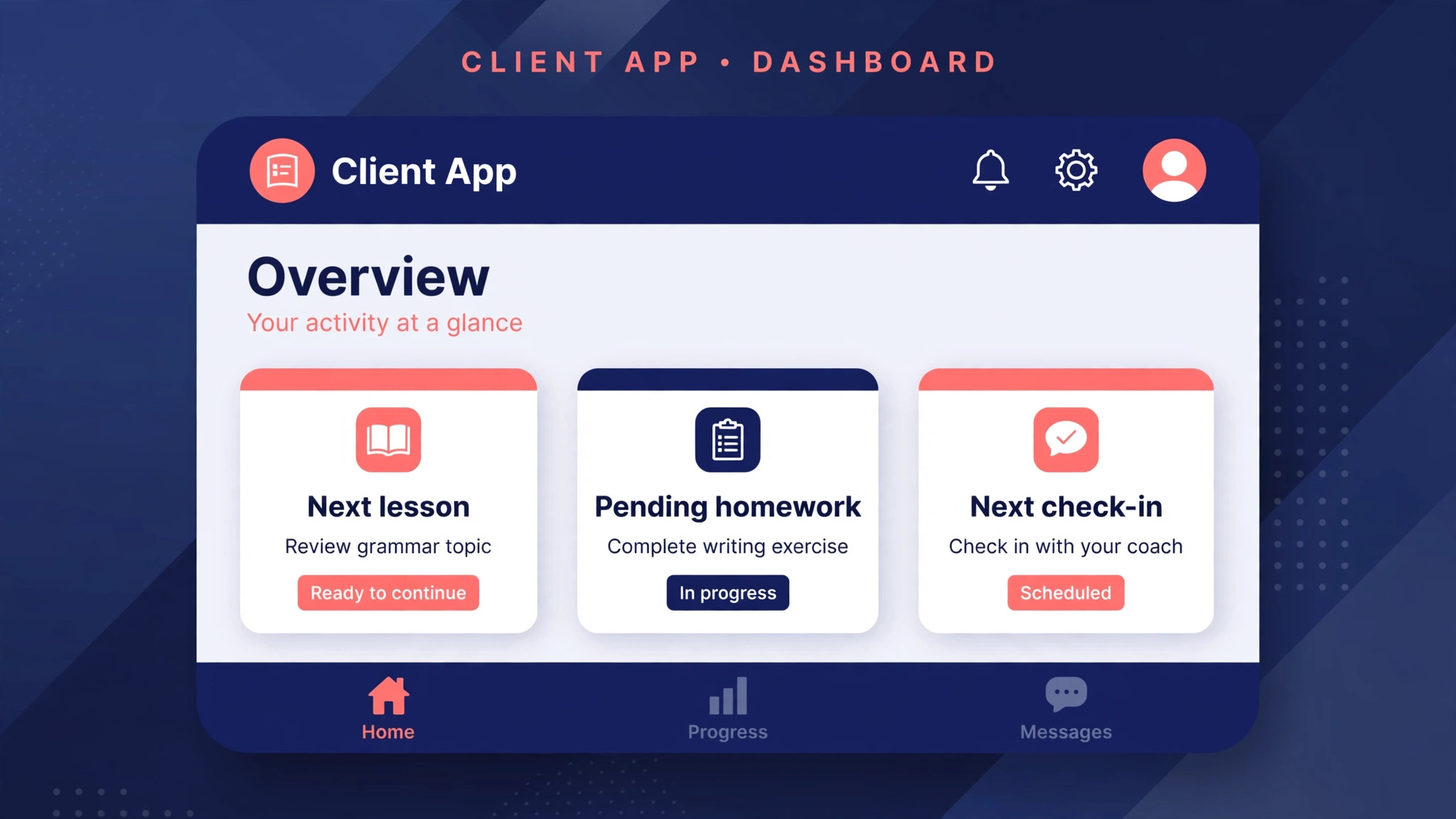
– Write the program as a template with lessons, homework, check-ins and milestones in order, and test the full sequence on a test client account. – Set drip rules by completion where pace varies, and by date only where a cohort must move together, and confirm which rule each lesson uses. – Write homework reminders in the coach voice, with an escalating rhythm that ends in a personal message, not in a fourth automated nudge. – Confirm that check-in summaries are drafts for coach approval, never messages that send themselves without review. – Set the renewal prompt to fire two weeks before the program ends, linked to the latest progress summary. – Test payment, expiry and failed payment behaviour, so a client whose card fails does not lose access without warning. – Confirm the client app shows the next lesson, the pending homework and the next check-in on one screen, because a confused client stops opening the app. – Export client data and program templates monthly, so the business is never locked into a platform it cannot leave.
What Delivery Automation Is Worth in Hours and Renewals
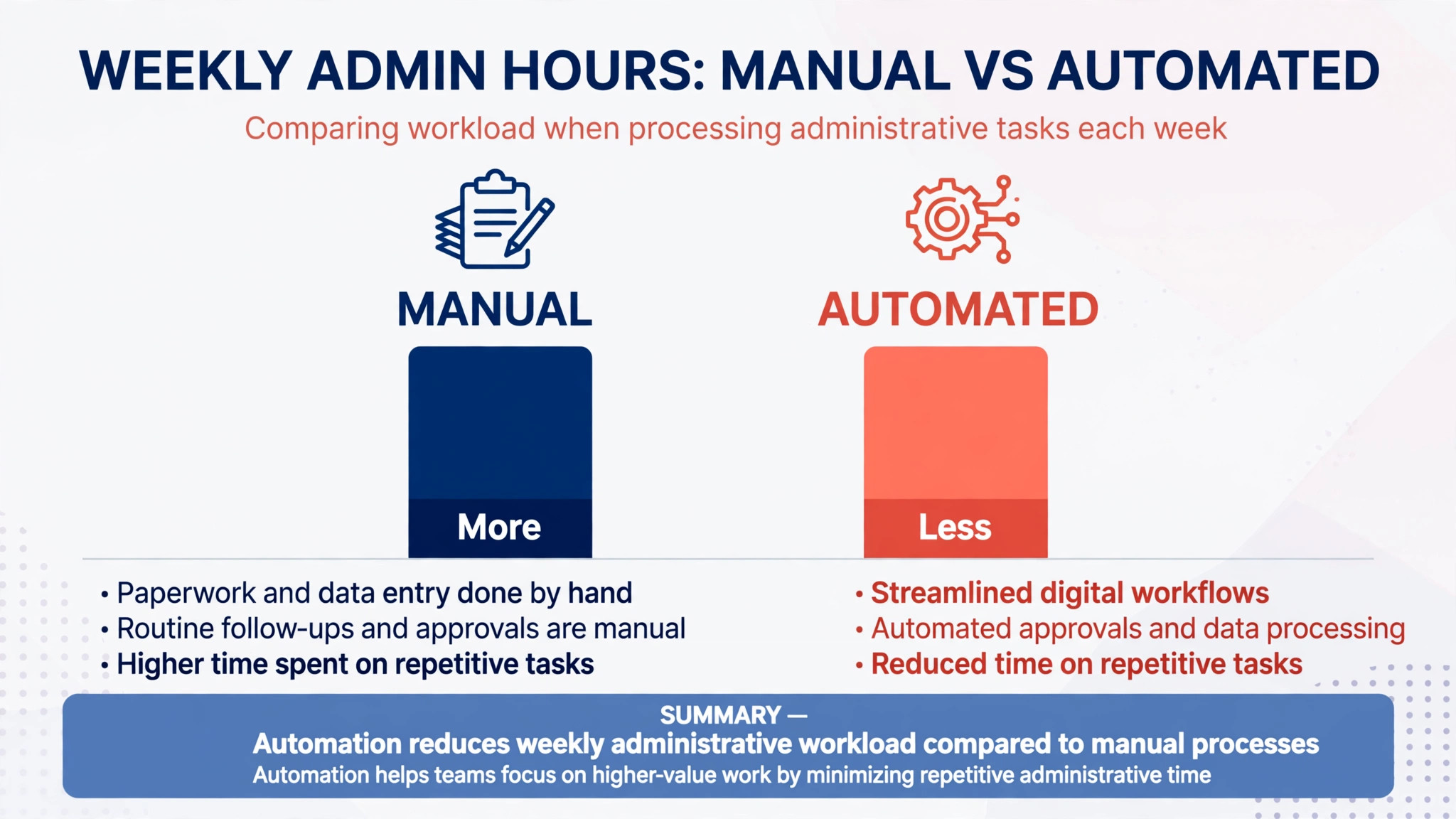
A coach with 30 clients who spends 15 minutes per client per week on chasing, summarising and scheduling is spending seven and a half hours a week on delivery administration. Automation rarely removes all of that, because review and personal messages still need a human, but cutting it in half returns nearly four hours a week, which is a coaching slot, a sales call or simply a shorter working day. The maths is worth doing honestly, because a platform that costs 60 dollars a month and returns four hours a week pays for itself many times over, while a platform that costs the same and saves nothing is an expensive address book.
Renewals are the second return, and they are harder to measure but easier to feel. Clients renew when they can see progress, when they feel noticed, and when the next step is obvious before the current program ends. When you use AI for coach program delivery automation with that goal in mind, milestone summaries make progress visible, check-in replies make clients feel noticed, and renewal prompts timed to momentum make the next step obvious. A coach who automates those three moments will renew more clients without becoming pushy, because the system is surfacing real progress rather than manufacturing urgency.
| Roster size | Reported monthly platform range | What to watch |
|---|---|---|
| 1 to 5 clients | Free to about 26 dollars | Free tiers are generous, but check what automation is actually included |
| 20 clients | Mid tier pricing, model before signing | Per-client pricing climbs fast, so price at real roster size |
| 50 clients | About 59 to 137 dollars in one comparison | At this size, automation quality matters more than entry price |
Mistakes That Make Automation Feel Cold
The most common mistake is automating the message and forgetting the person. A client who reports a bereavement, an injury or a job loss in a check-in and receives a cheerful automated summary will feel unheard, and that feeling ends coaching relationships. Build a rule that flags sensitive words for human review before any automated reply goes out, and make sure the coach reads check-ins personally when a client score drops sharply. Automation should handle the routine so the coach has time for the moments that matter, not replace the coach in the moments that matter.
The second mistake is dripping too much content too fast. A program that releases six lessons in the first week overwhelms new clients, who then avoid the app entirely rather than admit they are behind. Pace the drip to completion, celebrate small wins, and let clients who race ahead unlock bonus material rather than the whole course at once. A client who feels behind stops opening messages, and a client who stops opening messages is already halfway out the door. Coaches who use AI for coach program delivery automation should check pace weekly, because a drip that felt right at launch can feel wrong once real clients move at real speeds.
The third mistake is buying on features and never finishing setup. Coaches often pay for a platform, import clients, and then keep running delivery by email because the templates were never finished. The fix is a setup deadline. Finish one complete program template, run one real client through it end to end, and only then migrate the rest of the roster. A half-migrated roster is worse than no migration, because clients get different experiences depending on which system holds them.
The First Thirty Days After Switching
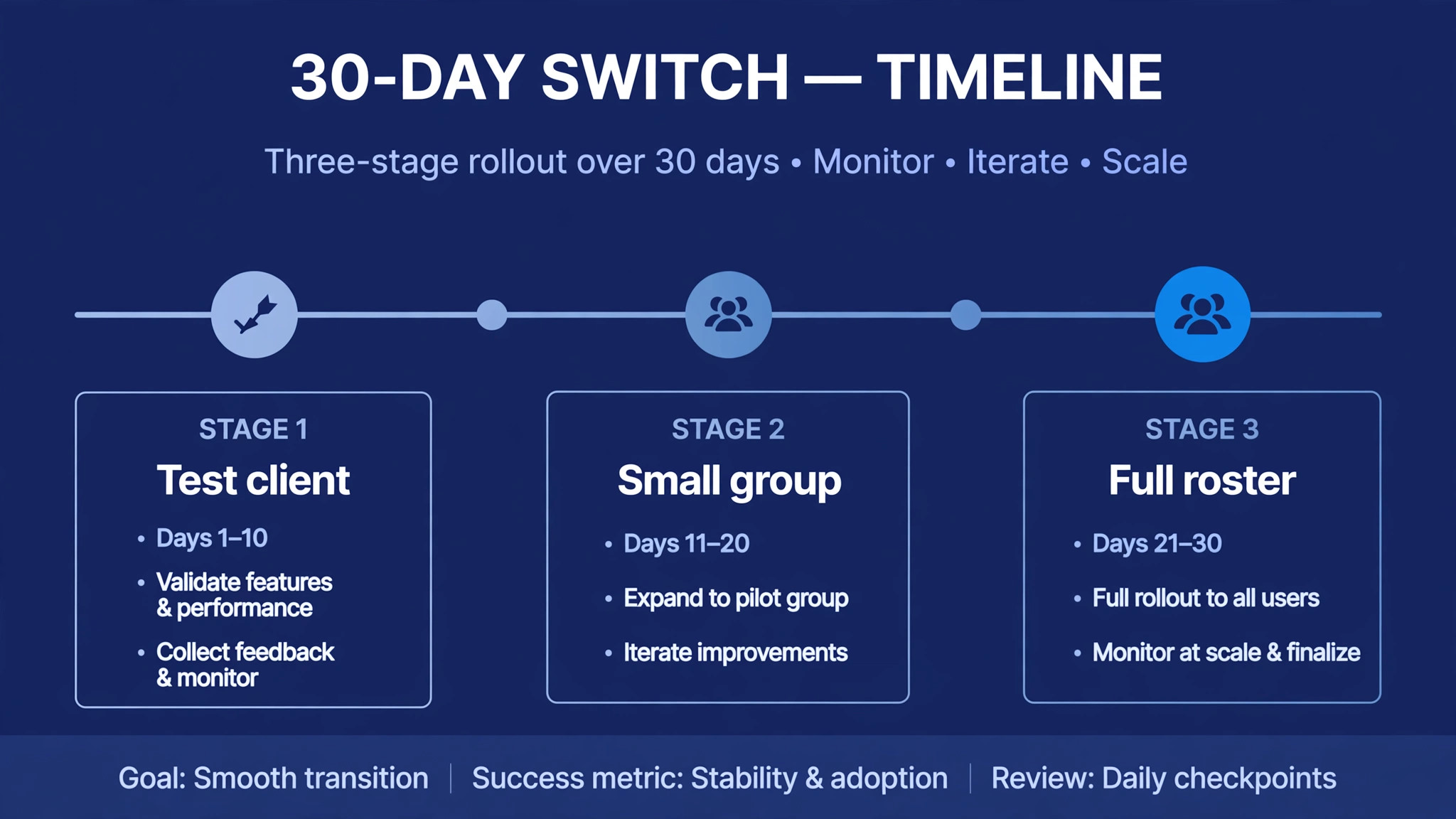
In the first week, pick one program, build it as a template, and run it with a test client account from intake to first milestone summary. Fix every confusing screen and every message that sounds wrong before a paying client sees them. A test client account is cheap insurance, and it catches the broken drip rules and missing reminders that a demo never shows.
In the second week, migrate five real clients and watch the delivery loop daily. Are lessons releasing on time, are homework reminders arriving, are check-in drafts useful, are renewal dates correct. Ask those five clients directly how the experience feels, because clients will tell the truth about confusing apps when asked plainly, and they will silently leave when not asked at all.
In weeks three and four, migrate the rest of the roster in batches, turn on milestone summaries, and set the renewal prompt timing. By day thirty, the coach should be spending delivery time on review and personal messages only, with the system handling release, reminders and summaries. If the coach is still chasing homework by hand at day thirty, the setup is unfinished, not the platform inadequate, and the fix is template work, not a new subscription. That thirty-day test is the honest measure of whether you use AI for coach program delivery automation or merely pay for it.
Pick by Coaching Type
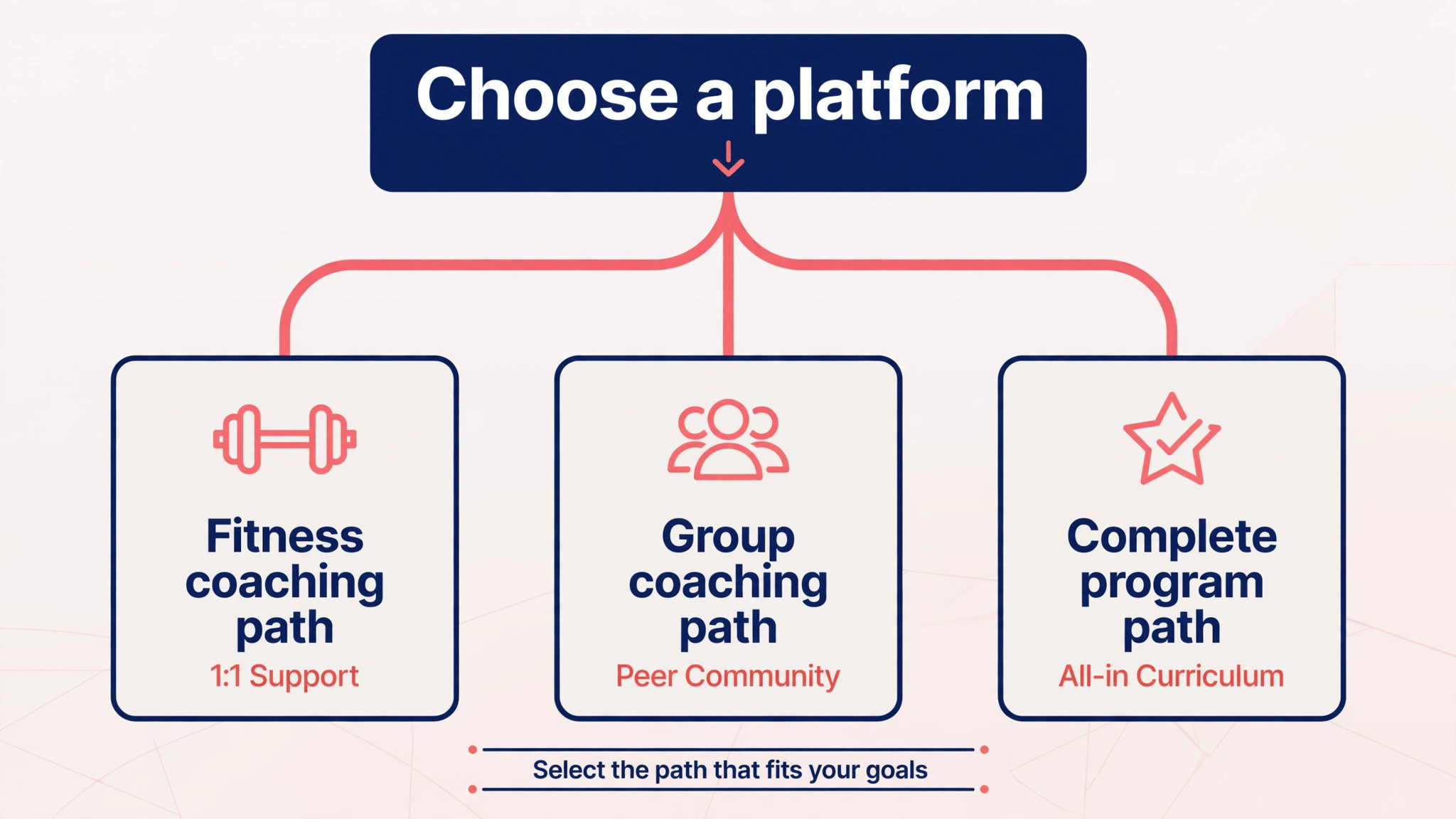
The right platform changes with the coaching type, because a fitness program and a business program need different delivery tools.
| Coaching type | Best starting platform | Why it wins |
|---|---|---|
| Fitness and hybrid coaching | Trainerize | Drip campaigns, habits and engagement automation built in |
| Strength and performance | TrueCoach | Fast programming, templates and exercise-level feedback |
| Group and cohort programs | Coach Catalyst | Group accountability and habit coaching at a low entry price |
| Complete online programs | PT Distinction | Programmes, nutrition, habits and groups in one place |
| AI-assisted delivery | Trainera | AI drafting with coach approval on every change |
A coach who sells both fitness and business programs may need two setups or one platform with strong templates, and that decision should be made before migrating clients, because moving a roster twice costs more trust than choosing slowly once.
Frequently Asked Questions
How much of program delivery can AI really automate?
AI can draft summaries, schedule releases, send reminders and flag clients who fall behind, which covers most of the repetitive delivery work. It cannot judge a client emotional state, change a goal responsibly, or hold a renewal conversation with tact. The working split is AI drafts and the coach decides, and coaches who keep that split get the time saving without the quality risk.
Will clients notice that messages are automated?
Clients notice bad automation, not good automation. A reminder that arrives at the right moment with the right homework named feels like attention, while a generic message that ignores what the client just reported feels like a machine. Personalise with the client name, the specific lesson and the specific homework, and keep a human message in the rhythm so automation never becomes the whole relationship.
What is a lesson drip, and why does release timing matter?
A lesson drip releases program content gradually instead of all at once, either by date or by completion of the previous lesson. Timing matters because clients who get everything at once feel overwhelmed and clients who wait too long feel stalled. Completion-based drips suit self-paced programs, while date-based drips suit cohorts that should move together.
How do homework reminders avoid annoying clients?
By escalating gently and stopping when the work is done. A short nudge on the due day, a firmer reminder two days later, and then a personal message from the coach is a rhythm clients accept, because it feels like a coach paying attention rather than a system nagging. Reminders that repeat daily without change, or that fire after the homework is already submitted, are the ones clients mute.
Should progress summaries be sent automatically?
Drafts can be automatic, but sending should need coach approval. A summary that misreads a client situation, or that celebrates progress a client does not feel, damages trust if it goes out unchecked. The efficient workflow is AI draft, coach edit in minutes, then send, which keeps the personal quality while removing most of the writing time.
When should a renewal prompt go out?
Two weeks before the program ends is the sweet spot for most programs, because the client still has momentum and the latest milestone summary is fresh. A prompt on the final day feels like an invoice, while a prompt a month early feels premature and easy to ignore. Link the prompt to the progress summary, so the client decides with their own results in front of them.
Can one platform handle both fitness and business coaching?
It can, if the platform supports flexible templates, because the delivery loop is the same even when the content differs. Trainerize and PT Distinction both handle varied program types through templates, while TrueCoach suits fitness-first coaches. A coach selling two very different programs should test both program types on one platform before committing, rather than assuming flexibility from a feature list.
What happens to client data if I switch platforms later?
That depends on the platform export tools, so check before signing, not when leaving. Ask for a sample export during the trial and confirm that client records, program templates, check-in history and progress summaries come out in a usable form. A platform that blocks exports should be treated as a risk, whatever its price, because a coaching business owns its client relationships and should keep its own records.
The Verdict
For most coaches, Trainerize is the sensible first trial, because it automates the chasing that eats coaching weeks, and its drip campaigns, habit streaks and branded app cover the delivery loop end to end. Strength coaches should trial TrueCoach for programming depth, group coaches should trial Coach Catalyst for accountability at a low price, and coaches who want a complete online program should trial PT Distinction. Trainera deserves a look from coaches who want AI drafting with approval built in.
Whichever platform wins the trial, the discipline decides the result. Build one complete template, set behaviour-based triggers, keep AI drafts under human approval, and time renewal prompts to momentum rather than expiry. A coach who does that will spend the week coaching instead of chasing, and clients will feel the difference in every lesson that arrives on time, every check-in that gets a real reply, and every milestone that shows their progress back to them. That is the whole point when you use AI for coach program delivery automation, and it is a point worth getting right before the roster grows any further.