

Notion AI takes the top spot among the best ai content planning tools for bloggers because it holds the whole blogging workflow in one place, from idea capture and research notes to outlines, drafts and a publishing calendar. A blogger can brainstorm with the AI, turn a rough idea into a structured outline and track every post from draft to published without opening another app. That single-workspace simplicity is what a solo blogger actually needs.
Bloggers fail on planning more than on writing. The writing itself is rarely the problem, and the real problem is deciding what to write next, keeping ideas organised and publishing on a schedule that search engines reward. A blogger with fifty half-formed ideas in three notebooks will publish less than one with ten ideas in a clear calendar, even if the second blogger writes more slowly.
This guide compares ten planning tools on the factors that decide whether a blogger publishes consistently. Idea capture, calendar clarity, AI drafting help, SEO guidance and price all matter more than a long feature list. I checked all ten tools as live in November 2026, and the prices come straight from vendor pages, so confirm the figure on the vendor page before paying.
Why Bloggers Plan Differently From Marketers
Bloggers work alone or in tiny teams, which changes what a planning tool must do. A marketing department needs approvals, brand controls and campaign views, while a blogger needs a fast way to capture an idea at midnight, turn it into an outline the next morning and track it through to publication. The best ai content planning tools for bloggers optimise for one person moving fast, not for a committee moving carefully.
Search intent shapes the plan more than any calendar feature. A blogger who writes for Google needs to know which keywords are worth targeting, what the competition covers and where the gaps are, and the planning tool should surface that information while the idea is still fresh. Tools that combine planning with SEO research save the blogger from switching between three apps for every post.
A third difference is the publishing rhythm. A blogger who publishes twice a week needs a calendar that shows the next four weeks at a glance, with drafts, images and promotion tasks attached to each post. A tool that buries the calendar under project management features will be ignored, while one that puts the calendar first becomes the daily home page.
A fourth difference is the archive. A blogger with three hundred posts needs to find old content, update it and link new posts to it, and the planning tool should make that easy. Internal linking is one of the highest-return activities a blogger can do, and a tool that surfaces related posts while drafting turns a chore into a habit.
A final difference is cost sensitivity. Most bloggers earn modestly from their sites, so a tool that costs 140 dollars a month must earn its keep in traffic or time saved. The tools in this guide range from free to premium, and the right choice depends on whether the blog is a hobby, a side income or a full-time business.

The 10 Tools at a Glance
| Tool | Main job | Best for | Starting price |
|---|---|---|---|
| Notion AI | Notes, planning and drafting | Solo bloggers who want one workspace | 10 dollars a month per user |
| ClickUp | Project and content management | Bloggers with a small team | 7 dollars a month per user |
| Airtable | Flexible content databases | Bloggers who love spreadsheets | 20 dollars a month per user |
| Trello | Visual boards and cards | Bloggers who think in boards | 5 dollars a month per user |
| CoSchedule | Marketing calendar | Bloggers who promote heavily | 29 dollars a month per user |
| Semrush | SEO research and planning | Bloggers who chase search traffic | 140 dollars a month |
| Surfer | Content optimisation | Bloggers who optimise for ranking | 79 dollars a month |
| Frase | AI research and briefs | Bloggers who write data-led posts | 15 dollars a month |
| Jasper | AI writing assistant | Bloggers who need drafting help | 39 dollars a month |
| Planable | Content review and approval | Bloggers with contributors | 33 dollars a month per user |
Best Pick by Job
| Job type | First pick | Second tool | Why this pair works |
|---|---|---|---|
| Solo blogger | Notion AI | Frase | Notion plans everything and Frase researches each post |
| SEO-focused blogger | Semrush | Surfer | Semrush finds keywords and Surfer optimises the draft |
| Small team blog | ClickUp | Planable | ClickUp manages the work and Planable handles approvals |
| Visual planner | Trello | Airtable | Trello shows the board and Airtable stores the data |
| Social-heavy blogger | CoSchedule | Jasper | CoSchedule plans promotion and Jasper drafts the copy |
Job type decides the winner because a solo blogger and an SEO-focused blogger need different tools. The solo blogger needs one workspace that holds everything, while the SEO blogger needs research depth and optimisation scoring. The pairs above give each blogger a primary tool and a second that covers the gap.
Budget also follows the job. A hobby blogger can run on Trello and Frase for under 20 dollars a month, while a full-time blogger who earns from search can justify Semrush at 140 dollars a month because one ranking post pays for a year. Among the best ai content planning tools for bloggers, the right price is the one the blog’s income supports, and the tool should be upgraded when traffic grows rather than before it does.
How to Judge the best ai content planning tools for bloggers
Start with the capture test, because ideas arrive at inconvenient times. Note an idea on the phone, add a link and a rough angle, then check whether the tool keeps it organised and searchable a week later. The best ai content planning tools for bloggers make capture instant and retrieval easy, so an idea noted on a walk becomes a draft on Monday rather than a forgotten note.
Next, test the calendar. Plan four weeks of posts, attach drafts and promotion tasks to each one, then check whether the calendar shows the whole month clearly. A tool that makes the schedule visible at a glance will keep the blogger publishing, while one that hides it behind menus will let the schedule slip. Look for drag-and-drop rescheduling and a clear view of what is due this week.
Then test the AI drafting help. Give the tool a topic and a keyword, ask for an outline, and judge whether the structure is sensible and the headings cover what readers need. A good AI outline saves an hour of structuring, while a bad one creates more work than it saves. The best tools in this guide draft outlines that need editing rather than rewriting.
Finally, test the SEO guidance. Check whether the tool shows keyword difficulty, search volume and the topics competitors cover, and whether it scores a draft against the pages already ranking. A blogger who writes for search needs that feedback while drafting, not after publishing, since fixing a post after it ranks poorly takes longer than writing it well the first time.
The 10 Tools in Detail
Solo-blogger fit sets the order below, so the workspace that holds the most of the workflow leads.
1. Notion AI
Notion AI turns Notion from a notes app into a full blogging workspace, with AI that drafts outlines, summarises research, rewrites paragraphs and generates ideas from a topic. A blogger can keep a content calendar, a research database and every draft in one place, with the AI available inside any page. The flexibility is unmatched.
The single-workspace model is the strength. A blogger can capture an idea in a database, move it through a kanban board from idea to published, draft the post in the same page and track promotion tasks alongside it. Templates cover editorial calendars, content briefs and SEO checklists, and the AI writes first drafts that need editing rather than starting over.
Notion costs 10 dollars a month per user for the Plus plan with AI, and the flexibility can overwhelm a new user who just wants a calendar. The AI writing is helpful for outlines and drafts but needs careful editing, and the platform lacks the SEO depth of Semrush or Surfer. Bloggers who want built-in publishing will need to connect another tool.
Notion AI suits solo bloggers who want one workspace for everything. It fits writers who plan, research and draft in the same place, and it rewards those who invest time in setting up templates that match their workflow.
2. ClickUp
ClickUp is a project management platform that bloggers use to run their editorial process, with tasks, calendars, docs and AI assistance in one system. A blogger can plan a month of posts as tasks, assign writing, editing and promotion steps, and track everything on a calendar or board view. The AI drafts outlines and summaries inside any task.
The structure is the advantage. A blogger with a small team can see who is doing what, what is overdue and what publishes this week, all in one dashboard. The docs feature holds drafts, the calendar shows the publishing schedule and the automations move tasks through the pipeline without manual work. The price is low for the depth.
ClickUp pricing starts at 7 dollars a month per user, and the platform is large, so a solo blogger may find it more than needed. The learning curve is real, and the AI features are newer than Notion’s. Bloggers who want a simple calendar will find ClickUp’s breadth distracting.
ClickUp suits bloggers with a small team or a complex publishing process. It fits sites that publish often with several contributors, and it rewards those who use the task and automation features fully.
3. Airtable
Airtable combines a spreadsheet with a database, letting bloggers build a content system that matches their exact workflow. A blogger can track ideas, keywords, drafts, images and promotion in linked tables, with views that show the calendar, the kanban board or the gallery as needed. The AI assists with summarising and categorising content.
The flexibility is the core value. A blogger can build a system that tracks keyword difficulty, search volume, author, status and publish date in one place, with formulas that calculate the pipeline automatically. The interface is clean, the mobile app is good and the integrations cover most publishing platforms.
Airtable costs 20 dollars a month per user, and building a good system takes time and skill. The AI features are lighter than Notion’s, and the platform is a planning tool rather than a writing tool, so drafts live elsewhere. Bloggers who want an out-of-the-box calendar will need to build it first.
Airtable suits bloggers who love structured data and want a custom content system. It fits data-led bloggers and small teams, and it rewards those who invest in building the base properly.
4. Trello
Trello is the simplest visual planning tool, with boards, lists and cards that show a blogger’s pipeline at a glance. A blogger can move a post from idea to draft to published by dragging a card, attach checklists for images and SEO, and see the whole month on one board. The AI features assist with summarising and drafting card content.
The simplicity is the appeal. Trello needs no setup, no training and no configuration, and a new blogger can have a working editorial board in ten minutes. The Power-Ups add calendar views, automation and integrations, and the mobile app is excellent for capturing ideas on the go.
Trello costs 5 dollars a month per user for the Standard plan, and it is a planning tool rather than a writing or SEO tool. Bloggers who need keyword research, content scoring or drafting help will need a second tool, and the board can become cluttered as the post count grows. The AI features are basic.
Trello suits bloggers who think visually and want the simplest possible pipeline. It fits beginners and hobby bloggers, and it rewards those who keep the board tidy and review it weekly.
5. CoSchedule
CoSchedule is a marketing calendar built for content teams, with a unified view of blog posts, social promotion and email campaigns. A blogger can plan a post, schedule its social promotion and track the campaign in one calendar, with AI that suggests headlines and social copy. The ReQueue feature reshares evergreen posts automatically.
The promotion planning is the strength. A blogger who promotes every post on several channels saves hours by planning the post and its promotion together, and the calendar shows gaps where nothing is scheduled. The analytics show which posts drive traffic, and the integrations cover WordPress and the major social platforms.
CoSchedule pricing starts at 29 dollars a month per user, and the platform is built for marketing teams rather than solo writers, so some features will go unused. The AI writing is helpful but basic, and the SEO tools are thinner than the specialist platforms. Bloggers who only publish and rarely promote get less value.
CoSchedule suits bloggers who promote heavily on social and email. It fits sites where promotion is half the job, and it rewards those who plan campaigns rather than posting and hoping.
6. Semrush
Semrush is the most comprehensive SEO platform in this guide, with keyword research, competitor analysis, content planning and rank tracking in one system. A blogger can find keywords worth targeting, see what competitors cover, build a content brief and track the post’s ranking after publication. The AI assists with topic research and content ideas.
The research depth is unmatched. A blogger can see the exact keywords a competitor ranks for, the traffic each one drives and the gaps where no strong page exists, then build a plan around those gaps. The content marketing platform tracks every post from idea to published, and the SEO writing assistant scores drafts against the top-ranking pages.
Semrush costs 140 dollars a month, which is the most expensive tool in this guide, and the platform is large enough to overwhelm a beginner. The learning curve is steep, and a hobby blogger will struggle to justify the price. The content planning features are strong but sit inside a much larger SEO suite.
Semrush suits bloggers who earn from search traffic and need serious research. It fits full-time bloggers and small SEO teams, and it rewards those who use the keyword and competitor data weekly rather than occasionally.
7. Surfer
Surfer scores content against the pages already ranking for a keyword, giving a blogger a clear target for word count, headings, terms and structure. Its AI writes outlines and drafts based on the top-ranking pages, and the content editor shows a live score as the blogger writes. The platform also tracks rankings and suggests internal links.
The live scoring is the reason bloggers adopt it. A writer can see exactly which terms to include, how long the post should be and which headings the ranking pages use, then adjust the draft until the score turns green. The brief generator is strong, and the audit tool finds posts that need updating to regain rankings.
Surfer pricing starts at 79 dollars a month, and the platform focuses on optimisation rather than planning or research. A blogger still needs a keyword tool to choose topics, and the AI writing needs heavy editing to sound human. The interface is functional rather than beautiful.
Surfer suits bloggers who optimise for ranking and want clear, actionable guidance while writing. It fits SEO-focused writers, and it rewards those who follow the score without letting it flatten the writing into a template.
8. Frase
Frase builds content briefs from the top-ranking pages for a keyword, showing the questions readers ask, the headings competitors use and the topics a post must cover. Its AI drafts outlines and full posts based on that research, and the editor scores the draft against the competition. The price is low for the depth.
The brief quality is the standout. A blogger can see in minutes what a post needs to cover to compete, including the questions from forums and search that reveal real reader intent. The AI writing is solid for outlines and first drafts, and the integrations cover Google Docs and WordPress.
Frase costs 15 dollars a month, and the platform is narrower than Semrush, with less keyword research and rank tracking. The interface is clean but the feature set is focused, so bloggers who want a full SEO suite will need another tool. The AI drafts need editing to match a personal voice.
Frase suits bloggers who write data-led posts and want strong briefs at a low price. It fits solo bloggers and small teams, and it rewards those who research before writing rather than after.
9. Jasper
Jasper is an AI writing assistant that helps bloggers draft posts, headlines, introductions and social copy from a brief. It offers templates for blog posts, listicles and product descriptions, plus a brand voice feature that learns the blogger’s style. The platform integrates with Surfer for SEO scoring.
The drafting speed is the appeal. A blogger facing a blank page can get a structured first draft in minutes, then spend time editing and adding the expertise that AI cannot provide. The templates cover the common blog formats well, and the brand voice feature keeps the output consistent across posts.
Jasper costs 39 dollars a month, and it is a writing tool rather than a planning tool, so the calendar and research features are thin. The output needs careful editing to avoid a generic tone, and bloggers who write in a distinctive voice will spend as much time fixing the draft as writing it. The SEO features need the Surfer integration.
Jasper suits bloggers who need drafting help and write often. It fits writers who produce several posts a week, and it rewards those who treat the AI output as a first draft to be rewritten rather than a finished post.
10. Planable
Planable is a content review and approval platform that bloggers use when several people contribute to a site. It shows posts in a calendar or grid view, lets reviewers comment and approve, and schedules publication to WordPress and social channels. The AI assists with copy suggestions and scheduling.
The approval workflow is the core value. A blogger with guest writers, editors or a virtual assistant can review every post before it publishes, leave comments in context and approve with one click. The calendar view shows the whole month, and the integrations cover the major publishing platforms.
Planable costs 33 dollars a month per user, and the platform is built for teams rather than solo bloggers, so a single writer will find much of it unnecessary. The writing and SEO features are thin compared with the specialist tools, and the price adds up with several users.
Planable suits blogs with several contributors who need review and approval before publishing. It fits team blogs and guest-post-heavy sites, and it rewards those who use the approval workflow to keep quality consistent.
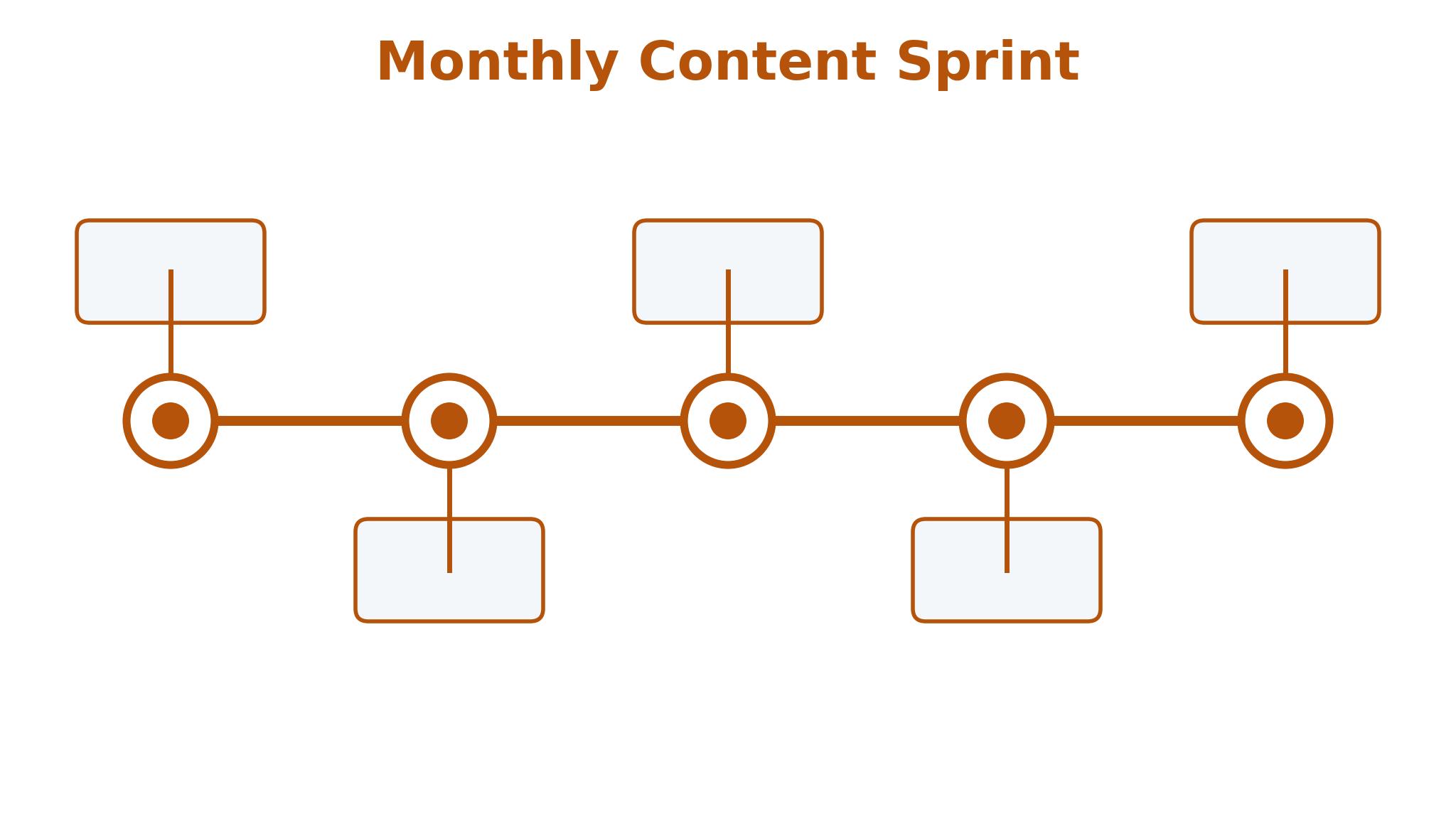
A Monthly Content Sprint in Five Days
A monthly sprint fits the way most bloggers actually work. Day one is research, so open the keyword tool, check the topics worth targeting and pick four posts that match the blog’s audience and the gaps in the competition. The best ai content planning tools for bloggers make this fast, since the research, the calendar and the brief live in the same place rather than in three separate apps.
Day two is outlining. Write the structure for all four posts in one sitting, with headings, key points and the sources each one needs. Outlining in a batch is faster than outlining one post at a time, because the blogger stays in planning mode and the posts connect to each other naturally. Internal links planned at this stage are far better than links added as an afterthought.
Days three and four are for drafting. Write two posts a day, using the AI for first drafts where it helps and adding the personal experience that makes the post worth reading. A blogger who drafts in batches writes faster, since the research is already done and the only job is to turn the outline into prose.
Day five is for editing and scheduling. Read each post aloud, fix the awkward sentences, add the images and schedule the posts across the month. A sprint that ends with four scheduled posts gives the blogger three free weeks to promote, update old content and research the next month, which is a healthier rhythm than writing under deadline every week.
Choosing Between a Planner, a Writer and an SEO Tool
The first decision is where the blogger’s time actually goes. A blogger who loses hours to disorganisation needs a planner, while one who stares at a blank page needs a writing assistant, and one whose posts never rank needs an SEO tool. The best ai content planning tools for bloggers match the biggest bottleneck first, since that is where the return is largest.
The second decision is about budget and stack. A blogger can run on Notion and Frase for under 25 dollars a month, or on Semrush and Surfer for over 200 dollars a month, and both stacks work when they match the blog’s income. The expensive stack earns its keep only when search traffic pays for it, so the blogger should upgrade when traffic grows rather than before it does.
The final decision is about voice. AI writing tools can flatten a blogger’s voice into generic prose, so the blogger must edit every AI draft until it sounds like them. A tool that helps with structure and research is safer than one that writes the whole post, since the reader follows a blogger for their perspective, not for a machine’s summary. The best ai content planning tools for bloggers respect that voice, and the ones that preserve it are the ones worth keeping.
Frequently Asked Questions
Which content planning tool is best for a solo blogger?
Notion AI is the strongest pick for a solo blogger because it holds planning, research and drafting in one workspace at a fair price. Frase is the best addition for research-led posts, and Trello is the simplest alternative for bloggers who just want a visual pipeline. Start with one, plan a month of posts, and add the second only when a clear gap appears.
How much should a blogger pay for planning tools?
Most bloggers pay between 10 and 40 dollars a month for planning and drafting tools, while SEO-focused bloggers pay 79 to 140 dollars a month for research and optimisation. The right spend matches the blog’s income, so a hobby blog should stay cheap and a full-time blog can invest more. Confirm the number on the vendor page before you pay, since prices change with promotions.
Can AI write a whole blog post?
AI can draft a post, but the result usually sounds generic and lacks the personal experience that readers value. The best approach is to let AI build the outline and the first draft, then rewrite it with real examples, opinions and data. Google rewards content that shows experience, so a post that is purely AI-written will struggle to rank and to keep readers.
How far ahead should a blogger plan content?
Four weeks is the right horizon for most bloggers, with a loose list of ideas for the next three months. Planning further ahead wastes time, since search trends and audience interests shift, while planning less than two weeks ahead creates deadline pressure. A monthly sprint with four scheduled posts gives the blogger structure without rigidity.
Do I need an SEO tool to run a blog?
Not at the start, although one becomes valuable as the blog grows. A new blogger can succeed with good writing and basic keyword sense, while a blog with a hundred posts needs research tools to find the gaps worth filling. Semrush and Surfer earn their price when search traffic is the main growth channel, and Frase is the cheaper step into that world.
How do I keep old blog posts ranking?
Update them regularly with fresh information, new examples and better internal links, and check their rankings monthly. A post that ranked well two years ago can slip when competitors update theirs, so a quarterly review of the top twenty posts protects the blog’s traffic. The tools here help by flagging posts that need attention and suggesting the updates that matter.
Plan the Month, Then Write the Week
Notion AI is the pick for most bloggers in this guide, with Semrush as the choice for SEO-focused writers and Frase as the budget research tool. The right tool is the one that turns ideas into scheduled posts without friction, because a blogger who publishes consistently beats one who writes brilliantly but rarely. Pick a platform this week, plan four posts in a single sprint, and let the publishing rhythm do the work that willpower cannot. Among the best ai content planning tools for bloggers, the winner is the one that keeps the calendar full.