
Fireflies.ai takes the top spot among the best ai meeting note takers for sales teams because it joins every call, transcribes it accurately, pulls out the action items and pushes them into the CRM without anyone typing a word. A sales rep can focus entirely on the buyer during the call, then find the notes, the follow-up tasks and the CRM update waiting when the call ends. That hands-free capture is what a busy sales team actually needs.
Sales teams lose deals in the gaps between calls. A rep forgets a promise made on Tuesday, a manager never hears the objection that killed a deal on Thursday, and a handover to a colleague misses the detail that mattered most to the buyer. Meeting notes close those gaps, but only when they are captured automatically, since no rep has time to write them properly after six calls a day.
This guide compares eight note takers on the factors that decide whether a sales team actually uses them. Transcription accuracy, CRM integration, coaching insight, security and price all matter more than a long feature list. All eight tools were live in November 2026, and the prices in this guide come from vendor pages, so check the vendor page for the current figure before paying.
Why Sales Calls Need Notes Nobody Has Time to Write
A sales call is a conversation, and a rep who types notes during it is not listening properly. The buyer notices when the rep looks away to write, and the rapport that closes deals suffers. The best ai meeting note takers for sales teams remove that tension entirely, since the AI listens, transcribes and summarises while the rep gives the buyer full attention.
The second problem is memory. A rep who takes six calls a day cannot remember the details of the first one by the evening, and the CRM entry written from memory will miss the exact wording of the objection, the budget figure and the timeline. Accurate transcripts fix this, because the rep can search the call rather than reconstruct it, and the follow-up email can quote the buyer back to themselves.
A third problem is coaching. Sales managers cannot sit in on every call, so they coach from second-hand reports that hide the real issues. Recorded and transcribed calls let a manager review the moments that matter, such as how the rep handled a price objection or whether they asked about the decision process, and give feedback based on evidence rather than on the rep’s summary.
A fourth problem is handover. When a deal moves from an SDR to an account executive, or from one rep to another during leave, the new owner needs the full story quickly. A searchable call record with a clear summary makes the handover a ten-minute read rather than a game of telephone, and the buyer never has to repeat themselves.
A final problem is compliance and disputes. A recorded call with a clear transcript protects both sides when a buyer claims a promise was made or a rep claims one was not. The tools in this guide handle consent, storage and access controls, so the team can use recordings confidently rather than worrying about them.
The pattern across all five problems is the same. Sales teams lose money when information stays in one person’s head, and they win when it flows into the CRM, the coaching conversation and the handover. The best ai meeting note takers for sales teams make that flow automatic, so the rep’s job is to sell while the software handles the record.
The 8 Tools at a Glance
| Tool | Main job | Best for | Starting price |
|---|---|---|---|
| Fireflies.ai | Meeting transcription and CRM sync | Most sales teams | 10 dollars a month per user |
| Otter.ai | Live transcription and summaries | Teams that meet on many platforms | 17 dollars a month per user |
| Gong | Revenue intelligence and coaching | Teams that coach from call data | Custom pricing |
| Fathom | Free meeting notes and summaries | Small teams on a budget | Free tier available |
| Avoma | Meeting notes and pipeline insight | Teams that want deal intelligence | 24 dollars a month per user |
| MeetGeek | Meeting notes and highlights | Teams that share call clips | 19 dollars a month per user |
| tl;dv | Meeting recording and notes | Teams that revisit key moments | 18 dollars a month per user |
| Zoom AI Companion | Notes inside Zoom | Teams already on Zoom | 16 dollars a month per user |
Best Pick by Job
| Job type | First pick | Second tool | Why this pair works |
|---|---|---|---|
| Small sales team | Fireflies.ai | Fathom | Fireflies syncs the CRM and Fathom costs nothing to start |
| Coaching-led team | Gong | Avoma | Gong analyses every call and Avoma adds pipeline insight |
| Multi-platform team | Otter.ai | Fireflies.ai | Otter covers every platform and Fireflies handles the CRM |
| Clip-sharing team | MeetGeek | tl;dv | MeetGeek shares highlights and tl;dv finds key moments |
| Zoom-only team | Zoom AI Companion | Fireflies.ai | Zoom Companion is built in and Fireflies adds CRM depth |
Job type decides the winner because a small team and a coaching-led team need different tools. The small team needs cheap, reliable capture and CRM sync, while the coaching-led team needs analysis, scoring and trend data across every call. The pairs above give each team a primary tool and a second that covers the gap.
Call volume also shapes the pick. A team that takes ten calls a day needs automation that scales, while one that takes three calls a week can manage with a simpler tool. Among the best ai meeting note takers for sales teams, the right choice matches the call volume today, since a tool built for a hundred calls a day will feel heavy to a team that takes ten.
How to Judge the best ai meeting note takers for sales teams
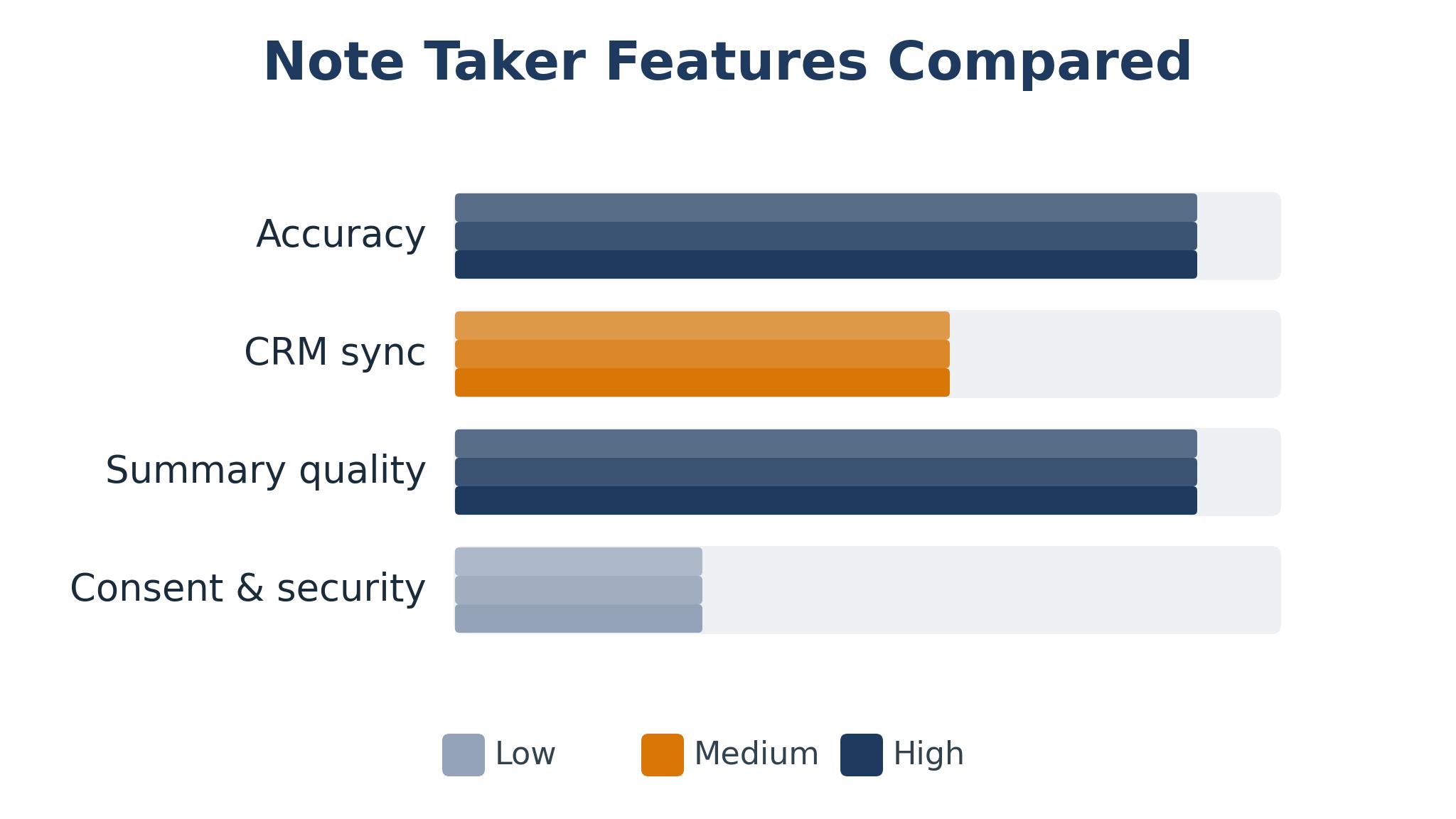
Start with the accuracy test, because a transcript full of errors is worse than no transcript at all. Record five real sales calls, including one with a strong accent, one with two people talking over each other and one with industry jargon, then count the errors in names, numbers and product terms. The best ai meeting note takers for sales teams handle accents and jargon well, and they let the team add custom vocabulary for product names and client terms.
Next, test the CRM sync. Make a test call, wait for the notes to arrive and check whether the summary, the action items and the recording link appear in the right deal record without manual work. A tool that needs the rep to copy notes into the CRM will be abandoned within a month, while one that syncs automatically becomes invisible infrastructure that the team relies on.
Then test the summary quality. Read the AI summary of a forty-minute call and check whether it captures the buyer’s objection, the agreed next step and the timeline accurately. A good summary reads like a competent colleague wrote it, while a bad one misses the point of the call entirely. Look for action item extraction, speaker identification and the ability to search across all calls for a topic.
Finally, check the consent and security controls. A sales team records calls with buyers, so the tool must announce recording, respect opt-outs, encrypt the data and offer a data processing agreement. Ask the vendor for their compliance documentation before buying, and confirm that recordings can be deleted on request, since buyers increasingly expect that control.
The 8 Tools in Detail
CRM usefulness sets the order here, with the tool that gets notes into the deal record fastest first.
1. Fireflies.ai
Fireflies.ai joins video calls on Zoom, Teams, Google Meet and Webex, transcribes them in real time and produces summaries, action items and searchable transcripts. It syncs notes to Salesforce, HubSpot and other CRMs automatically, and it lets the team search across every call for a topic, a competitor mention or a pricing discussion.
The CRM sync is the reason sales teams choose it. A rep finishes a call and finds the summary, the tasks and the recording link already in the deal record, with no manual entry at all. The search across calls is powerful for managers who want to know how often a competitor comes up or which objection appears most. The price is fair for the depth.
Fireflies.ai costs 10 dollars a month per user on the Pro plan, and the transcription accuracy is good rather than best in class on difficult audio. The coaching features are lighter than Gong’s, so teams that want deep call analysis will need a second tool. The interface is functional and the setup needs a few minutes per integration.
Fireflies.ai suits most sales teams as a first note taker, from small teams to mid-size ones. It fits teams that live in their CRM and want notes to arrive there automatically, and it rewards those who search past calls before the next one.
2. Otter.ai
Otter.ai provides live transcription across Zoom, Teams and Google Meet, with real-time captions, speaker identification and AI summaries that arrive minutes after the call ends. It also offers a standalone recorder for in-person meetings and phone calls, which suits teams that sell outside video calls. The search across transcripts is fast and accurate.
The multi-platform coverage is the strength. A team that meets on three different platforms gets the same experience everywhere, and the live captions help reps who take notes in noisy environments. The Otter AI Chat feature lets a user ask questions about a past meeting, such as what the buyer said about pricing, and get an answer with a link to the exact moment.
Otter.ai costs 17 dollars a month per user on the Pro plan, and the CRM integrations are thinner than Fireflies.ai, so some manual work remains. The sales-specific features, like deal insight and coaching scores, are lighter than Gong or Avoma. The free tier limits minutes enough that a busy team will outgrow it quickly.
Otter.ai suits teams that meet on many platforms and want reliable live transcription. It fits sales teams, recruiters and consultants who need accurate notes everywhere, and it rewards those who use the chat feature to search past calls.
3. Gong
Gong is the revenue intelligence platform that records, transcribes and analyses every sales call, then turns the data into coaching insight, deal warnings and market trends. It scores calls, flags risks in the pipeline and shows managers which behaviours correlate with closed deals. The platform is used by large sales organisations that treat call data as a core asset.
The analysis depth is unmatched. A manager can see which reps handle objections well, which deals are going quiet and which competitor mentions are rising, all from the call data. The coaching tools let managers comment on specific moments, build playlists of good calls and track whether coaching changes behaviour. The CRM integration is deep and reliable.
Gong pricing is custom and aimed at larger teams, so small sales teams will find it out of reach. Implementation takes weeks and needs vendor help, and the platform is more than a note taker, so teams that only want transcription will pay for capability they never use. The learning curve is real.
Gong suits larger sales teams that coach from call data and manage a real pipeline. It fits organisations with a sales operations function, and it rewards those who review the analytics weekly rather than just reading summaries.
4. Fathom
Fathom records and summarises video calls for free, with accurate transcription, AI summaries, action items and one-click sharing of call highlights. It works on Zoom, Teams and Google Meet, and it syncs summaries to Slack, HubSpot and Salesforce. The free tier covers the core features that most small teams need.
The free price is the whole argument. A small sales team can get accurate notes, summaries and CRM sync without a budget approval, and the quality is good enough that many teams never upgrade. The interface is clean, the setup takes minutes and the highlight sharing makes it easy to send a key moment to a colleague or a manager.
Fathom lacks the deep analysis of Gong and the advanced CRM features of Fireflies.ai, and the free tier limits some integrations. The platform is newer than the established rivals, so its feature set is narrower, and teams that need custom vocabulary or advanced search may find it thin. Support is largely self-service on the free tier.
Fathom suits small sales teams and startups that need meeting notes at no cost. It fits teams testing whether AI notes are worth paying for, and it rewards those who use the free tier fully before deciding to upgrade.
5. Avoma
Avoma combines meeting notes with pipeline intelligence, transcribing calls, extracting action items and analysing deal health across the pipeline. It scores calls, flags risks and gives managers a view of which deals need attention, all while syncing notes to the CRM. The platform also handles scheduling and agenda templates.
The pipeline view is the differentiator. A manager can see at a glance which deals have gone quiet, which ones lack a next step and which reps need coaching, all derived from the call data. The transcription is accurate, the summaries are clear and the agenda templates keep calls focused. The price is fair for the depth.
Avoma costs 24 dollars a month per user, and the platform is newer than Gong, so its analysis is less deep and its integrations are fewer. The interface carries many features, which can overwhelm a small team, and the setup needs time to configure the pipeline views properly.
Avoma suits teams that want deal intelligence alongside meeting notes. It fits mid-size sales teams that manage a real pipeline, and it rewards managers who review the deal health dashboard weekly.
6. MeetGeek
MeetGeek records and summarises meetings with a focus on sharing highlights, letting a rep send a short clip of the key moment to a colleague, a manager or the buyer. It transcribes accurately, extracts action items and syncs to the CRM, while the highlight feature makes the most important minute of a call easy to find and share.
The highlight sharing is what teams notice first. A rep can send the moment the buyer agreed to the timeline, or the moment they raised the budget concern, without asking anyone to watch forty minutes of video. The transcription is solid, the summaries are clear and the integrations cover the major CRMs and calendars.
MeetGeek costs 19 dollars a month per user on the Pro plan, and the analysis features are lighter than Gong or Avoma. The platform is focused on notes and highlights rather than deep revenue intelligence, so teams that want scoring and trend data will need another tool. The free tier is limited.
MeetGeek suits teams that share call moments often and want highlights to travel easily. It fits sales teams, customer success teams and anyone who reviews calls collaboratively, and it rewards those who clip and share the moments that matter.
7. tl;dv
tl;dv records meetings, transcribes them and lets users mark key moments with timestamps during the call, then jump straight to those moments later. It produces AI summaries, action items and searchable transcripts, and it integrates with the major CRMs and project tools. The name comes from the idea of getting the long version short.
The timestamp feature is the practical advantage. A rep can tap a button during the call when the buyer says something important, then find that exact moment in seconds afterwards, which beats scrolling through a transcript. The summaries are concise, the search is fast and the interface is clean and easy to learn.
tl;dv costs 18 dollars a month per user on the Pro plan, and the CRM sync is good but less deep than Fireflies.ai. The coaching and analysis features are lighter than Gong’s, and the platform is built for notes rather than revenue intelligence. Teams that need deal scoring will want a second tool.
tl;dv suits teams that revisit specific moments in calls and want to find them fast. It fits sales teams, product teams and researchers who review recordings regularly, and it rewards those who mark moments live during the call.
8. Zoom AI Companion
Zoom AI Companion is built into paid Zoom plans, providing meeting summaries, action items and smart recordings without a separate tool. It transcribes the call, generates a summary and lets users ask questions about the meeting afterwards, all inside the Zoom interface that the team already uses.
The built-in nature is the whole appeal. A team already paying for Zoom gets meeting notes with no new vendor, no new login and no integration to configure, and the summaries arrive in the Zoom app and by email. The quality is solid for standard sales calls, and the price is included in the Zoom plan rather than a separate subscription.
Zoom AI Companion costs 16 dollars a month per user as part of a paid Zoom plan, and it only works inside Zoom, so teams that meet on Teams or Meet get nothing from it. The CRM integrations are thinner than the specialist tools, and the analysis features are basic compared with Gong or Avoma. The summaries are good but less detailed.
Zoom AI Companion suits teams that already live on Zoom and want notes without a new tool. It fits small and mid-size teams that meet mostly on Zoom, and it rewards those who keep their meetings inside one platform.
A Sales Week That Runs on Meeting Notes
A sales week runs on notes when the notes arrive without effort. Monday starts with a review of last week’s calls, searching for the deals that went quiet and the objections that appeared most. The best ai meeting note takers for sales teams make this review fast, since the summaries and the search across calls surface the patterns in minutes rather than hours.
During the week, each call ends with the notes already in the CRM. The rep checks the action items, sends the follow-up email that quotes the buyer back to themselves and books the next step before moving to the next call. A rep who does this after every call never faces a Friday pile of unwritten follow-ups, and the pipeline stays accurate because the data arrives while the call is still fresh.
Friday closes the week with coaching. The manager picks two calls, one that went well and one that stalled, and reviews the key moments with the rep. The conversation is grounded in the transcript rather than in memory, so the feedback is specific and the rep can see exactly what to change. A week that ends with coaching starts the next week stronger.
The habit compounds over a quarter. A team that reviews calls weekly spots the objection that keeps killing deals, fixes the talk track and watches the close rate rise. The notes become a record of what the market actually says, and that record is worth more than any single deal, since it shapes the product, the pricing and the pitch. Among the best ai meeting note takers for sales teams, the ones that make this review easy earn their keep, since a team that learns from its calls improves faster than one that buys a new tool every quarter.

Choosing Between a Note Taker and a Revenue Platform
The first decision is what the team needs from the data. A team that just needs accurate notes and CRM sync should buy a note taker, while one that wants coaching, deal scoring and pipeline insight should buy a revenue platform. The best ai meeting note takers for sales teams cover the first need well, and Gong or Avoma cover the second, so the choice follows the management style rather than the budget.
The second decision is about call volume and team size. A five-person team taking twenty calls a week gets full value from a note taker at 10 dollars a month per user, while a fifty-person team taking five hundred calls a week needs the analysis that justifies a custom-priced platform. Match the tool to the volume, and upgrade when the volume outgrows the tool rather than before it does.
Adoption is the quiet third factor. A tool that reps love will be used on every call, while one they resent will be switched off whenever the manager is not watching. Involve the reps in the trial, ask which summary they trust and let their preference weigh heavily, since the best tool in the world is worthless if the team refuses to turn it on.
The final decision is about the CRM. A tool that syncs cleanly with Salesforce or HubSpot saves hours a week, while one that exports a CSV creates work that nobody does. Test the sync with a real deal before buying, and check that the summary, the tasks and the recording link all land in the right place without manual effort.
Frequently Asked Questions
Which meeting note taker is best for a small sales team?
Fireflies.ai is the strongest pick for most small sales teams because the transcription is reliable, the CRM sync is automatic and the price is low. Fathom is the best free start, and Otter.ai is the right choice when the team meets on several platforms. Start with one, use it for a month, and upgrade only when a clear gap appears. A month of real calls will show whether the summaries are trusted and the CRM stays accurate.
Do I need to tell buyers the call is being recorded?
Yes, in most places the law requires it, and even where it does not, telling the buyer builds trust. The tools here announce recording automatically and let the buyer opt out, which keeps the team compliant. Make the announcement part of the call opening, and keep a record that consent was given.
How accurate is AI transcription for sales calls?
Accuracy is high for clear audio and standard accents, typically above 95 percent for the words spoken, and lower for overlapping speech, strong accents or heavy jargon. The tools here let teams add custom vocabulary for product names, which lifts accuracy noticeably. Always check names, numbers and dates in the summary before sending a follow-up.
Can meeting notes update the CRM automatically?
Yes, the tools here sync summaries, action items and recording links to Salesforce, HubSpot and other CRMs without manual work. Fireflies.ai and Gong do this most deeply, while simpler tools sync the summary and leave the rest to the rep. Test the sync with a real deal before committing, since a broken sync creates more work than no sync at all.
Is it safe to store sales call recordings?
Yes, provided the vendor encrypts the data, offers access controls and complies with the regulations that apply to the team’s buyers. The major tools here meet those standards, and they offer data processing agreements on request. Set a retention policy, delete old recordings on schedule and limit access to the team that needs them.
What is the difference between a note taker and Gong?
A note taker transcribes and summarises calls, while Gong analyses every call to coach reps, flag deal risks and reveal market trends. A note taker costs 10 to 24 dollars a month per user, while Gong uses custom enterprise pricing. Most teams start with a note taker and add Gong when the team is large enough that call analysis pays for itself.
Let the Meeting Notes Sell the Next Call
Fireflies.ai is the pick for most sales teams in this guide, with Gong as the choice for larger teams that coach from call data and Fathom as the free start that costs nothing. The right tool is the one that captures every call, updates the CRM and lets the rep focus on the buyer, because a rep who listens properly closes more deals than one who types notes. Start a trial this week, run it on every call for a month, and let the follow-up rate decide whether the tool earns its place. Among the best ai meeting note takers for sales teams, the winner is the one the reps never have to think about.