

A sales team that follows up within an hour closes roughly seven times more deals than one that waits a day, and the best ai crm tools exist because the follow-up should be automatic, not a task a rep remembers at 5 pm. HubSpot leads this guide because it pairs a genuinely useful free CRM with Breeze AI, so a small team can start tracking deals without paying, then add AI scoring, drafting and forecasting as the pipeline grows.
Salesforce follows for teams that need depth, since its Einstein AI and Agentforce platform handle forecasting, lead scoring and automation at a scale no other tool in this guide matches. The remaining eight tools cover value, pipeline clarity, calling, Google Workspace and project-plus-CRM, and each one solves a specific sales problem better than the generalists do. Every tool below was live in November 2026, and the prices quoted match the vendor list prices on pricing pages and recent price checks, so confirm the current number before paying.
Sales teams differ in size, deal value and selling style, and this guide weights those differences heavily. A five-person team selling 500 dollar deals needs different tools than a fifty-person team selling 50,000 dollar contracts, and the recommendations below reflect that split.
Why CRM Projects Fail After Month One
CRM projects fail in a specific way. The first failure is a system the reps will not use, because a CRM that takes five minutes to log a call will be abandoned, and the pipeline will go stale within a week. The tools that survive are the ones that log activity automatically, sync email and calls without manual entry, and show the rep what to do next. The best ai crm tools in this guide were scored partly on how little typing they demand, because a CRM the team avoids is a CRM that lies.
The second failure is a pipeline that does not match the sale. A team that sells in five stages will force its deals into a CRM built for three, and the forecast will be wrong from day one. Custom pipelines, custom fields and custom deal stages are the features that decide whether the CRM fits the sale, and a tool that cannot be shaped to the team’s process will be worked around rather than used. The tools below were judged on whether the pipeline bends to the sale, not the other way round.
The third failure is AI that scores badly. An AI lead score that ranks a cold lead above a warm one will send the reps chasing the wrong deals, and the team will stop trusting the score within a month. Good AI scoring is transparent, showing why a lead ranks high, and it learns from the deals the team actually wins. A score without a reason is a guess, and a guess that sends reps to the wrong prospect will cost more than no score at all.
What a CRM Really Costs Per Seat
The sticker price of a CRM rarely matches what a team pays in year one. A 14 dollar plan looks cheap until the team adds five seats, an automation add-on and a calling add-on, and the monthly bill triples without any new feature being used. Teams should price a tool by the full stack, not by the headline plan, and the detail sections below call out the add-ons that matter.
Free plans deserve a hard look too. HubSpot, Zoho CRM and Freshsales all offer free tiers, and for a team of two or three they can be enough. The catch is the limit that matters most, which is usually the number of users, the automation, or the reporting depth. HubSpot Free covers unlimited users with basic tools, Zoho CRM Free covers three users, and Freshsales Free covers three users. A free plan that caps the team at three will force an upgrade the moment the fourth rep joins.
The 10 Tools at a Glance
| Tool | Main job | Best for | Starting price |
|---|---|---|---|
| HubSpot | Free CRM plus AI | Teams starting free | Free, paid from 20 dollars a month |
| Salesforce | Enterprise CRM with AI | Large teams | 25 dollars a month |
| Zoho CRM | Best value CRM | Budget teams | 14 dollars a month |
| Pipedrive | Clean pipeline management | Sales-led teams | 14 dollars a month |
| Freshsales | Budget AI CRM | Small sales teams | 9 dollars a month |
| Close | Calling-first CRM | Outbound teams | From 9 dollars a month |
| Copper | Google Workspace CRM | Google Workspace teams | 23 dollars a month |
| Insightly | CRM plus projects | Agencies and SMBs | 29 dollars a month |
| Capsule | Simple contact CRM | Small teams | Pricing on the vendor site |
| Monday Sales CRM | Visual pipeline CRM | Visual teams | 12 dollars a month |
Best Pick by Job
| Job type | First pick | Second tool | Why this pair works |
|---|---|---|---|
| Starting free | HubSpot | Freshsales | HubSpot scales free and Freshsales adds calling cheap |
| Enterprise sales | Salesforce | HubSpot | Salesforce handles scale and HubSpot adds ease of use |
| Budget team | Zoho CRM | Freshsales | Zoho CRM gives most per dollar and Freshsales adds AI cheap |
| Pipeline clarity | Pipedrive | Monday Sales CRM | Pipedrive shows the pipeline cleanly and Monday adds visual boards |
| Outbound calling | Close | Freshsales | Close lives on the phone and Freshsales adds built-in calling |
The job decides the winner because a team selling by phone needs a power dialer and call summaries, while a team selling by email needs sequences and templates. A tool that does both passably can still be the wrong buy if it does the team’s main job badly. Match the first pick to the selling motion, then use the second tool as the fallback when the first one hits a limit.
Budget follows the same logic. A team of five can justify 100 dollars a month for Pipedrive Growth, because the cost is a small share of the revenue and a single saved deal pays for the year. A team of two cannot, and should start free on HubSpot, then upgrade when the pipeline forces the issue. The best ai crm tools are the ones that fit the team’s current size without blocking the next hire.
How to Judge the best ai crm tools
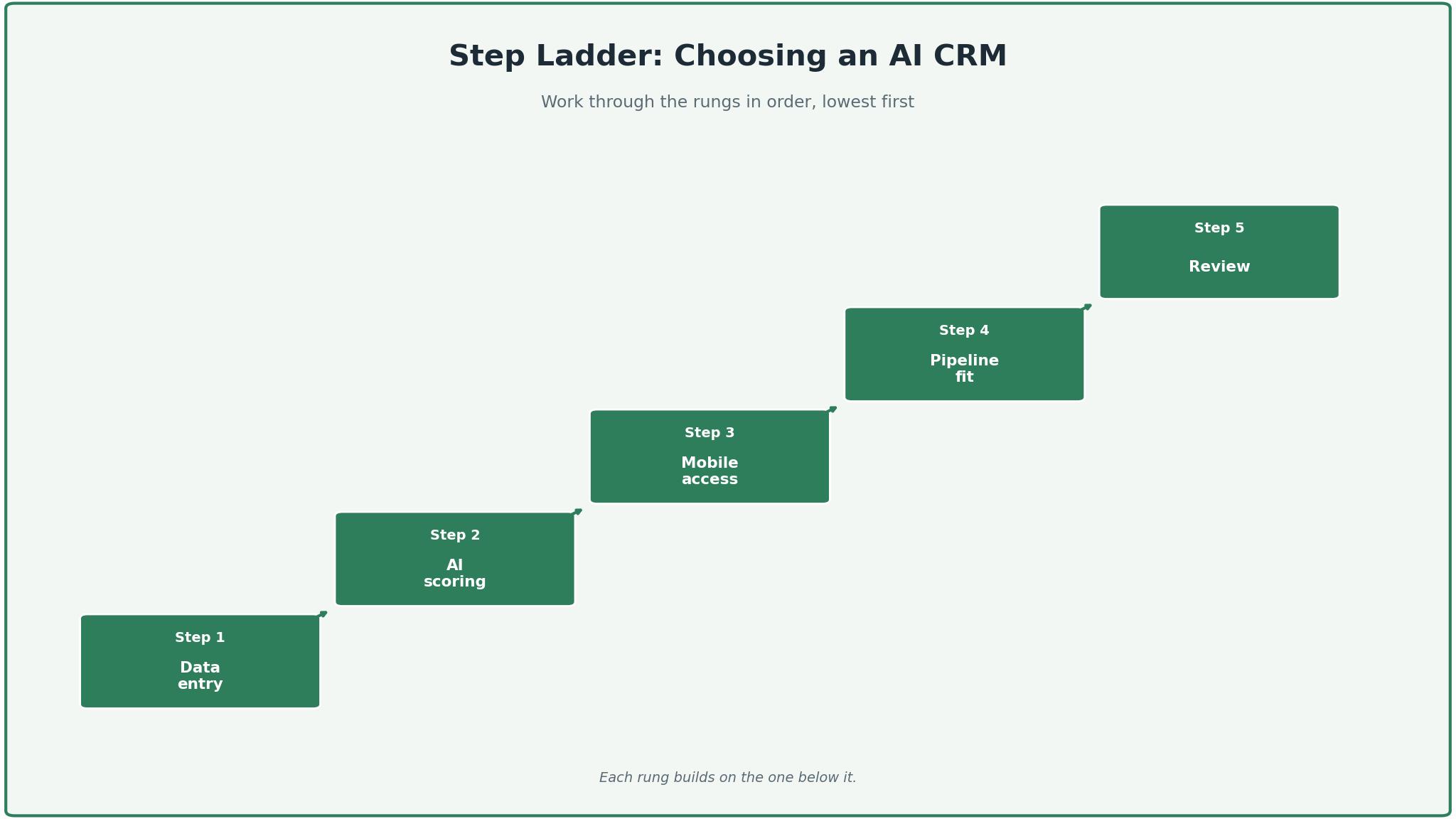
Start with the data entry test, because that is where a CRM either earns its fee or wastes it. Log five calls, three emails and two meetings, and count how many the tool captures automatically. A CRM that syncs email and calls without typing will be used daily, while one that needs manual entry for every activity will be abandoned by week three. Check whether the AI drafts the follow-up email, since that is the task reps hate most.
Next, test the AI scoring on real deals. Take twenty leads, half won and half lost, and check whether the AI score ranks the winners above the losers. Look for a score that explains itself, showing the signals behind the number, because a score without a reason cannot be trusted. The best ai crm tools show the factors behind the score and let the team correct it when it is wrong.
Then check the pipeline on a phone. Open the CRM from a mobile device, find a deal, update its stage and log a call, all while walking. A rep who lives on the road needs a mobile app that works, and a CRM that only works on a desktop will lose the field team’s data. Look for offline access, since a rep in a dead zone should still be able to log the meeting.
The 10 Tools in Detail
Free-tier strength sets the order below, so the tool a team can start on for free leads the list.
1. HubSpot
HubSpot is the cheapest way into a real CRM, and its free tier is the reason. The free plan covers unlimited users with contact management, deal tracking and basic email, and Starter begins at 20 dollars a seat a month billed monthly, or 7 dollars a seat a month billed annually. Breeze AI adds drafting, scoring and forecasting, and Sales Hub Professional at 90 dollars a seat a month is the first tier most teams actually need.
The drawback is the price climb and the onboarding fee. Professional costs 1,900 dollars a month before a mandatory 3,000 dollar onboarding fee on some plans, and the contact tier overages add up as the database grows. The free tier is generous, but the features a growing team needs, sequences, automation and forecasting, sit behind the paid tiers. A team that outgrows Starter will pay significantly more than the headline suggests.
HubSpot suits first-time buyers and small teams. It fits a startup tracking its first hundred deals, a team that wants to start free and scale without switching, and anyone who values an ecosystem of marketing, sales and service in one place. The free tier is the feature that matters, because a team can prove the CRM works before paying anything.
Set up a pipeline with ten real deals and use it for two weeks. If the team uses it daily and the forecast is honest, HubSpot will carry the sales operation.
2. Salesforce
Salesforce is the enterprise CRM, and its depth is the reason. Sales Cloud covers five tiers, from Starter Suite at 25 dollars a user a month to Agentforce 1 Sales at 550 dollars a user a month, with Einstein AI and Agentforce handling scoring, forecasting and automation at scale. The platform handles custom objects, workflow automation and forecasting that no other tool in this guide matches.
The drawback is the complexity and the cost. Starter Suite excludes API access, workflow automation and forecasting, so it is effectively a contact database rather than a CRM, and Pro Suite at 100 dollars a user a month is the first tier most teams need. The platform needs an admin, and a team without one will struggle. The Enterprise tier at 175 dollars a user a month is the practical entry point for a serious deployment.
Salesforce suits large teams with an admin and a complex sale. It fits an enterprise with hundreds of reps, a company with custom objects and workflows, and anyone whose sales process needs the deepest customisation available. The platform depth is the feature that matters, because a complex sale needs a CRM that can be shaped to fit it.
Run a pilot with one team and one pipeline before committing. If the pilot works and the forecast is accurate, Salesforce is the right tool for the enterprise sale.
3. Zoho CRM
Zoho CRM is the best value overall, and its price is the reason. Standard costs 14 dollars a user a month billed annually, with Professional at 23 dollars and Enterprise at 40 dollars, and the free tier covers three users. Zia handles scoring, forecasting and anomaly detection, and the platform covers the full suite from sales to support.
The drawback is the pricing opacity. The paid editions only show in the price calculator, and the interface carries the weight of a large suite, with more menus than a small team needs. The AI is strong but less polished than HubSpot’s Breeze, and the ecosystem lock-in means the CRM works best alongside other Zoho products. A team that runs a different marketing tool will find the integrations thinner.
Zoho CRM suits budget teams under ten people. It fits a small business that wants the most CRM per dollar, a team already using Zoho products, and anyone who wants a functional Standard tier without paying for Enterprise. The Standard tier is the feature that matters, because it is genuinely functional at 14 dollars a user a month.
Build a pipeline with your real deals and test Zia on them. If the scoring is honest and the price holds, Zoho CRM will carry the small team.
4. Pipedrive
Pipedrive is the cleanest pipeline view in this guide, and its simplicity is the reason. The deal board shows every deal in its stage, with drag-and-drop movement and a clear view of what needs attention today. Lite costs 14 dollars a seat a month billed annually, with Growth at 39 dollars, Premium at 59 dollars and Ultimate at 79 dollars, and the AI Sales Assistant helps prioritise deals.
The drawback is the tier jump. Lite is too limited for an active team, so the practical entry point is Growth at 39 dollars a seat a month, which is nearly three times the headline price. The platform has no free tier, only a 14-day trial, and the marketing features are thinner than HubSpot. A team that needs email marketing will need a second tool.
Pipedrive suits sales-led small businesses. It fits a team that lives in the pipeline, a founder who wants to see every deal at a glance, and anyone who values a clean board over a complex suite. The pipeline view is the feature that matters, because a rep who can see the next action will take it.
Move ten real deals into the pipeline and use it for a week. If the board stays current and the forecast is honest, Pipedrive is the right tool for the sales-led team.
5. Freshsales
Freshsales is the budget AI CRM, and its price is the reason. Growth costs 9 dollars a user a month billed annually, with Pro at 39 dollars and Enterprise at 59 dollars, and the free tier covers three users. Freddy AI handles scoring, drafting and insights, and the platform includes built-in calling, which is unusual at this price. The Growth tier is genuinely functional, which is rare for a cheapest plan.
The drawback is the depth. Freshsales is thinner than HubSpot or Salesforce on automation, reporting and integrations, and the free tier’s three-user cap will force an upgrade fast. The platform is built for small sales teams, and a team that grows past twenty reps will outgrow it. The AI is useful but less mature than Breeze or Einstein.
Freshsales suits small sales teams that need pipeline visibility and calling under 10 dollars a user. It fits a startup with a phone-heavy motion, a team that wants AI without a big bill, and anyone who values built-in calling over a separate dialer. The price is the feature that matters, because 9 dollars a user a month buys a real CRM with AI.
Run a week of calls through Freshsales and check the result. If the calling is clear and the scores rank the winners first, Freshsales is the right tool for the budget team.
6. Close
Close is the CRM built for inside sales, and its calling is the reason. The platform combines a CRM with a power dialer, SMS, email and call summaries, so an outbound rep can work a list without switching tools. Solo costs 9 dollars a month for one user, Essentials costs 35 dollars a user a month, and Growth at 99 dollars a user a month unlocks the power dialer.
The drawback is the price jump and the scope. Solo is one user only, so a team will pay for Essentials at 35 dollars a user a month, and Growth at 99 dollars is the tier that unlocks the dialer most teams want. Close is built for outbound, so a team that sells inbound or through partners will find it narrow. The platform is excellent at calling and thinner at everything else.
Close suits outbound teams that live on the phone. It fits a sales development team, a rep who makes a hundred calls a day, and anyone whose pipeline is built from cold outreach. The power dialer is the feature that matters, because a rep who can call twice as fast will book twice as many meetings.
Work a list of fifty leads through Close for a day. If the calling is smooth and the summaries save time, Close is the right tool for the outbound team.
7. Copper
Copper is the CRM for Google Workspace teams, and its integration is the reason. It lives inside Gmail and Google Calendar, so a rep can update a deal without leaving the inbox, and the platform syncs contacts, emails and meetings automatically. Basic costs 23 dollars a seat a month billed annually, with Professional at 59 dollars and Business at 99 dollars a month.
The drawback is the AI depth and the price. Copper’s AI is limited compared with Breeze or Einstein, and the Basic tier at 23 dollars a seat a month is expensive for what it offers, with Professional at 59 dollars the tier most teams need. The platform is built for Google Workspace, so a team on Microsoft 365 will get less value from it.
Copper suits teams working inside Google Workspace. It fits a small business on Gmail, a team that lives in Google Calendar, and anyone who wants the CRM in the inbox rather than in a separate tab. The Gmail integration is the feature that matters, because a rep who never leaves the inbox will actually use the CRM.
Work a week of deals from inside Gmail and check the result. If the workflow feels natural and the data stays current, Copper is the right tool for the Google Workspace team.
8. Insightly
Insightly is the CRM for agencies tracking deals and delivery together, and its project features are the reason. It combines a CRM with project management, so a team can track a deal from first call to delivery in one system. Plus costs 29 dollars a user a month billed annually, with Professional at 49 dollars and Enterprise at 99 dollars a month, and the free tier covers two users.
The drawback is the AI depth and the price. Insightly’s AI is limited, and Plus at 29 dollars a user a month is expensive for a team that only needs the CRM. The platform is built for small businesses that need projects with their CRM, and a pure sales team will find the project features unnecessary. The free tier’s two-user cap is the smallest in this guide.
Insightly suits agencies and small businesses that deliver projects. It fits an agency tracking a client from sale to delivery, a consultancy that needs both pipeline and project views, and anyone who wants one system for the deal and the work. The project link is the feature that matters, because a deal that becomes a project should not need a second tool.
Track one deal from first call to delivery in Insightly. If the deal and the project stay connected, Insightly is the right tool for the agency.
9. Capsule
Capsule is the simple contact CRM, and its simplicity is the reason. It covers contacts, deals, tasks and a basic pipeline, with a clean interface that a small team can learn in an afternoon. The vendor does not publish a clear paid price, and the pricing is shown on request, so a team should ask for a quote before committing.
The drawback is the opacity and the depth. Capsule does not show a paid amount on its pricing page, which makes budgeting hard, and the AI features are thinner than the other tools in this guide. The platform is built for small teams that want a simple contact manager, and a team that needs automation, forecasting or calling will outgrow it fast.
Capsule suits small teams that want a simple CRM. It fits a team of three that needs contacts and deals without complexity, a business that wants a clean address book with a pipeline, and anyone who values simplicity over depth. The clean interface is the feature that matters, because a team that can learn the tool in an afternoon will use it the same week.
Ask for the price, then run a week of deals through Capsule. If the tool is simple and the price is fair, Capsule is the right tool for the small team.
10. Monday Sales CRM
Monday Sales CRM is the visual pipeline CRM, and its boards are the reason. The platform shows deals as colourful boards with drag-and-drop stages, automations and dashboards, which suits teams that think visually. Basic costs 12 dollars a seat a month billed annually, with Standard, Pro and Enterprise above it, and the platform covers the full Monday ecosystem.
The drawback is the CRM depth. Monday Sales CRM is a work management platform with a CRM layer, so its sales features are thinner than Pipedrive or HubSpot, with less depth on sequences, calling and forecasting. The visual boards are attractive, but a team that needs a serious sales engine will find the CRM layer light.
Monday Sales CRM suits visual teams that already use Monday. It fits a team that plans work on boards, a business that wants the CRM next to the project tracker, and anyone who values a visual pipeline over a traditional one. The boards are the feature that matters, because a team that can see the pipeline at a glance will act on it.
Build a pipeline board with ten real deals and use it for a week. If the board stays current and the dashboards read clearly, Monday Sales CRM is the right tool for the visual team.
CRM Mistakes That Cost Deals
The most expensive mistake is buying a CRM for the team you wish you had instead of the one you run. A two-person team does not need Salesforce Enterprise, and a fifty-person team does not need a free contact manager that cannot report on the pipeline. Size the CRM to the next twelve months of headcount, not to a five-year dream, and plan the upgrade path in advance so the switch is a decision rather than a crisis.
A second mistake is ignoring the per-seat bill. A 14 dollar plan looks cheap until the team adds ten seats, an automation add-on and a calling add-on, and the monthly bill triples. Ask for the full-stack quote before committing, and include the add-ons the team actually needs. The cheapest headline plan is often the most expensive stack, and the best ai crm tools are judged here on the full cost, not the entry price.
How to Make the Final Call on a CRM
Start by listing the non-negotiables, because the list is shorter than most teams expect. Pipeline fit, data entry automation, mobile access and price per seat are the four that eliminate most tools quickly. Get them written down, check each tool against them, and drop any tool that fails a non-negotiable, no matter how tempting its other features look. A tool that fails a core requirement will be replaced within a year, and the migration cost will exceed any saving.
Next, run a trial on the top two choices with real deals. Measure three things, time to log a call, whether the AI score ranks winners first, and whether the reps update the pipeline without being asked. The winner on those three measures is usually the right tool, even when it is not the cheapest.
Then check the human factor. Call support during the trial, ask a hard question about a data import, and judge the answer. A team that cannot reach a knowledgeable person when the pipeline looks wrong will pay for that gap later, usually at quarter end. The best ai crm tools pair strong software with reachable support, and the trial is the time to test that claim.

Frequently Asked Questions
Which AI CRM is best for a small team?
HubSpot is the best starting point for a small team, because its free tier covers unlimited users and its Starter plan costs 20 dollars a seat a month. Freshsales is the better pick when the team needs calling, since it includes built-in calling at 9 dollars a user a month. A team of two or three can start free on either and upgrade when the pipeline grows.
How much does a CRM cost per user per month?
A CRM costs between 9 and 25 dollars per user a month on the entry tier, with the median around 15 dollars on annual billing. Freshsales Growth costs 9 dollars, Zoho CRM Standard costs 14 dollars, and Salesforce Starter costs 25 dollars. The practical entry point is higher, since the cheapest tier is often too limited.
Can AI replace a salesperson?
AI can replace the admin work of selling, drafting follow-ups, scoring leads and logging calls, but it cannot replace the judgment, the relationship and the negotiation. Most teams land in the middle, using AI for the daily work and a human for the deal itself. The tools in this guide are built for that middle, with AI that prepares the rep rather than replacing them.
Is HubSpot or Salesforce better?
HubSpot is better for small teams and first-time buyers, because it starts free, is easy to learn, and scales without switching. Salesforce is better for large teams with complex sales, because its customisation, automation and forecasting go deeper than any other tool. A team under twenty should test HubSpot first, while a team over fifty with an admin should test Salesforce first.
What is the cheapest good AI CRM?
Freshsales is the cheapest good AI CRM, with Growth at 9 dollars a user a month and a free tier for three users. Zoho CRM Standard at 14 dollars a user a month is the next best value, with a genuinely functional tier at that price. A team on a tight budget should start with HubSpot Free, then compare Freshsales and Zoho CRM when the free limits bite.
Do CRMs work for small businesses?
Yes, most CRMs in this guide are built for small businesses, and the free tiers from HubSpot, Zoho CRM and Freshsales cover teams of two or three. A small business should pick the CRM that fits its selling motion, start free, and upgrade when the pipeline grows. The mistake is buying an enterprise CRM for a two-person team, not buying a CRM at all.
The Verdict on AI CRM Tools
HubSpot takes the top spot because it is the tool a team is least likely to regret. The free tier is genuinely useful, the AI drafting and scoring save hours a week, and the platform scales from two users to two hundred without a migration. The price climbs at the higher tiers, but the entry is free.
Salesforce is the pick for enterprise teams, Pipedrive is the pick for pipeline clarity, and Freshsales is the pick for a tight budget. The best ai crm tools are not the ones with the longest feature list, they are the ones that log activity automatically, rank leads honestly, and cost less than the deals they help close.
Choose by the selling motion first, the team size second and the price third. Run a real trial, measure the three things that matter, and set a review date. A team that picks this way will spend less time typing into a CRM and more time talking to the customers who actually buy.