

A small team loses a client deadline because the task lived in a chat message nobody could find, and that missed handoff is the problem the best ai project management tools for small businesses are built to solve. A project tool is not a prettier to-do list. It is the one place where every job, every owner and every due date lives, so a question about progress has an answer that does not depend on someone’s memory.
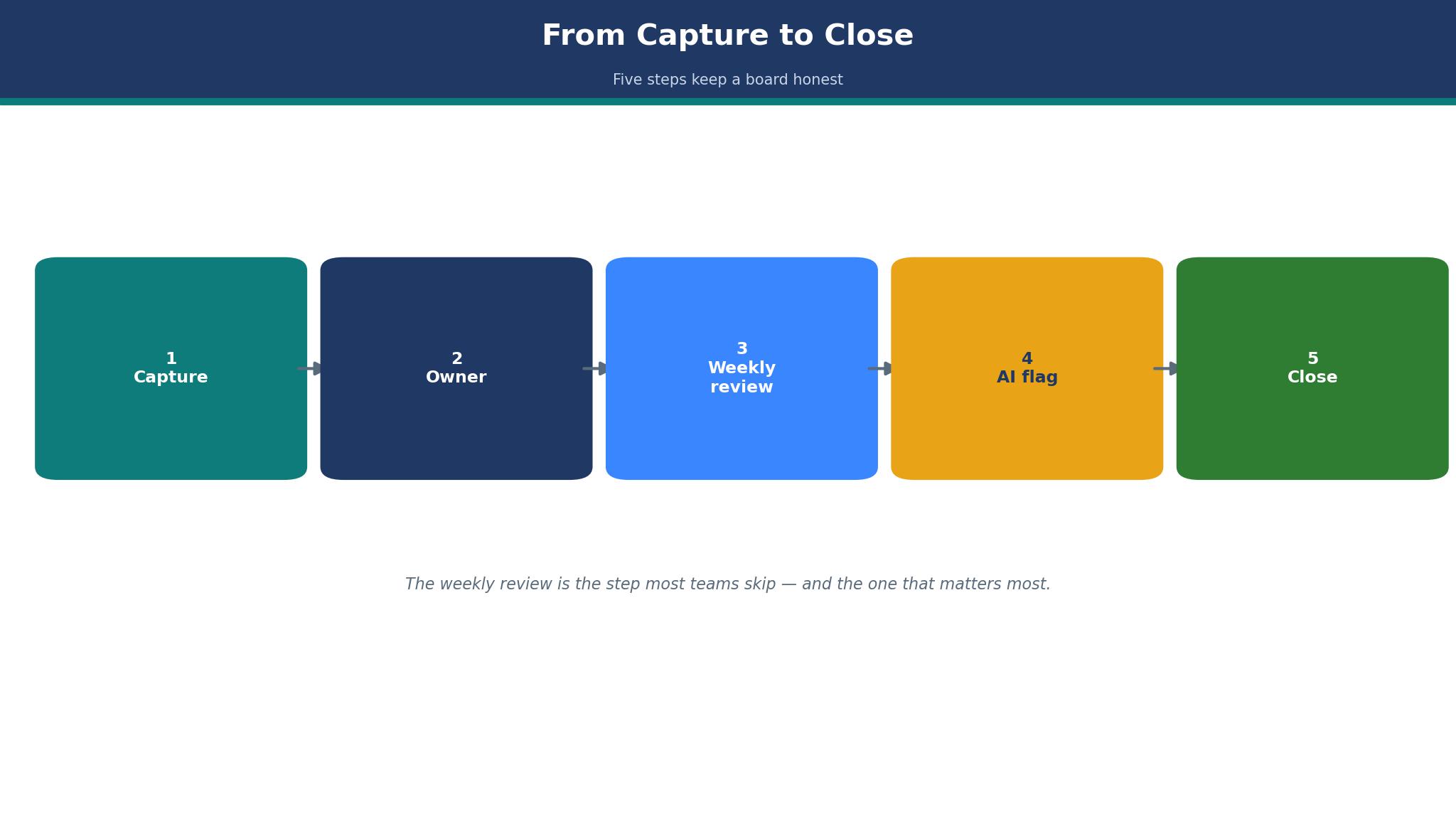
The workflow runs in four steps. Work is captured as tasks with an owner and a date, the team reviews the board together each week, the AI flags what is late or blocked, and the finished work is closed with the file attached.
Asana leads this guide because it fits a structured team with real dependencies and a clear owner for every task. Monday.com follows for teams that think in boards and colour, and the other ten cover value, simplicity, docs, flat pricing and client work. The twelve tools were verified live in November 2026, prices are taken from vendor list pages or flagged in the text where a figure is reported, and you should confirm the current price before paying.
Where Small Teams Lose the Week
Small teams lose the week in the gaps between people, not in the work itself. A designer waits for copy that a writer thought was already delivered, a client waits for a draft that sits in a folder nobody opened, and a founder discovers on Friday that the launch task had no owner at all. The best ai project management tools for small businesses close those gaps by making ownership visible, because a task with no owner is a task that will not happen.
Status meetings are the second leak. A team that spends an hour every Monday asking each person what they did is paying for a report the board should already show.
Real Price of a Seat
Per-user pricing looks cheap until the team grows, because a 5 dollar plan for five people becomes a 250 dollar bill for fifty, and the features a team actually needs often sit on a higher tier. Monday.com sells seats in minimum blocks, Asana caps its free plan at two users, and ClickUp charges extra for its AI add-on, so the headline price is rarely the bill. Price the tool at the team’s size in twelve months, not at its size today.
Flat pricing changes the math in the other direction. Basecamp charges one price for the whole team, which suits a business that hates per-seat counting, but the flat plans cap projects or users at the lower tiers. The detail sections below call out the entry price for each tool, and a small business should ask for the full monthly cost at its real headcount before signing, because the cheapest plan on the page is rarely the cheapest bill at real size.
The 12 Tools at a Glance
| Tool | Main job | Best for | Starting price |
|---|---|---|---|
| Asana | Structured projects and timelines | Most small businesses | From 10.99 dollars a month |
| Monday.com | Visual boards and workflows | Visual teams | From 9 dollars a seat a month |
| ClickUp | All-in-one tasks and docs | Best value | From 9 dollars a month |
| Trello | Simple Kanban boards | Simplest to adopt | From 5 dollars a month |
| Notion | Docs, wikis and projects | Docs plus tasks | From 10 dollars a month |
| Basecamp | Flat-price project hub | Fixed budgets | Flat plans from 29 dollars a month |
| Wrike | Work management with proofing | Teams with approvals | From 10 dollars a month |
| Teamwork | Client work and time tracking | Agencies | Pricing on the vendor site |
| Smartsheet | Spreadsheet-style project tracking | Spreadsheet teams | From 9 dollars a month |
| Airtable | Flexible bases and views | Custom workflows | From 20 dollars a month |
| Todoist | Personal and small-team tasks | Simple task lists | From 4 dollars a month |
| Zoho Projects | Budget project management | Zoho users | From 5 dollars a month |
Best Pick by Job
| Job type | First pick | Second tool | Why this pair works |
|---|---|---|---|
| Structured team work | Asana | ClickUp | Asana handles dependencies and ClickUp adds docs cheap |
| Visual workflows | Monday.com | Trello | Monday adds automation and Trello adds the simplest board |
| Tightest budget | Trello | ClickUp | Trello starts cheapest and ClickUp adds the most per dollar |
| Docs and projects | Notion | Asana | Notion holds the knowledge and Asana adds the timeline |
| Client work | Teamwork | Basecamp | Teamwork tracks billable time and Basecamp adds flat pricing |
The right project tool depends on how the team works, so two teams can buy the same product and reach opposite verdicts. A team that runs client projects needs time tracking, while a team that ships a product needs dependencies and a timeline. A tool that manages the secondary need well enough still lets the team down when it fumbles the sprint’s daily work. Choose the first tool for how the team works, and keep the second ready for the work the first cannot track.
Spending follows the same pattern. A team of twenty needs to count seats honestly, and a flat-price tool can suddenly look cheap. The best ai project management tools for small businesses are judged on the bill at real headcount, not on the entry price.
How to Judge the best ai project management tools for small businesses
Start with a real project, because that is where a tool either earns its fee or wastes it. Move one live project into the tool with its real tasks, owners and dates, and run it for two weeks. A good tool shows the late tasks without being asked, lets anyone update a status in seconds, and keeps the files attached to the work. Check whether the AI summary of the project matches reality, since a summary that invents progress is worse than no summary at all.
Next, test the weekly review without a meeting. Open the board on a Monday morning and ask whether it answers the three questions that matter, what is late, what is blocked, and what is due this week. The best ai project management tools for small businesses answer those questions on the board itself, because a manager who has to ask the team has a reporting tool rather than a management tool. Look for a dashboard that a founder can read in two minutes.
Then check the cost at the next hire. Add three seats to the plan and read the new monthly total, because a tool that doubles in price when the team grows by three will force a painful switch later.
The 12 Tools in Detail
Structure and honest pricing set the order below, so the tool that fits a growing team best leads the list.
1. Asana
Asana is the best pick for most small businesses because it handles structured projects with dependencies, timelines and clear ownership. The Starter plan costs 10.99 dollars a user a month billed annually, with Advanced at 24.99 dollars, and every paid plan includes AI Studio credits for drafting and summarising. Timelines, dashboards and workflow automation cover the work a growing team actually runs, and the interface stays calm even when a project holds hundreds of tasks.
The drawback is the free plan and the price step. The free Personal tier caps at two users, so a real team pays from the first hire, and Advanced costs more than double Starter for features such as portfolios and goals.
Asana suits a process-driven team with real deadlines. It fits a marketing team running campaigns, a business with several projects at once, and anyone who needs to see dependencies before committing to a date. The timeline view is the feature that matters, because a date that ignores dependencies is a promise the team cannot keep.
Move one live project with its real tasks and dates into Asana and run it for two weeks. If the late tasks surface on their own and the team updates the board without being asked, Asana fits the business.
2. Monday.com
Monday.com is the pick for teams that think visually, because its boards show work as coloured rows, timelines and dashboards that a non-technical team adopts fast. The Basic plan costs 9 dollars a seat a month billed annually, with Standard at 12 dollars and Pro at 19 dollars, and the platform covers automations, forms and dashboards that turn a board into a workflow. A team can shape almost any process on a board, from hiring to client onboarding.
The drawback is the seat blocks and the depth. Seats are sold in minimum blocks, so a team of four pays for more seats than it uses, and the Basic tier is thin on automations, which pushes most teams to Standard.
Monday.com suits a visual team that wants to shape its own workflow. It fits a small business that runs several different processes, a team that likes colour-coded boards, and anyone who wants automations without code. The custom board is the feature that matters, because a workflow shaped to the business is one the team will actually follow.
Move one live process onto a board and automate its first handoff. If the board stays current for a fortnight without a meeting, Monday.com fits the team.
3. ClickUp
ClickUp is the best value in this guide, because it packs tasks, docs, goals, time tracking and chat into one app. The Core plan costs 9 dollars a user a month billed yearly, with Business at 17 dollars, and the Free Forever plan covers unlimited members with 60 MB of storage, which makes it the most generous free tier here. A small team can replace three or four tools with ClickUp alone, and the AI assistant drafts tasks and summaries across the workspace.
The drawback is the complexity and the price history. ClickUp renamed its Unlimited plan to Core and raised the price from 7 dollars to 9 dollars a month, so older price lists understate the cost, and the AI add-on costs extra from 9 dollars a user a month.
ClickUp suits a team that wants everything in one place. It fits a startup that cannot afford five subscriptions, a team that writes docs beside its tasks, and anyone who values features per dollar over simplicity. The all-in-one workspace is the feature that matters, because a tool that replaces three subscriptions pays for itself quickly.
Move one live project and its documents into ClickUp and run the team on it for two weeks. If the docs stay beside the tasks and nobody asks for the old tools back, ClickUp fits the business.
4. Trello
Trello is the simplest board in this guide, and its simplicity is the reason it is still the fastest tool to adopt. A list of cards that moves from left to right is a workflow anyone can grasp in minutes, and the free plan covers up to ten collaborators per workspace. Standard costs 5 dollars a user a month billed annually, with Premium at 10 dollars, and the Premium tier adds timeline views and AI features for teams that outgrow the simple board.
The drawback is the depth. Trello is a Kanban board, so a team that needs dependencies, resource views or heavy reporting will hit the ceiling fast, and the AI features only arrive on Premium. A business with many projects needs several boards, and the overview across them is thinner than Asana or Monday.com.
Trello suits a tiny team and a simple flow of jobs. It fits a business with a pipeline of small tasks, a team that wants a board running today, and anyone who has never used a project tool before. The Kanban board is the feature that matters, because a workflow a new hire understands in five minutes is one that will actually be used.
Move the current week’s jobs onto one board and run the team from it for a week. If every card moves and nothing is lost in chat, Trello is enough for the business.
5. Notion
Notion is the pick for a team whose work lives in documents as much as in tasks. Pages, databases, wikis and projects share one workspace, so a client brief, a task list and a meeting note can live together, and the AI assistant drafts and summarises across the whole system. Plus costs 10 dollars a member a month, with Business at 20 dollars, and the free plan covers individuals and small teams.
The drawback is the project depth and the setup time. Notion is a flexible workspace rather than a dedicated project tool, so its timelines and dependencies are lighter than Asana, and a team must build its own system before it can use it.
Notion suits a team that writes a lot and tracks a little. It fits a consultancy with client knowledge to keep, a content team that plans beside its drafts, and anyone who wants one workspace for notes and tasks. The linked database is the feature that matters, because a task that links to its brief never loses its context.
Move one client project with its brief and task list into Notion and run it for two weeks. If the team finds the brief beside the task every time, Notion fits the business.
6. Basecamp
Basecamp is the flat-price pick, charging one price for the whole team rather than per seat. The plans run from 29 dollars a month for a small team to 79 dollars for up to ten users, with an unlimited plan above that, though older sources list different figures such as 25 dollars and 199 dollars, so the current plan should be confirmed on the vendor site. The platform covers projects, messages, schedules and files in one calm place, with no per-seat counting and no upsell pressure.
The drawback is the project depth and the price movement. Basecamp is deliberately simple, so a team that needs dependencies, timelines or heavy reporting will find it thin, and the plan names and prices have changed several times, which makes budgeting from old articles risky. The AI features are lighter than the dedicated tools in this guide.
Basecamp suits a business that hates per-seat math. It fits a small agency with a fixed budget, a team that communicates inside projects, and anyone who wants one price for the whole team. The flat price is the feature that matters, because a bill that does not grow with every hire is easy to approve.
Move one client project into Basecamp and run the team on it for a fortnight. If the messages stay inside the project and the bill stays flat, Basecamp fits the business.
7. Wrike
Wrike is the pick for teams whose work needs approval, because it builds proofing and sign-off into the project flow. A designer can send a draft for review, a manager can mark it up, and the approval is recorded against the task, so nothing ships without a sign-off. The Team plan costs 10 dollars a user a month, with higher tiers adding resource management and deeper reporting, and the AI features draft briefs and summarise long threads.
The drawback is the price step and the learning curve. Team is the entry point, but the features most teams want, such as resource views and approvals at scale, sit on Business, which costs far more. The interface carries that depth, with more menus than a small team needs, and a business that only wants a simple board will find Wrike heavy.
Wrike suits a team that ships work through approvals. It fits a marketing team with client sign-off, a design team with review rounds, and anyone who needs a record of who approved what. The proofing flow is the feature that matters, because an approval that lives in email is an approval that cannot be found later.
Move one approval-heavy project into Wrike and run a full review round through it. If the sign-off is recorded and the draft moves on without a chase, Wrike fits the team.
8. Teamwork
Teamwork is built for client work, with time tracking, billable hours and client portals beside the project boards. A small agency can plan a project, track the hours against it, and show the client progress without a separate time tool, which keeps the billing honest and the client calm. Rates are quoted per seat and per feature set, and a free tier covers small teams getting started.
The drawback is the fit for non-agency teams. Teamwork is shaped around client work, so a product team or an internal team will find features built for billing that it never uses, and the project views are less flexible than Monday.com for non-client work. The pricing is also less transparent than the per-seat tools, which makes a quick comparison harder.
Teamwork suits a small agency that bills by the hour. It fits a design studio, a consultancy and any team whose projects have a client on the other side. The billable time tracking is the feature that matters, because hours tracked beside the task are hours that get invoiced.
Move one billable client project into Teamwork and track every hour against it for two weeks. If the invoice at the end matches the hours worked, Teamwork fits the agency.
9. Smartsheet
Smartsheet is the pick for teams that think in spreadsheets, because its projects look like a grid with rows, columns and formulas, and the view can flip to a board, a timeline or a calendar without re-entering the work. The Pro plan costs 9 dollars a user a month, with Business above it, and the platform handles approvals, automation and reporting across many sheets. A team that lives in Excel will adopt Smartsheet faster than any board tool.
The drawback is the interface and the AI depth. Smartsheet looks like a spreadsheet, which suits its fans and puts off everyone else, and the AI features are thinner than Asana or ClickUp for drafting and summarising.
Smartsheet suits a spreadsheet-native team. It fits an operations team tracking many small jobs, a business that plans in grids, and anyone who wants formulas beside tasks. The grid view is the feature that matters, because a team that thinks in rows will work fastest in rows.
Move one tracking sheet into Smartsheet and run the team from it for two weeks. If the formulas stay correct and the board view gets used, Smartsheet fits the business.
10. Airtable
Airtable is the most flexible tool in this guide, because a base can be a project tracker, a content calendar, a CRM or an inventory list, and the views switch between grid, board, calendar and timeline. The Team plan costs 20 dollars a user a month, with Business above it, and the AI features summarise records and draft fields across a base. A small business can shape Airtable to almost any workflow without code.
The drawback is the price and the setup time. Team at 20 dollars a user is the most expensive entry price in this guide, and a business must build its own system before it can use it, which takes days rather than minutes.
Airtable suits a business with a workflow nothing else fits. It fits a team tracking content, inventory and projects together, a business that needs custom views for different people, and anyone who enjoys building their own system. The flexible base is the feature that matters, because a tool that bends to the workflow is one the team will not outgrow.
Move one real workflow into Airtable and build the views the team needs. If the team uses it daily after a fortnight, Airtable fits the business.
11. Todoist
Todoist is the simplest task tool in this guide, built for people who want a list that works everywhere. Tasks, projects, labels and priorities sync across every device, and the Pro plan costs 4 dollars a user a month, which makes it the cheapest paid plan here. The AI assistant drafts tasks from plain language, and the interface is so light that a new user needs no training at all.
The drawback is the project depth. Todoist is a task list rather than a project platform, so a team that needs timelines, dependencies, resource views or client portals will outgrow it fast. The collaboration features are capable for a small team but thinner than Asana or Monday.com, and the reporting is minimal.
Todoist suits a tiny team that lives in lists. It fits a freelancer with a few clients, a small team that tracks personal tasks beside shared ones, and anyone who wants the cheapest tool that still works. The cross-device sync is the feature that matters, because a list that is not on the phone is a list that gets forgotten.
Move the week’s tasks into Todoist and run the team from it for a week. If every task gets checked off and nothing is lost, Todoist is enough for the business.
12. Zoho Projects
Zoho Projects is the budget pick for a team already using Zoho products, because it covers tasks, timelines, milestones and time tracking at a low price. The Premium plan costs 5 dollars a user a month, with Enterprise above it, and the platform connects to the rest of the Zoho suite, so a team that runs Zoho CRM or Zoho Books gets one login for the whole business. The AI assistant drafts tasks and summarises project status.
The drawback is the polish and the ecosystem lock-in. Zoho Projects is less refined than Asana or Monday.com, and it works best beside other Zoho products, so a team that runs different tools will find the integrations thinner.
Zoho Projects suits a budget team inside the Zoho world. It fits a small business that already pays for Zoho, a team that wants project tracking for 5 dollars a user, and anyone who values a low price over a polished interface. The low price is the feature that matters, because 5 dollars a user buys a real project tool.
Move one live project into Zoho Projects and run it for two weeks. If the timeline stays current and the price holds, Zoho Projects fits the business.
Habits That Keep a Board Honest
The most expensive habit is leaving the board to go stale. A project tool only works when the team updates it as work happens, and a board that is a week out of date is worse than no board, because it tells the manager a story that is no longer true. Update the task when the work moves, not at the end of the week, and close the task when it is done rather than leaving it open for comfort. The best ai project management tools for small businesses make updating take seconds, because a tool that needs five minutes per update will be abandoned.
A second habit is giving every task an owner and a date. A task with no owner belongs to nobody, and a task with no date can wait forever, so the two fields are the minimum a board needs. A weekly review that checks for ownerless and dateless tasks takes ten minutes and keeps the board honest, and the habit matters more than the tool chosen.

Frequently Asked Questions
Which project management tool is best for a small business?
Asana is the best starting point for most small businesses, because it handles structured projects, dependencies and timelines from 10.99 dollars a user a month. Trello is the better pick when the team wants the simplest board, and ClickUp is the better pick when the team wants the most features per dollar. A team should test the top two with a real project before paying.
How much does project management software cost per user?
A project tool costs between 4 and 20 dollars per user a month on the entry paid tier, with the median around 9 to 10 dollars on annual billing. Todoist Pro costs 4 dollars, Trello Standard costs 5 dollars, and Airtable Team costs 20 dollars. The practical entry point is higher, since the cheapest tier is often too limited for a real team.
Is there a free project management tool for small teams?
Yes, Trello, ClickUp, Asana and Notion all offer free plans, though the limits differ. Trello covers up to ten collaborators, ClickUp covers unlimited members with storage limits, and Asana covers only two users. A team of two or three can run free for months, but a growing team should budget for paid seats from the start.
Can AI replace a project manager?
AI can replace the admin work of managing a project, drafting tasks, summarising status and flagging what is late, but it cannot replace the judgment, the priorities and the people. Most teams land in the middle, using AI for the daily work and a human for the decisions. The tools in this guide are built for that middle, with AI that prepares the manager rather than replacing them.
What is the cheapest good project management tool?
Todoist is the cheapest good tool at 4 dollars a user a month on Pro, with Trello Standard at 5 dollars a user a month close behind. ClickUp Core at 9 dollars a user a month is the best value, because it replaces several tools at once. A team on a tight budget should start with Trello Free or ClickUp Free, then compare the paid tiers when the limits bite.
Do these tools work for client work and agencies?
Yes, Teamwork and Basecamp are built for client work, with time tracking and client views, and Asana and Monday.com both handle client projects well. An agency should pick the tool that tracks billable time beside the task, since hours that are not tracked are hours that are not invoiced. Teamwork is the strongest pick when billing accuracy matters most.
The Verdict on AI Project Management Tools for Small Businesses
Asana takes the top spot because it is the tool a small business is least likely to regret. The structure is right, the timeline keeps dates honest, and the platform scales from a team of five to a team of fifty without a migration. The price climbs at the higher tiers, but the entry is fair for what it does, and the best ai project management tools for small businesses are the ones that keep the work visible without adding admin.
Monday.com is the pick for visual teams, ClickUp is the pick for value, and Trello is the pick for the simplest start. The best ai project management tools for small businesses are not the ones with the longest feature list, they are the ones that show what is late, who owns it, and what is due this week.
Choose by the way the team works first, by headcount second and by price third. Run a real project in the top two choices, measure how often the board stays current, and set a review date. A team that picks this way will spend less time asking about progress and more time doing the work that moves the project.