

A client books a colour appointment online for 2.00, the stylist is still finishing a cut from 1.00, and the front desk only finds out when the client is already in the chair waiting. The gap is thirty minutes, the next client is delayed too, and the whole afternoon slides. That one double-booked chair is the daily problem behind this guide, and the best ai scheduling tools for salons exist to stop the day from sliding.
Salon scheduling is not a simple calendar. It has to match a service to the right stylist, the right length of time, and the right chair, then send reminders that clients actually read, take a deposit so no-shows cost less, and rebook the client before she leaves. A tool that only takes bookings will not fix a salon day. A tool that handles the whole chain will.
This guide compares twelve tools on what they do for a salon with real chairs, real stylists, and real clients. All prices quoted are the vendor list prices checked in November 2026. The goal is a booking system that fills the day without the front desk spending the day on the phone.
Why the Front Desk Breaks First in a Busy Salon
The front desk breaks first because it does three jobs at once. It answers the phone, greets the client at the door, and keeps the book in order, and when the phone rings during a busy hour, the book is the job that gets dropped. A missed booking, a wrong time, or a service booked with the wrong stylist all come from that moment of overload.
The second strain is the no-show. A client who books online and never arrives leaves an empty chair that could have earned money, and the salon only learns about it when the hour is already lost. Reminders help, but a reminder sent at the wrong time or to the wrong number does nothing. The tools that cut no-shows are the ones that send the right reminder at the right hour and make it easy for a client to confirm or cancel.
The third strain is the rebooking gap. A client who leaves happy and is not rebooked before she reaches the door may not return for months, and the salon has to win her back with marketing instead of a simple question at the chair.
What Good Scheduling Software Does Between Appointments
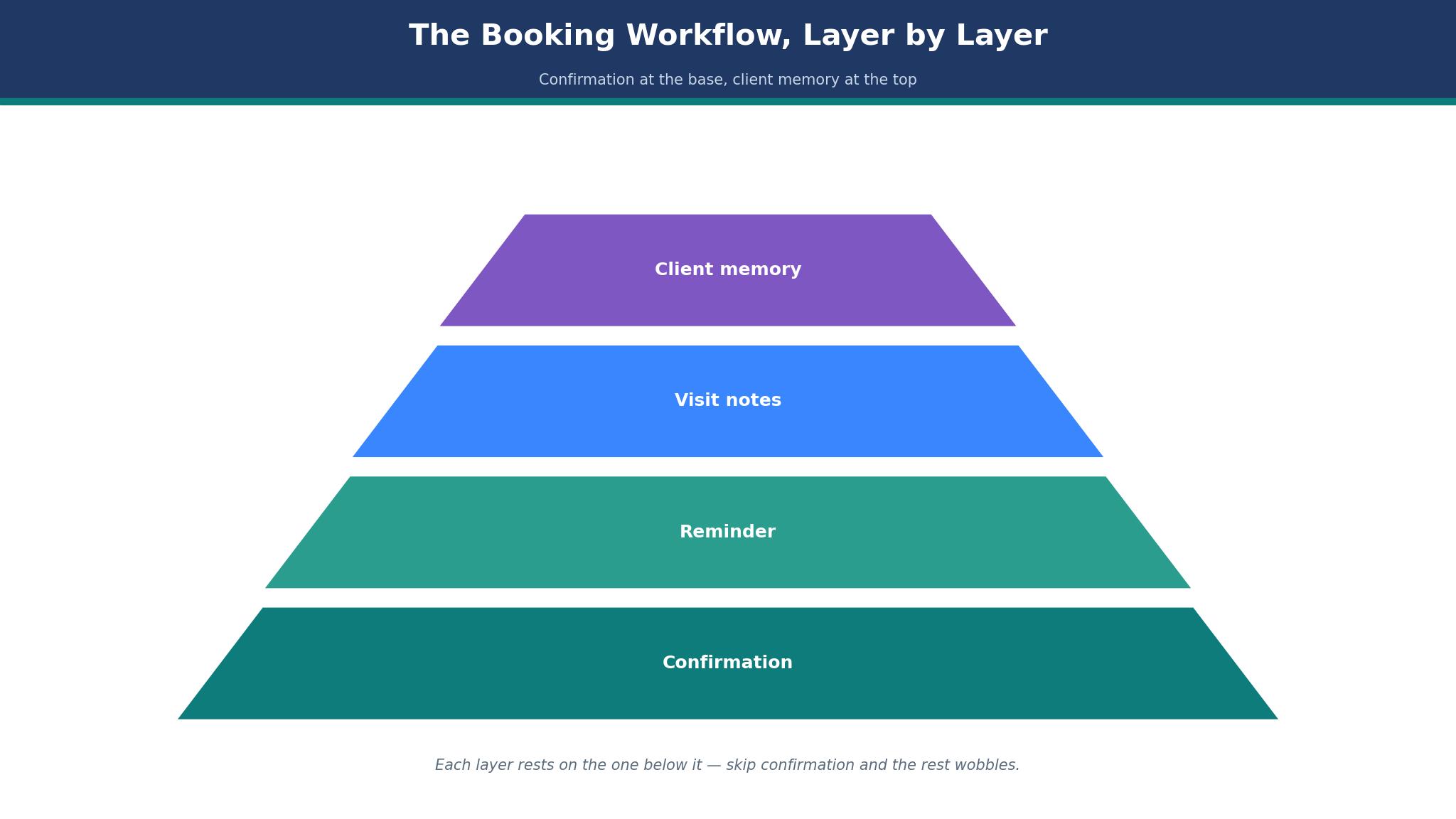
Good scheduling software works hardest in the gaps between appointments, not during them. First, it confirms. A booking made online should trigger a confirmation text, a reminder the day before, and a final nudge on the morning of the visit, all without the front desk typing anything. The confirmation should let the client reply yes, no, or reschedule in one tap.
Second, it protects the book. A deposit or a card on file for new clients, a waitlist that fills a cancelled slot automatically, and a buffer between services that matches the real time a stylist needs all keep the day full and the chairs earning. The AI in these tools helps by suggesting the best time for a service, spotting a gap that could fit a short booking, and flagging a client who often cancels late.
Third, it remembers the client. A record that shows the last cut, the formula used, the products bought, and the stylist preferred means the next booking takes seconds instead of a phone call. When the tool remembers, the client feels known, and a client who feels known comes back.
The 12 Tools at a Glance
The table below gives the short version of the best ai scheduling tools for salons. Each price is the starting monthly price unless stated, and the main job column states what each tool is built to do first.
| Tool | Main job | Best for | Starting price |
|---|---|---|---|
| Fresha | Booking plus marketplace discovery | Salons that want new clients from search | $19.95 per month |
| Booksy | Booking plus marketplace | Barbershops and salons that want discovery | $29.99 per month |
| Vagaro | All-in-one salon platform | Salons that want breadth on a budget | $30 per month |
| Square Appointments | Free booking with payments | Salons starting at zero cost | Free, Plus from $49 per month |
| GlossGenius | Simple booking with marketing | Solo stylists and small teams | $24 per month |
| Mangomint | Premium salon management | Growing salons with a front desk | $120 per location per month |
| Boulevard | Premium booking for upscale salons | Upscale salons and spas | From about $176 per month |
| Goldie | Simple booking for independents | Solo providers who want a clean app | From $19.99 per month |
| Schedulicity | Booking with marketplace | Salons that want marketplace exposure | From $34.99 per month |
| Setmore | Booking with video meetings | Salons that also do consultations | From $12 per user per month |
| Acuity Scheduling | Flexible booking with payments | Salons that need custom intake forms | From $20 per month |
| Timely | Booking with client records | Salons that want strong client history | From $19 per month |
Best Pick by Job
The table below matches each salon pattern to a first pick and a backup from the best ai scheduling tools for salons, so a solo stylist and a five-chair salon can each see their own answer at once.
| Job type | First pick | Second tool | Why this pair works |
|---|---|---|---|
| Solo stylist, first booking tool | GlossGenius | Goldie | GlossGenius is predictable and Goldie is simple to run |
| Salon that needs new clients | Fresha | Booksy | Fresha brings discovery and Booksy brings a large marketplace |
| Salon on a tight budget | Vagaro | Square Appointments | Vagaro caps the bill and Square starts free |
| Growing salon with a front desk | Mangomint | Boulevard | Mangomint automates the desk and Boulevard suits upscale service |
| Salon that needs custom forms | Acuity Scheduling | Setmore | Acuity handles intake well and Setmore covers video consults |
How to Compare the Best AI Scheduling Tools for Salons
Comparing starts with your own chairs. Count the stylists, count the services, and count how many bookings arrive online versus by phone. The best ai scheduling tools for salons differ most on how they handle a service that takes a different time with a different stylist, and that difference only shows up when you test it with your real service list.
Then check the money side, because the subscription is the smallest part of the bill. Fresha takes a one-time 20 percent commission on new marketplace clients, Booksy Boost takes 30 percent of a first visit, and payment processing runs 2.2 to 3.5 percent on most tools. Model a month of real bookings, including commissions and processing, before you compare the headline prices.
Finally, test the reminders on your own clients. Load a week of real bookings, let the tool send the reminders, and count how many clients confirmed, how many cancelled in time to refill the slot, and how many simply did not show. The tool that cuts no-shows by even one chair a week has paid for itself, whatever the subscription costs.
The 12 Tools in Detail
1. Fresha
Fresha is the discovery tool on this list, and its marketplace is the feature that matters most. A salon listed on Fresha can be found by clients searching for a service nearby, and the booking comes with the client details already filled in. The subscription starts at $19.95 a month for a solo provider, or $14.95 per team member on the Team plan, which makes it one of the cheapest seats in the category.
The weak point is the commission. A new client found through the marketplace costs a one-time 20 percent fee, with a minimum of $6, so a salon that relies on the marketplace for growth pays a real price for each new client. The subscription-free model ended in 2025, so there is no free tier anymore, and the pricing varies by country.
It suits a salon that wants new clients from search and is willing to pay a commission for them. For a new salon building a book, the marketplace can fill chairs faster than any other tool here.
Test it by listing your salon for one month and tracking every booking that came through the marketplace. Count the new clients, the commission paid on each, and how many of those clients rebooked directly, because a marketplace client who rebooks directly is worth the commission, and one who never returns is not.
2. Booksy
Booksy pairs booking software with a large consumer marketplace, and that combination is its core strength. A salon gets the full booking system, reminders, deposits, and client records, plus exposure to millions of users searching for beauty services. The price is $29.99 a month plus $20 for each extra team member, with a 14-day free trial.
The catch is the cost as the team grows. A five-person salon pays $29.99 plus $80 for four extra members, which is $110 a month before processing, and the Boost feature takes 30 percent of a new client’s first visit, up to $100. The marketplace is powerful, but the bill grows with the team.
It suits a barbershop or a salon that wants discovery and is happy to pay for it as the team grows. For a busy shop with a strong book, the marketplace keeps the chairs full.
Judge it by running the marketplace for six weeks and comparing the new clients it brought with the commission paid. If the new clients rebook at a good rate and the chairs stay full, the cost is a marketing expense, and if they do not return, the marketplace is not earning its fee.
3. Vagaro
Vagaro is the breadth pick, with booking, marketing, payroll, and a marketplace in one platform, and its price cap is the feature that matters most. The subscription is $30 a month for one bookable calendar, plus $10 for each extra calendar, and it tops out at $83.99 a month no matter how many providers are added. New accounts often get $23.99 for the first six months.
The downside is the interface, which carries a lot of features and can feel crowded to a new user. The marketplace is smaller than Fresha or Booksy, and the 30-day free trial requires a card on file. A salon that only needs simple booking may find the breadth gets in the way.
It suits a salon that wants a wide feature set with a predictable ceiling on the bill. For a team of four or more, the cap makes Vagaro one of the cheapest options here.
Try it by loading your full team and your full service list, then booking a week of real appointments through it. Count how many bookings needed a manual fix, how the reminders performed, and whether the monthly cost at your team size stays under the cap, because the cap is the reason to choose Vagaro.
4. Square Appointments
Square Appointments is the zero-cost start, and its free tier is the reason many salons begin here. A solo provider can take bookings, send reminders, and take payments without a monthly fee, paying only the processing rate of 2.6 percent plus 15 cents in person. The Plus plan starts at $49 a month for teams that need more.
The honest drawback is that the free tier is thin on the salon-specific features, like advanced marketing, detailed client records, and team management. A salon that grows past two or three stylists will need the Plus plan, and the marketplace exposure is zero, so every client must come from the salon’s own marketing.
It suits a new salon or a solo stylist who wants to start booking online today with no monthly bill. For that salon, the free tier is the right place to begin, and the upgrade path is clear when the book grows.
Test it by taking all bookings through Square for two weeks, including online, phone, and walk-in, and tracking how many clients booked themselves without calling. If the self-booking rate is high and the no-show rate is low, the free tier is doing the job, and the Plus plan can wait.
5. GlossGenius
GlossGenius is the cleanest pick for a solo stylist, with a fast setup, a good-looking booking page, and marketing tools included instead of sold separately. Standard costs $24 a month on annual billing, or $28 monthly, and Gold covers up to nine users at $48 a month on annual billing. The 14-day free trial needs no card.
The trade-off is the scale limit. The tool is built for solo providers and small teams, and a salon with ten or more chairs will outgrow it. The processing rates are 2.4 percent plus 15 cents in person and 3.4 percent plus 15 cents online, which are fair but not the lowest here, and there is no marketplace.
It suits a solo stylist or a team of two or three who want one predictable bill and a booking page that looks good. For that salon, the simplicity is the whole point.
Judge it by setting up your services, your prices, and your booking page in one afternoon, then sending the link to twenty regular clients. Count how many booked themselves, how many needed help, and how the page looked on a phone, because a booking page that works on a phone is the one clients will actually use.
6. Mangomint
Mangomint is the premium pick for a growing salon, with a refined interface, strong automation, and unlimited reminders included. The price is $120 a month per location plus $10 per user, with phone, marketing, and payroll as add-ons. The tool handles the front desk work that a busy salon needs, from intake forms to automated follow-ups.
The flaw is the price, which is the highest entry cost on this list for a small salon. A three-person salon pays $150 a month, and the add-ons push the bill higher. The setup is a project, not an afternoon, and a solo stylist will pay for power they never use.
It suits a growing salon with two to twenty staff where the front desk is the bottleneck. For that salon, the automation saves more in staff time than the subscription costs.
Evaluate it by listing every front-desk task your team does in a week, then checking which ones Mangomint automates. Count the hours saved, multiply by your staff cost, and compare with the monthly bill, because the automation is the only reason to pay the premium.
7. Boulevard
Boulevard is the upscale pick, built for salons and spas where the client experience is part of the brand. The booking flow is polished, the client profiles are detailed, and the self-booking experience feels premium. Pricing starts from about $176 a month per location on a 12-month contract, which puts it at the top of this list.
The limit is the contract and the price. A 12-month commitment at $176 a month is a serious decision for a small salon, and the tool is built for upscale service, so a budget salon will pay for polish its clients do not need. The feature set is deep, but the learning curve is real.
It suits an upscale salon or spa that treats the booking experience as part of the service. For that salon, the polished flow is worth the contract.
Test it by booking your own services as a client would, from the first search to the confirmation text, and noting every step that felt premium and every step that felt slow. If the experience matches the price your clients already pay, Boulevard fits, and if it feels like overkill, a cheaper tool will do.
8. Goldie
Goldie is the simple pick for an independent provider, with a clean app, easy booking, and a low starting price from $19.99 a month. The setup takes minutes, the booking page is straightforward, and the reminders work well for a solo provider who needs the basics done right. The tool stays out of the way, which is what an independent stylist wants.
The snag is the depth. Goldie does not offer the marketing, payroll, or marketplace features of the bigger tools, and a salon that grows into a team will need to move. The reporting is basic, and the client records are simpler than Vagaro or Timely.
It suits a solo provider who wants a clean, affordable booking app and nothing more. For that stylist, the simplicity and the price are the whole argument.
Try it by moving your next two weeks of bookings onto Goldie and tracking how many clients booked themselves, how many reminders were answered, and how much time you spent on the phone. If the phone time dropped and the chairs stayed full, Goldie is doing its job.
9. Schedulicity
Schedulicity pairs booking with a marketplace, and its strength is exposure to clients searching for services in their area. The price starts from $34.99 a month, and the tool covers booking, reminders, payments, and client records in one place. The marketplace can bring new clients to a salon that is still building its book.
The part to weigh is the price for what it offers, which sits above the budget tools without the depth of Mangomint or Boulevard. The interface is functional rather than polished, and the marketplace is smaller than Fresha or Booksy, so the discovery value is lower.
It suits a salon that wants marketplace exposure alongside a solid booking system and is willing to pay a mid-range price for it. For a salon in a competitive area, the extra exposure can fill a slow chair.
Judge it by tracking marketplace bookings for a month, counting the new clients and the revenue they brought, then comparing that revenue with the monthly fee. If the marketplace revenue covers the fee twice over, it earns its place, and if it does not, a cheaper booking tool will do.
10. Setmore
Setmore is the flexible pick, with booking, video meetings, and payments in one tool, and a free tier that covers the basics. The Premium plan starts from $12 per user per month, which makes it affordable for a small team, and the video consultation feature suits salons that do remote consultations before a booking.
The honest drawback is that Setmore is a general booking tool, not a salon specialist, so the salon-specific features are thinner than Vagaro or Fresha. The client records are simpler, the marketing tools are lighter, and a salon that needs deep salon features will feel the gap.
It suits a salon that also does video consultations, like a bridal or colour consultation, and wants those in the same booking flow. For that salon, the video feature is worth the trade-off.
Test it by running your next five consultations as video calls booked through Setmore, then asking each client whether the booking and the call felt smooth. If the clients liked it and the no-show rate for consultations dropped, the video feature is earning its keep.
11. Acuity Scheduling
Acuity Scheduling, from Squarespace, is the form pick, with the strongest intake forms on this list. A salon can ask about allergies, previous colour, and hair history before the booking is confirmed, and the answers arrive with the appointment. The price starts from $20 a month, and the payment options are solid.
The honest drawback is that Acuity is a general scheduler, so the salon-specific features like service packages, staff commissions, and salon marketing are thinner than the specialists. The interface is clean but the learning curve for custom forms is real, and a salon that wants a marketplace will not find one here.
It suits a salon that needs detailed intake before a service, like a colour correction or a bridal booking, where the wrong information costs an hour. For that salon, the form is the feature that matters.
Evaluate it by building your longest intake form, the one with the most questions, and testing it with five real clients. Count how many completed it, how many left questions blank, and whether the answers saved time at the chair, because a form that clients abandon is worse than no form at all.
12. Timely
Timely is the client-history pick, with strong records that show every visit, every service, and every product a client has bought. The price starts from $19 a month, and the tool covers booking, reminders, payments, and reporting in a clean interface. The history view helps a stylist prepare for a returning client in seconds.
The thing to watch is the scale. Timely is built for small to mid-size salons, and a large multi-location business will outgrow it. The marketing tools are lighter than Vagaro, and there is no marketplace, so new clients must come from the salon’s own efforts.
It suits a salon that values client history above all else, where knowing the last formula and the last cut matters more than discovery. For that salon, the record is the reason to choose Timely.
Try it by opening the history for your ten most regular clients and checking whether the record shows the last three visits, the products bought, and the stylist preferred. If the history is complete and easy to read at the chair, Timely has done its job.
A Booking Week That Fills Chairs Without Double-Booking
A good booking week starts on Sunday evening, when the front desk reviews the next seven days and fills the gaps. The tool should show the empty chairs, the waitlist, and the clients who have not rebooked, so the team can send a few targeted messages instead of a blast to the whole list. The best ai scheduling tools for salons make that Sunday review a ten-minute job instead of an hour of phone calls.
Monday and Tuesday are for confirmations, with reminders going out for the week’s bookings and cancellations refilled from the waitlist. Wednesday and Thursday are the busiest chair days, and the tool should handle the check-ins, the deposits, and the rebooking prompts at the chair without the front desk intervening. Friday is for the weekend, with Saturday bookings confirmed and Sunday kept clear for the review.
The week works when the tool does the routine work and the team does the human work. A reminder sent by the tool, a rebooking suggested at the chair, and a gap filled from the waitlist are all jobs the software does well, while the welcome at the door and the consultation at the chair are jobs only a person can do.

Booking Mistakes That Empty a Chair
The first mistake is a service booked for the wrong length of time. A colour booked as a cut leaves the next client waiting, and a cut booked as a colour leaves an empty chair. The service list must carry the real time each stylist needs, and the tool must respect it, even when a client asks for a shorter slot.
The second mistake is no deposit for a new client. A first-time booking with no card on file is a free option for the client and a risk for the salon. A small deposit, taken at booking and explained clearly, cuts no-shows more than any reminder. The third mistake is a reminder sent too late, because a reminder on the morning of the appointment gives the client no time to reschedule, and the chair stays empty.
The fourth mistake is a book that never gets reviewed. A salon that never looks at the empty chairs, the waitlist, and the clients who have not returned is flying blind. The weekly review is the cheapest marketing a salon can do, and it takes ten minutes with the right tool.
Frequently Asked Questions
How much does salon scheduling software really cost per month?
The subscription runs from free to about $176 a month, but the real bill includes payment processing at 2.2 to 3.5 percent, marketplace commissions of 20 to 30 percent on new clients, and add-ons for SMS and marketing. The best ai scheduling tools for salons look cheap on the pricing page and expensive in the monthly total, so model a real month before you choose.
Do clients actually book online, or do they still call?
Most clients under forty book online when the page works on a phone, and most clients over sixty still call. A salon needs both, which is why the booking page and the phone number should sit side by side. The online share grows every year, and a salon without online booking loses the younger clients first.
How do I cut no-shows without annoying clients?
Take a deposit from new clients, send a reminder the day before and the morning of the visit, and let the client confirm or reschedule in one tap. A client who can reschedule easily will do so in time for the slot to be refilled, while a client who cannot will simply not show up. The deposit and the easy reschedule together cut no-shows more than either one alone.
Should I use the marketplace features or turn them off?
Use them while the book is growing, and turn them off once the chairs are full from direct bookings. The marketplace commission is worth paying for a new client, but it is wasteful for a client who would have booked directly anyway. Review the marketplace bookings each month and keep the feature only while it brings clients you would not otherwise have.
Can one tool handle two locations?
Yes, but the price and the setup change. Mangomint charges per location, Vagaro charges per calendar, and Booksy charges per team member, so a two-location salon should price each tool at its real size before choosing. A tool that is cheap for one location can be expensive for two, and the multi-location reporting matters more than the single-location price.
What happens to my client list if I switch tools?
Most tools export clients as a file, but the history, the formulas, and the notes may not survive the move. Before switching, export a test set of twenty clients and check what arrives intact. A tool that holds the history hostage is a long-term risk, and the export test takes ten minutes.
The Booking System That Fits Your Chairs
For most solo stylists, GlossGenius is the safest first step, because it is fast to set up, costs one predictable amount, and looks good on a phone. A salon that needs new clients should test Fresha or Booksy, and a salon on a budget should compare Vagaro with Square Appointments. A growing salon with a front desk should look hard at Mangomint, and an upscale salon should test Boulevard before committing to the contract. The best ai scheduling tools for salons all fill a book, yet the winner is the one that fits your chairs, your team, and your real monthly bill.
Pick two tools, run each for one real week against your own service list, and keep the one that cuts no-shows and fills gaps. The test week will show you which one that is.