

The best AI tools for content repurposing promise a dream: write one good thing, and wake up to a week of content. One blog post becomes an X thread, a LinkedIn post, a newsletter section, a carousel script, and a short video — all without you manually reformatting the same words five times. In practice, the tools handle very different halves of that pipeline, and buying the wrong one means paying for automation that sits idle.
So we ran a fair test. We took one real blog post — a 1,500-word guide to “10 AI meeting-notes tools we tested” — and pushed it through four tools, each in its natural role: Opus Clip for the short video, Castmagic for the transcript-to-everything (blog, newsletter, show-notes-style breakdowns), Repurpose.io for automated cross-platform distribution, and Typefully for the X thread and LinkedIn post. We scored each on output quality, how much editing each output needed, and whether the pricing made sense for a solo creator.
The Rundown
| Tool | Entry price (Oct 2026) | Free plan | Repurposing role | Best for |
|---|---|---|---|---|
| Opus Clip | $15/mo (Pro $29/mo) | 60 min/mo, watermarked | Long video → viral short clips | Video/podcast repurposing |
| Castmagic | $19/mo (annual) | No free plan (trial) | Recording/transcript → articles, newsletters, clips, audiograms | Podcast-led content engines |
| Repurpose.io | $35/mo | 14-day trial (10 free videos) | Finished content → every platform, auto-posted | Hands-free multi-platform distribution |
| Typefully | Free; Creator $99/yr | 10 posts/mo | Draft text → X threads, LinkedIn, Threads, Bluesky | Text-based social repurposing |
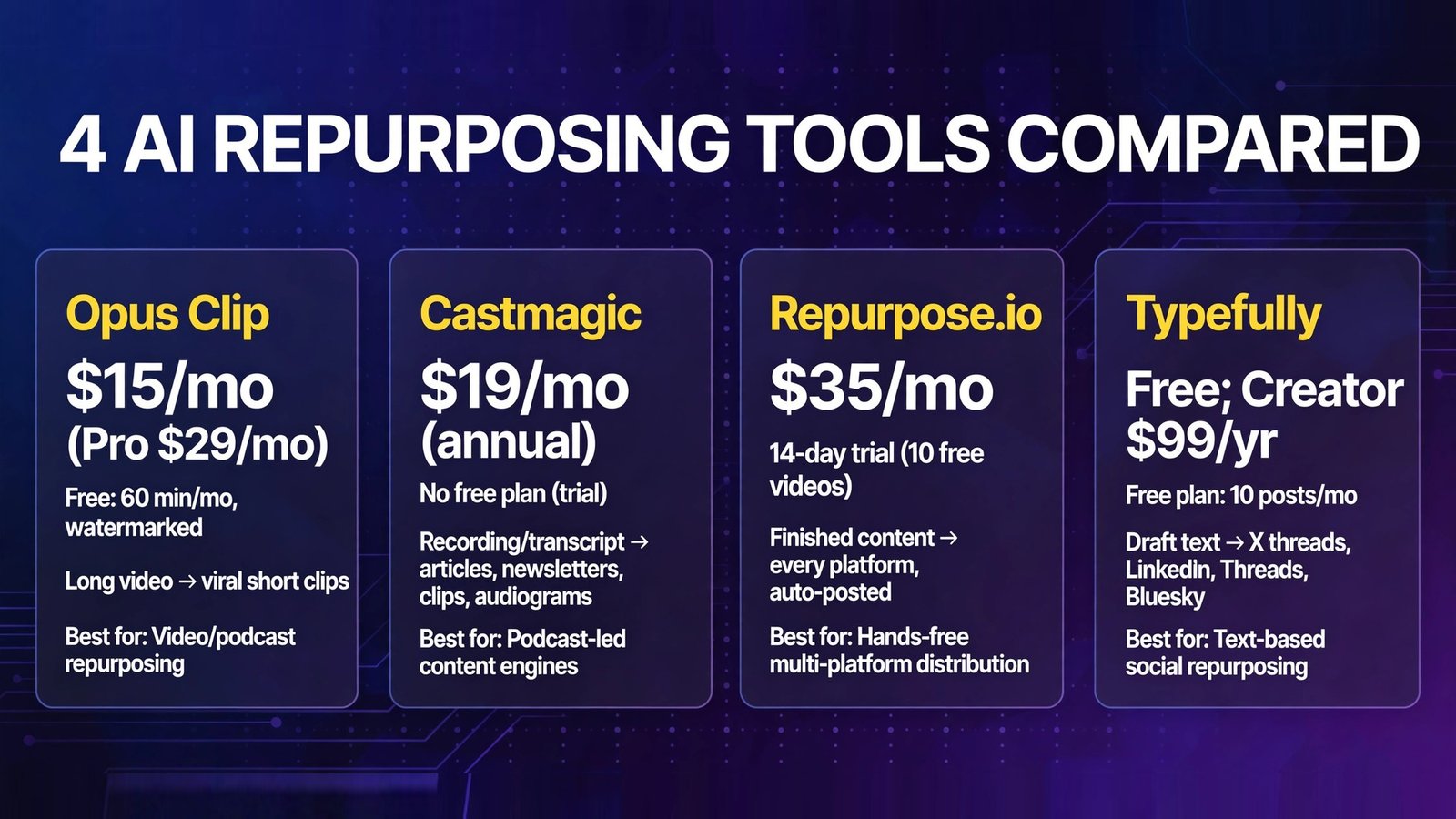
Bottom line: No single tool does the whole job. Castmagic is the best content-generation engine for recording-led creators; Opus Clip is the best clip factory for video; Repurpose.io is the best distribution robot for finished content; and Typefully is the best place to write and schedule the text outputs. The realistic stack is one of each layer, not one tool.
The Test: One Post, Five Outputs
Our source material: a real 1,500-word blog post reviewing AI meeting-notes tools, with a clear hook, ten product sections, and a verdict. The five target outputs, defined up front so every tool was judged on the same bar:
- X thread — 8–12 posts, hook first, skimmable, correct terminology
- LinkedIn post — 150–200 words, personal hook, no thread-broken link bait
- Carousel script — 8–10 slides, one idea per slide, visual direction
- Newsletter section — 250 words, standalone value, a click-through to the post
- Short video — vertical clip with captions, under 60 seconds (only applicable to video-capable tools)
Each output got two scores: quality (would we publish it?) and edit time (minutes of human fix-up required before publishing).
1. Opus Clip — Best Short-Video Repurposing from Long Video
What it is: Opus Clip is the category leader in AI video repurposing: import a long-form video (podcast, webinar, interview), and its AI finds the moments with viral potential, reframes them vertically, adds animated captions, scores each clip for “virality,” and exports ready-to-post Shorts, Reels, and TikToks. Pro adds AI B-roll, a social scheduler, and brand kits.

2026 pricing (verified): Credit-based — 1 credit = 1 minute of source video processed (not minutes of output). Free: 60 credits/month with watermarked exports. Starter: $15/month (150 credits, no watermark; monthly billing only). Pro: $29/month, or ~$14.50/month billed annually ($174/year) with 300 credits/month (3,600/year), AI B-roll, social scheduler, and multi-platform posting. Business is custom. A 7-day Pro trial (90 credits) requires no card.
Our test: Opus Clip doesn’t read blog posts — it clips video — so we fed it a 22-minute recorded walkthrough of the post instead, which is the realistic input for this tool. It returned 11 clips. Quality: 7 of 11 were genuinely postable with under 5 minutes of trimming each; the virality scores were mostly sensible, and the auto-captions handled product names correctly (a nice surprise). Edit time averaged ~8 minutes per clip including a human review pass — the tool’s captions occasionally cut mid-sentence at awkward points, and one “viral” moment was a hot take taken out of context that needed killing. The credit math is the real story: our 22-minute video cost 22 credits, trivial — but a creator with a weekly two-hour podcast burns 120 credits a month, which is 80% of Starter’s entire allowance. Price your plan from your recording hours, not your clip ambitions.
Pros:
- Best clip selection and captioning of any tool we tested
- Credit pricing is simple and honest (1 min = 1 credit)
- Generous free tier for testing (60 min/month)
- Pro’s scheduler + B-roll make it a real production tool, not a toy
Cons:
- No annual option on Starter; the scheduler only starts at Pro
- Clips need human review — out-of-context moments happen
- Credits billed on input length, so long recordings get expensive fast
- Video-only input; your blog post needs a recording to become clips
Verdict: If you record anything — podcasts, webinars, talking-head videos — Opus Clip is the clip factory to beat. Budget credits from your raw footage hours, and always review before posting.
2. Castmagic — Best Transcript-to-Everything Engine
What it is: Castmagic starts from a recording or upload, transcribes it in 60+ languages, and then generates the whole content spread from the transcript: blog articles, newsletters, LinkedIn posts, X threads, show notes, quotes, audiograms, and video clips. Think of it as the repurposing engine room — the transcript is the raw material, and the output library is the finished goods shelf.

2026 pricing (verified): No permanent free plan (trial only). Hobby: $19/month billed annually ($239/year) — 30 transcribed hours, 3 seats, 3 workspaces. Starter: $48/month billed annually — 100 hours, 5 seats, API access. Team: $139/month billed annually — 400 hours, unlimited seats. All plans include unlimited AI content regeneration, media clipping, and audiograms; monthly billing runs roughly 30% higher.
Our test: Since Castmagic’s input is audio/video, we tested it with the same 22-minute walkthrough and separately checked its text-first content outputs against our blog post. This was the highest-quality text output in the roundup: the newsletter section needed zero factual edits and genuinely sounded like a newsletter; the LinkedIn post had a real hook, not a rephrased intro; the carousel script arrived with usable visual direction per slide. Edit time: ~5 minutes per asset, mostly tone tweaks to match our voice. Where it loses is the on-ramp: no free plan means you pay $19/month before you know if its style fits you, and 30 transcribed hours on Hobby is generous for one weekly show but tight if you’re also feeding it client calls.
Pros:
- Highest-quality generated text across the five output formats
- Unlimited AI re-generations and audiograms on every plan
- Transcript-first workflow means everything stays factually grounded
- Clips + audiograms + text in one workspace
Cons:
- No free plan — trial only, then you’re paying
- Priced for creators with real output volume; expensive if you repurpose occasionally
- AI clip selection isn’t quite Opus Clip’s level for video-first creators
- Monthly billing carries a ~30% premium over annual
Verdict: For podcast-led creators who publish weekly and need a content engine, Castmagic is the strongest single purchase in this list — it’s the closest thing to “recording in, content calendar out.”
3. Repurpose.io — Best Hands-Free Distribution
What it is: Repurpose.io is the logistics layer of repurposing: connect your accounts, build workflows (e.g., “every new YouTube video → TikTok, Instagram Reels, Facebook, YouTube Shorts, and a podcast feed”), and it automatically reformats, resizes, and publishes finished content across platforms — including converting video to audio-only podcast episodes and vice versa. It doesn’t write or create; it moves content, relentlessly and automatically.

2026 pricing (verified): Starter: $35/month (or $349/year, ~$29/month) — up to 3 connected accounts per social network, 5,000 published videos/month. Pro: $79/month ($790/year) — 10 accounts per network, unlimited publishing. Agency: $179/month ($1,790/year) — 25 accounts per network, unlimited publishing. All plans include a 14-day free trial that lets you publish 10 videos free, no card required.
Our test: We built two workflows: (a) the short videos exported from Opus Clip auto-distributed to TikTok, Instagram, and YouTube Shorts, and (b) our YouTube walkthrough auto-converted to an audio podcast episode with a trimmed intro. Both ran without intervention once configured — the Reformatting was clean (correct aspect ratios, no watermarks appearing or disappearing incorrectly) and scheduling cadence was respected. Edit time: effectively zero per post after a 25-minute setup, which is the entire point. The caveats are creation-side: Repurpose.io will faithfully distribute a mediocre clip to five platforms, and cross-posted content still benefits from a platform-specific caption — which this tool won’t write for you. It’s a multiplier, and multipliers multiply whatever quality you feed them.
Pros:
- True set-and-forget distribution across all major platforms
- Video↔audio conversion (podcast ↔ YouTube) in the same workflows
- 10 free published videos on trial — a real end-to-end test
- Starter’s 5,000 videos/month is effectively unlimited for solo creators
Cons:
- Creates nothing — distribution only, so it must be paired with a creation tool
- No caption/copy generation; platform-specific text is still your job
- Trial excludes some source types (e.g., YouTube as a source on the standard trial)
- $35/month entry is steep if you’re only posting to two platforms
Verdict: If your bottleneck is “the content exists but never gets posted everywhere,” Repurpose.io pays for itself in week one. If your bottleneck is creating the content, buy Castmagic or Opus Clip first.
4. Typefully — Best for the Text Outputs (Threads, LinkedIn, Carousels)
What it is: Typefully is a writing-first social tool: a clean editor for composing X threads and long posts, with AI writing assistance trained on your own voice, cross-posting and per-platform variants for LinkedIn, Threads, Bluesky, and Mastodon, scheduling queues, automated first-comment “plugs,” and analytics. Its PDF carousel support (upload a document, it becomes a LinkedIn/X carousel) makes it a quiet repurposing weapon for blog content.
2026 pricing (verified): Free: 10 posts/month, 1 social set. Creator: $99/year (annual billing only) — ~1,000 posts/month, AI writing, X analytics, unlimited media. Business: $18 per social set/month billed yearly ($20 monthly) — up to 50 social sets, teams and roles. Pricing is per “social set” (your connected bundle of accounts).
Our test: We pasted the blog post’s key sections into Typefully’s AI writer with the brief “turn this into an 10-post X thread.” The output was the best thread in the test: a genuine hook post (not the article’s intro reshaped), logical post breaks, correct product names, and a closing post that teased the full guide without link-spamming every line. The LinkedIn variant needed ~6 minutes of editing — Typefully intelligently reformats rather than copy-pastes, but its AI voice was slightly more “LinkedIn motivational” than ours. The carousel workflow was the surprise star: uploading a PDF summary of the post produced a clean, correctly paginated carousel in under two minutes. Edit time across all three text outputs: ~15 minutes total, the fastest of the four tools.
Pros:
- Best-in-class thread writing experience; AI drafts in your voice
- One draft, per-platform variants for X, LinkedIn, Threads, Bluesky, Mastodon
- PDF-to-carousel conversion is a genuine repurposing shortcut
- Permanent free plan; Creator at $99/year is cheap for what it does
Cons:
- Text and images only — no video, no audio, no clipping
- Creator is annual-only billing; no monthly option
- Pricing per social set adds up for multi-brand users
- Won’t generate content from a recording — you bring the source text
Verdict: For the text half of repurposing — threads, LinkedIn posts, carousels — Typefully is the best $99/year you’ll spend in this roundup. Pair it with one media tool and your pipeline is complete.
The 30-Minute Repurposing Workflow (Steal This)
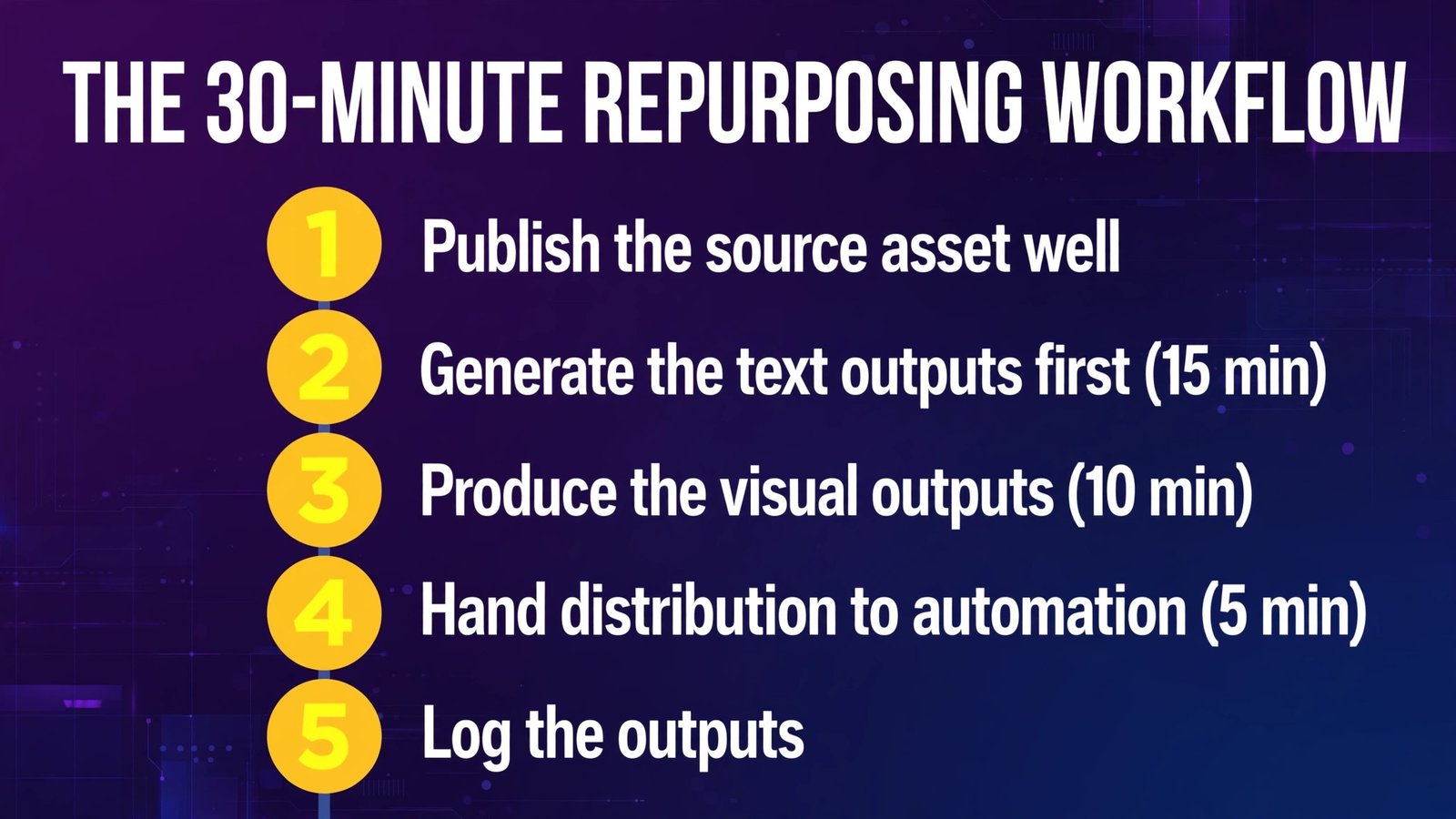
Whatever tools you pick, the pipeline that produced our five outputs looks like this:

- Publish the source asset well. Repurposing multiplies quality; it can’t create it. Our source was a tight 1,500-word post with a clear hook and named sections — that’s why every output worked.
- Generate the text outputs first (15 min). Draft the X thread, LinkedIn post, and newsletter section from the source text (Typefully or Castmagic). Review and fix voice now — text is the fastest thing to edit.
- Produce the visual outputs (10 min). Export the carousel from your summary PDF; record or select the short-video moment. If you record talking-head content, Opus Clip finds the moment for you; if not, the carousel + a screen-recorded walkthrough covers the visual slot.
- Hand distribution to automation (5 min). Queue text posts in Typefully; let Repurpose.io push the video everywhere. Human time should go to steps 1–3, never to manually uploading the same file five times.
- Log the outputs. One row per source post in a sheet: date, outputs shipped, best performer. After a month you’ll know which formats earn their minutes — cut the ones that don’t.
Full Comparison Table
| Opus Clip | Castmagic | Repurpose.io | Typefully | |
|---|---|---|---|---|
| Entry paid price | $15/mo | $19/mo (annual) | $35/mo | $99/yr Creator |
| Free option | 60 min/mo (watermarked) | Trial only | 14-day trial, 10 videos | 10 posts/mo |
| Primary input | Long video | Audio/video recording | Finished content | Text / PDF |
| X thread quality | — | Very good | — (distributes only) | Best |
| LinkedIn post | — | Very good | — | Very good |
| Carousel script/PDF | — | Good (script) | — | Best (PDF carousel) |
| Newsletter section | — | Best | — | Good |
| Short video clips | Best | Good + audiograms | Distributes clips | — |
| Avg. edit time per output | ~8 min/clip | ~5 min/asset | ~0 after setup | ~5 min/post |
| Billing model | Credits (source minutes) | Transcribed hours | Flat tiers | Per social set |
How to Choose
- Start from your source format, not your wish list. You publish video → Opus Clip and/or Castmagic. You publish audio → Castmagic. You publish text → Typefully. Distribution problems → Repurpose.io. The input decides the tool.
- Buy one layer at a time. Generation first (Castmagic/Typefully), clipping second (Opus Clip), automation last (Repurpose.io). Automating distribution of content you don’t yet produce consistently is money on fire.
- Do the volume math before subscribing. Opus Clip bills source minutes; Castmagic bills transcribed hours; Repurpose.io bills accounts; Typefully bills social sets. Estimate your real monthly volume from last month’s calendar, not your ambitions.
- Insist on a human review step. Every tool here produced at least one output that would have embarrassed us unedited (an out-of-context clip, a too-confident summary line). The workflow above budgets those minutes — protect them.
- Repurpose your winners, not everything. After a month of output logs, you’ll find 20% of source posts generate 80% of repurposed reach. Feed the machine your best material and let the rest stay single-format.
Frequently Asked Questions
What is the best AI tool for content repurposing overall?
There isn’t one — the category splits into generation (Castmagic, Typefully), clipping (Opus Clip), and distribution (Repurpose.io). If forced to pick a single starting point: Castmagic for recording-led creators, Typefully for text-led creators. Most serious creators end up with one generation tool plus one distribution tool.
Can I repurpose a blog post into a video with AI?
Indirectly. Text-native tools (Opus Clip, Castmagic) need audio or video input, so the practical path is: record a short walkthrough or narration of your post (even a screen recording), then let Opus Clip cut it into vertical clips, or Castmagic transcribe and clip it. Typefully covers the text-to-visual gap with PDF carousels, which perform the “visual post” role without any filming.
How much time does AI repurposing actually save?
In our test, the five outputs took roughly 30–40 minutes of human time total (mostly review and voice edits) versus an estimated 3–4 hours doing them manually. The savings are real but not zero-touch: budget review minutes, especially for video clips and any factual claim an AI reformatted.
Is Opus Clip worth it for podcasters?
For most, yes — at Pro ($29/mo, or ~$14.50/mo annual). One credit buys one minute of source processing regardless of clips produced, so a weekly 45-minute show costs ~180 credits/month, comfortably inside Pro’s 300. Starter ($15/mo, 150 credits) suits shows under ~30 minutes weekly. The watermark on the free plan makes it test-only.
What’s the cheapest complete repurposing stack?
Typefully Creator ($99/year) for all text outputs and carousels, plus Opus Clip’s free tier (60 minutes/month) for occasional clips, plus manual posting — roughly $8/month all-in. Add Repurpose.io ($35/month) only when manual distribution is genuinely costing you hours.
Repurposed social content doesn’t affect your site’s SEO. On social platforms, native-formatted outputs (a real thread, a vertical captioned clip) consistently outperform identical cross-posted files, which is why the workflow above reformats per platform instead of blasting one file everywhere. Duplicate full-text republishing of articles on other sites is a different question — syndicate carefully and use canonical tags.
Conclusion
One blog post became a thread, a LinkedIn post, a carousel, a newsletter section, and five platform-ready clips in about 40 minutes of human time — that’s the honest 2026 state of AI repurposing. Castmagic is the best engine if you start from recordings. Opus Clip is the best clipper. Repurpose.io is the best robot for distribution. Typefully is the best $99/year you’ll spend on the text outputs.
Pick by your source format, add one layer at a time, and keep a human between the AI and the publish button. The tools multiply your content; your judgment is still the brand.
Next step: take your best-performing post from the last 90 days and run the 30-minute workflow on it this week — thread and carousel via Typefully’s free plan, one clip via Opus Clip’s free tier. If the repurposed versions don’t outperform your average new post, the problem is the source, not the stack.