
The best AI tools for Etsy sellers in 2026 are not the ones with the longest feature lists. They are the ones that fix a specific leak in a shop: a listing nobody finds, a photo nobody clicks, a price that looks profitable until fees and materials are counted, or a buyer who never comes back. Etsy rewards shops that get found, get clicked, and get repeat orders. A tool that does not move one of those three numbers is decoration, however pretty its dashboard looks.
This guide tests 12 tools against that standard: does it help a seller find buyers, present a listing better, price with fees in mind, or bring a buyer back? What does it cost, what breaks at scale, and when should you skip it? Prices are October 2026 figures. Where a vendor prices by plan, seat, or usage, or does not publish a single headline price, this guide says check checkout rather than guessing a number that will be wrong by the time you read this.
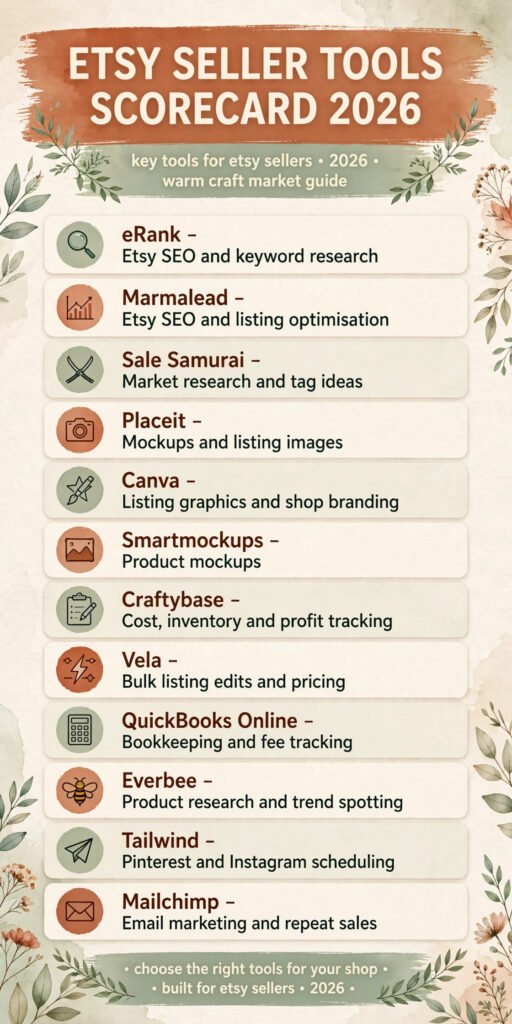
The 12 best AI tools for Etsy sellers at a glance
| Tool | Main job | Best for | Free option |
|---|---|---|---|
| eRank | Etsy SEO and keyword research | Finding search terms buyers actually type | Free tier |
| Marmalead | Etsy SEO and listing optimisation | Checking a listing before you publish it | Free trial |
| Sale Samurai | Market research and tag ideas | Spotting demand before you make stock | Free trial |
| Placeit | Mockups and listing images | Showing a product in use without a photo shoot | Subscription |
| Canva | Listing graphics and shop branding | Fast, consistent listing images and banners | Free tier |
| Smartmockups | Product mockups | Clean product shots for digital and print goods | Free tier |
| Craftybase | Cost, inventory and profit tracking | Knowing what you really earned after fees and materials | Free trial |
| Vela | Bulk listing edits and pricing | Changing prices and tags across many listings at once | Free trial |
| QuickBooks Online | Bookkeeping and fee tracking | Keeping Etsy income, fees and tax records in order | Free trial |
| Everbee | Product research and trend spotting | Checking what is selling before you commit to a design | Free tier |
| Tailwind | Pinterest and Instagram scheduling | Keeping a shop visible between launches | Free trial |
| Mailchimp | Email marketing and repeat sales | Turning one time buyers into repeat buyers | Free tier |
Start here: the right pick for each seller job
| Your bottleneck | Start with | Why it fits |
|---|---|---|
| Listings get views but no sales | Marmalead | It checks titles, tags and photos as a buyer would see them |
| Listings get almost no views at all | eRank | It shows which search terms have demand and how crowded they are |
| You are not sure what to make next | Sale Samurai or Everbee | Both test demand before you spend on materials or design time |
| Photos look flat next to competitors | Placeit or Smartmockups | Both put a product in a real looking setting fast |
| Your shop looks inconsistent | Canva | One template set keeps banners, listing images and social posts aligned |
| You do not know your real profit | Craftybase | It ties materials, labour time and fees to each product |
| Prices need changing across the shop | Vela | Bulk edits beat opening 80 listings one by one |
| Tax time is a mess of spreadsheets | QuickBooks Online | Etsy payouts, fees and expenses sit in one ledger |
| Social traffic has dried up | Tailwind | Scheduled pins and posts keep traffic coming between drops |
| Past buyers never return | Mailchimp | A short email list beats hoping Etsy shows your shop again |
Etsy SEO and listings: get found by the right buyers
1. eRank: the search term check every listing needs
eRank is an Etsy SEO tool built around one job: showing what buyers type into Etsy search, how many shops compete for that phrase, and whether your listing stands a chance of ranking for it. Its audit flags tags that repeat words already in your title, tags too broad to rank for, and listings with no clear primary search term.
Pricing: Free tier for basic keyword checks, paid plans for deeper audits and tracking. Check checkout for the current plan price, because eRank prices by feature tier rather than a single flat rate.
Best for: Sellers who want to pick tags from data rather than guessing, and shops with 20 or more listings that need regular audits.
Watch out for: eRank shows demand, not intent. Always open the top listings for a phrase and check whether your product belongs beside them before you chase the volume.
Try it at: https://www.erank.com

2. Marmalead: the pre publish listing check
Marmalead grades a listing as a whole, looking at title, tags, description and price signals to show where it is weak. A common result is a keyword stuffed title with no clear product promise, or 13 tags saying the same thing in different words. It also tracks performance over time, so you can see whether a tag change helped or hurt.
Pricing: Free trial, then subscription. Check checkout for the current monthly price.
Best for: Sellers who rewrite listings often, and shops preparing a seasonal range where each listing needs to be right on day one.
Watch out for: A high grade does not guarantee sales. Marmalead measures listing quality, not product demand. Pair it with a demand check from eRank or Sale Samurai before you invest in photos and stock.
Try it at: https://www.marmalead.com
3. Sale Samurai: demand first, design second
Sale Samurai estimates search volume and competition for a phrase, shows trending products in a niche, and helps you compare tag ideas side by side. Before you design a new line, check whether buyers search for it, how many established shops serve it, and what price range they sell at. That ten minute check can save weeks of making stock that competes on price alone.
Pricing: Free trial, then subscription. Check checkout for the current plan price.
Best for: Sellers planning a new range, and shops that want to expand into a neighbouring niche without guessing.
Watch out for: Trend data lags real demand, and a rising trend can already be crowded by launch time. Use Sale Samurai to shortlist ideas, then check live Etsy search results. If the first page is full of shops with thousands of sales, you need a sharper angle, not just a better tag.
Try it at: https://www.salesamurai.com
Design and mockups: get the click once you are found
4. Placeit: mockups that show a product in use
Placeit gives sellers thousands of mockup templates for apparel, mugs, wall art, phone cases and other common Etsy categories. You upload a design, pick a setting, and download a listing image that looks like a real photo. For print on demand sellers, this is often the difference between a flat design file and a listing a buyer can picture in their home.
Pricing: Subscription, with a limited free option for some templates. Check checkout for the current monthly or annual price.
Best for: Print on demand sellers, apparel designers, and shops that launch many designs and cannot photograph each one.
Watch out for: Mockups can look generic if every seller in your niche uses the same three templates. Pick settings that match your buyer, not just the product. A mug in a bright kitchen sells a different feeling from the same mug on a dark desk.
Try it at: https://placeit.net

5. Canva: the shop branding workhorse
Canva is the design tool most Etsy sellers already know. You can build listing image templates, shop banners, sale graphics and social posts from one set of brand colours and fonts, so a shop looks like one shop instead of 40 unrelated listings. Its background remover and resize tools let one main image be adapted for Etsy, Pinterest and Instagram without starting from scratch.
For sellers who want to compare Canva with other image tools before committing, the comparison in Midjourney alternatives is a useful check on what AI image generation can and cannot do for product visuals.
Pricing: Free tier for core design tools, paid Pro plan for background removal, brand kits and larger storage. Check checkout for the current Pro price.
Best for: Sellers who need consistent branding across listings and social channels, and shops that publish often.
Watch out for: Canva makes it easy to overdesign. Keep the first listing image clean, put text and detail shots later in the set, and test the thumbnail at phone size before you publish.
Try it at: https://www.canva.com
6. Smartmockups: clean product shots without a studio
Smartmockups places a design onto a realistic product shot, covering apparel, packaging, books, devices and print goods, with a simpler interface than a full design suite. For digital sellers, it shows an ebook, planner or printable as a physical looking product, which often lifts click rates compared with a flat PDF preview.
Pricing: Free tier for basic mockups, paid plan for the full library and higher resolution downloads. Check checkout for the current plan price.
Best for: Digital product sellers, book and planner sellers, and shops that need a professional listing image without hiring a photographer.
Watch out for: Smartmockups is a presentation tool, not a design tool. Fix the design first, then use Smartmockups to present it well.
Try it at: https://smartmockups.com
Pricing and fees: know what you actually keep
7. Craftybase: profit per product, not just revenue per month
Craftybase tracks materials, labour time, overhead and fees for each product, then shows profit per item and per order. Many shops discover that their best seller, after materials, packaging, Etsy fees and time, earns less than a slower product with a higher margin. Craftybase makes that comparison visible product by product, instead of hiding it inside a monthly revenue total.
Pricing: Free trial, then subscription by plan. Check checkout for the current monthly price.
Best for: Makers who buy materials, assemble products by hand, or sell across Etsy and their own site and need one profit picture.
Watch out for: Craftybase only works if you enter real costs.
Try it at: https://craftybase.com
8. Vela: bulk edits when the shop outgrows manual changes
Vela lets sellers edit prices, tags, titles, materials and shipping profiles across many listings at once. When a material cost rises or a sale needs a price change across 60 listings, Vela turns a full day of clicking into a single batch job. It also helps with listing duplication and variation management for shops with many colour or size options.
Pricing: Free trial, then subscription. Check checkout for the current plan price.
Best for: Shops with 50 or more listings, and sellers who run regular sales or price updates.
Watch out for: Bulk edits are powerful and unforgiving. Always preview the affected listings, run a small batch first, and keep a record of old prices before a shop wide change.
Try it at: https://getvela.com
9. QuickBooks Online: bookkeeping that survives tax time
QuickBooks Online connects to bank accounts and, through integrations, to Etsy payouts, so income, Etsy fees, material purchases and other expenses sit in one ledger. At tax time you are not rebuilding a year of sales from Etsy statements and card receipts. You can also track which expenses belong to the shop and which do not, where many part time sellers make costly mistakes.
Pricing: Free trial, then subscription by tier. Check checkout for the current monthly price, because QuickBooks prices by feature tier and user count.
Best for: Sellers who treat Etsy as a business, not a hobby, and shops with income from more than one channel.
Watch out for: QuickBooks needs a basic setup to be useful. Set up Etsy fees, materials, packaging, postage and advertising as separate categories on day one, and reconcile monthly rather than once a year.
Try it at: https://quickbooks.intuit.com
Marketing and repeat sales: bring buyers back
10. Everbee: research that checks demand from the buyer side
Everbee shows estimated sales, revenue and search interest for products and shops. Sellers use it to check whether a niche is growing, what price range buyers accept, and which listings actually sell rather than just looking popular. It is most useful at the idea stage, before you commit to a design direction or a materials order.
Pricing: Free tier for basic research, paid plans for deeper sales estimates and tracking. Check checkout for the current plan price.
Best for: Sellers exploring a new niche, and shops that want a second data source to cross check eRank or Sale Samurai.
Watch out for: Sales estimates are estimates, not Etsy data. Treat them as a guide to relative demand, not as a promise of revenue.
Try it at: https://everbee.io
11. Tailwind: steady traffic between launches
Tailwind schedules Pinterest pins and Instagram posts, and helps sellers plan content around launches, seasons and sales. Etsy search brings buyers who already know what they want. Pinterest and Instagram bring buyers who discover a product while browsing, which is why many sellers rely on them for traffic between launches. Tailwind lets you queue that content in batches instead of posting by hand every day.
For sellers who want to build an Instagram presence alongside Etsy, the audience guide in best AI tools for Instagram covers tools and posting habits that pair well with Tailwind scheduling.
Pricing: Free trial, then subscription. Check checkout for the current monthly price.
Best for: Sellers with visual products, seasonal ranges, and shops that already get some Pinterest or Instagram traffic.
Watch out for: Scheduling does not fix weak content. Pair Tailwind with better listing images from Placeit, Smartmockups or Canva, and track which pins actually send Etsy visits before you scale posting volume.
Try it at: https://www.tailwindapp.com
12. Mailchimp: the repeat buyer channel Etsy does not give you
Mailchimp lets sellers build a list, send launch emails, sale announcements and post purchase follow ups, and track opens and clicks. Etsy does not give sellers a direct line to past buyers. Email is the closest thing to that line, and the channel most small shops neglect until a launch falls flat. A short list of past buyers who chose to hear from you is often worth more than thousands of cold social followers.
Pricing: Free tier for small lists, paid plans as the list and sending volume grow. Check checkout for the current plan price.
Best for: Shops with repeat purchase potential, seasonal launches, and sellers who sell consumables, gifts or collectables.
Watch out for: Email only works with permission and relevance. Do not buy lists, and do not send the same generic sale email every week. Collect emails through your own site, packaging inserts or a signup offer, and let buyers leave easily.
Try it at: https://mailchimp.com

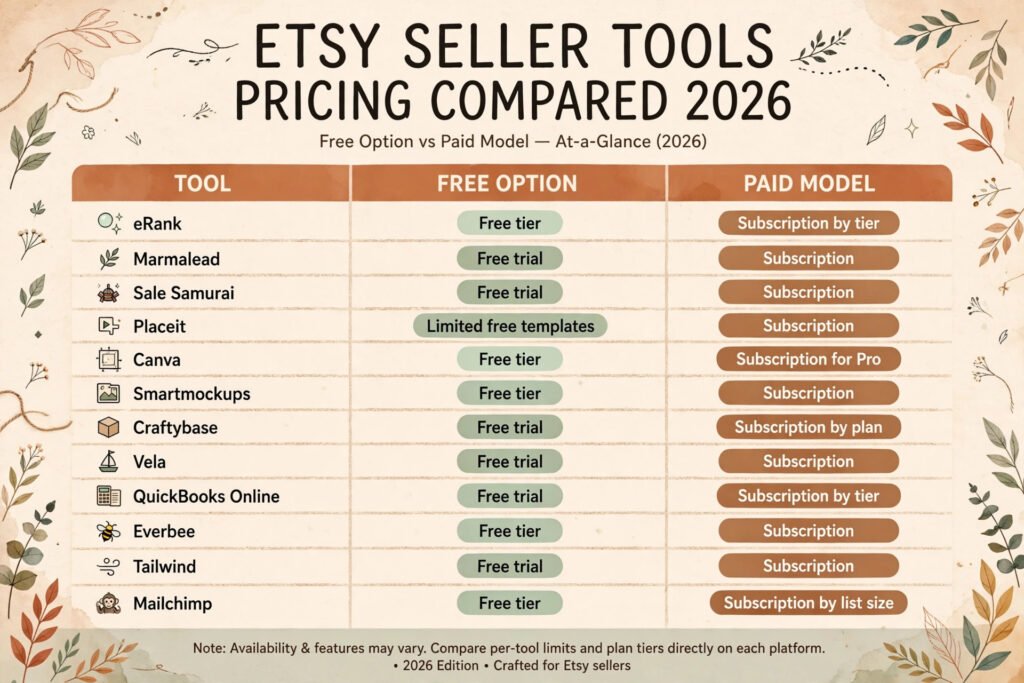
Pricing compared: what an Etsy seller actually pays in 2026
| Tool | Free option | Paid model | Cost watchpoint |
|---|---|---|---|
| eRank | Free tier | Subscription by tier | Paying for tracking you never check |
| Marmalead | Free trial | Subscription | Grading listings you have not changed |
| Sale Samurai | Free trial | Subscription | Keeping it after the research phase ends |
| Placeit | Limited free templates | Subscription | Using it for one mockup a month |
| Canva | Free tier | Subscription for Pro | Team seats you do not need |
| Smartmockups | Free tier | Subscription | Paying for resolution you never download |
| Craftybase | Free trial | Subscription by plan | Entering costs late, then paying to fix them |
| Vela | Free trial | Subscription | Bulk edits without a preview step |
| QuickBooks Online | Free trial | Subscription by tier | Tier creep as users are added |
| Everbee | Free tier | Subscription | Treating estimates as guaranteed sales |
| Tailwind | Free trial | Subscription | Scheduling volume without checking traffic |
| Mailchimp | Free tier | Subscription by list size | List growth pushing you into a higher tier |
Most Etsy tools are cheap alone and expensive together. Start with one tool per bottleneck, cancel any tool that does not change a number within 60 days, and add a second tool in the same category only when the first one hits a limit you have actually reached.
How to Choose: match the tool to the leak, not the trend
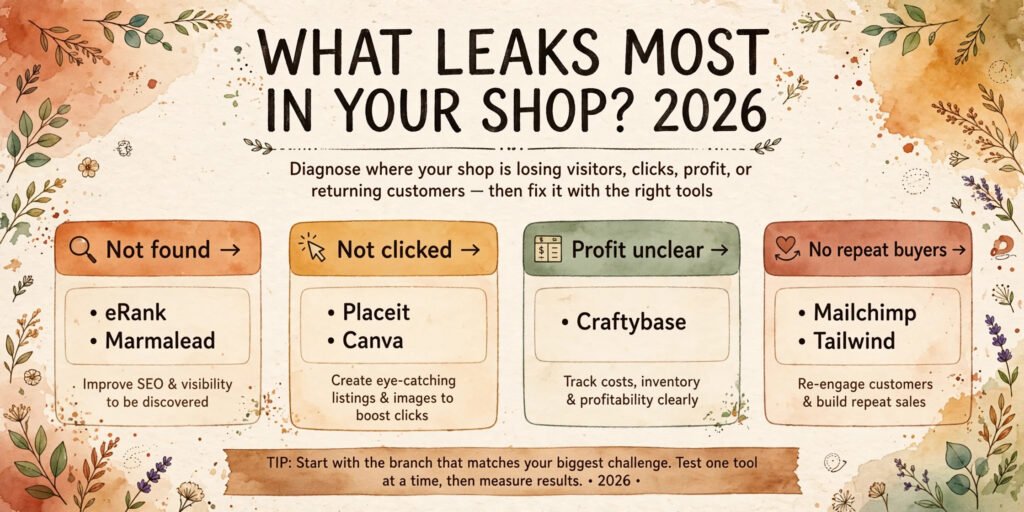
Start with one question: where does money leak from your shop? If listings are not found, start with eRank or Marmalead. If they are found but not clicked, start with Placeit, Smartmockups or Canva. If profit is unclear, start with Craftybase. If past buyers never return, start with Mailchimp. Buying a tool for a problem you do not have is the most common waste in this category.
Next, run a 30 day test with one measure. For SEO tools, measure search views per listing. For mockup tools, measure click rate on changed listings. For Craftybase, measure profit per product for your top five items. For email and scheduling tools, measure visits from that channel to Etsy. If the measure does not move, the tool is not working for your shop, however good its reviews are.
Then check integration before you commit. Does it handle variations, digital products or print on demand the way your shop sells? Read the limits page, not just the features page, before you pay for a year upfront. Keep the stack small: one SEO tool, one design tool, one profit tracker, and one repeat sales channel. Add Vela when listings pass 50, and QuickBooks when Etsy income becomes a real part of household income.
Mistakes to avoid when buying Etsy tools
Buying every tool in launch week is the first mistake. New sellers often subscribe to five tools before their tenth sale, then spend more time learning dashboards than making products buyers want. Tools amplify a working shop. They do not create demand for a product nobody wants.
Copying competitor tags without checking fit is the second mistake. A tag that works for a shop with 10,000 sales at a different price may not work for a new shop. Check demand, competition and the live listings for that phrase before you copy anything.
Pricing from revenue instead of profit is the third mistake. A product that sells for 30 dollars and costs 22 dollars in materials, fees and postage is an 8 dollar product before your time. Craftybase catches this error only if you enter true costs, including packaging and packing time.
Overdesigning the first listing image is the fourth mistake. Text heavy images and collages look busy at phone size, where most Etsy buyers shop. Show the product clearly first, add detail shots after, and check the thumbnail on a phone before publishing.
Ignoring repeat buyers is the fifth mistake. Etsy search traffic is rented. Your email list is the closest thing to owned traffic a small seller has. A simple thank you email and a signup offer in packaging can make the next launch less dependent on Etsy search alone.
Frequently asked questions
Do I need paid Etsy SEO tools, or can I use Etsy search alone?
Etsy search alone can work for a small shop. Paid tools earn their cost when you have many listings or need to audit at scale. With fewer than 20 listings, start with free tiers and Etsy search suggestions, then pay when manual checks take more than a few hours a month.
Which tool should a new Etsy seller buy first?
Buy for your biggest leak. If nobody finds your listings, start with eRank or Marmalead. If listings are found but not clicked, start with Canva or Placeit. If you do not know your profit, start with Craftybase. One tool, used for 30 days with one measure, beats three tools bought on the same day.
Are mockups as good as real photos for Etsy listings?
Mockups work well for print on demand and digital products where a photo shoot is impractical. Real photos work better for handmade goods where texture, scale and finish matter. Many shops mix both: a real photo first, mockups for variations and lifestyle settings later in the set.
How do I know my real profit after Etsy fees?
Add listing, transaction and payment fees, materials, packaging, postage and a realistic value for your time, then subtract that total from the sale price. Craftybase automates this per product, and QuickBooks Online tracks it at shop level for tax. Tracking revenue alone will overstate profit and lead to underpricing.
Can email marketing work for a small Etsy shop?
Yes, if the list is built with permission and the emails are useful. A small list of past buyers who opted in will outperform a large cold list. Send launch news and restock alerts, not weekly generic sale emails. Collect emails through your own site or packaging inserts, not by messaging Etsy buyers outside Etsy rules.
Should I use all 12 tools in this guide?
No. This guide lists 12 tools so you can pick the right one per job, not subscribe to all of them. Most sellers need four tools well used: one for SEO, one for design, one for profit tracking, and one for repeat sales. Add more only when a bottleneck appears and the current tool has a limit you have actually reached.
Conclusion: buy the fix, not the dashboard
The best AI tools for Etsy sellers in 2026 share one trait: they fix a named leak. eRank and Marmalead fix discovery. Placeit, Canva and Smartmockups fix clicks. Craftybase, Vela and QuickBooks Online fix profit clarity. Everbee and Sale Samurai fix product choice. Tailwind and Mailchimp fix repeat traffic. Pick the leak that costs you most, test one tool for 30 days against one measure, and keep only the tools that move that measure. A small stack, used consistently, beats a large stack bought in a hurry, and leaves more time for better products, clearer listings, and buyers who come back.